

Il software di docketing per marchi aiuta te e il tuo team a gestire scadenze, rinnovi e conformità legale, e il rischio di dimenticare qualcosa è elevato. Ti aiuta a mantenere tutti i dettagli relativi ai marchi organizzati e facilmente accessibili.
Ho trascorso anni a testare e recensire software, soprattutto nel settore legale. So cosa funziona e cosa no. In questo articolo condividerò i miei approfondimenti sui migliori software di docketing per marchi disponibili, concentrandomi sulle funzionalità che fanno davvero la differenza.
Perché Fidarsi delle Nostre Recensioni Software
Testiamo e recensiamo software legali dal 2023. Essendo noi stessi ricercatori di tecnologia legale, sappiamo quanto sia fondamentale e difficile prendere la decisione giusta quando si tratta di scegliere un software. Investiamo in ricerche approfondite per aiutare il nostro pubblico a prendere decisioni d’acquisto migliori.
Abbiamo testato oltre 2.000 strumenti per diversi casi d’uso nella pratica legale e scritto più di 1.000 recensioni approfondite di software. Scopri come restiamo trasparenti e consulta la nostra metodologia di recensione del software.
Riepilogo Miglior Software di Docketing per Marchi
Questa tabella comparativa riassume i dettagli sui prezzi delle mie migliori scelte di software di docketing per marchi, per aiutarti a trovare quello più adatto al tuo budget e alle esigenze della tua attività.
| Tool | Best For | Trial Info | Price | ||
|---|---|---|---|---|---|
| 1 | Best for automated docketing | Free trial available | From $60/month | Website | |
| 2 | Best for small law firms | Free trial available | From $125/month | Website | |
| 3 | Best for large enterprises | Free demo available | Pricing upon request | Website | |
| 4 | Best for cloud-based solutions | Free demo available | Pricing upon request | Website | |
| 5 | Best for tech transfer offices | Free demo available | Pricing upon request | Website | |
| 6 | Best for patent tracking | Free demo available | Pricing upon request | Website | |
| 7 | Best for global trademark management | Free demo available | Pricing upon request | Website | |
| 8 | Best for patent monitoring | Free demo available | Pricing upon request | Website | |
| 9 | Best for IP portfolio analysis | Free demo available | Pricing upon request | Website | |
| 10 | Best for research institutions | Free demo available | Pricing upon request | Website |


Recensione Miglior Software di Docketing per Marchi
Qui sotto trovi i miei riepiloghi dettagliati dei migliori software di docketing per marchi della mia shortlist. Le mie recensioni analizzano le funzionalità principali di ciascun tool, pro e contro, integrazioni e casi d’uso ideale per aiutarti a trovare quello più adatto a te.

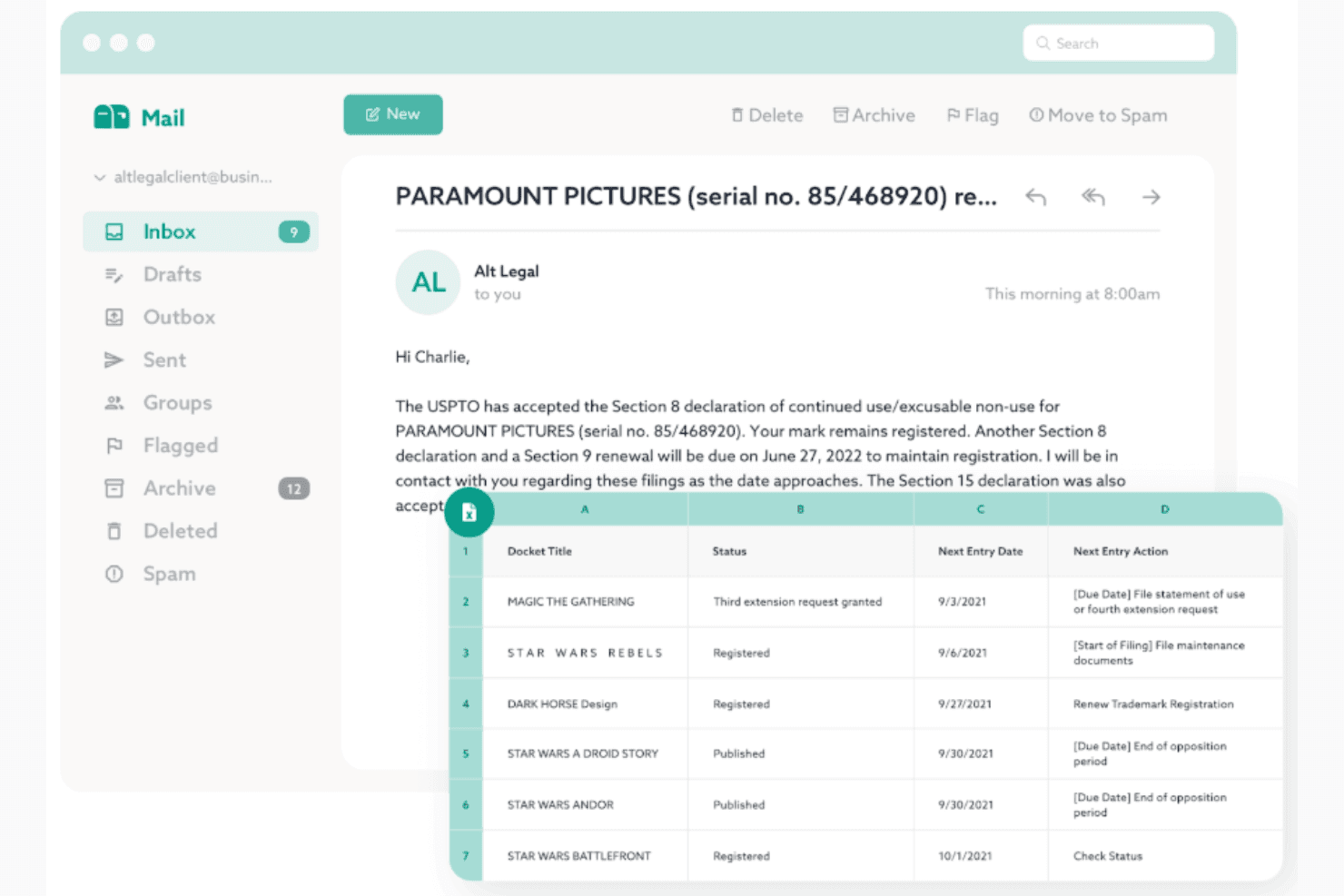
Alt Legal auto-dockets trademarks with global real-time tracking. Alt Legal is a cloud-based trademark docketing platform that auto-populates matter records, calculates deadlines, and syncs prosecution data directly from USPTO, CIPO, and 180+ global IP offices.
Who Is Alt Legal Best For?
Alt Legal suits trademark attorneys and paralegals at IP boutiques, solo practices, and Am Law firms managing active prosecution dockets across multiple jurisdictions.
Why I Picked Alt Legal
Alt Legal earns its spot on my shortlist because of how genuinely hands-off the docketing process becomes once you're connected to USPTO's TSDR database. When a response is filed and the USPTO updates the record, Alt Legal automatically removes the old deadline and dockets the next one, with no manual intervention needed. I also like that the same automation extends to 180+ international IP offices via its CompuMark integration, so foreign renewal deadlines get created automatically when marks register or renew abroad.
Alt Legal Key Features
- Client and associate portal access: Provide unlimited, no-cost access for clients and foreign associates to view dockets and deadlines in real time.
- Custom report builder: Generate tailored trademark reports with dynamic filters and scheduled delivery to attorneys or clients.
- Goods and services composer: Draft goods and services statements that comply with the USPTO ID Manual and calculate TEAS application fees.
- Daily automated status updates: Receive automated daily emails with the latest status changes and action items for all matters on the docket.
Alt Legal Integrations
Alt Legal offers native integrations with CompuMark (Clarivate), USPTO, and CIPO for direct docketing data feeds. An API is available for custom integrations.
Pros and Cons
Pros:
- Unlimited client and associate portal seats included
- Tracks prosecution data across 180+ IP offices
- Automatically resolves deadlines when USPTO records update
Cons:
- No built-in billing or fee estimation tools
- Document management is less developed than competitors
Learn more about Alt Legal:
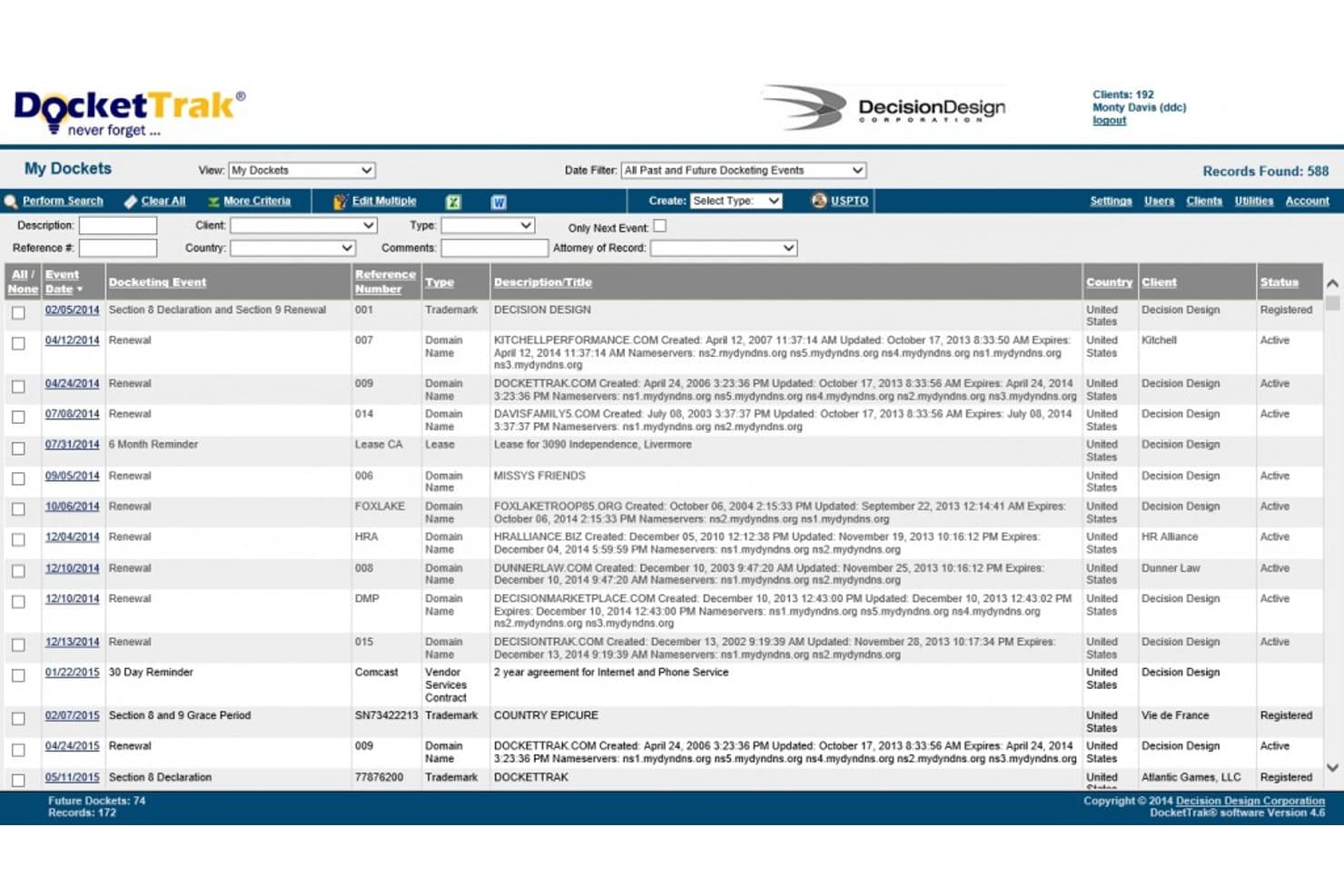
DocketTrak offers a comprehensive docket management dashboard displaying trademark and domain name renewal events with filtering, search, and multi-client tracking capabilities. DocketTrak is a cloud-based IP docketing system that tracks trademark and patent portfolios, automates deadline calculations, and syncs with trademark offices including USPTO, EUIPO, WIPO, and CIPO.
Who Is DocketTrak Best For?
Small IP law firms and boutique trademark practices that need reliable, affordable docketing without the complexity of enterprise-scale systems.
Why I Picked DocketTrak
DocketTrak earns its spot on my shortlist because it cuts the manual overhead that small trademark teams can't sustain. I love that it auto-creates docket records the moment a USPTO application is filed, syncing nightly so my team isn't chasing updates. DocketWatch scans every new USPTO application daily and flags Section 2(d) office actions citing your clients' marks, giving small firms proactive conflict monitoring without a dedicated watch service budget.
DocketTrak Key Features
- International trademark integrations: Syncs trademark data daily from CIPO, EUIPO, WIPO, UK, Australia, and New Zealand offices.
- Client access portal: Grants clients secure, read-only access to view their trademark portfolios and due dates online.
- Configurable report builder: Lets you generate and export custom portfolio, docket, and deadline reports in real time.
- Unlimited user licensing: Supports unlimited clients, records, and users with every subscription tier.
DocketTrak Integrations
DocketTrak offers native integrations with USPTO, CIPO, EUIPO, WIPO, UK IPO, IP Australia, and IP New Zealand for daily trademark data syncs. An API is also available for custom integrations.
Pros and Cons
Pros:
- Unlimited users and records on every plan
- Tracks deadlines across multiple international jurisdictions
- Client portal for real-time trademark status access
Cons:
- Limited scalability for large IP departments
- No AI-powered correspondence parsing or auto-classification
Learn more about DocketTrak:
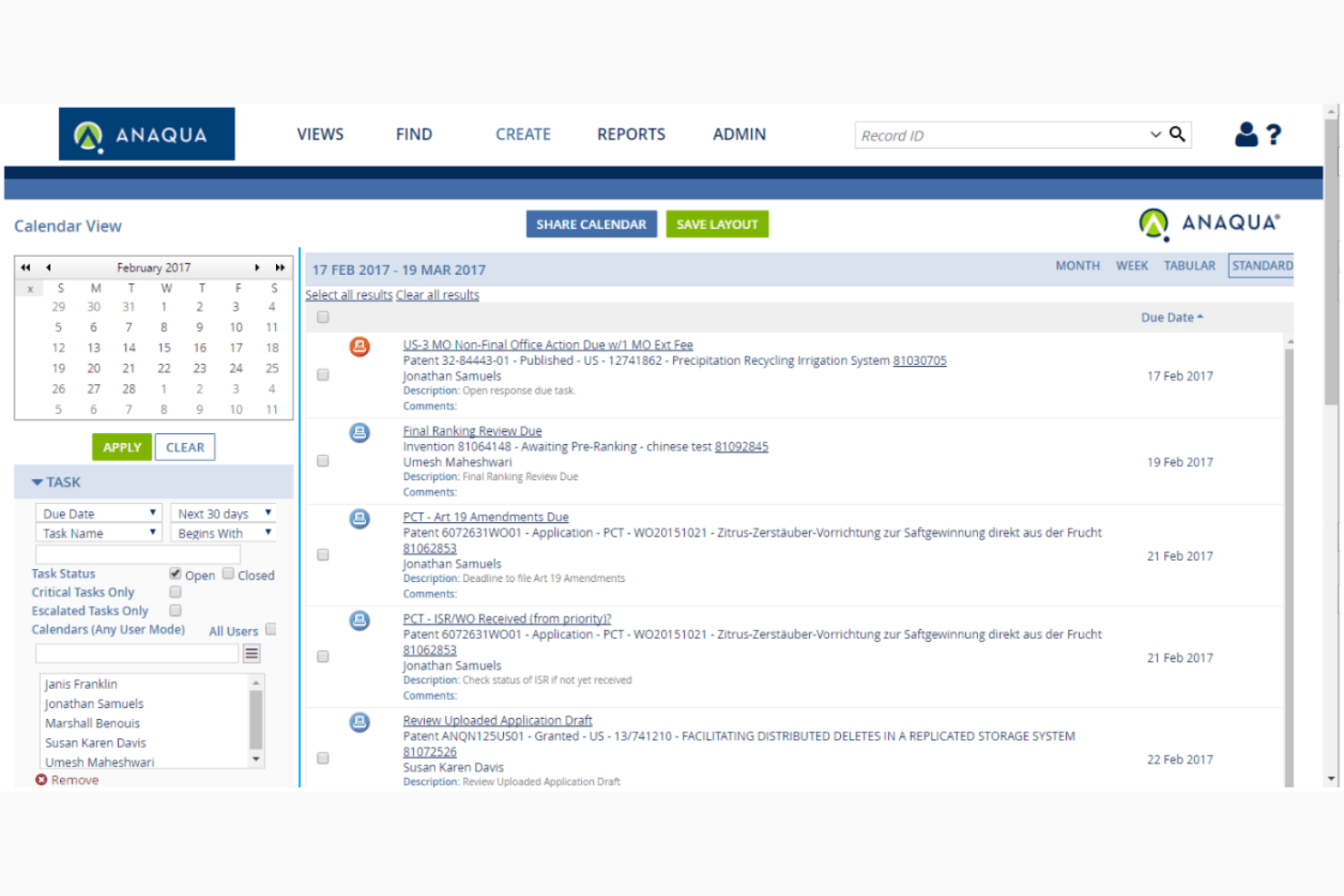
Anaqua AQX centralizes global trademark ops for large enterprises. Anaqua AQX is an enterprise trademark management platform that unifies automated docketing, multi-jurisdiction deadline tracking, portfolio analytics, and AI-powered correspondence ingestion in a single system.
Who Is Anaqua AQX Best For?
AQX is purpose-built for large corporations and global law firms managing high-volume trademark portfolios across dozens of jurisdictions simultaneously.
Why I Picked Anaqua AQX
Anaqua AQX earns its spot on my shortlist because of its rules-based deadline engine covering 180+ jurisdictions, with country-specific logic maintained by legal experts. I particularly like the AI-powered correspondence ingestion (via Microsoft Azure AI Document Intelligence), which auto-processes PTO mail and populates docket entries without manual handling. The HyperView dashboards also let my team analyze a massive global portfolio by brand, geography, or product line in real time.
Anaqua AQX Key Features
- HyperView dashboards: Access real-time visual reporting organized by brand, geography, and product line.
- Anaqua Connect collaboration: Exchange data and coordinate workflows securely with outside counsel and clients.
- Bulk data migration tools: Import legacy docketing records and custom classifications directly into the platform.
- Anti-counterfeit mobile app: Submit suspected trademark infringement or counterfeiting cases from any device.
Anaqua AQX Integrations
Anaqua AQX offers native integrations with USPTO TSDR, EUIPO, WIPO, Anaqua Services, and WiseTime, and provides an API for custom integrations.
Pros and Cons
Pros:
- Portfolio analytics viewable by brand and geography
- AI parses office correspondence without paralegal input
- Rules-based deadline engine covers 180+ jurisdictions
Cons:
- Not well-suited for small IP practices
- Onboarding requires dedicated specialists and significant time
Learn more about Anaqua AQX: Best for cloud-based solutions
- Free demo available
- Pricing upon request
Visit WebsiteCustomer Rating:4.6/5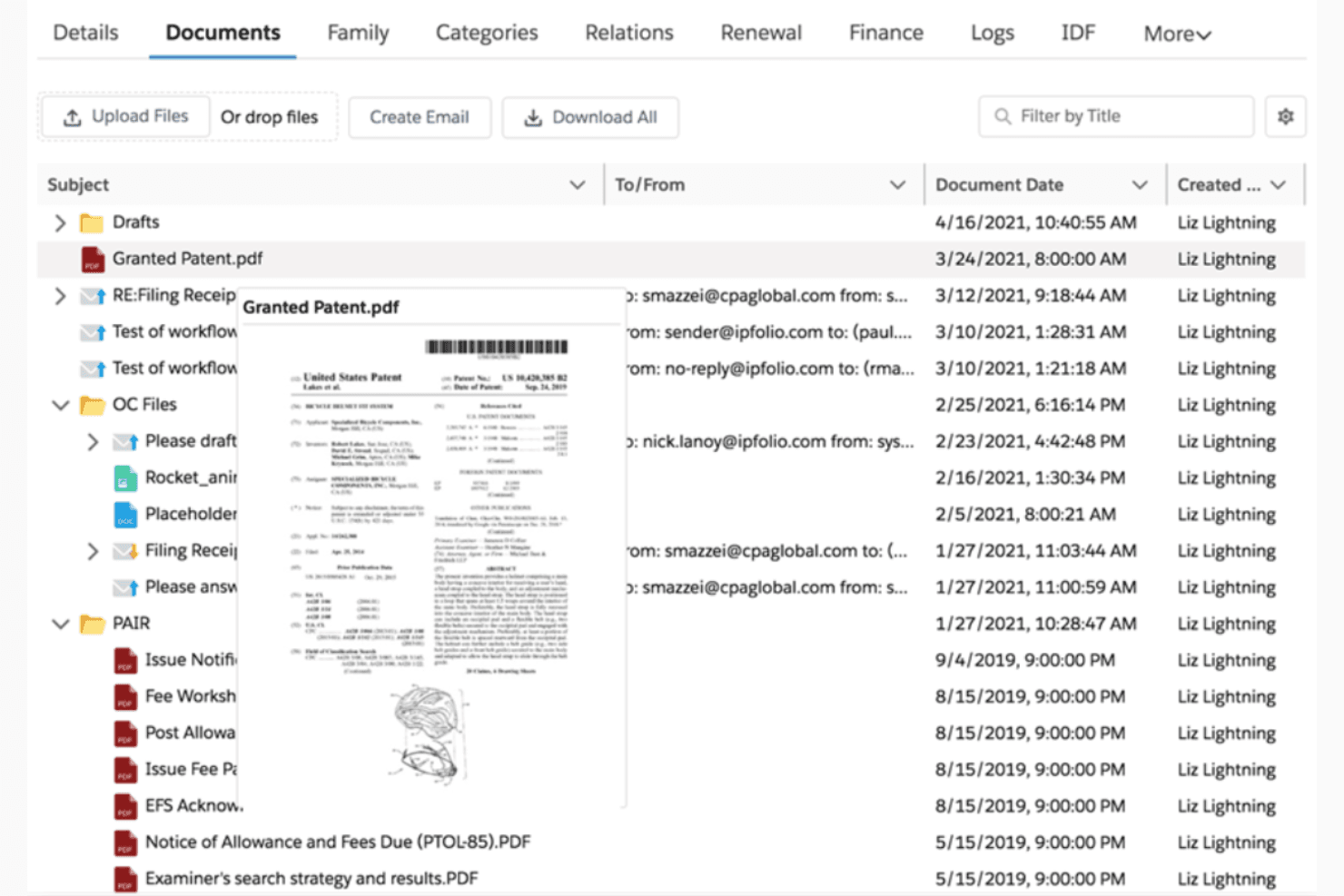
IPfolio streamlines IP tasks with cloud-based trademark management. IPfolio is a Salesforce-native IP management platform that covers trademark docketing, multi-jurisdiction deadline tracking, portfolio management, and automated docket population for corporate IP teams.
Who Is IPfolio Best For?
Mid-size to enterprise corporate IP departments, particularly those already on the Salesforce platform, are the natural home for IPfolio.
Why I Picked IPfolio
I picked IPfolio as one of the best because its Salesforce-native architecture delivers automatic platform updates, eliminating the costly upgrade cycles that on-premise systems require. I particularly like how the country laws engine calculates trademark deadlines across jurisdictions without manual rule maintenance. The auto-docketing feature then enriches those records with verified trademark data, keeping dockets current without manual entry.
IPfolio Key Features
- Portfolio management dashboards: Access configurable dashboards showing trademark matters, statuses, and prosecution history across your portfolio.
- Integrated document management: Store and organize trademark documents, correspondence, and office actions within each record.
- Customizable reporting tools: Build and schedule tailored status reports and deadline summaries for your users or stakeholders.
- Salesforce platform security: Rely on role-based access controls, encryption, and audit logs built into the Salesforce infrastructure.
IPfolio Integrations
IPfolio offers native integrations with CompuMark, FoundationIP, and Salesforce. An API is available for custom integrations.
Pros and Cons
Pros:
- Enterprise-grade security controls built into the platform
- Country laws engine auto-calculates multi-jurisdiction deadlines
- Automatic platform updates eliminate costly upgrade cycles
Cons:
- Reporting customization options are relatively limited
- Requires an existing Salesforce instance to deploy
Learn more about IPfolio: Best for tech transfer offices
- Free demo available
- Pricing upon request
Visit WebsiteCustomer Rating:4.4/5
Inteum Minuet manages IP lifecycles for tech transfer offices. Inteum is an IP portfolio management platform that combines trademark and patent docketing, deadline tracking, document management, and licensing agreement workflows for institutional IP teams.
Who Is Inteum Best For?
Inteum is a strong fit for tech transfer offices at universities, research hospitals, and federal laboratories managing mixed IP portfolios across patents, trademarks, and licensing agreements.
Why I Picked Inteum
I picked Inteum because it's the only trademark docketing platform purpose-built for tech transfer offices, where IP portfolios routinely mix patents, trademarks, and licensing agreements. Minuet's trademark module tracks filing and annuity expenses alongside associated branding agreements, keeping everything connected in one record. Sentinel Notifications then automates deadline alerts tied directly to specific IP records, so nothing slips during busy prosecution cycles.
Inteum Key Features
- Inventor portal: Researchers can submit invention disclosures directly through a dedicated online portal.
- DocuSign CLM integration: Digital signatures and contract lifecycle events are managed from within the platform.
- Custom fields and localization: Unlimited configurable fields and user interface labels support up to 10 languages.
- Technology Publisher: Promotes licensable technologies to potential partners through a built-in online marketplace.
Inteum Integrations
Inteum offers native integrations with DocuSign CLM, CPI, RenewalsDesk, Clarivate, and Outlook, and provides an API for custom integrations.
Pros and Cons
Pros:
- Manages invention disclosures alongside trademark filings
- Built for institutional mixed IP portfolios
- Tracks licensing deals tied to trademark records
Cons:
- Weaker multi-jurisdiction deadline automation than competitors
- Not tailored for law firm docketing
Learn more about Inteum:

PATTSY WAVE automates patent tracking with accuracy and compliance. PATTSY WAVE is a dual-purpose patent and trademark docketing platform built for IP law firms, combining AutoDocket® automation, multi-jurisdiction deadline tracking, and document management system-integrated correspondence management.
Who Is PATTSY WAVE Best For?
PATTSY WAVE is a strong fit for IP law firms with dedicated docketing teams managing large, multi-jurisdiction patent and trademark portfolios under tight deadline pressure.
Why I Picked PATTSY WAVE
I picked PATTSY WAVE because its AutoDocket® engine handles both patent and trademark correspondence automatically, pulling live data from USPTO TSDR, EUTM, and WIPO Madrid to update docket entries without manual input. That dual-portfolio coverage is genuinely useful when a firm runs patent and trademark matters side by side in one system. I also like how Web Data Validation cross-checks incoming data against trademark office records directly, catching discrepancies before they translate into missed deadlines.
PATTSY WAVE Key Features
- Inventor portal: Lets inventors submit disclosures and track award status using customizable, no-code questionnaires.
- DMS sync integration: Syncs documents and metadata with leading document management systems like NetDocuments and iManage.
- Global IP cost estimator: Generates detailed cost estimate reports for worldwide trademark filings directly from any matter record.
- Configurable reminder workflows: Schedules automated reminders for prosecution tasks with multi-recipient notifications for attorneys and clients.
PATTSY WAVE Integrations
PATTSY WAVE offers native integrations with NetDocuments and iManage for document management, and provides an API for custom integrations.
Pros and Cons
Pros:
- Web Data Validation flags correspondence discrepancies automatically
- Covers patent and trademark matters in one platform
- AutoDocket® handles multi-office deadline population automatically
Cons:
- Reporting customization requires significant configuration time
- Less suited for solo IP boutiques
Learn more about PATTSY WAVE: Best for global trademark management
- Free demo available
- Pricing upon request
Visit WebsiteCustomer Rating:4.3/5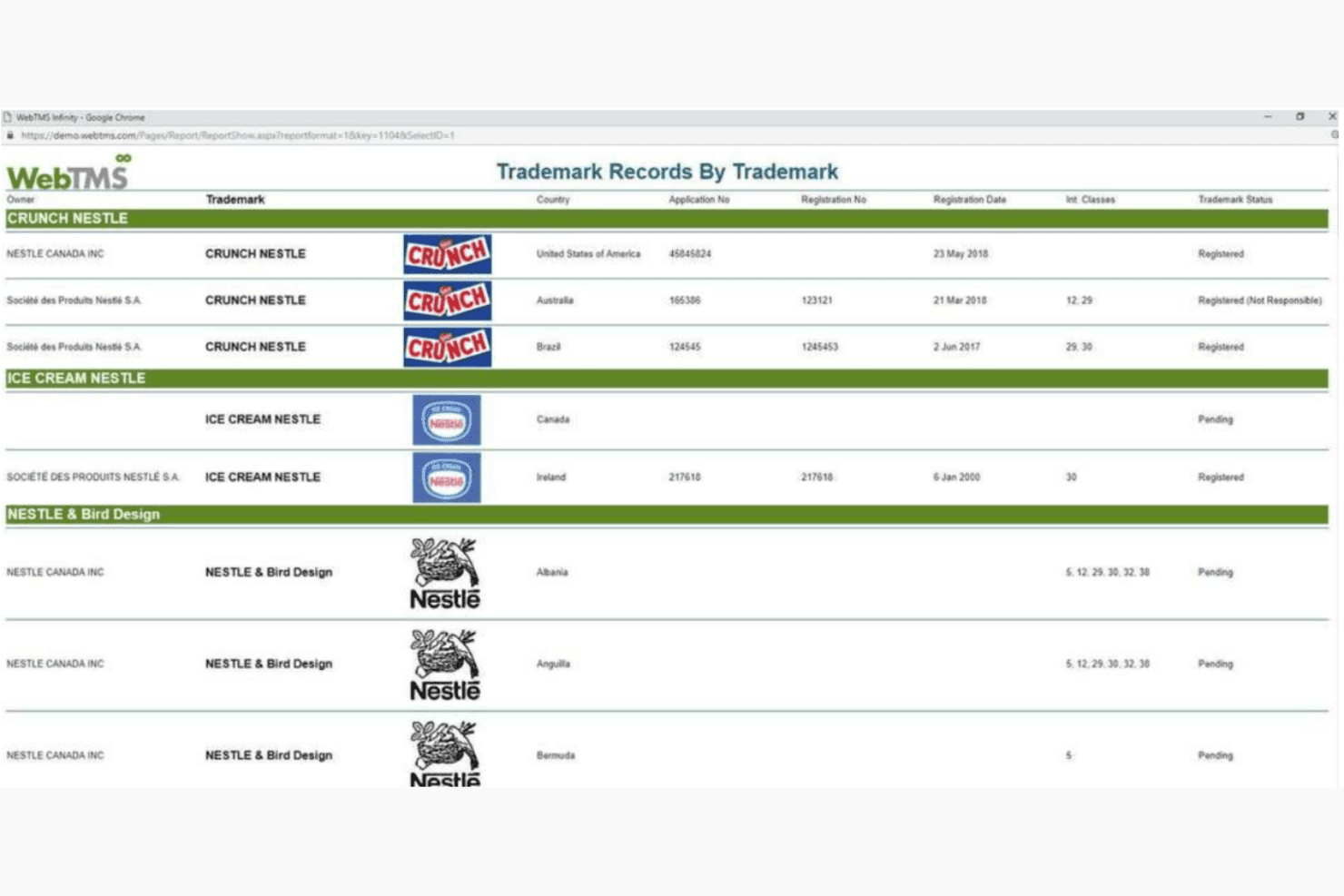
WebTMS automates global trademark updates across 180+ regions. WebTMS is a web-based trademark docketing platform that covers multi-jurisdiction portfolio management, automated deadline tracking, and data sync across 180+ IP offices worldwide.
Who Is WebTMS Best For?
WebTMS suits law firms and in-house IP teams that manage large, multi-jurisdictional trademark portfolios across multiple clients or business units.
Why I Picked WebTMS
WebTMS earns its spot on my shortlist because of how seriously it takes global coverage. I like the Data Sync feature, which pulls live records from 180+ IP offices automatically. It also logs a full audit history of every status change, which matters when you're managing portfolios at scale. The map visualization reports are something I haven't seen in many other docketing tools, showing the geographic spread of a client's trademark rights across an entire portfolio at a glance.
WebTMS Key Features
- Client access portals: Allow clients to securely view trademark records, reporting, and deadlines with customizable permissions.
- e-Docket dashboard: Provides a live view of upcoming trademark deadlines and prosecution events in a color-coded interface.
- Reporting builder: Lets users create custom reports with advanced filtering, layouts, and branding for both internal and client use.
- Record wizards: Streamline bulk data entry for projects like multi-country filings, renewals, and assignments.
WebTMS Integrations
Native integrations are not clearly documented. WebTMS offers an API for custom integrations.
Pros and Cons
Pros:
- Highly rated, responsive customer support team
- Bulk import pulls cases directly from trademark offices
- Live audit cross-checks data against trademark registers
Cons:
- Dispute module automation is largely manual
- No patent module for consolidated IP docketing
Learn more about WebTMS:

IAMIP tracks global IP data to support smart, collaborative decisions. IAMIP Platform is an AI-powered IP intelligence platform that combines patent monitoring, portfolio management, competitive tracking, and legal status alerts across global patent databases.
Who Is IAMIP Platform Best For?
IAMIP Platform suits IP professionals and R&D teams at technology companies who need to monitor competitor patent activity across global jurisdictions.
Why I Picked IAMIP Platform
I've included IAMIP Platform in my top picks because its patent monitoring depth is genuinely hard to replicate elsewhere. Its Early Warning System flags new competitor filings the moment they appear across 105+ countries, and the AI Claim Comparer lets me run side-by-side analysis across jurisdictions without switching tools. For IP teams that need to track what competitors are filing while managing their own portfolio, that combination of real-time alerts and built-in claim analysis keeps everything in one place.
IAMIP Platform Key Features
- AI-powered patent summarizer: Automatically condenses lengthy patent documents into clear summaries in plain language.
- Collaborative workspaces: Lets teams comment, share, and organize portfolios with configurable user roles and access levels.
- Legal status watch: Continuously scans and updates patent legal status changes from global patent offices.
- Secure document storage: Stores and manages patent files and related documents in ISO 27001 certified data centers.
IAMIP Platform Integrations
Native integrations are not clearly documented. The tool offers an API for custom integrations.
Pros and Cons
Pros:
- Real-time legal status alerts from global offices
- AI summarizes patent documents automatically
- Monitors competitor filings across 105+ countries
Cons:
- No dedicated trademark deadline calculation engine
- Patent-focused, not built for trademark docketing
Learn more about IAMIP Platform: Best for IP portfolio analysis
- Free demo available
- Pricing upon request
Visit WebsiteCustomer Rating:5/5
Clarivate delivers real-time IP insights with powerful portfolio tools. Clarivate is an IP management platform that combines automated trademark docketing, multi-jurisdictional deadline tracking, portfolio management, and correspondence ingestion from major trademark offices including USPTO, WIPO, and EPO.
Who Is Clarivate Best For?
Clarivate is a strong fit for enterprise corporate IP teams and large law firms managing complex, high-volume trademark portfolios across multiple global jurisdictions.
Why I Picked Clarivate
Clarivate earns its spot on my shortlist because of how deeply it embeds portfolio intelligence into the docketing workflow. IPfolio pulls enriched trademark data from CompuMark and Darts-ip directly into each matter, so I can see opposition history and litigation risk without leaving the platform. The Salesforce-based analytics layer lets me build custom dashboards that surface renewal exposure across an entire portfolio at a glance.
Clarivate Key Features
- Centralized correspondence hub: Collects and organizes all trademark office, agent, and client correspondence in one location by matter.
- Multi-jurisdictional deadline engine: Supports automated deadline rules for filings in USPTO, EPO, WIPO, JPO, CIPO, and more.
- Integrated document management: Stores, links, and retrieves all trademark-related documents and correspondence by case.
- Custom report builder: Lets users design and schedule delivery of trademark portfolio status reports for internal and client needs.
Clarivate Integrations
Clarivate offers native integrations with USPTO, EPO, WIPO, JPO, CIPO, and IPA for automated docket and document intake, and provides an API for custom integrations.
Pros and Cons
Pros:
- Covers 100+ jurisdictions with expert-maintained rules
- Integrates CompuMark watch data natively
- Deep IP portfolio analytics across global marks
Cons:
- Salesforce dependency limits deployment flexibility
- Complex implementation for smaller IP teams
Learn more about Clarivate: Best for research institutions
- Free demo available
- Pricing upon request
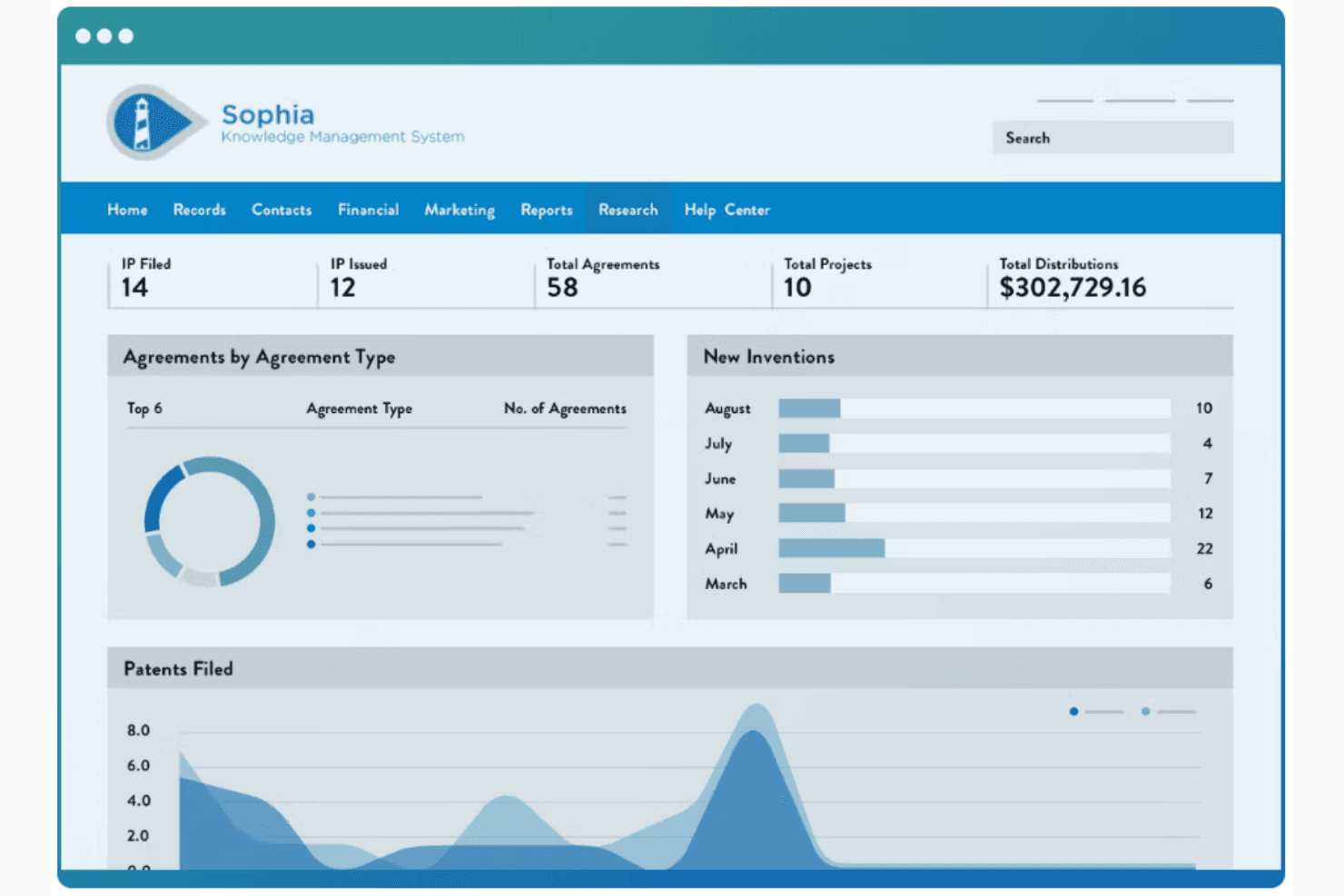
Wellspring streamlines IP and compliance for research institutions. Wellspring IP Management is an IP lifecycle management platform that covers trademark and patent docketing, deadline tracking, portfolio management, and document storage across 122+ jurisdictions.
Who Is Wellspring IP Management Best For?
Wellspring is a natural fit for university tech transfer offices and research institutions that manage large IP portfolios across patent and trademark filings.
Why I Picked Wellspring IP Management
I picked Wellspring IP Management as one of the best because its docketing engine is built around institutional IP workflows, not law firm billing cycles. The automated country-specific deadline rules cover trademark renewals in 122+ countries, which matters when a TTO is tracking a global portfolio simultaneously. I also like the inventor portal, which lets researchers submit disclosures directly into the docket, keeping the full IP lifecycle in one place.
Wellspring IP Management Key Features
- Automated docketing system: Calculates office action and renewal deadlines based on up-to-date country rules.
- Matter-linked document uploads: Lets you attach and organize trademark documents and correspondence directly within each record.
- Customizable permission controls: Provides user role management with custom read-only and admin access settings.
- Integrated agreement linking: Connects license agreements and contracts to specific IP assets for centralized management.
Wellspring IP Management Integrations
Native integrations are not clearly documented. An API is available for custom integrations.
Pros and Cons
Pros:
- Automated patent application reminders built in
- Adapts to institution-specific workflows without vendor help
- Strong TTO-specific IP lifecycle tracking
Cons:
- Trademark-specific docketing rules are secondary to patent focus
- System can slow noticeably during record lookups
Learn more about Wellspring IP Management :
Altri Software di Docketing per Marchi
Ecco alcune altre opzioni di software di docketing per marchi che non rientrano nella mia shortlist, ma che vale comunque la pena considerare:
- 11Equinox IPMSBest for customizable workflows
- 12AppColl Prosecution ManagerBest for IP prosecution
- 13PatentRenewal.comBest for renewal management
- 14FADEL IPM SuiteBest for royalty compliance
- 15Orbit IntelligenceBest for patent data analysis
- 16IPzenBest for cloud-based IP management
- 17DennemeyerBest for global IP services
- 18PatentCAMBest for patent lifecycle management
- 19FlexTracBest for flexible case management
- 20PATOfficeBest for German market focus
- 21ProvakilBest for legal analytics
- 22DIAMS iQBest for IP portfolio insights
- 23RelecuraBest for AI-driven IP analytics
How I Evaluate Trademark Docketing Software
I split my evaluation into two layers: baseline capabilities a tool must have—like multi-jurisdiction deadline rules and docket auto-population—and the differentiators that set vendors apart.
Core Functionality (Table Stakes For This List)
When I'm selecting tools for my list, I rank each one on a scale from 0 (does not offer the functionality) to 5 (excels in this area) for each core functionality listed below. Then, I calculate the tool's total score into a percentage. Each tool needs to achieve a minimum total score of 55% to be considered for inclusion.
- Trademark Deadline Tracking: I look for rules-based engines that auto-calculate response windows for office actions, renewal periods, and declaration of use filings rather than relying on manual calendar entries.
- Multi-Jurisdiction Support: Each tool should cover docketing rules for major trademark offices like the USPTO, EUIPO, and WIPO Madrid Protocol, with local rules for national offices beyond these.
- Trademark Portfolio Management: I evaluate how each platform organizes marks, classes, goods and services, ownership chains, and prosecution histories—especially across large multi-client portfolios.
- Automated Docket Population: I check whether a tool ingests data from trademark office feeds or parses office correspondence to populate docket entries, reducing the manual keying that leads to missed deadlines.
- Status Reporting & Reminders: The platform should offer configurable reminder workflows and custom reporting so paralegals can generate client-ready trademark status updates without exporting to spreadsheets.
- Document & Correspondence Management: I look at how each tool stores and links office actions, registration certificates, and prosecution documents to their associated trademark records for fast retrieval.
Once I have a list of tools that meet the criteria, I consider what sets each platform apart.
Differentiating Factors (What Sets Vendors Apart)
Here's how I compare and contrast different vendors:
Standout Features
AI-powered correspondence parsing is a big differentiator—tools that auto-classify incoming office actions and extract key dates save paralegals hours of manual docket entry each week. I also evaluate workflow automation, particularly configurable task routing that moves work from foreign associates through paralegals to reviewing attorneys without email chains. Client portal access matters too, especially for firms managing large portfolios where trademark owners expect real-time visibility into filing statuses and upcoming deadlines.
Beyond Features
Rules maintenance is one of the first things I check. A missed deadline due to outdated jurisdiction rules is a malpractice risk, so I look for vendors that employ qualified IP professionals to keep docketing rules current. Data security also weighs heavily—I evaluate whether platforms carry SOC 2 Type II certification and enforce role-based access controls that protect attorney-client privilege. Implementation support matters just as much, especially for firms migrating from legacy systems where historical docket data and open deadlines need validated transfer.
Come Scegliere un Software di Docketing per Marchi
È facile perdersi tra lunghe liste di funzionalità e strutture di prezzo complesse. Per aiutarti a rimanere focalizzato mentre navighi nel tuo processo unico di selezione, ecco una checklist di fattori da considerare:
| Fattore | Cosa Considerare |
| Scalabilità | Il software può crescere con il tuo studio? Valuta se supporta un numero crescente di marchi e utenti senza aumenti di costo o problemi di performance significativi. |
| Integrazioni | Si collega con altri strumenti che usi? Verifica che consenta il trasferimento dati senza problemi con i tuoi attuali sistemi, come CRM o software di gestione documentale. |
| Personalizzazione | Puoi adattare il software ai tuoi flussi di lavoro? Cerca opzioni per modificare dashboard, report e processi secondo le tue esigenze. |
| Facilità d’uso | Quanto è intuitiva l’interfaccia? Verifica se il tuo team riesce a orientarsi senza formazione approfondita. Un design semplice riduce la curva di apprendimento. |
| Implementazione e onboarding | Quali supporti sono disponibili durante la configurazione? Controlla la presenza di materiali di formazione, supporto dedicato e una timeline chiara per l’attivazione del software. |
| Costo | Qual è il costo totale di proprietà? Valuta non solo il prezzo iniziale ma anche spese ricorrenti, eventuali costi nascosti e la sostenibilità rispetto al tuo budget. |
| Sicurezza | Come protegge i tuoi dati il software? Assicurati che rispetti gli standard di settore per cifratura dati, controlli d’accesso e aggiornamenti di sicurezza periodici. |
| Requisiti di conformità | Rispettano gli standard legali? Verifica che siano allineati alle normative e alle leggi sui marchi del tuo settore e della tua giurisdizione. |
Cos’è un Software di Docketing per Marchi?
Il software di docketing per marchi aiuta a gestire e monitorare le attività e le scadenze legate ai marchi. Viene utilizzato da professionisti legali, come avvocati specializzati in marchi e responsabili della proprietà intellettuale, per organizzare il proprio lavoro e garantire la conformità.
Le sue funzionalità includono promemoria automatici, monitoraggio delle scadenze e gestione dei documenti per facilitare il rispetto delle scadenze su rinnovi e depositi. In generale, questi strumenti fanno risparmiare tempo e riducono il rischio di perdere importanti scadenze relative ai marchi.
Funzionalità del software di docketing per marchi
Quando scegli un software di docketing per marchi, fai attenzione alle seguenti funzionalità chiave:
- Monitoraggio delle scadenze: Tiene automaticamente traccia delle scadenze importanti per i marchi, aiutando a prevenire il mancato rinnovo e deposito.
- Promemoria automatici: Invia avvisi e notifiche al team per informarlo sulle attività e scadenze imminenti.
- Gestione dei documenti: Organizza e archivia tutti i documenti relativi ai marchi in un'unica posizione centralizzata per un facile accesso.
- Strumenti di reportistica: Genera report che offrono informazioni dettagliate sui portafogli di marchi e sulle metriche di performance.
- Workflow personalizzabili: Permette di adattare processi e attività alle specifiche esigenze e preferenze del tuo team.
- Capacità di integrazione: Si collega con altri strumenti e sistemi, come CRM e software di gestione documentale, per un trasferimento dati senza interruzioni.
- Misure di sicurezza: Protegge i dati sensibili tramite crittografia e controlli di accesso per garantire la conformità agli standard del settore.
- Interfaccia intuitiva: Offre un design intuitivo che riduce i tempi di apprendimento e migliora l'efficienza del team.
- Gestione della conformità: Garantisce che tutte le attività relative ai marchi rispettino normative e leggi vigenti.
- Gestione del portafoglio: Aiuta a organizzare e gestire più marchi, fornendo una panoramica chiara dei tuoi asset di proprietà intellettuale.
Vantaggi del software di docketing per marchi
Implementare un software di docketing per marchi offre diversi vantaggi per il tuo team e la tua azienda. Eccone alcuni a cui puoi andare incontro:
- Risparmio di tempo: L'automazione del monitoraggio delle scadenze e dei promemoria riduce il tempo dedicato al controllo manuale e all'inserimento dei dati.
- Maggiore accuratezza: La gestione centralizzata dei documenti aiuta a minimizzare gli errori mantenendo tutte le informazioni sui marchi organizzate e facilmente accessibili.
- Migliore conformità: Le funzionalità di gestione della conformità assicurano che le attività relative ai marchi rispettino leggi e normative pertinenti, riducendo i rischi legali.
- Migliore processo decisionale: Gli strumenti di reportistica forniscono informazioni dettagliate sui tuoi portafogli marchi, aiutandoti a prendere decisioni più informate sulla strategia di proprietà intellettuale.
- Aumentata efficienza: Un'interfaccia user-friendly consente al tuo team di lavorare in modo più efficiente riducendo la curva di apprendimento e semplificando la navigazione.
- Scalabilità: La possibilità di gestire più marchi e adattare i workflow supporta la crescita e l'evoluzione della tua azienda.
- Convenienza economica: Evitando il mancato rinnovo e deposito, si prevengono penali costose e si mantiene il valore dei marchi.
Costi e prezzi del software di docketing per marchi
La scelta del software di docketing per marchi richiede di comprendere i vari modelli e piani di prezzo disponibili. I costi variano in base alle funzionalità, alla dimensione del team, agli aggiuntivi e altri fattori. La tabella seguente riassume i piani più comuni, i loro prezzi medi e le caratteristiche tipiche incluse nelle soluzioni di software di docketing per marchi:
Tabella comparativa dei piani per software di docketing per marchi
| Tipo di piano | Prezzo medio | Funzionalità comuni |
| Piano gratuito | $0 | Monitoraggio base delle scadenze, archiviazione documenti e accesso limitato agli utenti. |
| Piano personale | $10-$30/ utente/mese | Monitoraggio delle scadenze, gestione documenti e funzioni base di reportistica. |
| Piano business | $50-$100/ utente/mese | Reportistica avanzata, opzioni di integrazione e workflow personalizzabili. |
| Piano enterprise | $150-$300/ utente/mese | Gestione completa del portafoglio, avanzate funzionalità di sicurezza e supporto prioritario. |
Domande frequenti sul software di gestione delle scadenze per marchi
Ecco alcune risposte alle domande più comuni sul software di gestione delle scadenze per marchi:
Come funziona la gestione delle scadenze?
La gestione delle scadenze comporta il monitoraggio e la gestione delle scadenze e degli eventi legati al lavoro legale. Si inseriscono le date chiave, come udienze e termini di deposito, in un sistema centralizzato. In questo modo non si rischia di perdere eventi importanti e si può organizzare il carico di lavoro in modo efficiente.
Qual è il processo di gestione delle scadenze per i brevetti?
Il processo di gestione delle scadenze per i brevetti comporta la gestione delle domande di brevetto e della documentazione correlata. Si tratta di un sistema strutturato per registrare e monitorare date e termini fondamentali. Questo metodo aiuta a mantenere tutto organizzato, assicurando di soddisfare tutti i requisiti delle domande di brevetto.
Qual è il ruolo di uno specialista nella gestione delle scadenze IP?
Uno specialista nella gestione delle scadenze IP mantiene un sistema organizzato per monitorare le scadenze di depositi e rinnovi. Prepara e deposita la documentazione necessaria presso gli uffici della proprietà intellettuale. Il suo ruolo è essenziale per assicurare il rispetto di tutte le scadenze e una gestione efficiente della proprietà intellettuale.
Cosa significa gestione delle scadenze IP?
La gestione delle scadenze IP significa tenere traccia degli stati e delle scadenze associate alle questioni di proprietà intellettuale, inclusi marchi e brevetti. Ciò comporta la gestione di varie attività, garantendo il rispetto dei termini e la gestione delle controversie. È essenziale per mantenere portafogli IP organizzati.
In che modo il software di gestione delle scadenze aiuta i paralegali e gli studi legali?
Il software di gestione delle scadenze per marchi aiuta i team legali, in particolare paralegali e consulenti interni, ottimizzando la pianificazione, migliorando la gestione delle scadenze e monitorando le date imminenti. Riduce errori e carico di lavoro automatizzando i calendari, rendendo più semplice la gestione di portafogli di marchi di grandi dimensioni.
Cosa fa il software di gestione delle scadenze per il lavoro IP sui marchi?
Il software di gestione delle scadenze per marchi semplifica la gestione della proprietà intellettuale per i professionisti del diritto IP organizzando le domande di marchio e monitorando le azioni d’ufficio. Centralizza le attività e garantisce che gli adempimenti IP critici siano sempre puntuali e conformi.
Quali funzionalità dovrebbe avere un software di gestione delle scadenze per marchi?
Si consiglia di scegliere strumenti di gestione delle scadenze tutto-in-uno, basati su web, che ottimizzano i flussi di lavoro legali. Questi sistemi offrono funzionalità integrate, accesso in tempo reale e monitoraggio delle scadenze, aiutando i team legali a rimanere organizzati e reattivi nella gestione delle domande di marchio.
Cosa succede ora?
Per ulteriori approfondimenti legali e risorse, iscriviti alla nostra newsletter ed entra a far parte di una community di professionisti legali innovativi che stanno plasmando il futuro del diritto.