

Westlaw Review: Pros, Cons, Features and Pricing
Westlaw stands out for its powerful legal research capabilities—here’s where it excels, where it falls short, and how it compares to other tools.

We review tools independently, and commissions help fund our testing. See our transparency policy, our methodology, or suggest a tool.
Westlaw is a legal research tool built for attorneys and legal professionals who need fast, reliable access to case law, statutes, regulations, and secondary sources. I'd consider it especially if your team handles heavy litigation or transactional research and needs citation analysis that goes further than what LexisNexis offers. Westlaw's KeyCite feature delivers more granular treatment history and negative citing references, which makes a real difference when you're building arguments that need to hold up under scrutiny.
Westlaw Evaluation Summary
4.4/5
- Pricing upon request
- Not available
Why Trust Our Software Recommendations
6,700+
Reviews
20
Industry experts
16+
Evaluation factors
14
Years
Our team has been testing and reviewing software since 2012. As legal practice leaders ourselves, we know how difficult—and important—it is to choose the right software.
For this guide, we evaluated tools using hands-on testing and independent research, scoring tools using our selection criteria.
Our reviews reflect our human editorial judgment, not a sales pitch.
Westlaw Overview
When I compare Westlaw to other legal research software, I think its search precision, citation tools, and depth of content set it apart. The interface is modern and onboarding is straightforward, but pricing can be steep for smaller firms. I’ve found support responsive and integrations with document management systems helpful, though some advanced analytics features lag behind competitors.
If you’re judging options for a midsize or large firm that values comprehensive research and reliable support, Westlaw is a top contender. For solo practitioners, the cost may outweigh the benefits unless you need the most authoritative sources.
Pros
- Reliable, responsive customer support for legal professionals
- Advanced AI-powered search and citation analysis
- Extensive database of primary and secondary legal sources
Cons
- Occasional delays in updating recent case law
- Some analytics features lag behind newer competitors
- Pricing is high compared to most alternatives
Is Westlaw Right For Your Needs?
Who Would be a Good Fit for Westlaw?
Westlaw is a strong choice for legal teams and professionals who need deep, up-to-date research capabilities and authoritative sources. Its advanced search, comprehensive database, and responsive support make it ideal for environments where accuracy and speed are non-negotiable.
I think midsize to large law firms, in-house legal departments, and academic institutions will get the most value, especially when handling complex litigation or regulatory work.
- Litigation Support TeamsAI-powered search and citation analysis speed up case preparation and review.
- Government AgenciesReliable updates and comprehensive statutes support policy and legislative research.
- Law SchoolsAcademic users benefit from access to treatises, journals, and teaching resources.
- Appellate PracticesThe platform’s deep archive of appellate decisions aids in precedent-heavy work.
- Corporate Legal DepartmentsIts advanced search and citation tools help manage regulatory and compliance research efficiently.
- Large Law FirmsWestlaw’s extensive case law and secondary sources support complex, high-volume research needs.
Who Would be a Bad Fit for Westlaw?
Westlaw may not be the best fit for smaller firms, non-legal teams, or organizations with limited research budgets. Its pricing and feature set are often more than what solo practitioners, startups, or non-profit legal clinics need. If your work rarely requires deep legal research or you need only basic case lookup, you’ll likely find Westlaw’s cost and complexity unnecessary.
- Real Estate AgenciesMost real estate research needs are met by more specialized, affordable tools.
- HR DepartmentsWestlaw’s legal focus doesn’t align with typical HR compliance research.
- Paralegal-Only TeamsMany features are geared toward attorneys and advanced legal analysis.
- Nonprofit Legal ClinicsBudget constraints and simpler research needs make other tools more practical.
- Small StartupsBasic legal research tasks don’t justify Westlaw’s advanced features or pricing.
- Solo PractitionersThe high subscription cost outweighs the benefits for limited research needs.
How We Test & Score Tools
We’ve spent years building, refining, and improving our software testing and scoring system. The rubric is designed to capture the nuances of software selection and what makes a tool effective, focusing on critical aspects of the decision-making process.
Below, you can see exactly how our testing and scoring works across seven criteria. It allows us to provide an unbiased evaluation of the software based on core functionality, standout features, ease of use, onboarding, customer support, integrations, customer reviews, and value for money.
Core Functionality (25% of final scoring)
The starting point of our evaluation is always the core functionality of the tool. Does it have the basic features and functions that a user would expect to see? Are any of those core features locked to higher-tiered pricing plans? At its core, we expect a tool to stand up against the baseline capabilities of its competitors.
Standout Features (25% of final scoring)
Next, we evaluate uncommon standout features that go above and beyond the core functionality typically found in tools of its kind. A high score reflects specialized or unique features that make the product faster, more efficient, or offer additional value to the user.
We also evaluate how easy it is to integrate with other tools typically found in the tech stack to expand the functionality and utility of the software. Tools offering plentiful native integrations, 3rd party connections, and API access to build custom integrations score best.
Ease of Use (10% of final scoring)
We consider how quick and easy it is to execute the tasks defined in the core functionality using the tool. High scoring software is well designed, intuitive to use, offers mobile apps, provides templates, and makes relatively complex tasks seem simple.
Onboarding (10% of final scoring)
We know how important rapid team adoption is for a new platform, so we evaluate how easy it is to learn and use a tool with minimal training. We evaluate how quickly a team member can get set up and start using the tool with no experience. High scoring solutions indicate little or no support is required.
Customer Support (10% of final scoring)
We review how quick and easy it is to get unstuck and find help by phone, live chat, or knowledge base. Tools and companies that provide real-time support score best, while chatbots score worst.
Customer Reviews (10% of final scoring)
Beyond our own testing and evaluation, we consider the net promoter score from current and past customers. We review their likelihood, given the option, to choose the tool again for the core functionality. A high scoring software reflects a high net promoter score from current or past customers.
Value for Money (10% of final scoring)
Lastly, in consideration of all the other criteria, we review the average price of entry level plans against the core features and consider the value of the other evaluation criteria. Software that delivers more, for less, will score higher.
Core Features
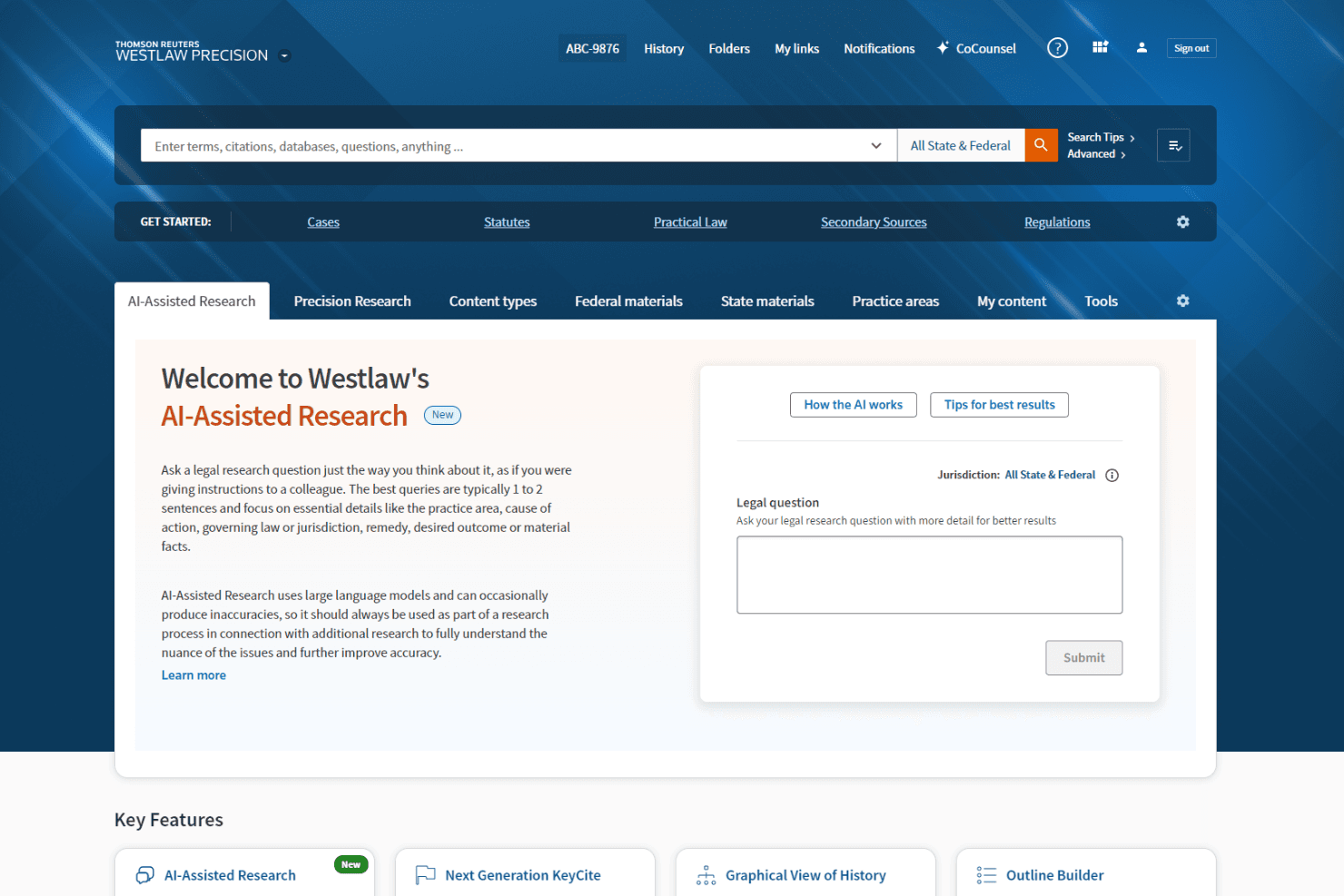
AI-Assisted Research
Westlaw uses AI to deliver fast, accurate answers to legal research questions. This helps you quickly find relevant cases, statutes, and secondary sources.
KeyCite Citation Analysis
KeyCite flags negative treatment and overruling risk for cited authorities. You can instantly check if a case or statute is still good law.
Quick Check Document Review
Upload briefs or legal documents to identify missed authorities or contrary precedent. This feature helps you strengthen arguments and spot weaknesses.
WestSearch Plus
Natural language search lets you ask legal questions and get precise, context-aware results. It’s designed to surface the most relevant answers quickly.
Statute and Regulation Comparison
Compare any two versions of a statute or regulation side by side. This makes it easy to track legislative changes and their impact.
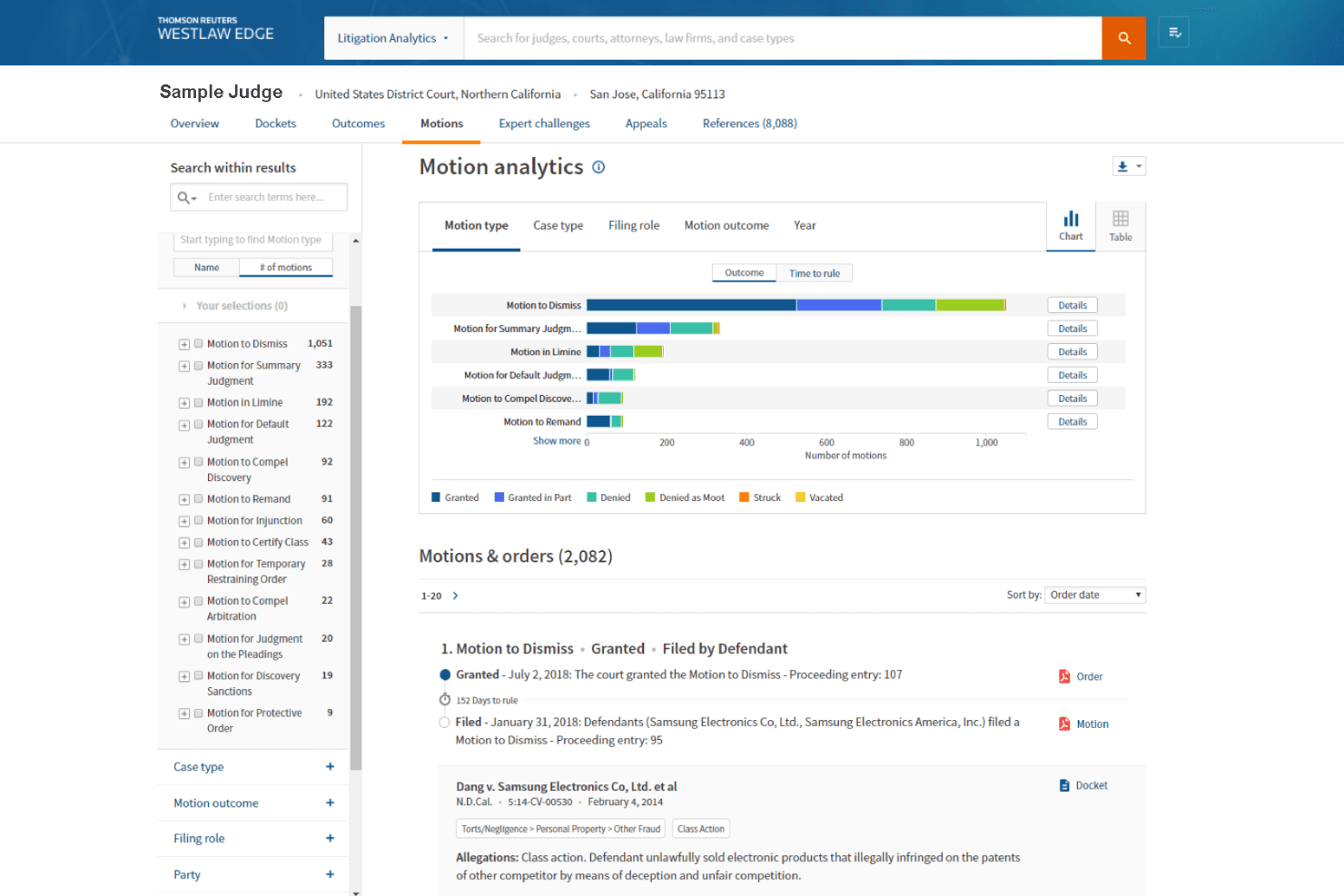
Litigation Analytics
Access data-driven insights on judges, courts, attorneys, and case types. These analytics help you shape litigation strategy and predict outcomes.
Standout Features
Practical Law Integration
Practical Law gives you access to expert-drafted templates, checklists, and how-to guides directly within Westlaw. This helps you apply research to real-world drafting and compliance tasks without leaving the platform.
Westlaw Edge Precedent Maps
Precedent Maps visually chart the relationships between cases and legal principles. You can quickly see how a case has been cited and understand its influence across jurisdictions.
Ease of Use
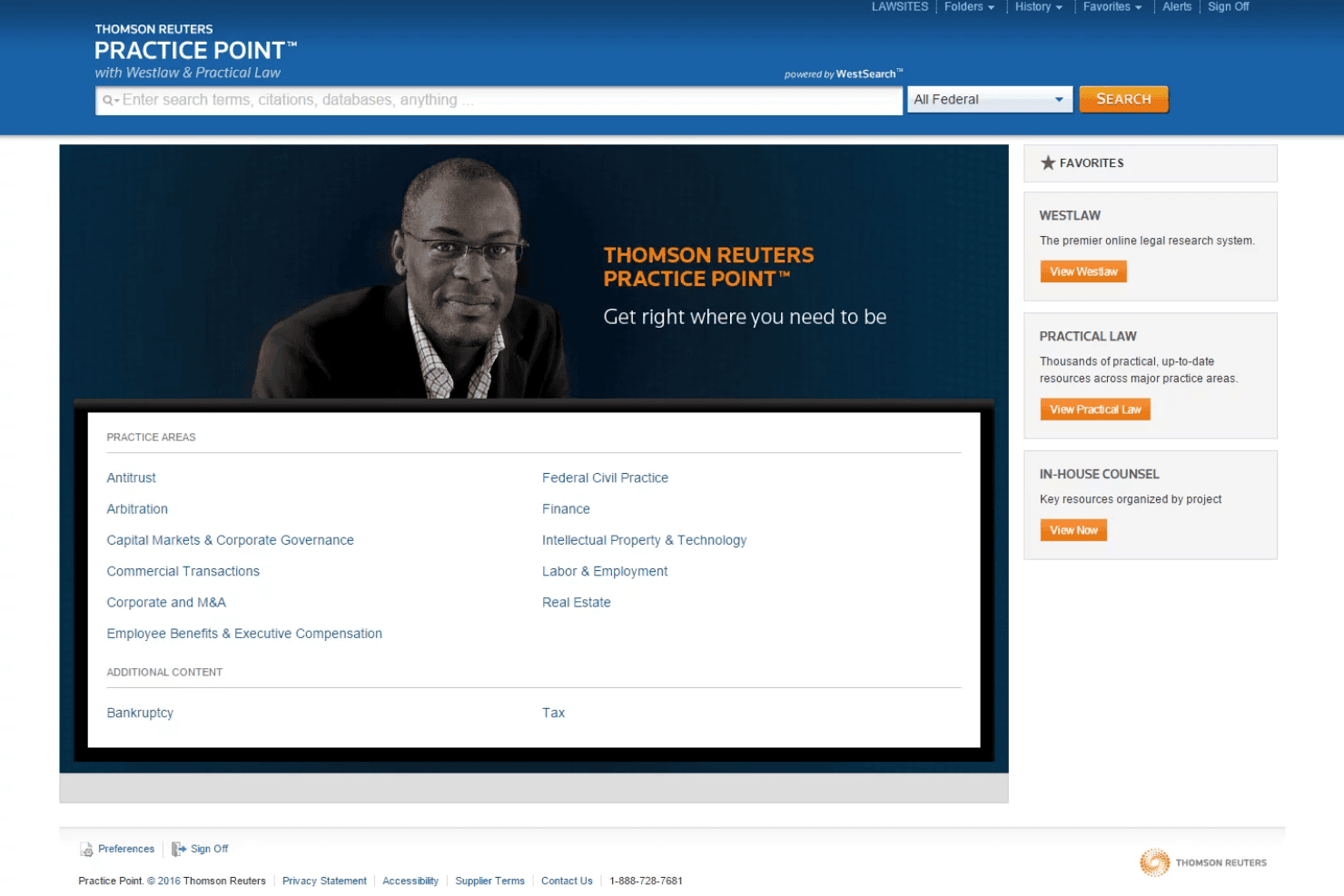
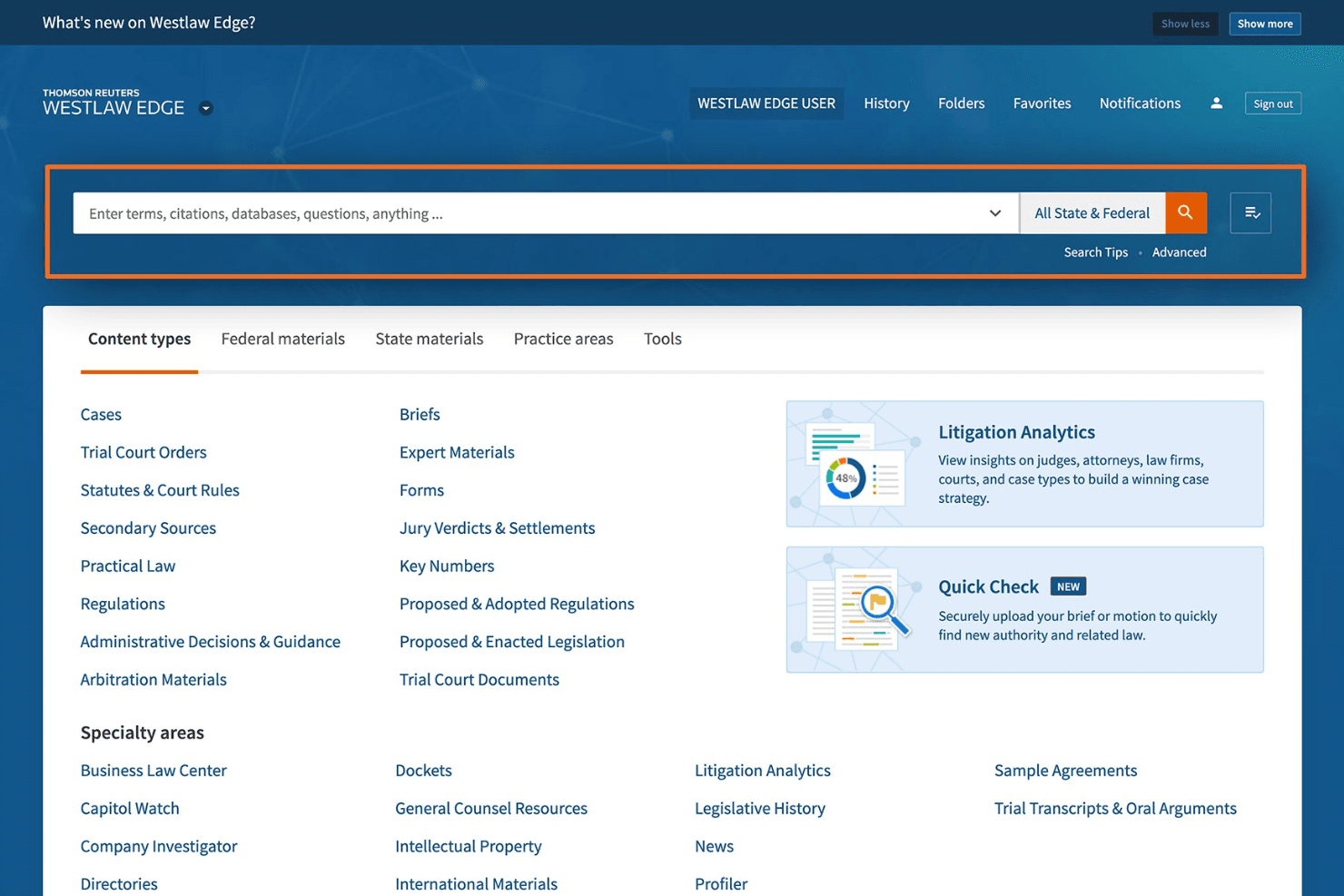
Westlaw’s interface is clean, intuitive, and easy to navigate, even for new users. I think the natural language search, clear citation flags, and document upload tools make research fast and straightforward.
Users often mention that search filters and result organization help them zero in on relevant materials quickly. While the platform is feature-rich, onboarding resources and responsive support keep the learning curve manageable for most legal professionals.
Onboarding
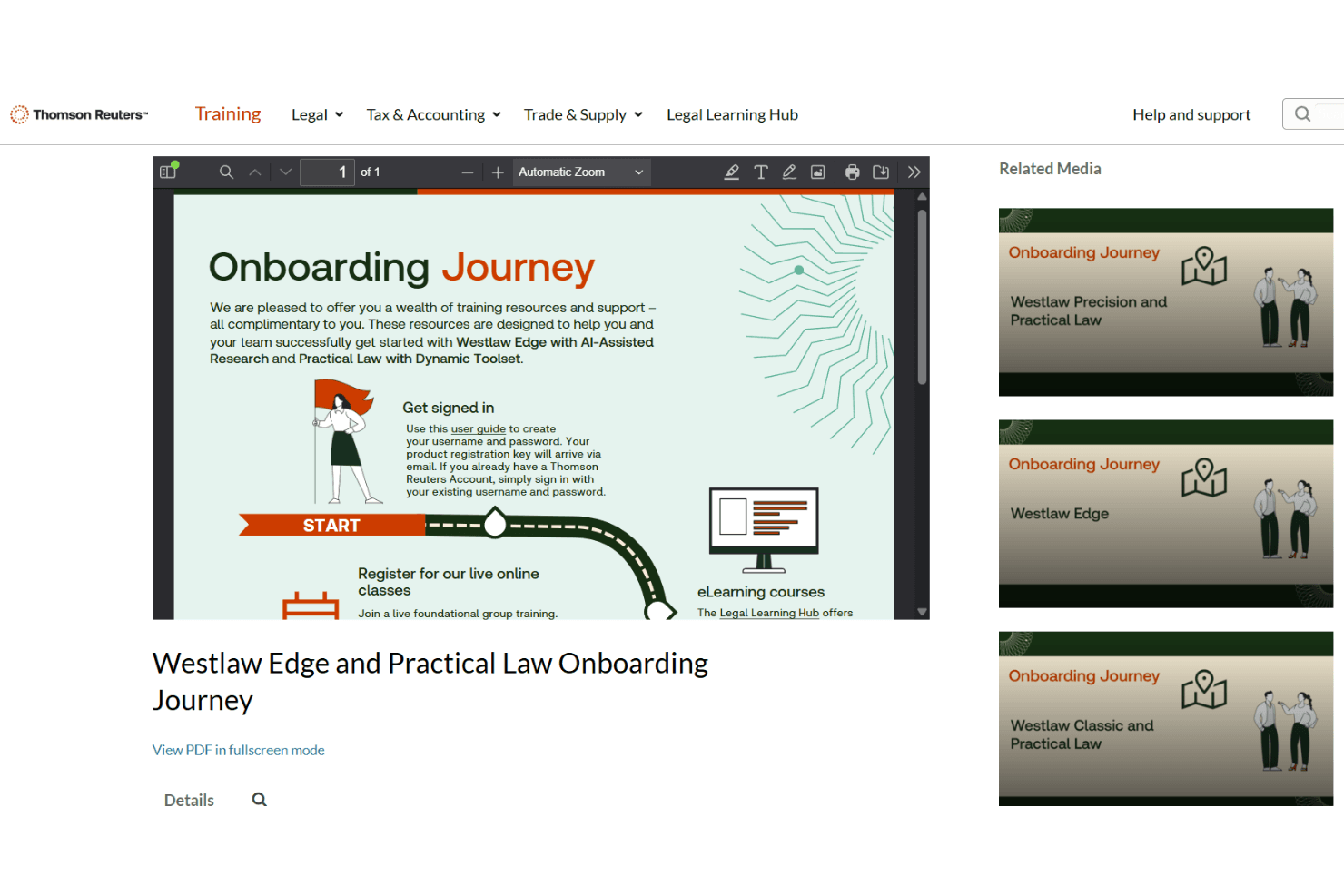
Westlaw offers a structured onboarding process with guided tutorials, live training sessions, and a detailed help center. I’ve seen users mention that personalized support and step-by-step walkthroughs help them get up to speed quickly.
The platform’s in-app tips and searchable knowledge base make it easy to resolve questions as they arise. Most legal professionals report reaching full productivity within days, thanks to these comprehensive onboarding resources.
Customer Support
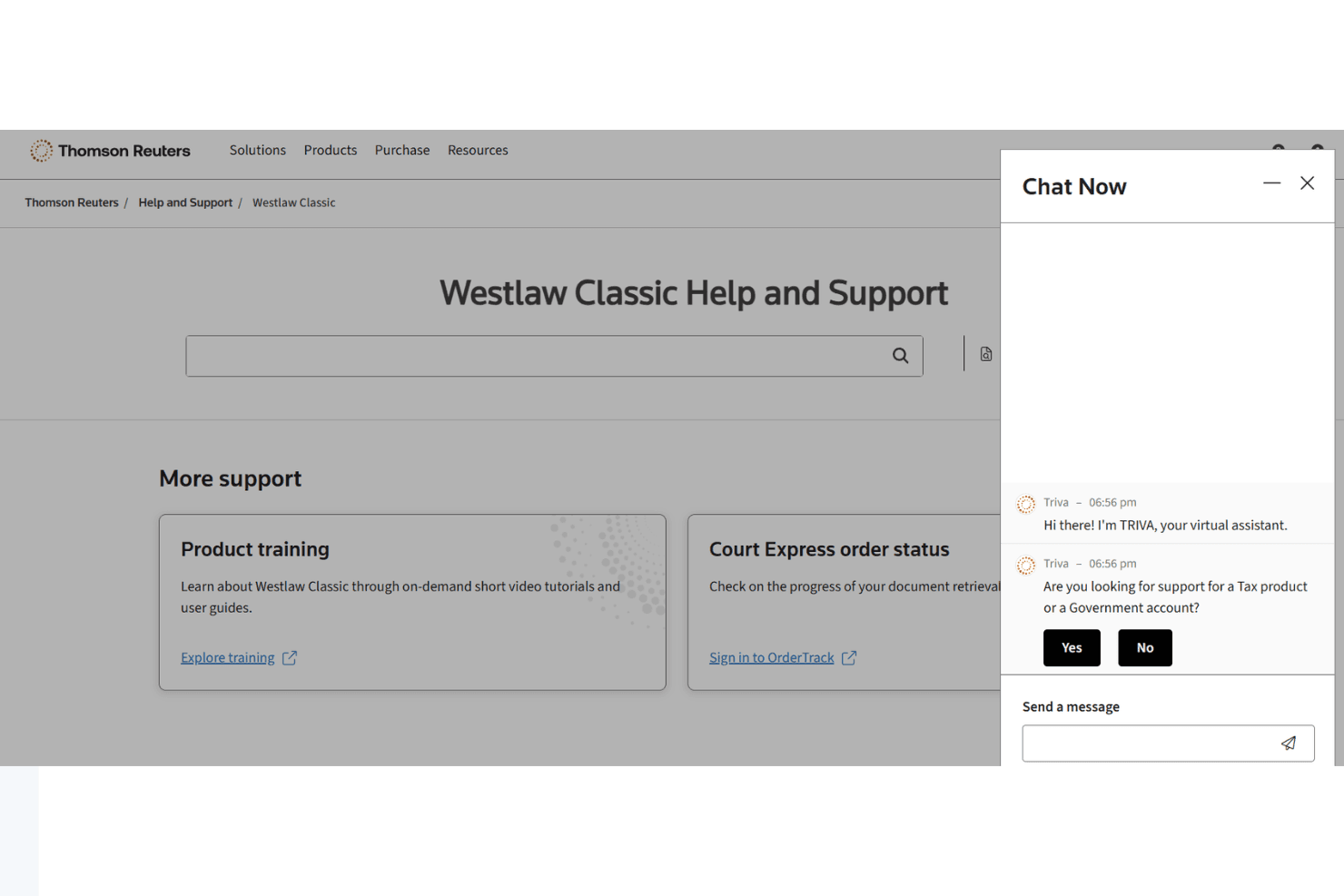
Westlaw’s customer support is consistently praised for its responsiveness and expertise. Users can reach support via phone, chat, or email, and often mention quick resolution of technical or research questions. I think the availability of 24/7 assistance and access to legal research specialists sets Westlaw apart.
The support team’s familiarity with both the platform and legal research workflows helps users solve problems without delay.
Integrations
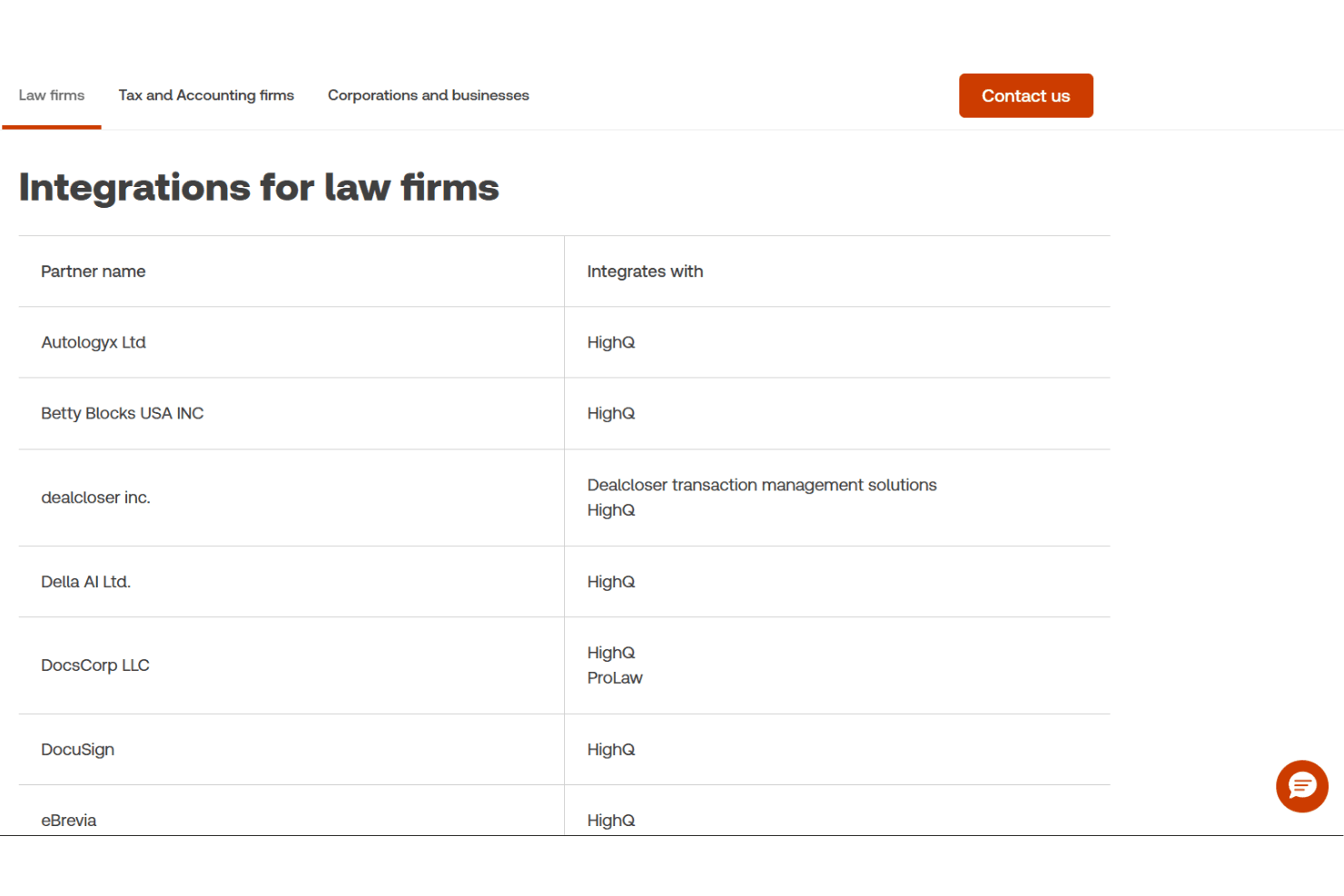
Westlaw integrates with Practical Law, CoCounsel Legal, CoCounsel Essentials, HighQ, CLEAR Investigate, ProView, Tax Quickfinder, Global Classification AI, CoCounsel Tax, and Claims Explorer, among others.
Westlaw does not offer a public API and does not connect with third-party integration tools.
Value for Money
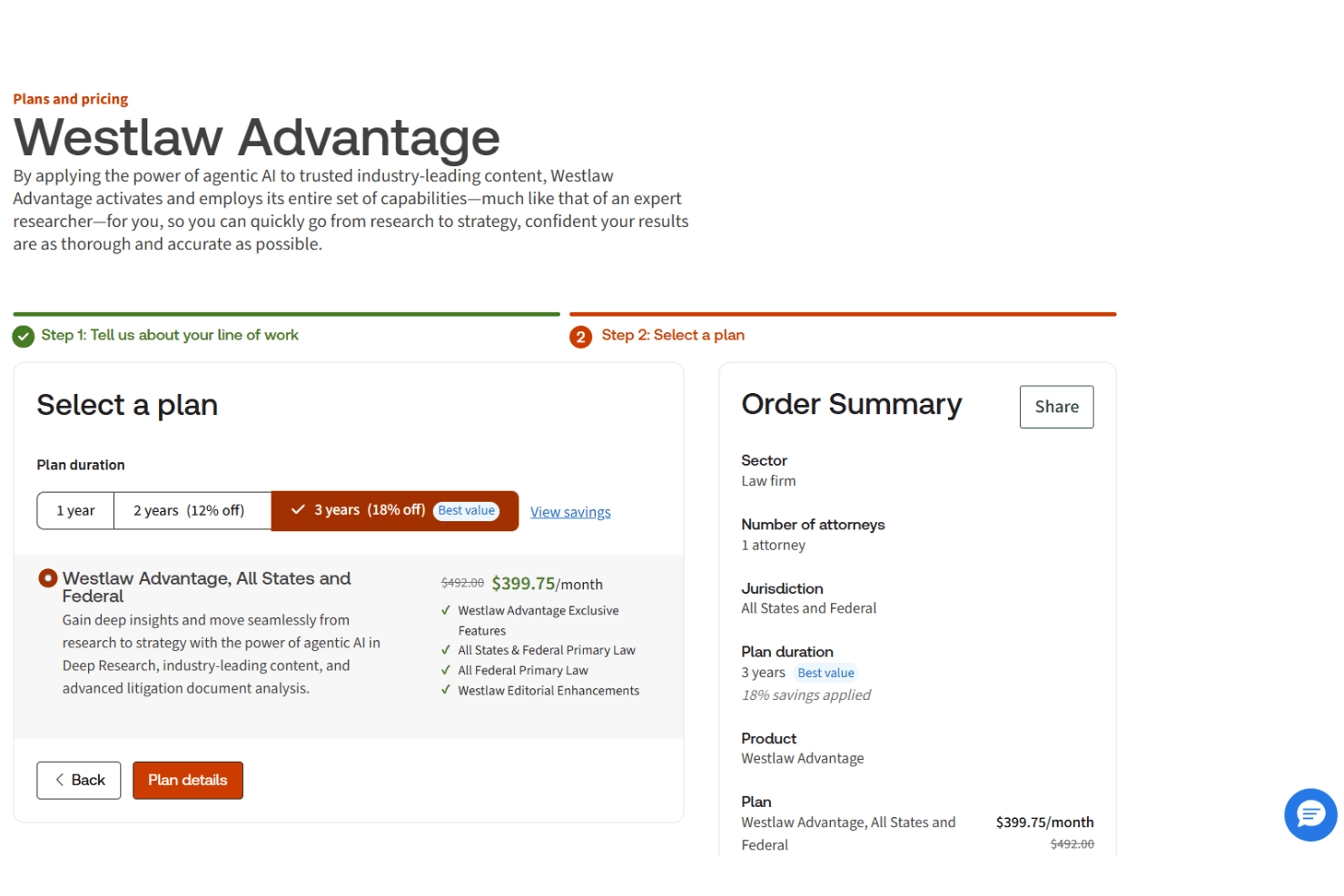
Westlaw is widely seen as a premium solution, but many legal professionals feel the depth of content, advanced research tools, and reliable support justify the investment. Its value is strongest for teams handling complex or high-volume research, while smaller firms may find it harder to justify depending on their needs.
- Westlaw Edge: Advanced legal research with AI-powered tools, KeyCite, litigation analytics, and enhanced search capabilities.
- Westlaw Advantage: Core legal research platform with essential case law, statutes, and KeyCite, designed for more streamlined research needs.
- Custom Plans: Tailored access based on practice areas, jurisdictions, user count, and additional tools like Practical Law or analytics.
Westlaw Specs
- 2-Factor Authentication: Yes
- API: Yes
- Approval Workflows: Yes
- Audit Trail: Yes
- Calendar Management: Yes
- Compliance Tracking: Yes
- Contract Management: Yes
- Custom Reports: Yes
- Customer Management: No
- Data Export: Yes
- Data Import: Yes
- Document Management: Yes
- External Integrations: Yes
- Multi-User: Yes
- NDA Management: No
- Notifications: Yes
- Policy Management: Yes
- Scheduling: No
- Workflow Management: Yes
Westlaw FAQs
Westlaw Company Overview & History
Westlaw is a legal research platform owned by Thomson Reuters, a global information services company headquartered in Toronto, Canada. Thomson Reuters employs over 25,000 people worldwide and offers a broad portfolio of legal, tax, and compliance products, including Practical Law, HighQ, and CoCounsel.
Westlaw is widely used by law firms, corporations, and government agencies for its trusted legal content and advanced AI-powered research tools. Notable clients include Justly Prudent and Brinks, who have reported significant ROI and operational improvements using Westlaw and related Thomson Reuters solutions.
Westlaw Major Milestones
- 1872: Thomson Reuters traces its roots to the founding of West Publishing, the original publisher of Westlaw’s legal content.
- 1975: Westlaw is launched as an electronic legal research service.
- 2008: Thomson Corporation merges with Reuters Group to form Thomson Reuters, expanding Westlaw’s global reach.
- 2018: Westlaw Edge is introduced, adding advanced AI and analytics capabilities.
- 2023: Westlaw launches AI-Assisted Research and integrates with CoCounsel Legal for unified research and drafting.