
Accurate Legal Billing Test 2026: Funktionen, Vorteile, Nachteile und Preise
Accurate Legal Billing zeichnet sich als Abrechnungssoftware aus, die Kanzleien hilft, die Abrechnungsgenauigkeit zu verbessern, die Compliance einzuhalten und das Rechnungsmanagement zu optimieren.

Wir bewerten Tools unabhängig und Provisionen helfen, unsere Tests zu finanzieren. Sehen Sie unsere transparente Richtlinie, unsere Methodik oder schlagen Sie ein Tool vor.
Accurate Legal Billing is a legal billing software built for law firms that need precise time capture and invoice accuracy across billable matters. I'd consider it if your firm bills hourly and wants a tool focused specifically on billing rather than a full practice management suite. Compared to broader platforms like Clio, it keeps the focus narrow—which means less configuration overhead and a tighter workflow around time entry and invoice generation.
Accurate Legal Billing Evaluation Summary
3.5/5
- Pricing upon request
- Free demo available
Warum Sie unseren Software-Empfehlungen vertrauen können
6,700+
Reviews
20
Industry experts
16+
Evaluation factors
14
Years
Unser Team testet und bewertet Software seit 2012. Als Führungskräfte in der Rechtsbranche wissen wir selbst, wie schwierig – und wichtig – es ist, die richtige Software auszuwählen.
Für diesen Leitfaden haben wir Tools mithilfe von praktischen Tests und unabhängiger Recherche bewertet und dabei unsere Bewertungskriterien angewendet.
Unsere Bewertungen spiegeln unser menschliches redaktionelles Urteilsvermögen wider, keine Verkaufsstrategie.
Accurate Legal Billing Overview
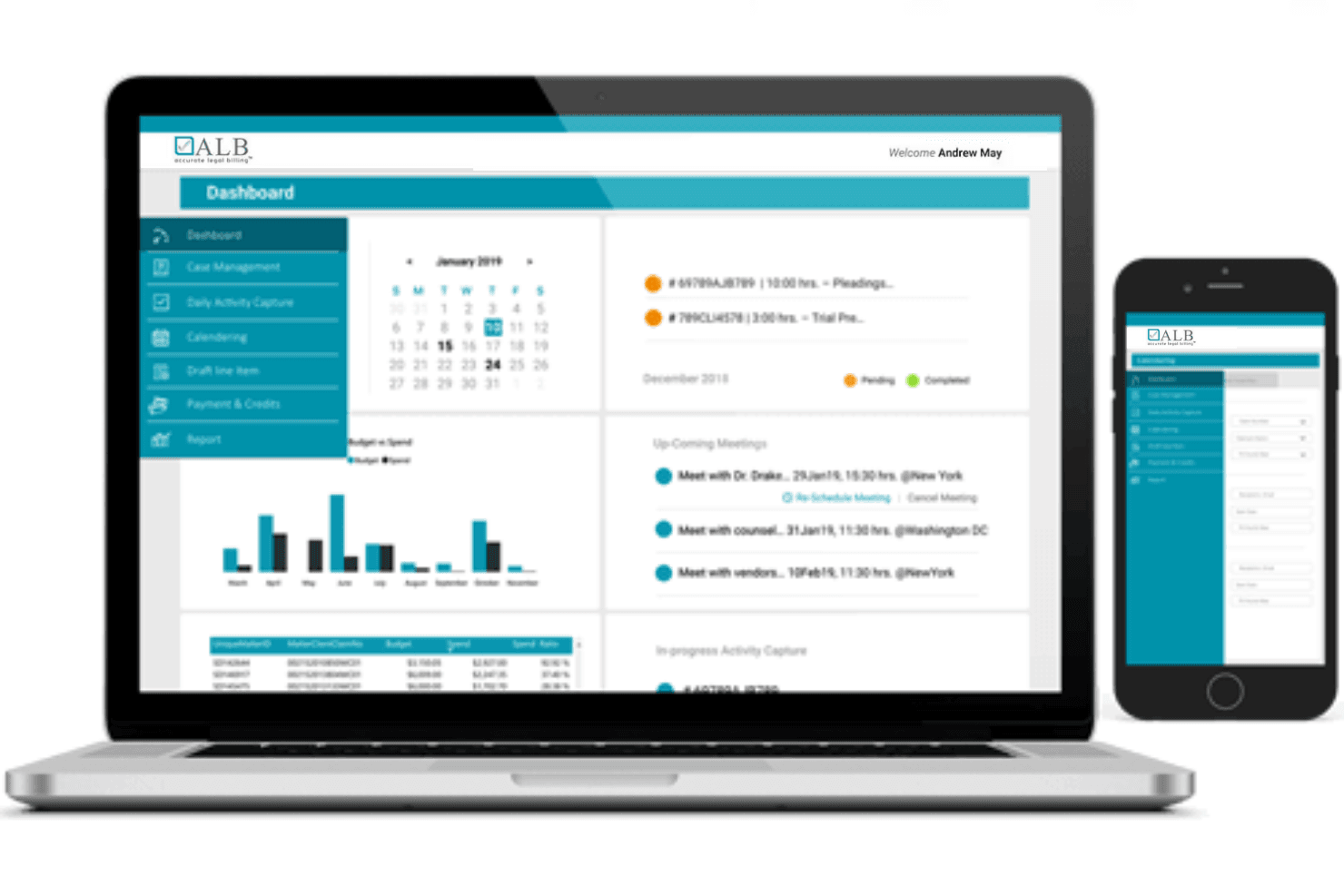
In my view, Accurate Legal Billing sets itself apart with its automated compliance checks, strong reporting, and intuitive interface, making it ideal if you're choosing software for fast-growing or midsized firms. Pricing is transparent, integrations cover core needs, and onboarding is smoother than many competitors.
I think busy teams will appreciate the customizable workflows, but highly specialized firms may find some integrations or niche features less extensive. If you're judging by value for transparency and efficient compliance, this is a top pick.
Pros
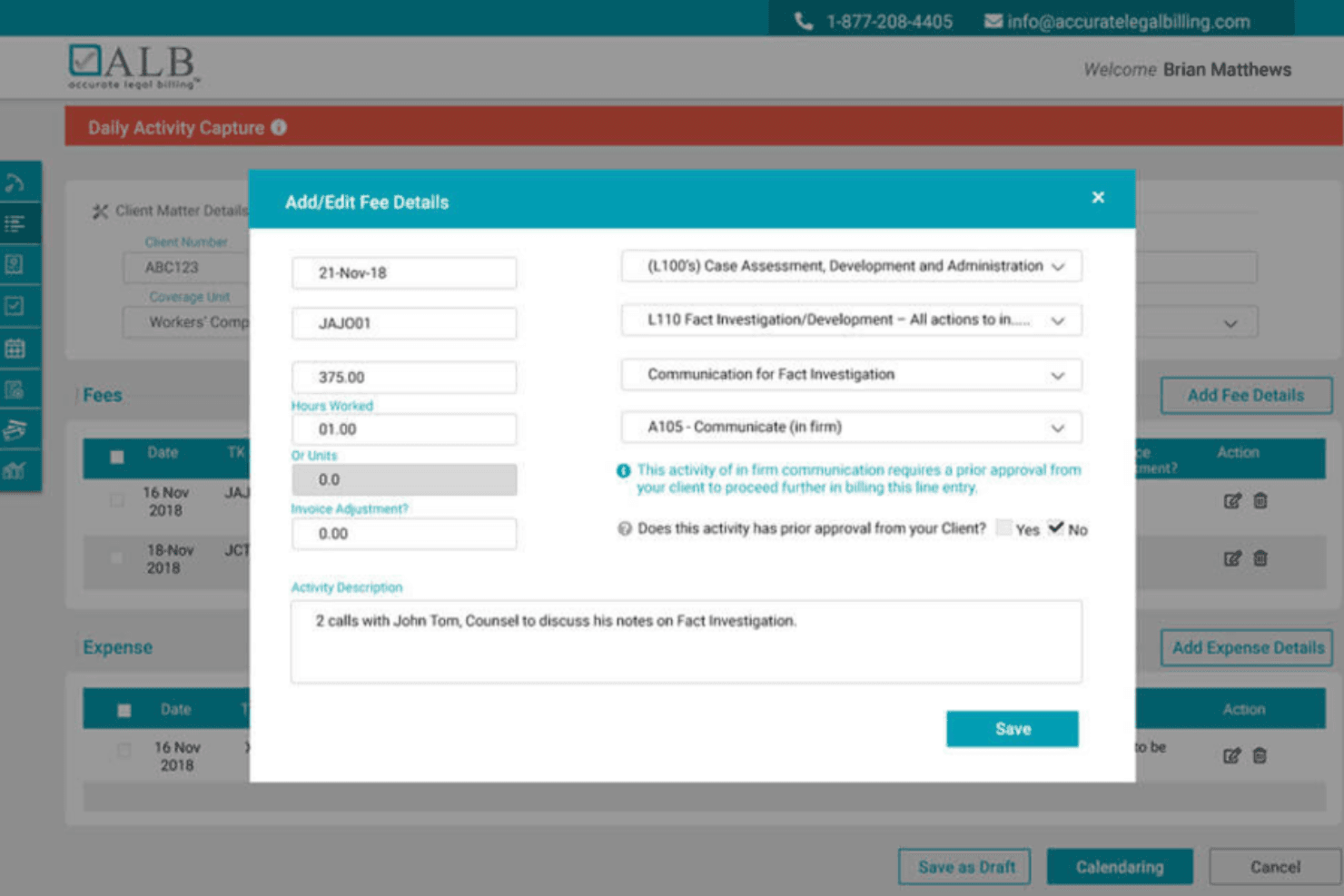
- Automated compliance with client billing guidelines
- Configurable LEDES and UTBMS billing templates
- Detailed pre-bill editing and approval workflows
Cons
- No native time tracking app for mobile devices
- Fewer advanced analytics than some alternatives
- Minimal customization for invoice design
Is Accurate Legal Billing Right For Your Needs?
Who Would be a Good Fit for Accurate Legal Billing?
Accurate Legal Billing is ideal for law firms and legal departments that handle high invoice volumes and must strictly comply with client billing guidelines.
Midsize to large firms, especially those with complex approval workflows or multiple attorneys working on large matters, will find the automated compliance and pre-bill editing tools essential. Its multi-format billing and advanced error detection make it a strong fit for organizations supporting diverse clients and e-billing requirements.
- Midsize Law FirmsFirms with multiple attorneys benefit from bulk bill generation and guided compliance checks for multiple clients.
- Legal Operations TeamsComplex matter management and billing rules are easier to manage with compliance automation and approval workflows.
- Corporate Legal DepartmentsDepartments serving several internal clients value the platform’s analytic dashboard and recurring billing tools.
- Firms With Strict Client GuidelinesAutomated LEDES and UTBMS compliance ensure fewer rejected invoices from clients with detailed billing requirements.
- Multi-Practice Law FirmsThe platform’s flexibility in supporting numerous billing templates fits firms with varied practice areas and client types.
- Outsourced Legal Billing ProvidersCompanies managing billing on behalf of other law firms or legal professionals appreciate direct uploads to client e-billing portals.
Who Would be a Bad Fit for Accurate Legal Billing?
Firms with simple billing needs or specialized requirements may find Accurate Legal Billing’s advanced features unnecessary or limiting. Solo practices, firms outside legal services, or those needing deep mobile functionality likely won’t find enough value for the price. Small teams and those needing heavy invoice customization or non-legal billing features are typically better served elsewhere.
- Solo PractitionersSingle-attorney practices may find the platform too sophisticated for basic time and invoice tracking.
- Non-Legal BusinessesCompanies outside the legal industry won’t benefit from highly specialized legal billing templates and compliance features.
- Freelance ParalegalsFreelancers with simple client billing don’t need advanced approval, compliance, or analytics tools.
- Small Law FirmsSmall firms with a handful of clients may not use bulk or recurring billing features enough to justify the cost.
- Mobile-First Legal TeamsLegal professionals who need full-featured mobile billing and time tracking won’t find a dedicated mobile app here.
- Firms Requiring Heavy Invoice CustomizationThose needing substantial customization for invoice appearance and branding may be frustrated by limited design flexibility.
So testen & bewerten wir Tools
Wir haben Jahre damit verbracht, unser System zur Softwareprüfung und -bewertung aufzubauen, zu verfeinern und zu verbessern. Unsere Bewertungsmatrix ist darauf ausgelegt, die Feinheiten der Softwareauswahl und die Effektivität eines Tools einzufangen, wobei kritische Aspekte des Entscheidungsprozesses im Fokus stehen. Im Folgenden können Sie genau nachvollziehen, wie unser Test- und Bewertungssystem anhand von sieben Kriterien funktioniert. Damit bieten wir eine objektive Bewertung der Software auf Grundlage der Kernfunktionen, herausragender Merkmale, Benutzerfreundlichkeit, Einführung, Kundensupport, Integrationen, Kundenrezensionen und Preis-Leistungs-Verhältnis.
Kernfunktionalität (25% der Gesamtbewertung)
Ausgangspunkt unserer Bewertung ist immer die grundlegende Funktionalität des Tools. Verfügt es über die Basisfunktionen, die ein Nutzer erwarten würde? Sind einige dieser Kernfunktionen auf teurere Tarife beschränkt? Im Kern erwarten wir, dass ein Tool den Grundfunktionen der Wettbewerber standhält.
Herausragende Funktionen (25% der Gesamtbewertung)
Als nächstes bewerten wir außergewöhnliche, besondere Funktionen, die weit über die typische Grundfunktionalität ähnlicher Tools hinausgehen. Eine hohe Bewertung spiegelt spezialisierte oder einzigartige Merkmale wider, die das Produkt schneller, effizienter oder für den Nutzer noch wertvoller machen. Wir bewerten außerdem, wie leicht es ist, das Tool mit anderen typischen Werkzeugen der IT-Infrastruktur zu integrieren, um die Funktionalität und den Nutzen der Software zu erweitern. Tools, die zahlreiche native Integrationen, Drittanbieteranbindungen und API-Zugriffe für individuelle Schnittstellen bieten, schneiden am besten ab.
Benutzerfreundlichkeit (10% der Gesamtbewertung)
Wir berücksichtigen, wie schnell und einfach sich Aufgaben des Funktionskerns mit dem Tool ausführen lassen. Software mit hoher Punktzahl ist gut gestaltet, intuitiv bedienbar, bietet mobile Apps, stellt Vorlagen bereit und macht auch komplexe Vorgänge einfach.
Einführung (10% der Gesamtbewertung)
Wir wissen, wie wichtig eine schnelle Einführung eines neuen Tools im Team ist. Deshalb bewerten wir, wie einfach es ist, eine Lösung mit minimalem Training zu erlernen und zu nutzen. Wir beurteilen, wie schnell ein Teammitglied ohne Vorerfahrung einsatzbereit ist. Hoch bewertete Lösungen zeigen, dass kaum Unterstützung benötigt wird.
Kundensupport (10% der Gesamtbewertung)
Wir prüfen, wie schnell und einfach man per Telefon, Live-Chat oder Wissensdatenbank Hilfe erhält. Tools und Firmen mit Echtzeit-Support erzielen Top-Bewertungen, während Chatbots schlechter abschneiden.
Kundenrezensionen (10% der Gesamtbewertung)
Neben unseren eigenen Tests beziehen wir auch die Net-Promoter-Bewertung aktiver und ehemaliger Kunden ein. Wir prüfen, wie wahrscheinlich sie sich erneut für das Tool wegen dessen Kernfunktionen entscheiden würden. Gute Bewertungen spiegeln einen hohen Net Promoter Score der Nutzer wider.
Preis-Leistungs-Verhältnis (10% der Gesamtbewertung)
Abschließend vergleichen wir die durchschnittlichen Einstiegspreise mit den Kernfunktionen und dem Mehrwert aus anderen Kriterien. Software, die mehr bietet und dafür weniger verlangt, erreicht die höchsten Bewertungen.
Core Features
Automated Guideline Compliance
Checks invoices in real time against client billing rules. Reduces rejected bills and ensures client expectations are met.
Pre-Bill Editing
Lets you review, adjust, and approve bills before submission. You can edit line items and route for further review as needed.
LEDES and UTBMS Support
Generates invoices in multiple LEDES formats with full UTBMS code options. Makes meeting global client standards easy.
Billing Analytics Dashboard
Displays firm, client, and matter performance with actionable billing data. Spot billing cycle delays and revenue trends instantly.
Recurring Invoice Creation
Schedules and automates recurring invoices for subscription or retainer clients. Keeps regular billing consistent and easy to manage.
Bulk Bill Generation
Creates and submits multiple invoices with a single action. Saves hours of manual invoice preparation on large client matters.
Ease of Use
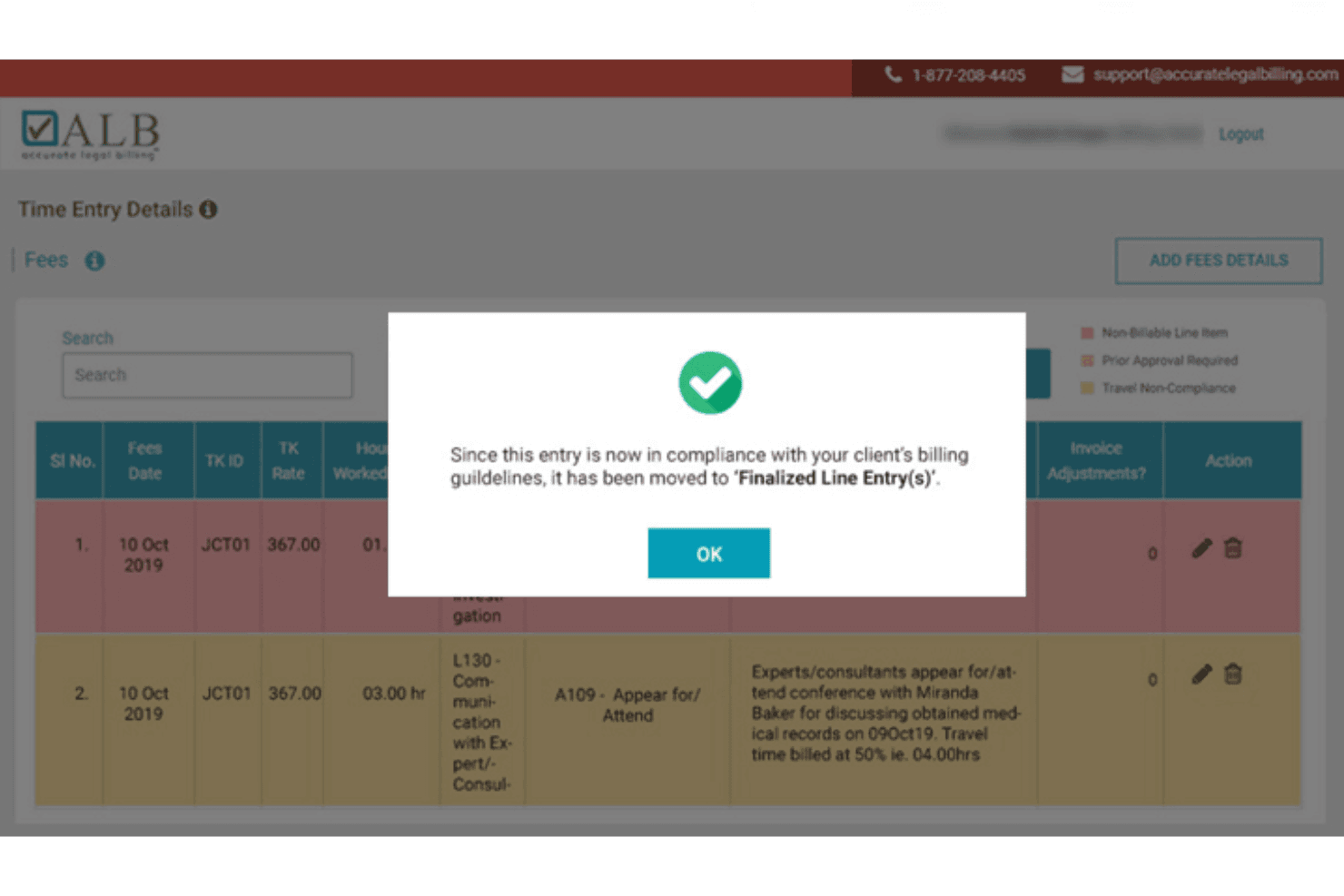
Accurate Legal Billing is easy to navigate, with clear menus and intuitive workflows that let users manage pre-bills, compliance reviews, and approvals without confusion.
I think the user interface is more streamlined than many others, and users highlight quick onboarding, drag-and-drop controls, and straightforward invoice editing as making complex billing less intimidating.
Integrations
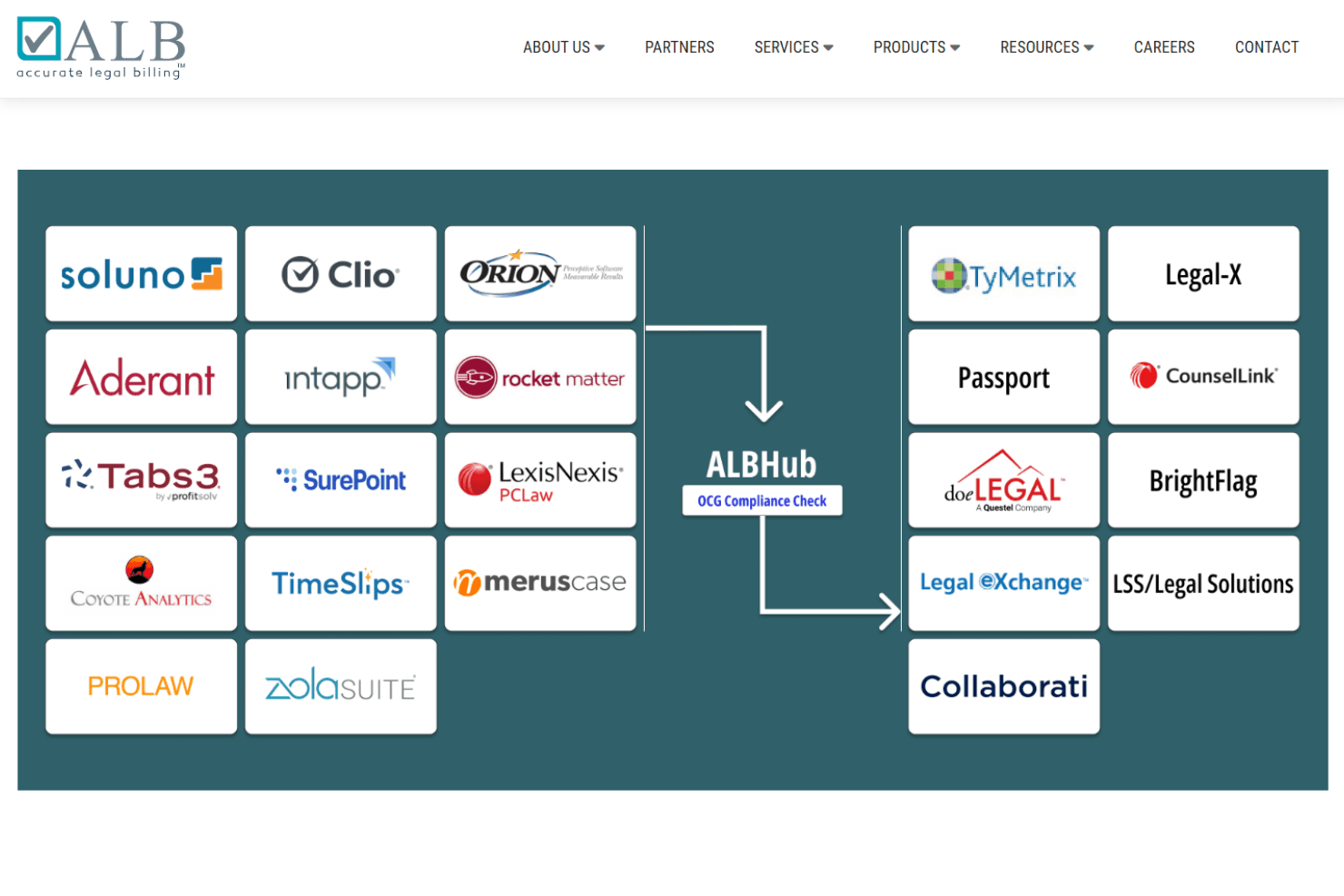
Accurate Legal Billing integrates with Clio, Timeslips, Elite, Aderant, Juris, Zola Suite, PracticePanther, ProLaw, Rocket Matter, and CosmoLex.
Accurate Legal Billing also offers an API for additional connections and supports third-party e-billing portal submissions.
Accurate Legal Billing Specs
- 2-Factor Authentication: Yes
- API: Yes
- Approval Workflows: Yes
- Audit Trail: Yes
- Calendar Management: No
- Compliance Tracking: Yes
- Contract Management: No
- Custom Reports: Yes
- Customer Management: No
- Data Export: Yes
- Data Import: Yes
- Document Management: Yes
- External Integrations: Yes
- Multi-User: Yes
- NDA Management: No
- Notifications: Yes
- Policy Management: Yes
- Scheduling: No
- Workflow Management: Yes


