

LawPay Test 2026: Vorteile, Nachteile, Funktionen und Preise
LawPay zeichnet sich beim juristischen Abrechnungswesen aus und vereint Konformität mit Benutzerfreundlichkeit – ideal, wenn Sie reibungslose Zahlungen wünschen, ohne auf Vertrauen oder Professionalität zu verzichten. So schneidet LawPay ab.

Wir bewerten Tools unabhängig und Provisionen helfen, unsere Tests zu finanzieren. Sehen Sie unsere transparente Richtlinie, unsere Methodik oder schlagen Sie ein Tool vor.
LawPay is a legal billing software built for law firms that need to accept online payments while staying compliant with trust accounting rules like IOLTA. I'd mainly consider it over something like TimeSolv if payment processing and compliance are your core priorities—rather than a full suite of practice management features. LawPay keeps things focused, which means you get a tighter, more purpose-built tool for getting paid and protecting client funds, without paying for functionality your firm doesn't need.
LawPay Evaluation Summary
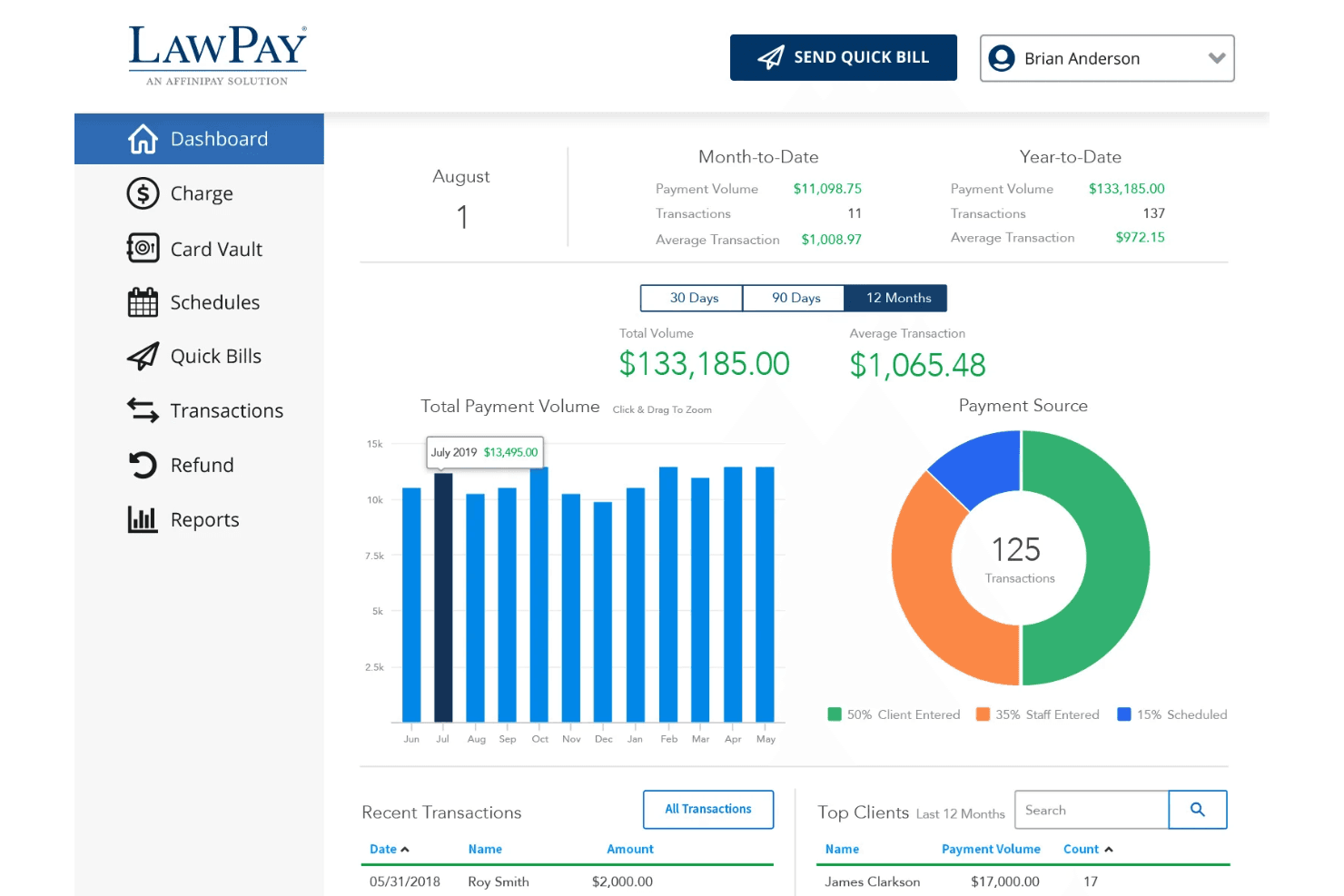
4.7/5
- From $19/month
- Free demo available
Warum Sie unseren Software-Empfehlungen vertrauen können
6,700+
Reviews
20
Industry experts
16+
Evaluation factors
14
Years
Unser Team testet und bewertet Software seit 2012. Als Führungskräfte in der Rechtsbranche wissen wir selbst, wie schwierig – und wichtig – es ist, die richtige Software auszuwählen.
Für diesen Leitfaden haben wir Tools mithilfe von praktischen Tests und unabhängiger Recherche bewertet und dabei unsere Bewertungskriterien angewendet.
Unsere Bewertungen spiegeln unser menschliches redaktionelles Urteilsvermögen wider, keine Verkaufsstrategie.
LawPay Overview
If you’re judging LawPay against other legal billing software, I think you’ll notice its compliance-first approach and intuitive interface set it apart. The pricing is transparent, and onboarding is quick—even for teams new to digital billing. LawPay’s integrations with practice management tools and responsive support make it a strong pick for firms prioritizing trust accounting and client payment options.
While it doesn’t offer deep customization or advanced reporting, I’d suggest it’s best for small to midsize firms that want reliable, legal-specific billing without a steep learning curve.
Pros
- Simple invoicing and payment request workflows
- Responsive, knowledgeable customer support team
- Built-in trust accounting compliance for legal payments
Cons
- Some users report higher transaction fees
- Reporting features are basic compared to others
- Limited automation for recurring billing tasks
Is LawPay Right For Your Needs?
Who Would be a Good Fit for LawPay?
LawPay is a strong choice for legal professionals and organizations that need payment processing built for compliance, trust accounting, and client convenience. I think you’ll find it especially useful if your team values straightforward invoicing, secure payment links, and responsive support. LawPay’s features are tailored for legal billing, so it’s best for firms or departments where regulatory requirements and client trust are top priorities.
- In-House Legal DepartmentsCorporate legal teams can use LawPay for outside counsel payments and retainers.
- Legal Aid OrganizationsNonprofits appreciate LawPay’s ability to handle client payments securely.
- Estate Planning AttorneysTrust accounting compliance helps estate planners avoid regulatory issues.
- Family Law PracticesFamily law teams can use LawPay’s secure payment links for sensitive client matters.
- Small Law FirmsSmaller firms benefit from LawPay’s easy setup and legal-specific payment features.
- Solo PractitionersLawPay’s simple workflows and compliance tools fit solo attorneys managing all billing.
Who Would be a Bad Fit for LawPay?
LawPay isn’t the best choice for organizations that need advanced billing automation, deep reporting, or industry-specific features outside of legal. If your team relies on complex billing structures or wants highly customizable workflows, you’ll likely find LawPay’s focus on legal simplicity limiting. It’s also not ideal for non-legal businesses or those with high-volume, non-client billing needs.
- Real Estate AgenciesReal estate teams need commission tracking and property management features not in LawPay.
- Tech StartupsStartups with subscription models need recurring billing automation LawPay lacks.
- Government AgenciesGovernment billing often requires integrations and compliance LawPay doesn’t support.
- High-Volume RetailersRetailers need POS and inventory tools not found in LawPay.
- Medical PracticesHealthcare billing requires features LawPay doesn’t offer.
- Large Accounting FirmsLawPay lacks the advanced billing and reporting tools accountants need.
So testen & bewerten wir Tools
Wir haben Jahre damit verbracht, unser System zur Softwareprüfung und -bewertung aufzubauen, zu verfeinern und zu verbessern. Unsere Bewertungsmatrix ist darauf ausgelegt, die Feinheiten der Softwareauswahl und die Effektivität eines Tools einzufangen, wobei kritische Aspekte des Entscheidungsprozesses im Fokus stehen. Im Folgenden können Sie genau nachvollziehen, wie unser Test- und Bewertungssystem anhand von sieben Kriterien funktioniert. Damit bieten wir eine objektive Bewertung der Software auf Grundlage der Kernfunktionen, herausragender Merkmale, Benutzerfreundlichkeit, Einführung, Kundensupport, Integrationen, Kundenrezensionen und Preis-Leistungs-Verhältnis.
Kernfunktionalität (25% der Gesamtbewertung)
Ausgangspunkt unserer Bewertung ist immer die grundlegende Funktionalität des Tools. Verfügt es über die Basisfunktionen, die ein Nutzer erwarten würde? Sind einige dieser Kernfunktionen auf teurere Tarife beschränkt? Im Kern erwarten wir, dass ein Tool den Grundfunktionen der Wettbewerber standhält.
Herausragende Funktionen (25% der Gesamtbewertung)
Als nächstes bewerten wir außergewöhnliche, besondere Funktionen, die weit über die typische Grundfunktionalität ähnlicher Tools hinausgehen. Eine hohe Bewertung spiegelt spezialisierte oder einzigartige Merkmale wider, die das Produkt schneller, effizienter oder für den Nutzer noch wertvoller machen. Wir bewerten außerdem, wie leicht es ist, das Tool mit anderen typischen Werkzeugen der IT-Infrastruktur zu integrieren, um die Funktionalität und den Nutzen der Software zu erweitern. Tools, die zahlreiche native Integrationen, Drittanbieteranbindungen und API-Zugriffe für individuelle Schnittstellen bieten, schneiden am besten ab.
Benutzerfreundlichkeit (10% der Gesamtbewertung)
Wir berücksichtigen, wie schnell und einfach sich Aufgaben des Funktionskerns mit dem Tool ausführen lassen. Software mit hoher Punktzahl ist gut gestaltet, intuitiv bedienbar, bietet mobile Apps, stellt Vorlagen bereit und macht auch komplexe Vorgänge einfach.
Einführung (10% der Gesamtbewertung)
Wir wissen, wie wichtig eine schnelle Einführung eines neuen Tools im Team ist. Deshalb bewerten wir, wie einfach es ist, eine Lösung mit minimalem Training zu erlernen und zu nutzen. Wir beurteilen, wie schnell ein Teammitglied ohne Vorerfahrung einsatzbereit ist. Hoch bewertete Lösungen zeigen, dass kaum Unterstützung benötigt wird.
Kundensupport (10% der Gesamtbewertung)
Wir prüfen, wie schnell und einfach man per Telefon, Live-Chat oder Wissensdatenbank Hilfe erhält. Tools und Firmen mit Echtzeit-Support erzielen Top-Bewertungen, während Chatbots schlechter abschneiden.
Kundenrezensionen (10% der Gesamtbewertung)
Neben unseren eigenen Tests beziehen wir auch die Net-Promoter-Bewertung aktiver und ehemaliger Kunden ein. Wir prüfen, wie wahrscheinlich sie sich erneut für das Tool wegen dessen Kernfunktionen entscheiden würden. Gute Bewertungen spiegeln einen hohen Net Promoter Score der Nutzer wider.
Preis-Leistungs-Verhältnis (10% der Gesamtbewertung)
Abschließend vergleichen wir die durchschnittlichen Einstiegspreise mit den Kernfunktionen und dem Mehrwert aus anderen Kriterien. Software, die mehr bietet und dafür weniger verlangt, erreicht die höchsten Bewertungen.
Core Features
Trust Accounting Compliance
LawPay automatically separates earned and unearned funds, helping you stay compliant with IOLTA and ABA guidelines.
Online Payment Acceptance
Accept credit cards, debit cards, and eChecks from clients through secure payment links and custom payment pages.
Quick Bill and Invoicing
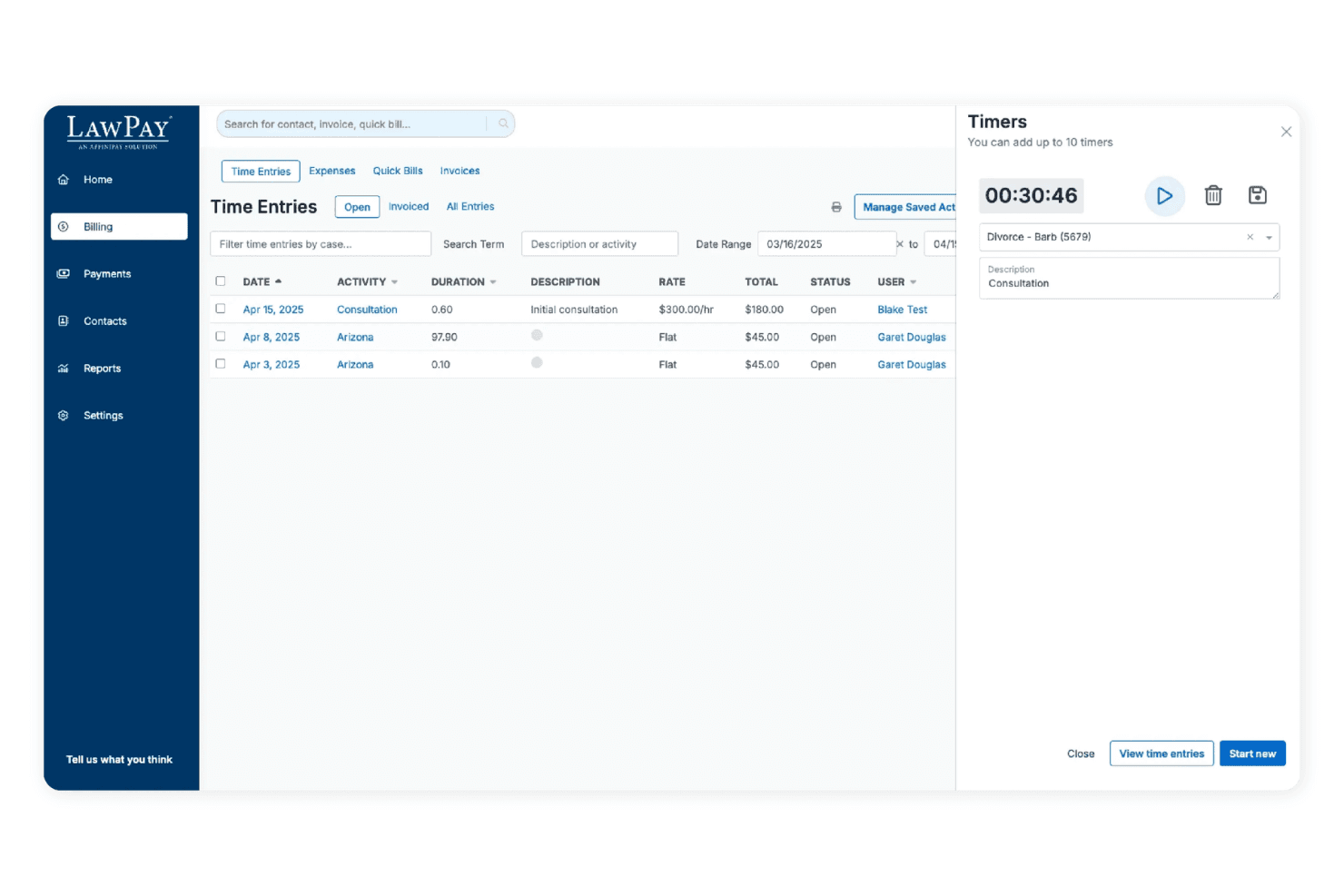
Create and send invoices in just a few clicks, with clear tracking of paid and outstanding bills.
Scheduled and Recurring Payments
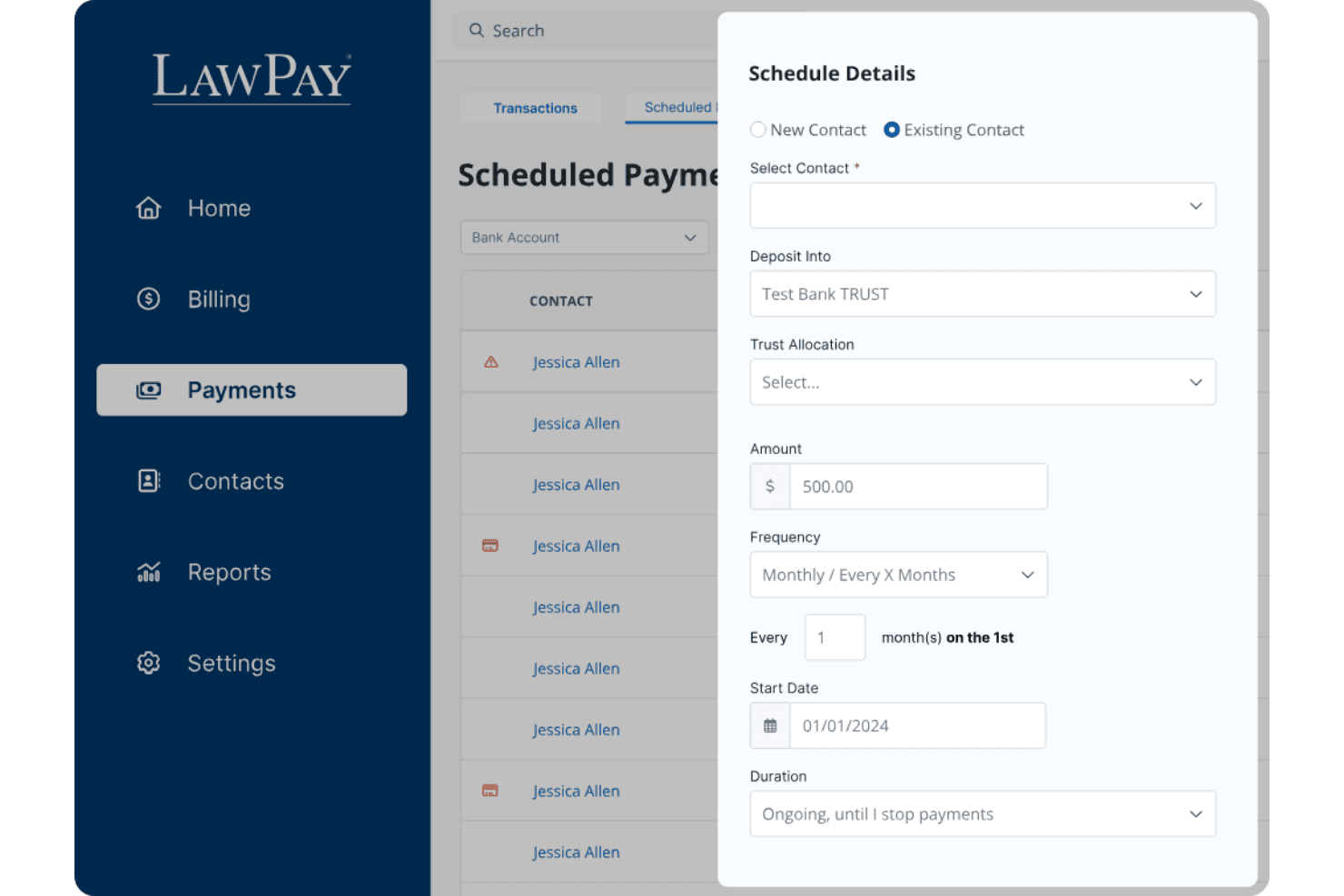
Set up payment plans or schedule future payments, making it easier for clients to pay retainers or ongoing fees.
Refund Management
Issue full or partial refunds directly from the dashboard, with all transactions tracked for audit purposes.
Next-Day Funding
Get access to client payments as soon as the next business day, improving your firm’s cash flow.
Ease of Use
LawPay is straightforward to set up and navigate, even for legal professionals with limited tech experience. The dashboard is clean, and sending payment requests or managing trust accounts takes just a few clicks. Users often mention how quickly they can onboard staff and start processing payments. I think the clear workflows and minimal clutter make LawPay a good fit for firms that want billing software without a steep learning curve or unnecessary complexity.
Integrations
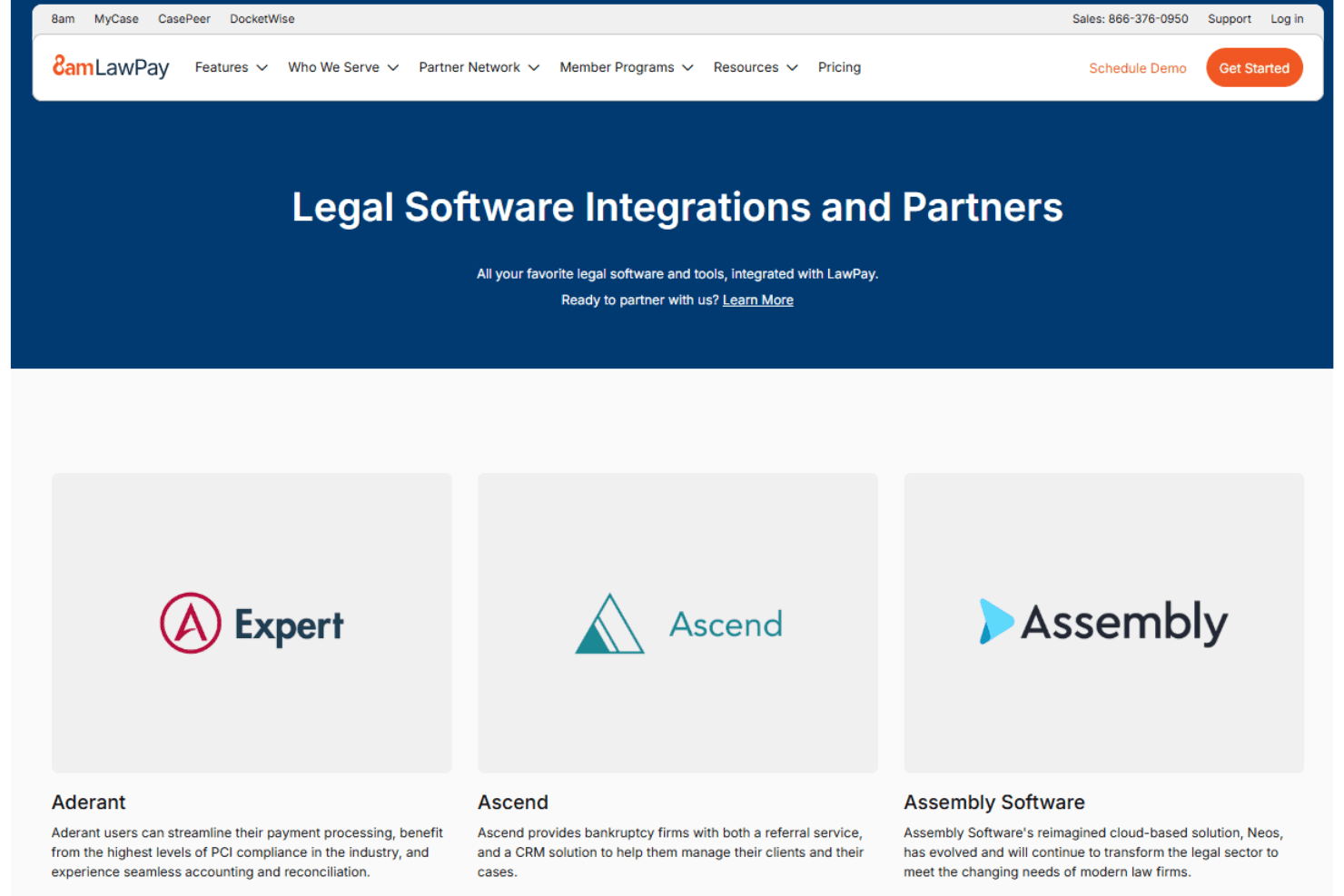
LawPay integrates with MyCase, Clio, PracticePanther, Rocket Matter, CosmoLex, TimeSolv, Zola Suite, Centerbase, LEAP, and Smokeball, among others.
LawPay also offers an API for custom integrations and connects with third-party integration tools.
LawPay Specs
- 2-Factor Authentication: Yes
- API: No
- Approval Workflows: No
- Audit Trail: Yes
- Calendar Management: No
- Compliance Tracking: Yes
- Contract Management: No
- Custom Reports: Yes
- Customer Management: Yes
- Data Export: Yes
- Data Import: Yes
- Document Management: No
- External Integrations: Yes
- Multi-User: Yes
- NDA Management: No
- Notifications: Yes
- Policy Management: No
- Scheduling: No
- Workflow Management: No


