

Xakia Review 2026: Pros, Cons, Features and Pricing
I’ve put Xakia through its paces—here’s why its intuitive design and data-driven insights set it apart from other matter management tools.

We review tools independently, and commissions help fund our testing. See our transparency policy, our methodology, or suggest a tool.
Xakia is a matter management software built specifically for in-house legal teams that need a single place to track matters, manage workload, and report on legal spend. I'd consider it if your team has outgrown spreadsheets but doesn't need the setup complexity of enterprise tools like Legal Tracker—Xakia deploys faster and is far easier for legal ops teams to configure without heavy IT involvement.
Xakia Evaluation Summary
4.8/5
- From $100/user/month
- 14-day free trial
Why Trust Our Software Recommendations
6,700+
Reviews
20
Industry experts
16+
Evaluation factors
14
Years
Our team has been testing and reviewing software since 2012. As legal practice leaders ourselves, we know how difficult—and important—it is to choose the right software.
For this guide, we evaluated tools using hands-on testing and independent research, scoring tools using our selection criteria.
Our reviews reflect our human editorial judgment, not a sales pitch.
Xakia Overview
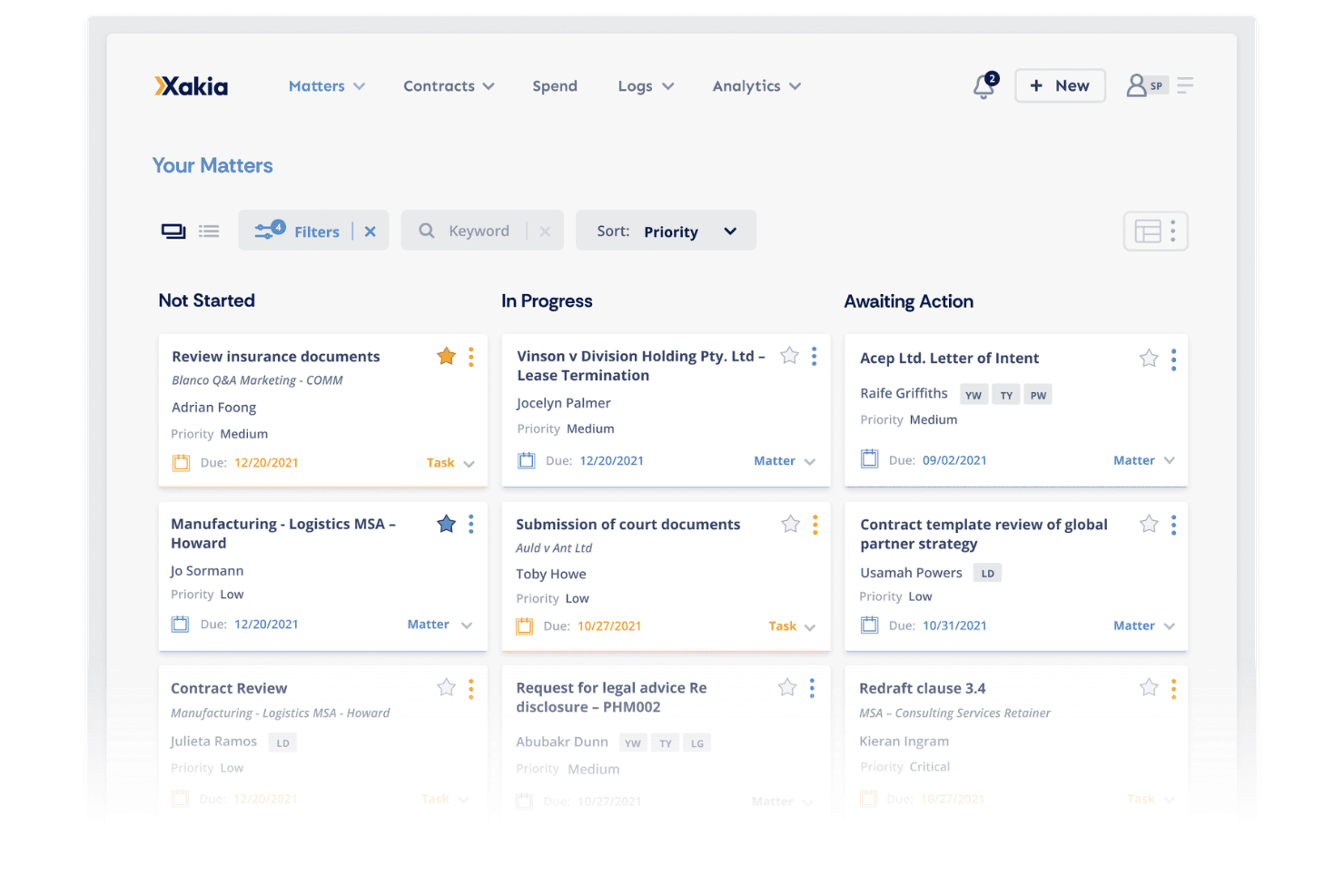
If you’re judging matter management software on interface and reporting, Xakia stands out with its clean dashboard and customizable analytics. I think its pricing is fair for midsize legal teams, and onboarding is straightforward thanks to guided setup and responsive support. While its integrations cover most needs, some niche tools aren’t included.
Compared to others, Xakia’s workflow automation and visual matter tracking are more intuitive, but advanced document management is less developed. I’d suggest Xakia for in-house teams who want actionable insights and easy adoption without sacrificing core matter tracking features.
Pros
- Fast onboarding with responsive customer support
- Offers real-time analytics and customizable dashboards
- Centralizes matter, contract, and spend management in one platform
Cons
- Advanced reporting options may require additional setup
- Limited integrations with niche legal tech tools
- Document management features are less advanced than some competitors


How We Test & Score Tools
We’ve spent years building, refining, and improving our software testing and scoring system. The rubric is designed to capture the nuances of software selection and what makes a tool effective, focusing on critical aspects of the decision-making process.
Below, you can see exactly how our testing and scoring works across seven criteria. It allows us to provide an unbiased evaluation of the software based on core functionality, standout features, ease of use, onboarding, customer support, integrations, customer reviews, and value for money.
Core Functionality (25% of final scoring)
The starting point of our evaluation is always the core functionality of the tool. Does it have the basic features and functions that a user would expect to see? Are any of those core features locked to higher-tiered pricing plans? At its core, we expect a tool to stand up against the baseline capabilities of its competitors.
Standout Features (25% of final scoring)
Next, we evaluate uncommon standout features that go above and beyond the core functionality typically found in tools of its kind. A high score reflects specialized or unique features that make the product faster, more efficient, or offer additional value to the user.
We also evaluate how easy it is to integrate with other tools typically found in the tech stack to expand the functionality and utility of the software. Tools offering plentiful native integrations, 3rd party connections, and API access to build custom integrations score best.
Ease of Use (10% of final scoring)
We consider how quick and easy it is to execute the tasks defined in the core functionality using the tool. High scoring software is well designed, intuitive to use, offers mobile apps, provides templates, and makes relatively complex tasks seem simple.
Onboarding (10% of final scoring)
We know how important rapid team adoption is for a new platform, so we evaluate how easy it is to learn and use a tool with minimal training. We evaluate how quickly a team member can get set up and start using the tool with no experience. High scoring solutions indicate little or no support is required.
Customer Support (10% of final scoring)
We review how quick and easy it is to get unstuck and find help by phone, live chat, or knowledge base. Tools and companies that provide real-time support score best, while chatbots score worst.
Customer Reviews (10% of final scoring)
Beyond our own testing and evaluation, we consider the net promoter score from current and past customers. We review their likelihood, given the option, to choose the tool again for the core functionality. A high scoring software reflects a high net promoter score from current or past customers.
Value for Money (10% of final scoring)
Lastly, in consideration of all the other criteria, we review the average price of entry level plans against the core features and consider the value of the other evaluation criteria. Software that delivers more, for less, will score higher.
Core Features
Matter Management
Track every matter from intake to resolution with centralized deadlines, documents, and updates. Users get a clear overview of all legal work in one place.
Intake & Triage
Capture, route, and prioritize legal requests through a structured front door. Assign work efficiently and avoid inbox chaos.
Contract Lifecycle
Create, manage, and automate standard contracts with built-in collaboration tools. Reduce review bottlenecks and move contracts forward faster.
Spend Management
Monitor legal budgets, compare forecasts, and control costs in real time. Built-in tools help prevent overspending and improve financial visibility.
Dashboards & Reporting
Surface insights and share the impact of legal work with customizable dashboards. Generate reports in minutes without manual data gathering.
Document Management
Store, search, and retrieve legal documents linked to the right matters. Keep files organized and accessible for the whole team.
Ease of Use
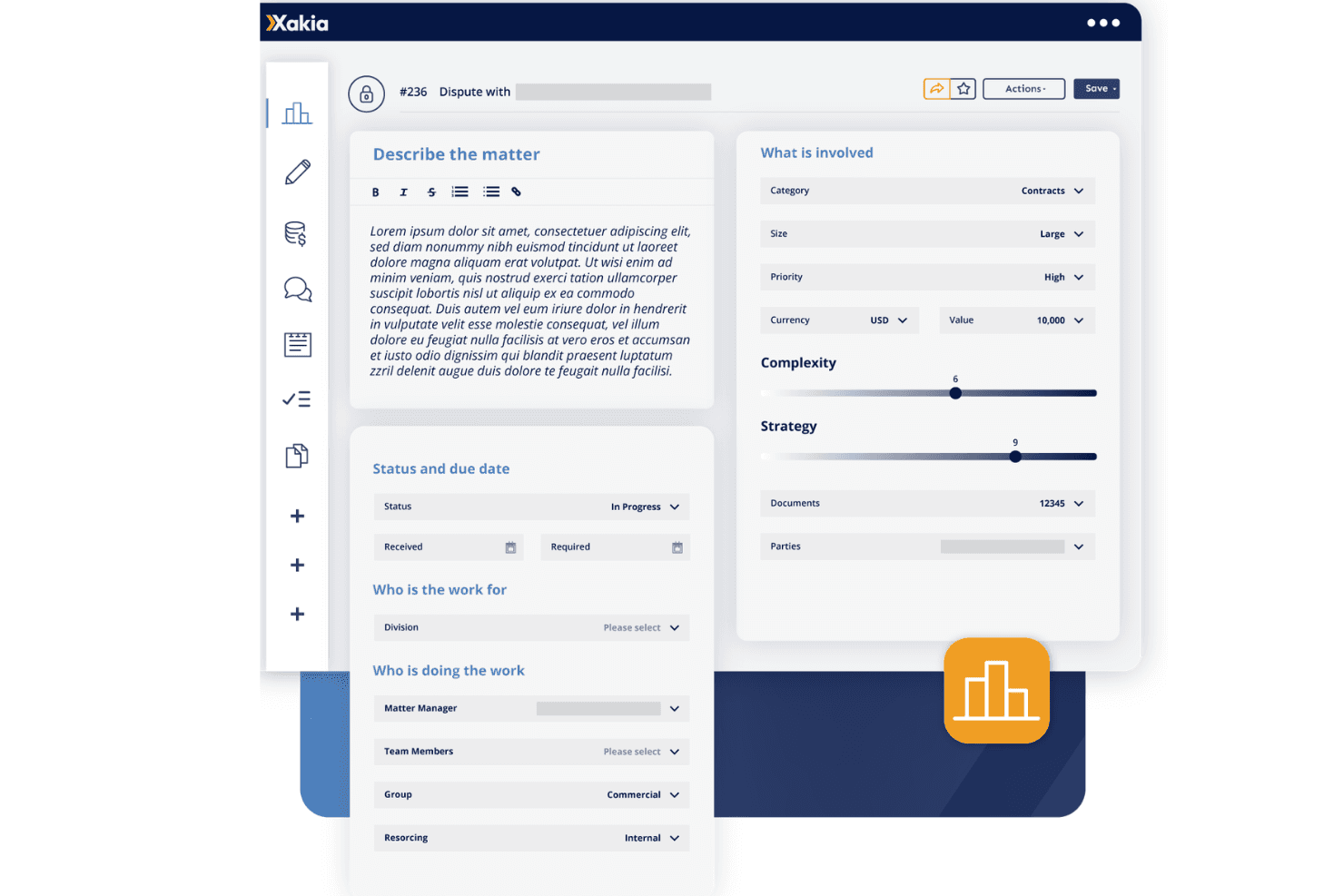
Xakia’s interface is clean and intuitive, making it easy for legal teams to get started without heavy training. Users often mention the dashboard’s clarity and the logical flow from matter intake to reporting. The guided onboarding and responsive support help teams adopt new workflows quickly. I think the platform’s straightforward navigation and visual tools make it less overwhelming than many alternatives, especially for teams new to matter management software.
Integrations
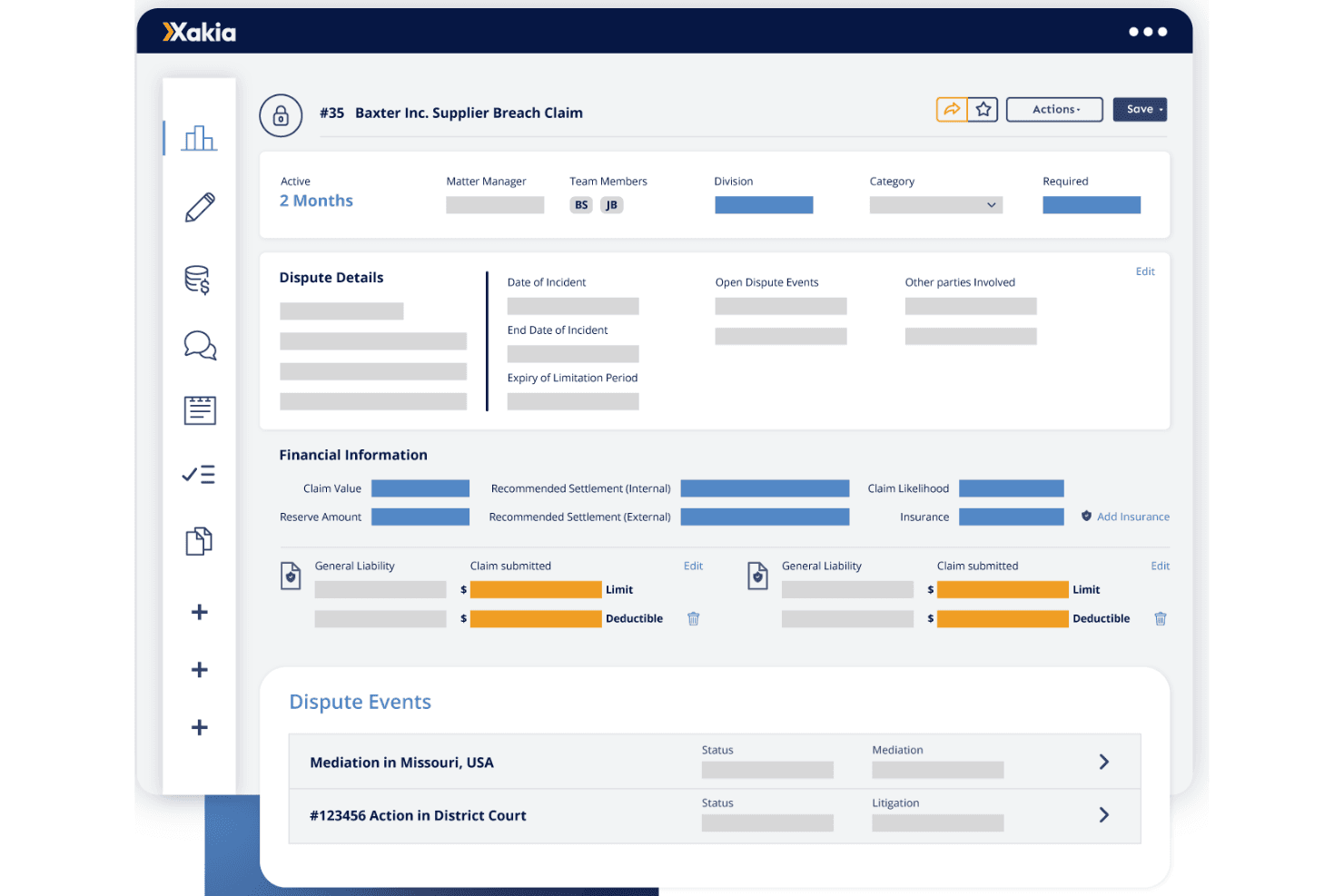
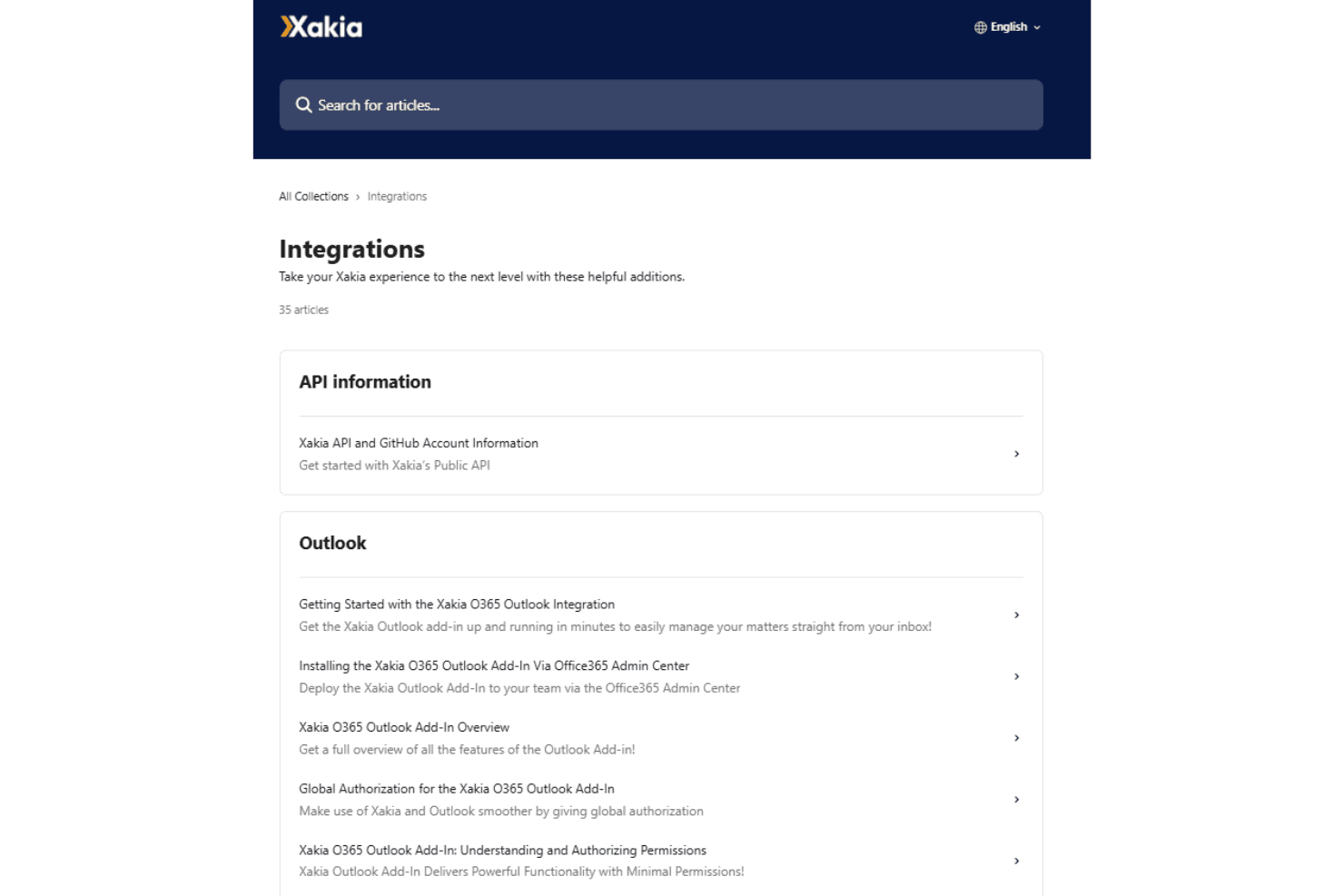
Xakia integrates with NetDocuments, iManage, Outlook, DocuSign, Word, Gmail, Josef, SharePoint, Ironclad, and Microsoft Entra, among others.
Xakia also offers an API and supports connections with third-party integration tools.
Xakia Specs
- 2-Factor Authentication: No
- API: No
- Approval Workflows: No
- Audit Trail: No
- Calendar Management: Yes
- Compliance Tracking: No
- Contract Management: No
- Custom Reports: No
- Customer Management: No
- Data Export: No
- Data Import: No
- Document Management: No
- External Integrations: No
- Multi-User: Yes
- NDA Management: No
- Notifications: No
- Policy Management: No
- Scheduling: No
- Workflow Management: No


