

Programvare for konkursbehandling hjelper advokatfirmaer med å håndtere innleveringer, automatisere rettsskjemaer, følge opp saker og effektivisere klientkommunikasjonen gjennom alle faser av konkursbehandlingen. Hvis du leter etter de beste alternativene, trenger du verktøy som reduserer manuelt arbeid, støtter lokal etterlevelse og holder faktureringen nøyaktig – samtidig som de reduserer administrative flaskehalser som gjør teamet mindre effektivt.
Denne veiledningen bygger på praktiske evalueringer og flere tiår med erfaring innen juridisk drift, og hjelper deg med å finne det riktige alternativet for firmaet ditt, enten du fokuserer på skjemautomatisering, sikkert klientinntak eller sømløs saksbehandling.
Hvorfor du kan stole på våre programvareanbefalinger
6,700+
Reviews
20
Industry experts
16+
Evaluation factors
14
Years
Teamet vårt har testet og anmeldt programvare siden 2012. Vi leder selv advokatfirmaer, så vi vet hvor vanskelig og hvor viktig det er å velge riktig programvare.
I denne guiden har vi vurdert verktøyene gjennom praktisk testing og uavhengig research og gitt dem poeng ut fra våre utvelgelseskriterier.
Anmeldelsene våre bygger på vår egen redaksjonelle vurdering. De er ikke et salgsargument.
Sammenligningstabell for programvare for konkursbehandling
Denne sammenligningstabellen oppsummerer prisopplysningene for mine beste utvalgte programmer for konkursbehandling:
| Tool | Best For | Trial Info | Price | ||
|---|---|---|---|---|---|
| 1 | Best for client communication and payment tracking | 10-day free trial | From $50/user/month (billed annually) | Website | |
| 2 | Best for client intake automation and CRM | Free demo available | Pricing upon request | Website | |
| 3 | Best for custom bankruptcy document automation | 7-day free trial | From $83/month | Website | |
| 4 | Best for debtor questionnaire and data collection | Free demo available | From $39.99/case | Website | |
| 5 | Best for local form compliance and updates | Not available | From $199.99 | Website | |
| 6 | Best for integrated document and case management | Free trial + free demo available | Pricing upon request | Website | |
| 7 | Best for cloud-based client intake and workflow | Free plan available + free demo available | From $159 up to 4 cases/year | Website | |
| 8 | Best for time tracking and billing integration | Free plan available | From $39/user/month (billed annually) | Website | |
| 9 | Best for court form automation and direct e-filing | 30-day free trial | From $99/user/month | Website | |
| 10 | Best for credit imports and creditor auto-mapping | Free demo available | From $995/year (billed annually) | Website |


Anmeldelser av programvare for konkursbehandling
Nedenfor finner du mine detaljerte sammendrag av den beste programvaren for konkursbehandling som kom med på kortlisten. Anmeldelsene mine gir en detaljert gjennomgang av funksjonene, de beste bruksområdene og integrasjonene for hvert program, slik at du kan finne det som passer best for deg.
 Best for client communication and payment tracking
- 10-day free trial
- From $50/user/month (billed annually)
Visit WebsiteCustomer Rating:4.6/5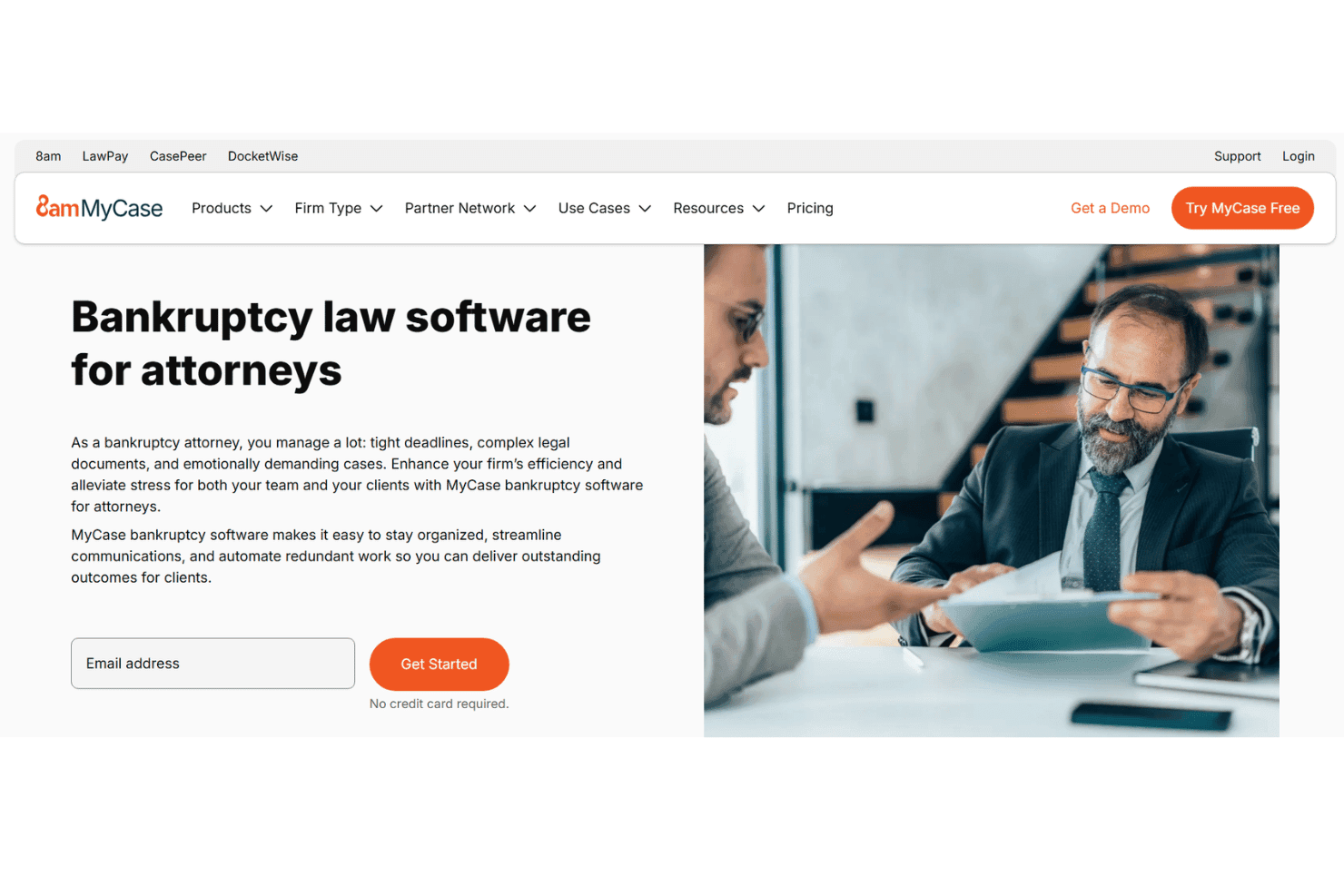
MyCase manages bankruptcy cases, documents, billing, payments, and communication. MyCase is a cloud-based legal practice management platform that combines case management, document automation, client communication, billing, and online payments for law firms handling bankruptcy matters.
Who Is MyCase Best For?
MyCase is a strong fit for solo attorneys and small law firms that manage bankruptcy cases alongside other practice areas from a single platform.
Why I Picked MyCase
I picked MyCase as one of the best because its client communication tools are genuinely built for the pace of bankruptcy work. The secure client portal lets clients track case progress and share documents without calling the office, and two-way text messaging keeps communication moving between hearings and 341 meetings. On the payments side, the native LawPay integration handles IOLTA-compliant trust accounting and delivers next-day deposits directly from invoices.
MyCase Key Features
- Document automation: Quickly generate templated legal documents and organize client files in a centralized workspace.
- Integrated court calendaring: Sync court dates, hearings, and case deadlines directly to firm calendars using LawToolBox integration.
- Task and workflow automation: Assign, track, and automate routine legal tasks for bankruptcy matters from intake through case closure.
- Secure eSignature support: Collect and manage client signatures on legal documents using unlimited built-in electronic signature functionality.
MyCase Integrations
MyCase offers native integrations with LawPay, LawToolBox, InfoTrack, QuickBooks, Dropbox, Google Calendar, and Microsoft Outlook. An API is available for custom integrations.
Pros and Cons
Pros:
- IOLTA-compliant billing with next-day payment deposits
- Two-way texting keeps clients updated between hearings
- Secure client portal with real-time case visibility
Cons:
- Missing direct CM/ECF e-filing support
- No built-in bankruptcy petition preparation tools
 Best for client intake automation and CRM
- Free demo available
- Pricing upon request
Visit WebsiteCustomer Rating:4.6/5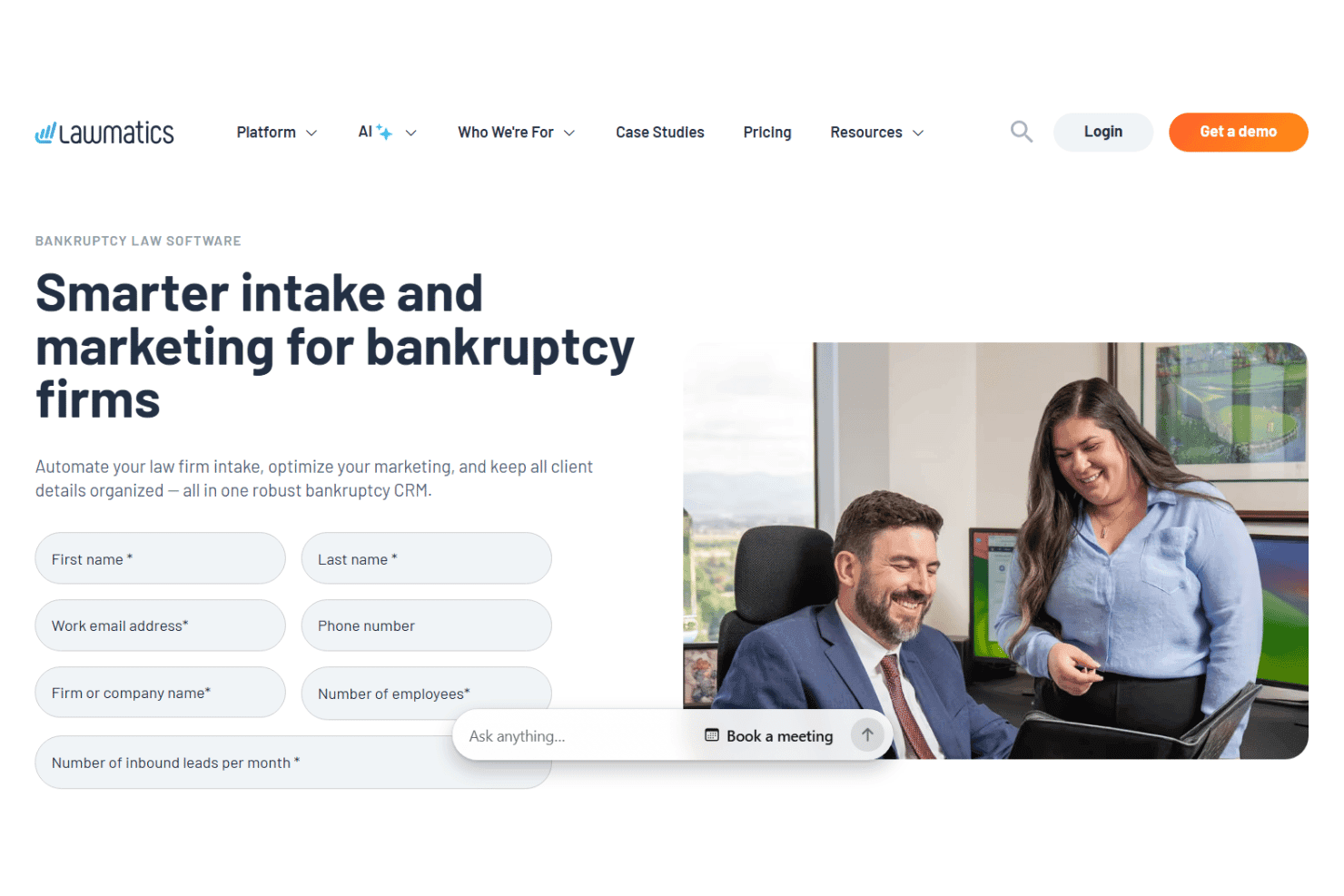
Lawmatics manages bankruptcy leads, intake, marketing, e-signature, and billing. Lawmatics is a legal CRM and client intake automation platform that combines lead management, automated intake forms, marketing workflows, e-signature, and billing tools for law firms handling bankruptcy cases.
Who Is Lawmatics Best For?
Lawmatics fits small to mid-sized bankruptcy firms with consistent lead volume that need a dedicated system for managing client intake and pre-consultation workflows.
Why I Picked Lawmatics
I've included Lawmatics in my top picks because its QualifyAI feature pre-screens bankruptcy leads using household income, debt mix, and prior filing history. It then routes each lead into one of four action categories, so I know exactly which prospects to prioritize for consultations. I also like that source attribution connects signed retainers to specific Google Ads keywords, showing which campaigns are actually converting.
Lawmatics Key Features
- Automated document requests: Send custom document request lists to bankruptcy clients and track their completion status.
- Custom intake forms: Build intake workflows with bankruptcy-specific fields and conditional logic for efficient data collection.
- E-signature collection: Obtain signed retainer agreements and disclosures electronically within the same system.
- Referral tracking and attribution: Monitor which marketing sources and campaigns drive qualified bankruptcy leads through integrated analytics.
Lawmatics Integrations
Lawmatics offers native integrations with Clio, QuickBooks, LawPay, Google Calendar, and Microsoft 365. It also connects with Zapier and provides an API for custom integrations.
Pros and Cons
Pros:
- Source attribution links signed clients to campaigns
- Lead scoring filters unqualified bankruptcy prospects
- Automated intake forms cut manual data entry
Cons:
- Reporting customization is limited for legal metrics
- No petition preparation or CM/ECF filing
Learn more about Lawmatics: Best for custom bankruptcy document automation
- 7-day free trial
- From $83/month
Visit WebsiteCustomer Rating:4.9/5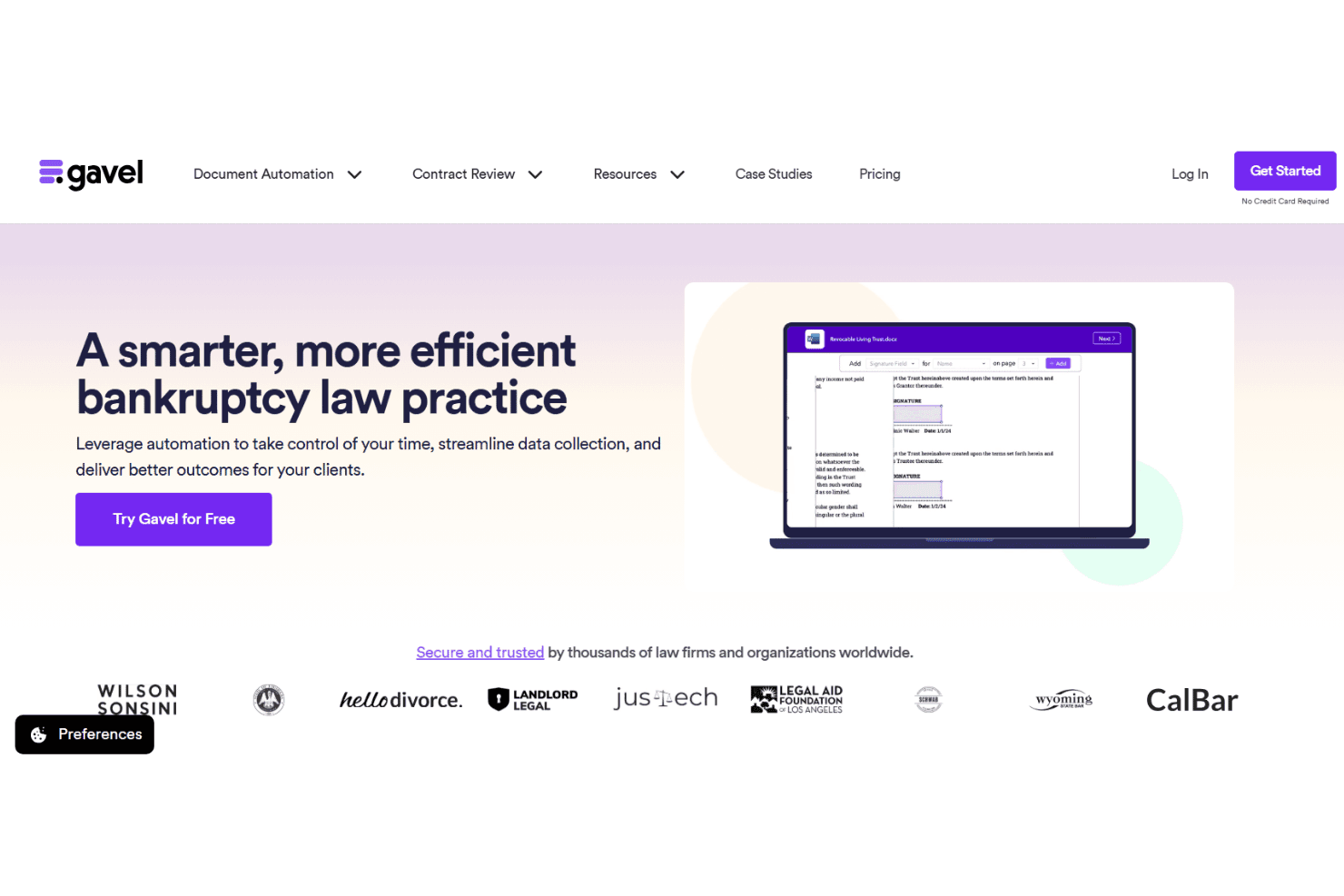
Gavel builds bankruptcy intake workflows and auto-populates forms with no-code tools. Gavel is a no-code legal document automation platform that lets law firms build custom client intake workflows and auto-populate bankruptcy forms across Chapters 7, 11, and 13 using conditional logic and AI-assisted template mapping.
Who Is gavel.io Best For?
Gavel is a strong fit for solo attorneys and small law firms that want to build their own branded bankruptcy intake and document workflows from scratch.
Why I Picked gavel.io
I picked Gavel as one of the best because its Blueprint AI genuinely impresses me. Upload a blank Form 101 or Form 206A/B, and Blueprint scans the document and auto-suggests the intake questions needed to fill it. I also like that one client questionnaire can generate multiple output documents at once, so a single intake session populates the petition, schedules, and statements together rather than requiring separate workflows for each form.
gavel.io Key Features
- Conditional logic builder: Automate document assembly using answer-based branching and dynamic content insertion.
- Fillable PDF and Word automation: Map form fields directly onto court-standard PDF and Word templates.
- Client intake portal: Capture case data securely from clients through branded online questionnaires.
- Embedded payment collection: Accept client payments for bankruptcy services using integrated Stripe checkout links.
gavel.io Integrations
Gavel offers native integrations with Clio, LawPay, HelloSign, Dropbox, and Zapier. An API is available for custom integrations.
Pros and Cons
Pros:
- One intake questionnaire populates multiple output documents
- Blueprint AI auto-generates intake questions from uploaded forms
- Build custom bankruptcy forms from scratch
Cons:
- No built-in means test calculator
- No direct CM/ECF e-filing support
Learn more about gavel.io: Best for debtor questionnaire and data collection
- Free demo available
- From $39.99/case
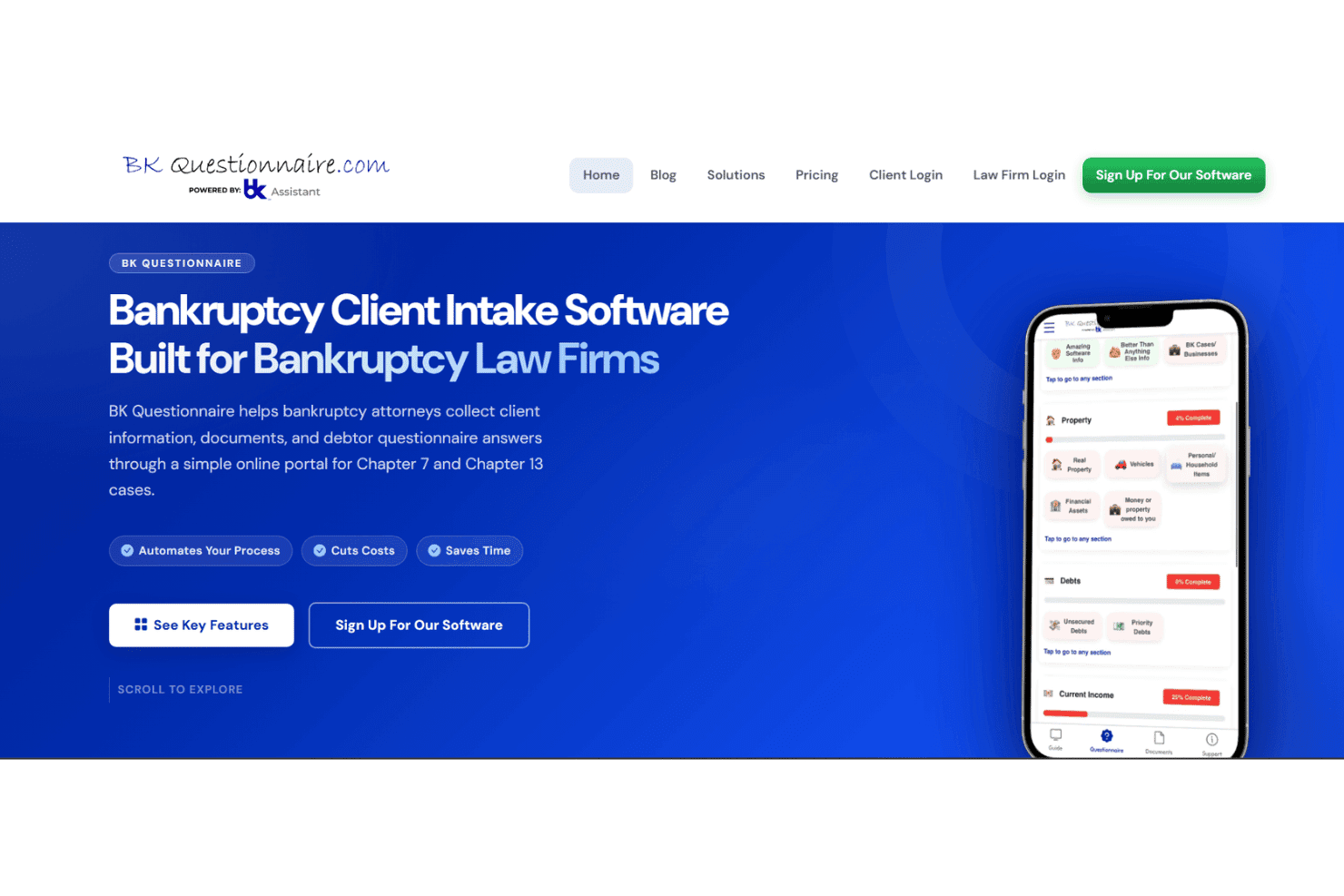
BK Questionnaire handles debtor intake, documents, credit reports, and income. BK Questionnaire is a debtor intake platform built for consumer bankruptcy law firms, combining mobile-friendly digital questionnaires, document collection, a client portal, and add-on tools for credit report imports and income calculation.
Who Is BK Questionnaire Best For?
BK Questionnaire fits consumer bankruptcy law firms and paralegal support services that handle high client volumes and need a structured, remote-friendly intake process.
Why I Picked BK Questionnaire
I picked BK Questionnaire as one of the best because its dynamic questioning logic is genuinely impressive for intake work. Rather than sending clients a static PDF packet, the questionnaire adapts based on each debtor's specific situation, cutting out irrelevant questions entirely. I also like the built-in bilingual support, which lets Spanish-speaking clients complete the full questionnaire without any manual translation effort from the firm's side.
BK Questionnaire Key Features
- Mobile document scanner: Native mobile apps let clients scan and upload documents directly from their smartphones.
- VIN and ID barcode reader: The app reads vehicle VINs and government-issued ID barcodes for fast, error-free data entry.
- Common creditor database: Includes a built-in auto-complete list with over 6,000 creditor addresses for easy schedule creation.
- Automated document tracking: Tracks what’s missing and sends itemized follow-up requests to clients in seconds.
BK Questionnaire Integrations
BK Questionnaire offers native integrations with Jubilee, NextChapter, and Best Case by Stretto for exporting client data directly into bankruptcy petition preparation platforms. An API is available for custom integrations.
Pros and Cons
Pros:
- VIN and ID barcode scanning built in
- Built-in Spanish language support for debtors
- Adaptive questionnaire logic reduces irrelevant client questions
Cons:
- Narrow focus limits full case lifecycle management
- No petition preparation or CM/ECF filing
Learn more about BKK Questionaire: Best for local form compliance and updates
- Not available
- From $199.99
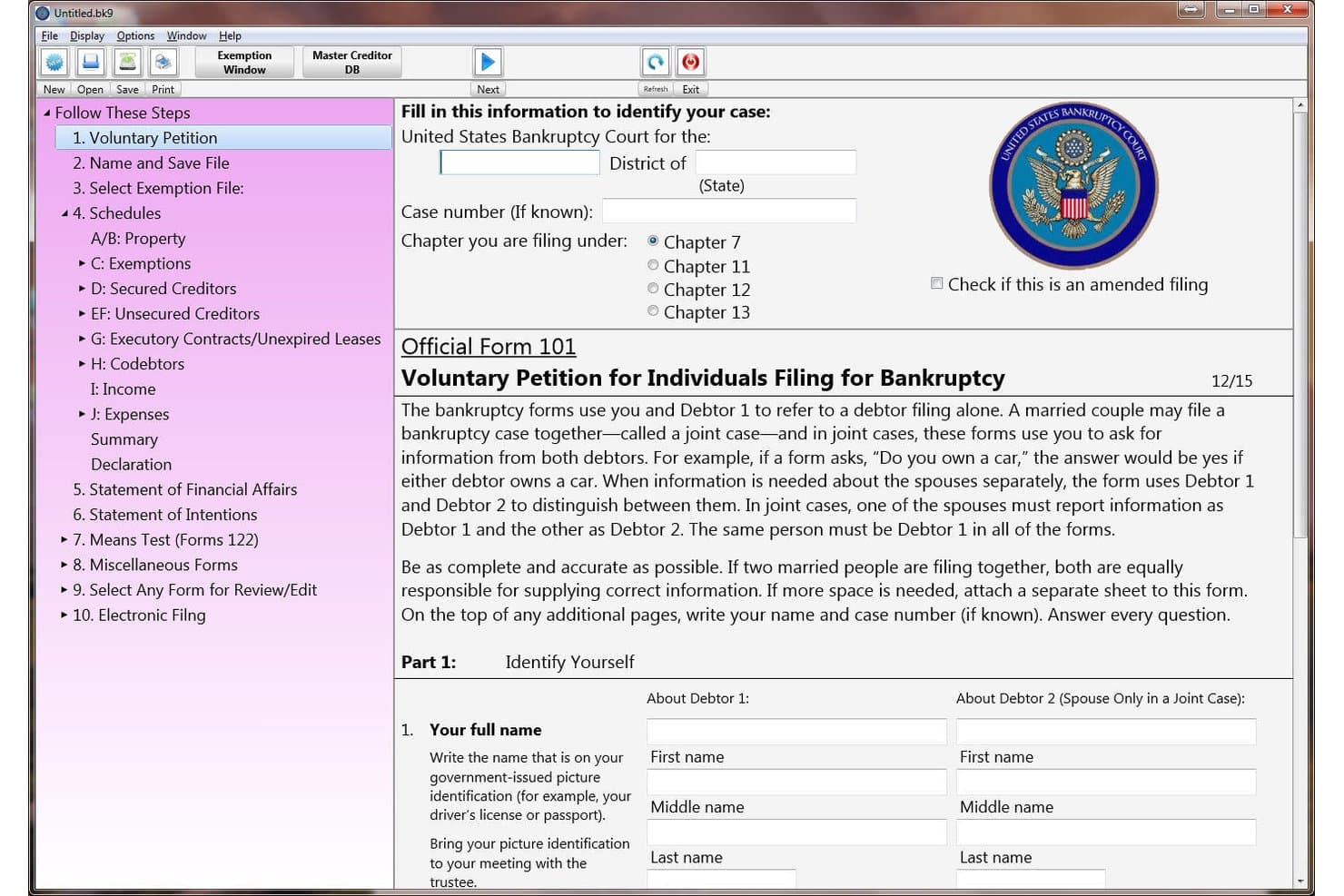
Puritas Springs Software (WBank) offers a step-by-step bankruptcy filing interface with Official Form 101, the Voluntary Petition for Individuals Filing for Bankruptcy. WBank by Puritas Springs Software is a locally installed bankruptcy petition preparation tool that generates official federal forms across Chapters 7, 11, and 13, with built-in means test calculations and PDF creation for e-filing.
Who Is Puritas Springs Software (WBank) Best For?
Solo practitioners and small law firms handling consumer bankruptcy cases who need a no-frills, low-cost desktop tool for petition preparation.
Why I Picked Puritas Springs Software (WBank)
I picked WBank because it keeps the full official form suite current, from Schedule 106A/B through Form 113 (Chapter 13 Plan) and the 122A/122C means test forms, which maps directly to what courts actually require at filing. It's listed as an accepted petition package by multiple federal bankruptcy courts, including Nebraska and the Eastern District of Washington. That court-level recognition is the clearest signal of real compliance depth.
Puritas Springs Software (WBank) Key Features
- Native desktop application: Installs directly on Windows and Mac devices for offline bankruptcy petition preparation.
- Built-in PDF generator: Creates court-ready PDF versions of all bankruptcy forms without needing third-party software.
- Main window tree navigation: Lets users jump quickly between forms and schedules for efficient data entry and editing.
- Export to word processor: Allows exporting bankruptcy petitions as editable documents compatible with Microsoft Word.
Puritas Springs Software (WBank) Integrations
Native integrations are not clearly documented. WBank does not list any official integrations with other software platforms or support an API for custom integrations.
Pros and Cons
Pros:
- Handles all three bankruptcy chapter types
- Local form updates delivered quickly
- Court-accepted in multiple federal bankruptcy districts
Cons:
- No credit report import capability
- No cloud access or remote filing
Learn more about Puritas Springs Software (WBank): Best for integrated document and case management
- Free trial + free demo available
- Pricing upon request
Visit WebsiteCustomer Rating:4.5/5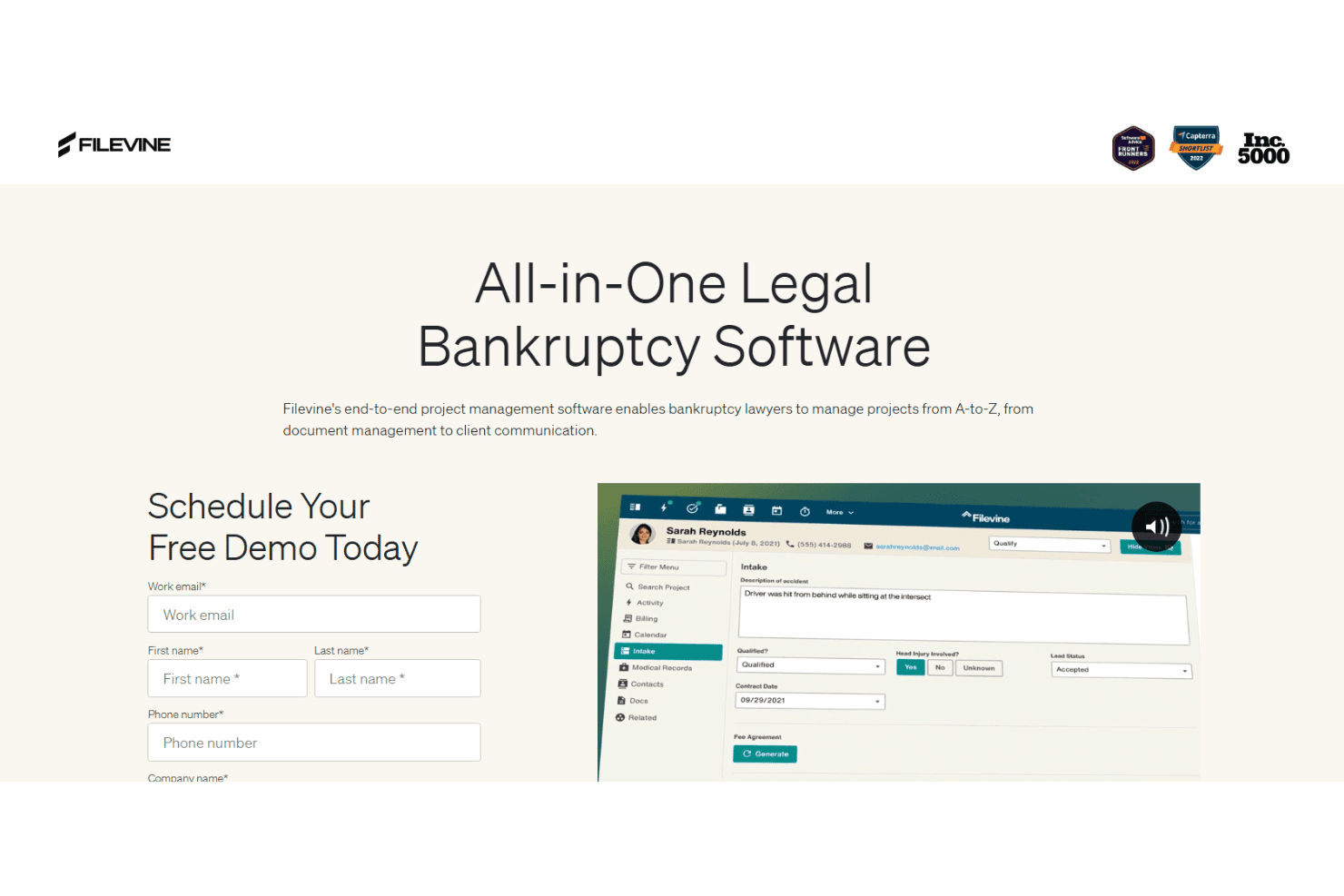
Filevine is a legal case management platform that combines document organization, task tracking, client communication, and AI-assisted workflow tools for law firms managing bankruptcy and other practice area cases.
Who Is Filevine Best For?
Filevine is a strong fit for small to mid-sized law firms that handle high document volumes across multiple practice areas, including bankruptcy.
Why I Picked Filevine
I've included Filevine in my top picks because its document management system keeps every case file genuinely centralized, with unlimited cloud storage, advanced search, and in-file collaboration all in one place. I also like how LOIS, Filevine's native AI assistant, can surface relevant case data and summarize complex documents without leaving the matter view. Client texts appear directly inside each case file too, so nothing gets scattered across separate inboxes or apps.
Filevine Key Features
- Matter-centric task management: Assign tasks, monitor productivity, and manage deadlines across multiple bankruptcy cases from a central dashboard.
- Automated client texting: Send and receive client texts directly through Filevine, logging all messages to the associated case file.
- Custom reporting tools: Build tailored reports to track case statuses, document timelines, and monitor staff activities.
- Deadline calculation add-on: Use deadline management extensions to calculate and track critical court dates and 341 meeting deadlines.
Filevine Integrations
Filevine offers native integrations with InfoTrack, NetDocuments, OneDrive, and QuickBooks, and provides an API for custom integrations.
Pros and Cons
Pros:
- Automated deadline tracking across multiple case matters
- AI assistant surfaces and summarizes case documents
- Centralized unlimited cloud document storage per case
Cons:
- Not built specifically for bankruptcy petition prep
- No native CM/ECF e-filing support
Learn more about Filevine: Best for cloud-based client intake and workflow
- Free plan available + free demo available
- From $159 up to 4 cases/year
Visit WebsiteCustomer Rating:4.8/5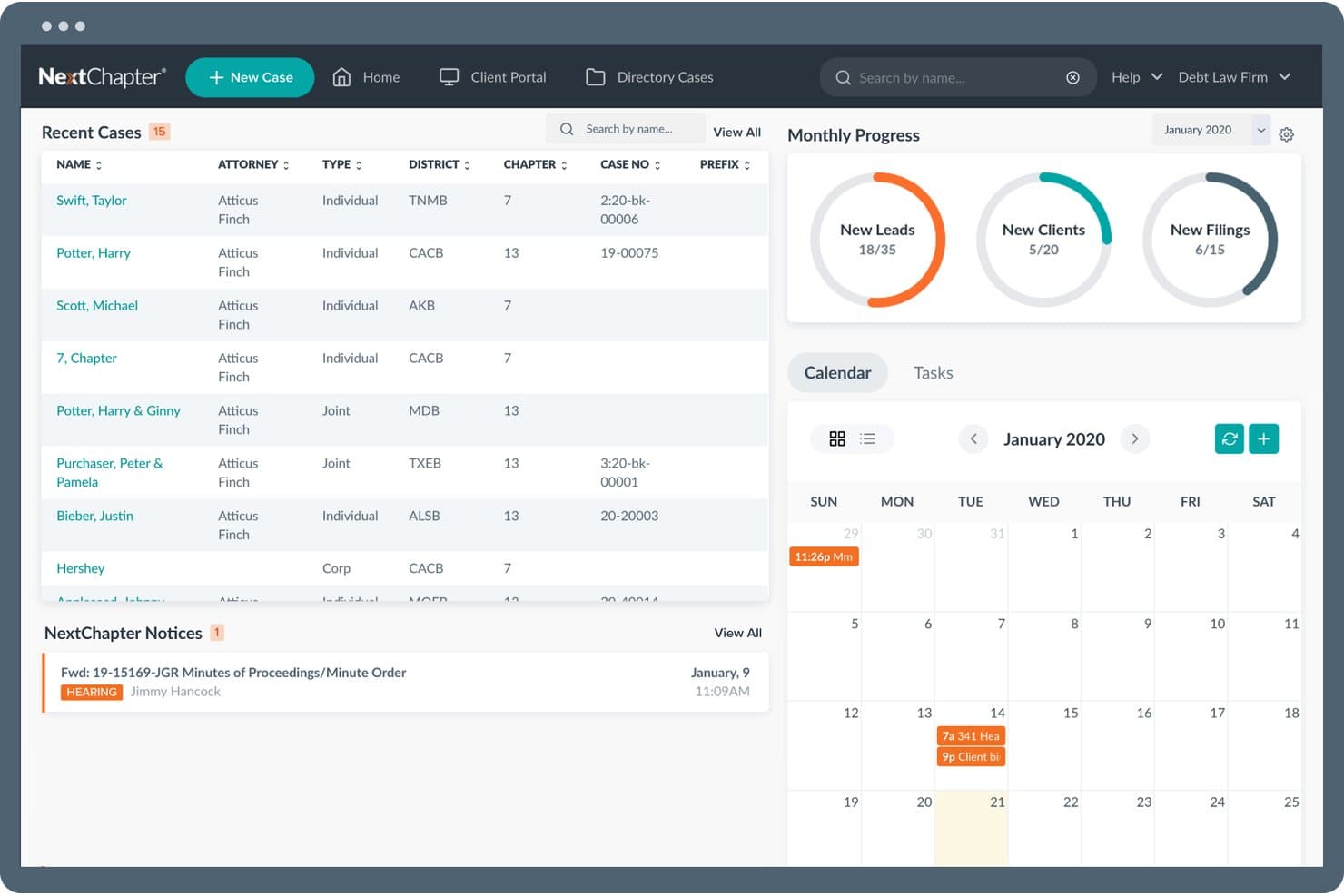
NextChapter offers a centralized bankruptcy management dashboard featuring recent cases, monthly progress metrics, a calendar, and court notices in one view. NextChapter is a cloud-based bankruptcy software platform that handles petition preparation, CM/ECF e-filing, means test calculations, tri-merge credit report imports, and case management across Chapters 7, 11, 12, and 13.
Who Is NextChapter Best For?
NextChapter is a strong fit for small bankruptcy law firms where paralegals and attorneys share case preparation responsibilities across multiple chapter types.
Why I Picked NextChapter
I picked NextChapter as one of the best because of how its MyChapter client portal handles intake. Clients complete their bankruptcy questionnaire online, and that data imports directly into the case, bypassing manual re-entry entirely. The Bankruptcy Web Workflow® then carries that data across every required schedule automatically, so I'm not re-entering the same creditor or asset information multiple times across different forms.
NextChapter Key Features
- Tri-merge credit report import: Pulls debtor data from Experian, Equifax, and TransUnion, then maps it into bankruptcy schedules.
- CM/ECF direct filing integration: Lets you file cases with federal bankruptcy courts right from the platform.
- Means test calculators: Provides tools for automated Chapter 7 eligibility and disposable income calculations using current IRS and Census data.
- PACER notices and hearing scheduler: Auto-imports court notices and syncs case hearings to your calendar.
NextChapter Integrations
NextChapter offers native integrations with Universal Credit Services for tri-merge credit report import, PACER, federal CM/ECF court systems, and Google Calendar. An API is available for custom integrations.
Pros and Cons
Pros:
- Cloud access removes office-bound filing dependencies
- Bankruptcy Web Workflow® auto-populates across all schedules
- Debtor portal eliminates paper-based intake entirely
Cons:
- Reporting tools offer limited case performance visibility
- Chapter 11 features less developed than 7 and 13
Learn more about NextChapter: Best for time tracking and billing integration
- Free plan available
- From $39/user/month (billed annually)
Visit WebsiteCustomer Rating:4/5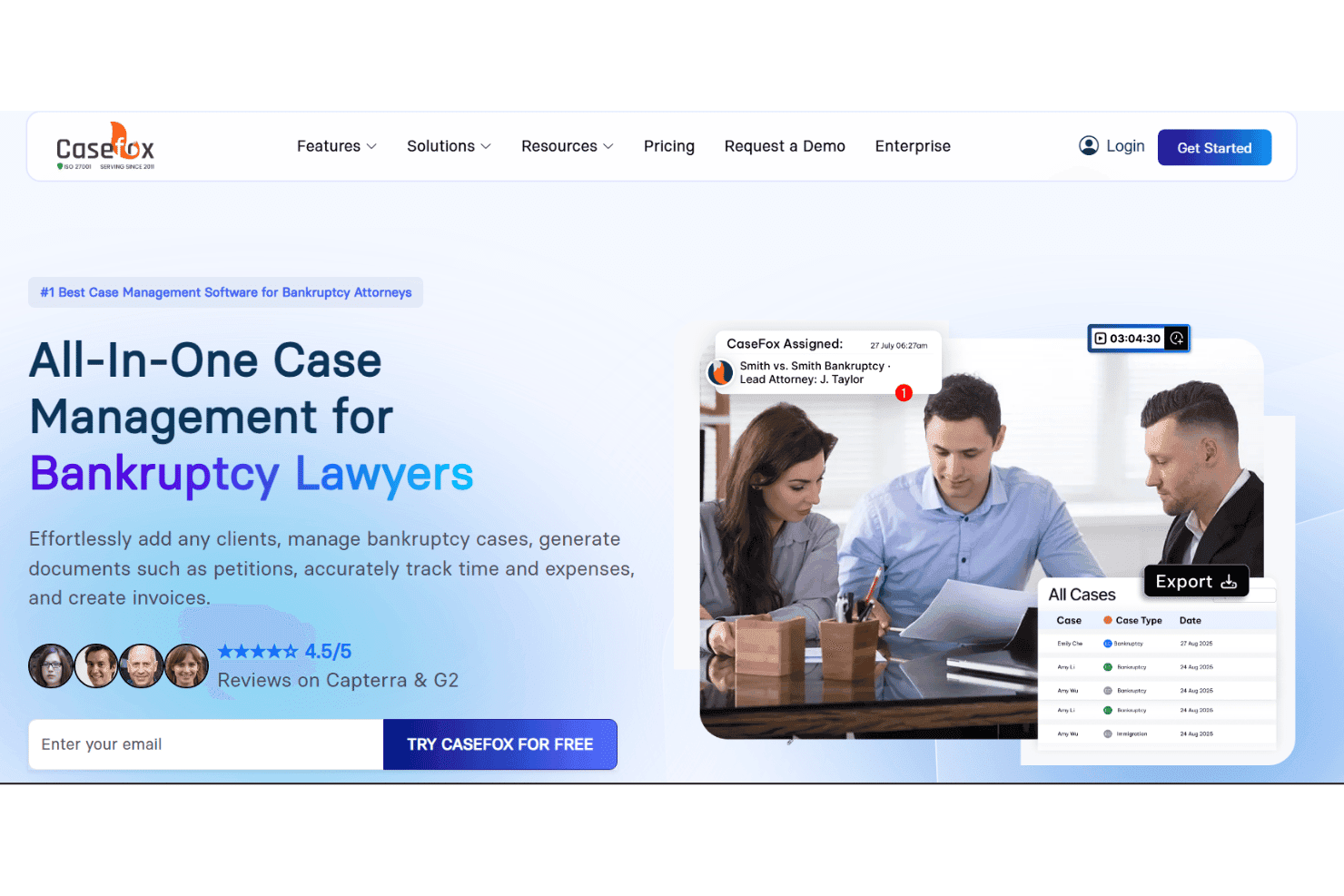
CaseFox tracks bankruptcy cases, time, billing, trust accounts, and documents. CaseFox is a cloud-based legal practice management platform that combines case tracking, time and expense recording, LEDES-compliant billing, trust accounting, and document management for bankruptcy attorneys handling Chapter 7, 11, and 13 cases.
Who Is CaseFox Best For?
Solo practitioners and small bankruptcy firms that need affordable, IOLTA-compliant billing and time tracking without the overhead of enterprise-level practice management software.
Why I Picked CaseFox
I picked CaseFox as one of the best because its billing depth is genuinely suited to bankruptcy practice. I like that you can split invoices between multiple payers with unique rates per payer, which covers situations where clients and trustees share costs across the same matter. The LEDES 1998B and LEDES XML 2.0 invoice output connects directly to QuickBooks or Xero, so billing reconciliation doesn't require manual re-entry between systems.
CaseFox Key Features
- Document management system: Store case files, petitions, and related bankruptcy documents securely within organized folders.
- Role-based access controls: Assign user permissions and restrict sensitive bankruptcy case data to authorized team members.
- Rule-based calendaring: Automatically track court dates, 341 meetings, and bankruptcy-related deadlines in a shared firm calendar.
- AI document drafting: Generate draft petitions, schedules, and notices with built-in legal AI tailored for bankruptcy workflows.
CaseFox Integrations
CaseFox offers native integrations with QuickBooks, Xero, Box, Dropbox, Google Drive, and LawPay. An API is available for custom integrations.
Pros and Cons
Pros:
- Timer captures time across multiple devices
- Built-in trust accounting and IOLTA tracking
- LEDES-compliant billing for attorney fee applications
Cons:
- Limited means test calculation functionality
- No dedicated bankruptcy petition preparation module
Learn more about Casefox: Best for court form automation and direct e-filing
- 30-day free trial
- From $99/user/month
Visit WebsiteCustomer Rating:4.1/5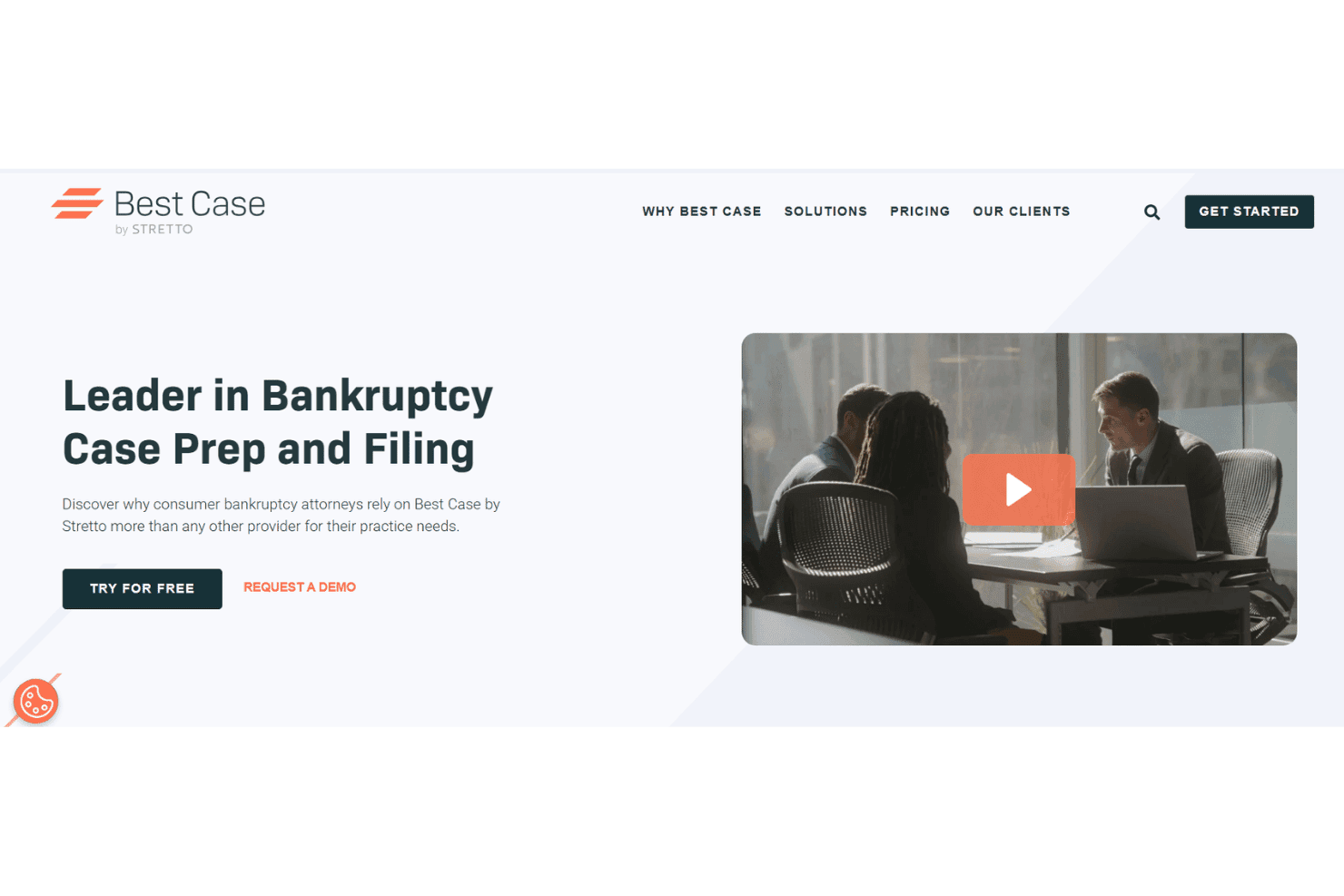
Best Case by Stretto prepares bankruptcy cases, credit reports, and e-filings. Best Case by Stretto is a bankruptcy case preparation and e-filing platform built for consumer bankruptcy attorneys, covering petition drafting across Chapters 7, 11, and 13, means test calculations, credit report imports, and direct CM/ECF filing.
Who Is Best Case by Stretto Best For?
It's a strong fit for small consumer bankruptcy law firms where attorneys and paralegals handle high volumes of personal filings across Chapter 7 and Chapter 13.
Why I Picked Best Case by Stretto
Best Case by Stretto earns its spot on my shortlist because of how tightly its OneTouch® e-filing works in practice. It navigates directly to the court's CM/ECF portal, uploads jurisdiction-compliant documents, and returns a case number and court receipt without me leaving the software. It also automates post-petition filings like Form 423 and the Chapter 13 Plan. Stretto continuously pushes federal, local exemption, and jurisdictional form updates, so I'm always filing against current court-approved versions.
Best Case by Stretto Key Features
- Integrated credit report import: Pulls debtor data from all major credit bureaus and maps it into creditor schedules.
- Client intake portal: Lets clients upload tax records and paystubs directly to their attorney using a secure online portal.
- Automatic form and exemption updates: Delivers real-time updates to federal and local bankruptcy forms and exemptions.
- Calendar sync for critical events: Auto-populates 341 meetings and court hearings onto attorney and staff calendars.
Best Case by Stretto Integrations
Best Case by Stretto offers native integrations with Stretto's debtor payments system and provides an API for custom integrations. Native integrations with other legal practice management platforms are not clearly documented.
Pros and Cons
Pros:
- Means test calculator uses current IRS data
- OneTouch e-filing reduces manual CM/ECF steps
- Jurisdiction-specific court forms update automatically
Cons:
- Chapter 11 support is less developed
- Desktop version limits remote access flexibility
Learn more about Best Case by Stretto: 10Best for credit imports and creditor auto-mapping
Jubilee
- Free demo available
- From $995/year (billed annually)
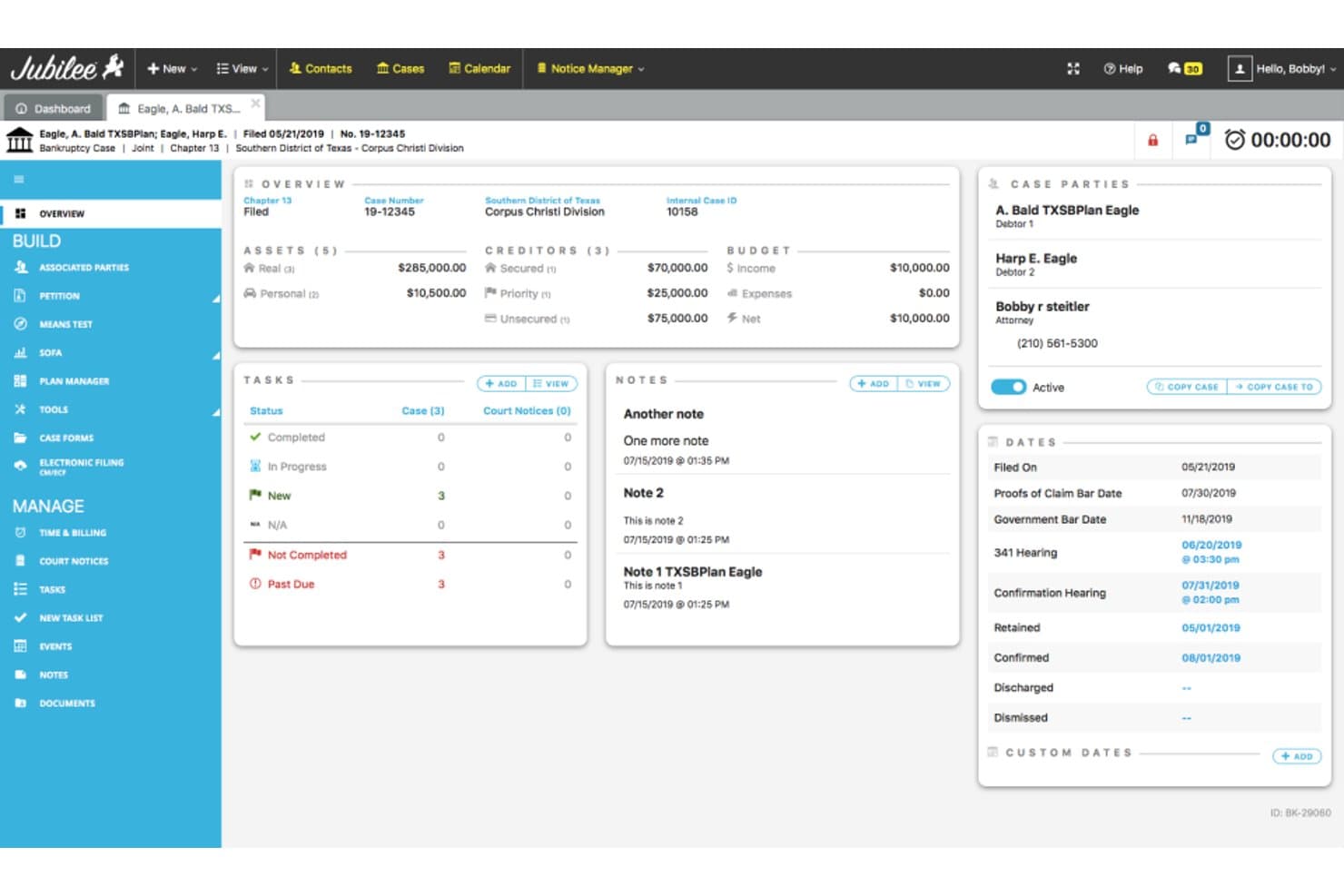
Jubilee offers a comprehensive bankruptcy case dashboard displaying debtor details, assets, creditors, budget, tasks, notes, and key court dates in one view. Jubilee is a cloud-based bankruptcy petition preparation and filing platform that handles Chapters 7, 11, 12, and 13 filings, CM/ECF e-filing, means test calculation, credit report import, court notice management, and client case tracking.
Who Is Jubilee Best For?
Jubilee is a strong fit for small consumer bankruptcy law firms with high filing volumes that need an all-in-one cloud platform for petition prep, e-filing, and client management.
Why I Picked Jubilee
Jubilee earns its spot on my shortlist because of how it handles credit report data at intake. Clients order their credit report through Jubilee Credit Services, and that data imports directly into the case file, auto-populating creditor schedules without manual re-entry. The creditor database then pre-fills addresses from existing records, reducing manual work on Schedule E/F. I also rely on connections to vendors like CIN Legal Data Services for additional creditor data lookups during case prep.
Jubilee Key Features
- CM/ECF e-filing integration: File cases directly with all federal bankruptcy courts and track notices within the platform.
- Means test calculator: Automate eligibility checks using the latest IRS and Census data for Chapter 7 and 13 filings.
- Court notice management: Search, index, and filter court emails and notices by subject, case number, or party name.
- Client document portal: Clients can securely upload required documents and communicate with your firm through a dedicated portal.
Jubilee Integrations
Jubilee offers native integrations with Clio, LawPay, SignNow, and CIN Legal Data Services. An API is available for custom integrations.
Pros and Cons
Pros:
- Responsive support team with continuous updates
- Auto-indexed, searchable court notices by case
- Supports all four bankruptcy chapter types
Cons:
- Chapter 11 tools limited vs. dedicated platforms
- Takes months to learn all platform functions
Learn more about Jubilee:
Annen programvare for konkursbehandling
Her er noen flere alternativer for programvare for konkursbehandling som ikke kom med på kortlisten min, men som likevel er verdt å se nærmere på:
- 11Amicus AttorneyBest for comprehensive practice management
- 12Fresh Start FinanceBest for debtor financing and payment options
- 13Ideals Virtual Data RoomBest for secure deal and claims data sharing
- 14CARET LegalBest for team collaboration features
- 15PracticePantherBest for integration with legal CRM tools
- 16Clio ManageBest for workflow customization
- 17Bankcruptcy ProBest for pro bono and volunteer case usage
- 18BlueStylus Case Builder (Financial Software Solutions)Best for cloud-based document automation
- 19TrusteSolutionsBest for trustee case and asset management
- 20Epiq Case PowerBest for large-scale case administration
How I Evaluate Bankruptcy Software
I evaluate bankruptcy software across two layers: the core capabilities every tool must cover—petition prep, CM/ECF filing, and means testing—and the differentiators that matter for your firm.
Core Functionality (Table Stakes for This List)
When I'm selecting tools for my list, I rank each one on a scale from 0 (does not offer the functionality) to 5 (excels in this area) for each core functionality listed below. I then calculate the tool's total score into a percentage, using 55% as a benchmark to help assess its overall fit for the list.
- Petition Preparation: I look for tools that generate forms across Chapters 7, 11, and 13 with cross-schedule auto-population and built-in validation checks.
- CM/ECF E-Filing: Direct filing to CM/ECF matters—I check whether a tool supports one-click submission, docket syncing, and multi-district coverage.
- Means Test Calculation: Automated means testing should pull current IRS and Census Bureau data and support scenario modeling for Chapter 7 eligibility analysis.
- Credit Report Import: I check for tri-merge credit imports that auto-map debts into creditor schedules, flag duplicates, and categorize secured vs. unsecured claims.
- Case & Client Management: Good tools track deadlines, 341 meetings, and court dates with automated reminders, plus offer document storage and a client portal.
- Form Updates & Compliance: Vendors should push form and exemption updates promptly when courts revise rules, covering federal forms and local jurisdictional variants.
Once I have a list of tools that meet the criteria, I consider what sets each platform apart.
Differentiating Factors (What Sets Vendors Apart)
Here's how I compare and contrast different vendors:
Standout Features
Court-specific form automation is a major differentiator. Some platforms auto-populate jurisdiction-specific schedules and push updates within days of rule changes, while others require manual adjustments. Credit report import depth also varies—I look for tools that pull tri-merge data and auto-map liabilities into the correct schedules without manual sorting. A secure client intake portal rounds things out, giving debtors a way to submit financial disclosures and upload documents on their own time, which cuts down on intake bottlenecks considerably.
Beyond Features
Practice type and case volume shape which tool fits best. A solo practitioner filing a handful of Chapter 7s monthly has different needs than a high-volume firm running batch petitions. I also evaluate how well a platform connects to the broader legal tech stack—accounting integrations with tools like QuickBooks or LawPay matter when you're tracking retainers and filing fees. Vendor support is another factor I weigh. Bankruptcy-specific help from staff who understand petition workflows is far more useful than a generic IT helpdesk.
Slik velger du programvare for konkursbehandling
Lurer du på hvordan du kan tilpasse programvare for konkursbehandling til de spesifikke behovene og arbeidsflytutfordringene i virksomheten din? Ta utgangspunkt i det viktigste behovet ditt:
| Hvis prioriteten din er … | … bør du prioritere: |
|---|---|
| Hvis prioriteten din er …Utarbeidelse av komplekse skjemaer på tvers av flere jurisdiksjoner | … bør du prioritere:Automatisering av rettsskjemaer i sanntid |
| Hvis prioriteten din er …Stort innleveringsvolum og automatisering av arbeidsmengden | … bør du prioritere:Batchbehandling av begjæringer og arbeidsflytkontroller |
| Hvis prioriteten din er …Sømløse innleveringer til retten | … bør du prioritere:Direkte CM/ECF-integrasjon |
| Hvis prioriteten din er …Reduksjon av manuell registrering av gjeld | … bør du prioritere:Import av sammenslåtte kredittrapporter |
| Hvis prioriteten din er …Fjernbasert samarbeid med klienter | … bør du prioritere:Sikker klientportal for skyldnerrettet klientinntak |
Slik vurderer du kortlisten din
- Test direkte elektronisk innlevering: Send inn minst én testbegjæring gjennom leverandørens CM/ECF-integrasjon, og bekreft opplasting og status i rettens saksregister innen 24 timer.
- Be om logger over skjemaoppdateringer: Be om dokumentasjon som viser hvor raskt nye rettsskjemaer og unntak oppdateres etter en endring i rettsreglene.
- Gjennomfør en import av kredittdata: Test import av en kredittrapport ved hjelp av sammenslåtte data, og se gjennom hvordan oversiktene fylles ut – be om en logg eller eksport som dokumentasjon.
- Kontroller dokumentasjon på integrasjoner: Krev en gjennomgang av regnskapsintegrasjonen med QuickBooks eller LawPay, med en overføring i to trinn fra forskudd til klientkonto.
- Vurder graden av automatisering opp mot tilpasningsmulighetene: Finn ut om en strømlinjeformet og veiledet dataregistrering er mer verdifull for arbeidsflyten din enn full kontroll over maler og arbeidsflyt.
Hva er programvare for konkursbehandling?
Programvare for konkursbehandling er en spesialisert juridisk plattform som hjelper advokatfirmaer og bostyrere med å utarbeide, sende inn og administrere konkurssaker i samsvar med kravene fra føderale domstoler. Den automatiserer oppretting av begjæringer, beregning av betalingsevne, import av kredittdata og elektroniske innleveringer til retten.
Programvaren effektiviserer klientinntaket, holder oversikt over frister og rettsmøter og sørger for at alle saksdokumenter er organisert og i samsvar med løpende juridiske endringer.
Funksjoner i konkursprogramvare
Når du velger konkursprogramvare, bør du se etter følgende viktige funksjoner:
- Utarbeidelse av begjæringer: Genererer offisielle konkursblanketter for kapittel 7, 11 og 13, og fyller automatisk ut oversikter, erklæringer og matriser i samsvar med domstolens krav.
- CM/ECF-integrasjon: Kobler seg direkte til den føderale domstolens elektroniske innleveringssystem, slik at du kan sende inn begjæringer og motta statusoppdateringer i sanntid.
- Kalkulator for behovsprøving: Beregner skyldnerens kvalifisering for kapittel 7 eller 13 ved hjelp av oppdaterte IRS-standarder og data fra Census Bureau, noe som reduserer behovet for manuelle beregninger og risikoen for feil.
- Import av kredittrapporter: Henter automatisk økonomiske data fra alle større kredittopplysningsbyråer og fyller ut kreditoroversikter og matriser, slik at du sparer tid og unngår utelatelser.
- Oversikt over frister og rettsmøter: Følger med på kommende rettsdatoer, 341-møter og innleveringsfrister, og utløser påminnelser slik at ingenting blir glemt.
- Dokumenthåndtering: Lagrer saksmapper, opplysninger og korrespondanse i ett sikkert og organisert arkiv med tilgangskontroller for brukere.
- Klientportal for inntak: Tilbyr en sikker nettportal der klienter kan sende inn økonomiske opplysninger, laste opp dokumenter og signere nødvendige skjemaer elektronisk eksternt.
- Oppdateringer av skjemaer og samsvar: Installerer automatiske oppdateringer når føderale eller lokale konkursblanketter og unntak endres, slik at innleveringene forblir i samsvar med kravene.
- Rollebaserte tillatelser: Lar advokater, juridiske assistenter og medarbeidere bare få tilgang til saksfunksjonene som er relevante for deres ansvarsområder.
- Rapportering og analyse: Gir innsikt i saksmengde, resultater og flaskehalser i arbeidsflyten, slik at du kan styre virksomheten og ressursene dine bedre.
Konkursprogramvareløsninger inkluderer vanligvis ikke kunstig intelligens som en del av funksjonstilbudet.
Fordeler med konkursprogramvare
Implementering av konkursprogramvare gir flere fordeler for teamet og virksomheten din. Her er noen av fordelene du kan se frem til:
- Effektivisert saksforberedelse: Automatiserer generering av skjemaer og behovsprøving, og reduserer tiden som brukes på manuell utarbeidelse av begjæringer.
- Økt nøyaktighet ved innlevering: Reduserer skrive- og beregningsfeil ved å fylle ut skjemaer automatisk og validere oversikter mot gjeldende domstolstandarder.
- Raskere innlevering til domstolen: Direkte CM/ECF-integrasjon lar deg sende inn begjæringer og følge status i rettsdokumentlisten uten manuelle opplastinger.
- Bedre klientopplevelse: Nettbaserte inntaksportaler lar klienter dele dokumenter og saksinformasjon sikkert når det passer dem.
- Bedre friststyring: Automatiske påminnelser og kalendere bidrar til å forhindre at rettsmøter, 341-møter eller innleveringsfrister blir oversett.
- Redusert risiko for manglende samsvar: Automatiske oppdateringer sørger for at skjemaer og unntak forblir i samsvar med kravene når føderale og lokale regler endres.
- Sentralisert dokumentlagring: Alle saksmapper, opplysninger og all korrespondanse forblir organisert og tilgjengelig på én sikker plattform.
Kostnader og priser for konkursprogramvare
Valg av konkursprogramvare krever en forståelse av de ulike prismodellene og abonnementene som er tilgjengelige. Kostnadene varierer basert på funksjoner, teamstørrelse, tillegg og mer. Tabellen nedenfor oppsummerer vanlige abonnementer, gjennomsnittsprisene deres og typiske funksjoner som er inkludert i konkursprogramvareløsninger:
Sammenligningstabell for abonnementer på konkursprogramvare
| Abonnementstype | Gjennomsnittspris | Vanlige funksjoner |
|---|---|---|
| AbonnementstypeGratisabonnement | Gjennomsnittspris$0 | Vanlige funksjonerStøtter grunnleggende utarbeidelse av begjæringer, tillater begrenset dokumentlagring og inkluderer enkel friststyring. |
| AbonnementstypePersonlig abonnement | Gjennomsnittspris$40-$90/bruker/måned | Vanlige funksjonerTilbyr automatisering av skjemaer, kalkulator for behovsprøving, import av kredittrapporter og grunnleggende tilgang til klientportal. |
| AbonnementstypeBedriftsabonnement | Gjennomsnittspris$100-$300/bruker/måned | Vanlige funksjonerLegger til CM/ECF-integrasjon, automatisering av arbeidsflyt, full domstolsdekning, batchbehandling og QuickBooks-integrasjon. |
| AbonnementstypeStorselskapsabonnement | Gjennomsnittspris$400+/bruker/måned | Vanlige funksjonerHar avansert analyse, tilpassede arbeidsflyter, håndtering av store saksmengder, prioritert kundestøtte og integrasjoner med DMS. |
Vanlige spørsmål om konkursprogramvare
Her er noen svar på vanlige spørsmål om konkursprogramvare:
Støtter plattformer for konkursprogramvare alle føderale rettsdistrikter?
Ja, de fleste ledende løsninger for konkursprogramvare dekker alle de 94 amerikanske konkursrettsdistriktene og inkluderer lokale skjemaer, men bekreft alltid støtte for delstatsspesifikke unntak og lokale regler med leverandøren din.
Kan jeg importere kredittopplysninger direkte til konkursoppgavene?
Ja, mange løsninger lar deg hente opplysninger direkte fra kredittopplysningsbyråer og fylle ut oppgave D, E/F og kreditorlisten automatisk, noe som sparer tid og reduserer feil.
Hvor ofte oppdateres konkursskjemaer og regler i programvaren?
De fleste leverandører publiserer oppdateringer innen få dager etter endringer i føderale eller lokale domstoler, men du bør gjennomgå oppdateringsreglene deres og be om dokumentasjon eller oppdateringshistorikk før du tar løsningen i bruk.
Er det mulig å føre saker i saksregisteret og sende inn begjæringer elektronisk til retten?
Ja, se etter verktøy med integrasjon mot CM/ECF eller PACER, slik at du kan sende inn dokumenter elektronisk direkte fra plattformen og motta sanntidsoppdateringer fra saksregisteret og kvitteringer.
Hvilken type brukerstøtte og opplæring er tilgjengelig?
Leverandører tilbyr vanligvis innføring, chat eller telefonstøtte i sanntid og opplæringsressurser med fokus på konkurs, for eksempel webinarer, men kvaliteten og tilgjengeligheten kan variere.