

O melhor software de transações imobiliárias ajuda as sociedades de advogados a simplificar as transações imobiliárias, reduzir a burocracia e manter a conformidade com os regulamentos. Com a solução certa para transações imobiliárias, poderá reduzir os erros e proporcionar uma experiência mais simples aos clientes.
Depois de passar anos a testar e avaliar soluções de software jurídico com gestores de escritórios, sei como identificar ferramentas que melhoram genuinamente a eficiência. Já vi como a adoção do software certo para transações imobiliárias pode transformar as operações diárias e apoiar o crescimento a longo prazo da sua sociedade de advogados.
Neste guia, apresento-lhe as principais opções de software para transações imobiliárias, com base em testes realizados no mundo real e numa análise especializada. Cada recomendação inclui as principais funcionalidades, os casos de utilização mais adequados e os aspetos que a distinguem, para que possa escolher uma plataforma alinhada com os seus padrões de atendimento ao cliente, fluxos de trabalho e objetivos de crescimento.
Why Trust Our Software Recommendations
6,700+
Reviews
20
Industry experts
16+
Evaluation factors
14
Years
Our team has been testing and reviewing software since 2012. As legal practice leaders ourselves, we know how difficult—and important—it is to choose the right software.
For this guide, we evaluated tools using hands-on testing and independent research, scoring tools using our selection criteria.
Our reviews reflect our human editorial judgment, not a sales pitch.
Tabela comparativa de software para transações imobiliárias
A tabela abaixo compara os detalhes de preços das minhas principais escolhas de software para transações imobiliárias.
| Tool | Best For | Trial Info | Price | ||
|---|---|---|---|---|---|
| 1 | Best for customizable workflows | Free demo available | Pricing upon request | Website | |
| 2 | Best for mobile access | Free demo available | Pricing upon request | Website | |
| 3 | Best for integrated workflows | Free demo available | From £110/user/month | Website | |
| 4 | Best for South African firms | Free demo available | Pricing upon request | Website | |
| 5 | Best for mid-sized firms | Free demo available | Pricing upon request | Website | |
| 6 | Best for UK-based firms | Free demo available | Pricing upon request | Website | |
| 7 | Best for document management | Free demo available | Pricing upon request | Website | |
| 8 | Best for small law firms | Free demo available | From $99/user/month (billed annually) | Website | |
| 9 | Best for Canadian compliance | Free demo available | From $30/matter | Website | |
| 10 | Best for automated client updates | Free demo available | From $60/ matter | Website |


Análises do melhor software de transações imobiliárias
Seguem-se os meus resumos detalhados do melhor software de transações imobiliárias que entrou na minha lista restrita. As minhas análises apresentam uma visão detalhada das principais funcionalidades, vantagens & desvantagens, integrações e casos de utilização ideais de cada ferramenta, para o ajudar a encontrar a melhor opção para si.
 Best for customizable workflows
- Free demo available
- Pricing upon request
Visit WebsiteCustomer Rating:4.2/5
Actionstep offers case, billing, and document tools for real estate law firms. Actionstep is a cloud-based practice management software designed for law firms of various sizes, focusing on real estate and other legal areas. It offers case management, billing, and document automation, making it a versatile tool for legal professionals.
Why I picked Actionstep: It offers highly customizable workflows that let you tailor processes to your specific needs. The software provides automation tools for managing documents and billing efficiently. With its flexible workflow engine, you can adapt the system to match your preferred way of working. This adaptability makes it a great fit for firms seeking tailored solutions.
Standout features & integrations:
Features include document automation to reduce manual work, flexible billing to match your firm’s processes, and a customizable workflow engine to adapt tasks to your needs. It’s designed to support various legal areas, including real estate. Actionstep’s adaptability makes it ideal for firms wanting a tailored practice management solution.
Integrations include Microsoft Office, Xero, QuickBooks, NetDocuments, DocuSign, HotDocs, Zapier, LawPay, Box, and Google Workspace.
Pros and Cons
Pros:
- Strong billing features
- Efficient document automation
- Supports multiple practice areas
Cons:
- Occasional need for support
- May overwhelm small teams
- Learning curve for new users
Learn more about Actionstep: 2Best for mobile access
LEAP
- Free demo available
- Pricing upon request
Visit WebsiteCustomer Rating:4.3/5
LEAP manages cases, documents, and billing for law firms via cloud acce LEAP is a cloud-based legal practice management software designed for small to medium-sized law firms, with a focus on conveyancing and other areas of law. It helps manage cases, documents, and billing through an intuitive interface accessible from any device.
Why I picked LEAP: It offers excellent mobile access, allowing you to manage cases and documents on the go. With its mobile app, you can view and edit documents, track time, and communicate with clients from anywhere. The software's cloud-based nature ensures your data is always synced and up-to-date. This mobility and accessibility make it ideal for busy legal professionals who need flexibility.
Standout features & integrations:
Features include time tracking for accurate billing, document automation to cut down on manual work, and a built-in library of legal forms to save time. Its cloud-based setup ensures everything stays synced across devices. LEAP is ideal for legal professionals who need flexibility and mobile access.
Integrations include Microsoft Office, Xero, QuickBooks, LawConnect, InfoTrack, RapidPay, By Lawyers, LawTap, Perfect Portal, and DocuSign.
Pros and Cons
Pros:
- Supports multiple areas of law
- Wide range of legal forms
- Excellent mobile app
Cons:
- May not suit large firms
- Limited customization options
- Learning curve for new users
Learn more about LEAP: Best for integrated workflows
- Free demo available
- From £110/user/month
Visit WebsiteCustomer Rating:3.9/5
Osprey Approach boosts productivity for UK law firms with automated conveyancing tools. Osprey Approach is a case management software tailored for UK law firms, focusing on conveyancing and legal practice management. It automates workflows, handles document management, and supports client communication, making it ideal for firms looking to enhance productivity.
Why I picked Osprey Approach: It excels in providing integrated workflows that connect different aspects of legal practice. Automated legal workflows streamline your processes, while customizable fields let you tailor the software to your needs. The software's client portal and mobile app improve client management. Its integration capabilities with popular tools further enhance its functionality.
Standout features & integrations:
Features include automated workflows to streamline tasks, a client portal for better communication, and customizable fields to fit your firm’s needs. It’s designed for UK law firms focusing on conveyancing and legal practice management. Osprey Approach also integrates with popular tools to boost overall efficiency.
Integrations include InfoTrack, DocuSign, Microsoft Power BI, Perfect Portal, Coadjute, Lexis Smart Forms, Microsoft Outlook, Google Calendar, Xero, and QuickBooks.
Pros and Cons
Pros:
- Access to extensive legal forms
- Supports multiple transaction types
- Strong client management features
Cons:
- May overwhelm small teams
- Requires training for best use
- Initial setup complexity
Learn more about Osprey Approach:

Lexis Convey manages South African property transactions with full conveyancing tools. Lexis Convey is a conveyancing software tailored for legal professionals in South Africa, focusing on property transactions. It helps manage the entire conveyancing process, from document preparation to client communication.
Why I picked Lexis Convey: It caters specifically to South African firms, integrating with local systems and regulations. The software offers features like automated document generation and compliance checks, ensuring your processes align with local laws. With its focus on South African needs, it provides a reliable solution for local firms. The user-friendly interface helps your team work efficiently and effectively.
Standout features & integrations:
Features include automated document generation to save time, compliance checks to meet South African regulations, and a user-friendly interface for easy navigation. It’s designed specifically for local law firms. Lexis Convey makes the conveyancing process smoother and more efficient.
Integrations include Deeds Office, SARS eFiling, Microsoft Outlook, GhostConvey, Microsoft Word, Microsoft Excel, LegalSuite, WinDeed, SAP, and Pastel Accounting.
Pros and Cons
Pros:
- Efficient document generation
- Automated compliance checks
- Tailored for South African regulations
Cons:
- Limited to South African market
Learn more about Lexis Convey:
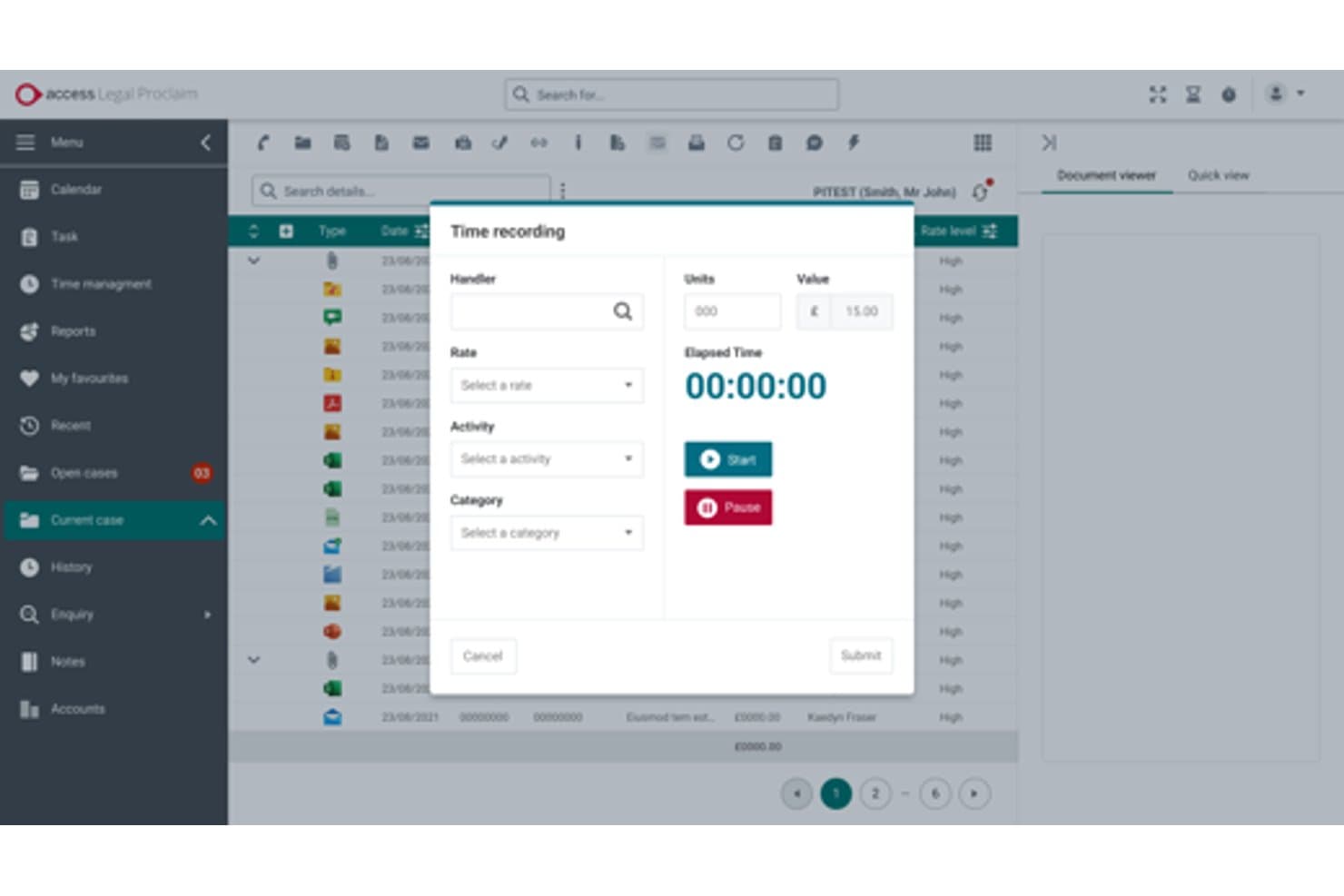
The Access Group lets users record and track billable time per case. Access Legal by The Access Group is a UK conveyancing software ecosystem that covers case management, digital TA forms, AML/KYC onboarding, Land Registry and search integrations, client accounting, and a branded client portal with two-way messaging.
Who Is The Access Group Best For?
The Access Group suits mid-sized UK law firms that want a single-vendor ecosystem covering case management, AML onboarding, legal accounts, and client engagement without stitching together separate tools.
Why I Picked The Access Group
I picked The Access Group as one of the best because it genuinely functions as a single-vendor ecosystem for mid-sized firms that don't want to juggle separate tools for case management, AML, accounts, and client engagement. I'm particularly impressed by inCase, which handles biometric ID checks, NFC passport reading, and open-banking proof of funds natively within the matter file. The CQS accreditation training and the quote-to-instruction module that converts branded quotes into live matters without re-keying data are standout differentiators I haven't seen matched elsewhere.
The Access Group Key Features
- Digital TA forms: Law Society-accredited TA6, TA7, and TA10 forms with autosave, validation checks, and e-signature built in.
- SDLT submission: Automatic stamp duty calculation and online SDLT submission directly from within the matter file.
- Access Legal Searches: Regulated searches, Land Registry title checks, and results are ordered and returned inside the case file via the Legal Bricks platform.
- CQS accreditation training: Access Legal is one of only three organisations authorised to deliver Conveyancing Quality Scheme training outside the Law Society.
The Access Group Integrations
Access Legal has native integrations with Legal Bricks and SmartSearch, plus Microsoft 365 connectivity including Outlook and Teams. CaseMatters Evo offers an open API for custom integrations, while Power BI supports custom reporting for Proclaim.
Pros and Cons
Pros:
- InCase reduces client progress-chasing calls
- Digital TA forms support accurate submissions
- Biometric AML checks reduce onboarding delays
Cons:
- Migration from legacy systems feels arduous
- Support resolution can take several days
Learn more about The Access Group:

Hoowla streamlines UK property transactions with automation and client portals. Hoowla is a conveyancing software tailored for legal professionals in the UK, focusing on property transactions. It offers matter management, document automation, and client portals, enhancing communication and efficiency.
Why I picked Hoowla: Designed specifically for UK-based firms, it integrates with HM Land Registry and supports billing functionalities. The software's client portals improve communication, while document automation reduces manual tasks. Its cloud-based nature allows easy collaboration and quick matter management. This focus on UK-specific needs makes it ideal for firms in that region.
Standout features & integrations:
Features include matter management to keep cases organized, document automation to save time, and client portals for better communication. It’s designed for UK firms and integrates with HM Land Registry. The cloud-based system makes collaboration and case handling easy.
Integrations include HM Land Registry, Microsoft Outlook, Google Calendar, Xero, QuickBooks, DocuSign, Adobe Sign, Dropbox, Mailchimp, and Zapier.
Pros and Cons
Pros:
- Integrates with UK systems
- Quick document production
- Customizable workflows
- Effective client communication
Cons:
- Initial setup complexity
- Limited international use
Learn more about Hoowla:

CaseLoad by Denovo supports law firms with tools for documents, case tracking, and communication. CaseLoad by Denovo is a comprehensive conveyancing software designed for legal professionals who need to handle various legal documentation efficiently. It serves law firms by providing tools for document management, case tracking, and client communication.
Why I picked CaseLoad by Denovo: It excels in document management, offering features that ensure your firm's paperwork is organized and accessible. The software allows you to store, retrieve, and share documents with ease. Its document automation features save time by reducing manual entry. This focus on document efficiency makes it ideal for firms with heavy paperwork demands.
Standout features & integrations:
Features include advanced case tracking to keep your team updated, client communication tools to streamline interactions, and document automation to save time. It’s built for firms that handle a large volume of legal paperwork. CaseLoad by Denovo helps keep everything organized and running smoothly.
Integrations include Microsoft Word, Microsoft Outlook, Adobe Acrobat, QuickBooks, Xero, DocuSign, Dropbox, Google Drive, Salesforce, and Zapier.
Pros and Cons
Pros:
- Supports various file formats
- Reduces manual document entry
- Strong document management capabilities
Cons:
- Learning curve for new users
- May overwhelm small teams
- Initial setup complexity
Learn more about CaseLoad by Denovo: Best for small law firms
- Free demo available
- From $99/user/month (billed annually)

InTouch streamlines conveyancing with workflows and e-signature tools. InTouch is a cloud-based conveyancing and case management software tailored for law firms and legal professionals. It helps manage the entire conveyancing process with features like customizable workflows and electronic signatures.
Why I picked InTouch: It's designed with small law firms in mind, offering features that cater to their specific needs. The software provides a client portal and real-time reporting, making it easier for you to keep clients informed. The online forms and electronic signatures reduce paperwork and save time. Its user-friendly design makes it accessible even for those with limited technical skills.
Standout features & integrations:
Features include customizable workflows, electronic signatures, and a client portal to keep clients updated. Online forms help reduce paperwork and save time. The software is easy to use, making it a great fit for small law firms.
Integrations include Microsoft Outlook, Google Calendar, Xero, Mailchimp, Zapier, DocuSign, Amazon S3, Dropbox, QuickBooks, and Adobe Sign.
Pros and Cons
Pros:
- Improves client communication
- Customizable workflows
- Easy to set up
Cons:
- Not ideal for large firms
- Occasional software updates needed
- Limited advanced features
Learn more about InTouch:

LCS supports Ontario real estate lawyers with compliant conveyancing tools. LCS is a conveyancing software designed specifically for real estate lawyers in Ontario, Canada. It focuses on document management, client communication, and compliance with local regulations.
Why I picked LCS: It's tailored for Canadian compliance, with features that cater to the specific needs of Ontario lawyers. The software includes built-in lawyer contacts and customizable templates to streamline your workflow. Automatic statement calculations and cloud storage enhance efficiency and data security. Its focus on local compliance makes it a reliable choice for Canadian law firms.
Standout features & integrations:
Features include automatic statement calculations to save time, customizable templates to fit your needs, and secure cloud storage for easy document access. It’s designed specifically for Ontario real estate lawyers. The focus on local compliance makes it a dependable choice for Canadian firms.
Integrations include Stewart Title Insurance, Chicago Title Insurance, Teranet Connect, and more.
Pros and Cons
Pros:
- Thousands of built-in lawyer contacts
- Responsive customer support
- Extensive educational resources
- Automatic document saving
- Easy transition with low learning curve
Cons:
- Limited to the Ontario market
- Not suitable for non-Canadian markets
Learn more about LCS:

Closer automates client communication to improve transparency in conveyancing. Closer is a conveyancing software designed for legal professionals, focusing on automating communication with clients during the conveyancing process. It caters mainly to real estate lawyers and law firms looking to enhance client engagement and transparency.
Why I picked Closer: It excels in automating client updates, ensuring your clients stay informed throughout the transaction process. The software sends automatic status updates and reminders, reducing the need for manual follow-ups. Its user-friendly dashboard provides a clear overview of ongoing transactions. This focus on automation makes it an efficient tool for client communication.
Standout features & integrations:
Features include a user-friendly dashboard for tracking transactions, automated status updates to keep clients informed, and customizable templates for tailored communication. It’s built to simplify client engagement during the conveyancing process. Closer helps reduce manual work and keeps everything running smoothly.
Integrations include Microsoft Outlook, Google Calendar, Xero, QuickBooks, DocuSign, Adobe Sign, Dropbox, Mailchimp, Zapier, and Slack.
Pros and Cons
Pros:
- Real-time transaction tracking
- Customizable communication templates
- Automated client communication
Cons:
- May not suit large firms
- Primarily for real estate
Learn more about Closer:
Outro software para transações imobiliárias
Eis algumas opções adicionais de software para transações imobiliárias que não entraram na minha lista restrita, mas que vale a pena conhecer:
- 11OctopusProBest for field service integration
- 12VeyaBest for client communication
- 13ProConveyBest for user-friendly design
How I Evaluate Conveyancing Software
I split my evaluation into two layers: the baseline a tool must clear—like Land Registry integrations and AML workflows—and the differentiators that set the best apart.
Core Functionality (Table Stakes For This List)
When I'm selecting tools for my list, I rank each one on a scale from 0 (does not offer the functionality) to 5 (excels in this area) for each core functionality listed below. Then, I calculate the tool's total score into a percentage. Each tool needs to achieve a minimum total score of 55% to be considered for inclusion.
- Conveyancing Matter Management: I look for dedicated conveyancing workflows with pre-built stages for sales, purchases, and remortgages rather than generic case tracking you'd have to configure from scratch.
- Forms & Document Templates: The tool should include auto-populating conveyancing forms like transfer deeds and property information questionnaires, not just blank document storage.
- Client Onboarding & AML/KYC: I evaluate whether AML checks, ID verification, and source-of-funds workflows are embedded or integrated, since running these outside the platform creates compliance gaps.
- Land Registry & Search Integration: Direct connections to land registries and property search providers matter here—I check whether you can order searches and submit filings without leaving the platform.
- Client Accounting & Ledgers: Handling completion statements, disbursements, and separate client/office ledgers in compliance with legal accounting rules is essential for any conveyancing-focused tool.
- Secure Client Portal & Communications: I look at whether clients can access case updates, upload documents, and sign electronically through a branded portal instead of relying on email chains.
Once I have a list of tools that meet the criteria, I consider what sets each platform apart.
Differentiating Factors (What Sets Vendors Apart)
Here's how I compare and contrast different vendors:
Standout Features
Chain view visualization is a big differentiator—I look for tools that map linked transactions so you can spot holdups across a property chain before they delay completion. Lender panel integrations also matter. Direct connections to mortgage lender platforms for certificate of title submissions save hours of manual work per matter. I also evaluate whether a tool offers online quote calculators and digital instruction workflows, which help firms convert referrals from estate agents and brokers without manual follow-up.
Beyond Features
Regulatory compliance is one of the first things I check—whether the platform supports relevant legal accounting rules and AML obligations out of the box rather than through workarounds. Pricing structure matters too, since some vendors charge per user while others price per matter, which changes the math depending on whether you're a sole practitioner or a high-volume firm. I also evaluate onboarding support, especially data migration from legacy conveyancing systems, because a poor transition can stall active matters.
Como escolher software para transações imobiliárias
É fácil perder-se em listas extensas de funcionalidades e estruturas de preços complexas. Para o ajudar a manter-se concentrado enquanto analisa o seu processo específico de seleção de software, apresentamos uma lista de verificação dos fatores a ter em conta:
| Fator | O que considerar |
| Escalabilidade | Certifique-se de que o software consegue acompanhar o crescimento da sua sociedade. Procure soluções capazes de lidar com volumes de trabalho e números de utilizadores maiores sem comprometer o desempenho. |
| Integrações | Verifique se o software se integra com as ferramentas existentes, como o e-mail, o calendário e os sistemas de contabilidade, para simplificar os processos. |
| Personalização | Procure software que lhe permita adaptar os fluxos de trabalho e os modelos às necessidades e preferências específicas da sua sociedade. |
| Facilidade de utilização | Escolha software com uma interface intuitiva que exija um mínimo de formação, permitindo que a sua equipa se adapte rapidamente e trabalhe de forma eficiente. |
| Orçamento | Tenha em consideração o custo total, incluindo as taxas de configuração e as subscrições contínuas. Certifique-se de que se enquadra no plano financeiro da sua sociedade. |
| Medidas de segurança | Verifique se o software disponibiliza funcionalidades robustas de proteção de dados, como encriptação e controlos de acesso, para manter seguras as informações dos seus clientes. |
| Serviços de apoio | Avalie a disponibilidade do apoio ao cliente, incluindo o chat em direto e a assistência telefónica, para o ajudar a resolver rapidamente os problemas. |
| Funcionalidades de conformidade | Certifique-se de que o software inclui ferramentas para o ajudar a cumprir os requisitos legais e regulamentares específicos da sua região. |
Tendências no software para transações imobiliárias
Na minha investigação, analisei as atualizações mais recentes dos produtos, os planos de desenvolvimento dos fornecedores e os debates do setor que estão a moldar o futuro da tecnologia de transações imobiliárias. Eis algumas das tendências mais entusiasmantes que estou a acompanhar neste momento:
- Automatização de documentos com recurso a IA: Para além dos modelos, a IA é agora utilizada para redigir, rever e assinalar erros em contratos e formulários. Isto reduz o erro humano, acelera os tempos de resposta e liberta os advogados de tarefas administrativas repetitivas.
- Verificação da identidade digital (eIDV): Com as transações à distância a tornarem-se a norma, os fornecedores de software estão a integrar verificações biométricas, autorretratos em direto e digitalizações seguras de documentos de identificação diretamente nos fluxos de trabalho, para combater a fraude e acelerar o processo de integração.
- Integrações inteligentes com registos prediais e mutuantes: As plataformas modernas estão a avançar para integrações simples com registos prediais, mutuantes hipotecários e fornecedores de pesquisas imobiliárias. Esta tendência elimina a necessidade de introduzir os mesmos dados várias vezes e cria atualizações das transações praticamente em tempo real.
- Melhorias na experiência do cliente com portais concebidos para dispositivos móveis: Os portais de clientes estão a evoluir para centros compatíveis com dispositivos móveis, onde os clientes podem conversar de forma segura, assinar documentos e receber atualizações instantâneas, trazendo a conveniência da tecnologia de consumo para o setor jurídico.
- Colaboração nativa na nuvem e à distância: As sociedades estão a adotar cada vez mais plataformas de transmissão de imóveis totalmente baseadas na nuvem, que suportam o trabalho à distância e híbrido, garantindo que as equipas podem colaborar em segurança a partir de qualquer lugar.
- Análise preditiva de riscos & fluxos de trabalho: As ferramentas emergentes analisam dados dos processos para prever estrangulamentos, detetar riscos de conformidade ou prever os prazos das transações, ajudando as sociedades a tomar decisões mais informadas e a definir expectativas mais claras para os clientes.
O que é o software de transmissão de imóveis?
O software de transmissão de imóveis é um tipo de tecnologia jurídica que ajuda solicitadores, profissionais de transmissão de imóveis e sociedades de advogados a gerir o processo de transferência de propriedade. Estas plataformas simplificam tarefas como a preparação de documentos, a comunicação com os clientes, o acompanhamento de processos, as verificações de conformidade e as assinaturas digitais, reduzindo o trabalho burocrático manual e os erros.
Ao automatizar etapas rotineiras e centralizar a informação, o software de transmissão de imóveis torna as transações imobiliárias mais rápidas, precisas e transparentes, melhorando tanto a eficiência dos profissionais jurídicos como a experiência geral dos clientes.
Funcionalidades do software de transmissão de imóveis
Ao selecionar um software de transmissão de imóveis, procure as seguintes funcionalidades principais:
- Gestão de documentos: Organiza e armazena documentos jurídicos em segurança, facilitando a sua localização e partilha.
- Comunicação com os clientes: Melhora a interação com os clientes através de portais e atualizações automáticas, mantendo-os informados.
- Ferramentas de conformidade: Garantem o cumprimento dos requisitos legais e regulamentares, ajudando a evitar sanções.
- Acompanhamento de processos: Monitoriza o progresso das transações, fornecendo atualizações em tempo real à sua equipa.
- Fluxos de trabalho personalizáveis: Permitem adaptar os processos às necessidades específicas da sua sociedade e melhorar a eficiência.
- Notificações automáticas: Enviam alertas e lembretes atempados, reduzindo as tarefas manuais de acompanhamento.
- Acesso baseado na nuvem: Oferece a flexibilidade de trabalhar a partir de qualquer lugar, apoiando equipas à distância.
- Análise preditiva: Utiliza dados para fornecer informações e previsões, apoiando a tomada de decisões.
- Acesso através de dispositivos móveis: Permite gerir tarefas em movimento, garantindo uma conectividade constante.
- Medidas de segurança: Protegem os dados sensíveis dos clientes através de encriptação e controlos de acesso, garantindo a confidencialidade.
Benefícios do software de transmissão de imóveis
A implementação de um software de transmissão de imóveis proporciona vários benefícios à sua equipa e à sua empresa. Eis alguns dos benefícios que pode esperar:
- Maior eficiência: Automatiza tarefas repetitivas, como a preparação de documentos e as atualizações para os clientes, libertando tempo para trabalhos mais complexos.
- Maior precisão: Reduz os erros na documentação e na conformidade através de verificações e modelos automatizados.
- Maior satisfação dos clientes: Mantém os clientes informados e envolvidos através de portais e atualizações regulares, conduzindo a relações melhores.
- Poupança de tempo: Simplifica processos como o acompanhamento de processos e a comunicação, permitindo concluir as transações mais rapidamente.
- Suporte ao trabalho à distância: Oferece acesso baseado na nuvem, permitindo que a sua equipa trabalhe facilmente a partir de qualquer lugar.
- Melhor tomada de decisões: Fornece informações e previsões através de análises preditivas, ajudando-o a tomar decisões informadas.
- Segurança dos dados: Protege as informações dos clientes com funcionalidades de segurança avançadas, garantindo a confidencialidade e a confiança.
Custos e preços do software de transmissão de imóveis
A seleção de software para processos de transmissão de imóveis exige uma compreensão dos vários modelos de preços e planos disponíveis. Os custos variam consoante as funcionalidades, o tamanho da equipa, os complementos, entre outros fatores. A tabela abaixo resume os planos comuns, os respetivos preços médios e as funcionalidades normalmente incluídas nas soluções de software para processos de transmissão de imóveis:
Tabela de comparação de planos para software de processos de transmissão de imóveis
| Tipo de plano | Preço médio | Funcionalidades comuns |
| Plano gratuito | $0 | Gestão básica de documentos, comunicação limitada com clientes e ferramentas básicas de conformidade. |
| Plano pessoal | $10-$30/ utilizador/mês | Gestão avançada de documentos, portais de clientes e funcionalidades básicas de elaboração de relatórios. |
| Plano empresarial | $40-$70/ utilizador/mês | Fluxos de trabalho personalizáveis, acesso móvel, funcionalidades de segurança reforçadas e análise preditiva. |
| Plano para grandes empresas | $80-$150/ utilizador/mês | Ferramentas abrangentes de conformidade, capacidades completas de integração, suporte personalizado e armazenamento ilimitado. |
Related Reviews