

Filevine-recension: Fördelar, nackdelar, funktioner & priser
Filevine utmärker sig genom sina robusta integrationsmöjligheter och användarvänliga design, vilket gör ditt teams juridiska ärendehantering mer effektiv och samarbetsinriktad.

We review tools independently, and commissions help fund our testing. See our transparency policy, our methodology, or suggest a tool.
Filevine is a cloud-based legal case management software built for law firms handling active litigation, personal injury, or high-volume caseloads. I'd look at it seriously if your firm needs customizable case phases, document workflows, and client communication tools that go deeper than what something like Clio offers, without requiring you to bolt together multiple separate tools. It's a strong fit for mid-size to large firms where generic case tracking just doesn't cut it anymore.
Filevine Evaluation Summary
4.5/5
- Pricing upon request
- Free plan available; Free demo available
Why Trust Our Software Recommendations
6,700+
Reviews
20
Industry experts
16+
Evaluation factors
14
Years
Our team has been testing and reviewing software since 2012. As legal practice leaders ourselves, we know how difficult—and important—it is to choose the right software.
For this guide, we evaluated tools using hands-on testing and independent research, scoring tools using our selection criteria.
Our reviews reflect our human editorial judgment, not a sales pitch.
Filevine Overview
Pros
- The document management feature allows you to access and manage important files seamlessly.
- Its case tracking capabilities help you stay organized and on top of every detail in your legal processes.
- Filevine offers an intuitive interface that makes it easy for your team to navigate and manage cases efficiently.
Cons
- Occasional performance lags can disrupt your workflow, especially when handling large volumes of data.
- The search functionality can be inefficient, making it hard to quickly find specific information.
- Some users find customer support less responsive than expected, which can delay resolving issues.
Is Filevine Right For Your Needs?
Who Would be a Good Fit for Filevine?
- Personal Injury FirmsFilevine's robust case tracking helps you manage multiple cases efficiently.
- Insurance Defense TeamsIts document management feature keeps your files organized and accessible.
- Large Law FirmsThe intuitive interface supports your need for seamless collaboration across departments.
- Small Legal DepartmentsFilevine's user-friendly design makes it easy for your team to adapt to the legal software quickly.
- Litigation TeamsThe detailed case management tools help you track every aspect of your cases.
- Low-Volume PracticesIf your firm handles few cases, Filevine’s advanced capabilities may go underused.
- Corporate Legal TeamsIts comprehensive features enhance your workflow and case management processes.
Who Would be a Bad Fit for Filevine?
- Solo PractitionersThe extensive features may overwhelm your simple case management system needs.
- Small FirmsYou might find the platform's capabilities unnecessary for a limited number of cases.
- Non-Legal IndustriesFilevine's features are tailored specifically for legal workflows, not general business operations.
- Budget-Conscious TeamsIf your priority is cost-saving, Filevine's investment might not align with your financial goals.
- Teams Needing Fast SupportThe customer support response time might not be quick enough for urgent issues.
- Frequent Search UsersThe search functionality can be inefficient, making it hard to find specific details quickly.
Core Features
Case Tracking
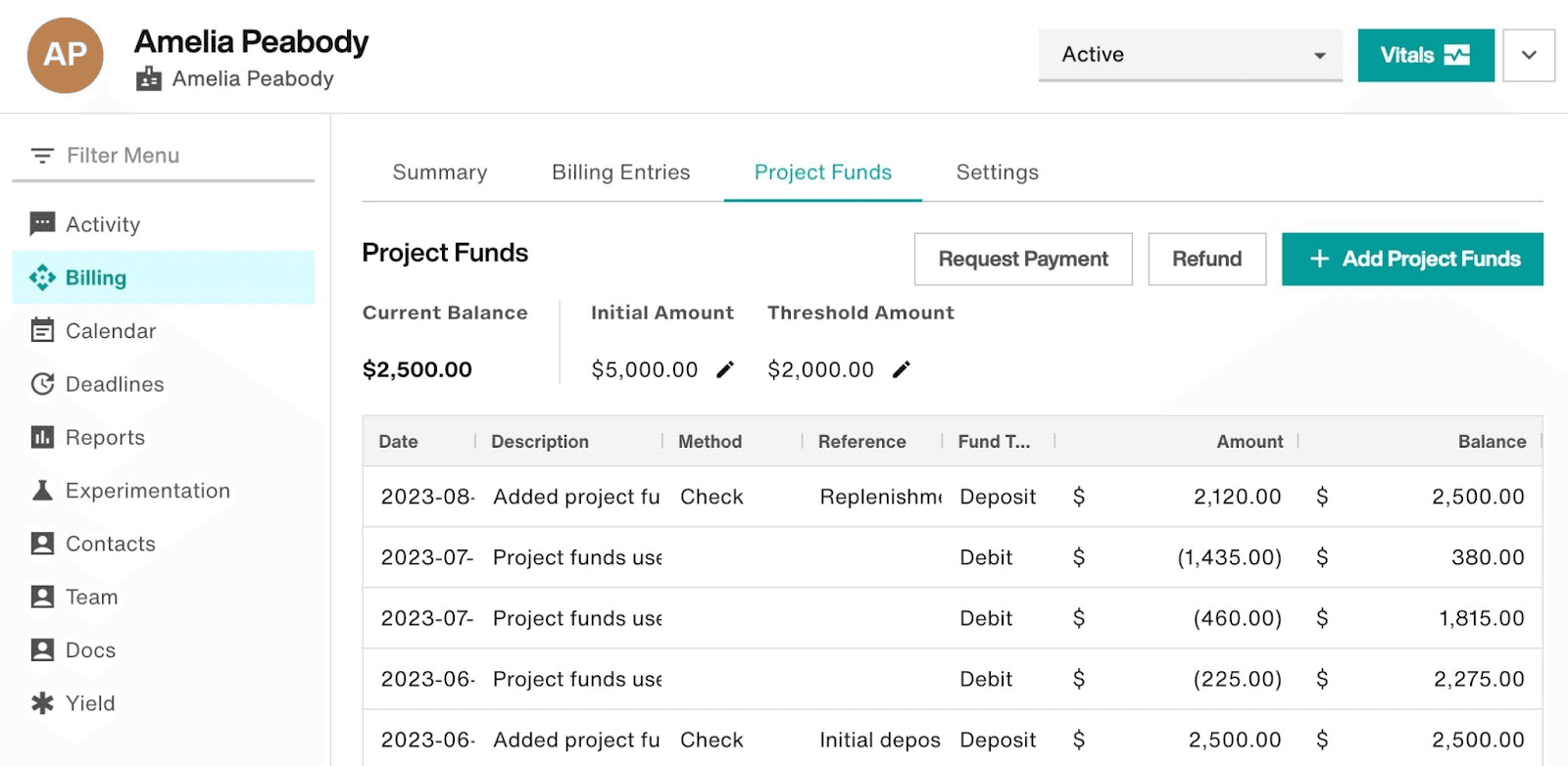
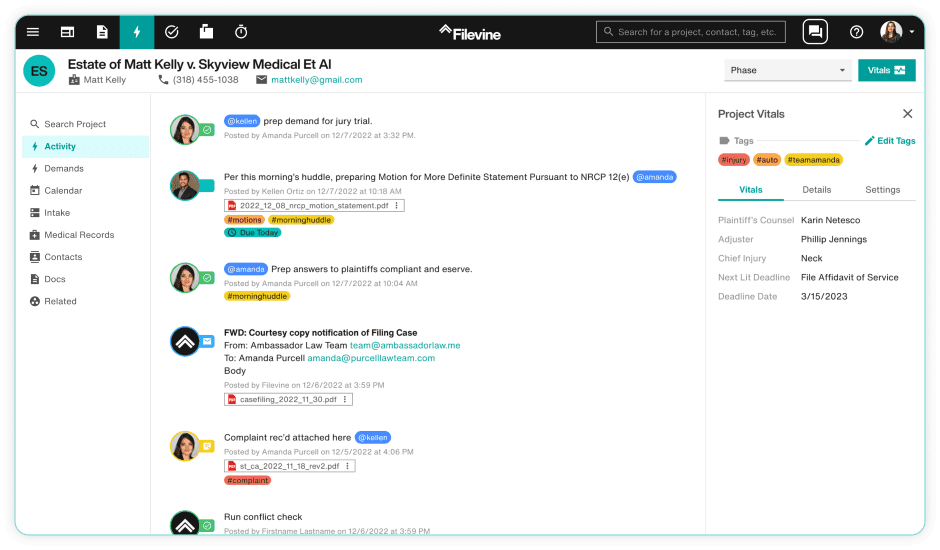
Filevine's case tracking keeps your cases organized with timelines and milestones, so you can easily monitor progress and deadlines.
Document Management
Manage and store your documents in one place, making it easy for your team to access and share files when needed.
Task Management
Assign tasks to team members and track their completion, ensuring everyone knows their responsibilities and stays on track.
Contact Management
Keep all your client and contact information organized, allowing you to quickly find and communicate with the right people.
Time Tracking
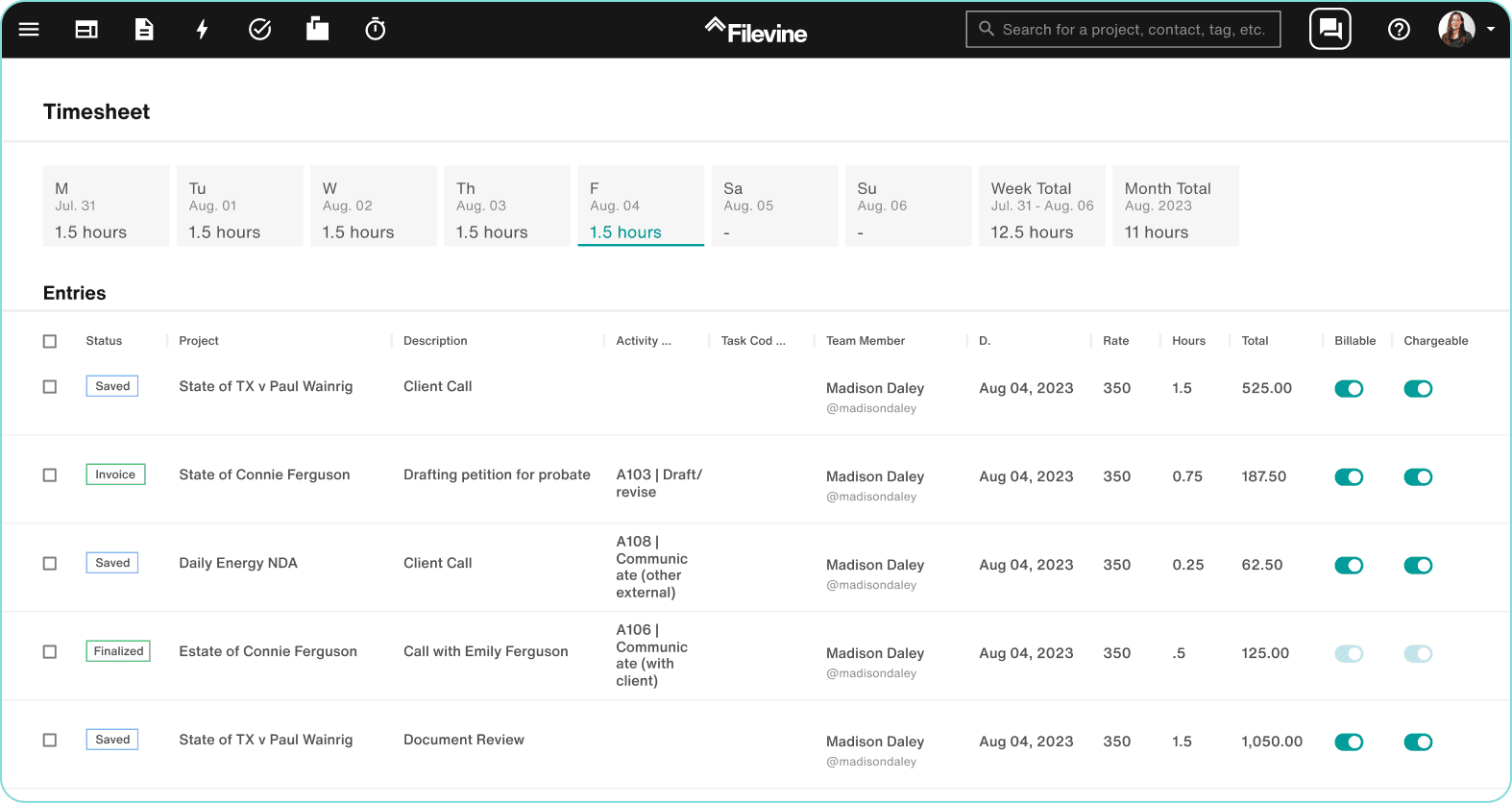
Log billable hours directly within Filevine, helping you ensure accurate timekeeping and billing for your cases.
Collaboration Tools
Use built-in communication features to collaborate with your team and clients, keeping everyone informed and connected.
Ease of Use
Filevine scores high in user-friendliness for practice management software, with an intuitive interface that simplifies workflow management. Its clean design helps you navigate tasks and cases without confusion, making it easy for your team to adopt quickly. The customizable workflows allow you to tailor the system to fit your needs, enhancing overall usability. Compared to others, Filevine makes complex legal processes more approachable and manageable for your team.
Filevine Specs
- 2-Factor Authentication: Yes
- API: No
- Approval Workflows: Yes
- Audit Trail: Yes
- Calendar Management: Yes
- Compliance Tracking: Yes
- Contract Management: No
- Custom Reports: Yes
- Customer Management: No
- Data Export: Yes
- Data Import: Yes
- Document Management: Yes
- External Integrations: Yes
- Multi-User: Yes
- NDA Management: No
- Notifications: Yes
- Policy Management: No
- Scheduling: No
- Workflow Management: No
Alternatives to Filevine


Filevine FAQs
Vad händer härnäst?
För fler juridiska insikter och resurser, prenumerera på vårt nyhetsbrev och gå med i en gemenskap av innovativa jurister som formar juridikens framtid.