

Anmeldelse af Practical Law: Fordele, ulemper, funktioner og priser
Practical Law skiller sig ud for juridiske teams, der har brug for mere end blot skabeloner, selvom løsningen kan have begrænsninger afhængigt af jeres arbejdsgange.

We review tools independently, and commissions help fund our testing. See our transparency policy, our methodology, or suggest a tool.
Practical Law is a legal document management software from Thomson Reuters that gives legal teams access to attorney-drafted templates, practice notes, and checklists across dozens of practice areas. I'd mainly consider it if your team handles a lot of transactional or advisory work and needs drafting resources you can rely on right out of the box. Compared to Bloomberg Law, Practical Law's edge is the depth and usability of its practice-ready documents, making it a stronger fit for teams that prioritize drafting support over a research-first platform.
Practical Law Evaluation Summary
4.3/5
- Pricing upon request
- Free demo available
Why Trust Our Software Recommendations
6,700+
Reviews
20
Industry experts
16+
Evaluation factors
14
Years
Our team has been testing and reviewing software since 2012. As legal practice leaders ourselves, we know how difficult—and important—it is to choose the right software.
For this guide, we evaluated tools using hands-on testing and independent research, scoring tools using our selection criteria.
Our reviews reflect our human editorial judgment, not a sales pitch.
Practical Law Overview
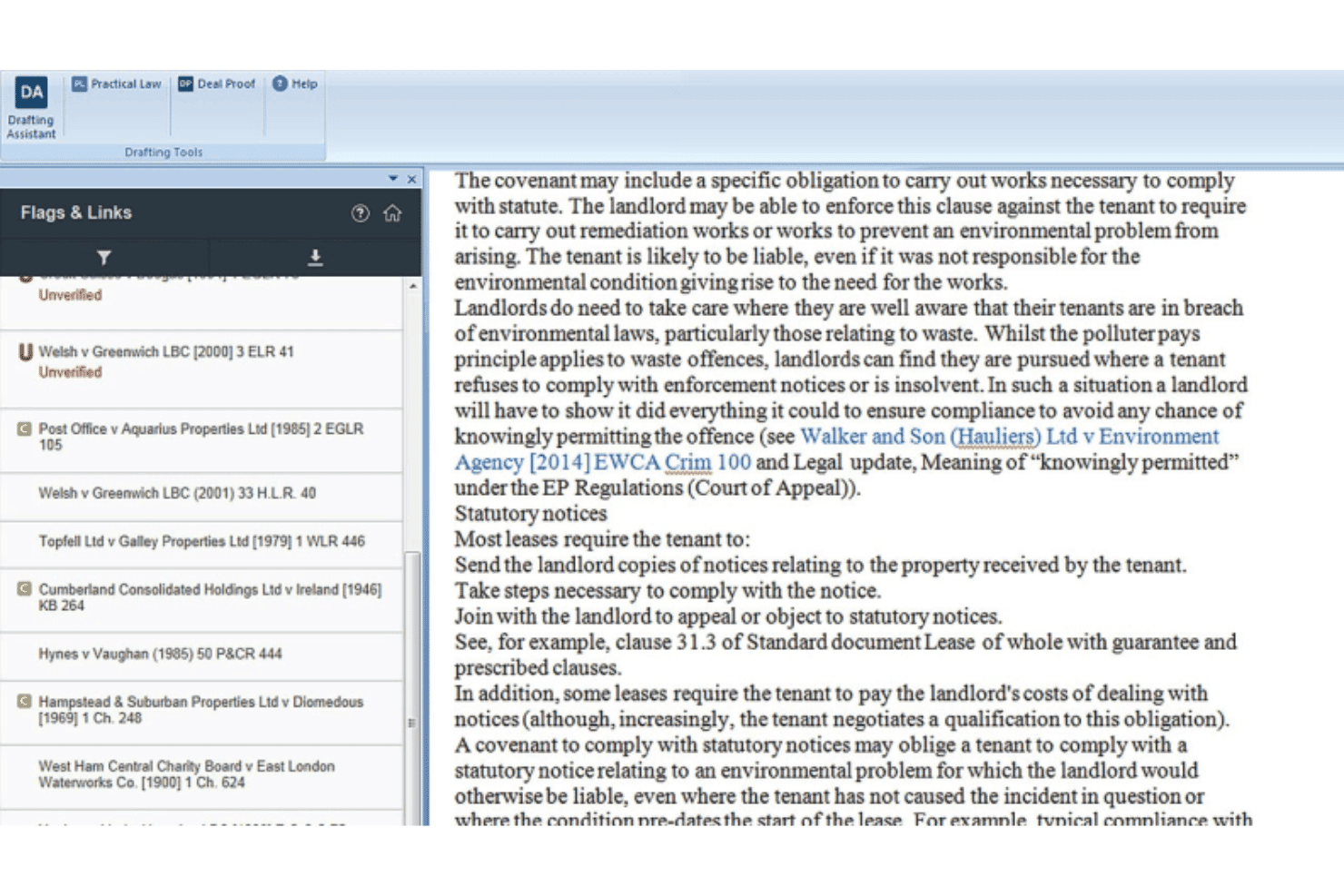
When I compare Practical Law to other legal management software, I think its curated guidance and up-to-date templates set it apart for teams who need reliable, vetted content. The interface is straightforward, and onboarding is quick, but integration options are limited and pricing can be steep for smaller firms.
I find Practical Law best for in-house counsel or law firms handling complex, high-stakes matters where accuracy and speed matter most. If you’re judging by content quality and expert support, Practical Law is a top pick, though it’s less suited for those seeking deep workflow automation or broad third-party integrations.
Pros
- Fast access to practical answers for complex legal questions
- Guidance and practice notes written by experienced attorneys
- Extensive library of up-to-date legal templates and resources
Cons
- Integration options with other legal tools are minimal
- Pricing is high for small or solo practices
- Limited workflow automation compared to other platforms
Is Practical Law Right For Your Needs?
Who Would be a Good Fit for Practical Law?
Practical Law is a strong choice for legal teams that need fast, reliable access to expertly drafted resources and up-to-date guidance. I think it’s best for organizations where legal accuracy, efficiency, and risk mitigation are top priorities.
Its curated content and practical tools make it especially valuable for teams handling complex, high-stakes matters or those with limited internal legal research capacity.
- Government Legal TeamsPublic sector lawyers benefit from the practical tools for policy drafting and regulatory interpretation.
- Healthcare OrganizationsHealthcare legal teams use the detailed guidance for industry-specific compliance and contract drafting.
- Financial ServicesBanks and financial institutions rely on the platform’s regulatory updates and sector-specific content.
- Compliance DepartmentsCompliance teams use Practical Law’s checklists and guidance to stay current with changing regulations.
- Midsize Law FirmsFirms with multiple practice areas can leverage the extensive resource library to support varied client needs.
- Large Corporate LegalIn-house teams at large companies benefit from the breadth of practice notes and templates for diverse legal issues.
Who Would be a Bad Fit for Practical Law?
Practical Law isn’t ideal for teams that need deep workflow automation, broad integrations, or highly customized document management. If your focus is on automating routine processes or integrating with a wide range of business systems, you’ll find Practical Law’s capabilities limited in those areas.
- HR DepartmentsHR teams looking for onboarding, policy automation, or employee document workflows will find limited support.
- Real Estate AgenciesReal estate teams may need specialized transaction management features not covered by Practical Law.
- IT DepartmentsIT teams seeking contract lifecycle management or technical workflow tools won’t find those here.
- Litigation-Heavy FirmsLitigation teams may need more advanced case management and e-discovery features.
- Legal Tech StartupsStartups focused on automation and integration need more workflow tools than Practical Law offers.
- Small Solo PracticesSolo attorneys may find the cost outweighs the value for limited research needs.
How We Test & Score Tools
We’ve spent years building, refining, and improving our software testing and scoring system. The rubric is designed to capture the nuances of software selection and what makes a tool effective, focusing on critical aspects of the decision-making process.
Below, you can see exactly how our testing and scoring works across seven criteria. It allows us to provide an unbiased evaluation of the software based on core functionality, standout features, ease of use, onboarding, customer support, integrations, customer reviews, and value for money.
Core Functionality (25% of final scoring)
The starting point of our evaluation is always the core functionality of the tool. Does it have the basic features and functions that a user would expect to see? Are any of those core features locked to higher-tiered pricing plans? At its core, we expect a tool to stand up against the baseline capabilities of its competitors.
Standout Features (25% of final scoring)
Next, we evaluate uncommon standout features that go above and beyond the core functionality typically found in tools of its kind. A high score reflects specialized or unique features that make the product faster, more efficient, or offer additional value to the user.
We also evaluate how easy it is to integrate with other tools typically found in the tech stack to expand the functionality and utility of the software. Tools offering plentiful native integrations, 3rd party connections, and API access to build custom integrations score best.
Ease of Use (10% of final scoring)
We consider how quick and easy it is to execute the tasks defined in the core functionality using the tool. High scoring software is well designed, intuitive to use, offers mobile apps, provides templates, and makes relatively complex tasks seem simple.
Onboarding (10% of final scoring)
We know how important rapid team adoption is for a new platform, so we evaluate how easy it is to learn and use a tool with minimal training. We evaluate how quickly a team member can get set up and start using the tool with no experience. High scoring solutions indicate little or no support is required.
Customer Support (10% of final scoring)
We review how quick and easy it is to get unstuck and find help by phone, live chat, or knowledge base. Tools and companies that provide real-time support score best, while chatbots score worst.
Customer Reviews (10% of final scoring)
Beyond our own testing and evaluation, we consider the net promoter score from current and past customers. We review their likelihood, given the option, to choose the tool again for the core functionality. A high scoring software reflects a high net promoter score from current or past customers.
Value for Money (10% of final scoring)
Lastly, in consideration of all the other criteria, we review the average price of entry level plans against the core features and consider the value of the other evaluation criteria. Software that delivers more, for less, will score higher.
Core Features
Expert Practice Notes
Access plain-language explanations of complex legal issues, written by experienced attorney-editors. These notes help you get up to speed quickly on new matters.
Standard Documents and Clauses
Jumpstart drafting with up-to-date templates, annotations, and negotiation tips. Each document is maintained by legal experts for accuracy and relevance.
Dynamic Tool Set
Use visualization tools and data-driven charts to gain deeper legal insights. This feature helps you navigate unfamiliar areas of law with confidence.
Search & Summarize with AI
Retrieve and synthesize critical legal information fast using CoCounsel AI. Get concise summaries of the most relevant resources for your query.
Attorney-Editor Network
Leverage a global team of 650+ full-time attorney-editors. Their expertise ensures resources are current and tailored to real-world legal challenges.
Timely Content Updates
Stay up to date with resources continuously maintained to reflect evolving laws and regulations.
Ease of Use
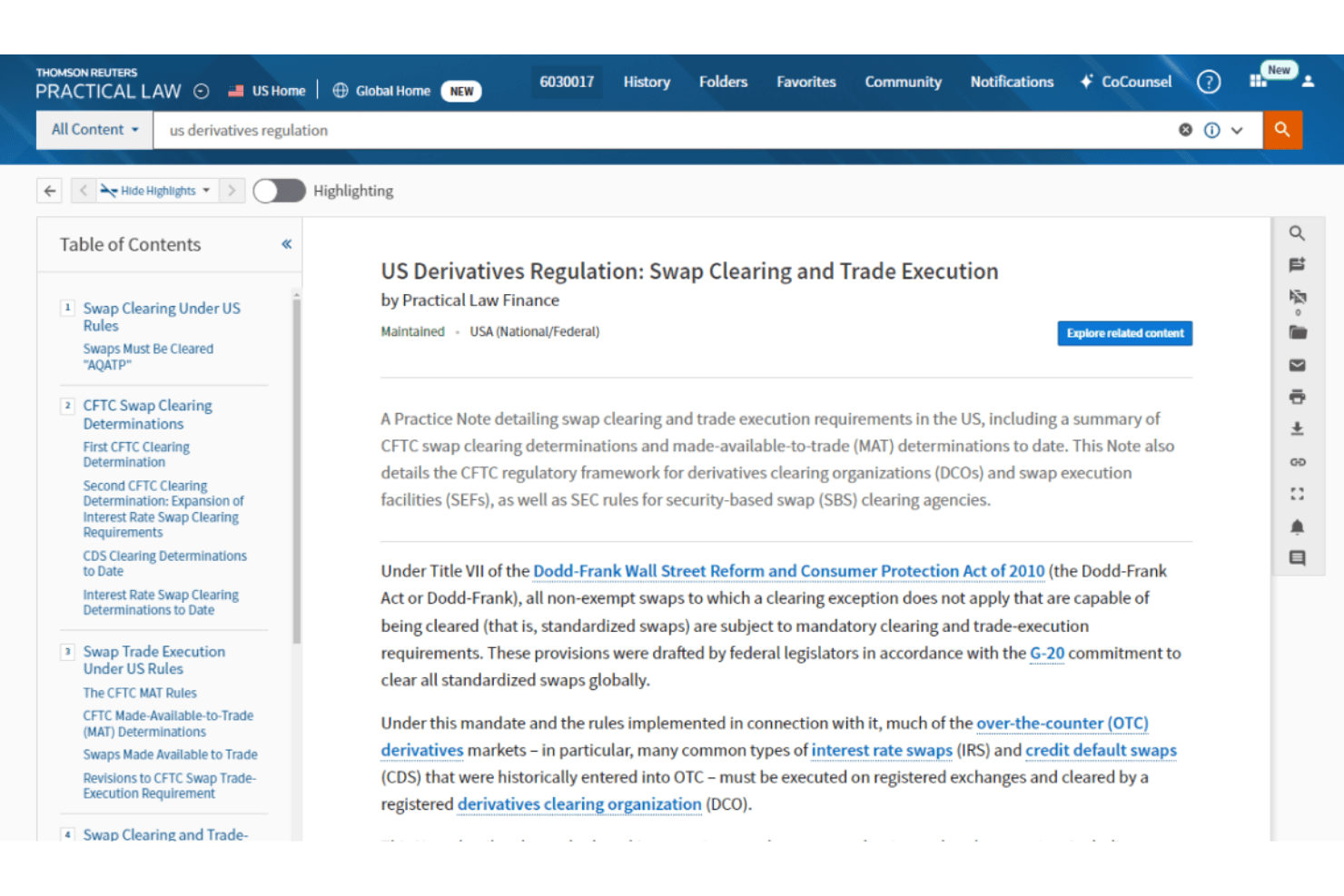
Practical Law is generally easy to use for day-to-day legal work, with strong ratings (around 4–5/5) and users highlighting its quick learning curve and practical templates. You can find answers fast thanks to structured practice notes, standard documents, and AI-assisted search. However, its large content library can feel overwhelming at first, making navigation harder for new users.
Integrations
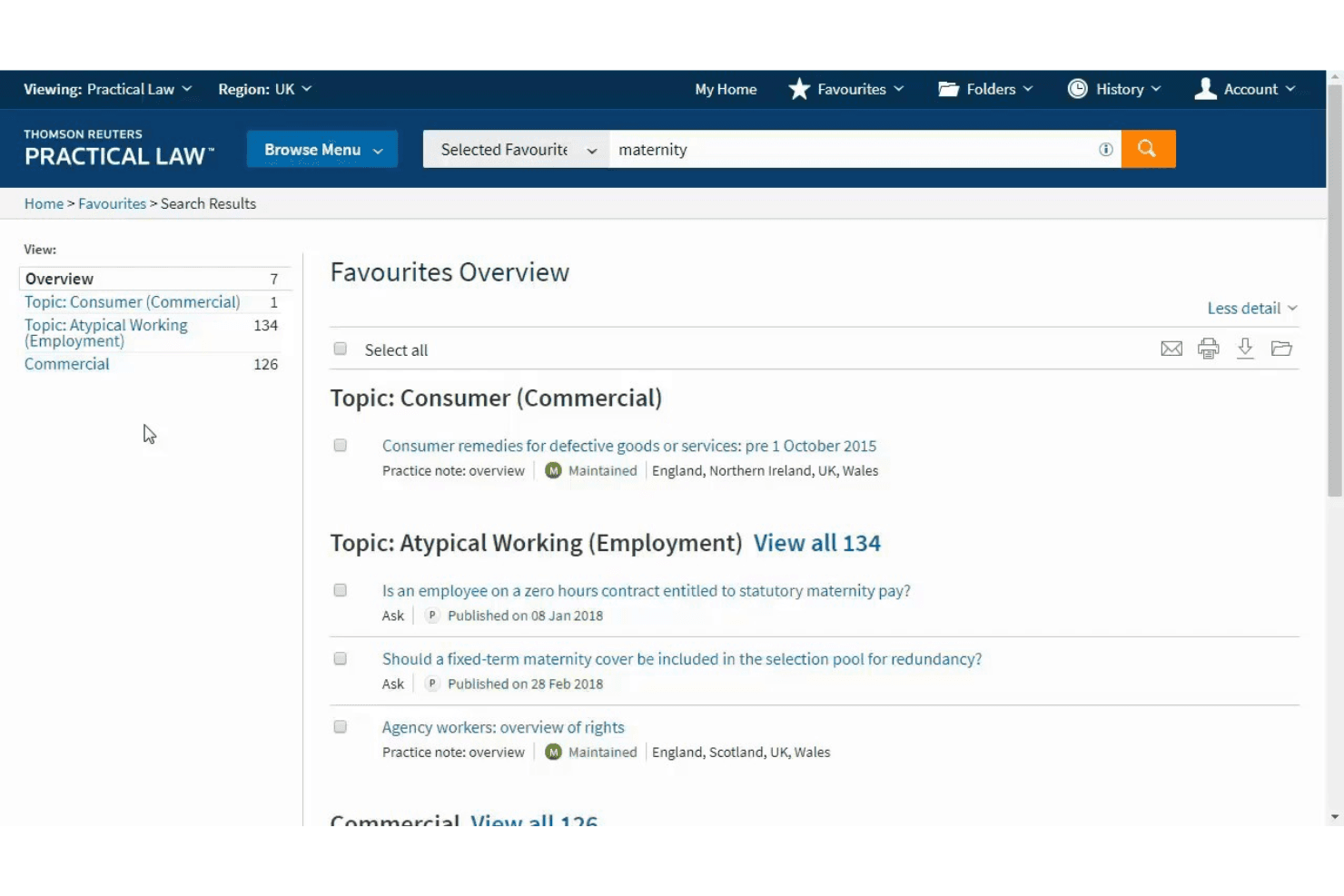
Practical Law integrates with Westlaw, CoCounsel, Contract Express, HighQ, ProView, Legal Tracker, ONESOURCE, CLEAR, Tax Quickfinder, and Practical Law Connect.
Practical Law also offers API access and can connect with other Thomson Reuters products, but does not natively support third-party integration tools.
Practical Law Specs
- 2-Factor Authentication: No
- API: Yes
- Approval Workflows: No
- Audit Trail: No
- Calendar Management: No
- Compliance Tracking: Yes
- Contract Management: No
- Custom Reports: Yes
- Customer Management: No
- Data Export: Yes
- Data Import: Yes
- Document Management: Yes
- External Integrations: Yes
- Multi-User: Yes
- NDA Management: No
- Notifications: Yes
- Policy Management: No
- Scheduling: Yes
- Workflow Management: No


