

Anmeldelse af SmartAdvocate: Fordele, ulemper, funktioner og priser
SmartAdvocate er sagsstyringssoftware, der er udviklet til at understøtte komplekse juridiske arbejdsgange og detaljeret sagsopfølgning.

We review tools independently, and commissions help fund our testing. See our transparency policy, our methodology, or suggest a tool.
SmartAdvocate is a legal case management software built specifically for plaintiff litigation firms handling personal injury and mass tort cases. If your practice runs high volumes of contingency-fee cases and needs intake tracking, demand management, and settlement tools in one place, this might be your tool. I'd consider it over a general-purpose tool like Clio if your work is litigation-heavy—SmartAdvocate's case-type-specific workflows go further than Clio's broader, practice-agnostic design.
SmartAdvocate Evaluation Summary
4.7/5
- Pricing upon request
- Free demo available
Hvorfor du kan stole på vores softwareanbefalinger
6,700+
Reviews
20
Industry experts
16+
Evaluation factors
14
Years
Vores team har testet og anmeldt software siden 2012. Vi leder selv advokatfirmaer, så vi ved, hvor svært og hvor vigtigt det er at vælge den rigtige software.
Til denne guide har vi vurderet værktøjerne gennem praktisk afprøvning og uafhængig research og givet dem point ud fra vores udvælgelseskriterier.
Vores anmeldelser bygger på vores egen redaktionelle vurdering. De er ikke et salgsargument.
SmartAdvocate Overview
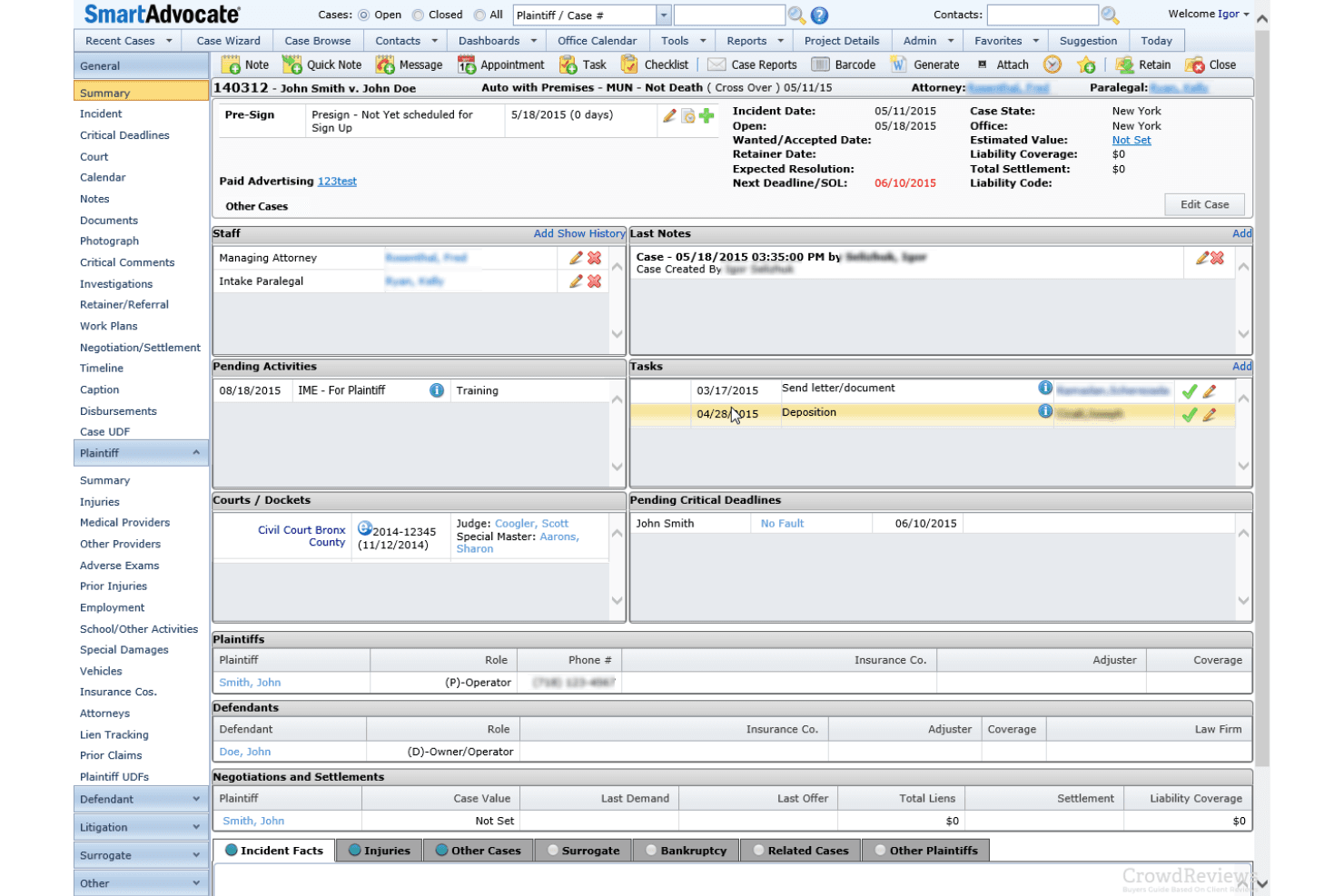
When I compare SmartAdvocate to other legal case management software, I think its workflow automation, customizable dashboards, and detailed reporting set it apart for firms handling complex litigation or high case volumes. The interface can feel dense at first, but onboarding support is strong. Pricing is competitive for the feature depth, though smaller firms may find it more than they need.
I’d suggest SmartAdvocate for teams that want granular control over processes and integrations with tools like Outlook and QuickBooks. If you’re judging by automation and reporting, SmartAdvocate is a top contender.
Pros
- Responsive customer support with daily live training sessions
- Highly customizable dashboards and reporting tools
- Advanced workflow automation for complex litigation processes
Cons
- Interface can feel dense for smaller or less tech-savvy teams
- System updates and new features can be slow to roll out
- Reporting customization options are limited for some users
Is SmartAdvocate Right For Your Needs?
Who Would be a Good Fit for SmartAdvocate?
SmartAdvocate is best for legal teams that need advanced workflow automation, detailed reporting, and robust document management. I think it’s a strong choice for firms handling high case volumes, complex litigation, or those with specialized practice areas that require granular process control. Its customizable dashboards and responsive support make it ideal for organizations that want to tailor their system to unique workflows and compliance needs.
- Legal Operations TeamsGranular permissions and audit trails support compliance and process oversight.
- Plaintiff-Focused PracticesSettlement tracking and medical record management are built for plaintiff work.
- Litigation DepartmentsDetailed task tracking and calendaring fit litigation-heavy environments.
- Mass Tort PracticesBatch processing and advanced workflow tools handle large caseloads efficiently.
- Large Law FirmsCustomizable dashboards and reporting support complex, multi-department operations.
- Personal Injury FirmsSmartAdvocate’s automation and document management streamline high-volume casework.
Who Would be a Bad Fit for SmartAdvocate?
SmartAdvocate isn’t the best choice for smaller firms, solo practitioners, or teams that want a lightweight, out-of-the-box solution. Its dense interface and advanced features can overwhelm users who don’t need deep customization or automation. If you’re looking for simplicity or have limited IT resources, you’ll likely find SmartAdvocate more than you need.
- Firms Seeking Cloud SimplicityOn-premise and hybrid options add unnecessary complexity for cloud-only users.
- Teams With Limited ITInitial setup and customization require more technical resources.
- Firms With Low CaseloadsAutomation and reporting features are underutilized with few cases.
- Non-Legal DepartmentsSmartAdvocate’s tools are tailored exclusively for legal workflows.
- Small General PracticesFeature set and pricing are excessive for basic case management.
- Solo PractitionersThe platform’s complexity outweighs the needs of solo attorneys.
How We Test & Score Tools
We’ve spent years building, refining, and improving our software testing and scoring system. The rubric is designed to capture the nuances of software selection and what makes a tool effective, focusing on critical aspects of the decision-making process.
Below, you can see exactly how our testing and scoring works across seven criteria. It allows us to provide an unbiased evaluation of the software based on core functionality, standout features, ease of use, onboarding, customer support, integrations, customer reviews, and value for money.
Core Functionality (25% of final scoring)
The starting point of our evaluation is always the core functionality of the tool. Does it have the basic features and functions that a user would expect to see? Are any of those core features locked to higher-tiered pricing plans? At its core, we expect a tool to stand up against the baseline capabilities of its competitors.
Standout Features (25% of final scoring)
Next, we evaluate uncommon standout features that go above and beyond the core functionality typically found in tools of its kind. A high score reflects specialized or unique features that make the product faster, more efficient, or offer additional value to the user.
We also evaluate how easy it is to integrate with other tools typically found in the tech stack to expand the functionality and utility of the software. Tools offering plentiful native integrations, 3rd party connections, and API access to build custom integrations score best.
Ease of Use (10% of final scoring)
We consider how quick and easy it is to execute the tasks defined in the core functionality using the tool. High scoring software is well designed, intuitive to use, offers mobile apps, provides templates, and makes relatively complex tasks seem simple.
Onboarding (10% of final scoring)
We know how important rapid team adoption is for a new platform, so we evaluate how easy it is to learn and use a tool with minimal training. We evaluate how quickly a team member can get set up and start using the tool with no experience. High scoring solutions indicate little or no support is required.
Customer Support (10% of final scoring)
We review how quick and easy it is to get unstuck and find help by phone, live chat, or knowledge base. Tools and companies that provide real-time support score best, while chatbots score worst.
Customer Reviews (10% of final scoring)
Beyond our own testing and evaluation, we consider the net promoter score from current and past customers. We review their likelihood, given the option, to choose the tool again for the core functionality. A high scoring software reflects a high net promoter score from current or past customers.
Value for Money (10% of final scoring)
Lastly, in consideration of all the other criteria, we review the average price of entry level plans against the core features and consider the value of the other evaluation criteria. Software that delivers more, for less, will score higher.
Core Features
Workflow Automation
Automate routine tasks and case stages with WorkPlans and Automated Procedures, reducing manual follow-up and errors.
Document Management
Create templates with 4,000+ merge codes, batch scan with barcodes, and store unlimited documents for every case.
Built-In AI Tools
Summarize cases, medical records, and depositions instantly, and transcribe or translate content directly within the platform.
Custom Dashboards and Reporting
Build dashboards with charts and maps, and track case, financial, and operational data in real time.
Client Portal
Give clients secure access to case documents, calendars, and notes, while controlling exactly what they can view.
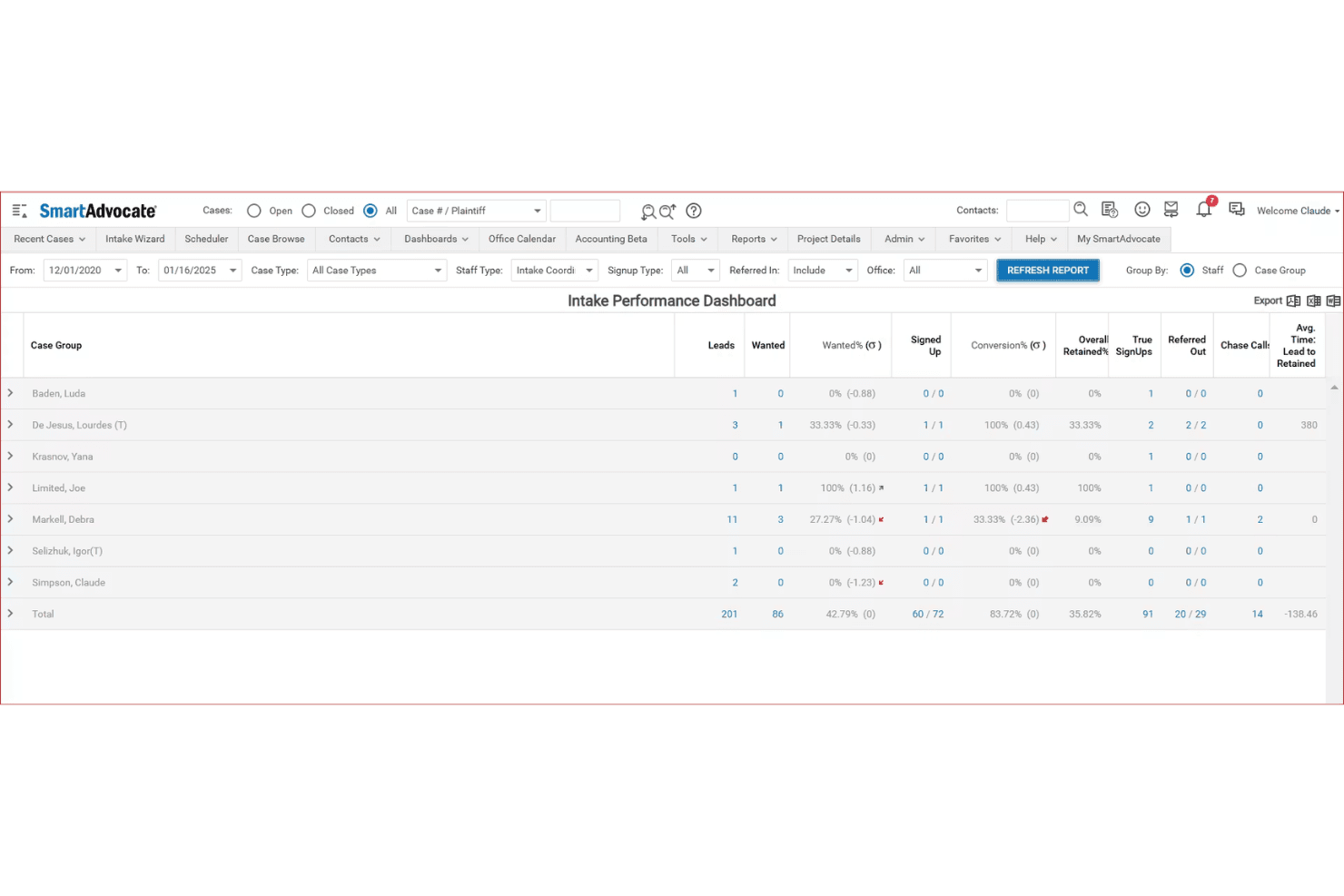
Intake Wizard
Capture and score new leads, assign follow-ups, and monitor intake performance from a single, guided interface.
Ease of Use
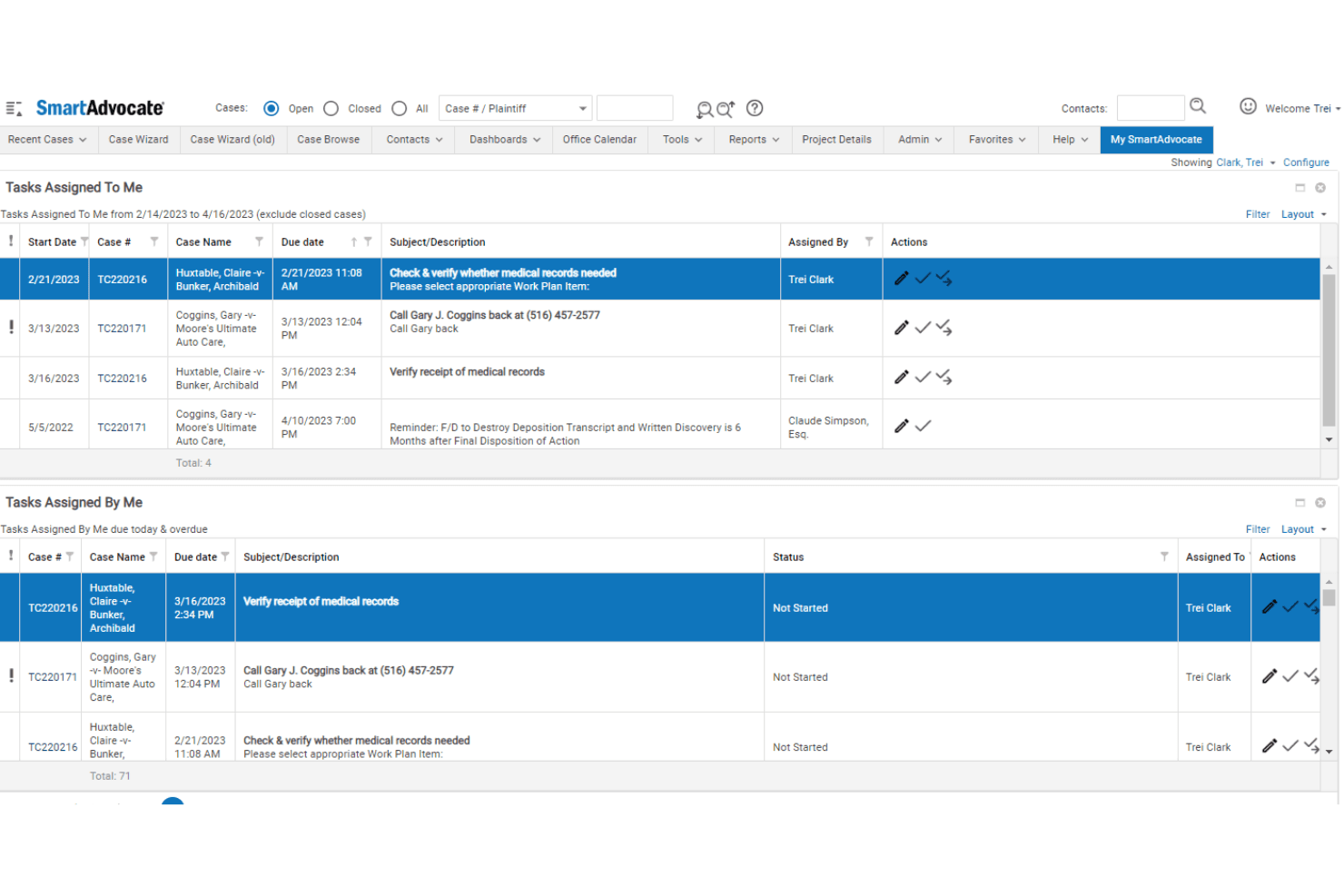
SmartAdvocate’s interface packs in a lot of features, which can feel overwhelming at first, especially for smaller teams or those new to legal tech. However, once you get past the initial learning curve, the customizable dashboards, guided intake, and daily live training sessions make navigation much easier.
I think users who need advanced automation and reporting will appreciate the depth, but those seeking simplicity may find it less intuitive than some alternatives.
Integrations
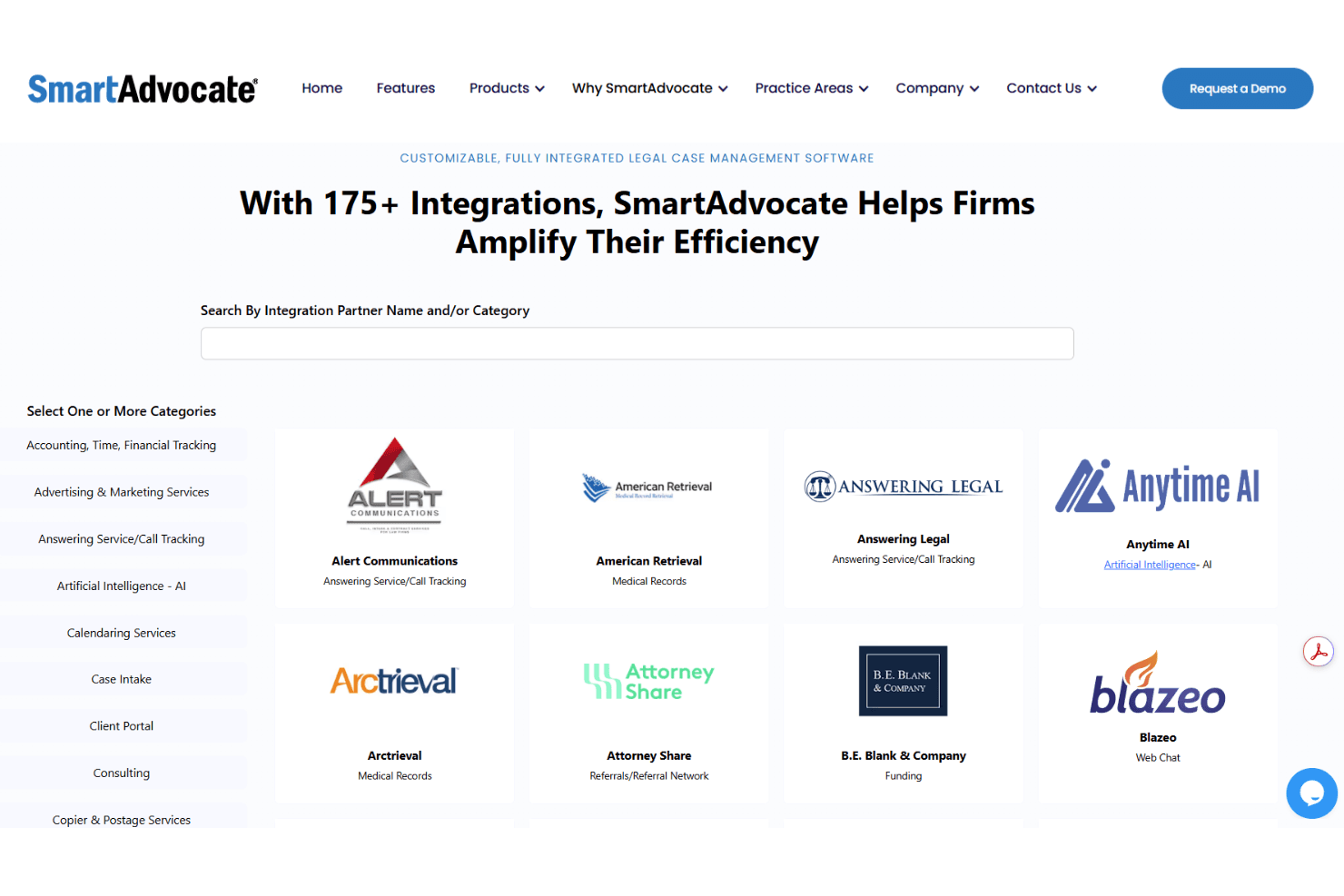
SmartAdvocate integrates with Microsoft Outlook, Docubee, QuickBooks, Lawmatics, RingCentral, EvenUp, Legal Intake Professionals, Intake Conversion Experts, Alert Communications, and LexitasConnect, among others.
SmartAdvocate also offers an API and supports custom integrations with third-party tools.
SmartAdvocate Specs
- 2-Factor Authentication: Yes
- API: Yes
- Approval Workflows: Yes
- Audit Trail: Yes
- Calendar Management: Yes
- Compliance Tracking: Yes
- Contract Management: No
- Custom Reports: Yes
- Customer Management: Yes
- Data Export: Yes
- Data Import: Yes
- Document Management: Yes
- External Integrations: Yes
- Multi-User: Yes
- NDA Management: No
- Notifications: Yes
- Policy Management: No
- Scheduling: Yes
- Workflow Management: No


