
Anmeldelse af Logikcull: Fordele, ulemper, funktioner og priser
Logikcull fokuserer på at forenkle elektronisk bevisindsamling med en intuitiv platform til dokumentgennemgang, selvom avancerede brugere muligvis har brug for mere omfattende funktioner.

We review tools independently, and commissions help fund our testing. See our transparency policy, our methodology, or suggest a tool.
Logikcull is a cloud-based ediscovery software for legal teams that need to process, search, and review documents without relying on outside vendors or technical specialists. I'd mainly consider it if you want a self-service platform that gets you into review faster than enterprise tools like Relativity, and without the steep setup costs or the need for a certified administrator to run it. It's built for teams who want to handle ediscovery in-house, on their own timeline.
Logikcull Evaluation Summary
4.6/5
- Pricing upon request
- Free trial available
Why Trust Our Software Recommendations
6,700+
Reviews
20
Industry experts
16+
Evaluation factors
14
Years
Our team has been testing and reviewing software since 2012. As legal practice leaders ourselves, we know how difficult—and important—it is to choose the right software.
For this guide, we evaluated tools using hands-on testing and independent research, scoring tools using our selection criteria.
Our reviews reflect our human editorial judgment, not a sales pitch.
Logikcull Overview
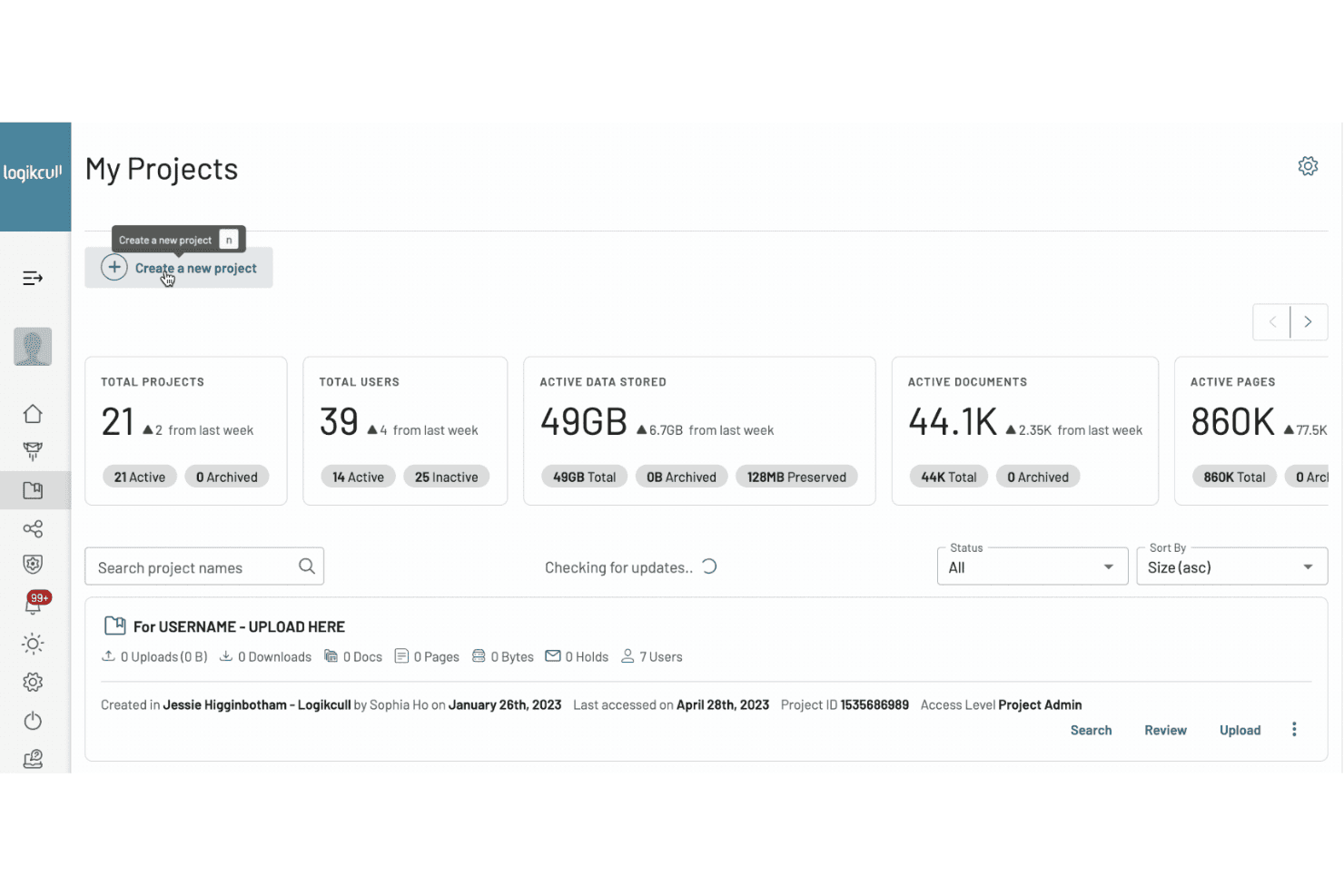
If you’re judging cloud-based eDiscovery software on speed, simplicity, and predictable pricing, Logikcull is going to impress you. Its drag-and-drop interface, flat-rate pricing, and responsive support make onboarding and daily use easy for legal teams of any size. While its integrations and advanced analytics aren’t as deep as some competitors', I think Logikcull’s straightforward approach is ideal for law firms, in-house teams, and organizations that want to control costs and avoid IT headaches.
If you’re selecting a tool for fast, defensible document review without a steep learning curve, Logikcull is a strong contender.
Pros
- Flat-rate pricing eliminates unpredictable discovery costs
- Bulk redaction and PII detection save significant review time
- Fast project setup with drag-and-drop uploads and automation
Cons
- Limited advanced analytics compared to some alternatives
- Fewer deep integrations with enterprise data sources
- Large data sets can slow down processing speeds
Is Logikcull Right For Your Needs?
Who Would be a Good Fit for Logikcull?
Logikcull is a strong choice for teams that need fast, defensible document review without heavy IT involvement or unpredictable costs. Legal departments, small to midsize law firms, and compliance teams will appreciate its flat-rate pricing, drag-and-drop uploads, and built-in automation. If your work involves frequent subpoenas, investigations, or internal audits, Logikcull’s bulk redaction and PII detection features can save you hours.
It’s especially well-suited for organizations that want to avoid complex setup and prefer a straightforward, cloud-based eDiscovery workflow.
- Small Law FirmsLogikcull’s flat-rate pricing and simple setup fit limited budgets and resources.
- In-House Legal TeamsAutomated workflows and fast uploads help manage ongoing investigations and subpoenas.
- Compliance DepartmentsBulk redaction and PII detection support regulatory response and audits.
- Government AgenciesCloud access and secure hosting meet public sector data handling needs.
- HR DepartmentsQuick document review and redaction help with sensitive internal investigations.
- NonprofitsPredictable costs and minimal IT requirements suit organizations with limited tech support.
Who Would be a Bad Fit for Logikcull?
Logikcull may not be the best choice for organizations with highly complex data environments, massive data volumes, or those needing deep integrations with enterprise systems. Large corporations with global operations, IT-heavy teams, and those requiring advanced analytics or custom workflows may find Logikcull’s feature set limiting. If your eDiscovery needs demand granular control, custom scripting, or integration with legacy on-premise systems, you’ll likely want a more specialized solution.
- Large EnterprisesLimited advanced analytics and integrations may not meet complex global needs.
- IT DepartmentsLack of custom scripting and deep technical controls restricts advanced workflows.
- Multinational CorporationsProcessing speeds and data handling may not scale for massive, cross-border projects.
- Financial InstitutionsFewer integrations with enterprise data sources can hinder regulatory compliance.
- Litigation Support VendorsAdvanced analytics and custom workflow needs may exceed Logikcull’s capabilities.
- Healthcare OrganizationsHandling of highly sensitive PHI may require more granular security controls.
How We Test & Score Tools
We’ve spent years building, refining, and improving our software testing and scoring system. The rubric is designed to capture the nuances of software selection and what makes a tool effective, focusing on critical aspects of the decision-making process.
Below, you can see exactly how our testing and scoring works across seven criteria. It allows us to provide an unbiased evaluation of the software based on core functionality, standout features, ease of use, onboarding, customer support, integrations, customer reviews, and value for money.
Core Functionality (25% of final scoring)
The starting point of our evaluation is always the core functionality of the tool. Does it have the basic features and functions that a user would expect to see? Are any of those core features locked to higher-tiered pricing plans? At its core, we expect a tool to stand up against the baseline capabilities of its competitors.
Standout Features (25% of final scoring)
Next, we evaluate uncommon standout features that go above and beyond the core functionality typically found in tools of its kind. A high score reflects specialized or unique features that make the product faster, more efficient, or offer additional value to the user.
We also evaluate how easy it is to integrate with other tools typically found in the tech stack to expand the functionality and utility of the software. Tools offering plentiful native integrations, 3rd party connections, and API access to build custom integrations score best.
Ease of Use (10% of final scoring)
We consider how quick and easy it is to execute the tasks defined in the core functionality using the tool. High scoring software is well designed, intuitive to use, offers mobile apps, provides templates, and makes relatively complex tasks seem simple.
Onboarding (10% of final scoring)
We know how important rapid team adoption is for a new platform, so we evaluate how easy it is to learn and use a tool with minimal training. We evaluate how quickly a team member can get set up and start using the tool with no experience. High scoring solutions indicate little or no support is required.
Customer Support (10% of final scoring)
We review how quick and easy it is to get unstuck and find help by phone, live chat, or knowledge base. Tools and companies that provide real-time support score best, while chatbots score worst.
Customer Reviews (10% of final scoring)
Beyond our own testing and evaluation, we consider the net promoter score from current and past customers. We review their likelihood, given the option, to choose the tool again for the core functionality. A high scoring software reflects a high net promoter score from current or past customers.
Value for Money (10% of final scoring)
Lastly, in consideration of all the other criteria, we review the average price of entry level plans against the core features and consider the value of the other evaluation criteria. Software that delivers more, for less, will score higher.
Core Features
Drag-and-Drop Uploads
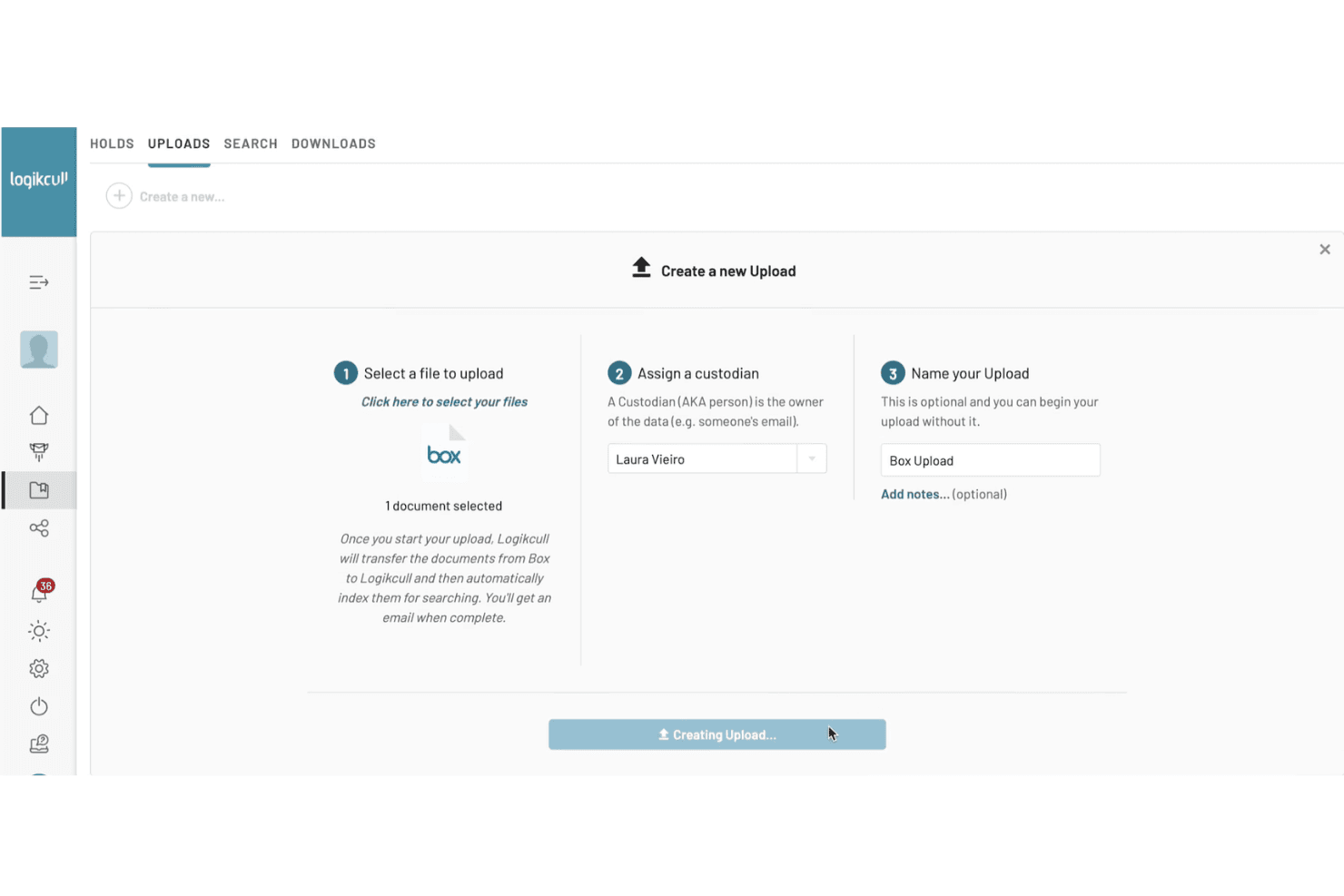
Upload documents directly from your desktop or cloud storage with no IT help needed. This speeds up project setup and lets you start review right away.
Bulk Redaction
Automatically redact sensitive information like PII across thousands of documents in one step. This saves hours on manual review and helps with compliance.
Search and Filtering
Use advanced search, filters, and tagging to quickly find relevant documents. You can narrow results by keyword, date, custodian, or file type.
Automated Workflows
Set up rules for deduplication, privilege detection, and document tagging as soon as files are uploaded. This reduces manual work and keeps your review process consistent.
Document Review and Production
Review, annotate, and produce documents in standard formats for legal proceedings. Built-in tools help you track review progress and export productions with a click.
Audit Trails and Reporting
Every action is logged for defensibility and compliance. Generate reports on user activity, document status, and project metrics for audits or court requirements.
Ease of Use
Logikcull stands out for its clean interface and intuitive workflows, making it easy for legal professionals to get started without training or IT support. Users consistently mention how drag-and-drop uploads, automated processing, and guided review steps simplify complex eDiscovery tasks.
I think the platform’s straightforward navigation and clear labeling help reduce errors and speed up document review, especially for teams that need to move quickly or have limited technical resources.
Integrations
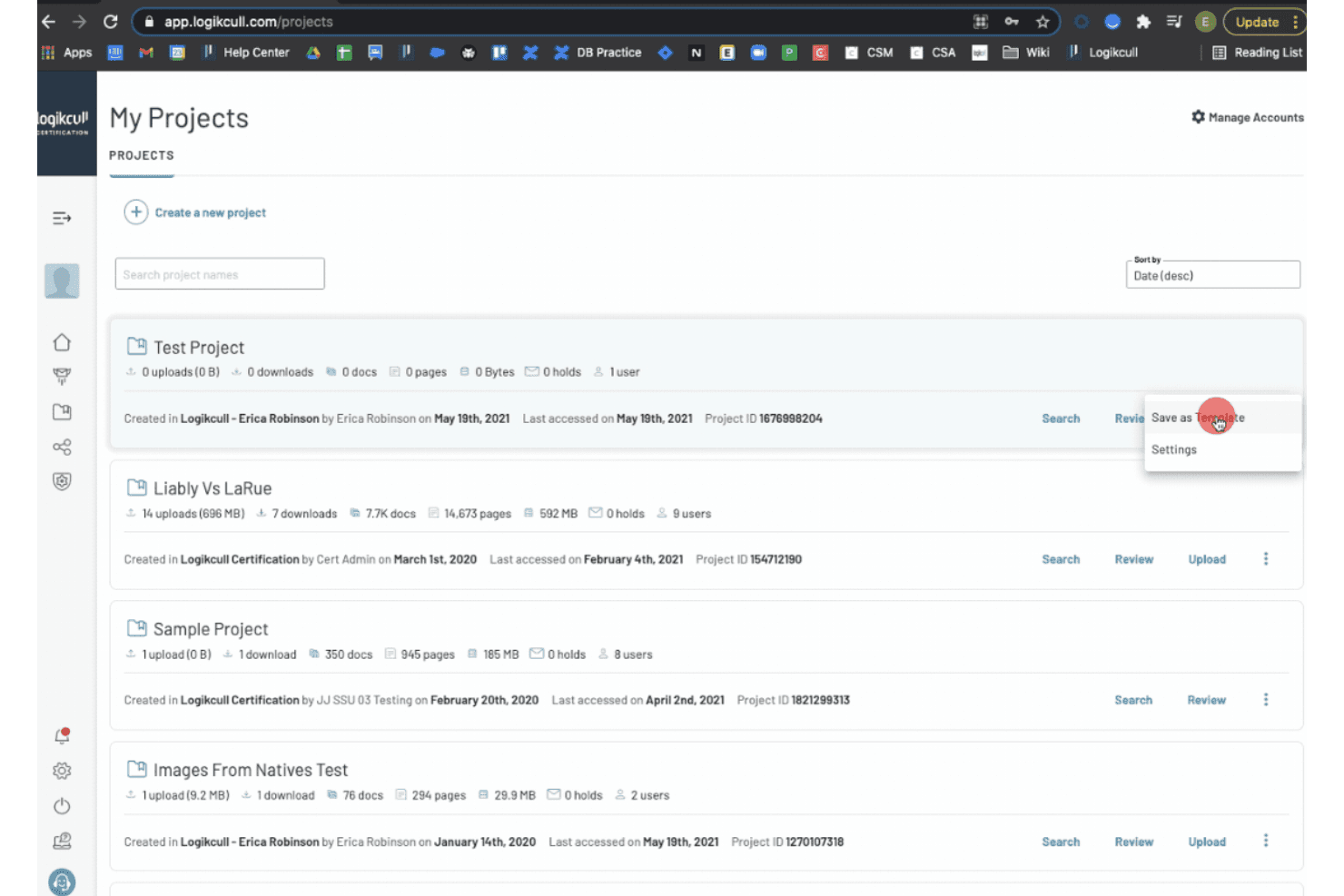
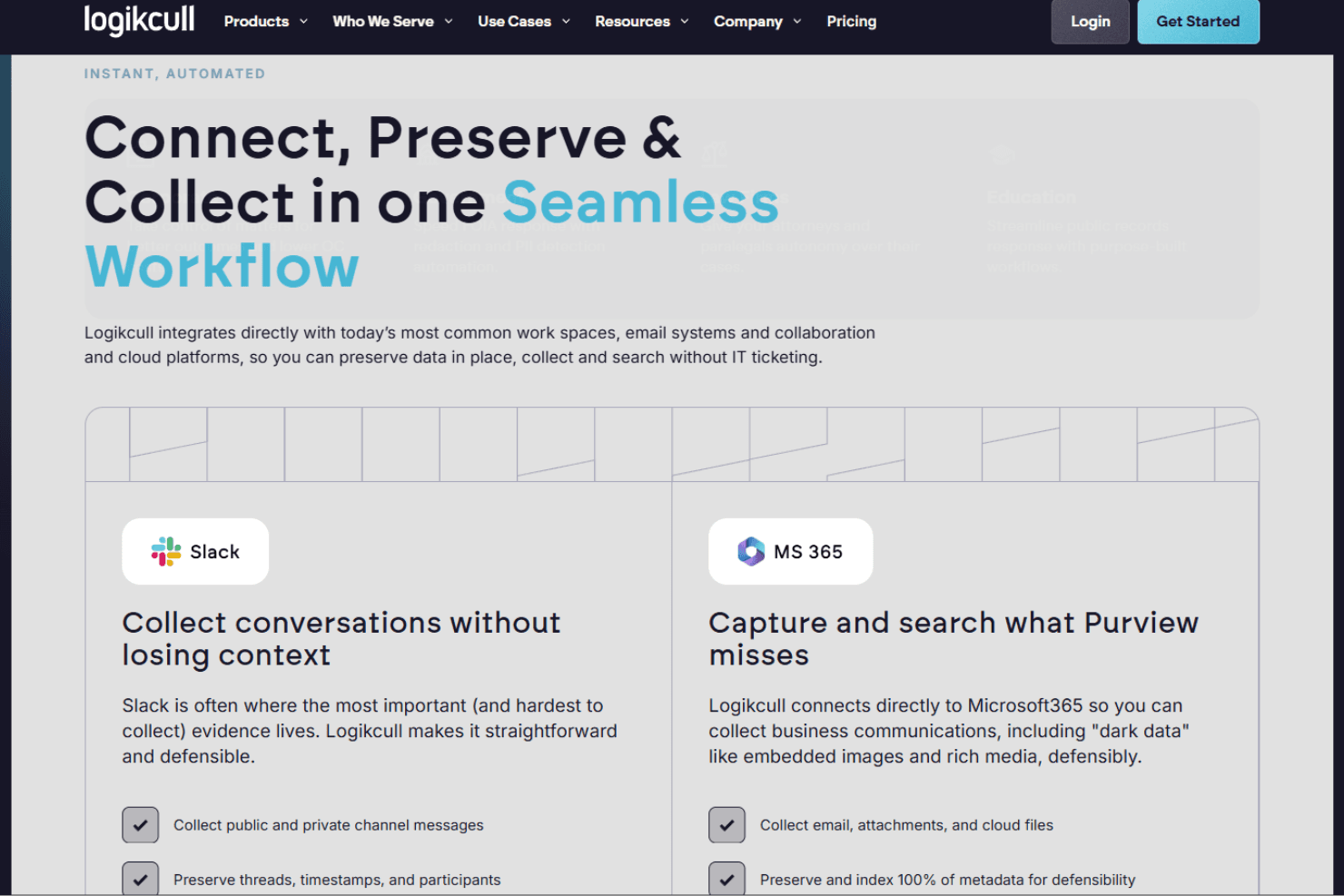
Logikcull integrates with Slack, Microsoft 365, Google Workspace, Google Vault, Box, Dropbox, Onna, Salesforce, ChatGPT, and Zoom, among others.
Logikcull also offers an API and connects with additional data sources through its Onna integration.
Logikcull Specs
- 2-Factor Authentication: No
- API: No
- Approval Workflows: Yes
- Audit Trail: Yes
- Calendar Management: No
- Compliance Tracking: Yes
- Contract Management: No
- Custom Reports: Yes
- Customer Management: No
- Data Export: Yes
- Data Import: Yes
- Document Management: Yes
- External Integrations: Yes
- Multi-User: Yes
- NDA Management: No
- Notifications: Yes
- Policy Management: No
- Scheduling: No
- Workflow Management: Yes


