CobbleStone Bewertung: Funktionen, Vorteile, Nachteile und Preise



CobbleStone is a legal contract management software for legal and operations teams managing the full contract lifecycle—intake, drafting, execution, compliance, and renewals. It includes AI-assisted contract analysis through its VISDOM AI engine. I'd consider it over Ironclad if you need deep configurability and contract audit features, without the implementation overhead enterprise tools typically demand.
Cobblestone Evaluation Summary
- Pricing upon request
- 30-day free trial
Warum Sie unseren Software-Empfehlungen vertrauen können
Unser Team testet und bewertet Software seit 2012. Als Führungskräfte in der Rechtsbranche wissen wir selbst, wie schwierig – und wichtig – es ist, die richtige Software auszuwählen.
Für diesen Leitfaden haben wir Tools mithilfe von praktischen Tests und unabhängiger Recherche bewertet und dabei unsere Bewertungskriterien angewendet.
Unsere Bewertungen spiegeln unser menschliches redaktionelles Urteilsvermögen wider, keine Verkaufsstrategie.
Cobblestone Overview
When judging CobbleStone, I see its configurable workflows, audit trails, and reporting tools outclass most competitors for midsize in-house teams. While the interface feels dated and onboarding takes real effort, the strong support and wide integration options are worth noting.
Selecting it makes sense if you need granular security, flexible contract lifecycles, and advanced automation—especially in regulated or high-volume settings where tracking every change is non-negotiable.
If you compare pricing, CobbleStone lands in the mid-to-high bracket, but the features support complex matters and detailed compliance needs.
pros
-
Automated contract workflow routing with detailed audit trails.
-
Highly customizable approvals and clause libraries.
-
Robust reporting and advanced compliance tracking options.
cons
-
User interface looks outdated and cluttered.
-
Initial onboarding and configuration require significant time investment.
-
Some users report slower support response times.
-

CARET Legal
Visit WebsiteThis rating combines scores from multiple user review sites to reflect overall customer sentiment about the product.4.4 -
Mitratech TAP Workflow Automation
Visit WebsiteThis rating combines scores from multiple user review sites to reflect overall customer sentiment about the product.4.2 -
Redactable
Visit WebsiteThis rating combines scores from multiple user review sites to reflect overall customer sentiment about the product.4.8


So testen & bewerten wir Tools
Wir haben Jahre damit verbracht, unser System zur Softwareprüfung und -bewertung aufzubauen, zu verfeinern und zu verbessern. Unsere Bewertungsmatrix ist darauf ausgelegt, die Feinheiten der Softwareauswahl und die Effektivität eines Tools einzufangen, wobei kritische Aspekte des Entscheidungsprozesses im Fokus stehen. Im Folgenden können Sie genau nachvollziehen, wie unser Test- und Bewertungssystem anhand von sieben Kriterien funktioniert. Damit bieten wir eine objektive Bewertung der Software auf Grundlage der Kernfunktionen, herausragender Merkmale, Benutzerfreundlichkeit, Einführung, Kundensupport, Integrationen, Kundenrezensionen und Preis-Leistungs-Verhältnis.
Kernfunktionalität (25% der Gesamtbewertung)
Ausgangspunkt unserer Bewertung ist immer die grundlegende Funktionalität des Tools. Verfügt es über die Basisfunktionen, die ein Nutzer erwarten würde? Sind einige dieser Kernfunktionen auf teurere Tarife beschränkt? Im Kern erwarten wir, dass ein Tool den Grundfunktionen der Wettbewerber standhält.
Herausragende Funktionen (25% der Gesamtbewertung)
Als nächstes bewerten wir außergewöhnliche, besondere Funktionen, die weit über die typische Grundfunktionalität ähnlicher Tools hinausgehen. Eine hohe Bewertung spiegelt spezialisierte oder einzigartige Merkmale wider, die das Produkt schneller, effizienter oder für den Nutzer noch wertvoller machen. Wir bewerten außerdem, wie leicht es ist, das Tool mit anderen typischen Werkzeugen der IT-Infrastruktur zu integrieren, um die Funktionalität und den Nutzen der Software zu erweitern. Tools, die zahlreiche native Integrationen, Drittanbieteranbindungen und API-Zugriffe für individuelle Schnittstellen bieten, schneiden am besten ab.
Benutzerfreundlichkeit (10% der Gesamtbewertung)
Wir berücksichtigen, wie schnell und einfach sich Aufgaben des Funktionskerns mit dem Tool ausführen lassen. Software mit hoher Punktzahl ist gut gestaltet, intuitiv bedienbar, bietet mobile Apps, stellt Vorlagen bereit und macht auch komplexe Vorgänge einfach.
Einführung (10% der Gesamtbewertung)
Wir wissen, wie wichtig eine schnelle Einführung eines neuen Tools im Team ist. Deshalb bewerten wir, wie einfach es ist, eine Lösung mit minimalem Training zu erlernen und zu nutzen. Wir beurteilen, wie schnell ein Teammitglied ohne Vorerfahrung einsatzbereit ist. Hoch bewertete Lösungen zeigen, dass kaum Unterstützung benötigt wird.
Kundensupport (10% der Gesamtbewertung)
Wir prüfen, wie schnell und einfach man per Telefon, Live-Chat oder Wissensdatenbank Hilfe erhält. Tools und Firmen mit Echtzeit-Support erzielen Top-Bewertungen, während Chatbots schlechter abschneiden.
Kundenrezensionen (10% der Gesamtbewertung)
Neben unseren eigenen Tests beziehen wir auch die Net-Promoter-Bewertung aktiver und ehemaliger Kunden ein. Wir prüfen, wie wahrscheinlich sie sich erneut für das Tool wegen dessen Kernfunktionen entscheiden würden. Gute Bewertungen spiegeln einen hohen Net Promoter Score der Nutzer wider.
Preis-Leistungs-Verhältnis (10% der Gesamtbewertung)
Abschließend vergleichen wir die durchschnittlichen Einstiegspreise mit den Kernfunktionen und dem Mehrwert aus anderen Kriterien. Software, die mehr bietet und dafür weniger verlangt, erreicht die höchsten Bewertungen.
Core Features
Contract Lifecycle Management
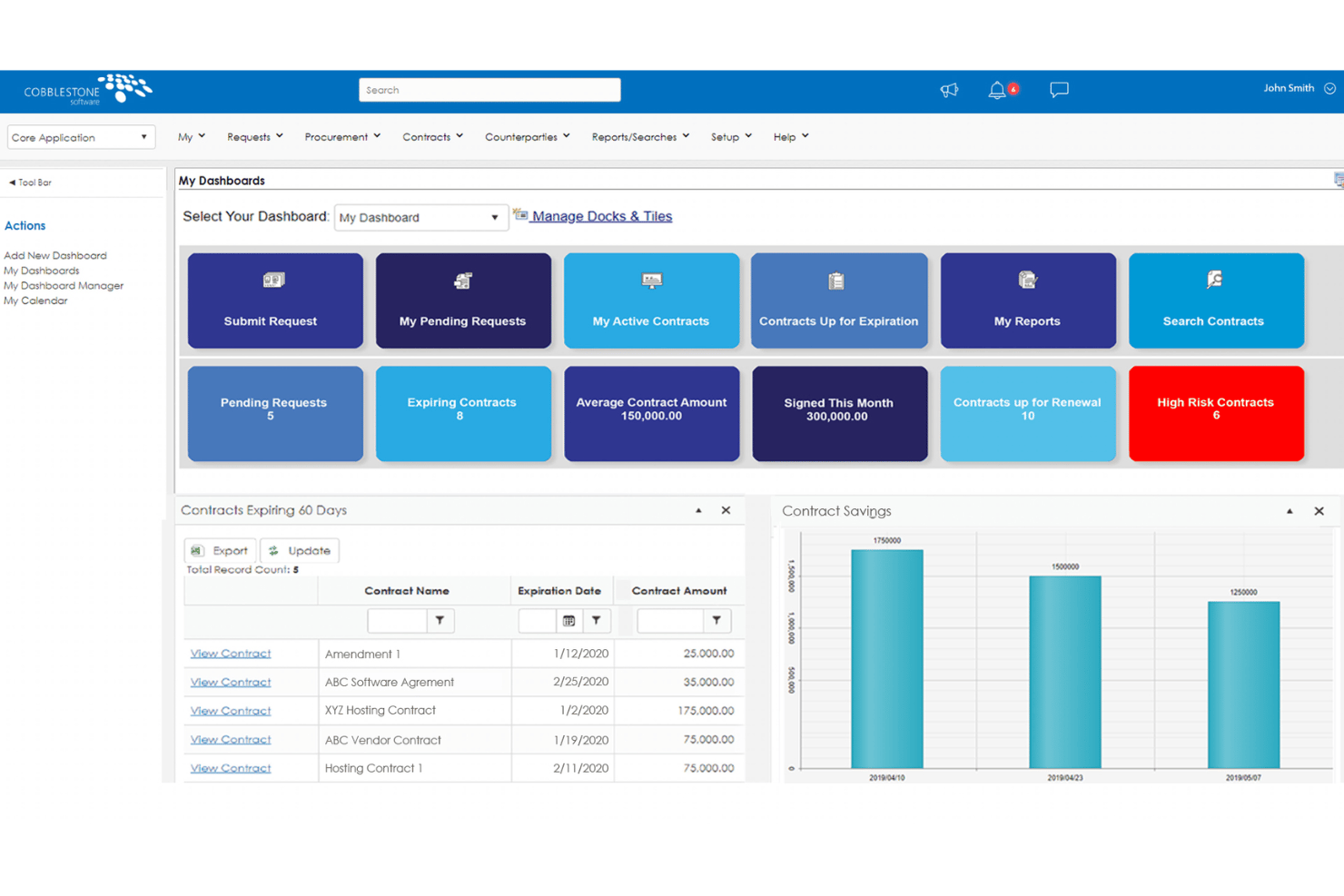
Track contracts from creation to expiration with automated status updates. Users can set renewal alerts and approval steps for full visibility.
Clause and Template Libraries
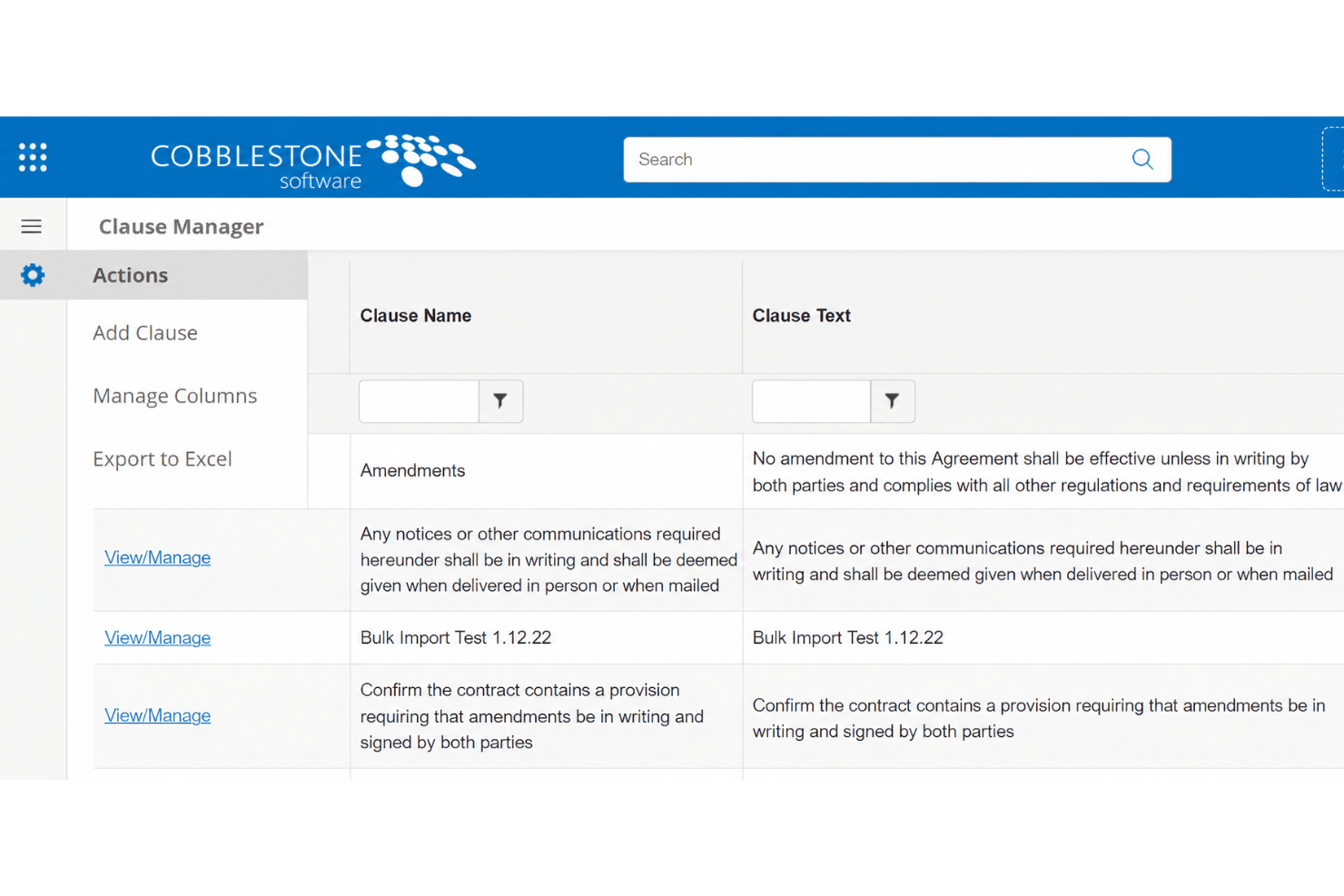
Store, manage, and reuse approved language and templates for quick drafting. This minimizes errors and keeps legal language consistent across teams.
Automated Workflow Routing
Send contracts through custom approval chains with notifications at each stage. This keeps every step documented and compliant.
E-Signature Integration
Execute contracts electronically from within the platform. Users can track signing status in real time and maintain an audit trail.
Advanced Reporting and Analytics
Build dashboards to analyze contract data and spot risks or obligations. Reports are customizable for regulatory, financial, or operational insights.
Audit Trails and Compliance Tracking
Every contract action is logged for auditing and accountability. This stands out for organizations needing detailed records and regulatory compliance.
Ease of Use
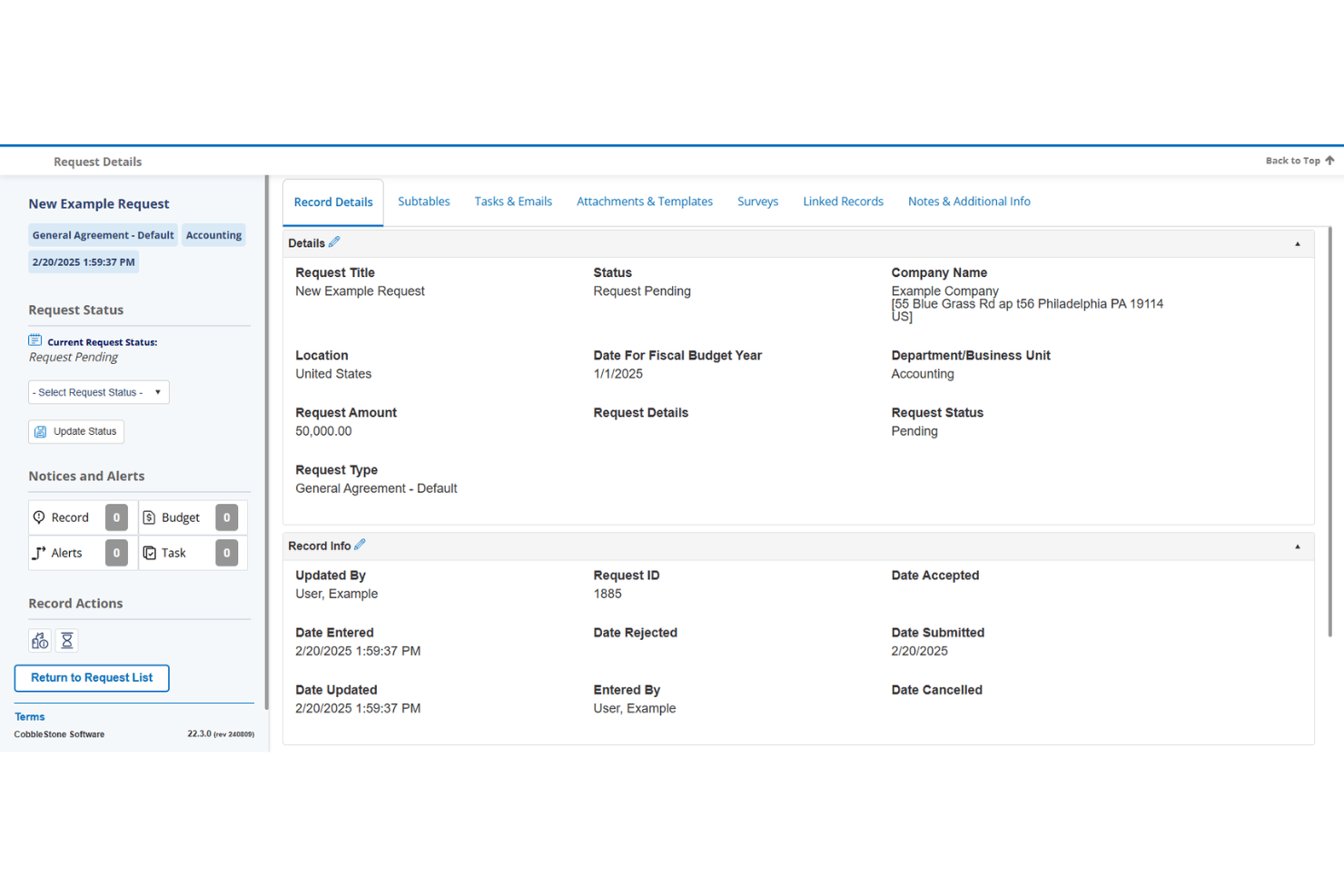
CobbleStone Software isn’t the most intuitive system—you’ll notice menus can feel dense and the interface is outdated. However, users who invest in training find its dashboard, search, and configurable workflows let them handle complex contract processes that others struggle with.
For legal teams willing to navigate the steeper learning curve, usability improves as you unlock more advanced automation and reporting.
Integrations
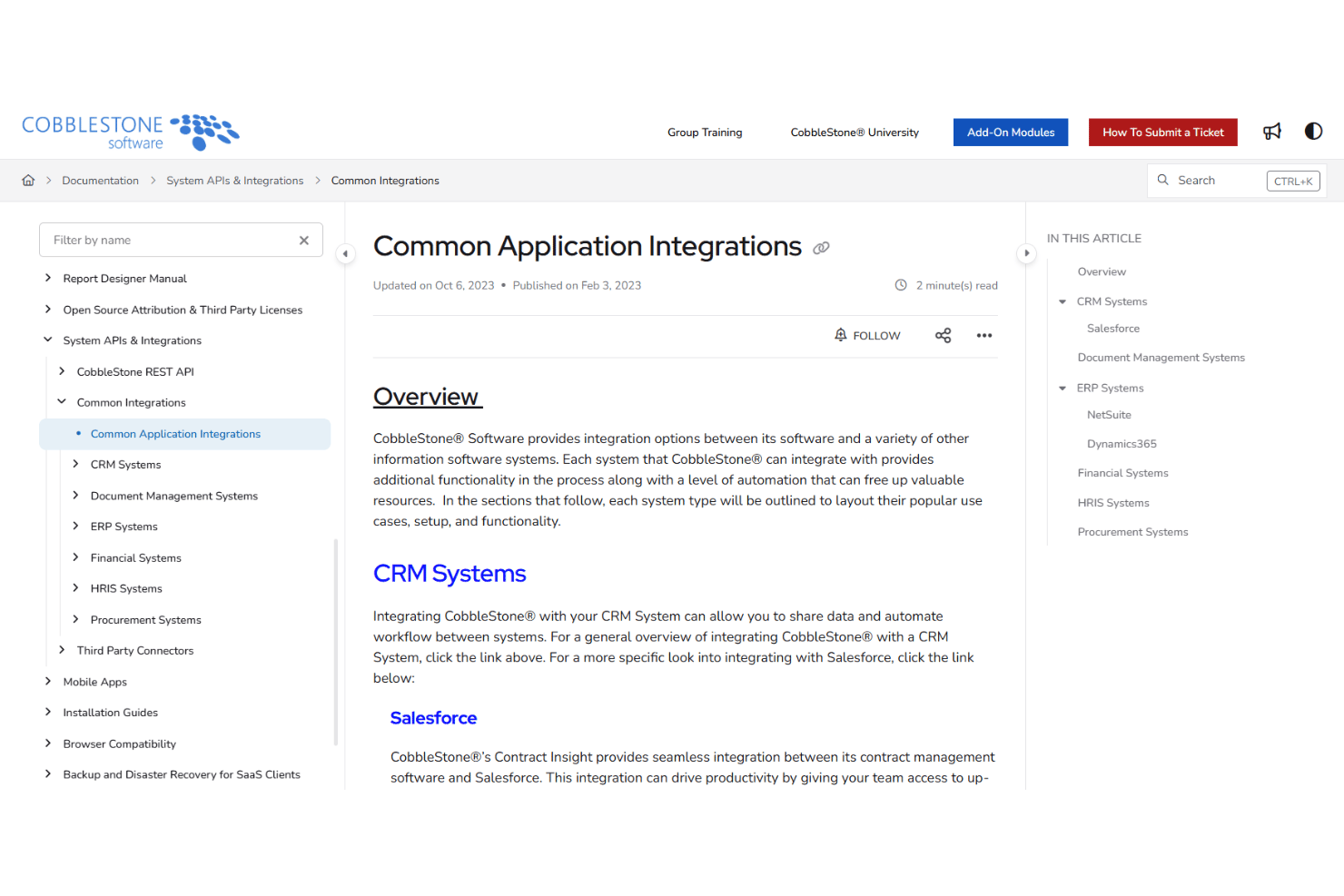
CobbleStone Software integrates with DocuSign, Adobe Sign, Salesforce, Microsoft Dynamics 365, Microsoft Teams, Office 365, SAP Ariba, Workday, Oracle, and Slack, among others.
CobbleStone also offers an API for custom integrations and can connect with third-party integration platforms.
Cobblestone Specs
- Accounts Payable
- Accounts Receivable
- API
- Budgeting
- Calendar Management
- Compliance Tracking
- Customer Management
- Dashboard
- Data Export
- Data Import
- Data Visualization
- Expense Tracking
- External Integrations
- Financial Analysis
- Forecasting
- Inventory Tracking
- Multi-Currency
- Multi-User
- Notifications
- Order Management
- Payroll
- Project Management
- Purchase Orders
- Resource Management
- Scheduling
- Supplier Management
- Task Scheduling/Tracking
- Third-Party Plugins/Add-Ons
- Warehouse Management
- Workflow Management