
NetDocuments Bewertung: Vorteile, Nachteile, Funktionen und Preise
NetDocuments überzeugt mit sicherer, cloudbasierter Dokumentenverwaltung – hier erfahren Sie, wo die Stärken und Schwächen liegen und wie es im Vergleich abschneidet.

Wir bewerten Tools unabhängig und Provisionen helfen, unsere Tests zu finanzieren. Sehen Sie unsere transparente Richtlinie, unsere Methodik oder schlagen Sie ein Tool vor.
NetDocuments is a cloud-native legal document management software built for law firms and in-house legal teams that need a centralized, secure place to store, organize, search, and collaborate on documents. I'd mainly consider it if your team is moving away from on-premise systems like iManage and wants a fully cloud-hosted solution without the server infrastructure and IT overhead that typically comes with it.
NetDocuments Evaluation Summary
4.1/5
- Pricing upon request
- Free demo available
Warum Sie unseren Software-Empfehlungen vertrauen können
6,700+
Reviews
20
Industry experts
16+
Evaluation factors
14
Years
Unser Team testet und bewertet Software seit 2012. Als Führungskräfte in der Rechtsbranche wissen wir selbst, wie schwierig – und wichtig – es ist, die richtige Software auszuwählen.
Für diesen Leitfaden haben wir Tools mithilfe von praktischen Tests und unabhängiger Recherche bewertet und dabei unsere Bewertungskriterien angewendet.
Unsere Bewertungen spiegeln unser menschliches redaktionelles Urteilsvermögen wider, keine Verkaufsstrategie.
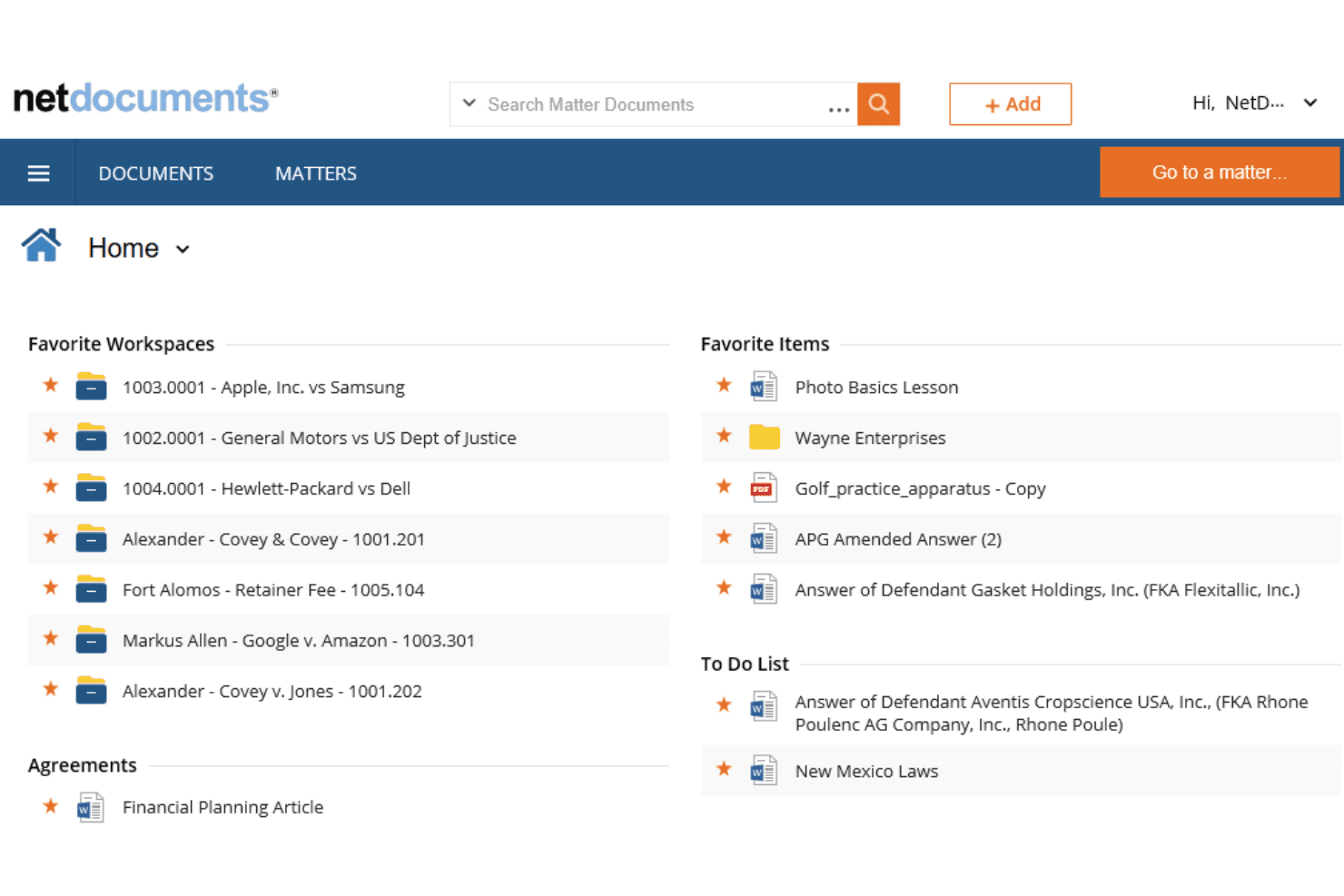
NetDocuments Overview
When I compare NetDocuments to other legal content management platforms, I think its cloud-first design, granular security controls, and intuitive interface set it apart. Pricing is competitive for firms prioritizing compliance and collaboration. I’ve found onboarding straightforward, with responsive support and strong integration options for Microsoft 365 and e-signature tools.
While some advanced workflow features require add-ons, NetDocuments excels for teams who need secure, scalable document management without heavy IT overhead. I’d suggest it’s best for midsize to large firms or legal departments that judge reliability and security as top priorities.
Pros
- Reliable cloud access with high uptime and version control.
- Strong Microsoft 365 and e-signature tool integrations.
- Advanced security and compliance features for legal data.
Cons
- Interface updates may disrupt established user workflows.
- Customer support response times can be inconsistent.
- Some advanced workflow features require additional modules.
Is NetDocuments Right For Your Needs?
Who Would be a Good Fit for NetDocuments?
NetDocuments is a strong choice for organizations that need secure, cloud-based document management with advanced compliance and collaboration features. It’s especially well-suited for legal teams, regulated industries, and departments handling sensitive information.
Its granular security controls, Microsoft 365 integration, and reliable uptime make it a top pick for firms that judge data protection and workflow efficiency as essential.
- Multi-Office FirmsCloud access and version control support distributed teams.
- Healthcare OrganizationsHIPAA-ready controls help manage sensitive patient and legal records.
- Government AgenciesGranular permissions and cloud access support public sector requirements.
- Financial ServicesAdvanced security and compliance features meet industry regulations.
- Corporate Legal DepartmentsCentralized document control and audit trails support in-house legal teams.
- Large Law FirmsNetDocuments handles complex document structures and strict compliance needs.
Who Would be a Bad Fit for NetDocuments?
NetDocuments may not be the best choice for small businesses, teams with minimal compliance needs, or organizations that want highly customizable workflows out of the box. Its advanced features and pricing are best justified when security, auditability, and collaboration are top priorities. For teams with simple document needs or limited budgets, other options may be more practical.
- Construction FirmsDoesn’t offer industry-specific templates or project management tools.
- IT DepartmentsLacks IT-specific workflow automation and ticketing features.
- Nonprofits With Tight BudgetsSubscription costs may not align with limited funding.
- Creative AgenciesWorkflow and interface are tailored for legal, not creative, processes.
- Small StartupsBasic document storage needs don’t require advanced compliance tools.
- Solo PractitionersPricing and features may exceed the needs of solo lawyers.
So testen & bewerten wir Tools
Wir haben Jahre damit verbracht, unser System zur Softwareprüfung und -bewertung aufzubauen, zu verfeinern und zu verbessern. Unsere Bewertungsmatrix ist darauf ausgelegt, die Feinheiten der Softwareauswahl und die Effektivität eines Tools einzufangen, wobei kritische Aspekte des Entscheidungsprozesses im Fokus stehen. Im Folgenden können Sie genau nachvollziehen, wie unser Test- und Bewertungssystem anhand von sieben Kriterien funktioniert. Damit bieten wir eine objektive Bewertung der Software auf Grundlage der Kernfunktionen, herausragender Merkmale, Benutzerfreundlichkeit, Einführung, Kundensupport, Integrationen, Kundenrezensionen und Preis-Leistungs-Verhältnis.
Kernfunktionalität (25% der Gesamtbewertung)
Ausgangspunkt unserer Bewertung ist immer die grundlegende Funktionalität des Tools. Verfügt es über die Basisfunktionen, die ein Nutzer erwarten würde? Sind einige dieser Kernfunktionen auf teurere Tarife beschränkt? Im Kern erwarten wir, dass ein Tool den Grundfunktionen der Wettbewerber standhält.
Herausragende Funktionen (25% der Gesamtbewertung)
Als nächstes bewerten wir außergewöhnliche, besondere Funktionen, die weit über die typische Grundfunktionalität ähnlicher Tools hinausgehen. Eine hohe Bewertung spiegelt spezialisierte oder einzigartige Merkmale wider, die das Produkt schneller, effizienter oder für den Nutzer noch wertvoller machen. Wir bewerten außerdem, wie leicht es ist, das Tool mit anderen typischen Werkzeugen der IT-Infrastruktur zu integrieren, um die Funktionalität und den Nutzen der Software zu erweitern. Tools, die zahlreiche native Integrationen, Drittanbieteranbindungen und API-Zugriffe für individuelle Schnittstellen bieten, schneiden am besten ab.
Benutzerfreundlichkeit (10% der Gesamtbewertung)
Wir berücksichtigen, wie schnell und einfach sich Aufgaben des Funktionskerns mit dem Tool ausführen lassen. Software mit hoher Punktzahl ist gut gestaltet, intuitiv bedienbar, bietet mobile Apps, stellt Vorlagen bereit und macht auch komplexe Vorgänge einfach.
Einführung (10% der Gesamtbewertung)
Wir wissen, wie wichtig eine schnelle Einführung eines neuen Tools im Team ist. Deshalb bewerten wir, wie einfach es ist, eine Lösung mit minimalem Training zu erlernen und zu nutzen. Wir beurteilen, wie schnell ein Teammitglied ohne Vorerfahrung einsatzbereit ist. Hoch bewertete Lösungen zeigen, dass kaum Unterstützung benötigt wird.
Kundensupport (10% der Gesamtbewertung)
Wir prüfen, wie schnell und einfach man per Telefon, Live-Chat oder Wissensdatenbank Hilfe erhält. Tools und Firmen mit Echtzeit-Support erzielen Top-Bewertungen, während Chatbots schlechter abschneiden.
Kundenrezensionen (10% der Gesamtbewertung)
Neben unseren eigenen Tests beziehen wir auch die Net-Promoter-Bewertung aktiver und ehemaliger Kunden ein. Wir prüfen, wie wahrscheinlich sie sich erneut für das Tool wegen dessen Kernfunktionen entscheiden würden. Gute Bewertungen spiegeln einen hohen Net Promoter Score der Nutzer wider.
Preis-Leistungs-Verhältnis (10% der Gesamtbewertung)
Abschließend vergleichen wir die durchschnittlichen Einstiegspreise mit den Kernfunktionen und dem Mehrwert aus anderen Kriterien. Software, die mehr bietet und dafür weniger verlangt, erreicht die höchsten Bewertungen.
Core Features
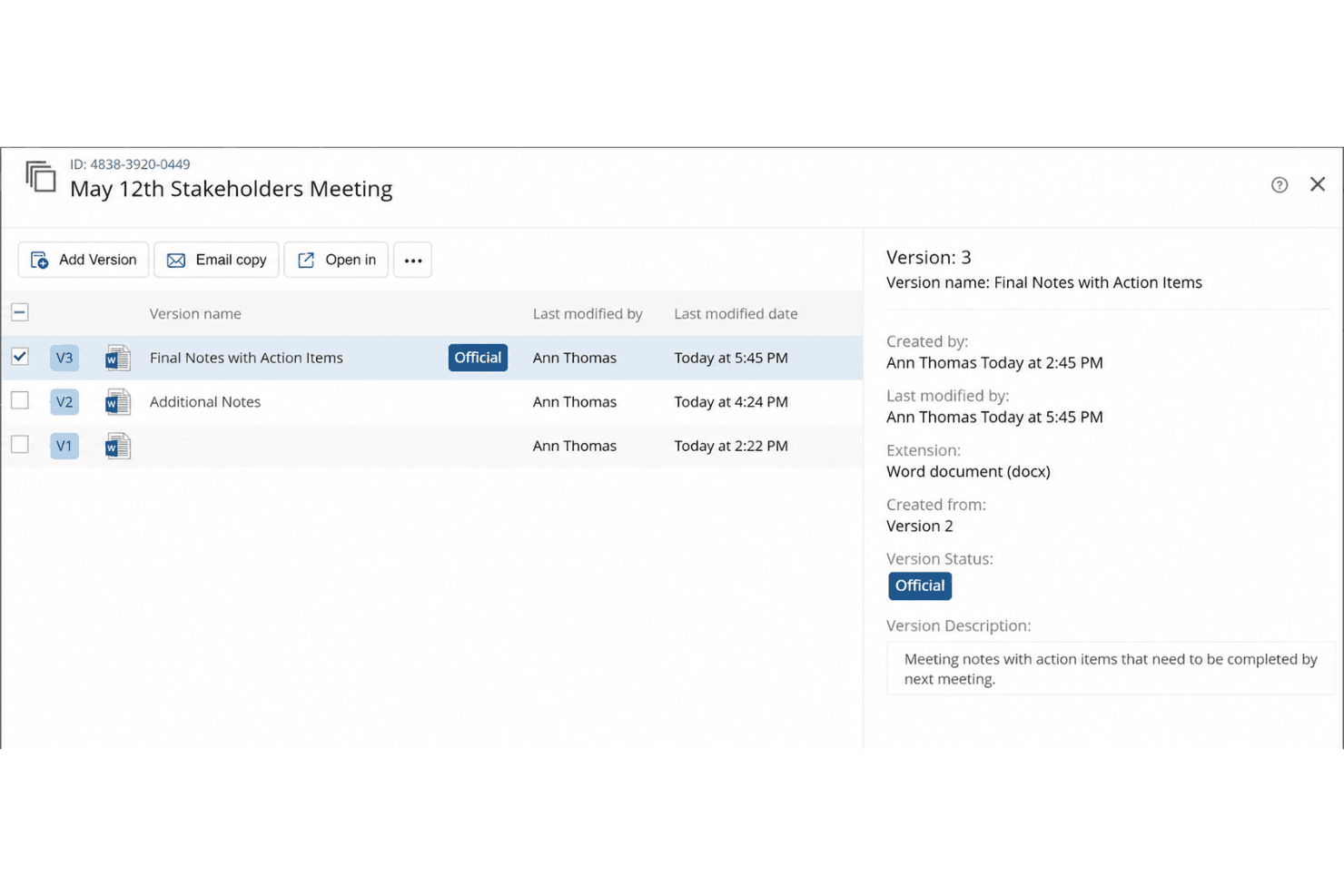
Document Versioning
Track, compare, and restore previous document versions with a clear audit trail. This helps legal teams avoid errors and maintain compliance.
Granular Access Controls
Set user, group, or matter-level permissions for sensitive files. You can restrict or allow access based on role or project.
Full-Text Search
Search across all documents, emails, and metadata with advanced filters. This speeds up finding case files or specific clauses.
Automated Document Filing
Automatically organize documents by client, matter, or project. This reduces manual filing and keeps your workspace organized.
Power Bar Options
Access a centralized toolbar that provides quick actions such as document management, searching, and workflow execution. It enhances productivity by streamlining essential tasks.
Audit Trails and Reporting
Monitor document activity with detailed logs and customizable reports. This supports compliance and internal investigations.
Ease of Use
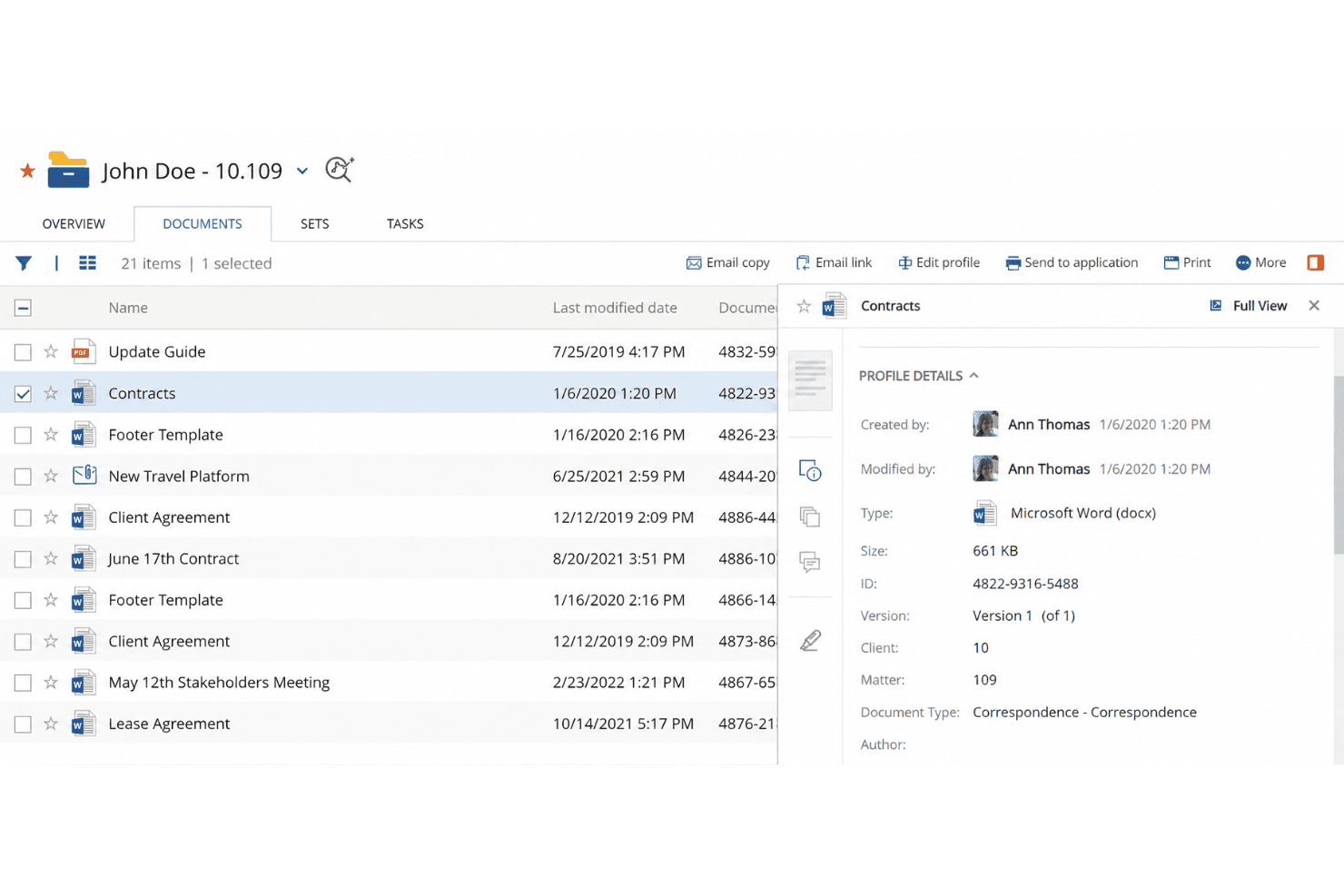
NetDocuments offers a clean, intuitive interface that most legal professionals can navigate with minimal training. I’ve seen users appreciate its logical folder structures, drag-and-drop uploads, and quick search functionality. The onboarding process is straightforward, and built-in help resources make it easy to resolve questions.
Some users mention occasional disruptions from interface updates, but overall, NetDocuments strikes a good balance between advanced features and everyday usability for legal teams.
Integrations
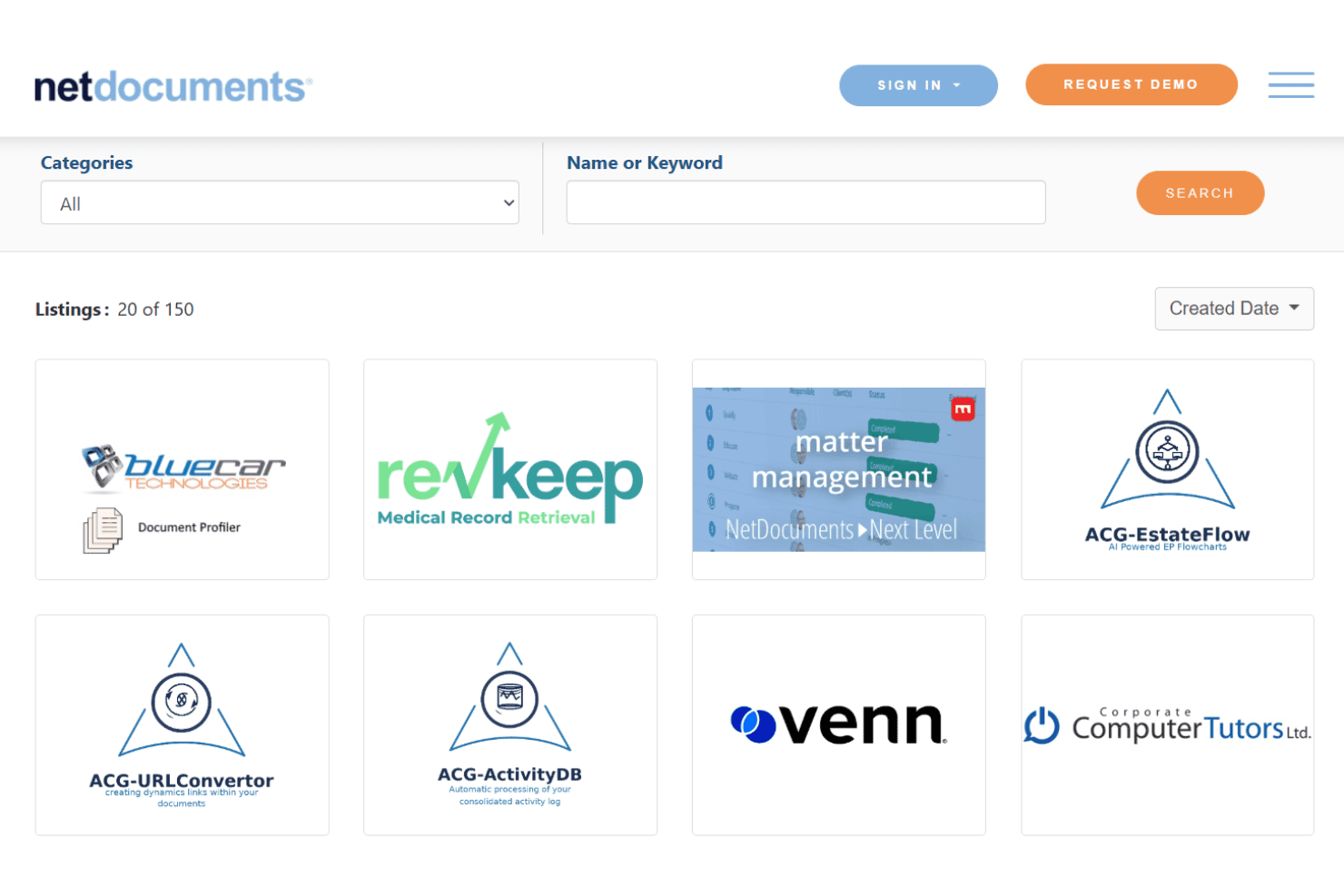
NetDocuments integrates with Microsoft 365, DocuSign, Clio, iManage, Thomson Reuters, Tabs3, Centerbase, Worldox, Litera, and NetDocuments eDOCS, among others.
NetDocuments also offers an API and connects with third-party integration tools.
NetDocuments Specs
- 2-Factor Authentication: Yes
- API: Yes
- Approval Workflows: Yes
- Audit Trail: Yes
- Batch Permissions & Access: Yes
- Chat: Yes
- Dashboard: Yes
- Data Export: Yes
- Data Import: Yes
- Document Comparison: Yes
- Document Sharing: Yes
- Electronic Signature: Yes
- Email Integration: Yes
- External Integrations: Yes
- File Sharing: Yes
- File Transfer: Yes
- Google Apps Integration: Yes
- History/Version Control: Yes
- Metadata Management: Yes
- Multi-User: Yes
- NDA Management: Yes
- Notifications: Yes
- Password & Access Management: Yes
- Project Management: Yes
- Template Designer: Yes


