
Reseña de Casefox: Ventajas, Desventajas, Características y Precios
Casefox ofrece una solución de facturación legal refrescantemente simple y rentable, con un soporte destacado y una incorporación fluida, ideal para firmas que buscan lo esencial de confianza sin extras innecesarios.

Revisamos las herramientas de forma independiente y las comisiones ayudan a financiar nuestras pruebas. Consulta nuestra política de transparencia, nuestra metodología o sugiere una herramienta.
CaseFox is a legal billing software for solo attorneys and small law firms that need time tracking, invoicing, and expense management. CaseFox is simpler to set up and significantly more affordable. It's a practical fit for lean practices that just need solid billing tools, not an all-in-one firm management platform like Clio.
CaseFox Evaluation Summary
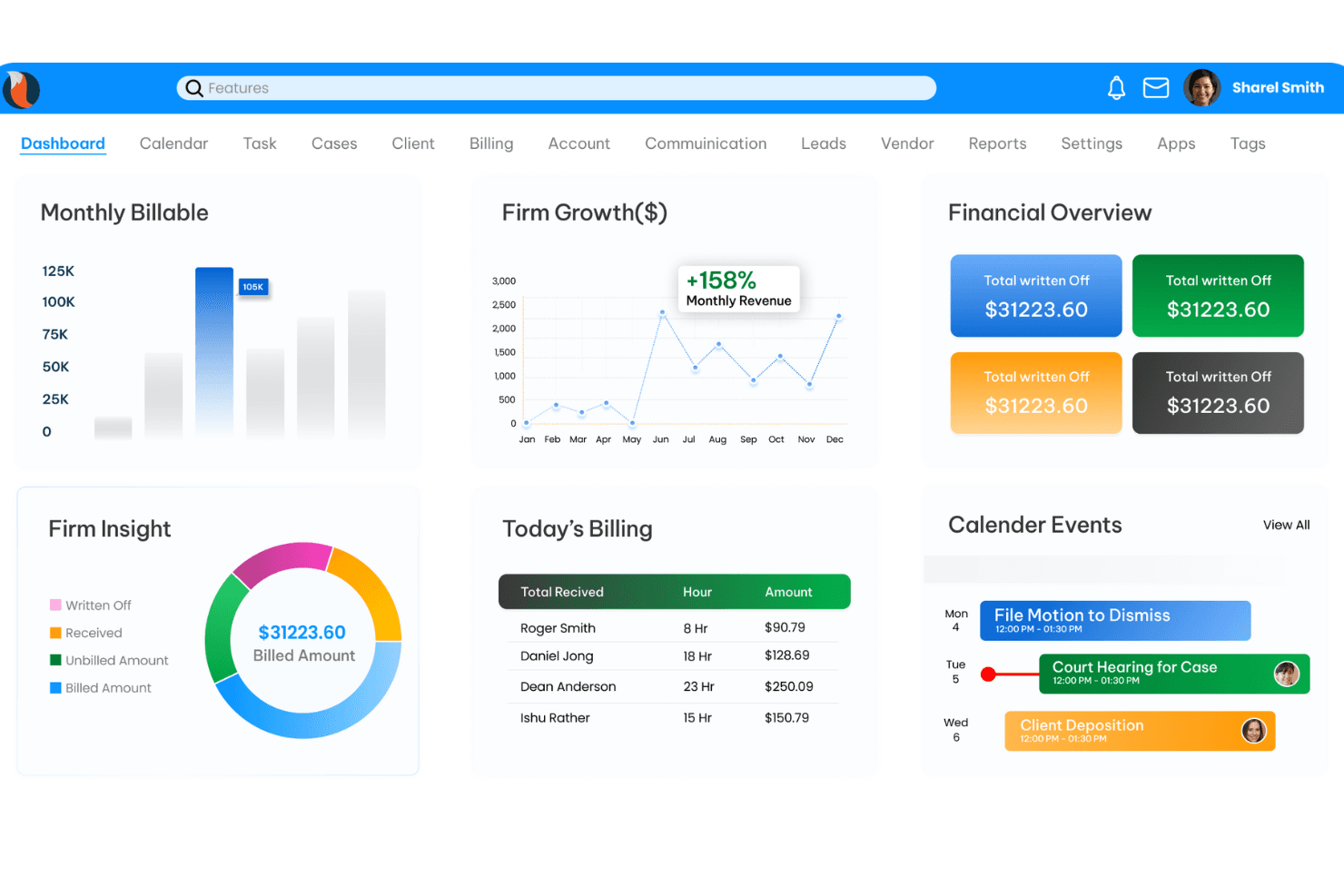
4.4/5
- From $39/user/month (billed annually)
- Free plan available
Por qué confiar en nuestras recomendaciones de software
6,700+
Reviews
20
Industry experts
16+
Evaluation factors
14
Years
Nuestro equipo lleva probando y evaluando software desde 2012. Como líderes de despachos jurídicos, sabemos lo difícil —y lo importante— que es elegir el software adecuado.
Para esta guía, evaluamos las herramientas mediante pruebas prácticas e investigación independiente, puntuando las herramientas según nuestros criterios de selección.
Nuestras reseñas reflejan nuestro criterio editorial humano, no un discurso de ventas.
CaseFox Overview
When I compare Casefox to other legal billing software, I think its straightforward interface and transparent pricing make it a smart pick for small to midsize firms or solo practitioners. You get essentials like time tracking, trust accounting, and batch invoicing without a steep learning curve.
While its integrations and advanced automation aren’t as deep as some competitors, the onboarding is quick and support is responsive. If you’re judging value by simplicity, cost control, and core billing features, Casefox is going to meet most needs—especially for teams who want to avoid bloated, complex systems.
Pros
- Free data migration and onboarding support for new users
- Batch invoicing and LEDES billing are included in all plans
- Trust accounting is IOLTA-compliant and easy to manage
Cons
- Document automation tools are less advanced than some competitors
- Mobile app receives lower ratings and limited updates
- Reporting features lack advanced customization options
Is CaseFox Right For Your Needs?
Who Would be a Good Fit for CaseFox?
Casefox is a strong choice for legal professionals and organizations that need reliable billing, trust accounting, and compliance features without extra complexity. Its straightforward interface, IOLTA-compliant trust accounting, and batch invoicing make it especially useful for smaller teams, solo practitioners, and firms with standard billing needs.
If you value transparent pricing, responsive onboarding support, and don’t need deep customization or advanced automation, Casefox is going to fit well.
- Family Law DepartmentsCasefox’s time tracking and invoicing suit family law billing cycles.
- Estate Planning AttorneysTrust accounting features simplify client fund management for estate work.
- Legal Aid OrganizationsFree data migration and onboarding support help resource-limited teams.
- Immigration PracticesCasefox supports LEDES billing and compliance for immigration casework.
- Small Law FirmsBatch invoicing and trust accounting help small firms manage clients easily.
- Solo PractitionersCasefox offers affordable plans and essential billing tools for solo lawyers.
Who Would be a Bad Fit for CaseFox?
Casefox isn’t ideal for organizations that need highly customizable workflows, advanced document automation, or deep integration with other business systems. Larger firms, corporate legal departments, and teams with complex reporting or automation needs may find its feature set limiting. If your workflow depends on advanced analytics, robust mobile tools, or extensive integrations, you’ll likely want to look elsewhere.
- Compliance-Heavy IndustriesAdvanced audit trails and regulatory reporting are not as comprehensive.
- Litigation Support TeamsDocument automation and evidence management tools are basic.
- International FirmsMulti-currency and localization features are limited for global practices.
- Tech StartupsCasefox’s mobile app and API options are less developed for tech teams.
- Corporate Legal DepartmentsLimited integrations and automation don’t support complex corporate needs.
- Large Law FirmsCasefox lacks advanced reporting and workflow customization for big teams.
Cómo Probamos y Puntúamos las Herramientas
Hemos pasado años construyendo, refinando y mejorando nuestro sistema de pruebas y puntuación de software. El marco está diseñado para captar las particularidades de la selección de software y lo que hace efectiva una herramienta, enfocándonos en aspectos críticos del proceso de toma de decisiones. A continuación, puede ver exactamente cómo funcionan nuestras pruebas y puntuaciones en siete criterios. Esto nos permite proporcionar una evaluación imparcial del software basada en la funcionalidad principal, características destacadas, facilidad de uso, incorporación, soporte al cliente, integraciones, opiniones de clientes y relación calidad-precio.
Funcionalidad Principal (25% de la puntuación final)
El punto de partida de nuestra evaluación siempre es la funcionalidad principal de la herramienta. ¿Cuenta con las funciones y características básicas que un usuario esperaría ver? ¿Alguna de esas funciones principales está restringida a planes de precios superiores? En esencia, esperamos que la herramienta esté a la altura de las capacidades básicas de sus competidores.
Características Destacadas (25% de la puntuación final)
Luego, evaluamos características destacadas poco comunes que vayan más allá de la funcionalidad principal que normalmente se encuentra en herramientas de su tipo. Una puntuación alta refleja características especializadas o únicas que hacen el producto más rápido, eficiente o que ofrecen valor adicional al usuario. También evaluamos la facilidad con la que puede integrarse con otras herramientas típicas de la pila tecnológica para ampliar la funcionalidad y utilidad del software. Las herramientas que ofrecen numerosas integraciones nativas, conexiones con terceros y acceso API para crear integraciones personalizadas obtienen la mejor puntuación.
Facilidad de Uso (10% de la puntuación final)
Consideramos la rapidez y facilidad con la que se pueden ejecutar las tareas definidas en la funcionalidad principal mediante la herramienta. El software con alta puntuación está bien diseñado, es intuitivo de usar, ofrece aplicaciones móviles, proporciona plantillas y hace que tareas relativamente complejas parezcan simples.
Incorporación (10% de la puntuación final)
Sabemos lo importante que es la rápida adopción de una nueva plataforma por parte del equipo, por eso evaluamos lo fácil que es aprender y usar una herramienta con capacitación mínima. Evaluamos la rapidez con la que un miembro del equipo puede configurarse y empezar a usar la herramienta sin experiencia previa. Las soluciones con alta puntuación indican que requieren poco o ningún soporte.
Soporte al Cliente (10% de la puntuación final)
Revisamos cuán rápido y fácil es obtener ayuda por teléfono, chat en vivo o base de conocimientos. Las herramientas y empresas que proporcionan soporte en tiempo real obtienen la mejor puntuación, mientras que los chatbots obtienen la más baja.
Opiniones de Clientes (10% de la puntuación final)
Más allá de nuestras propias pruebas y evaluaciones, tenemos en cuenta el puntaje neto de recomendación de los clientes actuales y anteriores. Revisamos la probabilidad de que, si tuvieran la opción, eligieran nuevamente la herramienta por su funcionalidad principal. Un software con alta puntuación refleja un alto puntaje neto de recomendación de clientes actuales o pasados.
Relación Calidad-Precio (10% de la puntuación final)
Por último, considerando todos los demás criterios, revisamos el precio promedio de los planes de nivel de entrada en comparación con las funciones principales y los otros factores de evaluación. El software que ofrece más por menos obtendrá una puntuación más alta.
Core Features
Time Tracking
Track billable hours with timers or manual entries, linked to matters. Easily review and edit time logs for accurate invoicing.
Trust Accounting
Manage client funds with IOLTA-compliant trust accounting tools. Get clear audit trails and safeguards for compliance.
Batch Invoicing
Generate and send multiple invoices at once for different clients or matters. Save time on repetitive billing tasks each month.
LEDES Billing
Create invoices in LEDES format for clients who require standardized billing. Meet e-billing requirements for insurance and corporate clients.
Expense Tracking
Log and categorize expenses by matter, with receipt uploads. Keep client billing transparent and organized.
Role-Based Access
Assign permissions by user role to control access to sensitive data. Protect client information and maintain internal controls.
Ease of Use
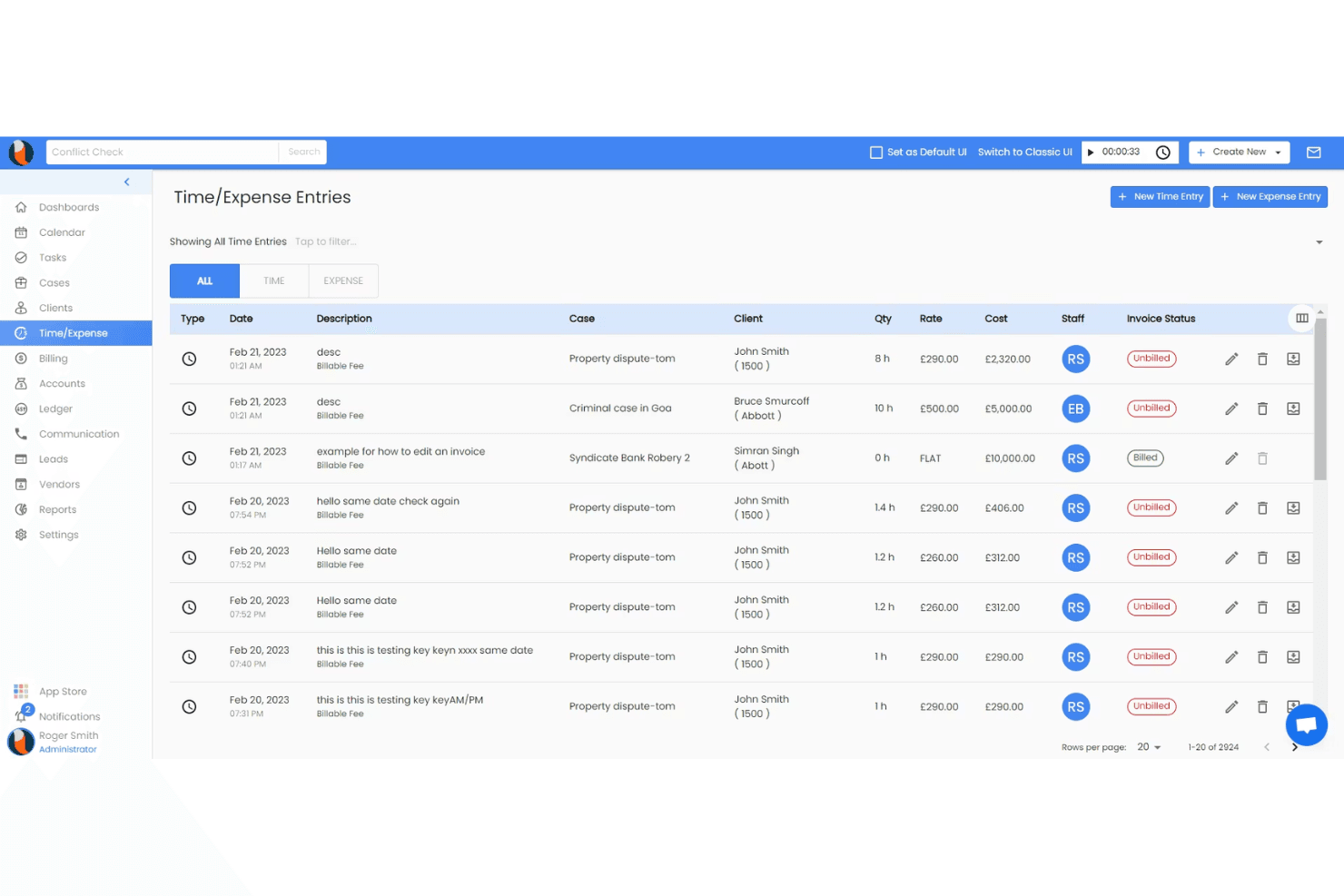
Casefox is straightforward and easy to navigate, with a clean dashboard and logical workflows that let you get started quickly. Most users say setup is fast, and features like batch invoicing and time tracking are accessible without digging through menus.
The platform avoids clutter, so you can focus on billing tasks without distractions. While some advanced features are basic, the overall experience is smooth for firms that want simplicity and reliability.
Integrations
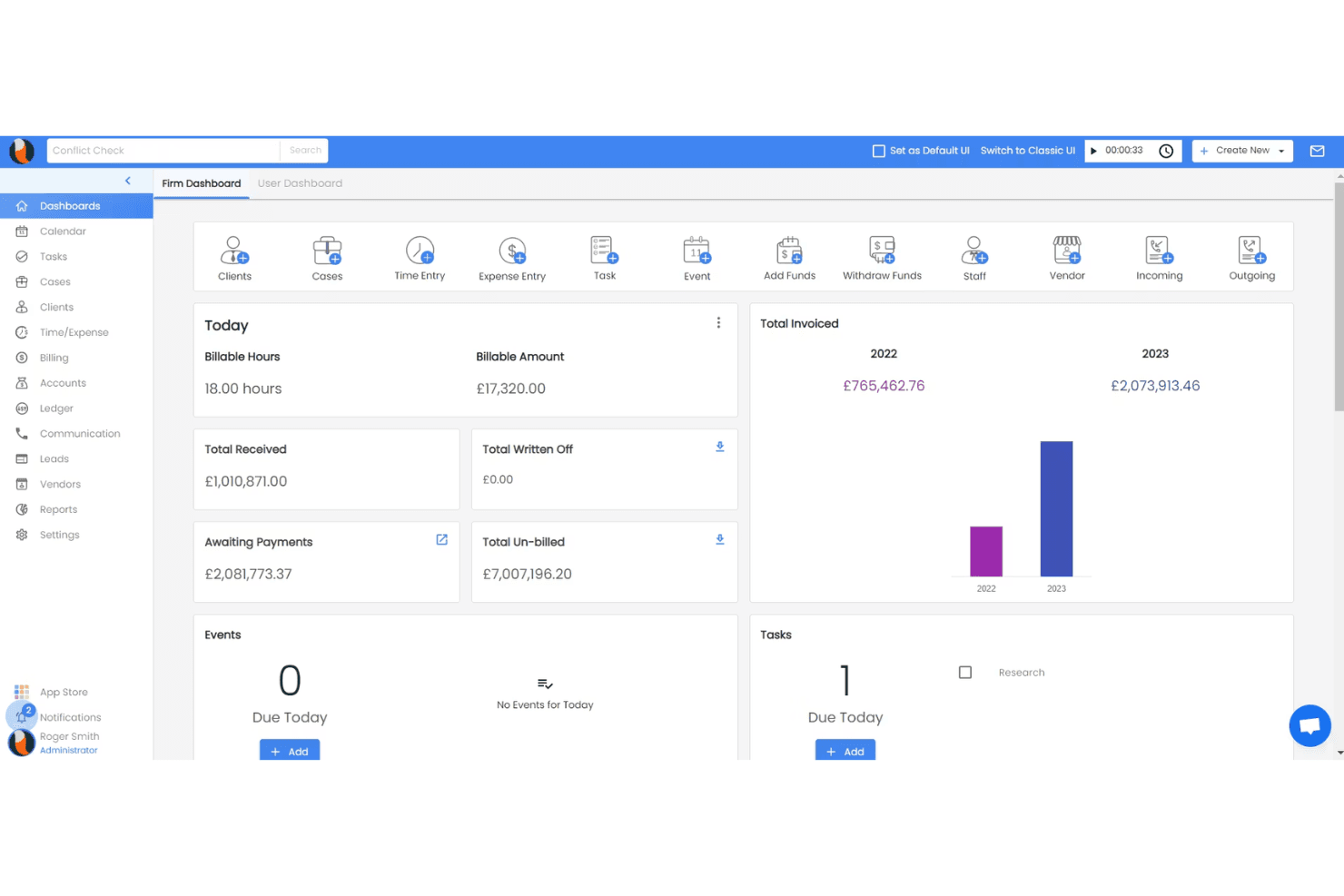
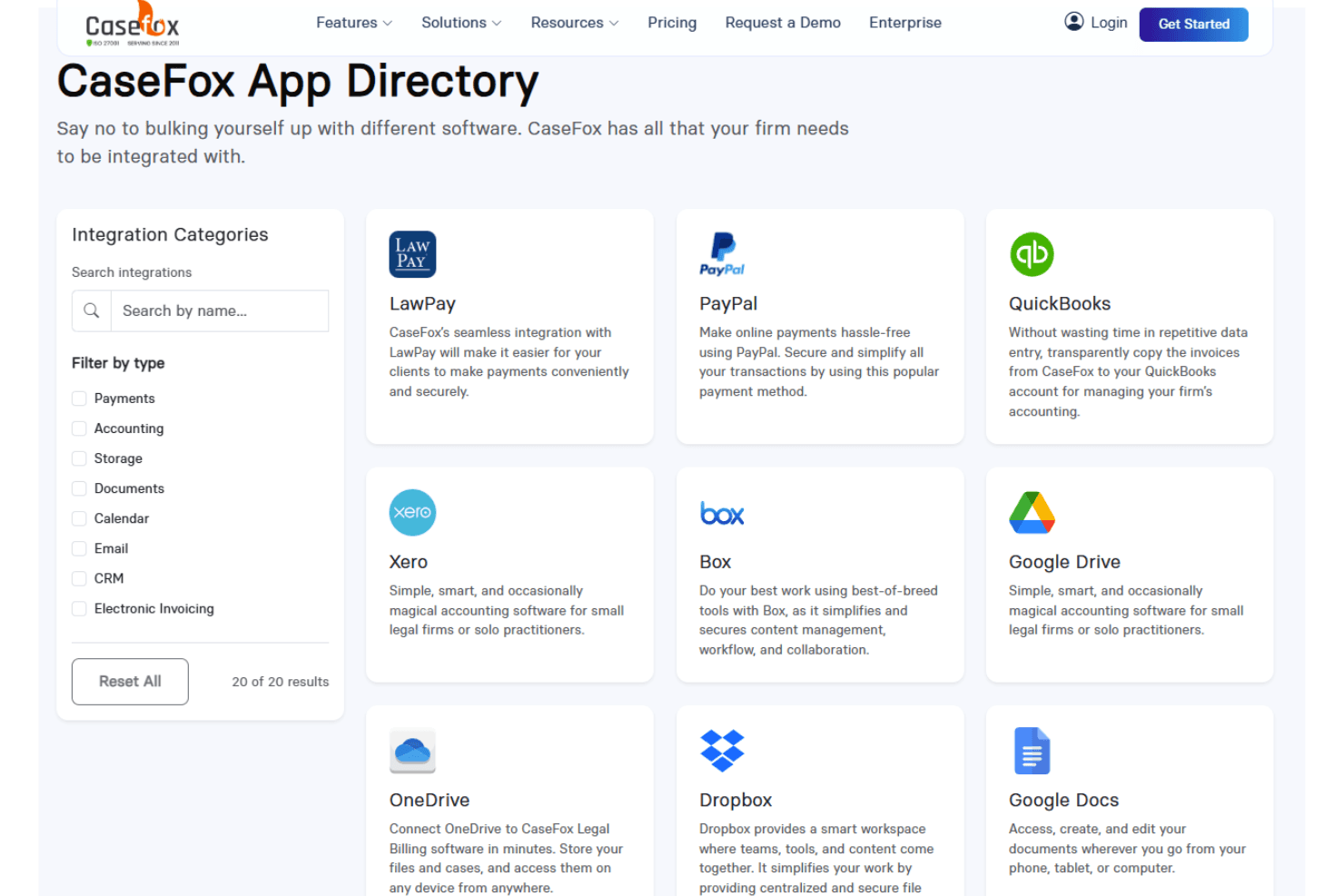
Casefox integrates with QuickBooks, Xero, PayPal, LawPay, Box, Dropbox, Google Drive, Google Calendar, Microsoft Outlook, and Microsoft Teams, among others.
Casefox also offers an API for custom integrations and connects with popular third-party tools.
CaseFox Specs
- 2-Factor Authentication: Yes
- API: No
- Approval Workflows: No
- Audit Trail: No
- Calendar Management: Yes
- Compliance Tracking: No
- Contract Management: No
- Custom Reports: Yes
- Customer Management: Yes
- Data Export: Yes
- Data Import: Yes
- Document Management: Yes
- External Integrations: Yes
- Multi-User: Yes
- NDA Management: No
- Notifications: Yes
- Policy Management: No
- Scheduling: No
- Workflow Management: No


