

Reseña de Gatekeeper: Ventajas, Desventajas, Características y Precios Explicados



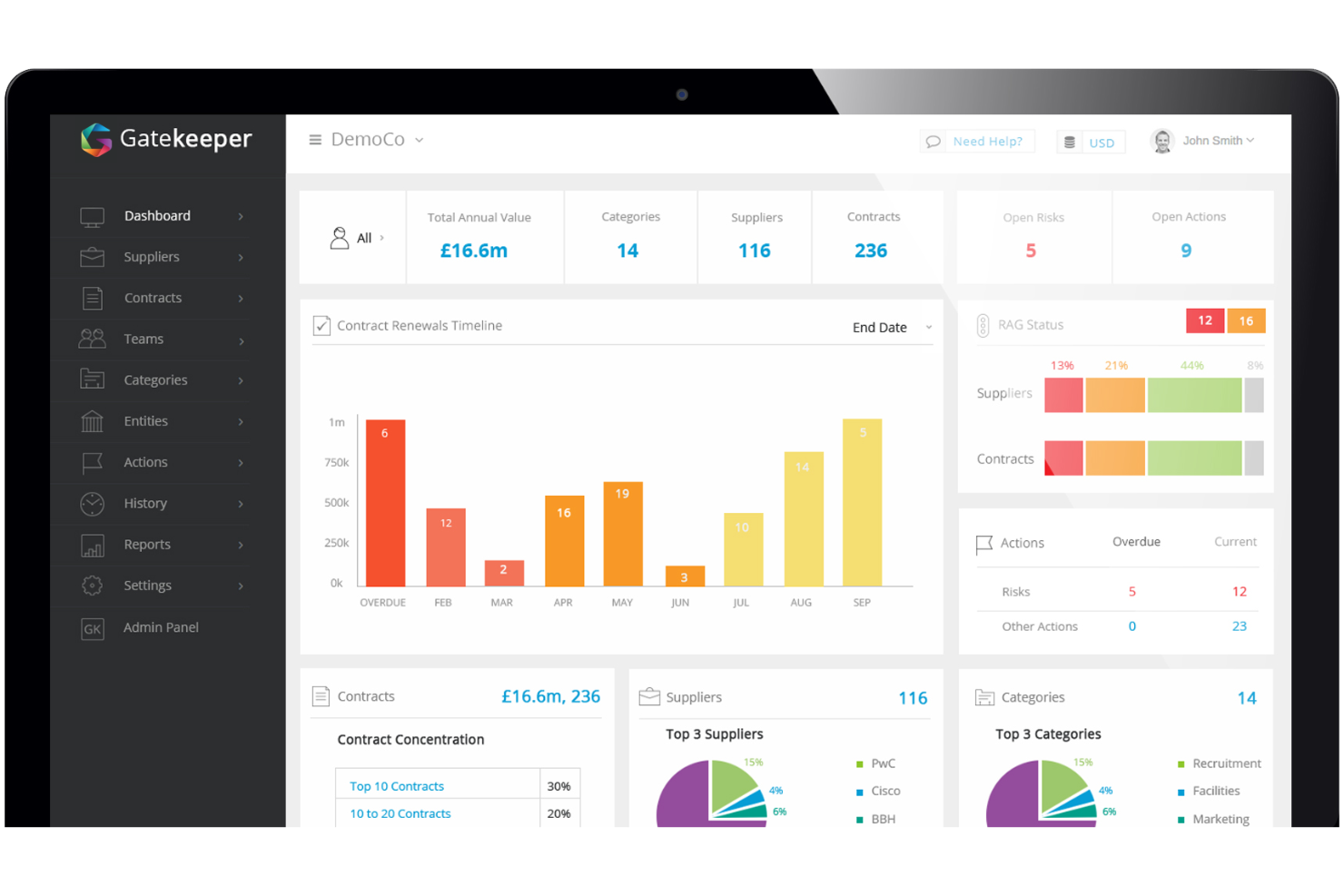
Gatekeeper is a legal contract management software that pairs contract lifecycle management with vendor relationship tracking in one platform. It's a natural fit for legal and procurement teams that need to manage contracts and supplier data side by side, without depending on IT to get the system up and running. I'd choose it over something like Ironclad if vendor management is a real priority—Gatekeeper has that built in natively, rather than treated as an add-on.
Gatekeeper Evaluation Summary
- Pricing upon request
- Free demo available
Por qué confiar en nuestras recomendaciones de software
Nuestro equipo lleva probando y evaluando software desde 2012. Como líderes de despachos jurídicos, sabemos lo difícil —y lo importante— que es elegir el software adecuado.
Para esta guía, evaluamos las herramientas mediante pruebas prácticas e investigación independiente, puntuando las herramientas según nuestros criterios de selección.
Nuestras reseñas reflejan nuestro criterio editorial humano, no un discurso de ventas.
Gatekeeper Overview
Gatekeeper offers a strong mix of automation, customizable workflows, and modular features, making it a top choice for legal teams prioritizing ease of use and quick onboarding. Its support is responsive, but advanced integrations and highly tailored configurations can lag behind some competitors.. Gatekeeper excels for organizations seeking to standardize contract processes and reduce manual oversight, especially in mid-sized legal departments or businesses scaling their contract volume. If you’re judging options based on user experience and straightforward implementation, Gatekeeper stands out, though those needing deep customization may find limitations.
pros
-
Automated contract reminders reduce missed renewal dates.
-
Visual workflow builder supports process standardization for legal teams.
-
Audit trails provide clear contract activity tracking for compliance.
cons
-
Advanced reporting options are limited compared to some competitors.
-
Bulk document upload can be slow with large files.
-
Clause library lacks advanced search and filtering features.
-

CARET Legal
Visit WebsiteThis rating combines scores from multiple user review sites to reflect overall customer sentiment about the product.4.4 -
Mitratech TAP Workflow Automation
Visit WebsiteThis rating combines scores from multiple user review sites to reflect overall customer sentiment about the product.4.2 -
Redactable
Visit WebsiteThis rating combines scores from multiple user review sites to reflect overall customer sentiment about the product.4.8


Cómo Probamos y Puntúamos las Herramientas
Hemos pasado años construyendo, refinando y mejorando nuestro sistema de pruebas y puntuación de software. El marco está diseñado para captar las particularidades de la selección de software y lo que hace efectiva una herramienta, enfocándonos en aspectos críticos del proceso de toma de decisiones. A continuación, puede ver exactamente cómo funcionan nuestras pruebas y puntuaciones en siete criterios. Esto nos permite proporcionar una evaluación imparcial del software basada en la funcionalidad principal, características destacadas, facilidad de uso, incorporación, soporte al cliente, integraciones, opiniones de clientes y relación calidad-precio.
Funcionalidad Principal (25% de la puntuación final)
El punto de partida de nuestra evaluación siempre es la funcionalidad principal de la herramienta. ¿Cuenta con las funciones y características básicas que un usuario esperaría ver? ¿Alguna de esas funciones principales está restringida a planes de precios superiores? En esencia, esperamos que la herramienta esté a la altura de las capacidades básicas de sus competidores.
Características Destacadas (25% de la puntuación final)
Luego, evaluamos características destacadas poco comunes que vayan más allá de la funcionalidad principal que normalmente se encuentra en herramientas de su tipo. Una puntuación alta refleja características especializadas o únicas que hacen el producto más rápido, eficiente o que ofrecen valor adicional al usuario. También evaluamos la facilidad con la que puede integrarse con otras herramientas típicas de la pila tecnológica para ampliar la funcionalidad y utilidad del software. Las herramientas que ofrecen numerosas integraciones nativas, conexiones con terceros y acceso API para crear integraciones personalizadas obtienen la mejor puntuación.
Facilidad de Uso (10% de la puntuación final)
Consideramos la rapidez y facilidad con la que se pueden ejecutar las tareas definidas en la funcionalidad principal mediante la herramienta. El software con alta puntuación está bien diseñado, es intuitivo de usar, ofrece aplicaciones móviles, proporciona plantillas y hace que tareas relativamente complejas parezcan simples.
Incorporación (10% de la puntuación final)
Sabemos lo importante que es la rápida adopción de una nueva plataforma por parte del equipo, por eso evaluamos lo fácil que es aprender y usar una herramienta con capacitación mínima. Evaluamos la rapidez con la que un miembro del equipo puede configurarse y empezar a usar la herramienta sin experiencia previa. Las soluciones con alta puntuación indican que requieren poco o ningún soporte.
Soporte al Cliente (10% de la puntuación final)
Revisamos cuán rápido y fácil es obtener ayuda por teléfono, chat en vivo o base de conocimientos. Las herramientas y empresas que proporcionan soporte en tiempo real obtienen la mejor puntuación, mientras que los chatbots obtienen la más baja.
Opiniones de Clientes (10% de la puntuación final)
Más allá de nuestras propias pruebas y evaluaciones, tenemos en cuenta el puntaje neto de recomendación de los clientes actuales y anteriores. Revisamos la probabilidad de que, si tuvieran la opción, eligieran nuevamente la herramienta por su funcionalidad principal. Un software con alta puntuación refleja un alto puntaje neto de recomendación de clientes actuales o pasados.
Relación Calidad-Precio (10% de la puntuación final)
Por último, considerando todos los demás criterios, revisamos el precio promedio de los planes de nivel de entrada en comparación con las funciones principales y los otros factores de evaluación. El software que ofrece más por menos obtendrá una puntuación más alta.
Core Features
Automated Contract Reminders
Gatekeeper sends customizable alerts for key dates like renewals and expirations. This helps legal teams avoid missed deadlines and maintain compliance.
Visual Workflow Builder
Design and automate contract approval processes using a drag-and-drop interface. Users can standardize steps for different contract types without coding.
Centralized Contract Repository
Store all contracts in a secure, searchable cloud database. Quick search and tagging make it easy to locate documents by party, date, or status.
Audit Trails
Track every action taken on a contract, including edits and approvals. This supports compliance and provides a clear record for audits.
Clause Library
Save and reuse approved contract clauses to ensure consistency. Users can quickly insert standard language into new agreements.
E-signature Integration
Send contracts for e-sign directly from Gatekeeper. This speeds up execution and keeps signed documents linked to their records.
Ease of Use
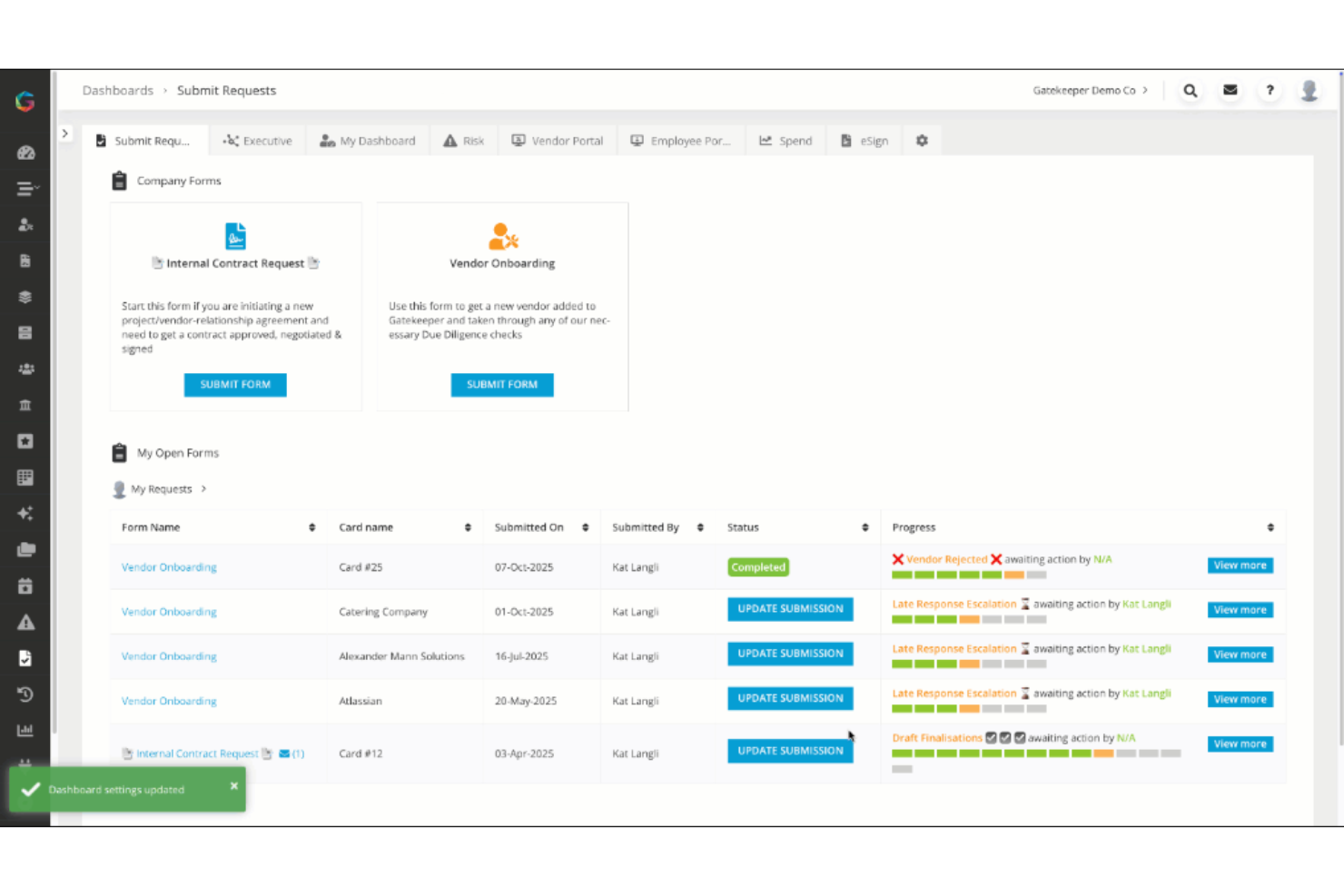
Gatekeeper is widely recognized for its intuitive interface and straightforward navigation, making it accessible for legal teams without the need for a steep learning curve. The visual workflow builder and Kanban-style dashboard simplify process management, while clear labeling and search functions help users find contracts quickly. Many users highlight the minimal training required to get started, and the platform’s logical layout reduces confusion when managing complex contract lifecycles.
Integrations
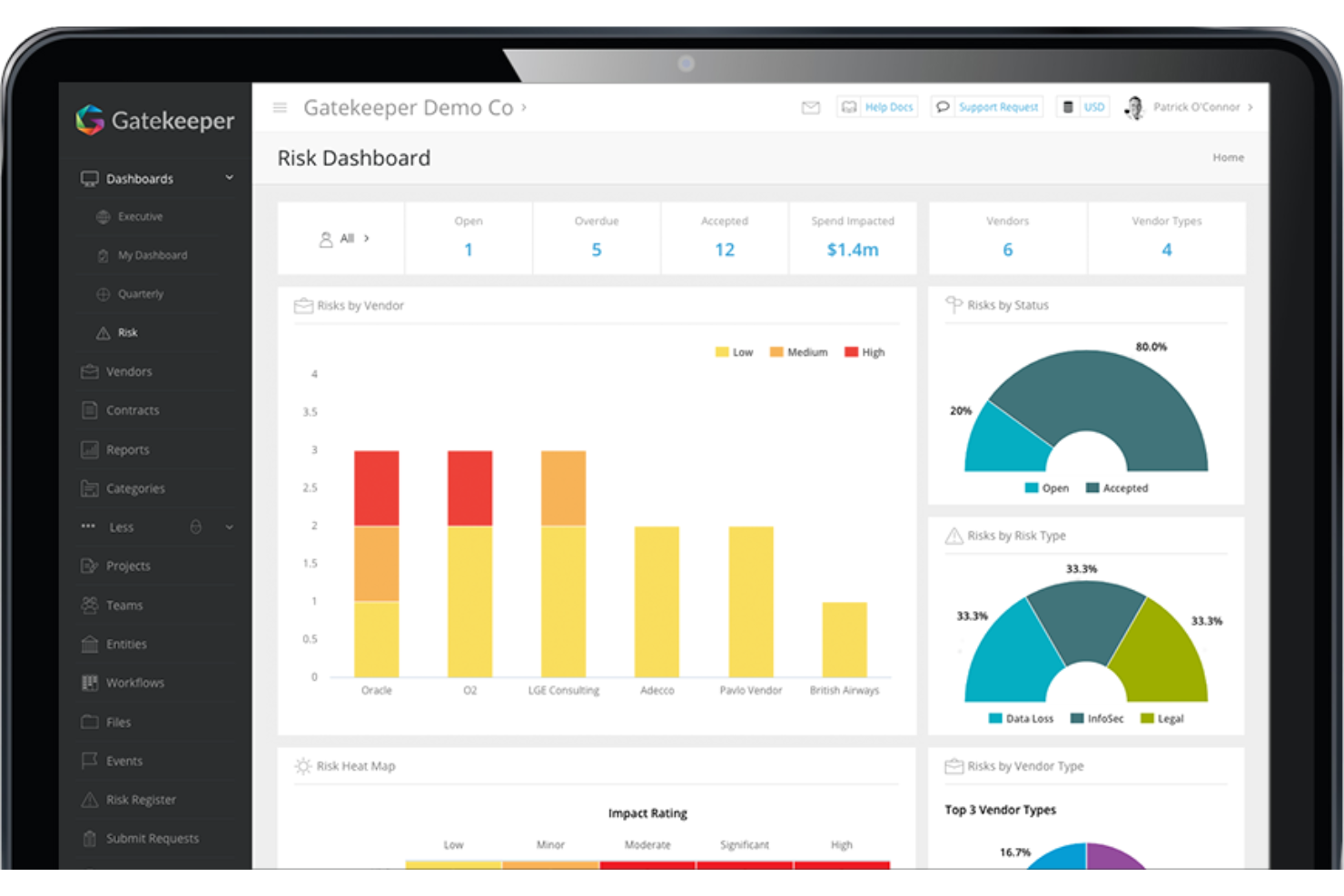
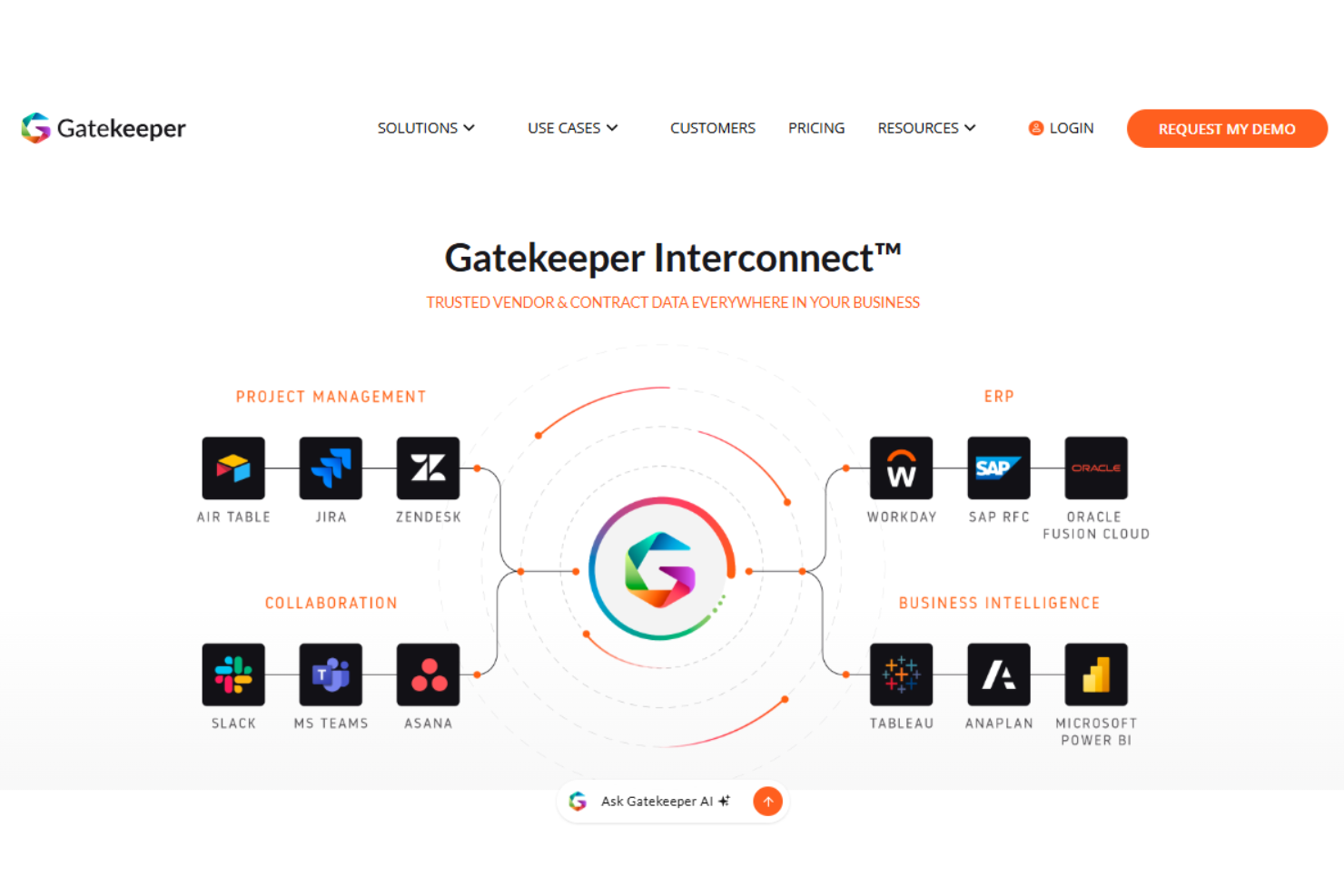
Gatekeeper integrates with Asana, Microsoft Teams, Slack, Workday, NetSuite, Box, and Jira, among others.
Gatekeeper also offers an API and connects with third-party integration tools for expanded connectivity.
Gatekeeper Specs
- 2-Factor Authentication
- API
- Approval Workflows
- Audit Trail
- Batch Permissions & Access
- Calendar Management
- Compliance Tracking
- Contact Management
- Dashboards
- Database
- Design Templates
- Document Comparison
- Document Management
- Electronic Signature
- External Integrations
- File Sharing
- File Transfer
- History/Version Control
- Multi-User
- NDA Management
- Notifications
- Reports
- Scheduling
- Task Scheduling/Tracking
- Third-Party Plugins/Add-Ons
- Workflow Management