
Reseña de NetDocuments: Ventajas, Desventajas, Características y Precios
NetDocuments destaca por su gestión documental segura y centrada en la nube—aquí te explicamos dónde sobresale, dónde no cumple y cómo se compara.

Revisamos las herramientas de forma independiente y las comisiones ayudan a financiar nuestras pruebas. Consulta nuestra política de transparencia, nuestra metodología o sugiere una herramienta.
NetDocuments is a cloud-native legal document management software built for law firms and in-house legal teams that need a centralized, secure place to store, organize, search, and collaborate on documents. I'd mainly consider it if your team is moving away from on-premise systems like iManage and wants a fully cloud-hosted solution without the server infrastructure and IT overhead that typically comes with it.
NetDocuments Evaluation Summary
4.1/5
- Pricing upon request
- Free demo available
Por qué confiar en nuestras recomendaciones de software
6,700+
Reviews
20
Industry experts
16+
Evaluation factors
14
Years
Nuestro equipo lleva probando y evaluando software desde 2012. Como líderes de despachos jurídicos, sabemos lo difícil —y lo importante— que es elegir el software adecuado.
Para esta guía, evaluamos las herramientas mediante pruebas prácticas e investigación independiente, puntuando las herramientas según nuestros criterios de selección.
Nuestras reseñas reflejan nuestro criterio editorial humano, no un discurso de ventas.
NetDocuments Overview
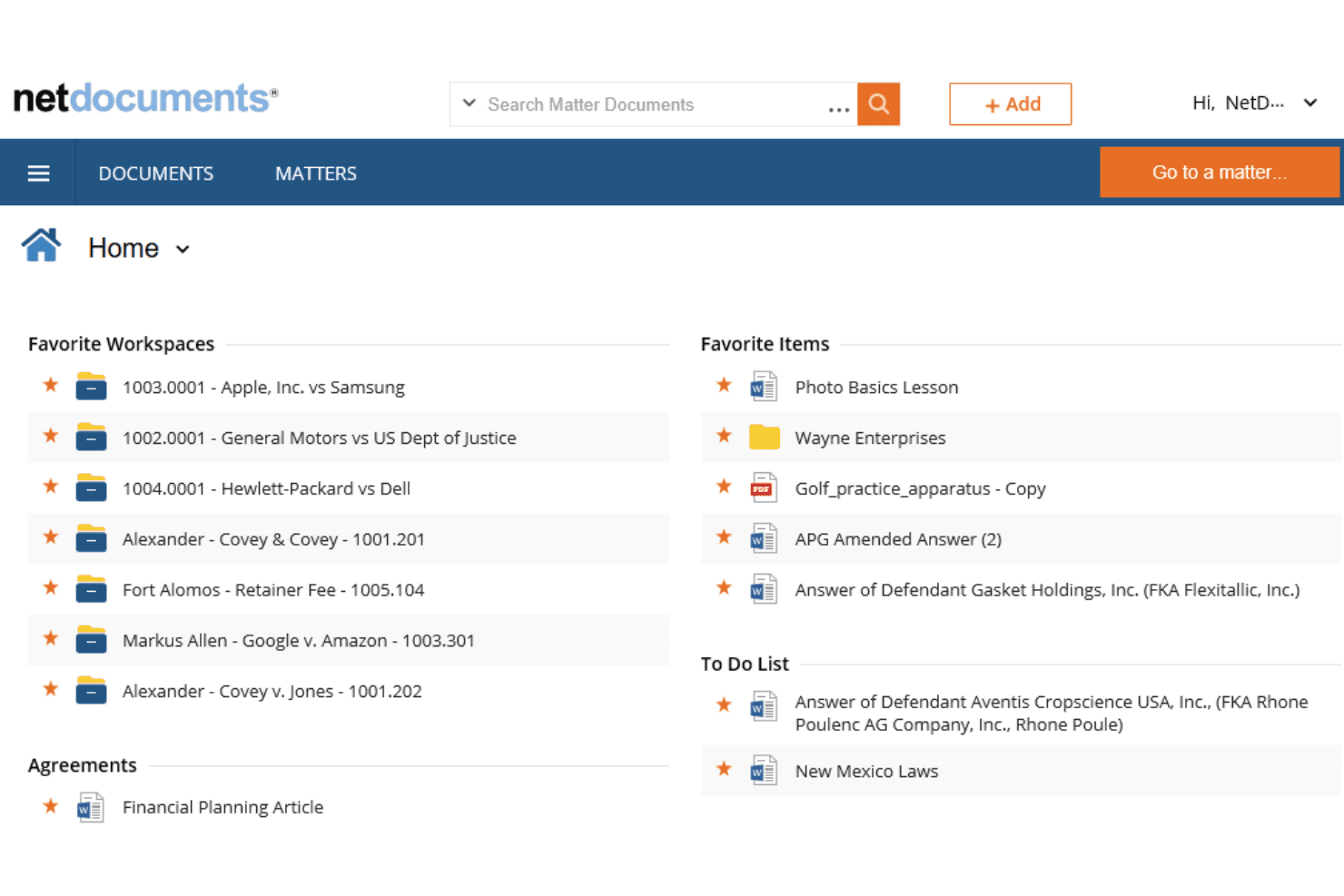
When I compare NetDocuments to other legal content management platforms, I think its cloud-first design, granular security controls, and intuitive interface set it apart. Pricing is competitive for firms prioritizing compliance and collaboration. I’ve found onboarding straightforward, with responsive support and strong integration options for Microsoft 365 and e-signature tools.
While some advanced workflow features require add-ons, NetDocuments excels for teams who need secure, scalable document management without heavy IT overhead. I’d suggest it’s best for midsize to large firms or legal departments that judge reliability and security as top priorities.
Pros
- Reliable cloud access with high uptime and version control.
- Strong Microsoft 365 and e-signature tool integrations.
- Advanced security and compliance features for legal data.
Cons
- Interface updates may disrupt established user workflows.
- Customer support response times can be inconsistent.
- Some advanced workflow features require additional modules.
Is NetDocuments Right For Your Needs?
Who Would be a Good Fit for NetDocuments?
NetDocuments is a strong choice for organizations that need secure, cloud-based document management with advanced compliance and collaboration features. It’s especially well-suited for legal teams, regulated industries, and departments handling sensitive information.
Its granular security controls, Microsoft 365 integration, and reliable uptime make it a top pick for firms that judge data protection and workflow efficiency as essential.
- Multi-Office FirmsCloud access and version control support distributed teams.
- Healthcare OrganizationsHIPAA-ready controls help manage sensitive patient and legal records.
- Government AgenciesGranular permissions and cloud access support public sector requirements.
- Financial ServicesAdvanced security and compliance features meet industry regulations.
- Corporate Legal DepartmentsCentralized document control and audit trails support in-house legal teams.
- Large Law FirmsNetDocuments handles complex document structures and strict compliance needs.
Who Would be a Bad Fit for NetDocuments?
NetDocuments may not be the best choice for small businesses, teams with minimal compliance needs, or organizations that want highly customizable workflows out of the box. Its advanced features and pricing are best justified when security, auditability, and collaboration are top priorities. For teams with simple document needs or limited budgets, other options may be more practical.
- Construction FirmsDoesn’t offer industry-specific templates or project management tools.
- IT DepartmentsLacks IT-specific workflow automation and ticketing features.
- Nonprofits With Tight BudgetsSubscription costs may not align with limited funding.
- Creative AgenciesWorkflow and interface are tailored for legal, not creative, processes.
- Small StartupsBasic document storage needs don’t require advanced compliance tools.
- Solo PractitionersPricing and features may exceed the needs of solo lawyers.
Cómo Probamos y Puntúamos las Herramientas
Hemos pasado años construyendo, refinando y mejorando nuestro sistema de pruebas y puntuación de software. El marco está diseñado para captar las particularidades de la selección de software y lo que hace efectiva una herramienta, enfocándonos en aspectos críticos del proceso de toma de decisiones. A continuación, puede ver exactamente cómo funcionan nuestras pruebas y puntuaciones en siete criterios. Esto nos permite proporcionar una evaluación imparcial del software basada en la funcionalidad principal, características destacadas, facilidad de uso, incorporación, soporte al cliente, integraciones, opiniones de clientes y relación calidad-precio.
Funcionalidad Principal (25% de la puntuación final)
El punto de partida de nuestra evaluación siempre es la funcionalidad principal de la herramienta. ¿Cuenta con las funciones y características básicas que un usuario esperaría ver? ¿Alguna de esas funciones principales está restringida a planes de precios superiores? En esencia, esperamos que la herramienta esté a la altura de las capacidades básicas de sus competidores.
Características Destacadas (25% de la puntuación final)
Luego, evaluamos características destacadas poco comunes que vayan más allá de la funcionalidad principal que normalmente se encuentra en herramientas de su tipo. Una puntuación alta refleja características especializadas o únicas que hacen el producto más rápido, eficiente o que ofrecen valor adicional al usuario. También evaluamos la facilidad con la que puede integrarse con otras herramientas típicas de la pila tecnológica para ampliar la funcionalidad y utilidad del software. Las herramientas que ofrecen numerosas integraciones nativas, conexiones con terceros y acceso API para crear integraciones personalizadas obtienen la mejor puntuación.
Facilidad de Uso (10% de la puntuación final)
Consideramos la rapidez y facilidad con la que se pueden ejecutar las tareas definidas en la funcionalidad principal mediante la herramienta. El software con alta puntuación está bien diseñado, es intuitivo de usar, ofrece aplicaciones móviles, proporciona plantillas y hace que tareas relativamente complejas parezcan simples.
Incorporación (10% de la puntuación final)
Sabemos lo importante que es la rápida adopción de una nueva plataforma por parte del equipo, por eso evaluamos lo fácil que es aprender y usar una herramienta con capacitación mínima. Evaluamos la rapidez con la que un miembro del equipo puede configurarse y empezar a usar la herramienta sin experiencia previa. Las soluciones con alta puntuación indican que requieren poco o ningún soporte.
Soporte al Cliente (10% de la puntuación final)
Revisamos cuán rápido y fácil es obtener ayuda por teléfono, chat en vivo o base de conocimientos. Las herramientas y empresas que proporcionan soporte en tiempo real obtienen la mejor puntuación, mientras que los chatbots obtienen la más baja.
Opiniones de Clientes (10% de la puntuación final)
Más allá de nuestras propias pruebas y evaluaciones, tenemos en cuenta el puntaje neto de recomendación de los clientes actuales y anteriores. Revisamos la probabilidad de que, si tuvieran la opción, eligieran nuevamente la herramienta por su funcionalidad principal. Un software con alta puntuación refleja un alto puntaje neto de recomendación de clientes actuales o pasados.
Relación Calidad-Precio (10% de la puntuación final)
Por último, considerando todos los demás criterios, revisamos el precio promedio de los planes de nivel de entrada en comparación con las funciones principales y los otros factores de evaluación. El software que ofrece más por menos obtendrá una puntuación más alta.
Core Features
Document Versioning
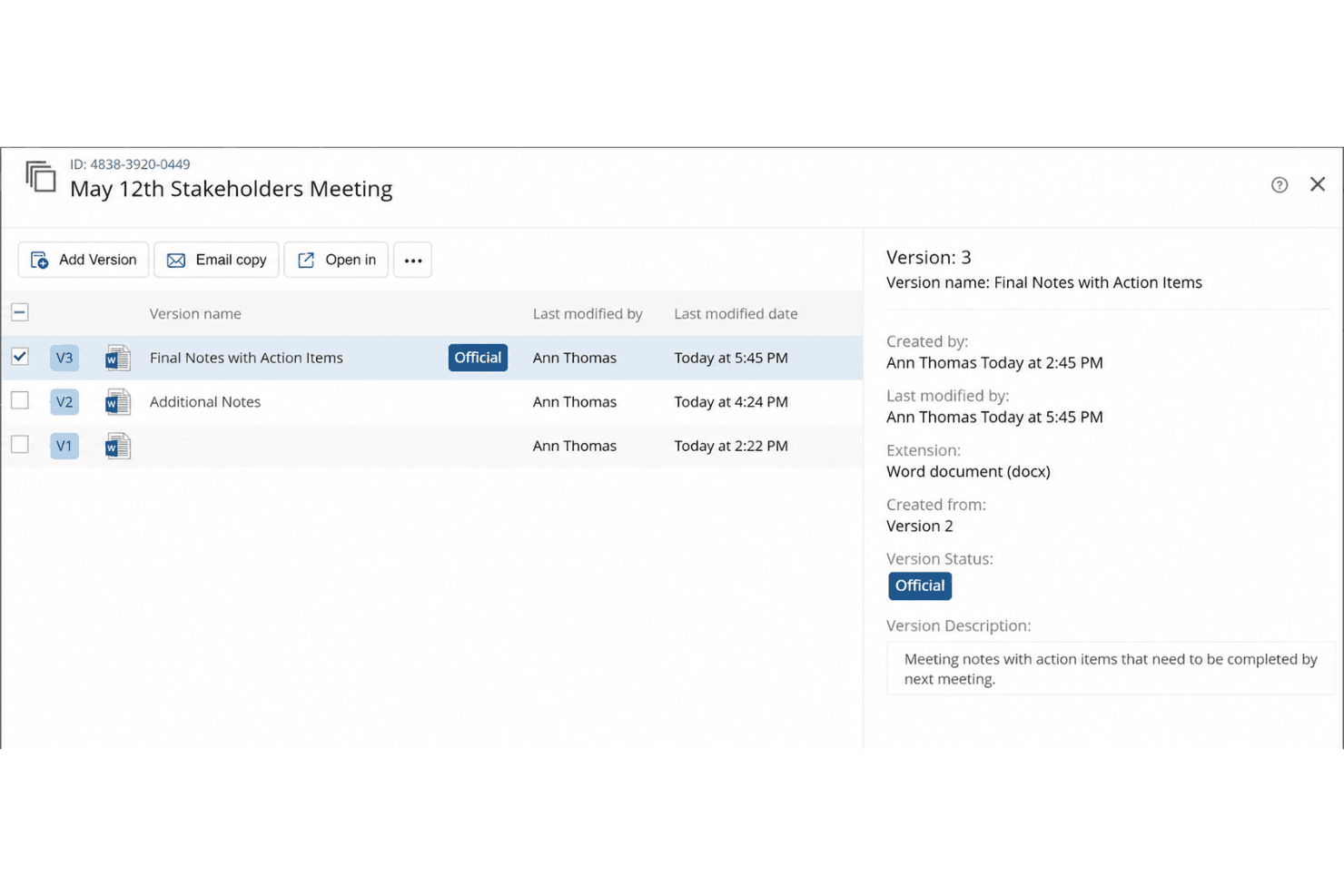
Track, compare, and restore previous document versions with a clear audit trail. This helps legal teams avoid errors and maintain compliance.
Granular Access Controls
Set user, group, or matter-level permissions for sensitive files. You can restrict or allow access based on role or project.
Full-Text Search
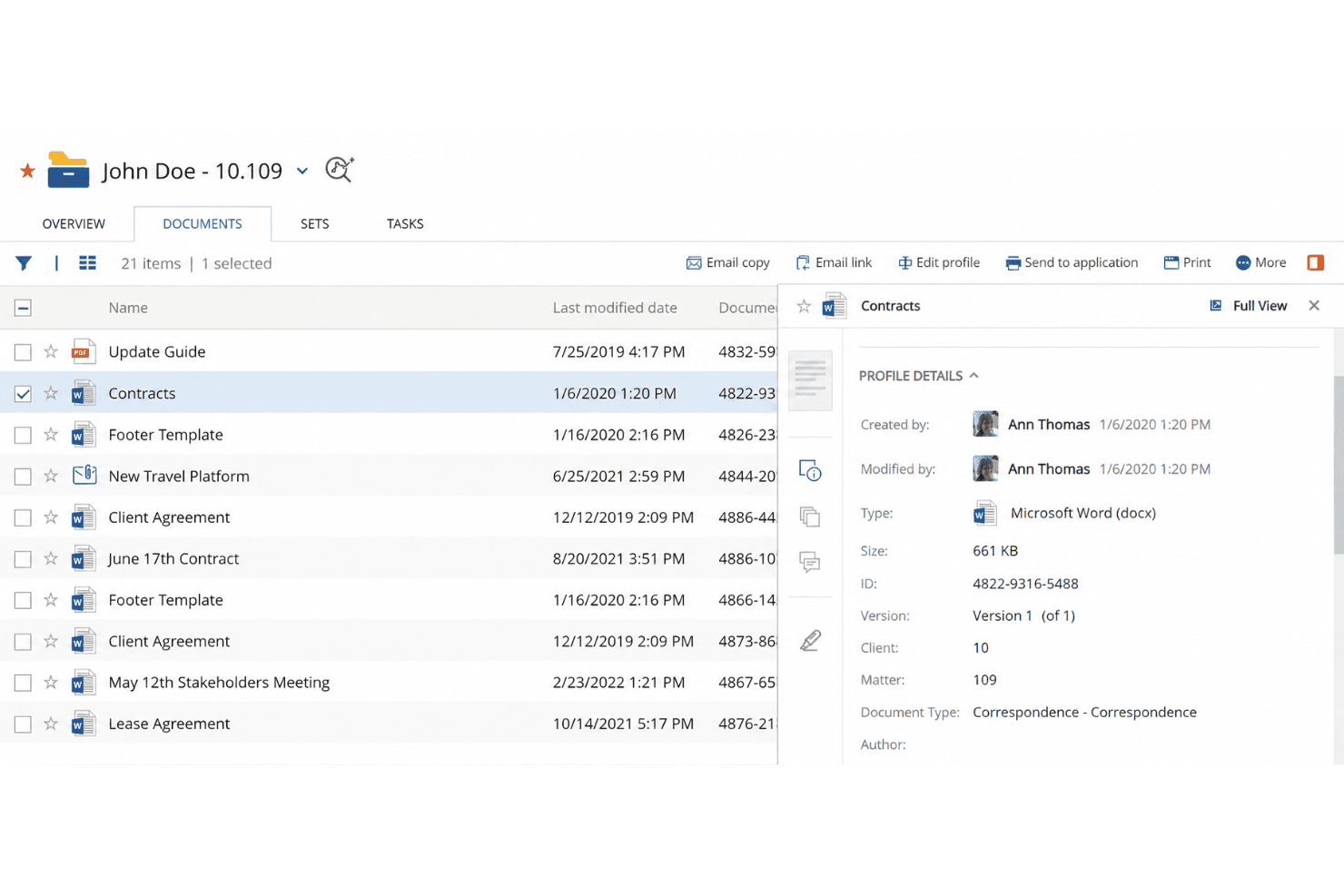
Search across all documents, emails, and metadata with advanced filters. This speeds up finding case files or specific clauses.
Automated Document Filing
Automatically organize documents by client, matter, or project. This reduces manual filing and keeps your workspace organized.
Power Bar Options
Access a centralized toolbar that provides quick actions such as document management, searching, and workflow execution. It enhances productivity by streamlining essential tasks.
Audit Trails and Reporting
Monitor document activity with detailed logs and customizable reports. This supports compliance and internal investigations.
Ease of Use
NetDocuments offers a clean, intuitive interface that most legal professionals can navigate with minimal training. I’ve seen users appreciate its logical folder structures, drag-and-drop uploads, and quick search functionality. The onboarding process is straightforward, and built-in help resources make it easy to resolve questions.
Some users mention occasional disruptions from interface updates, but overall, NetDocuments strikes a good balance between advanced features and everyday usability for legal teams.
Integrations
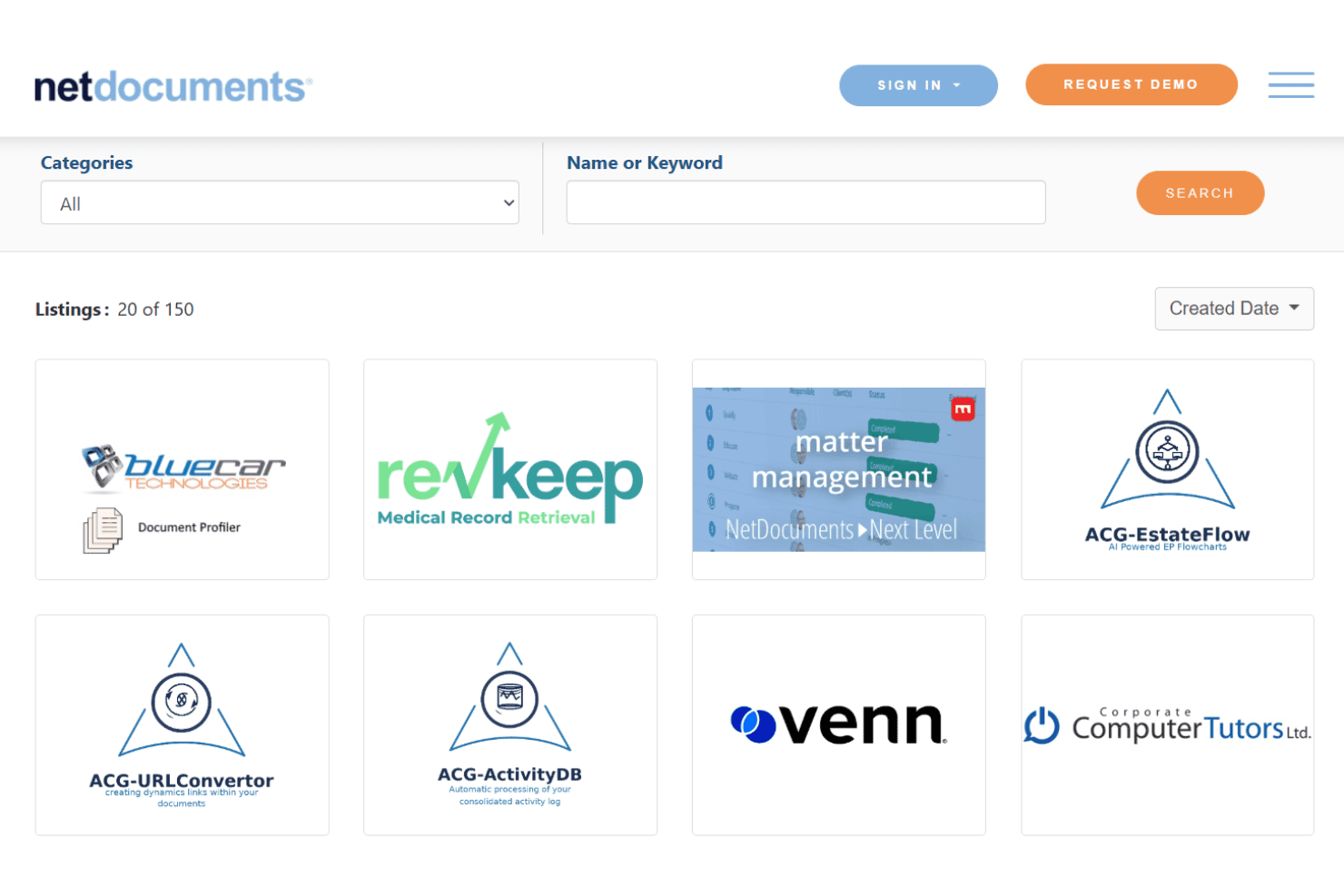
NetDocuments integrates with Microsoft 365, DocuSign, Clio, iManage, Thomson Reuters, Tabs3, Centerbase, Worldox, Litera, and NetDocuments eDOCS, among others.
NetDocuments also offers an API and connects with third-party integration tools.
NetDocuments Specs
- 2-Factor Authentication: Yes
- API: Yes
- Approval Workflows: Yes
- Audit Trail: Yes
- Batch Permissions & Access: Yes
- Chat: Yes
- Dashboard: Yes
- Data Export: Yes
- Data Import: Yes
- Document Comparison: Yes
- Document Sharing: Yes
- Electronic Signature: Yes
- Email Integration: Yes
- External Integrations: Yes
- File Sharing: Yes
- File Transfer: Yes
- Google Apps Integration: Yes
- History/Version Control: Yes
- Metadata Management: Yes
- Multi-User: Yes
- NDA Management: Yes
- Notifications: Yes
- Password & Access Management: Yes
- Project Management: Yes
- Template Designer: Yes


