

Avis sur Xakia 2026 : avantages, inconvénients, fonctionnalités et tarifs
J'ai mis Xakia à l'épreuve : voici pourquoi son design intuitif et ses analyses basées sur les données le distinguent des autres outils de gestion des dossiers.

Nous évaluons les outils de façon indépendante, et les commissions contribuent à financer nos tests. Consultez notre politique de transparence, notre méthodologie, ou suggérez un outil.
Xakia is a matter management software built specifically for in-house legal teams that need a single place to track matters, manage workload, and report on legal spend. I'd consider it if your team has outgrown spreadsheets but doesn't need the setup complexity of enterprise tools like Legal Tracker—Xakia deploys faster and is far easier for legal ops teams to configure without heavy IT involvement.
Xakia Evaluation Summary
4.8/5
- From $100/user/month
- 14-day free trial
Pourquoi faire confiance à nos recommandations de logiciels
6,700+
Reviews
20
Industry experts
16+
Evaluation factors
14
Years
Notre équipe teste et évalue des logiciels depuis 2012. En tant que dirigeants de cabinets juridiques nous-mêmes, nous savons à quel point il est difficile — et important — de choisir le bon logiciel.
Pour ce guide, nous avons évalué les outils grâce à des tests pratiques et une recherche indépendante, en notant les outils selon nos critères de sélection.
Nos avis reflètent notre jugement éditorial humain, et non un argumentaire de vente.
Xakia Overview
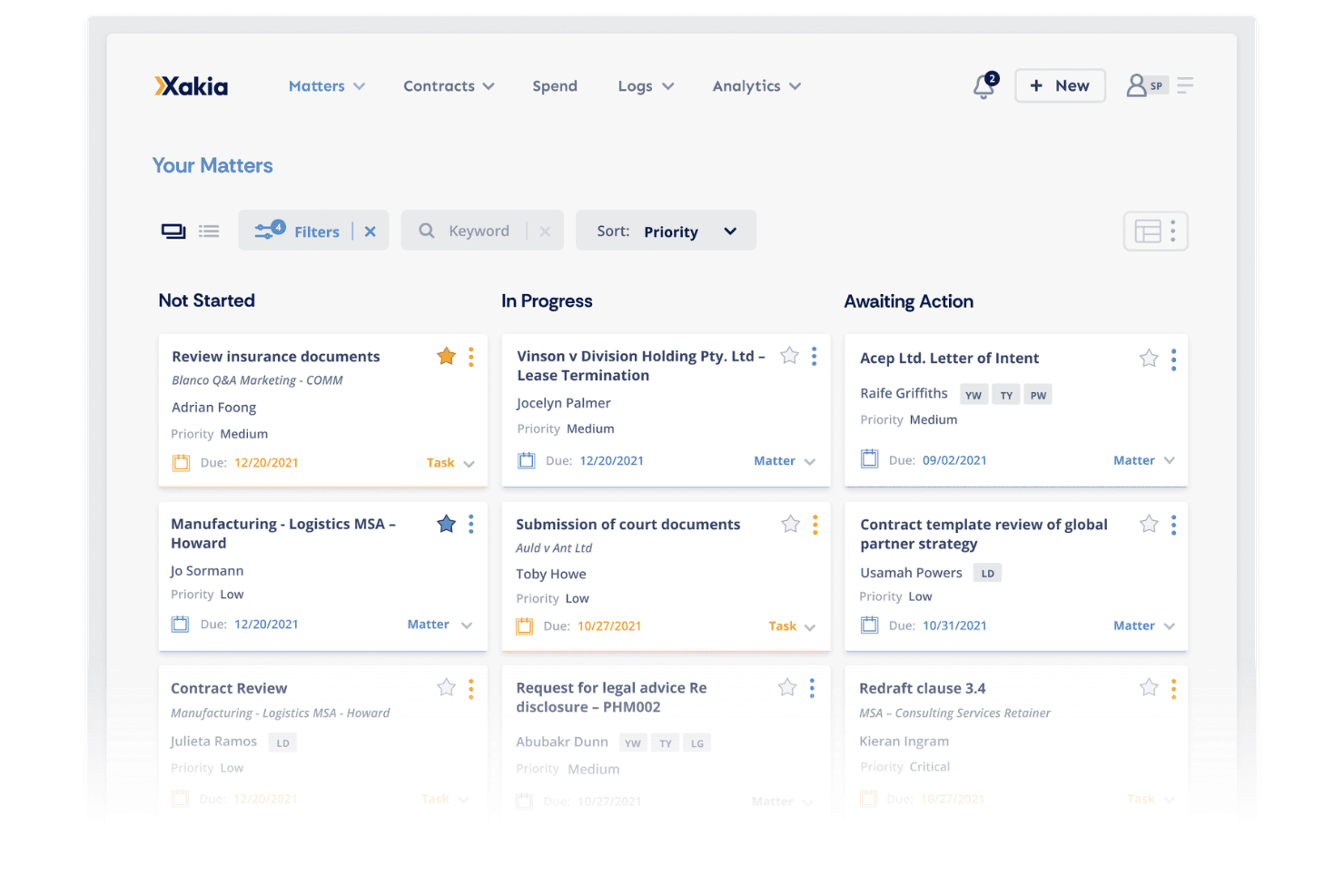
If you’re judging matter management software on interface and reporting, Xakia stands out with its clean dashboard and customizable analytics. I think its pricing is fair for midsize legal teams, and onboarding is straightforward thanks to guided setup and responsive support. While its integrations cover most needs, some niche tools aren’t included.
Compared to others, Xakia’s workflow automation and visual matter tracking are more intuitive, but advanced document management is less developed. I’d suggest Xakia for in-house teams who want actionable insights and easy adoption without sacrificing core matter tracking features.
Pros
- Fast onboarding with responsive customer support
- Offers real-time analytics and customizable dashboards
- Centralizes matter, contract, and spend management in one platform
Cons
- Advanced reporting options may require additional setup
- Limited integrations with niche legal tech tools
- Document management features are less advanced than some competitors
Is Xakia Right For Your Needs?
Who Would be a Good Fit for Xakia?
Xakia is a strong choice for in-house legal teams, midsize companies, and organizations that need centralized matter tracking and actionable analytics. Its dashboard-driven interface, spend management, and reporting tools make it especially useful for teams managing high matter volumes or collaborating across departments.
Xakia’s fast onboarding and responsive support also suit legal operations roles and compliance-focused industries that value quick adoption and clear oversight.
- Healthcare OrganizationsCentralized matter management supports privacy and regulatory demands.
- Financial ServicesSpend management and risk tracking fit regulated environments.
- Compliance TeamsReal-time tracking and audit trails help meet compliance requirements.
- Legal OperationsCustomizable dashboards and analytics support legal ops reporting.
- Midsize CompaniesIts pricing and features align well with midsize business needs.
- In-House LegalXakia centralizes matters, contracts, and spend for legal departments.
Who Would be a Bad Fit for Xakia?
Xakia may not suit law firms needing advanced document automation, small businesses with minimal legal work, or teams that rely on deep integrations with niche legal tech. Its document management is less developed, and some advanced reporting features require setup, making it less ideal for highly specialized or resource-constrained environments.
- Tech StartupsStartups needing lightweight, low-cost tools may find Xakia too robust.
- IP Law DepartmentsLacks specialized IP docketing and portfolio management tools.
- Government AgenciesSome agencies need deeper records management than Xakia offers.
- Solo PractitionersThe platform’s scale and pricing don’t suit solo lawyers.
- Litigation-Focused FirmsLimited document automation doesn’t fit heavy litigation workflows.
- Small BusinessesXakia’s feature set may be more than small teams need.
Comment nous testons et évaluons les outils
Nous avons passé des années à construire, affiner et améliorer notre système de test et de notation des logiciels. Notre grille est conçue pour saisir les nuances de la sélection logicielle et ce qui rend un outil efficace, en mettant l’accent sur les aspects critiques du processus décisionnel. Ci-dessous, vous pouvez voir exactement comment notre système de test et de notation fonctionne selon sept critères. Cela nous permet de fournir une évaluation objective du logiciel basée sur les fonctionnalités essentielles, les caractéristiques remarquables, la facilité d’utilisation, l’intégration, l’accompagnement client, les avis clients et le rapport qualité/prix.
Fonctionnalité principale (25 % de la note finale)
Le point de départ de notre évaluation est toujours la fonctionnalité principale de l’outil. Celui-ci possède-t-il les fonctions et fonctionnalités de base attendues par un utilisateur ? Certaines de ces fonctions essentielles sont-elles uniquement accessibles dans des formules plus chères ? À la base, nous attendons qu’un outil tienne la comparaison avec les capacités minimales de ses concurrents.
Fonctionnalités remarquables (25 % de la note finale)
Ensuite, nous évaluons les fonctionnalités exceptionnelles et rares qui vont au-delà de la fonctionnalité principale que l’on trouve habituellement dans ce type d’outils. Un score élevé reflète des fonctions spécialisées ou uniques rendant le produit plus rapide, plus efficace, ou offrant une valeur ajoutée à l’utilisateur. Nous évaluons également la facilité d’intégration avec d’autres outils présents dans la pile technologique pour élargir la fonctionnalité et l’utilité du logiciel. Les outils proposant de nombreuses intégrations natives, des connexions tierces et un accès API pour créer des intégrations personnalisées obtiennent de meilleurs scores.
Facilité d’utilisation (10 % de la note finale)
Nous prenons en compte la rapidité et la simplicité avec lesquelles il est possible d’exécuter les tâches définies dans la fonctionnalité principale à l’aide de l’outil. Un logiciel bien noté est bien conçu, intuitif à utiliser, propose des applications mobiles, fournit des modèles et rend des tâches relativement complexes simples.
Mise en route (10 % de la note finale)
Nous savons à quel point il est important d’adopter rapidement une nouvelle plateforme au sein d’une équipe, c’est pourquoi nous évaluons la facilité de prise en main et d’utilisation d’un outil avec peu de formation. Nous évaluons le temps nécessaire à un membre de l’équipe pour s’installer et commencer à utiliser l’outil sans expérience préalable. Les solutions bien notées indiquent que peu ou pas d’accompagnement est requis.
Support client (10 % de la note finale)
Nous examinons la rapidité et la facilité d’obtenir de l’aide par téléphone, chat en direct ou base de connaissances. Les outils et entreprises offrant un support en temps réel obtiennent la meilleure note, tandis que les chatbots reçoivent la note la plus basse.
Avis clients (10 % de la note finale)
Au-delà de nos propres tests et évaluations, nous prenons en compte le score de recommandation des clients actuels et passés. Nous vérifions leur probabilité, si elle leur était donnée, de choisir à nouveau cet outil pour ses fonctionnalités essentielles. Un logiciel bien noté reflète un score de recommandation élevé par les clients actuels ou passés.
Rapport qualité/prix (10 % de la note finale)
Enfin, en tenant compte de tous les autres critères, nous comparons le prix moyen des plans d’entrée de gamme aux fonctionnalités essentielles et analysons la valeur des autres critères d’évaluation. Un logiciel qui offre plus pour moins sera mieux noté.
Core Features
Matter Management
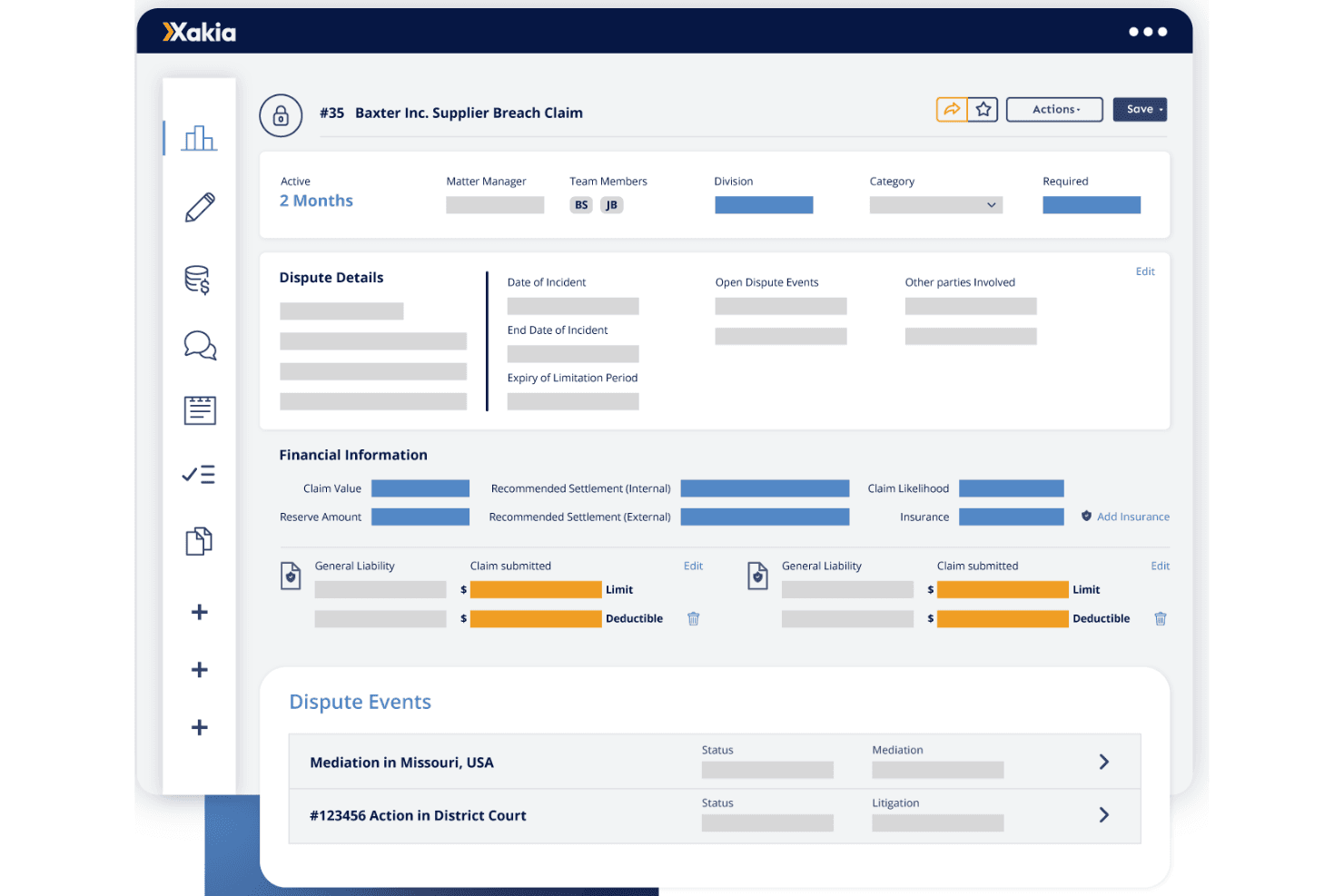
Track every matter from intake to resolution with centralized deadlines, documents, and updates. Users get a clear overview of all legal work in one place.
Intake & Triage
Capture, route, and prioritize legal requests through a structured front door. Assign work efficiently and avoid inbox chaos.
Contract Lifecycle
Create, manage, and automate standard contracts with built-in collaboration tools. Reduce review bottlenecks and move contracts forward faster.
Spend Management
Monitor legal budgets, compare forecasts, and control costs in real time. Built-in tools help prevent overspending and improve financial visibility.
Dashboards & Reporting
Surface insights and share the impact of legal work with customizable dashboards. Generate reports in minutes without manual data gathering.
Document Management
Store, search, and retrieve legal documents linked to the right matters. Keep files organized and accessible for the whole team.
Ease of Use
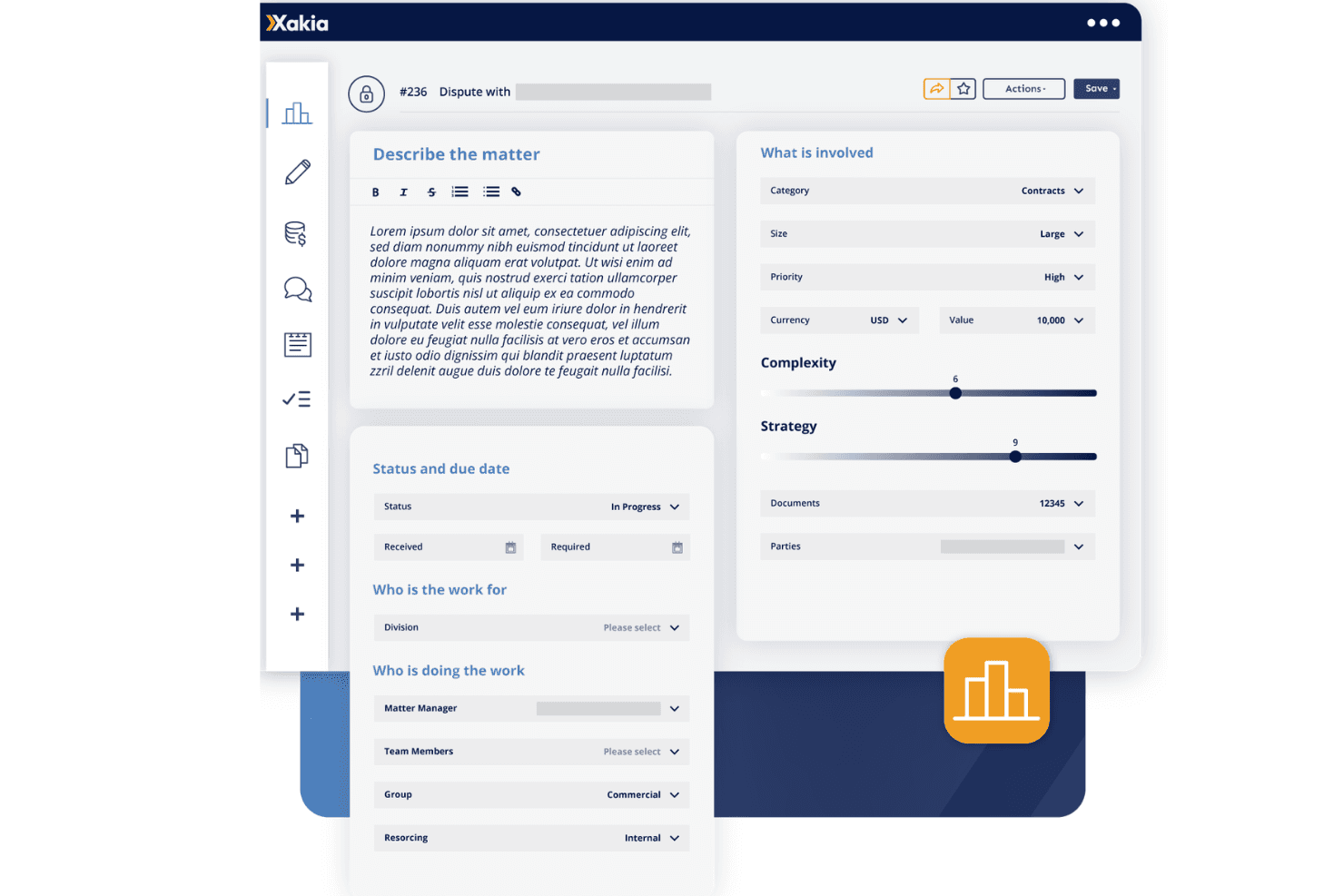
Xakia’s interface is clean and intuitive, making it easy for legal teams to get started without heavy training. Users often mention the dashboard’s clarity and the logical flow from matter intake to reporting. The guided onboarding and responsive support help teams adopt new workflows quickly. I think the platform’s straightforward navigation and visual tools make it less overwhelming than many alternatives, especially for teams new to matter management software.
Integrations
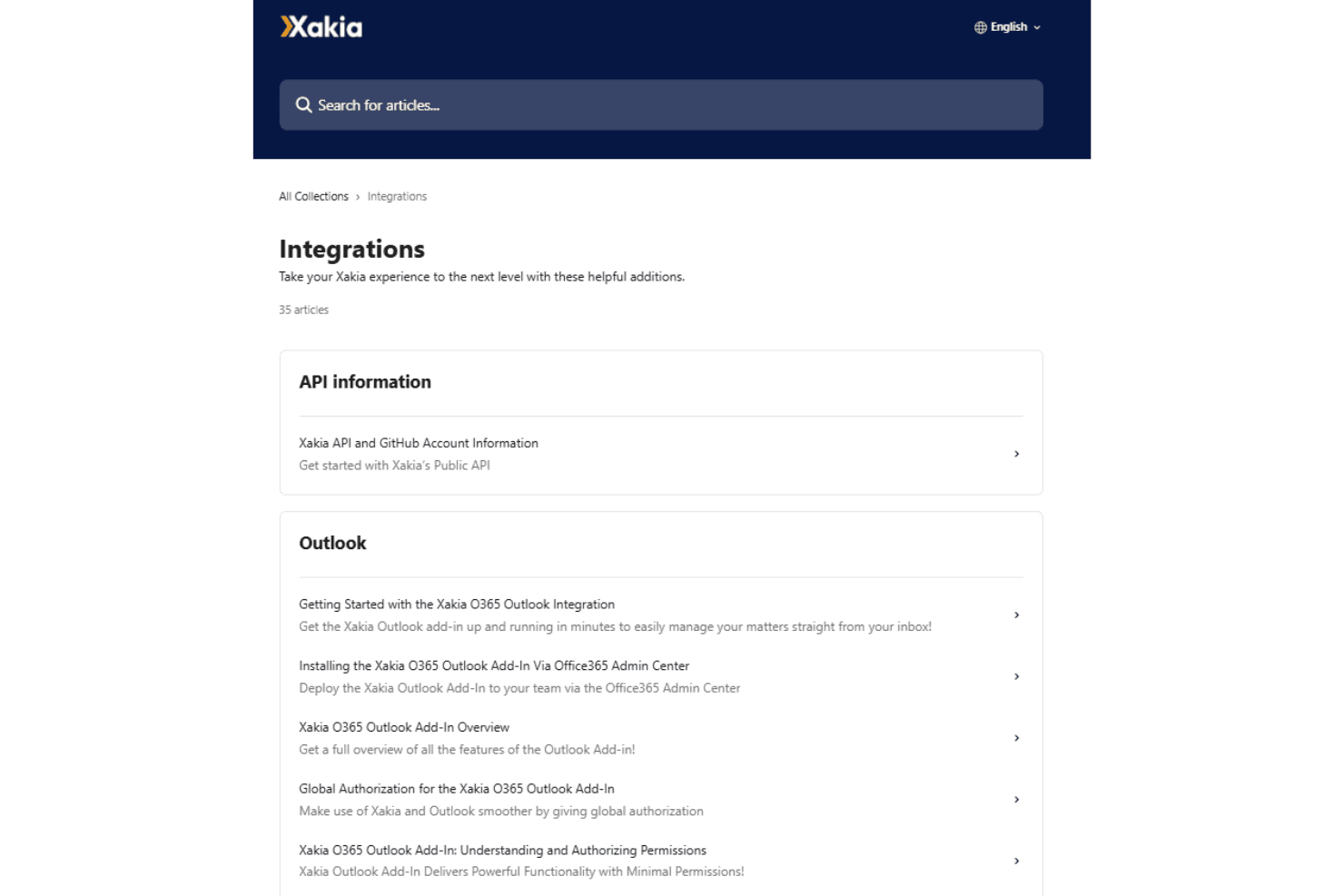
Xakia integrates with NetDocuments, iManage, Outlook, DocuSign, Word, Gmail, Josef, SharePoint, Ironclad, and Microsoft Entra, among others.
Xakia also offers an API and supports connections with third-party integration tools.
Xakia Specs
- 2-Factor Authentication: No
- API: No
- Approval Workflows: No
- Audit Trail: No
- Calendar Management: Yes
- Compliance Tracking: No
- Contract Management: No
- Custom Reports: No
- Customer Management: No
- Data Export: No
- Data Import: No
- Document Management: No
- External Integrations: No
- Multi-User: Yes
- NDA Management: No
- Notifications: No
- Policy Management: No
- Scheduling: No
- Workflow Management: No


