

Recensione Practical Law: Pro, Contro, Caratteristiche e Prezzi
Practical Law si distingue per i team legali che necessitano di più dei semplici modelli, anche se può avere dei limiti a seconda delle esigenze del tuo flusso di lavoro.

Recensiamo gli strumenti in modo indipendente e le commissioni ci aiutano a finanziare i nostri test. Consulta la nostra politica sulla trasparenza, la nostra metodologia o suggerisci uno strumento.
Practical Law is a legal document management software from Thomson Reuters that gives legal teams access to attorney-drafted templates, practice notes, and checklists across dozens of practice areas. I'd mainly consider it if your team handles a lot of transactional or advisory work and needs drafting resources you can rely on right out of the box. Compared to Bloomberg Law, Practical Law's edge is the depth and usability of its practice-ready documents, making it a stronger fit for teams that prioritize drafting support over a research-first platform.
Practical Law Evaluation Summary
4.3/5
- Pricing upon request
- Free demo available
Perché fidarsi dei nostri consigli sui software
6,700+
Reviews
20
Industry experts
16+
Evaluation factors
14
Years
Il nostro team testa e recensisce software dal 2012. In quanto leader di studi legali noi stessi, sappiamo quanto sia difficile — e importante — scegliere il software giusto.
Per questa guida, abbiamo valutato gli strumenti attraverso test pratici e ricerche indipendenti, assegnando un punteggio agli strumenti in base ai nostri criteri di selezione.
Le nostre recensioni riflettono il nostro giudizio editoriale umano, non un discorso di vendita.
Practical Law Overview
When I compare Practical Law to other legal management software, I think its curated guidance and up-to-date templates set it apart for teams who need reliable, vetted content. The interface is straightforward, and onboarding is quick, but integration options are limited and pricing can be steep for smaller firms.
I find Practical Law best for in-house counsel or law firms handling complex, high-stakes matters where accuracy and speed matter most. If you’re judging by content quality and expert support, Practical Law is a top pick, though it’s less suited for those seeking deep workflow automation or broad third-party integrations.
Pros
- Fast access to practical answers for complex legal questions
- Guidance and practice notes written by experienced attorneys
- Extensive library of up-to-date legal templates and resources
Cons
- Integration options with other legal tools are minimal
- Pricing is high for small or solo practices
- Limited workflow automation compared to other platforms
Is Practical Law Right For Your Needs?
Who Would be a Good Fit for Practical Law?
Practical Law is a strong choice for legal teams that need fast, reliable access to expertly drafted resources and up-to-date guidance. I think it’s best for organizations where legal accuracy, efficiency, and risk mitigation are top priorities.
Its curated content and practical tools make it especially valuable for teams handling complex, high-stakes matters or those with limited internal legal research capacity.
- Government Legal TeamsPublic sector lawyers benefit from the practical tools for policy drafting and regulatory interpretation.
- Healthcare OrganizationsHealthcare legal teams use the detailed guidance for industry-specific compliance and contract drafting.
- Financial ServicesBanks and financial institutions rely on the platform’s regulatory updates and sector-specific content.
- Compliance DepartmentsCompliance teams use Practical Law’s checklists and guidance to stay current with changing regulations.
- Midsize Law FirmsFirms with multiple practice areas can leverage the extensive resource library to support varied client needs.
- Large Corporate LegalIn-house teams at large companies benefit from the breadth of practice notes and templates for diverse legal issues.
Who Would be a Bad Fit for Practical Law?
Practical Law isn’t ideal for teams that need deep workflow automation, broad integrations, or highly customized document management. If your focus is on automating routine processes or integrating with a wide range of business systems, you’ll find Practical Law’s capabilities limited in those areas.
- HR DepartmentsHR teams looking for onboarding, policy automation, or employee document workflows will find limited support.
- Real Estate AgenciesReal estate teams may need specialized transaction management features not covered by Practical Law.
- IT DepartmentsIT teams seeking contract lifecycle management or technical workflow tools won’t find those here.
- Litigation-Heavy FirmsLitigation teams may need more advanced case management and e-discovery features.
- Legal Tech StartupsStartups focused on automation and integration need more workflow tools than Practical Law offers.
- Small Solo PracticesSolo attorneys may find the cost outweighs the value for limited research needs.
Come Testiamo e Valutiamo gli Strumenti
Abbiamo trascorso anni a costruire, perfezionare e migliorare il nostro sistema di test e valutazione del software. La nostra rubrica è progettata per cogliere le sfumature della selezione del software e ciò che rende uno strumento efficace, concentrandosi sugli aspetti critici del processo decisionale. Qui sotto puoi vedere esattamente come funzionano i nostri test e la nostra valutazione su sette criteri. Questo ci permette di offrire una valutazione imparziale del software sulla base della funzionalità principale, delle caratteristiche distintive, facilità d’uso, onboarding, assistenza clienti, integrazioni, recensioni dei clienti e rapporto qualità-prezzo.
Funzionalità Principale (25% della valutazione finale)
Il punto di partenza della nostra valutazione è sempre la funzionalità principale dello strumento. Possiede le funzionalità e le caratteristiche di base che un utente si aspetterebbe di trovare? Alcune di queste funzionalità principali sono bloccate su piani tariffari più costosi? Ci aspettiamo che uno strumento sia competitivo rispetto alle capacità di base dei suoi concorrenti.
Caratteristiche Distintive (25% della valutazione finale)
Valutiamo quindi le caratteristiche distintive e non comuni che vanno oltre la funzionalità di base generalmente presente in strumenti dello stesso tipo. Un punteggio elevato riflette caratteristiche specializzate o uniche che rendono il prodotto più veloce, più efficiente, oppure che offrono ulteriore valore all’utente. Valutiamo anche quanto sia facile integrare con altri strumenti tipici della propria infrastruttura tecnologica per espandere la funzionalità e l’utilità del software. Gli strumenti che offrono molte integrazioni native, connessioni di terze parti e accesso API per costruire integrazioni personalizzate ottengono i punteggi migliori.
Facilità d’Uso (10% della valutazione finale)
Consideriamo quanto sia rapido e semplice eseguire le attività definite nella funzionalità principale utilizzando lo strumento. Il software con punteggio più alto è ben progettato, intuitivo da usare, offre app mobili, propone modelli e rende semplici anche le attività relativamente complesse.
Onboarding (10% della valutazione finale)
Sappiamo quanto sia importante una rapida adozione da parte del team per una nuova piattaforma, quindi valutiamo quanto sia facile imparare e usare uno strumento con il minimo di formazione. Esaminiamo quanto rapidamente un membro del team può essere operativo e iniziare a usare lo strumento senza esperienza. Le soluzioni con punteggi elevati richiedono poco o nessun supporto.
Assistenza Clienti (10% della valutazione finale)
Esaminiamo quanto sia rapido e semplice sbloccarsi e trovare aiuto tramite telefono, chat dal vivo o knowledge base. Gli strumenti e le aziende che forniscono supporto in tempo reale ottengono i punteggi migliori, mentre i chatbot ottengono i punteggi peggiori.
Recensioni dei Clienti (10% della valutazione finale)
Oltre ai nostri test e alle nostre valutazioni, consideriamo il net promoter score dei clienti attuali e passati. Esaminiamo la probabilità che, se avessero la scelta, selezionerebbero di nuovo lo strumento per la funzionalità principale. Un software con punteggio alto riflette un alto net promoter score da parte dei suoi utenti.
Rapporto Qualità-Prezzo (10% della valutazione finale)
Infine, considerando tutti gli altri criteri, valutiamo il prezzo medio dei piani entry level rispetto alle funzionalità principali e consideriamo anche il valore degli altri criteri di valutazione. Il software che offre di più, al costo minore, otterrà un punteggio più elevato.
Core Features
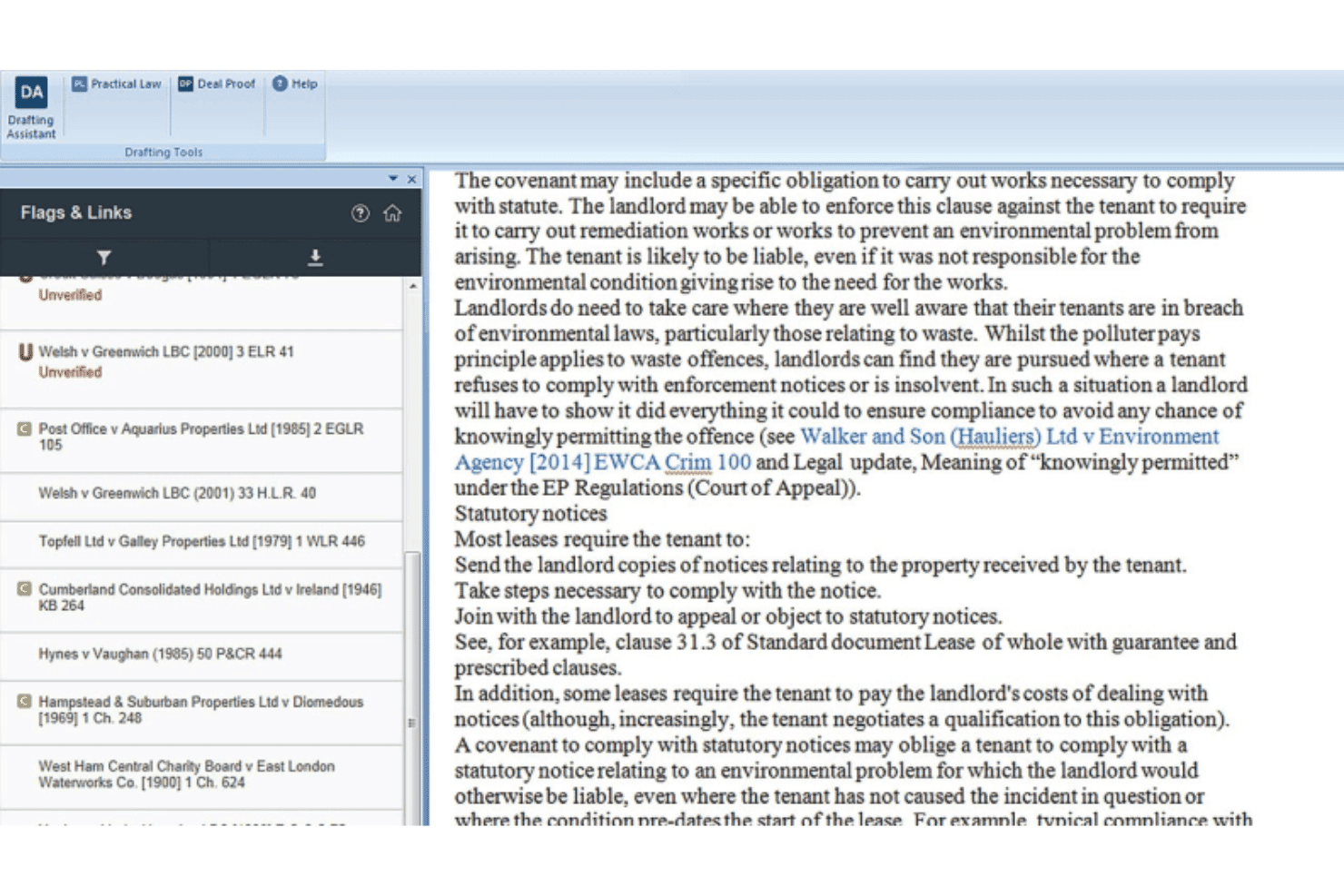
Expert Practice Notes
Access plain-language explanations of complex legal issues, written by experienced attorney-editors. These notes help you get up to speed quickly on new matters.
Standard Documents and Clauses
Jumpstart drafting with up-to-date templates, annotations, and negotiation tips. Each document is maintained by legal experts for accuracy and relevance.
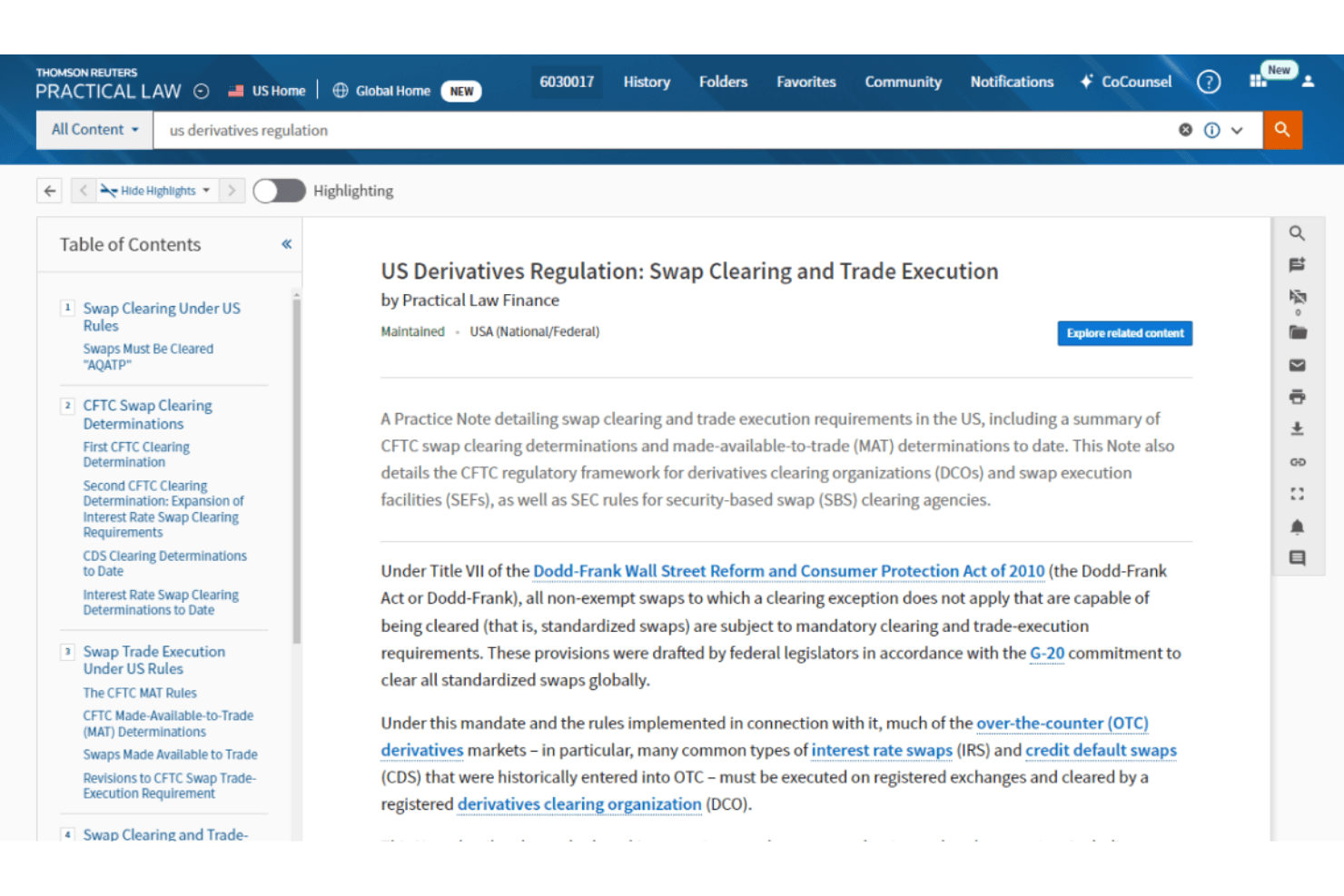
Dynamic Tool Set
Use visualization tools and data-driven charts to gain deeper legal insights. This feature helps you navigate unfamiliar areas of law with confidence.
Search & Summarize with AI
Retrieve and synthesize critical legal information fast using CoCounsel AI. Get concise summaries of the most relevant resources for your query.
Attorney-Editor Network
Leverage a global team of 650+ full-time attorney-editors. Their expertise ensures resources are current and tailored to real-world legal challenges.
Timely Content Updates
Stay up to date with resources continuously maintained to reflect evolving laws and regulations.
Ease of Use
Practical Law is generally easy to use for day-to-day legal work, with strong ratings (around 4–5/5) and users highlighting its quick learning curve and practical templates. You can find answers fast thanks to structured practice notes, standard documents, and AI-assisted search. However, its large content library can feel overwhelming at first, making navigation harder for new users.
Integrations
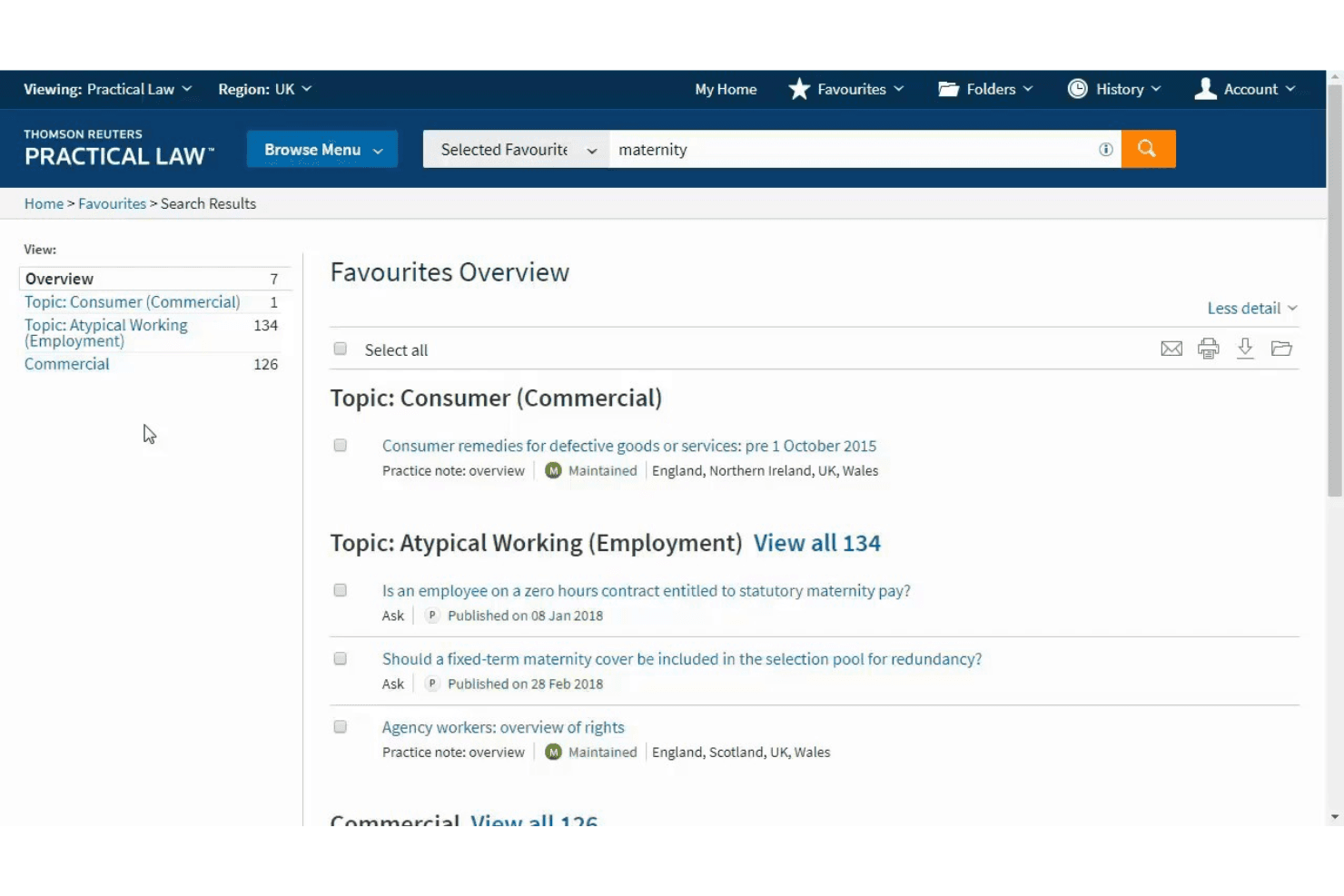
Practical Law integrates with Westlaw, CoCounsel, Contract Express, HighQ, ProView, Legal Tracker, ONESOURCE, CLEAR, Tax Quickfinder, and Practical Law Connect.
Practical Law also offers API access and can connect with other Thomson Reuters products, but does not natively support third-party integration tools.
Practical Law Specs
- 2-Factor Authentication: No
- API: Yes
- Approval Workflows: No
- Audit Trail: No
- Calendar Management: No
- Compliance Tracking: Yes
- Contract Management: No
- Custom Reports: Yes
- Customer Management: No
- Data Export: Yes
- Data Import: Yes
- Document Management: Yes
- External Integrations: Yes
- Multi-User: Yes
- NDA Management: No
- Notifications: Yes
- Policy Management: No
- Scheduling: Yes
- Workflow Management: No


