Key Takeaways
Automation Explained: Legal document automation streamlines drafting by generating documents from templates, reducing manual work and errors.
Time and Cost Savings: Teams using automation can cut drafting times dramatically, leading to lower costs and quicker client turnaround.
Best Use Cases: Routine, high-volume documents like NDAs, engagement letters, and contracts are ideal candidates for automation.
AI Integration: AI enhances document automation by suggesting clauses and pre-filling data, but still requires careful lawyer oversight.
Implementation Tips: Successful rollout of legal document automation relies on clear ownership, thorough testing, and tracking of ROI metrics.
Legal document automation is the process of generating accurate, consistent legal documents from templates—and it's one of the biggest time-savers available to legal teams today. If you're still drafting NDAs, engagement letters, or contracts from scratch, you're losing hours your team can't afford to lose—and introducing risk every time someone edits the wrong clause. I've seen firms cut document turnaround from days to minutes once they commit to automation.
This guide covers how legal document automation works, which documents to prioritize, the real benefits, AI's role, what features to look for in legal document automation software, and how to roll it out without disrupting your practice.
What Is Legal Document Automation?
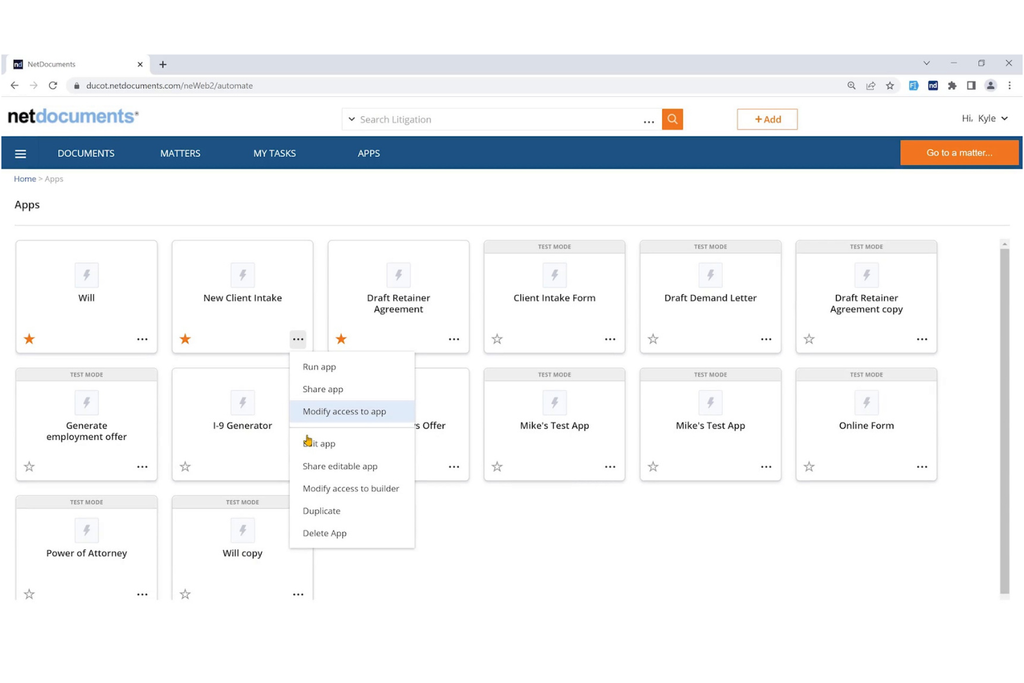
Legal document automation is the process of using software to generate accurate legal documents from pre-built templates, eliminating manual drafting for routine documents. Instead of opening a blank Word file and editing from scratch, your team answers a guided set of questions.
The software assembles the document automatically, pulling the right clauses, data, and language based on your answers.
It's worth distinguishing this from simple copy-paste drafting or find-and-replace editing. True automation uses conditional logic—meaning the output changes based on inputs. A party type, jurisdiction, or deal term triggers different language without anyone touching the underlying template.
There are two main approaches to legal document automation:
- Questionnaire-based systems: A user completes a guided interview, and the system assembles the document from their responses. This works well for client-facing intake flows and high-volume transactional documents.
- Clause-centric systems: The drafter works inside a document and selects or swaps clauses from a curated library. This approach suits experienced lawyers who want control over structure while still cutting drafting time.
Both approaches share a core goal: produce consistent, error-free documents faster than a human can draft them manually.
How Legal Document Automation Works
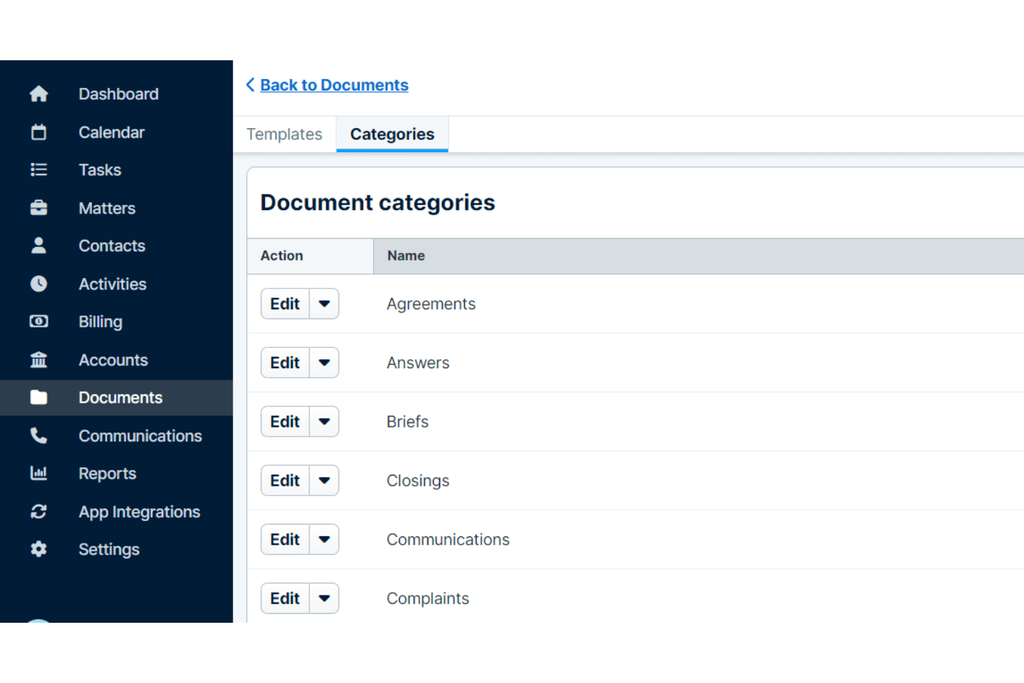
Legal document automation follows a repeatable workflow. Understanding each step helps you see where time is saved—and where human judgment still matters.
Step-by-Step: From Template to Final Document
Follow these steps to understand the full automation cycle:
| Automation Stage | Key Actions |
|---|---|
| Automation StageBuild the template | Key ActionsCreate a master document with variable placeholders, such as [Party Name] and [Governing Law], and conditional sections controlled by logic rules. |
| Automation StageMap variables and logic | Key ActionsConnect each placeholder to a data field and establish rules that determine which clauses appear based on specific conditions. |
| Automation StageRun the questionnaire | Key ActionsCollect information from lawyers, paralegals, or clients through structured questions that populate the template variables. |
| Automation StageAssemble the document | Key ActionsGenerate a complete draft with placeholders filled and conditional clauses applied based on questionnaire responses. |
| Automation StageReview and approve | Key ActionsHave a lawyer verify the generated document for accuracy and completeness before finalization. |
| Automation StageExecute and archive | Key ActionsRoute the approved document for e-signature and store it with an audit trail recording user responses and activity timestamps. |
The audit trail is something I think gets undervalued. When a dispute arises six months later, knowing exactly what inputs produced that document is genuinely useful.
Types of Legal Documents You Can Automate
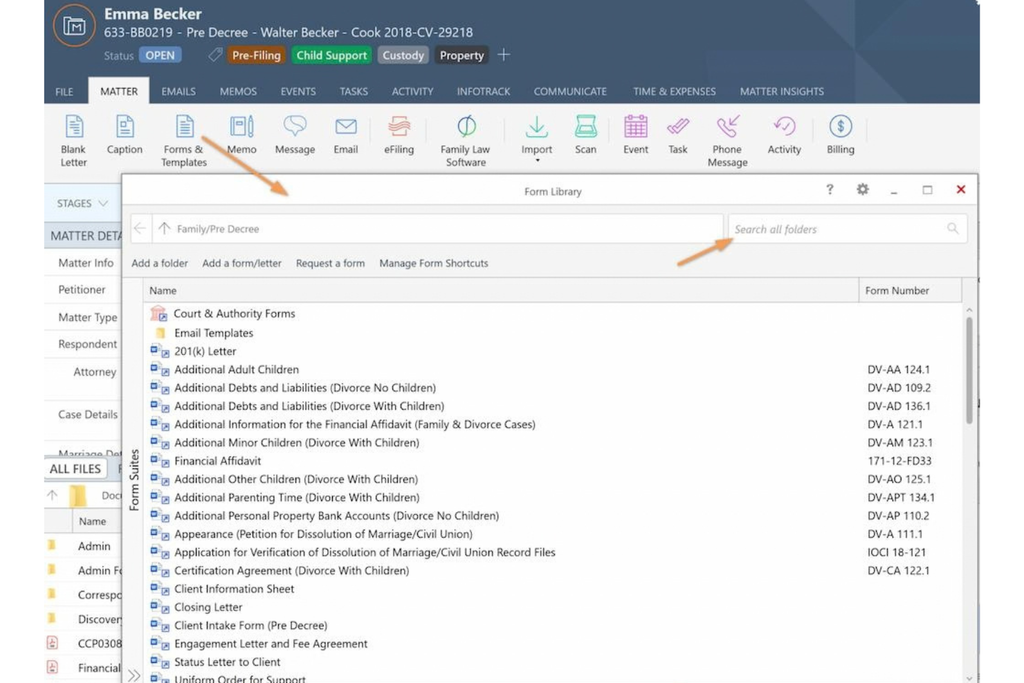
Most legal documents with predictable structures are good automation candidates. If a document follows a repeatable pattern and uses consistent language across matters, you can automate it.
These document types are the most common starting points:
- Contracts and agreements: Master service agreements, vendor contracts, licensing deals, and partnership agreements.
- NDAs: Mutual and unilateral non-disclosure agreements are among the highest-volume documents in most practices—and among the easiest to automate.
- Engagement letters and retainer agreements: Standard terms with client-specific variables like matter description, fee structure, and billing frequency.
- Employment documents: Offer letters, employment agreements, contractor agreements, and separation agreements.
- Wills, trusts, and estate planning documents: High-volume, structurally consistent documents with client-specific data fields.
- Court filings and pleadings: Jurisdiction-specific forms with consistent structure that benefit from auto-populated party and matter details.
- Leases and real estate documents: Residential and commercial leases with variable terms for duration, rent, parties, and special conditions.
- Intake and onboarding forms: Client questionnaires and matter intake documents that feed downstream document generation.
In my experience, NDAs and engagement letters are the right place to start. They're high-volume, low-complexity, and easy to template—so you'll see returns quickly without taking on significant risk.
How Legal Document Automation Improves Daily Work
The most immediate impact is speed. Users report up to 82% time savings when generating legal document drafts with automation, according to Thomson Reuters. That's not marginal. It's the difference between a two-day turnaround and a two-hour one.
But faster drafting is only part of the picture. Here's where legal document automation can make a difference across day-to-day work:
- Fewer errors: Manual drafting introduces errors every time someone edits a template and misses an instance. Automation reduces that risk by applying the same approved inputs, language, and logic each time.
- Consistency across matters: Every document produced from the same template uses the same approved language. No more discovering that two associates drafted the same clause differently.
- Cost savings: Fewer billable hours spent on routine drafting means lower costs for clients—and more capacity for higher-value work on your team.
- Scalability: When matter volume spikes, automation handles more document generation without requiring the same increase in manual drafting.
- Knowledge retention: Approved language, fallback clauses, and playbook positions live in your templates. When a senior lawyer leaves, that institutional knowledge doesn't walk out with them.
- Better client experience: Faster turnaround and consistent quality can make document-heavy processes feel more organized and predictable for clients.
- Audit and compliance support: A documented trail of how each document was generated supports defensibility in reviews, audits, and disputes.
Colin Levy, Legal Technology Expert and Educator, emphasizes that adopting technology for legal document drafting can improve accuracy, reduce repetitive work, and give legal professionals more time for higher-value tasks.
In his article for the Thomson Reuters Institute, he explains that treating technology as a collaborative tool rather than a replacement for legal expertise can improve document workflows while maintaining professional standards.
His perspective reinforces why document automation matters beyond speed: it allows legal teams to spend less time on routine preparation and more time reviewing, refining, and applying legal judgment.
The Role of AI and Generative AI in Document Automation
AI and traditional document automation are not the same thing—and conflating them leads to poor buying decisions. Traditional automation is deterministic: you define the rules, and the system follows them exactly. AI is probabilistic: it generates outputs based on patterns in training data, which means it can be wrong.
The most useful approach combines both.
How AI Augments Deterministic Automation
AI adds value at specific points in the automation workflow:
| AI Application | Key Functions |
|---|---|
| AI ApplicationTemplate creation | Key FunctionsAnalyzes existing documents and suggests variable placements and conditional logic to speed up template setup. |
| AI ApplicationQuestionnaire pre-fill | Key FunctionsExtracts information from prior matters, emails, or uploaded files to pre-populate questionnaire fields and reduce manual data entry. |
| AI ApplicationClause suggestions | Key FunctionsDrafts new clauses or recommends alternatives when existing templates don't cover a specific scenario. |
| AI ApplicationContract review | Key FunctionsIdentifies non-standard language, missing provisions, and clauses that deviate from established playbooks during intake and review. |
| AI ApplicationCompliance checks | Key FunctionsScans documents against regulatory requirements and internal policies to flag potential issues before finalization. |
Where AI Falls Short
I'd encourage some healthy skepticism here. AI tools can generate inaccurate or fabricated legal content, including non-existent case law or misinterpretations of statutes. That risk doesn't disappear just because the output looks polished.
AI-generated clauses need lawyer review. Treat AI as a drafting assistant, not a drafting authority. The templates your team controls and approves remain the foundation—AI just makes building and using them faster.
Research from Stanford Law School reinforces this concern. In a 2025 study examining AI-powered legal research tools, researchers led by Varun Magesh and Daniel E. Ho found that even specialized legal AI platforms produced hallucinations in more than 17% of tested responses. Although the research focused on legal research rather than document drafting, the findings highlight why AI-generated legal content still requires professional verification.
In my experience evaluating legal software, this distinction matters when comparing AI features. A tool that generates clauses in seconds may appear impressive. Still, its practical value depends on how easily your team can verify those clauses, check supporting authorities, and maintain control over the final document.
Key Features to Look for in Document Automation Software
Not every platform fits every team. Keep these criteria in mind as you evaluate your options:
- Customizable templates: You need full control over template structure, approved language, and conditional logic without depending on a vendor to make changes.
- Conditional logic: The system must support if/then rules that trigger or suppress clauses based on user inputs. Without this, you're just doing mail merge.
- Guided questionnaires: A clean, intuitive interview interface matters—especially if clients or non-lawyers will complete intake forms.
- Workflow automation: Look for the ability to route documents through defined approval stages, assign reviewers, and set deadlines automatically.
- Integrations: The platform should connect with your document management system, practice management software, and e-signature tools. Disconnected systems create manual work elsewhere.
- Collaboration tools: Real-time commenting, tracked changes, and version control keep review cycles from becoming email chains.
- Audit trail: Every input, output, and approval should be logged with a timestamp and user attribution.
- Analytics and reporting: Usage data helps you identify which templates are working, where bottlenecks occur, and where ROI is strongest.
- Client-facing portals: If you want clients to complete intake directly, the interface needs to be clean and accessible without requiring a login to your internal systems.
Choose software that is user-friendly, intuitive, and compatible with the existing tools and systems that your firm uses.
How to Implement Document Automation at Your Firm
Implementation succeeds or fails on execution, not on software selection. Here's a practical rollout sequence that I think gives you the best chance of building something that actually gets used:
Build the Business Case First
Identify your highest-volume, most time-consuming document types. Lawyers spend up to 30% of their time on document creation alone—so even a partial reduction in that time represents significant capacity. Calculate the hours spent per document, multiply by volume, and convert to cost or billable value. That's your baseline.
Follow This Implementation Sequence
Use these steps to roll out automation without disrupting active matters:
| Implementation | Key Actions |
|---|---|
| ImplementationPrioritize two or three templates | Key ActionsStart with high-volume, low-complexity documents, such as NDAs and engagement letters. |
| ImplementationAssign a template owner | Key ActionsDesignate someone to draft, test, maintain, and update each template to prevent outdated content. |
| ImplementationBuild and test thoroughly | Key ActionsTest every conditional logic path using realistic inputs to identify errors and edge cases before deployment. |
| ImplementationRun a pilot | Key ActionsIntroduce automation to a small group and gather feedback on questionnaire flow and document quality. |
| ImplementationTrain your team | Key ActionsProvide short walkthroughs for each document type to improve adoption and reduce confusion. |
| ImplementationCommunicate the benefits | Key ActionsExplain how automation reduces repetitive work and creates more time for higher-value tasks without replacing professional judgment. |
| ImplementationMeasure and improve | Key ActionsMonitor document creation time, error rates, and user adoption to refine templates and expand the document library. |
More Articles
Measure ROI Consistently
Track time saved per document type each month. As your template library grows, those aggregate savings compound. I'd suggest reviewing metrics quarterly and tying them back to your original business case. It keeps momentum and builds internal support for expanding the program.
Top Legal Document Automation Software to Consider
Here’s my shortlist of the best legal document automation software solutions:
Start Automating—Your Templates Are Waiting
If you want a deeper look at what document automation can do for your team's bottom line, the benefits of legal document automation software break down 17 specific ways it cuts costs, reduces risk, and frees up capacity across your practice.