

Programvare for skiftebehandling er en juridisk plattform for håndtering av dødsbosaker, frister, dokumenter, aktiva, regnskap og kommunikasjon med interessenter.
Denne veiledningen sammenligner alternativer for advokatfirmaer, bobestyrere, testamentfullbyrdere og skifteretter. Du finner verktøy for rettsskjemaer, arbeidsflyter for truster og dødsbo, dokumentautomatisering, klientsamarbeid og dødsboregnskap. Sammenlign hver plattforms jurisdiksjonsdekning, prismodell, brukerkapasitet og egnethet for arbeidsflyten før du velger programvare for virksomheten din.
Hvorfor du kan stole på våre programvareanbefalinger
6,700+
Reviews
20
Industry experts
16+
Evaluation factors
14
Years
Teamet vårt har testet og anmeldt programvare siden 2012. Vi leder selv advokatfirmaer, så vi vet hvor vanskelig og hvor viktig det er å velge riktig programvare.
I denne guiden har vi vurdert verktøyene gjennom praktisk testing og uavhengig research og gitt dem poeng ut fra våre utvelgelseskriterier.
Anmeldelsene våre bygger på vår egen redaksjonelle vurdering. De er ikke et salgsargument.
Sammenlign den beste programvaren for skiftebehandling
Sammenlign priser og spesifikasjoner side om side for programvaren for skiftebehandling som kom med på kortlisten min.
| Tool | Best For | Trial Info | Price | ||
|---|---|---|---|---|---|
| 1 | Best for general practice firms handling estates | 10-day free trial | From $50/user/month (billed annually) | Website | |
| 2 | Best for automating probate matter stage tracking | 14-day free trial | From $39/user/month (billed annually) | Website | |
| 3 | Best for executor-led estate accounting | 10-day free trial | From $199/estate | Website | |
| 4 | Best for 50-state probate court forms | 7-day free trial + free demo available | From $49/user/month | Website | |
| 5 | Best for UK firms managing estate workflows | Free demo available | Pricing upon request | Website | |
| 6 | Best for document-heavy probate case workflows | Not available | Pricing upon request | Website | |
| 7 | Best for court-form and accounting automation | Free demo available | From $250/month | Website | |
| 8 | Best for estate accounting built into firm workflow | Free demo available | Pricing upon request | Website | |
| 9 | Best for UK estate accounting and IHT workflows | Free demo available | Pricing upon request | Website | |
| 10 | Best for estate asset discovery and accounting | Free demo available | From $189/month | Website |


Anmeldelser av programvare for skiftebehandling
 Best for general practice firms handling estates
- 10-day free trial
- From $50/user/month (billed annually)
Visit WebsiteCustomer Rating:4.6/5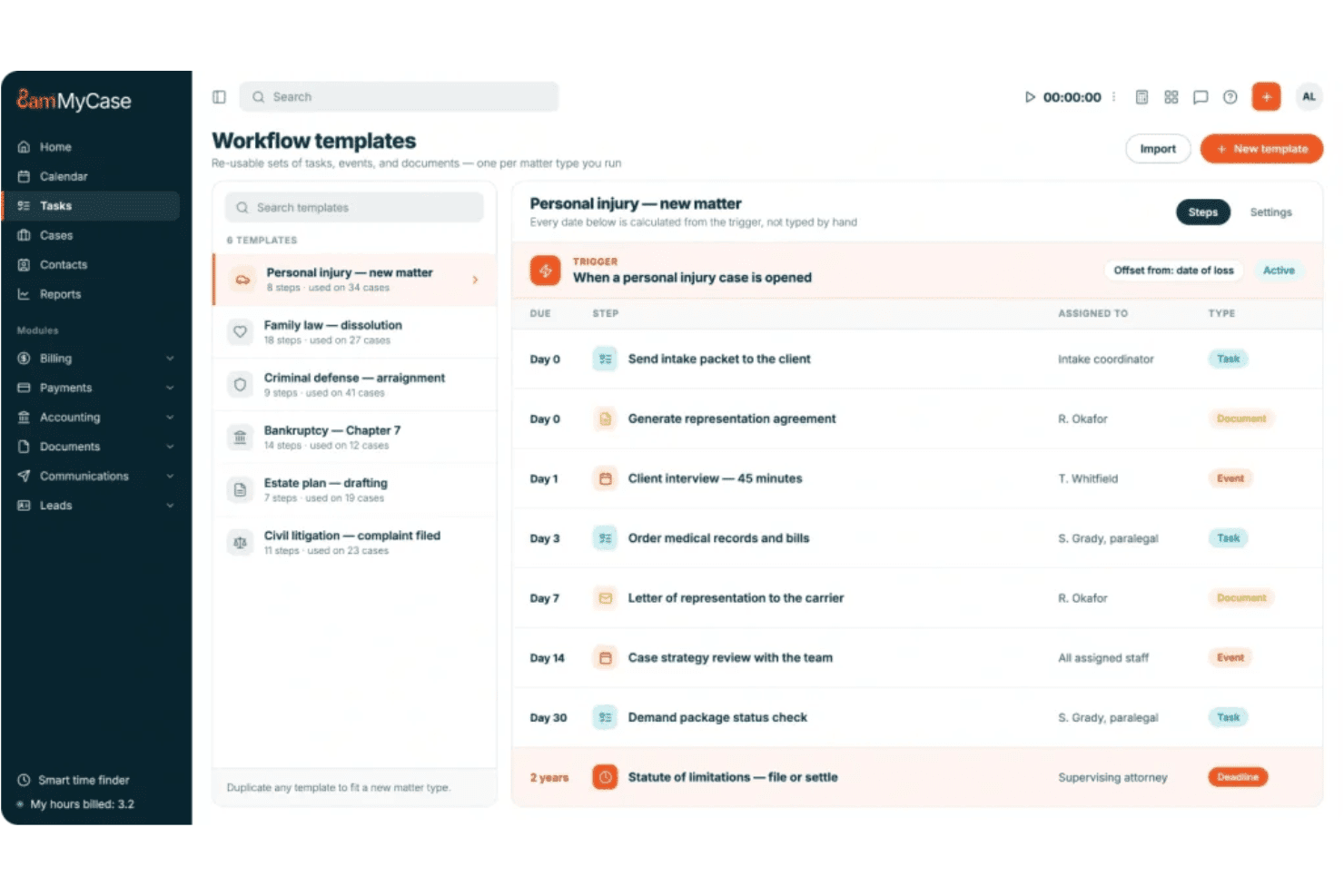
MyCase manages probate workflows with configurable case stages, automated tasks, and client portals. MyCase is a general law practice management platform that covers case and matter management, legal calendaring, document automation, trust accounting, and client communication through a secure portal.
Who Is MyCase Best For?
MyCase suits general practice attorneys who handle estate planning matters alongside other case types and want one platform to manage documents, billing, and client communication.
Why I Picked MyCase
I've included MyCase in my top picks because general practice firms that handle estate matters alongside other case types don't need a separate platform to stay organized. I particularly like how configurable case stages let you map out a probate matter from petition filing through final distribution, and workflow automation can spin up tasks and documents the moment a trigger event hits. The client portal also keeps families and co-counsel on the same page without requiring back-and-forth email chains.
MyCase Key Features
- Client portal messaging: Share documents, updates, and invoices with clients and family members through a secure portal that automatically logs all communication to the case.
- Trust accounting: Track client trust ledgers and balances per case across multiple bank accounts, with 3-way reconciliation available through the MyCase Accounting add-on.
- LawToolBox integration: Access court rule sets across all 50 states to generate rule-based deadline events in your MyCase calendar, with automatic updates when trigger dates change.
- eSignature: Collect unlimited electronic signatures on documents directly within the platform on Pro and Advanced plans.
MyCase Integrations
MyCase lists 60+ integrations, including LawToolBox, CaseForm, InfoTrack, CourtDrive, Proof, EDEX Mailing, DecisionVault, and Eternal Me. Advanced includes an Open API, and Zapier is supported.
Pros and Cons
Pros:
- Workflow automation assigns recurring case tasks
- Client portal records family communications
- Configurable stages map probate matter progress
Cons:
- No native probate form library
- No native estate asset inventory
 Best for automating probate matter stage tracking
- 14-day free trial
- From $39/user/month (billed annually)
Visit WebsiteCustomer Rating:4.8/5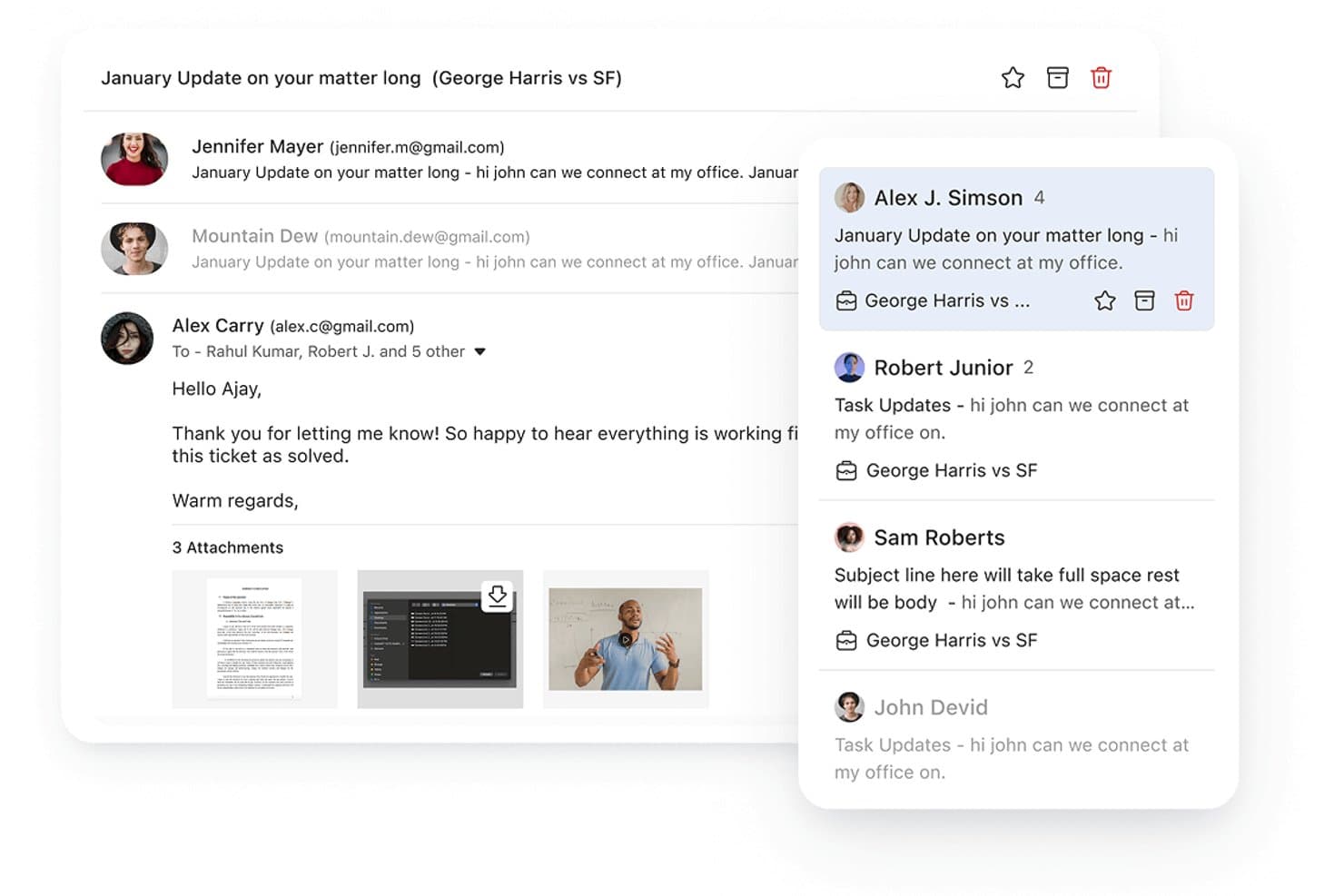
Lawcus centralizes probate case emails and matter threads in one view. Lawcus is a legal practice management platform that combines matter pipelines, workflow automation, document management, client communication, and trust accounting for law firms handling probate and other practice areas.
Who Is Lawcus Best For?
Lawcus suits small to mid-sized law firms that handle probate alongside other practice areas and want a single platform to manage matter pipelines, client communication, and billing.
Why I Picked Lawcus
I picked Lawcus as one of the best because its visual pipeline builder lets you map out every probate stage, from initial consultation through asset distribution and finalization, then automate what happens at each one. When a matter moves to the court proceedings stage, for example, Lawcus can automatically generate tasks, send reminders, and trigger document creation without any manual prompting. I also like that workflow logic can branch based on matter tags, so a file labeled "Probate" routes through a separate, purpose-built process from day one.
Lawcus Key Features
- Client portal: A secure, multilingual portal where executors, clients, and heirs can exchange messages, share files, and track case progress in real time.
- No-code workflow builder: A trigger-based automation tool that generates tasks, sends emails or texts, and creates documents when a matter changes stage or a task is completed.
- Legal calendar and reminders: Shared calendars with statute-of-limitations alerts, recurring tasks, task dependencies, and automated reminders delivered by email, text, or pop-up.
- Nova AI: An AI writing assistant that drafts emails, notes, tasks, and matter descriptions directly within the platform.
Lawcus Integrations
Lawcus offers native integrations with Eternal Pro, QuickBooks, Xero, Google Drive, OneDrive, Dropbox, Box, LawPay, and Confido Legal. Elite and higher plans include API access and Zapier.
Pros and Cons
Pros:
- Secure portal supports client and heir updates
- Automates stage-triggered tasks and reminders
- Custom probate-stage pipelines
Cons:
- No native estate inventory or distribution tracking
- No rules-based statutory deadline calculations
Learn more about Lawcus: Best for executor-led estate accounting
- 10-day free trial
- From $199/estate
Visit WebsiteCustomer Rating:4.8/5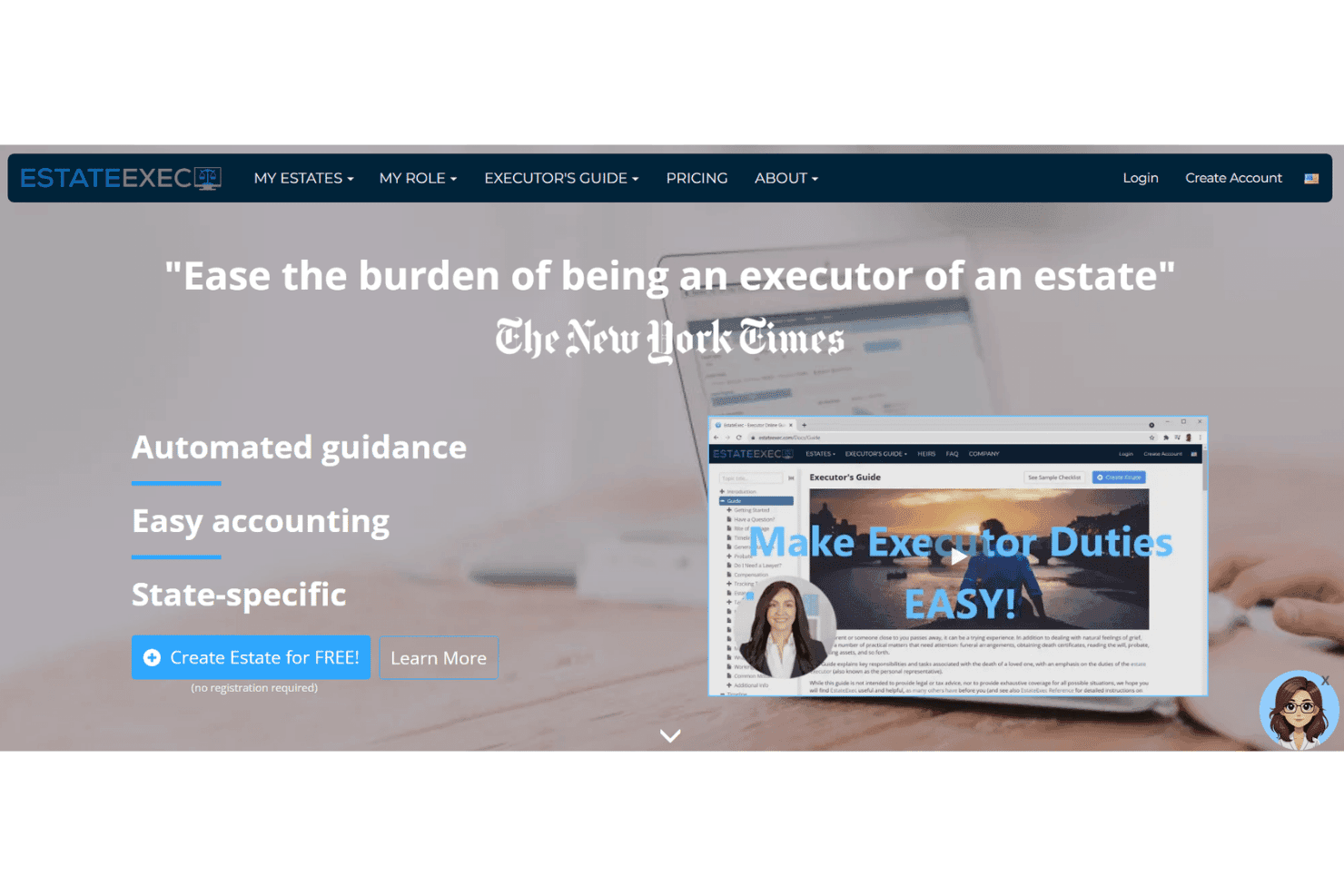
EstateExec tracks estate assets, debts, heirs, distributions, and probate tasks. EstateExec is a web-based estate settlement tool that covers asset inventory, debt tracking, heir management, distributions, cash flow accounting, and state-specific probate task guidance across all US states and Canadian provinces.
Who Is EstateExec Best For?
EstateExec works best for executors and personal representatives who need a structured way to track assets, debts, and distributions through estate settlement.
Why I Picked EstateExec
I've included EstateExec in my top picks because its built-in fiduciary accounting sets it apart for executor-led estate settlement. Assets, debts, distributions, and executor compensation all feed into a single accounting report that's formatted for court submission, including California's required format. I also like that partial distributions can be calculated by asset percentage directly in the app, which removes a lot of manual math when heirs hold fractional interests.
EstateExec Key Features
- State-specific task list: EstateExec builds a task list tied to your date of death entry, with timing and guidance adjusted to the laws of each US state and Canadian province.
- Plaid bank import: Connect your estate's bank accounts through Plaid to pull transactions directly into the Cashflow tab, where the app flags distributions and debt payments automatically.
- Shared access permissions: Grant co-executors, attorneys, accountants, or heirs Edit, View-Only, or No Access roles within a single estate record.
- Executor fee calculator: EstateExec calculates executor compensation based on state- or province-specific rules directly inside the app, alongside mileage and expense reimbursement tracking.
EstateExec Integrations
EstateExec has one documented native integration with Plaid for importing bank transactions into Cashflow. It also supports CSV imports and exports, but no practice management, accounting, calendar, or e-filing integrations are documented.
Pros and Cons
Pros:
- Percentage distributions simplify fractional heir allocations
- State-specific deadlines guide probate task planning
- Court-ready fiduciary accounting supports estate filings
Cons:
- Staff assignment and correspondence tracking remain limited
- County-specific deadlines and hearing dates remain absent
Learn more about EstateExec: 4Best for 50-state probate court forms
Clio
- 7-day free trial + free demo available
- From $49/user/month
Visit WebsiteCustomer Rating:4.5/5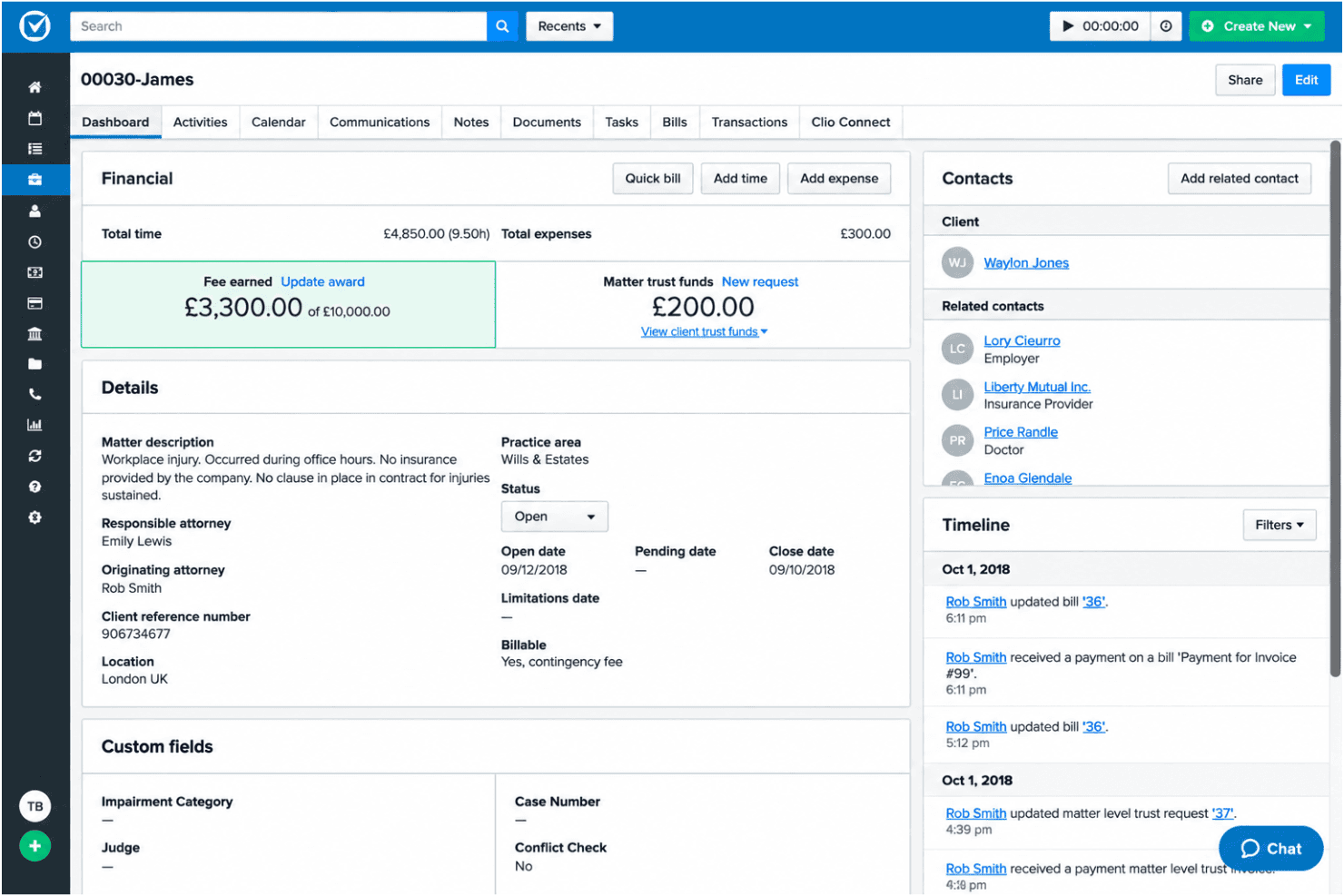
Clio centralizes probate matter details, contacts, and billing in one view. Clio is a general legal practice management platform that covers matter management, court-rule deadline calendaring, document automation, court forms, trust accounting, and client communication tools for wills and estates practices.
Who Is Clio Best For?
Clio is a strong fit for wills and estates attorneys who need a broad, auto-populating court form library across all 50 states without building document templates from scratch.
Why I Picked Clio
I picked Clio as one of the best because its court form library is genuinely unmatched across probate practice: Clio Draft covers all 50 states with auto-populating, fillable forms, including state-specific probate templates like Ohio's Application to Probate Will and List of Heirs and Beneficiaries. I also like that the Wills & Estates preconfigured account comes with structured custom fields for decedent info, up to 10 heirs, 10 beneficiaries, and asset inventory, so your matter data feeds directly into those forms without manual re-entry.
Clio Key Features
- Clio for Clients portal: A secure client portal where heirs and beneficiaries can view matter status, exchange messages, and access shared documents, with stage updates pushed via email or notification.
- Automated workflows: Trigger task lists, document generation, and matter templates automatically when a matter is created or moves to a new stage.
- Manage AI document extraction: Reads uploaded court notices and scheduling orders to draft calendar events and tasks from dates found in the documents.
- Estateably integration: Connects Clio matter data to Estateably for probate administration and fiduciary accounting, including court-formatted accountings and automated probate forms.
Clio Integrations
Clio connects with Estateably, QuickBooks Online, Xero, DocuSign, Google Calendar, Outlook/Exchange, Dropbox, Box, OneDrive, and NetDocuments through its 250+ app ecosystem. It also offers an open API and Zapier.
Pros and Cons
Pros:
- Organizes heirs, beneficiaries, and estate assets
- Tracks court deadlines across thousands of jurisdictions
- Auto-populates probate forms across 50 states
Cons:
- Probate notice tracking remains largely manual
- Requires add-ons for fiduciary accounting
Learn more about Clio: Best for UK firms managing estate workflows
- Free demo available
- Pricing upon request
Visit WebsiteCustomer Rating:2.3/5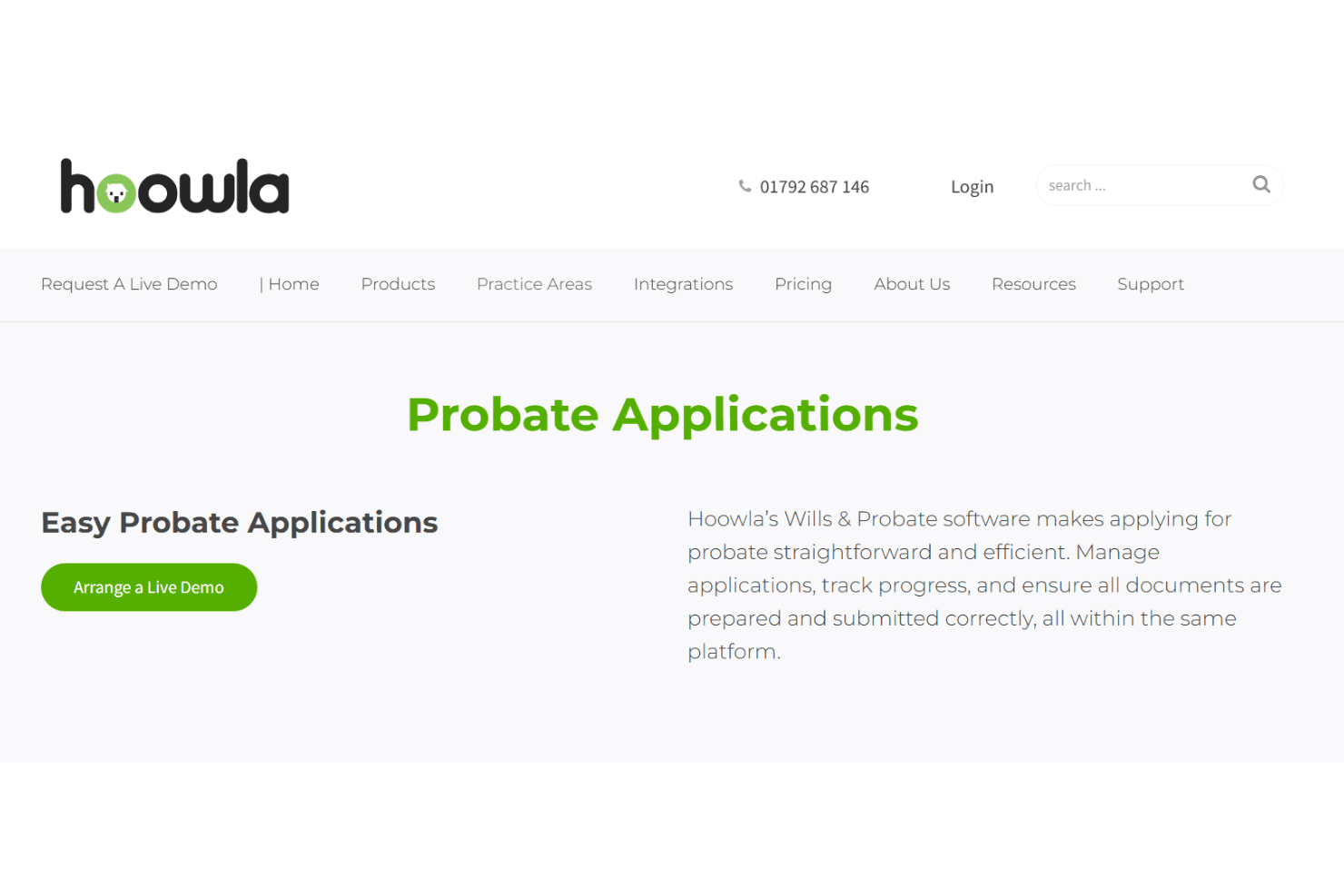
Hoowla tracks probate workflows, estate accounts, and beneficiary communications. Hoowla is a UK-focused legal case management platform built for law firms handling wills, probate, and estate administration, with tools for workflow automation, estate accounts, document generation, and a branded client portal.
Who Is Hoowla Best For?
Hoowla is a strong fit for UK law firms that handle wills, probate, and estate administration under England & Wales law.
Why I Picked Hoowla
I've included Hoowla in my top picks because it's one of the few platforms purpose-built for UK estate workflows, with probate-specific workflow templates that track tasks, milestones, and deadlines across testate and intestate matters simultaneously. I particularly like the built-in estate accounts module, which lets you record income, expenses, and distributions and generate estate account summaries and distribution statements without a separate accounting tool. The branded client portal rounds this out, giving executors and beneficiaries a way to view case progress, exchange documents, and e-sign without needing a separate app.
Hoowla Key Features
- Legal calendaring with reminders: Set task-level reminders for upcoming deadlines across active probate and estate administration matters.
- Outlook email integration: Add emails and attachments directly to a case from Outlook, keeping all case correspondence in one place.
- Role-based permissions: Control access to case files, client ledgers, communications, and reports by assigning custom roles such as solicitor, paralegal, or finance.
- Online client questionnaires: Turn any intake form or document into an online questionnaire that flows client-submitted answers directly into case files.
Hoowla Integrations
Hoowla integrates with Microsoft Outlook, Outlook 365, Microsoft Word, and Quill legal accounting. It also supports API and webhooks for custom connections, including a documented Power BI integration.
Pros and Cons
Pros:
- Branded portal supports executor updates
- Custom probate workflows track milestones
- Estate accounts support distribution statements
Cons:
- No structured heir notice tracking
- No rules-based statutory deadline calculation
Learn more about Hoowla: Best for document-heavy probate case workflows
- Not available
- Pricing upon request
Visit WebsiteCustomer Rating:4.8/5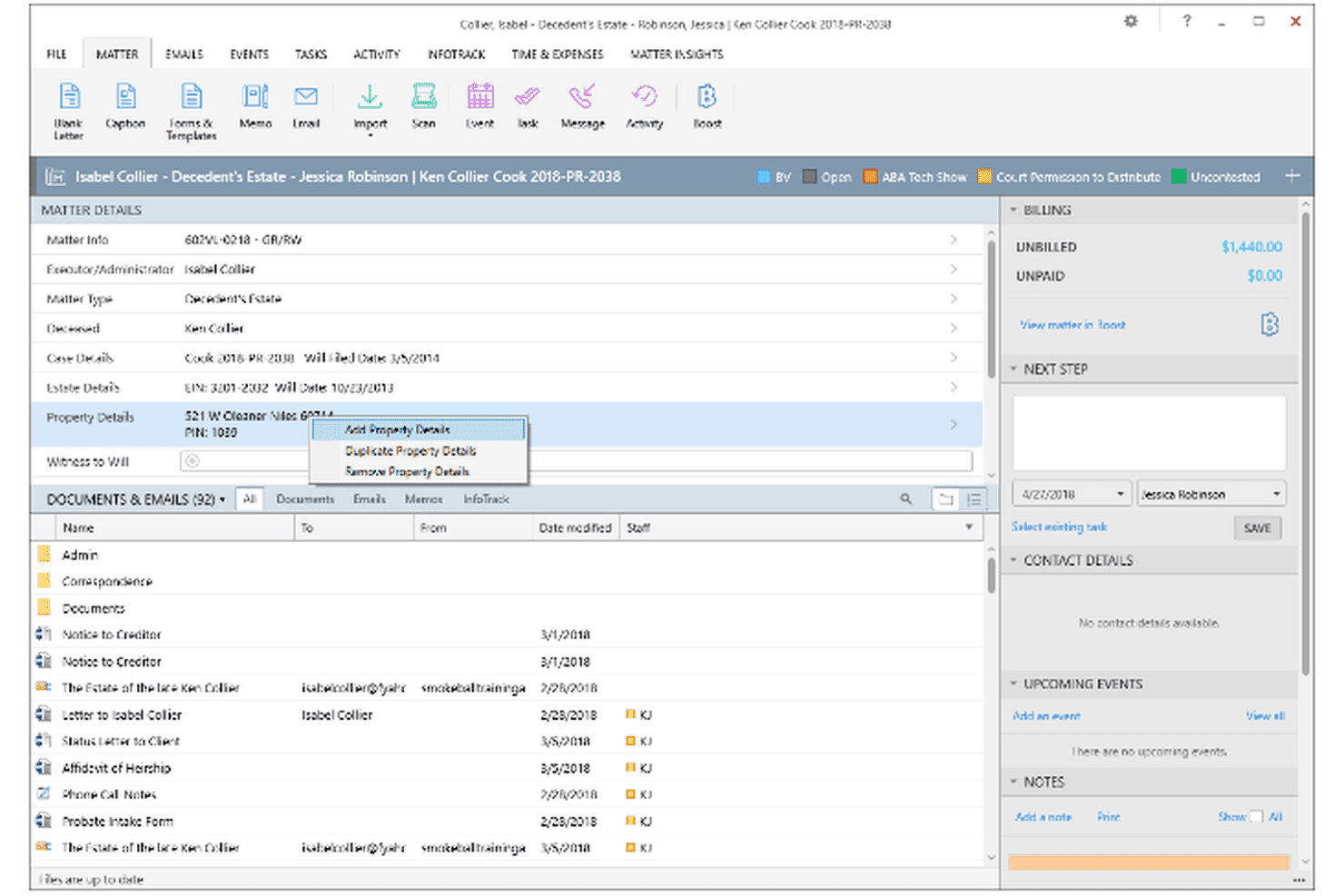
Smokeball automates probate court forms, heir records, and case deadlines. Smokeball is a practice management platform for small law firms that includes a dedicated probate matter type with heir and property fields, a library of 20,000+ auto-populating court forms and templates, stage-based workflows, and a client portal for secure matter communication.
Who Is Smokeball Best For?
Smokeball fits small law firms that handle probate alongside other practice areas and need a single platform to manage court forms, matter organization, and client communication.
Why I Picked Smokeball
I picked Smokeball as one of the best because its 20,000+ auto-populating court form library is genuinely hard to replicate in a general practice tool. When a probate matter opens, jurisdiction-specific forms pull heir names, property details, and key dates directly from the matter record. I also like that the dedicated probate matter type includes structured fields for heirs and properties, with stage-based workflows that calculate deadlines forward or backward from dates like date of death or notice of commencement.
Smokeball Key Features
- Client portal messaging: Send and receive secure messages and files tied directly to each matter through the Communicate portal, with all exchanges stored on the case file.
- AutoTime passive time capture: Automatically records time spent across Smokeball, Microsoft Word, and Outlook without requiring manual timers or entries.
- Trust accounting: Tracks and manages client trust funds within the platform, included across all Smokeball plans.
- Matter tagging: Label and sort estate cases with custom tags like "contested matters" or "outstanding documents" to filter your active caseload at a glance.
Smokeball Integrations
Smokeball offers integrations with Microsoft 365, LawToolBox, QuickBooks Online, LawPay, RingCentral, Zoom, Ricoh ScanSnap, and YoCierge. Its marketplace includes InfoTrack for eFiling, process serving, and eSignature.
Pros and Cons
Pros:
- Users praise responsive support and time capture
- Heir and property fields organize estates
- Auto-populating probate forms reduce repetitive drafting
Cons:
- Heir notices lack structured delivery tracking
- No valuation or distribution modeling tools
Learn more about Smokeball: Best for court-form and accounting automation
- Free demo available
- From $250/month
Visit WebsiteCustomer Rating:4.8/5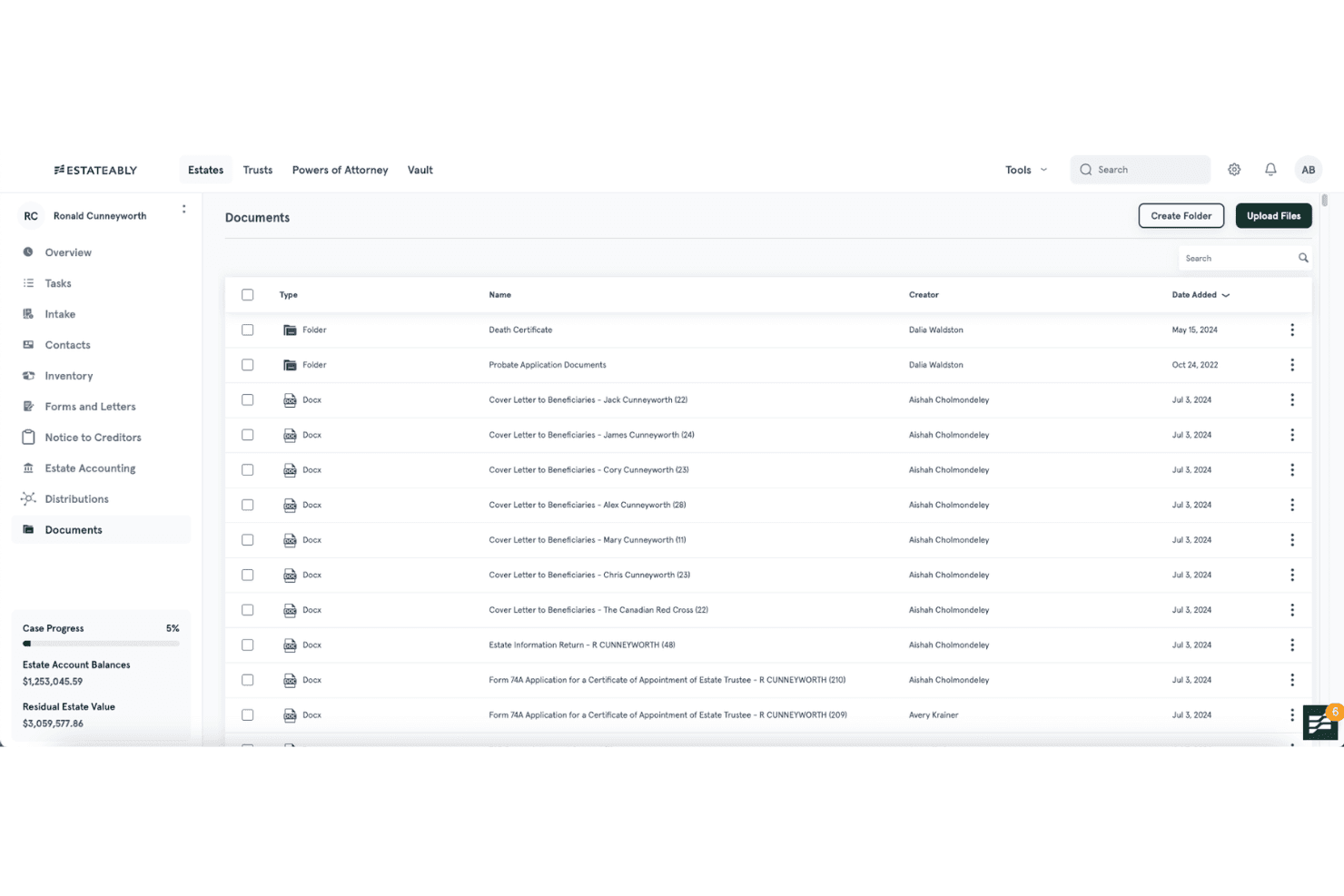
Estateably manages probate cases, fiduciary accounting, and estate assets. Estateably is a cloud-based estate and trust administration platform that covers probate case management, fiduciary accounting, asset inventory, court form generation, and beneficiary distribution tracking across US and Canadian jurisdictions.
Who Is Estateably Best For?
Estateably is a strong fit for estate and trust attorneys who handle complex asset inventories and fiduciary accountings across Canadian jurisdictions or in key US states like New York, California, and Florida.
Why I Picked Estateably
Estateably earns its spot on my shortlist because of how well it handles court form generation and fiduciary accounting from a single file. I love that it auto-populates over 3,000 jurisdiction-specific court forms, including state-level accounting schedules like the California Summary of Account, New York JA-7, and North Carolina AOC-E-506, directly from the data already in the file. The built-in accounting module calculates executor compensation, tracks distributions, and produces court-formatted reports without needing a separate tool.
Estateably Key Features
- Estate Intake form: A password-protected online form executors complete directly, with data importing automatically into the file.
- Encrypted Vault: Centralized document storage with version control and sharing access for internal staff and outside advisors.
- Notice to Creditors module: Publishes creditor notices from file data and tracks deadlines and proof of publication.
- Role-based access controls: Viewer, collaborator, editor, and administrator roles that admins can customize across unlimited users.
Estateably Integrations
Estateably offers integrations with Clio and DecisionVault, plus Google Calendar, Outlook, and Google and Microsoft email through its Productivity Bundle. Clio imports are on demand, calendar syncing is one-way, and no public API or court e-filing integration is documented.
Pros and Cons
Pros:
- Users praise responsive support and strong value
- Estate inventories include valuations and distributions
- Court-formatted accounting reports support probate filings
Cons:
- Beneficiaries lack a dedicated self-service portal
- Statutory deadlines require manual date entry
Learn more about Estateably: 8Best for estate accounting built into firm workflow
LEAP
- Free demo available
- Pricing upon request
Visit WebsiteCustomer Rating:4.3/5
LEAP manages estate accounting, beneficiary distributions, and probate documents. LEAP is a cloud-based practice management platform that covers estate planning and probate through built-in matter types, an Estate Accounting app, a 12,000+ automated forms library, and an included WealthCounsel drafting integration.
Who Is LEAP Best For?
LEAP is a strong fit for probate attorneys and paralegals who want estate accounting, document drafting, and matter management in one platform rather than stitching together separate tools.
Why I Picked LEAP
I picked LEAP as one of the best because its Estate Accounting app lives directly inside the matter record, so there's no switching between platforms to log ledger transactions, record asset distributions, or split estate proceeds across beneficiaries. I particularly like that distributions support both percentage and dollar splits, with an equalization check built in. The included WealthCounsel integration also means petitions, trust documents, and probate forms generate from the same matter data.
LEAP Key Features
- WealthCounsel drafting integration: Draft wills, trusts, petitions, and other estate documents using WealthCounsel's tools, with contacts syncing both ways and completed documents saving directly to the LEAP matter.
- LawConnect client portal: Share documents, collect comments, and provide matter updates to clients and third parties through a branded portal with audit trails and access controls.
- Workflow app with phase-based tasks: Build repeatable, role-assigned task sequences tied to probate matter types, with chronological task views across multiple open matters.
- InfoTrack e-filing sync: Submit court filings and automatically pull file-stamped copies, filing status, hearing notices, and judge's orders back into the matter record.
LEAP Integrations
LEAP integrates with WealthCounsel, LawToolBox, InfoTrack, DeedNetwork, LawConnect, DecisionVault, Microsoft 365, QuickBooks Online, and Xero. It also supports Zapier.
Pros and Cons
Pros:
- Phase-based workflows organize multiple estate matters
- Extensive library covers probate document automation
- Estate ledger supports beneficiary distributions
Cons:
- Reviewers report freezing and documents failing to load
- Probate deadlines lack a dedicated rules engine
Learn more about LEAP: Best for UK estate accounting and IHT workflows
- Free demo available
- Pricing upon request
Visit WebsiteCustomer Rating:2.8/5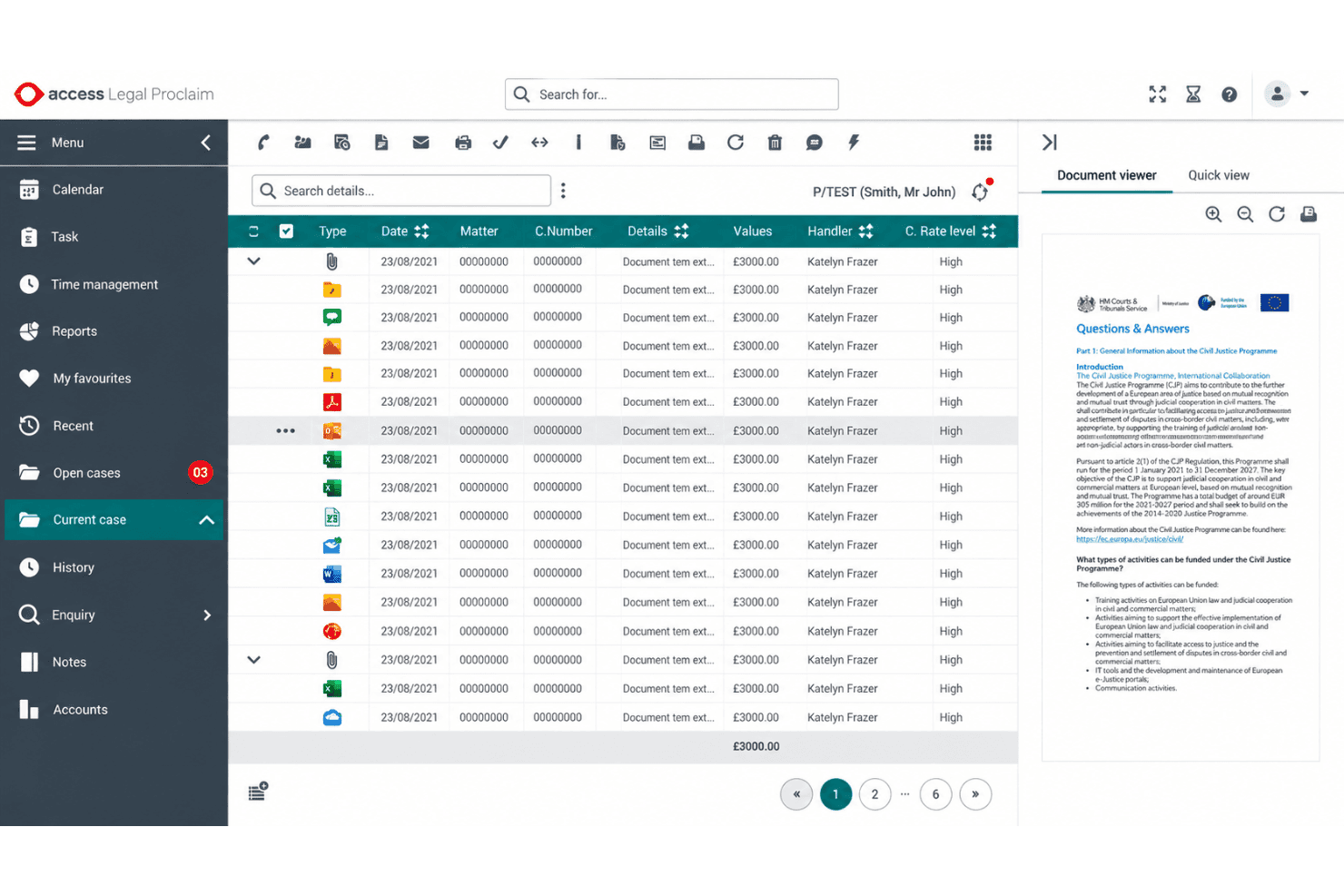
Access Legal manages probate calculations, IHT forms, estate accounts, and distributions. Access Legal is a UK-focused case management platform from The Access Group that covers wills drafting, probate workflows, estate accounting, IHT calculations, trust creation, and LPA preparation.
Who Is Access Legal Best For?
Access Legal is a strong fit for UK law firms handling estate administration, particularly those managing high volumes of IHT calculations and estate accounts under England & Wales probate rules.
Why I Picked Access Legal
I've included Access Legal in my top picks because its probate calculations module is genuinely built around UK estate accounting, handling asset and liability lists, IHT corrective accounts, and beneficiary distributions calculated to three decimal places, with automatic recalculation whenever figures change. I particularly like that estate accounts export directly as editable Excel spreadsheets, which is exactly what you need when preparing audit-ready documentation for HMRC. The IHT form generation and built-in link to HMRC's tax calculator make it a strong fit for firms processing high volumes of taxable estates under England & Wales rules.
Access Legal Key Features
- Precedent and clause library: A bank of standard UK wills and probate templates auto-populates clauses based on case data, covering applications for grant, statements of truth, and legatee letters.
- Client portal: A branded, permission-controlled portal gives clients 24/7 case progress updates, secure two-way messaging, document sharing, and e-signature support.
- AI Copilot: A plain-English query tool that answers questions about case data, summarises documents, and flags cases that are over budget or at risk.
- Outlook and Teams integration: Evo connects directly with Microsoft Outlook and Teams, with drag-and-drop email filing that attaches correspondence directly to the relevant matter.
Access Legal Integrations
Access Legal claims 100+ integrations, including HMRC, HM Land Registry, DocuSign, Credas, SmartSearch, Adobe, and Microsoft integrations across Outlook and Teams. It also connects with Access Legal Accounts, Power BI, and the inCase client onboarding app.
Pros and Cons
Pros:
- AI flags workflow risks and overbudget matters
- UK probate precedents populate documents automatically
- Detailed estate accounts and beneficiary calculations
Cons:
- Deadline reminders lack statutory rules engine
- No US court forms or e-filing
Learn more about Access Legal: 10Best for estate asset discovery and accounting
Trustate
- Free demo available
- From $189/month
Visit WebsiteCustomer Rating:3/5
Trustate handles estate accounting, asset discovery, documents, and trust funding. Trustate is an estate administration platform built for attorneys, trust companies, and executors that covers asset and debt discovery, estate balance sheet accounting, document generation, and trust funding across all 50 states.
Who Is Trustate Best For?
Trustate is a strong fit for estate attorneys and trust companies that handle high volumes of asset and debt discovery work across multiple states.
Why I Picked Trustate
I've included Trustate in my top picks because estate asset and debt discovery is where it genuinely separates itself from other tools in this space. Its 50+ asset and liability searches surface bank accounts, retirement funds, unclaimed property, open loans, and credit card balances that executors and attorneys would otherwise spend weeks tracking down manually. Paired with the Estate Balance Sheet, which generates fiduciary accountings and estate tax calculations in real time, it turns what's usually a spreadsheet-heavy process into structured, court-ready output.
Trustate Key Features
- Deadline Tickler: Track 120+ post-death tasks and assign a point person to keep administration on schedule.
- Jurisdiction-specific document generation: Auto-populate court pleadings, petitions, and applications with case data across all 50 states.
- Six-phase administration workflow: Move estates through structured phases from opening to final distribution using pre-filled, customizable workflows.
- In-app chat and team collaboration: Invite team members, assign tasks, and communicate within a shared matter workspace.
Trustate Integrations
Trustate lists 34 integrations, including Clio, MyCase, Actionstep, Filevine, PracticePanther, Smokeball, Xero, LedgerSync, Webhooks, and Zapier.
Pros and Cons
Pros:
- Six-phase workflows assign post-death administration tasks
- Estate Balance Sheet generates fiduciary accountings
- 50+ searches uncover hidden estate assets
Cons:
- Document generator fields may fail populating
- No jurisdiction-based deadline calculation engine
Learn more about Trustate:
Annen programvare for skiftebehandling
Her er noen flere alternativer for programvare for skiftebehandling som ikke kom med på kortlisten min, men som likevel er verdt å se nærmere på:
- 11Spartan CourtBest for probate courts managing case deadlines
- 12EstateWorksBest for trust and estate firm workflows
- 13CARET LegalBest for general firms adding estate workflows
- 14FilevineBest for configurable estate workflow build-out
- 15GavelBest for probate document automation via Clio
- 16Rocket MatterBest for billing-first firms handling estate matters
- 17PracticePantherBest for general firms adapting workflows to estates
- 18FilewrightBest for intake-driven probate document drafts
- 19Estate-a-BaseBest for Ontario probate court form automation
- 20ProbateAdminBest for per-case IHT and estate accounts in England
How I Evaluate Probate Case Management Software
I split my evaluation into three parts: core functionality—tracking statutory deadlines and managing estate inventories—carries the most weight. I then look for standout features like multi-jurisdiction form libraries. Beyond that, I consider implementation support, pricing transparency, and update cadence.
Core Functionality (Table Stakes For This List)
When I'm selecting tools for my list, I score each one on a scale from 0 (does not offer the functionality) to 5 (excels in this area) for each core functionality listed below. I then convert the total into a percentage to help assess each tool's overall fit, with extra weight on any functionalities I've deemed essential.
- Probate Deadline Tracking (Essential): I check whether the tool calculates statutory filing windows and hearing dates based on jurisdictional rules, not just generic calendar reminders.
- Estate & Asset Inventory (Essential): Each tool should let you catalog assets, record valuations and debts, and track beneficiary distributions with audit-ready reporting.
- Court Form & Document Generation: I look for pre-built probate form libraries that auto-populate from case data, covering multiple jurisdictions and staying current with court updates.
- Case & Matter Management: The platform should organize matters by probate stage with task assignments, status visibility, and workflow steps that reflect how estate cases actually progress.
- Document & Correspondence Management: I evaluate how documents and communications link back to each matter, including version control, search, and a clear timeline of court correspondence.
- Heir/Beneficiary Communication Tracking: Logging notices to heirs and interested parties matters for compliance, so I look for structured tracking tied to required milestones rather than free-text notes.
Once I have a list of tools that meet the criteria, I consider what sets each platform apart.
Differentiating Factors (What Sets Vendors Apart)
Here's how I compare and contrast different vendors:
Standout Features
I look for fiduciary accounting automation that generates court-ready final accountings directly from estate inventory and transaction data—manual spreadsheet reconciliation is a major error source. Multi-court jurisdiction mapping matters just as much, since probate forms and deadlines shift by county. Tools like Estateably and LEAP maintain updated form libraries, but I check how often each vendor refreshes content after rule changes. I also evaluate heir portal access, which lets beneficiaries check case status without calling the firm.
Beyond Features
I check how often each vendor refreshes court forms and deadline rules after statutory changes—a stale form library can mean rejected filings. Role-based permissions matter too, since estate files mix sensitive financial data with heir communications that need separate access levels. I also evaluate whether the pricing model fits the firm's volume: per-case pricing suits low-volume practices, while per-user plans work better for teams managing dozens of open estates at once.
Slik velger du programvare for skiftebehandling
Velg programvare for skiftebehandling ved å teste om den håndterer jurisdiksjonsregler, dødsboregistre og varslingsplikter i den faktiske arbeidsflyten din.
| Hvis prioriteten din er | Se etter |
|---|---|
| Hvis prioriteten din erNøyaktige innleverings- og rettsdatoer | Se etterJurisdiksjonsspesifikke regler med en datert oppdateringslogg |
| Hvis prioriteten din erDokumenter som er klare for retten | Se etterSkjemaer tilpasset domstolene dine og fylt ut fra saksdata |
| Hvis prioriteten din erEt etterprøvbart dødsboregnskap | Se etterVerdsettelse, gjeld, utdelinger og transaksjonshistorikk koblet til kilderegistre |
| Hvis prioriteten din erSporbar kommunikasjon med arvinger | Se etterVarslingsmilepæler, mottakerregistre, leveringsdatoer og lagret korrespondanse |
Slik vurderer du kortlisten din
- Be om oppdateringsloggen: Be hver leverandør om den nyeste revisjonsloggen for rettsskjemaer og fristregler, inkludert datoen og den berørte jurisdiksjonen.
- Gjennomfør en definert prøveoppgave: Opprett ett eksempel på et dødsbo i løpet av en 14-dagers prøveperiode, registrer tre aktiva og to gjeldsposter, tildel en innleveringsfrist og eksporter den resulterende rapporten.
- Test en kundestøttesak: Send inn ett jurisdiksjonsspesifikt spørsmål om en frist, og krev svar, kilde og eskaleringsvei innen to virkedager.
- Skaff kontraktsdokumentasjon: Be om skriftlige klausuler som dekker format for dataeksport, oppbevaring etter oppsigelse og tilgangstillatelser for økonomiske registre.
- Velg driftsmessig avveining: Vurder dybden i den spesialiserte arbeidsflyten for skiftebehandling opp mot bredere fleksibilitet innen saksbehandling, og dokumenter deretter beslutningen i et notat på én side.
Hva er programvare for skiftebehandling?
Programvare for saksbehandling av skiftesaker er en juridisk plattform for organisering av dødsbobehandling, frister, dokumenter, eiendeler, regnskap og kommunikasjon. Den hjelper juridiske team med å følge skiftestadier, tildele oppgaver, klargjøre rettsdokumenter, registrere transaksjoner i dødsboet og overvåke varsler til arvinger eller begunstigede.
Disse systemene kan også sentralisere saksopplysninger, støtte arbeidsflyter som er tilpasset den aktuelle jurisdiksjonen, og tilby revisjonsspor for innleveringer, beslutninger og utdelinger.
Funksjoner i programvare for saksbehandling av skiftesaker
Når du velger programvare for saksbehandling av skiftesaker, bør du se etter følgende nøkkelfunksjoner:
Fristsporing for skiftesaker: Beregner frister for innlevering, rettsmøtedatoer, varslingsperioder og andre lovbestemte frister ved hjelp av regler som gjelder for den aktuelle jurisdiksjonen. Team kan tildele påminnelser og overvåke kommende forpliktelser for hver sak.
Oversikt over dødsbo og eiendeler: Lagrer eiendom, finansielle kontoer, verdsettelser, gjeld, eieropplysninger og tilhørende dokumentasjon i én saksmappe. Brukere kan oppdatere verdien på eiendeler og følge endringer gjennom hele skifteprosessen.
Generering av rettsskjemaer: Fyller ut skifteskjemaer ved hjelp av informasjon som allerede er registrert i saken. Skjemabiblioteker bør støtte relevante jurisdiksjoner og oppdateres når kravene fra domstolene endres.
Arbeidsflytstyring for saker: Organiserer saker etter skiftestadium, for eksempel inntak, begjæring, varsling, forvaltning, regnskapsføring og avslutning. Team kan tildele oppgaver, angi statuser og overvåke ansvarsområder på tvers av åpne saker.
Dokument- og korrespondansehåndtering: Knytter prosesskriv, kjennelser, varsler, e-poster og brev til den relevante saken. Versjonshistorikk, søkeverktøy og dokumenttidslinjer hjelper brukerne med å finne riktig dokument før innlevering eller svar.
Sporing av kommunikasjon med arvinger og begunstigede: Registrerer berørte parter, påkrevde varsler, leveringsdatoer, svar og oppfølgingshandlinger. Strukturerte kommunikasjonshistorikker gir teamene en tydelig oversikt over hva hver mottaker mottok, og når.
Regnskapsføring for dødsbo og utdelinger: Sporer inntekter, utgifter, gjeld, overføringer og betalinger til begunstigede opp mot oversikten over dødsboet. Rapporteringsverktøy kan støtte foreløpige eller endelige regnskaper ved hjelp av transaksjonsopplysninger fra saken.
Rollebasert tilgang og revisjonsspor: Kontrollerer tilgangen til økonomisk informasjon, saksdokumenter og kommunikasjonsopplysninger basert på brukerrolle. Aktivitetslogger viser hvem som opprettet, redigerte, viste eller eksporterte viktig saksinformasjon.
Fordeler med programvare for saksbehandling av skiftesaker
Implementering av programvare for saksbehandling av skiftesaker gir flere fordeler for teamet og virksomheten din. Her er noen av fordelene du kan se frem til:
- Færre oversette frister: Fristsporing som er tilpasset jurisdiksjonen, beregner frister for innlevering, rettsmøtedatoer, varslingsperioder og oppfølgingspåminnelser for hver sak.
- Mer nøyaktige opplysninger om dødsboet: Eiendelsoversikter knytter eiendom, verdsettelser, gjeld, eieropplysninger og tilhørende dokumenter sammen i én saksmappe.
- Ensartede innleveringer til domstolen: Skjemabiblioteker fyller ut skiftedokumenter basert på saksopplysninger og kan gjenspeile oppdateringer i kravene som gjelder for jurisdiksjonen.
- Bedre oversikt over sakene: Arbeidsflyter basert på skiftestadier, oppgavetildelinger, statuser og aktivitetslogger viser hvem som håndterer hvert ansvarsområde, og hva som gjenstår.
- Bedre dokumentkontroll: Knyttede prosesskriv, kjennelser, varsler, e-poster og brev gir søkbare opplysninger med versjonshistorikk og tidslinjer for saken.
- Sporbar kommunikasjon med arvinger: Opplysninger om begunstigede knytter påkrevde varsler til mottakere, leveringsdatoer, svar og oppfølgingshandlinger.
- Dokumenterbar regnskapsføring for dødsboet: Transaksjonsopplysninger om inntekter, utgifter, gjeld, overføringer og utdelinger støtter foreløpige og endelige regnskapsrapporter.
Kostnader og priser for programvare for saksbehandling av skiftesaker
Valg av programvare for saksbehandling av skiftesaker krever at du forstår tilgjengelige prismodeller og abonnementer. Kostnadene varierer basert på funksjoner, teamstørrelse, tilleggstjenester og andre faktorer. Tabellen nedenfor oppsummerer vanlige abonnementer, gjennomsnittspriser og typiske funksjoner som er inkludert i programvareløsninger for saksbehandling av skiftesaker.
Sammenligningstabell for abonnementer for programvare for saksbehandling av skiftesaker
| Abonnementstype | Gjennomsnittlig pris | Vanlige funksjoner |
|---|---|---|
| AbonnementstypePersonlig abonnement | Gjennomsnittlig pris$20-$60/user/month | Vanlige funksjonerSaksbehandling, fristpåminnelser, dokumentlagring, skifteopptegnelser og e-poststøtte. |
| AbonnementstypeBedriftsabonnement | Gjennomsnittlig pris$60-$150/user/month | Vanlige funksjonerJurisdiksjonsspesifikke arbeidsflyter, generering av rettsskjemaer, skifteregnskapsføring, sporing av kommunikasjon med arvinger og teamtillatelser. |
| AbonnementstypeVirksomhetsabonnement | Gjennomsnittlig pris$150-$300/user/month | Vanlige funksjonerAvansert rapportering, tilpassede arbeidsflyter, utvidede integrasjoner, revisjonsspor, dedikert støtte og konfigurerbare tilgangskontroller. |
Vanlige spørsmål om programvare for skiftesaksbehandling
Her er noen svar på vanlige spørsmål om programvare for skiftesaksbehandling:
Kan programvare for skiftesaksbehandling støtte flere jurisdiksjoner?
Ja, enkelte programmer for skiftesaksbehandling støtter flere jurisdiksjoner gjennom biblioteker med rettsskjemaer og jurisdiksjonsspesifikke regler for frister. Bekreft hvilke domstoler og regioner plattformen dekker, før du kjøper den.
Spør leverandørene hvordan de oppdaterer innleveringskrav, rettsmøtedatoer, varslingsfrister og lovbestemte frister. Du bør også be om den nyeste oppdateringsloggen for hver jurisdiksjon du håndterer. En plattform som støtter én domstol, støtter kanskje ikke alle fylker eller delstater firmaet ditt betjener.
Kan programvare for skiftesaksbehandling erstatte regneark for skifteregnskapsføring?
Ja, programvare for skiftesaksbehandling kan erstatte mange regnearkbaserte regnskapsoppgaver når den registrerer eiendeler, gjeld, inntekter, utgifter, overføringer og utdelinger. Se etter transaksjonshistorikk som er koblet til kildedokumenter og skifteopptegnelser. Systemet bør også støtte foreløpige eller endelige skifteregnskapsrapporter.
Før du bytter, bør du teste om det håndterer regnskapsformatet, godkjenningsprosessen og rapporteringskravene dine. Bekreft alltid at eksporterte rapporter oppfyller innleveringskravene til den aktuelle domstolen.
Hvordan bør et advokatfirma teste programvare for skiftesaksbehandling?
Test programvare for skiftesaksbehandling med et eksempelbo som gjenspeiler det daglige arbeidet ditt. Legg til flere eiendeler, gjeldsposter, arvinger, varsler, dokumenter og innleveringsfrister. Generer deretter et rettsskjema, tildel oppgaver, registrer en transaksjon og eksporter en rapport.
Send inn et jurisdiksjonsspesifikt spørsmål til kundestøtten i prøveperioden. Vurder kilden til svaret og svartiden. Denne prosessen viser om plattformen håndterer arbeidsflyten din, i stedet for bare å demonstrere isolerte funksjoner.
Hva bør et firma kontrollere før det migrerer skiftesaker?
Før du migrerer skiftesaker, bør du få bekreftet skriftlig hvordan dataeksport, import, oppbevaring og tilgangskontroller fungerer. Spør om leverandøren kan importere kontakter, eiendeler, dokumenter, frister, notater og transaksjonshistorikk.
Bekreft eksportformatet og om dokumentene beholder metadataene sine. Undersøk hvordan plattformen skiller økonomiske opplysninger fra generell saksinformasjon. Gjennomfør en migreringstest med avsluttede og aktive saker før du flytter aktive filer. Behold de opprinnelige opptegnelsene til du har validert det nye systemet.