

Software-ul pentru gestionarea dosarelor succesorale este o platformă juridică pentru gestionarea chestiunilor succesorale, a termenelor-limită, a documentelor, a activelor, a contabilității și a comunicării cu părțile interesate.
Acest ghid compară opțiunile pentru firme de avocatură, administratori de succesiuni, executori testamentari și instanțe succesorale. Veți găsi instrumente pentru formulare judiciare, fluxuri de lucru pentru succesiuni și administrarea patrimoniului, automatizarea documentelor, colaborarea cu clienții și contabilitatea succesiunilor. Comparați acoperirea jurisdicțională, modelul de tarifare, capacitatea de utilizare și compatibilitatea cu fluxul de lucru pentru fiecare platformă înainte de a alege software-ul pentru cabinetul dumneavoastră.
Why Trust Our Software Recommendations
6,700+
Reviews
20
Industry experts
16+
Evaluation factors
14
Years
Our team has been testing and reviewing software since 2012. As legal practice leaders ourselves, we know how difficult—and important—it is to choose the right software.
For this guide, we evaluated tools using hands-on testing and independent research, scoring tools using our selection criteria.
Our reviews reflect our human editorial judgment, not a sales pitch.
Comparați cele mai bune software-uri pentru gestionarea dosarelor succesorale
Comparați prețurile și specificațiile una lângă alta pentru software-urile de gestionare a dosarelor succesorale incluse în lista mea scurtă.
Score legend (out of 5)
- Excellent4.5–5
- Good4–4.4
- Average3–3.9
- Below average2–2.9
- Poor1–1.9
Sorted by: Default
| Tool | Starting Price | Website | |||||||
|---|---|---|---|---|---|---|---|---|---|
Best for general practice firms handling estates | 2.5 out of 5 | 4 | 1 | 2 | 2 | 4 | 2 | $60/user/month Free demo + 10-day free trial available | Website |
Best for automating probate matter stage tracking | 2.2 out of 5 | 4 | 1 | 2 | 1 | 3 | 2 | $49/user/month 14-day free trial | Website |
Best for executor-led estate accounting | 2.7 out of 5 | 2 | 5 | 3 | 2 | 2 | 2 | $199/estate 10-day free trial | Website |
Best for 50-state probate court forms | 3.0 out of 5 | 3 | 2 | 3 | 4 | 4 | 2 | £79/user/month 7-day free trial + free demo available | Website |
Best for UK firms managing estate workflows | 2.8 out of 5 | 4 | 3 | 2 | 3 | 3 | 2 | Pricing upon request Free demo available | Website |
Best for document-heavy probate case workflows | 3.2 out of 5 | 4 | 2 | 3 | 4 | 4 | 2 | Pricing upon request Free trial available | Website |
Best for court-form and accounting automation | 3.3 out of 5 | 3 | 5 | 2 | 4 | 3 | 3 | $250/month Free demo available | Website |
Best for estate accounting built into firm workflow | 3.2 out of 5 | 4 | 4 | 2 | 4 | 4 | 1 | Pricing upon request Free demo available | Website |
Best for UK estate accounting and IHT workflows | 3.2 out of 5 | 4 | 5 | 2 | 2 | 4 | 2 | Pricing upon request Free demo available | Website |
Best for estate asset discovery and accounting | 2.7 out of 5 | 3 | 4 | 2 | 3 | 2 | 2 | $189/month Free demo available | Website |


Recenzii ale software-urilor pentru gestionarea dosarelor succesorale
 Best for general practice firms handling estates
- Free demo + 10-day free trial available
- From $60/user/month
Visit WebsiteCustomer Rating:4.6/5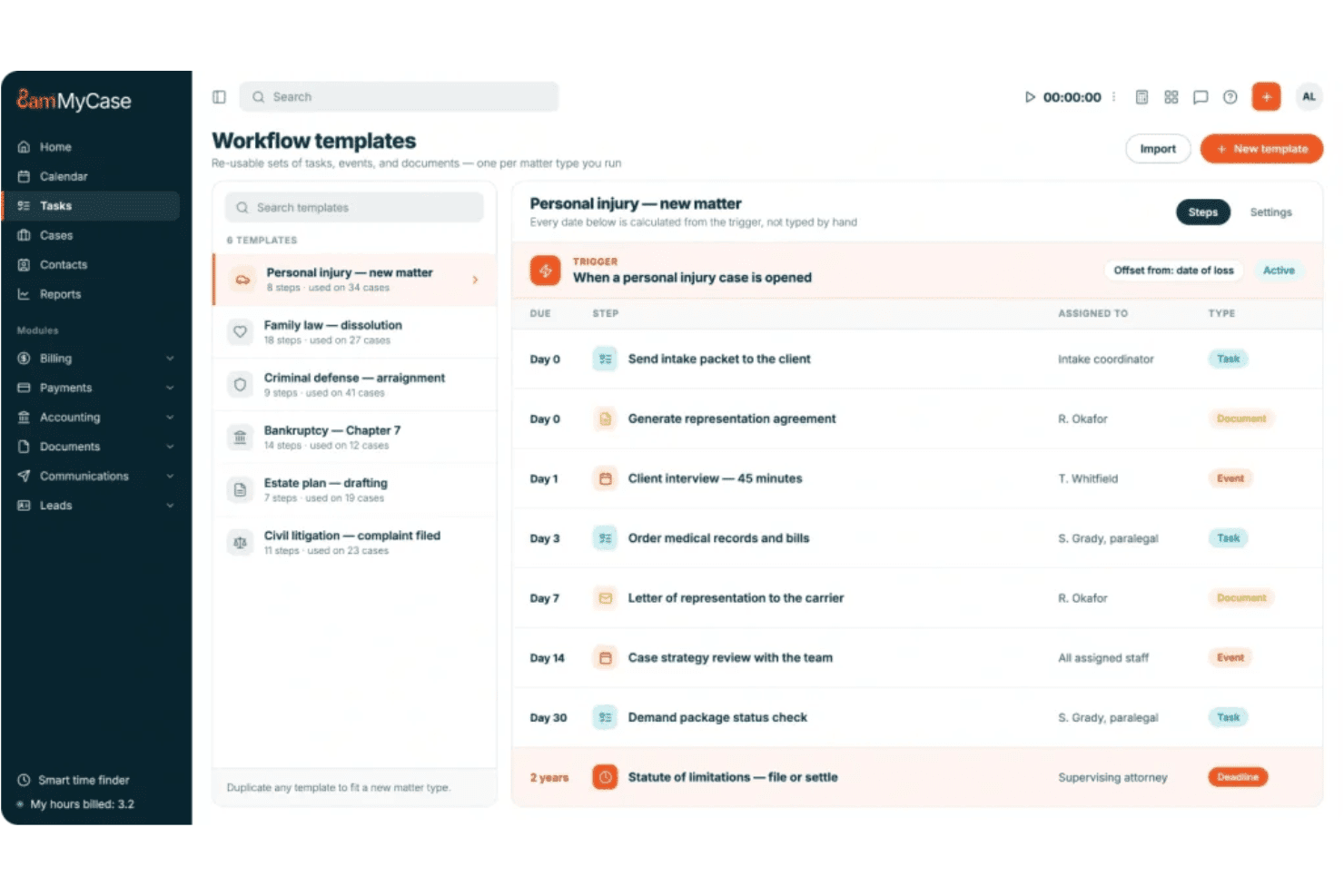
MyCase manages probate workflows with configurable case stages, automated tasks, and client portals. MyCase is a general law practice management platform that covers case and matter management, legal calendaring, document automation, trust accounting, and client communication through a secure portal.
Who Is MyCase Best For?
MyCase suits general practice attorneys who handle estate planning matters alongside other case types and want one platform to manage documents, billing, and client communication.
Why I Picked MyCase
I've included MyCase in my top picks because general practice firms that handle estate matters alongside other case types don't need a separate platform to stay organized. I particularly like how configurable case stages let you map out a probate matter from petition filing through final distribution, and workflow automation can spin up tasks and documents the moment a trigger event hits. The client portal also keeps families and co-counsel on the same page without requiring back-and-forth email chains.
MyCase Key Features
- Client portal messaging: Share documents, updates, and invoices with clients and family members through a secure portal that automatically logs all communication to the case.
- Trust accounting: Track client trust ledgers and balances per case across multiple bank accounts, with 3-way reconciliation available through the MyCase Accounting add-on.
- LawToolBox integration: Access court rule sets across all 50 states to generate rule-based deadline events in your MyCase calendar, with automatic updates when trigger dates change.
- eSignature: Collect unlimited electronic signatures on documents directly within the platform on Pro and Advanced plans.
MyCase Integrations
MyCase lists 60+ integrations, including LawToolBox, CaseForm, InfoTrack, CourtDrive, Proof, EDEX Mailing, DecisionVault, and Eternal Me. Advanced includes an Open API, and Zapier is supported.
Pros and Cons
Pros:
- Workflow automation assigns recurring case tasks
- Client portal records family communications
- Configurable stages map probate matter progress
Cons:
- No native probate form library
- No native estate asset inventory
 Best for automating probate matter stage tracking
- 14-day free trial
- From $49/user/month
Visit WebsiteCustomer Rating:4.8/5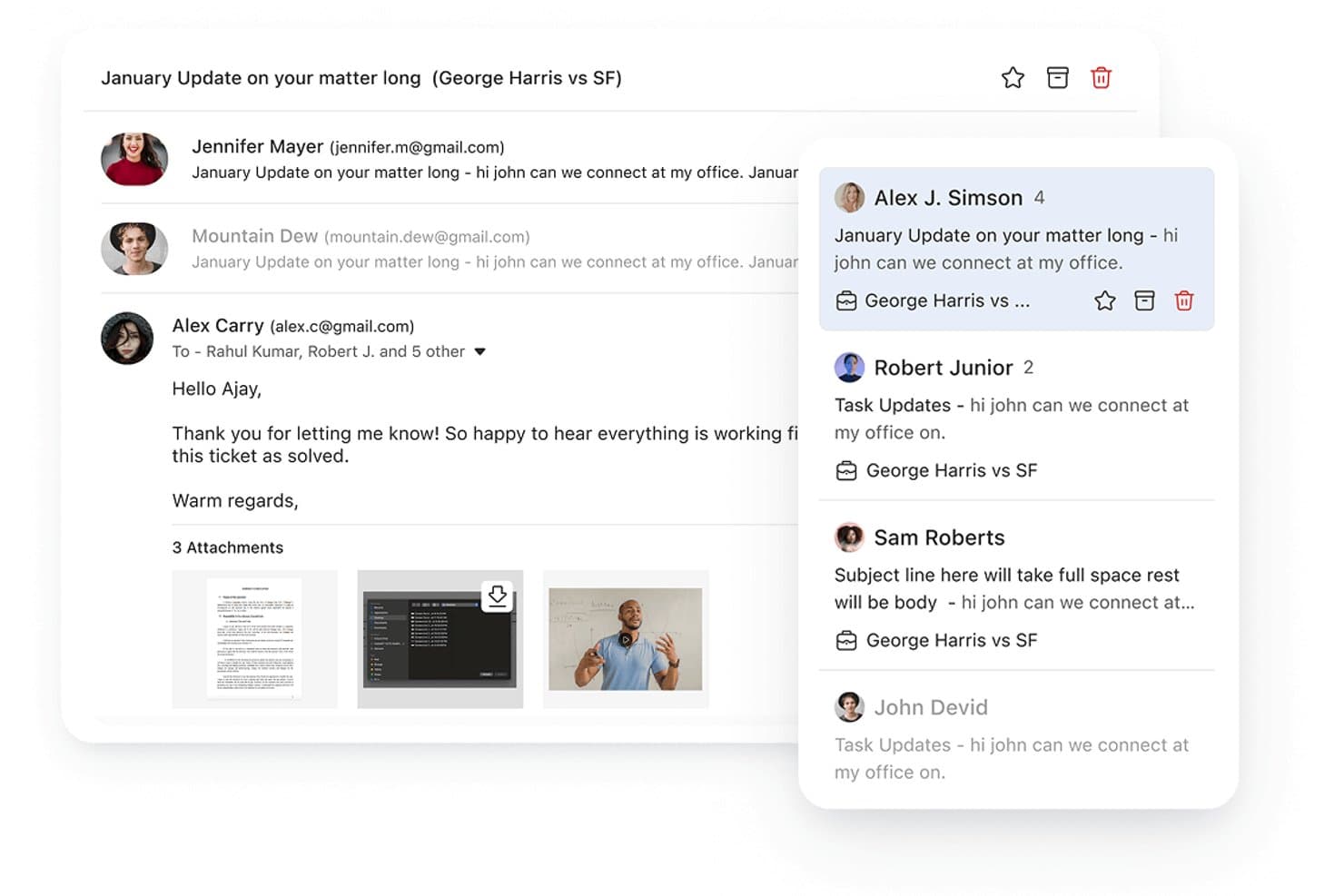
Lawcus centralizes probate case emails and matter threads in one view. Lawcus is a legal practice management platform that combines matter pipelines, workflow automation, document management, client communication, and trust accounting for law firms handling probate and other practice areas.
Who Is Lawcus Best For?
Lawcus suits small to mid-sized law firms that handle probate alongside other practice areas and want a single platform to manage matter pipelines, client communication, and billing.
Why I Picked Lawcus
I picked Lawcus as one of the best because its visual pipeline builder lets you map out every probate stage, from initial consultation through asset distribution and finalization, then automate what happens at each one. When a matter moves to the court proceedings stage, for example, Lawcus can automatically generate tasks, send reminders, and trigger document creation without any manual prompting. I also like that workflow logic can branch based on matter tags, so a file labeled "Probate" routes through a separate, purpose-built process from day one.
Lawcus Key Features
- Client portal: A secure, multilingual portal where executors, clients, and heirs can exchange messages, share files, and track case progress in real time.
- No-code workflow builder: A trigger-based automation tool that generates tasks, sends emails or texts, and creates documents when a matter changes stage or a task is completed.
- Legal calendar and reminders: Shared calendars with statute-of-limitations alerts, recurring tasks, task dependencies, and automated reminders delivered by email, text, or pop-up.
- Nova AI: An AI writing assistant that drafts emails, notes, tasks, and matter descriptions directly within the platform.
Lawcus Integrations
Lawcus offers native integrations with Eternal Pro, QuickBooks, Xero, Google Drive, OneDrive, Dropbox, Box, LawPay, and Confido Legal. Elite and higher plans include API access and Zapier.
Pros and Cons
Pros:
- Secure portal supports client and heir updates
- Automates stage-triggered tasks and reminders
- Custom probate-stage pipelines
Cons:
- No native estate inventory or distribution tracking
- No rules-based statutory deadline calculations
Learn more about Lawcus: Best for executor-led estate accounting
- 10-day free trial
- From $199/estate
Visit WebsiteCustomer Rating:4.8/5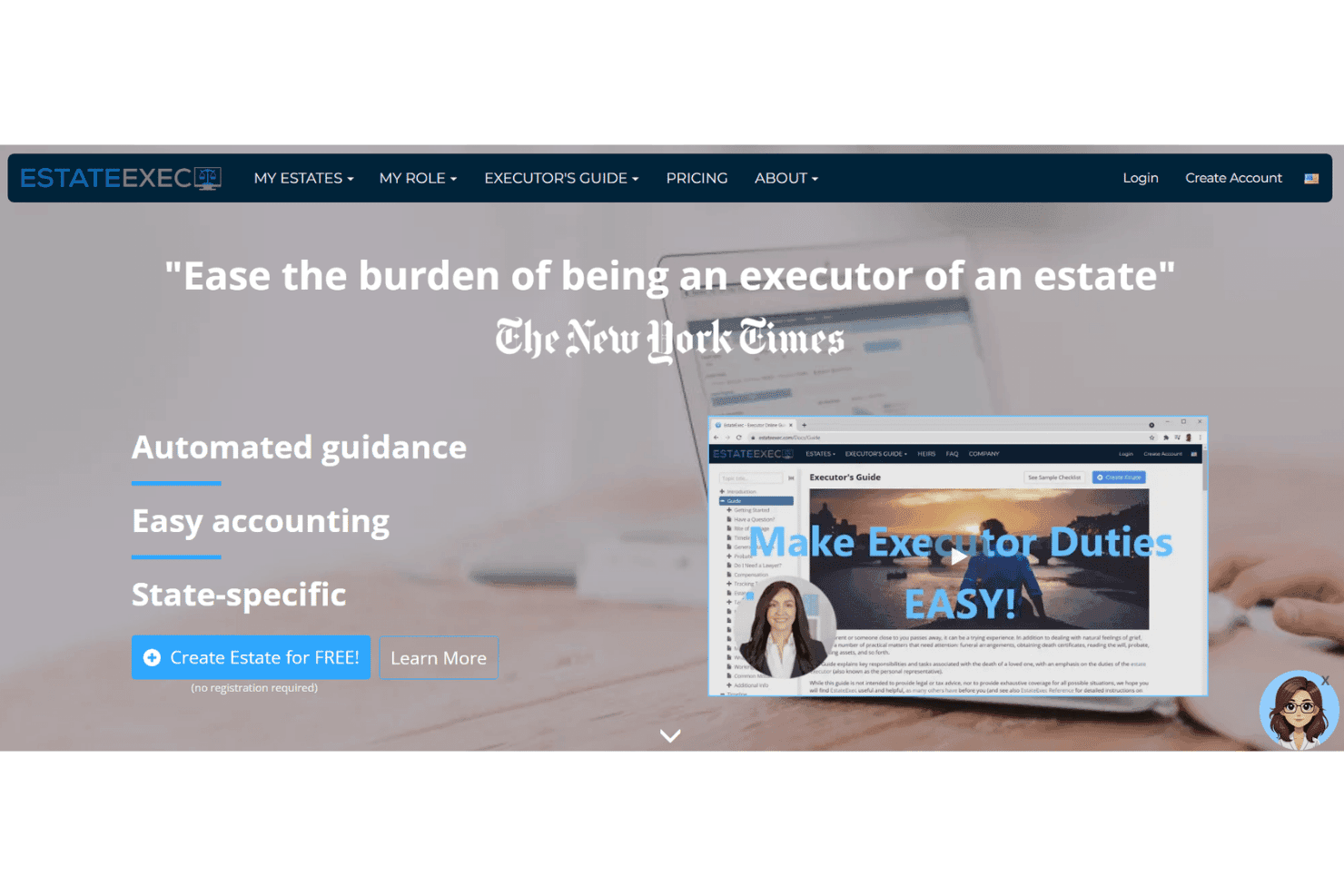
EstateExec tracks estate assets, debts, heirs, distributions, and probate tasks. EstateExec is a web-based estate settlement tool that covers asset inventory, debt tracking, heir management, distributions, cash flow accounting, and state-specific probate task guidance across all US states and Canadian provinces.
Who Is EstateExec Best For?
EstateExec works best for executors and personal representatives who need a structured way to track assets, debts, and distributions through estate settlement.
Why I Picked EstateExec
I've included EstateExec in my top picks because its built-in fiduciary accounting sets it apart for executor-led estate settlement. Assets, debts, distributions, and executor compensation all feed into a single accounting report that's formatted for court submission, including California's required format. I also like that partial distributions can be calculated by asset percentage directly in the app, which removes a lot of manual math when heirs hold fractional interests.
EstateExec Key Features
- State-specific task list: EstateExec builds a task list tied to your date of death entry, with timing and guidance adjusted to the laws of each US state and Canadian province.
- Plaid bank import: Connect your estate's bank accounts through Plaid to pull transactions directly into the Cashflow tab, where the app flags distributions and debt payments automatically.
- Shared access permissions: Grant co-executors, attorneys, accountants, or heirs Edit, View-Only, or No Access roles within a single estate record.
- Executor fee calculator: EstateExec calculates executor compensation based on state- or province-specific rules directly inside the app, alongside mileage and expense reimbursement tracking.
EstateExec Integrations
EstateExec has one documented native integration with Plaid for importing bank transactions into Cashflow. It also supports CSV imports and exports, but no practice management, accounting, calendar, or e-filing integrations are documented.
Pros and Cons
Pros:
- Percentage distributions simplify fractional heir allocations
- State-specific deadlines guide probate task planning
- Court-ready fiduciary accounting supports estate filings
Cons:
- Staff assignment and correspondence tracking remain limited
- County-specific deadlines and hearing dates remain absent
Learn more about EstateExec: 4Best for 50-state probate court forms
Clio
- 7-day free trial + free demo available
- From £79/user/month
Visit WebsiteCustomer Rating:4.5/5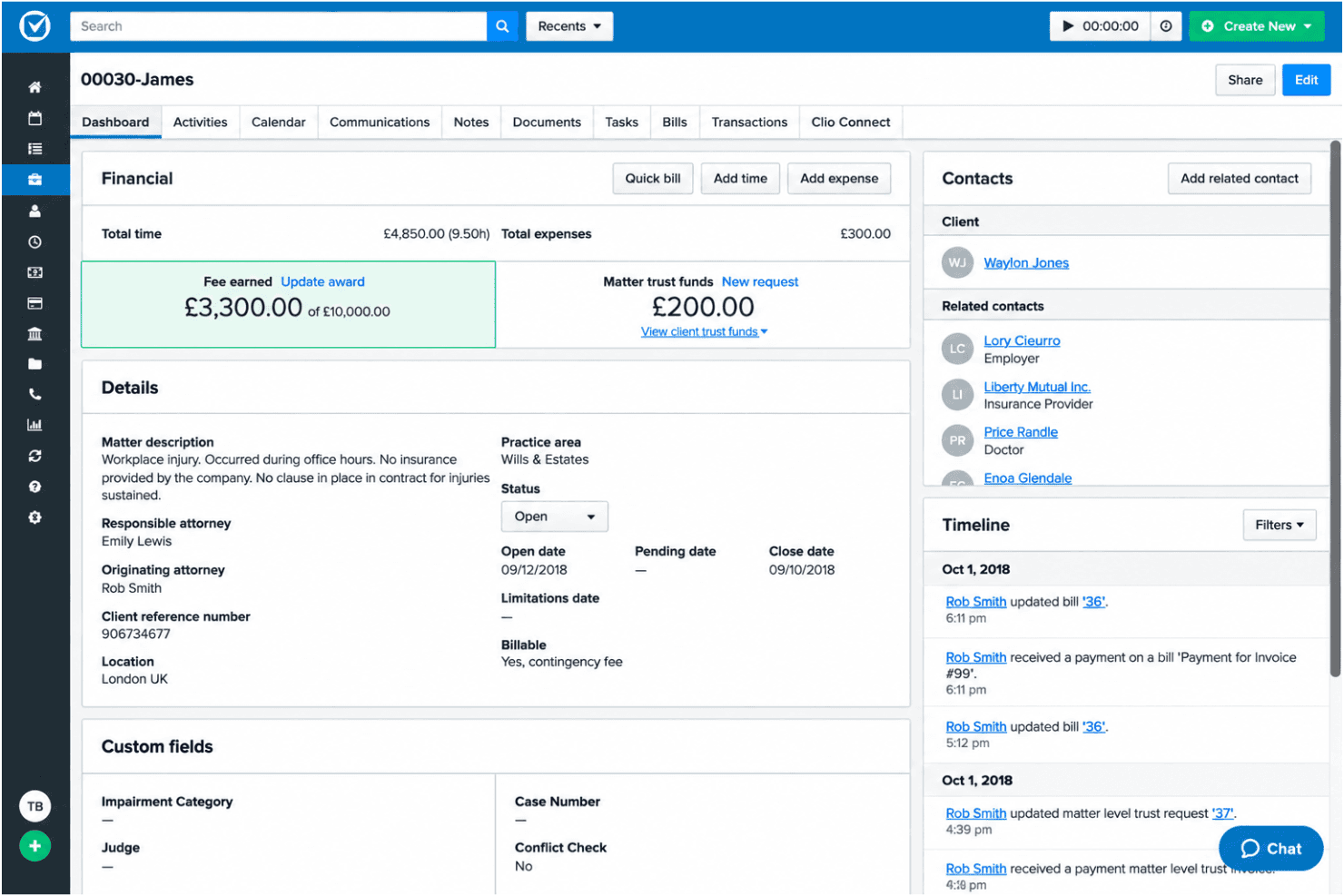
Clio centralizes probate matter details, contacts, and billing in one view. Clio is a general legal practice management platform that covers matter management, court-rule deadline calendaring, document automation, court forms, trust accounting, and client communication tools for wills and estates practices.
Who Is Clio Best For?
Clio is a strong fit for wills and estates attorneys who need a broad, auto-populating court form library across all 50 states without building document templates from scratch.
Why I Picked Clio
I picked Clio as one of the best because its court form library is genuinely unmatched across probate practice: Clio Draft covers all 50 states with auto-populating, fillable forms, including state-specific probate templates like Ohio's Application to Probate Will and List of Heirs and Beneficiaries. I also like that the Wills & Estates preconfigured account comes with structured custom fields for decedent info, up to 10 heirs, 10 beneficiaries, and asset inventory, so your matter data feeds directly into those forms without manual re-entry.
Clio Key Features
- Clio for Clients portal: A secure client portal where heirs and beneficiaries can view matter status, exchange messages, and access shared documents, with stage updates pushed via email or notification.
- Automated workflows: Trigger task lists, document generation, and matter templates automatically when a matter is created or moves to a new stage.
- Manage AI document extraction: Reads uploaded court notices and scheduling orders to draft calendar events and tasks from dates found in the documents.
- Estateably integration: Connects Clio matter data to Estateably for probate administration and fiduciary accounting, including court-formatted accountings and automated probate forms.
Clio Integrations
Clio connects with Estateably, QuickBooks Online, Xero, DocuSign, Google Calendar, Outlook/Exchange, Dropbox, Box, OneDrive, and NetDocuments through its 250+ app ecosystem. It also offers an open API and Zapier.
Pros and Cons
Pros:
- Organizes heirs, beneficiaries, and estate assets
- Tracks court deadlines across thousands of jurisdictions
- Auto-populates probate forms across 50 states
Cons:
- Probate notice tracking remains largely manual
- Requires add-ons for fiduciary accounting
Learn more about Clio: Best for UK firms managing estate workflows
- Free demo available
- Pricing upon request
Visit WebsiteCustomer Rating:2.3/5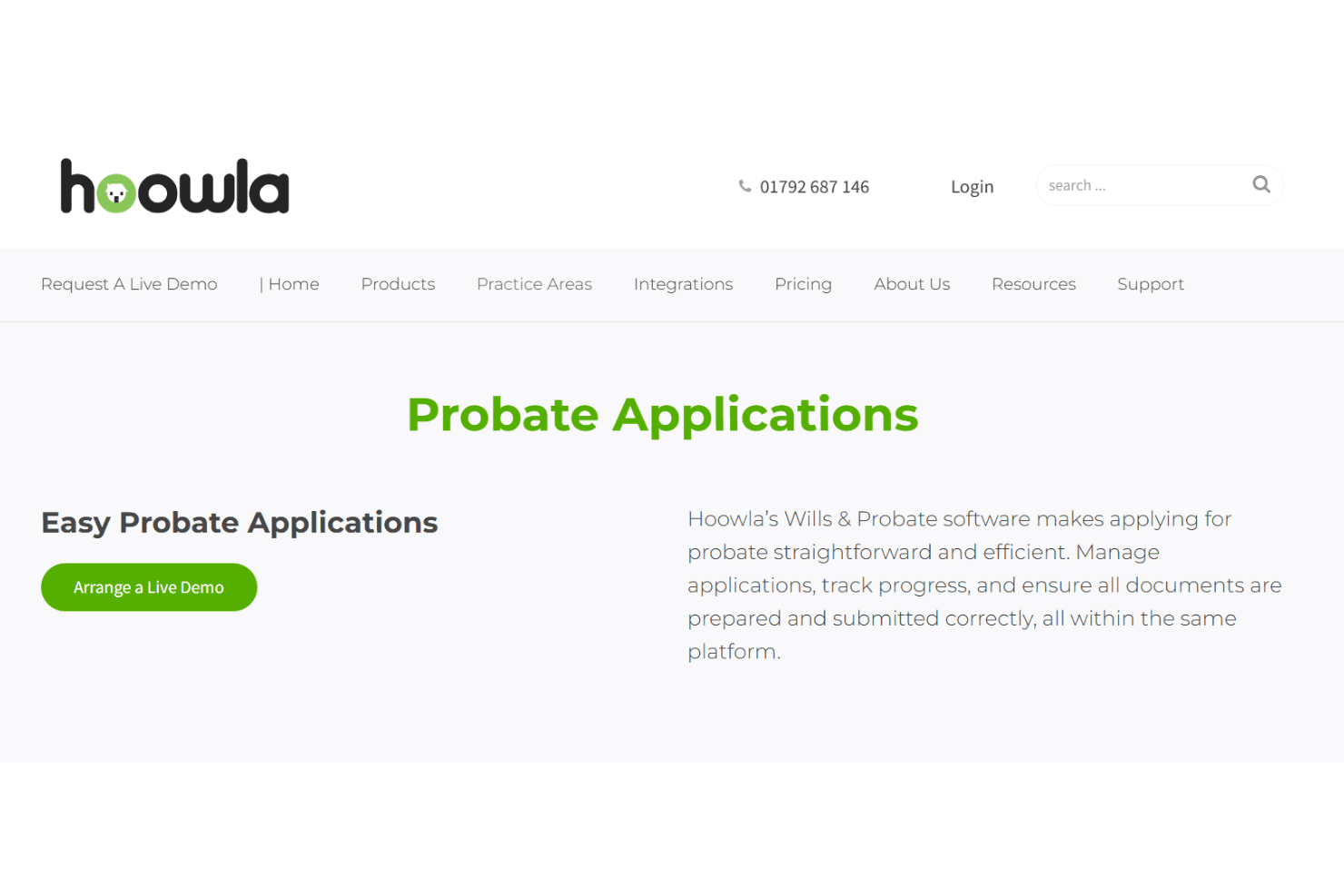
Hoowla tracks probate workflows, estate accounts, and beneficiary communications. Hoowla is a UK-focused legal case management platform built for law firms handling wills, probate, and estate administration, with tools for workflow automation, estate accounts, document generation, and a branded client portal.
Who Is Hoowla Best For?
Hoowla is a strong fit for UK law firms that handle wills, probate, and estate administration under England & Wales law.
Why I Picked Hoowla
I've included Hoowla in my top picks because it's one of the few platforms purpose-built for UK estate workflows, with probate-specific workflow templates that track tasks, milestones, and deadlines across testate and intestate matters simultaneously. I particularly like the built-in estate accounts module, which lets you record income, expenses, and distributions and generate estate account summaries and distribution statements without a separate accounting tool. The branded client portal rounds this out, giving executors and beneficiaries a way to view case progress, exchange documents, and e-sign without needing a separate app.
Hoowla Key Features
- Legal calendaring with reminders: Set task-level reminders for upcoming deadlines across active probate and estate administration matters.
- Outlook email integration: Add emails and attachments directly to a case from Outlook, keeping all case correspondence in one place.
- Role-based permissions: Control access to case files, client ledgers, communications, and reports by assigning custom roles such as solicitor, paralegal, or finance.
- Online client questionnaires: Turn any intake form or document into an online questionnaire that flows client-submitted answers directly into case files.
Hoowla Integrations
Hoowla integrates with Microsoft Outlook, Outlook 365, Microsoft Word, and Quill legal accounting. It also supports API and webhooks for custom connections, including a documented Power BI integration.
Pros and Cons
Pros:
- Branded portal supports executor updates
- Custom probate workflows track milestones
- Estate accounts support distribution statements
Cons:
- No structured heir notice tracking
- No rules-based statutory deadline calculation
Learn more about Hoowla: Best for document-heavy probate case workflows
- Free trial available
- Pricing upon request
Visit WebsiteCustomer Rating:4.8/5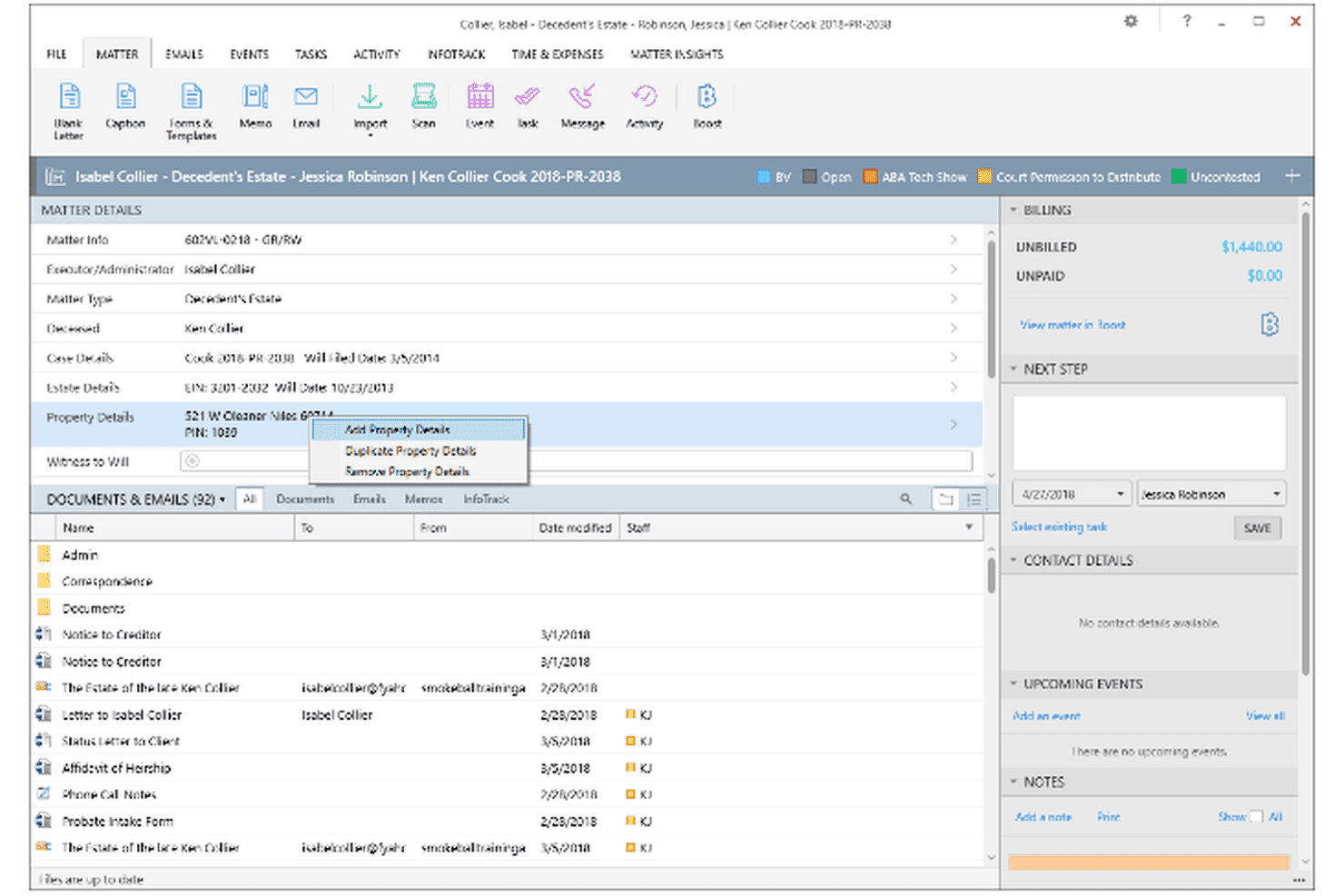
Smokeball automates probate court forms, heir records, and case deadlines. Smokeball is a practice management platform for small law firms that includes a dedicated probate matter type with heir and property fields, a library of 20,000+ auto-populating court forms and templates, stage-based workflows, and a client portal for secure matter communication.
Who Is Smokeball Best For?
Smokeball fits small law firms that handle probate alongside other practice areas and need a single platform to manage court forms, matter organization, and client communication.
Why I Picked Smokeball
I picked Smokeball as one of the best because its 20,000+ auto-populating court form library is genuinely hard to replicate in a general practice tool. When a probate matter opens, jurisdiction-specific forms pull heir names, property details, and key dates directly from the matter record. I also like that the dedicated probate matter type includes structured fields for heirs and properties, with stage-based workflows that calculate deadlines forward or backward from dates like date of death or notice of commencement.
Smokeball Key Features
- Client portal messaging: Send and receive secure messages and files tied directly to each matter through the Communicate portal, with all exchanges stored on the case file.
- AutoTime passive time capture: Automatically records time spent across Smokeball, Microsoft Word, and Outlook without requiring manual timers or entries.
- Trust accounting: Tracks and manages client trust funds within the platform, included across all Smokeball plans.
- Matter tagging: Label and sort estate cases with custom tags like "contested matters" or "outstanding documents" to filter your active caseload at a glance.
Smokeball Integrations
Smokeball offers integrations with Microsoft 365, LawToolBox, QuickBooks Online, LawPay, RingCentral, Zoom, Ricoh ScanSnap, and YoCierge. Its marketplace includes InfoTrack for eFiling, process serving, and eSignature.
Pros and Cons
Pros:
- Users praise responsive support and time capture
- Heir and property fields organize estates
- Auto-populating probate forms reduce repetitive drafting
Cons:
- Heir notices lack structured delivery tracking
- No valuation or distribution modeling tools
Learn more about Smokeball: Best for court-form and accounting automation
- Free demo available
- From $250/month
Visit WebsiteCustomer Rating:4.8/5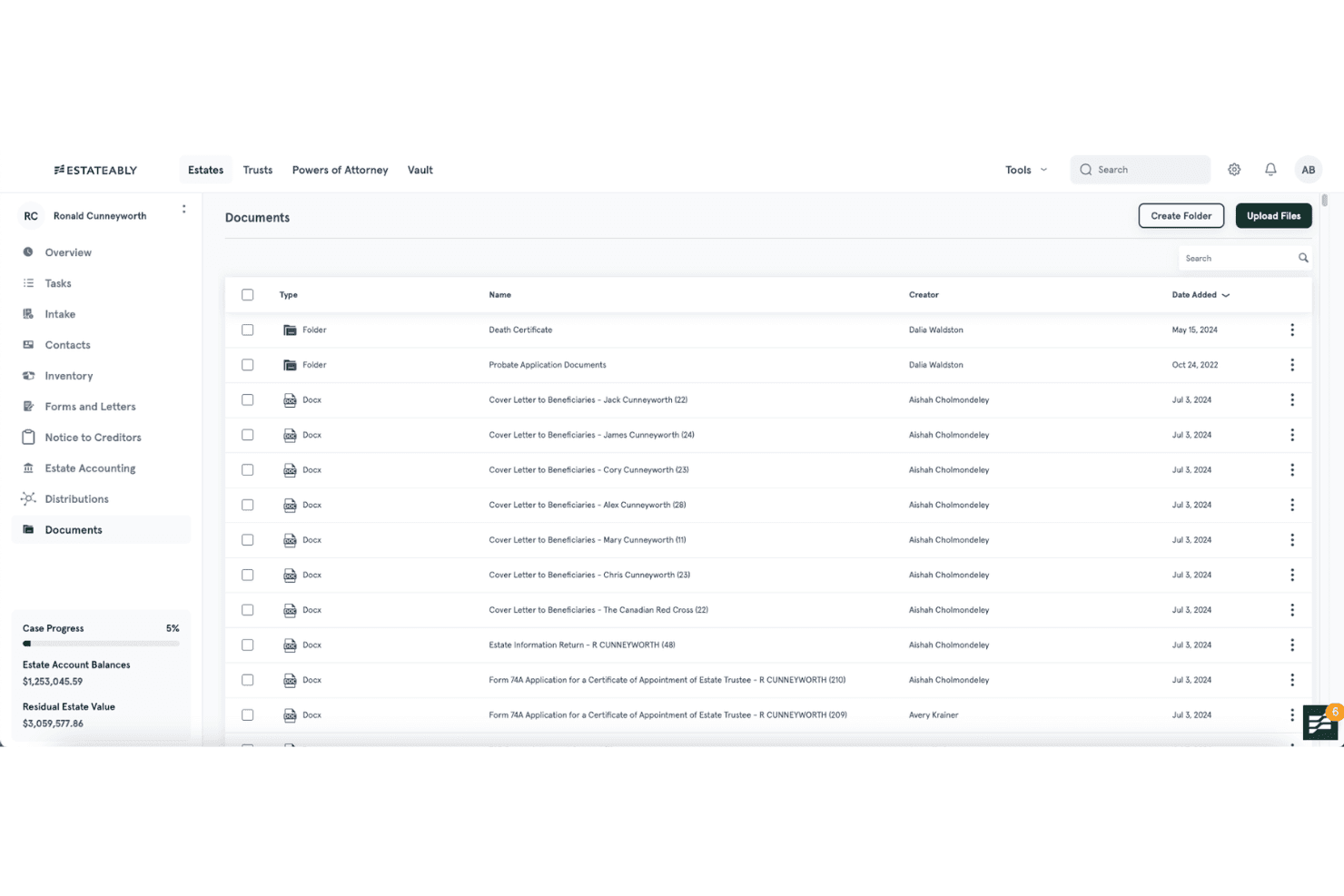
Estateably manages probate cases, fiduciary accounting, and estate assets. Estateably is a cloud-based estate and trust administration platform that covers probate case management, fiduciary accounting, asset inventory, court form generation, and beneficiary distribution tracking across US and Canadian jurisdictions.
Who Is Estateably Best For?
Estateably is a strong fit for estate and trust attorneys who handle complex asset inventories and fiduciary accountings across Canadian jurisdictions or in key US states like New York, California, and Florida.
Why I Picked Estateably
Estateably earns its spot on my shortlist because of how well it handles court form generation and fiduciary accounting from a single file. I love that it auto-populates over 3,000 jurisdiction-specific court forms, including state-level accounting schedules like the California Summary of Account, New York JA-7, and North Carolina AOC-E-506, directly from the data already in the file. The built-in accounting module calculates executor compensation, tracks distributions, and produces court-formatted reports without needing a separate tool.
Estateably Key Features
- Estate Intake form: A password-protected online form executors complete directly, with data importing automatically into the file.
- Encrypted Vault: Centralized document storage with version control and sharing access for internal staff and outside advisors.
- Notice to Creditors module: Publishes creditor notices from file data and tracks deadlines and proof of publication.
- Role-based access controls: Viewer, collaborator, editor, and administrator roles that admins can customize across unlimited users.
Estateably Integrations
Estateably offers integrations with Clio and DecisionVault, plus Google Calendar, Outlook, and Google and Microsoft email through its Productivity Bundle. Clio imports are on demand, calendar syncing is one-way, and no public API or court e-filing integration is documented.
Pros and Cons
Pros:
- Users praise responsive support and strong value
- Estate inventories include valuations and distributions
- Court-formatted accounting reports support probate filings
Cons:
- Beneficiaries lack a dedicated self-service portal
- Statutory deadlines require manual date entry
Learn more about Estateably: 8Best for estate accounting built into firm workflow
LEAP
- Free demo available
- Pricing upon request
Visit WebsiteCustomer Rating:4.3/5
LEAP manages estate accounting, beneficiary distributions, and probate documents. LEAP is a cloud-based practice management platform that covers estate planning and probate through built-in matter types, an Estate Accounting app, a 12,000+ automated forms library, and an included WealthCounsel drafting integration.
Who Is LEAP Best For?
LEAP is a strong fit for probate attorneys and paralegals who want estate accounting, document drafting, and matter management in one platform rather than stitching together separate tools.
Why I Picked LEAP
I picked LEAP as one of the best because its Estate Accounting app lives directly inside the matter record, so there's no switching between platforms to log ledger transactions, record asset distributions, or split estate proceeds across beneficiaries. I particularly like that distributions support both percentage and dollar splits, with an equalization check built in. The included WealthCounsel integration also means petitions, trust documents, and probate forms generate from the same matter data.
LEAP Key Features
- WealthCounsel drafting integration: Draft wills, trusts, petitions, and other estate documents using WealthCounsel's tools, with contacts syncing both ways and completed documents saving directly to the LEAP matter.
- LawConnect client portal: Share documents, collect comments, and provide matter updates to clients and third parties through a branded portal with audit trails and access controls.
- Workflow app with phase-based tasks: Build repeatable, role-assigned task sequences tied to probate matter types, with chronological task views across multiple open matters.
- InfoTrack e-filing sync: Submit court filings and automatically pull file-stamped copies, filing status, hearing notices, and judge's orders back into the matter record.
LEAP Integrations
LEAP integrates with WealthCounsel, LawToolBox, InfoTrack, DeedNetwork, LawConnect, DecisionVault, Microsoft 365, QuickBooks Online, and Xero. It also supports Zapier.
Pros and Cons
Pros:
- Phase-based workflows organize multiple estate matters
- Extensive library covers probate document automation
- Estate ledger supports beneficiary distributions
Cons:
- Reviewers report freezing and documents failing to load
- Probate deadlines lack a dedicated rules engine
Learn more about LEAP: Best for UK estate accounting and IHT workflows
- Free demo available
- Pricing upon request
Visit WebsiteCustomer Rating:2.8/5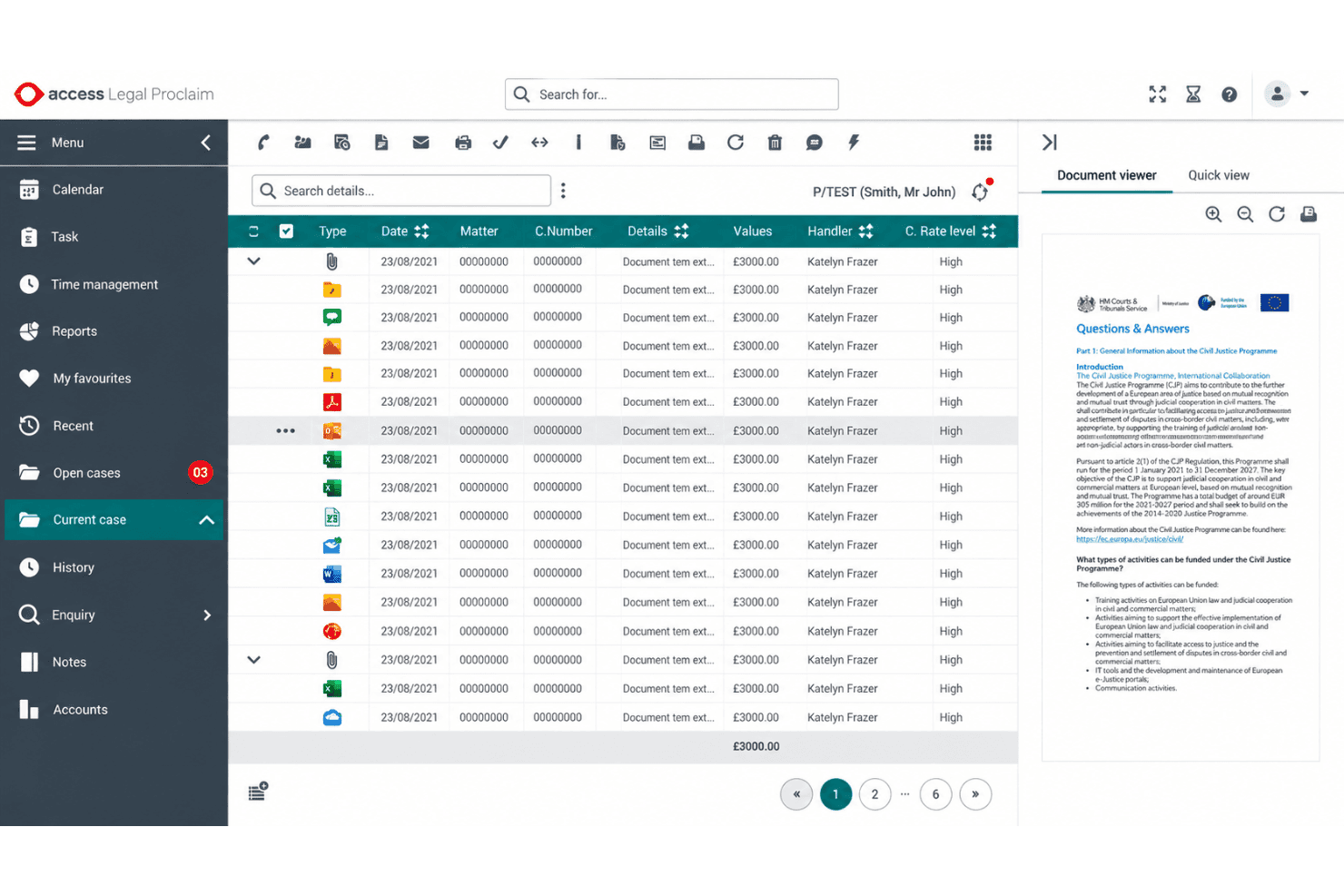
Access Legal manages probate calculations, IHT forms, estate accounts, and distributions. Access Legal is a UK-focused case management platform from The Access Group that covers wills drafting, probate workflows, estate accounting, IHT calculations, trust creation, and LPA preparation.
Who Is Access Legal Best For?
Access Legal is a strong fit for UK law firms handling estate administration, particularly those managing high volumes of IHT calculations and estate accounts under England & Wales probate rules.
Why I Picked Access Legal
I've included Access Legal in my top picks because its probate calculations module is genuinely built around UK estate accounting, handling asset and liability lists, IHT corrective accounts, and beneficiary distributions calculated to three decimal places, with automatic recalculation whenever figures change. I particularly like that estate accounts export directly as editable Excel spreadsheets, which is exactly what you need when preparing audit-ready documentation for HMRC. The IHT form generation and built-in link to HMRC's tax calculator make it a strong fit for firms processing high volumes of taxable estates under England & Wales rules.
Access Legal Key Features
- Precedent and clause library: A bank of standard UK wills and probate templates auto-populates clauses based on case data, covering applications for grant, statements of truth, and legatee letters.
- Client portal: A branded, permission-controlled portal gives clients 24/7 case progress updates, secure two-way messaging, document sharing, and e-signature support.
- AI Copilot: A plain-English query tool that answers questions about case data, summarises documents, and flags cases that are over budget or at risk.
- Outlook and Teams integration: Evo connects directly with Microsoft Outlook and Teams, with drag-and-drop email filing that attaches correspondence directly to the relevant matter.
Access Legal Integrations
Access Legal claims 100+ integrations, including HMRC, HM Land Registry, DocuSign, Credas, SmartSearch, Adobe, and Microsoft integrations across Outlook and Teams. It also connects with Access Legal Accounts, Power BI, and the inCase client onboarding app.
Pros and Cons
Pros:
- AI flags workflow risks and overbudget matters
- UK probate precedents populate documents automatically
- Detailed estate accounts and beneficiary calculations
Cons:
- Deadline reminders lack statutory rules engine
- No US court forms or e-filing
Learn more about Access Legal: 10Best for estate asset discovery and accounting
Trustate
- Free demo available
- From $189/month
Visit WebsiteCustomer Rating:3/5
Trustate handles estate accounting, asset discovery, documents, and trust funding. Trustate is an estate administration platform built for attorneys, trust companies, and executors that covers asset and debt discovery, estate balance sheet accounting, document generation, and trust funding across all 50 states.
Who Is Trustate Best For?
Trustate is a strong fit for estate attorneys and trust companies that handle high volumes of asset and debt discovery work across multiple states.
Why I Picked Trustate
I've included Trustate in my top picks because estate asset and debt discovery is where it genuinely separates itself from other tools in this space. Its 50+ asset and liability searches surface bank accounts, retirement funds, unclaimed property, open loans, and credit card balances that executors and attorneys would otherwise spend weeks tracking down manually. Paired with the Estate Balance Sheet, which generates fiduciary accountings and estate tax calculations in real time, it turns what's usually a spreadsheet-heavy process into structured, court-ready output.
Trustate Key Features
- Deadline Tickler: Track 120+ post-death tasks and assign a point person to keep administration on schedule.
- Jurisdiction-specific document generation: Auto-populate court pleadings, petitions, and applications with case data across all 50 states.
- Six-phase administration workflow: Move estates through structured phases from opening to final distribution using pre-filled, customizable workflows.
- In-app chat and team collaboration: Invite team members, assign tasks, and communicate within a shared matter workspace.
Trustate Integrations
Trustate lists 34 integrations, including Clio, MyCase, Actionstep, Filevine, PracticePanther, Smokeball, Xero, LedgerSync, Webhooks, and Zapier.
Pros and Cons
Pros:
- Six-phase workflows assign post-death administration tasks
- Estate Balance Sheet generates fiduciary accountings
- 50+ searches uncover hidden estate assets
Cons:
- Document generator fields may fail populating
- No jurisdiction-based deadline calculation engine
Learn more about Trustate:
Alte software-uri pentru gestionarea dosarelor succesorale
Iată câteva opțiuni suplimentare de software pentru gestionarea dosarelor succesorale care nu au ajuns pe lista mea scurtă, dar care merită totuși verificate:
- 11Spartan CourtBest for probate courts managing case deadlines
- 12EstateWorksBest for trust and estate firm workflows
- 13CARET LegalBest for general firms adding estate workflows
- 14FilevineBest for configurable estate workflow build-out
- 15GavelBest for probate document automation via Clio
- 16Rocket MatterBest for billing-first firms handling estate matters
- 17PracticePantherBest for general firms adapting workflows to estates
- 18FilewrightBest for intake-driven probate document drafts
- 19Estate-a-BaseBest for Ontario probate court form automation
- 20ProbateAdminBest for per-case IHT and estate accounts in England
How I Evaluate Probate Case Management Software
I split my evaluation into three parts: core functionality—tracking statutory deadlines and managing estate inventories—carries the most weight. I then look for standout features like multi-jurisdiction form libraries. Beyond that, I consider implementation support, pricing transparency, and update cadence.
Core Functionality (Table Stakes For This List)
When I'm selecting tools for my list, I score each one on a scale from 0 (does not offer the functionality) to 5 (excels in this area) for each core functionality listed below. I then convert the total into a percentage to help assess each tool's overall fit, with extra weight on any functionalities I've deemed essential.
- Probate Deadline Tracking (Essential): I check whether the tool calculates statutory filing windows and hearing dates based on jurisdictional rules, not just generic calendar reminders.
- Estate & Asset Inventory (Essential): Each tool should let you catalog assets, record valuations and debts, and track beneficiary distributions with audit-ready reporting.
- Court Form & Document Generation: I look for pre-built probate form libraries that auto-populate from case data, covering multiple jurisdictions and staying current with court updates.
- Case & Matter Management: The platform should organize matters by probate stage with task assignments, status visibility, and workflow steps that reflect how estate cases actually progress.
- Document & Correspondence Management: I evaluate how documents and communications link back to each matter, including version control, search, and a clear timeline of court correspondence.
- Heir/Beneficiary Communication Tracking: Logging notices to heirs and interested parties matters for compliance, so I look for structured tracking tied to required milestones rather than free-text notes.
Once I have a list of tools that meet the criteria, I consider what sets each platform apart.
Differentiating Factors (What Sets Vendors Apart)
Here's how I compare and contrast different vendors:
Standout Features
I look for fiduciary accounting automation that generates court-ready final accountings directly from estate inventory and transaction data—manual spreadsheet reconciliation is a major error source. Multi-court jurisdiction mapping matters just as much, since probate forms and deadlines shift by county. Tools like Estateably and LEAP maintain updated form libraries, but I check how often each vendor refreshes content after rule changes. I also evaluate heir portal access, which lets beneficiaries check case status without calling the firm.
Beyond Features
I check how often each vendor refreshes court forms and deadline rules after statutory changes—a stale form library can mean rejected filings. Role-based permissions matter too, since estate files mix sensitive financial data with heir communications that need separate access levels. I also evaluate whether the pricing model fits the firm's volume: per-case pricing suits low-volume practices, while per-user plans work better for teams managing dozens of open estates at once.
Cum să alegeți un software pentru gestionarea dosarelor succesorale
Alegeți software-ul pentru gestionarea dosarelor succesorale testând dacă acesta gestionează regulile jurisdicționale, evidențele succesorale și obligațiile de notificare în fluxul dumneavoastră de lucru real.
| Dacă prioritatea dumneavoastră este | Căutați |
|---|---|
| Dacă prioritatea dumneavoastră esteDepuneri și date ale audierilor corecte | CăutațiReguli specifice jurisdicției, cu un istoric datat al actualizărilor |
| Dacă prioritatea dumneavoastră esteDocumente pregătite pentru instanță | CăutațiFormulare adaptate instanțelor dumneavoastră și completate cu datele dosarului |
| Dacă prioritatea dumneavoastră esteContabilitate succesorală justificabilă | CăutațiEvaluări, datorii, distribuiri și istoricul tranzacțiilor asociate evidențelor-sursă |
| Dacă prioritatea dumneavoastră esteComunicări trasabile cu moștenitorii | CăutațiEtape ale notificărilor, evidențele destinatarilor, datele livrării și corespondența stocată |
Cum să vă evaluați lista scurtă
- Solicitați istoricul actualizărilor: Cereți fiecărui furnizor cel mai recent jurnal al revizuirilor formularelor judiciare și regulilor privind termenele-limită, inclusiv data și jurisdicția afectată.
- Realizați o sarcină de test definită: În timpul unei perioade de testare de 14 zile, creați o succesiune exemplu, înregistrați trei active și două datorii, atribuiți un termen-limită pentru depunere și exportați raportul rezultat.
- Testați un tichet de asistență: Trimiteți o întrebare privind un termen-limită specific jurisdicției și solicitați răspunsul, sursa și calea de escaladare în termen de două zile lucrătoare.
- Obțineți dovezi contractuale: Solicitați clauze scrise privind formatul exportului de date, păstrarea datelor după anulare și permisiunile de acces pentru evidențele financiare.
- Alegeți compromisul operațional: Evaluați în profunzime fluxul de lucru specializat pentru succesiuni în raport cu flexibilitatea mai largă a gestionării dosarelor, apoi consemnați decizia într-un memorandum de selecție de o pagină.
Ce este software-ul pentru gestionarea dosarelor succesorale?
Software-ul pentru gestionarea dosarelor succesorale este o platformă juridică pentru organizarea chestiunilor succesorale, a termenelor-limită, a documentelor, a activelor, a contabilității și a comunicărilor. Acesta ajută echipele juridice să urmărească etapele succesiunii, să atribuie sarcini, să pregătească documente judiciare, să înregistreze tranzacțiile succesorale și să monitorizeze notificările către moștenitori sau beneficiari.
Aceste sisteme pot, de asemenea, să centralizeze evidențele dosarelor, să susțină fluxuri de lucru specifice jurisdicției și să ofere piste de audit pentru depuneri, decizii și distribuiri.
Funcțiile software-ului pentru gestionarea dosarelor succesorale
Atunci când selectați un software pentru gestionarea dosarelor succesorale, urmăriți următoarele funcții esențiale:
Monitorizarea termenelor succesorale: Calculează perioadele pentru depunere, datele ședințelor, perioadele de notificare și alte termene legale folosind reguli specifice jurisdicției. Echipele pot atribui mementouri și monitoriza obligațiile viitoare din fiecare dosar.
Inventarul patrimoniului succesoral și al activelor: Stochează proprietăți, conturi financiare, evaluări, datorii, detalii privind dreptul de proprietate și documente justificative într-un singur dosar. Utilizatorii pot actualiza valorile activelor și pot monitoriza modificările pe parcursul procedurii succesorale.
Generarea formularelor judiciare: Completează formularele succesorale folosind informațiile deja înregistrate în dosar. Bibliotecile de formulare ar trebui să accepte jurisdicțiile relevante și să fie actualizate atunci când se modifică cerințele instanței.
Gestionarea fluxului de lucru al dosarelor: Organizează dosarele în funcție de etapa procedurii succesorale, precum preluarea, cererea, notificarea, administrarea, darea de seamă și închiderea. Echipele pot atribui sarcini, stabili stări și monitoriza responsabilitățile pentru dosarele deschise.
Gestionarea documentelor și a corespondenței: Asociază cererile, ordonanțele, notificările, e-mailurile și scrisorile cu dosarul relevant. Istoricul versiunilor, instrumentele de căutare și cronologiile documentelor îi ajută pe utilizatori să localizeze înregistrarea corectă înainte de depunere sau de formularea unui răspuns.
Monitorizarea comunicării cu moștenitorii și beneficiarii: Înregistrează părțile interesate, notificările obligatorii, datele transmiterii, răspunsurile și acțiunile ulterioare. Istoricul structurat al comunicărilor oferă echipelor o evidență clară a informațiilor primite de fiecare destinatar și a momentului în care le-a primit.
Contabilitatea patrimoniului succesoral și distribuiri: Monitorizează veniturile, cheltuielile, datoriile, transferurile și plățile către beneficiari în raport cu inventarul patrimoniului succesoral. Instrumentele de raportare pot sprijini dările de seamă interimare sau finale folosind înregistrările tranzacțiilor din dosar.
Acces pe baza rolurilor și piste de audit: Controlează accesul la informațiile financiare, documentele dosarului și înregistrările comunicărilor în funcție de rolul utilizatorului. Jurnalele de activitate arată cine a creat, editat, vizualizat sau exportat informații importante despre dosar.
Beneficiile software-ului de gestionare a dosarelor succesorale
Implementarea unui software de gestionare a dosarelor succesorale oferă mai multe beneficii pentru echipa și afacerea dumneavoastră. Iată câteva dintre acestea:
- Mai puține termene ratate: Monitorizarea termenelor specifice jurisdicției calculează perioadele pentru depunere, datele ședințelor, perioadele de notificare și mementourile pentru acțiunile ulterioare pentru fiecare dosar.
- Înregistrări mai exacte ale patrimoniului succesoral: Inventarele activelor asociază proprietăți, evaluări, datorii, detalii privind dreptul de proprietate și documente justificative într-un singur dosar.
- Depuneri judiciare consecvente: Bibliotecile de formulare completează documentele succesorale folosind datele dosarului și pot reflecta actualizările cerințelor jurisdicției.
- O imagine de ansamblu mai clară asupra dosarelor: Fluxurile de lucru bazate pe etape, atribuirea sarcinilor, stările și jurnalele de activitate arată cine se ocupă de fiecare responsabilitate și ce aspecte rămân deschise.
- Un control mai bun al documentelor: Cererile, ordonanțele, notificările, e-mailurile și scrisorile asociate oferă înregistrări care pot fi căutate, cu istoricul versiunilor și cronologii ale dosarelor.
- Comunicări trasabile cu moștenitorii: Înregistrările beneficiarilor asociază notificările obligatorii cu destinatarii, datele transmiterii, răspunsurile și acțiunile ulterioare.
- Contabilitate justificabilă a patrimoniului succesoral: Înregistrările tranzacțiilor pentru venituri, cheltuieli, datorii, transferuri și distribuiri sprijină rapoartele contabile interimare și finale.
Costurile și prețurile software-ului de gestionare a dosarelor succesorale
Alegerea unui software de gestionare a dosarelor succesorale necesită înțelegerea modelelor și planurilor de preț disponibile. Costurile variază în funcție de caracteristici, dimensiunea echipei, modulele suplimentare și alți factori. Tabelul de mai jos sintetizează planurile obișnuite, prețurile medii și caracteristicile incluse de regulă în soluțiile software de gestionare a dosarelor succesorale.
Tabel comparativ al planurilor pentru software-ul de gestionare a dosarelor succesorale
| Tipul planului | Preț mediu | Caracteristici comune |
|---|---|---|
| Tipul planuluiPlan personal | Preț mediu$20-$60/user/month | Caracteristici comuneGestionarea dosarelor, mementouri pentru termene, stocarea documentelor, evidența patrimoniului succesoral și asistență prin e-mail. |
| Tipul planuluiPlan pentru companii | Preț mediu$60-$150/user/month | Caracteristici comuneFluxuri de lucru specifice jurisdicției, generarea formularelor judiciare, contabilitatea patrimoniului succesoral, monitorizarea comunicării cu beneficiarii și permisiuni pentru echipă. |
| Tipul planuluiPlan pentru întreprinderi | Preț mediu$150-$300/user/month | Caracteristici comuneRaportare avansată, fluxuri de lucru personalizate, integrări extinse, piste de audit, asistență dedicată și controale de acces configurabile. |
Întrebări frecvente despre software-ul de gestionare a dosarelor succesorale
Iată câteva răspunsuri la întrebările frecvente despre software-ul de gestionare a dosarelor succesorale:
Poate software-ul de gestionare a dosarelor succesorale să ofere suport pentru mai multe jurisdicții?
Da, unele software-uri de gestionare a dosarelor succesorale oferă suport pentru mai multe jurisdicții prin biblioteci de formulare judiciare și reguli privind termenele specifice fiecărei jurisdicții. Confirmați ce instanțe și regiuni acoperă platforma înainte de achiziție.
Întrebați furnizorii cum actualizează cerințele de depunere, datele audierilor, perioadele de notificare și termenele legale. De asemenea, ar trebui să solicitați cel mai recent jurnal al actualizărilor pentru fiecare jurisdicție în care activați. O platformă care acceptă o instanță este posibil să nu accepte toate comitatele sau statele în care oferă servicii firma dumneavoastră.
Poate software-ul de gestionare a dosarelor succesorale să înlocuiască foile de calcul pentru contabilitatea succesiunii?
Da, software-ul de gestionare a dosarelor succesorale poate înlocui multe sarcini contabile bazate pe foi de calcul atunci când înregistrează activele, datoriile, veniturile, cheltuielile, transferurile și distribuirile. Căutați istorice ale tranzacțiilor asociate documentelor-sursă și registrelor de inventar ale succesiunii. Sistemul ar trebui să accepte și rapoarte contabile intermediare sau finale.
Înainte de a face schimbarea, testați dacă gestionează formatul contabil, procesul de aprobare și cerințele dumneavoastră de raportare. Confirmați întotdeauna că rapoartele exportate respectă standardele de depunere ale instanței relevante.
Cum ar trebui o firmă de avocatură să testeze software-ul de gestionare a dosarelor succesorale?
Testați software-ul de gestionare a dosarelor succesorale folosind o succesiune de probă care reflectă activitatea dumneavoastră zilnică. Adăugați mai multe active, datorii, beneficiari, notificări, documente și termene de depunere. Apoi generați un formular judiciar, atribuiți sarcini, înregistrați o tranzacție și exportați un raport.
Trimiteți o întrebare către serviciul de asistență, specifică unei jurisdicții, în timpul perioadei de testare. Verificați sursa răspunsului și timpul de răspuns. Acest proces arată dacă platforma gestionează fluxul dumneavoastră de lucru, nu doar dacă demonstrează funcții izolate.
Ce ar trebui să verifice o firmă înainte de a migra dosarele succesorale?
Înainte de a migra dosarele succesorale, verificați în scris controalele privind exportul, importul, păstrarea și accesul la date. Întrebați dacă furnizorul poate importa contacte, active, documente, termene, note și istorice ale tranzacțiilor.
Confirmați formatul de export și dacă documentele își păstrează metadatele. Analizați modul în care platforma separă evidențele financiare de informațiile generale despre dosare. Efectuați un test de migrare cu dosare închise și active înainte de a muta fișierele utilizate efectiv. Păstrați înregistrările originale până când validați noul sistem.