

Open source legal case management software is self-hosted or source-available technology for organizing matters, clients, documents, deadlines, and legal workflows. These platforms can give your firm greater control over confidential data and customization, but many require technical administration and legal-specific configuration.
I compared 12 options across case tracking, client records, document management, permissions, hosting, licensing, and support to help you identify the right fit for your practice.
Why Trust Our Software Recommendations
6,700+
Reviews
20
Industry experts
16+
Evaluation factors
14
Years
Our team has been testing and reviewing software since 2012. As legal practice leaders ourselves, we know how difficult—and important—it is to choose the right software.
For this guide, we evaluated tools using hands-on testing and independent research, scoring tools using our selection criteria.
Our reviews reflect our human editorial judgment, not a sales pitch.
Compare the Best Open Source Legal Case Management Software
Compare pricing and specifications side by side for the open source legal case management software on my shortlist.
| Tool | Best For | Trial Info | Price | ||
|---|---|---|---|---|---|
| 1 | Best for self-hosting with zero licensing fees | Free trial available | Pricing upon request | Website | |
| 2 | Best for GPL-licensed ERP adapted to legal workflows | 30-day free trial + free demo available | Free | Website | |
| 3 | Best for self-hosting document-heavy case archives | Free trial + free demo available | Pricing upon request | Website | |
| 4 | Best for self-hosted audit trails and SSO | Free and open source | Free | Website | |
| 5 | Best for migrating off Clio or PracticePanther | Free demo available | Free | Website | |
| 6 | Best for self-hosted client data sovereignty | Free trial + free demo available | From €71.29/user/year | Website | |
| 7 | Best for IT-led self-hosting with full data control | 45-day free trial | From €19/user/month | Website | |
| 8 | Best for no-code matter setup and data control | 30-day free trial + free demo available | From $15/user/month | Website | |
| 9 | Best for government and court legal operations | Free demo available | Free | Website | |
| 10 | Best for MIT-licensed AI-assisted case work | Free demo available | Free | Website |


Open Source Legal Case Management Software Reviews
Below are my summaries of the best open source legal case management software on my shortlist. My reviews examine the features, hosting options, and licensing of each software option to help you find the right one for your practice.
 Best for self-hosting with zero licensing fees
- Free trial available
- Pricing upon request
Visit WebsiteCustomer Rating:4.2/5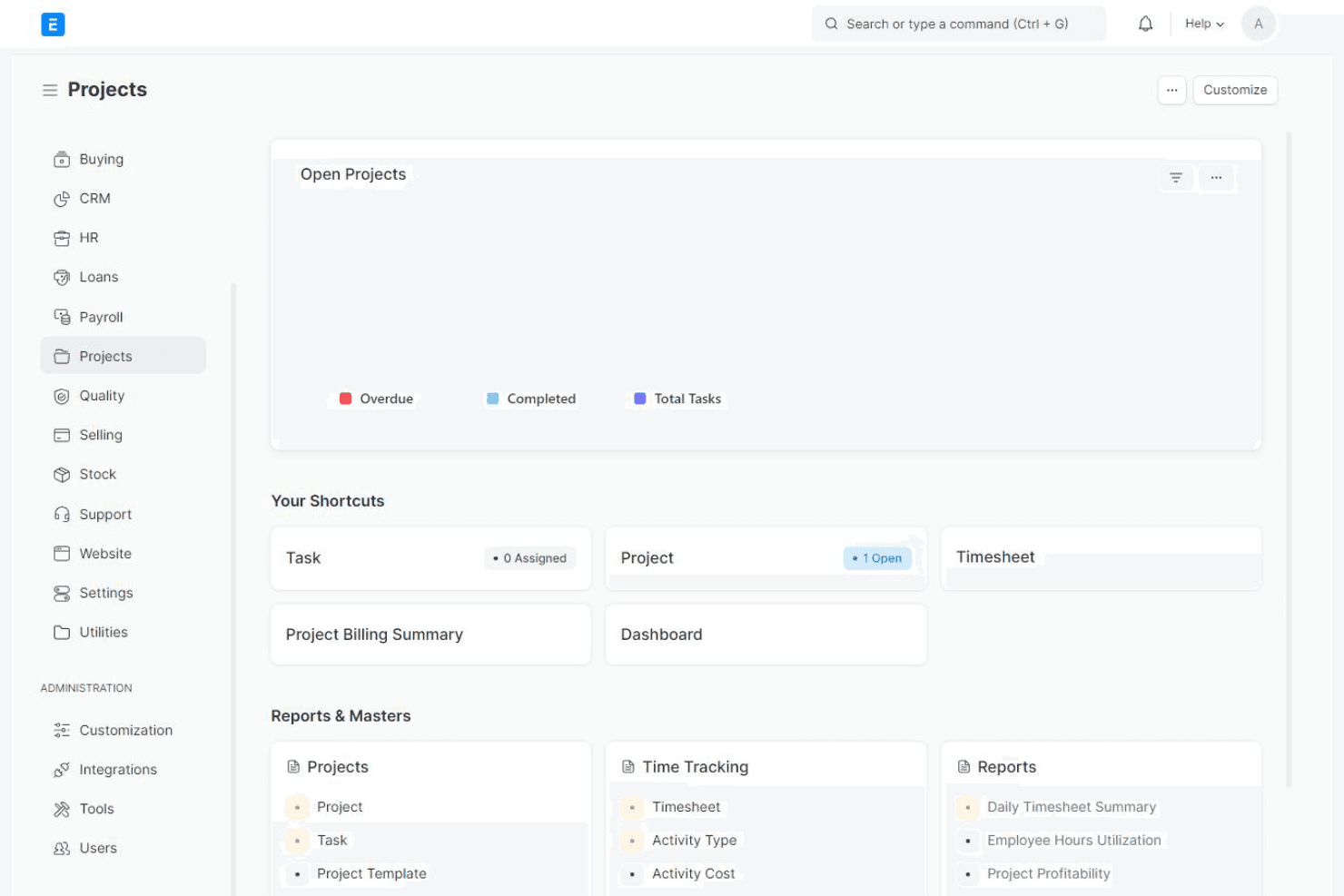
ERPNext tracks project tasks, timesheets, and billing activities. ERPNext is a GPL-3.0 open source ERP platform that law firms adapt for case management through its Projects, Contacts, Timesheets, and calendaring modules—or by layering on third-party legal apps built on the Frappe Framework.
Who Is ERPNext Best For?
ERPNext is a strong fit for firms with in-house IT or developer resources that want full control over their data without paying licensing fees.
Why I Picked ERPNext
I've included ERPNext in my top picks because it's the only option here that runs entirely on your own infrastructure with no licensing fees attached—ever. Its GPL-3.0 codebase, official Docker images, and Bench CLI mean your IT team can deploy, manage, and modify everything without touching a vendor contract. I like that custom doctypes let you model matters, parties, and workflows specific to your firm's needs rather than working around a fixed structure.
ERPNext Key Features
- Custom doctype builder: Add custom fields, forms, and record types to model matters, parties, and legal workflows that don't exist natively in ERPNext.
- Role-based permissions: Set field-level access controls, module restrictions, and login rules like session limits and IP allowlists to manage who sees what.
- Google Calendar two-way sync: Push and pull events between ERPNext and Google Calendar using OAuth, keeping deadlines and appointments in one view.
- Timesheet and billing integration: Log billable hours against projects or custom matter records and pull that data into invoices using built-in double-entry accounting.
ERPNext Integrations
Native integrations include Google Calendar, Google Drive, and Google Contacts. ERPNext also supports REST APIs and marketplace integrations for custom legal workflows.
Pros and Cons
Pros:
- Custom doctypes model firm-specific workflows
- Self-hosting supports sensitive client data control
- GPL-3.0 codebase avoids vendor lock-in
Cons:
- Requires developer support for implementation and maintenance
- No native legal matter management
Learn more about ERPNext: Best for GPL-licensed ERP adapted to legal workflows
- 30-day free trial + free demo available
- Free
Visit WebsiteCustomer Rating:4.5/5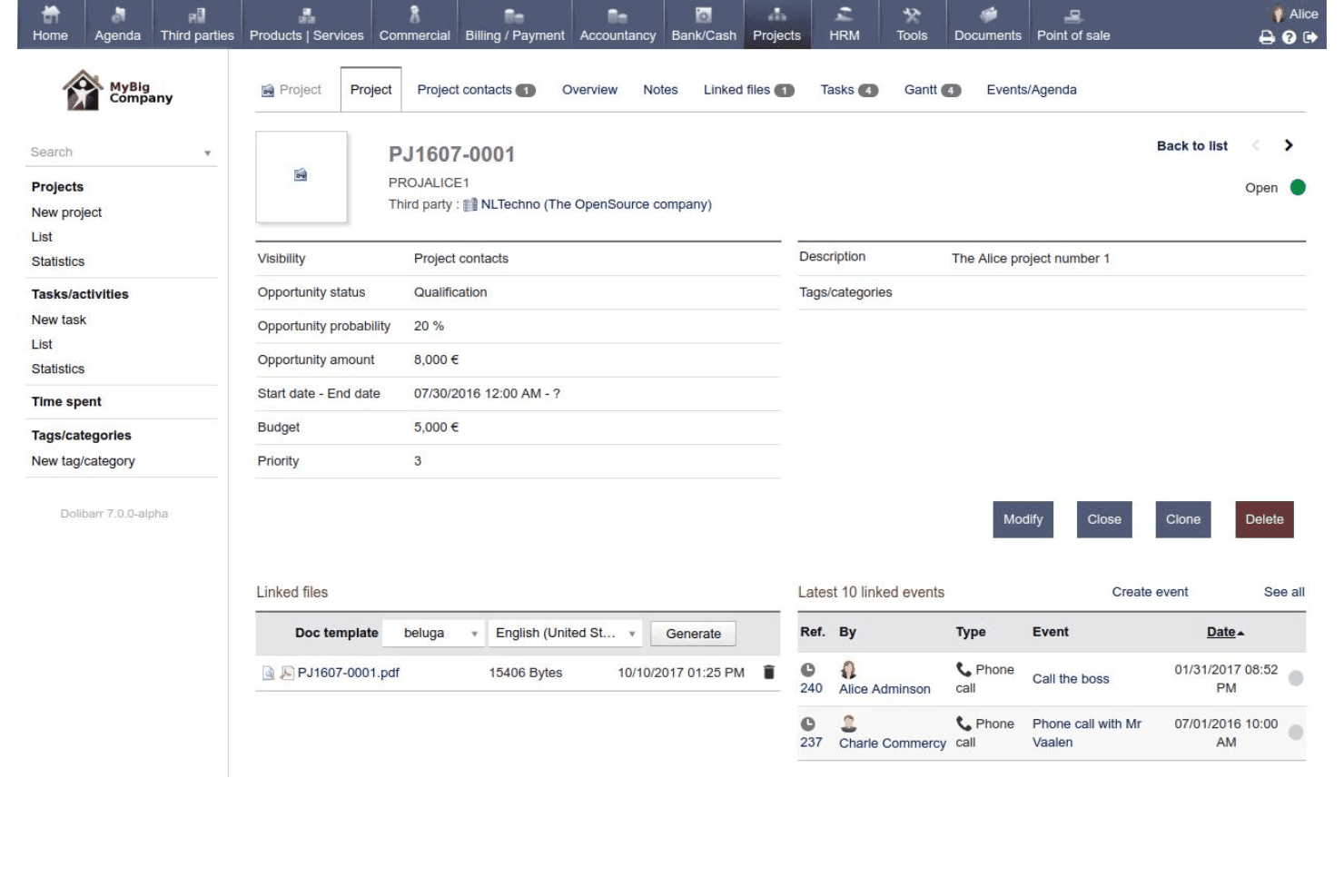
Dolibarr lets users manage projects with tasks, budgets, and linked events. Dolibarr is a GPL-licensed open-source ERP and CRM platform that covers project tracking, contact management, document handling, calendaring, and invoicing through a modular, self-hosted architecture you can extend with custom modules or a marketplace of add-ons.
Who Is Dolibarr Best For?
Dolibarr is a good fit for IT-savvy legal teams that want full control over their infrastructure and prefer building a customized tool over paying for a purpose-built platform.
Why I Picked Dolibarr
I've included Dolibarr in my top picks because its GPL v3 license means the codebase is yours to own, modify, and self-host without per-user fees or vendor lock-in. I like that the Module Builder and DoliStore marketplace (1,000+ modules) let IT-savvy legal teams retrofit a matter-tracking system using the Projects and Agenda modules. In practice, your team retains a full SQL export of your data on demand, which matters when client confidentiality requires you to control exactly where records live.
Dolibarr Key Features
- REST API access: Dolibarr's core REST API supports GET, POST, PUT, and DELETE operations with per-user API keys, so your IT team can connect external tools or build custom legal workflows on top of the platform.
- Module Builder: A built-in low-code Module Builder lets you create custom modules that survive core upgrades, giving you a structured way to add legal-specific fields, objects, or views without touching the core codebase.
- Role-based permissions: You can configure granular roles and permissions across users, controlling exactly who can view, edit, or manage records within your self-hosted instance.
- Agenda module with iCal export: The Agenda module offers day, week, and month views with support for iCal export, event-type filtering, and workflow-triggered event creation.
Dolibarr Integrations
Native integrations with legal platforms are not clearly documented. Dolibarr supports custom connections through its REST API and marketplace extensions through DoliStore; UnboxERP separately documents connectors for Shopify, BigCommerce, and PrestaShop.
Pros and Cons
Pros:
- Module Builder adapts generic legal workflows
- Self-hosting supports sensitive client data
- GPL ownership avoids vendor lock-in
Cons:
- Basic documents lack version control
- No native case or matter tracking
Learn more about Dolibarr: Best for self-hosting document-heavy case archives
- Free trial + free demo available
- Pricing upon request
Visit WebsiteCustomer Rating:3.7/5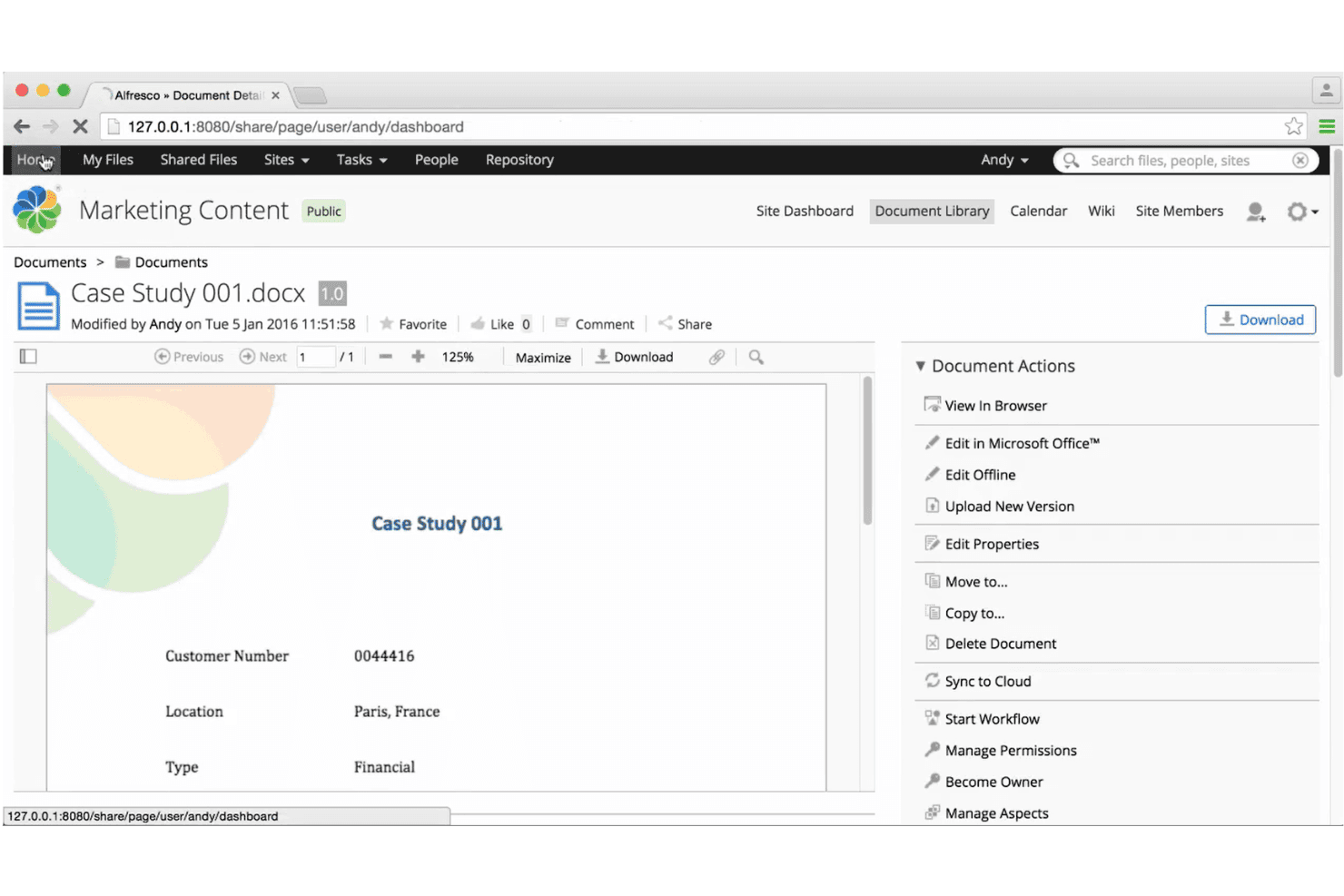
Alfresco lets users view, edit, and manage documents with built-in actions. Alfresco is an open-source enterprise content management platform built around document storage, version control, metadata modeling, records retention, and role-based access control.
Who Is Alfresco Best For?
Alfresco is a strong fit for IT-led legal teams that need full control over a self-hosted document archive and are prepared to build case tracking on top of a flexible content management foundation.
Why I Picked Alfresco
I've included Alfresco in my top picks because it's one of the few genuinely open source ECM platforms where you can self-host a full document archive without paying a licensing fee. Its LGPL-3.0 codebase, paired with Docker Compose and Kubernetes Helm chart deployment, gives IT-led legal teams complete control over where sensitive case files live. I particularly like the WORM-based retention scheduling in Governance Services, which lets you lock records against modification and automate disposition, something most open source tools don't offer out of the box.
Alfresco Key Features
- Role-based access control: Assign granular repository and site-level roles—Consumer, Contributor, Editor, Collaborator, Coordinator—or define custom roles in XML permission models.
- Site calendar: View, create, and manage case-related events across day, week, month, and agenda views, with iCal feeds for syncing to external calendar apps.
- REST and CMIS APIs: Connect Alfresco to external systems or build custom legal workflows using open-standard REST APIs, CMIS, and an event-driven SDK via ActiveMQ.
- SSO via Keycloak: Configure single sign-on with SAML identity providers through Keycloak, supporting centralized authentication across your legal team's tools.
Alfresco Integrations
Alfresco has documented integrations with Microsoft 365, Google Docs, Keycloak, and SAML identity providers. CMIS, REST, WebScripts, iCal feeds, and an event-driven SDK support custom connections.
Pros and Cons
Pros:
- Self-hosting provides extensive architectural control
- WORM retention supports defensible records governance
- Strong versioning, metadata, and audit trails
Cons:
- Party relationships require custom content models
- No native matter or case objects
Learn more about Alfresco:
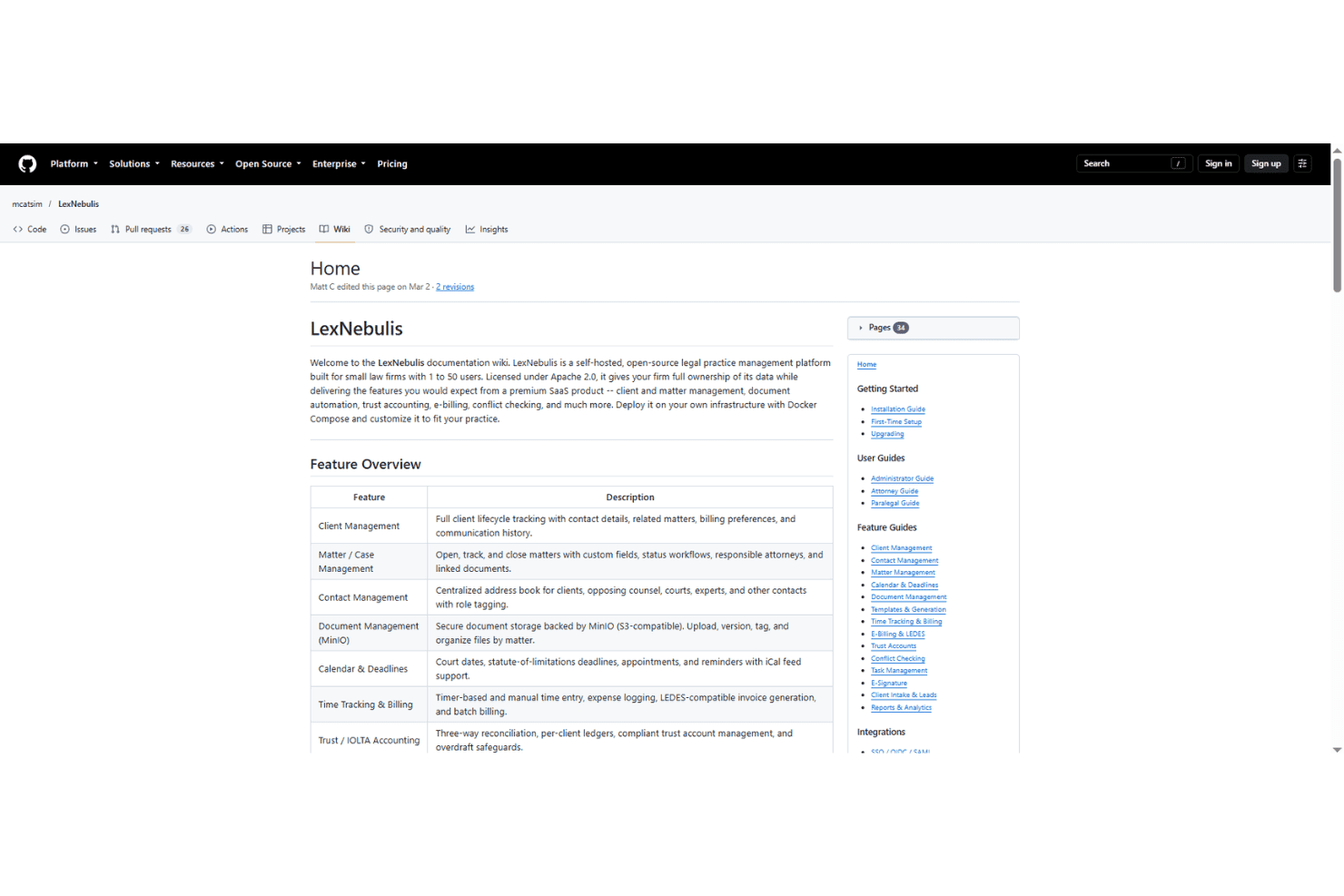
LexNebulis offers a full-featured wiki documenting its legal practice tools. LexNebulis is a self-hosted, open-source legal case management system covering matter tracking, document management, trust/IOLTA accounting, conflict checking, e-signature, and client intake—built with a security-first architecture that includes hash-chained audit logs, SSO, and SCIM provisioning.
Who Is LexNebulis Best For?
LexNebulis is a good fit for small firms with an in-house IT administrator who can manage a self-hosted Docker environment and wants full control over client data without paying licensing fees.
Why I Picked LexNebulis
I picked LexNebulis as one of the best because its hash-chained audit log is unlike anything else I've seen in open source legal tools: every log entry is SHA-256-linked to the previous one, so any tampering is mathematically detectable and verifiable via API. Pair that with SAML 2.0 and OIDC single sign-on across providers like Okta, Azure AD, and Keycloak, plus SCIM 2.0 for automated user provisioning, and you get an enterprise-grade identity and compliance layer that's fully self-hosted.
LexNebulis Key Features
- Hash-chained audit log: Every audit entry is SHA-256-linked to the previous one, making any tampering mathematically detectable via a built-in API verification endpoint.
- Trust/IOLTA accounting: Per-client ledgers with three-way reconciliation, overdraft safeguards, and LEDES 1998B/2000 e-billing with UTBMS codes.
- Conflict checking: Phonetic and fuzzy name matching using Soundex, Metaphone, and Levenshtein algorithms, with ethical-wall support to lock matters.
- Client portal: Clients can view matters, invoices, and documents, upload files, and send secure messages directly through the platform.
LexNebulis Integrations
LexNebulis supports OIDC and SAML with Azure AD, Okta, ADFS, Keycloak, and Google Workspace, plus Stripe, LawPay, Google Drive, Dropbox, Box, and OneDrive. It also offers QuickBooks exports, iCal sync, SCIM provisioning, and a REST API for custom integrations.
Pros and Cons
Pros:
- Trust accounting includes three-way reconciliation safeguards
- Self-hosted deployment preserves client data control
- Hash-chained audit logs support tamper detection
Cons:
- No migration tools for proprietary case systems
- Single-maintainer project has limited community support
Learn more about LexNebulis:
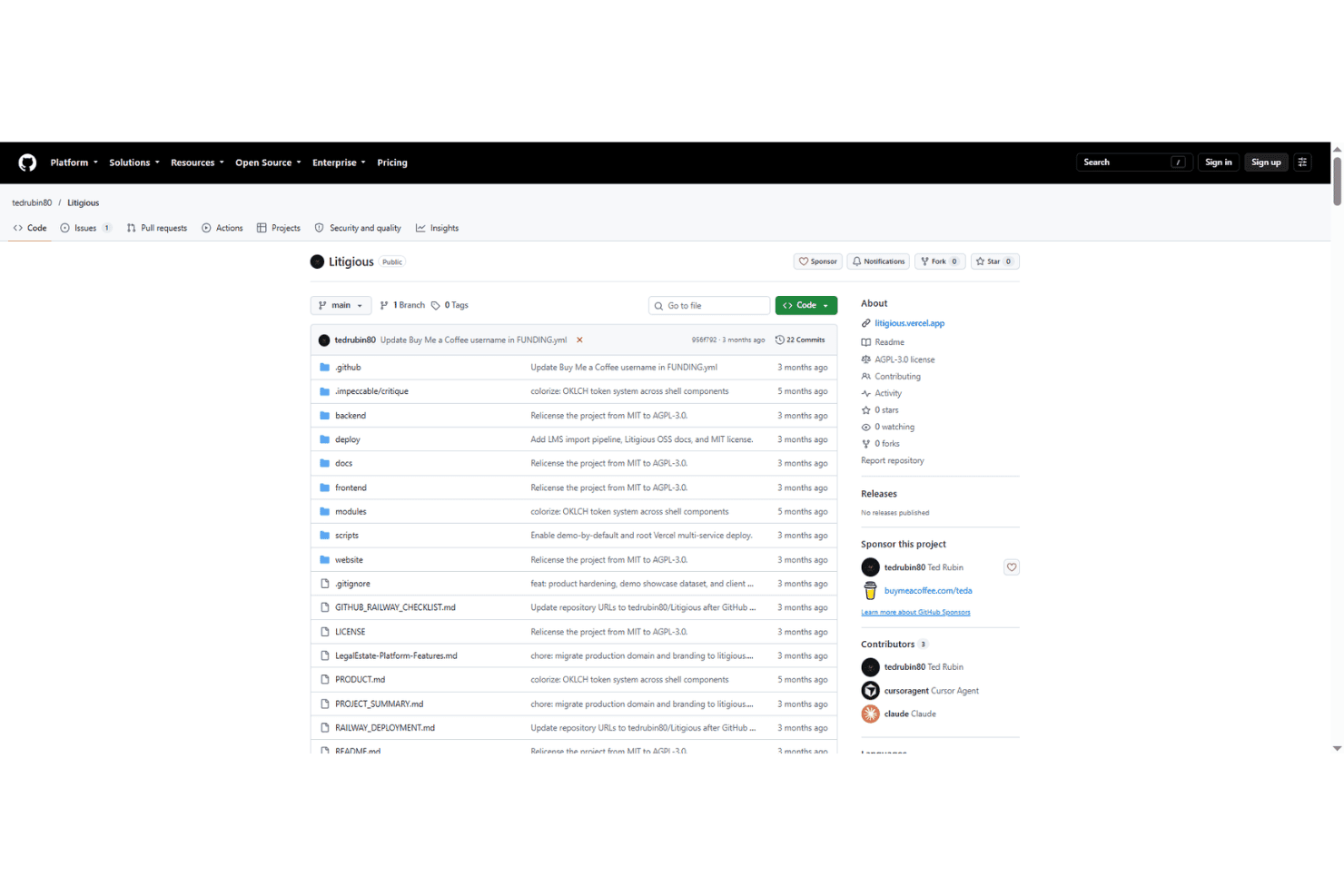
Litigious is an open-source legal platform hosted publicly on GitHub. Litigious is a self-hosted, open-source legal practice management system licensed under AGPL-3.0 that covers case tracking, document management, time and billing, a client portal, and built-in data import from Clio, MyCase, and PracticePanther.
Who Is Litigious Best For?
Litigious is a good fit for technically comfortable solo attorneys or small litigation firms that want to exit a paid platform like Clio or PracticePanther without paying licensing fees.
Why I Picked Litigious
I picked Litigious as one of the best because its built-in import tooling for Clio, MyCase, and PracticePanther is genuinely well-designed: every migration runs as a dry run first, flags duplicates, and validates records before you commit a single change. I've done platform migrations where that kind of pre-flight check would have saved hours of cleanup. The import also maps contacts to clients and matters to cases with source records retained, so you always know where your data came from.
Litigious Key Features
- Role-based access control: Six distinct roles—Super Admin, Admin, Attorney, Paralegal, Assistant, and Client—each with access limited by case and by client.
- Client portal: Clients log in separately to view their case status and any documents your team has shared with them.
- AI document drafting: Connect your own API key from OpenAI, Anthropic, Google, Cohere, or Ollama to generate legal documents directly inside the platform.
- Self-hosted deployment: Deploy via Docker Compose, Railway, or Vercel using included configuration files, keeping all client data on your own infrastructure.
Litigious Integrations
Litigious supports imports from Clio, MyCase, and PracticePanther, plus integrations with Stripe, Square, PayPal, Lex Machina, Zoom, OpenAI, Anthropic, Google, Cohere, and Ollama. Its REST API supports custom integrations.
Pros and Cons
Pros:
- Migration tooling validates imported records
- Detailed litigation lifecycle fields
- AGPL licensing supports source-level control
Cons:
- Calendar interface lacks documented usability features
- Demo mode can erase production data
Learn more about Litigious: Best for self-hosted client data sovereignty
- Free trial + free demo available
- From €71.29/user/year
Visit WebsiteCustomer Rating:4.5/5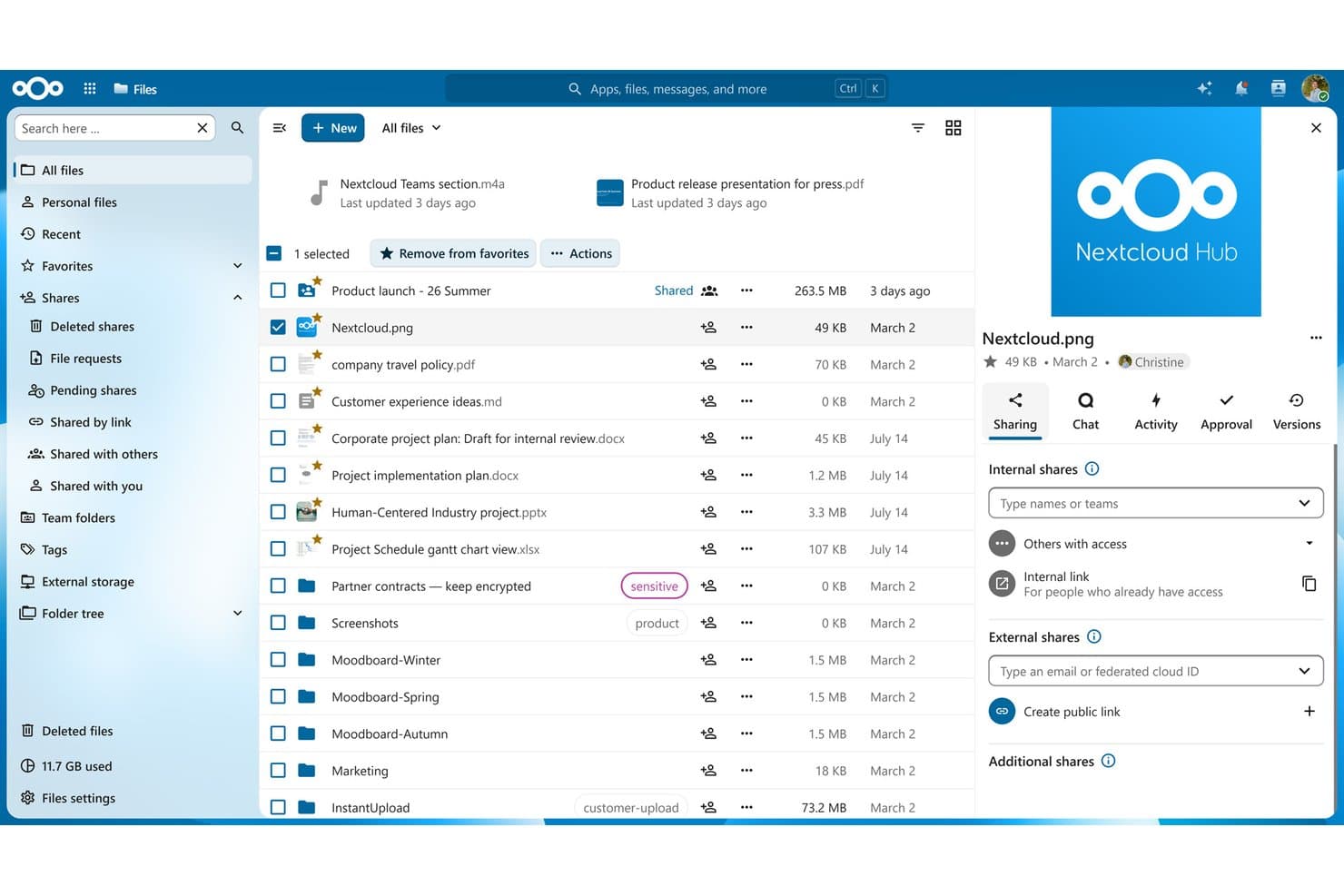
Nextcloud lets users organize, share, and manage files with granular access controls. Nextcloud is an open-source, self-hosted collaboration platform built around file management, document sharing, calendaring, and team communication—configurable as a case file repository for legal teams that need full control over where their data lives.
Who Is Nextcloud Best For?
Nextcloud is a strong fit for IT administrators at government legal departments and compliance-driven legal teams that need full on-premises control over sensitive client files.
Why I Picked Nextcloud
I picked Nextcloud as one of the best because no other open source platform on this list gives your IT team as much control over where privileged client files actually live. You can deploy it fully air-gapped, with AES-256 encryption at rest and per-folder end-to-end encryption, meaning your data never touches a third-party server. The Governance toolkit adds sensitivity labels, retention policies, and legal hold, which matters when you're managing files under strict confidentiality obligations.
Nextcloud Key Features
- Nextcloud Tables: Build structured matter records using no-code column types, relational links between tables, and filtered views you can share across your team.
- File Access Control: Set rules that restrict document access by user group, IP address, file type, tag, or time to enforce confidentiality policies on sensitive files.
- End-to-end encryption: Apply per-folder encryption backed by AES-256, with support for HSMs and hardware tokens, so file contents stay protected even from your own server admins.
- Audit-ready logging: Access activity logs, share auditing, and monitoring API integrations with tools like Splunk and Nagios across all Enterprise tiers.
Nextcloud Integrations
Nextcloud offers integrations across Microsoft 365, SharePoint, OpenProject, Slack, Jira, GitHub, GitLab, Mattermost, and Notion. Its marketplace has 600+ apps, and OCS, REST, WebDAV, CalDAV, and CardDAV APIs support custom integrations.
Pros and Cons
Pros:
- Tables and Deck support custom matter tracking
- Versioning and locking safeguard case documents
- Air-gapped deployment protects privileged client files
Cons:
- Low-end deployments can suffer slow previews
- No native matters, conflicts, or legal billing
Learn more about Nextcloud: 7Best for IT-led self-hosting with full data control
GLPI
- 45-day free trial
- From €19/user/month
Visit WebsiteCustomer Rating:4.5/5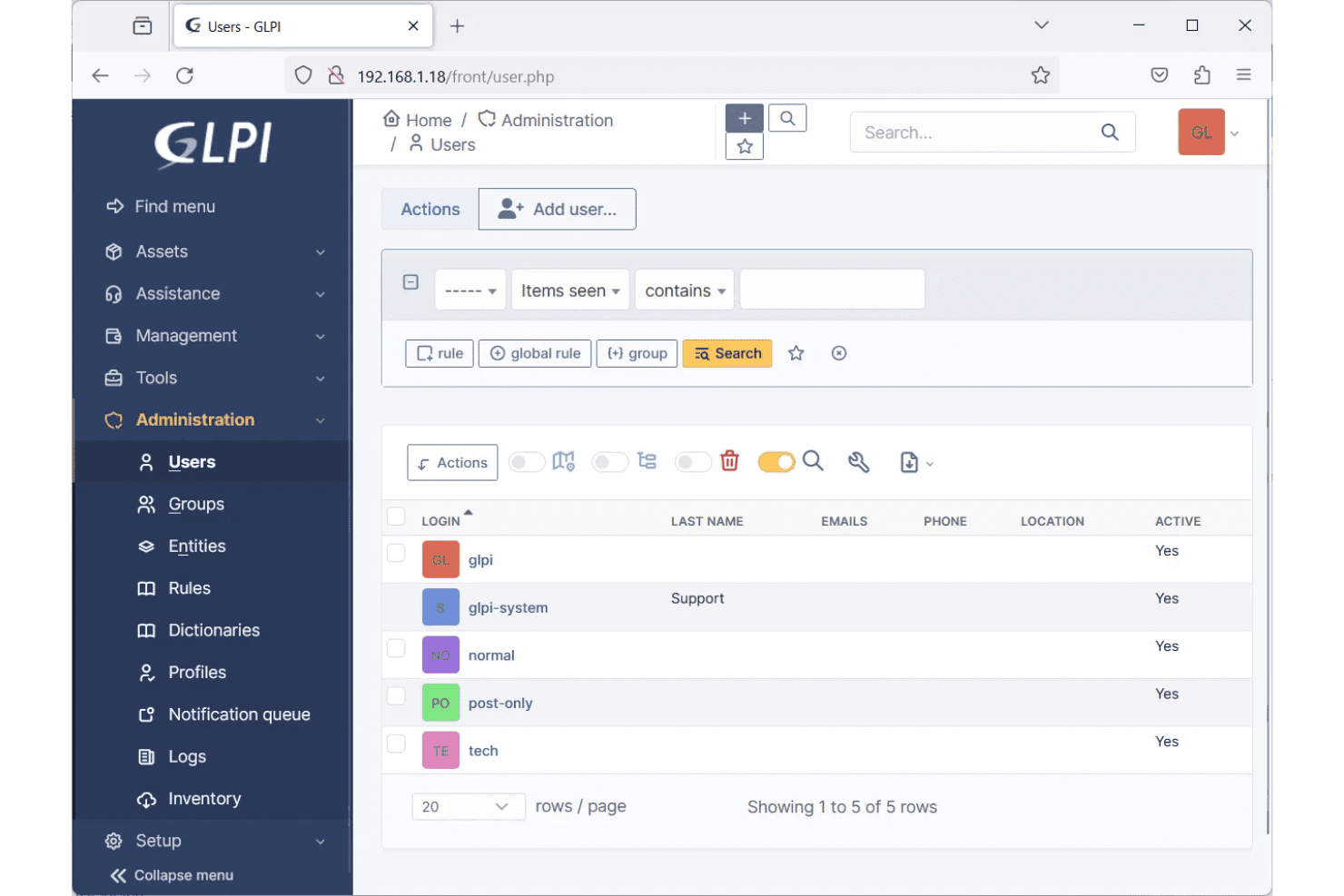
GLPI lets users manage and view all system user accounts centrally. GLPI is an open-source IT service management platform that you can self-host, offering ticket tracking, project management, document storage, custom asset types, role-based access control, and a plugin marketplace.
Who Is GLPI Best For?
GLPI is a strong fit for IT administrators at legal organizations who want full control over their infrastructure and prefer to self-host sensitive data on their own servers.
Why I Picked GLPI
I picked GLPI as one of the best because it's built from the ground up for IT administrators who want to self-host everything on their own servers, and that's exactly what makes it appealing for legal teams with strict data sovereignty requirements. The official Docker image handles auto-install and auto-update, so your IT team can spin up a fully isolated instance without touching a third-party cloud. On top of that, multi-entity access control lets you wall off data by office or matter group, with role-based profiles controlling exactly who sees what.
GLPI Key Features
- Custom asset types: Define your own object types with configurable fields to model matters, case files, or other legal records that don't fit standard ticket structures.
- Plugin marketplace: Extend base functionality through a library of add-ons, including reporting tools, data import, and notification integrations with platforms like Slack and Microsoft Teams.
- REST API v2 and webhooks: Connect GLPI to external systems using OAuth2-authenticated API calls or event-driven webhooks, enabling data exchange with tools your firm already uses.
- Multi-entity structure: Segment data and user access by office, practice group, or client matter, with permissions that cascade to sub-entities for delegated administration.
GLPI Integrations
GLPI supports integrations with Microsoft Teams, Slack, Google, Microsoft Azure, Okta, LDAP, and Active Directory through documented plugins and connectors. REST API v2, GraphQL, and webhooks support custom integrations with legal systems.
Pros and Cons
Pros:
- Entity permissions separate offices and matters
- GPLv3 avoids proprietary licensing dependence
- Free self-hosting preserves client data control
Cons:
- Generic configuration burdens small legal teams
- No native matter or conflict-check structures
Learn more about GLPI: Best for no-code matter setup and data control
- 30-day free trial + free demo available
- From $15/user/month
Visit WebsiteCustomer Rating:4.5/5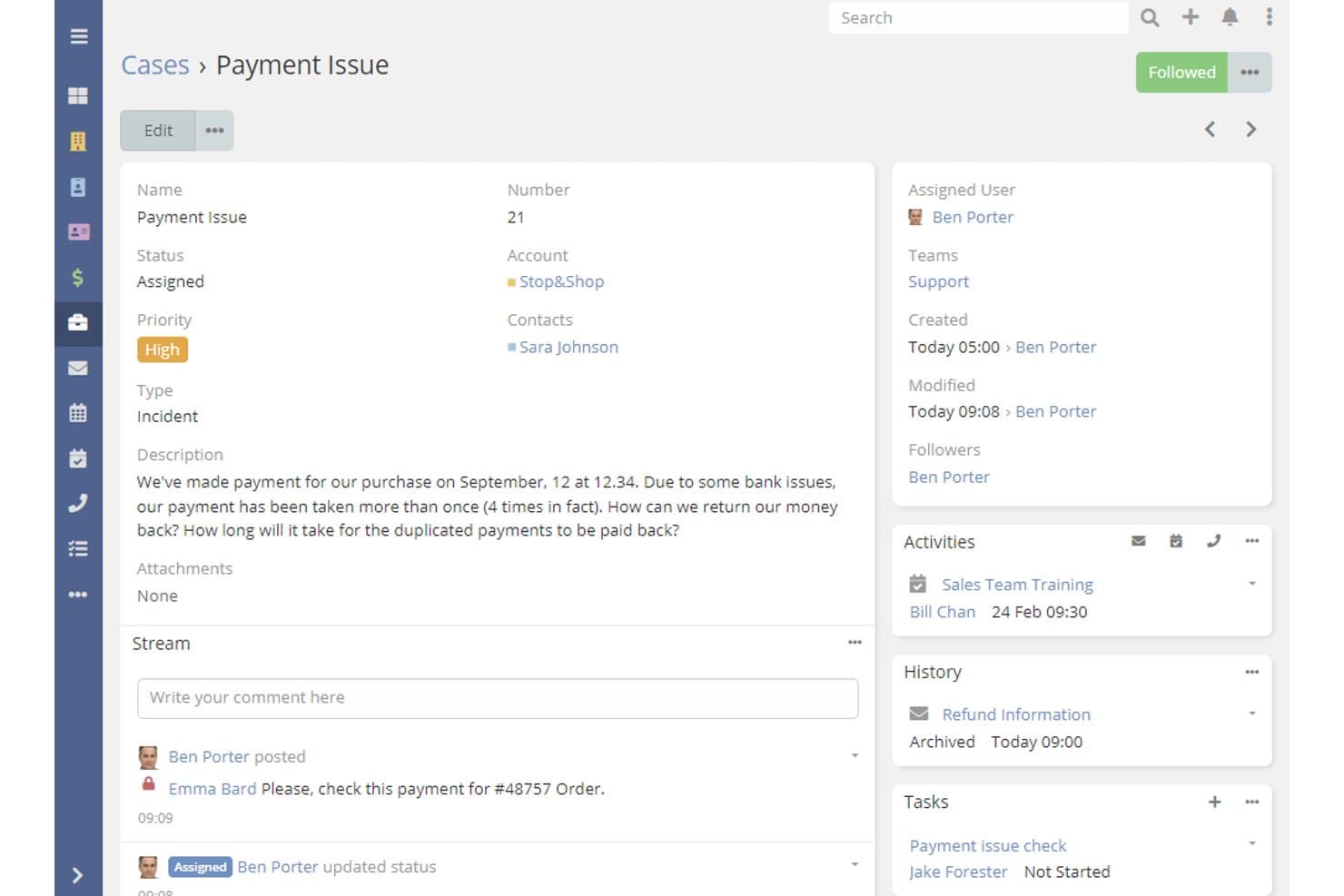
EspoCRM tracks payment case details, priority, and activity history. EspoCRM is an open-source CRM platform that law firms can configure for matter tracking, document management, client communication, and contact organization using its no-code entity builder and self-hosting tools.
Who Is EspoCRM Best For?
EspoCRM is a strong fit for law firms with in-house IT support that want full control over their data and the ability to build custom matter workflows from the ground up.
Why I Picked EspoCRM
EspoCRM earns its spot on my shortlist because its Entity Manager lets you build a proper Matter record from scratch, with custom fields, party-role relationships, and Dynamic Logic rules, without writing a single line of code. I particularly like that you can configure field-level access controls so only the right people see privileged case data. That combination of no-code matter setup and self-hosting via Docker means your firm keeps full ownership of client data, with no third-party database to worry about.
EspoCRM Key Features
- Client portal: Set up multiple portals where clients can submit and view their own cases, with internal stream posts kept hidden from portal users.
- Audit log: Track field-level and relationship changes on any record type, with a dedicated permission controlling who can view the audit history.
- Role-based access control: Assign create, read, edit, and delete permissions at the team, own, or record level, with separate field-level read and edit restrictions.
- REST API with webhooks: Connect EspoCRM to external tools or build custom integrations using an OpenAPI-documented REST API authenticated by API key or HMAC.
EspoCRM Integrations
EspoCRM offers integrations with Google Calendar and Contacts, plus Microsoft 365 and Outlook through paid add-ons. It also provides a REST API and webhooks for custom connections, with 2,000+ integrations via Zapier and Make.
Pros and Cons
Pros:
- Keeps client data under firm control
- Controls privileged fields with granular permissions
- Builds custom matter records without coding
Cons:
- Legal deadline rules require custom configuration
- Native cases resemble support tickets, not matters
Learn more about EspoCRM: Best for government and court legal operations
- Free demo available
- Free
Visit WebsiteCustomer Rating:4.6/5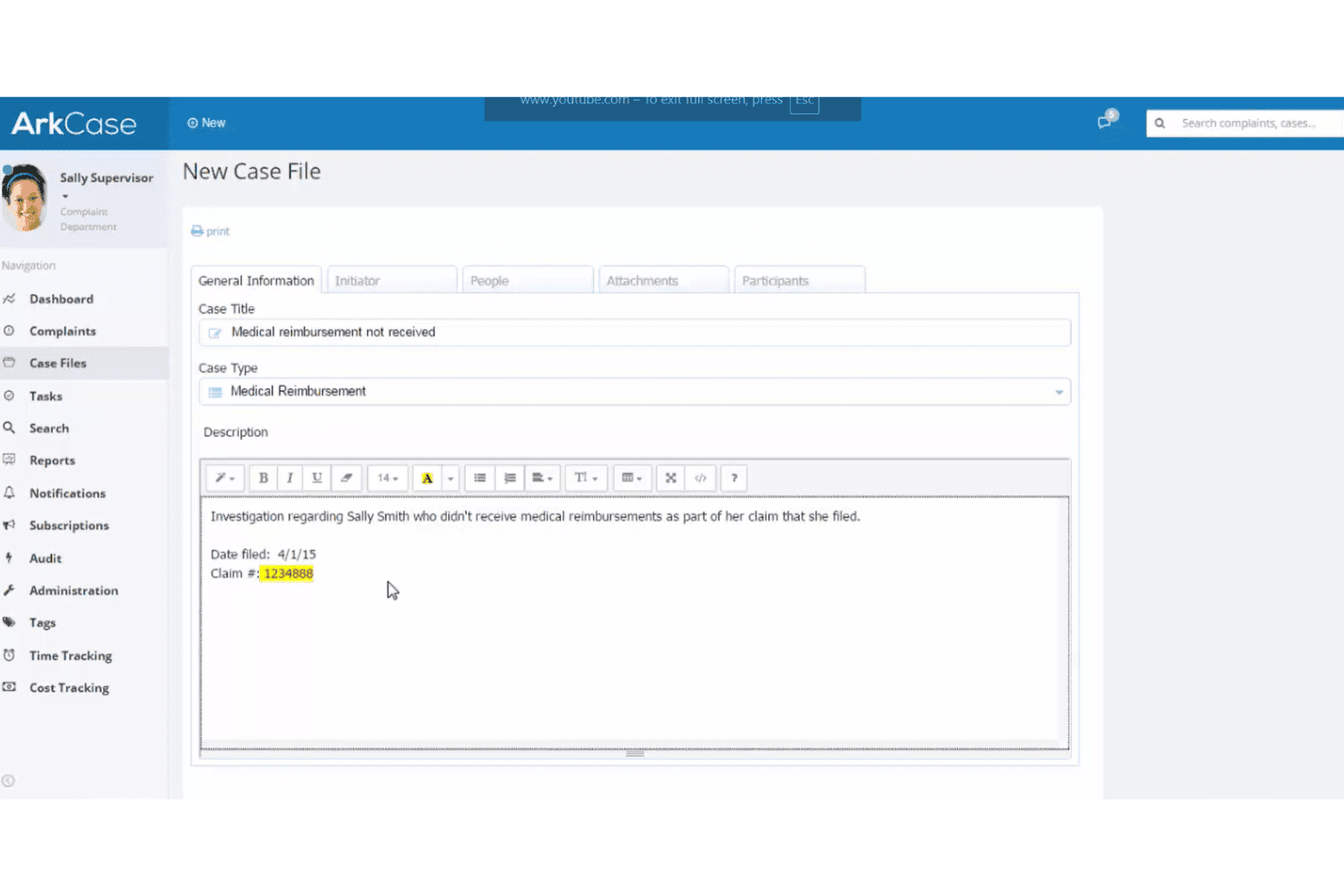
ArkCase lets users create detailed case files with rich text descriptions. ArkCase is an open-source case management platform built on a BPMN workflow engine that combines document management, contact tracking, records management, and configurable case workflows for government agencies, courts, and large legal operations.
Who Is ArkCase Best For?
ArkCase is a strong fit for government legal departments, courts, and large legal operations teams with dedicated IT staff to manage the infrastructure.
Why I Picked ArkCase
ArkCase earns its spot on my shortlist because it's purpose-built for the operational realities of government legal departments and courts, not retrofitted to fit them. I'm particularly impressed by its FedRAMP Authorization and native PIV/CAC smart card support, which are non-negotiable for many government legal teams. Its ready-made Legal Case Management solution combines a BPMN workflow engine with DoD 5015-compliant records management, so courts and agencies can handle case lifecycles and legal holds within a single system.
ArkCase Key Features
- LGPL-3.0 open source codebase: ArkCase's Community Edition is freely available on GitHub under an LGPL-3.0 license, letting your IT team inspect, modify, and extend the source code.
- BPMN workflow builder: A drag-and-drop workflow designer built on a BPMN-compliant engine lets you configure case approvals, automated tasks, and routing rules without writing code.
- DoD 5015-compliant records management: Built-in retention schedules, disposition workflows, and legal holds meet DoD 5015 records management requirements within the same system as your cases.
- Role-based and record-level access control: Combine role-based permissions with Mandatory Access Control Lists to restrict access on individual records, giving your security team granular control over who sees what.
ArkCase Integrations
ArkCase offers native integrations with Microsoft Exchange/O365, LDAP/Active Directory, Microsoft Dynamics, Salesforce, and 40+ CMIS repositories, including Alfresco, Documentum, Nuxeo, and SharePoint. Its RESTful SDK/API supports custom integrations.
Pros and Cons
Pros:
- Granular permissions protect individual case records
- DoD 5015 records management supports legal holds
- Government-focused workflows fit court operations
Cons:
- Court-rule deadline calculation remains undocumented
- Kubernetes deployment demands substantial IT resources
Learn more about ArkCase:
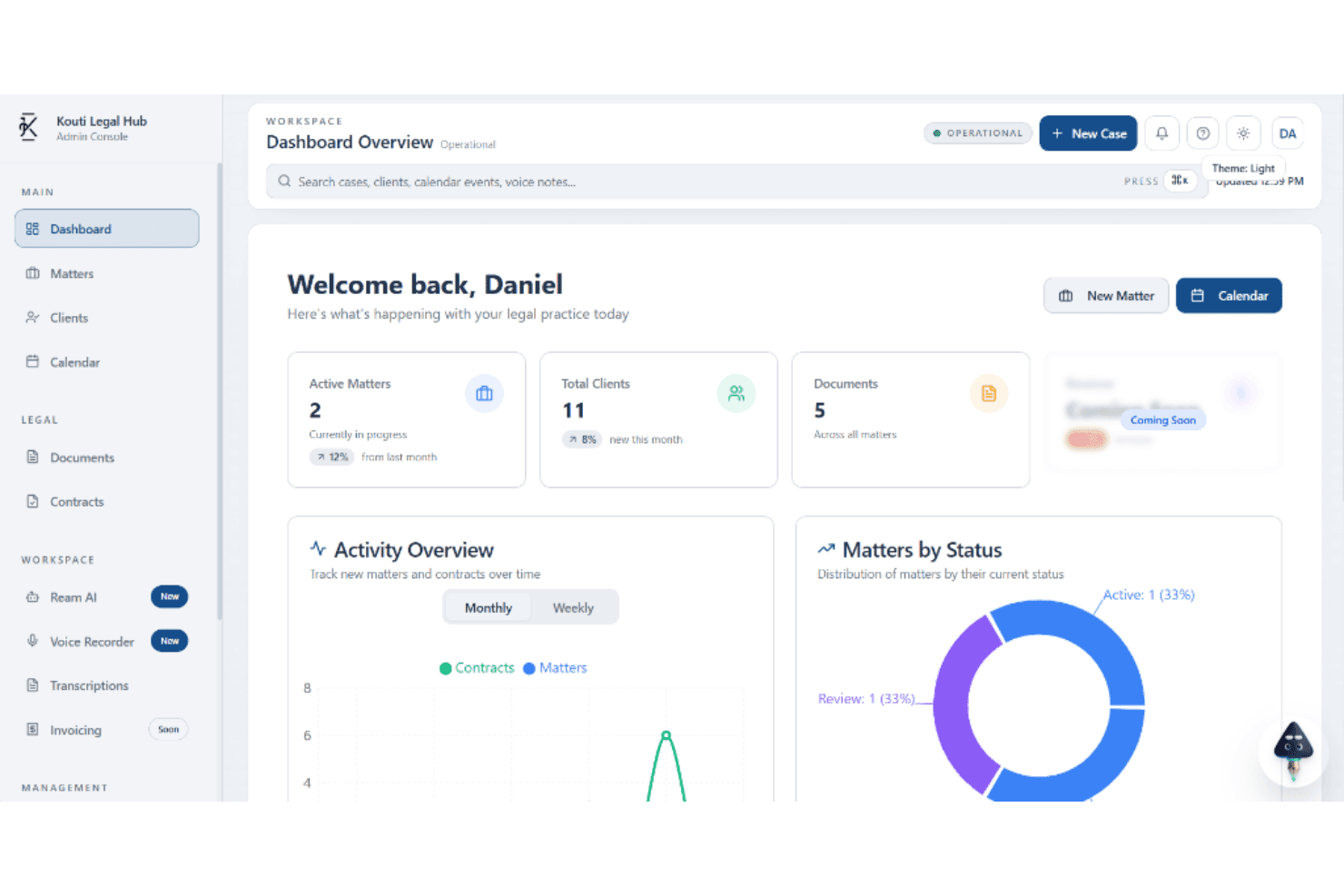
Kouti Legal Hub tracks active matters, clients, documents, and legal activities. Kourti Legal is an MIT-licensed, self-hostable legal practice management platform built around AI-assisted case work, covering matters, documents, contracts, calendaring, invoicing, and a client portal.
Who Is Kourti Legal Best For?
Kourti Legal suits technically comfortable solo attorneys or small legal teams who want a self-hostable, MIT-licensed platform they can modify freely without paying licensing fees.
Why I Picked Kourti Legal
Kourti Legal earns its spot on my shortlist because the MIT license means you own the code outright—no licensing fees, no vendor permissions needed to modify it. I particularly like the AI Redline feature, which writes tracked-change edits directly into DOCX files with every change labeled as machine- or human-made, so attorney review stays clearly in the loop. The Tabular Review tool also stands out: ask one question across an entire folder of contracts and get a cited, page-referenced grid back.
Kourti Legal Key Features
- Client self-service portal: Clients log in with 2FA enforced, view their matter timeline, access shared documents, and message the firm directly through a dedicated portal.
- Role-based access control: Team members only see matters they've been explicitly granted access to, and new members start with zero access by default.
- Negotiation Copilot: Analyzes a counterparty's redline, estimates the risk or cost of each proposed change, and drafts a counter-position for attorney review.
- SOC 2-aligned audit logging: The platform logs authentication events, access changes, and AI recommendation actions, with security and audit logs retained for up to 24 months.
Kourti Legal Integrations
Kourti Legal integrates with OpenAI, Anthropic, OpenRouter, Google Workspace, Microsoft Entra ID, Cloudflare R2, S3-compatible storage, Resend, Brevo, Paystack, and ClamAV. Its REST API supports custom integrations.
Pros and Cons
Pros:
- Client portal supports per-matter access
- AI redlines label machine-made changes
- MIT license permits unrestricted firm modifications
Cons:
- Open-source community remains extremely small
- No court-rule deadline calculation
Learn more about Kourti Legal:
Other Open Source Legal Case Management Software
Here are some additional open source legal case management software options that didn’t make it onto my shortlist, but are still worth checking out:
- 11j-lawyer.orgBest for German firms self-hosting client data free
- 12ClinicCasesBest for law clinic case and conflict tracking
- 13Vtiger CRM Best for open source CRM adapted to firm intake
- 14NuxeoBest for petabyte-scale legal document retention
- 15Mayan EDMSBest for OCR-heavy document stores without case fees
- 16iTopBest for XML-driven custom matter modeling
- 17WorklenzBest for addon-extended open source project workflows
- 18OpenLawFirmBest for AI-native billing and trust accounting
- 19LCMBest for legal aid nonprofit case tracking
- 20docassembleBest for guided legal interview automation
How I Evaluate Open Source Legal Case Management Software
I split my evaluation into three parts. Core functionality carries the most weight: I look for tools that can organize and track matters end-to-end and store case documents tied directly to those matters. From there, I check for standout features like audit trail logging, then consider licensing clarity and hosting support.
Core Functionality (Table Stakes For This List)
When I'm selecting tools for my list, I score each one on a scale from 0 (does not offer the functionality) to 5 (excels in this area) for each core functionality listed below. I then convert the total into a percentage to help assess each tool's overall fit, with extra weight on any functionalities I've deemed essential.
- Open Source Codebase (Essential): I check that source code is publicly available under a recognized open source license, with visible commit history and community activity.
- Case and Matter Tracking (Essential): I evaluate how each tool handles matter creation, status workflows, custom fields, and filtering across a growing caseload.
- Document Management: Storing pleadings, contracts, and correspondence tied to specific matters is baseline. I look for version control, folder structures, and access restrictions.
- Contact and Party Management: I check whether the tool links clients, opposing counsel, witnesses, and other parties directly to relevant matters with structured records.
- Calendaring and Deadline Tracking: Court dates, filing deadlines, and statute limitations need a calendar view and reminders. I look for case-linked scheduling with alerts.
- Self-Hosting Capability: I look for clear deployment documentation, container or installer support, and evidence that firms can run the software on their own infrastructure.
Once I have a list of tools that meet the criteria, I consider what sets each platform apart.
Differentiating Factors (What Sets Vendors Apart)
Here's how I compare and contrast different vendors:
Standout Features
Audit trail and activity logging is the first thing I check beyond core functionality. When a paralegal edits a filing or an attorney reassigns a matter, I want timestamped records of who changed what. Tools like ArkCase and LexNebulis handle this differently, so I evaluate log granularity and export options. Role-based permissions matter just as much—restricting a contract attorney's view to assigned matters protects privileged data. I also look for client self-service portals, which let clients upload documents or check case status without exposing internal work product.
Beyond Features
Licensing model matters because a GPL or AGPL project like Dolibarr carries redistribution obligations that a permissive MIT-licensed tool like Kourti Legal does not. I check total cost of ownership too—self-hosting ERPNext or Alfresco means budgeting for server infrastructure, backups, and IT staff time even though the license is free. I also evaluate integration support, confirming each tool can connect with email, e-filing, billing, and e-signature platforms your firm already relies on.
How to Choose Open Source Legal Case Management Software
Choose a platform by matching your data-control requirements, legal workflows, and internal capacity for administration.
| If your priority is | Look for |
|---|---|
| If your priority isVerifiable open-source licensing | Look forA recognized license and public source repository |
| If your priority isConfidential client data | Look forSelf-hosting documentation, backup guidance, and deletion procedures |
| If your priority isMatter migration | Look forDocumented export formats and a sample import process |
| If your priority isDefensible recordkeeping | Look forImmutable activity records with timestamps and user attribution |
| If your priority isLimited technical capacity | Look forInstallation guides, upgrade procedures, and administrator documentation |
How to Vet Your Shortlist
- Verify the license: Request the current license file and repository link, then confirm both match the vendor’s open-source claims within 48 hours.
- Test deployment: Follow the documented installation process on a test server within seven days, recording each dependency, configuration step, and error.
- Run a matter trial: Create one fictional matter, attach five sample documents, assign two users, and export the complete record before choosing.
- Request support terms: File one technical ticket and ask for written answers about update notices, backup responsibility, and security issue reporting within five business days.
- Choose your tradeoff: Decide whether you prefer a legal-specific system requiring less configuration or a broader open-source platform requiring more internal setup and customization.
What Is Open Source Legal Case Management Software?
Open source legal case management software is technology with publicly available source code for organizing matters, clients, documents, deadlines, and legal workflows.
Legal teams can self-host it, inspect or modify its code, and connect it with existing systems. However, your team remains responsible for configuration, security updates, backups, access controls, and ongoing technical support.
Features of Open Source Legal Case Management Software
When selecting open source legal case management software, keep an eye out for the following key features:
Matter tracking: Create records for each case, then organize status, practice area, assigned staff, important dates, and custom fields. This gives your team one place to review matter details and monitor progress.
Contact management: Store structured profiles for clients, opposing parties, witnesses, counsel, courts, and other contacts. Linking these records to matters reduces duplicate data entry and clarifies each person’s role.
Document management: Upload pleadings, contracts, correspondence, evidence, and other files directly to a matter. Folder structures, file previews, version history, and access controls help your team locate the correct document.
Calendar and deadline tracking: Record hearings, filing dates, limitation periods, meetings, and follow-up tasks in a shared calendar. Reminders and matter-linked events help staff monitor obligations before deadlines arrive.
Task and workflow management: Assign work to specific users, set due dates, and track task status through defined workflows. This helps attorneys and support staff see responsibilities without relying on separate spreadsheets.
Role-based permissions: Set access rules according to a user’s role, team, or assigned matters. Permissions can restrict confidential documents and case information to authorized users.
Activity and audit logs: Record sign-ins, edits, uploads, assignments, and other system events with timestamps and user details. These records help you review changes and support defensible internal recordkeeping.
Search and reporting: Search matter fields, contacts, documents, tasks, and notes using filters or keywords. Reports can show caseloads, overdue work, upcoming deadlines, and matter statuses.
Data export and backup support: Export matter records and associated files in usable formats, while retaining backups under your organization’s control. This supports migration, disaster recovery, and long-term access to client records.
Benefits of Open Source Legal Case Management Software
Implementing open source legal case management software provides several benefits for your team and your business. Here are a few you can look forward to:
- Control: Self-hosting lets your team manage infrastructure, backups, access controls, and data retention according to your internal requirements.
- Organization: Matter records, contacts, documents, tasks, and deadlines stay connected in one system instead of scattered across separate files.
- Confidentiality: Role-based permissions can limit matter and document access to authorized users, supporting the protection of privileged information.
- Accountability: Activity logs record edits, uploads, assignments, and other events with timestamps and user details for defensible recordkeeping.
- Flexibility: Public source code and configurable fields let your team adapt workflows, matter types, and integrations to its legal operations.
- Predictability: Recognized open-source licenses can reduce software licensing fees and clarify your rights to inspect, modify, and deploy the code.
- Continuity: Export tools and self-managed backups support matter migration, disaster recovery, and long-term access to client records.
Costs and Pricing of Open Source Legal Case Management Software
Selecting open source legal case management software requires understanding the available pricing models and plans. Costs vary by features, team size, hosting, support, add-ons, and infrastructure. The table below summarizes common plans, average prices, and typical features included in open source legal case management software solutions.
Plan Comparison Table for Open Source Legal Case Management Software
These price ranges are indicative. The software license may be free, while hosting, support, implementation, and maintenance create ongoing costs.
| Plan Type | Average Price | Common Features |
|---|---|---|
| Plan TypeFree Plan | Average Price$0-$10/user/month | Common FeaturesMatter tracking, basic document storage, shared contacts, and community support. |
| Plan TypePersonal Plan | Average Price$5-$25/user/month | Common FeaturesMatter tracking, document management, calendar tools, and basic user permissions. |
| Plan TypeBusiness Plan | Average Price$25-$75/user/month | Common FeaturesCustom workflows, advanced permissions, audit logs, reporting, and email integrations. |
| Plan TypeEnterprise Plan | Average Price$75-$200/user/month | Common FeaturesSSO, high-availability hosting, advanced security controls, dedicated support, and custom integrations. |
Open Source Legal Case Management Software FAQs
Here are some answers to common questions about open source legal case management software:
Is open source legal case management software secure?
Yes, open source software can support secure legal operations when your team manages it properly. Public code lets technical staff inspect dependencies, permissions, and security controls. You still need timely updates, encrypted connections, strong authentication, and tested backups. Configure access by role and matter assignment. Review audit logs for unusual activity. Keep client files on protected infrastructure with documented retention rules. Open source licensing doesn’t guarantee security by itself. Your deployment practices, vendor support, and internal controls determine the system’s security level.
Can I migrate existing matters into open source legal case management software?
Yes, you can migrate existing matters when the platform supports usable imports and exports. Start by mapping clients, contacts, documents, dates, tasks, and matter statuses. Remove duplicate records before importing anything. Preserve original filenames and document dates where possible. Test the process with one fictional or low-risk matter first. Check whether the export includes attachments, activity history, permissions, and custom fields. Keep a read-only copy of your legacy records until you verify the migrated data.
Who maintains open source legal case management software?
Maintenance depends on the project, so review its repository and release history before adoption. Check how often developers publish updates and whether contributors respond to reported issues. Look for installation notes, upgrade instructions, security advisories, and an active discussion forum. A commercial support provider can help with hosting, customization, and troubleshooting. However, your team remains responsible for choosing update windows and testing changes. Avoid projects with unclear ownership, abandoned repositories, or undocumented deployment requirements.
Can open source legal case management software connect with other legal tools?
Yes, connections depend on the platform’s documented APIs, import formats, plugins, and email capabilities. Verify each required connection before selecting a system. Common evaluation targets include email, document storage, billing, electronic signatures, calendars, and identity providers. Ask whether synchronization works in both directions. Confirm how the platform handles failed transfers and duplicate records. Test one real workflow, such as attaching an email to a matter, before committing to extensive customization or data migration.