

Cerenade eimmigration Review 2026:Pros, Cons, Features and Pricing
Cerenade eimmigration stands out for its robust automation and customization, but I’ll show you where it truly excels—and where it might not fit every firm’s needs.

We review tools independently, and commissions help fund our testing. See our transparency policy, our methodology, or suggest a tool.
Cerenade eImmigration is an immigration case management software built for immigration law firms and corporate legal teams managing high-volume visa and work authorization cases. I'd mainly consider it if your team handles complex corporate immigration programs that require petition tracking, compliance monitoring, and client portal access in one place. If you're weighing it against INSZoom, Cerenade eImmigration tends to be the stronger choice for teams that need more flexible workflow configuration without the heavier setup overhead INSZoom typically demands.
Cerenade eImmigration Evaluation Summary
4.8/5
- From $55/user/month (billed annually)
- Free demo available
Why Trust Our Software Recommendations
6,700+
Reviews
20
Industry experts
16+
Evaluation factors
14
Years
Our team has been testing and reviewing software since 2012. As legal practice leaders ourselves, we know how difficult—and important—it is to choose the right software.
For this guide, we evaluated tools using hands-on testing and independent research, scoring tools using our selection criteria.
Our reviews reflect our human editorial judgment, not a sales pitch.
Cerenade eImmigration Overview
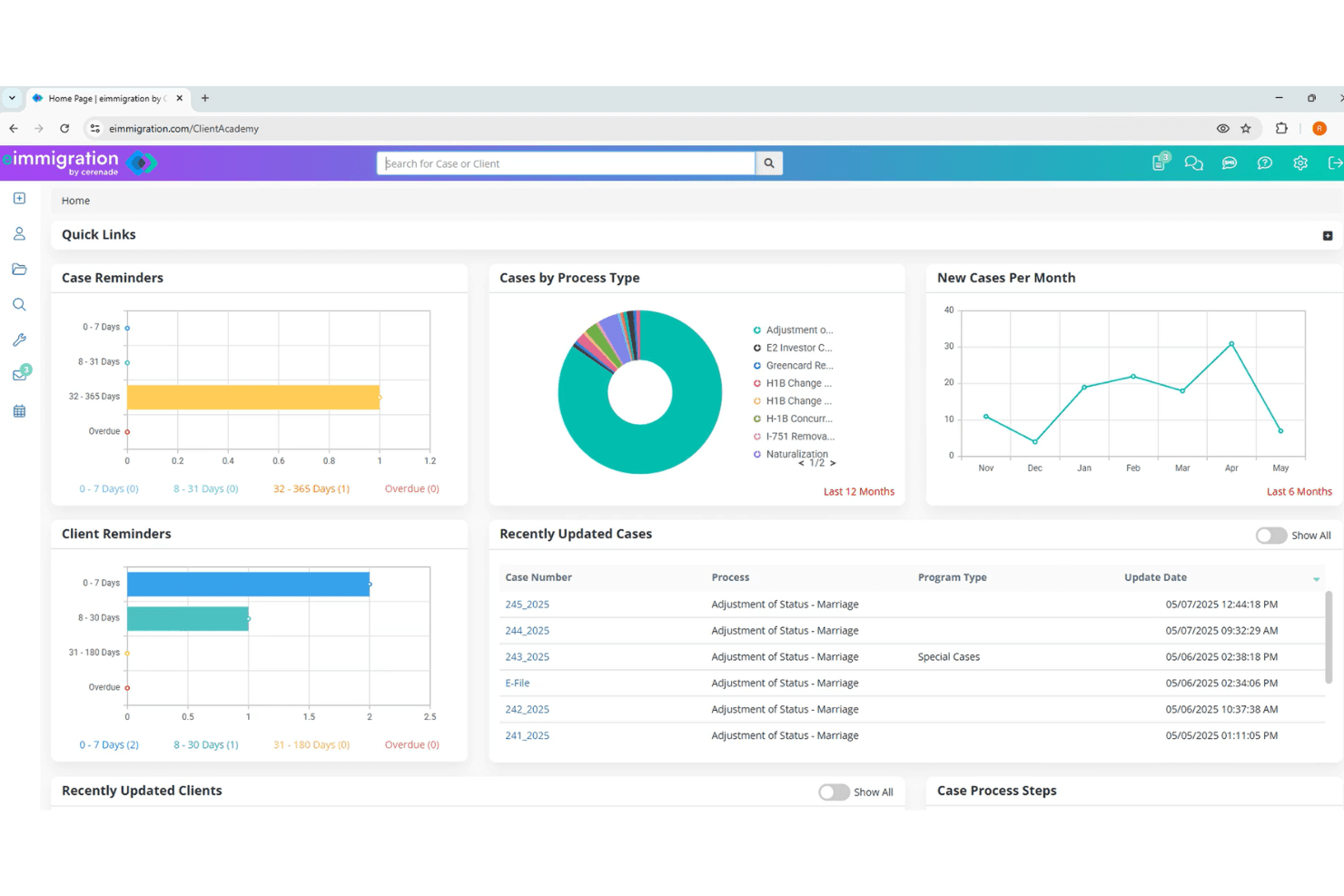
When I compare Cerenade eimmigration to other case management software, I think its automation, customizable workflows, and detailed form library set it apart. The interface feels dated, but the depth of features and responsive support make up for it. Pricing is competitive for firms that need advanced automation, though onboarding can take time.
I’d suggest it’s best for immigration practices that want to tailor processes and handle high case volumes. If you’re judging by integration options, it covers the essentials but isn’t the most extensive. For teams prioritizing automation and compliance, it’s a strong contender.
Pros
- Responsive customer support helps resolve issues quickly.
- Customizable workflows fit complex immigration case needs.
- Automation features reduce repetitive data entry.
Cons
- Some documentation is incomplete or hard to follow.
- Onboarding and setup can be time-consuming.
- Interface looks outdated compared to newer platforms.
Is Cerenade eImmigration Right For Your Needs?
Who Would be a Good Fit for Cerenade eImmigration?
Cerenade eimmigration is a strong choice for organizations that handle complex immigration workflows, need automation, and value detailed form libraries. I think it’s best for teams that process high case volumes, require compliance tracking, or want to customize workflows for specific immigration matters. Its automation and document management features make it especially useful for legal professionals and departments focused on immigration law, as well as firms that need to manage large client databases and recurring case types.
- Multi-Office FirmsCentralized data and workflow customization support distributed teams.
- HR DepartmentsCase tracking and compliance tools support visa and sponsorship needs.
- Nonprofit Legal ClinicsDocument templates and client portals help serve many clients.
- High-Volume PracticesBulk processing and automation support large caseloads efficiently.
- In-House Legal DepartmentsCustom workflows help manage employee immigration and compliance.
- Immigration Law FirmsThe platform’s automation and form library are tailored for immigration cases.
Who Would be a Bad Fit for Cerenade eImmigration?
Cerenade eimmigration isn’t ideal for teams outside immigration law or those needing a modern interface and broad integrations. If your work involves general legal practice, highly visual dashboards, or frequent collaboration with non-legal teams, you’ll likely find the platform limiting. Its focus on immigration-specific workflows and forms means it lacks features that other industries or departments might expect from a case management solution.
- Compliance DepartmentsImmigration focus means limited support for non-immigration compliance needs.
- Corporate Legal TeamsBroader contract and matter management features are missing.
- Litigation DepartmentsNo litigation-specific tools or court calendaring features.
- Tech StartupsLimited integrations and dated interface don’t fit tech-driven teams.
- Small Solo PracticesSetup and cost may outweigh benefits for low case volumes.
- General Practice FirmsThe platform lacks tools for non-immigration legal matters.
How We Test & Score Tools
We’ve spent years building, refining, and improving our software testing and scoring system. The rubric is designed to capture the nuances of software selection and what makes a tool effective, focusing on critical aspects of the decision-making process.
Below, you can see exactly how our testing and scoring works across seven criteria. It allows us to provide an unbiased evaluation of the software based on core functionality, standout features, ease of use, onboarding, customer support, integrations, customer reviews, and value for money.
Core Functionality (25% of final scoring)
The starting point of our evaluation is always the core functionality of the tool. Does it have the basic features and functions that a user would expect to see? Are any of those core features locked to higher-tiered pricing plans? At its core, we expect a tool to stand up against the baseline capabilities of its competitors.
Standout Features (25% of final scoring)
Next, we evaluate uncommon standout features that go above and beyond the core functionality typically found in tools of its kind. A high score reflects specialized or unique features that make the product faster, more efficient, or offer additional value to the user.
We also evaluate how easy it is to integrate with other tools typically found in the tech stack to expand the functionality and utility of the software. Tools offering plentiful native integrations, 3rd party connections, and API access to build custom integrations score best.
Ease of Use (10% of final scoring)
We consider how quick and easy it is to execute the tasks defined in the core functionality using the tool. High scoring software is well designed, intuitive to use, offers mobile apps, provides templates, and makes relatively complex tasks seem simple.
Onboarding (10% of final scoring)
We know how important rapid team adoption is for a new platform, so we evaluate how easy it is to learn and use a tool with minimal training. We evaluate how quickly a team member can get set up and start using the tool with no experience. High scoring solutions indicate little or no support is required.
Customer Support (10% of final scoring)
We review how quick and easy it is to get unstuck and find help by phone, live chat, or knowledge base. Tools and companies that provide real-time support score best, while chatbots score worst.
Customer Reviews (10% of final scoring)
Beyond our own testing and evaluation, we consider the net promoter score from current and past customers. We review their likelihood, given the option, to choose the tool again for the core functionality. A high scoring software reflects a high net promoter score from current or past customers.
Value for Money (10% of final scoring)
Lastly, in consideration of all the other criteria, we review the average price of entry level plans against the core features and consider the value of the other evaluation criteria. Software that delivers more, for less, will score higher.
Core Features
Immigration Forms Library
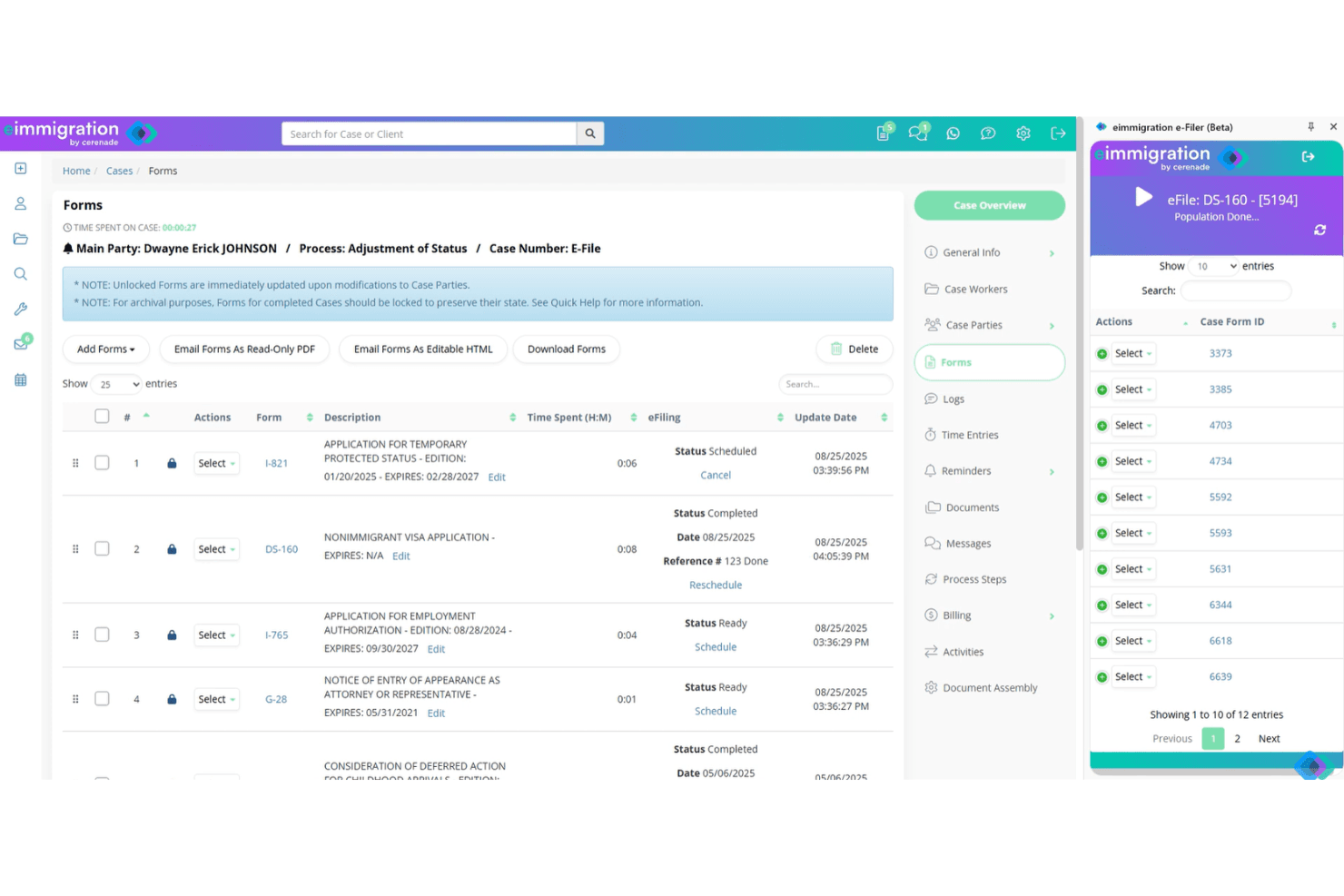
Access 300+ always-current immigration forms from USCIS, DOL, and DOS, with automatic updates when regulations change. This saves time and ensures compliance for every case.
Multilingual Intake Questionnaires
Capture client information once with easy, multilingual questionnaires that auto-populate across all forms. This reduces manual entry and supports clients in 13 languages.
Case Status Tracking
Get real-time notifications for USCIS status changes and monitor processing times. Automated reminders help you stay ahead of critical deadlines.
Document Management
Organize all case documents with tracking and version control so you never lose important files. Combine forms, documents, and letters into a single PDF for easy filing.
Client Portal
Clients can check case status, upload documents, and communicate securely from anywhere. This keeps clients informed and reduces back-and-forth emails.
Billing and Trust Accounting
Automatically generate invoices, track time, and manage trust accounting within the platform. Built-in payment processing speeds up collections and reduces administrative work.
Standout Features
Workflow Automation Designer
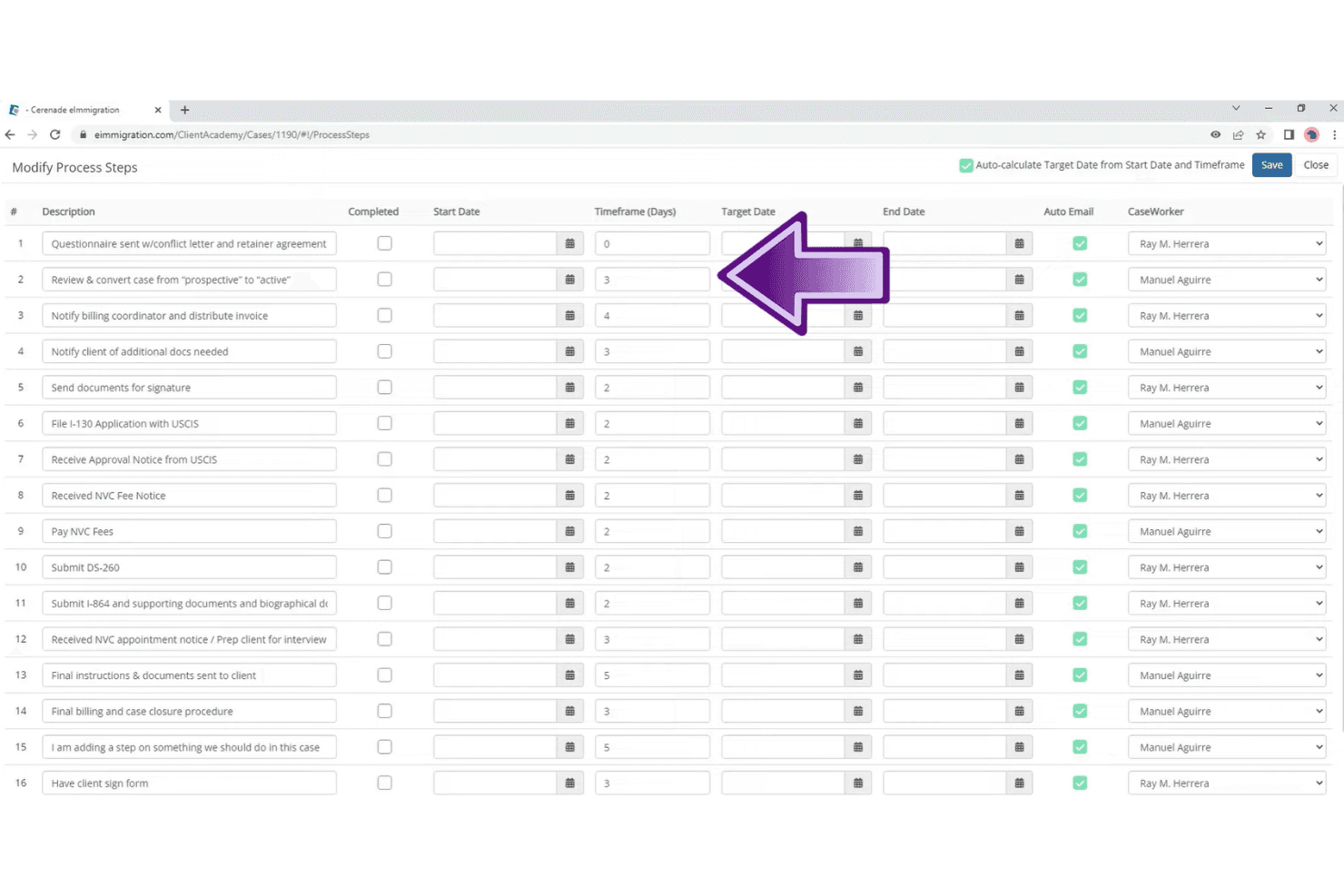
Build custom workflows with automated triggers, tasks, and notifications tailored to your firm’s processes. This lets you standardize case handling and reduce manual follow-up for every team member.
Bulk Case Processing
Process multiple cases at once, including form generation and status updates, with just a few clicks. This feature is a major time-saver for high-volume practices managing hundreds of similar cases.
Ease of Use
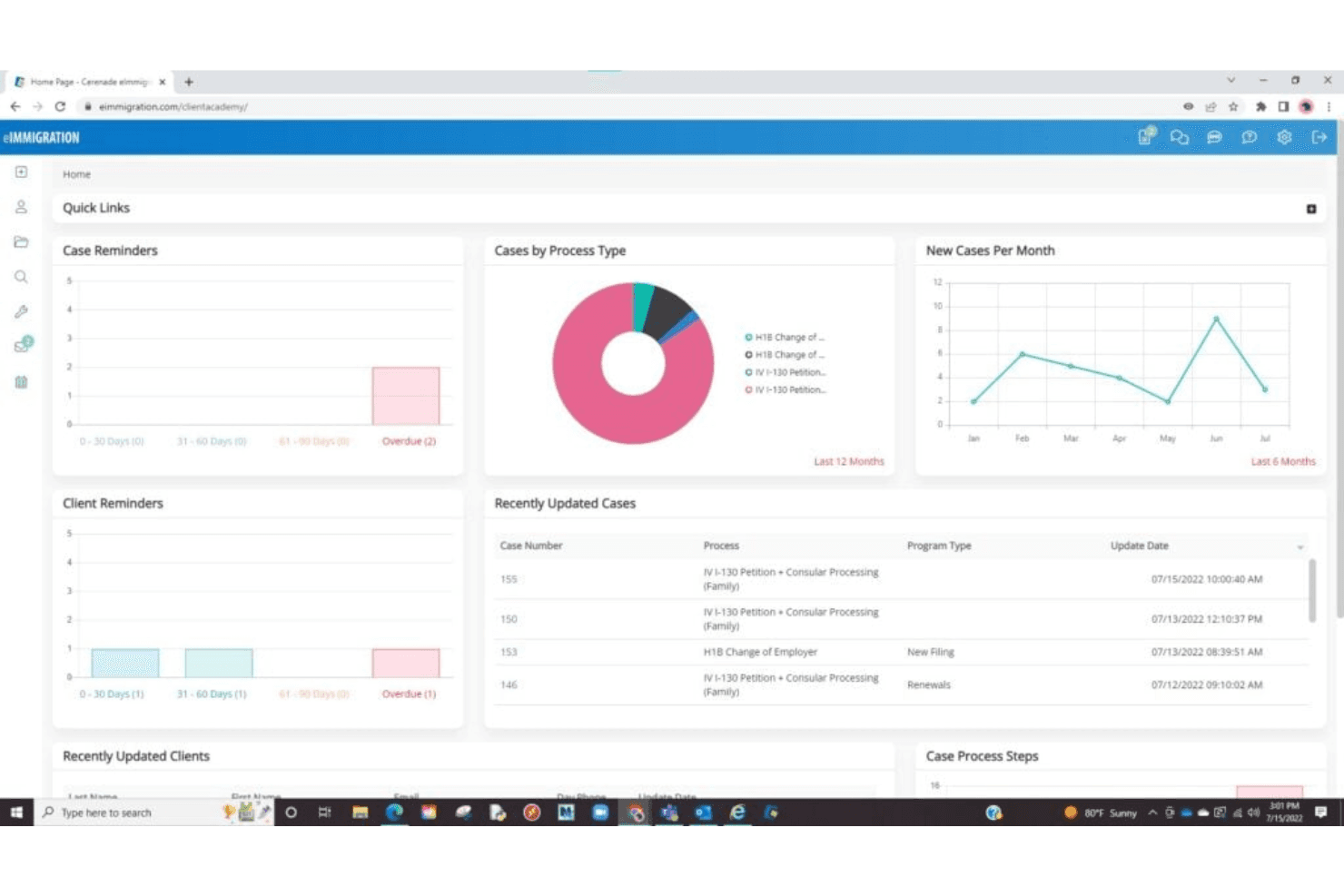
Cerenade eimmigration’s interface feels dated and can be overwhelming at first, especially for new users. However, once you get past the initial setup, the platform’s automation and form-filling tools save significant time. Users often mention that the learning curve is worth it for the depth of features, but navigation isn’t as intuitive as some might expect.
I think it’s best suited for teams willing to invest time upfront for long-term efficiency gains.
Onboarding
Onboarding with Cerenade eimmigration can take time, especially for firms new to digital case management. Users note that setup and data migration require careful planning, but the vendor’s support team is responsive and helpful throughout the process.
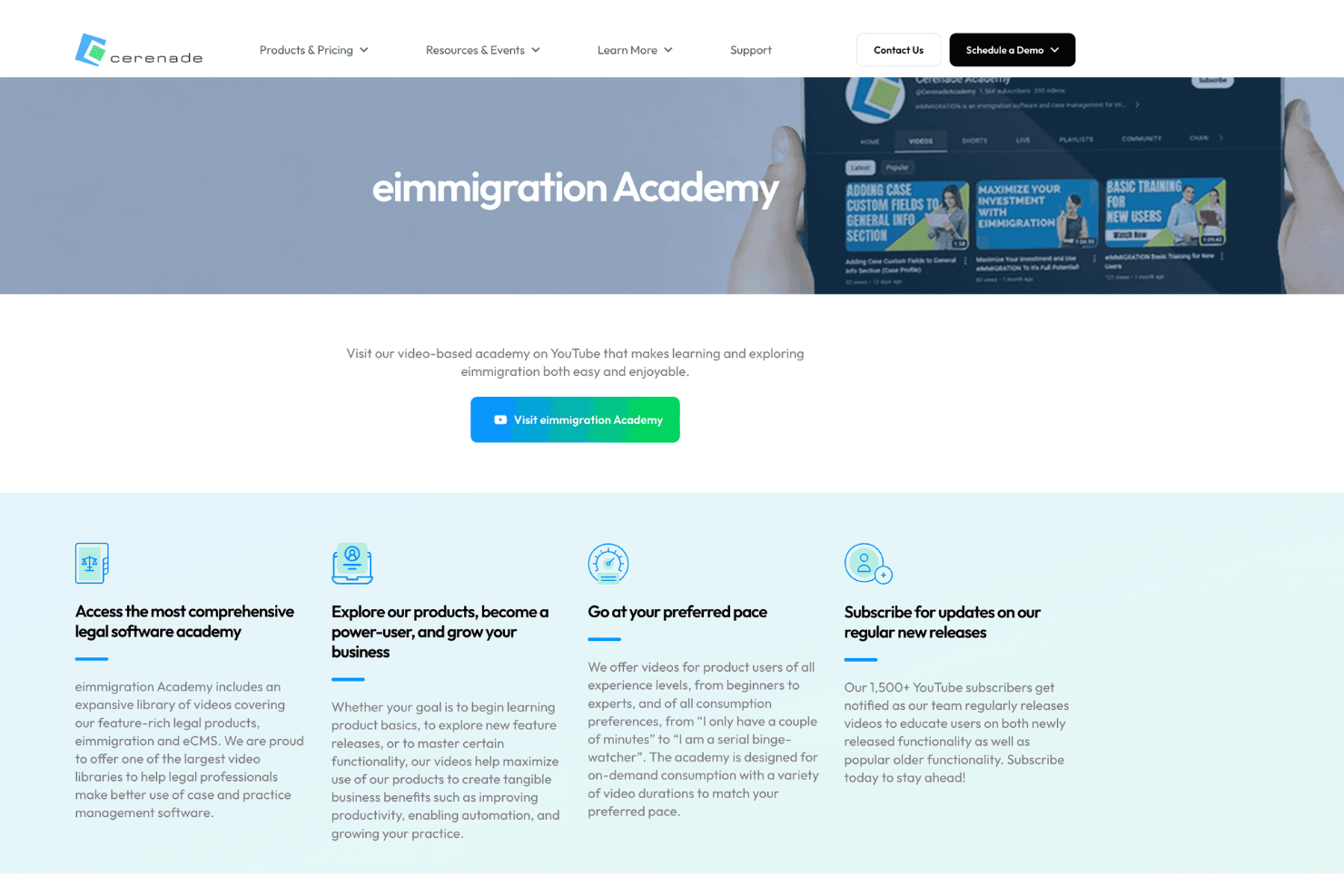
Training resources, webinars, and the eimmigration Academy provide structured, video-based learning to help users get up to speed. While some documentation can be hard to follow, the Academy and hands-on support make it easier to navigate more complex configurations.
Customer Support
Cerenade eimmigration’s customer support is often described as responsive and knowledgeable, with users highlighting quick turnaround on tickets and helpful troubleshooting. Support is available by phone, email, and live chat, which makes it easy to get help when you need it.
I think the team’s willingness to walk users through complex issues and provide personalized assistance stands out, though some users wish for more comprehensive self-service documentation.
Integrations
Cerenade eimmigration integrates with Microsoft 365, Outlook, SharePoint, OneDrive, Google Workspace, Gmail, Google Drive, QuickBooks, Dropbox, Box, PayPal, Braintree, and LawPay, among others.
Cerenade eimmigration also offers an API for custom integrations and supports connections with select third-party tools.
Value for Money
Cerenade eimmigration delivers solid value for immigration practices that rely heavily on form automation and case management, with pricing that scales based on features and storage needs. Users often find the platform worthwhile for its extensive forms library and workflow efficiency, especially as case volume increases.
- Starter: Includes all standard features, 1 optional module, and 10 GB storage per user for firms with more basic needs.
- Essentials: Adds up to 4 optional modules and expanded storage, offering more flexibility for growing teams.
- Complete: Includes all optional modules, unlimited storage, and additional training support for firms managing higher volumes and more complex workflows.
Cerenade eImmigration Specs
- 2-Factor Authentication: No
- API: Yes
- Approval Workflows: Yes
- Audit Trail: Yes
- Calendar Management: Yes
- Compliance Tracking: Yes
- Contract Management: No
- Custom Reports: Yes
- Customer Management: Yes
- Data Export: Yes
- Data Import: Yes
- Document Management: Yes
- External Integrations: Yes
- Multi-User: No
- NDA Management: No
- Notifications: Yes
- Policy Management: Yes
- Scheduling: Yes
- Workflow Management: Yes
Cerenade eImmigration FAQs
Cerenade eImmigration Company Overview & History
Cerenade, founded in 1992, is headquartered in Los Angeles, California. The company is known for its cloud-based solutions that automate and modernize processes for legal, immigration, and government organizations. Cerenade’s product suite includes eimmigration, eCMS, and eForms, serving thousands of organizations across legal, healthcare, and government sectors. Notable clients include NASA, the U.S. Department of State, and Hess Corporation. Cerenade is privately held and operated by a diverse team, with a strong focus on customer-first values and product quality.
Cerenade eimmigration Major Milestones
- 1992: Cerenade was founded to develop electronic forms solutions for the immigration legal market.
- 1993: Released its first commercial electronic forms engine for legal professionals.
- 2001: Introduced its in-house, component-based forms engine to improve flexibility and scalability.
- 2012: Expanded its eForms technology into government and healthcare sectors.
- 2020: Cerenade technology adopted by major organizations, including NASA and the U.S. Department of State.