


CosmoLex Vs. PracticePanther Comparison and Reviews for 2026
Cut through the noise—here’s my hands-on view of CosmoLex vs. PracticePanther. See which legal software really delivers for your workflow in 2026.

We review tools independently, and commissions help fund our testing. See our transparency policy, our methodology, or suggest a tool.
Choosing the right legal case management software can make or break your day-to-day flow. Maybe you're spending more time chasing paperwork and less tackling legal work—or debating between CosmoLex and PracticePanther because each promises to solve your biggest headaches. When every detail counts, picking the right platform could finally bring the clarity and control your team needs.
In this article, you’ll get a full comparison of CosmoLex vs. PracticePanther—covering pros, cons, must-know use cases, pricing, security, and day-to-day usability. I’ll break down what each tool gets right, where they fall short, and help you decide which one matches your practice’s needs.
CosmoLex
4.4/5
- 10-day free trial
- From $49/user/month (billed annually)
PracticePanther
4.3/5
- 7-day free trial
- From $49/user/month (billed annually)
Why Trust Our Software Recommendations
6,700+
Reviews
20
Industry experts
16+
Evaluation factors
14
Years
Our team has been testing and reviewing software since 2012. As legal practice leaders ourselves, we know how difficult—and important—it is to choose the right software.
For this guide, we evaluated tools using hands-on testing and independent research, scoring tools using our selection criteria.
Our reviews reflect our human editorial judgment, not a sales pitch.
| CosmoLex | PracticePanther | |
|---|---|---|
| Free Trial | 10-day free trial | 7-day free trial |
| Pricing | From $49/user/month (billed annually) | From $49/user/month (billed annually) |
CosmoLex vs. PracticePanther Pricing & Hidden Costs
Pricing differs mainly in how features are bundled. CosmoLex includes core legal, accounting, and compliance tools in its base subscription, while PracticePanther reserves some automation, custom fields, and integrations for higher tiers.
Both may also charge for data migration, premium integrations, or optional add-ons.To compare costs, identify your must-have features, check which plan includes them, and review policies for support, data export, and scaling as your firm grows.
CosmoLex and PracticePanther both deliver the fundamentals you expect from legal case management software. You get matter tracking, document management, billing, trust accounting, and built-in client portals. Both platforms support time tracking, expense capture, and reporting to help your team stay on top of daily work.
Where CosmoLex steps ahead is its all-in-one legal accounting—offering full general ledger and trust compliance baked right in, so you don’t need third-party tools. PracticePanther shines with workflow customization and automation, including flexible triggers and custom fields that give teams more control over their unique processes. Each wins points for a different reason, so your pick depends on what matters most to your firm.
| CosmoLex | PracticePanther | |
|---|---|---|
| 2-Factor Authentication | Yes | Yes |
| API | No | Yes |
| Approval Workflows | No | Yes |
| Audit Trail | No | Yes |
| Calendar Management | Yes | Yes |
| Compliance Tracking | No | Yes |
| Contract Management | No | Yes |
| Custom Reports | No | Yes |
| Customer Management | Yes | Yes |
| Data Export | No | Yes |
| Data Import | Yes | Yes |
| Document Management | No | Yes |
| External Integrations | Yes | Yes |
| Multi-User | Yes | Yes |
| NDA Management | No | Yes |
| Notifications | Yes | Yes |
| Policy Management | No | Yes |
| Scheduling | Yes | Yes |
| Workflow Management | No | Yes |
| Integration | CosmoLex | PracticePanther |
|---|---|---|
| IntegrationQuickBooks Online | CosmoLex❌ | PracticePanther✅ |
| IntegrationLawPay | CosmoLex✅ | PracticePanther✅ |
| IntegrationDropbox | CosmoLex✅ | PracticePanther✅ |
| IntegrationGoogle Drive | CosmoLex✅ | PracticePanther✅ |
| IntegrationMicrosoft 365 | CosmoLex✅ | PracticePanther✅ |
| IntegrationNetDocuments | CosmoLex✅ | PracticePanther❌ |
| IntegrationXero | CosmoLex❌ | PracticePanther✅ |
| IntegrationBox | CosmoLex❌ | PracticePanther✅ |
| IntegrationAPI | CosmoLex✅ | PracticePanther✅ |
| IntegrationZapier | CosmoLex❌ | PracticePanther✅ |
CosmoLex and PracticePanther overlap on staples like LawPay, Dropbox, Google Drive, and Microsoft 365, but diverge where it counts—CosmoLex connects directly to NetDocuments, while PracticePanther integrates with QuickBooks, Xero, Box, and Zapier. Both support custom connections via APIs, but PracticePanther stands out if you want a broader menu of native integrations or more workflow flexibility through Zapier.
| Factor | CosmoLex | PracticePanther |
|---|---|---|
| FactorUser Interface | CosmoLexIntuitive dashboard with minimal clutter, making navigation clear for new and occasional users. | PracticePantherBright layout with quick-access menus that let you jump between tasks, though customization can create complexity. |
| FactorSetup Process | CosmoLexGuided setup walks you through core settings and data import, cutting down initial confusion. | PracticePantherRapid initial setup with skip options, but advanced features need extra configuration time. |
| FactorLearning Curve | CosmoLexMost tasks are immediately accessible with built-in tips and legal templates for context. | PracticePantherOffers pop-up guides and a knowledge base, but automations and custom fields add steps to master. |
| FactorSupport Access | CosmoLexIn-app help chat and concise video tutorials available during setup or questions anytime. | PracticePantherResponsive support team and searchable help center, plus community Q&A threads for troubleshooting. |
| FactorMobile Usability | CosmoLexClean mobile app covers most desktop workflows with easy tap targets and checklists. | PracticePantherFull-featured mobile app with push notifications, though some options hide behind extra taps. |
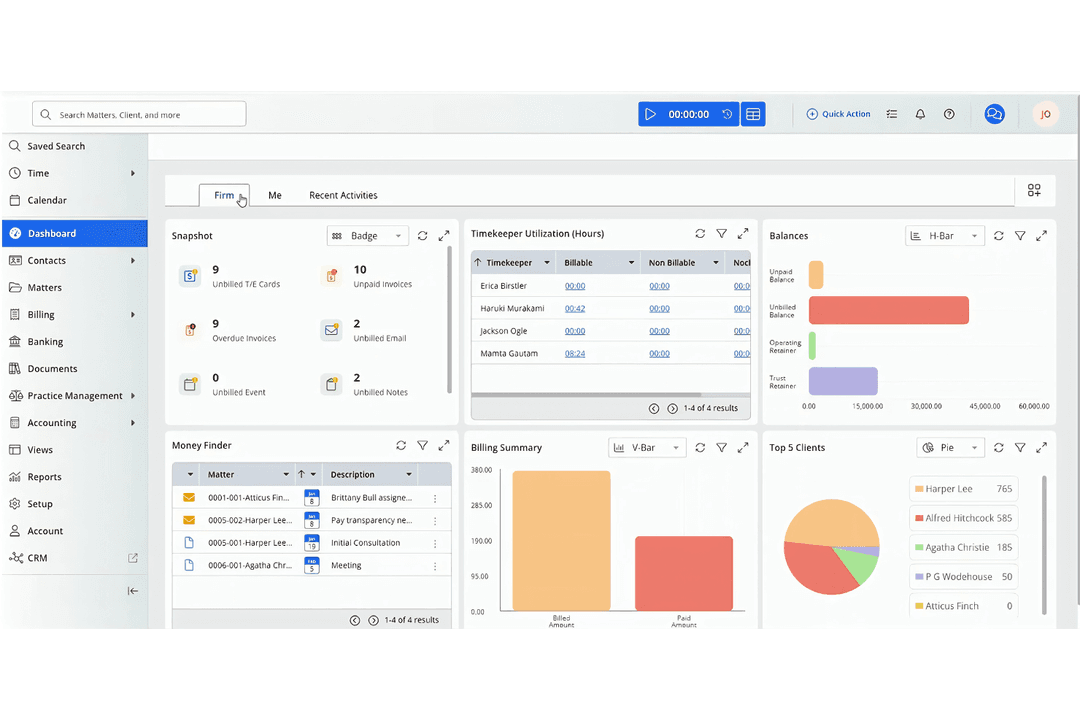
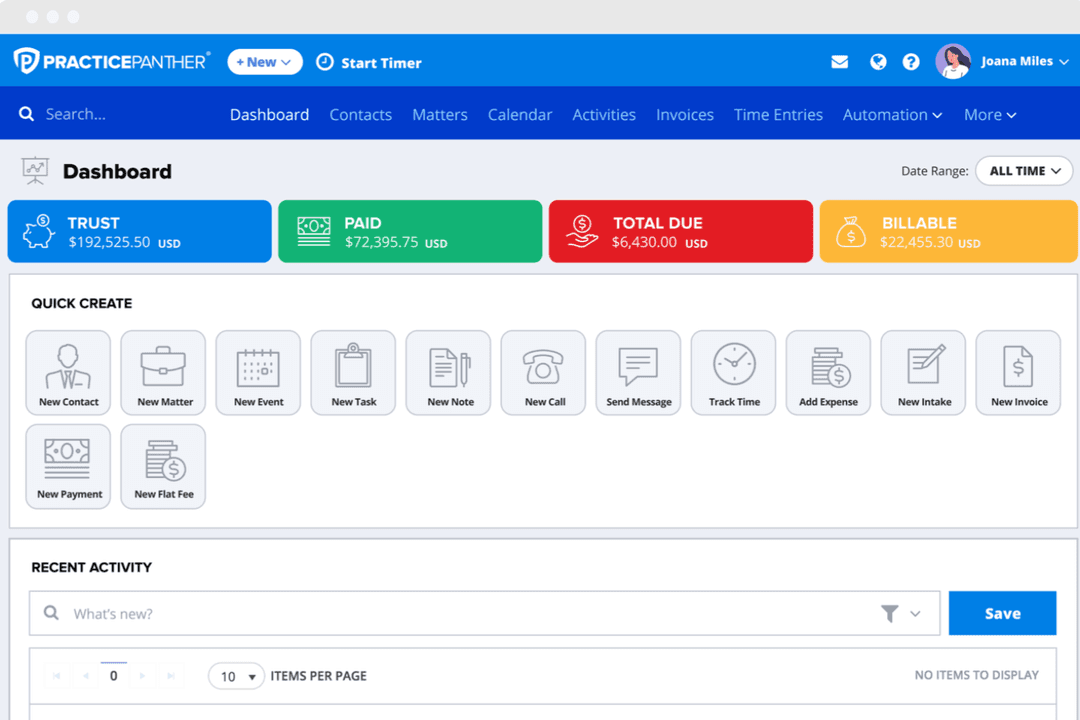
Both CosmoLex and PracticePanther feel approachable, but CosmoLex comes out slightly ahead for quick-onboarding and everyday use. I find CosmoLex works best for firms who want instant usability, while PracticePanther appeals to those who enjoy tweaking workflows and delving into custom options.
CosmoLex
- Built-in legal accounting eliminates need for third-party tools.
- Trust accounting and compliance features are included.
- Responsive customer support and onboarding assistance.
- Some users report slow performance during peak hours.
- Portal access issues occasionally disrupt client communications.
- Lacks advanced reporting customization options.
PracticePanther
- Automated workflows and reminders reduce manual admin work
- Responsive customer support with live chat and onboarding help
- Built-in e-signature and payment processing included in all plans
- Trust accounting can be less intuitive for complex needs
- Document management tools are basic compared to some competitors
- Reporting features lack advanced customization options
CosmoLex
- Estate Planning FirmsTrust accounting and document automation fit estate planning workflows.
- In-House Legal DepartmentsCentralized matter management and billing streamline internal legal operations.
- Family Law PracticesMatter-centric workflows and document management support high-volume casework.
- Legal Aid OrganizationsIntegrated time tracking and billing help manage grant and case reporting.
- Solo PractitionersBuilt-in trust accounting and compliance features simplify solo practice management.
- Small Law FirmsCosmoLex’s all-in-one platform reduces the need for separate billing and accounting tools.
PracticePanther
- Legal Billing DepartmentsIntegrated time tracking and payment processing simplify invoicing and collections.
- Virtual Law FirmsCloud-based access and mobile app enable remote work and collaboration.
- Immigration Law OfficesAutomated reminders and workflow templates support high-volume casework.
- Family Law PracticesSecure client portals and document sharing help manage sensitive cases.
- Small Law FirmsFlat-rate pricing and easy onboarding suit firms with limited IT resources.
- Solo PractitionersPracticePanther’s all-in-one dashboard and automation save time for solo attorneys.
Who Should Use CosmoLex, and Who Should Use PracticePanther?
Choose CosmoLex if you want all-in-one legal and accounting tools with turnkey compliance—perfect for firms that need built-in trust accounting and don’t want to juggle integrations.
PracticePanther fits teams who crave workflow customization, automations, and a wider range of integrations, especially if you already use tools like QuickBooks or Xero. CosmoLex makes sense for smaller and midsize firms hungry for simplicity, while PracticePanther is better if you love tailoring software to your style or have more complex business processes.
| CosmoLex | PracticePanther | |
|---|---|---|
| Accounting | CosmoLex Full legal, trust, and business accounting built in—no need for QuickBooks. | PracticePanther Requires QuickBooks or Xero for full accounting—focuses on billing and tracking. |
| Integrations | CosmoLex Strong legal-specific and document storage integrations; lacks Zapier. | PracticePanther Broad integrations, including Zapier, Box, QuickBooks, and Xero. |
| Pricing Approach | CosmoLex All-in-one flat price includes all core features. | PracticePanther Tiered pricing—advanced features and integrations cost more. |
| User Interface | CosmoLex Clean, intuitive dashboard—minimal setup for new users. | PracticePanther Bright and customizable interface—can get more complex as you tweak. |
| Workflow Automation | CosmoLex Limited rules-based automations—best for simple processes. | PracticePanther Flexible automation with triggers, custom fields, and workflow options. |
| Cloud-Based | Both solutions are fully cloud-based, letting you and your team access matters, documents, and billing from anywhere. CosmoLex provides near 24/7 uptime with cloud backups, while PracticePanther monitors system status and ensures regular backups—both support remote work and mobile access for on-the-go collaboration. |
|---|---|
| Core Features | Both CosmoLex and PracticePanther deliver essential legal case management features like matter tracking, document management, billing, trust accounting, and client portals. Each platform makes it easy to log time, track expenses, and generate reports—CosmoLex does this with everything built into a single package, while PracticePanther offers these features across its pricing tiers with options to add advanced tools. |
| Ease of Use | Each platform stands out for approachable, user-friendly interfaces designed for legal workflows. CosmoLex’s minimal dashboard layout is great for quick onboarding, while PracticePanther’s bright, customizable interface lets you jump between key tasks. Both offer guided setup, in-app support, and mobile apps to make daily casework smooth for any team member. |
| Security Focus | CosmoLex and PracticePanther take security and compliance seriously. Each uses encryption for data at rest and in transit, role-based user permissions, audit trails, and secure cloud infrastructure. CosmoLex emphasizes built-in trust compliance, while PracticePanther highlights bank-grade security and easy monitoring of user actions. |
| Subscription Model | Both tools use per-user, subscription-based pricing models, so costs scale with your team size. Each offers monthly billing and different tiers to suit varied law firm needs—CosmoLex includes all core features at its base rate, and PracticePanther allows you to unlock advanced options as you move up in tiers. |