


LEAP vs. MyCase: Comparison and Expert Reviews for 2026
I dig into LEAP vs. MyCase to reveal which legal case management tool actually streamlines your workflow—and how it fits the realities of your firm in 2026.

We review tools independently, and commissions help fund our testing. See our transparency policy, our methodology, or suggest a tool.
Juggling growing client demands, tight timelines, and the realities of legal work means you need tools that actually help, not get in the way. If you’re looking at LEAP vs. MyCase, you’re probably trying to cut through the noise and find legal case management software that truly fits your workflow and firm size.
In this article, I break down how LEAP and MyCase compare—including the pros and cons, common use cases, pricing, security, and what the day-to-day experience really looks like. You’ll walk away confident in choosing the software that makes your legal life a bit easier.
LEAP
4.3/5
- Free demo available
- Pricing upon request
MyCase
4.6/5
- 10-day free trial and free demo available
- From $60/user/month
Why Trust Our Software Recommendations
6,700+
Reviews
20
Industry experts
16+
Evaluation factors
14
Years
Our team has been testing and reviewing software since 2012. As legal practice leaders ourselves, we know how difficult—and important—it is to choose the right software.
For this guide, we evaluated tools using hands-on testing and independent research, scoring tools using our selection criteria.
Our reviews reflect our human editorial judgment, not a sales pitch.
| LEAP | MyCase | |
|---|---|---|
| Free Trial | Free demo available | 10-day free trial and free demo available |
| Pricing | Pricing upon request | From $60/user/month |
LEAP vs. MyCase Pricing & Hidden Costs
Pricing mainly differs in how features are packaged. LEAP generally bundles case management, document automation, and basic integrations into its core plan, while advanced integrations or custom modules may cost extra.
MyCase uses tiered pricing, with features such as e-signatures, text messaging, and premium support varying by plan. Both platforms may also charge for onboarding, setup, or third-party integrations.
To compare total costs, list your must-have features and integrations, then ask each vendor for a detailed quote that includes add-ons and potential fees.
Both LEAP and MyCase cover the core needs of legal professionals. You get case management, document storage, calendaring, time tracking, billing, and client communication in each platform. These staples let you move your files, tasks, and client work into one organized system—no matter which you choose.
LEAP sets itself apart with deep document automation and legal form libraries built for specific jurisdictions. MyCase, on the other hand, stands out for its integrated client portal and user-friendly mobile app that make sharing updates or collecting payments much easier for both your team and your clients.
| LEAP | MyCase | |
|---|---|---|
| 2-Factor Authentication | Yes | Yes |
| API | Yes | Yes |
| Approval Workflows | Yes | No |
| Audit Trail | Yes | Yes |
| Calendar Management | Yes | Yes |
| Compliance Tracking | Yes | Yes |
| Contract Management | Yes | Yes |
| Custom Reports | Yes | Yes |
| Customer Management | No | Yes |
| Data Export | Yes | Yes |
| Data Import | Yes | Yes |
| Document Management | Yes | Yes |
| External Integrations | Yes | Yes |
| Multi-User | Yes | Yes |
| NDA Management | No | Yes |
| Notifications | Yes | Yes |
| Policy Management | No | Yes |
| Scheduling | Yes | Yes |
| Workflow Management | Yes | Yes |
| Integration | LEAP | MyCase |
|---|---|---|
| IntegrationQuickBooks Online | LEAP✅ | MyCase✅ |
| IntegrationLawPay | LEAP✅ | MyCase✅ |
| IntegrationMicrosoft Outlook | LEAP✅ | MyCase✅ |
| IntegrationXero | LEAP✅ | MyCase❌ |
| IntegrationNetDocuments | LEAP✅ | MyCase❌ |
| IntegrationGoogle Calendar | LEAP❌ | MyCase✅ |
| IntegrationDropbox | LEAP❌ | MyCase✅ |
| IntegrationInfoTrack | LEAP✅ | MyCase❌ |
| IntegrationZapier | LEAP❌ | MyCase✅ |
| IntegrationAPI | LEAP✅ | MyCase✅ |
LEAP and MyCase both connect with core legal industry favorites like QuickBooks Online, LawPay, and Microsoft Outlook, but each holds a few unique cards—LEAP works with NetDocuments and Xero, while MyCase connects with Google Calendar, Dropbox, and Zapier for broader workflow flexibility. Both offer an API, so you can unlock even more connections if your firm needs something custom.
| Factor | LEAP | MyCase |
| Data Encryption | Uses bank-grade encryption and secure server infrastructure to protect sensitive legal data. | Encrypts data in transit and at rest, with security certifications for cloud storage. |
| Compliance | Designed for GDPR, SOC 2, and ISO standards, with configurable access controls for jurisdictions. | Maintains SOC 2 compliance and provides audit trails customized for legal requirements. |
| User Access | Offers granular permission settings for staff roles and client collaboration. | Lets you set role-based permissions to limit access and ensure account security. |
| Backup & Recovery | Provides automatic daily backups with rapid disaster recovery options. | Runs regular backups and guarantees data restoration in case of service disruption. |
| Factor | LEAP | MyCase |
|---|---|---|
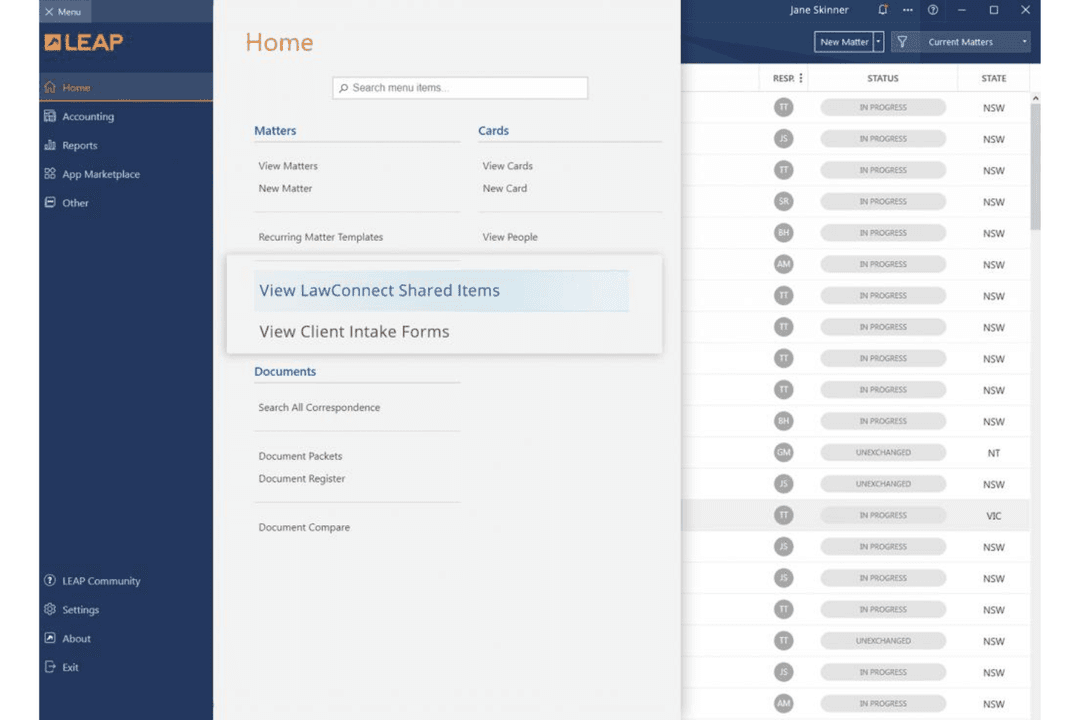
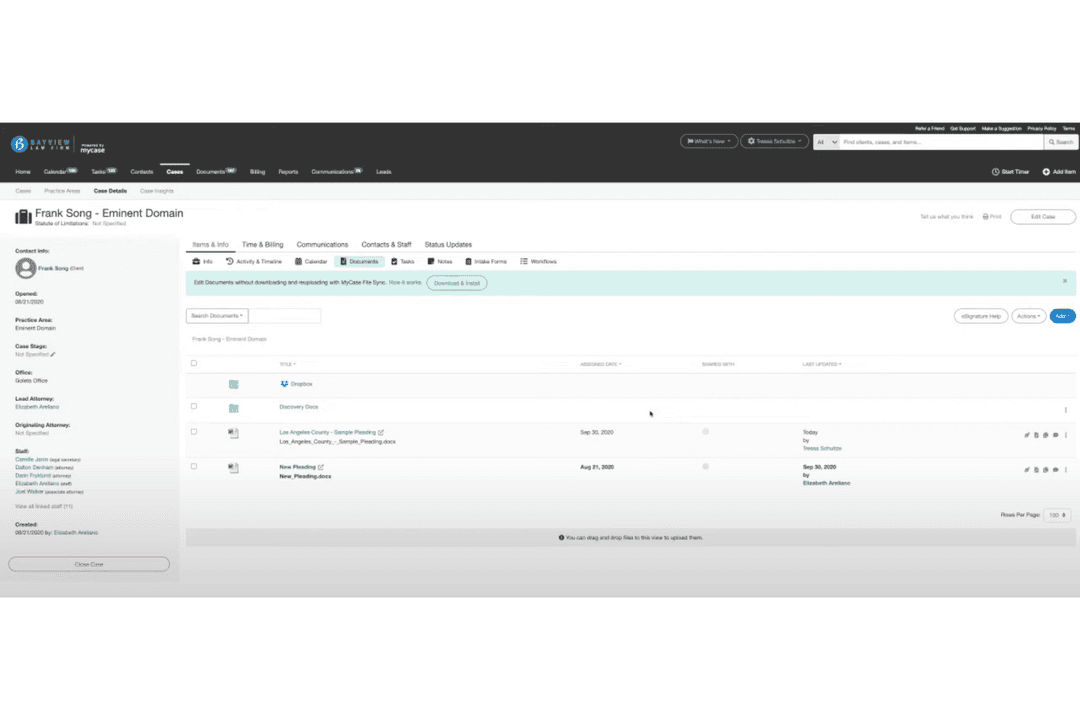
| FactorUser Interface | LEAPTraditional, desktop-style layout with many menu options and icons. | MyCaseClean, modern design with clear navigation and bold visual cues. |
| FactorOnboarding | LEAPInitial setup includes step-by-step demos but can feel overwhelming. | MyCaseGuided onboarding, in-app prompts, and quick-start checklists help new users. |
| FactorCustomization | LEAPExtensive settings for tailoring workflows but requires configuration time. | MyCaseSimple setup with drag-and-drop elements and easy custom field creation. |
| FactorSupport Access | LEAPOffers phone and email support, plus a large knowledge base. | MyCaseLive chat, phone, and help center content are all easy to find. |
| FactorLearning Curve | LEAPSteeper learning curve for solo users due to dense features. | MyCaseGentle learning curve—most users feel comfortable after the first week. |
MyCase feels easier to pick up and use right away, while LEAP offers deep options that take time to master. I think most legal teams will appreciate MyCase for its intuitive layout, but LEAP rewards those who need advanced workflow controls and don’t mind an initial learning curve.
LEAP
- Document automation saves time on repetitive drafting tasks
- Built-in trust accounting supports compliance with state bar rules
- Mobile app lets you manage cases and billing remotely
- Data migration can be slow and error-prone for some firms
- Some users report slow customer support response times
- Limited compatibility with non-Microsoft email platforms
MyCase
- MyCase simplifies client communication, making it easy for your team to stay connected with clients.
- The document management feature helps you organize your legal documents efficiently.
- Customer support is highly responsive, ensuring you get help when you need it.
- Some users find the interface a bit dated compared to newer legal software.
- The mobile app lacks some functionalities available on the desktop version.
- Customization options are limited, which might not suit all your firm's needs.
LEAP
- Solo PractitionersLEAP’s all-in-one platform reduces the need for multiple tools and manual processes.
- Small Law FirmsMatter management, billing, and document automation are tailored for firms with limited IT resources.
- Family Law PracticesPre-built templates and forms for family law streamline casework and filings.
- Real Estate LawIntegrated conveyancing tools and e-signature support real estate transactions.
- Legal Aid OrganizationsCloud access and mobile app help manage high case volumes on the go.
- In-House Legal TeamsCentralized document storage and compliance features support internal legal operations.
MyCase
- Small Law FirmsMyCase helps your small team manage cases and clients efficiently, keeping everything organized.
- Solo PractitionersWith MyCase, you can handle every aspect of your practice without feeling overwhelmed.
- Family LawMyCase’s communication tools keep you connected with clients during sensitive cases.
- Personal InjuryThe document management feature simplifies handling extensive paperwork for your cases.
- Criminal DefenseMyCase provides a structured way to manage complex criminal cases, ensuring nothing falls through the cracks.
- Legal Aid OrganizationsIts user-friendly interface allows your team to focus on helping clients rather than administrative tasks.
Who Should Use LEAP, and Who Should Use MyCase?
LEAP is a solid pick for firms that need advanced document automation, strict compliance controls, or juggle multi-jurisdictional work. MyCase fits legal teams who want a friendly, modern interface with built-in client communication and simple billing.
If your priorities are deep customization and specialized workflows, go with LEAP—if you want easy onboarding and a tool your whole team (and clients) will actually use day one, MyCase is the safer bet.
| LEAP | MyCase | |
|---|---|---|
| Client Communication | LEAP Basic secure sharing, more focused on internal workflows. | MyCase Integrated client portal for messaging, updates, and payments. |
| Document Automation | LEAP Built-in legal form libraries and advanced document automation tools. | MyCase Focuses on straightforward document storage and sharing. |
| Integration Options | LEAP Deep legal-specific integrations (NetDocuments, Xero, InfoTrack). | MyCase More general integrations (Google Calendar, Dropbox, Zapier). |
| Pricing Structure | LEAP All-in-one subscription, advanced features may incur extra fees. | MyCase Tiered plans—essentials included, extras add up as you grow. |
| User Interface | LEAP Traditional desktop-style interface with dense menus and icons. | MyCase Clean, modern design with bold navigation and easy access. |
| Cloud Accessibility | Both solutions are fully cloud-based, letting you access your files, calendars, and client data from anywhere. LEAP focuses on desktop and remote desktop access, while MyCase leans on a strong web and mobile app presence, but both make your casework portable and secure when you need to work on the go. |
|---|---|
| Core Functionality | Both LEAP and MyCase offer a full suite of legal case management essentials—case tracking, document storage, billing, calendaring, time tracking, and client communications. Each one packages these features as standard so your core legal processes live in one place, whether you prefer LEAP’s depth or MyCase’s approachable style. |
| Integration Basics | Each solution connects with major legal and accounting tools out of the box. Both include integrations for QuickBooks Online, LawPay, Microsoft Outlook, and offer APIs for building custom connections—so you won’t have to abandon tools your firm already relies on, whichever software you pick. |
| Security Standards | Both platforms are built with legal-grade security in mind. They encrypt your data, include user permissions, and back up information automatically—LEAP leans into strict international compliance, while MyCase focuses on user-friendly control and audit trails, but you can trust either with client confidentiality. |
| Subscription Model | Both LEAP and MyCase use recurring subscription pricing instead of charging per case or transaction. While the details and structure differ, you always pay periodic fees and get access to regular updates and support instead of facing unpredictable, one-off charges. |