


PracticePanther vs. MyCase: Comparison and Reviews for 2026
Deciding between PracticePanther and MyCase? I break down features, pricing, and real-world pros and cons—so you can choose the right legal software for your firm this 2026.

We review tools independently, and commissions help fund our testing. See our transparency policy, our methodology, or suggest a tool.
Choosing between PracticePanther and MyCase? If you’re struggling with daily bottlenecks, missed deadlines, or disconnected systems, you’re in the right spot. Picking the right legal practice management software can make all the difference for your team and your clients.
In this article, I’ll break down how these two platforms stack up—including their pros and cons, best use cases, pricing, security features, and what the actual user experience feels like. You’ll finish with a clear sense of which tool is the better fit for your firm.
PracticePanther
4.3/5
- 7-day free trial
- From $49/user/month (billed annually)
MyCase
4.6/5
- 10-day free trial and free demo available
- From $60/user/month
Why Trust Our Software Recommendations
6,700+
Reviews
20
Industry experts
16+
Evaluation factors
14
Years
Our team has been testing and reviewing software since 2012. As legal practice leaders ourselves, we know how difficult—and important—it is to choose the right software.
For this guide, we evaluated tools using hands-on testing and independent research, scoring tools using our selection criteria.
Our reviews reflect our human editorial judgment, not a sales pitch.
| PracticePanther | MyCase | |
|---|---|---|
| Free Trial | 7-day free trial | 10-day free trial and free demo available |
| Pricing | From $49/user/month (billed annually) | From $60/user/month |
PracticePanther vs. MyCase Pricing & Hidden Costs
PracticePanther and MyCase both use tiered, per-user subscription pricing with monthly and annual billing options. Some advanced features are limited to higher-tier plans, so pricing can increase depending on the workflows, reporting, integrations, and other capabilities your firm needs.
PracticePanther includes e-signatures and payment processing across all of its plans, so these are not separate feature add-ons. MyCase may structure certain features differently by plan, so it is important to compare what is included at each tier before choosing.
When comparing costs, look beyond the base subscription and map each platform’s features to your must-haves. Check which capabilities, integrations, storage limits, and support options require a higher-tier plan or additional fees.
Also factor in possible costs tied to data migration, onboarding, transaction fees, storage limits, or contract requirements. A feature-by-feature comparison can give you a clearer picture of what each platform will actually cost as your firm’s needs change.
Both PracticePanther and MyCase give you the essentials—case management, time tracking, document storage, client portals, calendaring, and invoicing. You’ll also get secure messaging, online payments, and task management baked in. These basics help you cover your workflow and keep your cases on track.
Each platform brings its own flavor. PracticePanther stands out with advanced automation tools and customizable workflows if you want to tailor processes end-to-end. MyCase puts focus on built-in communication tools and client-facing features like text messaging, making client engagement smoother from your dashboard.
| PracticePanther | MyCase | |
|---|---|---|
| 2-Factor Authentication | Yes | Yes |
| API | Yes | Yes |
| Approval Workflows | Yes | No |
| Audit Trail | Yes | Yes |
| Calendar Management | Yes | Yes |
| Compliance Tracking | Yes | Yes |
| Contract Management | Yes | Yes |
| Custom Reports | Yes | Yes |
| Customer Management | Yes | Yes |
| Data Export | Yes | Yes |
| Data Import | Yes | Yes |
| Document Management | Yes | Yes |
| External Integrations | Yes | Yes |
| Multi-User | Yes | Yes |
| NDA Management | Yes | Yes |
| Notifications | Yes | Yes |
| Policy Management | Yes | Yes |
| Scheduling | Yes | Yes |
| Workflow Management | Yes | Yes |
| Integration | PracticePanther | MyCase |
|---|---|---|
| IntegrationQuickBooks Online | PracticePanther✅ | MyCase✅ |
| IntegrationLawPay | PracticePanther✅ | MyCase✅ |
| IntegrationGoogle Calendar | PracticePanther✅ | MyCase✅ |
| IntegrationMicrosoft Outlook | PracticePanther✅ | MyCase✅ |
| IntegrationDropbox | PracticePanther✅ | MyCase❌ |
| IntegrationNetDocuments | PracticePanther✅ | MyCase❌ |
| IntegrationXero | PracticePanther✅ | MyCase❌ |
| IntegrationMailchimp | PracticePanther✅ | MyCase❌ |
| IntegrationZapier | PracticePanther✅ | MyCase✅ |
| IntegrationAPI | PracticePanther✅ | MyCase✅ |
PracticePanther and MyCase cover the big integration needs for legal teams, but PracticePanther offers more variety—especially with document storage and accounting options like Dropbox, NetDocuments, Xero, and Mailchimp, which MyCase skips. Both tools support API and Zapier, so you can still build custom connections if you need to cover any gaps in your workflow.
| Factor | PracticePanther | MyCase |
|---|---|---|
| FactorData Encryption | PracticePantherUses bank-grade 256-bit SSL encryption for data in transit and encryption at rest for stored data. | MyCaseProvides 128/256-bit SSL encryption in transit and encrypted storage for sensitive information. |
| FactorRegulatory Compliance | PracticePantherOffers compliance with GDPR, HIPAA, and SOC 2 Type II through robust policies and third-party audits. | MyCaseAdheres to GDPR, SOC 2, and U.S. legal industry requirements with regular security reviews. |
| FactorData Access Controls | PracticePantherEnables custom user permissions and role-based access to restrict data visibility firm-wide. | MyCaseLets you set user access levels and enforce permissions by role or department. |
| FactorBusiness Continuity | PracticePantherIncludes automated daily backups, disaster recovery protocols, and 99.99% uptime commitments. | MyCaseRuns continuous data backups, monitored uptime, and recovery plans to minimize downtime. |
| FactorClient Confidentiality | PracticePantherProvides secure client portals for document sharing, messaging, and e-signatures with audit trails. | MyCaseOffers secure client portals and encrypted communication channels for confidential exchanges. |
Both PracticePanther and MyCase deliver dependable compliance with legal industry security standards, but PracticePanther takes things further with more granular controls and a strong reliability record. In my experience, PracticePanther’s layered permissions and transparency tools offer an extra level of peace of mind, while MyCase wins points for making basic security accessible to every user without added complexity.
| Factor | PracticePanther | MyCase |
|---|---|---|
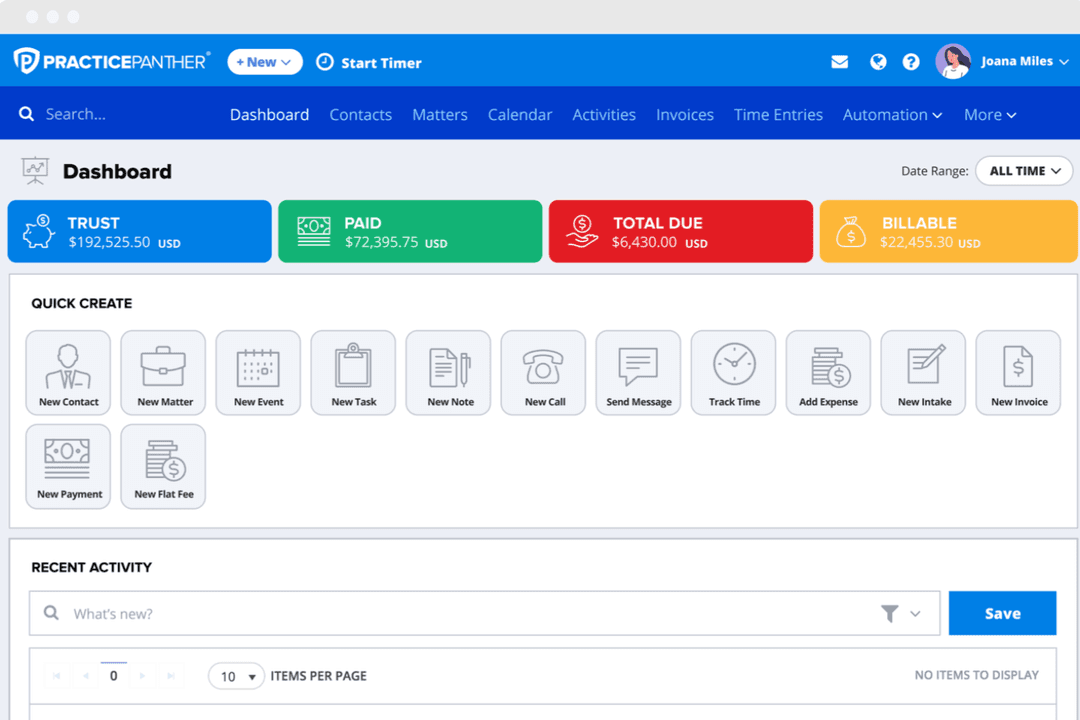
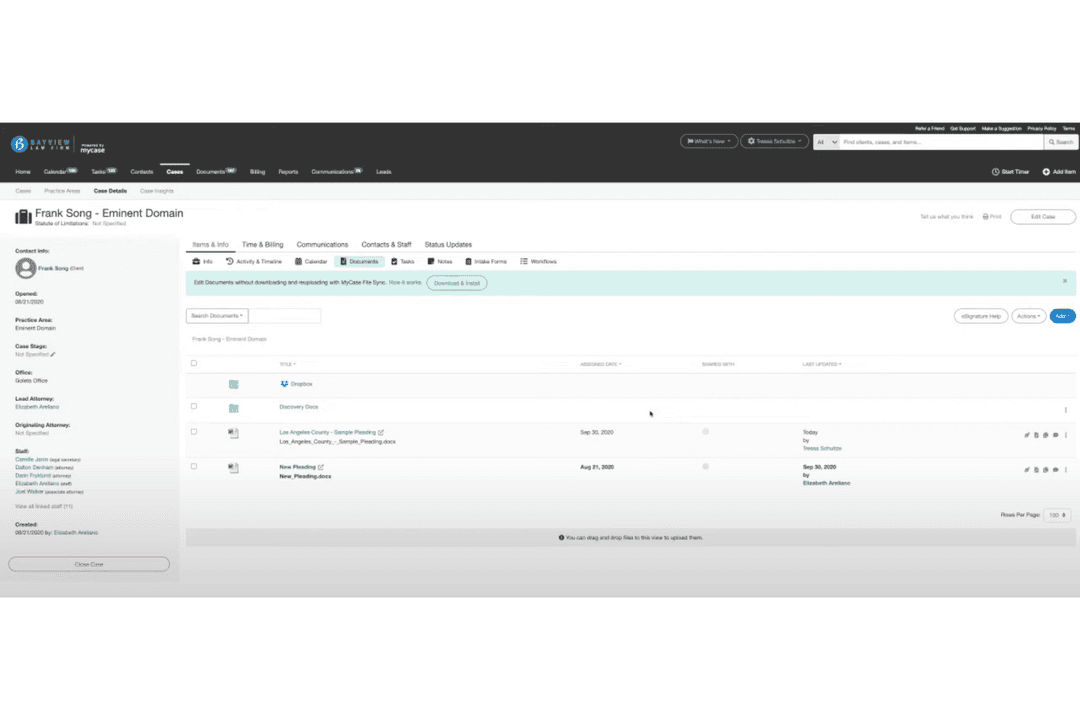
| FactorUser Interface | PracticePantherClean, modern dashboard with drag-and-drop customization that helps you rearrange widgets and menus easily. | MyCaseStraightforward layout with quick access to core features and clear navigation paths throughout. |
| FactorOnboarding | PracticePantherStep-by-step tutorials and in-app guides speed up training for new users and help teams hit the ground running. | MyCaseGuided onboarding walkthroughs, built-in checklists, and helpful tooltips get you started fast. |
| FactorSetup Simplicity | PracticePantherBulk import tools and template workflows save time during setup, though settings require a bit more exploration. | MyCaseSetup wizard walks you through account, case, and billing setup with less technical hassle. |
| FactorSupport Access | PracticePantherLive chat and responsive email support are available, but you may wait longer for complex issues. | MyCaseIn-app chat, resource library, and quick callback options make support easy to reach anytime. |
| FactorMobile Experience | PracticePantherFull-featured mobile app includes project updates, time tracking, and document access on the go. | MyCaseIntuitive mobile app covers client communication and document sharing, with fewer menu layers. |
Both PracticePanther and MyCase deliver friendly, lawyer-ready experiences—though MyCase stands out for its direct, speedy navigation and smooth onboarding. I find PracticePanther shines when you want to tailor your workflows, while MyCase is the pick if you want a no-nonsense, intuitive start from day one.
PracticePanther
- Automated workflows and reminders reduce manual admin work
- Responsive customer support with live chat and onboarding help
- Built-in e-signature and payment processing included in all plans
- Trust accounting can be less intuitive for complex needs
- Document management tools are basic compared to some competitors
- Reporting features lack advanced customization options
MyCase
- MyCase simplifies client communication, making it easy for your team to stay connected with clients.
- The document management feature helps you organize your legal documents efficiently.
- Customer support is highly responsive, ensuring you get help when you need it.
- Some users find the interface a bit dated compared to newer legal software.
- The mobile app lacks some functionalities available on the desktop version.
- Customization options are limited, which might not suit all your firm's needs.
PracticePanther
- Legal Billing DepartmentsIntegrated time tracking and payment processing simplify invoicing and collections.
- Virtual Law FirmsCloud-based access and mobile app enable remote work and collaboration.
- Immigration Law OfficesAutomated reminders and workflow templates support high-volume casework.
- Family Law PracticesSecure client portals and document sharing help manage sensitive cases.
- Small Law FirmsFlat-rate pricing and easy onboarding suit firms with limited IT resources.
- Solo PractitionersPracticePanther’s all-in-one dashboard and automation save time for solo attorneys.
MyCase
- Small Law FirmsMyCase helps your small team manage cases and clients efficiently, keeping everything organized.
- Solo PractitionersWith MyCase, you can handle every aspect of your practice without feeling overwhelmed.
- Family LawMyCase’s communication tools keep you connected with clients during sensitive cases.
- Personal InjuryThe document management feature simplifies handling extensive paperwork for your cases.
- Criminal DefenseMyCase provides a structured way to manage complex criminal cases, ensuring nothing falls through the cracks.
- Legal Aid OrganizationsIts user-friendly interface allows your team to focus on helping clients rather than administrative tasks.
Who Should Use PracticePanther, and Who Should Use MyCase?
PracticePanther is a great match for legal teams who want deep workflow customization, advanced automation, and broad integration options—especially if you have a mix of tech-savvy lawyers or work across multiple practice areas.
MyCase fits best if you want a straightforward, user-friendly platform that gets everyone working together fast, with an emphasis on client communication and quick onboarding.
MyCase is a strong fit for firms that prioritize simplicity, quick adoption, and straightforward collaboration. PracticePanther may suit firms that need more flexibility around customized workflows, automation, and specialized processes, regardless of firm size.
| PracticePanther | MyCase | |
|---|---|---|
| Client Communication | PracticePanther Supports client portals and secure messaging, but fewer built-in client texting options. | MyCase Built-in client texting and communication tools make client updates easy from the app. |
| Customization Depth | PracticePanther Lets you tailor dashboards, workflows, and permissions for detailed process control. | MyCase Prioritizes simplicity with set workflows and limited interface customization. |
| Integrations Variety | PracticePanther Supports more third-party integrations like Dropbox, Xero, NetDocuments, and Mailchimp. | MyCase Focuses on core legal integrations, skipping some accounting and document tools. |
| Onboarding Experience | PracticePanther Offers in-depth tutorials and guides—setup needs more exploration for advanced features. | MyCase Uses wizards and checklists for fast, user-friendly onboarding with minimal learning curve. |
| Workflow Automation | PracticePanther Offers deep automation with customizable templates and triggers for tasks and communications. | MyCase Provides basic workflow automations with less customization but keeps setup straightforward. |
| Core Functionality | Both offer must-haves like case management, time tracking, document storage, client portals, calendaring, and invoicing, letting your team cover every main aspect of practice management. PracticePanther brings advanced customization to these basics, while MyCase focuses on making them instantly accessible to anyone. |
|---|---|
| Integration Ready | Both support major legal tools such as QuickBooks Online, LawPay, Google Calendar, Outlook, and Zapier, so your systems connect with what most firms need. PracticePanther goes further on breadth, but both give you the essentials and allow custom workflows through APIs and Zapier connections. |
| Security Standards | Both solutions take security seriously, providing strong data encryption (at least 128-bit SSL in transit, encrypted at rest), secure client portals, and compliance with major legal data regulations like GDPR and SOC 2. PracticePanther and MyCase each bring transparent user access controls and regular backups. |
| Subscription Model | Each uses per-user, tiered subscription pricing with both monthly and annual options, so it’s easy to scale up or down as your firm grows. You’ll find entry and premium plans, with more features unlocked as you go up—so both reward commitment but allow flexibility. |
| User Experience | Both deliver approachable interfaces designed for legal teams—with clean dashboards, guided onboarding, and strong help resources. PracticePanther leans into customization and drag-and-drop tools, while MyCase is about making navigation and setup quick and painless for everyone. |