

PerfectLaw-anmeldelse: Fordele, ulemper, funktioner og priser
PerfectLaw skiller sig ud med sin alt-i-én-tilgang, men jeg har fundet ud af, at den virkelige værdi især kommer til sin ret for advokatfirmaer, der søger problemfri integration frem for prangende ekstrafunktioner.

We review tools independently, and commissions help fund our testing. See our transparency policy, our methodology, or suggest a tool.
PerfectLaw is an all-in-one legal document management software built specifically for law firms that need document management, practice management, billing, and accounting in a single platform. I'd consider it if your firm is tired of stitching together separate tools and wants everything running from one system. If you've looked at NetDocuments, which handles document management well but requires integrations for the rest of your practice, PerfectLaw is worth a closer look for the built-in depth it offers across the full operational stack.
PerfectLaw Evaluation Summary
3.7/5
- Pricing upon request
- Free demo available
Why Trust Our Software Recommendations
6,700+
Reviews
20
Industry experts
16+
Evaluation factors
14
Years
Our team has been testing and reviewing software since 2012. As legal practice leaders ourselves, we know how difficult—and important—it is to choose the right software.
For this guide, we evaluated tools using hands-on testing and independent research, scoring tools using our selection criteria.
Our reviews reflect our human editorial judgment, not a sales pitch.
PerfectLaw Overview
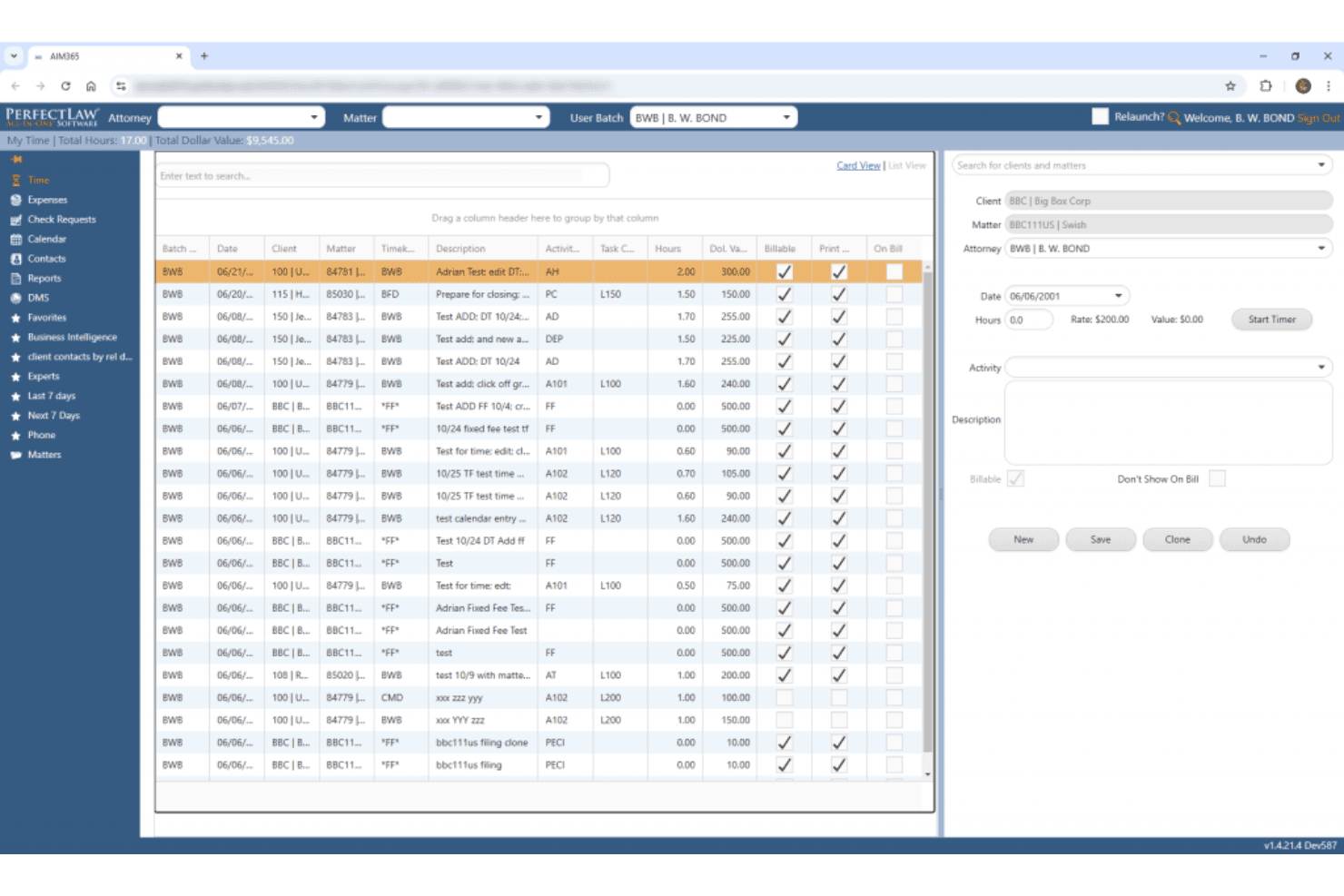
When judging PerfectLaw, I think its all-in-one approach and deep workflow automation set it apart for firms that want everything under one roof. The interface feels dated compared to newer options, and integrations are limited, but support is responsive and onboarding is straightforward. Pricing is on the higher side, so I’d suggest it for midsize to large firms that value unified systems over best-of-breed tools. If you’re selecting software for complex, document-heavy practices, PerfectLaw’s automation and case management features are going to make a noticeable difference.
Pros
- Comprehensive case and document management in one platform
- Responsive customer support with live assistance
- Strong automation for legal drafting and templates
Cons
- User interface feels outdated and cluttered
- Integrations with third-party tools are limited
- Pricing is higher than many comparable solutions
Is PerfectLaw Right For Your Needs?
Who Would be a Good Fit for PerfectLaw?
PerfectLaw is a strong choice for organizations that need unified case, document, and workflow management with reliable automation. Firms handling high volumes of legal documents or complex matters will appreciate its all-in-one platform and responsive support. It’s best suited for midsize to large legal teams, especially those in regulated or document-heavy industries, where centralization and compliance are top priorities.
- Large Law FirmsCentralized case and document management supports high-volume, multi-practice operations.
- Corporate Legal DepartmentsWorkflow automation and compliance tools help manage complex, ongoing matters.
- Government AgenciesAudit trails and secure document handling meet strict regulatory requirements.
- Litigation PracticesIntegrated calendaring and deadline tracking reduce risk in litigation-heavy environments.
- Real Estate LawDocument automation speeds up repetitive contract and closing processes.
- Healthcare Legal TeamsCentralized records and compliance features support privacy and regulatory needs.
Who Would be a Bad Fit for PerfectLaw?
PerfectLaw isn’t ideal for teams that need modern interfaces, extensive integrations, or budget-friendly solutions. Smaller firms or those prioritizing flexibility and niche integrations may find it limiting. If your team relies on best-of-breed tools or needs frequent updates, you’ll likely want to look elsewhere.
- Small Law FirmsHigh pricing and broad features may overwhelm smaller practices.
- Solo PractitionersComplexity and cost outweigh benefits for single-user environments.
- Tech StartupsLimited integrations and dated interface don’t match fast-paced needs.
- Boutique IP FirmsLacks specialized IP management features found in niche tools.
- In-House IT DepartmentsMinimal customization and integration options restrict technical flexibility.
- Legal Aid OrganizationsBudget constraints and simpler workflows make it an impractical choice.
How We Test & Score Tools
We’ve spent years building, refining, and improving our software testing and scoring system. The rubric is designed to capture the nuances of software selection and what makes a tool effective, focusing on critical aspects of the decision-making process.
Below, you can see exactly how our testing and scoring works across seven criteria. It allows us to provide an unbiased evaluation of the software based on core functionality, standout features, ease of use, onboarding, customer support, integrations, customer reviews, and value for money.
Core Functionality (25% of final scoring)
The starting point of our evaluation is always the core functionality of the tool. Does it have the basic features and functions that a user would expect to see? Are any of those core features locked to higher-tiered pricing plans? At its core, we expect a tool to stand up against the baseline capabilities of its competitors.
Standout Features (25% of final scoring)
Next, we evaluate uncommon standout features that go above and beyond the core functionality typically found in tools of its kind. A high score reflects specialized or unique features that make the product faster, more efficient, or offer additional value to the user.
We also evaluate how easy it is to integrate with other tools typically found in the tech stack to expand the functionality and utility of the software. Tools offering plentiful native integrations, 3rd party connections, and API access to build custom integrations score best.
Ease of Use (10% of final scoring)
We consider how quick and easy it is to execute the tasks defined in the core functionality using the tool. High scoring software is well designed, intuitive to use, offers mobile apps, provides templates, and makes relatively complex tasks seem simple.
Onboarding (10% of final scoring)
We know how important rapid team adoption is for a new platform, so we evaluate how easy it is to learn and use a tool with minimal training. We evaluate how quickly a team member can get set up and start using the tool with no experience. High scoring solutions indicate little or no support is required.
Customer Support (10% of final scoring)
We review how quick and easy it is to get unstuck and find help by phone, live chat, or knowledge base. Tools and companies that provide real-time support score best, while chatbots score worst.
Customer Reviews (10% of final scoring)
Beyond our own testing and evaluation, we consider the net promoter score from current and past customers. We review their likelihood, given the option, to choose the tool again for the core functionality. A high scoring software reflects a high net promoter score from current or past customers.
Value for Money (10% of final scoring)
Lastly, in consideration of all the other criteria, we review the average price of entry level plans against the core features and consider the value of the other evaluation criteria. Software that delivers more, for less, will score higher.
Core Features
AI-Powered Legal Research
CoCounsel AI delivers fast, synthesized answers from trusted legal sources. This helps you quickly analyze complex issues and find relevant precedents.
Standard Document Drafting
Access up-to-date templates with annotations and negotiation tips. You can draft contracts and legal documents faster with expert guidance built in.
Practice Notes
Get plain-language explanations of complex legal topics. These notes help you get up to speed on new matters or areas of law.
Dynamic Visualization Tools
Use data-driven charts and visualization features to understand legal trends. These tools make it easier to spot risks and opportunities in your matters.
Attorney-Editor Network
Tap into resources maintained by over 650 full-time attorney-editors. This ensures your guidance and templates are current and reliable.
Timely Content Updates
Benefit from resources updated continuously to reflect new laws and regulations. You always work with the latest legal information and best practices.
Ease of Use
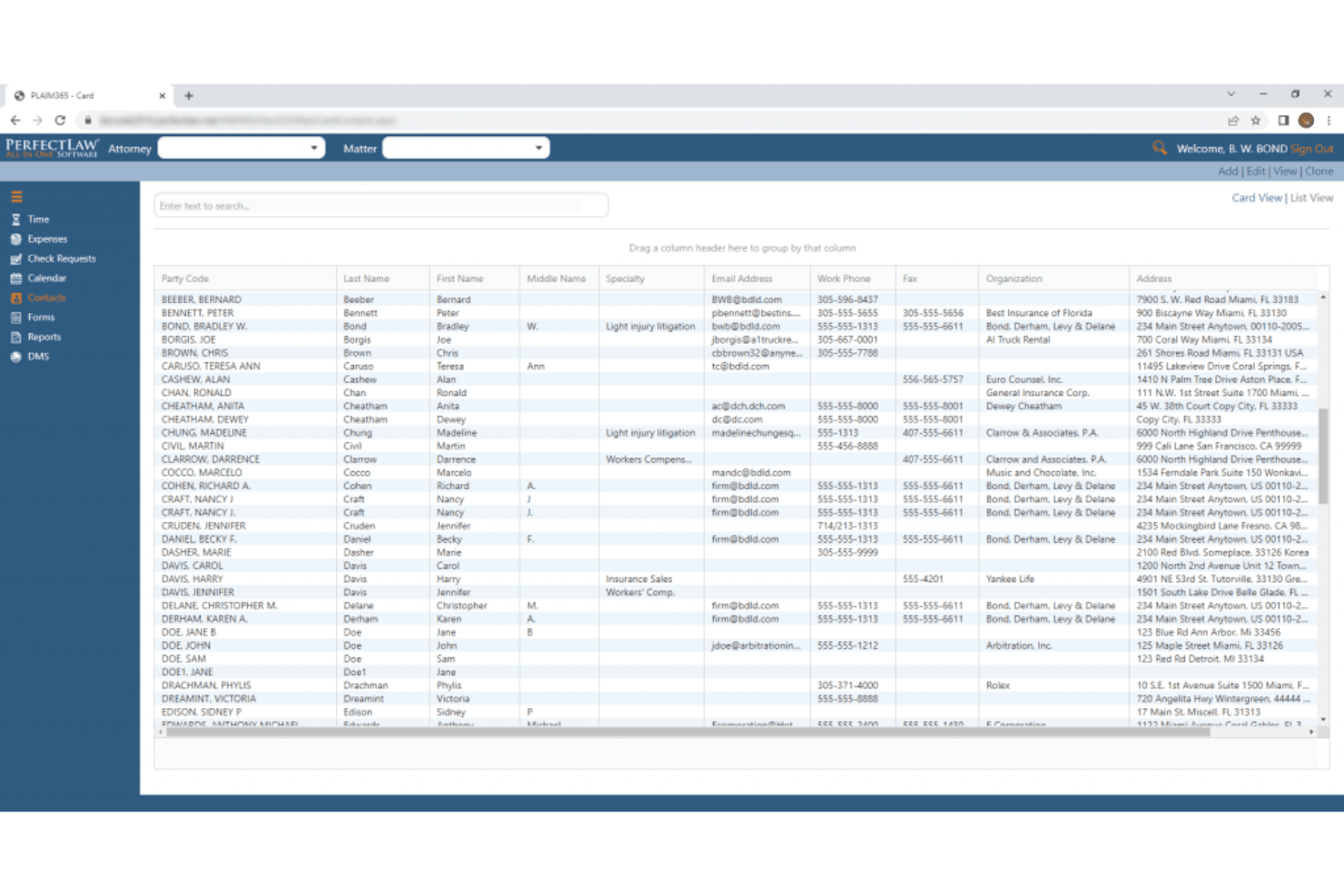
PerfectLaw’s interface feels dated and can be overwhelming at first, especially for users new to legal management software. However, once you get past the initial setup, navigation is logical and workflows are clearly mapped out. Users often mention that the platform’s automation and document tools save time, but the lack of modern design and limited customization options can slow adoption for teams used to more intuitive systems.
Integrations
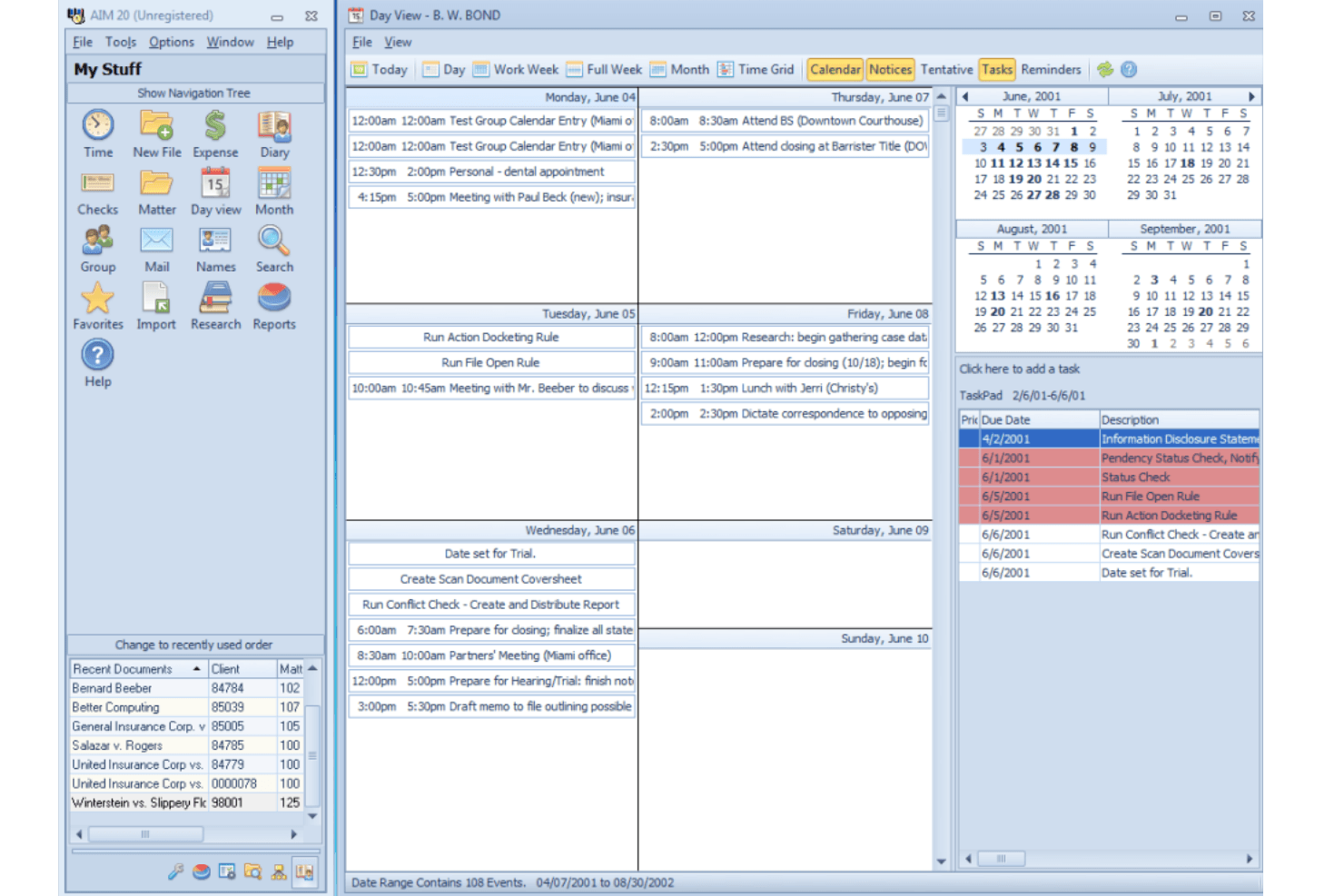
PerfectLaw integrates with Microsoft Word, Microsoft Excel, Microsoft Outlook, Microsoft Azure, SQL Server, Positive Pay, and webDMS, among others.
PerfectLaw does not advertise a public API or direct connections with third-party integration tools.
PerfectLaw Specs
- 2-Factor Authentication: Yes
- API: Yes
- Approval Workflows: Yes
- Audit Trail: Yes
- Calendar Management: Yes
- Compliance Tracking: Yes
- Contract Management: No
- Custom Reports: Yes
- Customer Management: Yes
- Data Export: Yes
- Data Import: Yes
- Document Management: Yes
- External Integrations: Yes
- Multi-User: Yes
- NDA Management: Yes
- Notifications: Yes
- Policy Management: Yes
- Scheduling: Yes
- Workflow Management: Yes


