


Avis sur Rally 2026 : Avantages, Inconvénients, Fonctionnalités et Tarification



Rally is a legal practice management software for legal teams that need matter tracking, document management, and coordinated workflows in one place. If you've looked at Clio and found it too billing-centric for how your team actually works, Rally is worth a closer look. It's built around legal operations rather than hourly billing.
Rally Evaluation Summary
- From $99/user/month
- Free demo available
Pourquoi faire confiance à nos recommandations de logiciels
Notre équipe teste et évalue des logiciels depuis 2012. En tant que dirigeants de cabinets juridiques nous-mêmes, nous savons à quel point il est difficile — et important — de choisir le bon logiciel.
Pour ce guide, nous avons évalué les outils grâce à des tests pratiques et une recherche indépendante, en notant les outils selon nos critères de sélection.
Nos avis reflètent notre jugement éditorial humain, et non un argumentaire de vente.
Rally Overview
When judging Rally against other legal management tools, I think its document automation and client portal features are ahead of the curve, especially for firms focused on transactional work. The interface is clean and onboarding is quick, which helps teams get started without a steep learning curve. Pricing is transparent and support is responsive, but integration options are more limited than some competitors.
If you’re selecting a tool for a small to midsize firm that values workflow automation and client collaboration, Rally is a strong contender. For example, its template-driven document creation saves hours on routine agreements.
pros
-
Automates document generation for standard contracts and forms
-
Offers intuitive client intake and self-service portals
-
Transparent pricing with no hidden monthly add-ons
cons
-
Lacks built-in, advanced time tracking and billing tools
-
Reporting features are basic compared to market alternatives
-
Limited customization for workflows beyond document automation
-

CARET Legal
Visit WebsiteThis rating combines scores from multiple user review sites to reflect overall customer sentiment about the product.4.4 -
Mitratech TAP Workflow Automation
Visit WebsiteThis rating combines scores from multiple user review sites to reflect overall customer sentiment about the product.4.2 -
Redactable
Visit WebsiteThis rating combines scores from multiple user review sites to reflect overall customer sentiment about the product.4.8


Comment nous testons et évaluons les outils
Nous avons passé des années à construire, affiner et améliorer notre système de test et de notation des logiciels. Notre grille est conçue pour saisir les nuances de la sélection logicielle et ce qui rend un outil efficace, en mettant l’accent sur les aspects critiques du processus décisionnel. Ci-dessous, vous pouvez voir exactement comment notre système de test et de notation fonctionne selon sept critères. Cela nous permet de fournir une évaluation objective du logiciel basée sur les fonctionnalités essentielles, les caractéristiques remarquables, la facilité d’utilisation, l’intégration, l’accompagnement client, les avis clients et le rapport qualité/prix.
Fonctionnalité principale (25 % de la note finale)
Le point de départ de notre évaluation est toujours la fonctionnalité principale de l’outil. Celui-ci possède-t-il les fonctions et fonctionnalités de base attendues par un utilisateur ? Certaines de ces fonctions essentielles sont-elles uniquement accessibles dans des formules plus chères ? À la base, nous attendons qu’un outil tienne la comparaison avec les capacités minimales de ses concurrents.
Fonctionnalités remarquables (25 % de la note finale)
Ensuite, nous évaluons les fonctionnalités exceptionnelles et rares qui vont au-delà de la fonctionnalité principale que l’on trouve habituellement dans ce type d’outils. Un score élevé reflète des fonctions spécialisées ou uniques rendant le produit plus rapide, plus efficace, ou offrant une valeur ajoutée à l’utilisateur. Nous évaluons également la facilité d’intégration avec d’autres outils présents dans la pile technologique pour élargir la fonctionnalité et l’utilité du logiciel. Les outils proposant de nombreuses intégrations natives, des connexions tierces et un accès API pour créer des intégrations personnalisées obtiennent de meilleurs scores.
Facilité d’utilisation (10 % de la note finale)
Nous prenons en compte la rapidité et la simplicité avec lesquelles il est possible d’exécuter les tâches définies dans la fonctionnalité principale à l’aide de l’outil. Un logiciel bien noté est bien conçu, intuitif à utiliser, propose des applications mobiles, fournit des modèles et rend des tâches relativement complexes simples.
Mise en route (10 % de la note finale)
Nous savons à quel point il est important d’adopter rapidement une nouvelle plateforme au sein d’une équipe, c’est pourquoi nous évaluons la facilité de prise en main et d’utilisation d’un outil avec peu de formation. Nous évaluons le temps nécessaire à un membre de l’équipe pour s’installer et commencer à utiliser l’outil sans expérience préalable. Les solutions bien notées indiquent que peu ou pas d’accompagnement est requis.
Support client (10 % de la note finale)
Nous examinons la rapidité et la facilité d’obtenir de l’aide par téléphone, chat en direct ou base de connaissances. Les outils et entreprises offrant un support en temps réel obtiennent la meilleure note, tandis que les chatbots reçoivent la note la plus basse.
Avis clients (10 % de la note finale)
Au-delà de nos propres tests et évaluations, nous prenons en compte le score de recommandation des clients actuels et passés. Nous vérifions leur probabilité, si elle leur était donnée, de choisir à nouveau cet outil pour ses fonctionnalités essentielles. Un logiciel bien noté reflète un score de recommandation élevé par les clients actuels ou passés.
Rapport qualité/prix (10 % de la note finale)
Enfin, en tenant compte de tous les autres critères, nous comparons le prix moyen des plans d’entrée de gamme aux fonctionnalités essentielles et analysons la valeur des autres critères d’évaluation. Un logiciel qui offre plus pour moins sera mieux noté.
Core Features
Document Automation
Generate contracts, NDAs, and HR documents with customizable templates and auto-population. Rally helps reduce manual drafting by using client data to create documents faster.
Client Portal
Share documents securely and collaborate with clients in a single, organized space. Clients can access files, complete forms, and communicate with your firm through the portal.
eSigning Workflow
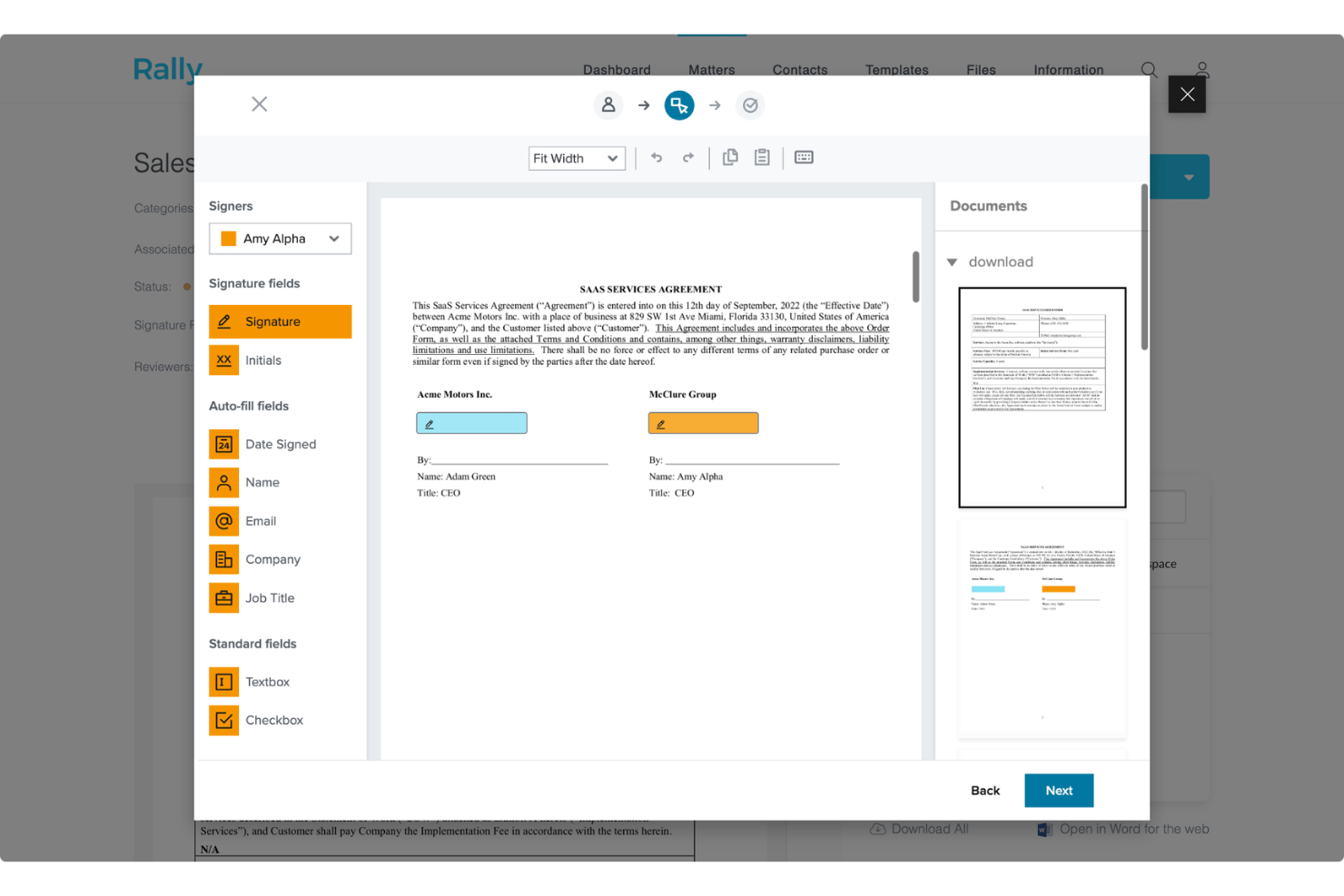
Send documents for electronic signature quickly without leaving the platform. Rally helps streamline approvals by keeping signing tasks connected to client workflows.
Template Library
Access a wide range of pre-built legal templates for common business needs. Teams can customize templates to match their processes and standardize document creation.
Automated Data Room
Store, organize, and retrieve documents for due diligence or audits with automatic updates. Rally keeps important files structured so teams can find information when needed.
Stakeholder Management
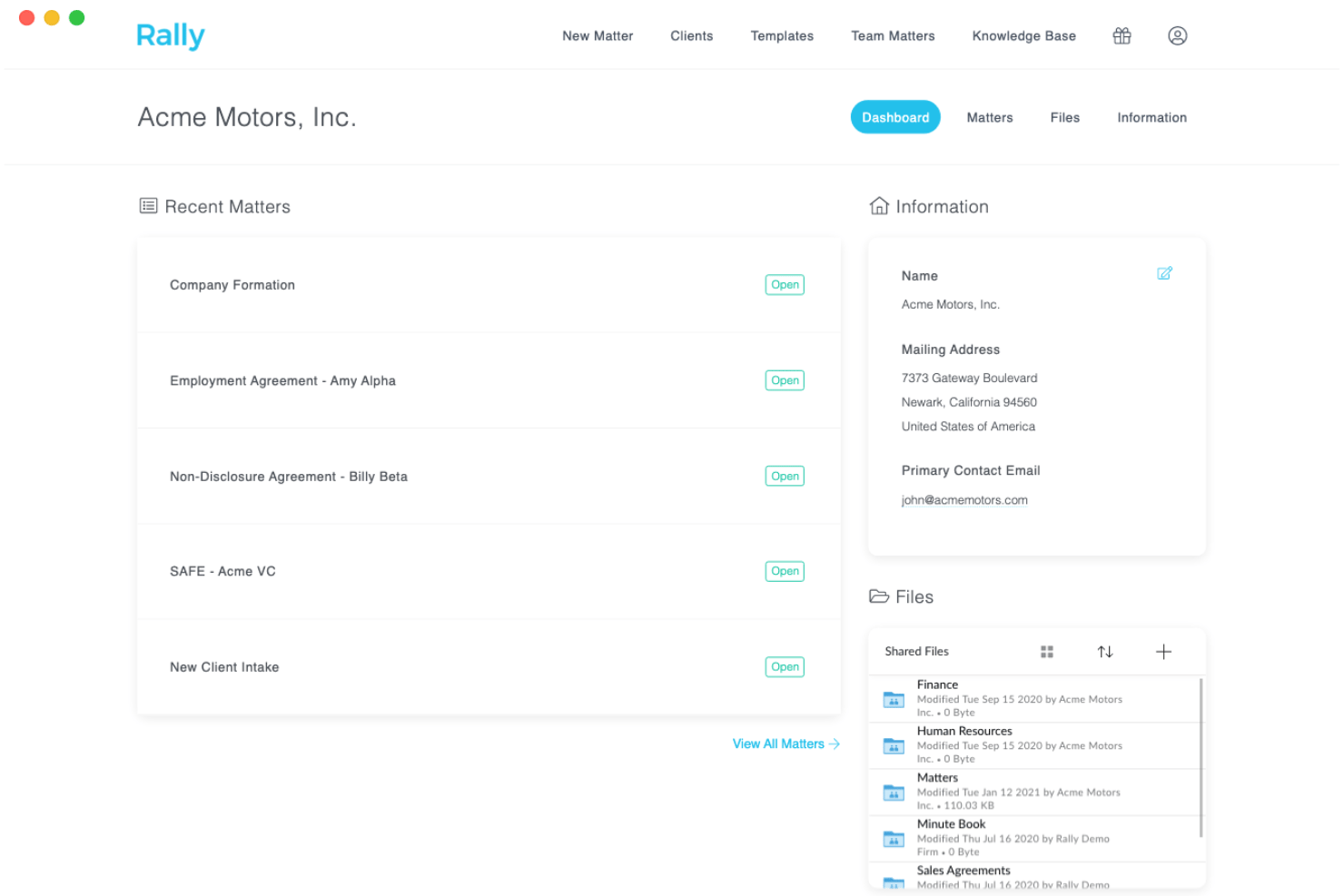
Track vendors, customers, employees, and shareholders in one centralized dashboard. Rally helps firms maintain organized records and manage key relationships.
Ease of Use
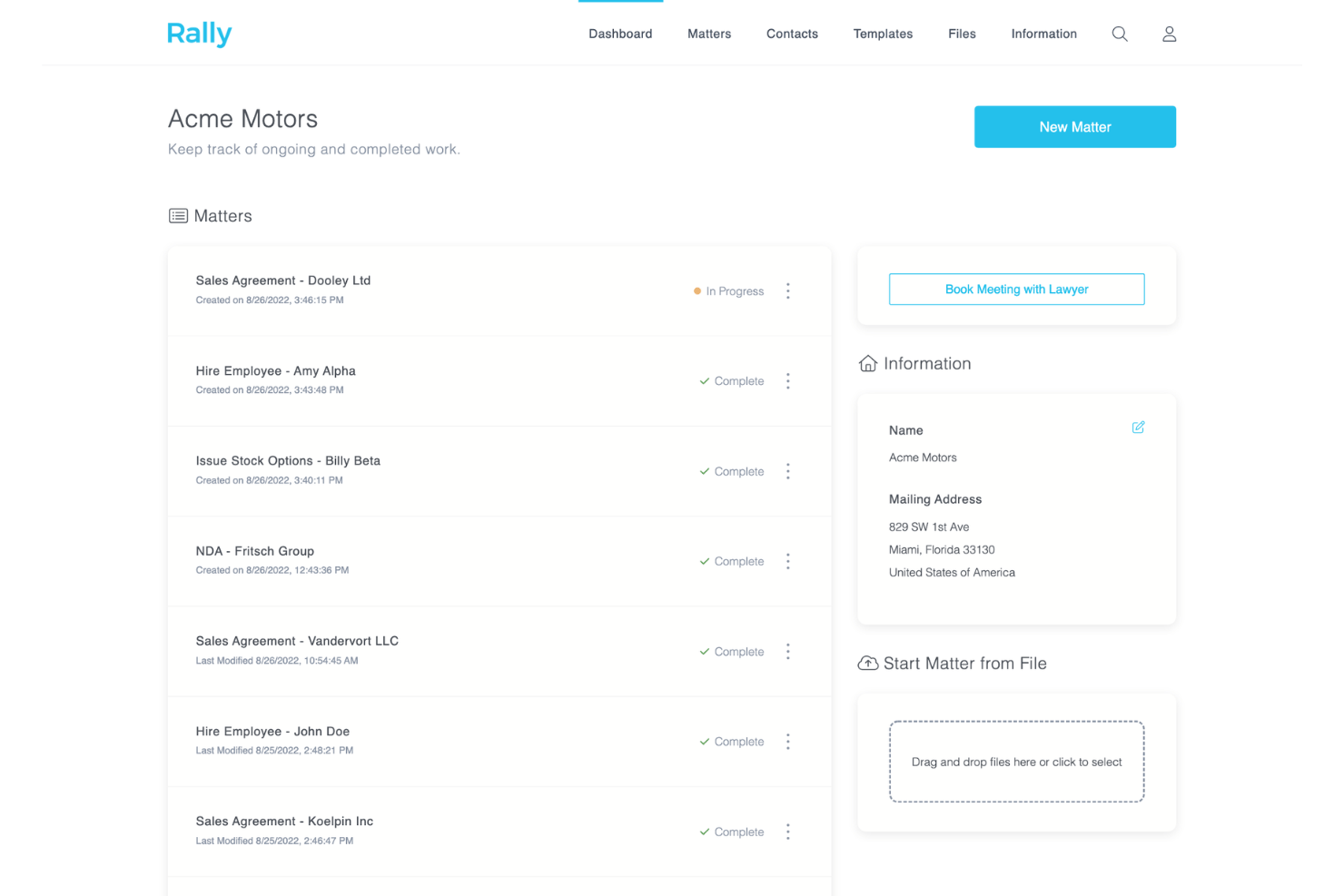
Rally is user-friendly, with a clean interface and intuitive navigation that lets you find documents, templates, and client communications quickly. Users often mention how easy it is to automate routine tasks and onboard new team members without much training.
The platform’s guided workflows and clear dashboard make it simple to manage legal projects, even for teams without dedicated IT support. I think most legal professionals will appreciate how little setup is required to get started.
Integrations
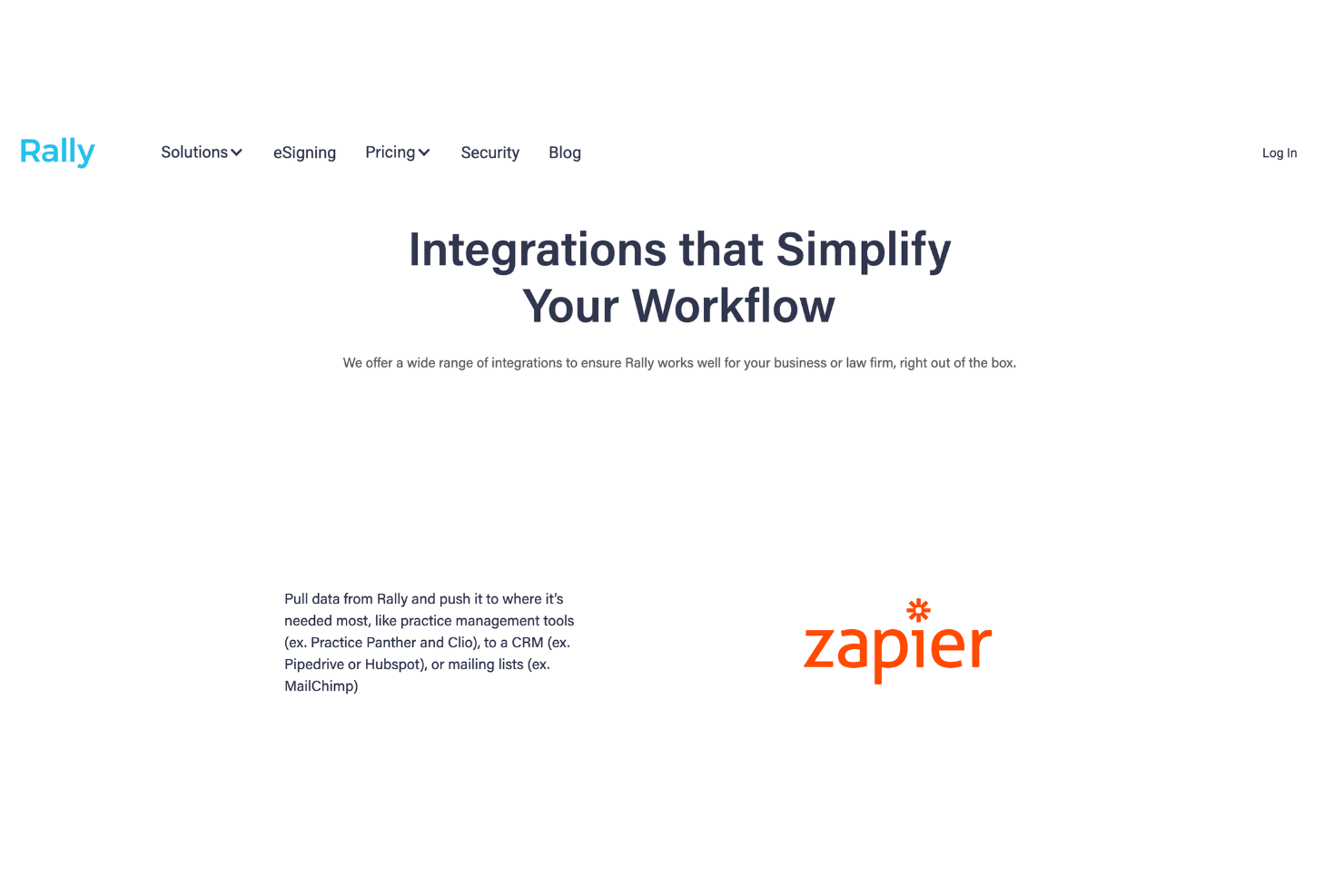
Rally integrates with Clio, PracticePanther, Box, LawPay, Pipedrive, HubSpot, Mailchimp, Intercom, Spellbook, and Calendly.
Rally also offers an API and supports connections with third-party integration tools.
Rally Specs
- 2-Factor Authentication
- API
- Approval Workflows
- Audit Trail
- Calendar Management
- Compliance Tracking
- Contract Management
- Custom Reports
- Customer Management
- Data Export
- Data Import
- Document Management
- External Integrations
- Multi-User
- NDA Management
- Notifications
- Policy Management
- Scheduling
- Workflow Management


