

Met 20 jaar ervaring in het beoordelen van juridische technologie heb ik 18 toonaangevende alternatieven voor iManage in de praktijk uitgebreid onderzocht. Als je kantoor een betere integratie met Microsoft 365 of flexibelere workflowautomatisering nodig heeft dan iManage biedt, vind je hier oplossingen met sterke documentbeveiliging en efficiënte cliëntcommunicatie.
De beste alternatieven voor iManage bieden veilig, zaakgericht documentbeheer, naadloze integratie met Microsoft 365 en tools die moderne juridische workflows ondersteunen. Als je op zoek bent naar alternatieven voor iManage, zoek je waarschijnlijk naar een oplossing die beter aansluit bij de manier waarop je kantoor werkt, ondersteuning biedt aan externe of hybride teams, of meer controle geeft over automatisering en cliëntcommunicatie. Deze gids helpt je om toonaangevende alternatieven voor iManage snel te vergelijken vanuit het perspectief van juridische bedrijfsvoering, zodat je de optie kunt vinden die aansluit bij de behoeften en doelstellingen van je praktijk.
Wat is iManage?
iManage is een platform voor document- en e-mailbeheer dat is ontwikkeld voor advocatenkantoren en juridische afdelingen van bedrijven. Het centraliseert zaakdossiers, e-mails en gevoelige documenten en biedt geavanceerde zoekfuncties, versiebeheer en machtigingen. iManage onderscheidt zich door de beveiligingsfuncties, samenwerkingstools en diepgaande integratie met Microsoft 365. Juridische professionals gebruiken iManage om cliëntwerk efficiënt te organiseren, te beschermen en overal toegankelijk te maken, waarbij zowel nalevings- als productiviteitsnormen worden ondersteund.
Vergelijkingstabel van alternatieven voor iManage
Deze vergelijkingstabel vat de prijsgegevens samen van mijn geselecteerde alternatieven voor iManage.
| Tool | Best For | Trial Info | Price | ||
|---|---|---|---|---|---|
| 1 | Ideaal voor het automatisch bijhouden van tijd en activiteiten | Gratis demo beschikbaar | Prijs op aanvraag | Website | |
| 2 | Ideaal voor communicatietools in het cliëntenportaal | Gratis proefperiode van 10 dagen | Vanaf $50/gebruiker/maand (jaarlijks gefactureerd) | Website | |
| 3 | Beste voor integratie van praktijkbeheer voor juridische kantoren | 7 dagen gratis proberen | Vanaf $49/gebruiker/maand | Website | |
| 4 | Het meest geschikt voor Microsoft 365-gebruikers bij kleine kantoren | Gratis demo beschikbaar | Vanaf $210/maand (jaarlijks gefactureerd) | Website | |
| 5 | Het beste voor naadloos archiveren van Outlook-documenten | Gratis demo beschikbaar | Prijzen op aanvraag | Website | |
| 6 | Beste voor integratie met Microsoft 365-workflows | 30 dagen gratis proefperiode | Vanaf $5.00/gebruiker/maand (jaarlijks gefactureerd) | Website | |
| 7 | Het beste voor zaakgerichte beveiligingscontroles | Gratis demo beschikbaar | Prijzen op aanvraag | Website | |
| 8 | Meest geschikt voor door AI aangedreven contractautomatisering | Gratis demo beschikbaar | Prijs op aanvraag | Website | |
| 9 | Het beste voor juridische documentopslag op locatie | Gratis demo beschikbaar | Prijs op aanvraag | Website | |
| 10 | Beste voor ingebouwd e-mailbeheer in Outlook | Gratis proefperiode van 7 dagen | Vanaf $395/maand | Website |


Waarom u onze softwareaanbevelingen kunt vertrouwen
6,700+
Reviews
20
Industry experts
16+
Evaluation factors
14
Years
Ons team test en beoordeelt software sinds 2012. Als leiders van juridische praktijken weten we zelf hoe moeilijk — en belangrijk — het is om de juiste software te kiezen.
Voor deze gids hebben we tools geëvalueerd met behulp van praktijktests en onafhankelijk onderzoek, waarbij we tools beoordeelden aan de hand van onze selectiecriteria.
Onze reviews weerspiegelen ons menselijke redactionele oordeel, geen verkooppraatje.
 Best for automatic time and activity tracking
- Not available
- Pricing upon request
Visit WebsiteCustomer Rating:4.8/5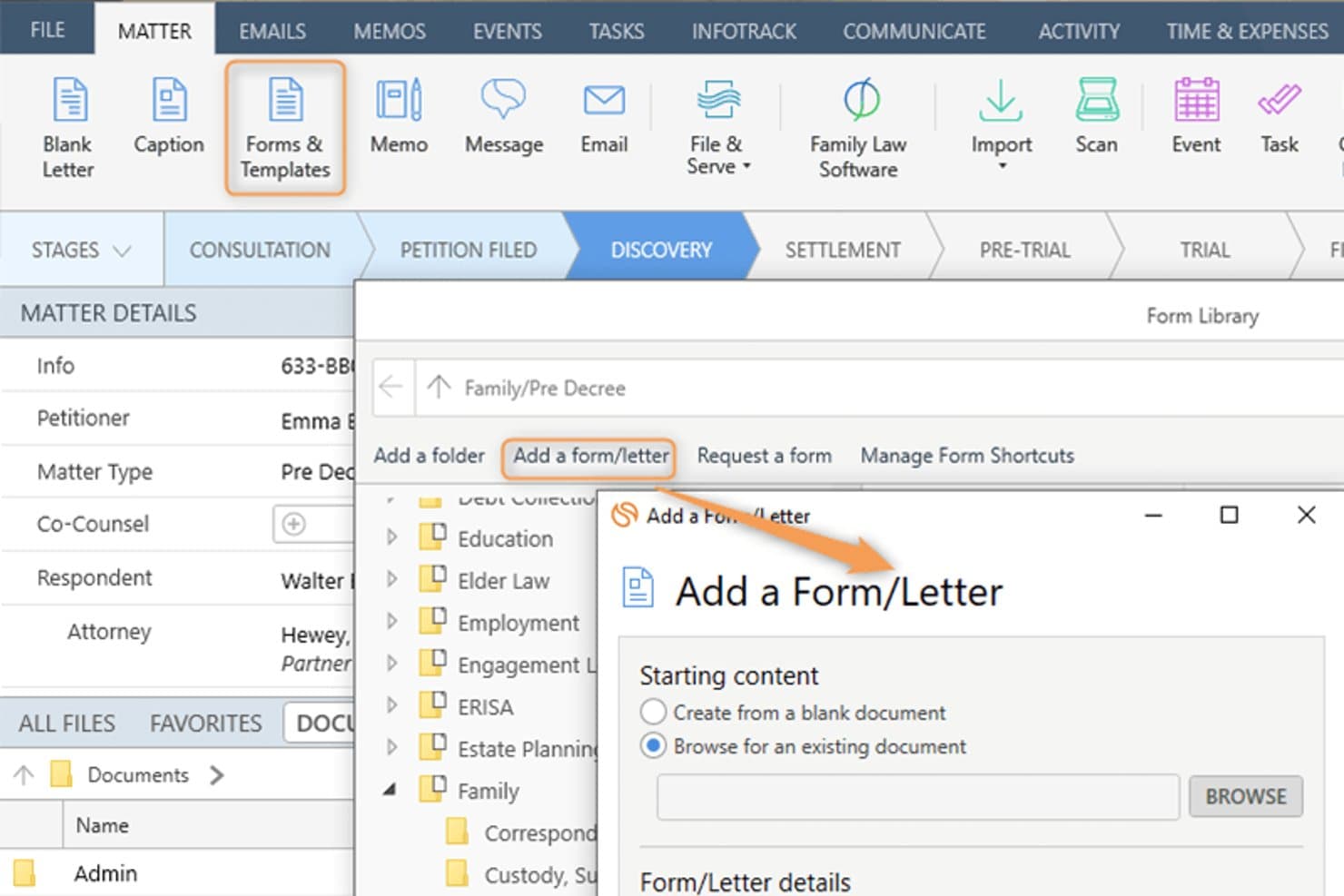
Smokeball lets users add custom forms and letters to a legal matter. Smokeball is an all-in-one legal practice management platform built for solo, small, and mid-size law firms that need matter-centric document management, email filing, billing, and Microsoft 365 integration consolidated into a single system.
Who Is Smokeball Best For?
Smokeball is a strong fit for managing partners at small private-practice law firms who handle high document volumes across multiple practice areas.
Why Smokeball Is a Good iManage Alternative
I've included Smokeball in my top picks because AutoTime is genuinely unlike anything iManage offers. It automatically captures time spent on emails, documents, calls, and tasks inside the platform, so nothing goes unbilled. I also like that matter-centric email filing works natively inside Outlook, meaning I can link emails directly to matters without ever leaving my inbox.
Smokeball Key Features
- Matter-centric document management: Store and organize legal files, templates, and forms by matter for easy retrieval.
- Custom practice area templates: Access 200+ built-in, configurable matter and document templates tailored to different legal areas.
- Native Microsoft 365 integration: Link Outlook emails and Word documents directly to matters without leaving those applications.
- Firm insights reporting: Track productivity, case progress, staff activity, and profitability with built-in dashboards and metrics.
Smokeball Integrations
Smokeball has native integrations across the Microsoft ecosystem, including Microsoft 365 and Outlook. An API is available for custom integrations.
Pros and Cons
Pros:
- Native email filing within Microsoft Outlook
- Matter-centric file organization built in
- AutoTime captures billable hours automatically
Cons:
- Better suited to smaller law firms
- Search lacks advanced metadata filtering
Learn more about Smokeball: Best for client portal communication tools
- 10-day free trial
- From $50/user/month (billed annually)
Visit WebsiteCustomer Rating:4.6/5
MyCase auto-generates task lists and deadlines directly from court rules. MyCase is a cloud-based practice management platform for small and mid-sized law firms that centralizes case management, billing, and client communication in one place.
Who Is MyCase Best For?
MyCase suits solo practitioners and small firm managing partners who handle their own billing, client intake, and day-to-day case administration.
Why MyCase Is a Good iManage Alternative
I've included MyCase in my top picks because its client portal is genuinely best-in-class for secure client communication. Clients can view case documents, send messages, and pay invoices directly through the portal, without calling or emailing the firm. The 2-way texting feature with a dedicated firm number keeps every client conversation logged and searchable inside the case record.
MyCase Key Features
- Matter-centric document storage: Organize documents within specific case folders for easy retrieval and management.
- Integrated time and expense tracking: Log billable hours and expenses directly to each matter with Smart Time Finder.
- Automated billing and invoicing: Generate and send invoices automatically based on tracked time and case activities.
- Customizable financial reporting: Access real-time analytics on payments, AR, and case profitability through built-in report tools.
MyCase Integrations
MyCase offers native integrations with QuickBooks Online, LawPay, Google Calendar, Google Drive, Dropbox, Outlook, Gmail, and CalendarRules, and provides an API for custom integrations.
Pros and Cons
Pros:
- Built-in invoicing tied directly to matters
- Two-way texting logged within case records
- Dedicated client-facing portal for secure messaging
Cons:
- No ethical wall or matter-level access controls
- Limited document version control and check-in/out
 3Best for legal practice management integration
Clio
- 7-day free trial + free demo available
- From $49/user/month
Visit WebsiteCustomer Rating:4.5/5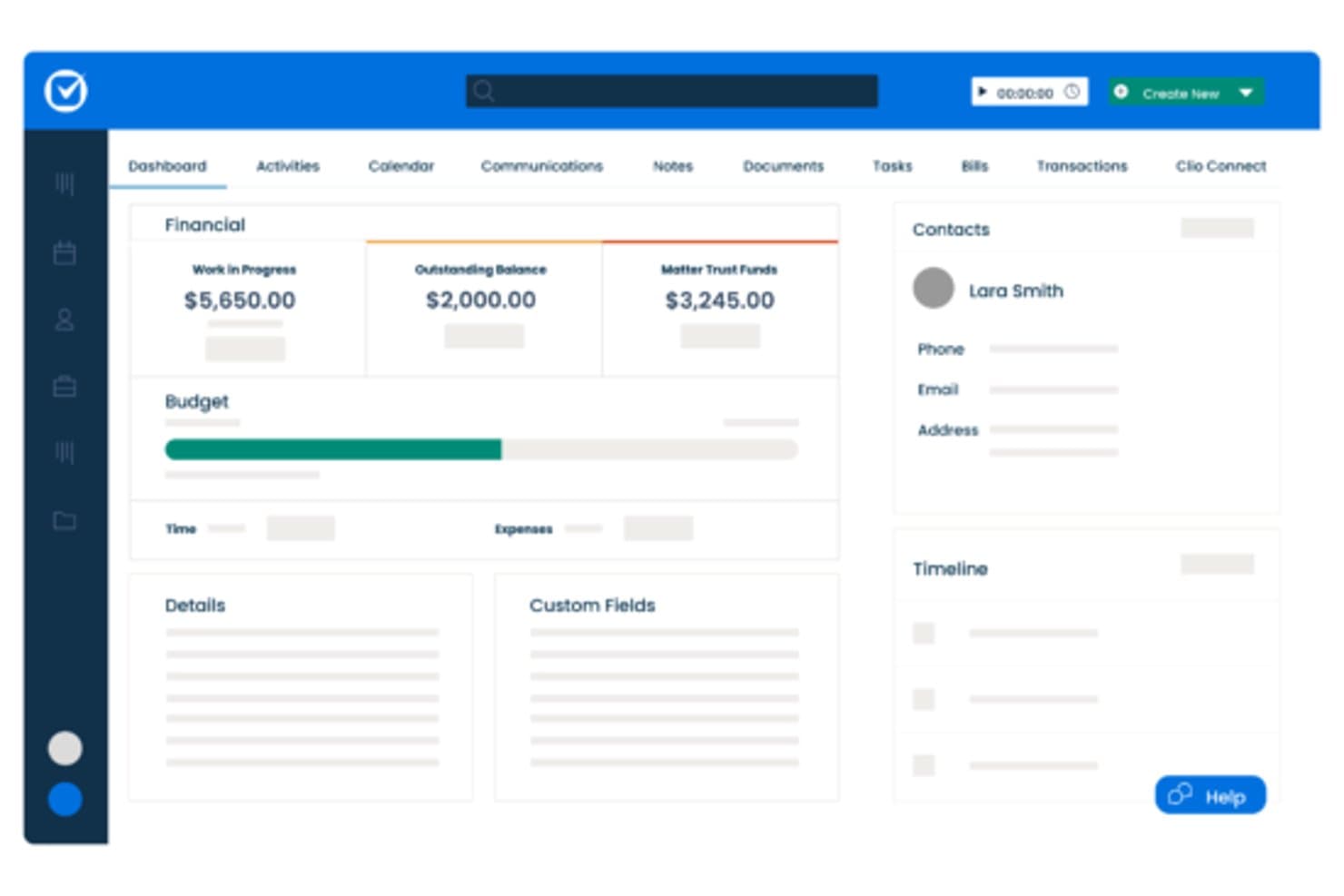
Clio centralizes matter financials, contacts, and timelines in one dashboard. Clio Manage is a cloud-based legal practice management platform built for small-to-mid-size law firms that need matter organization, billing, document storage, and client communication in one place—without the complexity of enterprise DMS tools like iManage.
Who Is Clio Best For?
Clio Manage is a natural fit for solo attorneys and small-to-mid-size law firms that want a single platform to manage matters, billing, and client files.
Why Clio Is a Good iManage Alternative
I've included Clio Manage in my top picks because it connects matter management, billing, and document storage in a single workspace that actually reflects how law firms operate day to day. I particularly like that Clio's AI can convert court documents into calendar events and turn tracked time entries into draft invoices automatically. That tight loop between case activity and billing is something iManage, as a document-only platform, simply doesn't offer.
Clio Key Features
- Matter-centric document storage: Store and organize all case files in structured, searchable matter folders.
- Integrated time and expense tracking: Track billable hours and expenses directly within each matter for accurate billing.
- Client portal for secure communication: Exchange documents and updates with clients through a dedicated, secure portal.
- Role-based access permissions: Control who can view, edit, or manage specific matters and documents throughout your firm.
Clio Integrations
Clio Manage offers native integrations with Microsoft 365, Google Workspace, DocuSign, QuickBooks Online, Dropbox, NetDocuments, Xero, Zoom, LawPay, and CalendarRules. An API is available for custom integrations.
Pros and Cons
Pros:
- AI converts court documents into calendar events
- Built-in client portal for secure file sharing
- Connects billing directly to matter activity
Cons:
- Limited version control for document-heavy workflows
- Document management less robust than iManage
Learn more about Clio: Best for small firm Microsoft 365 users
- Free demo available
- From $210/month (billed annually)
Visit WebsiteCustomer Rating:4.6/5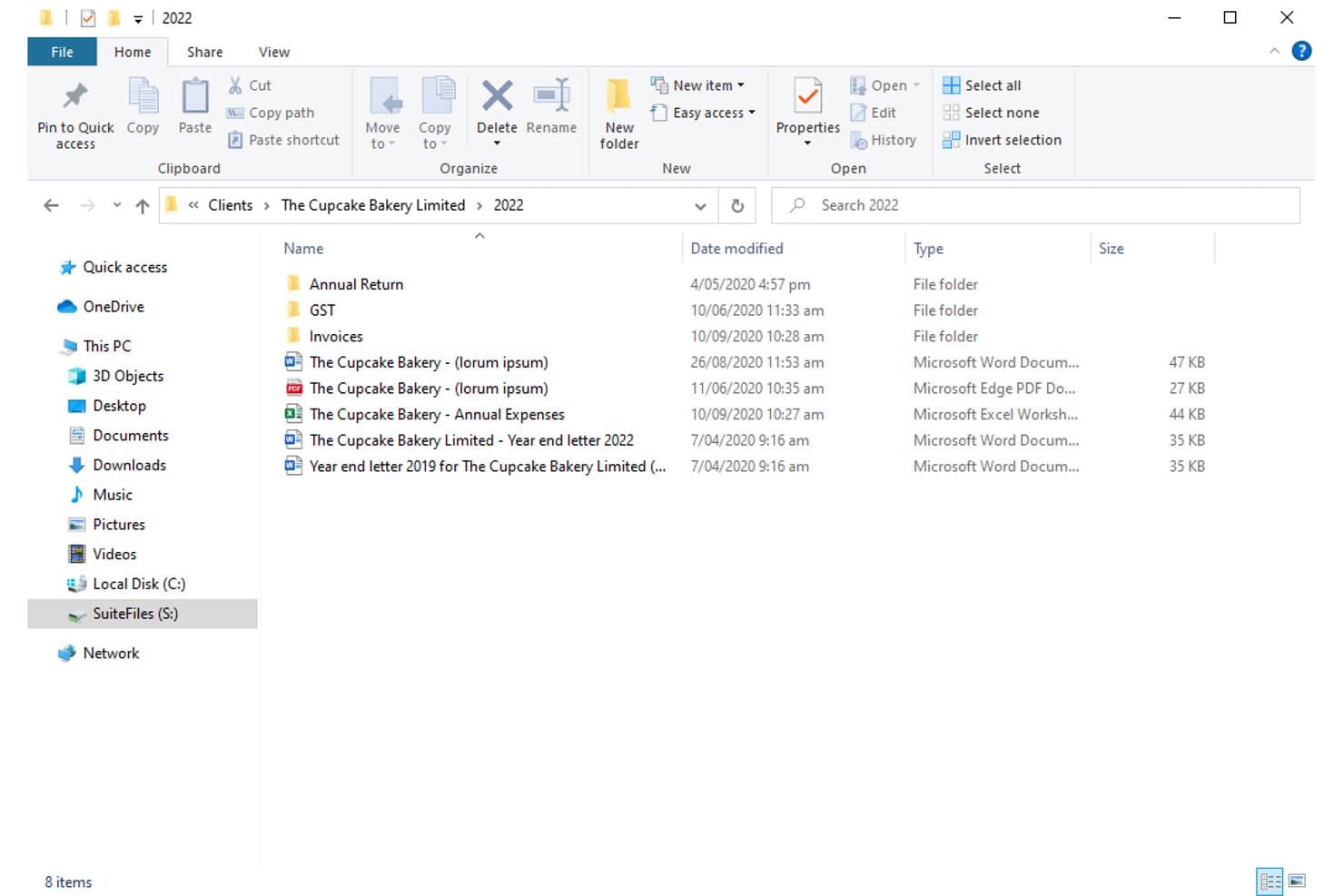
SuiteFiles organizes client documents in structured folders by year. For small law firms already deep in the Microsoft 365 ecosystem, SuiteFiles offers an all-in-one document management workspace that combines email filing, unlimited e-signing, and a secure client portal without needing separate tools.
Who Is SuiteFiles Best For?
SuiteFiles is a strong fit for small law firms that run on Microsoft 365 and want a single platform for document, email, and client file management.
Why SuiteFiles Is a Good iManage Alternative
I've included SuiteFiles in my top picks because its Microsoft 365 integration isn't an add-on, it's the foundation the whole product is built on. I can file emails directly from Outlook into client folders, co-author documents live in Word, and share finalized files through the SuiteFiles Connect portal without switching to a separate tool. Small firm teams that already run on M365 don't need to retrain staff or rebuild workflows to use it.
SuiteFiles Key Features
- Client portal (SuiteFiles Connect): Share documents securely with clients and collaborate without relying on unencrypted email.
- Task management: Assign tasks to team members and track progress alongside your documents and emails.
- PDF annotation tools: Annotate, merge, and organize PDFs directly within the SuiteFiles workspace.
- Template-driven document creation: Use customizable templates for automated client letters, proposals, and agreements.
SuiteFiles Integrations
SuiteFiles has native integrations across the Microsoft ecosystem, including Microsoft 365 and Azure. It also offers native integrations with Xero, QuickBooks Online, and Karbon, and provides an API for custom integrations.
Pros and Cons
Pros:
- SharePoint used as the underlying file storage
- Email filing directly from Outlook into matters
- Built-in e-signing without a third-party tool
Cons:
- Not suited for large or enterprise firms
- Limited advanced search versus enterprise DMS platforms
Learn more about SuiteFiles: Best for seamless Outlook document filing
- Free demo available
- Pricing upon request
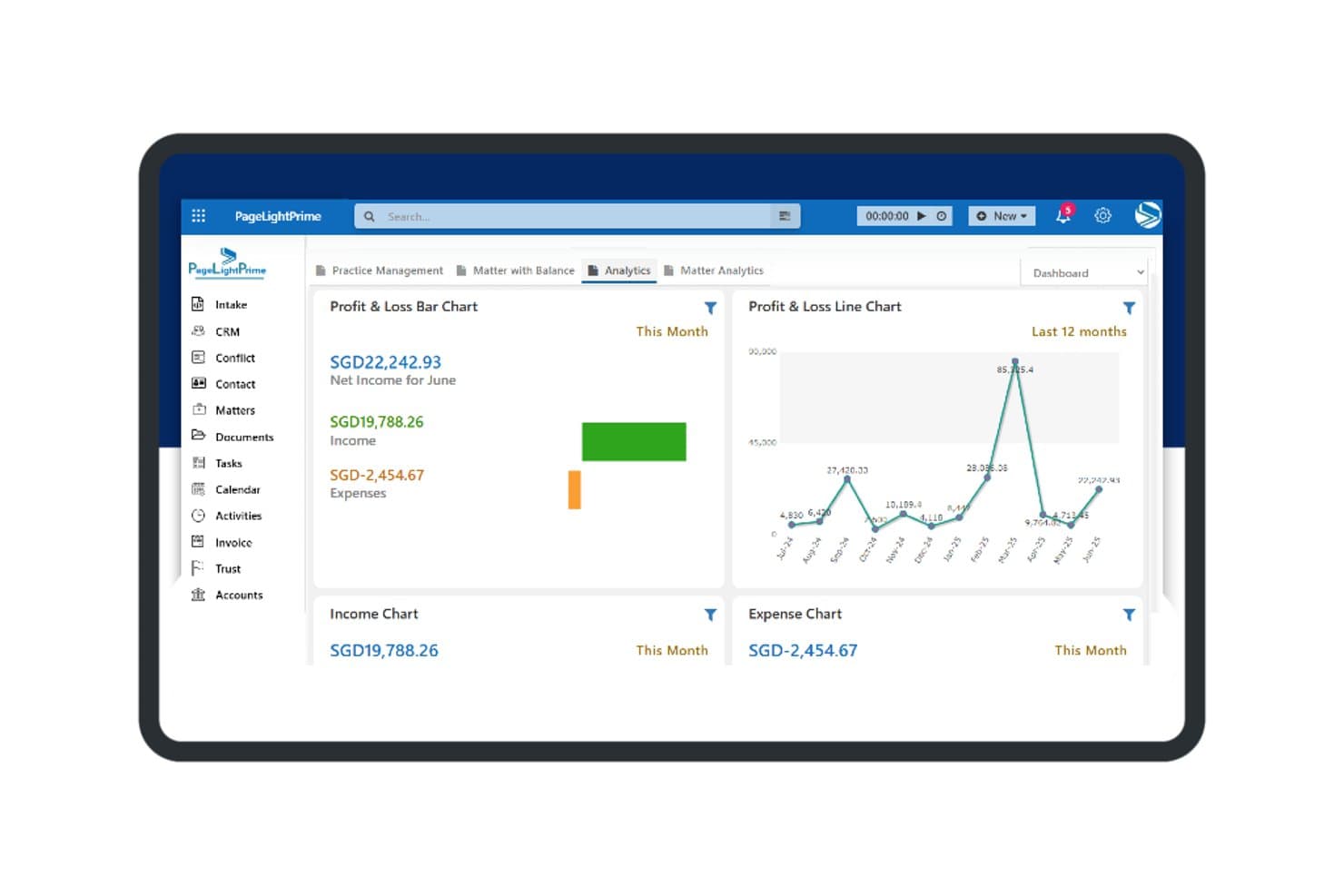
PageLightPrime offers a financial analytics dashboard with profit and loss charts, income tracking, and expense summaries for law firm management. PageLightPrime is a Microsoft 365-native legal practice management platform built for law firms that want to consolidate document management, matter tracking, and billing without stepping outside their existing Microsoft environment.
Who Is PageLightPrime Best For?
It's a strong fit for small to mid-sized law firms already running Microsoft 365 that want to replace iManage or a legacy DMS without adopting an entirely new technology stack.
Why PageLightPrime Is a Good iManage Alternative
I've included PageLightPrime in my top picks because of how it handles email filing from Outlook directly into matter workspaces. When a new matter is created, the platform auto-provisions a SharePoint folder structure with metadata already applied, so emails filed from Outlook land in the right place without manual sorting. I also appreciate that version control and audit trails run automatically alongside this, so every filed document has a tracked history from day one.
PageLightPrime Key Features
- Matter-centric SharePoint structure: Auto-generates folders and metadata for each new client and matter.
- Integrated law firm accounting: Handles billing, trust accounting, and multi-currency management within the platform.
- Client portal: Allows clients to securely access shared documents, billing information, and case updates online.
- Legal CRM and intake forms: Captures leads through web intake and links client interactions directly to matters.
PageLightPrime Integrations
PageLightPrime has native integrations across the Microsoft ecosystem, including Microsoft 365 and Azure. An API is available for custom integrations.
Pros and Cons
Pros:
- Single platform covers intake, billing, and document management
- Built-in trust accounting with IOLTA compliance support
- Runs entirely within Microsoft 365 and SharePoint
Cons:
- Smaller vendor with less established enterprise credibility
- Limited third-party ecosystem beyond Microsoft tools
Learn more about PageLightPrime: Best for Microsoft 365 workflow integration
- 30-day free trial
- From $5.00/user/month (billed annually)
Visit WebsiteCustomer Rating:4.4/5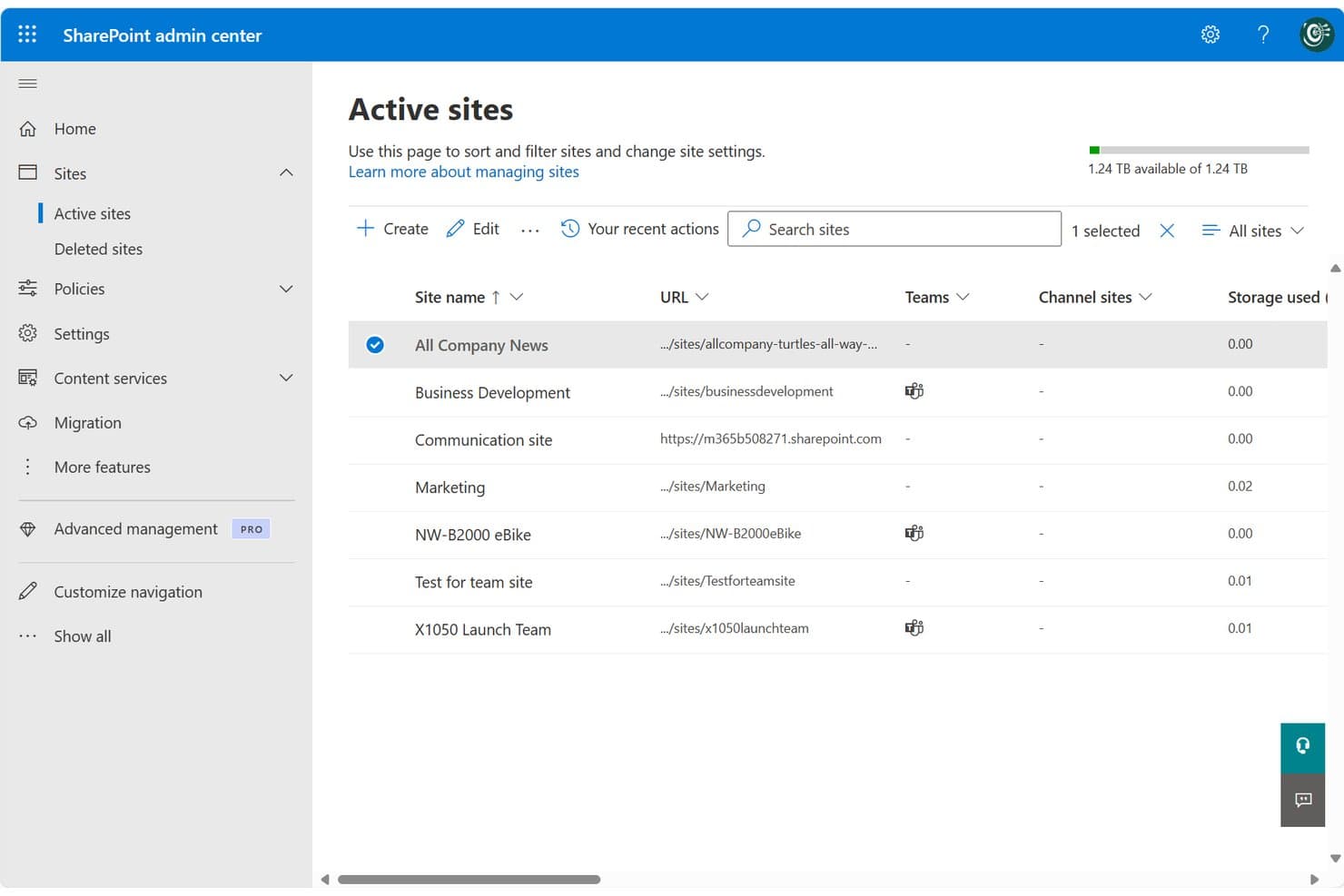
SharePoint centralizes site management across teams and projects in one admin view. SharePoint is Microsoft's cloud-based collaboration and document management platform, well-suited for legal teams and law firms already running on Microsoft 365 who want centralized file storage, version control, and access management without adopting a separate DMS.
Who Is SharePoint Best For?
SharePoint fits small-to-mid-sized law firms and in-house corporate legal teams that are already standardized on Microsoft 365 and want to avoid managing a separate DMS.
Why SharePoint Is a Good iManage Alternative
I've included SharePoint in my top picks because it's the only iManage alternative here that's natively embedded in Microsoft 365. Your legal team can co-author Word documents, manage matter libraries, and file directly from Outlook without switching tools. I particularly appreciate the check-in/check-out versioning system, which locks documents during active review and keeps a clean, restorable version history across matters.
SharePoint Key Features
- Matter library templates: Prebuilt site and folder structures you can use to organize documents by matter, client, or team.
- Granular permissions controls: Assign access based on matter, team, or document type to help protect privileged information.
- Full-text and metadata search: Search for documents or emails using keywords, tags, or custom filters to quickly find files.
- Audit trails and activity logs: Track all document views, edits, downloads, and sharing actions across your SharePoint environment.
SharePoint Integrations
SharePoint has native integrations across the Microsoft ecosystem, including Microsoft 365 and Azure. An API is available for custom integrations.
Pros and Cons
Pros:
- Matter-level permissions configurable without extra modules
- Built-in version history with document restore
- Native Microsoft 365 co-authoring without switching apps
Cons:
- Email filing requires manual setup and configuration
- No dedicated legal matter workspace out-of-the-box
Learn more about SharePoint: Best for matter-centric security controls
- Free demo available
- Pricing upon request
Visit WebsiteCustomer Rating:4.1/5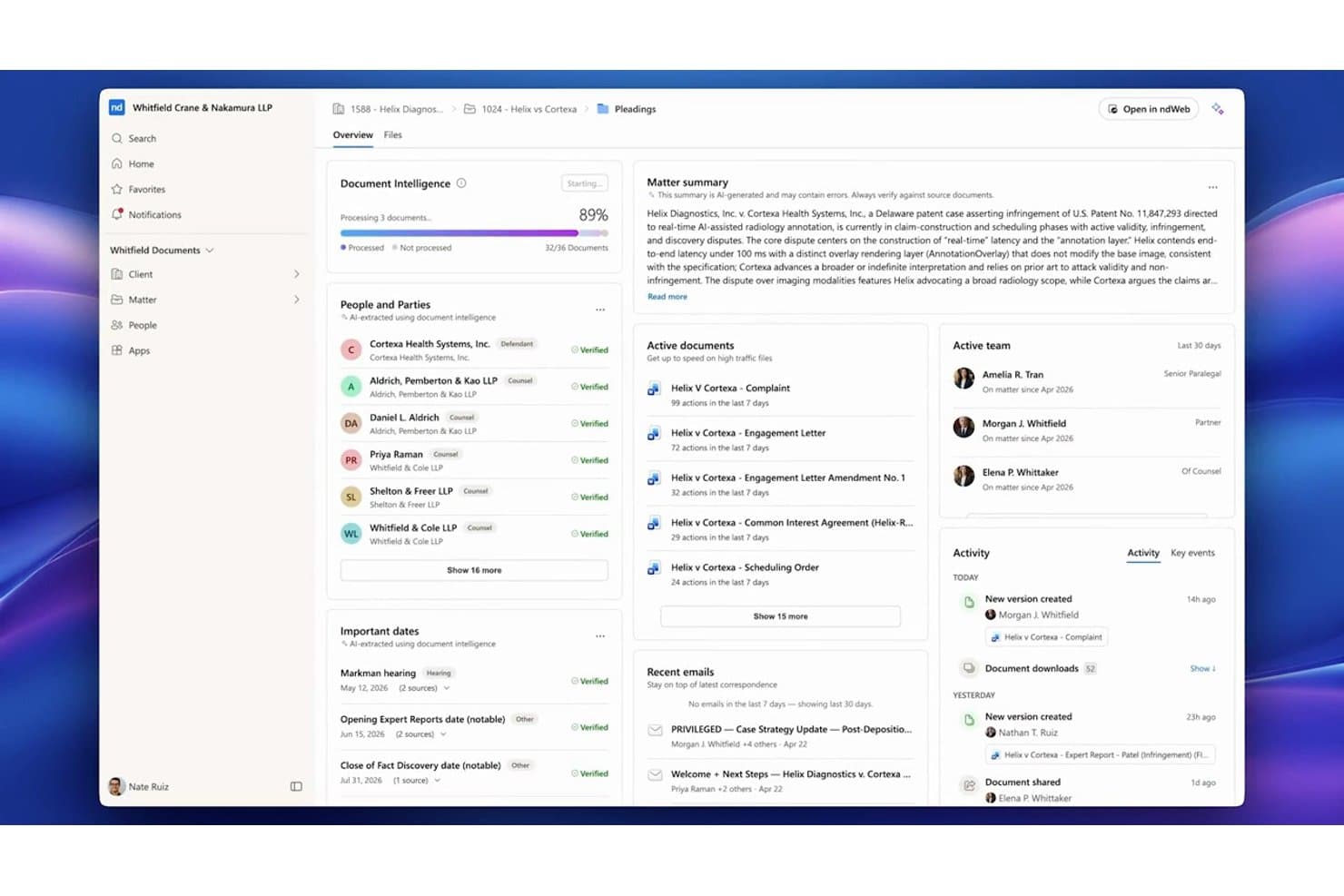
NetDocuments centralizes matter documents, parties, and key dates in one dashboard. NetDocuments is a cloud-native document management system built for law firms and corporate legal teams that need a fully hosted alternative to on-premises platforms like iManage, with matter-centric organization, AI-powered search, and enterprise-grade security controls.
Who Is NetDocuments Best For?
NetDocuments is a strong fit for mid-to-large law firms and enterprise legal departments whose IT and legal operations teams are ready to move away from on-premises infrastructure.
Why NetDocuments Is a Good iManage Alternative
NetDocuments earns its spot on my shortlist because of how precisely it handles matter-level security. I particularly like the granular ethical wall controls, which let you restrict access at the user, document, or workspace level independently. On top of that, customer-managed encryption keys and geo-aware content storage give legal teams direct control over where their data lives and who can decrypt it, which is something iManage's on-prem setup handles very differently.
NetDocuments Key Features
- AI-powered document search: Search documents and emails using natural language queries and receive answers with citations.
- Unified matter workspace: View, manage, and collaborate on all matter documents, emails, and notes from one interface.
- Built-in document bundling: Assemble and organize closing sets or litigation binders directly within the platform.
- Native Microsoft Teams integration: Access, preview, and collaborate on NetDocuments content right inside Microsoft Teams.
NetDocuments Integrations
NetDocuments offers native integrations across the Microsoft ecosystem, including Microsoft 365 and Azure, and connects directly with Clio, DocuSign, Litera, LexisNexis, Thomson Reuters, and iManage. An API is available for custom integrations.
Pros and Cons
Pros:
- AI search surfaces relevant documents without manual filtering
- Granular ethical walls built into the platform
- Strong cloud-native security for legal matter files
Cons:
- Admin configuration requires significant initial setup time
- Mobile app experience lags behind the desktop
Learn more about NetDocuments: Best for AI-powered contract automation
- Free demo available
- Pricing upon request
Visit WebsiteCustomer Rating:4.3/5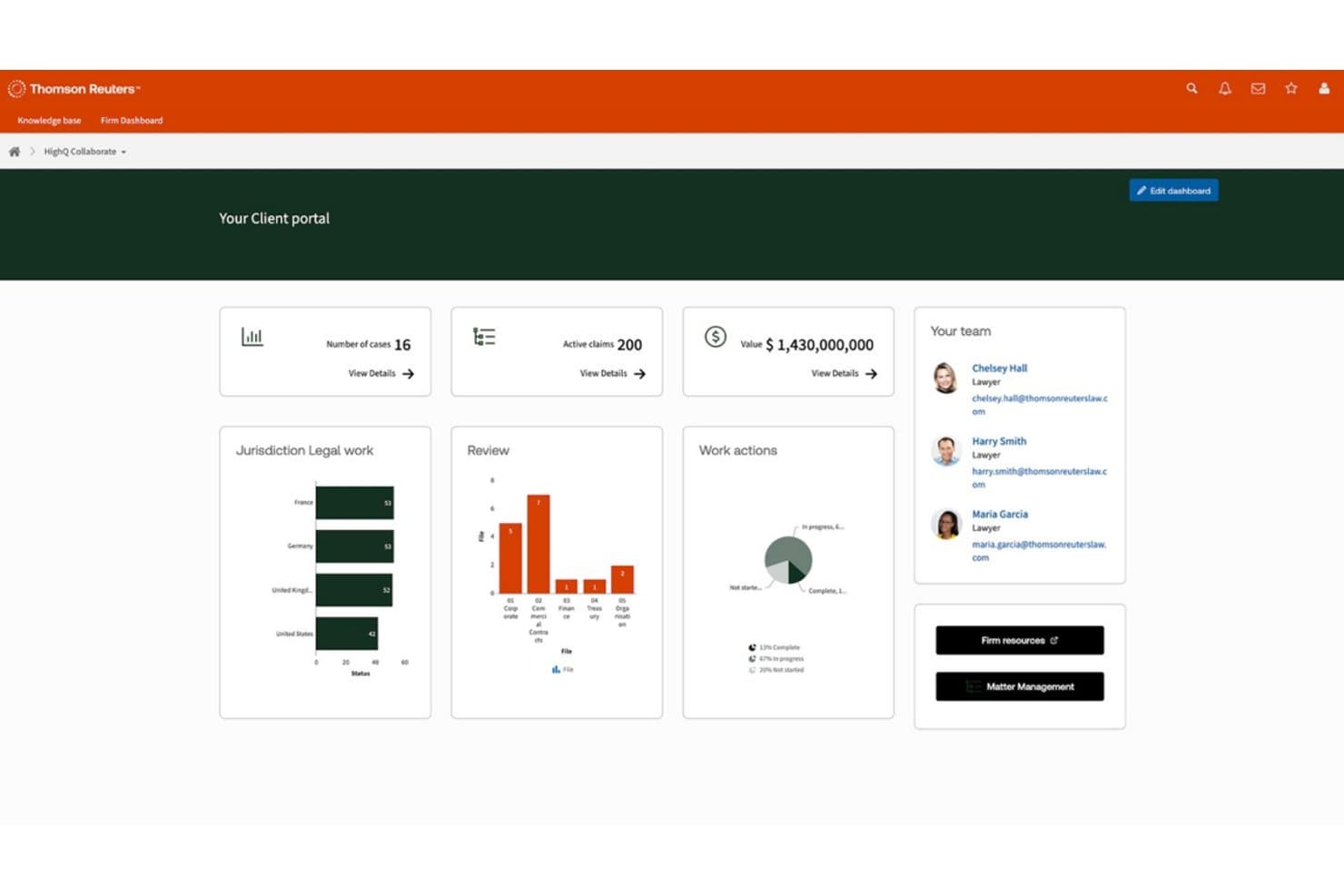
HighQ centralizes case data, team contacts, and legal workflows in one portal. HighQ is a Thomson Reuters cloud platform built for law firms and corporate legal teams that need secure document collaboration, workflow automation, and AI-powered contract tools in a single, client-facing workspace.
Who Is HighQ Best For?
HighQ is a strong fit for large law firms and enterprise legal departments managing high volumes of transactions, due diligence, or complex client matters.
Why HighQ Is a Good iManage Alternative
I picked HighQ as one of the best because its CoCounsel-powered Document Insights goes well beyond basic document storage. It automatically extracts risks, summarizes contract terms, and populates iSheets with AI-generated data during due diligence. I also like that HighQ supports the Model Context Protocol, letting AI tools like Claude and ChatGPT work securely inside your legal workspaces without manual data transfer.
HighQ Key Features
- Matter-centric workspaces: Organize documents, tasks, and discussions by matter for easy cross-team access.
- Granular access controls: Set permissions and ethical walls at the matter, folder, or document level to protect sensitive data.
- Workflow automation designer: Build multi-step legal processes using visual tools for intake, approvals, or project management.
- Microsoft 365 integration: Edit documents collaboratively in Word, Excel, and PowerPoint directly within HighQ’s secure environment.
HighQ Integrations
HighQ offers native integrations across the Microsoft ecosystem, including Microsoft 365 and Azure, as well as with DocuSign, Adobe Sign, and Legal Tracker. An API is available for custom integrations.
Pros and Cons
Pros:
- iSheets auto-populate from AI document extraction
- Client portals included out of the box
- AI-powered contract review built in natively
Cons:
- Email filing lags behind iManage's capabilities
- Less mature as a dedicated DMS
Learn more about HighQ: Best for on-premises legal document storage
- Free demo available
- Pricing upon request
Visit WebsiteCustomer Rating:4/5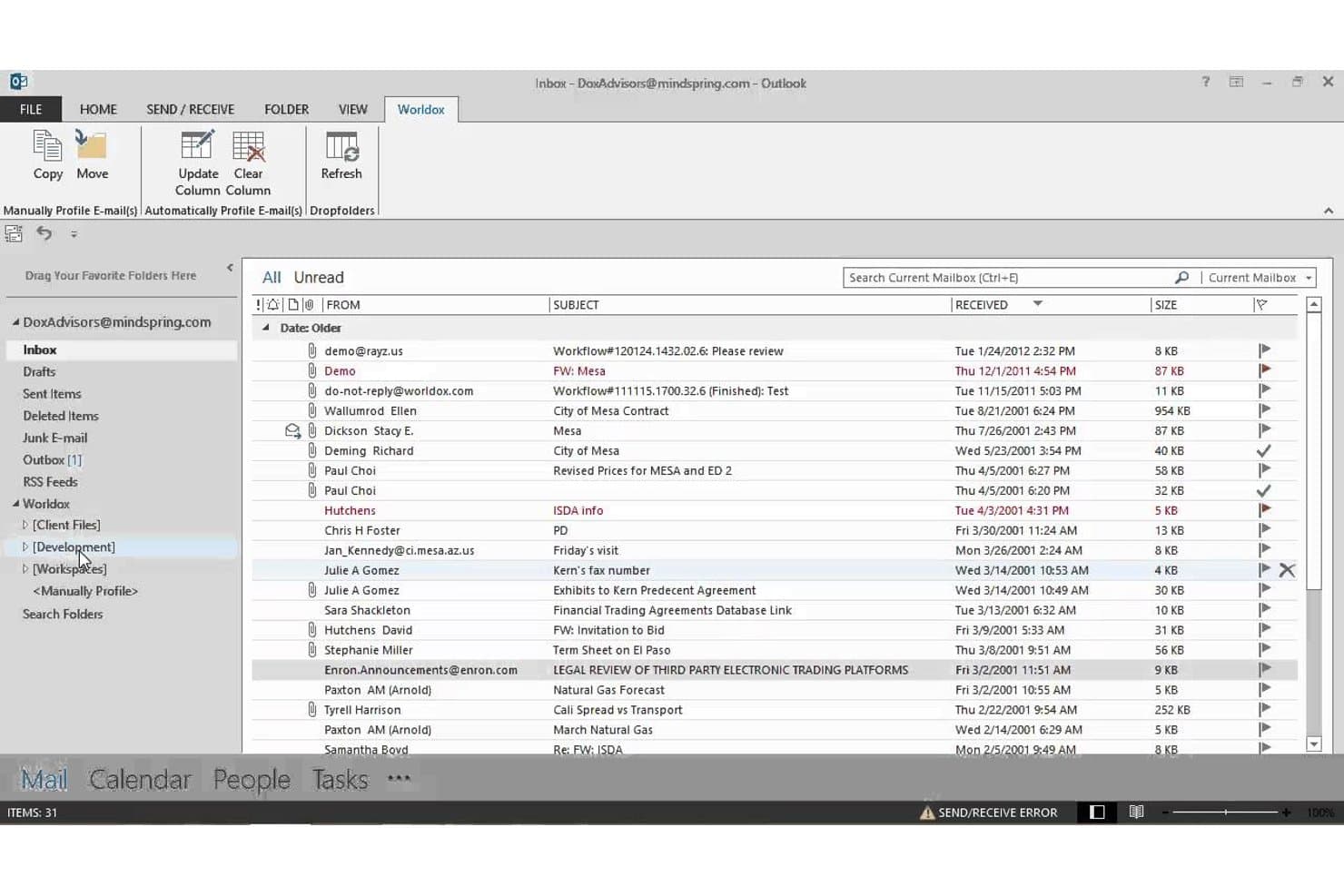
Worldox integrates directly into Outlook for seamless email filing. Worldox is a long-standing legal document management system built for law firms and corporate legal departments that need matter-centric document organization, advanced search, and email filing without moving to a cloud-based infrastructure.
Who Is Worldox Best For?
It's a strong fit for small-to-midsize law firms running Windows-based infrastructure that prefer on-premises document control over cloud-hosted alternatives.
Why Worldox Is a Good iManage Alternative
I've included Worldox in my top picks because it gives firms complete control over where their data lives. Unlike iManage, which has shifted heavily toward cloud-hosted deployments, Worldox keeps documents on your own servers, which matters when compliance obligations make cloud storage a non-starter. I particularly like the matter-centric profiling system, where every document is tagged with client, matter, and document type metadata at the point of filing, making retrieval fast and consistent across the firm.
Worldox Key Features
- Customizable metadata fields: Tag documents by client, matter, and document type for granular organization.
- Full-text and metadata search: Locate documents and emails using powerful filters tailored for legal workflows.
- Audit trail reporting: Track document access and activity for security, compliance, and accountability needs.
- Office suite integration: Work with Microsoft Word, Excel, and Outlook directly from your document management interface.
Worldox Integrations
Worldox has native integrations across the Microsoft ecosystem, including Microsoft 365 and Outlook. It also offers integrations with Tabs3 and PracticeMaster. An API is available for custom integrations.
Pros and Cons
Pros:
- Strong compatibility with Windows-based firm infrastructure
- Matter-centric profiling built for legal workflows
- True on-premises deployment for data sovereignty
Cons:
- Dated interface compared to cloud-first competitors
- No mobile app for remote document access
Learn more about Worldox: Best for native email management in Outlook
- 7-day free trial
- From $395/month
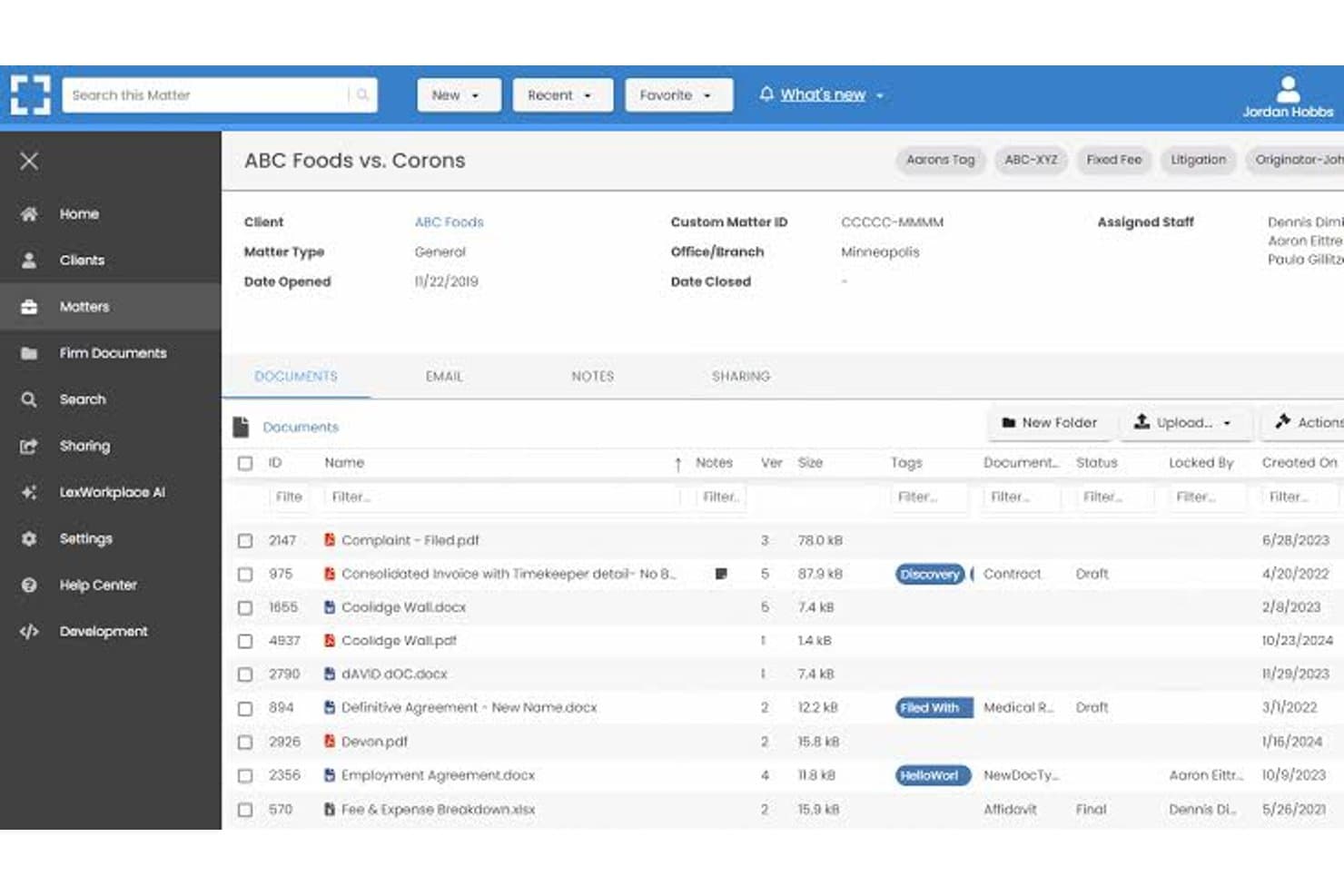
LexWorkplace dashboard for managing legal matters, documents, email, and file sharing. LexWorkplace is a cloud-based document and email management system built for small-to-midsize law firms that want matter-centric organization, full-text search, and secure cloud storage without the enterprise complexity of iManage.
Who Is LexWorkplace Best For?
LexWorkplace is a natural fit for law firms with 5–50 users that need a structured legal DMS without dedicating IT resources to deployment and maintenance.
Why LexWorkplace Is a Good iManage Alternative
I've included LexWorkplace in my top picks because its Outlook email management is genuinely best-in-class for small law firms. Smart File suggests the correct matter automatically when you're filing an email, and Multi Select lets you bulk-file entire threads in one action. Both features matter most during active litigation or transactions, where email volume spikes and misfiled messages create real compliance exposure.
LexWorkplace Key Features
- Matter-centric document management: Organize files, notes, and correspondence by client and legal matter in secure cloud workspaces.
- Integrated document versioning: Track, compare, and restore previous versions of documents, with full audit trails for all changes.
- Document AI assistant: Use built-in AI to summarize, query, and extract information from legal documents without leaving the platform.
- Full-text and metadata search: Find documents and emails instantly with full-text OCR, advanced filters, and matter-based search options.
LexWorkplace Integrations
LexWorkplace offers native integrations with Microsoft 365, including Outlook and Word, as well as Clio Manage. An API is available for custom integrations.
Pros and Cons
Pros:
- Full-text OCR search across all matter files
- Matter-centric workspaces designed for law firms
- Smart email filing natively within Outlook
Cons:
- Smaller user community than enterprise-grade alternatives
- No ethical wall automation for practice groups
Learn more about LexWorkplace:
Andere alternatieven voor iManage
Hier zijn enkele aanvullende alternatieven voor iManage die mijn selectie niet hebben gehaald, maar die zeker het bekijken waard zijn:
- 11Epona DMSBeste voor geavanceerde metagegevensgestuurde dossiervorming
- 12PracticePantherHet beste voor aanpassing van workflowautomatisering
- 13LEAPIdeaal voor geïntegreerde automatisering van juridische formulieren
- 14CosmoLexMeest geschikt voor ingebouwde naleving van regels voor derdenrekeningadministratie
- 15FilevineIdeaal voor aanpasbare documentworkflows
- 16Rocket MatterIdeaal voor documenttimers op basis van dossiers
- 17CenterbaseHet beste voor documentsamenstelling op basis van sjablonen
- 18DocsvaultIdeaal voor hybride cloud- en implementatie op locatie
Hoe ik alternatieven voor iManage beoordeel
Ik kijk naar twee lagen: wat elk met iManage vergelijkbaar documentbeheersysteem (DMS) moet bieden—zaakgerichte archivering, e-mailbeheer en versiebeheer—en wat tools van elkaar onderscheidt. Onderscheidende factoren zoals belangenconflictschotten, AI-ondersteund opstellen en implementatieopties vormen de basis voor mijn keuzes.
Kernfunctionaliteit (Basisvereisten voor deze lijst)
Bij het selecteren van tools voor mijn lijst beoordeel ik elke tool op een schaal van 0 (biedt de functionaliteit niet) tot 5 (blink uit op dit gebied) voor elke hieronder vermelde kernfunctionaliteit. Vervolgens zet ik de totaalscore van de tool om in een percentage, waarbij ik 65% als referentiewaarde gebruik om de algehele geschiktheid voor de lijst te beoordelen.
- Documentbeheer: Ik beoordeel hoe elke tool bestanden rond zaken organiseert, waarbij ik let op configureerbare mappenstructuren, profielkaarten en werkruimtesjablonen die overeenkomen met de manier waarop advocaten daadwerkelijk cliëntopdrachten openen en beheren.
- Versiebeheer: De manier waarop elke tool concepten bijhoudt, is belangrijk—ik zoek naar in- en uitchecken, versievergelijking en terugdraaien, zodat advocaten kunnen samenwerken aan processtukken zonder elkaars bewerkingen te overschrijven.
- E-mailbeheer: Ik controleer of het platform e-mails en bijlagen rechtstreeks vanuit Outlook in werkruimtes van zaken opslaat, inclusief functies zoals suggesties voor automatisch opslaan en deduplicatie van conversaties, die handmatig sorteerwerk verminderen.
- Geavanceerd zoeken: Het vinden van een memo die verspreid staat over duizenden zaken is dagelijkse realiteit. Daarom beoordeel ik zoekfuncties voor volledige tekst en metadata, met zaakspecifieke filters die snel relevante resultaten opleveren.
- Beveiliging & toegangsbeheer: Ik zoek naar machtigingen op zaaksniveau, handhaving van belangenconflictschotten, versleuteling en auditlogboeken—vooral belangrijk wanneer een kantoor tegelijkertijd zaken van tegengestelde partijen behandelt.
- Integratie met Microsoft 365: De meeste advocaten werken in Word, Outlook en Teams. Daarom beoordeel ik hoe diepgaand elke tool verbinding maakt met Microsoft 365 voor gezamenlijk documentauteurschap, het opslaan van e-mails en mobiele toegang.
Nadat ik een lijst heb samengesteld van tools die aan de criteria voldoen, kijk ik naar wat elk platform onderscheidt.
Onderscheidende factoren (Wat leveranciers van elkaar onderscheidt)
Zo vergelijk ik verschillende leveranciers:
Opvallende functies
Documenten opstellen met behulp van AI is een belangrijke onderscheidende factor—ik zoek naar platforms waarop advocaten clausules rechtstreeks in het documentbeheersysteem kunnen samenvatten of vergelijken zonder over te schakelen naar een tool van derden. Geïntegreerde werkruimtes voor zaken wegen ook zwaar mee, omdat het samenbrengen van documenten, e-mails en notities in één overzicht veel tijd bespaart bij de voorbereiding van een hoorzitting of cliëntgesprek. Ingebouwde functies voor wijzigingsmarkeringen en versievergelijking stellen advocaten in staat concepten te markeren zonder ze naar Word te exporteren. Dit beoordeel ik nauwkeurig bij praktijken waarin veel met documenten wordt gewerkt.
Meer dan functies
Flexibiliteit bij de implementatie is erg belangrijk wanneer kantoren migreren van iManage—ik controleer of een leverancier lokale implementatie, een privécloud of hybride modellen ondersteunt, zodat lopende zaken tijdens de overgang niet worden verstoord. Compliancecertificeringen zoals SOC 2 Type II en ISO 27001 geven mij inzicht in de vraag of een platform vertrouwelijke cliëntgegevens kan verwerken met de grondigheid die kantoren verwachten. Ik beoordeel ook de migratieondersteuning, waaronder de vraag of de leverancier metadata behoudt bij het verplaatsen van bestanden vanuit oudere systemen of gedeelde stations.
Waarom zoeken naar alternatieven voor iManage?
Hoewel iManage een goede keuze is voor software voor documentbeheer in de juridische sector, zijn er verschillende redenen waarom sommige gebruikers op zoek gaan naar alternatieve oplossingen. Je zoekt misschien naar alternatieven voor iManage omdat je…
- Ondersteuning nodig hebt voor hybride of lokale implementaties
- Transparantere of flexibelere prijzen wilt
- De voorkeur geeft aan een diepere integratie met Microsoft 365 of Teams
- Behoefte hebt aan gedetailleerde regels voor informatiebarrières of controles op cliëntvertrouwelijkheid
- Op zoek bent naar platforms met eenvoudigere migratie en verandermanagement
- Snellere klantenondersteuning in verschillende regio’s nodig hebt
Als een van deze punten herkenbaar is, ben je hier aan het juiste adres. Mijn lijst bevat verschillende alternatieven voor iManage die beter geschikt zijn voor teams die met deze uitdagingen van iManage te maken hebben en op zoek zijn naar alternatieve oplossingen.
Belangrijkste functies van iManage
Hier zijn enkele van de belangrijkste functies van iManage, zodat je kunt vergelijken wat alternatieve oplossingen bieden:
- Dossiergerichte organisatie: Documenten en e-mails opslaan, organiseren en openen rondom juridische dossiers, zodat teams alles eenvoudiger aan de juiste zaak of het juiste project kunnen koppelen.
- Automatisch versiebeheer: Documentwijzigingen bijhouden door elke versie automatisch op te slaan en te labelen, met ondersteuning voor in- en uitchecken, vergelijken en terugdraaien om fouten door onbedoeld overschrijven te beperken.
- Beheer van Outlook-e-mail: E-mails en bijlagen rechtstreeks vanuit Microsoft Outlook archiveren, labelen en ordenen in de juiste dossierwerkruimte, waardoor het beheer van dossiers en correspondentie wordt gestroomlijnd.
- Geavanceerd zoeken en filteren: Documenten, e-mails en metagegevens doorzoeken met juridisch-specifieke filters en zoeken in volledige tekst, zodat gebruikers snel de benodigde bestanden kunnen vinden in omvangrijke opslagplaatsen.
- Gedetailleerde beveiliging en conflictafscherming: Machtigingen op dossierniveau, de vertrouwelijkheid van cliënten en beleid voor conflictafscherming afdwingen om de toegang tot documenten te beheren en aan compliancevereisten te voldoen, zelfs binnen verspreid werkende teams.
- Integratie met Microsoft 365: Rechtstreeks werken in Word, Outlook, Excel en Teams met native integraties, zodat gebruikers documenten kunnen maken, bewerken en gezamenlijk bewerken binnen de beveiligde omgeving van iManage.
- Auditsporen en activiteitenlogboeken: Toegang tot documenten en uitgevoerde acties bijhouden met gedetailleerde logboeken die voldoen aan auditvereisten van juridische organisaties en cliënten, ter ondersteuning van transparantie en verantwoordingsplicht.
- Mobiele toegang: Documenten veilig bekijken, bewerken en delen vanaf smartphones en tablets, zodat advocaten eenvoudiger op afstand of tijdens het reizen kunnen werken.
- Samenwerkingstools: Documenten delen en bestanden bundelen met interne en externe partijen, met functies voor het veilig delen van koppelingen en annotaties in realtime.
- Geautomatiseerd bewaarbeleid: Regels toepassen om documenten te bewaren, te archiveren of te vernietigen op basis van vereisten van cliënten of regelgeving, ter ondersteuning van informatiebeheerpraktijken.