

O software de admissão de clientes jurídicos para pequenos escritórios proporciona-lhe um único sistema para captar potenciais clientes, efetuar verificações de conflitos, automatizar formulários e transformar cada contacto inicial num cliente que assinou contrato, com menos trocas de mensagens. Se gere a admissão de clientes, o marketing, a conformidade e o crescimento com uma equipa pequena, sabe como é fácil um novo negócio ficar parado ou perder-se. Este guia compara o melhor software de admissão de clientes jurídicos para pequenos escritórios, mostrando-lhe quais as ferramentas que ajudam a automatizar a admissão, acelerar a recolha de documentos e proporcionar visibilidade imediata — para que possa acompanhar, converter e aumentar a sua carteira de clientes com confiança.
Why Trust Our Software Recommendations
6,700+
Reviews
20
Industry experts
16+
Evaluation factors
14
Years
Our team has been testing and reviewing software since 2012. As legal practice leaders ourselves, we know how difficult—and important—it is to choose the right software.
For this guide, we evaluated tools using hands-on testing and independent research, scoring tools using our selection criteria.
Our reviews reflect our human editorial judgment, not a sales pitch.
Melhor software de admissão de clientes jurídicos para pequenos escritórios
Este quadro comparativo resume os detalhes de preços das minhas principais escolhas de software de admissão de clientes jurídicos para pequenos escritórios, para o ajudar a encontrar a melhor opção para o seu orçamento e as necessidades da sua prática.
| Tool | Best For | Trial Info | Price | ||
|---|---|---|---|---|---|
| 1 | Best for document auto-fill across intake and matters | Free demo available | Pricing upon request | Website | |
| 2 | Best for AI conflict checks in high-growth firms | Free demo available | Pricing upon request | Website | |
| 3 | Best for conflict checks within a full practice suite | Free demo available | Pricing upon request | Website | |
| 4 | Best for multi-channel drip campaigns and intake ROI | Free demo available | Pricing upon request | Website | |
| 5 | Best for conflict checks built into client intake | 14-day free trial | From $39/user/month (billed annually) | Website | |
| 6 | Best for intake-to-signed client via built-in forms | 7-day free trial | From $49/user/month (billed annually) | Website | |
| 7 | Best for unlimited e-sign within a built-in CRM | 10-day free trial available | From $50/user/month (billed annually) | Website | |
| 8 | Best for AI-driven lead scoring and drip follow-up | Free demo available | Pricing upon request | Website | |
| 9 | Best for AI lead scoring and marketing ROI tracking | Free demo available | Pricing upon request | Website | |
| 10 | Best for conflict checks built into intake workflows | Free demo available | Pricing upon request | Website |


Avaliações do software de admissão de clientes jurídicos para pequenos escritórios
Seguem-se os meus resumos detalhados do melhor software de admissão de clientes jurídicos para pequenos escritórios que integrou a minha lista restrita. As minhas avaliações apresentam uma análise detalhada das funcionalidades, dos melhores casos de utilização e das capacidades de cada plataforma, para o ajudar a encontrar a melhor opção para si.
 Best for document auto-fill across intake and matters
- Free demo available
- Pricing upon request
Visit WebsiteCustomer Rating:4.8/5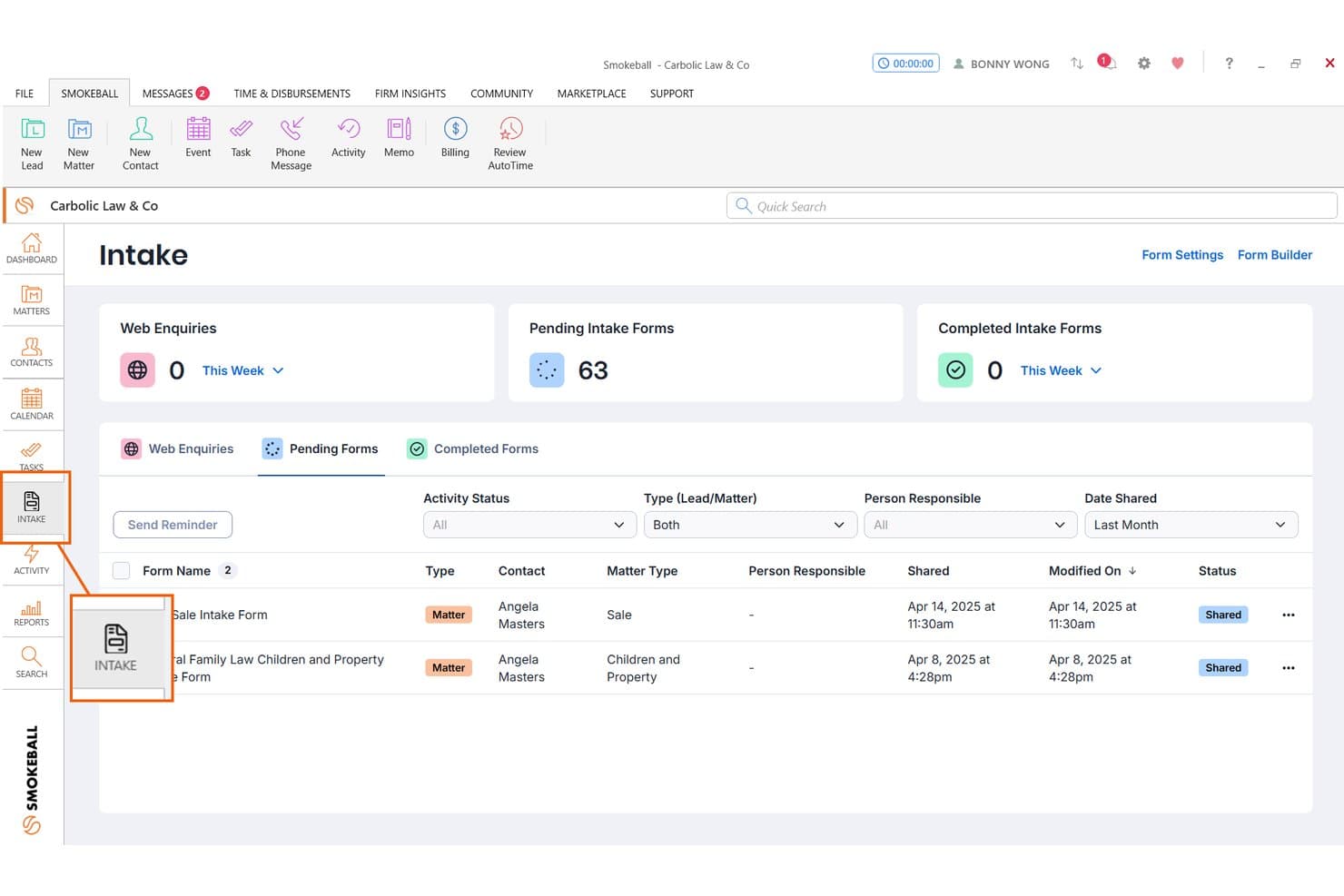
Smokeball tracks pending client intake forms with status and contact details. Smokeball is a legal practice management platform built for solo and small firms, combining client intake, document automation, matter management, billing, and trust accounting in one system.
Who Is Smokeball Best For?
Smokeball fits solo attorneys and small consumer-law firms—think family law, criminal defense, or estate planning—who want intake, document automation, billing, and matter management in one place.
Why I Picked Smokeball
I picked Smokeball as one of the best because its document auto-fill runs across both intake and active matters, not just one or the other. I love that the 20,000+ TemplateLab templates pull directly from matter data, so an engagement letter or client form populates automatically once a lead converts. AI-assisted form generation also builds intake forms from your matter type and jurisdiction, cutting setup time significantly for practice areas like family law or estate planning.
Smokeball Key Features
- AutoTime passive time tracking: Runs in the background to automatically capture billable time spent in documents, emails, and matters without manual entry.
- TemplateLab document library: Gives you access to 20,000+ legal document templates organized by matter type that auto-populate from existing matter data.
- Archie AI matter assistant: Works inside Microsoft Word and Outlook to draft documents, surface next steps, and summarize cases using only your firm's own data.
- Firm Insights reporting: Delivers profitability, staff productivity, and referral source dashboards so managing partners can track performance across the firm.
Smokeball Integrations
Smokeball has native integrations across Microsoft 365, including Word, Outlook, and Calendar, plus QuickBooks Online, LawToolBox, and InfoTrack. Marketplace integrations include Case Status, Lawmatics, and Answering Legal.
Pros and Cons
Pros:
- Built-in passive time tracking for billing
- Deep Microsoft Word and Outlook integration
- Offers 20,000+ auto-filled legal templates
Cons:
- Contract lock-in with higher upfront commitment
- Requires Windows PC for full features
Learn more about Smokeball: Best for AI conflict checks in high-growth firms
- Free demo available
- Pricing upon request
Visit WebsiteCustomer Rating:4.2/5
Litify centralizes case metrics, intakes, and tasks in one dashboard. Litify is a Salesforce-native legal practice management platform built for high-volume plaintiff firms, combining AI-driven intake, conflict checks, CRM, matter management, and marketing attribution in one system.
Who Is Litify Best For?
Litify suits high-growth plaintiff and personal injury firms with 10 or more attorneys who need AI-driven conflict checks and marketing attribution built into their intake workflow.
Why I Picked Litify
Litify earns its spot on my shortlist because its AI-powered Conflict Check Agent is genuinely unlike what most intake tools offer. It uses fuzzy matching to catch conflicts even when names are misspelled or data is inconsistent across matters, and it runs that check directly inside the intake flow. I've also found the marketing attribution dashboards valuable: they trace signed clients back to specific referral sources and campaigns, which is exactly what a growing plaintiff firm needs to make smarter intake decisions.
Litify Key Features
- Dynamic intake questionnaires: Intake forms adapt in real time, automatically skipping irrelevant questions based on prior answers to speed up data collection.
- No-code workflow configuration: Non-technical staff can build and adjust workflows, reports, and matter plans without developer support.
- Marketing attribution dashboards: Track leads from referral source to signed client, giving managing partners visibility into which campaigns drive intake conversions.
- Automated matter plans: Pre-built, practice-area-specific task lists trigger automatically when a new matter is opened, keeping case progression on track.
Litify Integrations
Documented integrations include DocuSign, Microsoft Outlook, Microsoft Word, Intuit, LawPay, RingCentral, CallRail, Case Status, NetDocuments, and Lexitas. Litify is Salesforce-native, with an open API and Salesforce AppExchange access for additional connections.
Pros and Cons
Pros:
- No-code workflow customization for intake processes
- Dynamic intake questionnaires adapt in real time
- AI conflict checks catch inconsistent data
Cons:
- Implementation requires significant time and resources
- Not designed for small firm budgets
Learn more about Litify: 3Best for conflict checks within a full practice suite
LEAP
- Free demo available
- Pricing upon request
Visit WebsiteCustomer Rating:4.3/5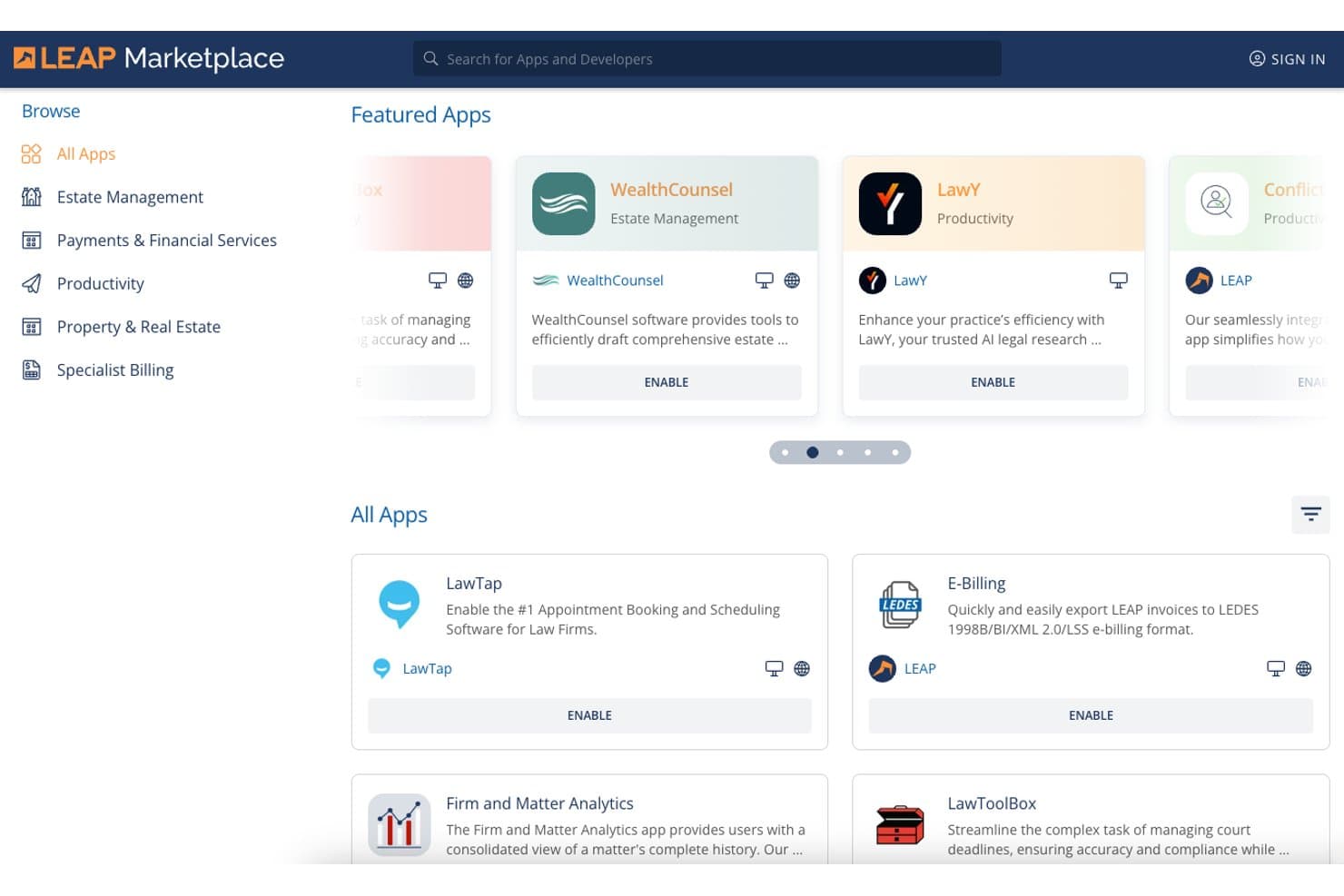
LEAP Marketplace lets small firms browse and enable legal apps. LEAP is a practice management platform for small law firms that combines matter management, document automation, trust accounting, billing, conflict checks, e-signatures, and a secure client portal in one subscription.
Who Is LEAP Best For?
LEAP is a strong fit for small law firms that want a single platform handling matters, billing, trust accounting, and conflict checks—without stitching together multiple tools.
Why I Picked LEAP
LEAP earns its spot on my shortlist because its native Conflict Check App lets you search across every contact, matter, and correspondence record in one click, which is genuinely rare in a platform that also handles billing and trust accounting. I also like that the LawConnect portal and InfoSign e-signature come included at no extra cost, so running conflict checks and getting engagement letters signed both happen inside the same system. If your firm runs on Microsoft 365, the native Outlook integration means emails auto-save to matters automatically.
LEAP Key Features
- Document automation library: Access 9,500+ pre-built legal forms and 1,600+ matter type templates spanning estate planning, family law, real estate, criminal law, and personal injury.
- InfoSign e-signature: Send documents for electronic signature directly from your LEAP correspondence workflow at no extra cost, with full audit trails included.
- LawConnect client portal: Give clients a secure space to share documents, book appointments, pay bills, and complete intake questionnaires without a separate subscription.
- AutoTime time tracking: Automatically captures and records billable time from matter activity, so no billable minutes go unlogged between client interactions.
LEAP Integrations
LEAP has native integrations with Microsoft 365, Lawmatics, DecisionVault, WealthCounsel, InfoTrack, LawToolBox, QuickBooks Online, and Xero. It also supports an open API and Zapier.
Pros and Cons
Pros:
- Client portal allows secure intake and messaging
- Included conflict check app saves manual effort
- Single platform covers intake to billing
Cons:
- Advanced forms require paid third-party software
- No native intake pipeline or CRM features
Learn more about LEAP: Best for multi-channel drip campaigns and intake ROI
- Free demo available
- Pricing upon request
Visit WebsiteCustomer Rating:4.6/5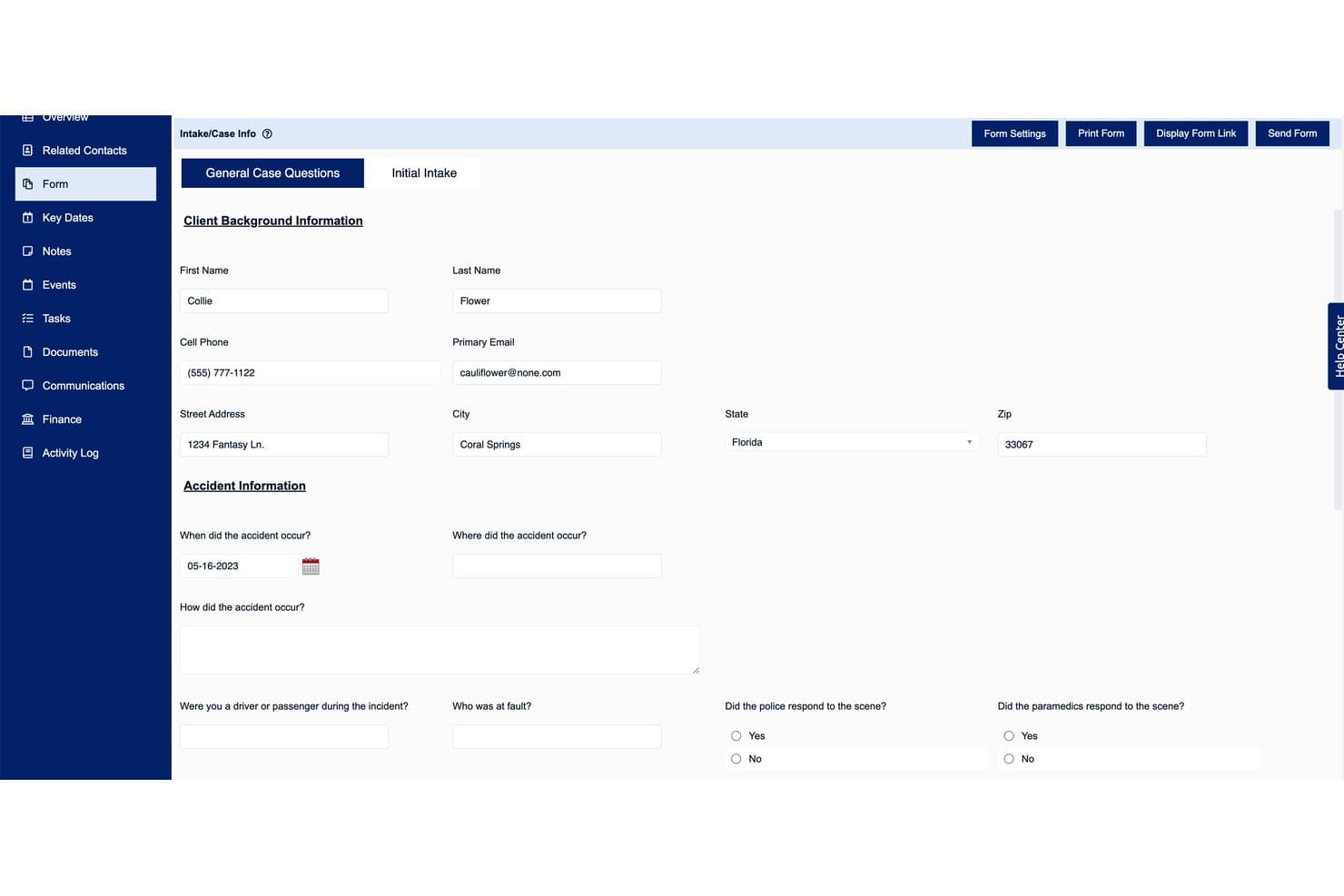
Law Ruler's intake form captures client and accident details efficiently. Law Ruler is a legal CRM and client intake platform built exclusively for law firms, combining multi-channel marketing automation, digital intake forms, native eSignature via email and SMS, a built-in softphone dialer, and lead pipeline management.
Who Is Law Ruler Best For?
Law Ruler is a strong fit for small firms running high-volume intake operations that need to track lead sources and measure which marketing channels actually convert to signed clients.
Why I Picked Law Ruler
Law Ruler earns its spot on my shortlist because of how seriously it takes multi-channel drip campaigns as a core intake function, not a bolted-on extra. I particularly like that automated sequences run across email, SMS, and pre-recorded voice simultaneously, so a personal injury lead who misses your email still gets a text within minutes. The marketing source ROI reporting on Premium and Enterprise plans ties each signed client back to a specific campaign, so you're not guessing which ad spend is actually converting.
Law Ruler Key Features
- Built-in softphone dialer: Make and receive calls directly within the CRM using click-to-call and local presence dialing, which matches your outbound area code to the prospect's to improve pickup rates.
- Native eSignature via SMS: Send engagement letters and retainer agreements for one-click signing by text message, not just email.
- AI Email Assistant: Draft client emails, intake questionnaires, and campaign content using a built-in ChatGPT integration included on all paid plans at no extra cost.
- Conditional logic intake forms: Build dynamic intake forms that adapt based on client responses to automatically qualify or disqualify leads during the intake process.
Law Ruler Integrations
Law Ruler integrates with Clio, CosmoLex, Rocket Matter, TimeSolv, Filevine, HelloSign, Gmail, and Microsoft Office 365. It offers an open API on all plans and supports Zapier.
Pros and Cons
Pros:
- AI email assistant included on all plans
- Built-in softphone dialer with local presence
- One-click eSignature via SMS or email
Cons:
- Severely limited automations on entry plan
- No free trial or public pricing
Learn more about Law Ruler: Best for conflict checks built into client intake
- 14-day free trial
- From $39/user/month (billed annually)
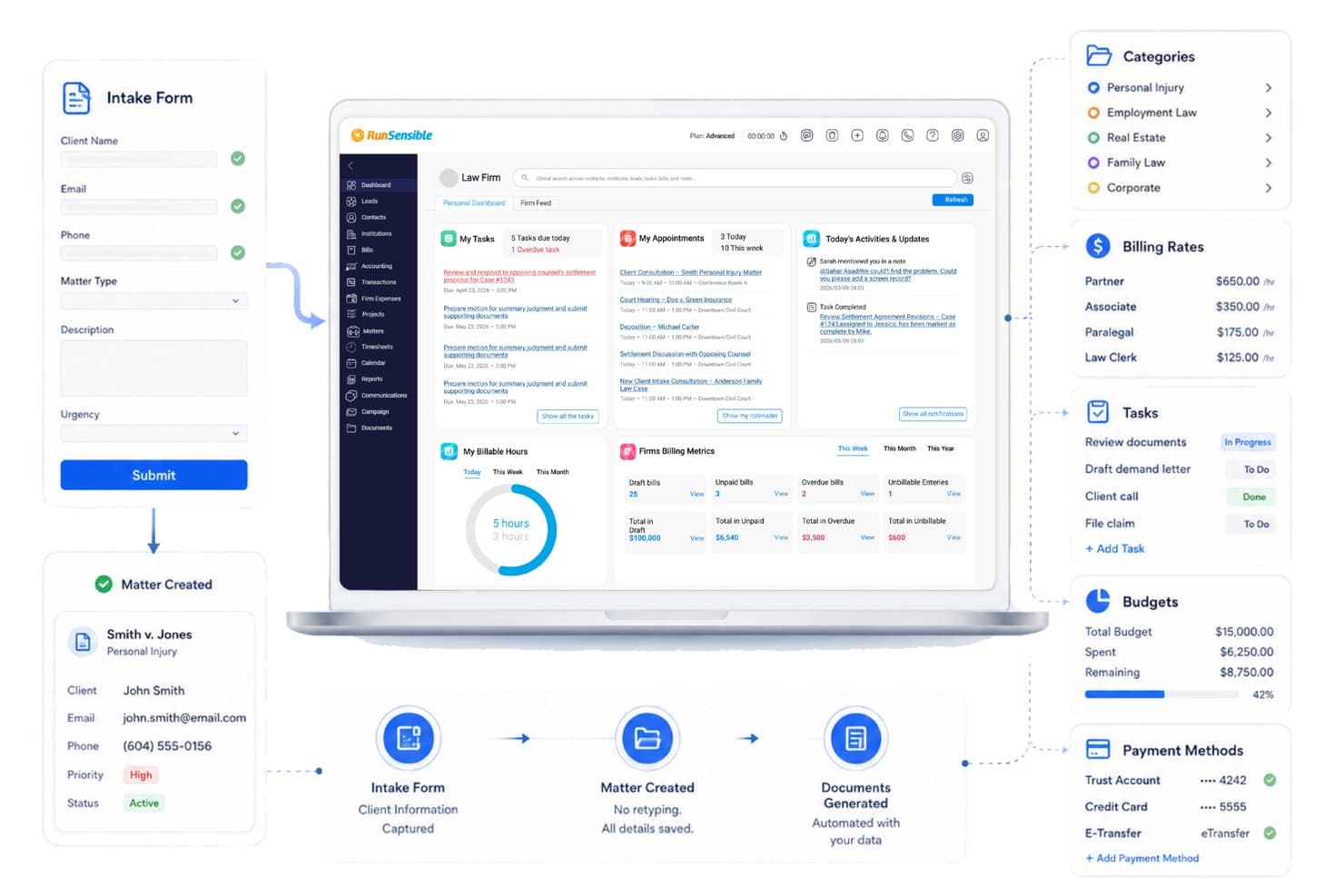
RunSensible turns intake forms into active matters automatically. RunSensible is an all-in-one legal practice management platform for solo practitioners and small firms that combines client intake forms, conflict checking, matter management, document automation, e-signatures, trust accounting, and a secure client portal.
Who Is RunSensible Best For?
RunSensible is a strong fit for solo practitioners and small firms who need conflict checking woven directly into their intake process, not bolted on as an afterthought.
Why I Picked RunSensible
RunSensible earns its spot on my shortlist because conflict checking is woven directly into the matter intake process, not treated as a separate step you might forget. When a new client record is created, the platform automatically cross-references it against existing clients and matters, flags direct or indirect conflicts, and logs an audit trail aligned with ABA Model Rules 1.7 and 1.9. I also like that it supports the full resolution workflow, so your team can document whether a case was declined or informed consent was obtained.
RunSensible Key Features
- IOLTA trust accounting: Manages client retainer funds in a dedicated trust account with reconciliation alerts and QuickBooks integration.
- Document automation: Generates engagement letters, fee agreements, and other legal documents from pre-built templates that auto-fill with client and matter data.
- Online scheduling: Lets clients self-book appointments through a customizable booking link with automated calendar sync and reminders.
- AI-guided form finder: Accepts plain-language case descriptions and returns context-specific recommendations from a library of 54,000+ jurisdiction-specific court forms and legal templates.
RunSensible Integrations
RunSensible integrates with Gmail, Microsoft 365/Outlook, Google Calendar, QuickBooks, Google Drive, Dropbox, Twilio, and Zapier.
Pros and Cons
Pros:
- Unlimited e-signatures and document storage
- Conflict check built into intake workflow
- Intake forms auto-populate client database
Cons:
- Few verified public user reviews online
- Client portal only in higher-tier plan
Learn more about RunSensible: Best for intake-to-signed client via built-in forms
- 7-day free trial
- From $49/user/month (billed annually)
Visit WebsiteCustomer Rating:4.7/5
Clio Grow streamlines client intake with online forms and appointment booking. Clio Grow is a legal client intake and CRM platform for law firms that combines online intake forms, e-signatures, conflict checks, lead pipeline management, and client communication tools in a single system.
Who Is Clio Grow Best For?
Clio Grow is a strong fit for small law firms already using—or planning to use—Clio Manage, where the native sync between intake and matter management delivers the most value.
Why I Picked Clio Grow
I picked Clio Grow because it covers the entire arc from first inquiry to signed client without ever leaving the platform. A prospect fills out a conditional intake form, you run an automated conflict check across Contacts, Matters, Notes, and Documents, and an engagement letter pre-populated with their intake data lands in their inbox for e-signature, all in one system. What I find genuinely useful is the multi-language form support (English, Spanish, French, German, and Portuguese), which removes a real barrier for firms serving diverse client populations.
Clio Grow Key Features
- Kanban lead pipeline: A drag-and-drop board lets you move prospects through customizable intake stages, from first inquiry to signed client.
- Online consultation booking: Prospective clients self-schedule appointments directly from your website or email signature, with automated SMS reminders sent before each meeting.
- Marketing attribution reporting: Dashboards tie each lead to a specific referral source, ad campaign, or intake channel so you can track which efforts drive conversions.
- Clio for Clients portal: A dedicated web and mobile portal gives clients encrypted messaging, document sharing, invoice review, and 24/7 case status visibility.
Clio Grow Integrations
Clio Grow has native bi-directional integration with Clio Manage and 250+ marketplace integrations through the Clio App Directory, including Google Calendar, Google Drive, Microsoft Outlook, Dropbox, QuickBooks, Xero, LawPay, and Ruby. It also offers an open API and Zapier.
Pros and Cons
Pros:
- Online scheduling reduces new client no-shows
- Automated conflict checks with audit reports
- Multi-language intake forms for diverse clients
Cons:
- Intake features tied closely to Clio Manage
- Advanced marketing automation features are limited
Learn more about Clio Grow: Best for unlimited e-sign within a built-in CRM
- 10-day free trial available
- From $50/user/month (billed annually)
Visit WebsiteCustomer Rating:4.6/5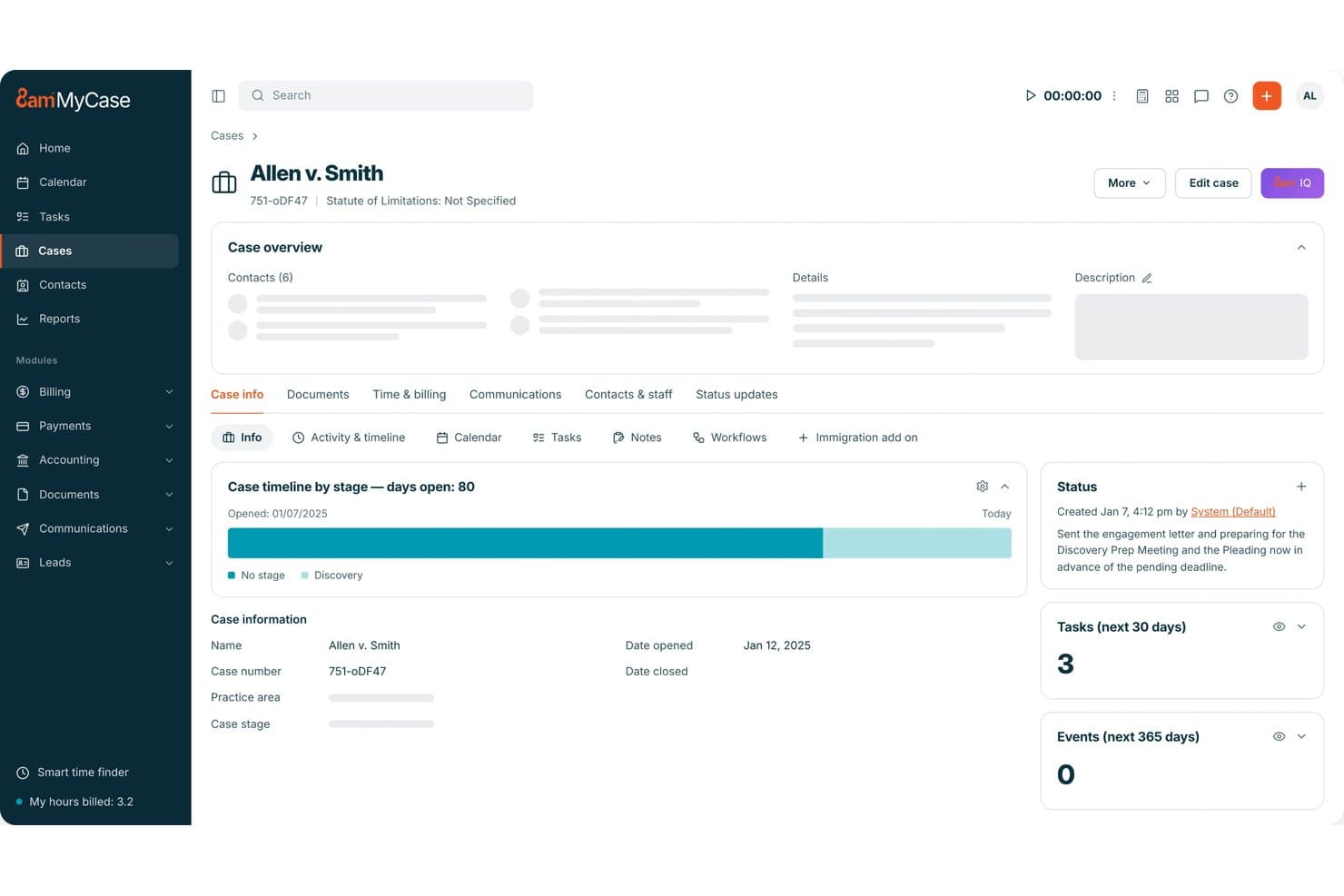
MyCase centralizes case timelines, tasks, and status updates in one dashboard. MyCase is a practice management platform for small law firms that combines legal CRM, client intake forms, unlimited e-signature, a secure client portal, two-way texting, billing, and document management in a single system.
Who Is MyCase Best For?
MyCase is a strong fit for small law firms that want intake forms, eSignature, CRM, billing, and client communication in one subscription instead of stitching together separate tools.
Why I Picked MyCase
I've included MyCase in my top picks because it's the only platform I've seen that bundles unlimited native eSignature directly inside a built-in legal CRM, with no per-envelope fees. When a new lead comes in, you can move them through a Kanban pipeline, trigger automated follow-up texts, and send a retainer for signature, all without leaving the platform. The CRM's merge fields pull contact data directly into signature templates, so engagement letters go out pre-populated and ready to sign.
MyCase Key Features
- Secure client portal: Clients can view case updates, exchange documents, review invoices, and make payments through an encrypted, mobile-optimized portal.
- Two-way text messaging: Send and receive texts with clients from a dedicated firm number, with all messages automatically logged to the matter record.
- Automated workflow sequences: Set up automated email and SMS follow-up sequences triggered by lead stage, form submission, or task completion.
- Kanban lead pipeline: Track every prospect from first contact to signed client through a visual, stage-by-stage pipeline with conversion analytics.
MyCase Integrations
MyCase offers 70+ integrations on Pro, including Google Calendar, Microsoft Outlook, QuickBooks, LawPay, Dropbox, NetDocuments, Mailchimp, CallRail, Smith.ai, and Zapier. The Advanced plan adds open API access for custom integrations.
Pros and Cons
Pros:
- Built-in legal CRM with pipeline analytics
- Conditional-logic intake forms auto-sync to CRM
- Unlimited native eSignature with audit trails
Cons:
- Merge fields limited in document automation
- Conflict check tool only on top plan
 Best for AI-driven lead scoring and drip follow-up
- Free demo available
- Pricing upon request
Visit WebsiteCustomer Rating:4.6/5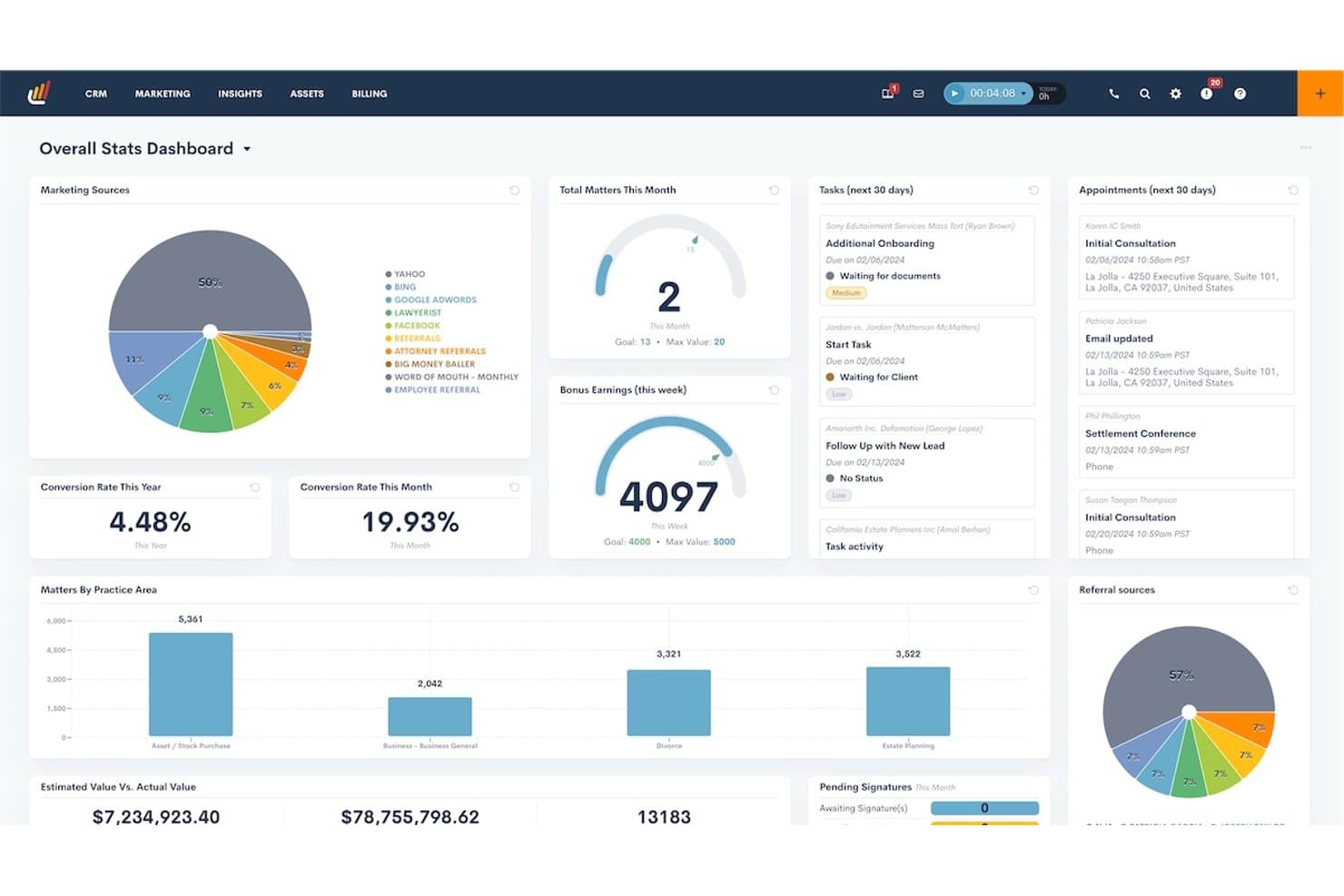
Lawmatics centralizes firm stats, tasks, and appointments in one dashboard. Lawmatics is a legal CRM and client intake platform built specifically for law firms, combining intake form automation, e-signature, drip campaigns, AI lead scoring, and practice management integrations in one system.
Who Is Lawmatics Best For?
Lawmatics is a strong fit for small firms with three or more attorneys who handle high lead volumes and need automated intake, AI-powered lead scoring, and marketing attribution in one platform.
Why I Picked Lawmatics
I've included Lawmatics in my top picks because its Merlin Qualify AI scores every incoming lead against your firm's criteria and routes, follows up, or flags automatically, cutting the manual sorting that buries intake teams at high-volume firms. I especially like how drip campaigns tie directly into those AI scores: a lead who clicks your consultation link but doesn't book triggers a timed SMS and email sequence without anyone touching it. That combination of AI qualification and behavior-based drip follow-up is what earns Lawmatics its spot here.
Lawmatics Key Features
- Conditional intake form logic: Build forms that adapt based on a prospect's answers, routing them through different question paths by practice area or case type.
- Native e-signature with audit trails: Send retainer agreements and fee letters for signature directly from the platform, with real-time status tracking and a complete signing history.
- Client portal: Give clients a secure space to upload documents, view calendar events, complete tasks, and exchange messages without using email.
- Practice management integrations: Sync converted leads and matter data bi-directionally with Clio, MyCase, PracticePanther, Filevine, and several other case management platforms.
Lawmatics Integrations
Lawmatics offers native integrations with Clio, MyCase, PracticePanther, Filevine, LEAP, Smokeball, QuickBooks, LawPay, Google Calendar, and Microsoft Outlook. It also supports custom integrations through its REST API with OAuth2 and webhooks, plus Zapier.
Pros and Cons
Pros:
- Client portal centralizes document and task sharing
- Conditional logic automates intake form workflows
- AI-driven lead scoring reduces manual sorting
Cons:
- No sandbox to test automation changes
- Three-user minimum excludes solo practitioners
Learn more about Lawmatics: Best for AI lead scoring and marketing ROI tracking
- Free demo available
- Pricing upon request
Visit WebsiteCustomer Rating:4.5/5
Filevine tracks monthly leads and sign-ups in one dashboard view. Filevine is a legal practice management and client intake platform that combines case management, AI-powered lead intake via Lead Docket, e-signature through Vinesign, conflict checking, and marketing attribution reporting.
Who Is Filevine Best For?
Filevine fits small firms in plaintiff-side practice areas—personal injury, immigration, mass tort—that run high intake volumes and need to track which ad campaigns are actually converting leads into signed clients.
Why I Picked Filevine
Filevine earns its spot on my shortlist because of how its Lead Docket module connects ad spend directly to signed clients. I love that LeadsAI scores incoming leads the moment they open, so intake staff can prioritize a high-value personal injury case over a weaker inquiry without manual review. Lead Docket's marketing attribution reporting then traces that signed client back to a specific Google Ads campaign, tracking actual revenue per source so managing partners can cut underperforming ad budgets with real data.
Filevine Key Features
- Conflict checker: Searches all org contacts using fuzzy matching across multiple name fields, then locks a vitals snapshot and exports a PDF audit report once a conflict status is set.
- Vinesign e-signature: Sends documents for signature via email or SMS, with automated reminders and merge-code templates that pull data directly from Lead Docket lead records.
- Automated drip campaigns: Triggers personalized email and SMS follow-up sequences at set intervals after a lead opens, keeping prospects engaged without manual staff outreach.
- Client Portal: An optional add-on that lets clients securely share documents, complete intake forms in multiple languages, and exchange case-linked communications with the firm.
Filevine Integrations
Filevine and Lead Docket offer 200+ documented integrations, including QuickBooks, Gmail, Microsoft 365, Google Calendar, Slack, Microsoft Teams, RingCentral, JotForm, Typeform, and CallRail. DataBridge provides API access for custom integrations, and Zapier is also supported.
Pros and Cons
Pros:
- Customizable intake forms for multiple practice areas
- Marketing ROI reporting links clients to ads
- AI lead scoring prioritizes high-value inquiries
Cons:
- Implementation often requires certified partner support
- Intake and e-signature require separate add-ons
Learn more about Filevine: Best for conflict checks built into intake workflows
- Free demo available
- Pricing upon request
Visit WebsiteCustomer Rating:4.2/5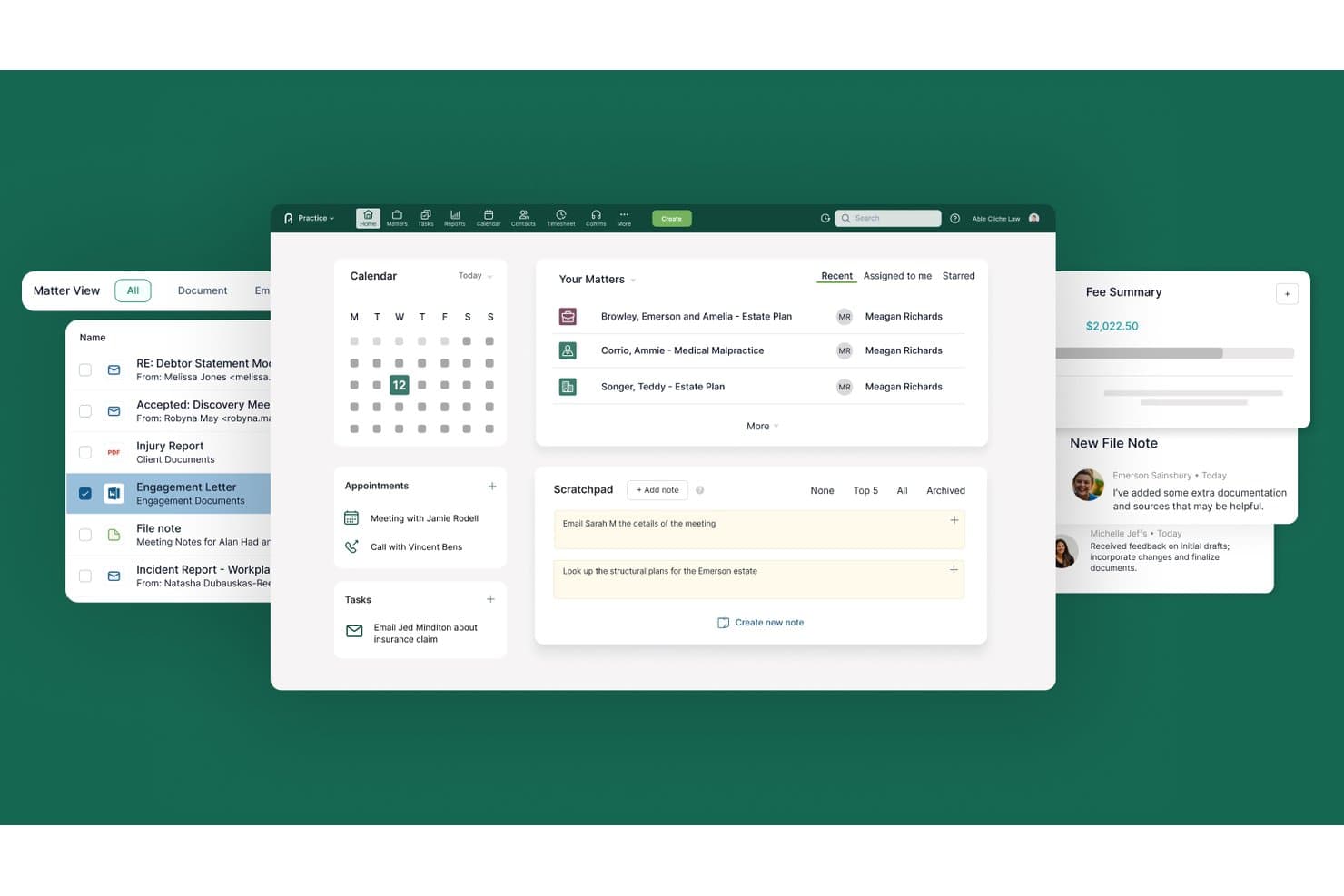
Actionstep centralizes matters, calendar, tasks, and notes in one dashboard. Actionstep is an all-in-one legal practice management platform that combines client intake, conflict checking, document management, a built-in CRM, client portal, workflow automation, and native legal accounting.
Who Is Actionstep Best For?
Actionstep is a strong fit for small firms with 3+ attorneys who want conflict checks, intake workflows, and practice management running on a single platform.
Why I Picked Actionstep
I've included Actionstep in my top picks because its built-in conflict check runs across your entire database—emails, matters, and contacts—in a single click, with permission-aware results you can export as a timestamped PDF straight to the matter record. What I find especially useful is that this lives inside the same platform handling your intake webforms, so a new prospect submission can trigger a conflict check, create a matter, and kick off a workflow without leaving Actionstep.
Actionstep Key Features
- Capture add-on module: A separately priced intake module that lets you collect multiple documents and contacts per form submission, with brand customization and a dashboard for monitoring submitted form statuses.
- Built-in legal accounting: A native legal accounting suite covering trust accounting, multi-currency general ledger, accounts payable/receivable, and financial reporting—all within the same platform.
- Granular client portal permissions: Set per-folder access controls for each client, including an upload-only setting that lets clients submit documents without viewing the folder's contents.
- Workflow automation engine: A configurable automation engine that assigns tasks, sets deadlines, triggers client communications, and generates documents across every stage of a matter.
Actionstep Integrations
Actionstep lists 50+ integrations, including Microsoft 365, DocuSign, Secured Signing, Google Drive, Dropbox, Lexidesk, InfoTrack, and First AML. It also supports an open API and Zapier.
Pros and Cons
Pros:
- Client portal offers granular folder permissions
- Workflow automation covers intake through billing
- Built-in conflict checks trigger from intake workflows
Cons:
- No native e-signature functionality included
- Requires three-user minimum for all plans
Learn more about Actionstep:
Outro software de admissão de clientes jurídicos para pequenos escritórios
Eis algumas opções adicionais de software de admissão de clientes jurídicos para pequenos escritórios que não integraram a minha lista restrita, mas que ainda vale a pena conhecer:
- 11WoodpeckerBest for Word-native document automation in intake
- 12PracticePantherBest for intake and e-sign within one subscription
- 13CARET LegalBest for conflict checks across archived matters
- 14CosmoLexBest for intake-to-billing in one platform
- 15Rocket MatterBest for intake-to-billing in one legal suite
- 16DocketWiseBest for immigration intake with multilingual forms
- 17Assembly NEOSBest for PI intake-to-matter in one platform
- 18IntakerBest for AI chat intake across website and social
How I Evaluate Legal Client Intake Software for Small Firms
I split my evaluation into baseline criteria every tool must meet—like conflict checks and e-signatures—and differentiators that separate a lead-nurturing powerhouse from a basic intake form.
Core Functionality (Table Stakes For This List)
When I'm selecting tools for my list, I rank each one on a scale from 0 (does not offer the functionality) to 5 (excels in this area) for each core functionality listed below. I then calculate the tool's total score into a percentage, using 65% as a benchmark to help assess its overall fit for the list.
- Digital Intake Forms: I look for customizable, client-facing forms with conditional logic and practice-area templates—so a family law firm can collect different fields than a personal injury shop.
- E-Signature & Engagement Letters: Each tool needs native e-signature with audit trails and engagement letter templates, not a manual handoff to a separate signing app.
- Conflict Check Automation: I evaluate whether the tool searches across parties, matters, and related entities automatically, rather than relying on a basic keyword search you run by hand.
- Client Communication Portal: Secure document exchange and messaging matter here—I check for encrypted portals where clients can upload IDs or financials without resorting to unprotected email.
- Lead & Matter Management: Pipeline visibility from first inquiry to signed retainer is key. I look for source tracking, automated stage progression, and conversion reporting.
- Practice Management Integration: The tool should sync client data downstream into billing and document management systems, ideally through native integrations or an open API.
Once I have a list of tools that meet the criteria, I consider what sets each platform apart.
Differentiating Factors (What Sets Vendors Apart)
Here's how I compare and contrast different vendors:
Standout Features
I look for marketing attribution that ties signed clients back to specific ad campaigns or referral sources, so you can see which channels actually convert. Automated drip campaigns matter too—I check whether a tool can re-engage stalled prospects via email and SMS sequences without manual follow-up. Practice-area template libraries round things out; a firm shouldn't have to build intake forms and engagement letters from scratch when ready-made options for personal injury or family law exist.
Beyond Features
I check whether a tool meets legal-specific compliance needs—ABA Model Rule 1.7 conflict checks, audit trails on engagement letters, and encryption standards like SOC 2 Type II. For personal injury or elder law firms, HIPAA support is non-negotiable. I also evaluate total cost of ownership, since per-user pricing can spike fast once you add SMS credits, e-signature caps, or integration fees. Bundled suites that pair intake with practice management often deliver better value than stitching separate tools together.
Como escolher software de admissão de clientes jurídicos para pequenos escritórios
Escolher o software de admissão de clientes jurídicos adequado implica relacionar os seus maiores obstáculos na admissão com as funcionalidades e os requisitos essenciais que lhes dão resposta direta:
| Se a sua prioridade é... | Procure... |
| Automatizar a recolha de documentos e assinaturas | Assinatura eletrónica integrada e fluxos de trabalho baseados em modelos |
| Gerir a conformidade desde o início | Sistemas integrados e pesquisáveis de verificação de conflitos |
| Melhorar as taxas de conversão de potenciais clientes | Transição do contacto inicial para cliente com acompanhamento do funil |
| Reduzir a administração da admissão numa equipa pequena | Bibliotecas de formulários predefinidos com lógica condicional |
| Demonstrar o retorno do investimento em marketing dos novos clientes | Acompanhamento da origem e ferramentas automatizadas de atribuição |
Como avaliar a sua lista restrita
- Execute uma tarefa simulada de admissão de cliente: Utilize uma conta de demonstração para criar, enviar e processar uma nova admissão no prazo de 30 minutos.
- Solicite um exemplo do registo de auditoria de uma carta de contratação: Peça ao fornecedor uma exportação real que apresente os registos de assinatura eletrónica e de edição com indicação da data e hora.
- Verifique a documentação relativa à verificação de conflitos: Confirme se o fornecedor demonstra pesquisas no sistema entre partes, processos e entidades relacionadas, e não apenas verificações básicas de nomes.
- Verifique o fluxo de dados para os sistemas existentes: Durante um período de teste, exporte ou sincronize os dados de admissão concluídos com a sua ferramenta de faturação ou de gestão de processos.
- Compromisso: Decida se pretende uma ferramenta especializada apenas na admissão (mais especializada, mas separada) ou um pacote integrado que abranja a admissão e uma gestão mais abrangente da prática (mais unificado, mas que pode comprometer funcionalidades avançadas de admissão).
O que é o software de admissão de clientes jurídicos para pequenos escritórios?
O software de admissão de clientes jurídicos para pequenos escritórios é uma ferramenta digital que ajuda a recolher, gerir e converter novos pedidos de clientes em clientes com contrato assinado. Este tipo de software centraliza os formulários de admissão, as verificações de conflitos, as assinaturas eletrónicas e a comunicação — tudo numa única plataforma. As pequenas equipas jurídicas utilizam estes sistemas para reduzir os processos manuais, limitar os erros e garantir a conformidade ao longo de todo o processo de integração de novos clientes.
Funcionalidades do software de admissão de clientes jurídicos para pequenos escritórios
Ao selecionar um software de admissão de clientes jurídicos para pequenos escritórios, esteja atento às seguintes funcionalidades essenciais:
- Formulários digitais de admissão: Os formulários online personalizáveis permitem recolher informações detalhadas dos clientes no início de cada contratação. Os modelos específicos por área de prática e a lógica condicional ajudam a adaptar as perguntas a cada tipo de processo e a ignorar etapas irrelevantes.
- Assinatura eletrónica e cartas de contratação: As ferramentas de assinatura eletrónica integradas, com registos de auditoria, permitem que os clientes assinem contratos de prestação de serviços e cartas de contratação eletronicamente. Isto torna a recolha de assinaturas rápida, segura e fácil de acompanhar para efeitos de conformidade.
- Automatização da verificação de conflitos: As pesquisas automatizadas analisam partes, processos e entidades relacionadas na sua base de dados existente, assinalando potenciais conflitos numa fase inicial. Reduz a necessidade de análise manual e cumpre as regras deontológicas profissionais.
- Portal de comunicação com clientes: Os portais seguros permitem a troca encriptada de documentos e o envio de mensagens em tempo real. Os clientes podem carregar diretamente documentação sensível, mantendo as informações protegidas e fora do correio eletrónico.
- Gestão de potenciais clientes e processos: Os fluxos de admissão acompanham o estado de cada potencial cliente, com avanço automatizado entre etapas e relatórios sobre a origem. Pode ver quais os pedidos que se convertem e contactar novamente aqueles que ficam parados.
- Integração com a gestão do escritório: As integrações diretas ou as APIs abertas ligam os dados de admissão aos sistemas de faturação, gestão de processos e documentos. Isto mantém as informações dos clientes sincronizadas e reduz a introdução duplicada de dados.
- Ferramentas de atribuição de marketing: O acompanhamento da origem relaciona cada novo cliente com campanhas ou entidades que fizeram a recomendação específicas. Obtém visibilidade sobre os esforços de marketing que atraem negócios qualificados.
- Campanhas automatizadas de acompanhamento gradual: As sequências integradas de correio eletrónico e SMS acompanham os potenciais clientes que ainda não assinaram. Pode voltar a contactar potenciais clientes automaticamente, reduzindo o contacto manual.
- Biblioteca de modelos de cartas de contratação: O acesso a modelos pré-criados e específicos para cada área de prática significa que não tem de redigir documentos de admissão ou de contratação de raiz. Isto uniformiza a linguagem e reduz o risco de incumprimento.
- Registos de auditoria e registo de conformidade: Os registos transparentes mostram cada interação, edição e recolha de assinatura. Isto protege a sua equipa durante auditorias e revisões internas.
Vantagens do software de admissão de clientes jurídicos para pequenos escritórios
A implementação de um software de admissão de clientes jurídicos para pequenos escritórios proporciona várias vantagens para a sua equipa e para o seu negócio. Eis algumas das que pode esperar:
- Reduzir as etapas manuais de admissão: Os formulários digitais automatizados, as verificações de conflitos e os fluxos de trabalho de assinatura eletrónica ajudam a sua equipa a passar rapidamente do primeiro contacto à contratação do cliente, com menos intervenção manual.
- Reduzir os riscos de incumprimento: Funcionalidades integradas como registos de auditoria, verificações automatizadas de conflitos e encriptação mantêm o processo de integração alinhado com as normas jurídicas e ajudam a cumprir os requisitos deontológicos profissionais.
- Acelerar a recolha de documentos: Os portais seguros para clientes permitem que estes carreguem diretamente ficheiros sensíveis, possibilitando a recolha de tudo o que é necessário e evitando trocas de correio eletrónico não protegidas.
- Melhorar a visibilidade das conversões: Os fluxos de admissão com acompanhamento de potenciais clientes e progressão automatizada mostram exatamente o estado de cada potencial cliente e quais as fontes que atraem novos clientes.
- Permitir melhores decisões de marketing: O acompanhamento da origem e as ferramentas de atribuição de marketing associam novos processos a campanhas específicas, permitindo ver quais os esforços que fazem realmente crescer a sua carteira de negócios.
- Reduzir a introdução duplicada de dados: A integração com a gestão do escritório e as APIs abertas garantem que as informações recolhidas durante a admissão são transferidas diretamente para as suas ferramentas existentes de faturação e gestão de processos.
- Uniformizar os processos de admissão: As bibliotecas de formulários e cartas de contratação pré-criados ajudam a criar documentos de integração consistentes e conformes sem começar de raiz de cada vez.
Custos e preços do software de admissão de clientes jurídicos para pequenos escritórios
A seleção de um software de admissão de clientes jurídicos para pequenos escritórios exige uma compreensão dos vários modelos de preços e planos disponíveis. Os custos variam consoante as funcionalidades, o tamanho da equipa, os complementos e outros fatores. A tabela abaixo resume os planos comuns, os seus preços médios e as funcionalidades normalmente incluídas nas soluções de software de admissão de clientes jurídicos para pequenos escritórios:
Tabela de comparação de planos de software de recolha de clientes jurídicos para pequenos escritórios
| Tipo de plano | Preço médio | Funcionalidades comuns |
| Plano pessoal | $15–$30/utilizador/mês | Formulários personalizados, bibliotecas de modelos, acesso básico ao portal do cliente, assinatura eletrónica com registo de auditoria e apoio por e-mail. |
| Plano empresarial | $40–$70/utilizador/mês | Verificações automatizadas de conflitos, troca segura de documentos, integrações com sistemas de gestão de escritórios, atribuição de marketing e relatórios de equipa. |
| Plano empresarial de grande dimensão | $90–$150/utilizador/mês | Registos avançados de conformidade, suporte para HIPAA, acesso à API, portais personalizados com a sua marca, apoio prioritário e integração personalizada. |
Perguntas frequentes sobre software de recolha de clientes jurídicos para pequenos escritórios
Eis algumas respostas a perguntas frequentes sobre software de recolha de clientes jurídicos para pequenos escritórios:
Como posso saber se o software de recolha de clientes jurídicos se integra com o meu sistema atual de gestão do escritório?
Comece por consultar o sítio Web oficial do fornecedor para encontrar uma página de integrações ou parceiros. Procure referências a sistemas específicos de gestão de escritórios — como Clio, MyCase ou PracticePanther — ou suporte para API aberta. Se não tiver a certeza, contacte a equipa de vendas ou de apoio e peça uma lista das integrações compatíveis. A realização de um teste ou o pedido de uma demonstração com o seu sistema atual também pode ajudar a confirmar a compatibilidade.
Que normas de segurança devo procurar num software de recolha de clientes jurídicos?
Certifique-se de que qualquer ferramenta que considere oferece encriptação de dados (em repouso e em trânsito), registos de auditoria e conformidade com as normas legais relevantes, como SOC 2 Tipo II ou HIPAA para questões sensíveis. É importante dispor de registos transparentes das ações dos clientes, controlos de acesso robustos e políticas de privacidade publicadas de forma clara. Peça sempre aos fornecedores que expliquem o seu modelo de segurança numa linguagem simples antes de assumir um compromisso.
Posso personalizar os formulários de recolha para diferentes áreas de prática?
Sim, muitas plataformas de software de recolha de clientes jurídicos oferecem criadores de formulários com lógica condicional e modelos específicos para cada área de prática. Isto permite-lhe criar formulários adaptados ao direito da família, danos pessoais, imigração ou outras especialidades, colocando apenas as perguntas relevantes. Se não existirem modelos disponíveis, verifique se o software permite utilizar campos personalizados e ramificações lógicas para evitar formulários iguais para todos.
Qual é a melhor forma de verificar se o software trata corretamente as verificações de conflitos?
Peça ao fornecedor que demonstre as pesquisas de conflitos durante uma demonstração em direto. Procure verificar se o sistema consegue pesquisar todas as partes, entidades relacionadas e processos arquivados — e não apenas nomes básicos. Os bons fornecedores disponibilizam documentação de exemplo ou relatórios de auditoria que mostram como os resultados são apresentados e registados, dando-lhe uma perspetiva da utilização em situações reais.
Como devo comparar o custo total de propriedade de diferentes soluções?
Olhe para além das mensalidades de subscrição. Tenha em conta o preço por utilizador, os limites de assinaturas eletrónicas ou créditos de SMS, os custos de integração, os custos de configuração e os níveis de apoio. Calcule o custo total com base na dimensão atual da sua equipa e nas funcionalidades de que necessita ao longo de um ano normal. Não se esqueça de considerar o valor: os pacotes integrados podem oferecer preços mais vantajosos quando precisa tanto de recolha de clientes como de gestão do escritório.
O que vem a seguir?
Para obter mais informações e recursos jurídicos, subscreva a nossa boletim informativo e junte-se a uma comunidade de profissionais do setor jurídico inovadores que estão a moldar o futuro do direito.