

AI legal document review tools use artificial intelligence to analyze contracts, flag risks, and highlight compliance gaps across high volumes of legal documents. If you need to keep up with growing contract workloads, catch risky clauses before they slip through, or adapt playbook rules on the fly, these tools are built for your reality.
In this guide, you’ll see which options help legal teams accelerate review, maintain consistency at scale, and tie document analysis into your wider operations—so you can make smart, confident decisions about which system truly fits your practice.
Why Trust Our Software Recommendations
6,700+
Reviews
20
Industry experts
16+
Evaluation factors
14
Years
Our team has been testing and reviewing software since 2012. As legal practice leaders ourselves, we know how difficult—and important—it is to choose the right software.
For this guide, we evaluated tools using hands-on testing and independent research, scoring tools using our selection criteria.
Our reviews reflect our human editorial judgment, not a sales pitch.
Compare the Best AI Legal Document Review Tools
Compare pricing and specs, side by side, for the AI legal document review tools that made it onto my shortlist.
| Tool | Best For | Trial Info | Price | ||
|---|---|---|---|---|---|
| 1 | Best for playbook-driven contract risk flagging | Free demo available | Pricing upon request | Website | |
| 2 | Best for contract portfolio risk flagging | Free plan available | Pricing upon request | Website | |
| 3 | Best for in-house contract review playbooks | Free demo available | Pricing upon request | Website | |
| 4 | Best for in-house contract review and analytics | Free demo available | Pricing upon request | Website | |
| 5 | Best for enterprise contract AI within Workday | Free demo available | Pricing upon request | Website | |
| 6 | Best for enterprise contract portfolio review | Free demo available | Pricing upon request | Website | |
| 7 | Best for portfolio-wide playbook deviation checks | Free demo available | Pricing upon request | Website | |
| 8 | Best for enterprise contract portfolio review at scale | Free demo available | Pricing upon request | Website | |
| 9 | Best for bulk review across thousands of documents | Free demo available | Pricing upon request | Website | |
| 10 | Best for M&A due diligence at scale | Free demo available | Pricing upon request | Website |


AI Legal Document Review Tools Reviews
Below are my detailed summaries of the best AI legal document review tools that made it onto my shortlist. My reviews offer a detailed look at the features, best use cases, and capabilities of each platform to help you find the best one for you.
 1Best for playbook-driven contract risk flagging
Juro
- Free demo available
- Pricing upon request
Visit WebsiteCustomer Rating:4.8/5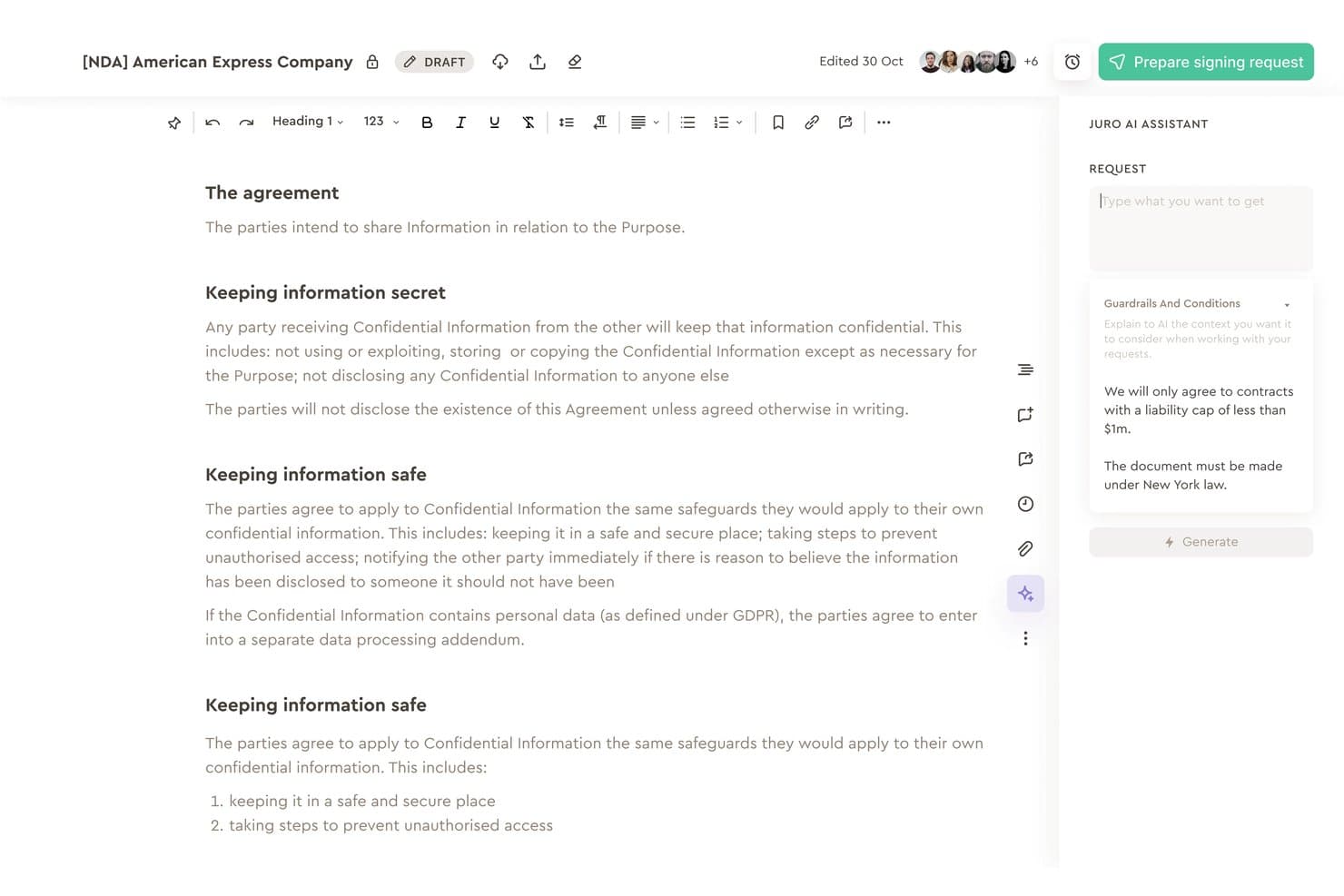
Juro's AI Assistant applies guardrails to flag contract clause issues. Juro is an AI-native contract lifecycle management platform that covers contract drafting, AI-powered clause extraction, playbook-driven review and redlining, negotiation, and a searchable post-signature repository.
Who Is Juro Best For?
Juro is a natural fit for in-house legal and commercial teams that need to review, negotiate, and manage contracts against a defined legal playbook.
Why I Picked Juro
Juro earns its spot on my shortlist because its playbook-driven AI review goes beyond generic risk scoring: every flagged clause includes a cited rationale tied directly to your defined legal positions, which is how a 95% suggestion acceptance rate actually makes sense in practice. I particularly like that AI Review can redline incoming third-party contracts against your playbook from within Microsoft Word, so your team isn't forced into a new tool mid-negotiation. Pair that with Operator's natural-language Q&A across your full contract set, and you get traceable, explainable answers rather than black-box outputs.
Juro Key Features
- AI Extract smartfields: Pull structured data points from contracts—dates, liability clauses, auto-renewal terms, and custom fields—into configurable smartfields with accept/reject controls per field.
- Bulk contract import and extraction: Upload batches of legacy or vendor contracts via Google Drive or SharePoint folder sync and run AI extraction across the entire set at once.
- Operator natural-language Q&A: Query your full contract repository using plain-language questions and get answers with cited source contracts rather than unattributed summaries.
- Clause library: Store and apply standardized clause language across templates so your legal team maintains consistent contract language at scale.
Juro Integrations
Juro offers native integrations with Microsoft Word, Google Drive, SharePoint, Slack, Docusign, Salesforce, HubSpot, and Pipedrive. Enterprise plans include REST API and webhooks, and Juro also supports Zapier.
Pros and Cons
Pros:
- Natural-language Q&A across contract repository
- Customizable extraction fields for contract data
- Playbook-driven AI review with rationale citation
Cons:
- Not suitable for litigation or e-discovery
- AI review supports only English contracts
Learn more about Juro: Best for contract portfolio risk flagging
- Free plan available
- Pricing upon request
Visit WebsiteCustomer Rating:4.7/5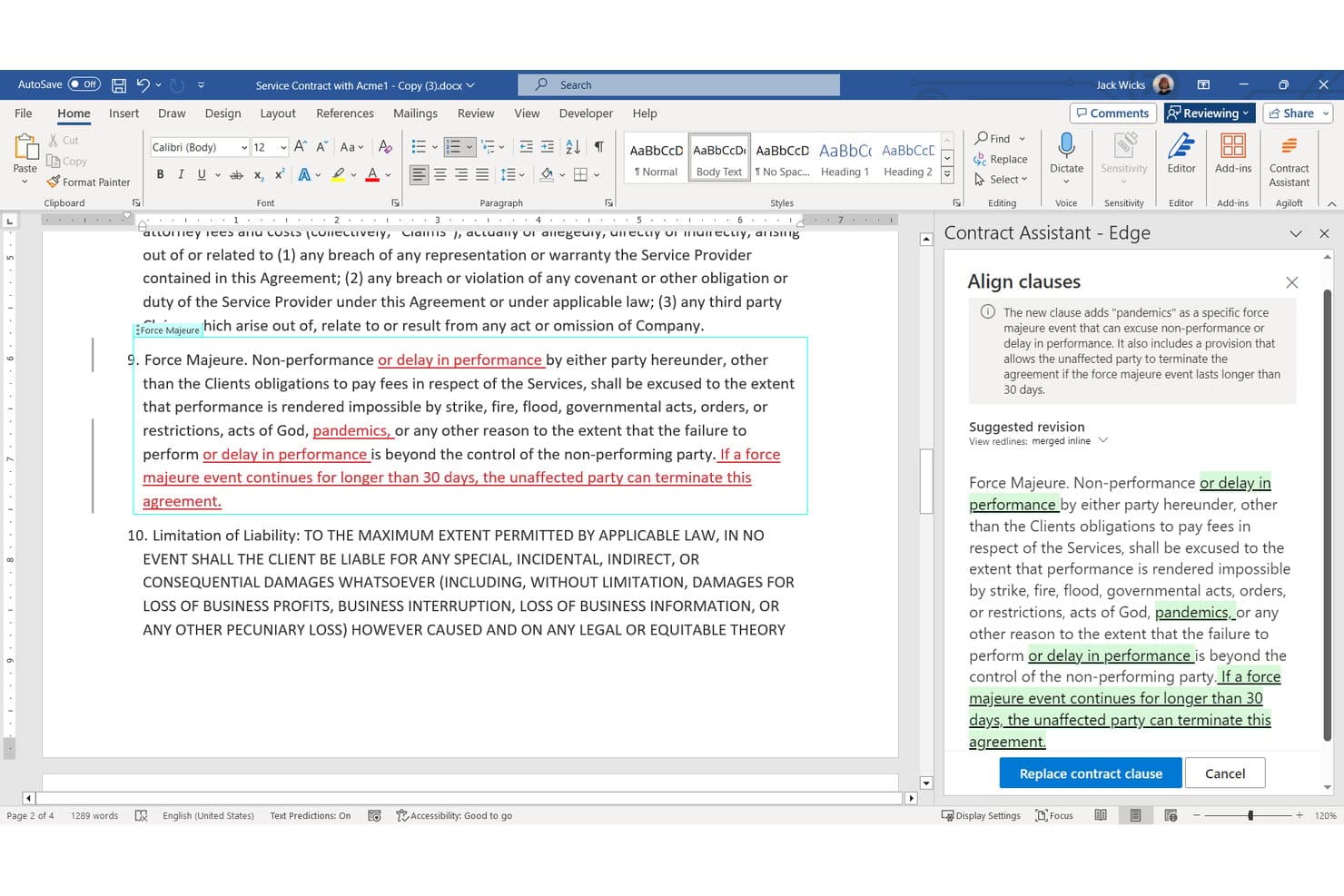
Agiloft Astra applies AI to extract clauses, flag contract risks, and analyze portfolios. Agiloft Astra is a contract intelligence platform that uses AI to extract clauses and structured data, flag risk and non-standard language against custom playbooks, and analyze contracts at the portfolio level.
Who Is Agiloft Best For?
Agiloft is a strong fit for corporate legal counsel and contract managers who need to govern large contract portfolios with configurable risk playbooks and structured data extraction.
Why I Picked Agiloft
I picked Agiloft as one of the best because its playbook-based risk flagging works at the portfolio level, not just contract-by-contract. I love that you can scan an entire contract portfolio against a new regulation, like the EU AI Act, and surface non-compliant clauses across thousands of agreements at once. The Astra Assistant lets you ask plain-language questions across your full portfolio, with every AI-generated answer linked back to the source contract text.
Agiloft Key Features
- Microsoft Word add-in: Review, analyze, and redline contracts directly inside Word using Astra's AI, with no credit consumption for this activity.
- No-code workflow configuration: Build custom approval chains, automated notifications, and lifecycle workflows without writing any code.
- Astra Assistant for portfolio Q&A: Ask plain-language questions across your entire contract portfolio, with every AI-generated answer linked to the source contract text.
- AI-assisted contract intake: Automatically extract structured data from an uploaded contract to generate a new CLM record, reducing manual data entry.
Agiloft Integrations
Agiloft offers 1,000+ pre-built connectors through Integration Hub, including Salesforce, SAP, NetSuite, DocuSign, Adobe Sign, SharePoint, Microsoft Teams, Slack, and Google Workspace. Its API supports custom integrations.
Pros and Cons
Pros:
- No-code workflows and approval chains included
- Citation-linked AI answers support review verification
- Portfolio-wide contract risk flagging with playbooks
Cons:
- No support for e-discovery or litigation review
- Backend setup requires significant technical expertise
Learn more about Agiloft: Best for in-house contract review playbooks
- Free demo available
- Pricing upon request
Visit WebsiteCustomer Rating:4.7/5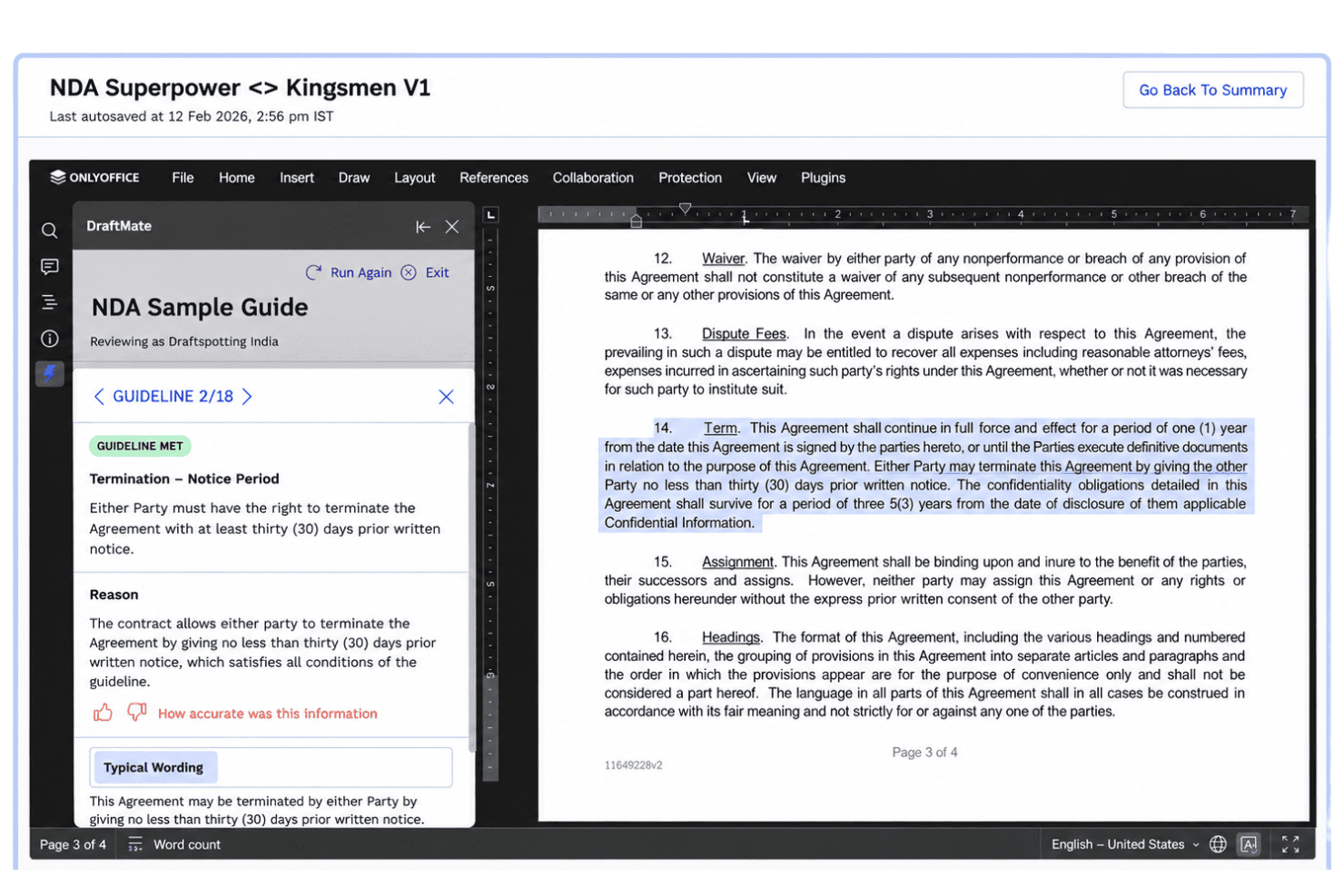
SpotDraft manages contract creation, review, signing, storage, and AI-powered search. SpotDraft is an AI-native contract lifecycle management platform that covers contract creation, editing, review, signing, and repository management, with AI-powered clause extraction, custom review playbooks, and a natural-language query layer across your entire contract portfolio.
Who Is SpotDraft Best For?
SpotDraft is a strong fit for in-house legal teams that need a structured, playbook-driven approach to contract review and lifecycle management.
Why I Picked SpotDraft
SpotDraft earns its spot on my shortlist because of how well VerifAI handles playbook-driven contract review inside Microsoft Word. I love that you can build a custom playbook in plain English or auto-generate one from an existing template, then run a one-click review that flags non-compliance with source references and rationale attached to every result. The pre-vetted playbook library for Buy-Side MSAs, Sell-Side MSAs, and procurement contracts gives in-house teams a solid starting point without building from scratch.
SpotDraft Key Features
- Portfolio-wide natural-language Q&A: Sidebar lets you query your entire contract portfolio in plain English, pulling deal briefings, clause comparisons, and trend data across all stored contracts.
- Contract analytics dashboards: Track 30+ metrics—including approval turnaround, negotiation rounds, and stage-level review time—filterable by contract type, user, date, and workflow.
- Automated metadata extraction: SpotDraft extracts 1,000+ data fields per contract on upload, covering parties, dates, renewal terms, revenue figures, and counterparty details.
- Audit logs and version history: Every user action is logged per contract, with full version history and granular role-based permissions by contract type, entity, or department.
SpotDraft Integrations
SpotDraft offers 30+ native integrations, including Microsoft Word, SharePoint, OneDrive, Google Drive, Box, Dropbox, DocuSign, Adobe Sign, Salesforce, and Microsoft Teams. It also supports Zapier.
Pros and Cons
Pros:
- Portfolio-wide natural-language contract Q&A available
- Clause extraction with source references and explanations
- Review custom playbooks directly inside Word
Cons:
- Self-serve bulk processing not available
- No e-discovery or litigation document workflows
Learn more about SpotDraft: Best for in-house contract review and analytics
- Free demo available
- Pricing upon request
Visit WebsiteCustomer Rating:4.7/5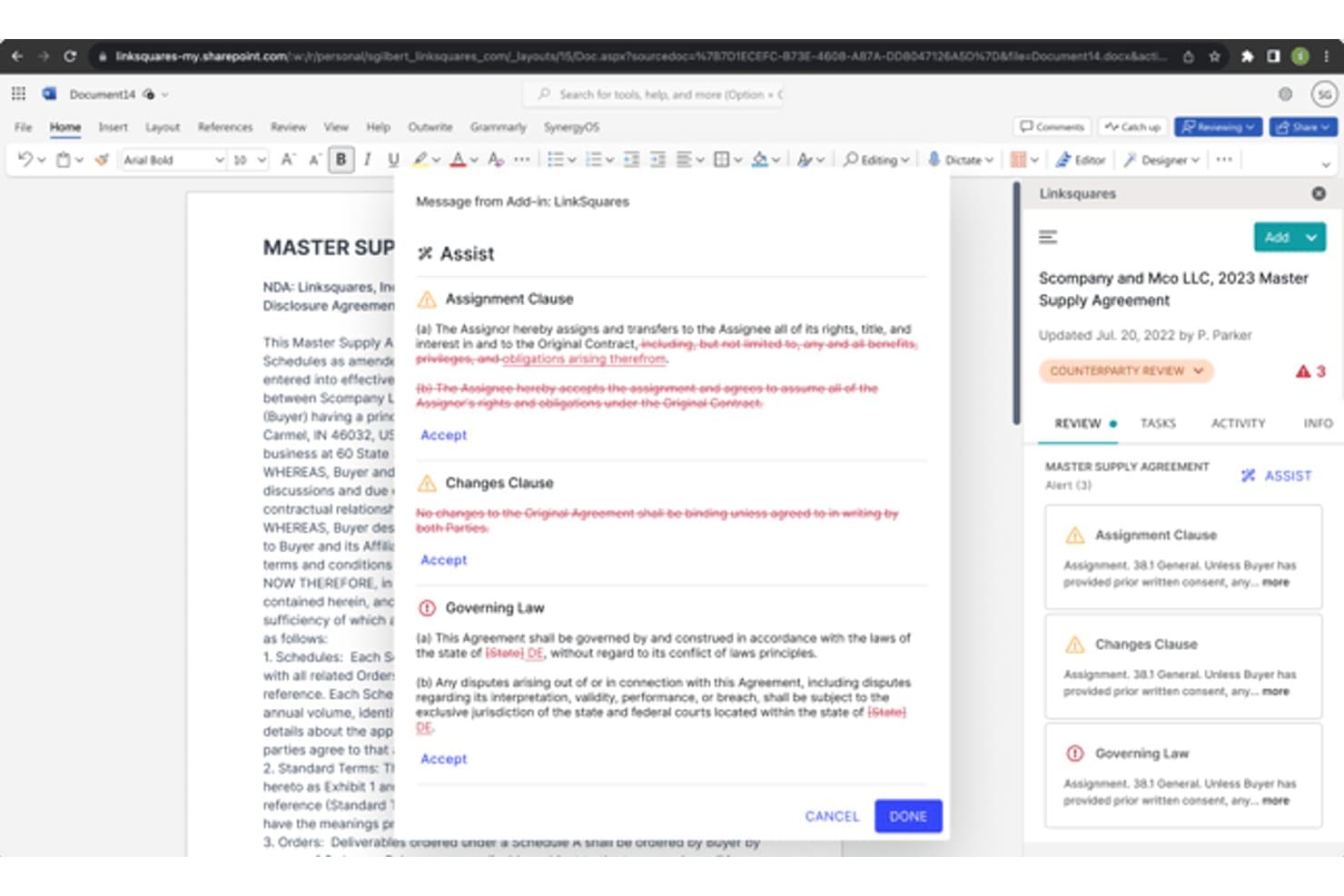
LinkSquares flags assignment and governing law clauses for review. LinkSquares is an AI-native contract lifecycle management platform built for in-house legal teams, combining AI-powered clause extraction, contract redlining, playbook-based risk flagging, and a searchable repository with analytics.
Who Is LinkSquares Best For?
LinkSquares is built for in-house legal teams and corporate counsel who manage high contract volumes and need structured data extraction, playbook-based review, and portfolio-wide analytics in one place.
Why I Picked LinkSquares
LinkSquares earns its spot on my shortlist because its AI engine, LinkAI, is purpose-built for in-house contract intelligence, extracting 120+ data points per contract across bulk uploads of thousands of agreements at once. I especially like the playbook-based flagging, which instantly surfaces deviations from your preferred clause positions so only true exceptions reach legal review. Paired with a contract repository that searches by context and intent, it gives in-house counsel a genuinely structured view of their entire contract portfolio.
LinkSquares Key Features
- AI legal assistant: Draft contracts, generate negotiation summaries, and get citation-backed answers from statutes, regulations, and case law directly within the platform.
- Microsoft Word add-in: Review, redline, and summarize contracts inside Word using LinkSquares' AI without switching between tools.
- Configurable approval routing: Set up approval workflows by contract value or type, with parallel review paths and rejection comments built in.
- Obligation and renewal tracking: Automated alerts notify your team of key dates, renewal windows, and outstanding obligations across your entire contract portfolio.
LinkSquares Integrations
LinkSquares offers native integrations with Microsoft Word, Salesforce, Slack, SharePoint, OneDrive, Google Drive, Box, Dropbox, DocuSign, and Adobe Sign. It also supports NetSuite, Ramp Procurement, Amazon S3, ShareFile, LinkSquares API custom integrations, and other eSignature connections via API.
Pros and Cons
Pros:
- Human-in-the-loop review with audit trails
- Playbook-based AI flags non-standard clauses
- Bulk extract 120+ data points per contract
Cons:
- AI extraction accuracy inconsistencies reported by users
- No support for litigation document review
Learn more about LinkSquares: Best for enterprise contract AI within Workday
- Free demo available
- Pricing upon request
Visit WebsiteCustomer Rating:4.7/5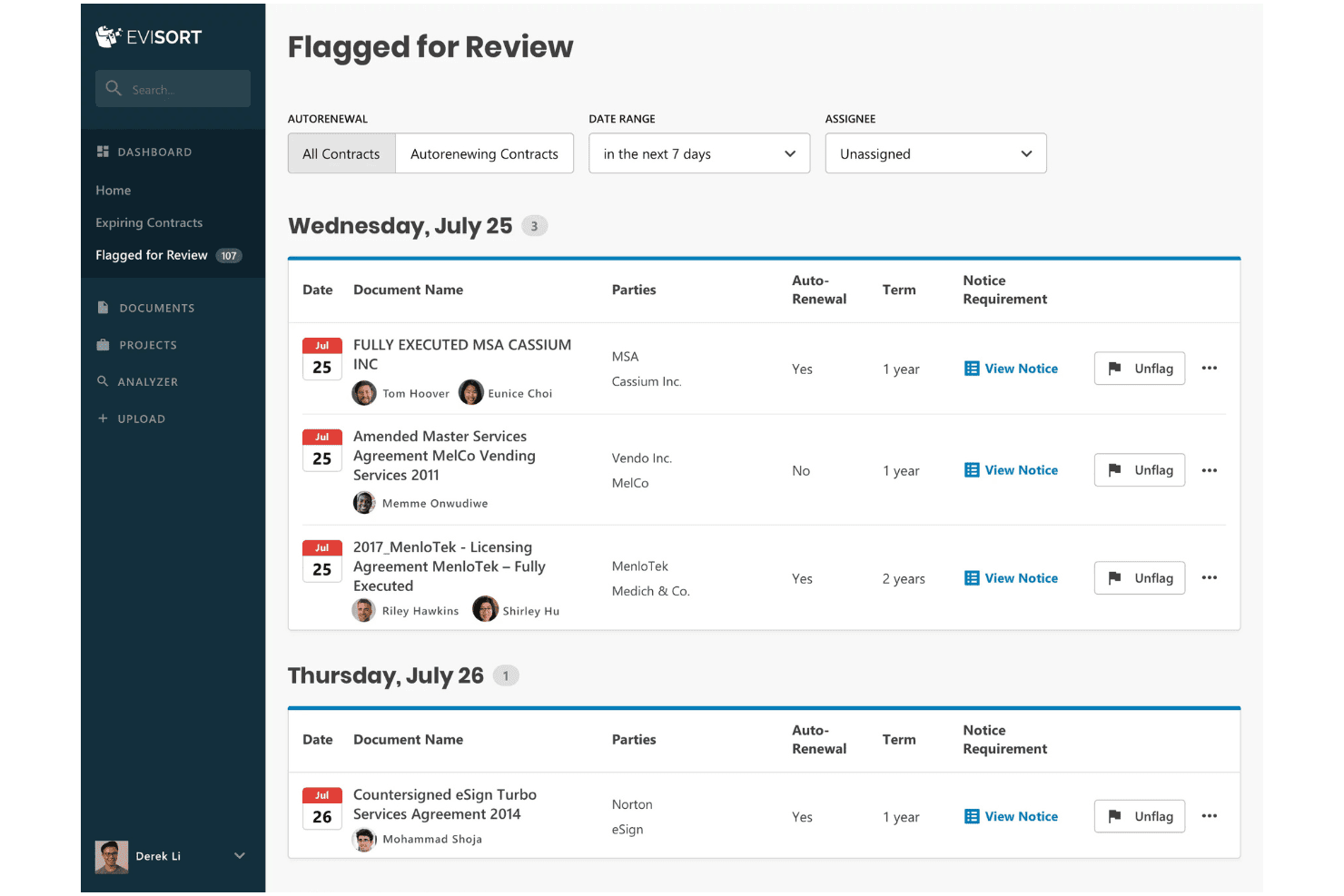
Evisort reviews contracts with AI, supports redlining, Q&A, repository search, and obligation tracking. Workday Contract Intelligence, powered by Evisort AI, is a contract-focused AI document review platform that combines an intelligent contract repository, custom AI model building, natural-language Q&A, agentic clause-level redlining, and obligation tracking across the full contract lifecycle.
Who Is Evisort Best For?
Evisort is built for enterprise in-house legal teams and contract managers who run high-volume contract operations inside the Workday ecosystem.
Why I Picked Evisort
Evisort earns its spot on my shortlist because it's the only contract AI tool built directly into the Workday ecosystem, which matters when your contracts, financials, and procurement data all live in one place. I particularly like the Contract Negotiation Agent, which does clause-level redlining against your own playbook automatically, flagging non-standard language without manual comparison. The custom AI model builder also lets your team train extraction on your specific contract types without involving a data science team.
Evisort Key Features
- Natural-language contract Q&A: Ask AI lets you query contracts in plain language and returns cited answers linked directly to the relevant contract provisions.
- Obligation and deadline tracking: Monitor renewal dates, expirations, and contractual obligations across your entire repository to avoid missed deadlines.
- Bulk document ingestion: Upload and process large contract libraries at scale, with vendor-reported throughput of 450,000 documents in 24 hours.
- Searchable metadata repository: Extracted contract data is auto-organized into a structured, searchable repository with dashboards and analytics built from that metadata.
Evisort Integrations
Evisort offers six native integrations: DocuSign, Adobe Sign, SharePoint, Box, Google Drive, and Salesforce. It supports custom connections through a REST API and offers the Contract Negotiation Agent through the Workday Marketplace.
Pros and Cons
Pros:
- Ask AI cites contract provisions directly
- Clause-level redlining using your playbooks
- Bulk processes over 400,000 contracts per day
Cons:
- Renewal alerts sometimes fail to trigger
- No e-discovery or litigation integrations
Learn more about Evisort: Best for enterprise contract portfolio review
- Free demo available
- Pricing upon request
Visit WebsiteCustomer Rating:4.3/5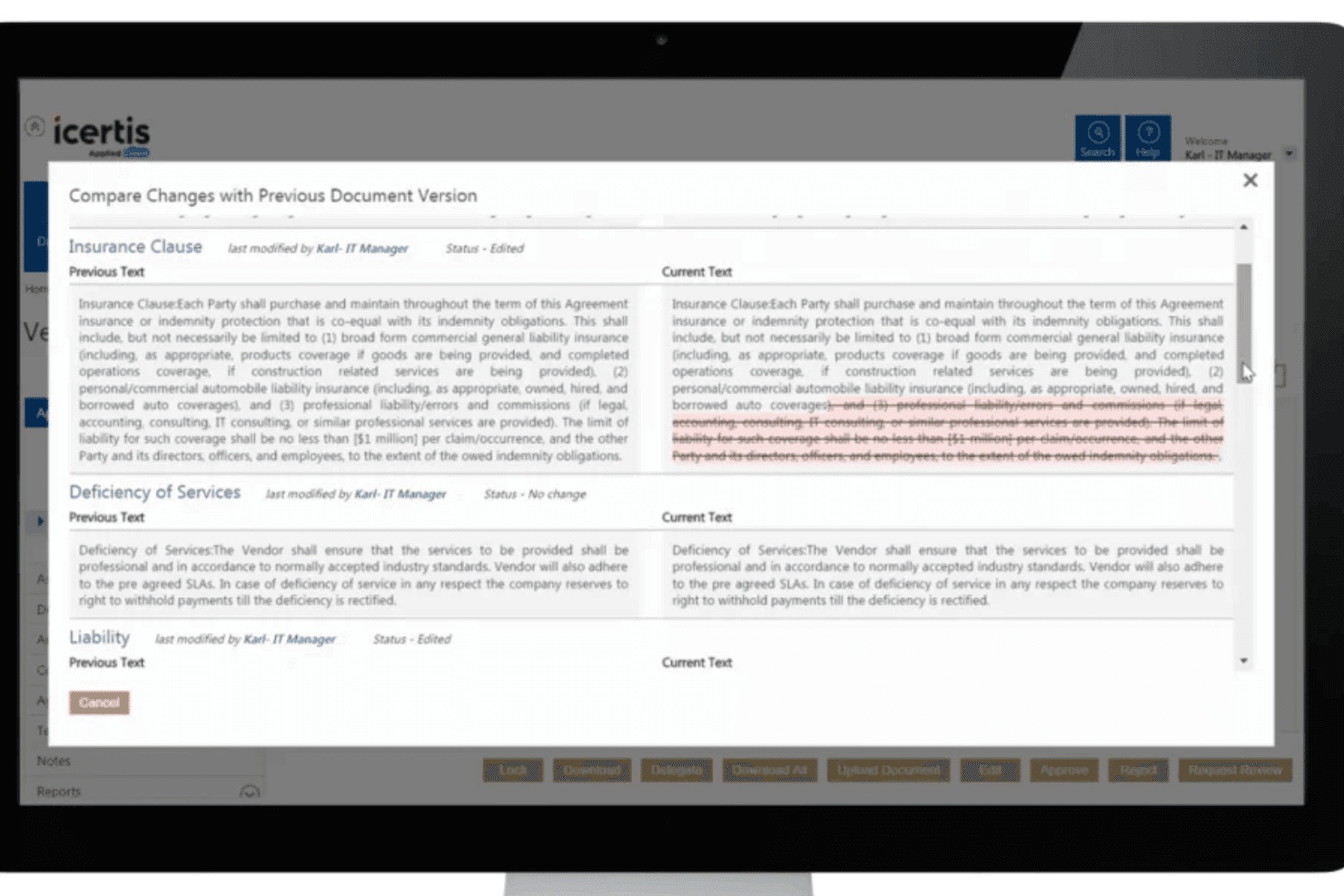
Icertis applies AI to extract clauses, flag risks, support redlining, and search contract portfolios. Icertis is an AI-native contract lifecycle management platform that combines clause extraction, playbook-driven redlining, risk flagging, and natural-language portfolio search across large volumes of enterprise contracts.
Who Is Icertis Best For?
Icertis is built for in-house legal and contract management teams at large enterprises managing high volumes of contracts across multiple business units.
Why I Picked Icertis
I've included Icertis in my top picks because it handles enterprise contract portfolio review at a scale few tools can match. Vera Analytics Advanced ingests thousands of agreements in bulk, with OCR and multilingual support, pre-computing clause-level analysis so you can query across 250,000+ contracts in seconds. Vera Copilot then lets you ask plain-language questions across that entire corpus and get citation-backed answers tied directly to specific contract records.
Icertis Key Features
- Playbook-driven redlining: Vera Redline Agent compares contract language against approved playbooks and generates clause-level redlines with plain-language explanations of each deviation.
- Obligation tracking: Vera Obligations assigns owners to contract obligations, sends reminders, and tracks completion with supporting proof through Vera Fulfilment Agent.
- Legacy contract ingestion: The Operate module pulls unstructured contracts from shared drives, email, and legacy systems and converts them into structured, searchable records.
- Role-based access control: Permissions limit what each stakeholder can view or edit, with all AI-assisted actions logged and tied to originating contract records for audit purposes.
Icertis Integrations
Icertis offers documented integrations across Microsoft 365, Microsoft Teams, Outlook, Salesforce CRM and CPQ, SAP Ariba, DocuSign, and Adobe Sign. Public APIs support custom integrations, while no legal DMS or e-discovery connectors are advertised.
Pros and Cons
Pros:
- Multilingual bulk ingestion and OCR support
- AI-backed natural-language Q&A across portfolios
- Playbook-driven redlining highlights non-standard clauses
Cons:
- No e-discovery or litigation-specific features
- Challenging for teams without technical expertise
Learn more about Icertis: Best for portfolio-wide playbook deviation checks
- Free demo available
- Pricing upon request
Visit WebsiteCustomer Rating:4.5/5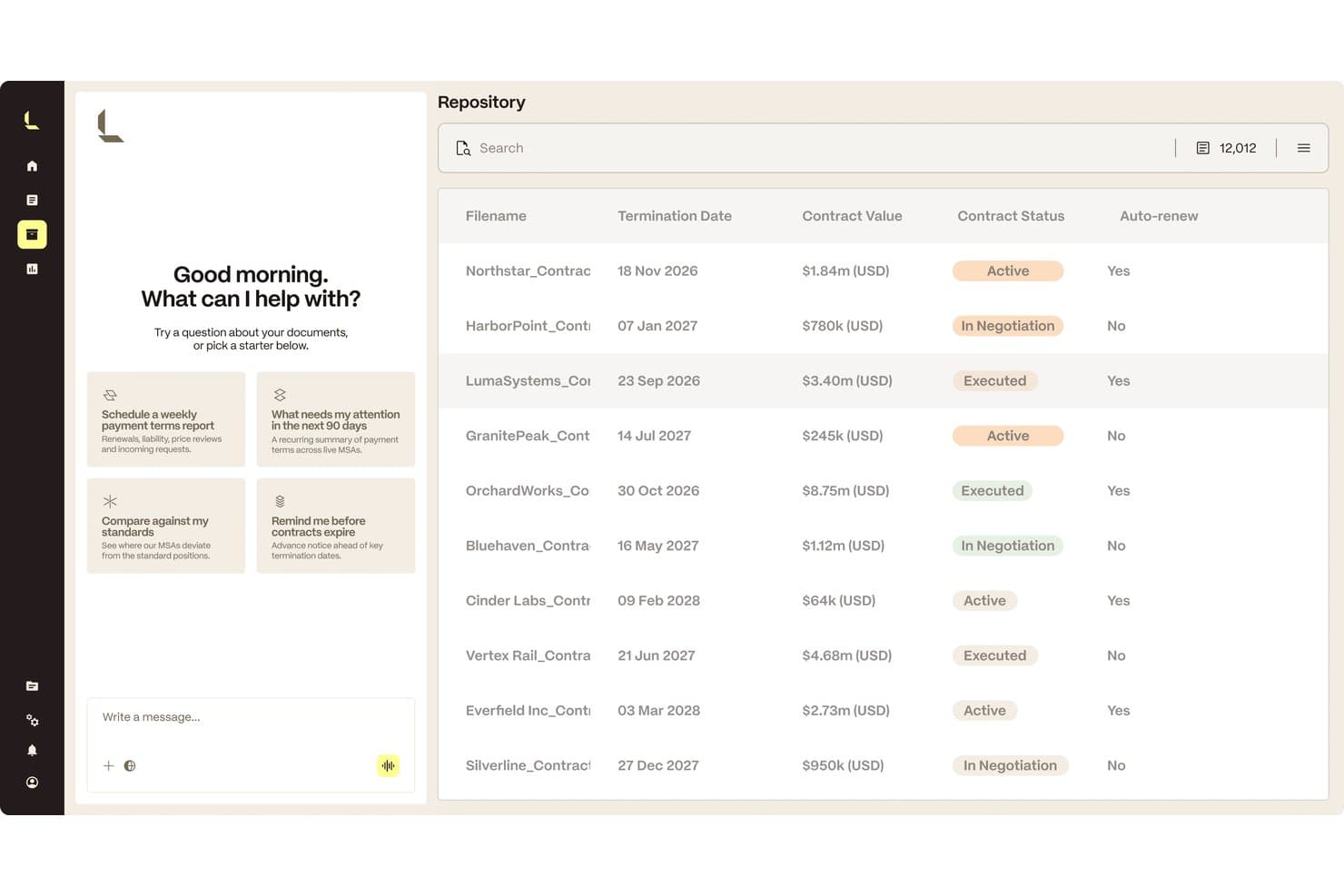
Luminance centralizes contract review with AI-extracted key terms. Luminance is an AI contract intelligence platform built around clause extraction, playbook-based review, portfolio-wide repository analysis, and workflow automation across the full contract lifecycle.
Who Is Luminance Best For?
Luminance is a strong fit for enterprise in-house legal teams and large law firms that manage high volumes of contracts and need portfolio-wide playbook enforcement.
Why I Picked Luminance
Luminance earns its spot on my shortlist because of how it handles playbook enforcement at portfolio scale. I'm particularly impressed by its repository feature, which compares up to 10,000 contracts simultaneously against your playbook to flag deviations, risk exposure, and missed obligations. On top of that, its Context Graphs link contracts, amendments, and related documents so you're never reviewing a clause in isolation.
Luminance Key Features
- Luna Crescent LLM: Luminance's proprietary legal language model extracts, classifies, and analyzes clauses using training from 220M+ verified legal documents.
- Context Graphs: Automatically links contracts, amendments, and related documents so you review each clause with full contractual context.
- Differential Validation: An independent review layer flags AI outputs with uncertainty for human oversight, including source-backed citations on every answer.
- Workflow routing: Routes contracts and approval tasks to the right teams automatically, with role-based permissions, real-time status tracking, and a complete audit trail.
Luminance Integrations
Luminance has documented integrations with Microsoft Word, Outlook, DocuSign, LexisNexis, and HighQ. It also supports MCP for connecting with AI assistants and enterprise applications.
Pros and Cons
Pros:
- Source-backed clause analysis with human validation
- Context graphs link related contracts and amendments
- Portfolio-wide playbook deviation checks at scale
Cons:
- Limited independent review volume for size
- Pricing and contract packaging not transparent
Learn more about Luminance: Best for enterprise contract portfolio review at scale
- Free demo available
- Pricing upon request
Visit WebsiteCustomer Rating:4.5/5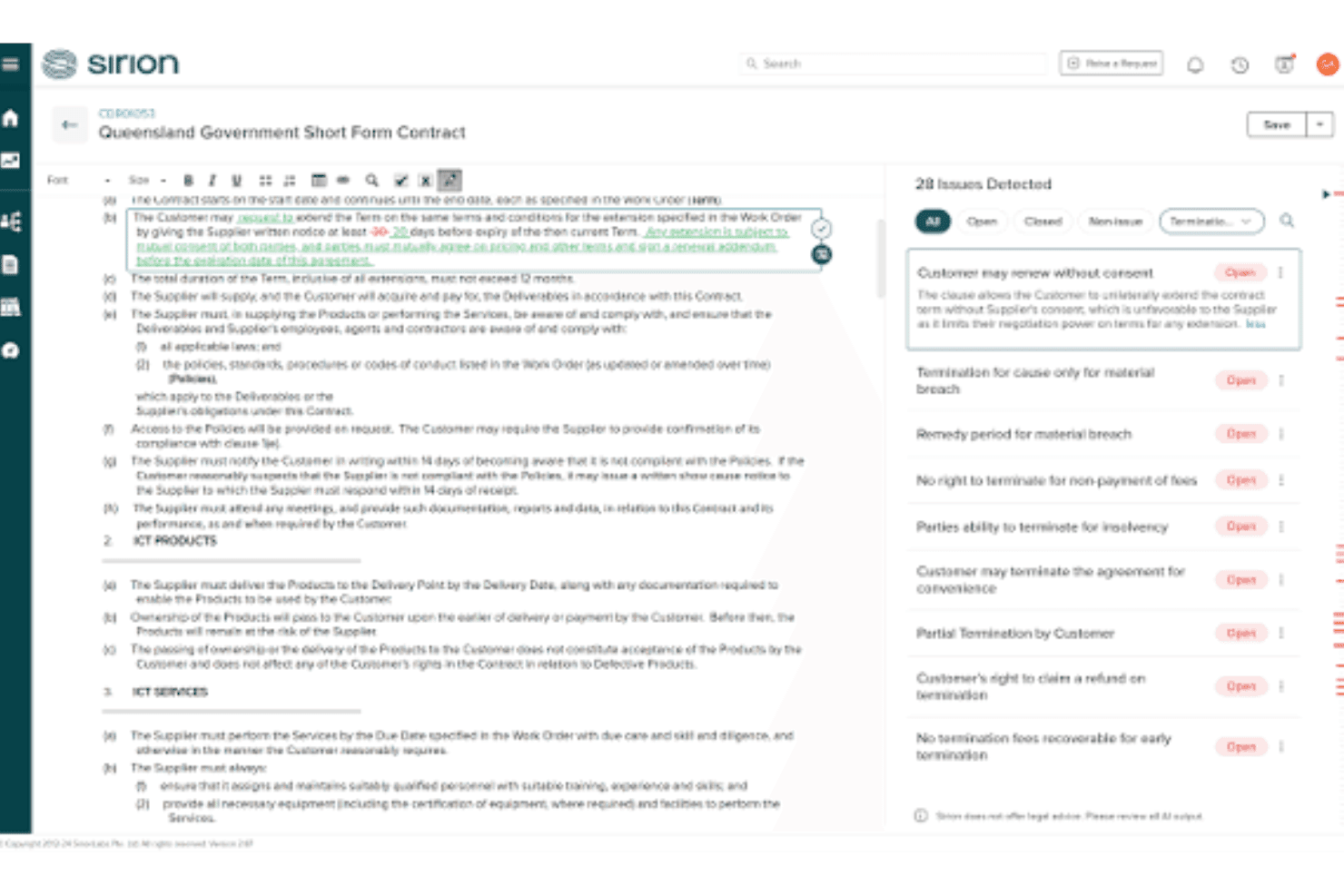
Sirion extracts clauses, flags contract risks, generates redlines, and searches contract portfolios with AI. Sirion is an AI-native contract lifecycle management platform built around agentic AI, offering clause extraction across 1,200+ data fields, automated risk and deviation flagging, redline generation, bulk legacy portfolio ingestion, and a natural-language search repository.
Who Is Sirion Best For?
Sirion is a strong fit for enterprise in-house legal and contract management teams that need to centralize, extract, and govern large volumes of contracts across business units.
Why I Picked Sirion
I picked Sirion as one of the best because no other tool I've seen handles bulk legacy contract ingestion at this scale, pulling structured data across 1,200+ fields, including obligations, tables, and images, without requiring engineering support. The Extraction Agent automatically de-duplicates documents and links agreements to their amendments and SOWs, which matters enormously when you're centralizing thousands of contracts across business units. I also find the self-learning playbooks genuinely useful: they flag deviations and missing clauses in real time and refine their guidance as reviewers interact with them.
Sirion Key Features
- Redline agent: Generates clause-level redlines inside Microsoft Word, with a plain-language explanation for each revision and human approval control for exceptions.
- AskSirion natural-language search: Lets you query the full contract repository in plain language across multiple languages, with answers linked directly to source clauses.
- Obligations tracking: Monitors post-signature commitments, SLAs, and invoice-to-contract discrepancies to flag compliance issues after execution.
- agentOS™ custom agent builder: Lets legal teams build and train bespoke AI agents on their own policies, institutional knowledge, and risk profiles for specialized workflows.
Sirion Integrations
Sirion has native integrations with DocuSign, Adobe Sign, Microsoft Word, SSO, and its REST-based Service Level Integration Framework. It also offers marketplace integrations through Microsoft AppSource and Salesforce AppExchange, plus API connectivity for custom integrations.
Pros and Cons
Pros:
- Custom playbooks and agents for reviews
- Source citations on every AI recommendation
- Extraction covers 1,200+ fields including tables
Cons:
- Interface complexity slows configuration and updates
- No litigation or e-discovery functionality
Learn more about Sirion: Best for bulk review across thousands of documents
- Free demo available
- Pricing upon request
Visit WebsiteCustomer Rating:4.3/5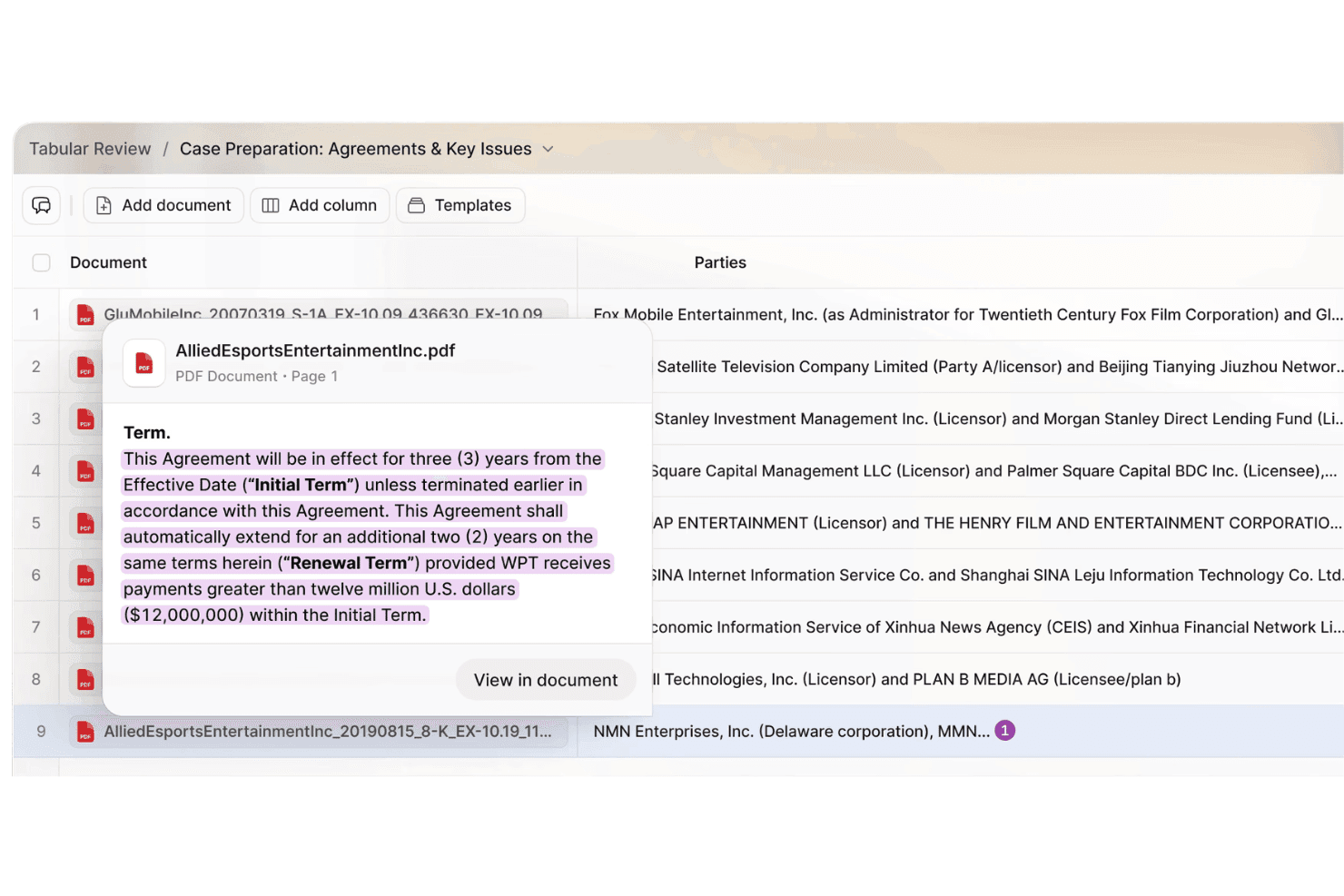
Legora reviews legal documents with AI, extracts clauses, flags risks, and supports redlining. Legora is an AI legal document review platform built around agentic workflows, offering bulk document analysis via Tabular Review, clause extraction, risk flagging, redlining, legal research, and no-code workflow automation.
Who Is Legora Best For?
Legora is a strong fit for mid-size to large law firms and corporate legal departments that regularly process high volumes of documents across matters, jurisdictions, or languages.
Why I Picked Legora
Legora earns its spot on my shortlist because of how Tabular Review handles volume that would otherwise take a team weeks to get through. I love that it converts thousands of documents into a filterable, sortable table where each cell expands to show the AI's reasoning and the exact source passage. For due diligence or litigation matters spanning massive document sets in multiple languages, that citation transparency is what makes the output actually usable.
Legora Key Features
- Playbooks: Build customizable rule sets for specific agreement types—like NDAs or supplier contracts—and run them directly inside Microsoft Word to flag non-standard clauses and risks.
- Legal research: Runs multi-angle research across jurisdictions in parallel, ranks sources by authority, and verifies findings against primary law, with coverage spanning federal, all 50 US states, and international content partners.
- No-code workflow builder: Create, customize, and share document review workflows across your firm without writing code, using pre-built templates for red flag reports, compliance reviews, and employment agreement analysis.
- Monitors: Continuously tracks regulatory changes across global jurisdictions and surfaces alerts with obligation summaries, timelines, and source citations.
Legora Integrations
Legora offers documented integrations with Microsoft Word and Outlook, iManage, NetDocuments, and DeepL. It also connects to VDRs, internal repositories, legal content partners, and MCP connectors for additional data sources and workflows.
Pros and Cons
Pros:
- No-code workflow builder for legal teams
- Per-cell AI reasoning with citation links
- Bulk review across thousands of documents
Cons:
- Most features tailored for large enterprises
- No transparent or self-serve pricing available
Learn more about Legora: 10Best for M&A due diligence at scale
Kira
- Free demo available
- Pricing upon request
Visit WebsiteCustomer Rating:4.3/5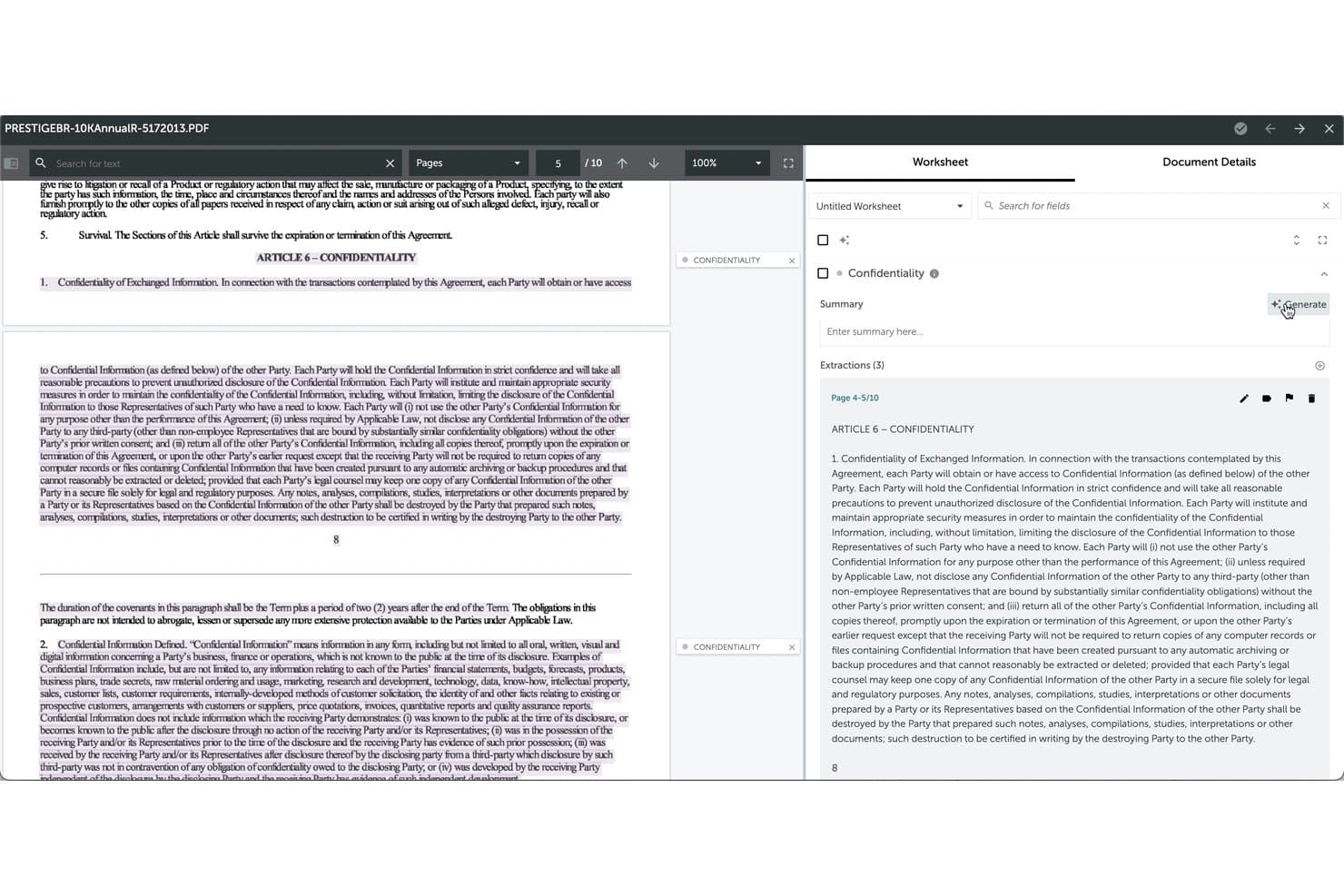
Kira automatically generates confidentiality clause summaries from legal documents. Kira is an AI contract review platform built on lawyer-trained extraction models, offering 1,400+ pre-built smart fields, cross-document Q&A, risk flagging, clause comparison, and bulk document processing across large contract sets.
Who Is Kira Best For?
Kira is a strong fit for corporate legal teams and large law firms running high-volume M&A due diligence, where speed and extraction accuracy across hundreds of contracts matter most.
Why I Picked Kira
I picked Kira as one of the best because no other tool on this list matches its depth for M&A due diligence at scale. Its 1,400+ pre-built smart fields cover the provisions that matter most in deal review, and Grid Chat lets you ask a single plain-language question across every contract in a project, returning citation-backed answers that trace directly to source clauses. When your team is working through hundreds of agreements under deal-timing pressure, that extraction accuracy and cross-document Q&A combination is where Kira earns its place.
Kira Key Features
- Generative smart fields: Build custom extraction fields from a plain-language prompt, with no coding or training cycles required, in any language.
- Project-level GenAI governance: Admins can toggle generative AI features on or off per project to meet outside counsel guidelines or client restrictions.
- Rapid clause analysis: Automatically identifies, organizes, and summarizes clauses into client-ready memos without manual sorting.
- Concept search: Finds a target legal concept across every document in a project using a single example clause, regardless of how the language varies.
Kira Integrations
Kira lists integrations with Microsoft 365, Litera Transact, HighQ, and Intralinks. API capabilities and Word, Excel, and PDF exports support custom workflows and reporting.
Pros and Cons
Pros:
- GenAI custom fields in any language
- Citation-backed answers for cross-document Q&A
- 1,400+ pre-built smart extraction fields
Cons:
- Limited export customization and DMS connectivity
- No e-discovery or privilege review module
Learn more about Kira:
Other AI Legal Document Review Tools
Here are some additional AI legal document review tools options that didn’t make it onto my shortlist, but are still worth checking out:
- 11HarveyBest for bulk contract review with custom playbooks
- 12ContractPodBest for playbook-driven contract redlining
- 13DocusignBest for contract review inside Microsoft Word
- 14SummizeBest for contract review embedded in Word and Teams
- 15CoCounselBest for Westlaw-grounded litigation document review
- 16LegalOnBest for attorney-built playbook contract review
- 17LEGALFLYBest for privacy-first corporate contract review
- 18RobinBest for citation-backed cross-document Q&A
- 19IvoBest for contract review with traceable AI reasoning
- 20eBreviaBest for M&A due diligence with source-linked AI
How I Evaluate AI Legal Document Review Tools
To earn a spot on this list, a tool needs to deliver real, measurable AI value—not just surface-level automation. I split my evaluation into core functionality every tool must meet and differentiating factors that separate the best from the rest.
Core Functionality (Table Stakes for This List)
When I'm selecting tools for my list, I rank each one on a scale from 0 (does not offer the functionality) to 5 (excels in this area) for each core functionality listed below. I then calculate the tool's total score into a percentage, and use that to help me assess its overall fit for the list.
- AI clause extraction: I evaluate how accurately each tool identifies and categorizes clause types across varied contract formats, including non-standard language in NDAs, MSAs, and procurement agreements.
- Risk and anomaly flagging: Each tool needs to surface deviations from accepted playbooks or precedent, so I check how well it catches missing clauses, unusual liability caps, or non-standard indemnification terms.
- Document comparison and redlining: I look for clause-level change tracking that goes beyond simple text diffs to contextualize how edits affect obligations, especially across negotiation rounds.
- Bulk document processing: The tool should handle large volumes of contracts at once without choking on mixed file formats, which matters most during M&A due diligence or portfolio-wide compliance audits.
- Searchable repository and data extraction: Structured extraction of key data points like renewal dates, governing law, and termination triggers should feed into a searchable repository that supports filtering and reporting.
- Workflow and collaboration tracking: I check whether the platform supports task assignment, status visibility, and audit trails so review teams can coordinate across multiple reviewers without losing track of progress.
Once I have a list of tools that meet the criteria, I consider what sets each platform apart.
Differentiating Factors (What Sets Vendors Apart)
Here's how I compare and contrast different vendors:
Standout Features
I look for custom playbook training that lets teams encode their own precedents and negotiation positions into the AI, not just generic clause detection. During a portfolio audit, the difference between a tool trained on your firm's risk thresholds and one using off-the-shelf rules is night and day. Multi-language contract support matters just as much when your deals cross jurisdictions. I check whether extraction accuracy holds up across languages or drops off outside English. Clause benchmarking is another separator—tools like Luminance and Kira let you compare terms against market norms, which gives real leverage in negotiations.
Beyond Features
I check whether vendors train their models on customer data, since contract files often contain privileged information. SOC 2 or ISO 27001 certifications help, but data residency options matter just as much for cross-border teams. I also evaluate onboarding support, because configuring custom playbooks without vendor-guided training slows adoption fast, especially for smaller firms without dedicated IT staff.
How to Choose AI Legal Document Review Tools
Choosing AI legal document review tools starts with matching your team’s review bottlenecks to workflow strengths: here’s how to move past demo promises to actual results.
| If your priority is... | Look for... |
|---|---|
| If your priority is...Reducing review cycle time | Look for...Bulk upload support and task assignment |
| If your priority is...Enforcing playbook consistency | Look for...Custom rule or playbook configuration |
| If your priority is...Handling multi-language portfolios | Look for...Claimed extraction accuracy in your needed languages |
| If your priority is...Protecting privileged data | Look for...Vendor details on model training and data residency options |
How to Vet Your Shortlist
- Run your own contract through a trial: Upload a redlined, non-standard agreement and measure extraction accuracy within one business day.
- Request a sample report: Ask for a real risk or deviation summary for a portfolio review similar to your typical volume.
- File a security or compliance inquiry: Submit a request for current SOC 2 or ISO 27001 certification proof and ask about model retraining practices.
- Test workflow fit: Assign a review task to multiple team members and confirm status visibility, comments, or audit trails in a single week.
- Tradeoff—Customization vs. Out-of-the-Box: Decide if you want deeper customization that may require more upfront effort, or faster turn-up with standardized playbooks and risk rules.
What Is AI Legal Document Review Tools?
AI legal document review tools are software platforms that use artificial intelligence to analyze legal documents, identify key clauses, flag risks, and extract critical data points.
These tools help legal teams review high volumes of contracts or agreements quickly, maintain consistency, and uncover compliance gaps. They matter because they make it easier to manage complex document portfolios, reduce human error, and speed up contract analysis without compromising accuracy.
Features of AI Legal Document Review Tools
When selecting AI legal document review tools, keep an eye out for the following key features:
AI clause extraction: Identifies and categorizes clauses across varied contract formats, making key terms easier to find without manual review.
Risk and anomaly flagging: Scans contracts for playbook deviations, flagging missing terms, unusual liability limits, and non-standard clauses early.
Document comparison and redlining: Tracks clause-level edits across versions, showing how changes affect obligations and introduce or remove contract risks.
Bulk document processing: Reviews large batches of mixed-format contracts for portfolio analysis, due diligence, audits, and vendor agreement review.
Searchable repository and data extraction: Extracts key contract data into a searchable system for reporting, obligation tracking, and faster document retrieval.
Workflow and collaboration tracking: Assigns review tasks, tracks progress, and maintains document audit trails for clear accountability across contract portfolios.
Custom playbook configuration: Configures negotiation rules, clause standards, and risk tolerances so contract issues are flagged against internal requirements.
Multi-language support: Analyzes multilingual contracts and extracts clauses to support consistent review and compliance across regions.
Clause benchmarking: Compares contract language against market norms to assess negotiation positions and identify outlier risks.
Security and compliance controls: Details model training, data residency, and security certifications to support confidentiality and organizational compliance.
Benefits of AI Legal Document Review Tools
Implementing AI legal document review tools provides several benefits for your team and your business. Here are a few you can look forward to:
- Faster contract review cycles: AI clause extraction and bulk document processing let you analyze large portfolios and non-standard agreements in less time than manual review.
- Consistent playbook enforcement: Custom rule and playbook configuration help flag deviations and enforce your negotiation standards automatically across all documents.
- Improved risk detection: Risk and anomaly flagging features catch missing or unusual terms, alerting you to compliance gaps or negotiation outliers before they escalate.
- Greater collaboration and auditability: Workflow tracking and collaboration tools enable multiple reviewers to coordinate tasks with clear status visibility and audit trails.
- Stronger data protection: Security features like SOC 2 or ISO 27001 certifications, detailed model training practices, and data residency controls support your data confidentiality requirements.
- Accurate multi-language support: Multi-language clause extraction ensures reliable contract review across jurisdictions and helps maintain compliance in international portfolios.
- Deeper negotiation insights: Clause benchmarking and reporting let you compare contract language to market norms, arming your team with data for better negotiation positions.
Costs and Pricing of AI Legal Document Review Tools
Selecting AI legal document review tools requires an understanding of the various pricing models and plans available. Costs vary based on features, team size, add-ons, and more. The table below summarizes common plans, their average prices, and typical features included in AI legal document review tools solutions:
Plan Comparison Table for AI Legal Document Review Tools
| Plan Type | Average Price | Common Features |
|---|---|---|
| Plan TypeFree Plan | Average Price$0-$50/month | Common FeaturesLimited document uploads, basic clause extraction, standard risk flagging, and community support. |
| Plan TypePersonal Plan | Average Price$60-$150/user/month | Common FeaturesIncreased document limits, customizable clause extraction, basic data export, and email support. |
| Plan TypeBusiness Plan | Average Price$200-$500/user/month | Common FeaturesBulk processing, advanced search, workflow tools, integrations, multi-language support, and reporting. |
| Plan TypeEnterprise Plan | Average Price$600-$2000+/month | Common FeaturesCustom playbooks, dedicated onboarding, API access, compliance controls, advanced collaboration, and SLAs. |
AI Legal Document Review Tools FAQs
Here are some answers to common questions about AI legal document review tools:
Can AI legal document review tools handle non-standard contracts?
Yes, most AI legal document review tools can process non-standard contracts, but accuracy depends on how well the tool’s AI is trained. For best results, upload your own documents during a trial to check for missed or misclassified clauses. Teams dealing with unique formats or heavy negotiation changes should prioritize vendors that support custom playbooks or retrain models on your contracts.
How secure is my data when using these tools?
Your data’s security depends on the vendor. Many offer SOC 2 or ISO 27001 certifications and provide information on data residency, model training, and privacy controls. Always request documentation, clarify if your documents will be used for retraining, and check if the service meets your firm’s or client’s confidentiality requirements.
Do these tools support contracts in multiple languages?
Yes, several AI legal document review tools offer multi-language contract support. However, extraction accuracy can vary outside of English. If you work with non-English contracts, run a sample batch and check results for each required language before committing to a platform.
How do AI legal document review tools assist with compliance audits?
These tools help by extracting key data points, flagging obligations and risks, and building searchable repositories of contract terms. This lets you quickly identify compliance gaps or overdue tasks when responding to audits or regulatory inquiries, without manually reviewing each document.
Can these tools integrate with my existing legal or contract management systems?
Some AI legal document review tools offer integrations with document management, contract lifecycle management (CLM), or productivity tools like Microsoft Word or Teams. Confirm supported integrations on the vendor’s site, and test workflows with your current tech stack before full rollout.
What’s the best way to evaluate an AI legal document review tool before buying?
Start with a trial using a contract sample similar to your real workload. Focus on extraction accuracy, workflow fit, risk flagging, and whether the platform supports your compliance and reporting needs. Ask for a detailed product demo and verify support and security measures with your own requirements in mind.