

Free legal calendaring software gives you a way to track deadlines, court dates, and appointments without paying for a subscription—either through a free plan or trial. Legal professionals managing packed calendars know how quickly missed deadlines or conflicting schedules can create risk and stress.
If you’re looking for ways to keep your caseload organized without extra costs, the right tool can make a big difference. In this list, I’ll walk you through top options for free legal calendaring software, so you can find what works for your workflow and compliance needs in 2026.
Why Trust Our Software Recommendations
6,700+
Reviews
20
Industry experts
16+
Evaluation factors
14
Years
Our team has been testing and reviewing software since 2012. As legal practice leaders ourselves, we know how difficult—and important—it is to choose the right software.
For this guide, we evaluated tools using hands-on testing and independent research, scoring tools using our selection criteria.
Our reviews reflect our human editorial judgment, not a sales pitch.
Comparison Table: Free Legal Calendaring
This comparison table summarizes pricing details for my top free legal calendaring software selections.
| Tool | Best For | Trial Info | Price | ||
|---|---|---|---|---|---|
| 1 | Best for calendar and case tracking | Free plan + free trial + free demo available | From $20/user/month (billed annually) | Website | |
| 2 | Best for shared legal task calendars | Free plan + 14-day trial available | From $2.49/user/month | Website | |
| 3 | Best for visual legal scheduling | Free plan + free trial available | From $5/user/month (billed annually) | Website | |
| 4 | Best for flexible legal planning | Free plan + free trial + free demo available | From $10/user/month (billed annually) | Website | |
| 5 | Best for legal task coordination | Free plan + trial + demo available | From $10.99/user/month (billed annually) | Website | |
| 6 | Best for court docket deadline tracking | 3-day free trial | From $39.99/month | Website | |
| 7 | Best for free solo legal calendaring | Free plan available | From $39/user/month (billed annually) | Website | |
| 8 | Best for legal team scheduling | 15-day free trial + free demo available | From $49/month (billed annually) | Website | |
| 9 | Best for rules-based court deadlines | Free demo available | From $19/user/month (billed annually) | Website | |
| 10 | Best for integrated legal calendaring | Free download available | From $48/user/month | Website |


Free Legal Calendaring Software Reviews
Below are my detailed summaries of the free legal calendaring software that made it onto my shortlist. My reviews offer a detailed look at the features, best use cases, and integrations of each tool to help you find the best one for you.
 Best for calendar and case tracking
- Free plan + free trial + free demo available
- From $20/user/month (billed annually)
Visit WebsiteCustomer Rating:4.6/5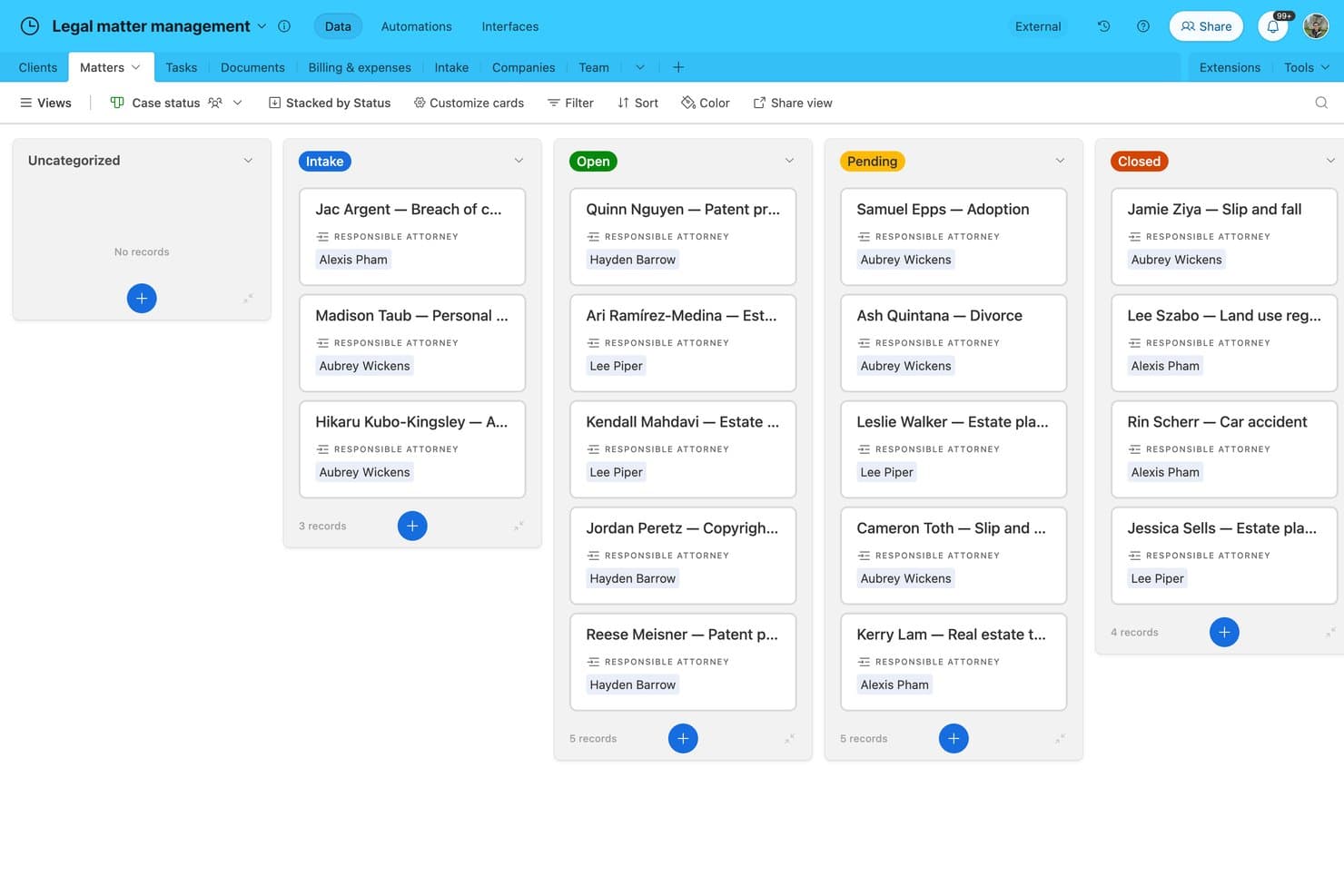
Airtable offers a Kanban-style legal matter management board that organizes client cases by status, including Intake, Open, Pending, and Closed, with assigned attorneys visible on each card. Airtable is a no-code database platform that offers a Legal Case Tracking and Billing template, giving legal teams a customizable way to organize case records, track deadlines in a calendar view, and manage billing alongside matter data.
Who Is Airtable Best For?
Solo attorneys and small legal teams comfortable building their own workflows will get the most out of Airtable's template-based approach to case and deadline tracking.
Why I Picked Airtable
I've included Airtable in my top picks because its calendar view genuinely works for tracking court dates and filing deadlines across active matters. The Legal Case Tracking template maps cases through six lifecycle stages (Intake through Closed), and you can link every calendar event to a specific matter record. Built-in email reminders fire 7 days before key dates, covering the basics without any extra setup.
Airtable Key Features
- Customizable intake forms: Capture new matter details and client information using drag-and-drop form creation.
- Kanban board view: Organize matters or tasks visually with Kanban-style cards for clearer workload management.
- Document storage and commenting: Upload, store, and discuss legal documents directly within each matter record.
- Role-based access control: Adjust user permissions for viewing or editing specific cases, tasks, or calendar records.
Airtable Integrations
Airtable offers native integrations with Google Calendar, Outlook Calendar, Slack, and Google Drive, and it connects with Zapier. An API is available for custom integrations.
What's Free?
Airtable's free plan is a free-forever offering that supports up to 5 editors per workspace, 1,000 records per base, 1 GB of attachments per base, and 100 automation runs per month. It gives you access to the Legal Case Tracking template, but the record cap can be a real constraint if you're managing more than a handful of active matters.
Pros and Cons
Pros:
- Highly customizable without writing any code
- Pre-built legal case lifecycle template included
- Calendar view links deadlines to case records
Cons:
- Not purpose-built for legal workflows
- No jurisdiction-specific court rules calculation
Learn more about Airtable: Best for shared legal task calendars
- Free plan + 14-day trial available
- From $2.49/user/month
Visit WebsiteCustomer Rating:4.7/5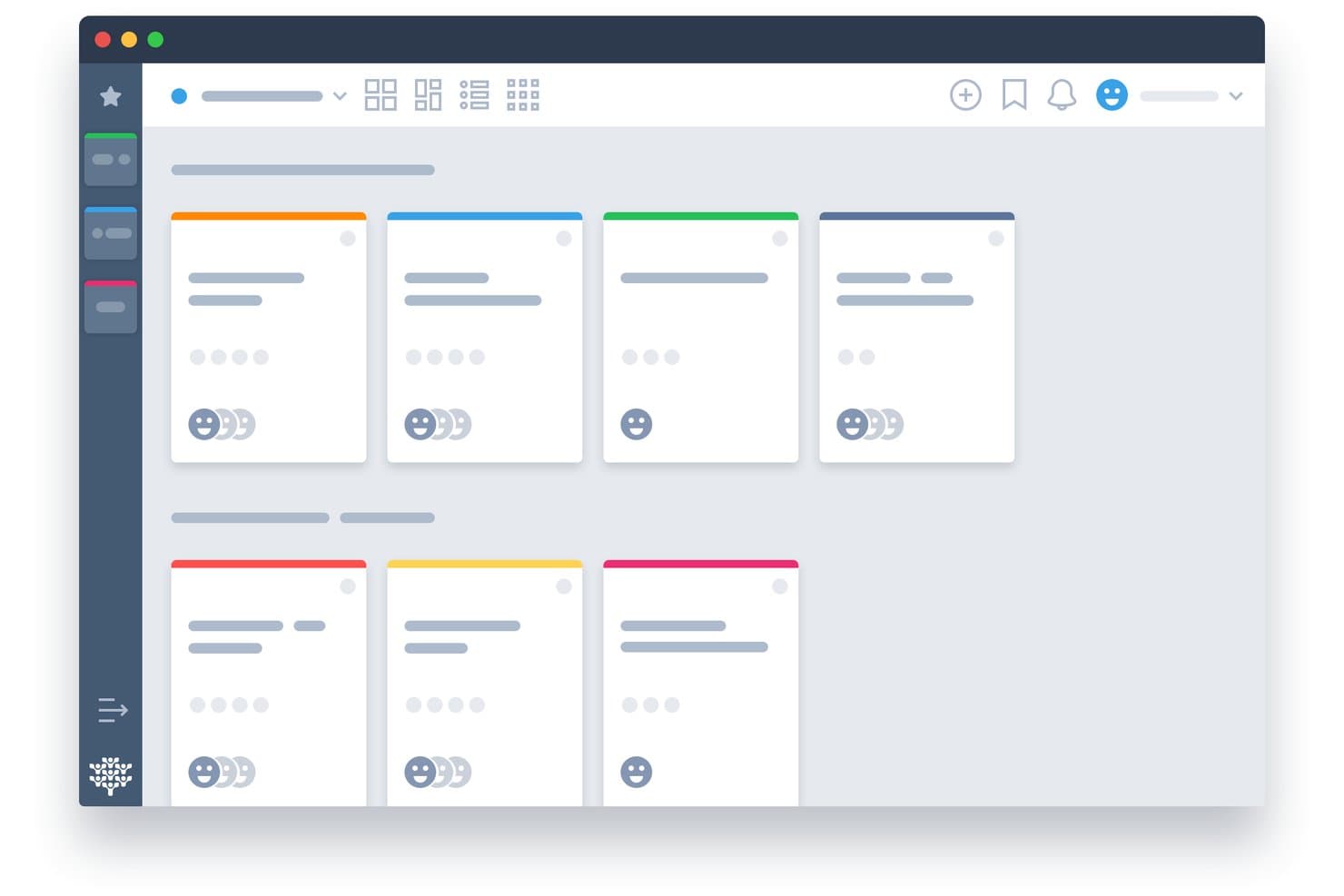
Freedcamp offers a card-based project board view with color-coded task cards, team member avatars, and multiple layout options for organizing work. Freedcamp is a free project management platform with shared calendars, task tracking, multi-user collaboration, and Google Calendar, Outlook, and iCal sync across unlimited users and projects.
Who Is Freedcamp Best For?
Freedcamp suits small law firms and solo practitioners who need a free, multi-user shared calendar without the overhead of a full legal practice management platform.
Why I Picked Freedcamp
I've included Freedcamp in my top picks because its dual-calendar structure genuinely sets it apart for shared legal task calendars. It runs both a project-level calendar (for matter-specific deadlines) and a global calendar that spans all active projects at once, so an attorney can see every case deadline in a single view. I also like that you can invite external parties like clients or co-counsel directly into calendar events, with RSVP tracking, without paying for extra seats.
Freedcamp Key Features
- Unlimited users and projects: Add as many team members and matters as you need without user or project limits.
- Integrated task management: Create, assign, and organize tasks alongside calendar events for each project.
- One-way calendar feed export: Push calendar data to Google Calendar, Outlook, or Apple Calendar using standard iCal feeds.
- Role-based access controls: Manage user permissions with admin, regular user, read-only, and guest roles.
Freedcamp Integrations
Freedcamp offers native integrations with Google Calendar, Outlook, and Dropbox, and provides an API for custom integrations.
What's Free?
Freedcamp's free plan is free forever and supports unlimited users, unlimited projects, and unlimited storage. Advanced add-ons like CRM, invoicing, and issue tracking are paywalled, but the core calendar, task management, and multi-user sharing features are fully available on the free tier.
Pros and Cons
Pros:
- External guests can RSVP to calendar events
- Global calendar view spans all active matters
- Unlimited users on the free plan
Cons:
- No native legal matter file linking
- No court rules-based deadline calculation
Learn more about Freedcamp: Best for visual legal scheduling
- Free plan + free trial available
- From $5/user/month (billed annually)
Visit WebsiteCustomer Rating:4.5/5
Trello offers a monthly calendar view where editorial teams can schedule and track content publication dates across a full month. Trello is a visual project management tool that organizes tasks, due dates, and team workflows across kanban boards, calendar views, and timeline layouts.
Who Is Trello Best For?
Trello suits solo practitioners and small legal teams who need a simple, visual way to organize tasks and deadlines without complex legal-specific features.
Why I Picked Trello
I picked Trello as one of the best because its Calendar and Timeline views make it easy to visualize filing windows, hearing dates, and task sequences at a glance. I use Butler automation to build rules that auto-assign due dates and trigger reminders when a card moves to a new list, keeping deadline tracking consistent across a matter. The Planner feature lets me drag and reorder cards on a calendar, which is genuinely useful for blocking time around depositions or court appearances.
Trello Key Features
- Kanban boards: Organize matters or workflows into visually distinct lists and cards.
- Power-Ups directory: Add custom integrations like Google Calendar and document storage to enhance board functionality.
- Inbox capture: Collect tasks and appointments from email, Slack, or Teams directly into Trello.
- Mobile and desktop apps: Access calendars and boards from iOS, Android, or desktop for scheduling on the go.
Trello Integrations
Trello offers native integrations with Google Drive, Slack, Jira, Dropbox, Microsoft Teams, and Evernote, plus connects with Zapier and provides an API for custom integrations.
What's Free?
Trello's free plan is free forever and supports up to 10 collaborators per Workspace with unlimited cards and Power-Ups. The main restriction is a 10-board limit per Workspace, which can be a constraint if you're managing a high volume of active matters simultaneously.
Pros and Cons
Pros:
- Butler automation triggers deadline reminders automatically
- Free plan supports up to 10 collaborators
- Calendar view maps deadlines across active matters
Cons:
- Matter linking requires manual card organization
- No court rules-based deadline calculation
Learn more about Trello: Best for flexible legal planning
- Free plan + free trial + free demo available
- From $10/user/month (billed annually)
Visit WebsiteCustomer Rating:4.6/5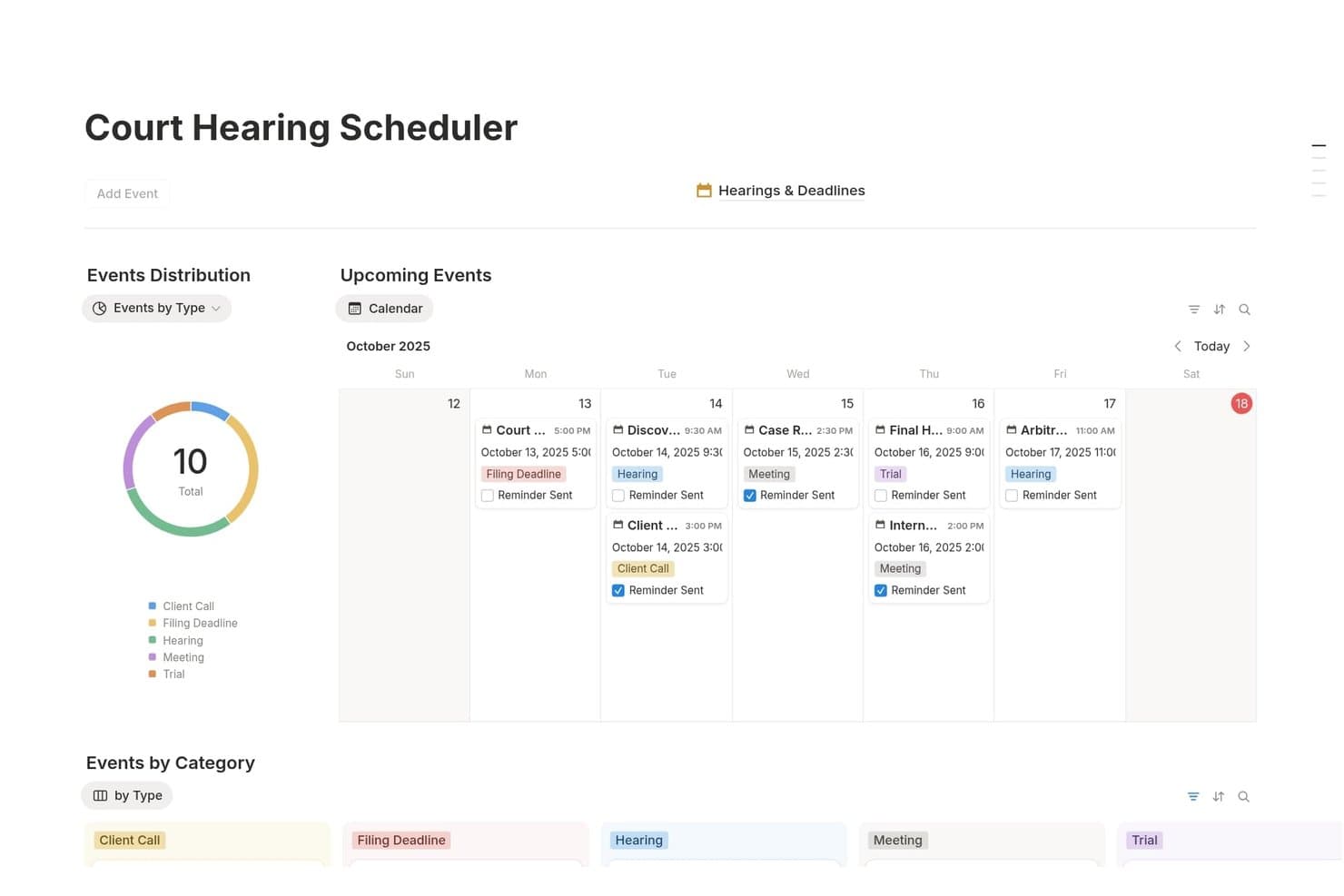
Notion offers a Court Hearing Scheduler template with a calendar view, event type distribution chart, and categorized legal deadlines for managing hearings and filings. Notion is a general-purpose workspace platform that lets legal professionals build custom case trackers, deadline databases, and matter calendars using a flexible template and database system.
Who Is Notion Best For?
Notion suits solo attorneys and small legal teams who want a free, self-built workspace for organizing matters and tracking deadlines without dedicated legal software.
Why I Picked Notion
Notion earns its spot on my shortlist because of how much I can shape it to match a specific legal workflow. I use linked databases to build matter-specific deadline trackers where each case record connects directly to calendar events and timeline views. The 245+ legal service templates covering hearings, client intake, and case hubs mean I can stand up a structured planning system without starting from a blank page.
Notion Key Features
- Template gallery: Choose from over 200 community-built legal templates for cases, hearings, and document management.
- Calendar database views: Organize legal deadlines and court dates visually with embedded calendar and timeline layouts.
- Permissions and sharing: Assign access or editing rights to staff, clients, or outside collaborators on a per-page or database basis.
- Integration with Notion Calendar: Link events from external Google calendars to centralize scheduling alongside matter notes and reminders.
Notion Integrations
Notion offers native integrations with Google Calendar, Slack, GitHub, Jira, and Zoom. It also provides an API for custom integrations.
What's Free?
Notion's free plan is free forever and includes unlimited pages and blocks for individual users. If you add a second member to the workspace, blocks become limited, file uploads are capped at 5MB each, page history is restricted to 7 days, and external guests are capped at 10.
Pros and Cons
Pros:
- Free plan supports unlimited pages and blocks
- Large library of legal-specific templates available
- Highly customizable database and calendar layouts
Cons:
- No native conflict checking across matters
- No automatic court rules deadline calculation
Learn more about Notion: Best for legal task coordination
- Free plan + trial + demo available
- From $10.99/user/month (billed annually)
Visit WebsiteCustomer Rating:4.4/5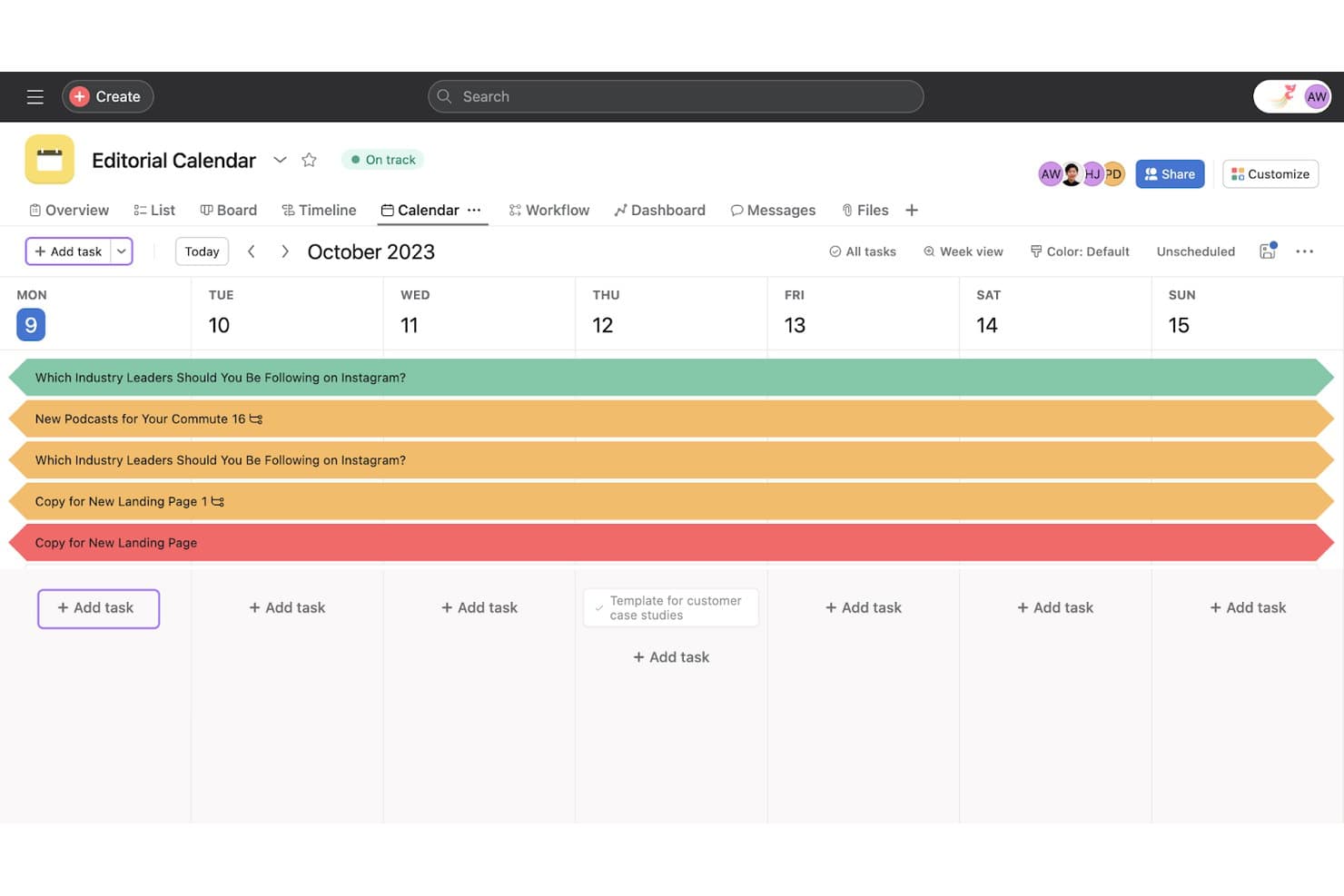
Asana offers a weekly calendar view for editorial planning, allowing teams to schedule and track content tasks across a seven-day period. Built for cross-functional team coordination, Asana is a work management platform with task tracking, calendar views, recurring deadlines, and workflow automation that legal teams use to manage case-related work across attorneys and staff.
Who Is Asana Best For?
Asana is a good fit for small law firms and solo attorneys who already use a general project management tool and want structured task coordination across matters.
Why I Picked Asana
I picked Asana as one of the best because its task dependency engine maps directly to how legal work flows across a team. I can structure a matter as a project, assign each step to a specific attorney or paralegal, and set dependent deadlines that cascade from a single trigger date. The team calendar view then surfaces every task deadline in one shared place, which keeps litigation timelines visible without constant follow-up.
Asana Key Features
- Calendar view: Visualize all case tasks and deadlines in a unified interactive calendar.
- Recurring tasks: Set up tasks that automatically repeat at specific intervals for standard legal deadlines.
- Custom templates: Build and reuse templates for routine matter workflows across multiple clients or cases.
- Integration with Google Workspace and Microsoft 365: Connects task and calendar data with widely used email and calendar platforms.
Asana Integrations
Asana offers native integrations with Google Workspace, Microsoft 365 (including Outlook and Teams), Slack, Dropbox, and Zoom, and connects with Zapier. An API is available for custom integrations.
What's Free?
Asana's Personal plan is free forever and supports up to 2 users, with unlimited tasks and projects, calendar view, recurring tasks, and 100+ integrations. Features like task dependencies, custom templates, workflow automation, and timeline views are locked behind paid plans.
Pros and Cons
Pros:
- Free plan includes recurring task scheduling
- Calendar view surfaces all matter deadlines
- Task dependencies reflect real litigation sequencing
Cons:
- Free tier limited to two users
- No jurisdiction-specific court rules calculation
Learn more about Asana: Best for court docket deadline tracking
- 3-day free trial
- From $39.99/month
Visit WebsiteCustomer Rating:4.5/5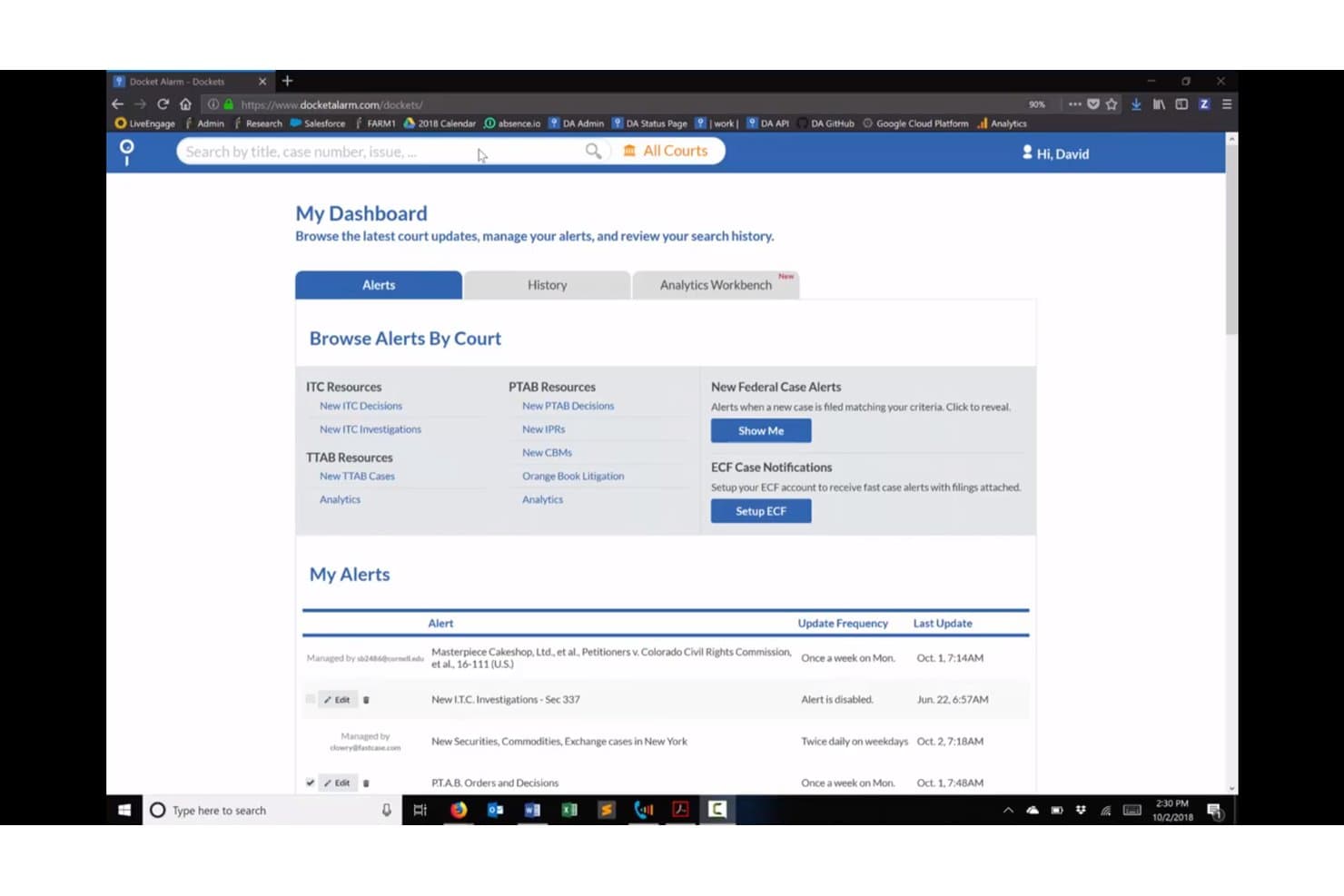
Docket Alarm offers a My Dashboard view with alert management, court browsing, and case update tracking for legal professionals. Docket Alarm is a legal docketing and rules-based calendaring platform that tracks court filings, auto-extracts deadlines from docket sheets, and syncs case events to Outlook and Google Calendar.
Who Is Docket Alarm Best For?
Litigation attorneys and IP practitioners who need reliable, court-specific deadline tracking across federal, state, and agency dockets will get the most out of this platform.
Why I Picked Docket Alarm
Docket Alarm earns its spot as one of the best on my shortlist because of how it handles court docket deadline tracking at a level most calendaring tools don't attempt. I like that it auto-extracts deadlines directly from docket sheets and underlying filings like scheduling orders, rather than requiring manual entry. The rules-based engine covers federal courts, 34+ U.S. states, PTAB, and TTAB, so I'm not manually calculating trigger dates across different jurisdictions.
Docket Alarm Key Features
- Alerts and tracking: Receive real-time alerts and notifications when new filings or docket updates occur.
- Bulk data export: Export documents, docket sheets, and tracking information as spreadsheets for offline review.
- Analytics workbench: Build custom litigation analytics reports for state, federal, or administrative jurisdictions.
- API access: Integrate calendaring, alerts, and docket data with other legal software or custom applications.
Docket Alarm Integrations
Docket Alarm offers native integrations with Outlook, Google Calendar, and Clio. An API is available for custom integrations.
What's Free?
Docket Alarm offers a 3-day free trial, not a free-forever plan. The trial gives you access to docket tracking and deadline alerts, but full platform access, including rules-based calendaring and API features, requires a paid subscription starting at $39.99/month.
Pros and Cons
Pros:
- Real-time alerts on new case filings
- Auto-extracts deadlines from docket sheets and filings
- Covers federal, state, and agency dockets
Cons:
- Not built for full matter management
- No free-forever plan for ongoing matters
Learn more about Docket Alarm: Best for free solo legal calendaring
- Free plan available
- From $39/user/month (billed annually)
Visit WebsiteCustomer Rating:4.4/5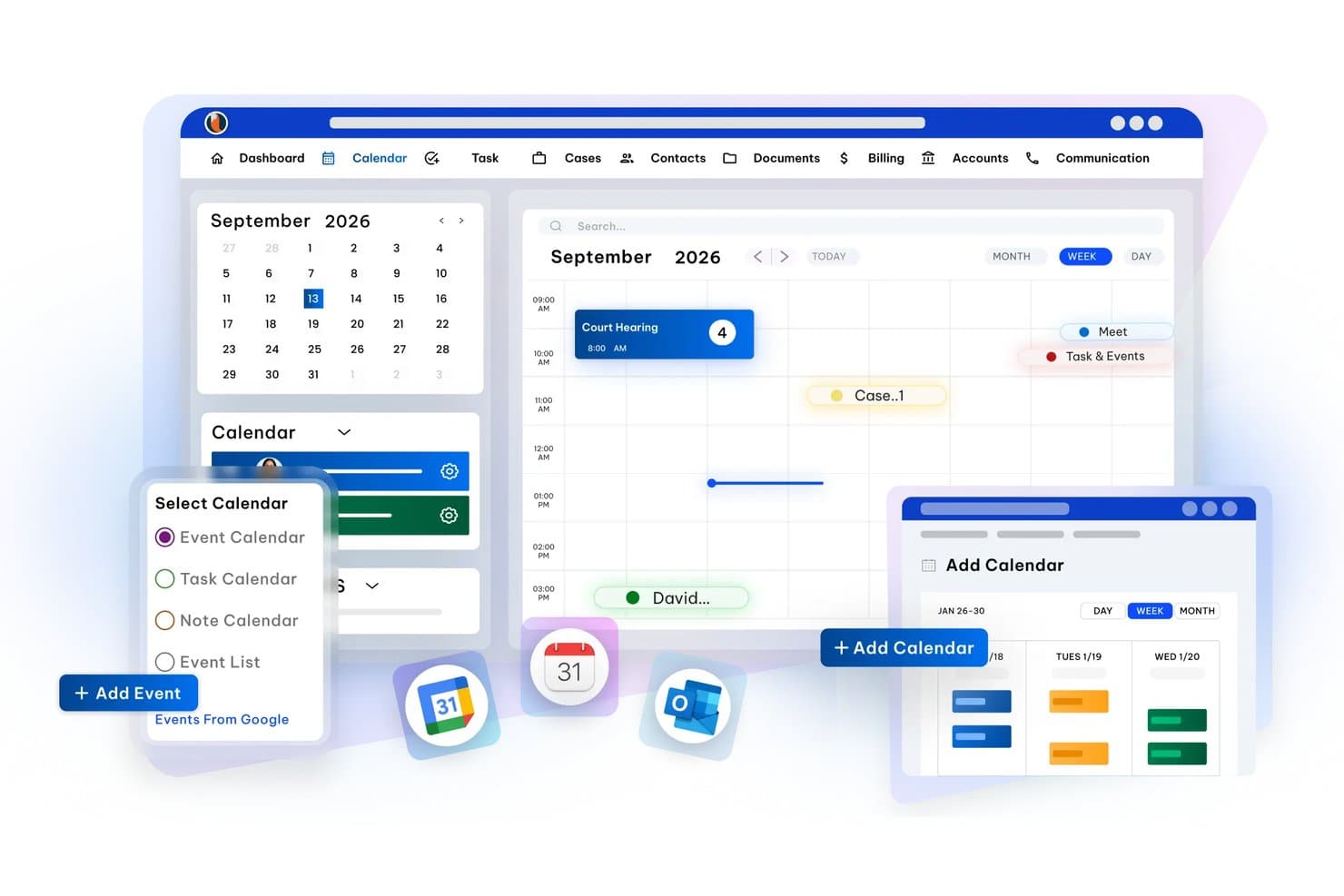
CaseFox offers a legal calendaring interface with week/month/day views, event scheduling, Google Calendar integration, and calendar type selection including Event, Task, and Note calendars. CaseFox is a free legal practice management platform for solo attorneys that includes matter-linked calendaring, court date tracking, deadline reminders, and two-way sync with Google Calendar, Outlook, and iCal.
Who Is CaseFox Best For?
CaseFox is a strong fit for solo attorneys and very small law firms that need free, fully functional legal calendaring without committing to a paid plan.
Why I Picked CaseFox
I picked CaseFox because it's one of the only practice management tools I've found with a genuinely free plan that includes case-linked calendaring. In practice, I can attach court dates directly to matter records and receive automatic email reminders at two days out, one day out, and the day itself. I also like that I can view colleagues' calendars alongside my own, which keeps a small team coordinated on upcoming hearings.
CaseFox Key Features
- Two-way calendar sync: Syncs calendar events with Google Calendar, Outlook, and iCal for unified access across devices.
- Role-based calendar access: Lets you assign different viewing and editing rights to each user in the system.
- Case and client document storage: Attach files and documents directly to matters for easy access alongside calendar events.
- Client portal: Clients can view their appointments, invoices, and messages through a dedicated online portal.
CaseFox Integrations
CaseFox offers native integrations with Google Calendar, Outlook, and iCal for calendar sync. An API is available for custom integrations.
What's Free?
CaseFox's Solo plan is free forever and includes legal calendaring, court date tracking, deadline reminders, and calendar sync. The free plan is capped at 2 users and 4 active cases, and rule-based calendaring is reserved for the paid Professional plan.
Pros and Cons
Pros:
- Free data migration and onboarding support included
- Active case calendar visible across multiple user accounts
- Free plan includes genuine matter-linked calendaring
Cons:
- Mobile app is inconsistently updated and lower-rated
- Rule-based court deadline calculation locked behind paid plans
Learn more about CaseFox: Best for legal team scheduling
- 15-day free trial + free demo available
- From $49/month (billed annually)
Visit WebsiteCustomer Rating:4.2/5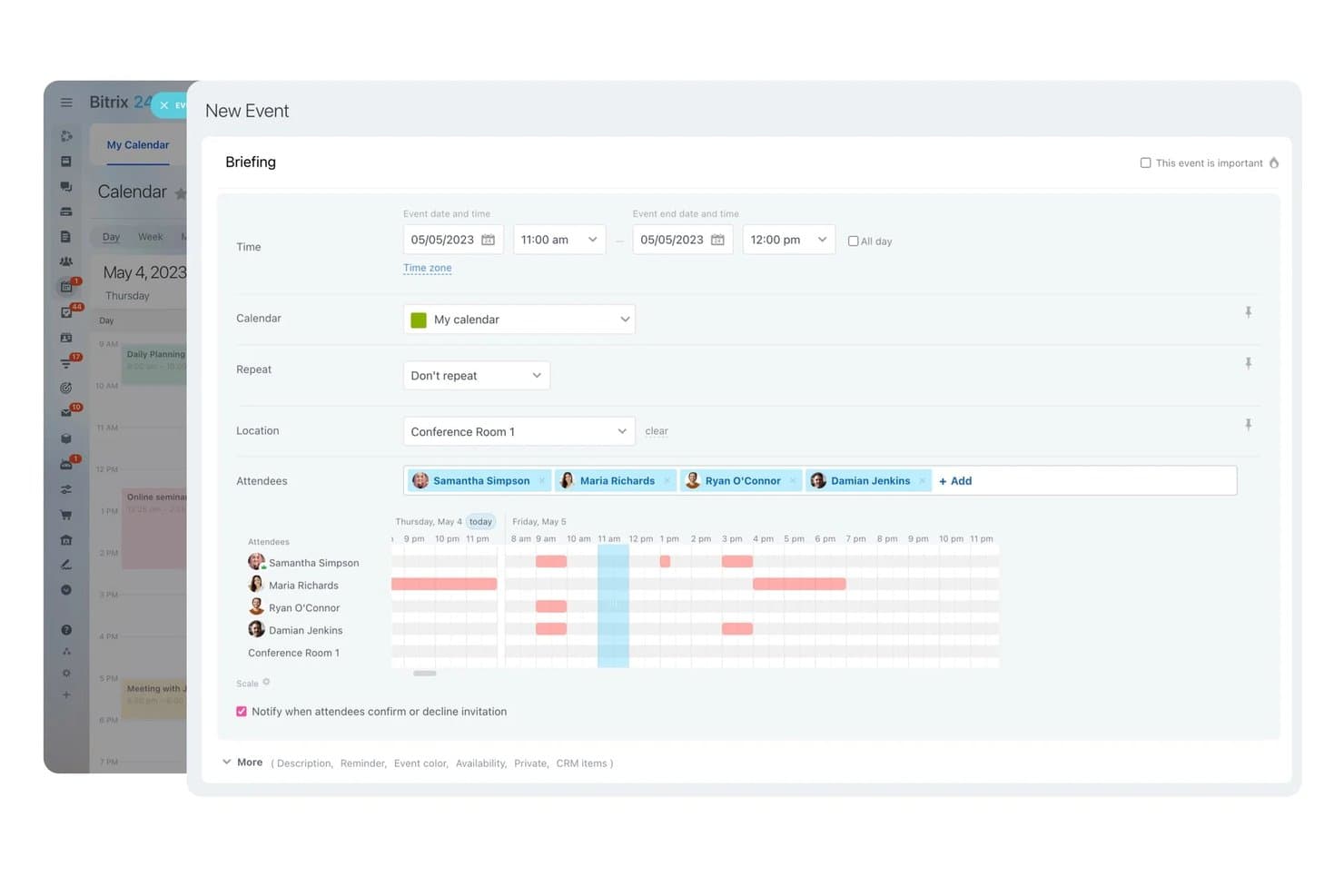
Bitrix24 offers a New Event scheduling interface with attendee availability visualization, location selection, and repeat options for team calendar coordination. Bitrix24 is a business management platform with built-in CRM, shared team calendars, appointment booking, and task management, offering a legal industry configuration for coordinating client consultations and attorney scheduling.
Who Is Bitrix24 Best For?
Bitrix24 suits small legal teams and office administrators who need a free, centralized platform for coordinating attorney availability and client appointment scheduling.
Why I Picked Bitrix24
I picked Bitrix24 because its scheduling capabilities go well beyond a basic shared calendar. The online booking tool lets clients self-schedule consultations directly, links every booking to a CRM record automatically, and fires off appointment reminders to cut no-shows. My team can view lawyer availability in real time and fill canceled slots using a built-in waitlist, which I find genuinely useful for keeping a busy consultation schedule full.
Bitrix24 Key Features
- Two-way calendar sync: Connect Google Calendar and Outlook accounts for live updating across platforms and devices.
- Matter-linked event records: Attach calendar events to CRM client or case records for contextual tracking and follow-up.
- Multi-user shared calendars: Allow attorneys, paralegals, and staff to view, edit, and coordinate team schedules in one place.
- Task and deadline reminders: Set up multiple automated alerts for upcoming events, hearings, or deadlines within the calendar interface.
Bitrix24 Integrations
Bitrix24 offers native integrations with Google Calendar, Microsoft Outlook, and Zoom, and provides an API for custom integrations.
What's Free?
Bitrix24 offers a free-forever plan that's genuinely free with no time limit, but it caps at 1–2 users and includes only 5 GB of storage. Features like telephony, booking, and marketplace apps are locked behind paid plans, so the free tier covers shared calendars, basic CRM, and task management only.
Pros and Cons
Pros:
- Clients can self-schedule consultation appointments
- CRM records link directly to calendar events
- Unlimited users supported on the free plan
Cons:
- Not built for legal-specific workflows
- No court rules deadline calculation available
Learn more about Bitrix24: Best for rules-based court deadlines
- Free demo available
- From $19/user/month (billed annually)
Visit WebsiteCustomer Rating:4.1/5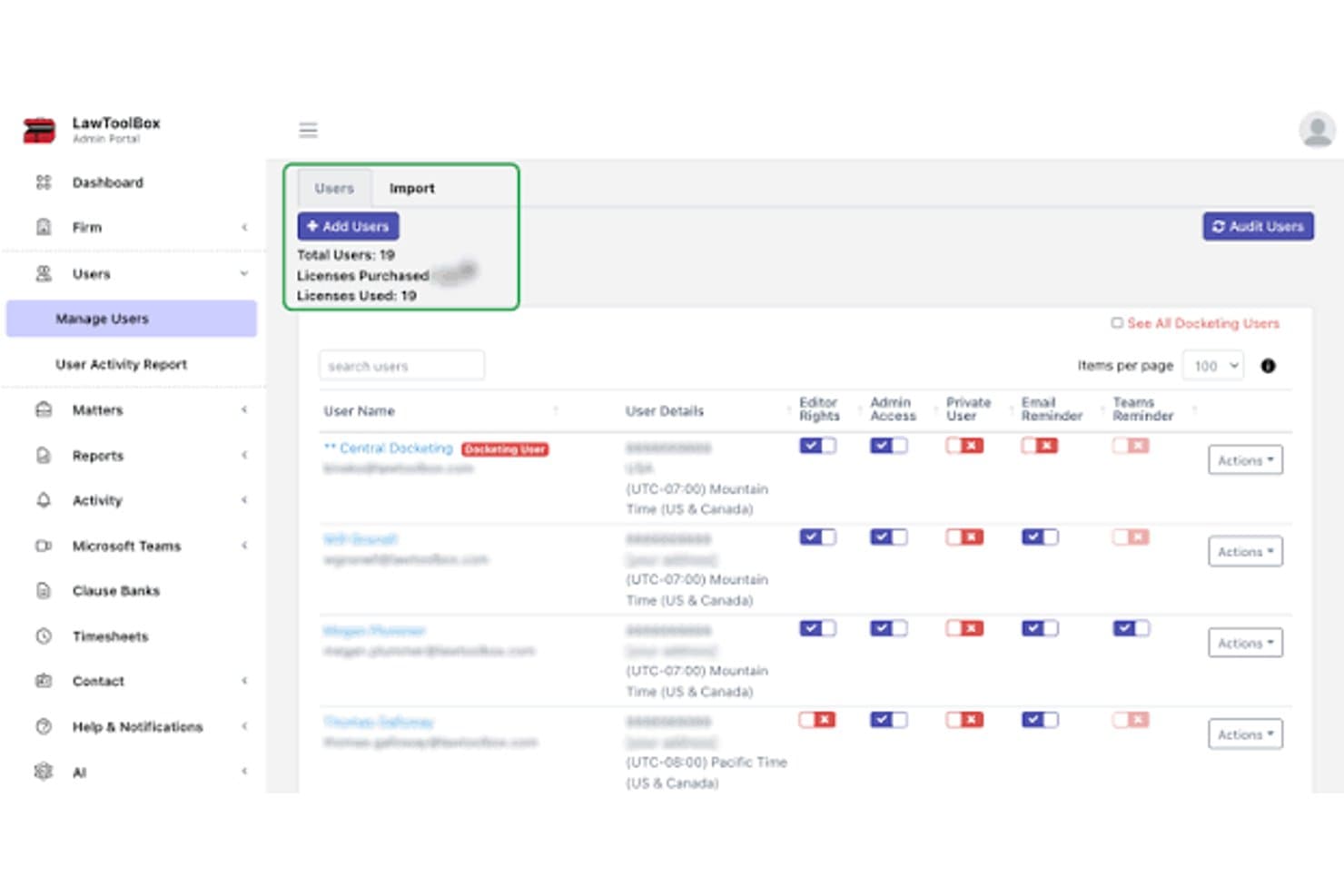
LawToolBox admin dashboard for managing legal calendaring users, permissions, and reminders LawToolBox is a legal calendaring platform built into Microsoft 365 that automates court deadline calculation using jurisdiction-specific rules across thousands of state and federal courts.
Who Is LawToolBox Best For?
LawToolBox is a strong fit for litigation-focused law firms that run their practice inside Microsoft 365 and need jurisdiction-specific deadline calculation built into their existing workflow.
Why I Picked LawToolBox
LawToolBox earns its spot on my shortlist because of how it handles rules-based court deadline calculation. Enter one trigger date, and it generates 80+ jurisdiction-specific deadlines automatically, pulling from court rule sets across thousands of state and federal courts. I also like the AI deadline extraction feature, which embeds direct links to source documents inside Outlook calendar entries so I can verify exactly how each deadline was calculated.
LawToolBox Key Features
- Matter management in Microsoft 365: Instantly creates a dedicated workspace in Teams, Outlook, SharePoint, and OneNote for each case.
- Customizable deadline templates: Lets you build and reuse templates for recurring or unique case types.
- Deadline reassignment and reporting: Provides tools to assign deadlines to new users and generate deadline-based reports by staff or location.
- Role-based user permissions: Supports controlled access and permissions for attorneys, paralegals, and admin staff.
LawToolBox Integrations
LawToolBox has native integrations across the Microsoft ecosystem, including Microsoft 365, Teams, Outlook, SharePoint, and OneNote. An API is available for custom integrations.
What's Free?
LawToolBox doesn't offer a free plan. You can take a free tour of the platform without a credit card, but full access requires a paid subscription with a minimum one-year commitment.
Pros and Cons
Pros:
- Deadlines embed directly inside Outlook calendar entries
- AI extracts deadlines from source court documents
- Accurate deadline calculation across thousands of courts
Cons:
- Only works within the Microsoft 365 ecosystem
- No free plan available for users
Learn more about LawToolBox: Best for integrated legal calendaring
- Free download available
- From $48/user/month
Visit WebsiteCustomer Rating:4.1/5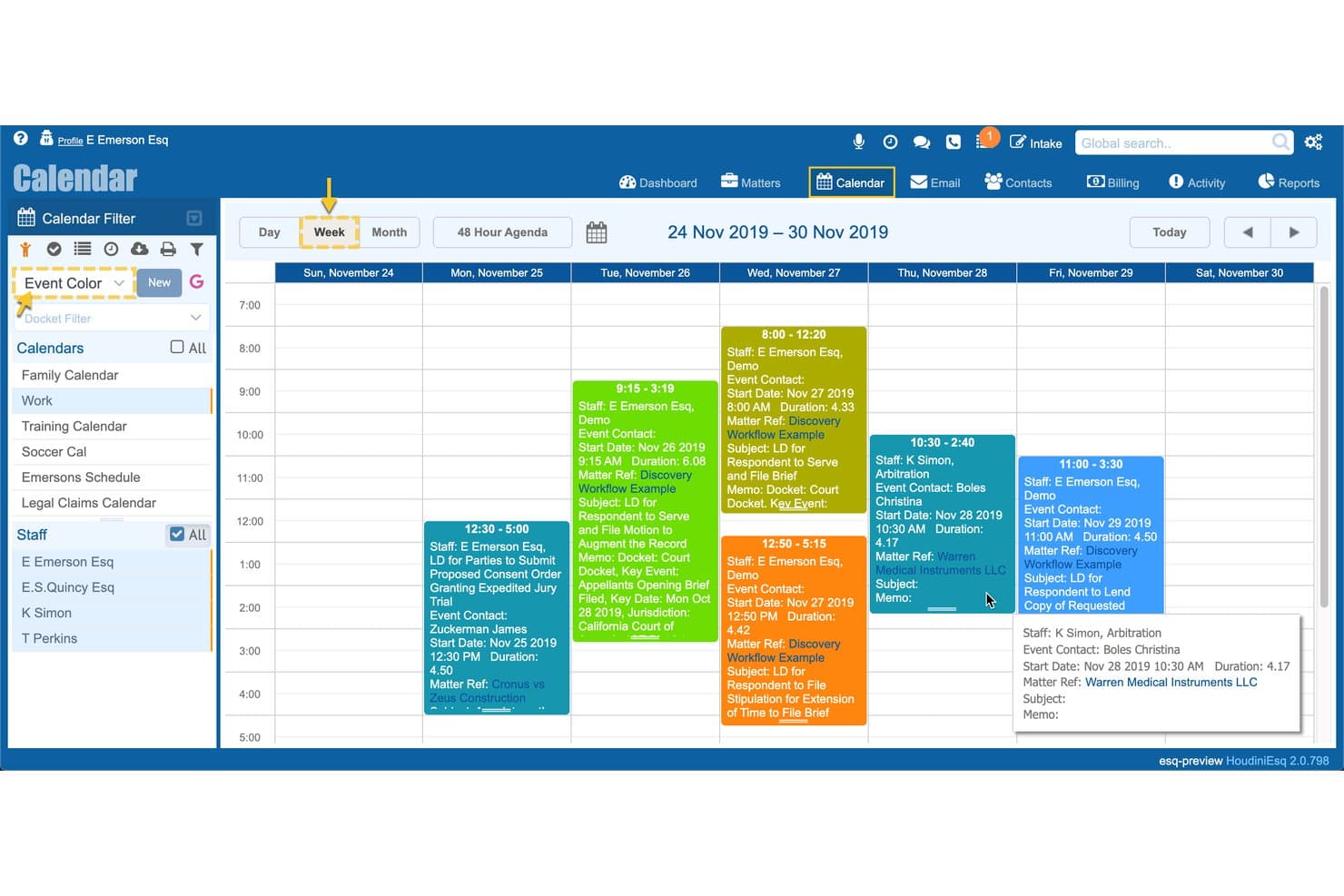
HoudiniESQ legal calendar showing court deadlines, matters, staff schedules, and docket events HoudiniESQ is a legal practice management platform that combines matter-based calendaring, court-rules deadline tracking, workflow automation, document management, and billing in both cloud and self-hosted deployments.
Who Is HoudiniESQ Best For?
HoudiniESQ is a strong fit for solo practitioners who need a full-featured, self-hosted practice management system at no cost.
Why I Picked HoudiniESQ
HoudiniESQ earns its spot as one of the best on my shortlist because of how deeply calendaring is woven into every part of the platform. I particularly like the calendaring triggers with conditional branching, which let me set up deadline chains that fire automatically when a matter hits a specific stage. What really sets it apart is the Calendar Rules/SoftFile integration for jurisdiction-specific court-rules calculation, so I'm not manually counting days after a summons is filed.
HoudiniESQ Key Features
- Bi-directional calendar sync: Syncs with Google Calendar and Outlook so updates appear in both systems.
- Integrated document management: Lets you store, search, and attach documents directly within calendar events.
- Automated alerts and notifications: Sends reminders and system alerts for upcoming court dates and deadlines.
- On-premise deployment option: Allows installation on your own server for enhanced data control and compliance.
HoudiniESQ Integrations
HoudiniESQ offers native integrations with Google Calendar, Outlook, and Calendar Rules/SoftFile, and provides an API for custom integrations.
What's Free?
HoudiniESQ offers a free-forever solo license for self-hosted (on-premise) deployment, which gives a single user access to the full platform at no cost. The free plan is limited to one user seat, so firms with more than one attorney or staff member will need to upgrade to a paid multi-seat license.
Pros and Cons
Pros:
- Self-hosted deployment keeps client data on-premise
- Court rules calculation included at no cost
- Full matter-linked calendaring on the free plan
Cons:
- Outdated interface requires significant setup time
- Free tier limited to single user only
Learn more about HoudiniESQ:
Other Free Legal Calendaring Software
Here are some additional free legal calendaring software options that didn’t make it onto my shortlist, but are still worth checking out:
- 11ClickUpBest for customizable deadline tracking
- 12WrikeBest for legal deadline and task tracking
- 13Zoho CalendarBest for team calendar coordination
- 14Google CalendarBest for simple shared scheduling
- 15Microsoft Outlook CalendarBest for Microsoft 365 law firms
Related Reviews
How I Evaluate Free Legal Calendaring Software
First, I define what counts as free. For legal calendaring software, that means a long-term free plan—not a trial—since court deadlines don't pause after 14 days. From there, I evaluate core functionality and the differentiating factors that separate one tool from another.
Core Functionality (Table Stakes For This List)
In addition to my free offer requirements, I also use a scoring system to select tools for my list. Here's how it works:
I rank each one on a scale from 0 (does not offer the functionality) to 5 (excels in this area) for each core functionality listed below. Then, I calculate the tool's total score into a percentage. Each tool needs to achieve a minimum total score of 65% to be considered for inclusion.
- Court Rules Calculation: I check whether a tool can auto-calculate trigger-based deadlines from a filing or hearing date using jurisdiction-specific court rules.
- Matter-Based Calendaring: Each event should link to a specific case or client, so I look for tools that let you view all deadlines tied to a single matter in one place.
- Deadline Reminders: Automated alerts for upcoming court dates and filings are essential. I evaluate how many reminders you can set per event and whether they reach you through multiple channels.
- Calendar Sync: I look at whether the tool syncs with Google Calendar, Outlook, or iCal so attorneys can see legal deadlines alongside personal appointments on any device.
- Multi-User Sharing: For small firms, paralegals and attorneys need shared visibility into the same calendar. I evaluate user caps on the free plan and what permission levels are available.
- Conflict Checking: Scheduling overlaps between hearings, depositions, and client meetings create real problems. I look for tools that flag conflicts across users and matters automatically.
Once I have a list of tools that meet the criteria, I consider what sets each platform apart.
Differentiating Factors (What Sets Vendors Apart)
Here's how I compare and contrast different vendors:
Standout Features
Statute of limitations tracking is a big differentiator. Tools that flag approaching deadlines on open matters add a layer of malpractice protection you won't get from a basic calendar. I also evaluate conflict and availability checks—specifically whether a tool detects overlaps across attorneys and shared resources like conference rooms before you book. Two-way calendar sync matters here too, since attorneys need legal deadlines visible alongside personal appointments on mobile.
Beyond Features
Data security is top of mind—legal calendars hold privileged client information, so I check for encryption standards and vendor data handling practices. User caps on the free tier also matter. A solo practitioner has different needs than a small firm with three attorneys and a paralegal, and some free plans force upgrades after just one seat. I also look at whether the tool connects with your existing practice management or email platform, since duplicate data entry between systems creates the kind of gaps where deadlines slip through.
How to Choose Free Legal Calendaring Software
It’s easy to get bogged down in long feature lists and complex pricing structures. To help you stay focused as you work through your unique software selection process, here’s a checklist of factors to keep in mind:
| Factor | What to Consider |
| Scalability | Will the tool work as your firm grows? Check user limits on the free plan and whether you’ll need to upgrade if you add additional attorneys or staff. |
| Integrations | Does the software connect with the practice management, document storage, or email tools (like Outlook or Clio) you’re already using? |
| Customizability | Can you tailor workflows, reminders, or calendar views to the way your legal team operates, or are you locked into rigid templates? |
| Ease of use | Is the interface intuitive for non-technical staff? Watch for steep learning curves that delay adoption across your firm. |
| Implementation and onboarding | How long does setup take? Look for self-serve migration tools, guides, and knowledge bases, especially if you’re switching from spreadsheets or paper. |
| Cost | Are there any hidden fees for essential functions? Double-check caps on users, matters, or calendar integrations before committing. |
| Security safeguards | Does the tool offer encryption, SOC 2 compliance, and privacy controls for sensitive matter data? Confirm how the vendor handles legal confidentiality. |
| Support availability | What help can you expect if a technical issue blocks calendar access? Check for email, help center resources, or community forums on the free plan. |
What Are Free Legal Calendaring Software?
Free legal calendaring software are tools that let law firms and legal professionals track court dates, filing deadlines, and case-related events at no ongoing cost. These platforms are designed to organize matter-specific calendars, automate deadline reminders, and help teams avoid scheduling conflicts without requiring a paid subscription or one-time purchase.
Features of Free Legal Calendaring Software
Let’s go over the features commonly found in legal calendaring software, and which ones are usually included in free vs. paid plans.
Typically Free Legal Calendaring Software Features
- Matter-based calendars: Lets you assign calendar events to specific cases or clients for easier scheduling and more organized tracking of deadlines.
- Basic event reminders: Sends single or default notifications for upcoming court dates, filings, or appointments so you don’t miss key events.
- Calendar sharing for small teams: Allows one or a few users to view and update the same case calendars, usually with simple share permissions.
- Limited calendar synchronization: Offers one-way or basic sync with email or external calendar systems like Google Calendar or Outlook.
- Conflict detection (simple): Flags obvious scheduling overlaps within your own calendar or a shared user’s calendar.
- Color-coded events: Lets you visually differentiate events by color, making it easier to spot court appearances, client meetings, or other important deadlines.
- Task and to-do lists: Integrates basic task management, so you can attach a list of to-dos to each case or deadline.
- Recurring event scheduling: Supports automatically scheduling regular meetings, court appearances, or filings on a repeating basis.
Typically Paid Legal Calendaring Software Features
- Automated court rules calculation: Automatically computes filing and appearance deadlines based on jurisdiction-specific court rules, reducing manual date errors.
- Multi-jurisdiction support: Provides deadline calculation across multiple courts or states, supporting law practices with broader geographic reach.
- Advanced deadline reminders: Allows for multi-channel notifications, custom reminder timing, and escalating alerts to multiple recipients.
- Bi-directional calendar sync: Offers real-time, two-way integration with major calendar systems, keeping events updated everywhere.
- Role-based access controls: Enables granular user permissions—so attorneys, paralegals, and staff each have the right level of access and editing ability.
- Comprehensive conflict checking: Checks for event conflicts across multiple users, matters, and shared resources like courtrooms or conference rooms.
- Custom workflow automation: Supports creating automated workflows for repetitive calendaring and deadline management tasks tied to legal processes.
- Integrations with legal tech platforms: Connects directly with practice management, billing, document management, or court filing systems for seamless workflow.
- Audit logs and reporting: Tracks user actions, calendar edits, and provides reports for compliance, client updates, or internal audits.
- Practice-wide dashboard views: Lets you see all team members’ calendars and upcoming deadlines from a central dashboard for firm-wide coordination.
Benefits of Free Legal Calendaring Software
Implementing free legal calendaring software provides several benefits for your team and your business. Here are a few you can look forward to:
- Reduce missed deadlines: Automated reminders and matter-based calendars help your team stay on top of court dates and critical filings.
- Improve collaboration: Multi-user sharing ensures attorneys and staff can coordinate case schedules and updates in real time.
- Cut administrative overhead: Built-in event templates and recurring meeting setup save time compared to manual tracking in spreadsheets.
- Keep information organized: Linking calendar events to matters lets you view deadlines, tasks, and reminders in one place for each client or case.
- Support compliance efforts: Basic conflict detection and auditing tools help prevent double-bookings and support transparent legal scheduling practices.
- Enable remote access: Cloud-based calendar access and sync with external calendars allow attorneys to check or update schedules from anywhere.
- Minimize costs: Free plans offer essential calendar management capabilities without straining your budget, with no ongoing subscription fees.
Costs and Pricing of Legal Calendaring Software
I realize you came to this article looking for the best legal calendaring software options that are available for free. However, since free plans only offer limited features, there's a good chance you'll need to scale your plan up in the future.
The table below summarizes common plans, their average prices, and typical features included in legal calendaring software:
Plan Comparison Table for Legal Calendaring Software
| Plan Type | Average Price | Common Features |
| Free Plan | $0 | Basic matter-based calendaring, single-user or limited multi-user access, simple reminders, and one-way calendar sync. |
| Personal Plan | $5-$20/user/month | Multi-user support, advanced reminders, color-coded events, limited integrations, and recurring event scheduling. |
| Business Plan | $20-$40/user/month | Automated court rules calculation, bi-directional calendar sync, role-based permissions, and comprehensive conflict checks. |
| Enterprise Plan | $40-$80/user/month | Multi-jurisdiction support, custom workflow automation, audit logs, enhanced security controls, and priority support. |
Free Legal Calendaring Software FAQs
Here are some answers to common questions about free legal calendaring software:
What are the limitations of free legal calendaring software?
Free plans usually restrict the number of users, matters, or integrations you can access, and they may not include advanced deadline calculators or multi-jurisdiction support.
Can free legal calendaring software sync with my existing Google or Outlook calendar?
Yes, most free versions offer basic one-way or limited two-way sync, but advanced or real-time syncing is often only available in paid plans.
Is client or matter data secure on free plans?
Most vendors provide basic security and encryption, but may exclude advanced privacy controls or regulatory certifications found on paid tiers. Always review a vendor’s security policies before use.
Will free plans let my entire team collaborate on one calendar?
Some free tools allow limited multi-user access, but many cap seats and restrict advanced collaboration, so confirm user allowances before onboarding your firm.
Can I migrate my existing deadlines and events into free legal calendaring software?
Many platforms offer self-serve import tools or guides to help move existing events from spreadsheets or other calendars, but some may require manual entry for bulk data.