

UK legal case management software helps firms manage matters, documents, tasks, billing, and jurisdiction-specific workflows. The right fit depends on your practice areas and whether you need legal accounts, legal aid claims, trust accounting, or support for Scottish processes.
Drawing on 35 years in law-firm operations, I compare 20 options and explain what to check, including document workflows, data migration, and storage, before you choose.
Why Trust Our Software Recommendations
6,700+
Reviews
20
Industry experts
16+
Evaluation factors
14
Years
Our team has been testing and reviewing software since 2012. As legal practice leaders ourselves, we know how difficult—and important—it is to choose the right software.
For this guide, we evaluated tools using hands-on testing and independent research, scoring tools using our selection criteria.
Our reviews reflect our human editorial judgment, not a sales pitch.
Compare the Best Legal Case Management Software in the UK
Compare pricing and specs side by side for the legal case management software in the UK that made it onto my shortlist.
| Tool | Best For | Trial Info | Price | ||
|---|---|---|---|---|---|
| 1 | Best for conveyancers using matter data in forms | Free trial + free demo available | Pricing upon request | Website | |
| 2 | Best for English and Scottish legal accounts | Free demo available | Pricing upon request | Website | |
| 3 | Best for England and Wales legal-aid billing | 7-day free trial + free demo available | From £79/user/month | Website | |
| 4 | Best for matter-linked trust accounting | Free demo available | Pricing upon request | Website | |
| 5 | Best for SRA-compliant legal case management workflows | Free demo available | Pricing upon request | Website | |
| 6 | Best for matter-linked forms and precedents | Free demo available | Pricing upon request | Website | |
| 7 | Best for repeatable high-volume legal work | Free demo available | Pricing upon request | Website | |
| 8 | Best for casework and legal accounts together | Free demo available | From £110/user/month | Website | |
| 9 | Best for legal aid claims and legal accounts | Free demo available | Pricing upon request | Website | |
| 10 | Best for mixed Legal Aid and private billing | Free demo available | Pricing upon request | Website |


Legal Case Management Software in the UK Reviews
Below are my detailed summaries of the best legal case management software in the UK that made it onto my shortlist. My reviews cover key features, jurisdiction-specific workflows, and legal accounts to help you find the right system for your firm.
 Best for conveyancers using matter data in forms
- Free trial + free demo available
- Pricing upon request
Visit WebsiteCustomer Rating:4.8/5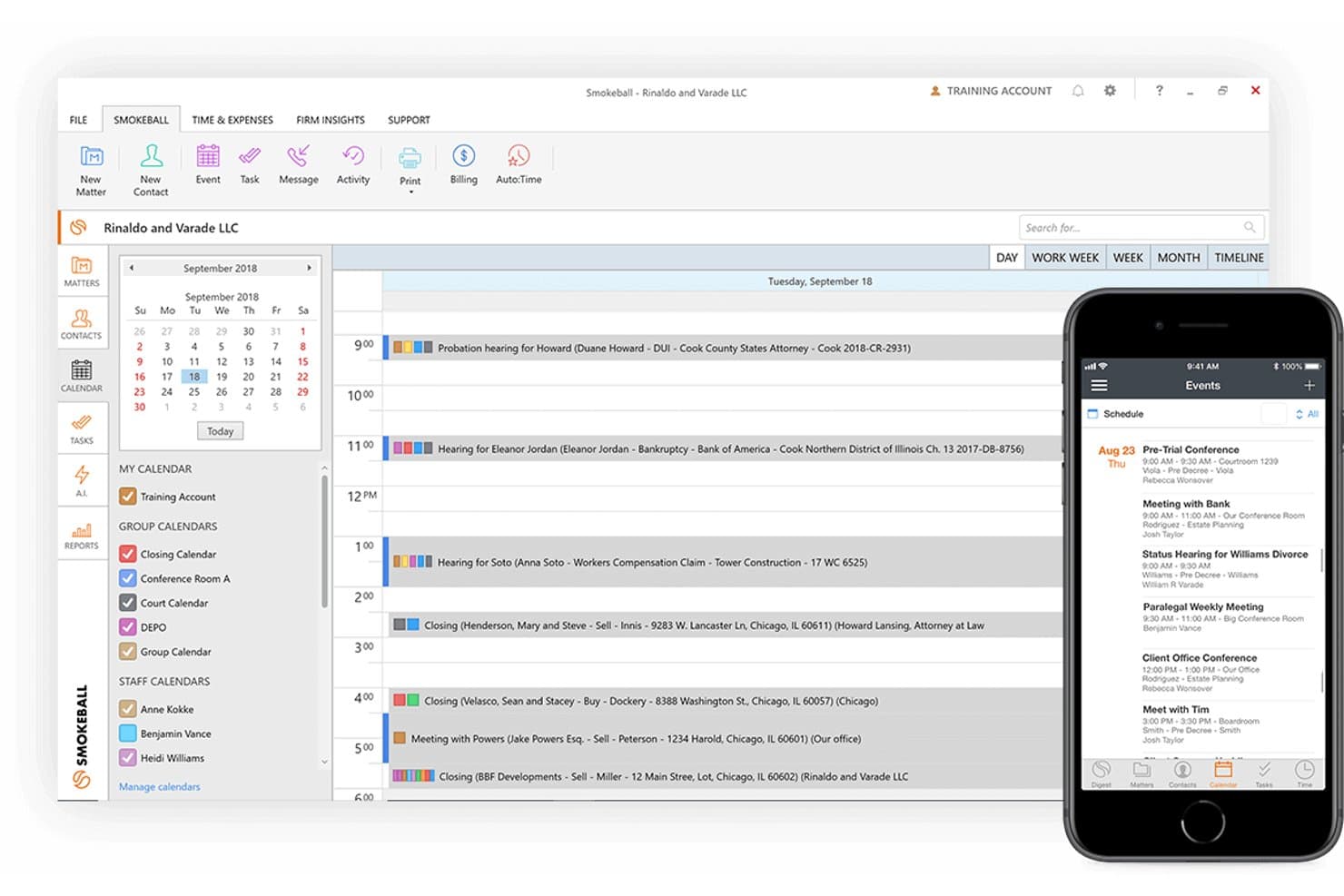
Smokeball delivers legal matter tracking, document automation, client messaging, scheduling, and billing. Smokeball is a cloud-based legal practice management platform for UK law firms, providing matter management, automated document creation, client communication, time tracking, and billing across conveyancing and other practice areas.
Who Is Smokeball Best For?
Smokeball suits small and mid-sized UK law firms, particularly conveyancing practices that need automated legal forms, matter-linked document management, and automatic time recording.
Why I Picked Smokeball
I picked Smokeball for its conveyancing document automation, particularly how it uses information stored in matter records to populate legal forms and precedents. I like that property, client, and transaction details can be reused across documents, reducing repetitive data entry during conveyancing work. Its UK forms and precedents library also provides access to maintained legal templates, while AutoTime records activities across Smokeball, Microsoft Word, and Outlook and associates them with relevant matters.
Smokeball Key Features
- Client portal: Gives clients a secure, matter-linked space to view documents, messages, forms, invoices, and events.
- AutoTime: Captures billable activity automatically in the background as you work within the platform.
- Archie AI drafting: Drafts emails, letters, and legal documents using matter context directly in Smokeball, Word, or Outlook.
- Client-account interest calculator: Calculates interest on client account funds and generates an audit report to support SRA Accounts Rules compliance.
Smokeball Integrations
Smokeball connects with Microsoft Word and Microsoft Outlook for document creation, email management, and matter-based time recording. Its Archie AI assistant also operates within both Microsoft applications, allowing users to draft correspondence and review documents using relevant matter information.
Pros and Cons
Pros:
- Clients upload documents and pay invoices
- AutoTime captures billable activity in background
- Matter data populates HM Land Registry forms
Cons:
- Off-platform work needs manual time entry
- Workflow dates may require calendar re-entry
Learn more about Smokeball: Best for English and Scottish legal accounts
- Free demo available
- Pricing upon request
Visit WebsiteCustomer Rating:4.8/5
LawWare provides legal case tracking, accounting, time recording, billing, and compliance tools. LawWare is a legal practice management platform for UK law firms, covering case management, legal accounting, document handling, time recording, billing, and compliance tools for English and Scottish practices.
Who Is LawWare Best For?
LawWare suits law firms operating under English or Scottish accounting regulations that need jurisdiction-specific client accounting, financial reporting, and case management capabilities.
Why I Picked LawWare
I picked LawWare for its legal accounting capabilities designed around English and Scottish regulatory requirements. I particularly like that its accounts module supports English Section 22 and Scottish Accounts Rule B6.3.1(a), with real-time surplus monitoring for Scottish practices and client interest calculations for English firms. Its accounting and case management modules also share the same database, allowing fee earners and cashiers to access matter transactions, work in progress, and billing information without transferring records between separate systems. This gives firms a practical way to coordinate legal accounting and casework while addressing jurisdiction-specific requirements.
LawWare Key Features
- Configurable case workflows: Set up structured workflows for work types including conveyancing, debt recovery, wills, probate, and trust administration, with task prompts and stage-by-stage tracking.
- Risk management and AML tools: Run conflict-of-interest checks, complete tailored risk assessments, and retain identity-verification records against case files.
- Management reporting and KPIs: Access built-in reports covering budgeting, credit control, feeing, profitability, and time recording, with drill-down performance notifications.
- Microsoft Office integration: File Outlook emails and attachments directly to case files, generate documents using Word with merged client and case data, and use Microsoft 365 for voice dictation.
LawWare Integrations
LawWare connects with Microsoft Word, Microsoft Outlook, Exizent, Amiqus, FormEvo, and HMRC Digital. These connections support document preparation, email management, estate administration, identity verification, legal forms, and electronic VAT submissions.
Pros and Cons
Pros:
- WIP-linked feeing connects time to billing
- Matter files unite email, documents, and time
- English and Scottish accounts rules built in
Cons:
- One older review reports poor setup support
- No documented automatic court-date calculation
Learn more about LawWare: 3Best for England and Wales legal-aid billing
Clio
- 7-day free trial + free demo available
- From £79/user/month
Visit WebsiteCustomer Rating:4.5/5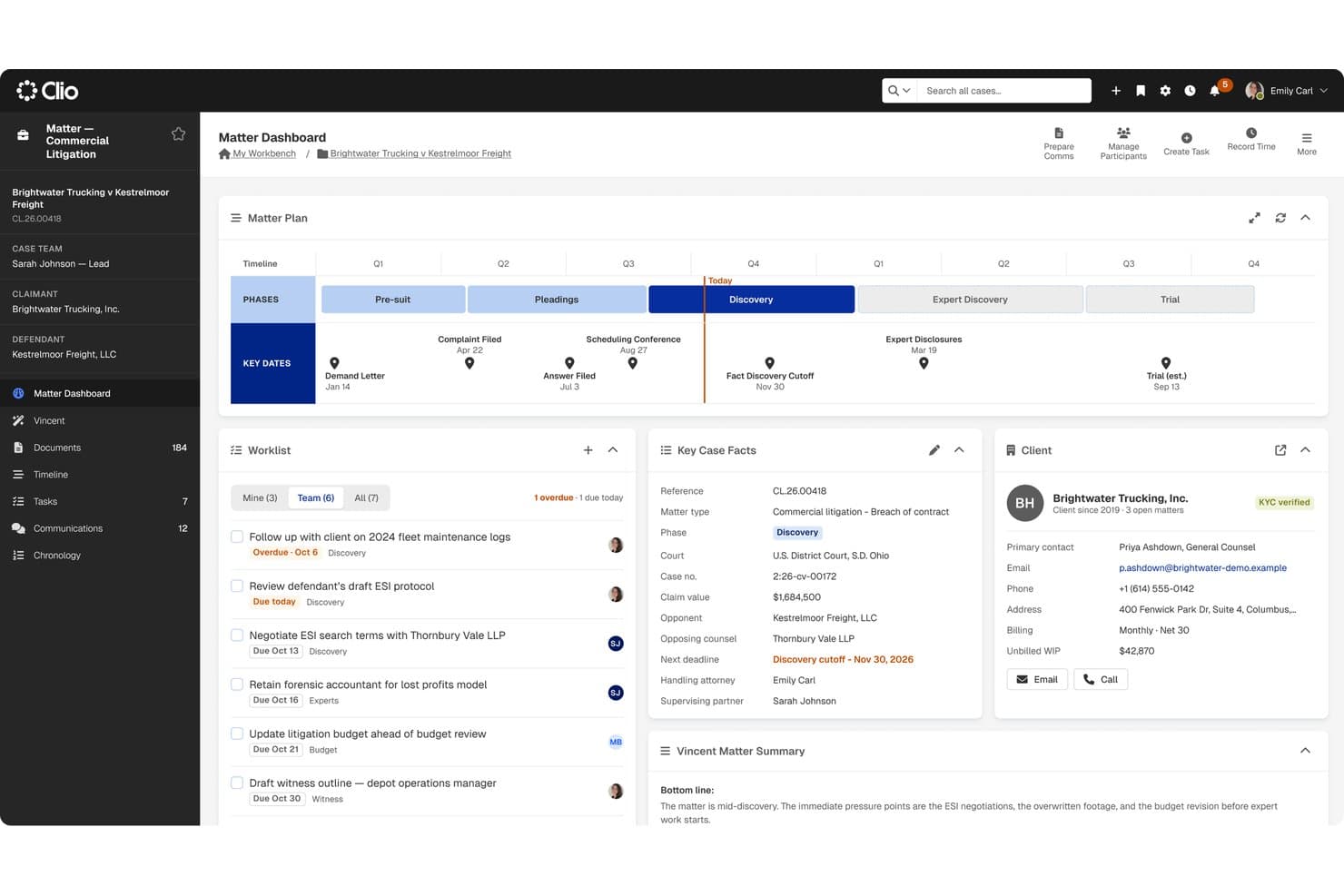
Clio centralizes legal matters, documents, time recording, billing, client communication, and legal-aid cases. Clio is a cloud-based legal practice management platform for UK law firms, covering matter tracking, document management, time recording, billing, client communication, and legal-aid matter management for England and Wales.
Who Is Clio Best For?
Clio suits law firms in England and Wales that handle legal-aid cases alongside privately funded matters and need matter tracking, billing, and client accounting in one cloud-based platform.
Why I Picked Clio
I included Clio in my top picks because its built-in legal-aid tools support matter management and billing for firms in England and Wales. I particularly like that fee earners can record legal-aid activity rates, monitor escape-fee thresholds, generate bills, and prepare bulk billing submissions from their matter records. Clio also supports hourly, flat-rate, and no-win-no-fee billing, letting firms manage different funding arrangements in the same platform. Its client accounting tools maintain matter-level financial records, while Xero and QuickBooks integrations support the reconciliation required under the SRA Accounts Rules.
Clio Key Features
- Matter stages and kanban boards: Track matter progress through custom stages using a visual kanban-style board view.
- Client portal and mobile app: Give clients a secure channel to view invoices, share documents, send messages, and book appointments.
- Automated workflows: Trigger task list assignment and document generation based on matter creation or stage changes.
- Conflict checks: Search across contacts, matter notes, calendar events, and communications to surface potential conflicts before opening a matter.
Clio Integrations
Clio supports 300+ app integrations, including Xero, QuickBooks Online, Gmail, Microsoft Outlook, Google Workspace, Microsoft 365, OneDrive, Google Drive, Dropbox, and NetDocuments. It also connects with Zapier and provides REST API v4, OAuth 2.0 authentication, and webhooks for custom connections.
Pros and Cons
Pros:
- Time entries feed into billing
- Reviewers praise matter-linked document access
- England and Wales legal-aid billing built in
Cons:
- Reviewers want more flexible reporting
- Some reviewers find document handling awkward
Learn more about Clio: Best for matter-linked trust accounting
- Free demo available
- Pricing upon request
Visit WebsiteCustomer Rating:4.7/5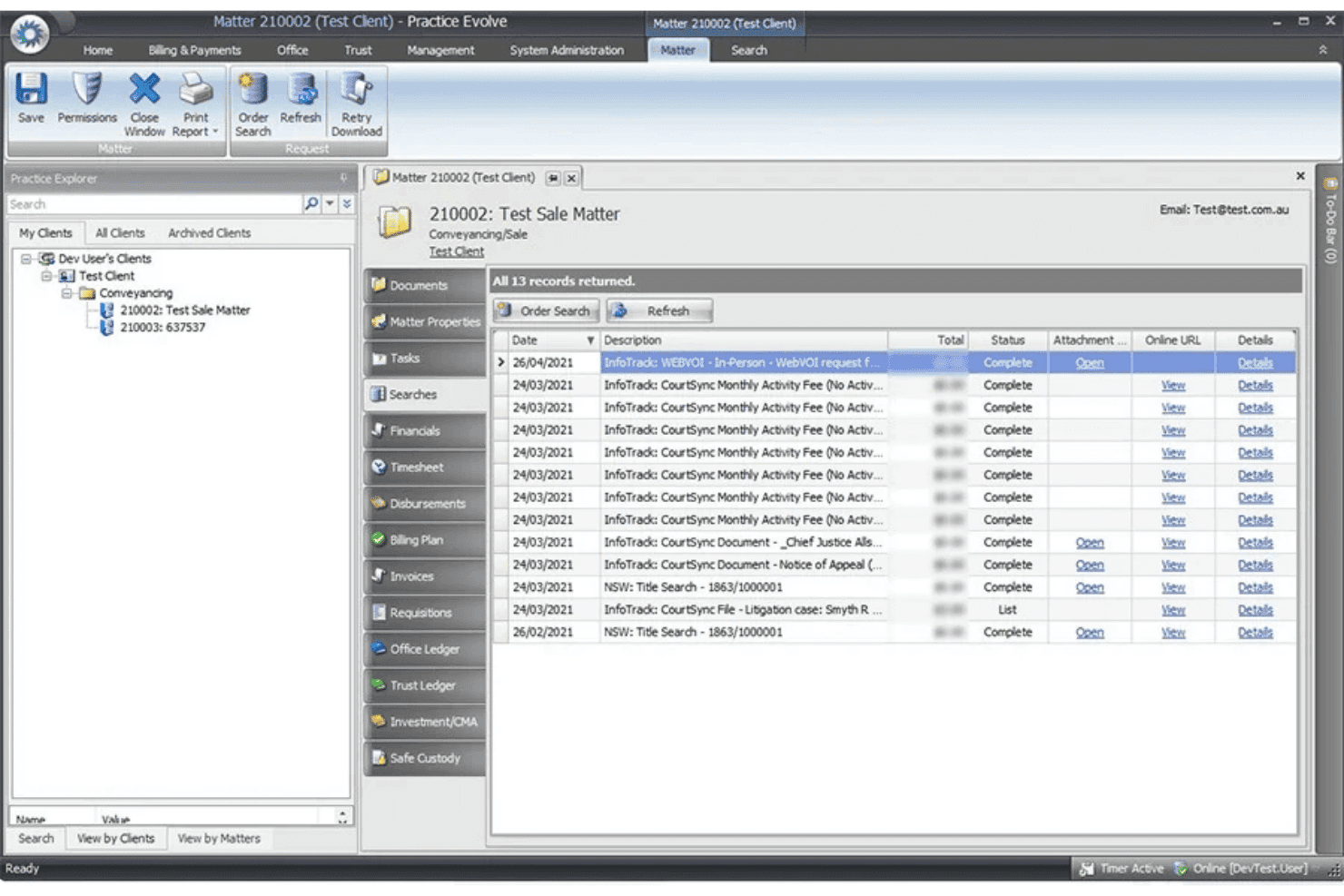
PracticeEvolve handles legal matters, documents, accounting, and client trust funds. PracticeEvolve is a cloud-based legal practice management platform that brings matter tracking, document management, legal accounting, and client funds management into one system for law firms.
Who Is PracticeEvolve Best For?
PracticeEvolve suits mid-sized law firms that need matter-linked client accounting, protected funds management, and financial controls to support SRA accounting requirements.
Why I Picked PracticeEvolve
I picked PracticeEvolve for its matter-linked client funds management capabilities, particularly its focus on protecting client money and supporting SRA accounting requirements. I like its earmarked funds feature, which allows firms to reserve client money for specific purposes in line with SRA Accounts Rule 5.1. Its Residual Client Balance report also provides visibility into outstanding client balances, while approval workflows give firms greater control over trust-to-office transfers.
PracticeEvolve Key Features
- AutoTime tracking: Tracks activities in Word, Outlook, and PracticeEvolve, linking recorded time to relevant matters.
- Precedent library: Offers automated legal forms and customizable templates populated with matter information.
- Communicate platform: Provides a secure messaging and file-sharing channel for client communication directly within the platform.
- Role-personalised dashboards: Displays live financial data with customizable metrics, filters, and drill-down reporting.
PracticeEvolve Integrations
PracticeEvolve supports connections with InfoTrack, Microsoft Word, and Microsoft Outlook for conveyancing processes, document creation, and email management. It also provides an open API for custom integrations with third-party applications.
Pros and Cons
Pros:
- Reviewers report matters and clients are easy to manage
- More than 4,750 automated legal precedents
- Matter-linked trust controls flag residual balances
Cons:
- Reviewers report delayed responses and unresolved support issues
- Reviewers report workflow bugs and limited guidance
Learn more about PracticeEvolve: Best for SRA-compliant legal case management workflows
- Free demo available
- Pricing upon request
Visit WebsiteCustomer Rating:4.2/5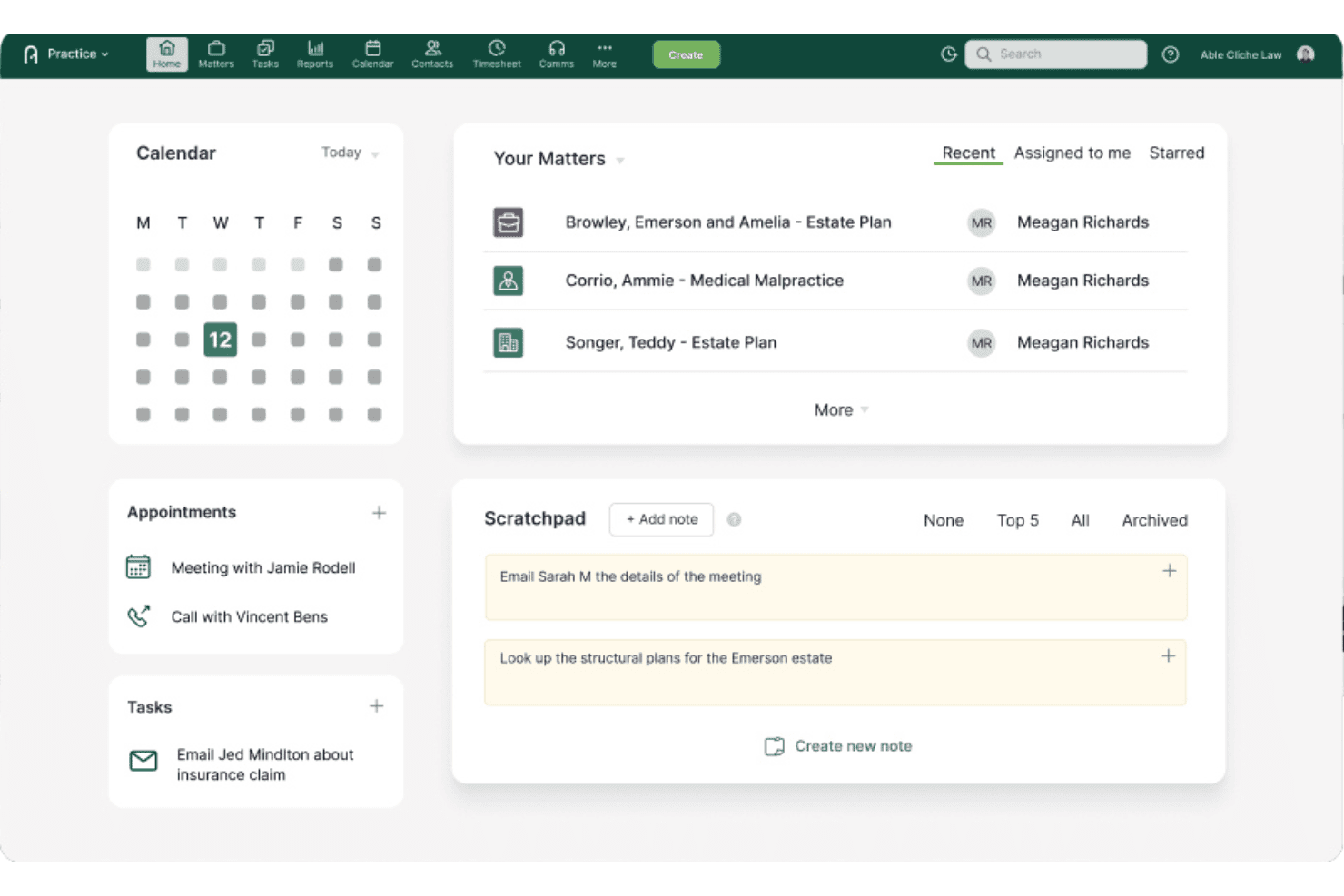
Actionstep supports legal matter workflows, document management, accounting, and SRA compliance. Actionstep is a cloud-based legal case management platform for UK law firms, offering automated matter workflows, document management, client accounting, and dedicated SRA data-handling provisions that support regulatory compliance.
Who Is Actionstep Best For?
Actionstep suits SRA-regulated law firms in England and Wales that need automated case management workflows, secure client data handling, and UK/EU data storage commitments.
Why I Picked Actionstep
I picked Actionstep for its SRA-focused legal case management capabilities, particularly its dedicated data-handling addendum for regulated law firms. I like that it commits to storing applicable firm data within UK or EU facilities and includes provisions for client confidentiality, data security, and lawful international transfers.
Its configurable workflow automation also allows firms to assign tasks, monitor deadlines, and coordinate client communications throughout a matter's lifecycle. Additionally, Actionstep's conflict-checking and client accounting tools support common compliance-related processes, while its Trace add-on uses AI to capture billable activity and suggest matter assignments.
Actionstep Key Features
- Matter workflow automation: Configure matter stages, task assignments, checklists, and reminders to coordinate legal processes.
- Conflict check: Search existing matters, documents, emails, and notes to identify potential conflicts before accepting clients.
- Client portal: Exchange documents and communicate securely with clients through a dedicated portal.
- Trust and client accounting: Record client fund transactions, maintain matter ledgers, and perform bank reconciliations.
Actionstep Integrations
Actionstep lists Outlook for Office 365, Xero, InfoTrack, First AML, Lexidesk, MiTimes, SpeechWrite, BillerAssist, and datacove among its integrations. It also supports custom connections through REST APIs and REST Hooks, along with Zapier automation.
Pros and Cons
Pros:
- Matter-linked time capture and billing
- Firms tailor matter workflows to their processes
- UK/EU data residency for SRA firms
Cons:
- Outlook and large-file handling draw complaints
- Workflow setup can consume firm resources
Learn more about Actionstep: 6Best for matter-linked forms and precedents
LEAP
- Free demo available
- Pricing upon request
Visit WebsiteCustomer Rating:4.3/5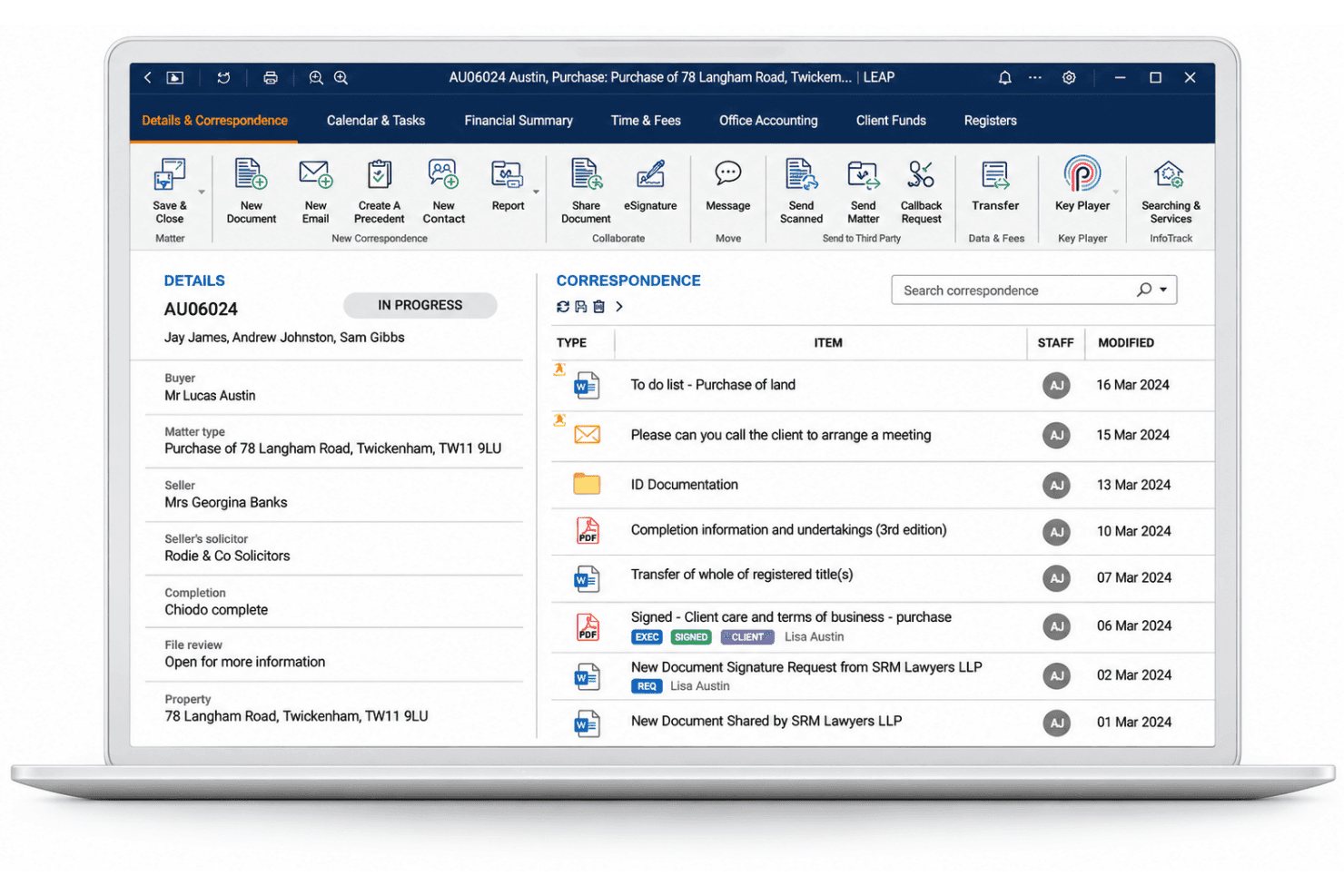
LEAP handles legal matters, document automation, client accounts, time entries, and legal aid billing. LEAP is a cloud-based legal practice management platform that covers matter management, document automation, time recording, legal accounting, and AI-powered drafting tools for UK law firms.
Who Is LEAP Best For?
LEAP suits UK law firms that want matter management, billing, and document automation in a single platform, particularly those handling high volumes of precedent-driven work.
Why I Picked LEAP
LEAP earns its spot on my shortlist because of how tightly its precedent library connects to live matter data. When a fee earner opens a conveyancing or family law matter, LEAP auto-populates the relevant forms and precedents with court fees, Land Registry rates, and party details already pulled from the matter record. I also like that the Content Library team pushes updates to forms and rates independently of software releases, so the precedents your team uses today reflect current rules.
LEAP Key Features
- Matter AI search: Matter AI scans documents, emails, attachments, and scanned PDFs within a matter to retrieve specific dates, contacts, and case details on demand.
- Automatic time capture: LEAP tracks fee earner activity in the background and converts it into billable time entries without requiring manual timers.
- Legal Aid billing: The platform records time and disbursements for Criminal, Civil, and Crown Court matters and supports bulk monthly billing uploads to the Legal Aid Agency.
- No-code Workflow Toolkit: Fee earners and practice managers can build and customise matter workflows using configurable templates, task lists, and custom fields without writing any code.
LEAP Integrations
LEAP has documented integrations with Microsoft 365, Xero, QuickBooks Online, Power BI, InfoTrack, DocuSign, and LawConnect. LEAP Enterprise includes a managed API, and Zapier is also supported.
Pros and Cons
Pros:
- Automatic time capture links work to billing
- Legal content team updates forms and rates
- Matter data populates forms and precedents
Cons:
- Users report slow support and unresolved issues
- Some reviewers cite restrictive multi-matter billing
Learn more about LEAP: Best for repeatable high-volume legal work
- Free demo available
- Pricing upon request
Visit WebsiteCustomer Rating:3.5/5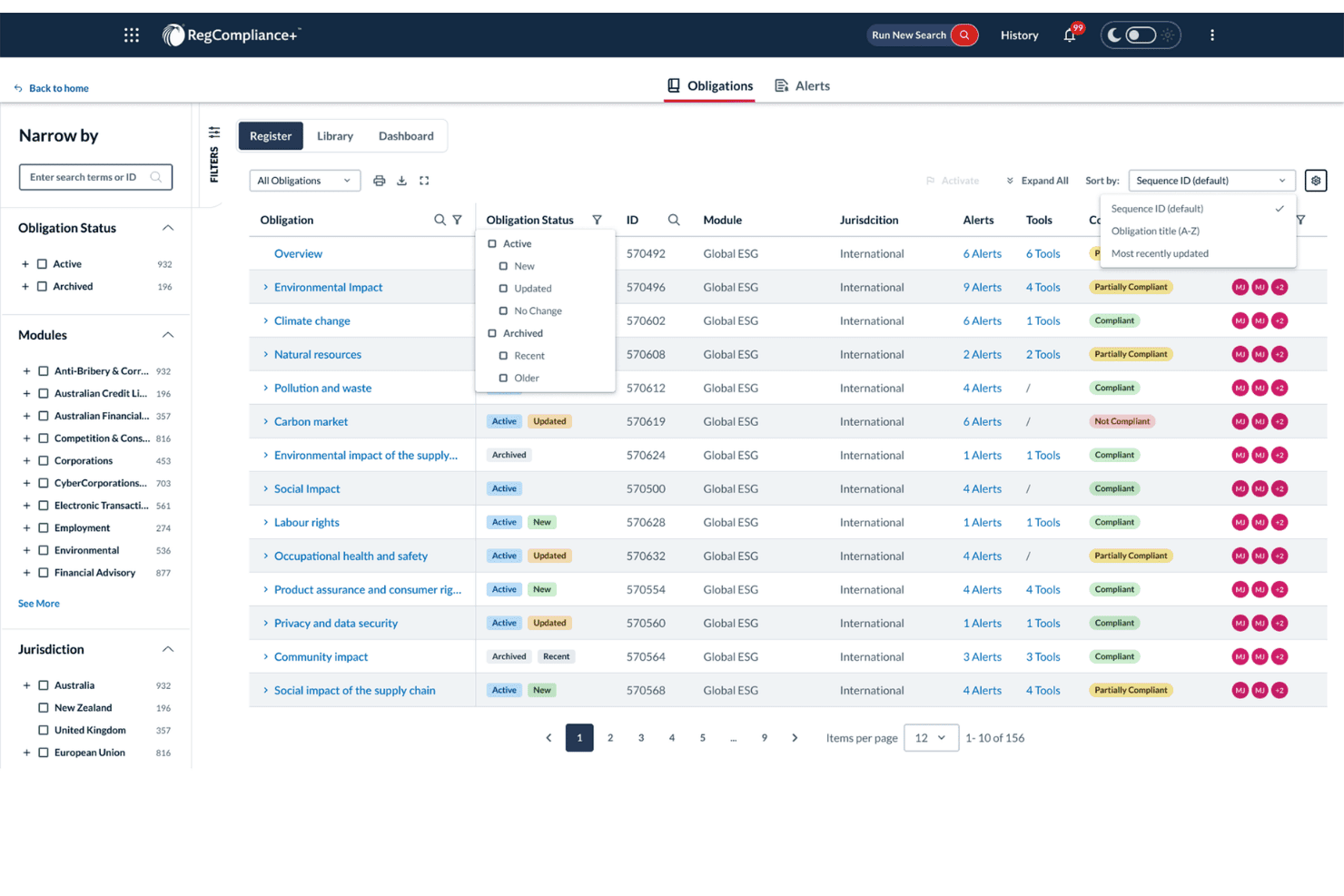
LexisNexis automates legal case workflows, documents, time tracking, and billing. LexisNexis is a legal case and workflow management platform that handles high-volume matters, document management, time tracking, and billing across conveyancing, probate, debt recovery, and litigation.
Who Is LexisNexis Best For?
LexisNexis is a good fit for law firms managing large case volumes that require consistent workflows and automated administrative processes.
Why I Picked LexisNexis
I picked LexisNexis for its customizable workflows and practice-specific tools designed to manage high-volume legal matters. I particularly like its Conveyancing Accelerator, which automates identity verification, matter creation, property searches, and client communication. Its Probate Accelerator also provides predefined workflows for estate administration, reducing repetitive administrative work and keeping legal processes organized.
LexisNexis Key Features
- Real-time performance dashboards: View live data on team performance, client satisfaction, and profitability across practice areas.
- Bulk invoicing: Generate detailed invoices per case or across multiple matters in a single operation.
- Microsoft Power BI integration: Connect Visualfiles data to Power BI to build interactive reports and visualise case and financial performance.
- Document bundling: Compile case documents into bundles, then share them by email or digital storage directly from the platform.
LexisNexis Integrations
LexisNexis connects with iManage, Microsoft applications, InfoTrack, Lexis Smart Forms, Lexis+ Practical Guidance, CourtLink, InterAction, and Microsoft Power BI. It also supports third-party connections for document management, accounting, reporting, and client portals.
Pros and Cons
Pros:
- Repeatable workflow scripts suit high-volume work
- Client searches help locate case parties
- Matter indicators support team oversight
Cons:
- Nested menus slow troubleshooting and permission updates
- Setup can involve configuration and permission-sync issues
Learn more about LexisNexis: Best for casework and legal accounts together
- Free demo available
- From £110/user/month
Visit WebsiteCustomer Rating:3.9/5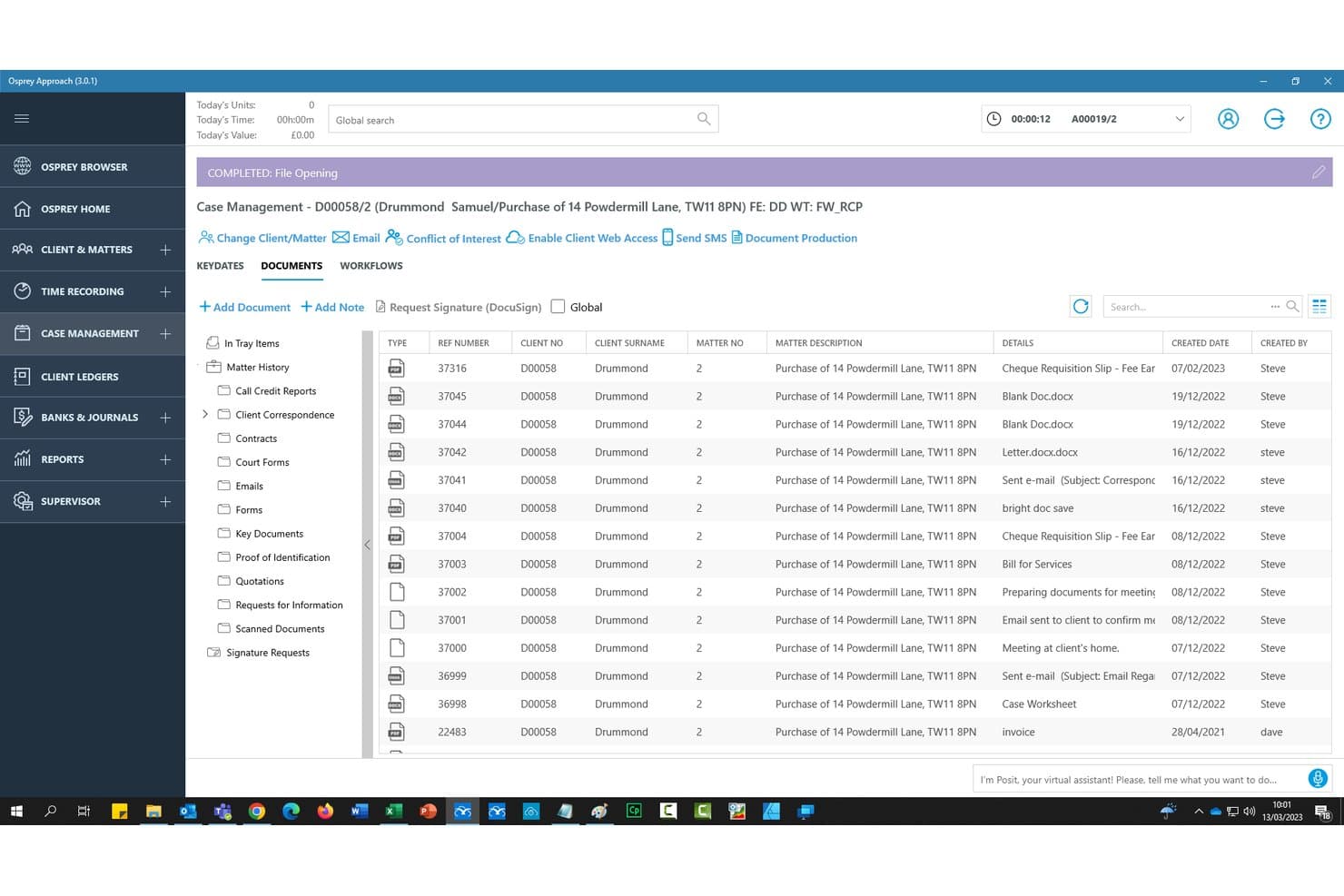
Osprey Approach unifies legal case tracking, client records, accounting, and workflows. Osprey Approach is a cloud-based legal practice management platform for UK SME law firms, covering case management, legal accounting, client records, document handling, and workflow automation within one system.
Who Is Osprey Approach Best For?
Osprey Approach suits UK small and mid-sized law firms that need case management, client accounting, and financial oversight within the same platform.
Why I Picked Osprey Approach
I picked Osprey Approach for its built-in legal accounting capabilities, which allow firms to handle casework and financial transactions within one system. I particularly like how its matter records connect client ledgers, time entries, billing information, and case activities, giving fee earners and accounting teams access to related information. The platform also supports client and office bank reconciliations, funds-on-account tracking, and HMRC Making Tax Digital VAT submissions.
Osprey Approach Key Features
- Client portal: Give clients access to published matters, documents, and workflow tasks through a secure web portal, with two-step authentication included.
- Workflow automation engine: Build and customise 50+ workflow templates with conditional task actions, including automatic emails, document production, and key-date creation.
- Compliance management: Centralise compliance tasks and oversight, with support for SRA Accounts Rules, Lexcel, and HMRC Making Tax Digital VAT submissions.
- Supervisor controls: Configure user permissions, manage workflow task creation, and maintain firm-wide financial and operational oversight from a dedicated supervisor suite.
Osprey Approach Integrations
Integrations include Microsoft 365, InfoTrack, DocuSign, Lexis Smart Forms, Perfect Portal, Minerva, Katchr, and TextAnywhere. Osprey Approach offers read-only API access on Premium, with API capacity scaled to requirements on Enterprise.
Pros and Cons
Pros:
- Matter setup and database searches feel straightforward
- Time recording and accounts work together
- Matter-linked ledgers make balances easy to check
Cons:
- Some users report freezes and access timeouts
- Large-file uploads can freeze or slow
Learn more about Osprey Approach: Best for legal aid claims and legal accounts
- Free demo available
- Pricing upon request
Visit WebsiteCustomer Rating:3.7/5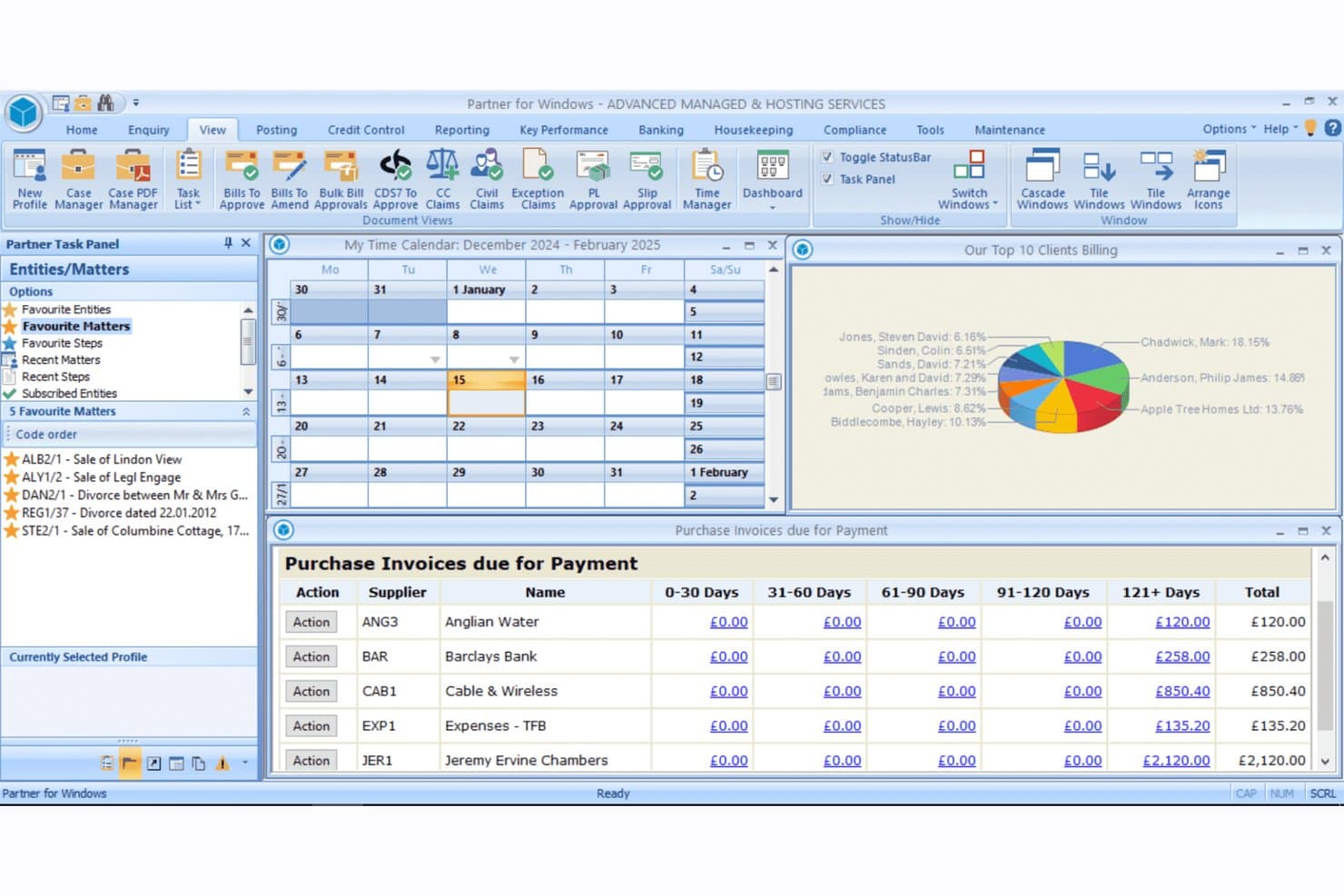
Tikit combines legal case tracking, accounting, document management, and legal aid billing. Tikit is a UK-focused legal case management platform from OneAdvanced that combines matter and case tracking, integrated legal accounts, document management, workflow automation, and legal aid billing tools for law firms.
Who Is Tikit Best For?
Tikit is a strong fit for UK law firms that handle legal aid work and need integrated legal accounts built directly into their case management system.
Why I Picked Tikit
I picked Tikit as one of the best because it's one of the few UK legal case management platforms that has legal aid billing built directly into its core, not bolted on as an afterthought. Through P4W, you can create civil claims and CDC bills, monitor legal aid limits and fixed fees against claim boundaries, and push bulk uploads straight to the LAA Online portal. Its integrated legal accounts also tie financial transactions directly to client matters, so billing and case management stay in sync without manual reconciliation.
Tikit Key Features
- Single-source client and matter database: All client, contact, and matter information is stored in one place, so every team member works from the same record.
- Automated AML and conflict checks: Client onboarding triggers anti-money laundering and conflict-of-interest checks without manual prompting.
- Document assembly with templates: Build legal documents using pre-set templates and clause libraries stored centrally in the cloud.
- Financial dashboards with live reporting: Track receivables, work in progress, billing collection rates, and profit-and-loss figures from a single dashboard view.
Tikit Integrations
Tikit connects with Microsoft Office, Outlook, Time Capture, Cloud Forms, and The National Will Register. Its third-party integrations include NetDocuments, InfoTrack, Adobe Sign, SmartSearch, Lawyer Checker, GBG, and Legl. OneAdvanced also provides APIs for Time Capture and Legal Forms to support custom connections.
Pros and Cons
Pros:
- Matter files centralize documents and correspondence
- Reviewers praise legal accounting and time recording
- Legal aid claims link directly to accounts
Cons:
- Reminders need improvement for deadline tracking
- Reviewers report dated screens and inconsistent navigation
Learn more about Tikit: 10Best for mixed Legal Aid and private billing
Lawsyst
- Free demo available
- Pricing upon request
Visit WebsiteCustomer Rating:5/5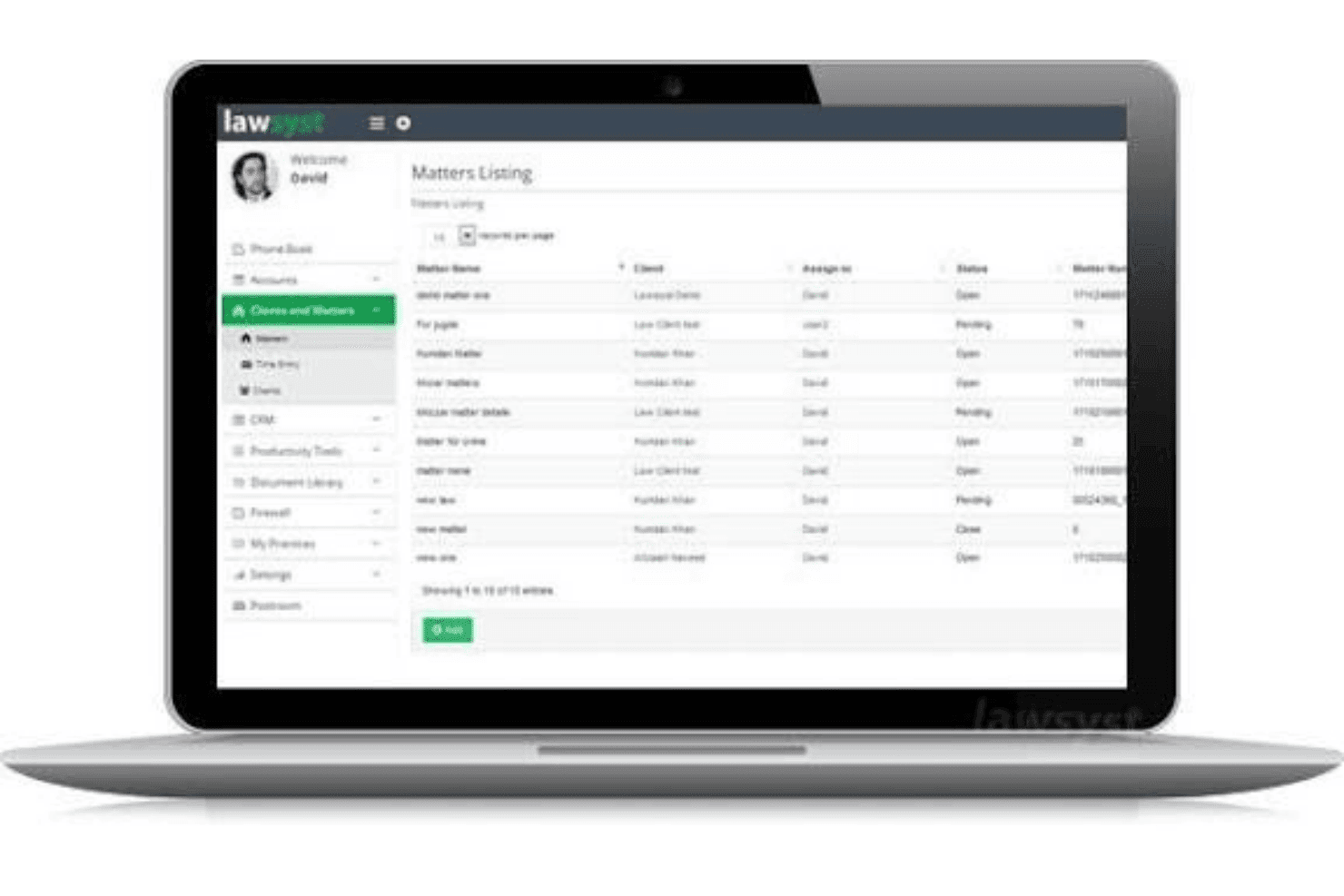
Lawsyst features legal matter tracking, Legal Aid billing, client accounting, and phone integration. Lawsyst is a cloud-based legal case management platform for UK law firms, covering matter tracking, Legal Aid and private billing, document management, client accounting, and an integrated phone system.
Who Is Lawsyst Best For?
Lawsyst suits UK law firms handling both Legal Aid and privately funded matters that need flexible billing, legal accounting, and telephone-based time recording within their case management platform.
Why I Picked Lawsyst
I picked Lawsyst because it supports Legal Aid and private billing within the same case management platform. Its Legal Aid tools cover criminal and civil matters, including lower-crime bulk billing submissions and dedicated modules for family, immigration, housing, and mental health cases. For private matters, it supports hourly, fixed-fee, retainer, and CFA billing arrangements. I also like its integrated phone system, which connects telephone activity with time recording and matter management.
Lawsyst Key Features
- Client self-service portal: Clients can log in to view matter progress, upload and download documents, sign documents electronically, and pay invoices.
- Two-way Outlook calendar sync: Lawsyst syncs with Outlook in both directions, surfacing alerts for meetings, court dates, and filing deadlines across both platforms.
- Built-in double-entry accounting: A dedicated accounting module handles client and office ledgers, bank feeds, VAT returns via Making Tax Digital, and SRA-aligned reconciliation.
- Contact directory with matter linking: A company-wide address book stores all contacts and lets you view full communication histories by client or matter.
Lawsyst Integrations
Lawsyst connects with Xero, Microsoft Outlook, Microsoft Word, and XignDocs. It also documents connections with OneDrive, Dropbox, Google Workspace, and Microsoft 365 for accounting, document management, calendar synchronisation, and electronic signatures
Pros and Cons
Pros:
- Client portal shares progress and documents
- Call records can generate matter time entries
- Supports mixed Legal Aid and private work
Cons:
- No documented court-date calculations or task dependencies
- Staff adoption may stop at time entry
Learn more about Lawsyst:
Other Legal Case Management Software in the UK
Here are a few additional options that didn’t make my shortlist but are still worth checking out:
- 11Insight LegalBest for checking migrated data before go-live
- 12Dye & DurhamBest for legal cashiering and admin services
- 13MyCaseBest for AI-assisted case and document review
- 14CloudLexBest for personal injury paralegal support
- 15PracticePantherBest for flagging unbilled matter activity
- 16ProclaimBest for cross-practice workflow automation
- 17DenovoBest for solo firms needing unlimited matters
- 18HoowlaBest for quote-to-case property transactions
- 19LinetimeBest for AI legal research at no extra cost
- 20LeglBest for client onboarding, AML and payments
Related Reviews
How I Evaluate Legal Case Management Software in the UK
I split my evaluation into three parts. Core functionality carries the most weight: I look for tools that can track and organize discrete matters and store case documents within each one. Then I check for standout features like workflow automation engines. Beyond features, I consider onboarding support and pricing value.
Core Functionality (Table Stakes For This List)
When I'm selecting tools for my list, I score each one on a scale from 0 (does not offer the functionality) to 5 (excels in this area) for each core functionality listed below. I then convert the total into a percentage to help assess each tool's overall fit, with extra weight on any functionalities I've deemed essential.
- Matter and Case Tracking (Essential): I check whether you can create structured matter records, track status changes, and monitor milestones across different practice areas like conveyancing or litigation.
- Document Management (Essential): Each tool should let you store, organize, and retrieve documents within a matter, including version control and templates for standard correspondence.
- Task and Deadline Management: I look for task assignment tied to matters, automated reminders, and court-date tracking that keeps fee earners and support staff aligned on key dates.
- UK Compliance Support: Tools earn higher scores when they address SRA accounts rules, client account handling, and data protection requirements relevant to firms in England and Wales or Scotland.
- Client and Contact Management: I evaluate how well the system links client records, communication history, and related contacts back to active matters so nothing falls through the cracks.
- Billing and Time Tracking: The system should connect recorded time directly to matters and support invoicing workflows, whether your firm bills hourly, fixed-fee, or through legal aid schedules.
Once I have a list of tools that meet the criteria, I consider what sets each platform apart.
Differentiating Factors (What Sets Vendors Apart)
Here's how I compare and contrast different vendors:
Standout Features
I look for a workflow automation engine that triggers tasks, letters, and notifications at each matter milestone. A conveyancing team, for example, shouldn't manually chase ID checks when the system can fire reminders at exchange. Court and Land Registry integration matters just as much: I check whether a platform files directly with HMLR and court portals, since rekeying data invites errors. I also evaluate built-in precedent libraries, because regularly updated UK templates cut drafting time across practice areas.
Beyond Features
I check whether a vendor hosts data on UK or EU servers, since firms bound by SRA rules and GDPR need clear answers on residency before signing. Migration support matters just as much: I look for onboarding teams that transfer historic matters, documents, and ledgers from legacy systems and let you verify accuracy before go-live. I also evaluate how well each platform connects to Land Registry, court e-filing, and Legal Aid Agency portals, because rekeying submissions into separate systems invites errors on deadline-sensitive filings.
How to Choose Legal Case Management Software in the UK
Choose a system by testing it against your firm’s jurisdiction, legal accounts needs, and existing records before you commit.
| If your priority is… | Look for… |
|---|---|
| If your priority is…Legal Aid claims | Look for…A trial using an anonymized matter and a claim your team knows |
| If your priority is…Client money controls | Look for…Sample client and office ledgers you can reconcile |
| If your priority is…Jurisdictional fit | Look for…Written confirmation of support for your relevant UK jurisdiction |
| If your priority is…Reliable migration | Look for…A test transfer that includes matters, documents, and balances |
How to Vet Your Shortlist
- Test a claim: In a 30-minute trial, process one anonymized Legal Aid matter and compare the claim figures with your team’s current procedure.
- Reconcile accounts: Request sample client and office ledgers, then check three anonymized transactions against your firm’s accounting records.
- Check migration: Ask for a test transfer of 10 representative matters, including documents and balances; compare the results with your source-system export.
- Confirm data terms: Request a written statement of data storage locations and the relevant data-processing terms, then retain both with your procurement records.
- Choose your tradeoff: Decide whether specialist depth in legal aid and legal accounts matters more than broader cross-practice flexibility, and record that priority in your selection decision.
What Is Legal Case Management Software in the UK?
UK legal case management software helps law firms organize matters, documents, tasks, deadlines, and billing in one system. It can also support workflows such as legal aid claims and legal accounts, depending on the product.
Firms should check that a system fits their practice areas, jurisdiction, and client money requirements.
Features of Legal Case Management Software in the UK
Here are the main features I look for in legal case management software for UK firms:
- Matter and case tracking: Create a structured record for each matter, with its status, key dates, parties, and milestones. This gives your team a clear view of progress across conveyancing, litigation, and other practice areas.
- Document management: Store and organize documents within each matter, then retrieve them using search or folders. Templates and version history help your team manage correspondence and track changes to documents.
- Task and deadline management: Assign matter-linked tasks, set due dates, and use reminders to flag upcoming deadlines. Teams can track court dates and follow-up work without relying on separate calendars.
- Client and contact records: Keep client details, related contacts, and communication history connected to the relevant matter. This gives your team context when handling enquiries or passing work between colleagues.
- Time recording and billing: Record time against matters and use those entries to prepare invoices. Check that the system supports your billing approach, including hourly and fixed-fee work.
- Legal accounts: Manage client and office account transactions and review matter balances. Ask for sample ledgers so your finance team can check whether the system supports its reconciliation and client money procedures.
- Legal aid claims: Record claim information and prepare submissions for relevant Legal Aid Agency processes. Test a familiar, anonymized claim to check that the system handles your firm’s work and required figures.
- Workflow automation: Set rules that trigger tasks, reminders, or document steps when a matter reaches a milestone. For example, a conveyancing workflow can prompt the team to complete checks at a specified stage.
Benefits of Legal Case Management Software in the UK
Here are a few common benefits UK firms can expect from legal case management software:
- Matter visibility: Structured matter records show case status, key dates, parties, and milestones across your practice areas.
- Centralized documents: Matter-linked document storage, search, templates, and version history keep case files organized and easier to retrieve.
- Deadline control: Matter-linked tasks, court-date tracking, and reminders help your team monitor upcoming work.
- Legal accounts oversight: Client and office ledgers let your finance team review matter balances and check transactions.
- Legal aid claim support: Claim records and submission tools help your team prepare Legal Aid Agency claims for review.
- Consistent workflows: Rules can trigger tasks, reminders, or document steps when a matter reaches a defined milestone.
Costs and Pricing of Legal Case Management Software in the UK
Pricing varies by features, team size, and implementation needs. Here are typical price ranges for legal case management software in the UK.
Plan Comparison Table for Legal Case Management Software in the UK
| Plan Type | Average Price | Common Features |
|---|---|---|
| Plan TypePersonal Plan | Average Price£40–£70 per user/month | Common FeaturesMatter tracking, matter-linked documents, task reminders, and basic billing. |
| Plan TypeBusiness Plan | Average Price£70–£120 per user/month | Common FeaturesWorkflow automation, shared matter access, legal accounts tools, and billing features. |
| Plan TypeEnterprise Plan | Average Price£120–£175 per user/month | Common FeaturesConfigurable workflows, role-based access controls, migration support, and integrations. |
FAQs
Here are a few answers to common questions about legal case management software in the UK:
Do UK law firms have to use legal case management software?
No. There’s no general requirement to use a particular case management system. Your firm must still meet the professional, accounts, confidentiality, and record-keeping rules that apply in its jurisdiction. A platform can help you maintain matter records, permissions, and audit trails, but it can’t guarantee compliance. For example, solicitors in England and Wales must follow SRA requirements, while firms elsewhere in the UK should check their relevant regulator’s rules. Assess whether your current processes provide adequate oversight before deciding to adopt new software.
What security checks should a law firm make before choosing a system?
Ask the vendor where it stores data, how it controls access, and what safeguards it uses for backups and security incidents. Check whether the product supports features such as multi-factor authentication, role-based permissions, and audit logs. Request its data-processing terms and confirm how the vendor handles data deletion when your contract ends. Don’t rely on a general statement that the software is “secure.” Ask for written answers and have your IT or information-security lead review them against your firm’s confidentiality and data-protection requirements.
Can one system support law firms across different UK jurisdictions?
It can, but don’t assume that one product covers every jurisdiction equally. Ask the vendor to confirm support for each jurisdiction where your firm practises, including relevant forms, processes, accounts requirements, and integrations. Then test a representative matter from each jurisdiction your team handles. For example, a workflow built around England and Wales may not match Scottish procedures. Get any jurisdictional limitations in writing, and check that updates to the system will reflect changes relevant to your practice.