

Klientportalprogramvare for advokatfirmaer gir deg en sikker nettbasert sentral der klientene dine kan få tilgang til saksdokumenter, utveksle meldinger, betale fakturaer og holde seg oppdatert om sakene sine. Hvis du ønsker å modernisere klientopplevelsen, forbedre åpenheten og styrke sikkerheten, er det viktig å velge riktig portal. Denne veiledningen sammenligner programvare som er spesialutviklet for juridisk virksomhet, slik at du kan finne den løsningen som passer best til firmaets arbeidsflyt og klientenes behov.
Why Trust Our Software Recommendations
6,700+
Reviews
20
Industry experts
16+
Evaluation factors
14
Years
Our team has been testing and reviewing software since 2012. As legal practice leaders ourselves, we know how difficult—and important—it is to choose the right software.
For this guide, we evaluated tools using hands-on testing and independent research, scoring tools using our selection criteria.
Our reviews reflect our human editorial judgment, not a sales pitch.
Sammenligningstabell: Klientportalprogramvare for advokatfirmaer
Denne sammenligningstabellen oppsummerer prisdetaljene for mine utvalgte klientportalprogrammer for advokatfirmaer:
| Tool | Best For | Trial Info | Price | ||
|---|---|---|---|---|---|
| 1 | Best for high-volume case intake | Free demo available | Pricing upon request | Website | |
| 2 | Best for client updates on multi-phase matters | Free trial + free demo available | Pricing upon request | Website | |
| 3 | Best for centralizing firm and communication | Free demo available | Pricing upon request | Website | |
| 4 | Best for billing and invoicing transparency | 10-day free trial | From $59/user/month (billed annually) | Website | |
| 5 | Best for custom workflow automation | Free demo available | Pricing upon request | Website | |
| 6 | Best for collaborative case progress tracking | Not available | Pricing upon request | Website | |
| 7 | Best for automated client payment collection | 10-day free trial | From $50/user/month (billed annually) | Website | |
| 8 | Best for integrated secure client communications | 7-day free trial + free demo available | From $49/user/month | Website | |
| 9 | Best for trust accounting with client access | 10-day free trial | From $49/user/month (billed annually) | Website | |
| 10 | Best for matter-linked document sharing | 7-day free trial | From $59/user/month | Website |


Anmeldelser av klientportalprogramvare for advokatfirmaer
Nedenfor finner du mine detaljerte sammendrag av den beste klientportalprogramvaren for advokatfirmaer som kom med på kortlisten min. Anmeldelsene mine gir et detaljert innblikk i funksjonene, de beste bruksområdene og integrasjonene til hver plattform, slik at du kan finne den beste løsningen for deg.
 Best for high-volume case intake
- Free demo available
- Pricing upon request
Visit WebsiteCustomer Rating:4.7/5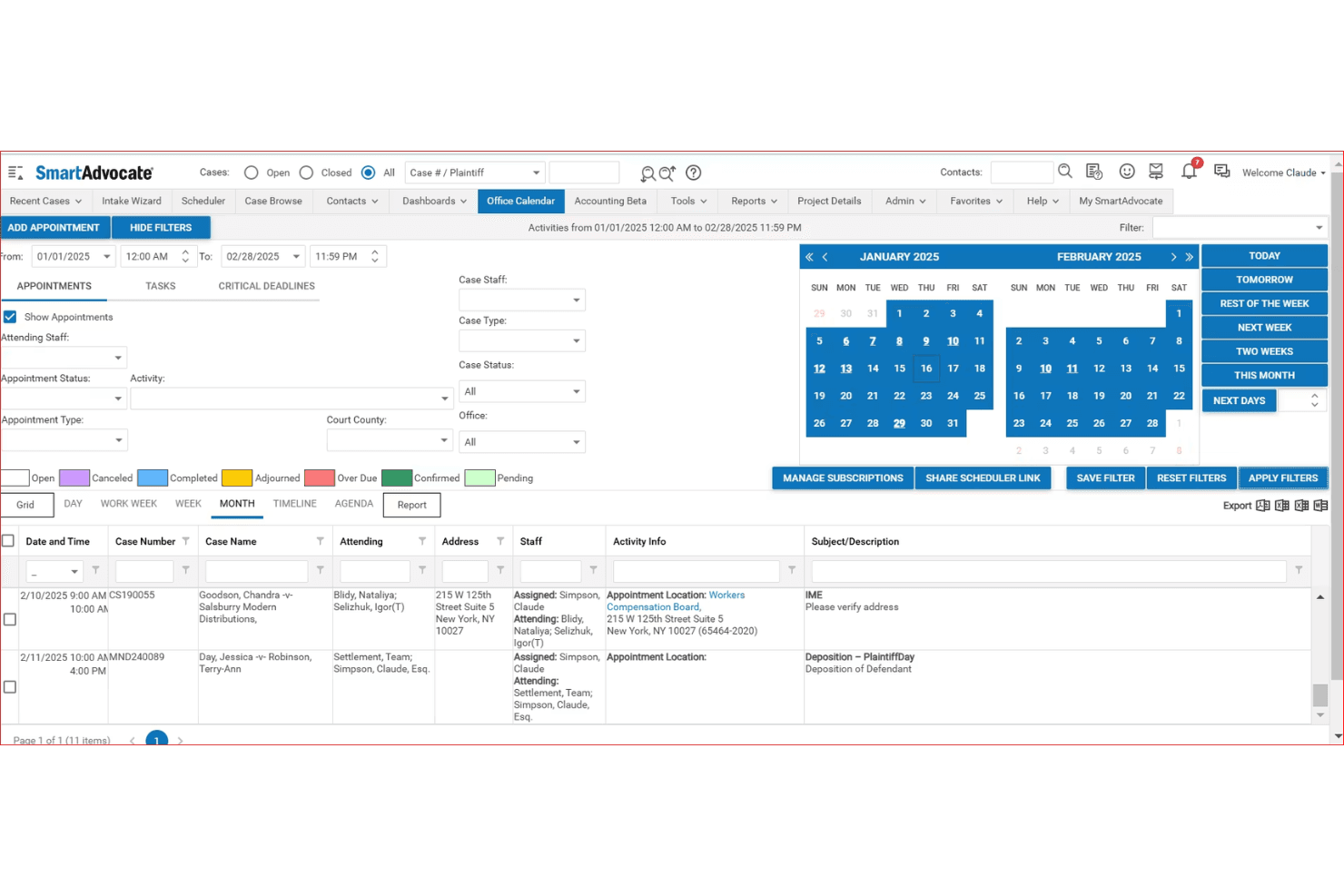
SmartAdvocate centralizes case appointments and deadlines in one calendar view. SmartAdvocate is a litigation-focused case management platform with a built-in client portal that gives clients secure, 24/7 access to case documents, updates, calendar events, and two-way communication.
Who Is SmartAdvocate Best For?
SmartAdvocate is a strong fit for high-volume personal injury and litigation firms that need to manage large caseloads alongside a structured client portal.
Why I Picked SmartAdvocate
SmartAdvocate earns its spot on my shortlist because of its built-in Intake Wizard, which handles lead tracking, intake scoring, and follow-up monitoring in a single system. When a new matter comes in, I can trigger WorkPlans that automatically assign tasks, send communications, and update case status without any manual intervention. The client portal ties directly into that same case file, so clients get immediate, controlled visibility into their matter from day one.
SmartAdvocate Key Features
- Client-facing portal access: Clients can securely log in to view case documents, case calendars, and status updates at any time.
- Granular document permissions: Firms fully control which documents and information are visible to each individual client within the portal.
- Integrated secure messaging: Built-in messaging facilitates confidential attorney-client conversations directly within the portal interface.
- Mobile app access: Dedicated SmartAdvocate apps for iOS and Android let users manage cases and client interactions on the go.
SmartAdvocate Integrations
SmartAdvocate offers over 175 native integrations, including Docubee for e-signatures, QuickBooks, LawPay, Intaker, Lawmatics, NetDocuments, and Microsoft 365. An API is available for custom integrations.
Pros and Cons
Pros:
- Intake Wizard tracks leads, scoring, and follow-ups
- Client portal ties directly to live case files
- Automated WorkPlans trigger tasks immediately after intake
Cons:
- Client portal setup requires significant configuration time
- Built primarily for personal injury practice areas
Learn more about SmartAdvocate: Best for client updates on multi-phase matters
- Free trial + free demo available
- Pricing upon request
Visit WebsiteCustomer Rating:4.5/5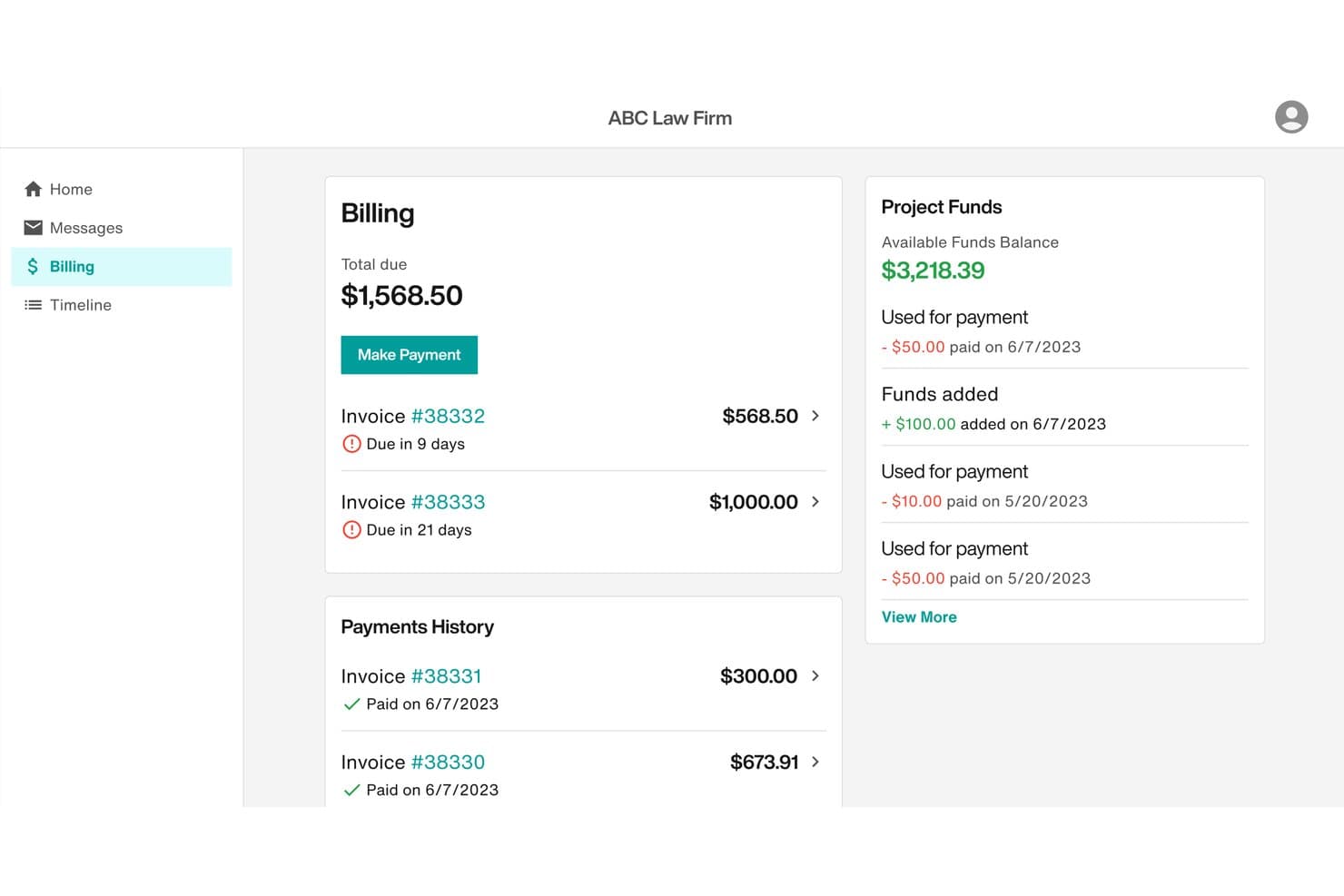
Filevine lets clients view invoices, make payments, and track funds easily. Filevine is a legal case management platform with a native client portal that combines secure document sharing, encrypted messaging, real-time case timeline visibility, customizable intake forms, and integrated billing and payments.
Who Is Filevine Best For?
Filevine is a strong fit for mid-size to large law firms handling high-volume or multi-phase litigation, such as personal injury and mass tort practices.
Why I Picked Filevine
I picked Filevine as one of the best because its Client Portal Manager lets me map internal case phases to curated, client-facing timeline steps with custom names. Clients see exactly what I choose to show them, updated in real time, without exposing internal workflow details. I also like that non-client collaborators, like medical providers or expert witnesses, can access the same portal with scoped visibility, which is essential in complex multi-phase matters.
Filevine Key Features
- Secure document uploads and downloads: Clients can exchange sensitive documents through the portal with encrypted transfer and strict access controls.
- Native e-signature integration: Vinesign allows legally binding signatures on engagement letters and legal documents without leaving the platform.
- Customizable intake and client forms: Firms can build dynamic forms with multi-language support, sending responses directly into matter records.
- Integrated online billing and payments: Clients can view invoices and submit payments directly through the portal with support for credit card and ACH transactions.
Filevine Integrations
Filevine offers native integrations with QuickBooks, NetDocuments, DocuSign, Microsoft 365, and LawPay. An API is available for custom integrations.
Pros and Cons
Pros:
- Vinesign handles e-signatures natively within portal
- Third-party collaborators get scoped portal access
- Customizable client-facing case phase timelines
Cons:
- Client mobile experience lags the desktop version
- Initial setup demands significant configuration time
Learn more about Filevine: Best for centralizing firm and communication
- Free demo available
- Pricing upon request
Visit WebsiteCustomer Rating:4.4/5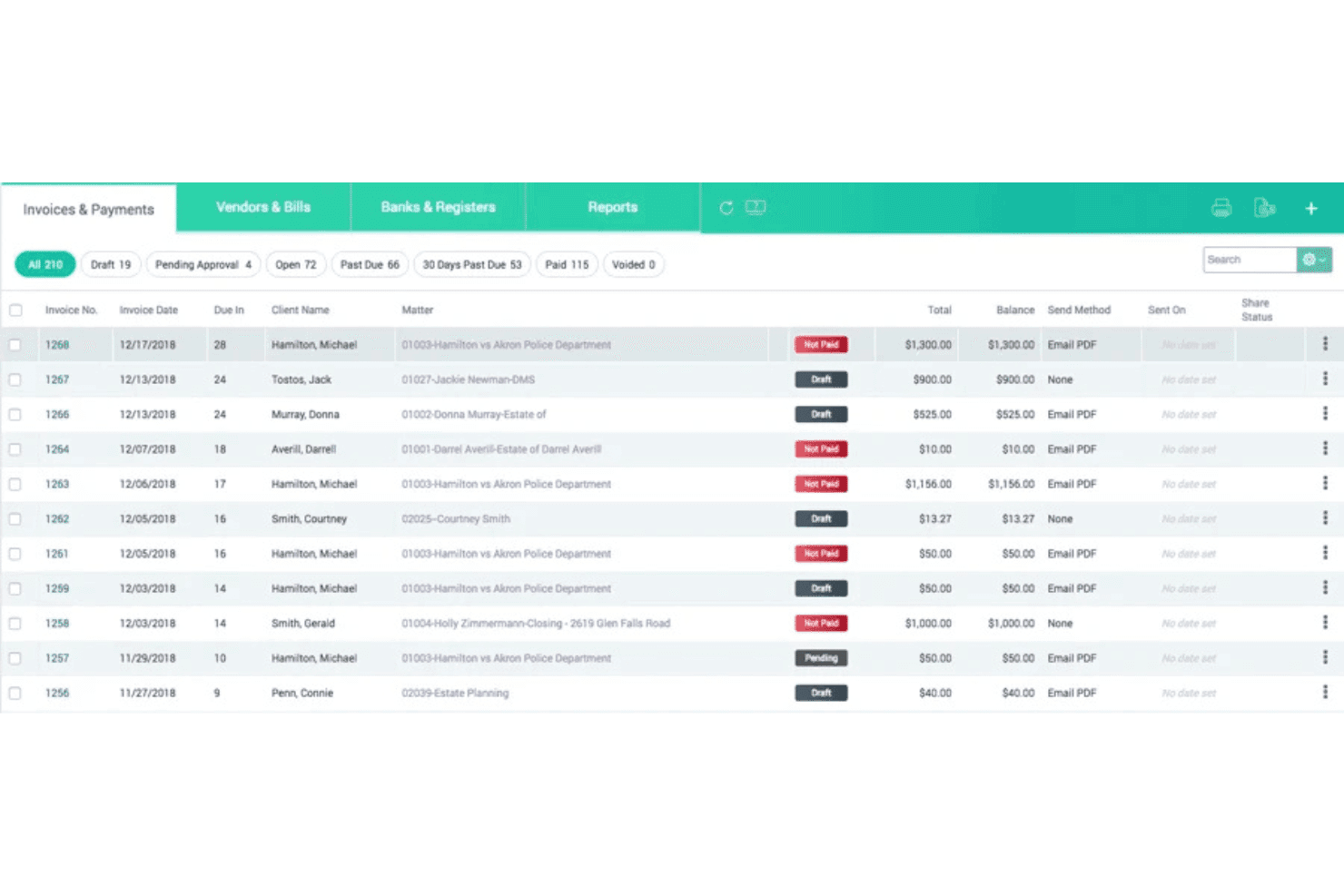
CARET Legal combines accounting, trust reconciliation, and LEDES billing tools. CARET Legal is a legal practice management platform with a built-in client portal that combines encrypted document sharing, secure messaging, client-facing billing and payments, and matter management in a single system.
Who Is CARET Legal Best For?
Small to mid-sized law firms that want to manage matters, client communication, and billing from one platform rather than juggling multiple tools.
Why I Picked CARET Legal
I picked CARET Legal as one of the best because it keeps client-facing work and internal matter management in the same system. The encrypted client portal handles secure document sharing, messaging, and payment collection, so clients never need to switch between apps or channels. What I particularly like is the white-labeled portal option, which lets firms present clients with a branded experience for document review and retainer payments directly tied to their matter.
CARET Legal Key Features
- Role-based permissions: Assign granular access levels to staff and clients for documents and portal activities.
- Integrated trust/IOLTA accounting: Manage trust transactions and perform three-way reconciliations within the same platform.
- Matter-centric document management: Organize, tag, and version documents linked directly to legal matters.
- Custom branded client portals: Provide web and mobile portal experiences with your firm's logo and visual identity.
CARET Legal Integrations
CARET Legal offers native integrations with Lawmatics, NetDocuments, QuickBooks Online, and Microsoft 365, and provides an open API for custom integrations.
Pros and Cons
Pros:
- White-labeled portal with custom firm branding
- Built-in IOLTA trust accounting included natively
- Encrypted client messaging tied to specific matters
Cons:
- Reporting tools limited for high-volume firms
- Mobile app experience reported as inconsistent
Learn more about CARET Legal: Best for billing and invoicing transparency
- 10-day free trial
- From $59/user/month (billed annually)
Visit WebsiteCustomer Rating:4.4/5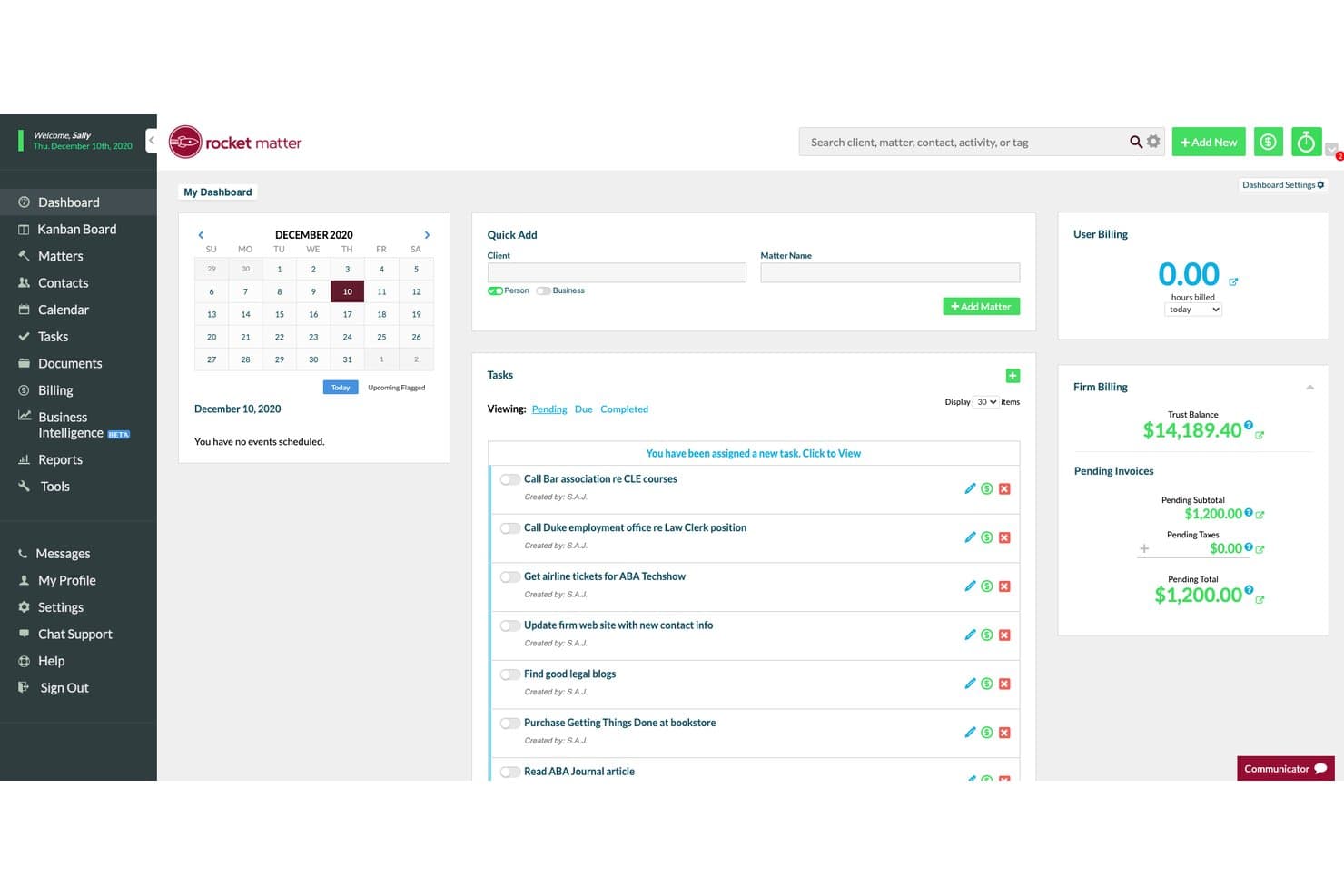
Rocket Matter's dashboard centralizes tasks, billing, and matter management. Rocket Matter is a legal practice management platform with a built-in client portal covering secure document sharing, matter management, trust accounting, and online billing for law firms of all sizes.
Who Is Rocket Matter Best For?
Rocket Matter is a strong fit for solo practitioners and small-to-midsize law firms that need billing, trust accounting, and client payment tools in one place.
Why I Picked Rocket Matter
Rocket Matter earns its spot on my shortlist because the billing transparency it offers through the client portal is genuinely difficult to replicate with a generic solution. Clients can log in, view itemized invoices in real time, and pay by credit card, ACH, or eCheck directly in the portal. I also like that trust accounting is built in natively, so IOLTA-compliant payment handling doesn't require a separate tool.
Rocket Matter Key Features
- Client portal access: Clients can log in securely to view shared documents, invoices, and matter information.
- Matter-linked document sharing: Share files directly within specific legal matters using permission-based controls.
- Native QuickBooks Online integration: Sync billing, expenses, and payments between Rocket Matter and QuickBooks with no manual entry.
- Role-based access controls: Define user roles and permissions to manage data visibility and security across your team and clients.
Rocket Matter Integrations
Rocket Matter offers native integrations with QuickBooks Online, LawPay, Dropbox, Box, Kenect, and ImagineShare. An API is available for custom integrations.
Pros and Cons
Pros:
- Time entry directly from mobile devices
- Trust account tracking built into the portal
- Itemized invoices clearly visible to clients
Cons:
- Client portal features limited compared to dedicated portal tools
- Initial transition to cloud requires staff adjustment
Learn more about Rocket Matter: Best for custom workflow automation
- Free demo available
- Pricing upon request
Visit WebsiteCustomer Rating:4.2/5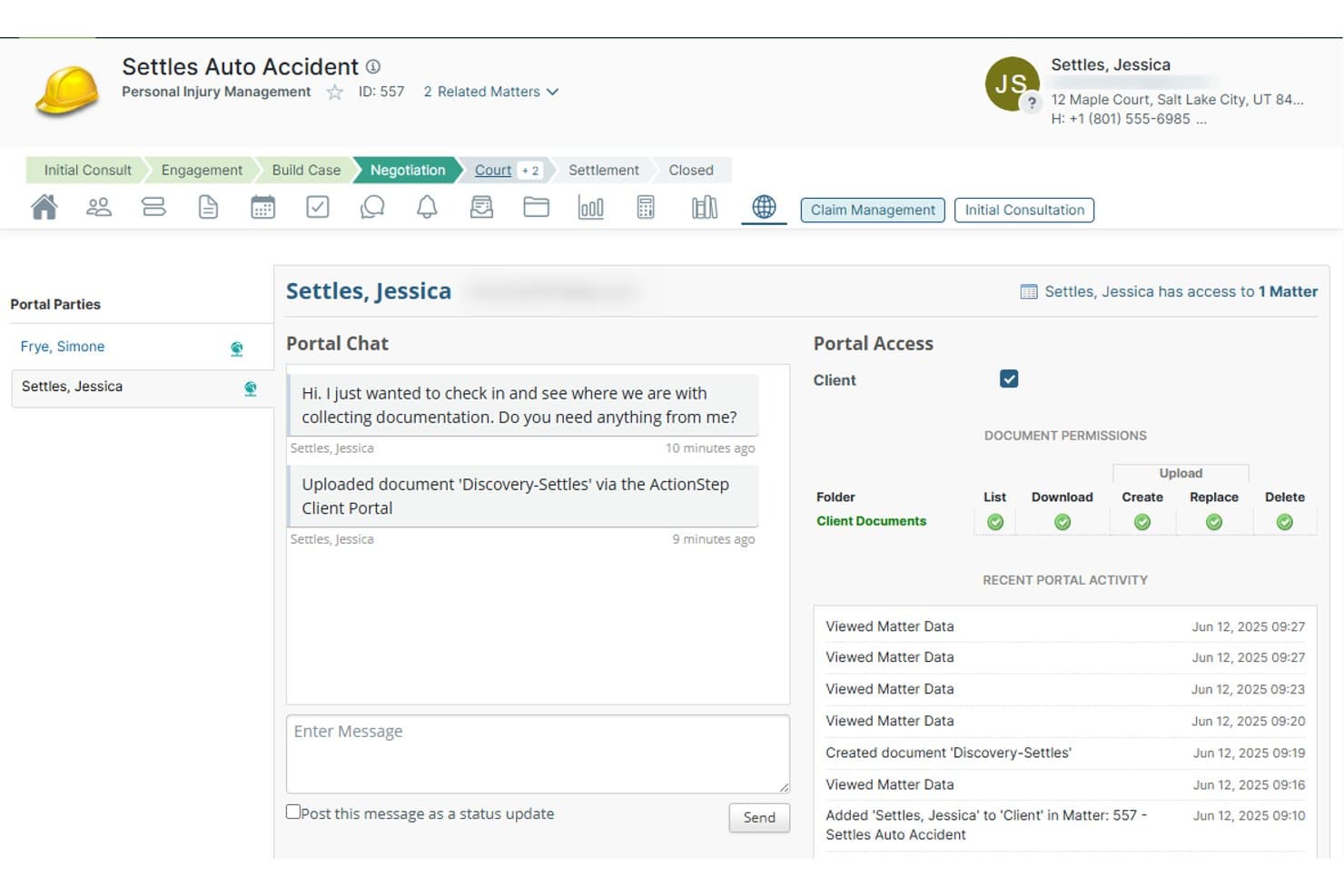
Actionstep lets clients upload documents and chat directly via the portal. Actionstep is a cloud-based legal practice management platform for law firms that combines a built-in client portal, secure document sharing, matter-linked messaging, workflow automation, and trust accounting in one connected system.
Who Is Actionstep Best For?
Actionstep is a strong fit for midsize law firms that need a highly configurable platform and want to build custom matter workflows around their specific practice areas.
Why I Picked Actionstep
Actionstep earns its spot on my shortlist because its workflow automation is built directly into matter management, not bolted on as a separate layer. I like that automation triggers can push status updates to the client portal the moment a matter milestone is hit, without anyone on my team manually intervening. The "upload only" folder permission is also worth noting: clients can submit documents to a specific folder without seeing its existing contents, which is genuinely useful in multi-party or sensitive matters.
Actionstep Key Features
- Granular document permissions: Control client access to folders with options like upload-only, read, create, or delete by folder.
- Matter-linked portal chat: Send and receive messages tied directly to specific client matters within the secure portal.
- Integrated legal accounting: Manage trust accounts, billing, invoicing, and multi-currency ledger functions from one platform.
- Custom intake forms: Build and brand client intake forms with no-code tools, feeding responses straight into case files.
Actionstep Integrations
Actionstep offers native integrations with DocuSign, NetDocuments, Xero, QuickBooks Online, Office 365, iManage, and Adobe Sign. An API is available for custom integrations.
Pros and Cons
Pros:
- Native trust accounting built into the platform
- Granular client document folder permissions
- Highly configurable matter-specific workflow automation
Cons:
- Portal interface feels less polished than competitors
- Setup and configuration requires significant time investment
Learn more about Actionstep: Best for collaborative case progress tracking
- Not available
- Pricing upon request
Visit WebsiteCustomer Rating:4.8/5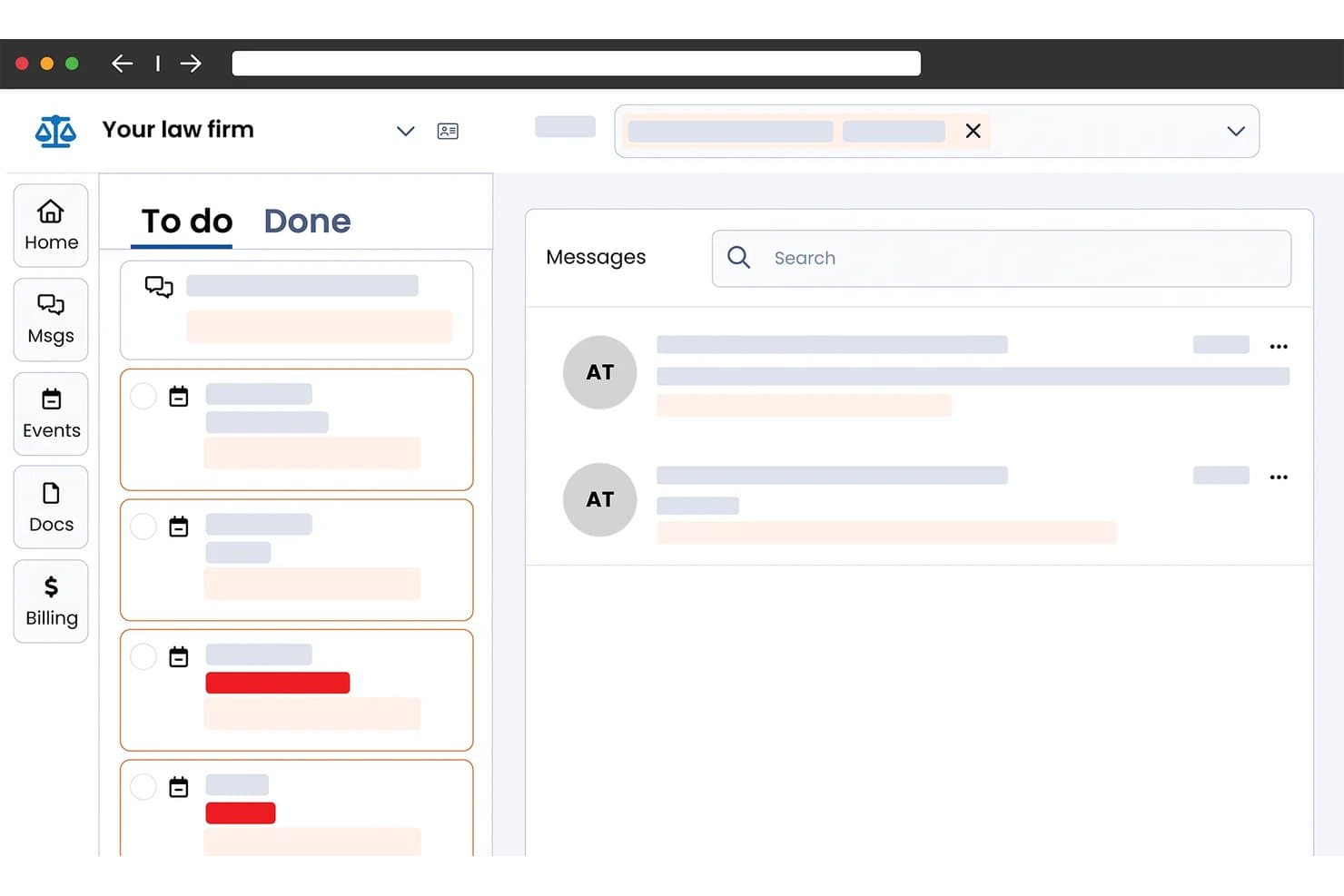
Smokeball centralizes tasks, messages, and docs in one client portal. Smokeball is a legal practice management platform that combines a secure client portal, in-matter messaging, document sharing, e-signatures, client intake, and trust-compliant billing in one system built specifically for small and solo law firms.
Who Is Smokeball Best For?
Smokeball is a strong fit for solo attorneys and small law firms that want client communication, document sharing, and billing managed inside a single matter-based platform.
Why I Picked Smokeball
I picked Smokeball as one of the best because of how it keeps client collaboration anchored directly to the matter file. Every message, whether sent by SMS or through the portal, threads into the relevant matter so nothing gets buried in a separate inbox. Clients also get a shared calendar and a task list showing exactly where their case stands, which cuts down on status-update calls without any extra effort from the attorney's side.
Smokeball Key Features
- Encrypted file sharing: Send documents to clients using secure, permission-based sharing with encryption in transit and at rest.
- Integrated billing and trust accounting: Manage invoices, trust/IOLTA accounts, and client payments within the portal.
- Native e-signature for legal documents: Collect legally binding electronic signatures on retainer agreements and court forms.
- Customizable intake forms: Add client-specific intake forms that feed directly into case files.
Smokeball Integrations
Smokeball offers native integrations with Microsoft 365, LawPay, QuickBooks Online, InfoTrack, LawToolBox, Zapier, LawClerk, and Thomson Reuters CoCounsel. An API is available for custom integrations.
Pros and Cons
Pros:
- Built-in SMS syncs to matter files
- Case progress visible directly to clients
- Matter-linked client messaging threads stay organized
Cons:
- Built primarily for small, solo practices
- Limited white-label branding for client portal
Learn more about Smokeball: Best for automated client payment collection
- 10-day free trial
- From $50/user/month (billed annually)
Visit WebsiteCustomer Rating:4.6/5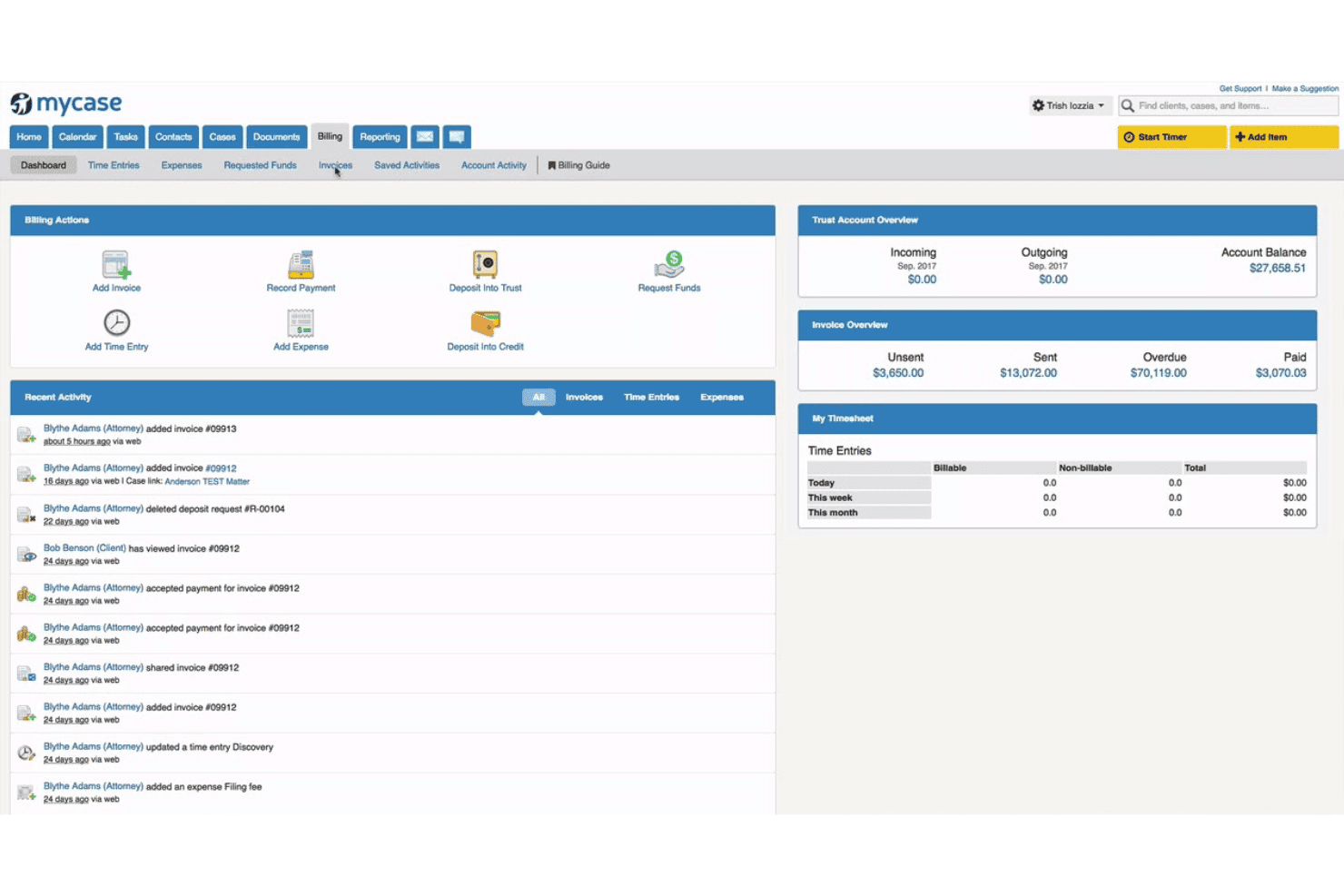
MyCase combines case management, billing, trust accounting, and client communication. MyCase is a legal practice management platform with a native client portal that combines secure document sharing, matter-linked messaging, e-signatures, client intake, and integrated online payment collection.
Who Is MyCase Best For?
MyCase is a strong fit for solo attorneys and small-to-midsize law firms that want a single platform to manage cases, client communication, and payments.
Why I Picked MyCase
I picked MyCase as one of the best because its client portal handles payment collection without any manual back-and-forth. Clients can view invoices and pay directly through the portal via LawPay, with next-day deposits and full IOLTA trust account compliance built in. I particularly like that firms can offer payment plans and collect funds without ever handling a credit card number directly.
MyCase Key Features
- Integrated case management: Link all client portal activity to specific cases and matters for streamlined tracking and oversight.
- Native document e-signature: Collect legally binding electronic signatures on retainer agreements and legal documents without leaving the platform.
- Secure client-attorney messaging: Communicate through encrypted, matter-specific messaging that replaces email for privileged conversations.
- Customizable intake forms: Gather client information with intake questionnaires that feed responses directly into case records.
MyCase Integrations
MyCase offers 70+ native integrations, including Microsoft 365, QuickBooks Online, LawPay, Google Calendar, Dropbox, and Zapier. An open API is available for custom integrations.
Pros and Cons
Pros:
- E-signatures built directly into the portal
- Secure messaging tied to specific matters
- Native payment collection with IOLTA compliance
Cons:
- White-labeling options are relatively restricted
- Mobile app has limited client-facing features
 8Best for integrated secure client communications
Clio
- 7-day free trial + free demo available
- From $49/user/month
Visit WebsiteCustomer Rating:4.5/5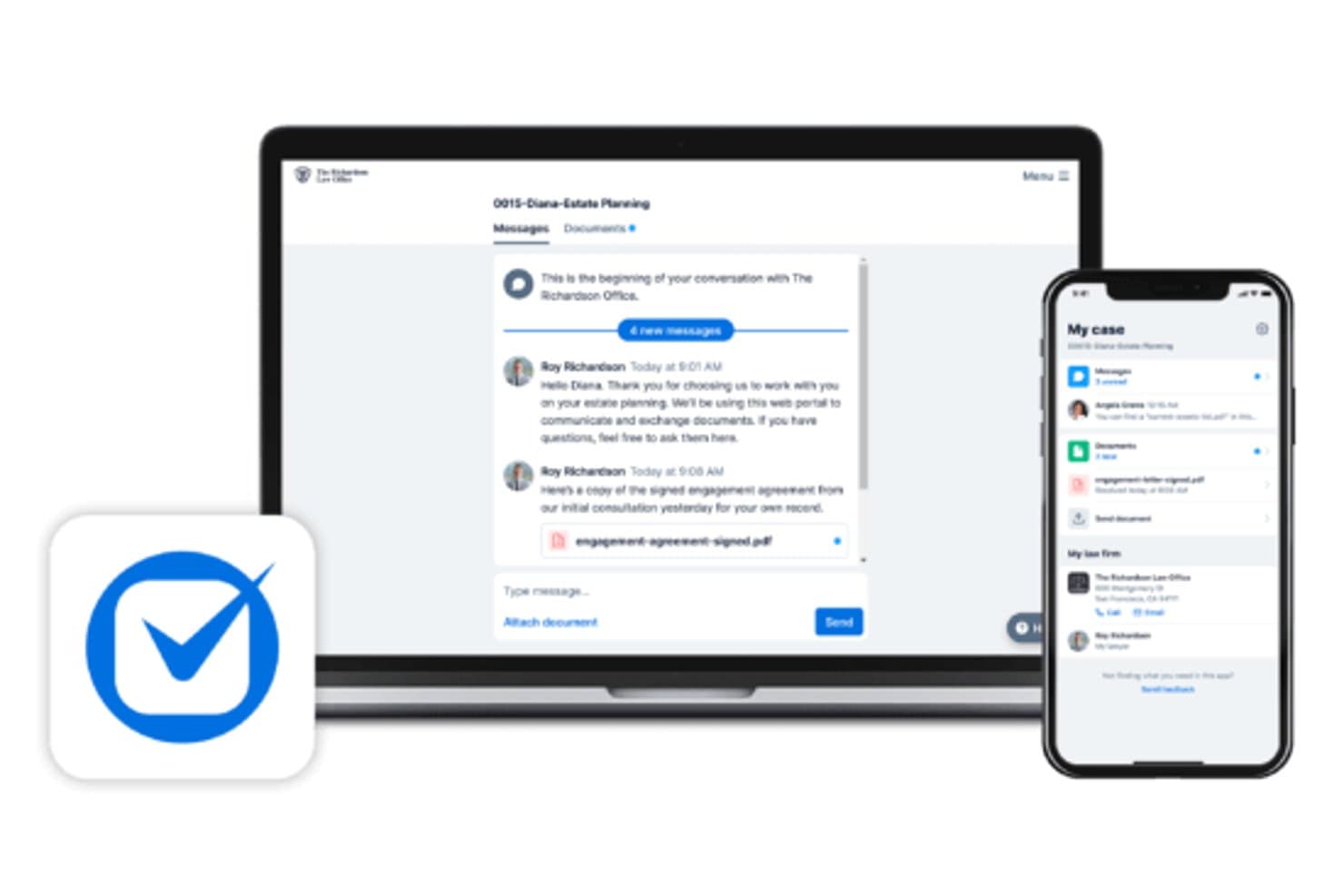
Clio lets clients and attorneys message and share documents securely. Clio is a legal practice management platform with a built-in client portal that lets law firms handle secure messaging, document sharing, case status updates, billing, and online payments in one unified system.
Who Is Clio Best For?
Clio is a strong fit for solo attorneys and small-to-midsize law firms that want their client portal built into their practice management system rather than managed as a separate tool.
Why I Picked Clio
I picked Clio as one of the best because the client portal is built directly into Clio Manage, not connected via a third-party add-on. I really like the AI-drafted client updates feature, which generates status messages from recent matter activity for my review before sending. Secure messaging threads are tied to specific matters and accessible via a dedicated mobile app with biometric login, keeping sensitive communications entirely out of regular email.
Clio Key Features
- Granular document permissions: Assign role-based access to folders and files for ethical walling and confidentiality.
- Matter-specific client dashboards: Give clients a dedicated area to view case updates, documents, and billing for each matter.
- Trust account and IOLTA compliance: Handle client funds and retainers through compliant billing and reconciled ledgers.
- Audit logging and activity tracking: Monitor portal access and document uploads with time-stamped audit trails for defensibility.
Clio Integrations
Clio offers 250+ native integrations, including DocuSign, QuickBooks Online, Xero, NetDocuments, Dropbox, Box, Microsoft 365, Google Workspace, LawPay, Zoom, and Slack. An API is available for custom integrations.
Pros and Cons
Pros:
- Mobile app supports biometric client login
- Matter-linked secure messaging keeps communications organized
- Portal built into practice management natively
Cons:
- Limited white-label branding for client-facing experience
- Portal access requires a higher-tier plan
Learn more about Clio: Best for trust accounting with client access
- 10-day free trial
- From $49/user/month (billed annually)
Visit WebsiteCustomer Rating:4.4/5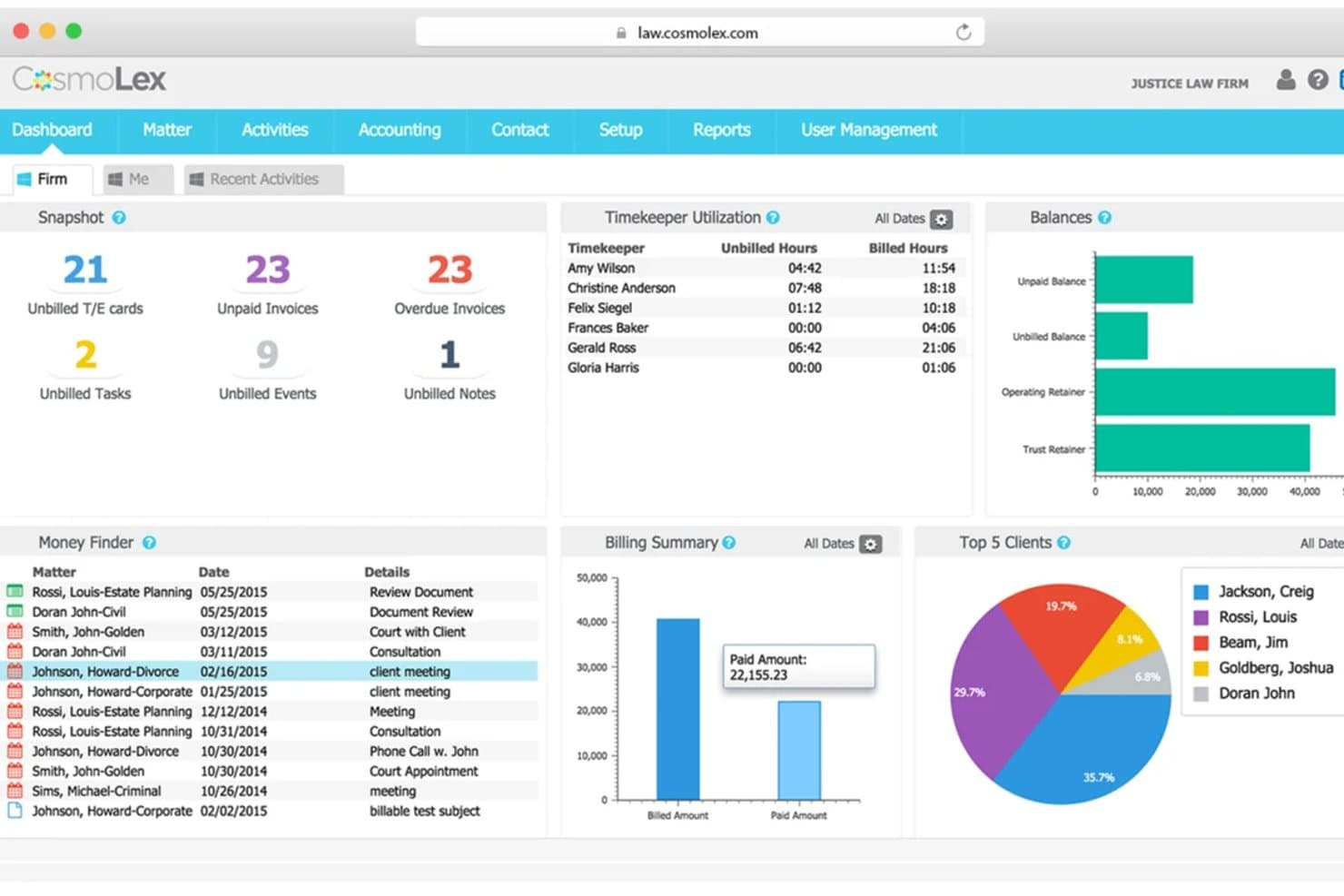
CosmoLex's dashboard gives firms a full financial and billing overview. CosmoLex is a cloud-based legal practice management platform that combines a client-facing portal with built-in trust accounting, document sharing, secure messaging, online billing, and matter management in a single system.
Who Is CosmoLex Best For?
Small to mid-sized law firms that handle client funds and need trust accounting, billing, and client portal access managed from one platform.
Why I Picked CosmoLex
I've included CosmoLex in my top picks because no other tool on this list pairs IOLTA trust accounting with a client-facing portal in a single native system. I particularly like that clients can view invoices and submit payments directly through the portal, while the platform simultaneously runs three-way trust reconciliation on the back end. That combination eliminates the double-entry risk that comes with syncing a separate accounting tool.
CosmoLex Key Features
- Document management integration: Connects with Microsoft 365, Dropbox, Google Drive, and NetDocuments for document storage and syncing.
- Secure web-based messaging: Enables direct, encrypted communication between clients and attorneys within the portal.
- Activity logging and audit trails: Tracks matter-related actions and file sharing for compliance and accountability.
- SOC 2 Type 2 compliance: Meets recognized standards for security and data protection in legal environments.
CosmoLex Integrations
CosmoLex offers native integrations with Microsoft 365, NetDocuments, LawPay, QuickBooks Online, Dropbox, and Google Drive. An API is available for custom integrations.
Pros and Cons
Pros:
- Three-way trust reconciliation built into billing
- Clients can pay invoices directly in portal
- Native trust accounting with client portal access
Cons:
- Mobile app lacks full portal functionality
- No white-label branding for client portal
Learn more about CosmoLex: Best for matter-linked document sharing
- 7-day free trial
- From $59/user/month
Visit WebsiteCustomer Rating:4.3/5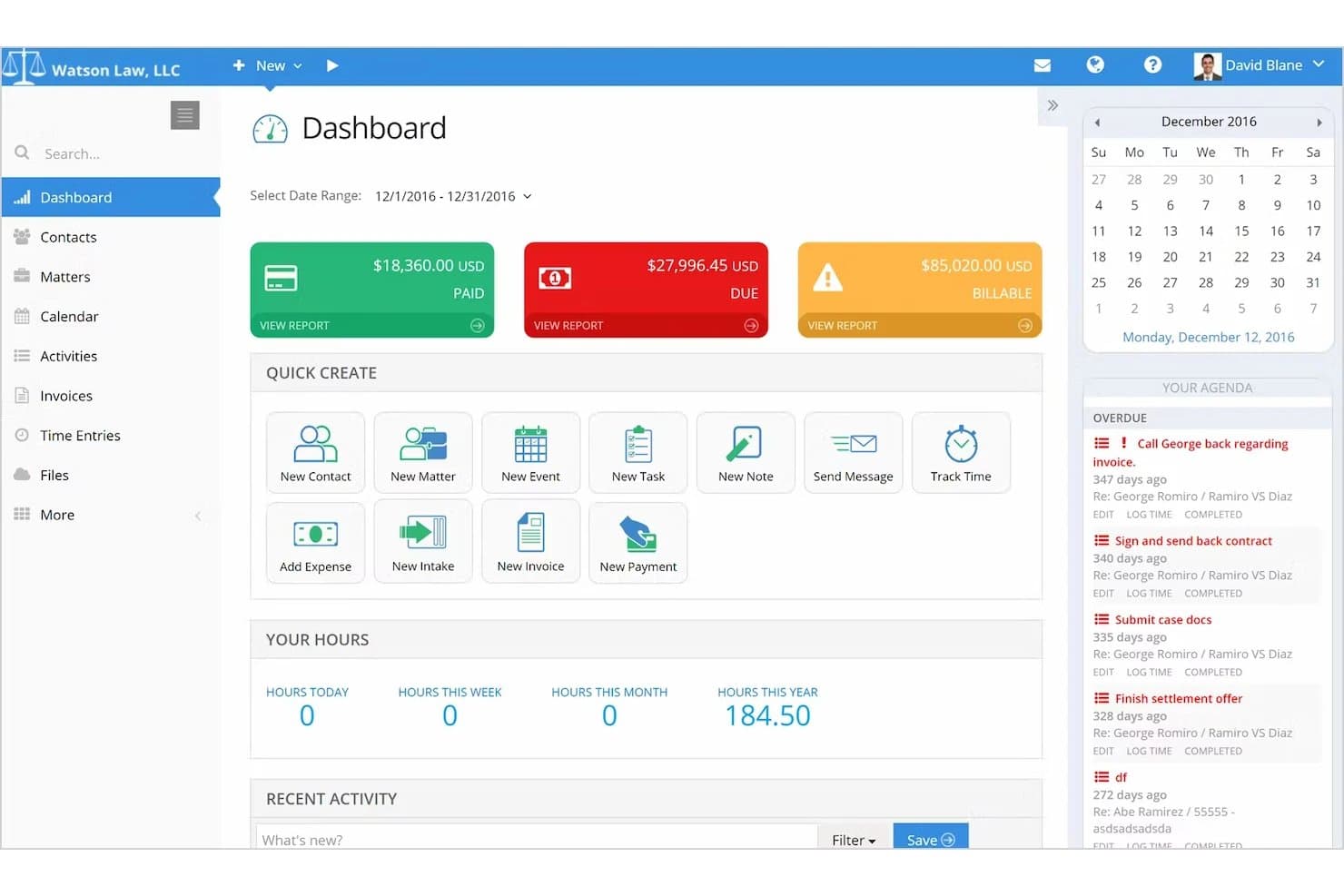
PracticePanther centralizes billing, tasks, and time tracking in one dashboard. PracticePanther is a legal practice management platform with a native client portal that connects secure document sharing, encrypted messaging, e-signatures, online payments, and trust accounting directly to case matters.
Who Is PracticePanther Best For?
It's a strong fit for solo attorneys and small to mid-sized law firms that want one platform to handle client communication, billing, and matter management together.
Why I Picked PracticePanther
PracticePanther earns its spot on my shortlist because every document shared through the client portal is tied directly to a specific matter, not just a general client folder. I like that new matters automatically trigger linked folder creation in Dropbox or Box, so case files stay organized without manual setup. Clients also view matter-specific invoices and trust balances within that same portal context.
PracticePanther Key Features
- Branded client portal: Firms can add their logo and brand colors to the client interface for a consistent professional experience.
- Encrypted secure messaging: Attorneys and clients communicate through a protected portal with role-based permission controls.
- Native e-signature integration: Sign documents electronically within the platform, with unlimited sends on select plans.
- Online payments and trust accounting: Clients pay invoices and retainers online, including full IOLTA/trust compliance for legal billing.
PracticePanther Integrations
PracticePanther offers native integrations with Dropbox, Box, OneDrive, QuickBooks Online, Lawmatics, Lead Docket, and Zapier. An open API is available for custom integrations.
Pros and Cons
Pros:
- Clients pay retainers inside the portal
- E-signatures included without a third-party tool
- Matter-linked document folders created automatically
Cons:
- Report customization options are fairly limited
- Mobile client experience is underdeveloped
Learn more about PracticePanther:
Annen klientportalprogramvare for advokatfirmaer
Her er noen flere alternativer for klientportalprogramvare for advokatfirmaer som ikke kom med på kortlisten min, men som likevel er verdt å se nærmere på:
- 11LEAPBest for document collaboration with clients
- 12Bill4timeBest for secure client self-service scheduling
- 13CasePeerBest for plaintiff-focused case collaboration
- 14LawmaticsBest for automated client intake journeys
- 15CenterbaseBest for personalized portal branding options
- 16Zola SuiteBest for integrated secure document requests
- 17Amicus AttorneyBest for communication history
- 18LexWorkplaceBest for secure document version controls
How I Evaluate Client Portal Software for Law Firms
I split my evaluation into baseline criteria—like encrypted document sharing and trust-compliant billing—and the differentiators that separate good portals from great ones.
Core Functionality (Table Stakes For This List)
When I'm selecting tools for my list, I rank each one on a scale from 0 (does not offer the functionality) to 5 (excels in this area) for each core functionality listed below. I then calculate the tool's total score into a percentage, using 65% as a benchmark to help assess its overall fit for the list.
- Secure Document Sharing: I look for encrypted file exchange with granular permissions and audit trails—essential when sharing settlement drafts or discovery files.
- Client Portal Access: A branded login where clients view matter updates and documents signals professionalism and reduces "where's my case?" calls.
- Secure Messaging: I evaluate whether attorney-client threads are encrypted and tied to specific matters, replacing risky back-and-forth over email.
- E-Signature Support: I check for native e-signature with templates and audit trails so clients can sign retainer agreements or engagement letters inside the portal.
- Matter Management Integration: Portal activity should link to specific cases, so a document uploaded by a family law client routes to the right matter file.
- Online Billing & Payments: I look for invoice viewing, credit card or ACH payment options, and trust or IOLTA-compliant handling for retainer deposits.
Once I have a list of tools that meet the criteria, I consider what sets each platform apart.
Differentiating Factors (What Sets Vendors Apart)
Here's how I compare and contrast different vendors:
Standout Features
E-signature integration matters because it keeps clients inside the portal when signing retainers or engagement letters—no switching to a separate app. I also evaluate how each platform handles trust accounting alongside online payments, since IOLTA-compliant payment processing is a real differentiator for firms managing client retainer funds. White-label branding is another factor I weigh; a portal with your firm's domain and logo builds client confidence from the first login.
Beyond Features
Compliance and security posture are where I start—I check for SOC 2 Type II certification, multi-factor authentication, and encryption at rest and in transit, since these directly affect your ethical obligations around client confidentiality. Firm size fit matters too; a solo practitioner needs affordable per-user pricing, while a mid-size firm may need SSO and role-based admin controls. I also consider client adoption support, because a portal only works if your clients actually use it—so intuitive mobile access and minimal onboarding friction make a real difference.
Slik velger du klientportalprogramvare for advokatfirmaer
Lurer du på hvordan du kan finne den riktige klientportalen for advokatvirksomheten din blant alle alternativene? Begynn med å kartlegge prioriteringene dine ut fra det som betyr mest i den daglige driften av advokatvirksomheten:
| Hvis prioriteten din er... | Se etter... |
| Sikker klientkommunikasjon | Detaljert meldingskryptering med revisjonsspor |
| Å redusere flaskehalser i dokumentflyten | Kryptert fildeling med versjonskontroll og logger |
| Rask fakturabehandling | Innebygd mottak av nettbetalinger og klientmiddelregnskap |
| Profesjonalitet med egen merkevare | Portalprofilering med egen merkevare og tilpassede domener |
| Sentralisering av inntak og introduksjon | Tilpassbare inntaksskjemaer koblet til saksfiler |
Slik vurderer du kortlisten din
- Gå gjennom sikkerhetssertifiseringer: Be om SOC 2 Type II-dokumentasjon eller tilsvarende før du prøver ut et verktøy.
- Test juridiske arbeidsflyter for elektroniske signaturer: Gjennomfør en fullstendig simulert sak – la noen signere et oppdragsbrev gjennom portalen innen 24 timer.
- Kontroller innebygd synkronisering med saksstyringen: Be brukerstøtten demonstrere ende-til-ende-synkronisering av saker med leverandøren av saksstyringssystemet du bruker i dag.
- Be om skriftlige forpliktelser til etterlevelse: Krev tydelig ordlyd om ABA Model Rule 1.6 og datahåndtering i kontrakten.
- Bestem deg for fleksibilitet eller dyp integrasjon: Velg mellom spesialiserte frittstående løsninger med et bredt utvalg apper eller alt-i-ett-programmer som er knyttet til teknologistakken for advokatvirksomheten din.
Hva er klientportalprogramvare for advokatfirmaer?
Programvare for klientportaler for advokatfirmaer er sikre nettbaserte plattformer som lar klienter og advokater dele dokumenter, utveksle meldinger, følge fremdriften i saker og håndtere fakturering på ett sentralt sted. Disse plattformene beskytter sensitiv juridisk informasjon, effektiviserer klientinntak og tilbyr funksjoner for elektronisk signering tilpasset juridisk arbeid. Ved å bruke programvare for klientportaler kan advokatfirmaer gi klientene tilgang til viktige saksdetaljer døgnet rundt og styrke kommunikasjonen mellom advokat og klient.
Funksjoner
Her er de viktigste funksjonene all god programvare for klientportaler for advokatfirmaer bør ha:
- Sikker dokumentdeling: Kryptert opplasting og nedlasting av filer sikrer at private saksdokumenter forblir konfidensielle og i samsvar med juridiske standarder.
- Klienttilgang til portalen: En dedikert innlogging for klienter gir innsyn i saksinformasjon, delte dokumenter og relevante oppdateringer døgnet rundt.
- Kryptert meldingsutveksling: Direkte og privilegert kommunikasjon mellom advokat og klient erstatter e-posttråder og kan organiseres etter sak for enklere oppslag.
- Funksjoner for elektronisk signering: Klienter kan signere oppdragsavtaler og juridiske dokumenter elektronisk, noe som effektiviserer arbeidsflyten uten ekstra verktøy.
- Integrasjon med saks- og dokumenthåndtering: Kobler klientinteraksjoner og opplastet materiale direkte til bestemte saksmapper, noe som reduserer manuell registrering.
- Nettbasert fakturering og betaling: Klienter kan se fakturaer, betale forskudd og håndtere utestående beløp sikkert gjennom portalen, med støtte for kredittkort eller ACH.
- Tilpassbare inntaksskjemaer: Samler inn klientinformasjon og opplysninger ved oppstart ved hjelp av tilpassede skjemaer som sender svarene direkte inn i saksbehandlingssystemet.
- Revisjonsspor og aktivitetslogger: Registrerer alle endringer, nedlastinger og meldinger for å sikre etterprøvbarhet og åpenhet i kommunikasjonen med klienter.
- Profilering med eget varemerke: Lar deg bruke firmaets logo, farger og domene for å gi klientene en profesjonell og merkevaretilpasset opplevelse.
- Mobiltilgang: Gjør det mulig for klienter og advokater å få sikker tilgang til portalen og svare på tidssensitive saker fra smarttelefoner eller nettbrett.
Fordeler
Implementering av programvare for klientportaler for advokatfirmaer gir flere fordeler for teamet og virksomheten din. Her er noen av fordelene du kan se frem til:
- Bedre klientsamarbeid: Klienter får selvbetjent tilgang til dokumenter, saksstatus og oppdateringer døgnet rundt, med sikker meldingsutveksling i portalen.
- Effektivisert oppstart og inntak: Tilpassbare skjemaer og støtte for elektronisk signering reduserer tiden det tar å ta imot nye klienter og samle inn viktig informasjon.
- Bedre dokumentsikkerhet: Kryptert filutveksling og revisjonslogger hjelper deg med å oppfylle krav til juridisk konfidensialitet og samsvar.
- Raskere fakturering og betalinger: Nettbasert fakturering, utsendelse av fakturaer og IOLTA-kompatible betalingsalternativer gjør det mulig for klienter å betale raskere og med mindre friksjon.
- Sentralisert kommunikasjon: Du reduserer mengden e-post og sørger for at alle saksrelaterte meldinger, signerte dokumenter og filer knyttes til den relevante saken.
- Profesjonell klientopplevelse: Profilering med eget varemerke og mobilvennlig design gir en gjennomført og konsekvent portal som styrker firmaets omdømme.
- Revisjonsklar åpenhet: Aktivitetslogger og versjonskontroll sikrer etterprøvbarhet og enkel sporing, både for samsvar og klienthenvendelser.
Kostnader og priser
Ved valg av programvare for klientportaler for advokatfirmaer er det nødvendig å forstå de ulike prismodellene og abonnementene som er tilgjengelige. Kostnadene varierer basert på funksjoner, teamstørrelse, tillegg og mer. Tabellen nedenfor oppsummerer vanlige abonnementer, gjennomsnittsprisene deres og typiske funksjoner som er inkludert i løsninger med programvare for klientportaler for advokatfirmaer:
Sammenligningstabell for programvare for klientportaler for advokatfirmaer
| Abonnementstype | Gjennomsnittspris | Vanlige funksjoner |
| Gratisabonnement | $0 | Grunnleggende dokumentdeling, begrenset klienttilgang og enkel meldingsutveksling. |
| Personlig abonnement | $10-$30/bruker/måned | Sikker filoverføring, kryptert meldingsutveksling, grunnleggende elektronisk signering og profilering av portalen. |
| Bedriftsabonnement | $30-$60/bruker/måned | Avanserte tillatelser, integrert fakturering og betalinger, inntaksskjemaer og støtte for egendefinert domene. |
| Enterprise-abonnement | $60-$100/bruker/måned | SSO, revisjonslogger, omfattende integrasjoner med praksisadministrasjon, rollebasert tilgang og prioritert brukerstøtte. |
Vanlige spørsmål
Her er noen svar på vanlige spørsmål om kundeportalprogramvare for advokatfirmaer:
Hvor sikkert er kundeportalprogramvare for advokatfirmaer?
Kundeportalprogramvare for advokatfirmaer er vanligvis utviklet med ende-til-ende-kryptering, multifaktorautentisering og detaljerte tilgangslogger for å bidra til å beskytte sensitive klientdata og overholde juridiske krav til konfidensialitet.
Kan klienter signere juridiske dokumenter direkte i portalen?
Ja, de fleste løsninger tilbyr innebygde funksjoner for elektronisk signering, slik at klienter kan signere oppdragsbrev, oppdragsavtaler og forliksavtaler uten å forlate portalen, noe som gir en sømløs klientopplevelse.
Integreres klientportaler med programvare for praksisadministrasjon?
Ja, mange plattformer integreres med verktøy for administrasjon av advokatvirksomhet, slik at du kan knytte dokumenter, meldinger og klientaktivitet til bestemte saker for en samlet arbeidsflyt.
Vil advokatfirmaets profilering vises i klientportalen?
Ja, mange klientportalverktøy lar deg legge til advokatfirmaets logo, fargevalg og til og med et egendefinert domene, slik at klientene får en konsekvent og profesjonell opplevelse.
Hvordan får jeg mindre teknologivante klienter i gang?
Se etter plattformer som tilbyr intuitive, mobilvennlige grensesnitt samt trinnvise veiledninger for oppstart eller korte videoopplæringer som er utformet for å gjøre det enkelt for klienter med ulik teknisk bakgrunn.