

O software de gestão de escritórios e processos organiza assuntos jurídicos, prazos, registos de clientes e o trabalho operacional associado a cada processo. O sistema adequado deve adaptar-se aos fluxos de trabalho do seu escritório e apoiar os processos financeiros relacionados com os seus assuntos, incluindo o registo de horas, a faturação, os pagamentos e a contabilidade de contas fiduciárias.
Este guia compara ferramentas com base nessas necessidades, para que possa encontrar uma solução prática para as operações do seu escritório, a visibilidade financeira e as suas preferências de alojamento.
Why Trust Our Software Recommendations
6,700+
Reviews
20
Industry experts
16+
Evaluation factors
14
Years
Our team has been testing and reviewing software since 2012. As legal practice leaders ourselves, we know how difficult—and important—it is to choose the right software.
For this guide, we evaluated tools using hands-on testing and independent research, scoring tools using our selection criteria.
Our reviews reflect our human editorial judgment, not a sales pitch.
Compare os melhores softwares de gestão de escritórios e processos
Compare os preços e as especificações lado a lado dos softwares de gestão de escritórios e processos que entraram na minha lista restrita.
Score legend (out of 5)
- Excellent4.5–5
- Good4–4.4
- Average3–3.9
- Below average2–2.9
- Poor1–1.9
Sorted by: Default
| Tool | Starting Price | Website | |||||||
|---|---|---|---|---|---|---|---|---|---|
Best for capturing overlooked billable time | 3.8 out of 5 | 4 | 3 | 4 | 4 | 4 | 4 | Pricing upon request Free trial available | Website |
Best for case-linked trust and payments | 4.0 out of 5 | 4 | 4 | 4 | 4 | 4 | 4 | $50/user/month 10-day free trial available | Website |
Best for firms with nonstandard case workflows | 4.0 out of 5 | 4 | 4 | 4 | 4 | 4 | 4 | Pricing upon request Free demo available | Website |
Best for linking conflicts, deadlines, and trust | 4.5 out of 5 | 4 | 5 | 4 | 5 | 5 | 4 | £79/user/month 7-day free trial + free demo available | Website |
Best for three-way trust reconciliation | 4.0 out of 5 | 5 | 5 | 4 | 4 | 3 | 3 | Pricing upon request 10-day free trial + demo available | Website |
Best for matter-linked trust accounting | 3.8 out of 5 | 4 | 4 | 4 | 4 | 3 | 4 | $49/user/month 10-day free trial + free demo available | Website |
Best for matter-to-firm financial oversight | 4.2 out of 5 | 4 | 5 | 4 | 4 | 4 | 4 | $59/user/month 10-day free trial + free demo available | Website |
Best for billing and trust accounting | 3.8 out of 5 | 4 | 4 | 3 | 4 | 4 | 4 | $45/user/month Free plan + free demo available | Website |
Best for firms shaping matter workflows | 4.0 out of 5 | 4 | 4 | 4 | 4 | 4 | 4 | Pricing upon request Free demo available | Website |
Best for firm finances and trust accounting | 4.3 out of 5 | 5 | 5 | 4 | 4 | 4 | 4 | Pricing upon request Free demo available | Website |


Avaliações de softwares de gestão de escritórios e processos
Seguem-se os meus resumos detalhados dos melhores softwares de gestão de escritórios e processos que entraram na minha lista restrita. As minhas avaliações analisam as funcionalidades de gestão de assuntos, as ferramentas de faturação e as capacidades de contabilidade de contas fiduciárias de cada opção, para o ajudar a encontrar a solução adequada.
 Best for capturing overlooked billable time
- Free trial available
- Pricing upon request
Visit WebsiteCustomer Rating:4.8/5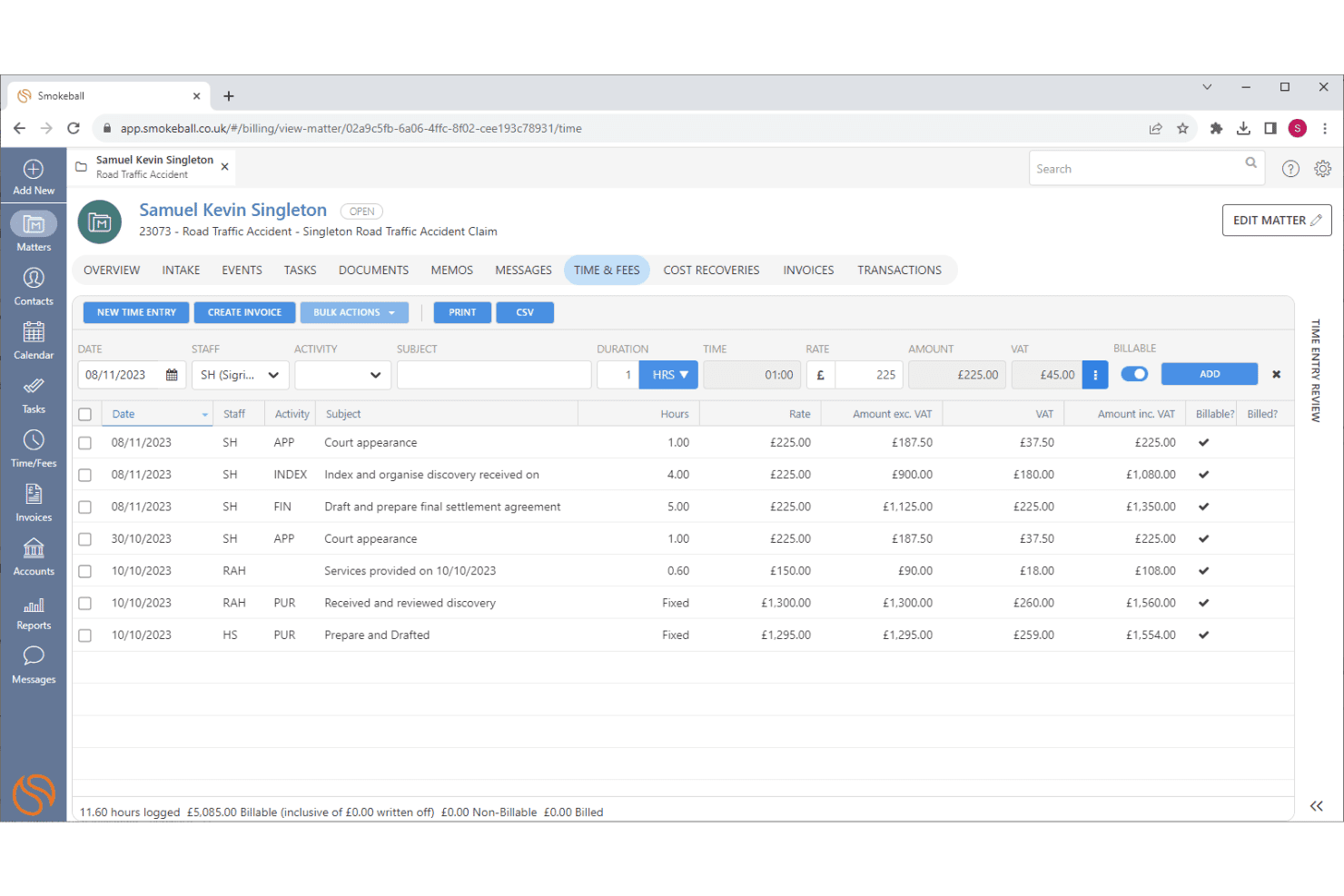
Smokeball captures billable time automatically and supports LEDES batch billing. Smokeball is a legal practice management platform that combines matter tracking, document automation, time capture, billing, trust accounting, and client communication tools for law firms.
Who Is Smokeball Best For?
Smokeball is a strong fit for small to mid-sized law firms whose attorneys handle high-volume, time-sensitive matters and want to recover billable time they'd otherwise miss.
Why I Picked Smokeball
I rate Smokeball highly because its AutoTime feature does something most practice management tools don't: it automatically records billable activity across Smokeball, Word, and Outlook each night, then assigns those entries to the right matter. That means time spent reading emails or editing documents gets captured without anyone manually logging it. For flat-fee matters especially, knowing exactly where attorney time goes is genuinely useful, and TemplateLab's 20,000+ matter-linked document templates mean less time on admin and more on billable work.
Smokeball Key Features
- Client portal: Lets clients securely share files and exchange messages with the firm, with conversations and documents tied directly to their matter.
- TemplateLab: Gives you access to 20,000+ legal document templates that auto-populate with matter data, with options to build or customize your own.
- LawToolBox court-deadline scheduling: Calculates deadline schedules from trigger dates and updates them automatically when court rules change.
- Archie AI: Works within matter context to summarize files, compare documents, flag discrepancies, and draft responses directly in Word and Outlook.
Smokeball Integrations
Smokeball has native integrations with Microsoft Outlook, Microsoft Word, Microsoft Excel, and Adobe, plus marketplace integrations with Xero, Lawmatics, RingCentral, InfoTrack, LawToolBox, and Zapier. Its REST API, webhooks, and Client SDK support custom integrations.
Pros and Cons
Pros:
- Calendars keep matter deadlines visible
- Matter-linked templates populate legal documents
- Automatically captures overlooked billable activity
Cons:
- Glitches and slow loading disrupt work
- Billing workflows feel cumbersome and inflexible
Learn more about Smokeball: Best for case-linked trust and payments
- 10-day free trial available
- From $50/user/month (billed annually)
Visit WebsiteCustomer Rating:4.6/5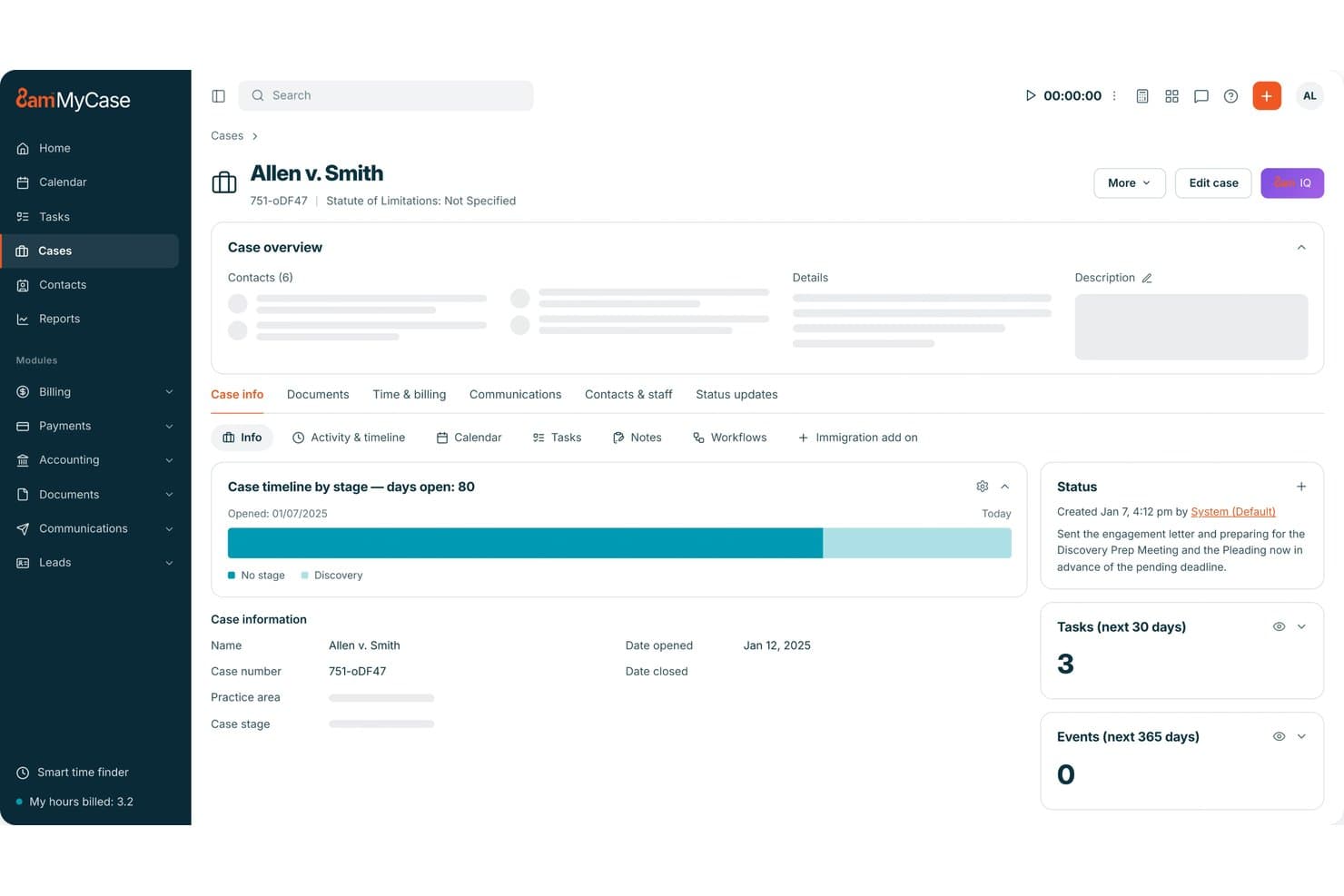
MyCase links trust accounting, client payments, and invoices to case records. MyCase is a legal practice management platform that handles case records, client communications, billing, trust accounting, document management, and online payments in one system.
Who Is MyCase Best For?
MyCase is a strong fit for small to mid-sized law firms that want billing, trust accounting, and client payments connected directly to their case records.
Why I Picked MyCase
I picked MyCase as one of the best because trust accounting and client payments are built directly into case records, not bolted on as a separate module. I love that trust balances track by case and by client, so when a client pays, that payment links back to the exact matter it belongs to. The client portal lets clients view invoices and pay online from the same place they access case documents, which keeps billing tied to the case workflow throughout.
MyCase Key Features
- Court-rules calendaring: Calculate deadlines based on jurisdiction or court rules and add them directly to a case calendar.
- Automated workflows: Standardize routine tasks, events, and documents across practice areas, with triggers from submitted intake forms.
- Client intake forms and legal CRM: Capture lead information through customizable online forms and track prospects through to active client status.
- Role-based user permissions: Configure each user's access as Add & Edit, View Only, or Hidden, with controls over case access and firm settings.
MyCase Integrations
MyCase lists 62 marketplace integrations, including Google Calendar, Microsoft Outlook, Gmail, QuickBooks Online, Dropbox, and LawToolBox. Zapier is also available, and the Advanced plan includes an Open API for custom integrations.
Pros and Cons
Pros:
- Client portal connects messages, documents, invoices
- Court-rule deadlines tied to case calendars
- Matter-linked trust balances and payments
Cons:
- Some reviewers report document syncing problems
- Trust reporting can require manual review
 Best for firms with nonstandard case workflows
- Free demo available
- Pricing upon request
Visit WebsiteCustomer Rating:4.5/5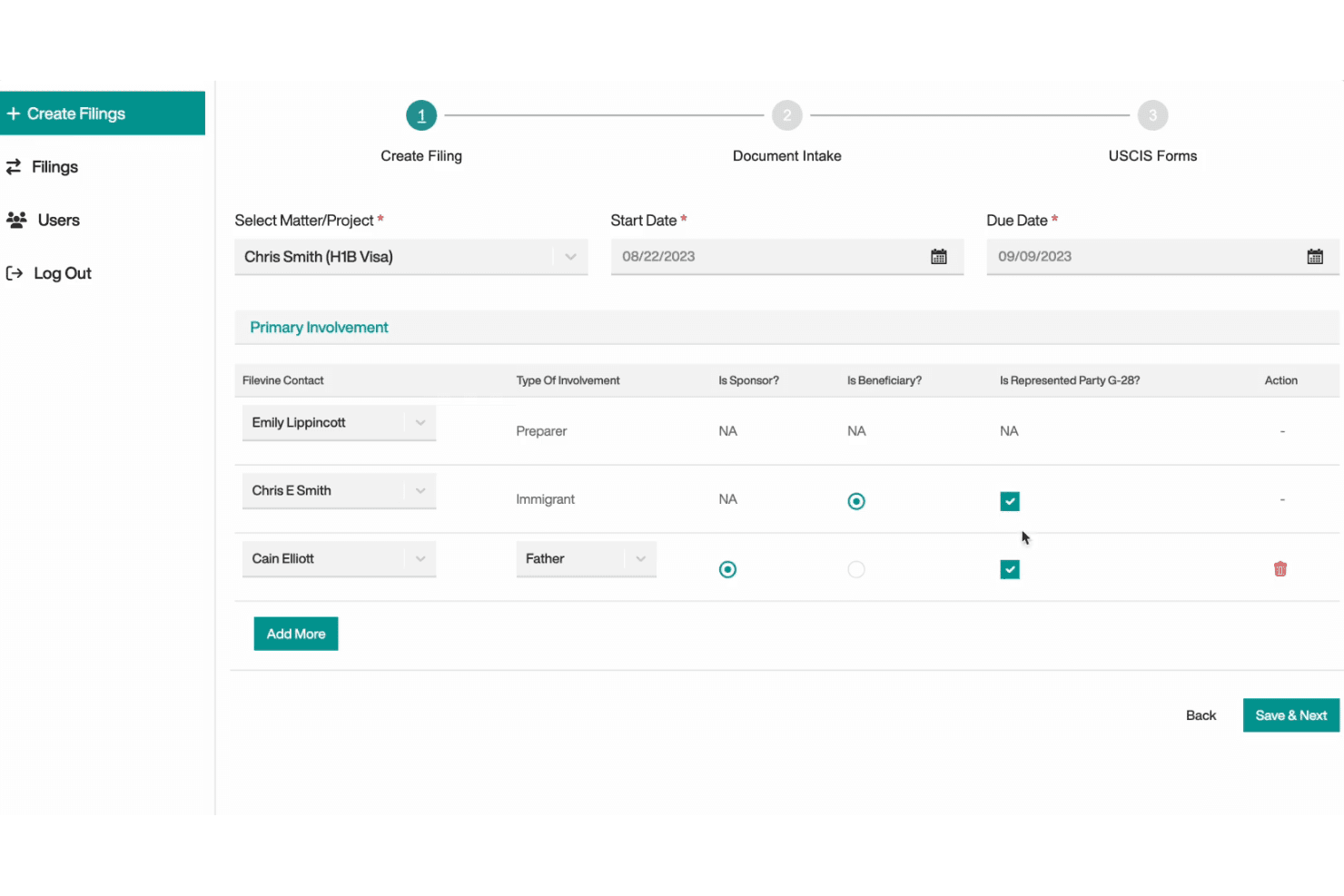
Filevine builds custom case workflows with tailored phases, fields, and taskflows. Filevine is a legal case management platform that centralizes matter tracking, document management, task workflows, calendaring, billing, and client communication in a single, highly customizable workspace.
Who Is Filevine Best For?
Filevine is a strong fit for mid-size to large law firms that need to build case workflows from scratch rather than adapt to a fixed system.
Why I Picked Filevine
I've included Filevine in my top picks because no other tool on this list lets you build case workflows from the ground up the way it does. Rather than forcing your firm into a fixed structure, Filevine lets you define custom fields, phases, and taskflows for each project type, so a personal injury matter and a workers' comp file can follow entirely different paths. I also like that taskflows automatically assign tasks by project role and calculate due dates based on dependencies, which removes a lot of manual coordination from case progression.
Filevine Key Features
- Conflict checker: Search contacts across all matters and non-matter contacts, with saved results that log the search term, conducting user, date, status, and notes.
- Client portal: Give clients project-linked access to case documents, secure messaging, and form submissions that sync directly into the matter file.
- Billing and invoicing: Generate invoices in bulk, apply LEDES billing codes, and accept client payments via credit card, ACH, or buy-now-pay-later options.
- Document OCR search: Search the full text of PDFs and JPGs stored in a matter using optical character recognition to locate specific words or phrases.
Filevine Integrations
Filevine lists 2,000+ potential integrations, including Outlook, Gmail, Google Calendar, Office 365 Calendar, QuickBooks, and Vinesign. It also offers an API for custom integrations and lists Zapier.
Pros and Cons
Pros:
- Centralized matter records keep case activity together
- Document generation populates templates with case data
- Custom taskflows assign dependent, role-based work
Cons:
- Workflow setup demands substantial configuration effort
- Document search can require extra digging
Learn more about Filevine: 4Best for linking conflicts, deadlines, and trust
Clio
- 7-day free trial + free demo available
- From £79/user/month
Visit WebsiteCustomer Rating:4.5/5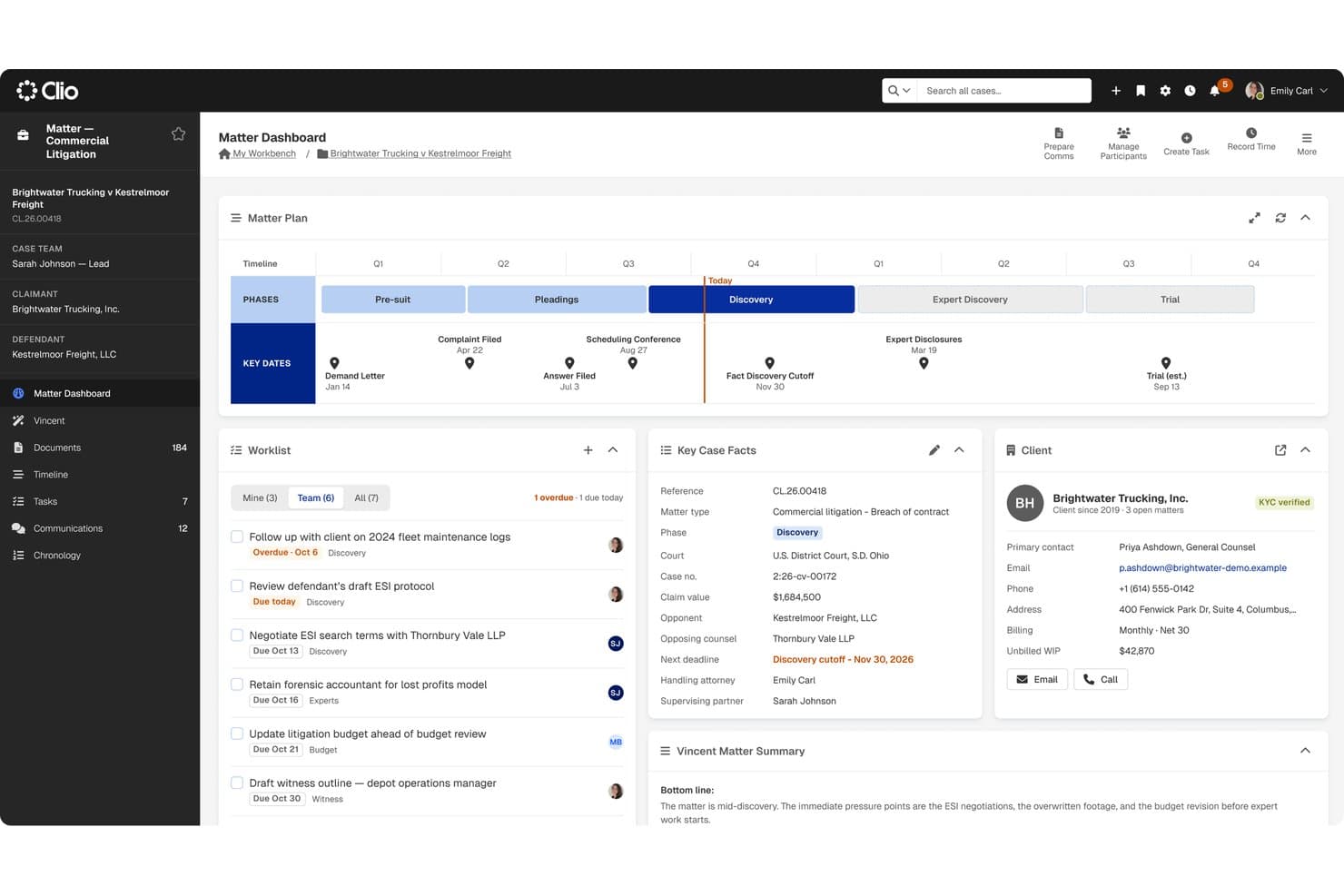
Clio connects conflict checks, court deadlines, and trust reconciliation within matters. Clio is a cloud-based practice management platform for law firms that centralizes matter tracking, document management, billing, trust accounting, court deadline automation, and client communications in one system.
Who Is Clio Best For?
Clio is a strong fit for law firms that need matter management, trust accounting, and court deadline tracking to live in one connected system.
Why I Picked Clio
I picked Clio as one of the best because it's the only tool on my list where conflict checks, court deadline rules, and trust account reconciliation are genuinely connected inside one matter record. I particularly like that court rules auto-generate parent and child deadlines across 2,200 jurisdictions, so a single trigger date cascades into a full calendar. Conflict checks scan contacts, matter notes, calendar events, and communications at once, and you can save the results directly to the matter.
Clio Key Features
- Matter-linked document storage: Store, organize, and version documents directly within matter records, with full-text search across titles, metadata, and content.
- Automated workflows: Trigger task list assignments and document generation automatically when a matter is created or its stage changes.
- Client portal: Let clients message your firm, share documents, view appointments, pay bills, and manage trust requests through a secure web and mobile portal.
- Role-based permissions: Assign standard or custom roles to control each user's access to matters, financials, and firm settings.
Clio Integrations
Clio lists 300+ integrations in its App Directory, including native integrations with Gmail, Microsoft Outlook, Google Calendar, Microsoft 365, Google Workspace, QuickBooks, Xero, Dropbox, OneDrive, and NetDocuments. It also offers an API and Zapier connectivity.
Pros and Cons
Pros:
- Trust reconciliation compares bank and client ledgers
- Court rules link triggers to dependent deadlines
- Matter records connect files, tasks, and billing
Cons:
- Document uploads and retrieval can feel cumbersome
- Reporting exports can lack detail and flexibility
Learn more about Clio: Best for three-way trust reconciliation
- 10-day free trial + demo available
- Pricing upon request
Visit WebsiteCustomer Rating:4.5/5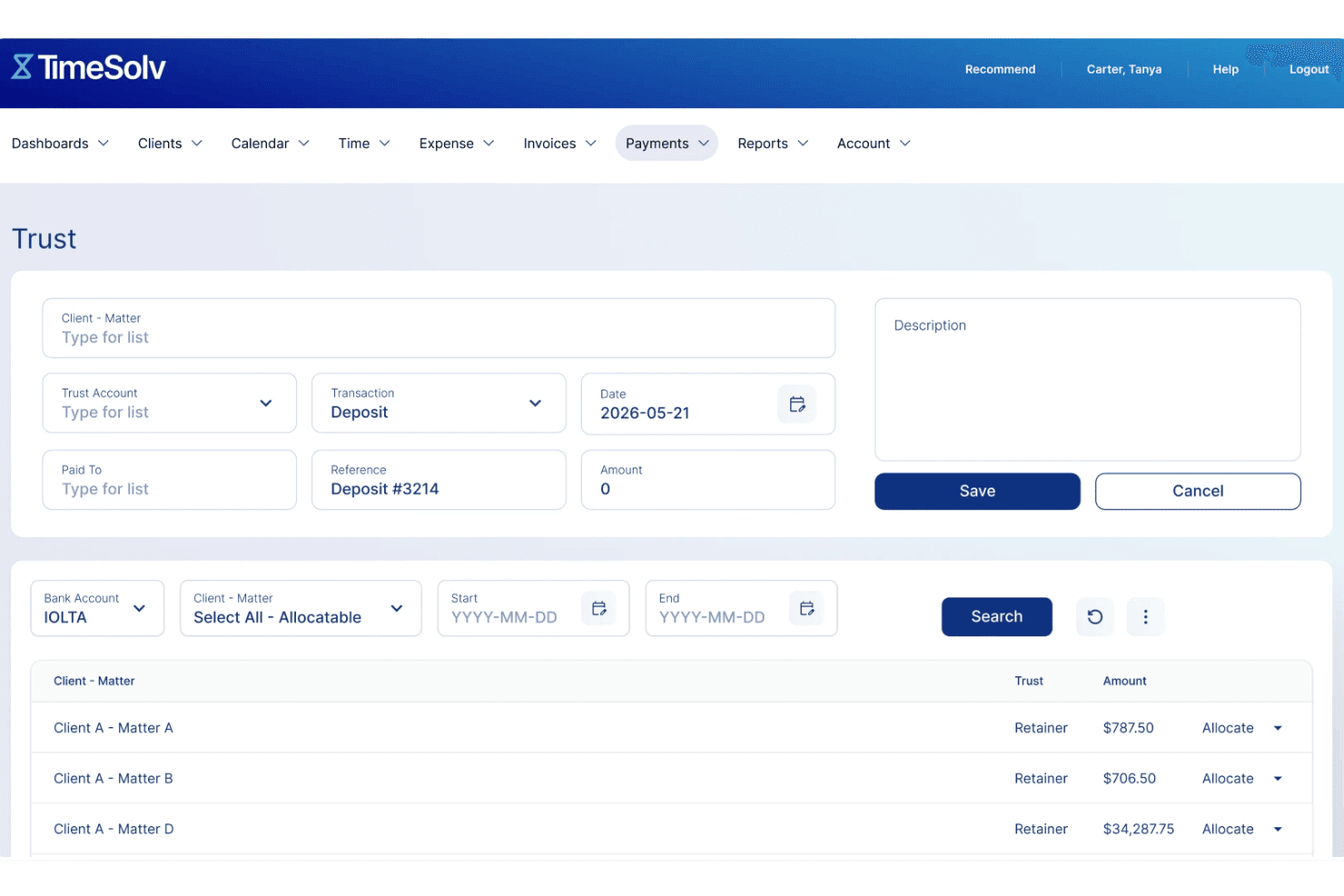
TimeSolv manages trust accounts with compliant fund tracking. TimeSolv is a time, billing, and firm management platform that covers matter tracking, trust accounting, document management, invoicing, and client portal access for law firms and solo practitioners.
Who Is TimeSolv Best For?
TimeSolv is a strong fit for solo attorneys and small-to-mid-sized law firms that need billing-first practice management with built-in trust accounting.
Why I Picked TimeSolv
TimeSolv earns its spot on my shortlist because trust accounting is where it genuinely shines above most billing tools I've used. The three-way reconciliation feature cross-checks client ledgers, the trust bank balance, and the overall trust account simultaneously, which is exactly what ABA Model Rule 1.15 and IOLTA compliance require. I also like that you can set matter-level minimum-balance alerts and trigger replenishment requests directly from the same interface, so nothing slips through before an invoice goes out.
TimeSolv Key Features
- Matter budgets and custom fields: Set matter-level budgets and configure custom fields to track the data points most relevant to each client or case type.
- Batch invoicing: Generate and send invoices for multiple matters or clients at once, with support for flexible billing templates and split billing.
- Client portal: Give clients on-demand access to invoices, payment history, documents, and trust balances, with firm-controlled visibility settings and two-factor authentication.
- Mobile and desktop time entry: Log time and expenses on iOS, Android, Mac, or Windows—including offline—and sync entries when you're back online.
TimeSolv Integrations
TimeSolv offers native integrations across Microsoft 365, including Outlook and OneDrive, plus QuickBooks, Xero, 8am LawPay, Dropbox, NetDocuments, AccountEdge, and LexShare/LexSign. A public API is not clearly documented.
Pros and Cons
Pros:
- Client and matter billing records stay organized
- Three-way trust reconciliation with replenishment alerts
- Straightforward time capture and invoicing
Cons:
- Large document uploads can load slowly
- Report sorting can require CSV exports
 Best for matter-linked trust accounting
- 10-day free trial + free demo available
- From $49/user/month (billed annually)
Visit WebsiteCustomer Rating:4.3/5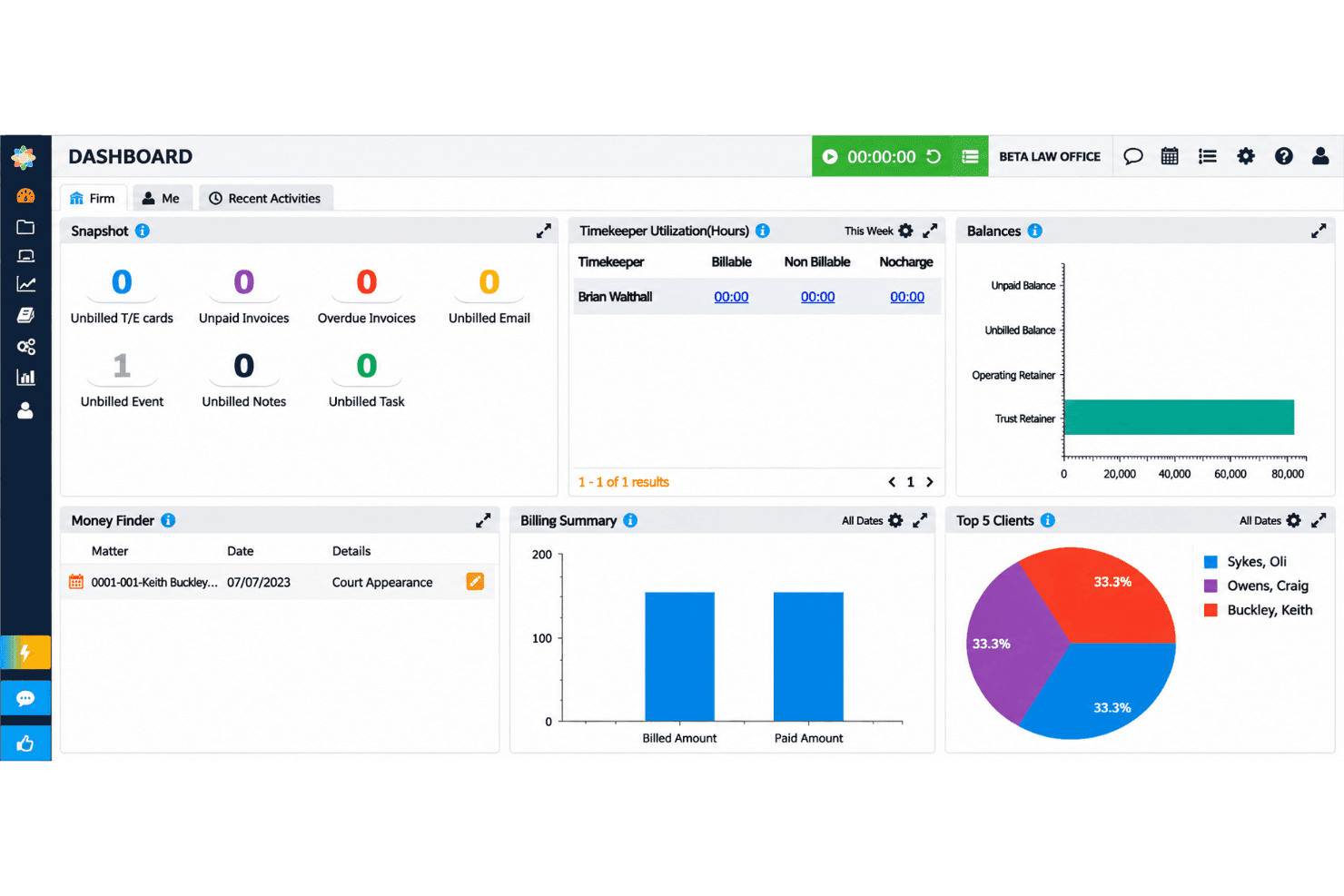
CosmoLex handles legal matters, billing, trust accounting, and client documents. CosmoLex is a cloud-based legal practice management platform that brings together matter management, billing, trust accounting, document management, and client communication tools for law firms.
Who Is CosmoLex Best For?
CosmoLex is a strong fit for solo and small law firms that need billing, trust accounting, and matter management in one place without juggling separate accounting software.
Why I Picked CosmoLex
I've included CosmoLex in my top picks because its trust accounting is built directly into matter management, not bolted on as an afterthought. Every client trust ledger links to its matter, so when I run a three-way reconciliation comparing the trust bank balance, book balance, and individual client ledgers, the numbers trace back automatically.
CosmoLex Key Features
- Secure client portal: Give clients access to shared documents, invoices, tasks, and payment options through a permission-controlled portal.
- AI document summaries: Generate summaries that extract key terms, deadlines, and action items from uploaded matter documents.
- Conflict-of-interest checks: Run manual conflict checks from the Matters section to surface potential matches and their relationships to existing contacts.
- Customizable user roles: Assign predefined or custom roles with access restrictions by matter owner or timekeeper across your firm.
CosmoLex Integrations
CosmoLex documents integrations with Microsoft 365, including Outlook, Google Calendar, Dropbox, OneDrive, Google Drive, NetDocuments, Box, QuickBooks Online, and LawPay. Pro includes a REST API for custom integrations, and Zapier is also listed.
Pros and Cons
Pros:
- Client portal supports document sharing and invoice access
- Matter, billing, and accounting records stay connected
- Matter-linked trust ledgers support three-way reconciliation
Cons:
- Navigation can require too many steps
- Document handling and portal sharing draw criticism
Learn more about CosmoLex: Best for matter-to-firm financial oversight
- 10-day free trial + free demo available
- From $59/user/month (billed annually)
Visit WebsiteCustomer Rating:4.4/5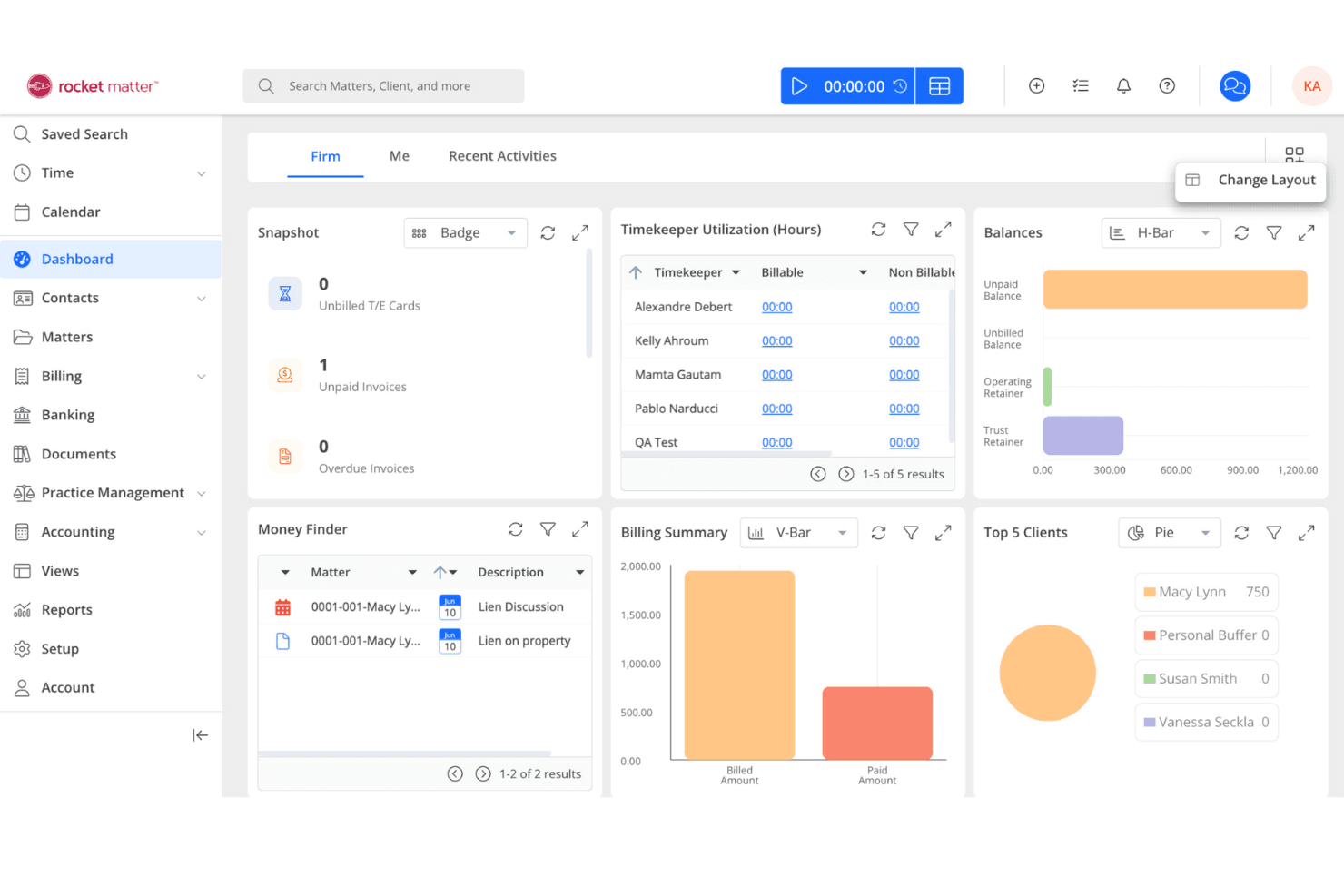
Rocket Matter displays case tasks, matter budgets, and financial performance in one view. Rocket Matter is a cloud-based legal practice management platform that centralizes matter tracking, billing, trust accounting, document management, and client communication across your firm.
Who Is Rocket Matter Best For?
Rocket Matter is a strong fit for firm partners and practice managers who need matter-level financial oversight—from time capture and trust accounting to billing permissions and productivity reporting.
Why I Picked Rocket Matter
I picked Rocket Matter as one of my top choices because it connects matter-level activity with firm-wide financial oversight. Its financial productivity reporting, fee allocation, and split billing features give partners a clear view of revenue sources and individual contributions. I particularly like its matter budgeting functionality, which allows firms to set hour and fee limits for each matter and configure alerts when time entries approach or exceed those thresholds.
Rocket Matter Key Features
- Matter activity log: Tracks who created, updated, or deleted tasks, events, notes, and billable entries within each matter.
- Trust accounting: Manages trust accounts, matter-based trust funds, evergreen retainers, and automatic trust transfers.
- Document assembly: Merges client and matter data into document templates and flags missing information before generation is finalized.
- Client portal: Lets clients upload files, review invoices, and exchange messages directly within the platform.
Rocket Matter Integrations
Rocket Matter offers native integrations with Microsoft 365, Google Calendar, QuickBooks Online, Microsoft OneDrive, NetDocuments, Dropbox, Box, WebCal, and iCalendar. It also provides an HTTP JSON API with OpenAPI documentation and API v2, plus Zapier.
Pros and Cons
Pros:
- Matter activity logs track changes and authors
- Recorded billable time flows into invoices
- Trust accounting connects matter balances to firm finances
Cons:
- Task dependencies offer limited sophistication
- Invoice-template changes can be difficult
Learn more about Rocket Matter: Best for billing and trust accounting
- Free plan + free demo available
- From $45/user/month
Visit WebsiteCustomer Rating:4.4/5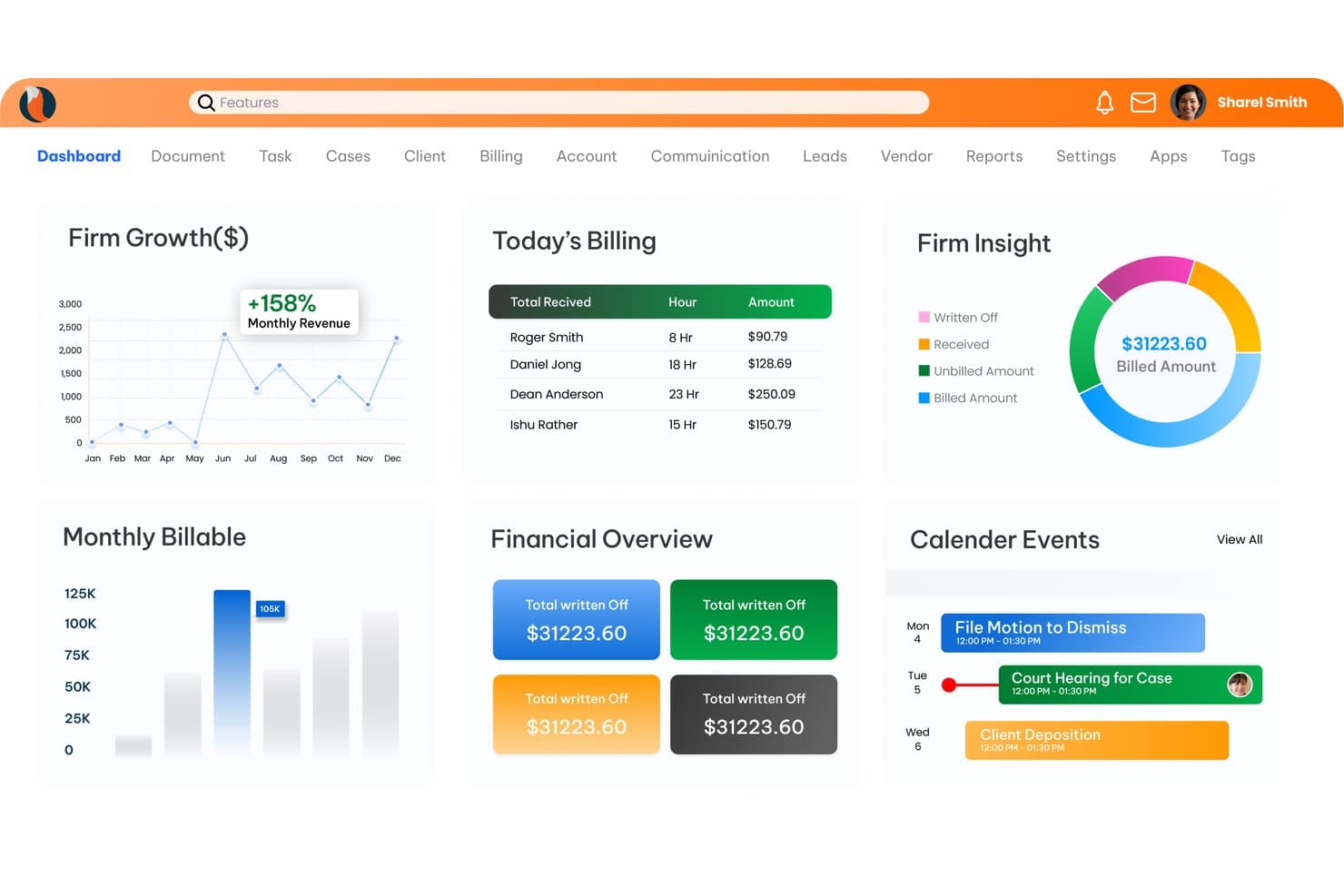
CaseFox gives firms a unified dashboard for billing and case insights. CaseFox is a cloud-based legal practice management platform that combines case tracking, time and expense recording, billing, trust accounting, legal calendaring, and a client portal for law firms and solo practitioners.
Who Is CaseFox Best For?
CaseFox is a good fit for solo practitioners and small firms that prioritize billing, trust accounting, and time tracking over advanced document management.
Why I Picked CaseFox
I picked CaseFox as one of the best because its billing and trust accounting tools go deeper than most tools at this price point. I particularly like that it supports LEDES invoicing, UTBMS codes, and bulk invoice generation alongside full IOLTA trust account management, including deposits, withdrawals, ledgers, and reconciliation guidance. You can also pay invoices directly from trust funds in bulk, which is a workflow I don't see handled this cleanly elsewhere.
CaseFox Key Features
- Conflict-of-interest checks: Run a keyword-based conflict check against your firm's database of clients, contacts, and opposing parties directly from the reports menu.
- Client intake forms: Build customizable, mobile-optimized intake forms with drag-and-drop fields, shareable links, and one-click lead-to-client conversion.
- Role-based access controls: Assign one of five user roles—including an Office Secretary role with customizable permissions—to manage what each staff member can view or edit.
- SMS timekeeping: Log billable hours by text message when you're away from your desk, keeping time entries accurate without requiring app access.
CaseFox Integrations
CaseFox documents integrations with Google Calendar, Outlook, iCal, Google Drive, Dropbox, OneDrive, LawPay, PayPal, QuickBooks, and Xero. It also provides a Web API for custom integrations.
Pros and Cons
Pros:
- SMS time entry captures off-desk hours
- Trust ledgers pair with invoice payments
- LEDES billing and batch invoicing
Cons:
- Calendar sync reliability drew deadline concerns
- Document handling can require external drives
Learn more about CaseFox: Best for firms shaping matter workflows
- Free demo available
- Pricing upon request
Visit WebsiteCustomer Rating:4.2/5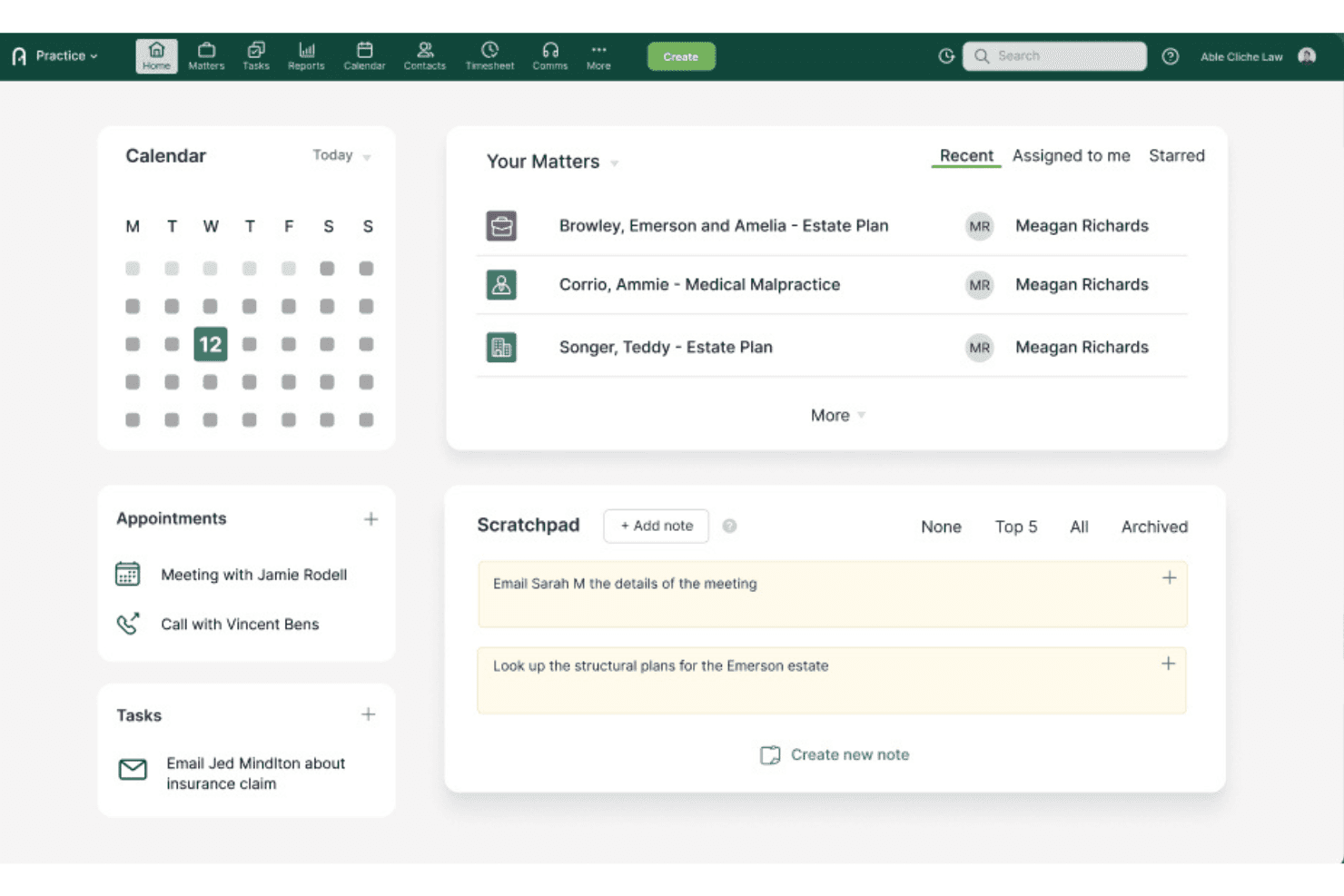
Actionstep centralizes matters, tasks, and notes on one home dashboard. Actionstep is a cloud-based law firm management platform that covers matter management, workflow automation, document management, billing, time tracking, trust accounting, and client communication in one system.
Who Is Actionstep Best For?
Actionstep is a strong fit for growing mid-sized firms that need to build and control their own matter workflows across multiple practice areas.
Why I Picked Actionstep
I've included Actionstep in my top picks because it gives law firms greater control over how matters progress, rather than simply how they're organized. Administrators can create custom workflows from scratch, automate transitions between steps, define matter statuses, and assign tasks to specific participant roles at each stage. I particularly like its flexibility, which allows firms to create multiple distinct workflows tailored to different practice areas and legal processes.
Actionstep Key Features
- Conflict check report: Run searches across matter names, file notes, documents, contacts, and email, then save a time-stamped PDF to create an audit trail.
- Role-based data permissions: Configure module, menu, and data access by matter type, division, or a user's participant status on a matter.
- Client portal: Share and receive documents with clients through an encrypted portal with folder-level permission controls and upload notifications.
- Trace AI time capture: Passively log activity across Outlook, Word, and desktop tools, then map captured time to matters with AI-drafted billing narratives.
Actionstep Integrations
Actionstep integrates with Microsoft Office 365, Outlook, Gmail, NetDocuments, Xero, Josef, and Zapier. Open APIs support custom connections for live data exchange and workflow automation.
Pros and Cons
Pros:
- Portal permissions work at folder level
- Conflict reports create timestamped audit trails
- Matter workflows can assign tasks by stage
Cons:
- Scanned documents need OCR before search
- Workflow setup can demand consultant hours
Learn more about Actionstep: Best for firm finances and trust accounting
- Free demo available
- Pricing upon request
Visit WebsiteCustomer Rating:4.5/5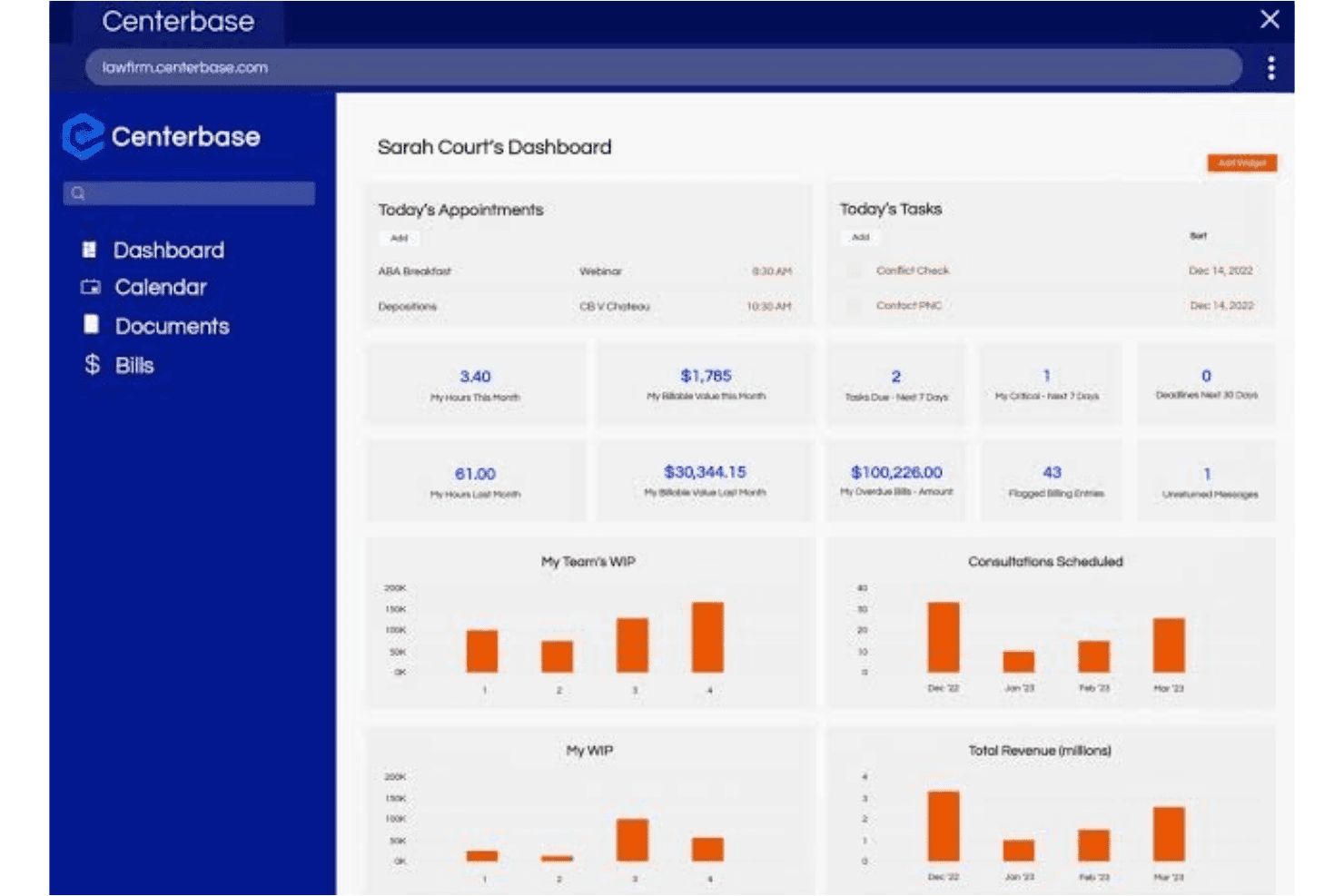
Centerbase unifies legal matters, billing, trust accounting, and financial reporting. Centerbase is a cloud-based practice management platform for midsize law firms that integrates matter management, billing, trust accounting, document management, and firm-wide financial reporting in one system.
Who Is Centerbase Best For?
Centerbase is built for midsize law firms that need a single system to handle billing, trust accounting, and matter management without stitching together separate tools.
Why I Picked Centerbase
I picked Centerbase as one of the best because its billing and trust accounting capabilities are genuinely built into the same system as matter management, not bolted on. I especially like the three-way trust reconciliation, which presents your bank balance, book balance, and client ledger side by side so discrepancies surface immediately. The ePre-bill approval chain also lets your team review, edit, and route pre-bills electronically before anything goes out to a client.
Centerbase Key Features
- Automated Time Capture: Passively records billable work across Microsoft Outlook and Word, converting activity into time entries without manual input.
- Conflict-of-interest check: Search across contacts, clients, matters, and potential new client records using phrase and prefix filters, with results exportable to Excel or CSV.
- Centerbase IQ™: An AI layer that answers natural-language questions about firm financial and billing data, with visualizations and citations to supporting records.
- Client Portal: Share activities, documents, and bills with clients directly through a matter-linked portal, reducing inbound status calls to your firm.
Centerbase Integrations
Centerbase offers native integrations with Microsoft Outlook, Microsoft Word, QuickBooks Online, Plaid, Stripe, NetDocuments, and iManage. It also provides a Web API and .NET API client proxy for custom integrations.
Pros and Cons
Pros:
- Reviewers praise configurable workflows and connected matter records
- ePre-bill approvals support matter-linked billing review
- Trust reconciliation compares bank, book, and client balances
Cons:
- Report customization and support consistency draw criticism
- Reviewers report lag and occasional stability problems
Learn more about Centerbase:
Outros softwares de gestão de escritórios e processos
Eis mais algumas opções da minha pesquisa que não entraram na lista restrita, mas que ainda assim vale a pena considerar:
- 11Amicus AttorneyBest for firms choosing their hosting model
- 12PracticePantherBest for pairing casework with trust accounting
- 13CasePeerBest for tracking treatment, liens, and bills
- 14LawcusBest for guided legal software migrations
- 15Bill4TimeBest for firms keeping Box or NetDocuments
- 16DocketWiseBest for multilingual immigration form intake
- 17LitifyBest for qualifying leads from intake calls
- 18CARET Legal (Zola Suite)Best for AI across matters, time, deadlines
- 19Assembly NEOSBest for source-backed injury demand drafting
- 20PCLawBest for checking work in progress on mobile
How I Evaluate Practice and Case Management Software
I split my evaluation into three parts. Core functionality carries the most weight—I look for tools that can track and organize case records and centralize matter-linked documents. Then I evaluate standout features like trust accounting and conflict-of-interest checks. Finally, I consider support quality, onboarding resources, and pricing value.
Core Functionality (Table Stakes for This List)
When I'm selecting tools for my list, I score each one on a scale from 0 (does not offer the functionality) to 5 (excels in this area) for each core functionality listed below. I then convert the total into a percentage to help assess each tool's overall fit, with extra weight on any functionalities I've deemed essential.
- Matter/Case Tracking (Essential): I check whether you can build structured case records with custom fields, linked contacts, statuses, and a full activity history for each matter.
- Document Management (Essential): Each tool's ability to store, organize, and retrieve case-linked documents matters—I look for templates, version tracking, and full-text search.
- Calendaring and Deadlines: I evaluate how scheduling, court dates, and deadline reminders tie back to matters, including whether rule-based triggers automate follow-up tasks.
- Billing and Invoicing: Flexible billing models like hourly, flat fee, and contingency get reviewed, along with how invoice generation and payment tracking connect to matters.
- Time Tracking: I look at how time entries link to specific matters and flow into billing, including whether the tool offers passive or automatic time capture options.
- Client Communication Tools: Secure portals, messaging tied to specific matters, and shared document access all factor in—I check how clearly clients can view case updates.
Once I have a list of tools that meet the criteria, I consider what sets each platform apart.
Differentiating Factors (What Sets Vendors Apart)
Here's how I compare and contrast different vendors:
Standout Features
Trust/IOLTA accounting with three-way reconciliation is the first thing I check. A firm that mishandles client funds faces bar complaints, so I look for tools where trust ledgers tie directly to individual matters and bank records. Conflict-of-interest checks matter just as much. Before opening a new case, the system should automatically scan existing contacts and matters for potential conflicts, the way Clio and CosmoLex handle it at the intake stage. I also evaluate workflow automation templates, since a personal injury practice and a family law firm need very different task sequences for intake, discovery, and closing.
Beyond Features
I evaluate how well each vendor supports data migration, since moving client records and documents from a legacy system can stall a firm for weeks if the provider lacks dedicated onboarding help. Integration depth matters too—I check whether tools connect natively with Outlook, Gmail, QuickBooks, and e-signature platforms, or offer open APIs for linking niche systems already in place. I also look at vendor support quality, because a solo practitioner locked out of a trust ledger at month-end needs a live person, not a knowledge base article.
Como escolher um software de gestão de escritórios e processos
Escolha um sistema testando se este se adapta aos fluxos de trabalho dos seus assuntos e aos controlos financeiros dos quais o seu escritório depende. Antes de comparar opções, identifique onde os prazos, os documentos, a faturação e os fundos dos clientes têm de estar ligados — e onde o seu processo atual apresenta falhas.
| Se a sua prioridade for… | Procure… |
|---|---|
| Se a sua prioridade for…Registos fiáveis dos assuntos | Procure…Uma forma clara de preservar o histórico dos assuntos, os contactos e os documentos essenciais |
| Se a sua prioridade for…Controlo dos prazos | Procure…Um processo para associar as datas dos tribunais e os lembretes ao assunto responsável |
| Se a sua prioridade for…Precisão das contas fiduciárias | Procure…Livros de registo ao nível do assunto e um processo de reconciliação que a sua equipa possa verificar |
| Se a sua prioridade for…Uma mudança de sistema sem problemas | Procure…Um plano documentado para migrar os registos e os documentos dos assuntos |
Como avaliar a sua lista restrita
- Faça um teste com um assunto: Durante um período de teste de uma semana, introduza um assunto de exemplo, adicione um prazo, anexe um documento e rastreie cada item até ao respetivo registo.
- Teste os controlos fiduciários: Peça ao fornecedor um relatório de reconciliação de exemplo e, em seguida, peça ao seu contabilista para verificar se os saldos dos assuntos correspondem ao livro de registo de exemplo.
- Peça informações sobre a migração: Obtenha um plano de migração por escrito que abranja os registos dos assuntos, os documentos, o histórico de faturação e a responsabilidade pela validação dos dados transferidos.
- Confirme os procedimentos relativos a conflitos: Utilize um conjunto fictício de contactos para testar uma pesquisa de conflitos e peça informações por escrito sobre os registos pesquisados e a forma como os resultados são analisados.
- Escolha o compromisso que pretende assumir: Utilize uma folha de decisão para ponderar os processos interligados de gestão de assuntos e financeiros de um sistema integrado face ao âmbito mais restrito e às transferências separadas entre ferramentas modulares.
O que é o software de gestão de práticas jurídicas e processos?
O software de gestão de práticas jurídicas e processos ajuda as equipas jurídicas a organizar processos, registos de clientes, documentos, prazos e trabalho relacionado. Dependendo do sistema, também pode ligar o registo de horas, a faturação, os pagamentos e as tarefas de contabilidade de contas fiduciárias aos registos dos processos.
Assim, a sua equipa dispõe de um local partilhado para acompanhar a atividade dos processos e gerir o trabalho administrativo associado a cada processo.
Funcionalidades do software de gestão de práticas jurídicas e processos
Eis as principais funcionalidades que procuro num software de gestão de práticas jurídicas e processos:
- Acompanhamento de processos: Crie registos estruturados com contactos associados, campos personalizados, estados e históricos de atividade. A sua equipa pode utilizar cada registo de processo para acompanhar a evolução do processo e encontrar informações relacionadas.
- Gestão de documentos: Armazene e organize ficheiros juntamente com os processos a que dizem respeito. A pesquisa, os modelos e o histórico de versões ajudam a sua equipa a localizar os documentos atuais e a acompanhar as alterações.
- Calendário e prazos: Agende datas de audiências, reuniões e lembretes de tarefas, associando-os depois ao processo relevante. Alguns sistemas suportam prazos baseados em regras que desencadeiam tarefas de acompanhamento.
- Faturação e emissão de faturas: Registe encargos e crie faturas para trabalho cobrado à hora, a preço fixo ou com base numa percentagem do resultado. Os registos de faturação associados aos processos ajudam a rever saldos e o estado dos pagamentos.
- Registo de horas: Registe o tempo despendido num processo e associe essas entradas à faturação. Algumas ferramentas também oferecem o registo automático de horas, o que pode ajudar a sua equipa a registar trabalho que é fácil não contabilizar.
- Comunicação com clientes: Utilize portais seguros ou mensagens associadas aos processos para partilhar atualizações e documentos com os clientes. Os controlos de acesso ajudam a limitar as informações partilhadas às pessoas adequadas.
- Contabilidade de contas fiduciárias e reconciliação: Acompanhe os fundos dos clientes em livros-razão ao nível do processo e reconcilie os registos das contas com os movimentos bancários. A reconciliação de três vias pode ajudar a sua empresa a verificar se os livros-razão, os saldos dos clientes e os extratos bancários estão de acordo.
- Verificação de conflitos: Pesquise contactos e registos de processos para identificar potenciais conflitos antes de abrir um novo processo. Verifique quais os registos pesquisados pelo sistema e como a sua equipa analisa possíveis correspondências.
- Automatização de fluxos de trabalho: Configure sequências de tarefas para etapas como a recolha inicial de informações, a fase de produção de prova ou o encerramento de processos. Os modelos podem ajudar a sua equipa a seguir processos consistentes em casos semelhantes.
Vantagens do software de gestão de práticas jurídicas e processos
Com base na minha experiência, o software de gestão de práticas jurídicas e processos oferece várias vantagens. Eis algumas das mais comuns:
- Organização dos processos: Os registos estruturados dos processos associam contactos, estados, históricos de atividade e documentos num único local.
- Controlo de prazos: Os calendários e lembretes associados aos processos ajudam a sua equipa a acompanhar datas de audiências, reuniões e tarefas de acompanhamento.
- Acesso a documentos: Os ficheiros pesquisáveis dos processos, os modelos e os históricos de versões ajudam a sua equipa a encontrar e gerir documentos dos processos.
- Acompanhamento financeiro: As entradas de horas, os registos de faturação e os livros-razão de contas fiduciárias associados aos processos permitem rever encargos, saldos e fundos dos clientes.
- Fluxos de trabalho consistentes: As sequências de tarefas para a recolha inicial de informações, a fase de produção de prova e o encerramento fornecem à sua equipa etapas repetíveis para processos semelhantes.
- Coordenação com clientes: Os portais seguros e as mensagens associadas aos processos permitem à sua equipa partilhar atualizações e documentos com os clientes.
- Triagem de conflitos: As pesquisas nos registos de contactos e de processos ajudam a sua equipa a identificar potenciais conflitos antes de abrir um processo.
Custos e preços do software de gestão de práticas jurídicas e processos
Os preços variam consoante as funcionalidades, o tamanho da equipa e os complementos. Eis os intervalos de preços que normalmente pode esperar de um software de gestão de práticas jurídicas e processos:
Tabela de comparação de planos para software de gestão de práticas jurídicas e processos
| Tipo de plano | Preço médio | Funcionalidades comuns |
|---|---|---|
| Tipo de planoPlano gratuito | Preço médio$0 | Funcionalidades comunsAcompanhamento básico de processos, armazenamento limitado de documentos, ferramentas de calendário e gestão básica de tarefas. |
| Tipo de planoPlano pessoal | Preço médio$10–$40/utilizador/mês | Funcionalidades comunsRegistos de processos e contactos, armazenamento de documentos, calendário, registo de horas e emissão básica de faturas. |
| Tipo de planoPlano empresarial | Preço médio$40–$100/utilizador/mês | Funcionalidades comunsCampos personalizados dos processos, modelos de documentos, automatização de fluxos de trabalho, portais de clientes e ferramentas de faturação. |
| Tipo de planoPlano empresarial avançado | Preço médio$100–$200/utilizador/mês | Funcionalidades comunsPermissões avançadas, contabilidade de contas fiduciárias, verificação de conflitos, relatórios personalizados e integração inicial dedicada. |
Perguntas frequentes
Algumas respostas a perguntas comuns sobre software de gestão de escritórios de advogados e processos:
O software de gestão de escritórios de advogados e processos pode dar suporte a equipas jurídicas internas?
Sim, muitas plataformas podem dar suporte a equipas jurídicas internas, mas verifique se os respetivos fluxos de trabalho se adequam aos pedidos internos. Procure funcionalidades de receção de assuntos, atribuição, prazos, registos de documentos e relatórios que correspondam ao trabalho da sua equipa jurídica. Pergunte se os intervenientes da empresa podem enviar pedidos sem ver detalhes confidenciais dos processos. Verifique as definições de acesso para o pessoal jurídico, as unidades de negócio e os advogados externos. Se gerir contratos ou retenções legais, confirme se esses fluxos de trabalho existem; não parta do princípio de que o acompanhamento de processos os abrange. Teste um pedido desde a receção até ao encerramento, utilizando um exemplo realista, antes de escolher.
Como devo proteger os dados confidenciais dos processos num sistema de gestão de processos?
Comece por analisar os controlos de acesso do sistema, a documentação de segurança e os termos relativos ao tratamento de dados. Confirme se suporta permissões baseadas em funções e autenticação multifator, caso a sua política o exija. Pergunte como encripta os dados, regista a atividade dos utilizadores e gere as cópias de segurança, a retenção e a eliminação. Limite o acesso aos processos às pessoas que dele necessitam e reveja as permissões quando as funções do pessoal mudarem. Teste se os registos de auditoria mostram quem visualizou, alterou ou exportou um ficheiro sensível. Peça à sua equipa de segurança ou de TI que avalie os termos do fornecedor e os procedimentos relativos a incidentes antes de carregar os registos dos clientes. Não encare as funcionalidades do software como um substituto das suas regras de confidencialidade ou das revisões de acesso.
Um único sistema pode dar suporte a várias áreas de prática?
Sim, um único sistema pode dar suporte a várias áreas de prática se permitir configurar fluxos de trabalho distintos. Configure tipos de processos, campos, modelos de tarefas e regras de acesso separados para o trabalho de cada grupo. Por exemplo, uma equipa de contencioso pode precisar de prazos judiciais, enquanto uma equipa de direito do trabalho acompanha investigações e pedidos de aconselhamento. Verifique se os utilizadores podem pesquisar e elaborar relatórios sobre vários processos sem expor registos com acesso restrito. Teste a configuração com um processo representativo de cada área de prática, incluindo a receção, o armazenamento de documentos, os prazos e o encerramento. Se o produto obrigar todas as equipas a seguir um único processo, ferramentas separadas ou uma configuração mais aprofundada poderão ser mais adequadas.