

Debt collection software for law firms helps you track, manage, and recover client debts while meeting legal compliance standards at every step. If you’re a legal practice owner looking for solutions to automate your collections process, this guide covers what truly matters to law firms—compliance, workflow integration, and specialized features—so you can pick the software that fits your practice.
Why Trust Our Software Recommendations
6,700+
Reviews
20
Industry experts
16+
Evaluation factors
14
Years
Our team has been testing and reviewing software since 2012. As legal practice leaders ourselves, we know how difficult—and important—it is to choose the right software.
For this guide, we evaluated tools using hands-on testing and independent research, scoring tools using our selection criteria.
Our reviews reflect our human editorial judgment, not a sales pitch.
Comparison Table: Debt Collection Software for Law Firms
This comparison table summarizes pricing details for my top debt collection software for law firms software selections.
| Tool | Best For | Trial Info | Price | ||
|---|---|---|---|---|---|
| 1 | Best for practice-wide law firm integrations | Free trial available | From £79/user/month | Website | |
| 2 | Best for post-judgment tracking capabilities | Free demo available | Pricing upon request | Website | |
| 3 | Best for automated debtor communications workflows | 30-day free trial | Pricing upon request | Website | |
| 4 | Best for legal document automation in collections | Free demo available | From $1,095/month | Website | |
| 5 | Best for high-volume legal collections processing | Free demo available | Pricing upon request | Website | |
| 6 | Best for flexible trust accounting integration | 30-day free trial | From $699/month | Website | |
| 7 | Best for enterprise-grade compliance automation | Free demo available | Pricing upon request | Website | |
| 8 | Best for all-in-one creditor rights case | Free demo available | From $70/user/month | Website | |
| 9 | Best for customizable legal collections workflows | Free demo available | From $300/month | Website | |
| 10 | Best for real-time client reporting portals | Free demo available | From $399/month | Website |


Debt Collection Software for Law Firms Reviews
Below are my detailed summaries of the best debt collection software for law firms that made it onto my shortlist. My reviews offer a detailed look at the features, integrations, and best use cases of each software to help you find the best one for you.
 1Best for practice-wide law firm integrations
Clio
- Free trial available
- From £79/user/month
Visit WebsiteCustomer Rating:4.7/5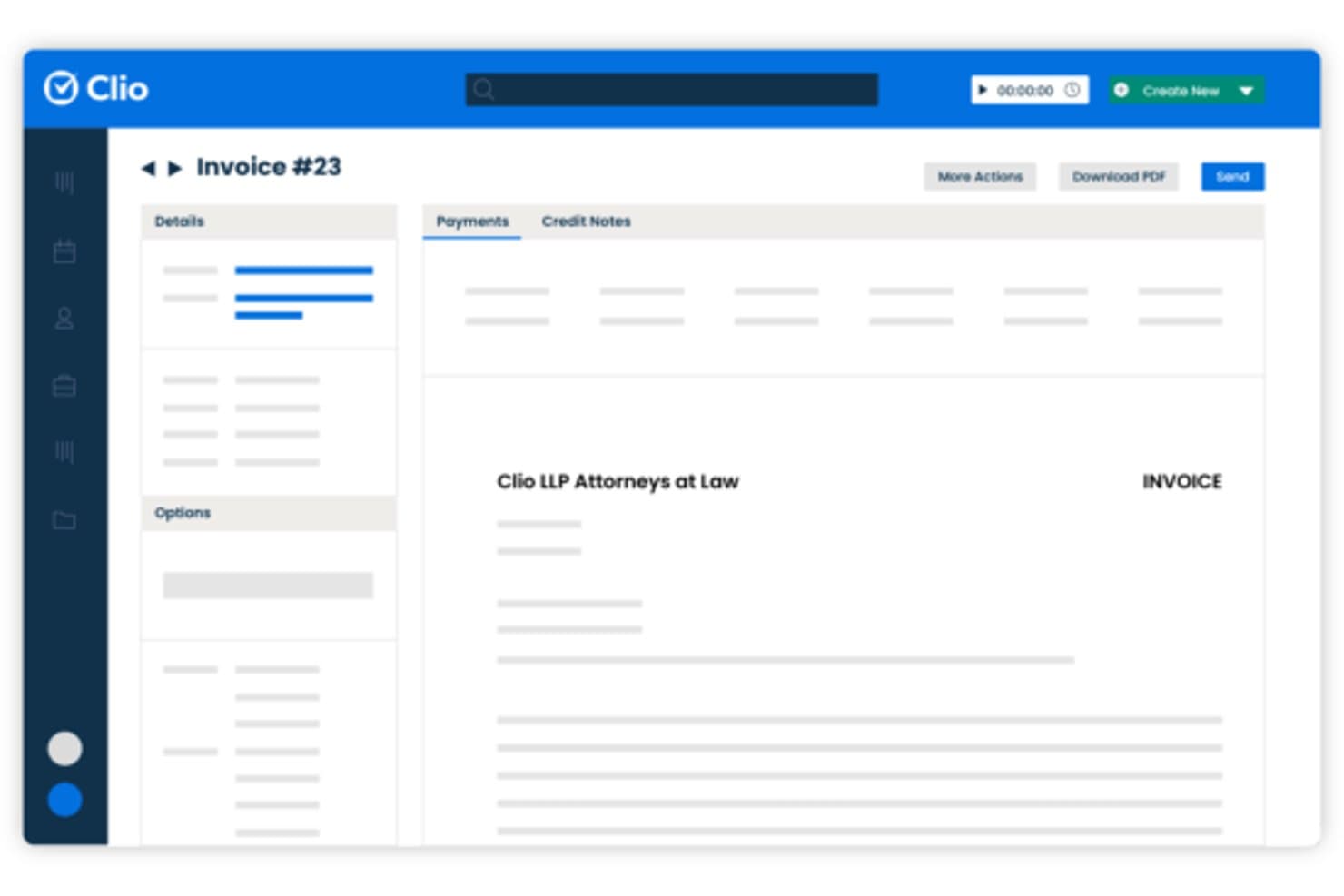
Clio lets users generate and send client invoices directly from its billing interface. Clio is a cloud-based legal practice management platform that combines matter management, time and expense tracking, billing, trust accounting, and a 300+ app integration ecosystem.
Who Is Clio Best For?
Clio suits mixed-practice law firms that need a single platform to connect their existing tools, billing systems, and workflows across multiple practice areas.
Why I Picked Clio
I've included Clio in my top picks because its 300+ app integrations let mixed-practice firms connect debt collection billing to tools they already rely on. Clio links natively with QuickBooks and Xero, so trust accounting reconciliation and AR aging reports don't require manual re-entry. I also like that automated bill reminders and payment plans are built into every plan, not locked behind an add-on.
Clio Key Features
- Matter stages tracking: Lets you set and update matter progress using custom stages in Signature and Elite plans.
- LEDES and UTBMS billing formats: Supports industry-standard electronic billing codes for legal invoicing.
- Multi-currency invoicing: Enables invoice generation and payment tracking in different currencies for international clients.
- Automated legal aid billing: Handles legal aid requirements for firms in England and Wales, with specific claim forms and rate schedules.
Clio Integrations
Clio offers 300+ native integrations, including QuickBooks Online, Xero, LawPay, Microsoft 365, Google Workspace, Dropbox, NetDocuments, DocuSign, Zoom, and Microsoft Teams. An API is available for custom integrations.
Pros and Cons
Pros:
- Matter stages customizable for collections workflows
- Installment plans available for debtor payments
- Built-in trust accounting supports IOLTA reconciliation
Cons:
- No native skip-tracing or dialer tools
- No built-in FDCPA compliance guardrails
Learn more about Clio: Best for post-judgment tracking capabilities
- Free demo available
- Pricing upon request
Visit WebsiteCustomer Rating:4.9/5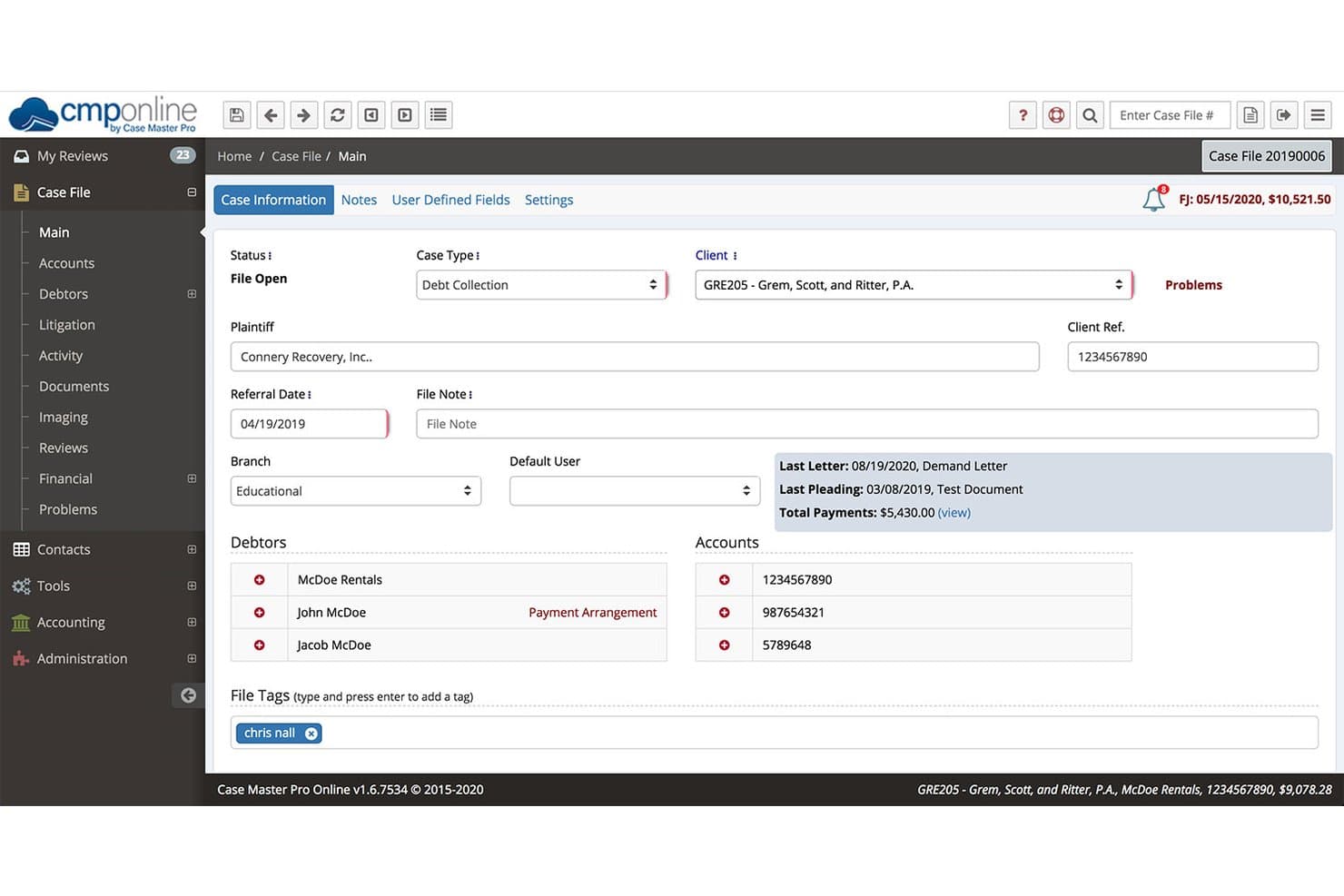
Case Master Pro centralizes debt case details, debtors, and payments in one view. Case Master Pro is a cloud-based debt collection case management platform built specifically for law firms and collection agencies, combining case file management, trust accounting, payment processing, post-judgment tracking, and creditor client reporting.
Who Is Case Master Pro Best For?
It's a strong fit for creditors' rights and collections-focused law firms that need a dedicated platform for managing the full lifecycle of debt recovery matters, from pre-suit through judgment enforcement.
Why I Picked Case Master Pro
Case Master Pro earns its spot on my shortlist because of how far its post-judgment toolset goes beyond basic judgment recording. I particularly like the garnishee tracking on deposit check-memos, which lets my team log and reconcile garnishment receipts directly against the case file. Paired with the anticipated costs functionality and AI-powered Propensity to Pay scoring, I can prioritize enforcement actions across a high-volume docket without losing visibility into where each judgment stands.
Case Master Pro Key Features
- Custom reporting engine: Create tailored reports from any data field and export them in multiple formats.
- Client and creditor portals: Provide secure, white-labeled access for clients to submit placements and view real-time case updates.
- Integrated payment processing: Accept debtor payments directly through PaymentVision, LawPay, and Clover Connect integrations.
- 3-way trust reconciliation: Maintain IOLTA-compliant accounting with automated reconciliation and transaction management within the platform.
Case Master Pro Integrations
Case Master Pro offers native integrations with PaymentVision, LawPay, Clover Connect, QuickBooks, and Peachtree, plus an API for custom integrations.
Pros and Cons
Pros:
- Handles full collections lifecycle in one platform
- Purpose-built for creditors' rights law firms
- Deep post-judgment enforcement tracking built in
Cons:
- Limited scalability for solo or small firms
- Dated interface compared to newer competitors
Learn more about Case Master Pro: Best for automated debtor communications workflows
- 30-day free trial
- Pricing upon request
Visit WebsiteCustomer Rating:4.8/5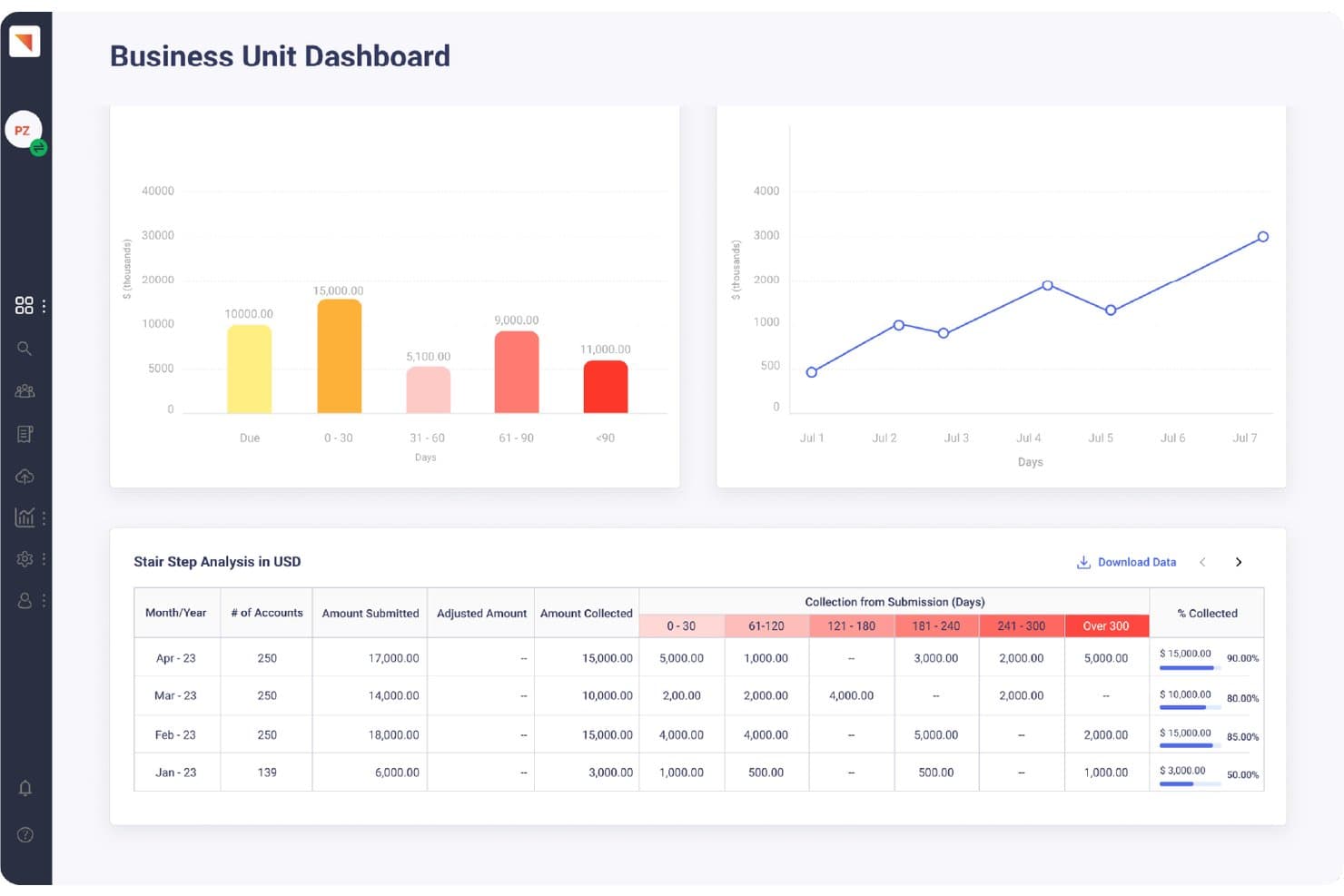
Maxyfi tracks receivables aging and stair-step collection analysis by month. Maxyfi is a cloud-based debt collection platform built for collection agencies and law firms, combining automated debtor communications, skip tracing, payment processing, and compliance-driven workflows across email, SMS, and call channels.
Who Is Maxyfi Best For?
Maxyfi suits collections attorneys and agency operators who manage high volumes of debtor accounts and need automated, multi-channel outreach without manual follow-up overhead.
Why I Picked Maxyfi
Maxyfi earns its spot on my shortlist because of how its maxi-Connect system handles multi-channel debtor outreach at volume. I like that 2-way email, SMS, and call communications run through automated Smart Workflows, so follow-up sequences trigger without manual intervention from my team. The Self-Resolve portal goes a step further, letting debtors arrange payments on their own, which reduces the back-and-forth that typically eats into a collections attorney's billable time.
Maxyfi Key Features
- Customer portal: Lets debtors access invoices and make payments through a secure self-serve interface.
- Skip tracing integration: Pulls real-time contact data to help law firms locate debtors.
- Disposition management: Tracks outcomes of collection calls and automates follow-up reminders.
- Compliance framework: Includes built-in FDCPA, TCPA, and Regulation F guardrails for communication and reporting.
Maxyfi Integrations
Maxyfi offers native integrations with Arbeit Dialer, TCN, Twilio, Vonage, Stripe, Repay, and Lexop. An API is available for custom integrations.
Pros and Cons
Pros:
- Self-resolve portal reduces manual payment follow-up
- Built-in FDCPA and TCPA compliance guardrails
- Automated multi-channel debtor outreach at scale
Cons:
- Setup requires significant workflow configuration time
- Reporting customization options feel limited
Learn more about Maxyfi: Best for legal document automation in collections
- Free demo available
- From $1,095/month
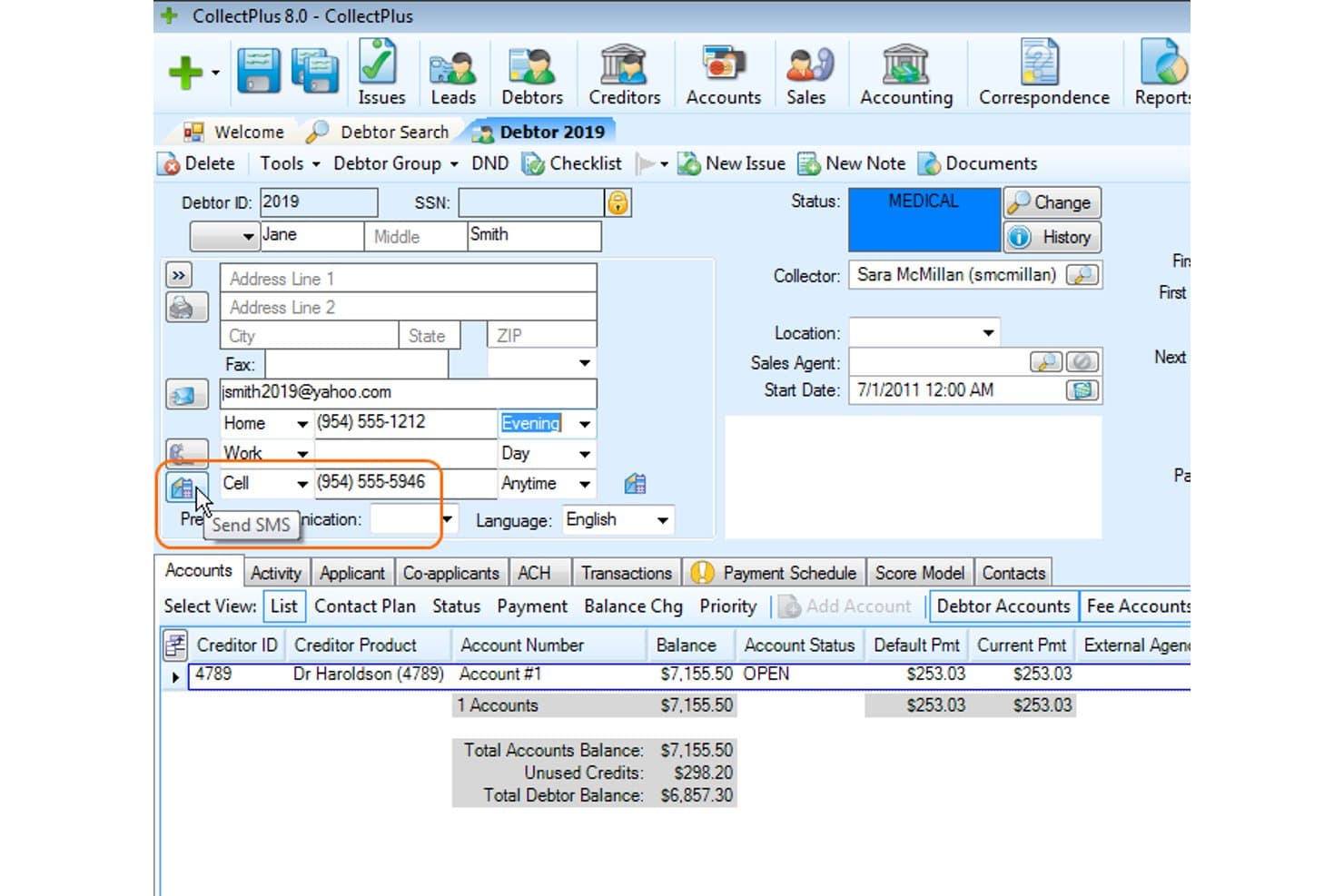
CollectPlus lets users send SMS messages directly from a debtor's profile. CollectPlus is a debt collection platform built specifically for law firms, combining legal document management, trust accounting, case tracking, payment processing, and multi-channel debtor communications in one system.
Who Is CollectPlus Best For?
CollectPlus is a strong fit for debt collection law firms that handle high document volumes and need legal-specific case management alongside trust accounting.
Why I Picked CollectPlus
CollectPlus earns its spot on my shortlist because of how it handles legal document generation at scale. I can batch-produce demand letters using Word templates that auto-populate and convert directly to PDFs. The debtor portal then collects e-signatures on payment agreements without any manual handoff. Workflow automation rules also trigger follow-up document sequences based on account status, which keeps high-volume collections moving without additional staff intervention.
CollectPlus Key Features
- Trust accounting system: Automatically tracks client funds and manages legal trust accounts.
- Client portal: Provides creditor clients with access to reports, case status, and account search.
- Batch invoicing and interest calculation: Generates invoices and statements in bulk with built-in interest computation.
- Calendar and appointment management: Allows teams to schedule court dates, follow-ups, and meetings for each case.
CollectPlus Integrations
CollectPlus offers a native integration with MessageMedia for SMS messaging and supports payment processing through Authorize.Net. An API is available for custom integrations.
Pros and Cons
Pros:
- Multi-channel debtor outreach with compliance controls
- Dedicated trust accounting with IOLTA compliance
- Built-in legal document generation at scale
Cons:
- Limited third-party integration options out of the box
- Steep setup time for document template configuration
Learn more about CollectPlus: Best for high-volume legal collections processing
- Free demo available
- Pricing upon request
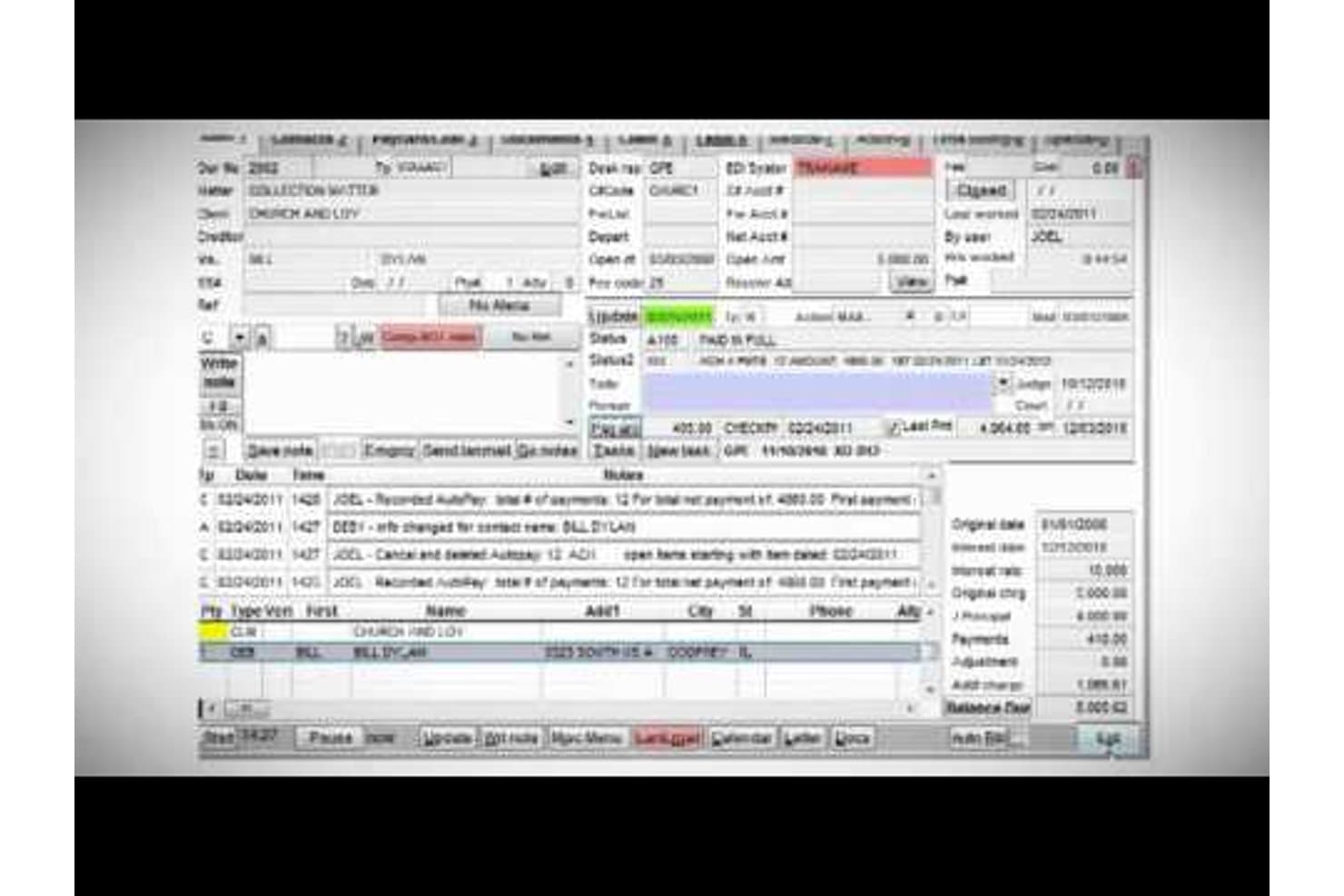
Vertican centralizes debt account details, payments, and case notes. Q-LawE by Vertican is an enterprise legal collections platform built for creditors' rights law firms, covering case management, rule-based workflow automation, trust accounting, SOL tracking, and creditor data exchange across the full collections litigation lifecycle.
Who Is Vertican Best For?
Q-LawE is a strong fit for creditors' rights law firms filing lawsuits at scale, where high case volumes demand automated workflows and litigation-specific case tracking.
Why I Picked Vertican
Q-LawE earns its spot on my shortlist because of how it handles collection volume at scale. The concurrent Job Scheduler runs parallel processing threads across hundreds of cases simultaneously, so my team isn't stuck waiting for one batch to clear before the next begins. The DDAS (Data Driven Automation System) then handles rule-based case progression automatically, moving pre-suit accounts forward without manual intervention at each step.
Vertican Key Features
- Attorney meaningful review (AMR): Lets attorneys efficiently review and approve case files directly within the platform.
- Statute of limitation (SOL) management: Tracks and manages critical statute dates for each debt collection matter.
- Integrated media management: Connects with vMedia to organize and access supporting documents for each case.
- Vertican Support Access (VSA): Built-in system for submitting and tracking support tickets without leaving Q-LawE.
Vertican Integrations
Q-LawE offers native integrations with PaymentVision, ProVest, EZ Messenger, Docketly, and Vertican's vExchange for creditor data exchange. An API is available for custom integrations.
Pros and Cons
Pros:
- Built specifically for creditors' rights litigation
- Automates full pre-suit to post-judgment workflows
- Handles massive case volumes without slowdown
Cons:
- Implementation and setup demand significant IT involvement
- Outdated interface requires a steep adjustment period
Learn more about Vertican: Best for flexible trust accounting integration
- 30-day free trial
- From $699/month
Visit WebsiteCustomer Rating:4.7/5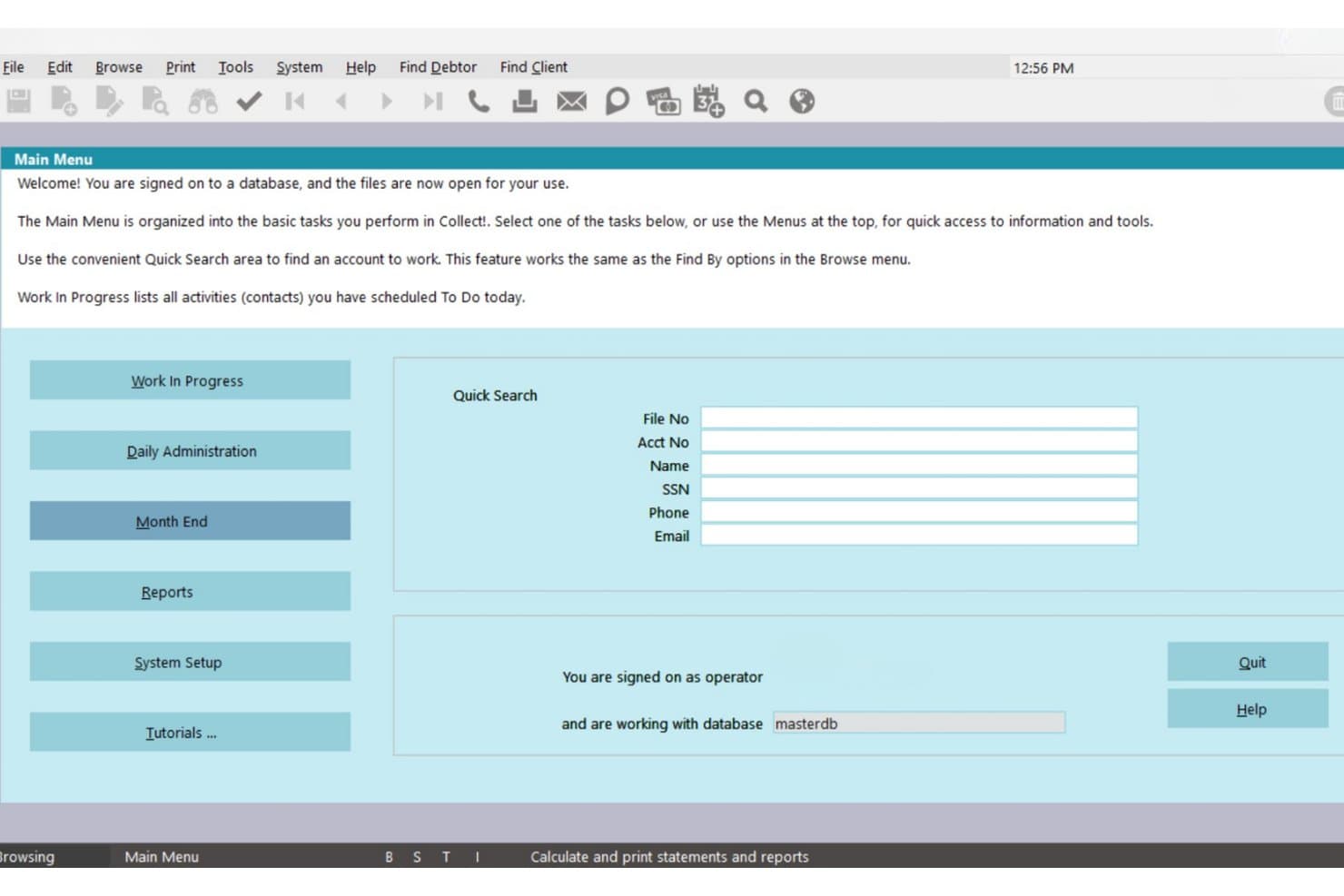
Collect! centralizes account lookup and daily task management for collectors. Collect! is a debt collection platform built for law firms, collection agencies, and creditors that combines case file management, multi-channel debtor communications, trust accounting, judgment tracking, and creditor client reporting.
Who Is Collect! Best For?
Collect! suits creditors' rights law firms and collection agencies that need configurable collections workflows without paying enterprise-tier prices.
Why I Picked Collect!
Collect! earns its spot on my shortlist because its trust accounting setup handles things most collection platforms skip entirely. I like that it ties client remittance, trust ledger reconciliation, and creditor statement generation directly into the account record, so nothing lives in a separate spreadsheet. My team also doesn't need to build Reg F compliance from scratch, because stock Model Validation Notices are already built in alongside opt-in and opt-out tracking.
Collect! Key Features
- Multi-channel debtor communication: Schedule automated letters, email, SMS, and phone outreach from a unified system.
- Judgment and lien tracking: Attach and manage judgments, liens, and asset records within each collections case file.
- Client and consumer portals: Give clients and debtors secure access to account information, case status, and documents.
- Reg F and FDCPA compliance tools: Enforce communication limits and send model validation notices with auditable logs.
Collect! Integrations
Collect! offers native integrations with Noble Dialer, TCN, PDCflow, and Fortis for payment processing and automated communications. An API is available for custom integrations.
Pros and Cons
Pros:
- Built-in Reg F validation notice generation
- Trust accounting handles split disbursements natively
- Highly configurable collections workflow setup
Cons:
- Reporting customization needs technical knowledge
- Dated interface requires significant setup time
Learn more about Collect!: Best for enterprise-grade compliance automation
- Free demo available
- Pricing upon request
Visit WebsiteCustomer Rating:4/5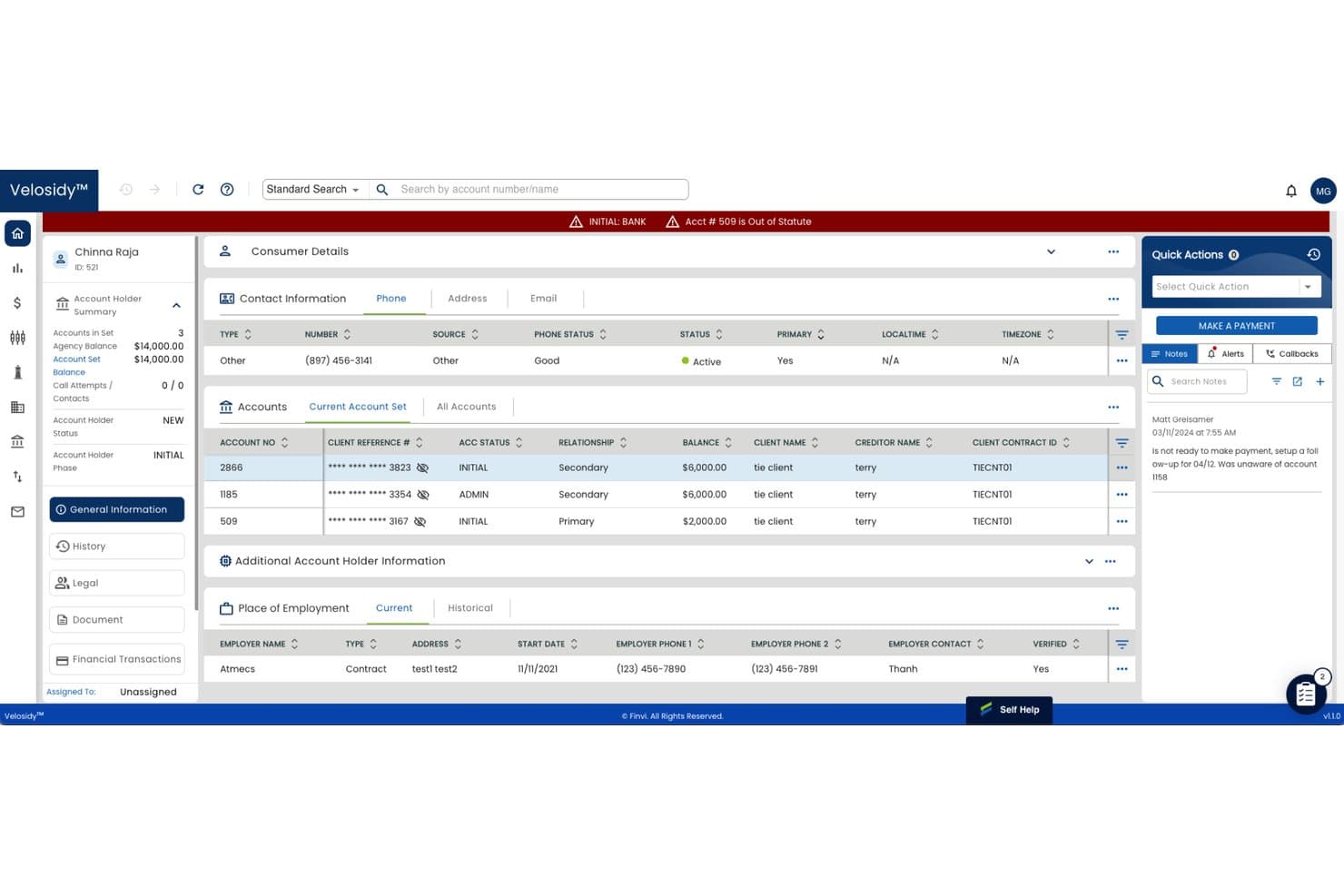
Finvi centralizes consumer account details, balances, and notes for debt collectors. Finvi is an enterprise collections workflow platform that combines AI-driven account prioritization, multi-channel debtor communications, legal-action case tracking, and built-in regulatory compliance automation.
Who Is Finvi Best For?
Finvi is a strong fit for high-volume collections operations and large creditors' rights firms that need enterprise-scale automation across debtor outreach, legal workflows, and compliance management.
Why I Picked Finvi
I picked Finvi as one of the best because its real-time compliance engine enforces FDCPA, TCPA, and Regulation F rules at the workflow level, not as a post-process check. My team can't send noncompliant outreach because the system blocks it before it happens. The Velosidy legal-action module also tracks statutes of limitations and automates court filing steps, which keeps litigation-stage accounts moving without constant manual oversight.
Finvi Key Features
- AI-driven account segmentation: Assigns accounts to agents using predictive analytics for outreach efficiency.
- Multi-channel communications suite: Sends letters, SMS, emails, and voice calls through built-in and integrated tools.
- Statute of limitations tracker: Monitors relevant legal deadlines for each account throughout the collections lifecycle.
- Client reporting dashboards: Provides creditor clients with access to real-time performance and status data.
Finvi Integrations
Finvi offers native integrations with InfoTrack, WebRecon, Advanced Cash Management, and TCN. An API is available for custom integrations.
Pros and Cons
Pros:
- Real-time creditor client reporting portal included
- Automated legal-action workflows reduce manual case handling
- Configurable compliance rules across multiple jurisdictions
Cons:
- Reporting customization requires vendor support to modify
- Steep implementation process for smaller collections firms
Learn more about Finvi: Best for all-in-one creditor rights case
- Free demo available
- From $70/user/month
Visit WebsiteCustomer Rating:4.1/5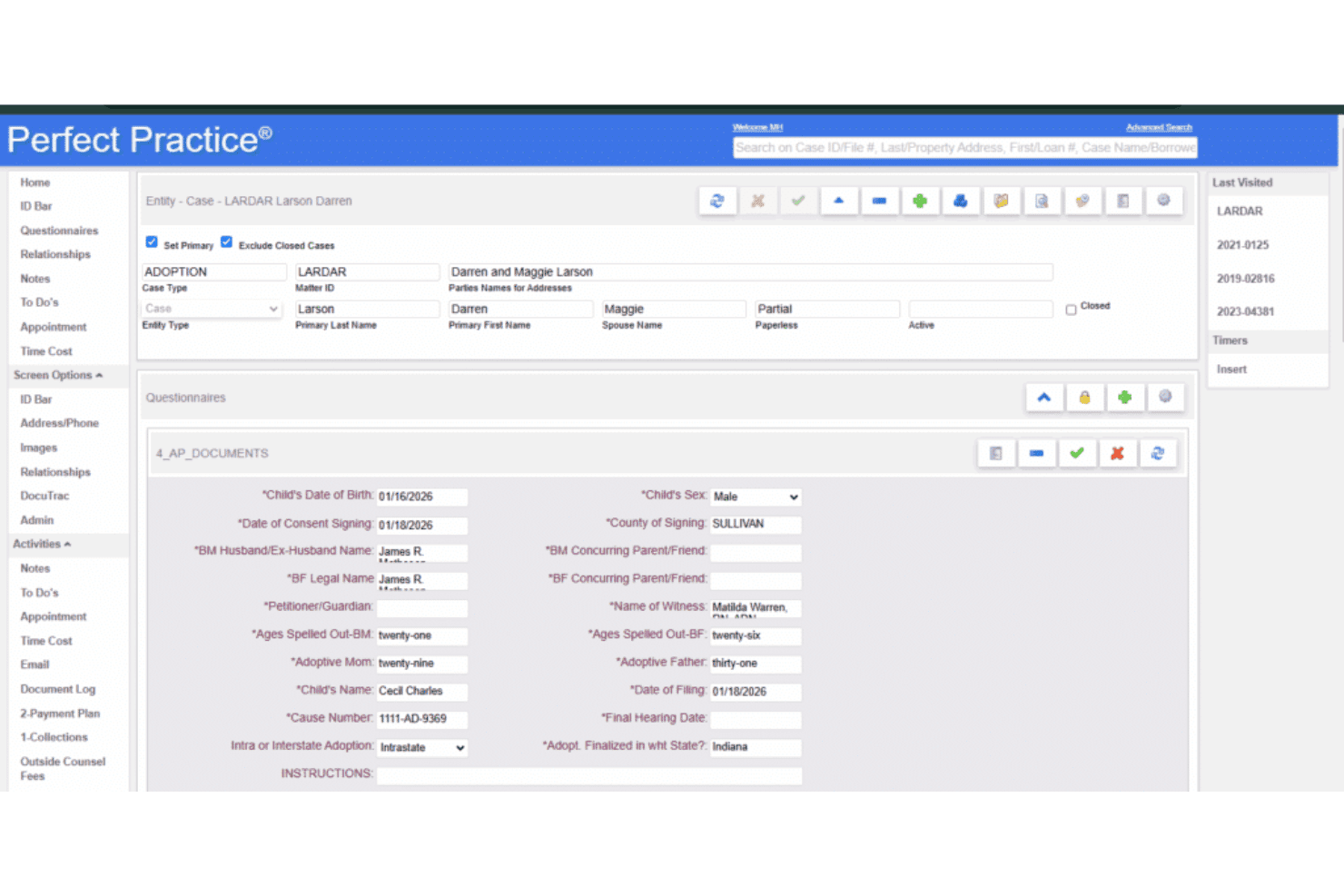
Generate legal documents from templates quickly Perfect Practice is a legal practice management platform built specifically for creditors' rights law firms, combining case management, trust accounting, billing, document management, and workflow automation in a single database.
Who Is Perfect Practice Best For?
It's a strong fit for creditors' rights law firms that want case management, billing, and trust accounting on one platform rather than juggling multiple tools.
Why I Picked Perfect Practice
I picked Perfect Practice as one of the best because it runs case management, trust accounting, billing, and document management through a single shared database. In practice, that means I can track a creditor rights case from pre-suit through collections without re-entering data across disconnected tools. I particularly like the trust accounting depth, which handles check writing, bank reconciliation, and IOLTA compliance in a way that generic tools like QuickBooks simply don't.
Perfect Practice Key Features
- Customizable workflow automation: Configure rules and stages to match creditor rights case processes and firm requirements.
- Client portal access: Share secure updates, status reports, and key documents directly with creditor clients through a web portal.
- Advanced document automation: Use template libraries and merge features to create demand letters, filings, and notices at scale.
- Audit trail tracking: Maintain detailed records of all user activity and document changes for compliance and oversight.
Perfect Practice Integrations
Native integrations are not clearly documented. The tool offers an API for custom integrations.
Pros and Cons
Pros:
- Highly configurable workflows for collections matters
- Built-in trust accounting with IOLTA compliance
- Single database covers full case lifecycle
Cons:
- Niche focus may not suit general practice firms
- Limited publicly documented third-party integrations
Learn more about Perfect Practice: Best for customizable legal collections workflows
- Free demo available
- From $300/month
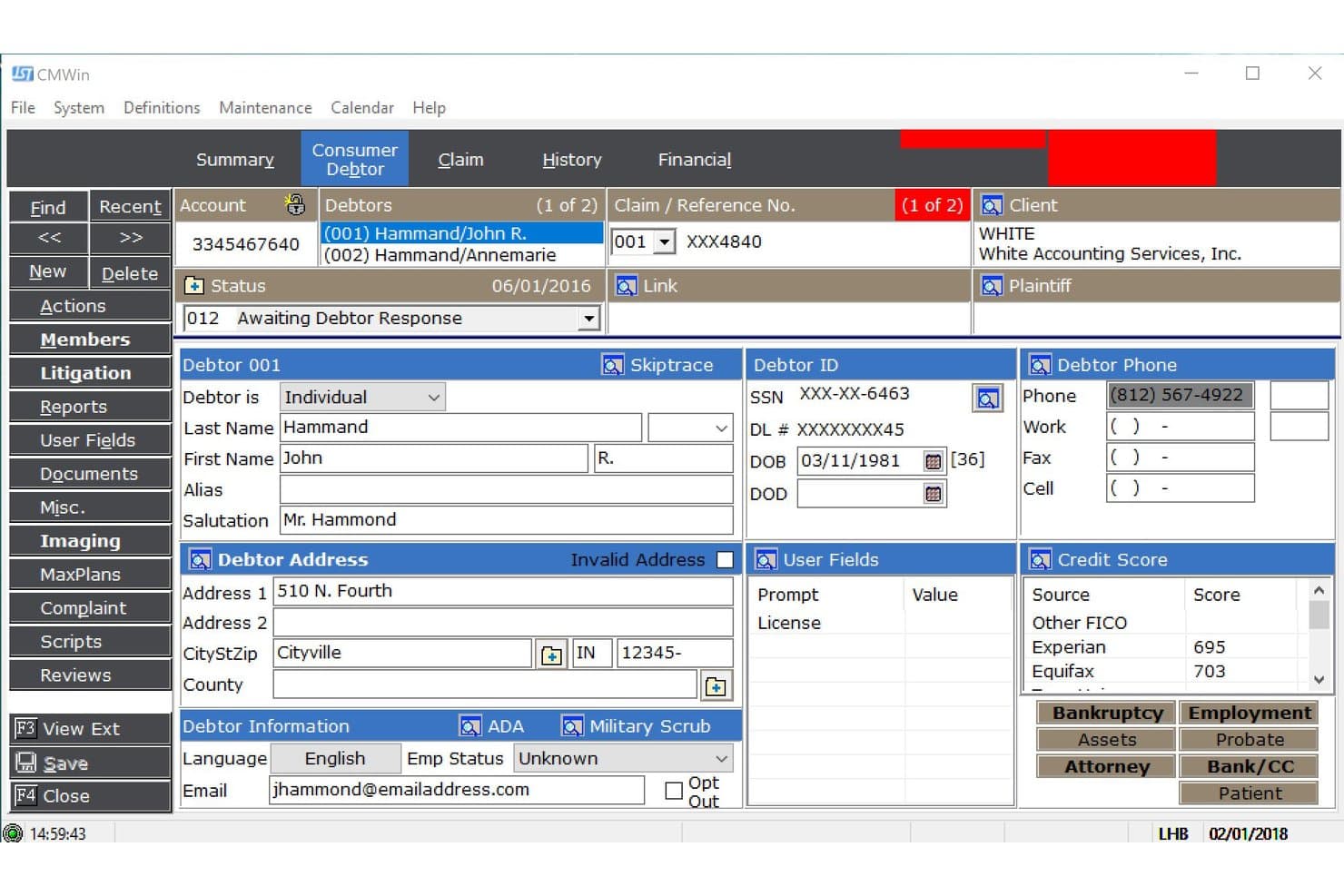
JST CollectMax centralizes debtor profiles, contact details, and credit scores. JST CollectMax is a debt collection platform built specifically for collections law firms, offering case file management, automated document workflows, compliance tracking, and payment processing across consumer and commercial debt types.
Who Is JST CollectMax Best For?
CollectMax is a strong fit for creditors' rights law firms managing high volumes of consumer and commercial collection files across the full litigation lifecycle.
Why I Picked JST CollectMax
I picked JST CollectMax as one of the best because its MaxPlans system lets me build automated workflow sequences that mirror how my firm stages collections cases, from pre-suit demand letters through post-judgment enforcement. I can configure document suppression rules so letters never generate for represented debtors or bankruptcy accounts, keeping FDCPA compliance tight. MaxSecurity gives me granular account-level access controls and audit trails I can pull for any regulatory review.
JST CollectMax Key Features
- MaxSecurity user access controls: Set permissions and track every user who accesses or edits account information.
- Complaint and dispute tracking: Log and monitor consumer or regulatory complaints within the case file.
- QuickBooks-compatible check printing: Generate laser checks in a voucher format compatible with QuickBooks for easy remittance.
- Data Exchange Programs: Integrate with attorney networks and upload case updates or financial transactions automatically.
JST CollectMax Integrations
JST CollectMax offers native integrations with PaymentVision and QuickBooks for payment processing and remittance, as well as attorney network data exchange programs. An API is available for custom integrations.
Pros and Cons
Pros:
- Granular role-based access with full audit trails
- Built-in SOL tracking across jurisdictions
- Configurable MaxPlans automate multi-stage collection workflows
Cons:
- Steeper setup required for multi-jurisdictional rule configuration
- Dated interface compared to newer competitors
Learn more about JST CollectMax: Best for real-time client reporting portals
- Free demo available
- From $399/month
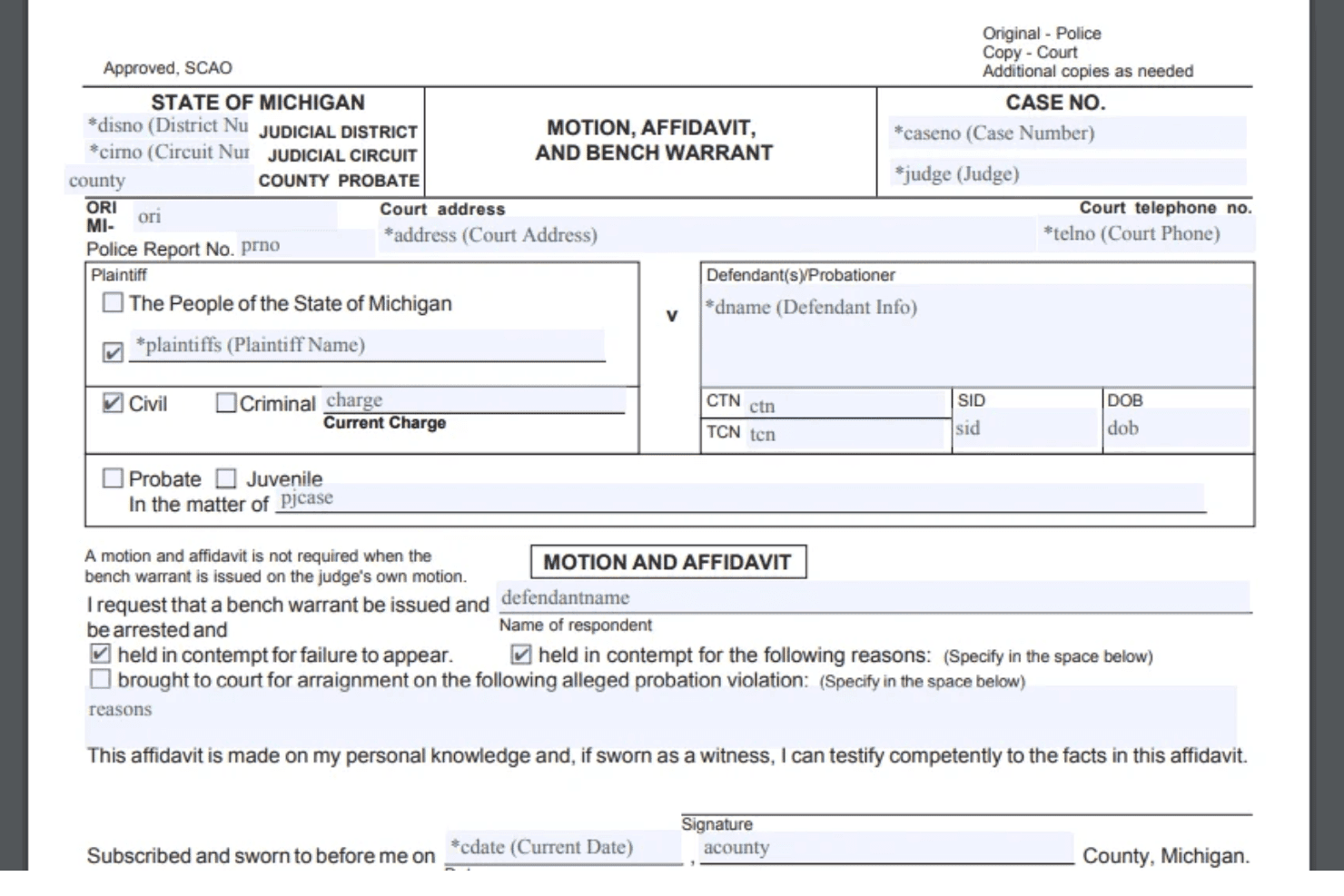
CaseTrackerLaw manages debt collection, AR cases, trust accounting, and reports. CaseTrackerLaw is a cloud-based debt collection and accounts receivable management platform built for law firms and collection agencies, with collections case management, litigation tracking, trust accounting, and creditor client reporting.
Who Is CaseTrackerLaw Best For?
CaseTrackerLaw suits collections attorneys and creditors' rights firms managing high volumes of debtor accounts across pre-suit, litigation, and post-judgment recovery stages.
Why I Picked CaseTrackerLaw
I picked CaseTrackerLaw because the creditor client portal ships as a standard feature, not an add-on module. Creditor clients get private 24/7 access to their own claims, can monitor balances in real time, and pull from over 75 customizable reports without contacting the firm directly. I also like that portal access levels are configurable by role, so each client only sees what's relevant to their own portfolio.
CaseTrackerLaw Key Features
- Litigation tracking: Centralizes information on lawsuits, judgments, and suit status for each debtor and claim.
- Custom dashboard configuration: Lets you tailor navigation and feature access for teams, clients, and debtors.
- Automated PDF and letter generation: Creates customized legal documents auto-filled from claim data with a single step.
- Advanced trust account management: Tracks claim-related funds and manages trust balances for client remittance.
CaseTrackerLaw Integrations
Native integrations are not clearly documented. CaseTrackerLaw offers an API for custom integrations.
Pros and Cons
Pros:
- Trust accounting with automated creditor remittance
- Covers pre-suit through post-judgment workflows
- Built-in 24/7 creditor client reporting portal
Cons:
- Steeper setup time for multi-jurisdictional rule configuration
- Dated interface compared to newer competitors
Learn more about CaseTrackerLaw:
Other Debt Collection Software for Law Firms
Here are some additional debt collection software for law firms options that didn’t make it onto my shortlist, but are still worth checking out:
- 11Cogent CollectBest for FDCPA-compliant client management
- 12STRATTABest for integrated payments and analytics
- 13CaseFoxBest for legal billing and collections integration
- 14InterProse ACEBest for cloud-based collections case management
- 15Latitude by GenesysBest for enterprise-scale receivables automation
Related Reviews
How I Evaluate Debt Collection Software for Law Firms
I evaluate in two layers: baseline requirements—like FDCPA guardrails and trust accounting—that get a tool on the list, and differentiators like post-judgment tracking depth that set the best apart.
Core Functionality (Table Stakes for This List)
When I'm selecting tools for my list, I rank each one on a scale from 0 (does not offer the functionality) to 5 (excels in this area) for each core functionality listed below. I then calculate the tool's total score into a percentage, using 55% as a benchmark to help assess its overall fit for the list.
- Collections Case Management: I look for purpose-built debtor profiles with balance tracking, statute of limitations flags, and clear lifecycle stages from pre-suit through post-judgment.
- Automated Debtor Communications: Multi-channel outreach matters here—I evaluate whether a tool supports scheduled letters, emails, SMS, and dialer integration with event-triggered rules.
- Payment Processing & Trust Accounting: I check for integrated payment intake, installment plan management, and IOLTA-compliant trust handling with automated creditor remittance and reconciliation.
- Judgment & Post-Judgment Tracking: This is where many tools fall short. I look for interest accrual calculations, garnishment management, and tracking for liens, levies, and writs of execution.
- FDCPA & Regulatory Compliance: Built-in guardrails for FDCPA, TCPA, and Regulation F are what I evaluate, including communication frequency limits, opt-out enforcement, and audit trail depth.
- Creditor Client Reporting: I look for client-facing portals where creditor clients can view case status, recovery metrics, and access automated placement and close file exchanges.
Once I have a list of tools that meet the criteria, I consider what sets each platform apart.
Differentiating Factors (What Sets Vendors Apart)
Here's how I compare and contrast different vendors:
Standout Features
Court e-filing integration is a major differentiator. I look for tools that connect directly to court systems so your team can file complaints, motions, and judgment paperwork without leaving the platform. White-labeled client portals also set the best tools apart, giving creditor clients a way to submit new placements and track recovery performance on their own. Pre-built legal workflows for demand letters, garnishments, and post-judgment actions matter too, since configuring these from scratch wastes time your team doesn't have.
Beyond Features
Regulatory compliance depth matters a lot—I check whether a tool includes state-specific rule engines alongside FDCPA and Regulation F controls, since multi-jurisdictional firms need more than basic audit logs. Integration reach is another key factor. Bi-directional sync with practice management platforms and connections to skip tracing providers like TLO or LexisNexis can save hours of manual data entry. I also evaluate pricing models, looking at whether per-user, per-file, or volume-based structures align with your firm's caseload and growth trajectory.
How to Choose a Debt Collection Software for Law Firms
It’s easy to get caught up in feature lists, but focus first on the core needs and compliance challenges that shape results for collections and creditor rights work:
| If your priority is… | Look for… |
| Staying compliant with FDCPA, TCPA, and Regulation F | Built-in guardrails and audit trails |
| Efficient legal case progression and workflow | Pre-built legal collection workflows, court e-filing |
| Faster creditor client reporting and transparency | Real-time client portals with automated file tracking |
| Automating debtor communications and follow-ups | Multi-channel templates with event-based triggers |
| Handling trust accounting and remittances smoothly | IOLTA-compliant trust modules that auto-reconcile |
How to Vet Your Shortlist
- Request an FDCPA/Reg F Controls Demo: See compliance guardrails in action during a sales or onboarding call—ask to review audit logs.
- Test a Court Filing Task: Request a show-and-tell of multi-jurisdiction e-filing—submit a mock claim or motion across two jurisdictions.
- Review a Sample Client Portal: Ask for a live or recorded walkthrough of the creditor client portal and automated remittance reports.
- Ask for IOLTA Documentation: Request sample trust accounting reconciliation reports and review remittance calculations for errors.
- Tradeoff – Configurable Workflows vs. Out-of-the-Box Automation: Decide if your team needs granular workflow control or plug-and-play automation to move fastest.
What Is Debt Collection Software for Law Firms?
Debt collection software for law firms is a specialized platform that manages collection case files, automates debtor communications, and tracks judgments within a legal workflow. These systems help your team stay compliant with collections regulations, streamline trust accounting, and generate automated client reporting for creditor clients. Legal practice owners and paralegals use these tools to handle high case volumes, manage post-judgment recovery, and ensure regulatory requirements are built into every action.
Features of Debt Collection Software for Law Firms
When selecting debt collection software for law firms, keep an eye out for the following key features:
- Case management: Centralizes all debtor information, legal status, and account activity so your team can track cases from initial demand to post-judgment actions.
- Automated debtor communications: Sends templated letters, emails, SMS, or calls on a scheduled or event-triggered basis to improve compliance and collection efficiency.
- Judgment tracking: Monitors status, interest accrual, and post-judgment activities like garnishments, liens, and levies for each matter in your portfolio.
- Trust accounting and IOLTA support: Handles client funds in compliance with legal trust rules, automates split disbursements, and reconciles accounts for proper remittance.
- Regulatory compliance guardrails: Embeds FDCPA, TCPA, and state-level compliance checks into every workflow to reduce risk of noncompliant outreach or reporting.
- Creditor client portal: Gives creditor clients secure access to real-time case status, performance dashboards, and placement or close file tools.
- Integrated payment processing: Accepts and processes debtor payments, supports payment plans, and posts receivables directly to client records without manual entry.
- Court e-filing integration: Connects directly with state and county court systems to file new lawsuits, motions, or judgments from within the software.
- Reporting and analytics: Provides dashboards and exportable reports on recovery rates, case timelines, and compliance events to support audits and client communications.
- Bulk actions and workflow automation: Enables batch case updates, mass communications, and automated process triggers for high-volume collections teams.
Benefits of Debt Collection Software for Law Firms
Implementing debt collection software for law firms provides several benefits for your team and your business. Here are a few you can look forward to:
- Streamlined case management: Centralizes case files and automates updates, so you always know the status of every account and next steps.
- Regulatory risk reduction: Applies FDCPA, TCPA, and state compliance guardrails throughout each workflow to help your firm avoid costly violations.
- Faster payment cycles: Integrates payment intake, plan tracking, and trust accounting, speeding up debtor collections and remittances to clients.
- Better creditor client relationships: Offers white-labeled client portals and real-time reporting, making case status and recovery data accessible at any time.
- Higher recovery rates: Automates multi-channel debtor outreach and payment reminders, increasing the likelihood that debts are collected quickly.
- Efficient post-judgment enforcement: Tracks interest, garnishments, liens, and writs so your team can manage asset recovery right through post-judgment phases.
- Scalability for high-volume practices: Supports bulk actions, automated workflows, and batch updates for law firms managing large portfolios and frequent new placements.
Costs and Pricing of Debt Collection Software for Law Firms
Selecting debt collection software for law firms requires an understanding of the various pricing models and plans available. Costs vary based on features, team size, add-ons, and more. The table below summarizes common plans, their average prices, and typical features included in debt collection software for law firms solutions:
Plan Comparison Table for Debt Collection Software for Law Firms
| Plan Type | Average Price | Common Features |
| Free Plan | $0 | Basic case management, limited debtor communication, manual payment tracking, and standard reporting. |
| Personal Plan | $30-$60/user/month | Enhanced case tracking, automated workflows, single user access, payment processing, and email support. |
| Business Plan | $80-$150/user/month | Multi-user support, advanced compliance tools, client portals, integrated trust accounting, and analytics. |
| Enterprise Plan | $200+/user/month | Custom integrations, bulk automation, court e-filing, dedicated onboarding, priority support, and API access. |
Debt Collection Software for Law Firms FAQs
Here are some answers to common questions about debt collection software for law firms:
What security standards should I expect from debt collection software for law firms?
You should expect SOC 2 Type II certification, encryption at rest and in transit, and role-based access controls. These standards help protect sensitive client data and maintain compliance with industry and client requirements.
Can debt collection software for law firms handle multi-jurisdictional compliance?
Yes, the best solutions offer rule engines for FDCPA, Regulation F, and state-specific laws. This ensures your workflow includes built-in checks for statute of limitations, licensing, and regulatory requirements across different jurisdictions.
How does trust accounting work in debt collection software for law firms?
Trust accounting modules track collected funds, split disbursements between firm and client, and automate IOLTA reconciliation. This supports legal requirements and makes remittance calculations transparent and auditable.
Is integration with practice management and payment systems possible?
Yes, most leading tools integrate with systems like Clio and QuickBooks, plus payment processors and skip tracing providers. These integrations help reduce manual data entry and eliminate duplicate records.
What sets debt collection software for law firms apart from generic collections platforms?
Legal-focused software offers features like court e-filing, post-judgment enforcement tools, and white-labeled creditor portals, all specific to the needs of legal collections practices.