

10 Best Legal Appointment Scheduling Software 2026

10 Legal Appointment Scheduling Software Shortlist


Legal appointment scheduling software lets your law firm automate bookings, manage calendars, and coordinate client meetings without back-and-forth emails or phone calls. If you’re searching for the best way to reduce administrative work, minimize no-shows, and keep your team organized, the right scheduling tool can make a measurable difference. This list will help you compare top legal appointment scheduling software for 2026, so you can find a solution that fits your workflow, supports compliance, and improves the client experience.
Why Trust Our Software Recommendations
Our team has been testing and reviewing software since 2012. As legal practice leaders ourselves, we know how difficult—and important—it is to choose the right software.
For this guide, we evaluated tools using hands-on testing and independent research, scoring tools using our selection criteria.
Our reviews reflect our human editorial judgment, not a sales pitch.
Legal Appointment Scheduling Software Summary
| Tool | Best For | Trial Info | Price | ||
|---|---|---|---|---|---|
| 1 | Best for calendar sync with external platforms | 14-day free trial and free plan available | From $14.40/user/month | Website | |
| 2 | Best for multi-staff calendar management | Free plan available | From $5/user/month (billed annually) | Website | |
| 3 | Best for branded legal consultation booking pages | Free plan available | From $11.9/month (billed annually) | Website | |
| 4 | Best for client portal scheduling integration | 10-day free trial and free demo available | From $50/user/month (billed annually) | Website | |
| 5 | Best for customizable booking links for firms | 14-day free trial | From $39/user/month | Website | |
| 6 | Best for integrating intake with scheduling workflows | Free demo available | Pricing upon request | Website | |
| 7 | Best for automated client reminders and confirmations | 7-day free trial | From $49/user/month | Website | |
| 8 | Best for court rules-based calendar automation | Free demo available | Pricing upon request | Website | |
| 9 | Best for team-based appointment routing | 10-day free trial | From $15/user/month (billed annually) | Website | |
| 10 | Best for group meeting coordination | Free plan available | From $13/user/month | Website |
Legal Appointment Scheduling Software Reviews
Below are my detailed summaries of legal appointment scheduling software that made it onto my shortlist. My reviews offer a detailed look at the features, integrations, and best use cases of each platform to help you find the best one for you.

Best for calendar sync with external platforms
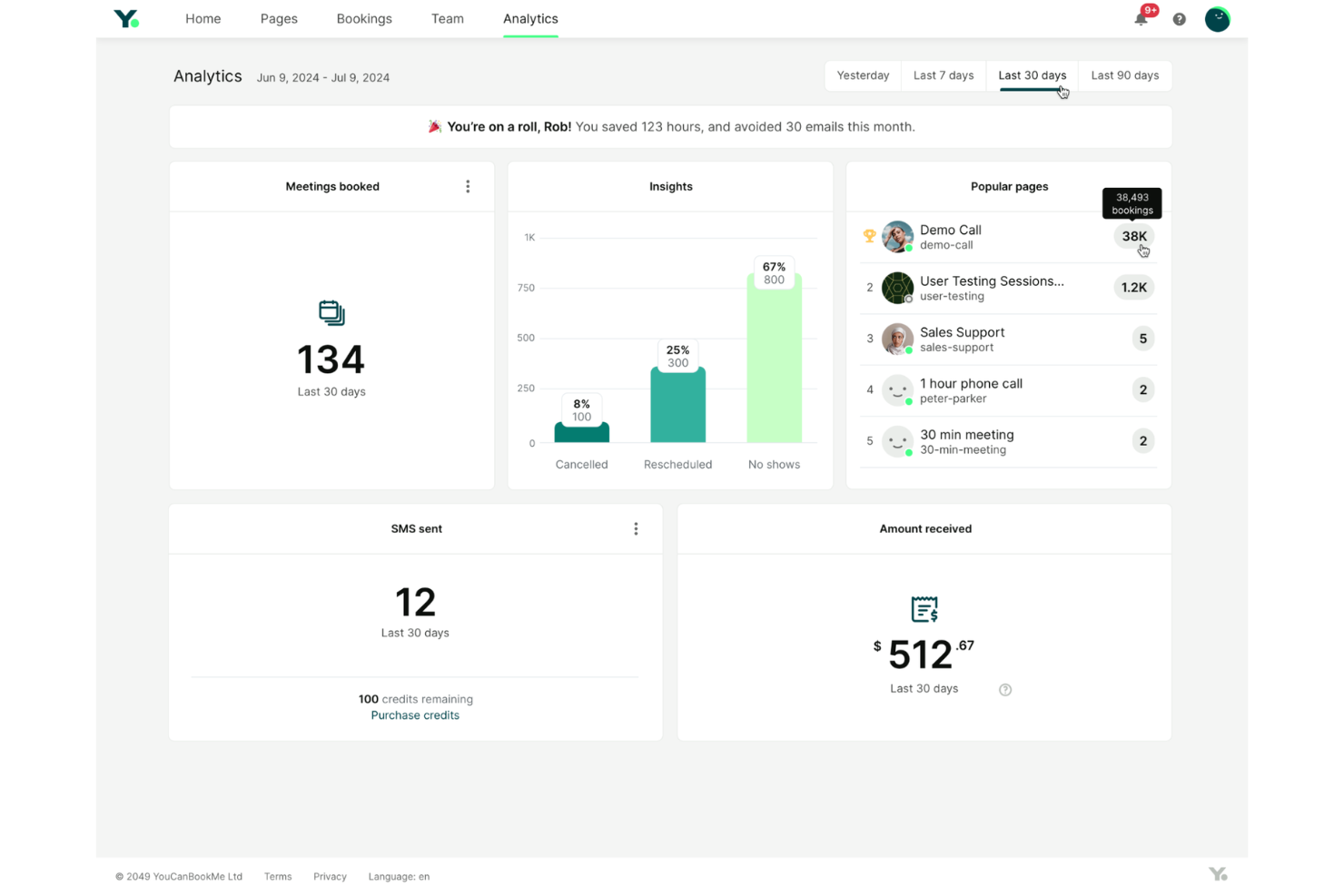
YouCanBookMe helps law firms and legal professionals simplify client appointment scheduling, automate confirmations and reminders, and manage bookings across multiple calendars to reduce administrative work and avoid double-booking.
Who Is YouCanBookMe Best For?
YouCanBookMe is a good fit for solo practitioners and small law firms that need a straightforward scheduling tool with reliable calendar integration.
Why I Picked YouCanBookMe
YouCanBookMe earns its spot on my shortlist because of how well it handles calendar sync across external platforms. I like that it connects directly with both Google Calendar and Microsoft Outlook, so when a client books a consultation, it reflects instantly across every calendar my team uses—no manual updates needed. YouCanBookMe also lets me set buffer times between appointments and define custom availability windows, which is useful when managing multiple attorneys with different schedules. That real-time sync across platforms is what keeps double-bookings from becoming a recurring problem.
YouCanBookMe Key Features
- Customizable booking pages: Build branded booking pages with custom fields to collect client intake information before a consultation.
- Automated email and SMS reminders: Send automatic appointment reminders to clients to reduce no-shows.
- Time zone detection: Automatically detect and display appointment times in the client's local time zone.
- Team scheduling: Manage availability and bookings across multiple team members from a single account.
YouCanBookMe Integrations
Integrations include Google Calendar, Microsoft Calendar, Apple Calendar, Fastmail Calendar, Zoom, Google Meet, Microsoft Teams, Stripe, Gmail, and HubSpot.
Pros and Cons
Pros:
- Embeds booking pages directly on firm websites
- Customizable intake forms for client information
- Syncs instantly with Google and Outlook calendars
Cons:
- Reporting lacks legal practice-specific metrics
- Lacks legal-specific document management features

Setmore
Best for multi-staff calendar management
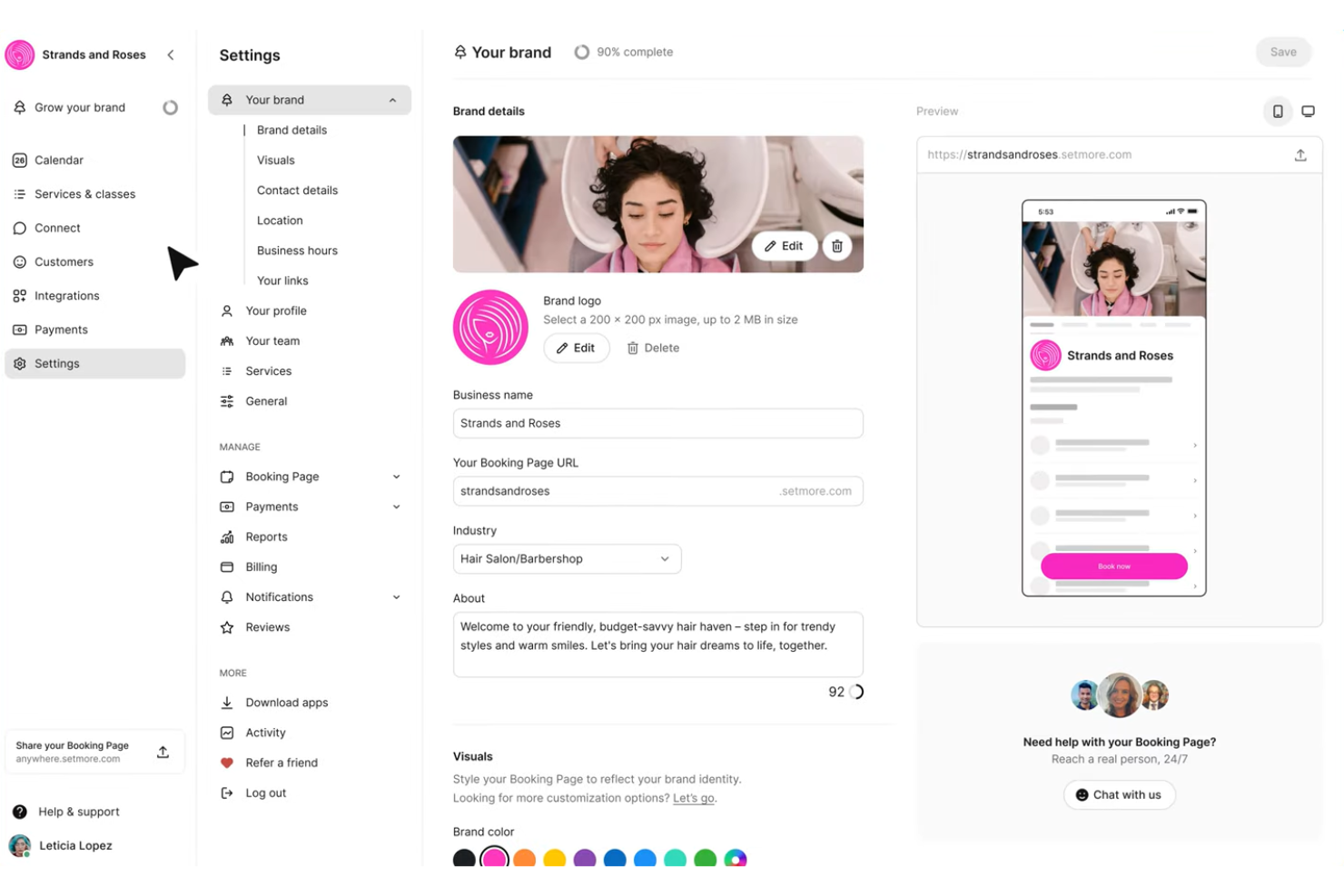
Setmore gives law firms a way to manage appointments, automate reminders, and let clients self-book, helping legal teams coordinate schedules and reduce no-shows.
Who Is Setmore Best For?
Setmore is a good fit for small to mid-sized law firms that need a straightforward way to manage appointments across multiple attorneys and staff.
Why I Picked Setmore
Setmore earns its spot on my shortlist because of how well it handles multi-staff calendar management for legal teams. I like that you can create individual logins for each attorney or staff member, letting everyone manage their own availability while you oversee all schedules from a single account. Clients can browse attorney profiles on the booking page and choose who they want to meet with, which cuts down on back-and-forth coordination. The individual booking links are a nice touch too—each attorney can share their own link to bring in clients directly.
Setmore Key Features
- Automated reminders: Send email and text reminders to clients ahead of scheduled appointments to reduce no-shows.
- Calendar sync: Connect Setmore with Google Calendar or Outlook to keep all schedules aligned in one place.
- Custom booking page: Build a branded booking page where clients can self-schedule consultations without calling the office.
- Payment collection: Accept deposits or full payments at the time of booking through Stripe or Square integrations.
Setmore Integrations
Integrations include Google Calendar, Outlook, Zoom, Slack, Salesforce, HubSpot, Clio, QuickBooks, Stripe, and PayPal.
Pros and Cons
Pros:
- Integrates with LawPay for legal payments
- Offers client self-booking with intake forms
- Supports unlimited appointments per staff member
Cons:
- Lacks advanced reporting for legal metrics
- No built-in document management for case files

Best for branded legal consultation booking pages
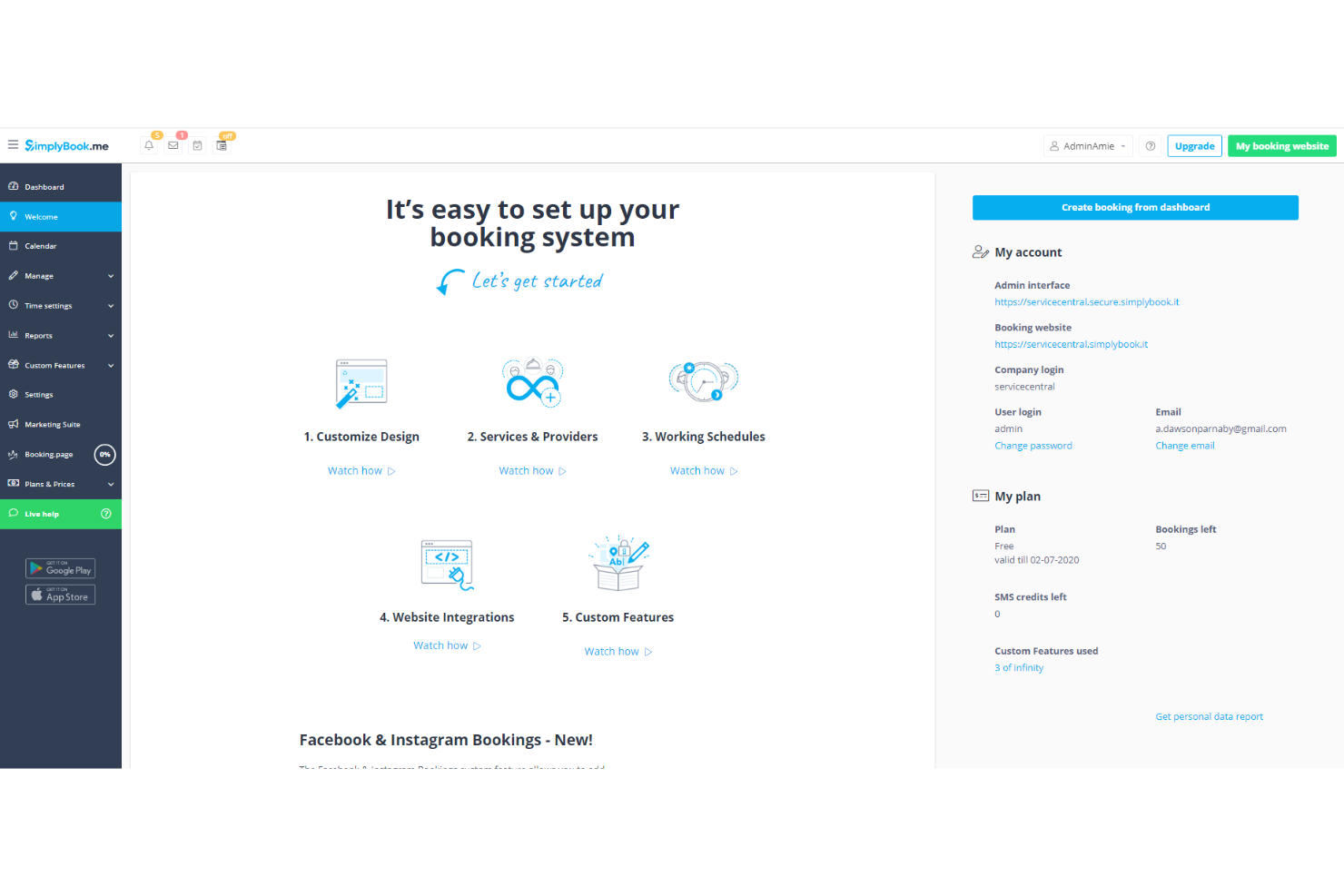
SimplyBook.me gives law firms and legal professionals a flexible platform to manage client appointments, automate confirmations, and handle intake, helping teams reduce scheduling friction and present a professional image to clients.
Who Is SimplyBook.me Best For?
SimplyBook.me is a good fit for solo attorneys and small to mid-sized law firms that need a client-facing booking setup without a heavy IT lift.
Why I Picked SimplyBook.me
I picked SimplyBook.me as one of the best because of how much control it gives you over your client-facing booking page. The design customization feature lets you apply your firm's logo, brand colors, and custom CSS, so the booking experience looks like a natural extension of your website rather than a third-party tool. I also like the custom domain name feature, which lets you host your booking page under your own URL—something that matters a lot when you're trying to project credibility to prospective clients. On top of that, intake forms let you collect matter-specific information at the point of booking, so attorneys can arrive at consultations already knowing the basics of a client's situation.
SimplyBook.me Key Features
- Appointment notifications and reminders: Automatically sends booking confirmations, reminders, and cancellation alerts to both clients and attorneys via email, SMS, or WhatsApp.
- Approve bookings: Lets your team review and manually approve or decline consultation requests before they're confirmed on the calendar.
- Client rescheduling: Includes a rescheduling link in confirmation emails so clients can self-serve time changes without calling the office.
- Terms and conditions: Displays your firm's terms at the point of booking, requiring clients to accept before an appointment is confirmed.
SimplyBook.me Integrations
Integrations include WordPress, Joomla, Facebook, Instagram, Google My Business, Microsoft 365/Teams, Stripe, PayPal, QuickBooks, and FreshBooks.
Pros and Cons
Pros:
- Supports online payments for legal services
- Intake forms collect client and case details
- Customizable booking site matches firm branding
Cons:
- Reporting lacks legal practice-specific metrics
- Group scheduling options are basic

MyCase
Best for client portal scheduling integration
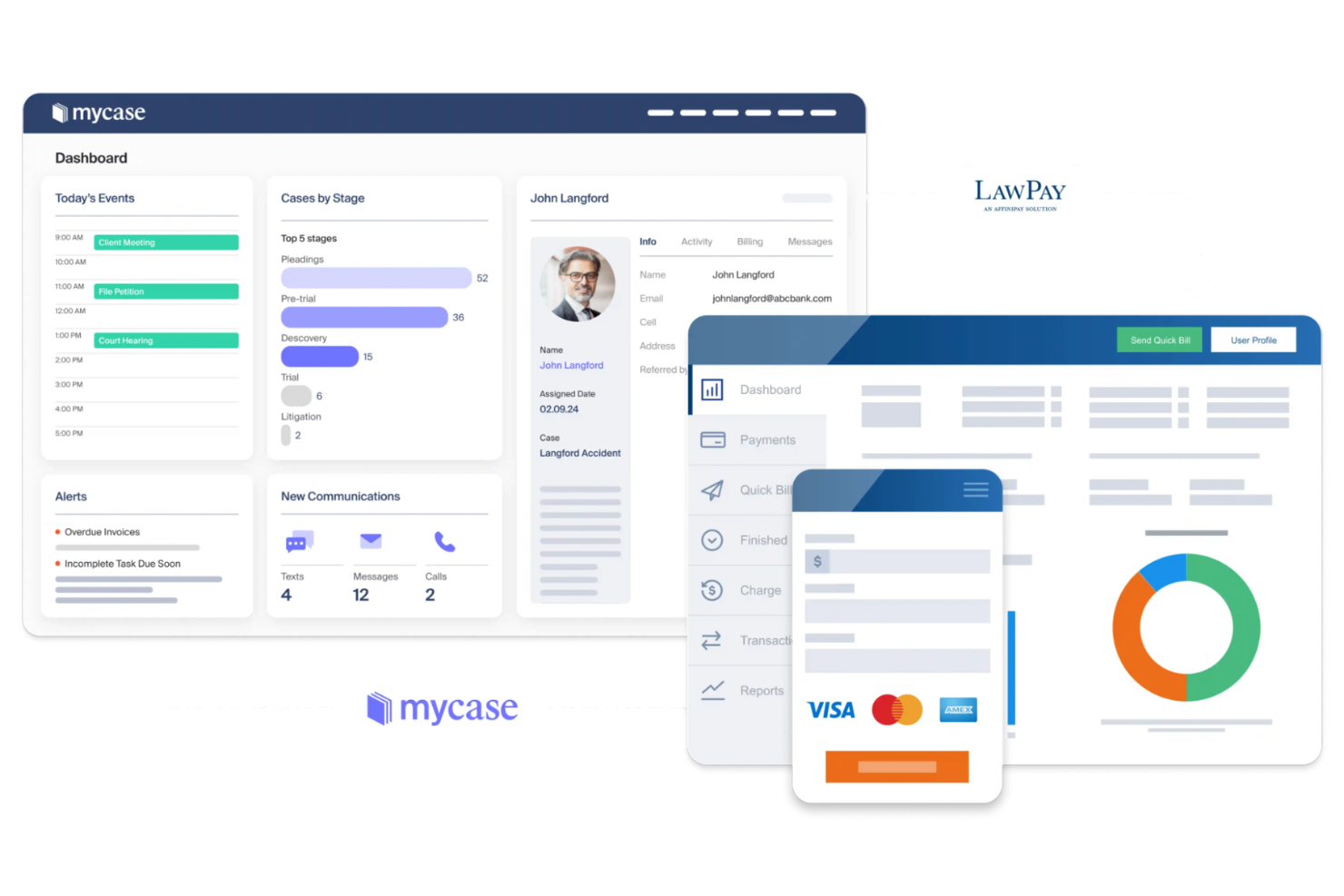
MyCase is a legal practice management platform built for law firms that need integrated appointment scheduling, secure client communications, and tools to manage cases, calendars, and billing in one place.
Who Is MyCase Best For?
MyCase is a good fit for small to mid-sized law firms that want a single platform to handle client intake, scheduling, and case management without juggling multiple tools.
Why I Picked MyCase
MyCase earns its spot on my shortlist because of how tightly its client portal ties into scheduling and case management. I picked it specifically for the client portal scheduling integration—when a new event or appointment is created in MyCase, it's automatically shared with the client through the portal, so both sides stay aligned without any back-and-forth emails. I also like that the portal lets clients view upcoming dates, respond to messages, and access case documents all in one place, which cuts down on the phone tag that typically surrounds appointment coordination. On top of that, the automatic text reminders tied to calendar events mean clients actually show up—one attorney using MyCase noted they "rarely have a no-show" after enabling that feature.
MyCase Key Features
- Online intake forms: Collect client information and case details before the first appointment using customizable intake forms.
- Built-in time tracking: Log billable hours directly against cases and appointments without switching to a separate tool.
- Task management: Create and assign tasks tied to specific cases, with due dates to keep appointment follow-ups on track.
- Two-way texting: Send and receive SMS messages with clients directly within MyCase, keeping all communication in the case record.
MyCase Integrations
Integrations include QuickBooks, Dropbox, Google Calendar, Microsoft Outlook, LawPay, Mailchimp, NetDocuments, CallRail, Smith.ai, and LawToolBox.
Pros and Cons
Pros:
- Intake forms can be customized for appointments
- Appointment reminders sent by email and SMS
- Client portal allows secure self-scheduling
Cons:
- Limited analytics for appointment tracking
- No group or multi-attendee scheduling option

Lawcus
Best for customizable booking links for firms
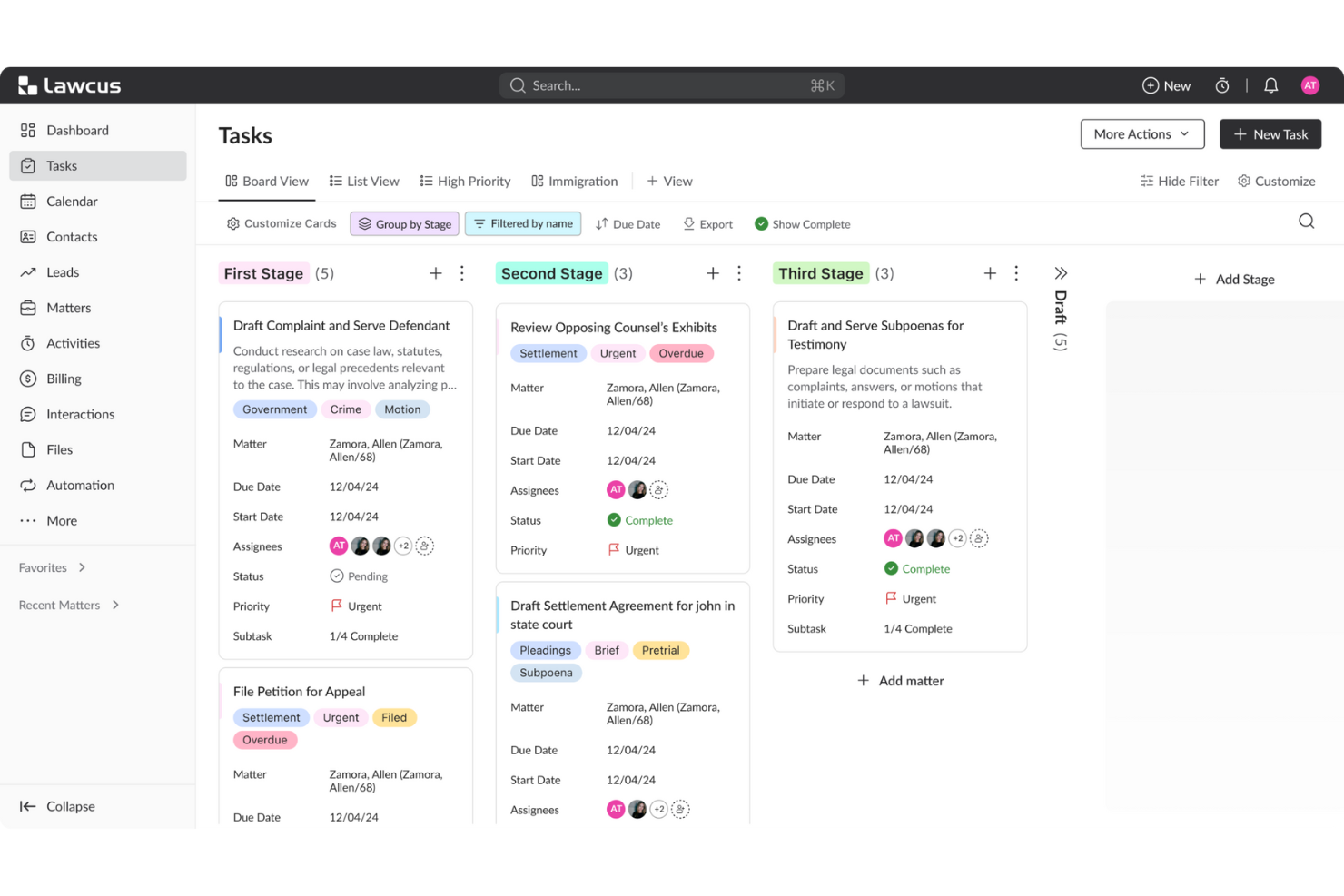
Lawcus is a legal practice management platform designed for law firms that want to simplify appointment scheduling, automate client intake, and manage calendars alongside case workflows.
Who Is Lawcus Best For?
Lawcus is a strong fit for small to mid-sized law firms that need an all-in-one platform combining scheduling, intake, and case management in one place.
Why I Picked Lawcus
I picked Lawcus as one of the best because of how much control it gives you over your booking setup. Each scheduling page is fully configurable—you set the event title, duration, availability windows, buffer times, and even cancellation policies, then share a direct link with clients or embed it in your intake flow. I also like that you can link a single scheduling page to multiple team calendars, so when a client books, the event lands on every relevant attorney's calendar automatically. On top of that, the booking form supports custom fields, which means my team can collect matter-specific intake details at the point of scheduling rather than chasing clients for information afterward.
Lawcus Key Features
- Workflow automation triggers: Set up automated tasks, notifications, and reminders that fire when a client books an appointment through the scheduler.
- Round robin scheduling: Distribute incoming appointment requests across multiple attorneys automatically, so no single team member gets overloaded.
- Kanban-style lead pipeline: Track prospective clients from first contact through intake using a visual board that connects directly to your scheduling and CRM data.
- No-code workflow builder: Build multi-step automations around case events, deadlines, and client touchpoints without writing any code.
Lawcus Integrations
Integrations include Box, Calendly, Dropbox, Gmail, Google Calendar, Google Drive, LawPay, Mailchimp, Microsoft 365, and QuickBooks.
Pros and Cons
Pros:
- Calendar sync with Google and Outlook
- Built-in client intake forms for appointments
- Customizable booking links for each staff member
Cons:
- Limited reporting on appointment analytics
- No group appointment scheduling feature

Best for integrating intake with scheduling workflows
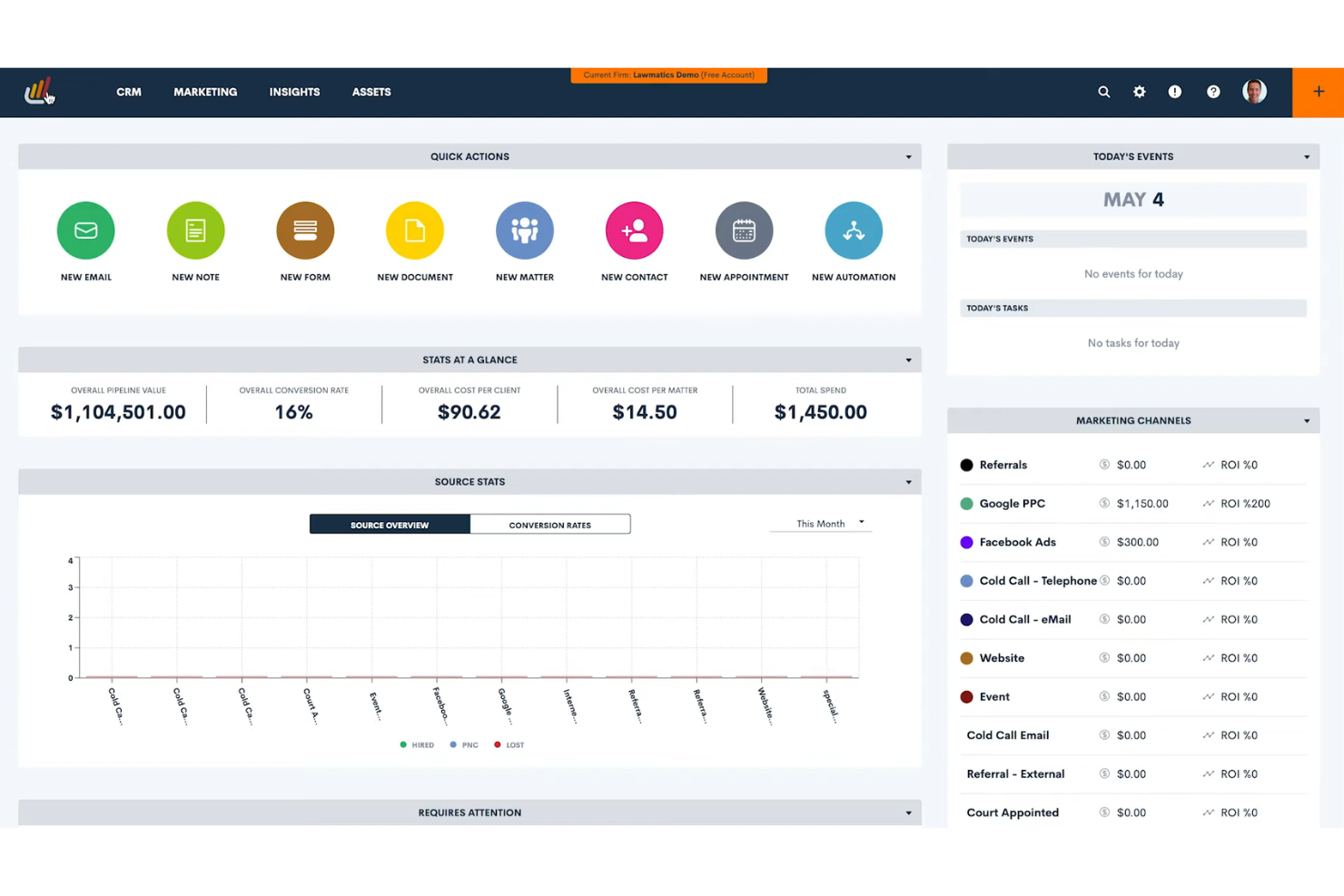
Lawmatics is a legal-focused platform designed for law firms that want to automate appointment scheduling, client intake, and workflow management in one place.
Who Is Lawmatics Best For?
Lawmatics is a strong fit for small to mid-sized law firms that need a single platform to manage client intake, follow-ups, and appointment scheduling together.
Why I Picked Lawmatics
Lawmatics earns its spot on my shortlist because it's one of the few platforms built specifically for law firms that connects appointment scheduling directly to client intake. When a prospect books a consultation, Lawmatics can automatically trigger an intake form, send follow-up emails, and move the matter through a predefined workflow—without any manual handoff. I particularly like the automated drip campaigns that keep prospective clients engaged between booking and their first appointment. The scheduling and intake tools share the same CRM data, so my team isn't re-entering contact details or chasing down incomplete forms.
Lawmatics Key Features
- Pipeline management: Track prospective clients through every stage of the client journey using a visual pipeline with customizable tags and status filters.
- Conflict checking: Run conflict of interest checks directly within the CRM before moving a new lead further through the intake process.
- E-signature for legal documents: Send retainer agreements and other documents for electronic signature without leaving the platform.
- Document templates: Build reusable document templates that auto-populate with CRM data to reduce manual drafting during onboarding.
Lawmatics Integrations
Integrations include Clio, MyCase, Filevine, PracticePanther, Smokeball, Gmail, Microsoft Outlook, QuickBooks, LawPay, and Zoom.
Pros and Cons
Pros:
- Automated reminders sent by email or SMS
- Appointment logs link directly to client matters
- Intake forms automatically trigger appointment scheduling
Cons:
- Cannot embed the scheduler tool directly on firm websites
- No group or multi-attendee scheduling option

Clio
Best for automated client reminders and confirmations
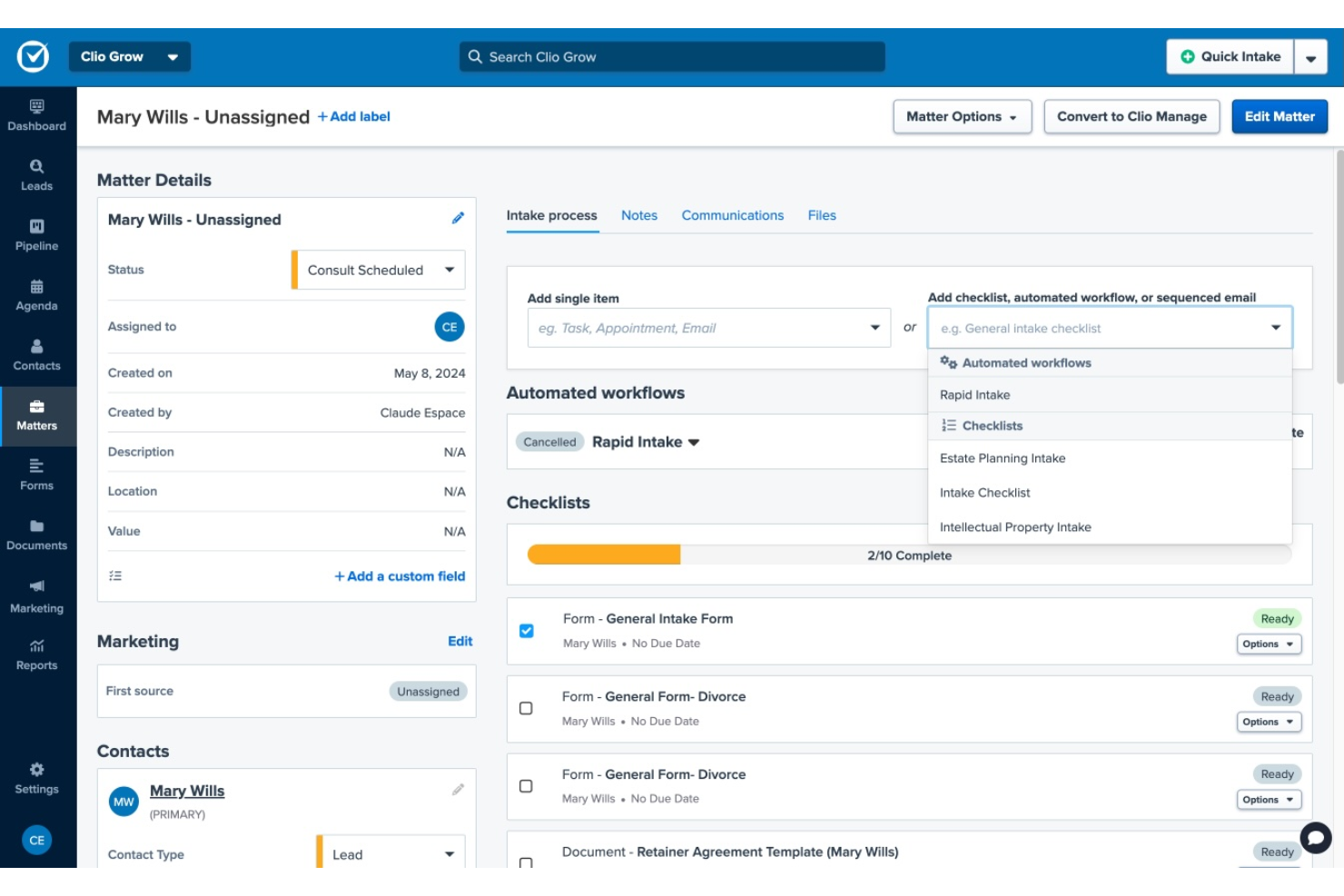
Clio is a legal practice management platform designed for law firms that need secure, integrated appointment scheduling and client communication tools to simplify booking, reduce no-shows, and keep client interactions organized.
Who Is Clio Best For?
Clio is a strong fit for solo attorneys and small-to-midsize law firms that want an all-in-one platform to manage client intake, scheduling, and case work in one place.
Why I Picked Clio
I picked Clio as one of the best because of how well its automated reminder system actually works in practice. Through Clio Grow, prospective clients can self-schedule consultations directly from your firm's website or email, and automated text reminders go out without any manual follow-up from your team. One Clio customer reported dropping their no-show rate from 20–25% down to under 5% after setting up Clio Grow. I also like that the intake workflow automation keeps clients engaged between booking and their appointment, so nothing falls through the cracks before the first meeting.
Clio Key Features
- Conflict checking: Run a conflict-of-interest scan across contacts, case notes, calendar events, and communications in both Clio Grow and Clio Manage before accepting a new client.
- Online intake forms: Build custom intake forms that sync directly into Clio Manage, so new client and matter details populate automatically without manual re-entry.
- Legal calendaring: Link calendar events to specific matters and sync with Google or Outlook, with legal-specific features like automatic court date scheduling.
- Time and expense tracking: Log billable time directly from tasks or calendar events, with visibility into which entries are missing so nothing falls off an invoice.
Clio Integrations
Integrations include QuickBooks Online, Xero, InfoTrack, OurFamilyWizard, Case Status, ChartSquad, Legl, Precedent Demand Composer, Scorpion RevenueMAX, and Clio’s open API for custom integrations.
Pros and Cons
Pros:
- Customizable intake forms at booking
- Appointment activity logs link to matters
- Automated reminders reduce client no-shows
Cons:
- Limited customization for reminder templates
- No group appointment scheduling feature

Best for court rules-based calendar automation
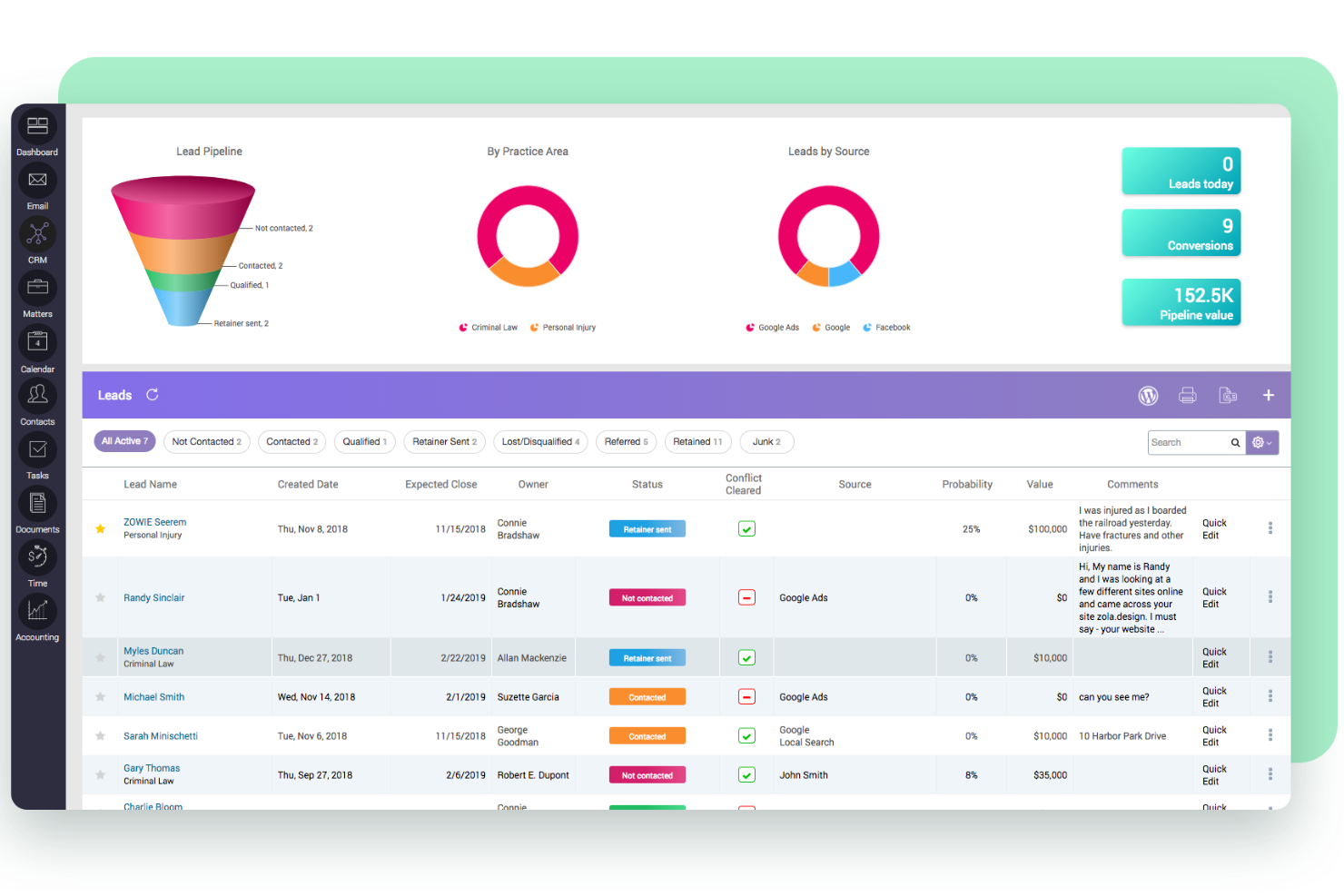
CARET Legal is a legal practice management platform built for law firms that need advanced calendaring, matter management, and appointment scheduling tailored to legal workflows and compliance requirements.
Who Is CARET Legal Best For?
CARET Legal is a strong fit for small to mid-sized law firms that need an all-in-one practice management solution with legal-specific scheduling and deadline tracking built in.
Why I Picked CARET Legal
CARET Legal earns its spot on my shortlist because of how it handles court rules-based calendar automation through its LawToolBox integration. I like that when a new litigation matter opens, the system automatically calculates all relevant court deadlines based on jurisdiction and case type—no manual date math required. The calendar also lets my team exclude weekends and federal holidays from date calculations and save those calculations as reusable templates. On top of that, the workflow automation layer ties directly into the calendar, so tasks and appointments for a specific matter type trigger automatically as a case progresses.
CARET Legal Key Features
- Matter management: Centralizes all case-related contacts, events, tasks, notes, communications, documents, and payments in one matter record.
- Automated workflows: Lets your team build pre-defined templates that automatically trigger tasks and calendar appointments when a new matter type is opened.
- AI-powered document summarization: The Quick Summary feature uses AI to condense contracts, pleadings, and discovery files into concise takeaways directly inside the platform.
- Two-way client texting: Supports secure, two-way text messaging with clients alongside email and a client portal for consolidated client communication.
CARET Legal Integrations
Integrations include Microsoft 365, Google Workspace, LawToolBox, Lawmatics, HotDocs, OneDrive, NetDocuments, Microsoft Word, RMail, and QuickBooks Online.
Pros and Cons
Pros:
- Two-way sync with Outlook and Google Calendar
- Direct matter linking for all appointments
- Court rules automation for deadline calculation
Cons:
- Limited customization for appointment types
- No public-facing client self-scheduling option

CozyCal
Best for team-based appointment routing
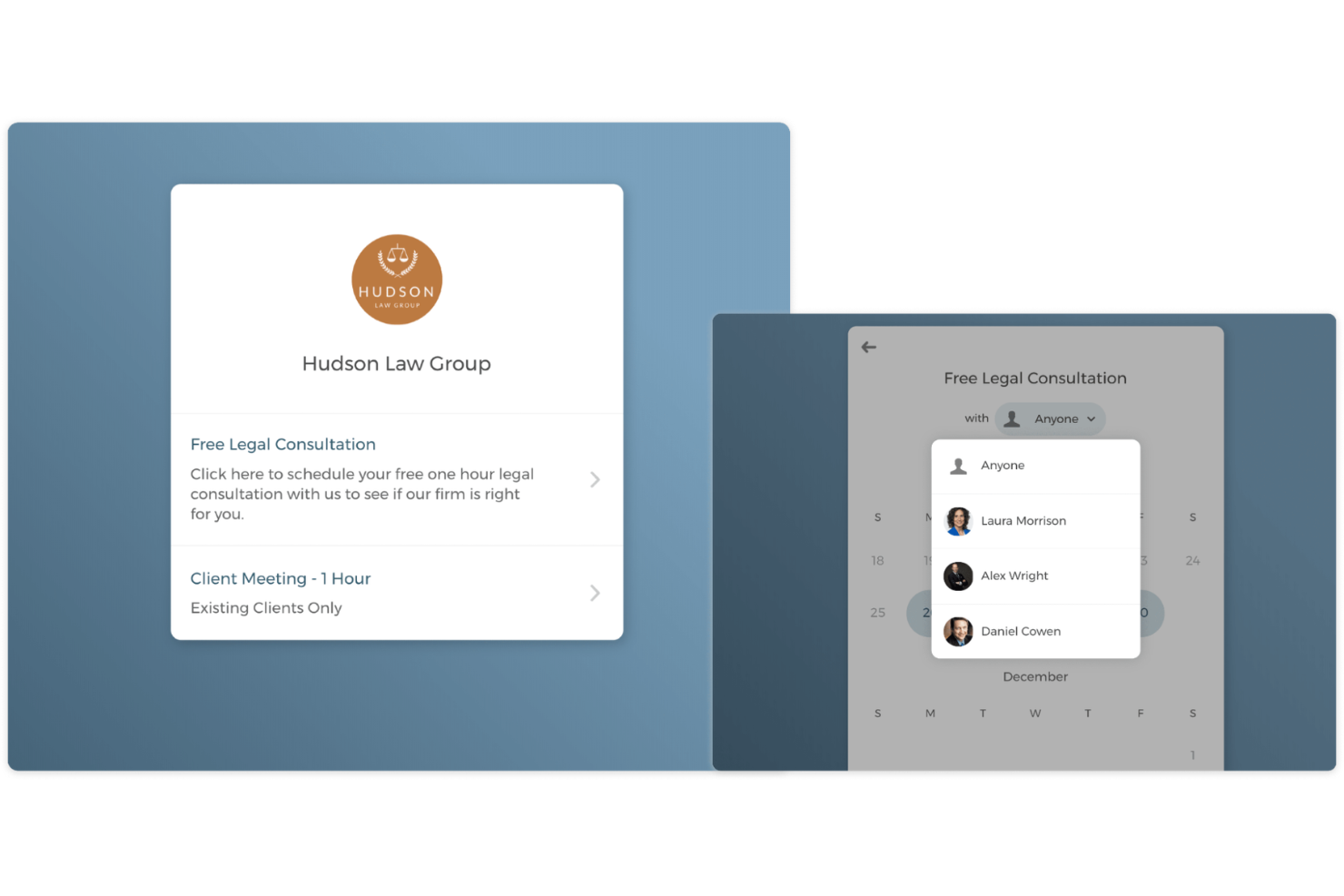
CozyCal is an online scheduling tool designed for law firms and legal professionals who need a simple way to manage client appointments, automate calendar syncing, and streamline intake without back-and-forth emails.
Who Is CozyCal Best For?
CozyCal is a good fit for small to mid-sized law firms that need a lightweight scheduling tool with team booking and client intake built in.
Why I Picked CozyCal
CozyCal earns its spot on my shortlist because of how well its team-based routing handles the kind of multi-attorney scheduling that law firms deal with every day. I particularly like the round-robin assignment feature, which automatically distributes incoming client bookings evenly across available attorneys—no manual triage needed. What makes it especially useful for legal teams is the hybrid scheduling capability: when a client books a consultation, CozyCal simultaneously checks attorney availability and conference room availability, booking both in a single flow. I've also found the event request feature genuinely practical, since it lets attorneys review a client's intake form before accepting or declining a booking.
CozyCal Key Features
- Customizable booking pages: Build branded booking pages with custom fields to collect client details before a consultation.
- Automated reminders: Send clients automatic email or SMS reminders ahead of scheduled appointments to reduce no-shows.
- Calendar sync: Connect Google, Outlook, or iCloud calendars to keep attorney availability accurate in real time.
- Embed scheduling widget: Add a booking widget directly to your law firm's website or client portal.
CozyCal Integrations
Integrations include ActiveCampaign, Clio, Google Analytics, Google Calendar, Google Meet, Stripe, Webflow, WordPress, Zapier, and Zoom.
Pros and Cons
Pros:
- Syncs with Google and Outlook calendars
- Team scheduling with round-robin assignment
- Customizable intake forms for client details
Cons:
- Group scheduling options are basic
- No built-in conflict checking for appointments

Zeeg
Best for group meeting coordination
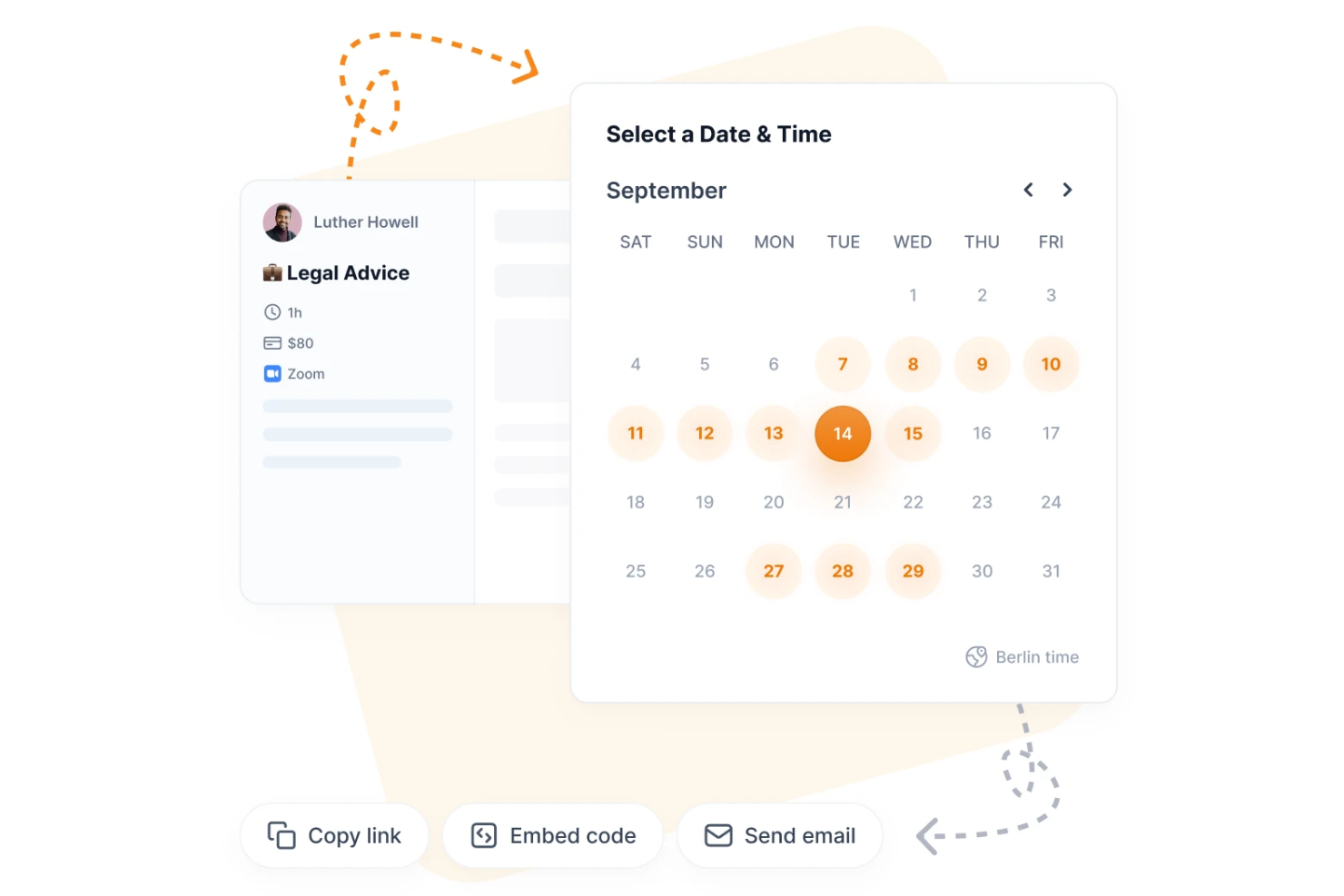
Zeeg helps law firms and legal professionals simplify appointment scheduling by automating bookings, syncing calendars, and managing complex meeting logistics for both internal teams and clients.
Who Is Zeeg Best For?
Zeeg is a good fit for small to mid-sized law firms that need a straightforward scheduling tool to manage client bookings and internal team meetings.
Why I Picked Zeeg
Zeeg earns its spot on my shortlist because of how well it handles group meeting coordination, which is something law firms deal with constantly when scheduling depositions, mediations, or multi-party client calls. I particularly like the collective scheduling feature, which lets multiple team members share a single booking link so clients can find a time that works across the whole group. Zeeg also supports round-robin scheduling, which I find useful for distributing intake calls across associates without manual intervention.
Zeeg Key Features
- Automated meeting buffers: Set buffer time before and after appointments so attorneys have time to prepare or debrief between client calls.
- Routing forms: Qualify and route incoming booking requests to the right attorney or practice group based on intake responses.
- Workflow automation: Build automated follow-up sequences and reminders triggered by a confirmed booking.
- GDPR-compliant data handling: All scheduling data is stored with end-to-end encryption and full GDPR compliance built in.
Zeeg Integrations
Integrations include Google Calendar, Outlook Calendar, Office 365 Calendar, Microsoft Exchange, iCloud Calendar, Google Meet, Zoom, Microsoft Teams, Skype, and Salesforce.
Pros and Cons
Pros:
- Includes time zone detection for global clients
- Provides automated SMS and email reminders
- Offers branded booking pages for law firms
Cons:
- Group scheduling options lack advanced customization
- Reporting features are not legal-specific
Other Legal Appointment Scheduling Software
Here are some additional legal appointment scheduling software options that didn’t make it onto my shortlist, but are still worth checking out:
- Apptoto
For automated SMS and voice reminders
- Goodcall
For AI-powered phone scheduling
- Calenso
For GDPR-compliant appointment management
- Cal ID
For privacy-focused scheduling options
- Zoho Bookings
For workflow automation with the Zoho ecosystem
- Vyte
For integrating video call links into bookings
- Calendesk
For payment collection during appointment booking


How I Evaluate Legal Appointment Scheduling Software
I evaluate in two layers: a baseline every tool must meet—intake capture, calendar sync, legal PM integrations—and differentiators that separate purpose-built legal schedulers from generic tools.
Core Functionality (Table Stakes For This List)
When I'm selecting tools for my list, I rank each one on a scale from 0 (does not offer the functionality) to 5 (excels in this area) for each core functionality listed below. Then, I calculate the tool's total score into a percentage. Each tool needs to achieve a minimum total score of 65% to be considered for inclusion.
- Client Self-Scheduling Portal: I check whether clients can book consultations directly based on real-time attorney availability, and whether booking pages support multiple service types like initial consults vs. case reviews.
- Legal Calendar Sync: Two-way sync with Google Calendar or Outlook is the baseline, but I also evaluate whether the tool reflects court dates, depositions, and matter events so attorneys avoid double-booking.
- Intake & Conflict Data Capture: I look for configurable intake forms that collect matter details and opposing-party names at the point of booking, since manual re-entry after a consult wastes time and delays conflict checks.
- Practice Management Integration: Native connections with platforms like Clio, MyCase, or PracticePanther matter here. I evaluate whether appointments and client data push into case records automatically.
- Confidentiality & Compliance: Data encryption and security certifications like SOC 2 are where I start. Tools handling sensitive matters should also support BAAs and maintain data practices aligned with ABA ethical standards.
- Automated Reminders & Payments: Reminder workflows via email and SMS reduce no-shows, but I also evaluate whether the tool supports consultation fee collection through legal-compliant processors like LawPay or Gravity Legal.
Once I have a list of tools that meet this criteria, I consider what sets each platform apart.
Differentiating Factors (What Sets Vendors Apart)
Here's how I compare and contrast different vendors:
Standout Features
E-signature capabilities at the booking stage let clients sign engagement letters or fee agreements before the first meeting, which removes a common intake bottleneck. I also evaluate round-robin scheduling for firms with multiple attorneys—distributing consults by practice area or availability keeps workloads balanced. Lead source tracking is another differentiator I look for, since tagging bookings by referral channel helps firms measure which marketing efforts actually convert to paying clients.
Beyond Features
Trust accounting compliance is a major consideration—I check whether payment processing separates earned and unearned funds to keep firms aligned with bar requirements around IOLTA accounts. Firm size and practice area fit also matter. A solo immigration attorney and a mid-size personal injury firm have very different scheduling volumes and workflow needs. I also evaluate how well each tool connects with the broader legal tech stack, including CRMs like Lawmatics and document platforms like NetDocuments.
How to Choose Legal Appointment Scheduling Software
It’s easy to get bogged down in long feature lists and complex pricing structures. To help you stay focused as you work through your unique software selection process, here’s a checklist of factors to keep in mind:
| Factor | What to Consider |
| Scalability | Will the software support your firm as it grows, including adding new users, locations, or practice areas? |
| Integrations | Does the tool connect natively with your existing legal practice management, calendar, and billing systems? |
| Customizability | Can you tailor booking pages, reminders, and workflows to match your firm’s branding and processes? |
| Ease of use | Will attorneys, staff, and clients find the interface intuitive, or will it require significant training? |
| Implementation and onboarding | How long will it take to get up and running, and what resources or support does the vendor provide during setup? |
| Cost | Are pricing tiers transparent, and do they align with your firm’s size, usage, and feature needs? Watch for hidden fees. |
| Security safeguards | Does the software offer encryption, access controls, and audit trails to protect sensitive client data? |
| Compliance requirements | Does the tool help you meet legal industry standards like GDPR, HIPAA, or local bar association rules? |
What Is Legal Appointment Scheduling Software?
Legal appointment scheduling software is a digital tool that helps law firms and legal professionals manage client appointments, consultations, and meetings. It automates scheduling, sends reminders, and allows clients to book or reschedule online. These platforms often include features for calendar syncing, secure communication, and compliance with legal industry standards, helping legal teams reduce no-shows and improve client communication.
Features of Legal Appointment Scheduling Software
When selecting legal appointment scheduling software, keep an eye out for the following key features:
- Online booking portal: Lets clients schedule, reschedule, or cancel appointments through a secure, user-friendly web interface.
- Automated reminders: Send appointment confirmations and reminders via email, SMS, or voice to reduce no-shows and late arrivals.
- Calendar synchronization: Integrates with popular calendar platforms to keep schedules updated and prevent double bookings.
- Customizable intake forms: Collect client information and case details during the booking process to streamline preparation.
- Two-way messaging: Enables secure communication between legal staff and clients for confirmations, updates, or quick questions.
- Recurring appointment management: Supports scheduling of ongoing meetings, such as regular client check-ins or court dates.
- Payment processing integration: Allows clients to pay retainers or fees at the time of booking through secure payment gateways.
- Conflict checking: Flags potential scheduling conflicts or double bookings to help maintain compliance and avoid errors.
- Role-based access controls: Restrict access to sensitive scheduling data based on user roles within the firm.
- Audit trails and reporting: Tracks appointment history, changes, and communications for compliance and recordkeeping.
Legal appointment scheduling software solutions do not typically include AI as part of their feature offering. As a result, I will not proceed with writing this section.
Benefits of Legal Appointment Scheduling Software
Implementing legal appointment scheduling software provides several benefits for your team and your business. Here are a few you can look forward to:
- Reduced no-shows: Automated reminders and confirmations help ensure clients remember and attend their appointments.
- Improved client experience: Online booking portals and two-way messaging make it easier for clients to schedule and communicate with your firm.
- Enhanced compliance: Features like audit trails, conflict checking, and secure data handling support legal industry regulations and recordkeeping.
- Streamlined workflows: Calendar syncing, customizable intake forms, and recurring appointment management reduce manual scheduling tasks for staff.
- Better resource allocation: Role-based access controls and reporting tools help you manage staff schedules and monitor appointment trends.
- Faster payment collection: Integrated payment processing allows clients to pay fees or retainers at the time of booking, reducing billing delays.
- Greater scheduling flexibility: Clients can book, reschedule, or cancel appointments online at their convenience, minimizing back-and-forth communication.
Costs and Pricing of Legal Appointment Scheduling Software
Selecting legal appointment scheduling software requires an understanding of the various pricing models and plans available. Costs vary based on features, team size, add-ons, and more. The table below summarizes common plans, their average prices, and typical features included in legal appointment scheduling software solutions:
Plan Comparison Table for Legal Appointment Scheduling Software
| Plan Type | Average Price | Common Features |
| Free Plan | $0 | Basic online booking, limited calendar sync, email reminders, and simple client management. |
| Personal Plan | $5-$15/user/month | Online booking portal, SMS reminders, calendar integration, and basic reporting. |
| Business Plan | $15-$35/user/month | Custom intake forms, payment processing, group scheduling, advanced reporting, and role-based access. |
| Enterprise Plan | $35-$60/user/month | Custom branding, API access, advanced security, compliance tools, dedicated support, and audit trails. |
Legal Appointment Scheduling Software FAQs
Here are some answers to common questions about legal appointment scheduling software:
Can legal appointment scheduling software integrate with my existing practice management tools?
Yes, most legal appointment scheduling software offers integrations with popular practice management, billing, and calendar tools. Check for native integrations or API access to ensure smooth data flow and avoid duplicate entry across your firm’s systems.
How does legal appointment scheduling software help with compliance?
Legal appointment scheduling software often includes features like audit trails, secure data storage, and role-based access controls. These help your firm meet industry regulations such as GDPR or HIPAA and support your internal compliance policies.
Is it possible to collect payments through legal appointment scheduling software?
Yes, many solutions allow you to collect retainers or consultation fees at the time of booking. Look for platforms with built-in payment processing or integrations with trusted payment gateways to simplify billing and reduce administrative work.
What should I consider when onboarding my team to new scheduling software?
Focus on solutions that offer training resources, product tours, and responsive support. Evaluate how quickly your team can migrate existing appointments, set up workflows, and start using the tool with minimal disruption to daily operations.
Can clients book or reschedule appointments online without calling the office?
Yes, most legal appointment scheduling software provides a secure online portal where clients can book, reschedule, or cancel appointments at their convenience. This reduces administrative workload and improves client satisfaction.
What’s Next:
If you're in the process of researching legal appointment scheduling software, connect with a SoftwareSelect advisor for free recommendations.
You fill out a form and have a quick chat where they get into the specifics of your needs. Then you'll get a shortlist of software to review. They'll even support you through the entire buying process, including price negotiations.