

9 Best Legal Entity Management Software Picked for 2026

Best Legal Entity Management Software Shortlist


Legal entity management software helps your team organize, track, and maintain corporate records, compliance obligations, and governance documents for every entity your business manages. If you’re searching for the best legal entity management software, you’re likely balancing regulatory risk, growing workloads, and the need for reliable, up-to-date data across jurisdictions.
This list will help you compare leading solutions, understand which features matter most for legal operations, and choose the right platform to support compliance and efficiency in 2026.
Why You Can Trust Us
We’ve been testing and reviewing legal software since 2023. As legal practice leaders ourselves, we know how critical and difficult it is to make the right decision when selecting software.
We invest in deep research to help our audience make better software purchasing decisions. We’ve tested more than 2,000 tools for different legal practice use cases and written over 1,000 comprehensive software reviews. Learn how we stay transparent & our software review methodology.
Best Legal Entity Management Software Summary
This comparison chart summarizes pricing details for my top legal entity management software selections to help you find the best one for your budget and business needs.
| Tool | Best For | Trial Info | Price | ||
|---|---|---|---|---|---|
| 1 | Best for built-in meeting management | 30-day free trial available | From $9.50/user/month (billed annually) | Website | |
| 2 | Best for visual organizational charts | Free demo available | From $5000/year | Website | |
| 3 | Best for global compliance tracking | Free demo available | Pricing upon request | Website | |
| 4 | Best for multinational governance workflows | Free demo available | Pricing upon request | Website | |
| 5 | Best for customizable reporting tools | Free trial available | From $100/month (billed annually) | Website | |
| 6 | Best for high-volume corporate record management | Free demo available | Pricing upon request | Website | |
| 7 | Best for integration with registered agent services | Expert consultation available | Pricing upon request | Website | |
| 8 | Best for automated document generation | Free demo available | Pricing upon request | Website | |
| 9 | Best for centralized subsidiary oversight | Free demo available | Pricing upon request | Website |
Best Legal Entity Management Software Reviews
Below are my detailed summaries of the legal entity management software that made it onto my shortlist. My reviews offer a detailed look at the features, best use cases, and integrations of each platform to help you find the best one for you.

Best for built-in meeting management
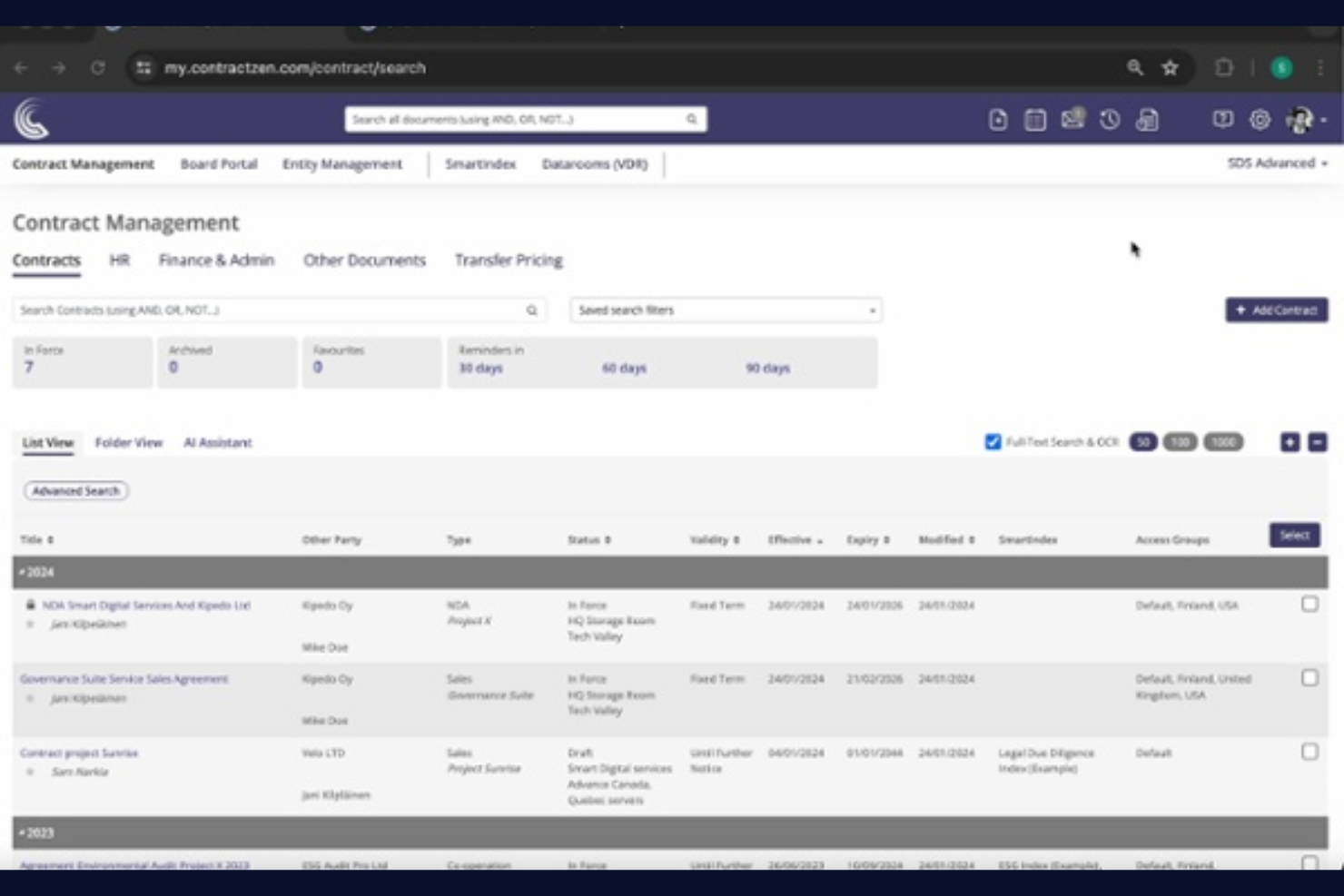
ContractZen brings together legal entity management and meeting management in a single platform, making it a strong fit for legal teams and corporate secretaries who coordinate board activities. The tool stands out for its built-in meeting features, including agenda creation, document sharing, and electronic signatures. If you need to manage entities and simplify board or leadership meetings in one place, ContractZen is designed for that workflow.
Why I Picked ContractZen
What sets ContractZen apart is its built-in meeting management, which goes beyond what most legal entity management tools offer. I picked this platform because it lets you schedule meetings, create agendas, and share documents directly within the same system where you manage your entities.
The inclusion of e-signature capabilities and secure meeting minutes storage means you can handle board and leadership meetings without switching tools. For legal teams and corporate secretaries, this combination of entity and meeting management in one place is a practical solution for keeping governance organized.
ContractZen Key Features
In addition to its meeting management capabilities, ContractZen offers several other features for legal entity management:
- Metadata-Driven Search: Quickly locate documents and records using customizable metadata tags.
- Document Management: Store, organize, and retrieve entity documents in a secure digital repository.
- Visual Ownership Structure Charts: Generate diagrams that map out entity relationships and ownership.
- Automated Reminders: Set up notifications for compliance deadlines, renewals, and other key dates.
ContractZen Integrations
Integrations are not publicly available.
Pros and Cons
Pros:
- Metadata tagging for advanced document search
- Visualizes entity ownership and structure
- Built-in meeting agenda and minutes tools
Cons:
- Governance features overkill for small portfolios
- No bulk import for entity data

Best for visual organizational charts
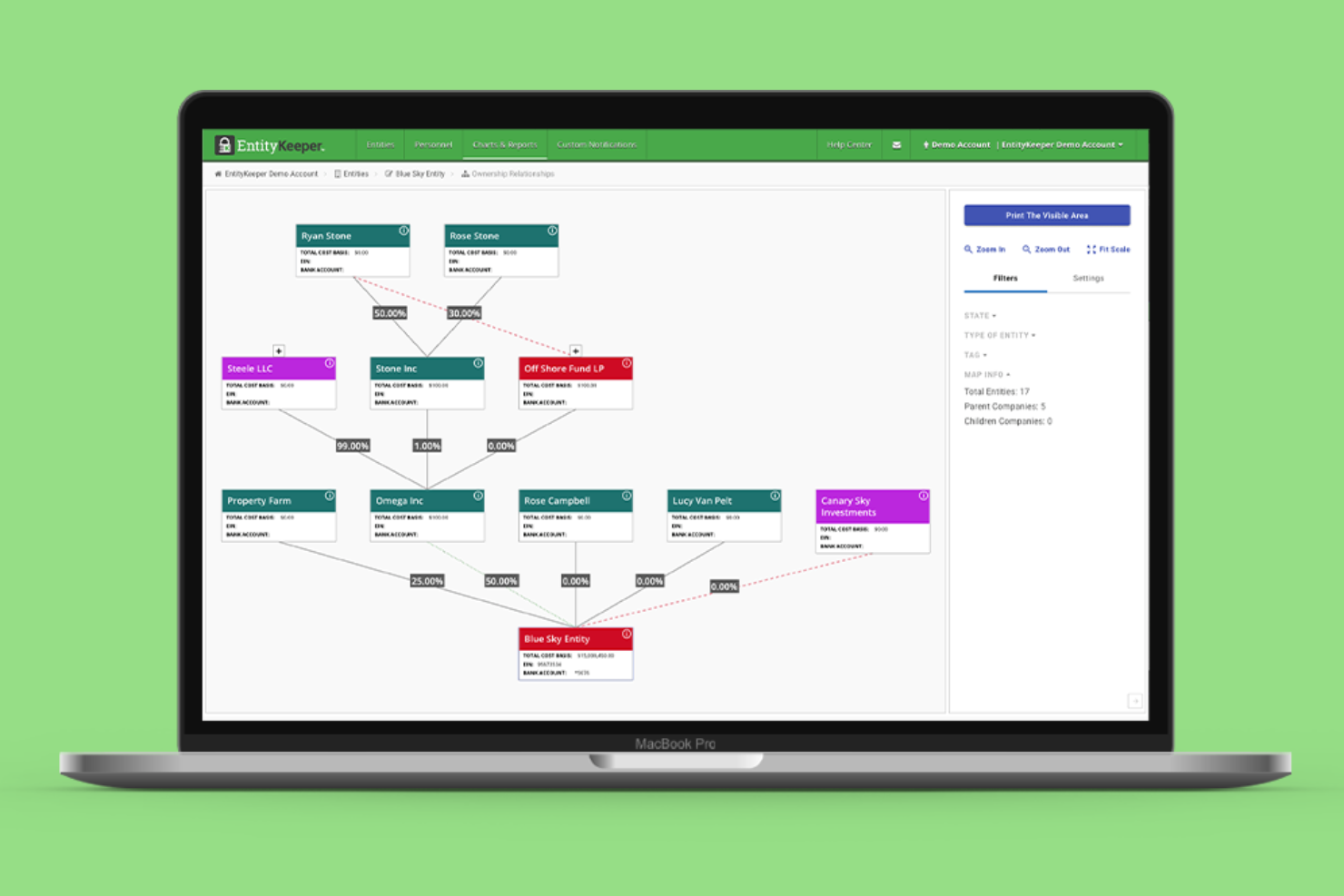
EntityKeeper stands out for legal and compliance teams that need clear, visual oversight of complex entity structures. The platform’s interactive organizational charts help you map ownership, relationships, and hierarchies across multiple entities. If your business manages layered or frequently changing structures, EntityKeeper makes it easier to visualize and update these connections in real time.
Why I Picked EntityKeeper
For legal teams that need to visualize complex ownership and control structures, EntityKeeper offers a unique approach with its dynamic organizational charting tools. I picked EntityKeeper because it lets you build, edit, and share interactive org charts that reflect real-time changes in your entity data.
The platform also supports detailed mapping of parent-child relationships and ownership percentages, which is essential for compliance and reporting. These features make it especially useful for organizations managing multiple entities or frequently evolving structures.
EntityKeeper Key Features
In addition to its visual charting capabilities, EntityKeeper includes several other features that support legal entity management:
- Document Storage: Store and organize entity documents in a centralized, searchable repository.
- Compliance Calendar: Track important filing deadlines and compliance events for each entity.
- User Permissions Management: Set granular access controls for different users and roles.
- Bulk Data Import: Upload and update entity information using spreadsheet templates.
EntityKeeper Integrations
Native integrations are not currently listed.
Pros and Cons
Pros:
- Compliance calendar tracks filing deadlines
- Corporate Transparency Act compliance tracking
- Visual org charts update with entity changes
Cons:
- No native electronic filing capabilities
- Basic drag-and-drop functionality

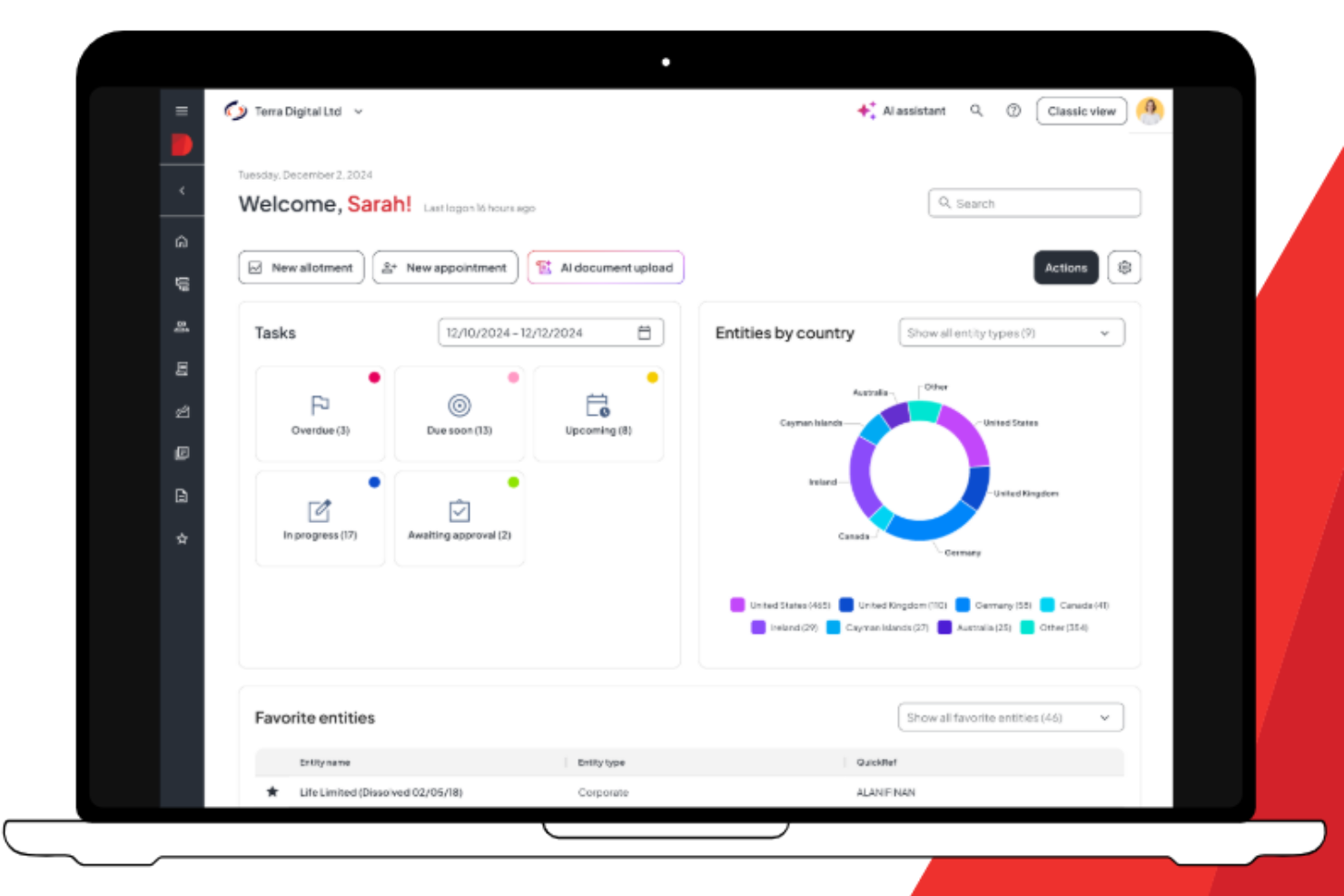
Diligent is built for in-house legal, compliance, and governance teams that need to manage entities across multiple countries and regulatory environments. The platform is especially useful for organizations facing complex global compliance requirements and cross-border reporting. If your business operates internationally, Diligent helps you centralize entity data and automate compliance tracking to reduce risk and administrative overhead.
Why I Picked Diligent
For organizations with global operations, Diligent offers tools that help legal teams keep up with ever-changing compliance requirements across jurisdictions. I picked this platform because it centralizes entity data and compliance obligations, making it easier to track deadlines and regulatory filings worldwide.
Diligent also provides automated compliance calendars and jurisdiction-specific workflows, which help reduce the risk of missed filings or non-compliance. Its ability to generate audit-ready reports on demand is especially valuable for teams managing entities in multiple countries.
Diligent Key Features
Some other features in Diligent help legal teams manage complex entity portfolios efficiently:
- Role-Based Access Controls: Role-Based Access Controls: Assign permissions and restrict access to sensitive entity data based on user roles to maintain SOC 2 compliance.
- Document Management: Store, organize, and retrieve entity documents in a secure, centralized repository.
- Entity Charting: Visualize ownership structures and relationships between entities with interactive charts.
- API Access: Connect Diligent Entities to other business systems for data synchronization and workflow automation.
Diligent Integrations
Native integrations are not currently listed.
Pros and Cons
Pros:
- Highly scalable for enterprises
- Granular individual authority tracking
- Specific terminology for global jurisdictions
Cons:
- High implementation and licensing costs
- Rigid structure limits ad-hoc customization

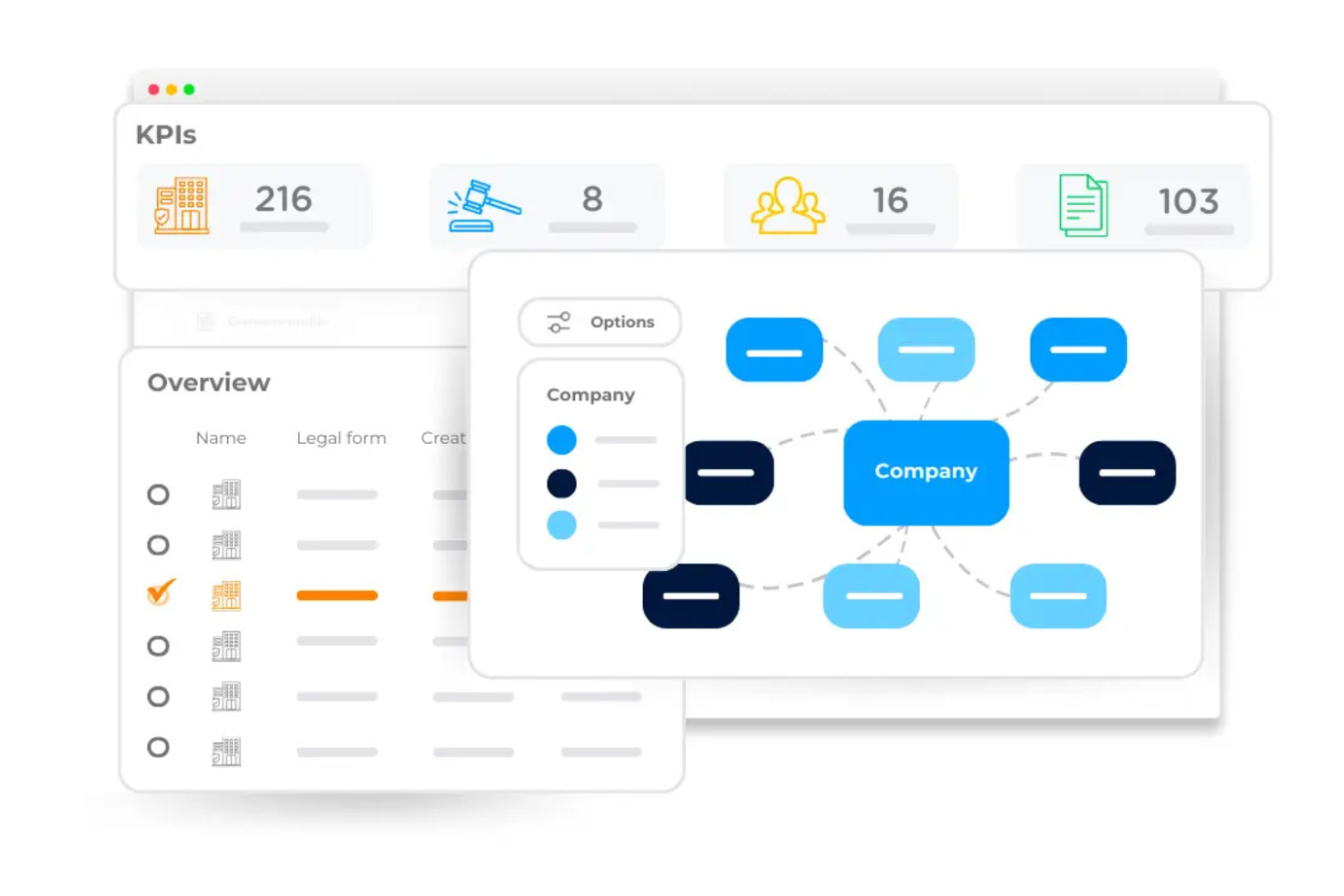
DiliTrust is designed for legal departments and professionals focusing on corporate governance who manage complex, multinational entity structures. The platform supports cross-border compliance, multilingual documentation, and centralized oversight for organizations operating in multiple jurisdictions. If your team needs to coordinate governance workflows across countries and legal systems, DiliTrust offers features tailored to these challenges.
Why I Picked DiliTrust
When managing legal entities across multiple countries, DiliTrust offers specialized tools for multinational governance workflows. I picked DiliTrust because it supports multilingual document management and lets you centralize compliance data from different jurisdictions in one platform.
The solution also includes features for tracking cross-border regulatory requirements and automating approval processes across global teams. These capabilities make DiliTrust a strong choice for organizations that need to coordinate governance and compliance on an international scale.
DiliTrust Key Features
In addition to its multinational governance capabilities, DiliTrust offers several other features worth noting:
- Board Portal Integration: Connect entity management with secure board meeting tools for document sharing and collaboration.
- Customizable Reporting Tools: Generate tailored reports on entity status, compliance, and governance activities.
- Document Version Control: Track changes and maintain a full history of entity-related documents.
- User Activity Monitoring: Monitor user actions and access for enhanced security and audit readiness.
DiliTrust Integrations
Integrations include Salesforce, HubSpot, Microsoft Dynamics 365, Microsoft Word, Google Docs, Microsoft Teams, Outlook, Gmail, DocuSign, and Adobe Sign.
Pros and Cons
Pros:
- Five integrated modules for boards
- Sovereign hosting for data residency
- Native AI for natural-language insights
Cons:
- No-code customization requires tech configuration
- Mobile access features are limited

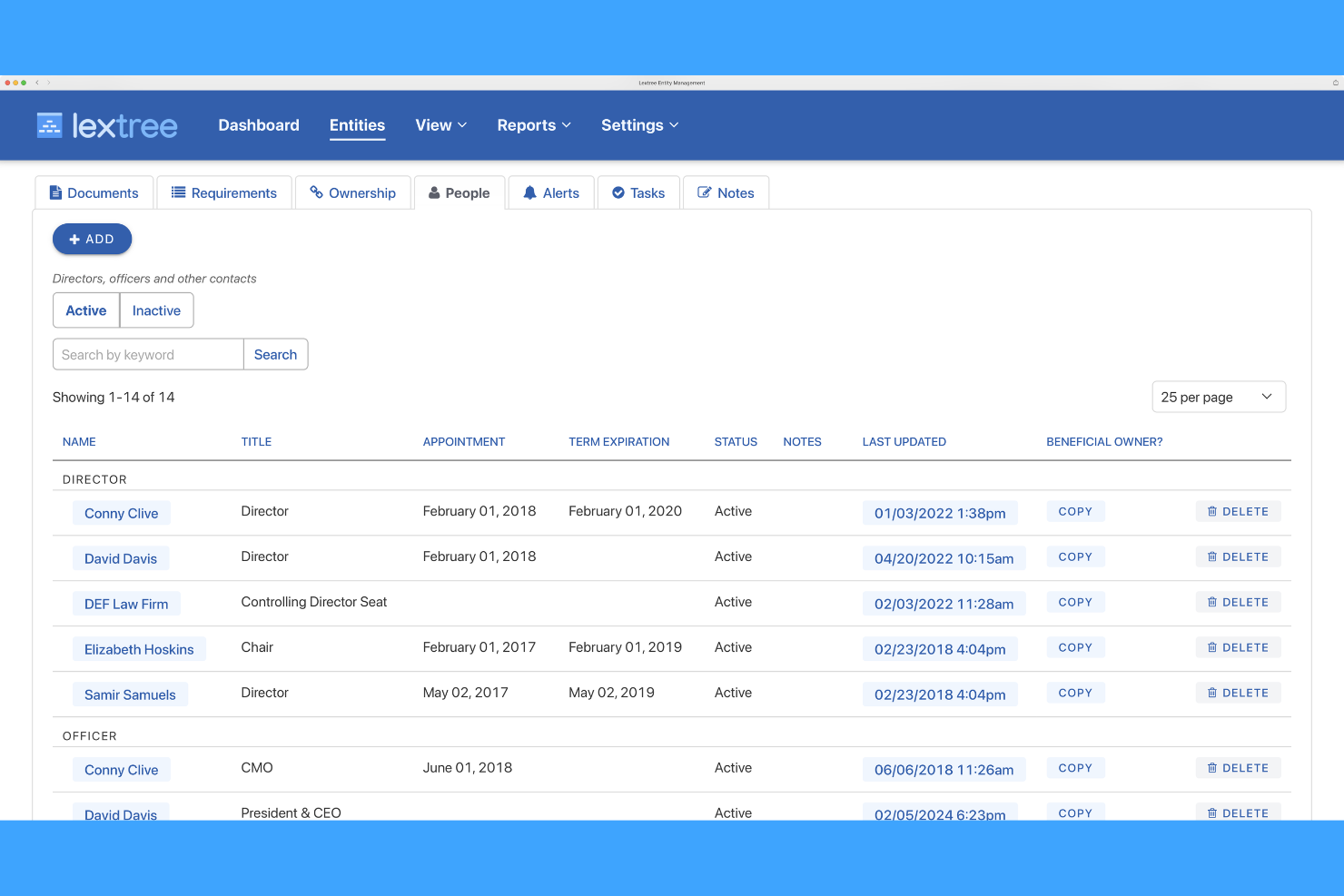
Lextree is designed for legal and compliance professionals who need advanced control over entity data and reporting. Its customizable reporting tools let you build tailored reports that fit your organization’s unique governance and compliance requirements. If your team manages complex ownership structures or needs to track detailed compliance metrics, Lextree offers flexibility that’s hard to match.
Why I Picked Lextree
What sets Lextree apart is its focus on customizable reporting, which is essential for legal teams that need to meet specific compliance and governance standards. I picked Lextree because it lets you design and schedule reports that pull exactly the data you need from your entity records.
The platform’s reporting engine supports custom fields and filters, so you can track ownership, compliance deadlines, or document status in ways that match your internal processes. This level of flexibility is especially valuable for organizations with unique reporting requirements or regulatory obligations.
Lextree Key Features
In addition to its reporting flexibility, Lextree offers several other features that support legal entity management:
- Document Management: Upload, organize, and track entity documents in a secure repository.
- Compliance Calendar: Monitor and manage key compliance dates and filing deadlines.
- Org Chart Visualization: Generate visual diagrams of entity ownership and relationships.
- Role-Based Access Controls: Assign permissions based on user roles to protect sensitive data.
Lextree Integrations
Native integrations are not currently listed.
Pros and Cons
Pros:
- Document repository links files to specific entities
- Built-in board meeting room feature
- Unlimited entity hosting at base tiers
Cons:
- Reporting lacks advanced visualization tools
- Manual data entry for implementation

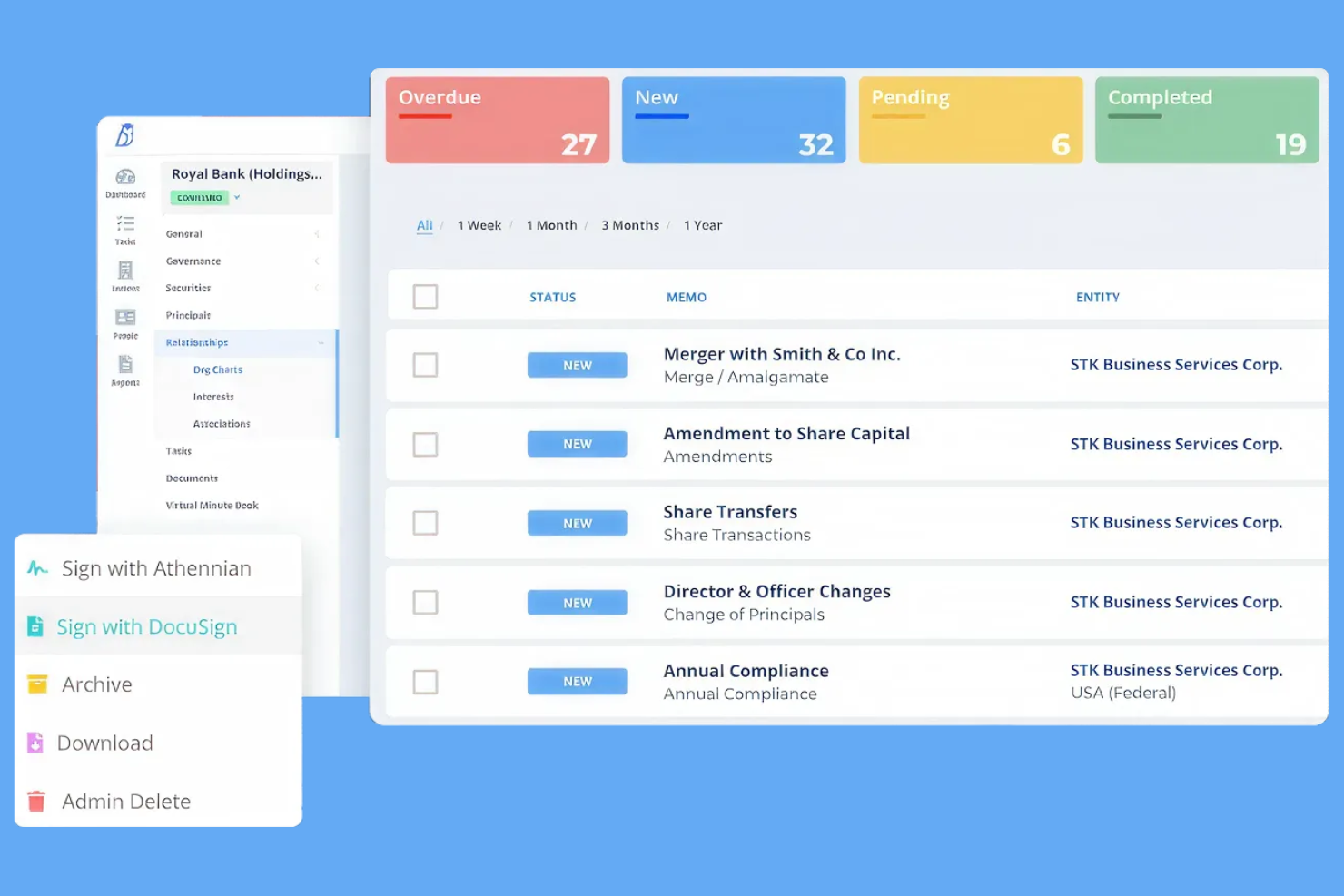
Athennian is a cloud-based corporate entity management software designed for legal teams and corporate secretaries who manage large volumes of entities and complex corporate records. This platform stands out for its ability to centralize high-volume data and automate document workflows. If your organization needs to keep pace with frequent ownership changes or multi-jurisdictional compliance, Athennian offers tools to help you stay organized and audit-ready.
Why I Picked Athennian
I chose Athennian because it’s built to handle the demands of organizations managing a high volume of corporate records. Its bulk data management tools let you update, organize, and report on hundreds or thousands of entities at once, which is essential for large legal departments or law firms.
I appreciate how Athennian automates document generation and filing, reducing manual work for recurring compliance tasks in sectors like real estate. The platform’s audit trails and permission controls also help teams maintain accuracy and accountability across complex entity structures.
Athennian Key Features
Some other features in Athennian support legal teams managing complex entity portfolios:
- Entity Relationship Mapping: Visualize ownership structures and relationships between stakeholders and entities with interactive charts.
- Customizable Workflows: Set up tailored approval processes and task assignments to match your organization’s governance requirements.
- Document Repository: Store, organize, and search all entity-related documents in a secure, centralized location.
- Automated Reminders: Schedule compliance and filing reminders to help your team stay ahead of regulatory deadlines.
Athennian Integrations
Integrations include Microsoft Teams, Workday, Salesforce, and UKG Pro.
Pros and Cons
Pros:
- Editable digital minute book generation
- Bulk document generation for recurring filings
- Handles thousands of entities in one dashboard
Cons:
- Limited native document renaming shortcuts
- Template logic requires technical setup

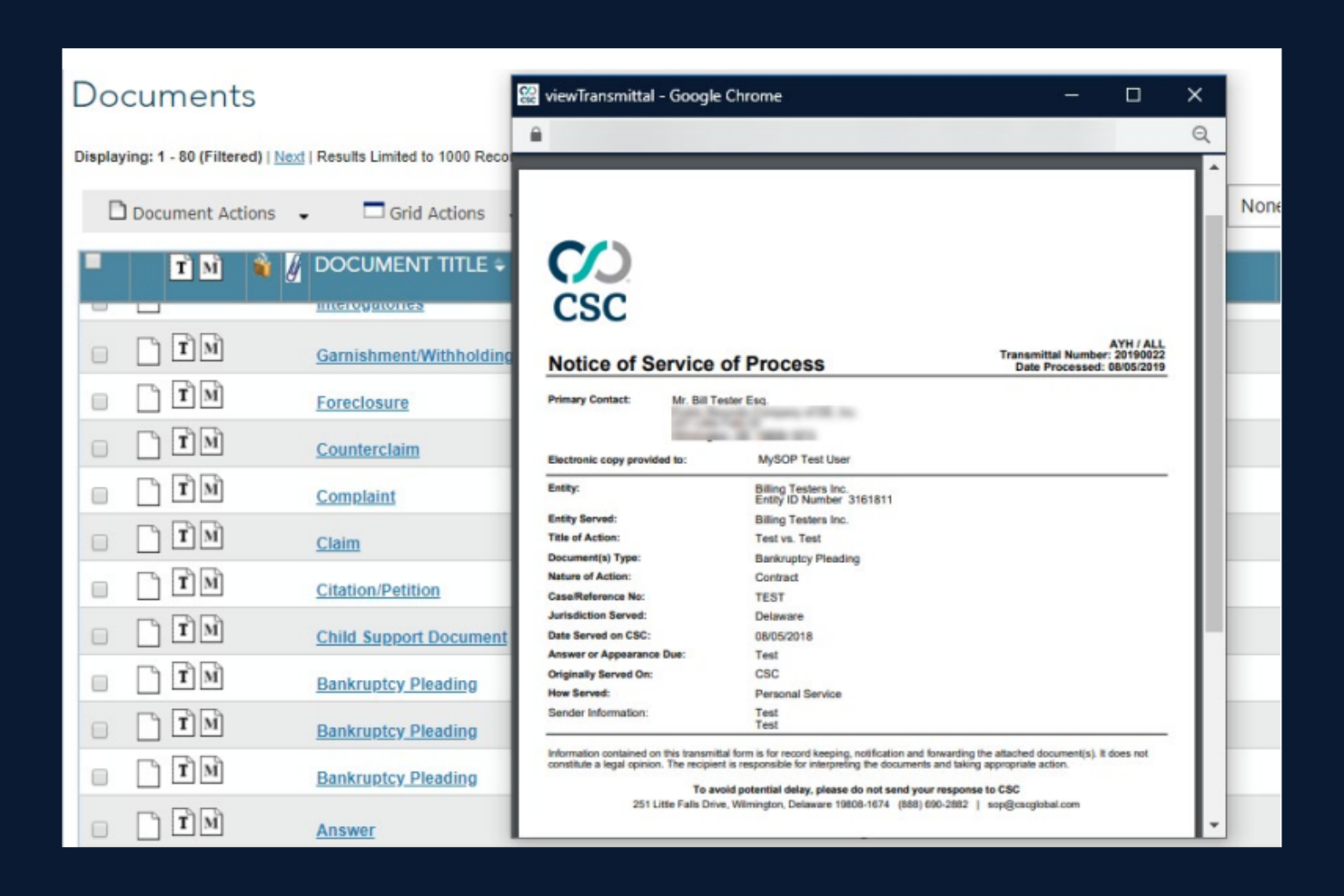
CSC Entity Management is designed for legal and compliance teams that need tight integration with registered agent services. This platform is especially useful for organizations managing large portfolios of entities that require real-time service of process tracking and automated compliance updates. If your business relies on registered agent services across multiple jurisdictions, CSC Entity Management solution connects those services directly to your entity records for greater accuracy and control.
Why I Picked CSC Entity Management
What sets CSC Entity Management apart is its direct connection to registered agent services, which is essential for organizations that need reliable service of process and compliance tracking. I picked this tool because it automatically syncs service of process documents and compliance events with your entity records, reducing manual entry and the risk of missed deadlines.
The platform also provides real-time alerts for legal notices and annual report due dates, helping legal teams stay ahead of regulatory requirements. For businesses that operate in multiple states or countries, this integration simplifies the management of registered agent responsibilities within a single entity management system.
CSC Entity Management Key Features
In addition to its integration with registered agent services, CSC Entity Management offers several other features for legal teams:
- Customizable Entity Data Fields: Tailor data fields to match your organization’s specific entity tracking requirements.
- Document Repository: Store, organize, and retrieve entity documents in a secure, centralized location.
- Entity Org Chart Visualization: Generate visual diagrams of entity relationships and ownership structures.
- User Activity Audit Trails: Track and review user actions within the platform for compliance and accountability.
CSC Entity Management Integrations
Integration includes Workday.
Pros and Cons
Pros:
- Managed services for tax filings
- Integrated registered agent service data
- Proactive alerts for law changes
Cons:
- Outdated user interface design
- Response times vary by account size

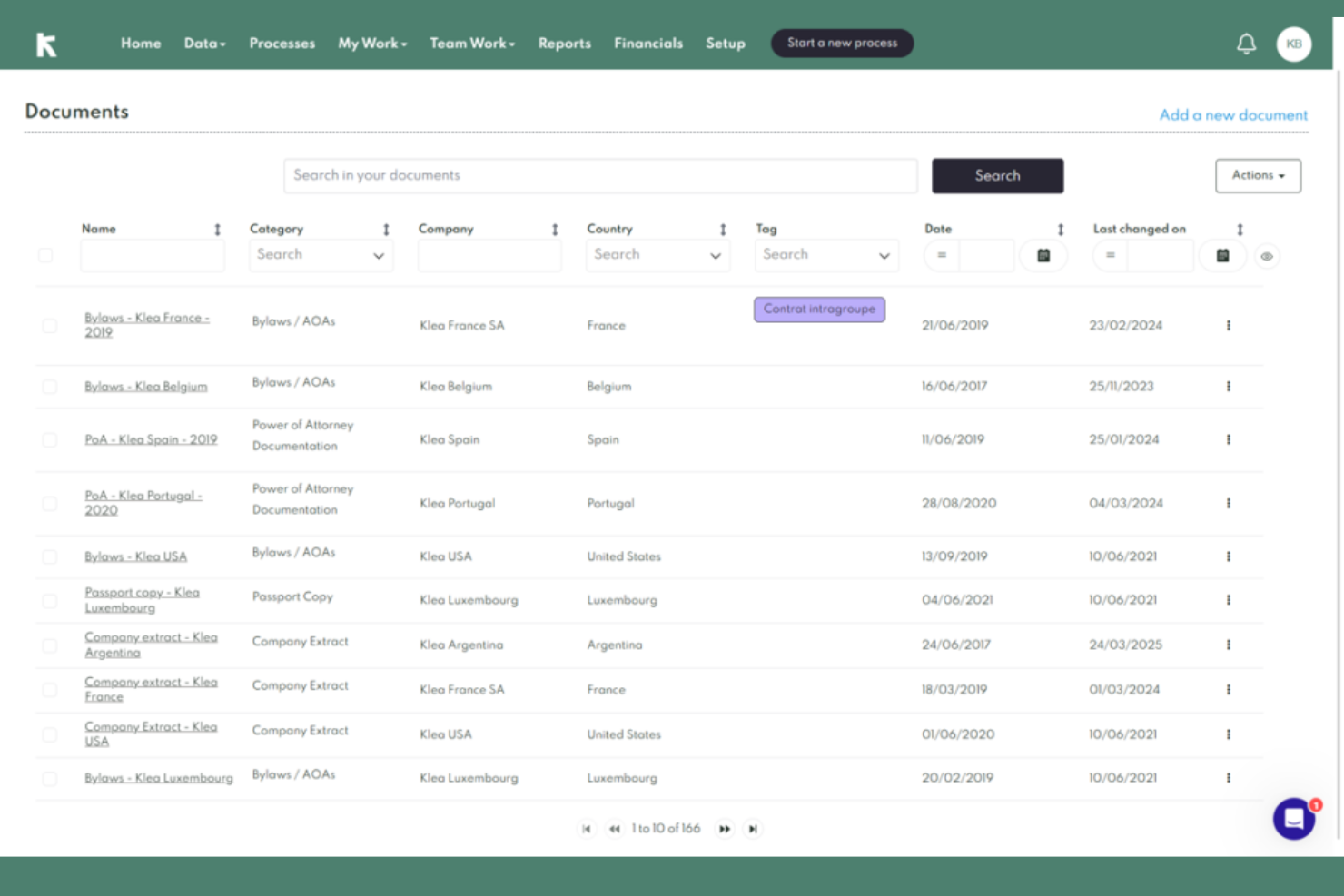
Klea stands out for legal teams and corporate secretaries who want to automate complex document generation and entity workflows. The platform is built for organizations managing multiple entities that need to standardize, generate, and update legal documents at scale. If your business faces repetitive drafting tasks or compliance-driven paperwork, Klea’s automation features help reduce time-consuming manual effort and minimize errors.
Why I Picked Klea
For legal teams that need to automate document-heavy processes, Klea offers a focused solution for generating and managing legal documents across multiple entities. I picked Klea because it lets you create custom templates for board resolutions, annual filings, and other recurring documents, which helps maintain consistency and accuracy.
The platform also supports automated workflows that trigger document creation based on key compliance events or deadlines. This approach is especially useful for organizations that want to reduce manual drafting and ensure their entity records stay up to date.
Klea Key Features
Some other features that make Klea useful for legal entity management include:
- Centralized Entity Database: Store and organize all entity information in one searchable platform.
- Role-Based Access Controls: Assign permissions and restrict access to sensitive documents and workflows.
- Automated Reminders: Set up notifications for key compliance dates and filing deadlines.
- Audit Trail Tracking: Monitor and log all changes and actions taken within the system for accountability.
Klea Integrations
Integrations include Docusign, Adobe Sign, and an open REST API for custom integrations.
Pros and Cons
Pros:
- Dedicated EMEA jurisdiction compliance focus
- One-click individual entity organizational charts
- AI-driven global managed service hybrid
Cons:
- Manual layout adjustments for complex charts
- No bulk document upload feature

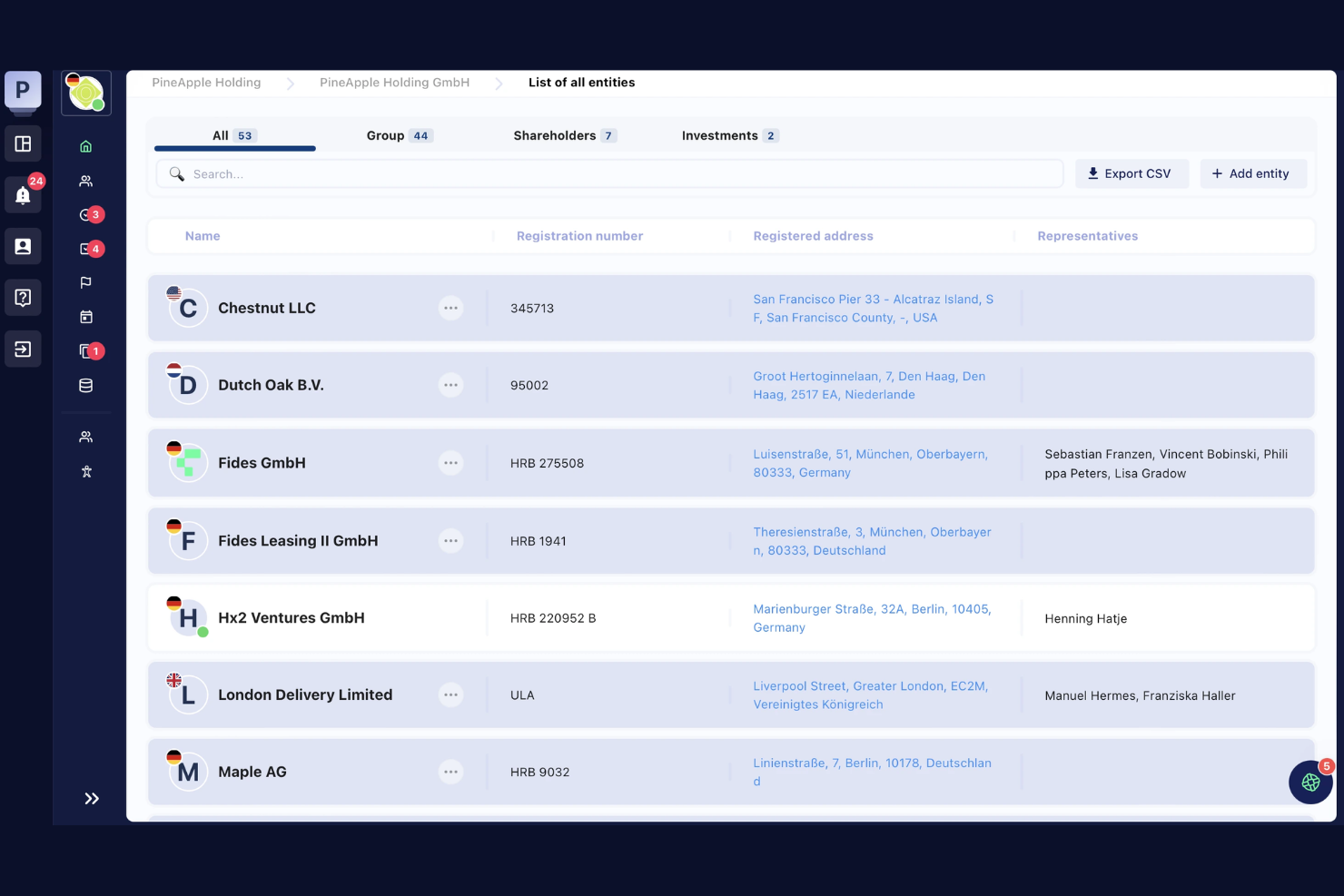
Fides is designed for legal and corporate teams that need a single source of truth for managing subsidiaries and group structures. The platform centralizes entity data, document management, and ownership charts, making it easier to oversee complex corporate families. If your organization operates across multiple jurisdictions or has layered ownership, Fides helps you maintain clarity and control.
Why I Picked Fides
When it comes to overseeing multiple subsidiaries, Fides offers a centralized approach that’s hard to match. I picked this tool because it lets you visualize group structures and ownership relationships in real time, which is essential for organizations with complex corporate families.
The platform’s entity data management and document repository features help legal teams keep all subsidiary information organized and accessible. This focus on centralized oversight makes Fides a strong fit for businesses managing layered or international entity structures.
Fides Key Features
Some other features that make Fides useful for legal entity management include:
- Automated Reminders: Set up notifications for key compliance and filing dates.
- Customizable Data Fields: Tailor entity records to capture the information your organization needs.
- Role-Based Access Controls: Assign permissions based on user roles to protect sensitive data.
- Audit Log: Track all changes and actions taken within the platform for accountability.
Fides Integrations
Integrations are not publicly available.
Pros and Cons
Pros:
- Offers deal-readiness for mergers and acquisition
- Automated governance duty execution workflows
- Specialized director liability reduction tools
Cons:
- Narrow focus on C-suite governance
- Limited presence in North American markets
Other Legal Entity Management Software
Here are some additional legal entity management software options that didn’t make it onto my shortlist, but are still worth checking out:
- Commenda
For workflow-driven task assignments
- Harbor Compliance
For managed annual report filings
- Filejet
For automated state compliance updates
- Computershare
For multi-jurisdictional data access


How I Evaluate Legal Entity Management Software
I split my evaluation into two layers: baseline capabilities a tool must have—like multi-jurisdictional entity records and compliance tracking—and the differentiators that set one platform apart.
Core Functionality (Table Stakes For This List)
When I'm selecting tools for my list, I rank each one on a scale from 0 (does not offer the functionality) to 5 (excels in this area) for each core functionality listed below. Then, I calculate the tool's total score into a percentage. Each tool needs to achieve a minimum total score of 65% to be considered for inclusion.
- Entity Data Repository: I check whether the platform stores structured entity records—jurisdiction, tax IDs, registered agents, status—across your full portfolio in one place.
- Corporate Structure Visualization: Auto-generated org charts that map parent-subsidiary hierarchies and ownership percentages matter here, especially for multi-layered holding structures.
- Compliance Calendar & Filings: I evaluate how each tool tracks statutory deadlines and annual report obligations, looking for automated alerts tied to specific jurisdictional requirements.
- Officers, Directors & Ownership Tracking: Appointment histories, board terms, cap tables, and share classes should all be trackable per entity rather than buried in separate spreadsheets.
- Corporate Records Management: I look for organized document storage tied to each entity—meeting minutes, resolutions, bylaws—with version control and clear audit trails.
- Reporting & Audit Trails: The ability to pull compliance status reports and entity snapshots on demand is key, along with change logs that show who updated what and when.
Once I have a list of tools that meet the criteria, I consider what sets each platform apart.
Differentiating Factors (What Sets Vendors Apart)
Here's how I compare and contrast different vendors:
Standout Features
Registered agent integrations are a big differentiator. Platforms that sync directly with providers like CT Corporation or CSC save your team from manually cross-referencing filing statuses and service of process notices. I also look for built-in beneficial ownership tracking, which helps governance teams stay ahead of evolving disclosure requirements across jurisdictions. Global jurisdictional intelligence is another factor I weigh, especially for teams managing entities across dozens of countries where statutory rules shift frequently.
Beyond Features
Security and data residency matter a lot in this space. Entity records often include sensitive governance data, so I check for SOC 2 Type II certification, role-based access controls, and regional hosting options. Integration depth is another factor I weigh—tools that connect to your CLM, matter management, or ERP systems prevent duplicate data entry across departments. I also evaluate scalability, since a platform that fits a 50-entity portfolio may struggle when your corporate structure grows past a thousand entities through acquisitions.
How to Choose Legal Entity Management Software
It’s easy to get bogged down in long feature lists and complex pricing structures. To help you stay focused as you work through your unique software selection process, here’s a checklist of factors to keep in mind:
| Factor | What to Consider |
|---|---|
| Scalability | Will the software handle your current and future entity volumes, including growth into new jurisdictions or business lines? |
| Integrations | Does the tool connect natively with your document management, e-signature, HR, or compliance systems? Check for direct integrations, not just API access. |
| Customizability | Can you tailor fields, workflows, and reports to match your organization’s governance and compliance processes? Avoid tools that lock you into rigid templates. |
| Ease of use | Will your legal, compliance, and business users adopt the tool quickly? Look for clear navigation, logical workflows, and minimal training requirements. |
| Implementation and onboarding | How long will it take to migrate your existing entity data and documents? Ask about data import support, onboarding resources, and typical go-live timelines. |
| Cost | Are pricing tiers transparent and predictable as your entity count grows? Watch for per-entity or per-user fees that could escalate quickly. |
| Security safeguards | Does the vendor offer encryption, granular access controls, and audit trails? Confirm compliance with your organization’s data security standards. |
| Support availability | What support channels are available, and during what hours? Consider if you need 24/7 support, dedicated account management, or multilingual assistance. |
What Is Legal Entity Management Software?
Legal entity management software is a digital tool that helps organizations track, organize, and maintain records for their legal entities, such as corporations, LLCs, and subsidiaries. It centralizes documents, compliance deadlines, ownership structures, and governance information.
This software supports legal, compliance, and operations teams in managing regulatory obligations, reducing risk, and ensuring accurate, up-to-date entity data across jurisdictions.
Features
When selecting legal entity management software, keep an eye out for the following key features:
- Entity record management: Centralizes and organizes all information related to each legal entity, including registration details, ownership, and status.
- Document storage and management: Provides a secure digital repository for storing, retrieving, and managing entity documents such as articles of incorporation, bylaws, and meeting minutes.
- Compliance tracking: Monitors deadlines for annual filings, renewals, and regulatory requirements, sending reminders to help prevent missed obligations.
- Ownership structure visualization: Generates diagrams or charts that map out relationships between entities, shareholders, and directors for easy reference.
- Role and permission controls: Allows administrators to set granular access levels, ensuring sensitive data is only available to authorized users.
- Automated reminders and notifications: Sends alerts for upcoming compliance tasks, document expirations, or required approvals to keep teams on track.
- Reporting and audit trails: Enables users to generate reports on entity status, compliance activities, and changes, while maintaining a log of all actions for accountability.
- Meeting and board management: Facilitates scheduling, agenda creation, and minute-taking for board or shareholder meetings within the platform.
- Integration capabilities: Connects with other business systems, such as document management, e-signature, or HR platforms, to simplify workflows and reduce manual entry.
Benefits
Implementing legal entity management software provides several benefits for your team and your business. Here are a few you can look forward to:
- Centralized entity data: Consolidates all entity records, documents, and ownership information in one secure location for easy access and management.
- Improved compliance management: Tracks deadlines and regulatory requirements, sending automated reminders to help your team avoid missed filings or penalties.
- Enhanced governance oversight: Visualizes ownership structures and director roles, supporting better decision-making and transparency across entities.
- Optimized meeting management: Facilitates agenda creation, minute-taking, and document distribution for board and shareholder meetings within the platform.
- Reduced manual workload: Automates repetitive tasks like compliance tracking, document management, and reporting, freeing up time for higher-value work.
- Stronger data security: Offers granular access controls and audit trails, ensuring sensitive entity information is protected and activity is traceable.
- Faster onboarding and adoption: Provides user-friendly interfaces, training resources, and migration tools to help teams get up and running quickly.
Costs and Pricing
Selecting legal entity management software requires an understanding of the various pricing models and plans available. Costs vary based on features, team size, add-ons, and more. The table below summarizes common plans, their average prices, and typical features included in legal entity management software solutions:
Plan Comparison Table for Legal Entity Management Software
| Plan Type | Average Price | Common Features |
|---|---|---|
| Free Plan | $0 | Basic entity record management, limited document storage, and simple compliance reminders. |
| Personal Plan | $20–$50/user/month | Single-user access, expanded document storage, compliance tracking, and basic reporting tools. |
| Business Plan | $60–$150/user/month | Multi-user access, advanced compliance management, ownership visualization, and integration options. |
| Enterprise Plan | $200–$500+/user/month | Custom workflows, granular permissions, audit trails, dedicated support, and advanced security features. |
Legal Entity Management Software FAQs
Here are some answers to common questions about legal entity management software:
How does legal entity management software help with compliance?
Legal entity management software helps with compliance by tracking filing deadlines, regulatory requirements, and renewal dates for each entity. It sends automated reminders and centralizes compliance documents, making it easier for teams to stay organized and avoid missed obligations.
Can legal entity management software handle multiple jurisdictions?
Yes, most legal entity management software can handle multiple jurisdictions. These tools allow you to manage entities across different states or countries, track local compliance requirements, and store jurisdiction-specific documents in one platform.
What types of organizations benefit most from legal entity management software?
Organizations with complex structures, multiple subsidiaries, or operations in several jurisdictions benefit most from legal entity management software. This includes large corporations, holding companies, private equity firms, and legal departments managing diverse entity portfolios.
How secure is legal entity management software?
Legal entity management software is designed with security in mind, offering features like encryption, role-based access controls, and audit trails. Always review a vendor’s security certifications and data protection policies to ensure they meet your organization’s standards.
What should I consider when migrating data to a new legal entity management platform?
When migrating data, consider the format and completeness of your existing records, the vendor’s data import tools, and the availability of onboarding support. Plan for data validation and testing to ensure accuracy and minimize disruption during the transition.