

Legal lead generation software helps law firms capture, qualify, and manage potential clients from first inquiry to signed engagement. If you’re looking to grow your client base and free up your team for higher-value work, finding the right tools can make all the difference. This guide walks you through proven options—so you can focus on growing your practice with confidence.
Why Trust Our Software Recommendations
6,700+
Reviews
20
Industry experts
16+
Evaluation factors
14
Years
Our team has been testing and reviewing software since 2012. As legal practice leaders ourselves, we know how difficult—and important—it is to choose the right software.
For this guide, we evaluated tools using hands-on testing and independent research, scoring tools using our selection criteria.
Our reviews reflect our human editorial judgment, not a sales pitch.
Legal Lead Generation Software Comparison Table
This comparison table summarizes pricing details for my top legal lead generation software selections:
| Tool | Best For | Trial Info | Price | ||
|---|---|---|---|---|---|
| 1 | Best for integrated time tracking | Not available | Pricing upon request | Website | |
| 2 | Best for personal injury practice workflows | Free demo available | From $90/user/month | Website | |
| 3 | Best for AI tools in litigation management | Free demo available | Pricing upon request | Website | |
| 4 | Best for built-in client payment processing | 10-day free trial | From $50/user/month (billed annually) | Website | |
| 5 | Best for customizable workflow automation | 14-day free trial | From $39/user/month (billed annually) | Website | |
| 6 | Best for document automation and e-signature | 7-day free trial | From $49/user/month (billed annually) | Website | |
| 7 | Best for automating legal intake workflows | Free demo available | Pricing upon request | Website | |
| 8 | Best for AI-driven lead qualification | Free demo available | Pricing upon request | Website | |
| 9 | Best for expansive attorney directory reach | Free demo available | Pricing upon request | Website | |
| 10 | Best for customizable legal intake forms | Free demo available | Pricing upon request | Website |


Legal Lead Generation Software Reviews
Below are my detailed summaries of the best legal lead generation software that made it onto my shortlist. My reviews offer a detailed look at the features, capabilities, and best use cases of each platform to help you find the best one for you.
 Best for integrated time tracking
- Not available
- Pricing upon request
Visit WebsiteCustomer Rating:4.8/5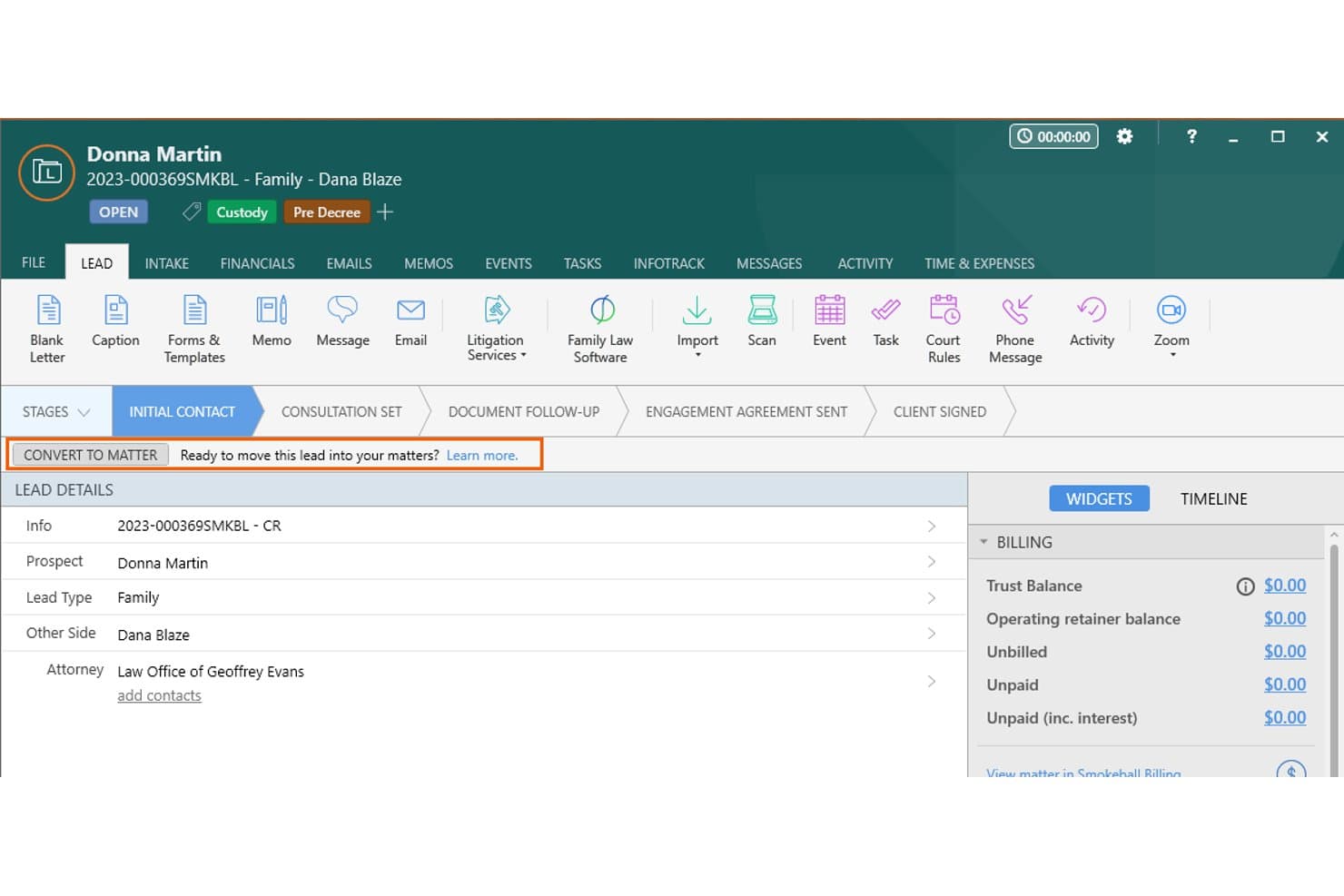
Smokeball centralizes lead details and tracks pipeline stages for easy matter conversion. Smokeball is a legal practice management platform that handles lead capture, intake qualification, lead-to-matter conversion, document automation, billing, and time tracking within a single system.
Who Is Smokeball Best For?
Solo attorneys and small-to-mid-sized law firms that want to manage lead intake and matter workflows inside a single platform, rather than across separate tools.
Why I Picked Smokeball
I picked Smokeball as one of the best because its AutoTime feature starts logging billable activity the moment a lead converts to a matter, with no manual entry required. That means every intake call, email, and document drafted in connection with a new client is captured automatically. Paired with LeadPro intake forms and lead-to-matter conversion in the same platform, I can see exactly when a lead became a paying matter and how much time was spent from day one.
Smokeball Key Features
- LeadPro intake forms: Capture prospective client data with customizable legal intake forms embedded directly on your website.
- Practice area templates: Access 200+ pre-built matter types tailored for specific legal fields to streamline lead qualification.
- Firm insights reporting: Monitor lead sources and client intake trends with dashboards and reporting designed for law firm needs.
- Integrated client portal: Share files and communicate securely with leads and clients within a single branded online space.
Smokeball Integrations
Smokeball offers native integrations with InfoTrack, Microsoft 365, LawPay, Bundledocs, Xero, QuickBooks Online, DocuSign, and Intaker. An API is available for custom integrations.
Pros and Cons
Pros:
- LeadPro intake forms built into the platform
- AutoTime logs billable hours from day one
- Converts leads to matters without switching tools
Cons:
- Reporting lacks multi-touch attribution for campaigns
- No external lead marketplace or sourcing tools
Learn more about Smokeball: Best for personal injury practice workflows
- Free demo available
- From $90/user/month
Visit WebsiteCustomer Rating:4.8/5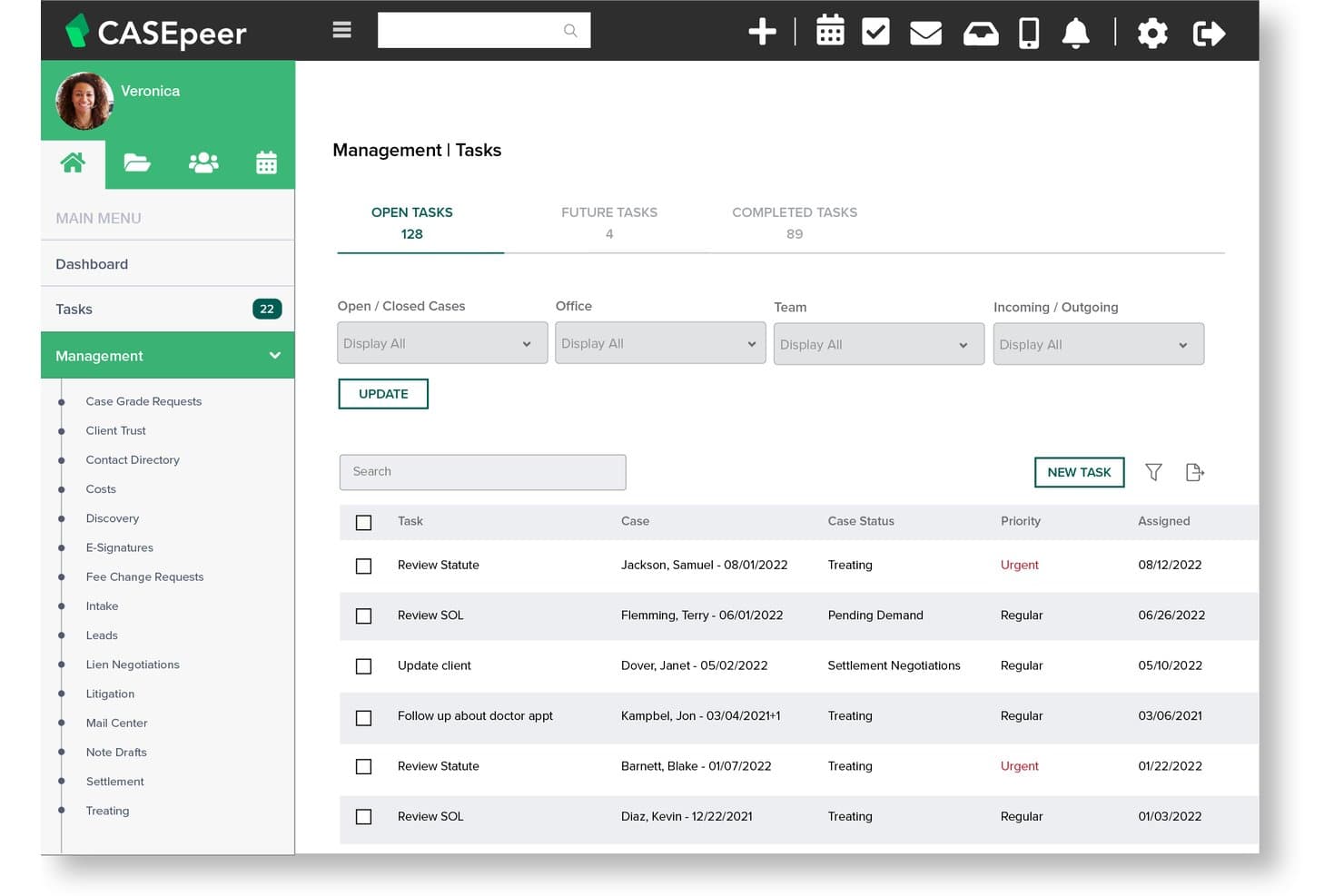
CasePeer helps users track and prioritize open legal case tasks. CasePeer is a cloud-based practice management platform for personal injury law firms that combines client intake, lead tracking, case management, and settlement workflows in a single system.
Who Is CasePeer Best For?
It's a strong fit for plaintiff-side personal injury firms that manage high case volumes and need intake, lead tracking, and case management in one PI-specific platform.
Why I Picked CasePeer
I picked CasePeer as one of the best because no other tool on my shortlist arrives pre-configured for personal injury intake the way it does. The moment a lead comes in, CasePeer tracks it against PI-specific data including automated statute alerts and medical treatment timelines. I also like that the Pro tier ties lead source tracking directly to attorney-level conversion reports, making it easy to see which campaigns are actually signing cases.
CasePeer Key Features
- Medical treatment tracking: Manage injury and treatment timelines directly within each case file.
- Automated statute alerts: Receive ongoing deadline reminders tied to statutes of limitations for every PI matter.
- Client portal with two-way texting: Communicate with leads and clients securely using in-platform SMS and shared files.
- Lead source reporting: Track where each lead originates and see campaign ROI through detailed intake and conversion reports.
CasePeer Integrations
CasePeer offers native integrations with LawPay, QuickBooks, Microsoft 365, Google Workspace, Mailchimp, DocuSign, Apex Chat, Ngage, Client Chat Live, and Zapier. An API is available for custom integrations.
Pros and Cons
Pros:
- Statute of limitations alerts per case file
- Tracks medical liens and treatment progress
- PI-specific intake workflows built in natively
Cons:
- Reporting customization options are relatively restricted
- Limited use outside personal injury practice areas
 Best for AI tools in litigation management
- Free demo available
- Pricing upon request
Visit WebsiteCustomer Rating:4.7/5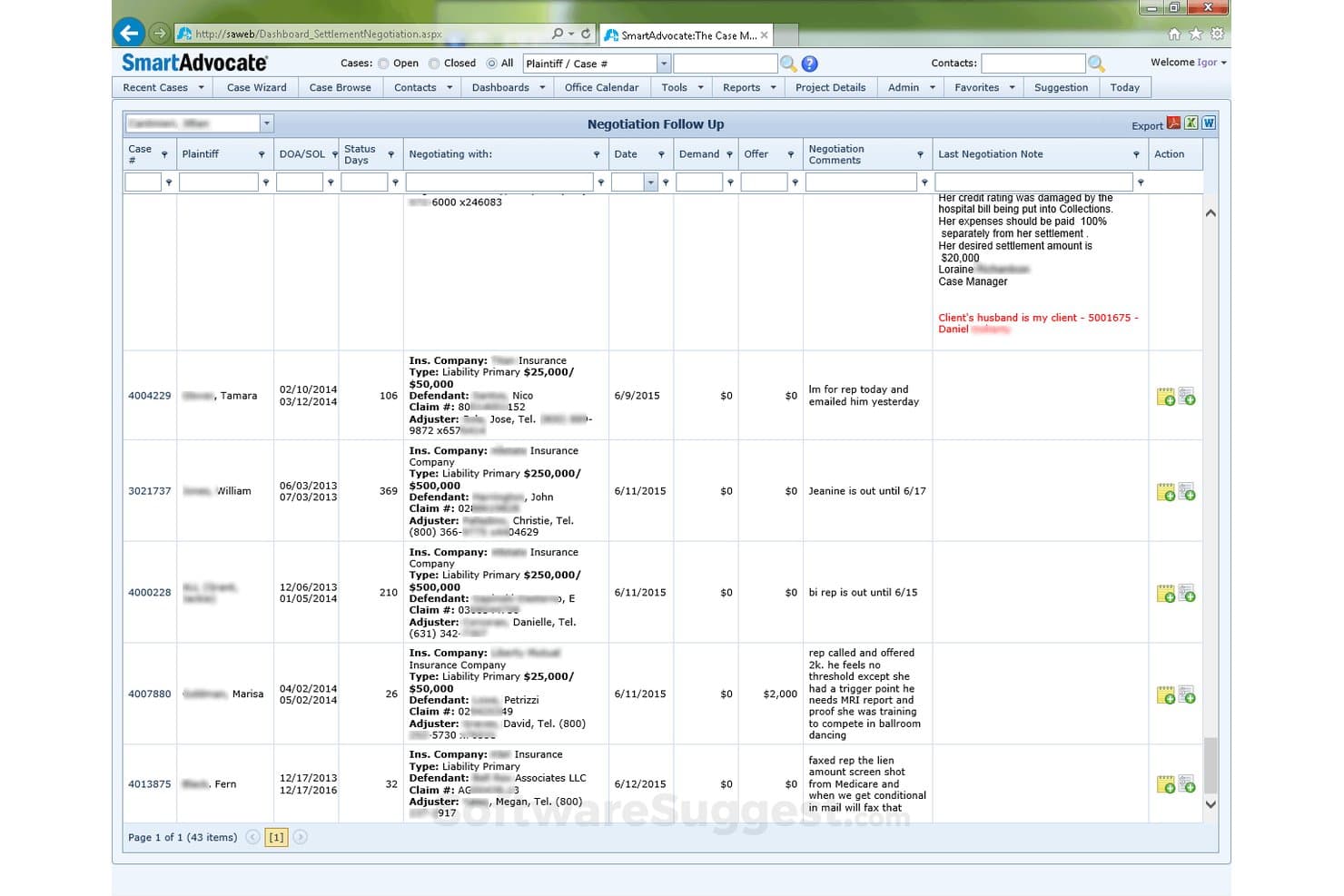
SmartAdvocate offers a Negotiation Follow Up dashboard that tracks case settlements, demands, offers, and negotiation notes across multiple plaintiffs. SmartAdvocate is a litigation-focused case management platform that combines AI-powered intake automation, lead routing, conflict-of-interest checks, and document generation for personal injury and mass tort law firms.
Who Is SmartAdvocate Best For?
SmartAdvocate is a natural fit for personal injury and mass tort firms that handle high volumes of inbound leads and need intake-to-retainer automation in one platform.
Why I Picked SmartAdvocate
I picked SmartAdvocate as one of the best because its built-in AI, SmartIntelligence™, does things I haven't seen in other intake-focused tools. It transcribes intake calls in real time and summarizes case details automatically, so my team captures lead information without manual note-taking. I also rely on its Automated Procedures to trigger SMS and email follow-up sequences the moment a new lead enters the system, pushing that sequence through until the retainer is signed.
SmartAdvocate Key Features
- WorkPlans and automated procedures: Build task checklists and trigger customized follow-ups for each new lead or intake.
- Case Monitor widget: Track all new intakes submitted externally and ensure pending leads are addressed by intake staff.
- Native document management: Create templates, barcode documents for auto-filing, and link matter files directly to client intake records.
- Custom dashboards and scheduled reports: Generate intake performance and lead source metrics with flexible report scheduling options.
SmartAdvocate Integrations
SmartAdvocate offers native integrations with Lawmatics, DocuSign, Docubee, Legal Intake Professionals, Intake Conversion Experts, and Alert Communications, and provides an API for custom integrations.
Pros and Cons
Pros:
- Mass tort case filtering and claimant pre-screening built in
- WorkPlans automate multi-step retainer follow-up sequences
- AI call transcription built into the intake workflow
Cons:
- Built primarily for personal injury, limiting other practice areas
- Steep initial setup for advanced automated procedures
Learn more about SmartAdvocate: Best for built-in client payment processing
- 10-day free trial
- From $50/user/month (billed annually)
Visit WebsiteCustomer Rating:4.6/5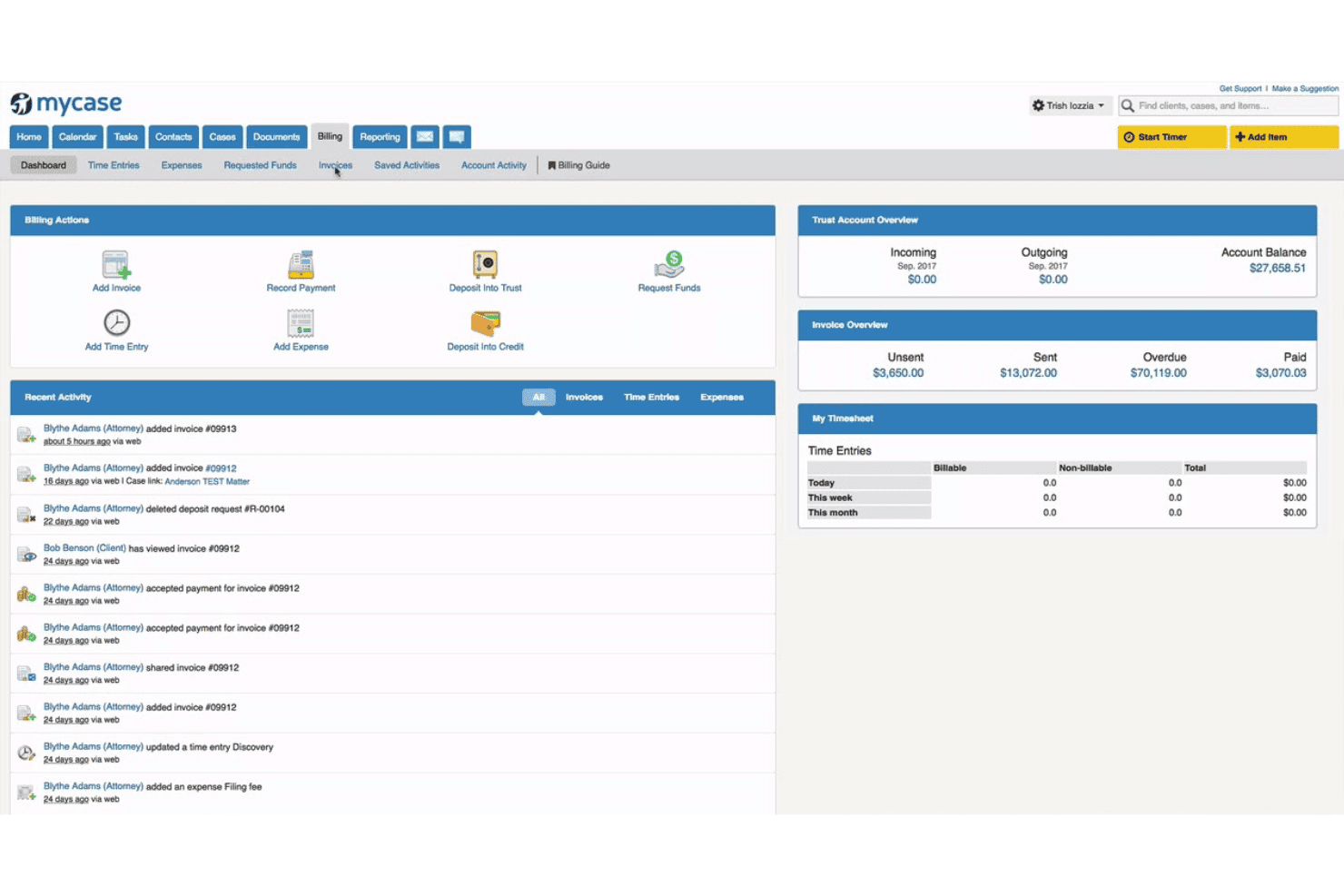
MyCase combines case management, billing, trust accounting, and client communication. MyCase is a legal practice management platform that combines a built-in legal CRM, dynamic client intake forms, automated workflows, eSignature, and integrated payment processing in a single system.
Who Is MyCase Best For?
MyCase is a strong fit for solo attorneys and small-to-midsize law firms that want a single platform to manage leads, cases, and client payments.
Why I Picked MyCase
MyCase earns its spot on my shortlist because the payment layer is built directly into the intake-to-retainer workflow. When a lead completes a dynamic intake form, I can trigger automated retainer generation, eSignature, and payment collection without switching platforms. The LawPay integration handles IOLTA-compliant trust accounting and next-day deposits natively, so the path from first inquiry to signed, paying client is fully contained in one system.
MyCase Key Features
- Dynamic intake forms: Create customizable, conditional intake forms that feed prospect data directly into matters.
- Legal CRM pipeline: Track prospective clients in a pipeline view tailored for legal intake and manage lead status in real time.
- Automated lead assignment: Route new leads to specific attorneys or teams based on practice area or custom rules.
- Source attribution reporting: Monitor lead origins and campaign performance with built-in source and conversion reporting tools.
MyCase Integrations
MyCase offers native integrations with LawPay, Smith.ai, Mailchimp, QuickBooks Online, Google Calendar, Microsoft Outlook, Dropbox, CalendarRules, and Kenect. An open API is also available for custom integrations.
Pros and Cons
Pros:
- Built-in eSignature speeds retainer signing
- Conditional intake forms qualify leads automatically
- Native intake-to-retainer workflow in one platform
Cons:
- Limited multi-channel lead attribution reporting
- No built-in lead purchasing marketplace
 Best for customizable workflow automation
- 14-day free trial
- From $39/user/month (billed annually)
Visit WebsiteCustomer Rating:4.8/5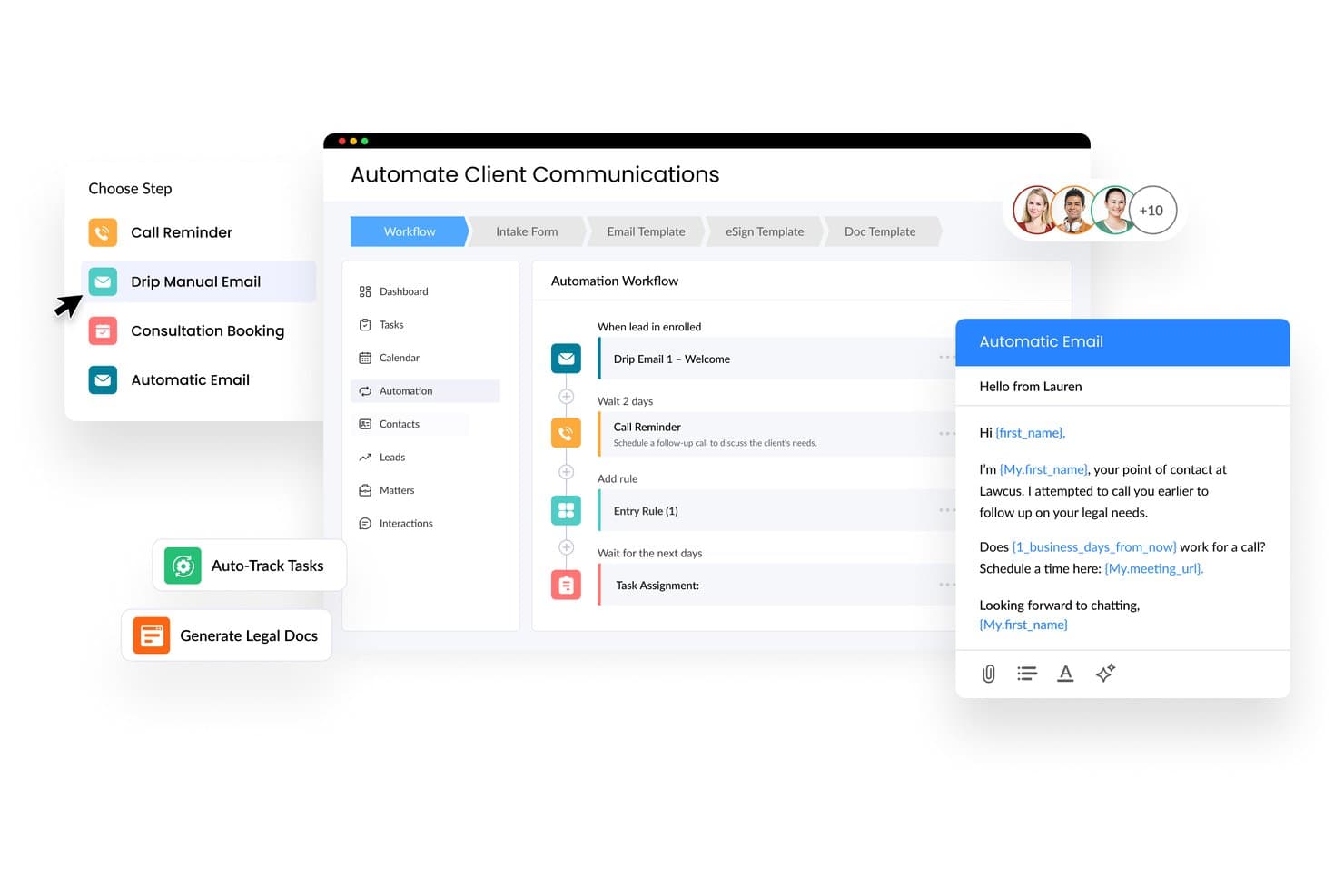
Lawcus automates client communications with email workflows. Lawcus is a legal practice management platform with built-in CRM, customizable intake forms, pipeline tracking, and workflow automation tools for law firms managing leads and matters in a single system.
Who Is Lawcus Best For?
Lawcus is a strong fit for solo attorneys and small to mid-sized law firms that want to manage leads, intake, and matters without juggling multiple disconnected tools.
Why I Picked Lawcus
Lawcus earns its spot on my shortlist because of how far its workflow automation goes beyond basic task reminders. I can build practice-area-specific pipelines where each stage automatically triggers assigned tasks, and converting a qualified lead into a matter takes a single button click. The Marketing Automation feature on Elite plans also lets me run drip campaigns to nurture unconverted leads without switching to a separate tool.
Lawcus Key Features
- Customizable intake forms: Build branded client intake forms to capture details specific to any practice area.
- Pipeline stage tracking: Visually manage prospective clients and leads through customizable Kanban-style pipelines.
- Native e-signature integration: Collect engagement letters and agreements electronically without using separate tools.
- Comprehensive reporting suite: Access 120+ legal-specific reports to track lead sources, conversion rates, and pipeline value.
Lawcus Integrations
Lawcus offers native integrations with LawPay, QuickBooks Online, Xero, Smith.ai, LexReception, Google Calendar, and Zapier. An API is available for custom integrations.
Pros and Cons
Pros:
- Visual Kanban pipelines for lead stage tracking
- Built-in drip campaigns for unconverted leads
- One-click lead-to-matter conversion built in
Cons:
- No built-in lead sourcing marketplace
- Mobile app lacks full desktop functionality
Learn more about Lawcus: Best for document automation and e-signature
- 7-day free trial
- From $49/user/month (billed annually)
Visit WebsiteCustomer Rating:4.7/5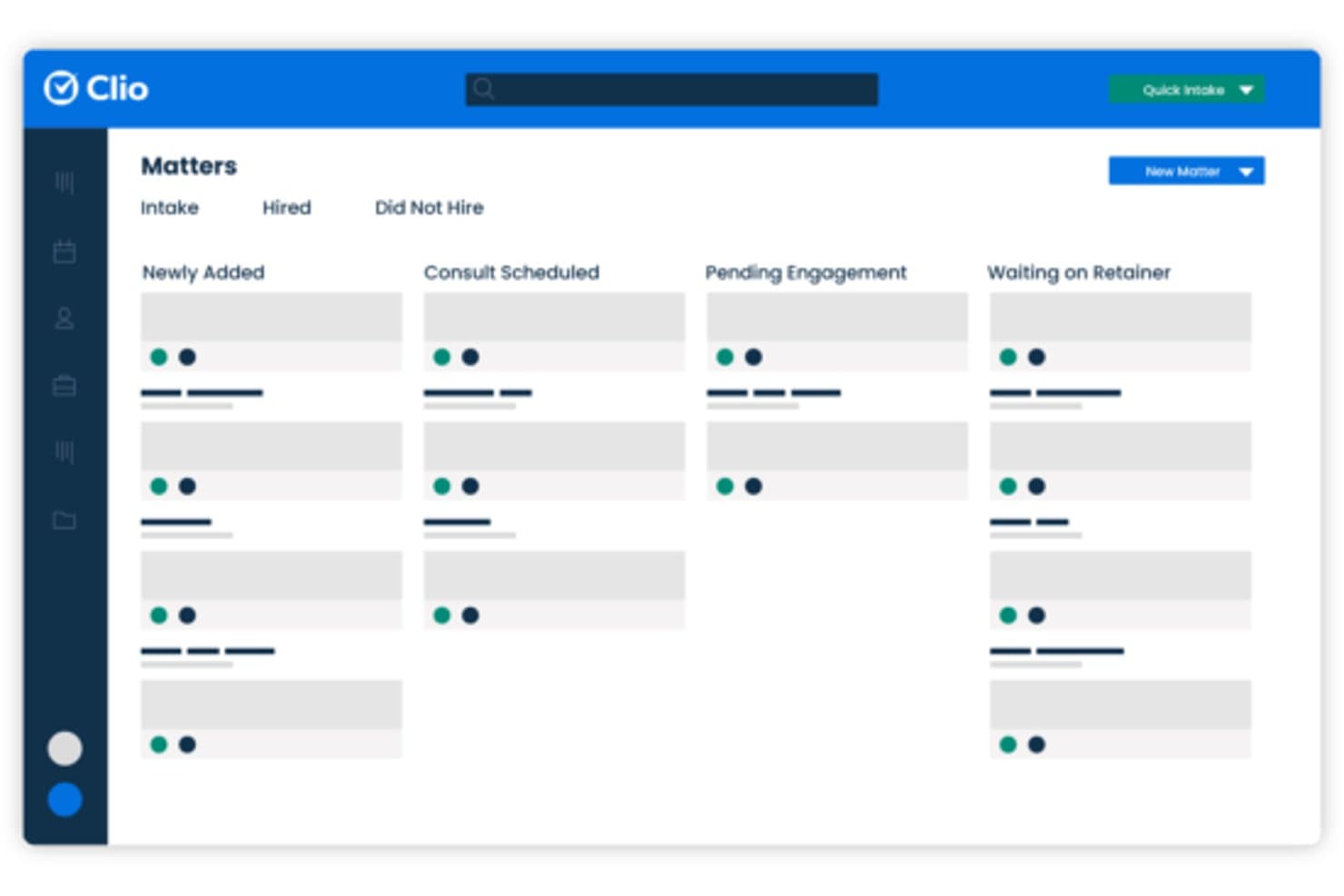
Clio Grow tracks leads through a visual matter pipeline by stage. Clio Grow is a legal client intake CRM that combines online intake forms, automated follow-up workflows, appointment booking, e-signature, and lead source reporting into a single platform built for law firms.
Who Is Clio Grow Best For?
Clio Grow is a natural fit for solo and small-firm attorneys already using Clio Manage who want to formalize and automate their client intake process.
Why I Picked Clio Grow
I picked Clio Grow as one of the best because its document automation is wired directly into the intake process. When a prospective client submits an intake form, Grow auto-populates engagement letters and retainer agreements from that data, so there's no manual document prep between "qualified lead" and "signed client." I also like that clients can review and sign from any device, which removes a common drop-off point in the conversion process.
Clio Grow Key Features
- Lead source attribution and reporting: Track referral sources, ad spend, and campaign effectiveness within the intake pipeline.
- Google Local Services Ads integration: Connect Google LSA channels directly to intake workflows for seamless in-platform lead capture.
- Automated review requests: Send automated prompts to clients for online reviews once intake is completed.
- Clio Manage syncing: Instantly convert qualified leads into matters in Clio Manage for unified data management.
Clio Grow Integrations
Clio Grow offers native integrations with Clio Manage, Google Workspace, Mailchimp, Smith.ai, and 4LegalLeads, and provides an API for custom integrations.
Pros and Cons
Pros:
- Lead source attribution linked to signed clients
- Built-in appointment scheduling for consultation requests
- Customizable intake forms with conditional logic
Cons:
- Not built for purchasing third-party leads
- No live chat or chatbot for leads
Learn more about Clio Grow: Best for automating legal intake workflows
- Free demo available
- Pricing upon request
Visit WebsiteCustomer Rating:4.6/5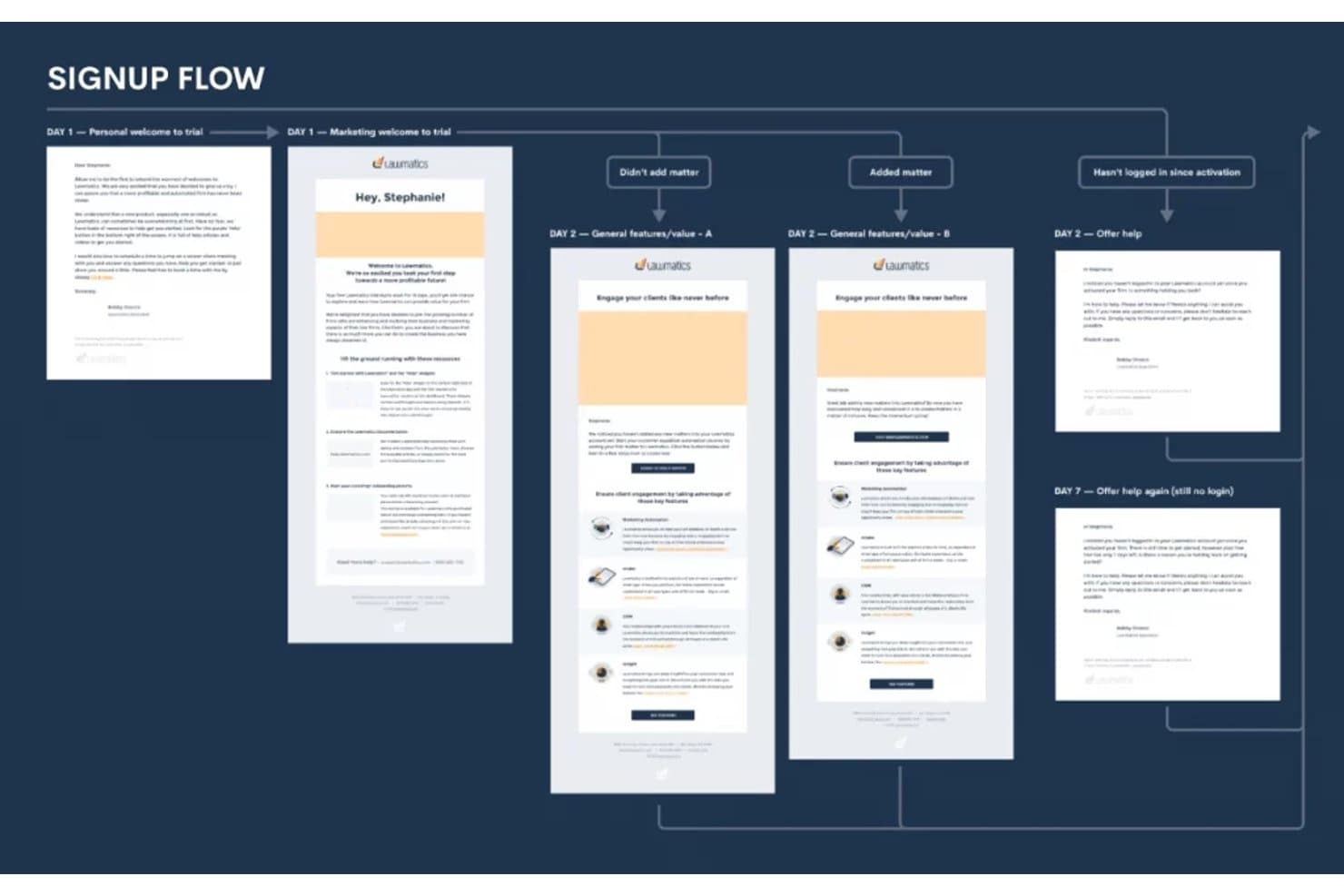
Lawmatics automates personalized email sequences to nurture leads after signup. Lawmatics is a legal-specific CRM that combines client intake automation, lead pipeline management, marketing automation, e-signature, and source attribution reporting for law firms.
Who Is Lawmatics Best For?
Lawmatics is a strong fit for small-to-midsize law firms in high-volume practice areas like personal injury, immigration, and family law.
Why I Picked Lawmatics
I picked Lawmatics as one of the best because its intake automation goes well beyond a simple auto-reply. When a lead submits a form, Lawmatics triggers a multi-step email and SMS sequence, books an appointment, and delivers an e-signature retainer without any manual input. I also like the predictive revenue pipeline, which assigns projected value to active leads by case type so you always know what's actually in your funnel.
Lawmatics Key Features
- Custom reporting dashboards: Create and customize dashboards to track marketing ROI and lead source attribution.
- Practice management integrations: Connect directly with Clio, MyCase, PracticePanther, Smokeball, and other legal tools to sync client and matter data.
- Advanced contact filtering: Segment and search contacts by practice area, lead stage, and referral source.
- Campaign analytics: Analyze the performance of lead generation campaigns and measure conversion rates across multiple channels.
Lawmatics Integrations
Lawmatics offers native integrations with Clio, MyCase, PracticePanther, Filevine, Smokeball, LEAP, SmartAdvocate, QuickBooks Online, and CallRail. An API is available for custom integrations.
Pros and Cons
Pros:
- Native connections to major legal practice management platforms
- Tracks lead source attribution across multiple marketing channels
- End-to-end intake automation without manual follow-up
Cons:
- Reporting customization can be limited for complex multi-location firms
- No built-in live chat or chatbot for real-time lead capture
Learn more about Lawmatics: Best for AI-driven lead qualification
- Free demo available
- Pricing upon request
Visit WebsiteCustomer Rating:4.7/5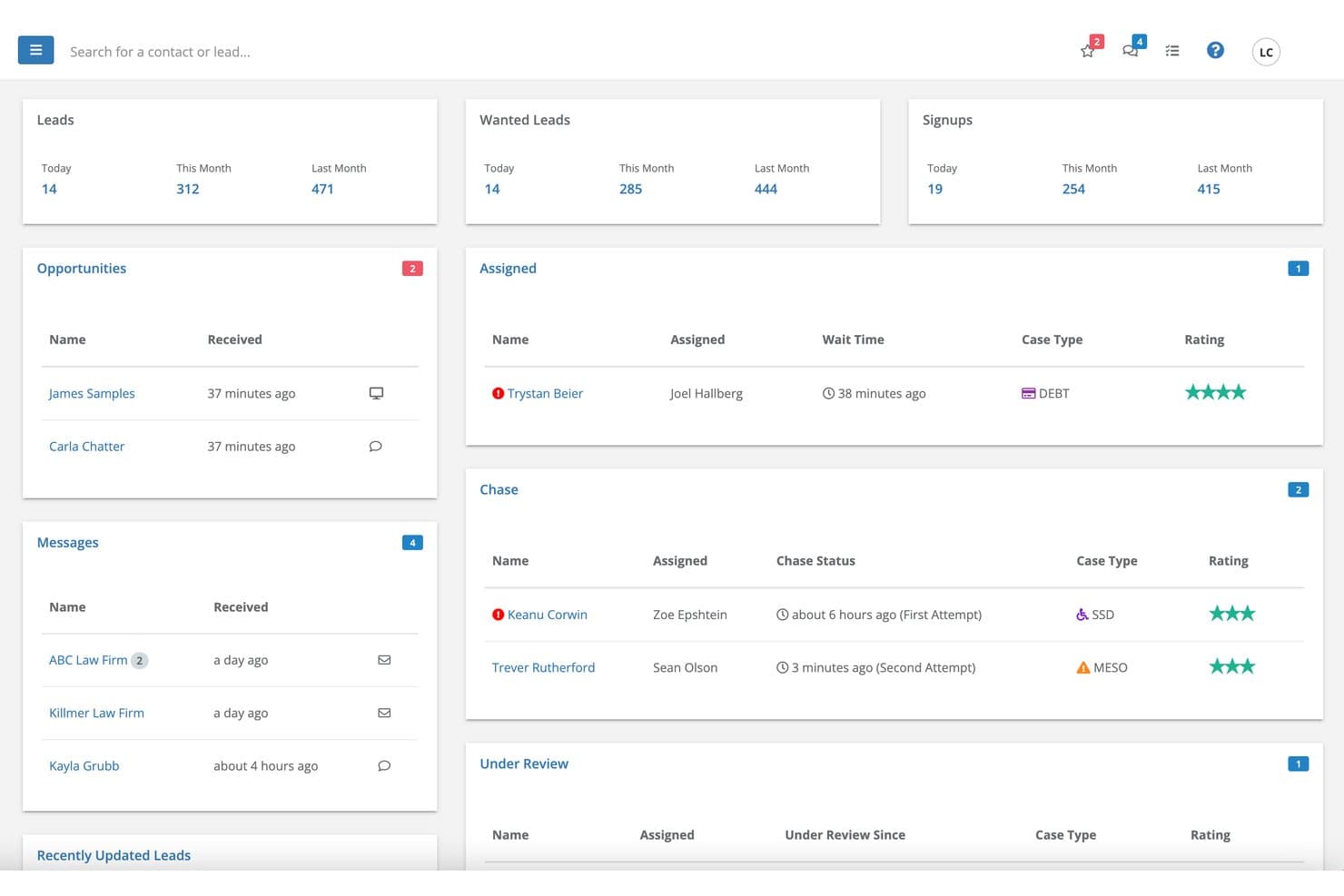
Lead Docket centralizes leads, messages, and case assignments in one dashboard. Lead Docket is a legal intake CRM that centralizes lead capture, AI-driven qualification, automated follow-up, and marketing attribution tracking for law firms managing high volumes of prospective client inquiries.
Who Is Lead Docket Best For?
Lead Docket is a strong fit for high-volume personal injury and plaintiff law firms that need a structured intake operation with dedicated marketing ROI tracking.
Why I Picked Lead Docket
Lead Docket earns its spot on my shortlist because of LeadsAI, which assigns a Lead Viability score to every incoming case automatically. I like that it pairs AI-generated case summaries with sentiment analysis on client communications, giving intake teams a clear picture of case merit before anyone picks up the phone. In a high-volume PI firm, that means the team isn't wasting time chasing weak leads.
Lead Docket Key Features
- Referral tracking: Automatically monitors and manages referrals to and from partner firms with status updates.
- Marketing source attribution: Tracks the origin of every lead and maps client revenue back to specific marketing channels.
- Payment request links: Allows firms to send secure payment links for retainers, consultation fees, or referral fees via credit card or ACH.
- Automated follow-up messaging: Schedules and delivers email or SMS reminders to prospects and clients based on intake stage.
Lead Docket Integrations
Lead Docket offers native integrations with Filevine, HubSpot, 4 Legal Leads, Accident.com, eGeneration, Injured.com, LegalMatch, Martindale-Nolo, Intaker, Gideon Chat, Apex Chat, and Ngage. It also connects with Zapier and provides an API for custom integrations.
Pros and Cons
Pros:
- Tracks ROI by individual marketing channel
- Built exclusively for law firm intake
- Scores leads by case merit automatically
Cons:
- Reporting lacks predictive analytics features
- No native live chat or chatbot
Learn more about Lead Docket: Best for expansive attorney directory reach
- Free demo available
- Pricing upon request
Visit WebsiteCustomer Rating:3.6/5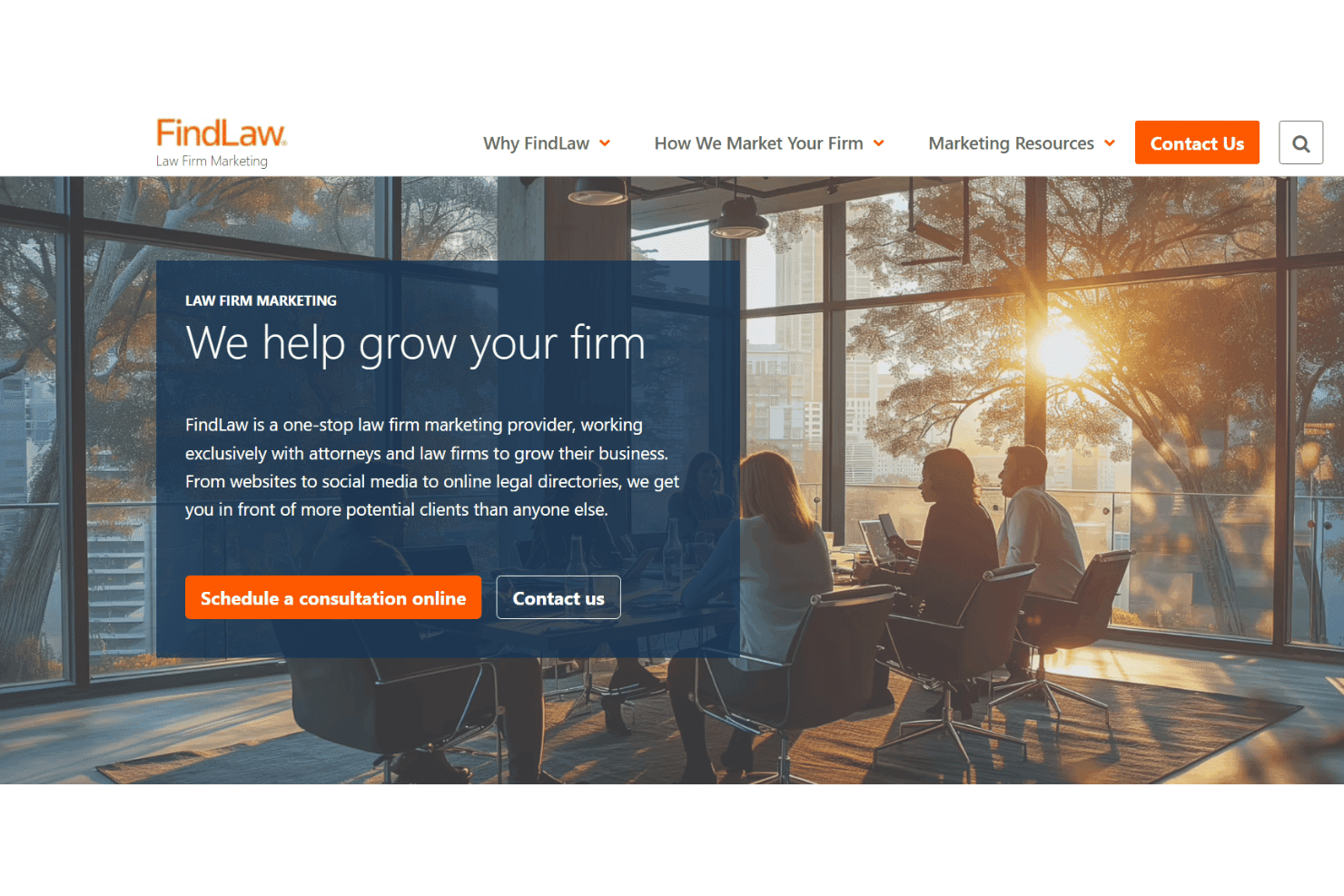
FindLaw manages SEO, paid search, content, and reputation for law firms. FindLaw is a legal marketing platform that combines an attorney directory, pay-per-lead services, PPC management, website design, and content marketing tools aimed at connecting law firms with prospective clients searching for legal help online.
Who Is FindLaw Best For?
FindLaw is a strong fit for solo attorneys and small law firms that need immediate online visibility without building their own digital marketing infrastructure from scratch.
Why I Picked FindLaw
I picked FindLaw as one of the best because its attorney directory spans multiple high-traffic sites, including FindLaw.com, SuperLawyers.com, LawInfo.com, and Abogado.com. That network draws over 11 million monthly visitors, and a premium listing places your profile at the top of practice-area searches across all of them. I also like the pay-per-lead option, which lets firms receive qualified inquiries directly without running their own PPC campaigns.
FindLaw Key Features
- Custom law firm websites: FindLaw designs and hosts branded websites tailored to your practice area and location.
- Performance analytics dashboard: Track website traffic, content engagement, and lead generation metrics with the INSIGHT analytics platform.
- Integrated local optimization: Improve search visibility through local SEO tactics and optimized Google Business Profile management.
- Legal content publishing: Add professionally written legal articles and blogs to your site to attract and inform potential clients.
FindLaw Integrations
Native integrations are not clearly documented. An API for custom integrations is not referenced.
Pros and Cons
Pros:
- Broad legal network expands lead opportunities
- Reaches consumers actively searching for attorneys
- Multi-site directory presence boosts discoverability
Cons:
- Limited control over lead quality and intent
- Shared leads reduce per-firm exclusivity
Learn more about FindLaw: Best for customizable legal intake forms
- Free demo available
- Pricing upon request
Visit WebsiteCustomer Rating:4.6/5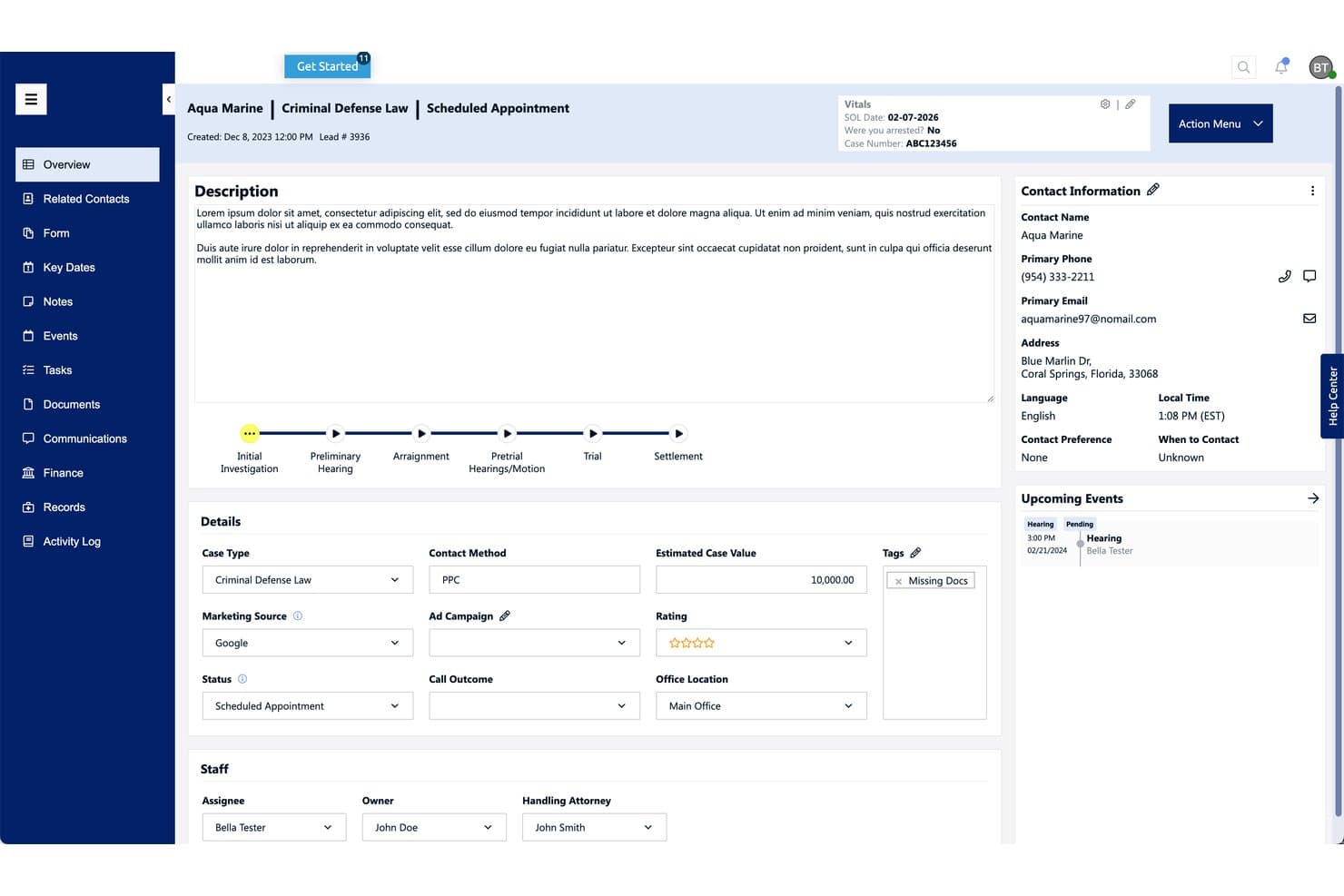
Law Ruler centralizes lead details, case stage, and contact info in one view. Law Ruler is a legal CRM and client intake platform that combines customizable intake forms, multi-channel follow-up automation, a built-in softphone dialer, e-signature, and marketing source attribution tools for law firms.
Who Is Law Ruler Best For?
Law Ruler is a strong fit for high-volume plaintiff firms — particularly personal injury and mass tort practices — that need structured intake and lead qualification at scale.
Why I Picked Law Ruler
Law Ruler earns its spot on my shortlist because of how far its intake form builder goes. I can build conditional logic directly into forms, so a personal injury prospect who answers "no" to the accident date question gets routed out automatically, without manual review. The practice-area-specific templates (covering eight areas of law) mean I'm not starting from scratch for each case type, and one-click eSignature via text closes the loop from qualified lead to signed retainer in a single workflow.
Law Ruler Key Features
- Built-in softphone dialer: Place and record client calls directly from the platform with local presence dialing.
- Marketing source reporting: Attribute leads to their source and track campaign ROI within extensive marketing dashboards.
- Open API access: Connect Law Ruler with other legal software and custom workflows using its API.
- Document automation: Generate documents from intake data and automate assembly for various case types.
Law Ruler Integrations
Law Ruler offers native integrations with Microsoft 365, Gmail, CosmoLex, Rocket Matter, Tabs3, and TimeSolv. An API is available for custom integrations.
Pros and Cons
Pros:
- E-signature closes retainers directly within the intake workflow
- Built-in softphone dialer for immediate lead follow-up
- Conditional logic routes leads without manual review
Cons:
- Reporting lacks depth for multi-channel attribution
- No native chatbot for after-hours lead capture
Learn more about Law Ruler:
Other Legal Lead Generation Software
Here are some additional legal lead generation software options that didn’t make it onto my shortlist, but are still worth checking out:
- 11LitifyBest for enterprise-grade legal analytics
- 12PracticePantherBest for all-in-one practice automation
- 13Ngage Live ChatBest for 24/7 live website chat support
- 144LegalLeadsBest for exclusive real-time lead delivery
- 15LegalMatchBest for matching clients with local attorneys
How I Evaluate Legal Lead Generation Software
I evaluate these platforms in two layers: the intake, qualification, and routing capabilities a firm must have, and the differentiators—like attribution and AI scoring—that set vendors apart.
Core Functionality (Table Stakes For This List)
When I'm selecting tools for my list, I rank each one on a scale from 0 (does not offer the functionality) to 5 (excels in this area) for each core functionality listed below. I then calculate the tool's total score into a percentage, using 65% as a benchmark to help assess its overall fit for the list.
- Legal Lead Capture: I look for intake-ready web forms, landing pages, chatbots, and click-to-call widgets built specifically for legal inquiries—not generic contact forms repurposed for a law firm site.
- Case-Type Qualification: Each platform should filter leads by practice area, jurisdiction, and case merit so your intake team isn't chasing prospects outside your focus.
- Lead Routing & Distribution: I evaluate how the tool assigns incoming leads to attorneys or intake staff—whether by practice group, geography, or custom rules that match your firm's structure.
- Intake Automation: Automated follow-up via email, SMS, and scheduled calls keeps prospects engaged. I check whether the tool supports drip sequences, e-signature, and retainer delivery.
- Practice Management Integration: The platform should sync lead data with legal CRMs and practice management systems so new matters don't require duplicate entry across tools.
- Source Attribution & Reporting: I look at how well the tool tracks cost-per-lead, conversion rates, and campaign performance so you can tie marketing spend back to signed cases.
Once I have a list of tools that meet the criteria, I consider what sets each platform apart.
Differentiating Factors (What Sets Vendors Apart)
Here's how I compare and contrast different vendors:
Standout Features
AI lead scoring separates the stronger platforms from the rest. I look for models that rank prospects by case value and conversion likelihood, so your intake team focuses on leads most likely to sign. Multi-channel attribution matters just as much. When your firm runs PPC, LSAs, and referral campaigns at once, you need to see true cost-per-signed-case by channel. I also check whether a platform offers 24/7 live chat or AI chatbots trained on legal intake. After-hours visitors are often high-intent prospects your team would otherwise miss.
Beyond Features
Ethics and bar compliance is where I start. Any platform handling SMS outreach or call campaigns needs to align with TCPA rules and ABA Model Rules on solicitation and fee-sharing. I also evaluate the lead pricing model—whether it's pay-per-lead, pay-per-signed-case, or subscription—and whether leads are exclusive or shared, since that directly affects conversion rates. Practice area specialization matters too. A vendor strong in personal injury may not deliver quality leads for immigration or family law.
How to Choose a Legal Lead Generation Software
Not sure which legal lead generation software fits your priorities? Use these criteria to focus your search and give yourself confidence when evaluating vendors:
| If your priority is... | Look for... |
| Capturing the highest quality leads | Lead source attribution and AI lead scoring |
| Fast intake and conversion | Built-in e-signature and retainer workflows |
| Compliance with bar rules | Documented TCPA/ABA/HIPAA compliance |
| Clear ROI tracking | Multi-channel campaign attribution |
| Personal injury or mass tort claims | Specialty screening and tort filtering |
How to Vet Your Shortlist
- Review a sample intake workflow: Request screenshots or a video showing how inbound leads are captured and routed through the system.
- Test AI scoring with sample leads: Provide 2–3 anonymized inquiry records and ask the vendor to show how their platform qualifies or ranks them.
- Request campaign attribution sample report: Ask for a real or anonymized attribution dashboard showing cost-per-signed-case by channel.
- Get compliance documentation: Obtain their TCPA/ABA/HIPAA policy or certificate of legal compliance for intake communications.
- Tradeoff to decide: Decide whether exclusive lead delivery for your exact practice area is worth the higher cost compared to shared or general lead sources.
What Is Legal Lead Generation Software?
Legal lead generation software is a category of platforms that help law firms capture, qualify, and manage prospective client inquiries from their website, ads, or third-party sources. These systems automate intake, screen leads for case fit, and streamline follow-up, making it easier to turn prospects into signed clients while keeping client intake data organized and compliant with legal industry regulations.
Features of Legal Lead Generation Software
When selecting legal lead generation software, keep an eye out for the following key features:
- Legal lead capture tools: Collect information from prospective clients via intake forms, landing pages, web chat, or click-to-call widgets tailored to legal inquiries.
- Case-type qualification: Screen and filter leads based on specific criteria like practice area, jurisdiction, and case viability to ensure only relevant cases reach your team.
- Lead routing and distribution: Automatically assign leads to the right attorney, intake manager, or practice group using custom rules, round-robin, or workload balancing.
- Intake workflow automation: Build automated follow-up sequences with drip emails, SMS reminders, and scheduling tools to connect faster and maintain prospect engagement.
- Source attribution and tracking: Link each lead to its original marketing channel or campaign, providing visibility into marketing ROI and cost-per-signed-case data.
- Practice management integration: Sync new leads and matter details with existing legal CRM or case management platforms, reducing redundant data entry and context switching.
- Document generation and e-signature: Generate engagement letters, fee agreements, or intake documents and collect secure signatures digitally to speed client onboarding.
- Reporting and analytics dashboard: Get access to real-time metrics on intake performance, conversion rates, and staff responsiveness, making it easy to identify bottlenecks or trends.
- Duplicate lead prevention: Identify and flag repeated or spam inquiries to avoid wasted admin time and improve data accuracy in your system.
Common Legal Lead Generation Software AI Features
Beyond the standard legal lead generation software features listed above, many of these solutions are incorporating AI with features like:
- AI lead scoring: Automatically evaluates and ranks incoming leads based on case value, likelihood to convert, and practice area fit, helping teams prioritize high-potential prospects.
- Conversational chatbots: Uses natural language processing to engage website visitors, answer legal intake questions, and qualify leads in real time—even after hours.
- Predictive follow-up timing: Analyzes engagement patterns to suggest or automate the best times to reach out to prospects, increasing the chance of a response.
- Automated document review: Scans and extracts key information from uploaded documents or intake forms, reducing manual data entry and flagging missing or inconsistent details.
- Intent detection and routing: Identifies the urgency and type of legal need from inquiry text, then routes leads to the right attorney or intake specialist automatically.
Benefits of Legal Lead Generation Software
Implementing legal lead generation software provides several benefits for your team and your business. Here are a few you can look forward to:
- More qualified leads: Automated case screening and routing help ensure your firm spends time on the most relevant and high-potential prospects.
- Faster client conversion: Streamlined intake forms, e-signature, and automated follow-ups reduce delays from inquiry to signed engagement.
- Effective marketing spend tracking: Attribution and campaign reporting features let you see which channels drive real cases, helping you maximize ROI.
- Consistent compliance: Built-in workflows, CPA/ABA/HIPAA support, and permission controls help your firm manage ethical and regulatory risks with every intake.
- Less admin workload: Integration with practice management systems and document automation cut down on repetitive tasks and manual data entry.
- Enhanced after-hours capture: 24/7 live chat and chatbot tools ensure opportunities are never missed, even when your staff is offline.
- Sharper decision making: Real-time analytics and reporting put actionable insights in your hands so you can adjust strategy or staffing as needs change.
Costs and Pricing of Legal Lead Generation Software
Selecting legal lead generation software requires an understanding of the various pricing models and plans available. Costs vary based on features, team size, add-ons, and more. The table below summarizes common plans, their average prices, and typical features included in legal lead generation software solutions:
Plan Comparison Table for Legal Lead Generation Software
| Plan Type | Average Price | Common Features |
| Free Plan | $0 | Lead capture forms, basic intake workflows, limited reporting, and email notifications. |
| Personal Plan | $30-$80/user/month | Customizable intake forms, practice area filtering, simple lead routing, reporting tools, and basic integration. |
| Business Plan | $100-$250/user/month | Advanced lead routing, automation workflows, source attribution, CRM sync, and document e-signature. |
| Enterprise Plan | $300+/user/month | API access, mass tort filters, AI lead scoring, multi-channel attribution, premium support, and custom analytics. |
Legal Lead Generation Software FAQs
Here are some answers to common questions about legal lead generation software:
How do legal lead generation software platforms stay compliant with advertising and privacy rules?
Vendors must design their systems to comply with ABA Model Rules, TCPA, and HIPAA standards. This means documenting opt-ins for SMS/email outreach, enabling consent tracking, and ensuring secure handling of lead and case data at each intake stage.
Can legal lead generation software integrate with my existing case management system?
Yes, most legal lead generation platforms offer connections to tools like Clio, MyCase, or Litify, so you can sync new leads, intake details, and engagement statuses directly to your case management workflow.
What factors affect the cost of legal lead generation software?
Pricing depends on user count, selected features, number of leads processed per month, and specialized needs such as tort filters or AI tools. Premium plans usually include features like API access, attribution dashboards, and mass tort screening.
How do these solutions help prioritize the highest-value leads?
Most platforms let you automatically score or categorize leads by practice area, case potential, and likelihood to sign, so intake teams spend time on the most promising prospects.
Is it possible to return or replace leads that are unqualified or duplicates?
Yes, many vendors offer return or replacement policies allowing you to dispute and swap out leads that are inaccurate, outside your jurisdiction, or already in your system. Always review a vendor’s policy before signing up.