

Gestionarea cazurilor nu ar trebui să însemne utilizarea unor programe complicate sau petrecerea orelor pentru a învăța fluxuri de lucru noi. Programele simple de gestionare a cazurilor păstrează cazurile, documentele, sarcinile și termenele organizate, fără a adăuga pași inutili activității dumneavoastră zilnice.
Indiferent dacă gestionați chestiuni juridice, urmăriți primirea informațiilor de la clienți sau coordonați activități legate de cazuri, alegerea programului potrivit depinde de funcțiile de care aveți efectiv nevoie.
În acest ghid, voi compara cele mai bune opțiuni de programe simple de gestionare a cazurilor, evidențiind funcțiile principale, avantajele și limitările acestora, astfel încât să puteți alege un instrument care se potrivește fluxului de lucru al echipei dumneavoastră.
Why Trust Our Software Recommendations
6,700+
Reviews
20
Industry experts
16+
Evaluation factors
14
Years
Our team has been testing and reviewing software since 2012. As legal practice leaders ourselves, we know how difficult—and important—it is to choose the right software.
For this guide, we evaluated tools using hands-on testing and independent research, scoring tools using our selection criteria.
Our reviews reflect our human editorial judgment, not a sales pitch.
Tabel comparativ: programe simple de gestionare a cazurilor
Comparați prețurile și specificațiile, una lângă alta, pentru programele simple de gestionare a cazurilor care au ajuns pe lista mea scurtă.
Score legend (out of 5)
- Excellent4.5–5
- Good4–4.4
- Average3–3.9
- Below average2–2.9
- Poor1–1.9
Sorted by: Default
| Tool | Starting Price | Website | |||||||
|---|---|---|---|---|---|---|---|---|---|
Best for solo firms centralizing cases and billing | 3.3 out of 5 | 4 | 3 | 4 | 3 | 4 | 2 | $60/user/month Free demo + 10-day free trial available | Website |
Best for solo law firms tracking matters end to end | 3.8 out of 5 | 4 | 4 | 3 | 4 | 4 | 4 | Pricing upon request Free trial available | Website |
Best for solo and small-firm matter tracking | 3.5 out of 5 | 4 | 4 | 3 | 3 | 4 | 3 | $49/user/month Free demo + 7-day free trial available | Website |
Best for law firms outgrowing spreadsheets | 3.7 out of 5 | 4 | 4 | 2 | 4 | 4 | 4 | Pricing upon request Free demo available | Website |
Best for case-based billing and tasks | 3.0 out of 5 | 4 | 3 | 2 | 3 | 4 | 2 | Pricing upon request Free demo available | Website |
Best for solo firms centralizing matters and billing | 3.7 out of 5 | 4 | 3 | 4 | 3 | 4 | 4 | $59/user/month 10-day free trial + free demo available | Website |
Best for simple case tracking and billing | 3.3 out of 5 | 4 | 4 | 3 | 3 | 3 | 3 | $45/user/month Free plan + free demo available | Website |
Best for configurable law firm matter workflows | 3.5 out of 5 | 4 | 4 | 1 | 4 | 4 | 4 | Pricing upon request Free demo available | Website |
Best for human services intake and case tracking | 3.7 out of 5 | 4 | 4 | 3 | 4 | 3 | 4 | $29/user/month Free demo available | Website |
Best for law enforcement case tracking and intake | 3.5 out of 5 | 4 | 4 | 2 | 3 | 4 | 4 | Pricing upon request Free demo available | Website |


Recenzii ale programelor simple de gestionare a cazurilor
Mai jos sunt recenziile mele despre programele simple de gestionare a cazurilor de pe lista mea scurtă. Prezint funcțiile, ușurința în utilizare și prețurile fiecărui produs pentru a vă ajuta să găsiți opțiunea potrivită.
 Best for solo firms centralizing cases and billing
- Free demo + 10-day free trial available
- From $60/user/month
Visit WebsiteCustomer Rating:4.6/5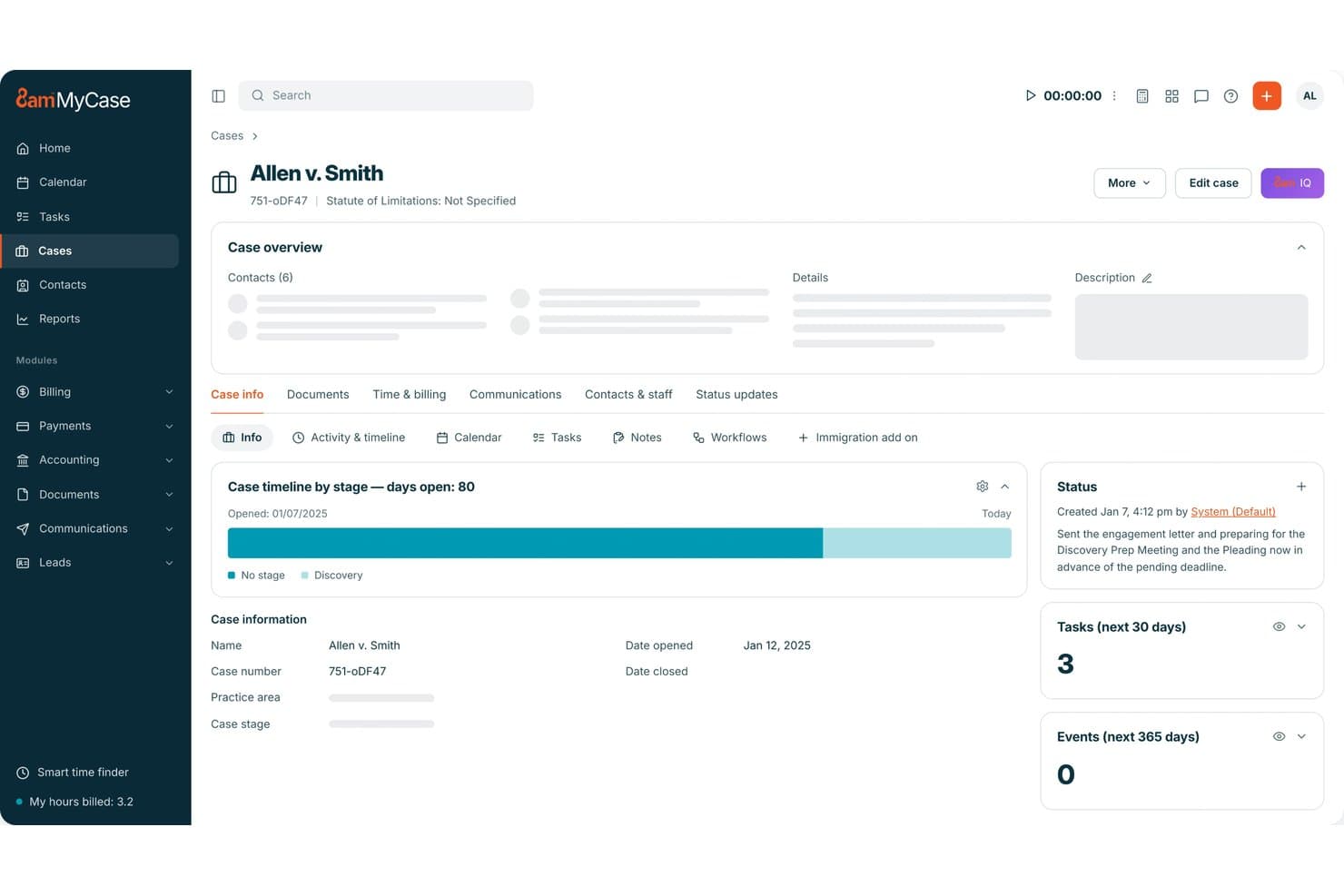
MyCase centralizes case records, documents, billing, and client communication. MyCase is a legal practice management platform that brings case records, document storage, time tracking, invoicing, and client billing together in one place for law firms.
Who Is MyCase Best For?
MyCase is a strong fit for solo practitioners and small firms that want case records, documents, time tracking, and billing managed in one place without a steep learning curve.
Why I Picked MyCase
I've included MyCase in my top picks because it keeps case records, documents, time entries, and invoicing in a single case file, which means solo practitioners aren't toggling between separate tools to bill a client or pull up a filed document. I particularly like how the client portal lets clients upload documents directly and view invoices, cutting down on back-and-forth communication. The built-in trust accounting and LawPay payment integration also mean billing and collections stay inside the same system where the casework lives.
MyCase Key Features
- Legal calendaring: A shared firm calendar links deadlines and events to case files, with Google Calendar and Outlook syncing available on Pro.
- Task assignment and tracking: Tasks can be created, assigned to firm users, linked to cases or leads, and given due dates, priorities, checklists, and reminders.
- Customizable reporting: Built-in dashboards and reports cover case activity, workload, financials, and firm performance, available from the Basic tier.
- Two-way texting: Pro users can send and receive client text messages, including images, directly from within MyCase.
MyCase Integrations
MyCase lists 61 marketplace integrations, including Google Calendar, Microsoft Outlook, QuickBooks, Dropbox, Gmail, Mailchimp, and Zapier. The Advanced plan includes an Open API for custom integrations.
Pros and Cons
Pros:
- Time entries connect directly to matter invoicing
- Clients upload documents and review invoices
- Case files unite notes, tasks, documents, contacts
Cons:
- Matter workflows offer limited status flexibility
- Document sync and retrieval can frustrate teams
 Best for solo law firms tracking matters end to end
- Free trial available
- Pricing upon request
Visit WebsiteCustomer Rating:4.8/5
Smokeball tracks legal matters, documents, contacts, tasks, and billing. Smokeball is a legal practice management platform that organizes matters, documents, contacts, tasks, and billing in a single matter-centric record built for law firms.
Who Is Smokeball Best For?
Smokeball is a strong fit for solo attorneys who need one place to manage every matter from first contact to close.
Why I Picked Smokeball
I've included Smokeball in my top picks because it's built around the matter record in a way that solo attorneys will immediately recognize as useful. Every contact, document, task, and key date lives inside a single matter file, so nothing slips through the gaps between intake and close. I particularly like how workflows can automatically apply a sequence of tasks to a new matter based on its type, keeping a solo practitioner on track without relying on a second set of hands.
Smokeball Key Features
- Client portal: Gives clients a dedicated space to share information and receive matter updates directly through Smokeball.
- Document automation: Generates legal documents and forms using more than 20,000 templates that populate from matter information.
- AutoTime: Automatically records work activity against matters and creates billable time entries without manual input.
- Mobile app: Lets you access matters, files, contacts, tasks, and calendar events from iOS or Android devices.
Smokeball Integrations
Smokeball offers native integrations with Microsoft 365 Outlook, calendar, and Word, plus integrations with QuickBooks Online, Lawmatics, and LawToolBox. It also provides APIs, webhooks, and a Client SDK for custom connections; no Zapier integration is documented.
Pros and Cons
Pros:
- Templates populate documents from matter details
- Reviewers praise workflows for tracking deadlines
- Matter files keep documents, contacts, and tasks together
Cons:
- Reviewers report slow large-file downloads and sync issues
- Legacy-data migration can take five to eight weeks
Learn more about Smokeball: Best for solo and small-firm matter tracking
- Free demo + 7-day free trial available
- From $49/user/month
Visit WebsiteCustomer Rating:4.7/5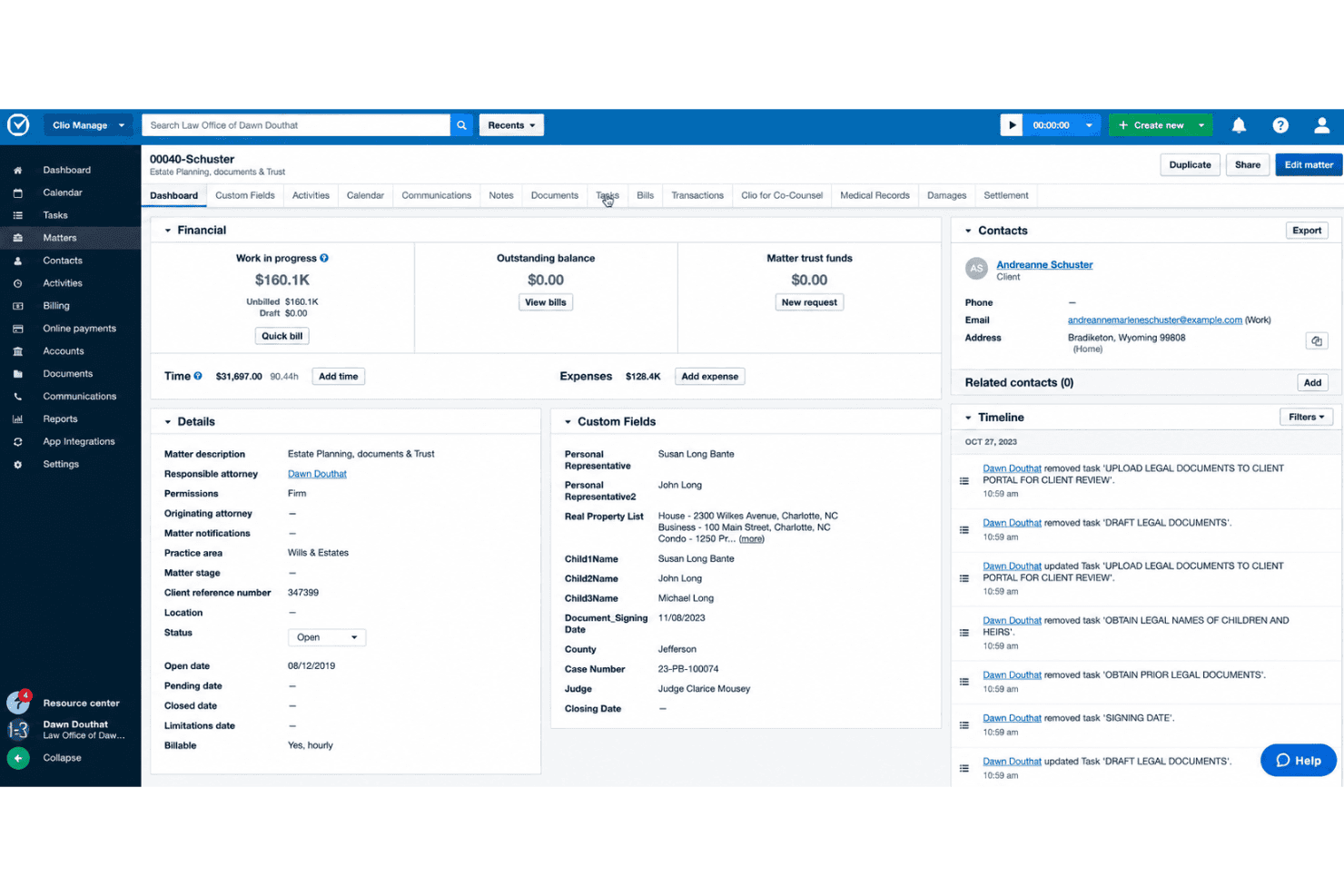
Clio Manage handles matter tasks, court deadlines, time tracking, and client collaboration. Clio Manage is a cloud-based legal practice management platform that centralizes matter tracking, document storage, time and expense recording, billing, and client communication in one system.
Who Is Clio Manage Best For?
Clio Manage is a strong fit for solo attorneys and small firms that need to manage matters, documents, billing, and client communication in a single cloud-based system.
Why I Picked Clio Manage
I've included Clio Manage in my top picks because it's one of the few platforms that keeps every piece of a matter—contacts, documents, tasks, and communications—inside a single record from day one. I particularly like how matter timelines log every activity automatically, so solo attorneys and small firms always have a clear, chronological view of where each case stands. The Clio for Clients portal also lets firms share documents and matter updates without relying on email threads.
Clio Manage Key Features
- Clio for Clients portal: Give clients a secure space to view matter updates, exchange messages, share documents, and make payments directly from a web browser or mobile app.
- Automated email filing: Connect Gmail, Outlook, or Microsoft Exchange to automatically file email threads and attachments to the matching matter record.
- E-signatures: Send documents for e-signature from within Clio Manage, with signed copies stored alongside the original in the matter's Documents section.
- iOS and Android mobile app: Access matter details, upload photos and documents, and scan paper files into PDFs directly from a mobile device.
Clio Manage Integrations
Clio Manage lists 300+ integrations, including Gmail, Outlook, QuickBooks, Xero, and TrustBooks. It also offers a Version 4 API with webhooks and OAuth 2.0, and lists Zapier.
Pros and Cons
Pros:
- Assigned tasks appear on matter timelines
- Client portal keeps messages and files matter-linked
- Matter timelines keep case activity together
Cons:
- Migration can disrupt the transition process
- Reports can require manual work
Learn more about Clio Manage: Best for law firms outgrowing spreadsheets
- Free demo available
- Pricing upon request
Visit WebsiteCustomer Rating:4.5/5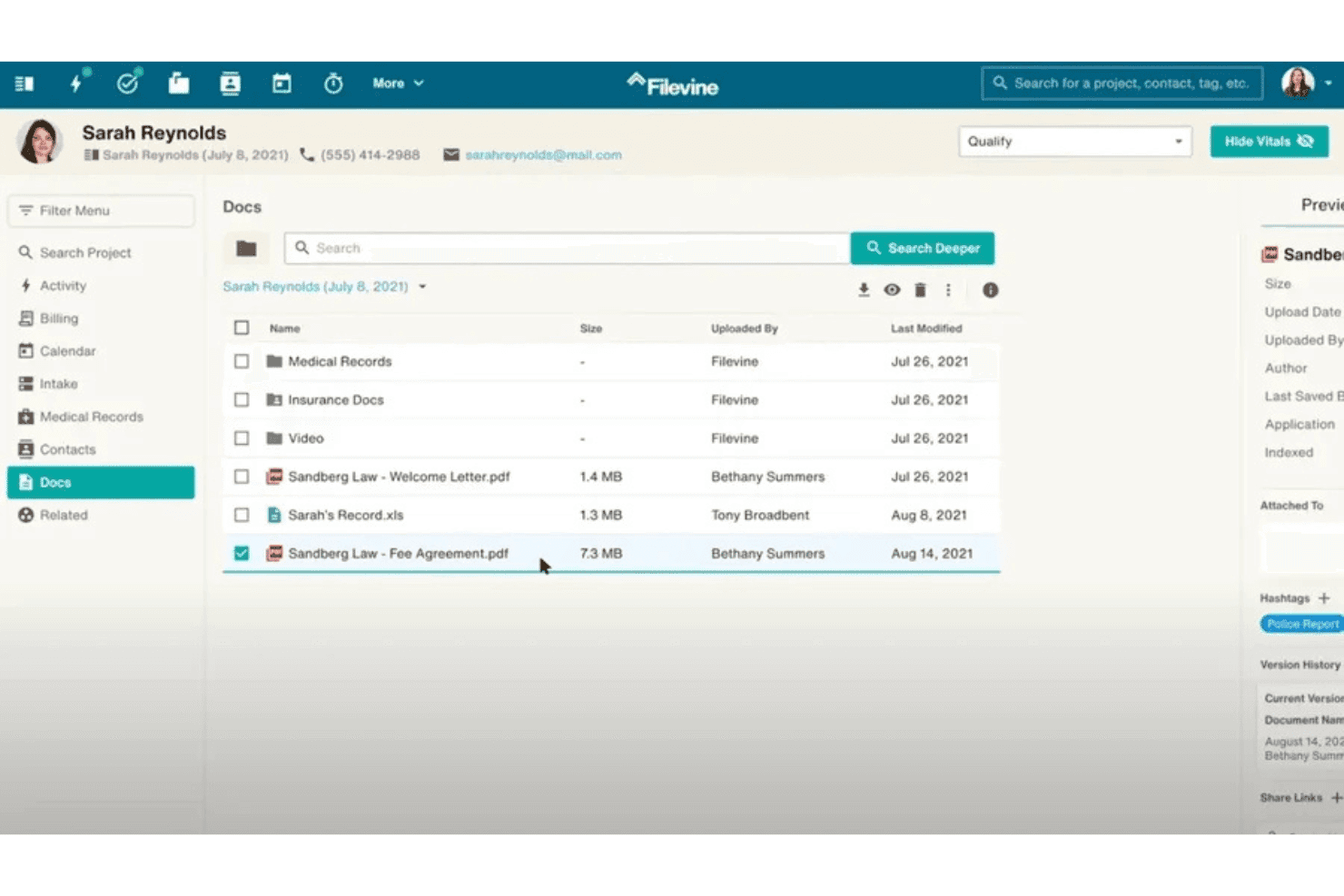
Filevine coordinates legal cases, documents, deadlines, client communication, and billing. Filevine is a cloud-based legal case management platform that centralizes matter tracking, document storage, task and deadline management, client communication, time tracking, and billing in one workspace.
Who Is Filevine Best For?
Filevine is a strong fit for small and solo law firms that have outgrown manual tracking and need a single place to manage cases, documents, tasks, and client communication.
Why I Picked Filevine
I picked Filevine as one of the best because it's built for firms that have hit the ceiling on spreadsheets and need a real system fast. Each matter lives in its own project hub with phases that track progress from intake to close, and phase changes can automatically trigger task chains so nothing falls through the cracks. I also like that the Activity Feed pulls emails, texts, notes, and reminders into one place per case, replacing the scattered threads that make spreadsheet-run firms so hard to manage.
Filevine Key Features
- Document OCR search: Search the full text of stored documents using optical character recognition to locate words or phrases across your case files.
- Client Portal: Give clients secure access to case updates, portal messaging, and document sharing directly from their matter file.
- Taskflows: Automatically generate task chains when a project is created, a phase changes, or a prior task is completed.
- Vinesign e-signature integration: Send PDF, DOC, or DOCX files for signature from within a project, with completed documents returned to the project's Docs section and Activity Feed.
Filevine Integrations
Filevine documents integrates with Outlook, Gmail, QuickBooks, Soluno, SurePoint, Orion, NetSuite, and Periscope, and claims over 2,000 potential integrations.
Pros and Cons
Pros:
- Case-linked documents stay organized and searchable
- Custom phases trigger relevant task chains
- Case details and communications share one workspace
Cons:
- Activity alerts can bury important notes
- Configuration and migration can take months
Learn more about Filevine: Best for case-based billing and tasks
- Free demo available
- Pricing upon request
Visit WebsiteCustomer Rating:4.4/5
CARET Legal organizes matter tracking with visual analytics and status breakdowns. CARET Legal is a cloud-based legal practice management platform that combines matter tracking, document management, task and calendar management, billing, accounting, and client portal tools in one system.
Who Is CARET Legal Best For?
CARET Legal is a strong fit for small to mid-sized law firms with a dedicated office manager or firm admin who needs billing, matters, and documents in one place.
Why I Picked CARET Legal
I've included CARET Legal in my top picks because it handles case-based billing and tasks better than most tools in this category. Every matter record links directly to time entries, invoices, and task assignments, so billing never falls through the cracks when a case closes. I also like how workflow templates (on Enterprise Plus) can automatically generate tasks and calendar appointments for a specific matter type the moment a new case opens.
CARET Legal Key Features
- Client portal: Lets firms share documents and invoices with clients, and clients can pay invoices or replenish retainers directly through the portal.
- Intake forms: Captures matter-related data from clients via a shareable link, with submitted fields automatically populating merge fields for document templates.
- Built-in email management: Connects Gmail, Office 365, or IMAP accounts and ties emails directly to matter records within the platform.
- Mobile app: Available on iOS and Android, letting you add tasks, log time entries, view case documents, and initiate calls or texts from your phone.
CARET Legal Integrations
CARET Legal lists integrations with Microsoft 365, Google Workspace, IMAP, OneDrive, NetDocuments, QuickBooks Online, RMail, and LawToolBox. It also offers native CARET Pay connectivity and an API for custom integrations.
Pros and Cons
Pros:
- Billing and matter details share one workspace
- Reviewers praise task assignments for clear ownership
- Matter records keep documents and costs together
Cons:
- Some reviewers report clutter and extra clicks
- Matter statuses offer only three documented options
Learn more about CARET Legal: Best for solo firms centralizing matters and billing
- 10-day free trial + free demo available
- From $59/user/month (billed annually)
Visit WebsiteCustomer Rating:4.4/5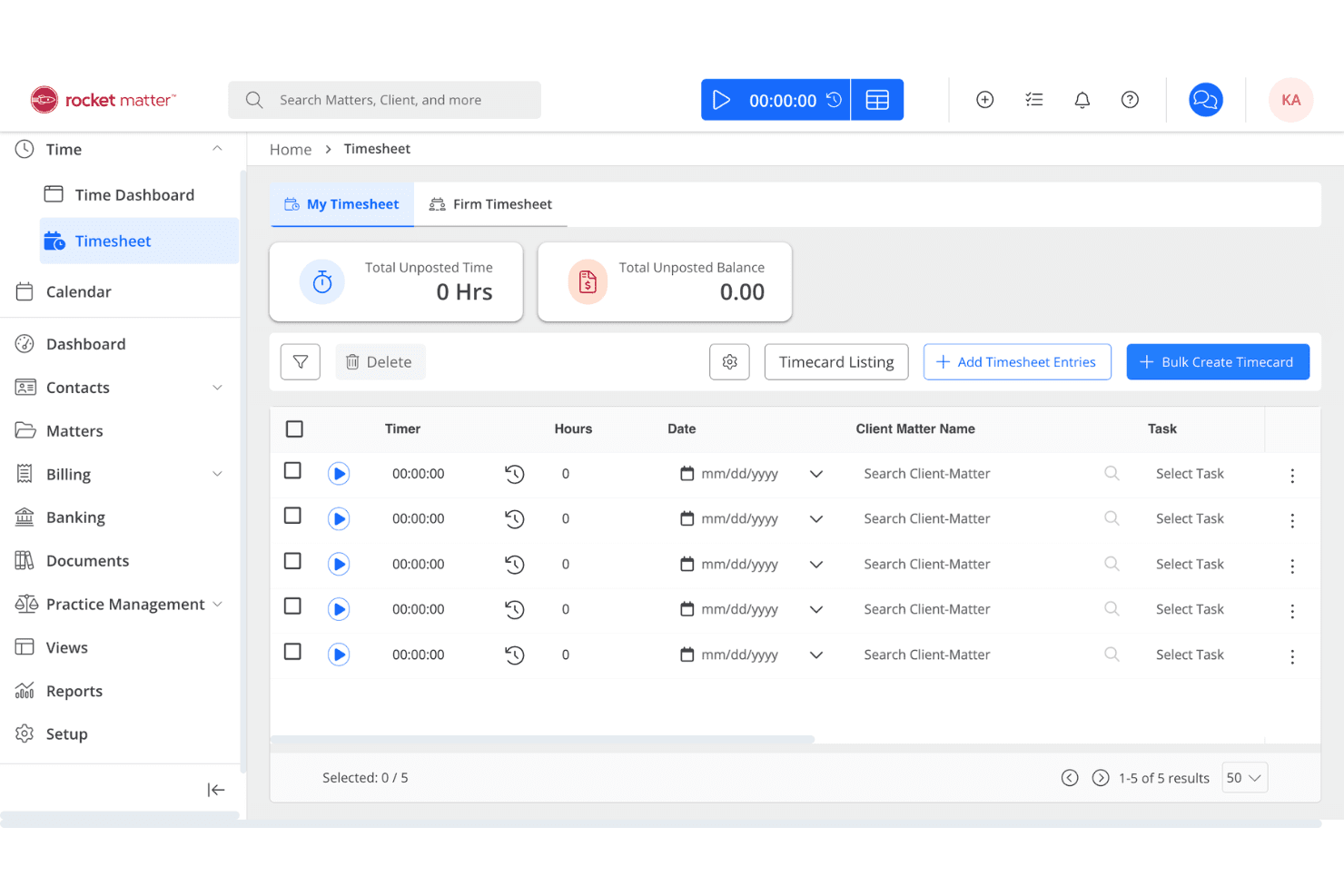
Rocket Matter handles legal matters, time tracking, billing, documents, and client updates. Rocket Matter is a cloud-based legal practice management platform that centralizes matter records, time tracking, billing, document storage, and client communication in a single workspace.
Who Is Rocket Matter Best For?
Rocket Matter is a strong fit for solo practitioners who need a single place to manage matters, track billable time, and handle invoicing without juggling multiple tools.
Why I Picked Rocket Matter
I've included Rocket Matter in my top picks because it keeps every matter record genuinely self-contained: billing, contacts, case files, calendar events, and notes all live in one place, so a solo practitioner isn't jumping between tools to piece together a client's history. I particularly like Matter Status Boards for tracking where each matter stands at a glance, and the activity log that records exactly who updated or changed what. That combination makes centralizing matters and billing less of a manual chore and more of a natural byproduct of just working in the platform.
Rocket Matter Key Features
- Client portal: Clients can access shared files, view invoices, and respond to questions through a secure portal included on all plans.
- Document assembly: Generate routine legal documents using built-in templates to reduce manual document preparation.
- Ethical walls: Restrict user visibility and access to specific matters and tasks based on role assignments.
- Time and expense tracking: Capture billable time and expenses using built-in timers directly linked to matter records.
Rocket Matter Integrations
Rocket Matter offers native integrations with Microsoft Office 365/Outlook, OneDrive, QuickBooks Online, NetDocuments, Dropbox, Google Calendar, Box, WebCal, and iCalendar. It also supports Zapier and provides a JSON API v2 for custom integrations.
Pros and Cons
Pros:
- Time tracking and batch billing simplify invoicing
- Matter-linked documents are easy to retrieve
- Matter records gather deadlines, notes, and billing
Cons:
- Reports offer limited financial customization
- Mobile app can feel unreliable
Learn more about Rocket Matter: Best for simple case tracking and billing
- Free plan + free demo available
- From $45/user/month
Visit WebsiteCustomer Rating:4.4/5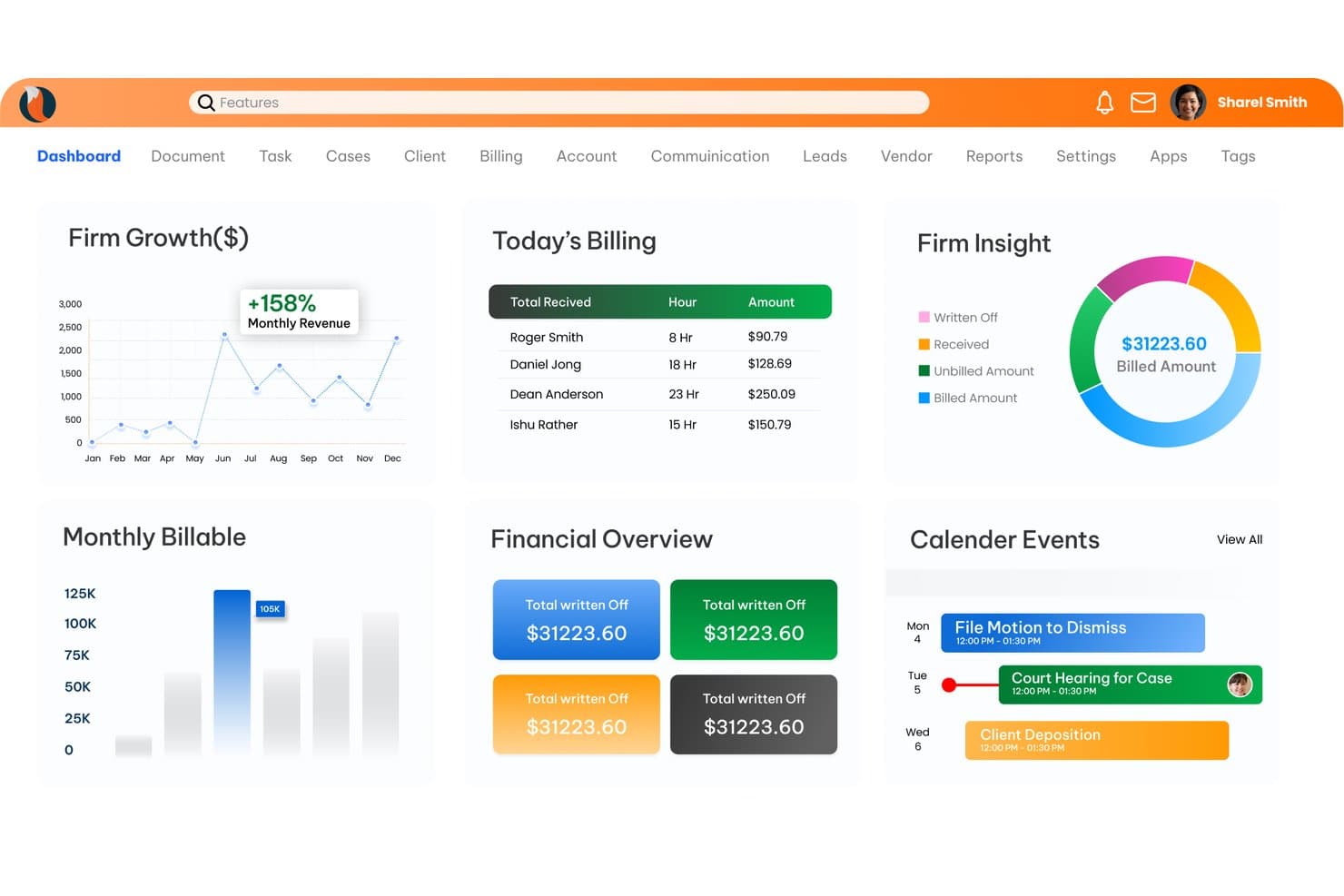
CaseFox tracks legal cases, time, expenses, billing, and client records. CaseFox is cloud-based legal case management software that covers case tracking, client intake, time and expense recording, trust accounting, billing, and document storage for law firms.
Who Is CaseFox Best For?
CaseFox is a strong fit for solo practitioners and small firms that need affordable, no-fuss case tracking and billing without paying for features they won't use.
Why I Picked CaseFox
I picked CaseFox as one of the best because it keeps case tracking and billing genuinely simple without burying you in unused features. I like how time entries link directly to cases and flow straight into invoices, so billing doesn't require a separate workflow. The built-in conflict checker also scans both sides of a case, catching relationships a basic client-list search would miss.
CaseFox Key Features
- Customizable intake forms: Build client intake forms with drag-and-drop fields and share them via unique links for mobile-friendly, multilingual submissions.
- Trust accounting: Manage multiple trust and operating accounts, record deposits and withdrawals, and reconcile transactions with IOLTA-compliant reporting.
- Role-based permissions: Assign one of five account roles to each team member, controlling case visibility, time-entry access, and feature availability.
- Court-rule calendaring: Set deadline rules for court dates and filing deadlines and receive automatic email reminders for upcoming events.
CaseFox Integrations
CaseFox offers integrations with Google Calendar, Outlook, Dropbox, Google Drive, QuickBooks, Xero, LawPay, and PayPal. Selective API access is available for custom integrations.
Pros and Cons
Pros:
- Conflict checks consider both sides of cases
- Case, time, and billing stay connected
- Solo users report straightforward matter setup
Cons:
- Calendar sync and task reliability draw criticism
- Reviewers report limited document organization
Learn more about CaseFox: Best for configurable law firm matter workflows
- Free demo available
- Pricing upon request
Visit WebsiteCustomer Rating:4.2/5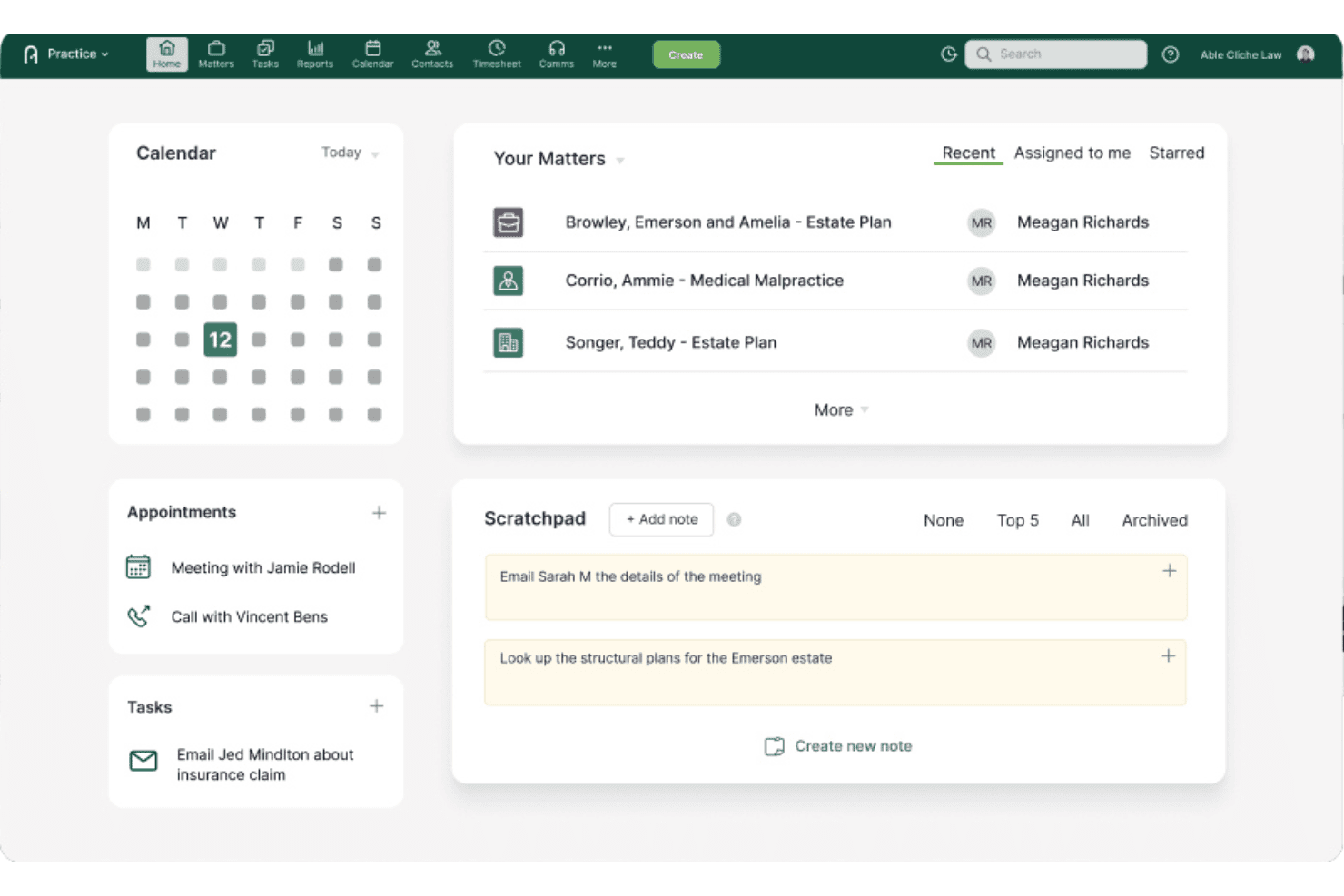
Actionstep centralizes matter management, task tracking, client notes, and case activity. Actionstep is a cloud-based law firm management platform that centralizes matter tracking, document storage, client intake, workflow automation, and task management across a firm's caseload.
Who Is Actionstep Best For?
Actionstep is a strong fit for established law firms with dedicated operations staff who can invest time in configuring matter workflows to match their specific practice areas.
Why I Picked Actionstep
I picked Actionstep as one of the best because of how deeply you can configure matter workflows to match exactly how your firm handles each practice area. Where most platforms give you a fixed case structure, Actionstep lets you define custom workflow steps, statuses, and task automations per matter type, so a family law file moves through a completely different process than a commercial dispute. I also like that matter alerts can be assigned to specific people with custom due dates and delivered by email or popup, keeping deadline tracking tied directly to the workflow rather than bolted on as a separate to-do list.
Actionstep Key Features
- Client intake webforms: Build and embed customizable forms on your firm's website to collect client and matter data, which feeds into a staff review queue before creating or updating a matter record.
- Document version history: View and track version history for matter documents, including file size, type, folder location, and modified date, all from the matter documents page.
- Client portal: Securely exchange matter documents with clients and trigger notification emails when files are added to portal folders.
- Mobile app: Access matters, contacts, documents, tasks, client messages, time entries, and timesheets from iOS and Android devices.
Actionstep Integrations
Actionstep offers integrations with Microsoft Office 365, Outlook, Dropbox, Box, Google Drive, Gmail, and Zapier. It also provides a REST API and webhooks for custom connections.
Pros and Cons
Pros:
- Matter files include foldering and version histories
- Deadline alerts reach assigned staff by email
- Matter workflows adapt to each case type
Cons:
- Smaller firms may need outside setup help
- Workflow setup can demand substantial configuration
Learn more about Actionstep: Best for human services intake and case tracking
- Free demo available
- From $29/user/month (billed annually)
Visit WebsiteCustomer Rating:4.2/5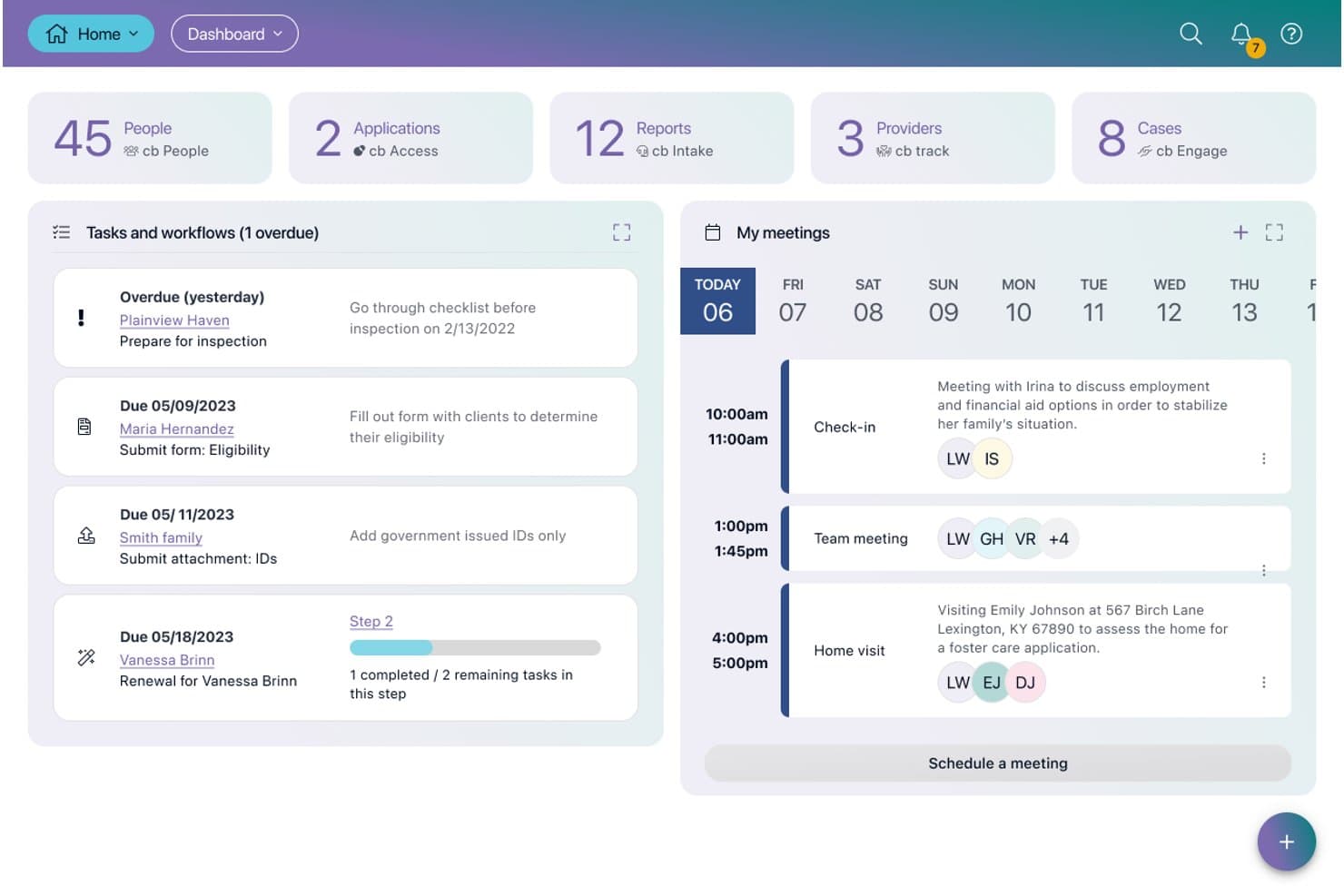
Casebook organizes client intake, case records, service tracking, and reporting. Casebook is a configurable human services case management platform for agencies and nonprofits that centralizes client intake, case records, service tracking, and reporting in one system.
Who Is Casebook PBC Best For?
Casebook is a strong fit for nonprofits and human services agencies that need a configurable platform to manage client intake, case records, and program reporting across multiple staff members.
Why I Picked Casebook PBC
I've included Casebook PBC in my top picks because it's purpose-built for human services intake and case tracking in a way that most general case management tools simply aren't. I especially like how digital intake forms link directly to case records, so the moment a client is assessed, that data is already living inside their case. The configurable Person Profile ties together a client's cases, notes, services, and history in one place, which I've found invaluable when managing repeat clients across multiple programs.
Casebook PBC Key Features
- Workflow automation: Configure repeatable sequences of steps and tasks that trigger automatically based on record data changes, such as intake or case status updates.
- Client portal: Invite clients to a dedicated portal where they can complete assigned forms, upload requested documents, and track their tasks across cases.
- Role-based access controls: Assign default or custom roles that define create, edit, delete, and view permissions at the user level across records and programs.
- Custom reporting: Build and modify reports using your program data, with prebuilt report types including Cases Summary, Intakes Summary, Notes Reports, and Workflows.
Casebook Integrations
Casebook offers native integrations with Google and Outlook, plus API and webhook support for custom connections. It also supports Zapier.
Pros and Cons
Pros:
- Recurring tasks trigger overdue reminders
- Person profiles link cases, services, and notes
- Intake forms connect directly to case records
Cons:
- Older notes take extra clicks to find
- Workflow setup requires careful field configuration
Learn more about Casebook PBC: Best for law enforcement case tracking and intake
- Free demo available
- Pricing upon request
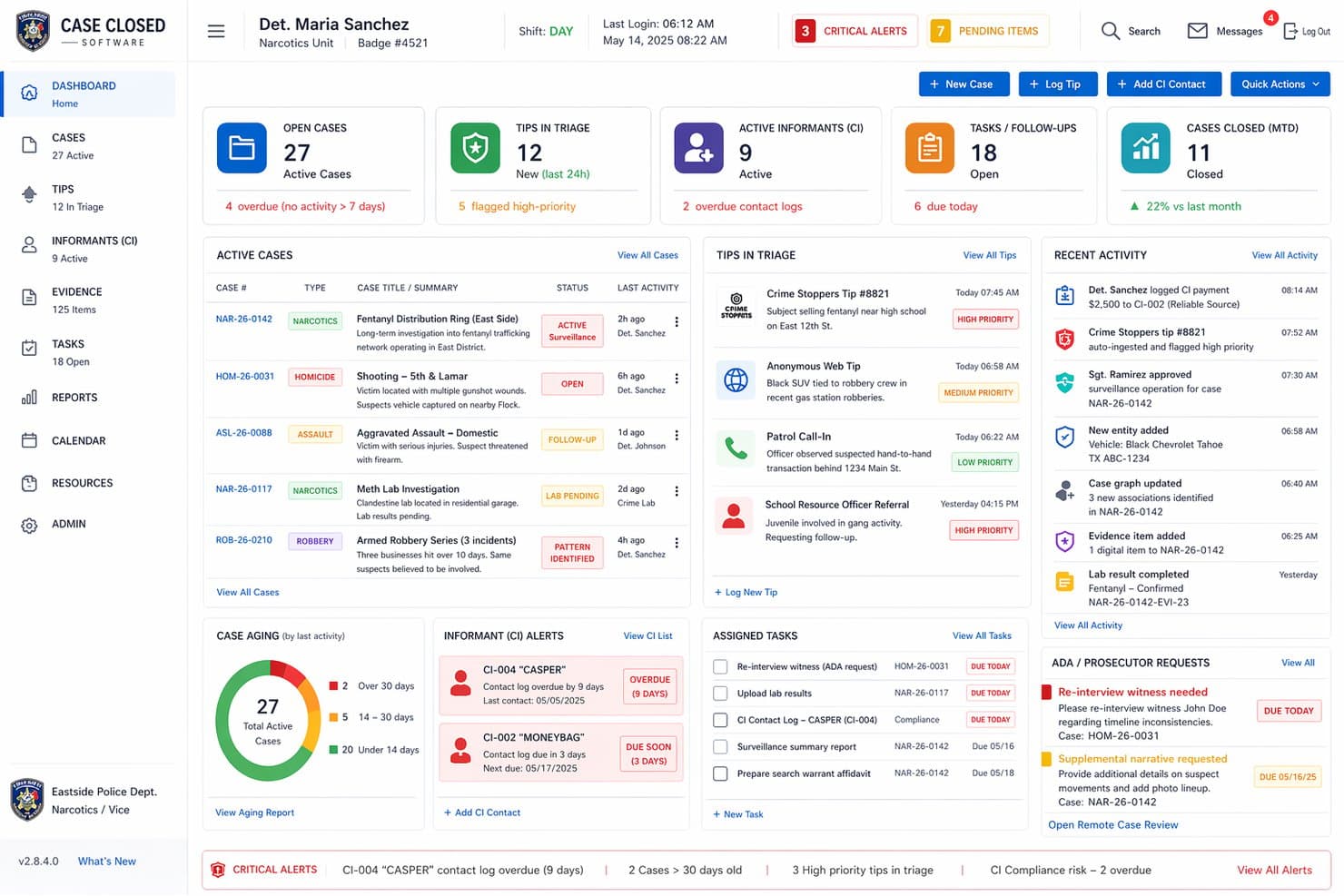
Case Closed Software tracks investigations, evidence, suspects, and case intake. Case Closed Software is a law enforcement case management platform that centralizes investigations, evidence, criminal intelligence, tips and leads, and confidential informant records in a single digital system.
Who Is Case Closed Software Best For?
Case Closed Software is built for law enforcement agencies—from small sheriff's offices to multi-jurisdictional task forces—that need a dedicated system for managing investigations, evidence, and criminal intelligence.
Why I Picked Case Closed Software
I've included Case Closed Software in my top picks because it's built specifically for law enforcement case tracking and intake in a way that generic tools simply aren't. I particularly like how the intake workflow captures tips, complaints, and referrals, assigns them for triage, and promotes them to an active case in one click. Case records then link people, locations, vehicles, evidence, and warrants in a single centralized file, so investigators working a multi-jurisdictional drug task force, for example, can track every suspect connection and controlled buy without hunting across separate systems.
Case Closed Software Key Features
- Criminal intelligence analysis: Link analysis surfaces relationships between entities, cases, and aliases across your entire case database.
- Confidential informant management: Tracks informant profiles, reliability ratings, payment vouchers, and approval workflows while protecting anonymity.
- External case review: Share time-limited case access with prosecutors or external partners without requiring them to have a system license.
- Evidence tracking: Logs and barcodes physical evidence items with chain-of-custody records and storage history attached to the case file.
Case Closed Software Integrations
Case Closed Software has one documented native integration, TxGang, for Texas agencies. It also offers an API for custom integrations with RMS, CAD, analytics and reporting tools, NCIC, and local databases.
Pros and Cons
Pros:
- Shared files support detectives across locations
- Cross-case search links people, vehicles, and evidence
- Paper files become searchable digital case folders
Cons:
- Law-enforcement fields can clutter non-police cases
- Agency setup typically takes four to eight weeks
Learn more about Case Closed Software:
Alte programe simple de gestionare a cazurilor
Iată câteva opțiuni suplimentare care nu au ajuns pe lista mea scurtă, dar merită totuși analizate:
- 11CasePeerBest for PI firms managing cases end to end
- 12PracticePantherBest for solo and small firm case billing
- 13CosmoLexBest for firms combining matters and accounting
- 14CharityTrackerBest for nonprofits replacing paper client files
- 15Zoho DeskBest for ticket-based case tracking with Zoho
- 16LawcusBest for intake-to-matter pipeline tracking
- 17Bill4TimeBest for billing-first matter and document tracking
- 18monday.comBest for visual ticket-based case tracking
- 19CenterbaseBest for midsize firm intake-to-billing workflows
- 20LEAPBest for law firms consolidating matters and documents
How I Evaluate Simple Case Management Software
I split my evaluation into three parts. Core functionality carries the most weight: I look for tools that let users create and track case records and attach documents to those records. Then I consider standout features like client portals or intake forms, followed by pricing transparency and onboarding support.
Core Functionality (Table Stakes For This List)
When I'm selecting tools for my list, I score each one on a scale from 0 (does not offer the functionality) to 5 (excels in this area) for each core functionality listed below. I then convert the total into a percentage to help assess each tool's overall fit, with extra weight on any functionalities I've deemed essential.
- Case Record Tracking (Essential): I check whether each case record consolidates status, notes, parties, and history in a single view rather than across scattered screens.
- Document Storage (Essential): Each tool should let users upload files directly to a case and organize them with folders, tags, or search—not just attach loose files.
- Task & Deadline Management: I look for assignable tasks with due dates and reminders tied to specific cases, like automated court deadline alerts in tools such as Clio Manage or PracticePanther.
- Contact & Party Management: Linking clients, witnesses, and opposing counsel to relevant cases matters—I evaluate how easily contacts are reused and searched across the full caseload.
- Workflow & Status Tracking: Configurable stages that show where a matter stands, whether that's a PI settlement pipeline in CasePeer or a referral intake flow in Casebook PBC, help me gauge fit.
- Low-Complexity Setup & Use: I consider how quickly a solo practitioner or small team can start managing real cases without needing outside help, dedicated training, or heavy configuration.
Once I have a list of tools that meet the criteria, I consider what sets each platform apart.
Differentiating Factors (What Sets Vendors Apart)
Here's how I compare and contrast different vendors:
Standout Features
I look for customizable intake forms that auto-populate new case records, since a firm handling dozens of PI inquiries a week needs consistent data capture without manual re-entry. Mobile access matters just as much—I check whether field staff or solo practitioners can update case notes, snap photos of documents, and log time from a phone, as tools like PracticePanther and Smokeball approach this differently. I also evaluate client portal functionality, where clients can check case status and share files without generating extra calls.
Beyond Features
Pricing transparency matters a lot. I check whether a vendor publishes per-seat costs upfront or hides them behind a "contact sales" wall, since solo practitioners and small teams need to compare options without scheduling demos. Onboarding support is just as important—I look for guided setup wizards, template libraries, and migration help, because a firm moving off spreadsheets can't afford weeks of configuration. I also evaluate third-party integrations, especially connections to email, cloud storage, and accounting tools like QuickBooks, which cut down on duplicate data entry across systems.
Cum să alegeți un program simplu de gestionare a cazurilor
Alegeți un sistem verificând dacă se potrivește fluxului de lucru real al cazurilor dumneavoastră, nu comparând numărul de funcții. Începeți cu documentele pe care le gestionează echipa, apoi verificați dacă furnizorul poate asigura aceste sarcini fără o configurare împovărătoare.
| Dacă prioritatea dumneavoastră este… | Căutați… |
|---|---|
| Dacă prioritatea dumneavoastră este…Păstrarea termenelor la vedere | Căutați…O modalitate de a atribui date scadente și mementouri unor anumite dosare |
| Dacă prioritatea dumneavoastră este…Găsirea fișierelor în context | Căutați…Documente stocate împreună cu dosarul relevant și organizate pentru a fi găsite ușor |
| Dacă prioritatea dumneavoastră este…Înregistrarea consecventă a detaliilor de la primire | Căutați…Câmpuri de primire a informațiilor care sunt transferate într-un nou dosar |
| Dacă prioritatea dumneavoastră este…Începerea fără o configurare îndelungată | Căutați…Configurare ghidată, șabloane utilizabile și pași clari pentru migrare |
Cum să vă evaluați lista scurtă
- Executați o sarcină de gestionare a unui caz: În timpul unei perioade de testare gratuită, creați un caz de probă, adăugați câteva contacte și documente și atribuiți un termen-limită.
- Testați regăsirea: Cereți unui coleg să găsească un document și cel mai recent statut al cazului folosind doar dosarul, apoi notați pașii suplimentari necesari.
- Solicitați detalii despre migrare: Cereți furnizorului un șablon de import de probă și o listă scrisă a câmpurilor, documentelor și istoricului pe care le poate transfera.
- Confirmați costul total: Solicitați o ofertă scrisă care să prezinte tarifele per utilizator, taxele de configurare și orice suplimente necesare pentru dimensiunea planificată a echipei.
- Alegeți compromisul: Preferați fluxurile de lucru configurabile dacă procesele dumneavoastră diferă de la un caz la altul; favorizați configurarea mai simplă dacă echipa are nevoie de o evidență consecventă cu administrare minimă.
Ce este un program simplu de gestionare a cazurilor?
Un program simplu de gestionare a cazurilor este un instrument pentru organizarea într-un singur loc a dosarelor, documentelor, sarcinilor, comunicărilor și termenelor. Acesta ajută echipele juridice să urmărească stadiul cazurilor și contactele asociate, fără o configurare extinsă sau fluxuri de lucru complexe.
Sistemul potrivit ar trebui să răspundă nevoilor echipei dumneavoastră privind primirea informațiilor, documentele și facturarea, păstrând în același timp informațiile despre cazuri ușor de găsit.
Funcțiile programelor simple de gestionare a cazurilor
Iată principalele funcții pe care le caut la un program simplu de gestionare a cazurilor:
- Gestionarea dosarelor de caz: Un dosar de caz reunește detalii esențiale—precum starea, notițele, părțile și istoricul—într-un singur loc. Personalul poate consulta dosarul pentru a înțelege starea actuală a unei situații și poate adăuga actualizări pe măsură ce activitatea progresează.
- Gestionarea documentelor: Această funcție le permite utilizatorilor să încarce fișiere în cazul asociat și să le organizeze cu ajutorul folderelor, etichetelor sau funcției de căutare. Păstrarea documentelor în context facilitează găsirea versiunii corecte atunci când se pregătesc pentru o întâlnire sau revizuiesc o situație.
- Urmărirea sarcinilor și a termenelor-limită: Utilizatorii pot atribui sarcini membrilor echipei, pot stabili termene-limită și pot asocia activitatea unui caz. Mementourile ajută personalul să vadă obligațiile viitoare, precum datele de depunere sau acțiunile ulterioare pentru clienți.
- Gestionarea contactelor: Fișele de contact stochează informații despre clienți și alte părți, apoi asociază acele persoane cazurilor relevante. Fișele reutilizabile ajută echipele să evite introducerea repetată a acelorași detalii.
- Urmărirea fluxului de lucru și a stării: Etapele configurabile arată unde se află fiecare caz, de la primire până la soluționare. Echipele pot actualiza starea pe măsură ce activitatea avansează și pot verifica ce situații necesită atenție.
- Formulare de preluare: Formularele colectează informații consecvente de la potențiali clienți sau surse de recomandări. Atunci când detaliile trimise sunt transferate într-un dosar de caz nou, personalul poate începe cu informații structurate, în loc să le reintroducă manual.
- Istoricul comunicărilor: Un jurnal asociat cazului înregistrează apelurile, e-mailurile și alte interacțiuni relevante. Personalul poate consulta schimburile anterioare înainte de a răspunde sau de a transmite situația unui coleg.
- Căutarea și filtrarea cazurilor: Căutarea și filtrele îi ajută pe utilizatori să găsească dosare după câmpuri precum contactul, starea sau data. Acest lucru este util atunci când echipele trebuie să găsească rapid o situație într-un portofoliu activ de cazuri.
Beneficiile unui software simplu pentru gestionarea cazurilor
Iată câteva beneficii comune pe care le puteți obține prin utilizarea unui software simplu pentru gestionarea cazurilor:
- Dosare de caz centralizate: Dosarele de caz reunesc starea, notițele, părțile și istoricul, astfel încât echipa să poată consulta o situație fără să adune detalii din ecrane separate.
- Regăsirea mai ușoară a documentelor: Fișierele asociate cazurilor, cu foldere, etichete sau funcție de căutare, ajută echipa să găsească documentul corect în context.
- Responsabilitate mai clară pentru termene: Sarcinile care pot fi atribuite, termenele-limită și mementourile arată cine este responsabil pentru fiecare obligație asociată cazului.
- Fișe de contact mai consecvente: Profilurile de contact reutilizabile, asociate cazurilor, ajută echipa să păstreze organizate detaliile despre clienți și părți.
- Vizibilitate mai bună asupra fluxului de lucru: Etapele configurabile și urmărirea stării facilitează observarea situației cazurilor și identificarea celor care necesită atenție.
- Preluare mai consecventă: Formularele de preluare captează detalii structurate care pot fi transferate în dosarele de caz, reducând reintroducerea manuală.
- Adoptare mai simplă: Configurarea ghidată, șabloanele și pașii clari de migrare pot ajuta echipa să înceapă urmărirea cazurilor fără o configurare îndelungată.
Costurile și prețurile software-ului simplu pentru gestionarea cazurilor
Costurile variază în funcție de funcții, dimensiunea echipei și suplimente. Iată intervalele de preț tipice pentru software-ul simplu de gestionare a cazurilor:
Tabel comparativ al planurilor pentru software-ul simplu de gestionare a cazurilor
| Tipul planului | Preț mediu | Funcții comune |
|---|---|---|
| Tipul planuluiPlan personal | Preț mediu$10-$30/utilizator/lună | Funcții comuneDosare de caz, stocarea documentelor, gestionarea contactelor, mementouri pentru sarcini și raportare de bază. |
| Tipul planuluiPlan pentru companii | Preț mediu$30-$75/utilizator/lună | Funcții comuneFluxuri de lucru personalizate, formulare de preluare, permisiuni pentru echipă, spațiu de stocare extins și integrări. |
| Tipul planuluiPlan pentru întreprinderi | Preț mediu$75-$150/utilizator/lună sau preț personalizat | Funcții comunePermisiuni avansate, raportare personalizată, integrări extinse, asistență dedicată și ajutor pentru migrare. |
Întrebări frecvente
Câteva răspunsuri la întrebări frecvente despre software-ul simplu de gestionare a cazurilor:
Este software-ul simplu de gestionare a cazurilor potrivit pentru echipele juridice interne?
Da, dacă sistemul corespunde tipurilor de activități gestionate de echipa juridică. Echipele interne ar trebui să își stabilească tipurile de dosare, traseele solicitărilor și nevoile de aprobare înainte de a face o alegere. Verificați dacă instrumentul poate separa dosarele juridice interne de activitatea consilierilor juridici externi și poate restricționa accesul în funcție de rol. De asemenea, verificați dacă rapoartele și integrările sale se potrivesc proceselor existente ale echipei. Un produs conceput în jurul facturării firmelor de avocatură poate include funcții de care nu aveți nevoie, omițând în același timp fluxurile de lucru orientate către companie. Testați un dosar reprezentativ împreună cu persoanele care îl vor întreține.
Ce verificări de securitate ar trebui să fac înainte de a alege un software de gestionare a cazurilor?
Înainte de a adăuga înregistrări despre clienți sau personal, analizați documentația de securitate și contractul furnizorului. Confirmați modul în care acesta gestionează accesul bazat pe roluri, autentificarea multifactorială, criptarea, jurnalele de audit, copiile de rezervă și ștergerea datelor. Întrebați cine vă poate accesa informațiile, unde sunt stocate și ce se întâmplă după încetarea contractului. Verificați dacă furnizorul acceptă cerințele dumneavoastră privind păstrarea datelor și răspunsul la incidente. Apoi testați permisiunile folosind roluri de utilizator realiste; o setare care pare adecvată pe o pagină de prezentare a funcțiilor poate să nu protejeze în practică dosarele sensibile. Solicitați responsabilului pentru securitate sau confidențialitate să analizeze întrebările rămase fără răspuns.
Poate software-ul simplu de gestionare a cazurilor să calculeze automat termenele instanței?
Software-ul simplu de gestionare a cazurilor poate urmări termenele, dar nu presupuneți că acesta calculează automat datele stabilite de instanță. Întrebați dacă mementourile acceptă evenimente recurente, responsabili desemnați, escaladare și mai multe calendare. Confirmați dacă formulele de calcul bazate pe reguli pentru termene acoperă jurisdicțiile și tipurile de cazuri gestionate de echipa dumneavoastră; multe instrumente generale solicită personalului să introducă datele manual. Testați un program de termene de probă comparându-l cu regulile oficiale ale instanței și păstrați o etapă separată de verificare pentru datele cu consecințe importante. Considerați software-ul un instrument de urmărire, cu excepția cazului în care furnizorul documentează capacitatea exactă de calcul de care aveți nevoie.