

Gestionarea unei firme de avocatură implică mai mult decât urmărirea dosarelor. De la preluarea clienților și gestionarea documentelor până la facturare, contabilitatea conturilor fiduciare și sarcinile administrative zilnice, programele software juridice reunesc aceste procese și reduc munca manuală.
Totuși, nu toate platformele oferă aceleași funcționalități. Acest ghid compară programele software juridice pentru practicieni independenți, firme mici și mijlocii și echipe juridice specializate, analizându-le funcțiile și cazurile de utilizare, astfel încât să puteți alege o platformă care corespunde nevoilor practicii dumneavoastră.
Why Trust Our Software Recommendations
6,700+
Reviews
20
Industry experts
16+
Evaluation factors
14
Years
Our team has been testing and reviewing software since 2012. As legal practice leaders ourselves, we know how difficult—and important—it is to choose the right software.
For this guide, we evaluated tools using hands-on testing and independent research, scoring tools using our selection criteria.
Our reviews reflect our human editorial judgment, not a sales pitch.
Tabel comparativ: programe software juridice
Comparați prețurile și specificațiile, unul lângă altul, pentru programele software juridice incluse în lista mea scurtă.
Score legend (out of 5)
- Excellent4.5–5
- Good4–4.4
- Average3–3.9
- Below average2–2.9
- Poor1–1.9
Sorted by: Default
| Tool | Starting Price | Website | |||||||
|---|---|---|---|---|---|---|---|---|---|
Best for solo and small firm billing and intake | 4.2 out of 5 | 5 | 5 | 4 | 4 | 4 | 3 | $60/user/month Free demo + 10-day free trial available | Website |
Best for automatic legal time tracking | 4.3 out of 5 | 4 | 5 | 4 | 5 | 4 | 4 | Pricing upon request Free trial available | Website |
Best for AI-driven case and matter management | 4.3 out of 5 | 4 | 5 | 4 | 5 | 5 | 3 | Pricing upon request Free demo available | Website |
Best for end-to-end law firm billing and intake | 4.7 out of 5 | 5 | 5 | 4 | 5 | 5 | 4 | £79/user/month 7-day free trial + free demo available | Website |
Best for firms tracking billing and matters together | 4.3 out of 5 | 5 | 5 | 4 | 4 | 4 | 4 | Pricing upon request Free demo available | Website |
Best for practice management with trust accounting | 3.8 out of 5 | 5 | 5 | 4 | 3 | 3 | 3 | $49/user/month 10-day free trial + free demo available | Website |
Best for billing-heavy firms tracking time and trust | 4.3 out of 5 | 5 | 5 | 4 | 4 | 4 | 4 | $59/user/month 10-day free trial + free demo available | Website |
Best for midsize firms automating workflows and matters | 4.2 out of 5 | 5 | 5 | 5 | 4 | 3 | 3 | Pricing upon request Free demo available | Website |
Best for AI-driven case and intake management | 4.0 out of 5 | 4 | 5 | 3 | 5 | 3 | 4 | Pricing upon request Free demo available | Website |
Best for mid-size firms billing across matters | 4.5 out of 5 | 5 | 5 | 4 | 3 | 5 | 5 | Pricing upon request Free demo available | Website |


Recenzii despre programele software juridice
Mai jos sunt recenziile mele despre cele mai bune platforme software juridice incluse în lista mea scurtă. Fiecare recenzie prezintă funcționalitățile, cazurile de utilizare potrivite și prețurile, pentru a vă ajuta să alegeți opțiunea potrivită pentru firma dumneavoastră.
 Best for solo and small firm billing and intake
- Free demo + 10-day free trial available
- From $60/user/month
Visit WebsiteCustomer Rating:4.6/5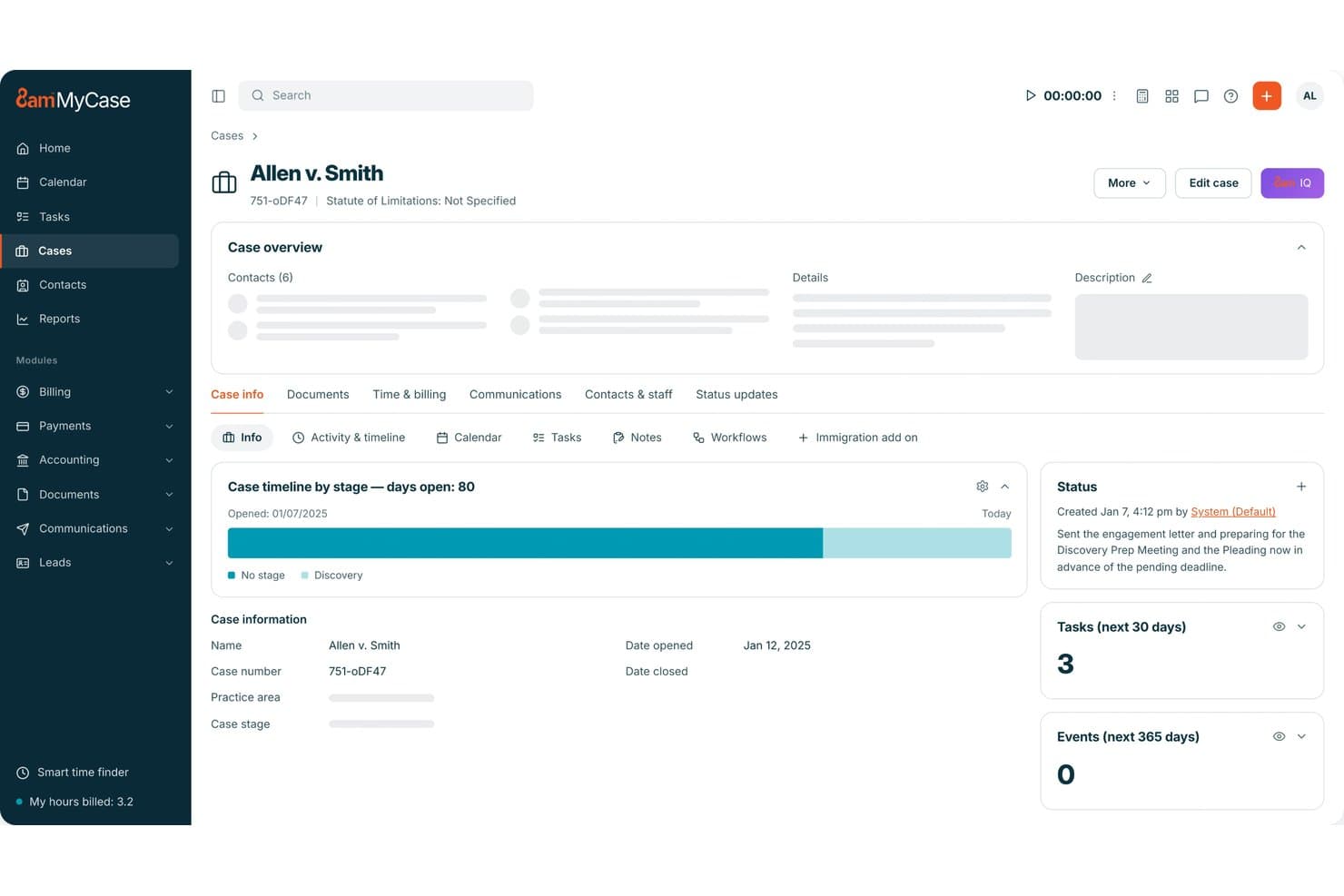
MyCase manages legal matters, billing, documents, client intake, and communication. MyCase is a cloud-based legal practice management platform covering matter management, time tracking, billing, document automation, client intake, and secure client communication.
Who Is MyCase Best For?
MyCase is a strong fit for solo attorneys and small law firms that need case management, billing, and client intake handled in one place without piecing together separate tools.
Why I Picked MyCase
I picked MyCase as one of the best because billing and client intake genuinely live together here in a way that's hard to find in competing tools. The Kanban-style lead pipeline with conditional-logic intake forms feeds directly into matter records, so there's no manual handoff between signing a new client and opening their case. From there, Smart Time Finder catches billable time from activity like email, and batch invoicing with built-in LawPay lets clients pay by card, ACH, or Apple Pay straight from the portal.
MyCase Key Features
- Matter-linked case timeline: Each matter automatically connects documents, tasks, invoices, notes, messages, and trust balances in a single case record.
- 8am IQ AI assistants: Writing, Document, Case, and Discovery Assistants let you query case data, summarize documents, and extract clauses or deadlines using AI trained on your firm's own files.
- Court e-filing via InfoTrack: File and serve court documents directly from MyCase, with court-stamped copies and service affidavits syncing back to the case record.
- Trust accounting: Built-in IOLTA-compliant trust ledgers, three-way reconciliation, and per-case trust tracking keep operating and trust funds separate with full audit trails.
MyCase Integrations
MyCase offers 60+ documented integrations, including Microsoft Outlook, Gmail, Google Calendar, QuickBooks Online, LawPay, InfoTrack, LawToolBox, Dropbox, Google Drive, and OneDrive. Advanced includes an Open API, and MyCase also supports Zapier.
Pros and Cons
Pros:
- Intake leads flow into matter records
- Smart time capture supports accurate billing
- Matter timelines keep case records together
Cons:
- Document search can miss exact-file matches
- Reporting controls feel limited to reviewers
 Best for automatic legal time tracking
- Free trial available
- Pricing upon request
Visit WebsiteCustomer Rating:4.8/5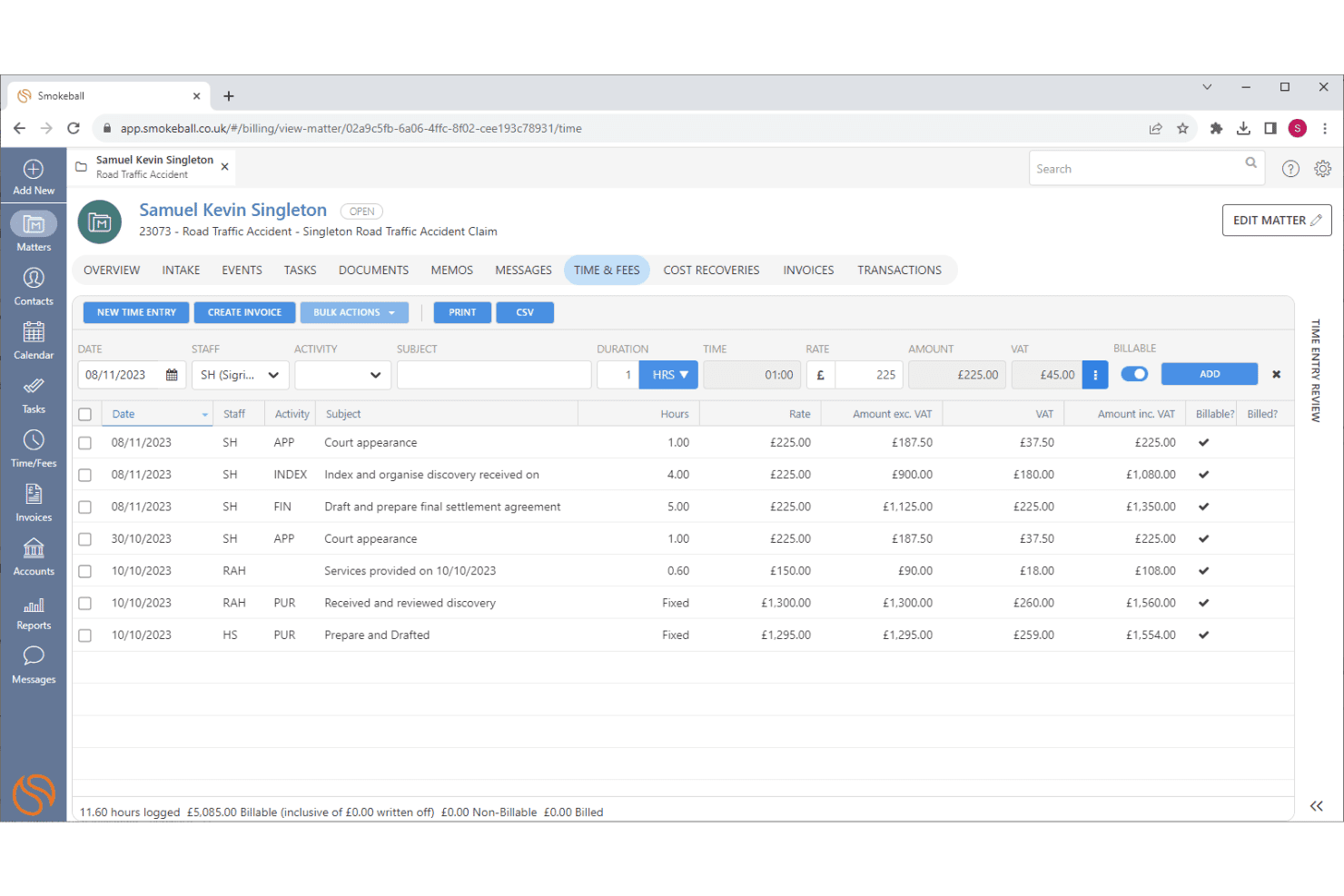
Smokeball captures billable time automatically and supports LEDES batch billing. Smokeball is a practice management platform for small and mid-size law firms that brings together matter management, document automation, time tracking, billing, trust accounting, and client communication in one place.
Who Is Smokeball Best For?
Smokeball is a strong fit for small and mid-size "people-law" firms—family, personal injury, probate, and civil litigation—that need matter management, document automation, and time tracking in one place.
Why I Picked Smokeball
I rate Smokeball highly because its AutoTime feature automatically captures billable activities across Smokeball, Microsoft Word, and Outlook, assigning time entries to the appropriate matters without manual tracking. According to Smokeball, firms using AutoTime can bill 10–30% more by capturing previously unrecorded time. Combined with over 20,000 court forms and document templates that auto-populate using matter data, Smokeball reduces manual work across time tracking, billing, and legal document preparation.
Smokeball Key Features
- Matter Permissions: Restrict access to sensitive matters by setting files to Open or Restricted, with all permission changes logged in Matter History.
- Client portal (Communicate): Lets clients message, share files, view invoices, make payments, and complete intake forms from a single login across all their matters.
- Court e-filing via InfoTrack: File court documents directly from a matter, track filing acceptance, and view full filing history without leaving Smokeball.
- QuickBooks Online integration: Syncs matter billing and trust accounting data with your firm's general ledger to keep financial records aligned.
Smokeball Integrations
Smokeball offers native integrations with Microsoft 365, QuickBooks Online, InfoTrack, and LawToolBox. It also supports marketplace integrations and custom connections through its REST API and Developer Console.
Pros and Cons
Pros:
- Matter files centralize documents, tasks, and billing
- Templates auto-populate documents from matter data
- Automatic capture reduces lost billable time
Cons:
- Billing workflows can make invoice creation cumbersome
- Reviewers report slow PDF loading and bugs
Learn more about Smokeball: Best for AI-driven case and matter management
- Free demo available
- Pricing upon request
Visit WebsiteCustomer Rating:4.5/5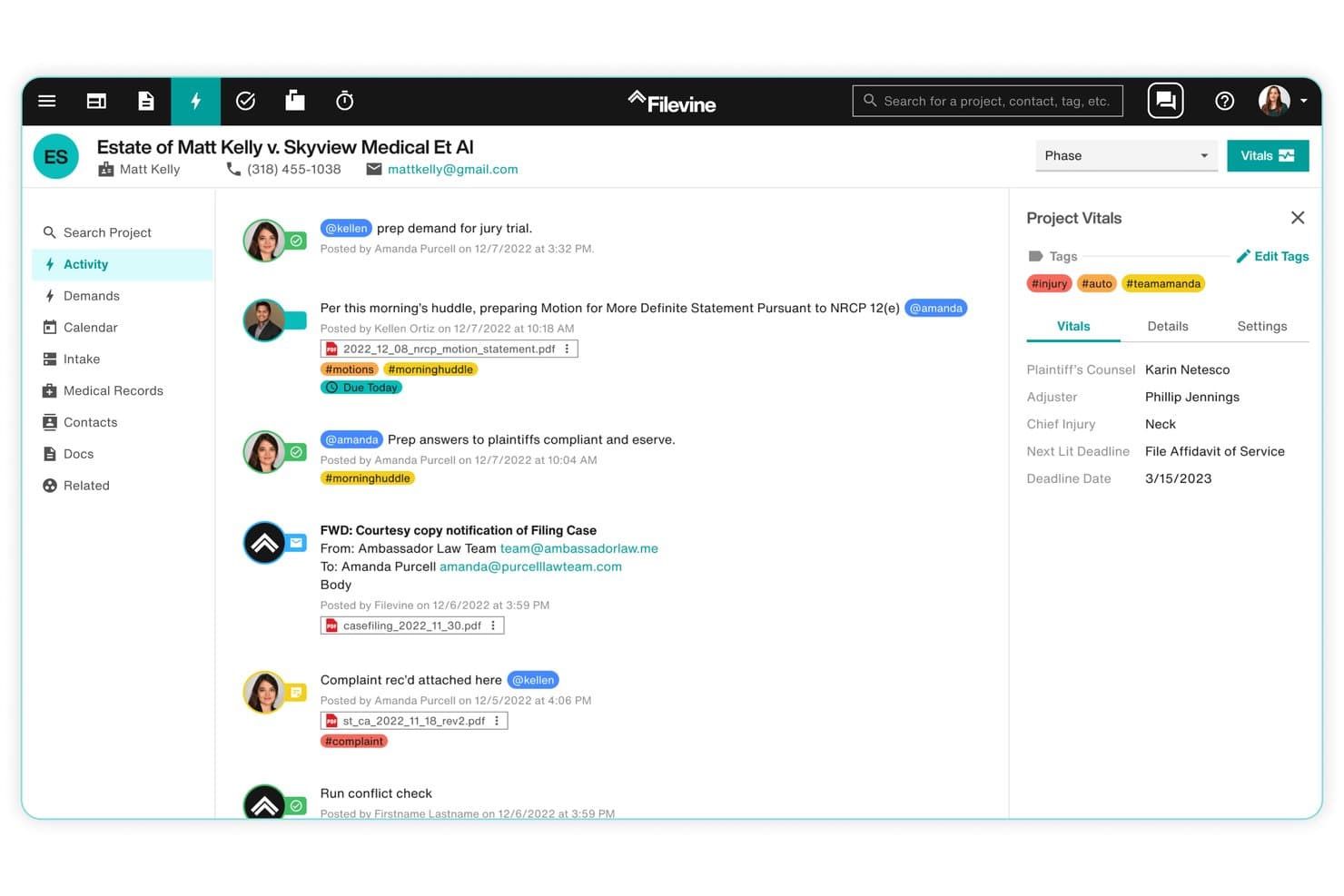
Filevine centralizes case activity, deadlines, client details, documents, communications, and key matter updates. Filevine is a cloud-based legal case management platform that centralizes matter management, document generation, time tracking, billing, client communication, and AI-assisted drafting and legal research across a single case record.
Who Is Filevine Best For?
Filevine works best for litigation and personal injury firms that need a highly configurable case management system and have the technical capacity to set it up.
Why I Picked Filevine
I picked Filevine as one of the best because its AI layer, LOIS, doesn't just assist with individual tasks—it runs agents across every matter in the firm, setting tasks, moving deadlines, and generating documents with source citations. I especially like how LOIS for Word handles agent-assisted drafting and redlining directly in Microsoft Word, and how MedChron auto-builds medical timelines from case data. Those aren't generic features; they're purpose-built for the litigation workflows where AI can do the heaviest lifting.
Filevine Key Features
- DocGen template assembly: Fill documents with case and client data using merge codes for one-click generation tied directly to matter records.
- Two-way texting: Send and receive client texts through the project feed, keeping all communication logged inside the case record.
- Conflict checker: Search every contact across the firm with fuzzy name matching, mark results, and export a locked PDF record of the check.
- Timely deadline calculator: Calculate court deadlines from a trigger date using jurisdiction-specific rules across all 50 states, then push them to Filevine or your calendar.
Filevine Integrations
Filevine offers native integrations with Microsoft 365, Outlook, Google Workspace, Microsoft Teams, QuickBooks, NetSuite, and Vinesign. It also provides an API and DataBridge for custom connections, including feeds to Snowflake.
Pros and Cons
Pros:
- Custom workflows suit litigation and injury practices
- Case records centralize documents, billing, and communications
- AI agents act across matter workflows
Cons:
- Users report slow support and system performance
- Complex setup often requires dedicated technical support
Learn more about Filevine: 4Best for end-to-end law firm billing and intake
Clio
- 7-day free trial + free demo available
- From £79/user/month
Visit WebsiteCustomer Rating:4.5/5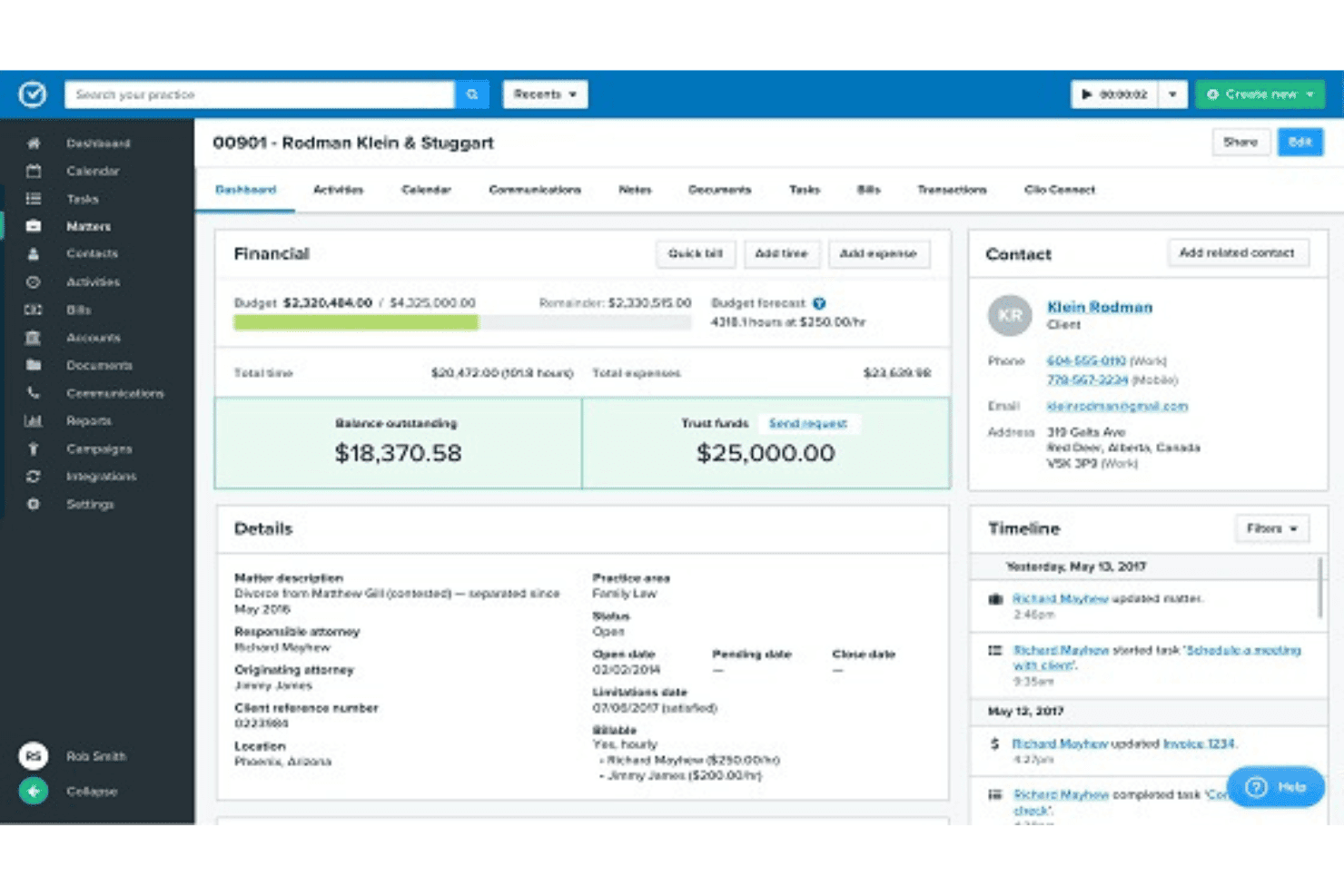
Clio combines time tracking, LEDES billing, trust accounting, and matter management. Clio is a legal practice management platform that brings together matter management, time tracking, billing, trust accounting, document automation, client intake, AI-powered legal research, and court e-filing across a suite of integrated products.
Who Is Clio Best For?
Clio is a strong fit for law firms of any size that need billing, intake, and matter management in one place—from solo practitioners to Am Law firms.
Why I Picked Clio
Clio earns its spot on my shortlist because it covers the full billing and intake lifecycle without requiring separate platforms. I particularly like how AI-assisted time capture drafts entries and matches them to matters automatically, and how Clio Grow screens leads by phone, web chat, or email before routing them into intake forms tied directly to Clio Manage. Trust accounting with three-way reconciliation and jurisdiction-specific compliance reports means billing compliance isn't a manual afterthought.
Clio Key Features
- Court rules-based deadline generation: Clio automatically calculates related deadlines from a trigger date across hundreds of U.S. courts, linking each event to the relevant matter.
- Clio for Clients portal: Clients can view invoices, make payments, share documents, and check case status through an encrypted, mobile-accessible portal.
- AI legal research via Clio Work: Search across 1B+ legal documents from 100+ countries with confidence scores, linked citations, and a built-in citator called Cert.
- Role-based permissions and audit logs: Assign granular access controls across your firm and track session IPs, user actions, and AI actions in a detailed activity log.
Clio Integrations
Clio integrates with Microsoft Outlook, Microsoft Office, Google Calendar, QuickBooks Online, Xero, Zoom, Microsoft Teams, and Dropbox. It also provides an open API for custom apps and supports Zapier.
Pros and Cons
Pros:
- Reviewers rate time tracking and billing highly
- Reviewers praise mobile access for case support
- Matter records connect billing, documents, and calendars
Cons:
- Reporting options remain limited on some plans
- Reviewers report occasional document system glitches
Learn more about Clio: Best for firms tracking billing and matters together
- Free demo available
- Pricing upon request
Visit WebsiteCustomer Rating:4.4/5
CARET Legal organizes matter tracking with visual analytics and status breakdowns. CARET Legal is a cloud-based legal practice management platform with built-in email, matter management, document tools, time tracking, billing, trust accounting, and a client portal.
Who Is CARET Legal Best For?
CARET Legal is a strong fit for small to mid-sized law firms that need billing and matter management running in the same system, without stitching together separate tools.
Why I Picked CARET Legal
CARET Legal earns its spot on my shortlist because billing and matter management aren't just connected here, they're genuinely built into the same record. I like that every time entry, invoice, and trust transaction ties directly back to a matter, so there's no reconciling between separate systems at month-end. CARET Capture, the AI time-tracking layer, surfaces billable activity from across the platform and drafts time entries for attorney review, which is where I've seen firms recover hours they'd otherwise lose.
CARET Legal Key Features
- CARET Court Rules: Calculates a full set of connected court deadlines from a single trigger date and automatically recalculates them if that date changes.
- Client portal: Lets clients share documents, pay invoices, and top up retainers directly through a secure, matter-linked portal.
- Two-way SMS: Sends and receives text messages with clients, leads, and matter contacts from inside the app, with messages tied to the relevant matter.
- CARET Analytics dashboards: Tracks staff performance, revenue forecasting, and client continuity through tiered reporting dashboards available on Enterprise Plus and above.
CARET Legal Integrations
CARET Legal offers documented integrations with Microsoft 365, Google Workspace, RMail, LawToolBox, Lawmatics, HotDocs, NetDocuments, OneDrive, CARET Pay, and QuickBooks Online. It also supports IMAP and Outlook and Word for Windows plugins; no public API documentation is available.
Pros and Cons
Pros:
- AI time capture drafts entries for review
- Built-in trust accounting supports three-way reconciliation
- Matter records connect billing, documents, and tasks
Cons:
- Built-in email can feel slow or clunky
- Users report freezes, bugs, and downtime
Learn more about CARET Legal: Best for practice management with trust accounting
- 10-day free trial + free demo available
- From $49/user/month (billed annually)
Visit WebsiteCustomer Rating:4.3/5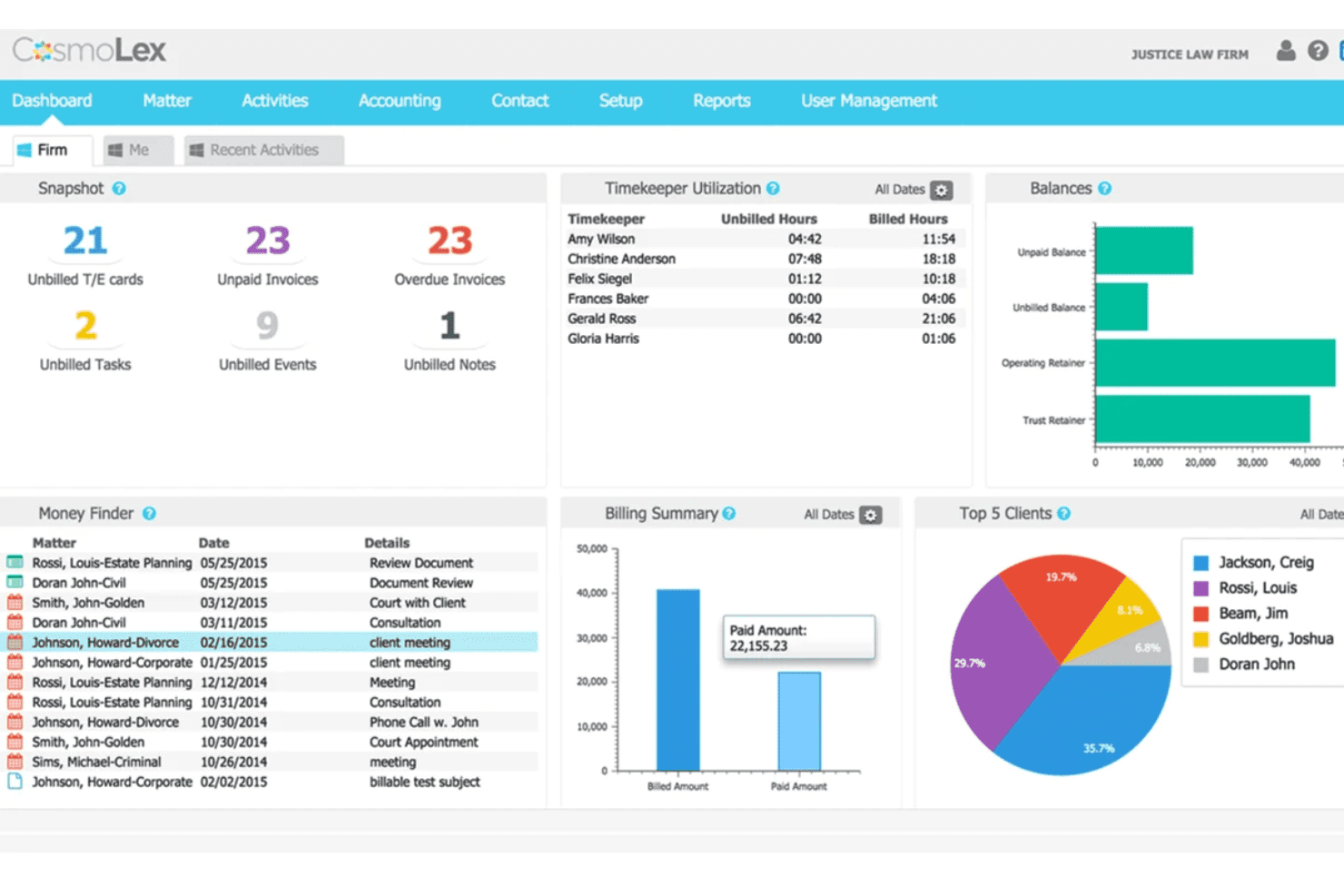
CosmoLex combines legal accounting, trust reconciliation, and unbilled time tracking. CosmoLex is a cloud-based legal practice management platform that combines matter management, time tracking, billing, client communication, and both trust and business accounting in one system.
Who Is CosmoLex Best For?
CosmoLex is a strong fit for small to mid-sized law firms that need matter management, billing, and trust accounting in a single platform without a separate accounting tool.
Why I Picked CosmoLex
CosmoLex earns its spot on my shortlist because it's the only tool here that handles trust and business accounting natively, with no QuickBooks dependency required. I especially like the built-in three-way reconciliation, which automatically matches trust ledgers against bank statements and client balances, a task that trips up a lot of small firms. The Money Finder feature is also genuinely useful: it scans your calendar and tasks to flag unbilled time before invoices go out.
CosmoLex Key Features
- Matter-linked email filing: Emails are automatically filed into the matching matter folder, with flags for unmatched or ambiguous messages so nothing gets misfiled.
- AI intake form builder: Create client intake forms from a text prompt or convert existing PDF or Word forms into digital intake workflows without manual rebuilding.
- Client portal: Clients can message your firm, upload documents, and view and pay invoices directly through a permissioned portal that logs all activity to the matter record.
- Role-based user permissions: Set access controls at the user and matter level, with an exportable audit trail of all recent account activity.
CosmoLex Integrations
CosmoLex has documented integrations with Microsoft 365, Google Calendar, OneDrive, Google Drive, NetDocuments, Dropbox, Box, and QuickBooks Online. It also supports an open REST API on Pro and Zapier.
Pros and Cons
Pros:
- Responsive onboarding and support earn user praise
- Matter-linked timers catch unbilled calendar work
- Built-in trust accounting supports three-way reconciliation
Cons:
- Reports and client-data exports frustrate some users
- Interface can feel clunky during daily work
Learn more about CosmoLex: Best for billing-heavy firms tracking time and trust
- 10-day free trial + free demo available
- From $59/user/month (billed annually)
Visit WebsiteCustomer Rating:4.4/5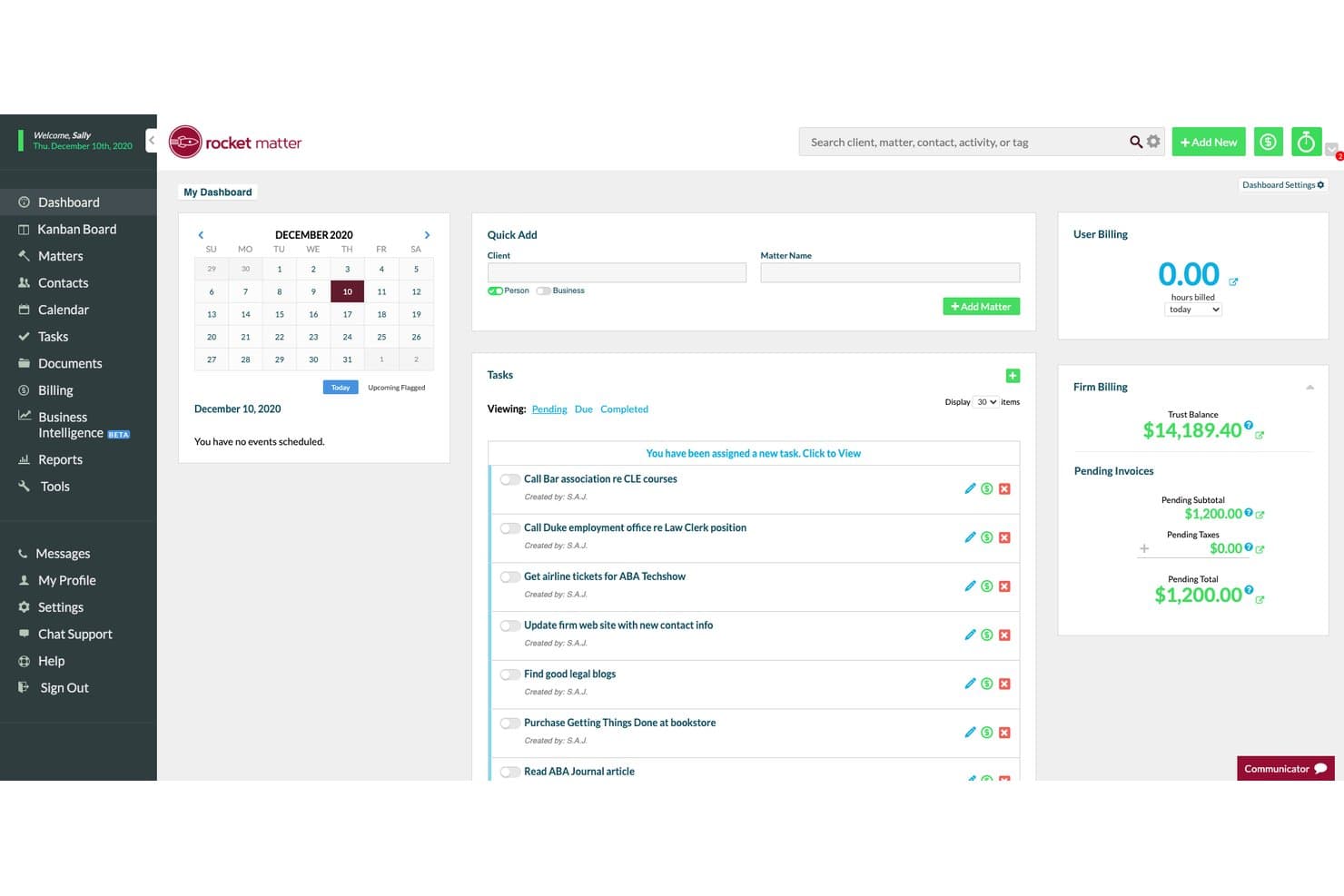
Rocket Matter combines legal case tracking, billing, trust accounting, and documents. Rocket Matter is a cloud-based legal practice management platform that combines matter management, time tracking, billing, trust accounting, and document assembly.
Who Is Rocket Matter Best For?
Rocket Matter is a strong fit for billing-heavy law firms that need tight control over time capture, trust accounting, and invoicing across multiple matters.
Why I Picked Rocket Matter
I picked Rocket Matter as one of the best because its time capture tools go well beyond a basic timer. You can run multiple timers at once, log time directly from Outlook, and use the Bill-As-You-Work feature to capture time as it happens. On the trust side, it handles automatic trust transfers and sends replenishment requests when a matter balance drops below a set threshold, which makes IOLTA compliance far less manual.
Rocket Matter Key Features
- Matter dashboard: Each matter centralizes tasks, calendar events, contacts, documents, and billing data in one rearrangeable view.
- Batch billing and prebills: Review and approve paperless prebills across multiple matters before sending automated invoices to clients.
- Client portal: Share documents, send secure files, and collect payments via card or eCheck directly through a permissioned client-facing portal.
- Conflict check: Run conflict searches across matters and contacts from within the platform before opening a new matter.
Rocket Matter Integrations
Rocket Matter offers integrations with QuickBooks Online, Google Calendar, Office 365, OneDrive, Dropbox, Box, NetDocuments, LawToolBox, ImagineShare, and Zapier. Its CRM also supports API connections for lead forms and vendors with open APIs.
Pros and Cons
Pros:
- Matter dashboards connect case and billing details
- Trust transfers trigger replenishment requests
- Multiple timers capture billable work
Cons:
- Nonstandard reports feel clunky
- Invoice template edits are difficult
Learn more about Rocket Matter: Best for midsize firms automating workflows and matters
- Free demo available
- Pricing upon request
Visit WebsiteCustomer Rating:4.2/5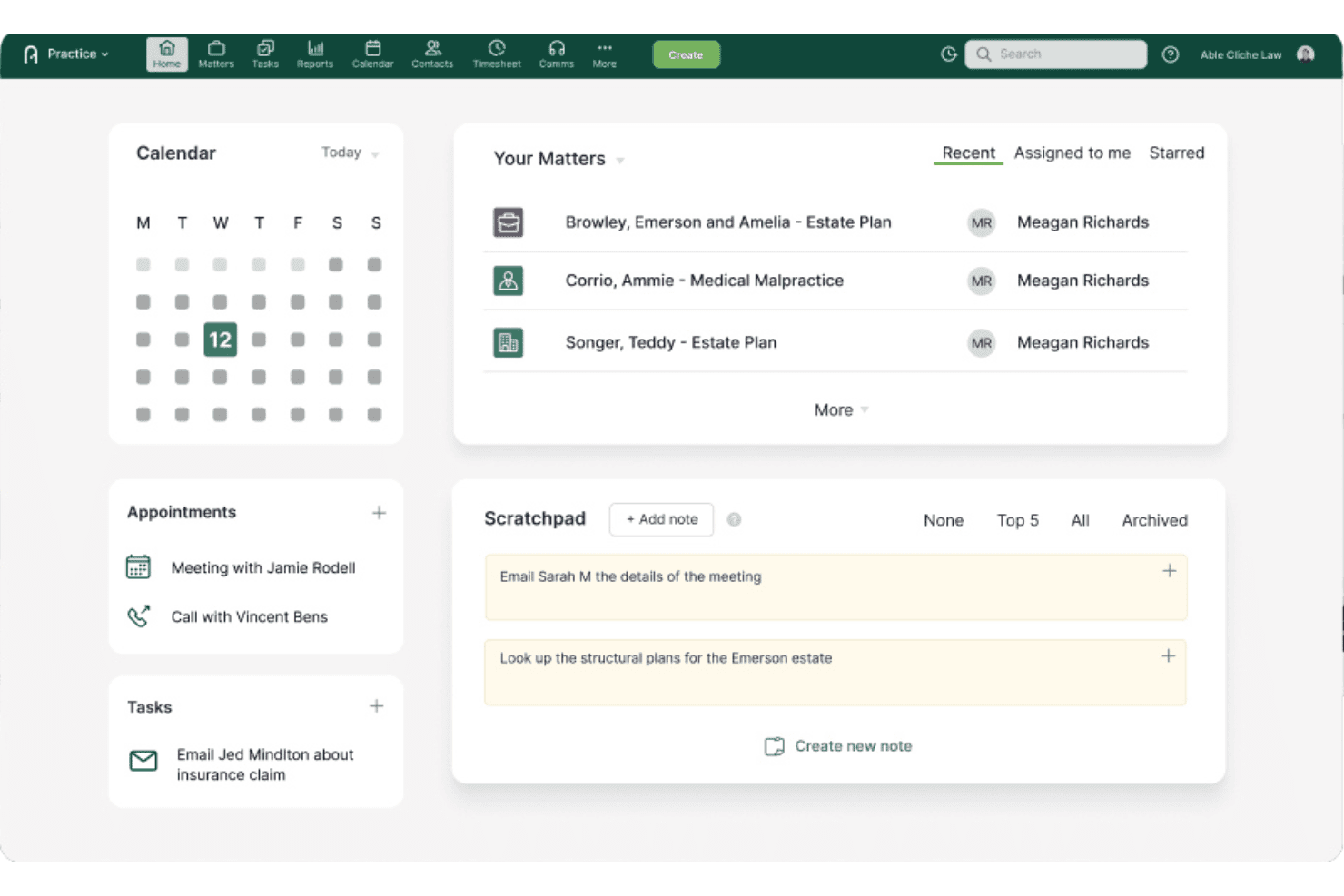
Actionstep centralizes matter management, task tracking, client notes, and case activity. Actionstep is a cloud-based legal practice management platform for midsize law firms that covers matter management, workflow automation, document generation, time tracking, trust accounting, and client communication in one system.
Who Is Actionstep Best For?
Actionstep is a strong fit for midsize law firms that need configurable matter workflows, trust accounting, and client communication in one cloud-based system.
Why I Picked Actionstep
I picked Actionstep as one of the best because its configurable matter workflows genuinely set it apart for midsize firms juggling multiple practice areas. Each matter ties together tasks, documents, communications, and billing in one record, and Workflow 2.0 moves matters between phases automatically, triggering email notifications and staff prompts at each step. I also like Trace, its AI time capture add-on, which tracks work across Outlook, Word, and Teams and drafts ready-to-bill time entries without manual logging.
Actionstep Key Features
- Trust accounting: Run three-way trust reconciliations, set automatic retainer top-ups, approve trust requests before funds move, and generate audit-ready ledger and reconciliation reports.
- Client portal: Share documents, send encrypted messages, and collect invoice payments through a secure portal with per-folder permissions you control at the matter level.
- Actionstep Intelligence: An AI layer built into the platform that writes matter summaries, pulls key facts from documents, flags inconsistencies, and answers plain-English questions about your matters.
- Builder document assembly: A paid add-on that fills Word-based templates for letters, forms, and contracts with live matter data using conditional logic and custom fields.
Actionstep Integrations
Actionstep integrates with Microsoft 365, iManage, NetDocuments, Xero, QuickBooks Online, DocuSign, LawToolBox, LawPay, InfoTrack, and First AML. It also supports Zapier and provides a REST API with OAuth authentication.
Pros and Cons
Pros:
- Matter records connect documents, billing, and communications
- Trust accounting includes three-way reconciliations
- Configurable matter workflows automate phase-based tasks
Cons:
- Implementation requires substantial setup and configuration
- Reporting and search draw reviewer criticism
Learn more about Actionstep: Best for AI-driven case and intake management
- Free demo available
- Pricing upon request
Visit WebsiteCustomer Rating:4.2/5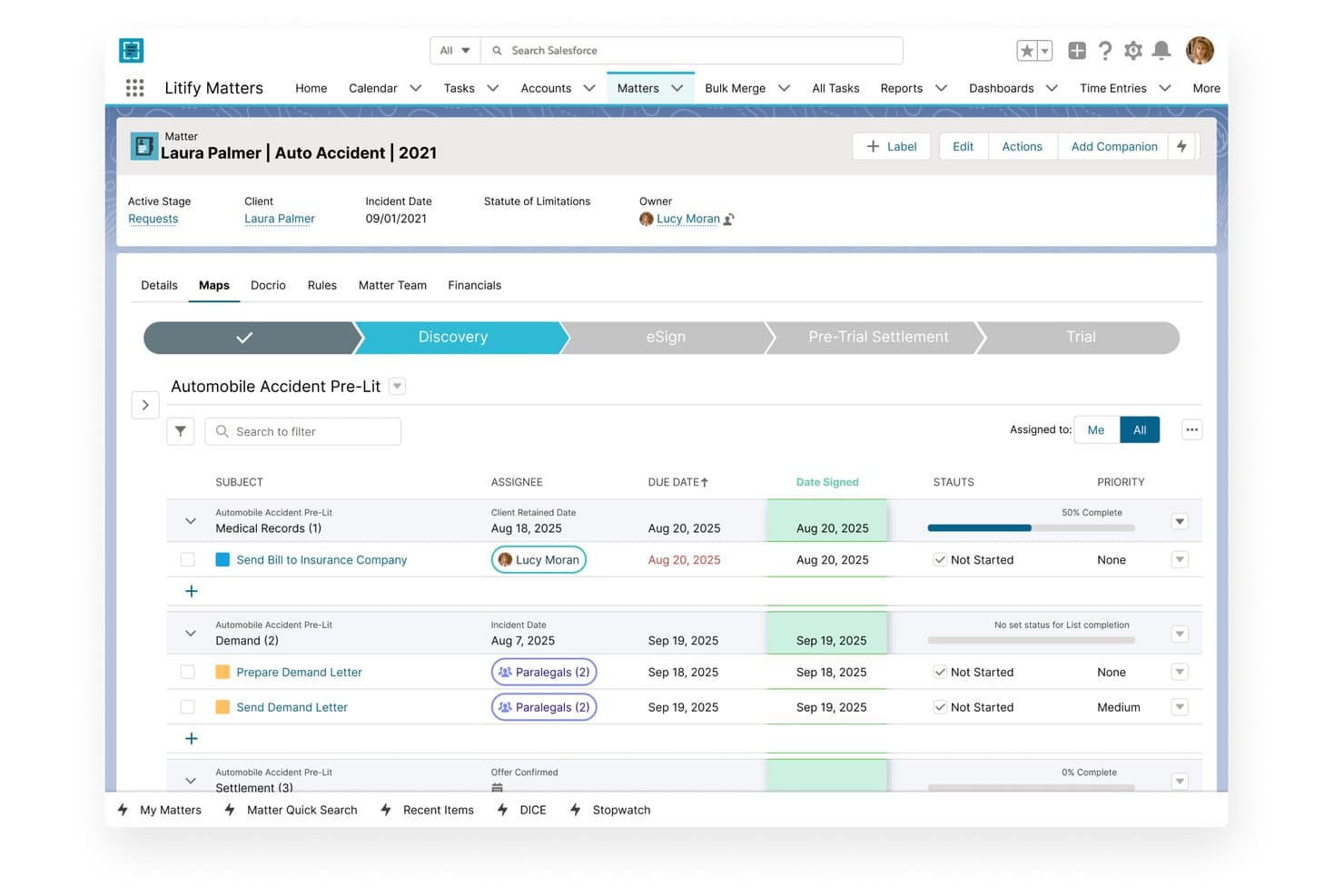
Litify organizes legal matter tasks with stages, deadlines, and assignees. Litify is a Salesforce-based legal platform that covers intake, matter management, document generation, time tracking, billing, and AI-driven case workflows across law firms and corporate legal departments.
Who Is Litify Best For?
Litify is a strong fit for mid-size to enterprise law firms and corporate legal departments that run high case volumes across multiple practice areas.
Why I Picked Litify
Litify earns its spot on my shortlist because its AI agents go well beyond basic automation, handling tasks like qualifying new intakes, running conflict checks against your full client database, and generating demand letters from case data. I find the Matter Summary Agent particularly useful: it pulls together notes, emails, tasks, and files into a written status update you can run on demand or on a schedule. The Intake Qualifier Agent is equally sharp, adapting intake questionnaires to each prospect's answers and flagging cases before they reach an attorney's desk.
Litify Key Features
- Matter Plans: Configure task list templates by practice area or case type, with tasks that assign automatically by role when a matter opens.
- Mass Bill Generation: Run multiple billing jobs simultaneously or schedule them during off-hours to handle high invoice volumes without manual batching.
- Legal Spend Management: AI reviews incoming invoices, applies outside-counsel billing guidelines automatically, and flags violations before approval.
- Live Edit: Check out, edit, and check in documents in one action, with real-time co-editing and version tracking built into the workflow.
Litify Integrations
Litify offers integrations with Microsoft Outlook, Microsoft Word, DocuSign, NetDocuments, iManage, QuickBooks, Accounting Seed, CalendarRules, LawPay, and Confido Legal. Its API toolkit and Salesforce AppExchange ecosystem support custom connectivity.
Pros and Cons
Pros:
- Configurable workflows support varied firm processes
- Matter timelines centralize files, emails, and events
- AI agents summarize matters and qualify intakes
Cons:
- Crowded screens add clicks to routine tasks
- Slow loading and uploads frustrate daily work
Learn more about Litify: Best for mid-size firms billing across matters
- Free demo available
- Pricing upon request
Visit WebsiteCustomer Rating:4.5/5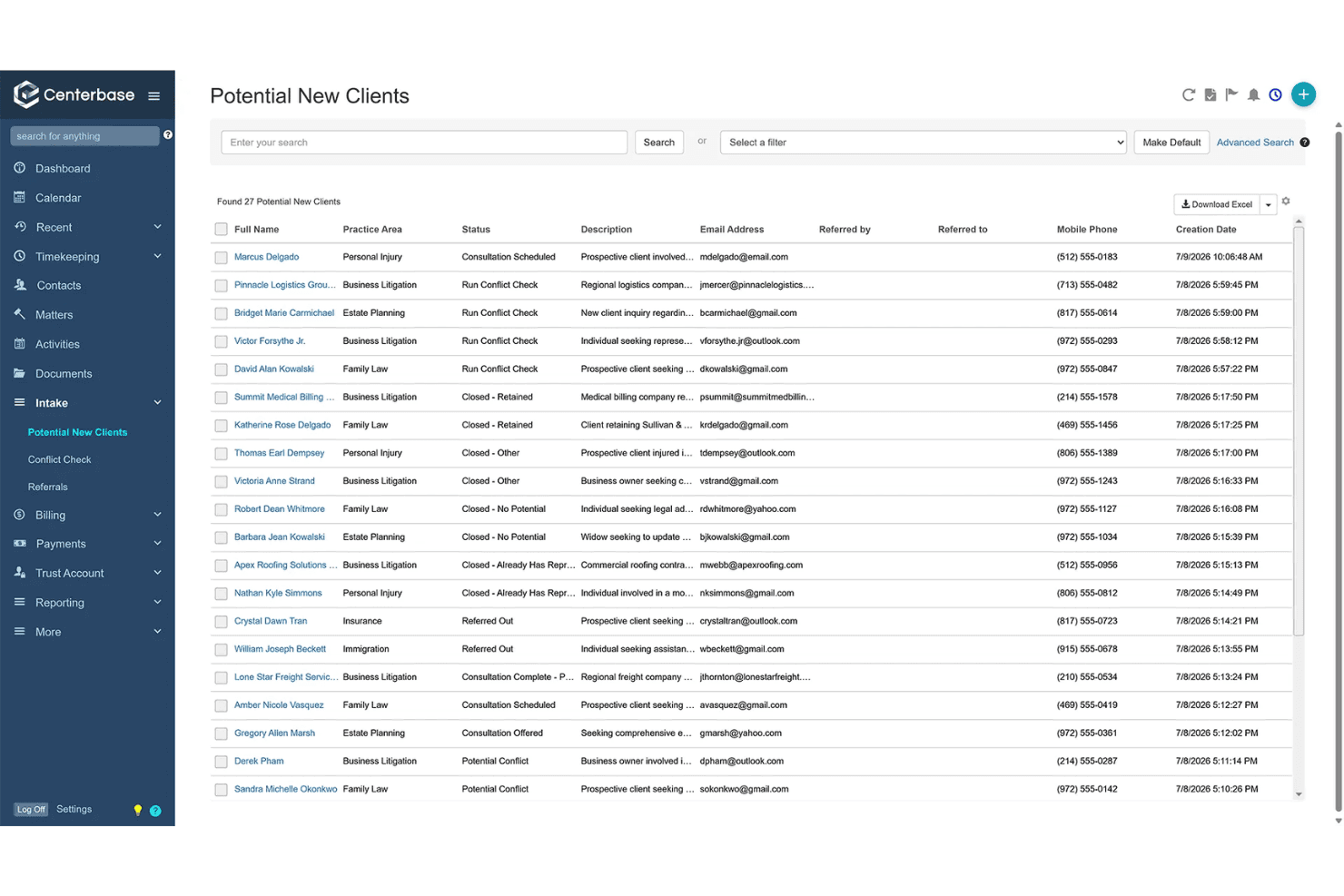
Centerbase unifies client intake, CRM, conflict checks, matter management, billing, and accounting. Centerbase is a cloud-based legal practice management platform for mid-size law firms that combines matter management, time tracking, billing, trust accounting, and client intake in one system.
Who Is Centerbase Best For?
Centerbase is built for mid-size law firms with 20 or more attorneys that need matter management, billing, and trust accounting in a single system without relying on QuickBooks or a separate DMS.
Why I Picked Centerbase
Centerbase earns its spot on my shortlist because of how well it handles billing across multiple matters simultaneously. I love that you can run consolidated bills covering several matters for one client, split bills across clients, and manage contingency, flat-fee, and eBilling with UTBMS codes, all from the same matter record. The ePre-bill workflow automatically routes draft invoices through approval chains and flags any bills that exceed a discount threshold for partner review before they go out.
Centerbase Key Features
- Ethical walls: Restrict access to specific matters, with deny rules that pass down automatically to linked billing entries, emails, calls, and notes.
- Centerbase IQ: Query firm data in plain English to surface accounts receivable aging, realization rates, unbilled work in progress, and lead conversion metrics.
- Client intake and conflict checking: Website forms create new client records, and conflict checks search across contacts, matters, and notes with Boolean search and exportable, timestamped results.
- Three-way trust reconciliation: Automatically reconciles trust accounts and supports multiple trusts or retainers per matter, including evergreen retainers with automatic application at billing.
Centerbase Integrations
Centerbase documents integrations with Microsoft 365, NetDocuments, iManage, LawToolBox, QuickBooks Online, Plaid, Stripe, LawPay, and DocuSign; its Marketplace lists 19 partners total. A developer API supports custom integrations.
Pros and Cons
Pros:
- Ethical walls restrict access across linked matter activity
- Automated three-way trust reconciliation supports retainers
- Consolidated billing spans matters and client accounts
Cons:
- Some reviewers report lag and unreliable reports
- Support response times vary across reviewer reports
Learn more about Centerbase:
Alte programe software juridice
Iată câteva opțiuni suplimentare care nu au intrat în lista mea scurtă, dar care merită totuși analizate:
- 11CasePeerBest for plaintiff-side PI firm case workflows
- 12PracticePantherBest for billing and trust accounting in one place
- 13CaseFoxBest for solo firms managing billing and trust
- 14NetDocumentsBest for document and email management at scale
- 15AbacusLawBest for litigation firms on private cloud
- 16Bill4TimeBest for solo firm time tracking and trust billing
- 17NeosBest for PI firms managing cases with AI
- 18LawmaticsBest for law firm client intake automation
- 19TimeSolvBest for billing-heavy firms needing trust tools
- 20AderantBest for Am Law 200 firm billing and docketing
Related Reviews
How I Evaluate Legal Software
I split my evaluation into three parts, with the most weight on core work: organize matter files and linked documents, and track billable time through invoices. Standout features include automated client intake or AI legal research. Beyond features, I consider onboarding, support, and whether pricing fits your firm’s size and growth.
Core Functionality (Table Stakes For This List)
When I'm selecting tools for my list, I score each one on a scale from 0 (does not offer the functionality) to 5 (excels in this area) for each core functionality listed below. I then convert the total into a percentage to help assess each tool's overall fit, with extra weight on any functionalities I’ve deemed essential.
- Matter & Case Management (Essential): I look for matter records that link clients, parties, tasks, deadlines, documents, and billing for a clear view of active work.
- Document Management (Essential): I assess how teams organize files by matter, use templates, and generate documents from case details, such as client letters or forms.
- Time & Billing: I check how easily staff record billable work, prepare matter-based invoices, and track trust funds where needed.
- Calendaring & Deadlines: I look for matter-linked events, shared calendars, and reminders that help teams track filing dates, hearings, and client commitments.
- Client Communication: I assess whether clients can securely exchange messages and documents through a portal with appropriate access controls.
- Security & Compliance: I consider role-based permissions, audit trails, and ethical walls that help protect confidential matter information.
Once I have a list of tools that meet the criteria, I consider what sets each platform apart.
Differentiating Factors (What Sets Vendors Apart)
Here's how I compare and contrast different vendors:
Standout Features
I evaluate how each platform handles client intake and CRM—specifically whether it automates conflict checks, routes leads, and tracks prospects through to engagement. A firm that runs TV ads for PI cases needs a very different intake pipeline than a trusts-and-estates practice taking referrals. I also check for integrated payment processing with trust-compliant e-payments, since platforms like Clio and PracticePanther let clients pay online while keeping IOLTA funds properly segregated. AI legal research is another differentiator I look at closely: can the tool summarize case law or draft sections of a brief inside the same workspace where you manage the matter?
Beyond Features
I check how each platform handles data migration, since moving matters and billing history from a legacy system can stall a rollout for weeks if the vendor doesn't offer dedicated support. Integration depth matters too—I look at whether a tool connects with Outlook, Gmail, QuickBooks, and e-signature providers through pre-built links or an open API, because duplicate data entry across billing and communication tools drains time. I also evaluate whether trust accounting features align with bar association IOLTA rules, since a misstep there creates real compliance risk.
Cum să alegeți un program software juridic
Alegeți un program software juridic testând modul în care gestionează fluxurile de lucru ale firmei dumneavoastră privind dosarele, facturarea și conformitatea, înainte de a vă lua un angajament.
| Dacă prioritatea dumneavoastră este | Căutați |
|---|---|
| Dacă prioritatea dumneavoastră estePăstrarea împreună a evidențelor și documentelor dosarelor | CăutațiFișiere asociate dosarelor, permisiuni și istoric de audit |
| Dacă prioritatea dumneavoastră esteÎnregistrarea activității facturabile și gestionarea fondurilor clienților | CăutațiFacturi bazate pe dosare și fluxuri de lucru pentru conturile fiduciare |
| Dacă prioritatea dumneavoastră esteTransformarea solicitărilor în colaborări | CăutațiEtape de preluare care includ verificări privind conflictele de interese și urmărirea potențialilor clienți |
| Dacă prioritatea dumneavoastră esteRenunțarea la un sistem învechit | CăutațiUn plan de migrare scris, care acoperă fișierele dosarelor și istoricul facturării |
Cum să vă evaluați lista scurtă
- Testați un flux de lucru pentru un dosar: Folosiți o perioadă de testare sau o sesiune ghidată pentru a deschide un dosar de test, a atașa un document, a atribui un termen-limită și a înregistra timpul.
- Verificați gestionarea conturilor fiduciare: Solicitați un exemplu de raport de contabilitate a conturilor fiduciare și rugați furnizorul să explice cum apar în acesta depunerile, transferurile și reconcilierile.
- Obțineți detalii despre migrare: Solicitați un plan de migrare scris, care să precizeze câmpurile de date, tipurile de documente, istoricul facturării și etapele de validare incluse.
- Verificați controalele de acces: Solicitați o matrice a permisiunilor și un exemplu de jurnal de audit, apoi confirmați modul în care accesul personalului la dosarele confidențiale este restricționat și înregistrat.
- Alegeți compromisul potrivit: Decideți dacă preferați un sistem mai cuprinzător, care acoperă preluarea clienților, dosarele și facturarea, sau o platformă mai restrânsă, construită în jurul unui flux de lucru specific practicii; acordați prioritate soluției pe care echipa dumneavoastră o va folosi consecvent.
Ce este un program software juridic?
Un program software juridic este o tehnologie care ajută echipele juridice să gestioneze dosare, documente, preluarea clienților, timpul, facturarea și fluxurile de lucru conexe. Firmele și echipele juridice interne îl folosesc pentru a organiza informațiile despre dosare, a urmări termenele-limită, a comunica cu clienții și a supraveghea activitatea juridică. Instrumentele potrivite depind de practica dumneavoastră, de dimensiunea echipei și de nevoile operaționale.
Funcțiile programelor software juridice
Iată principalele funcții pe care le caut la un program software juridic:
- Gestionarea dosarelor și a cauzelor: Creați o evidență centrală pentru fiecare cauză, conectând clienții, părțile, sarcinile, termenele-limită, notițele și detaliile de facturare. Personalul poate utiliza această evidență pentru a vedea ce se întâmplă și pentru a găsi informații asociate.
- Gestionarea documentelor: Stocați și organizați fișierele în funcție de cauză, controlați cine le poate accesa și utilizați șabloane pentru a pregăti documente pe baza detaliilor dosarului. Astfel, personalului îi este mai ușor să găsească versiunea corectă și să păstreze împreună materialele cauzei.
- Evidența timpului și facturarea: Înregistrați activitatea facturabilă în raport cu un client sau o cauză, apoi utilizați aceste înregistrări pentru a pregăti facturi și a urmări plățile. Înregistrările clare ale timpului facilitează și verificarea activității înainte de facturare.
- Calendar și termene-limită: Adăugați audieri, date de depunere, sarcini și angajamente față de clienți în calendare comune asociate cauzelor. Mementourile ajută personalul să urmărească datele următoare și să vadă cine este responsabil.
- Portal de comunicare cu clienții: Oferiți clienților un spațiu securizat pentru a schimba mesaje și documente cu firma. Controalele de acces ajută la limitarea informațiilor pe care le poate vedea fiecare client.
- Preluarea clienților și verificarea conflictelor: Înregistrați solicitările, urmăriți potențialii clienți și colectați informațiile necesare pentru verificarea conflictelor înainte de acceptarea reprezentării. Fluxurile de preluare pot ajuta personalul să transforme un potențial client, de la contactul inițial până la deschiderea unei cauze.
- Contabilitatea fondurilor clienților: Înregistrați separat depunerile, retragerile și transferurile de fonduri ale clienților față de fondurile operaționale. Evidențele la nivel de cauză și rapoartele de reconciliere ajută firmele să verifice activitatea conturilor și să respecte procedurile contabile obligatorii.
- Securitate și controale de acces: Stabiliți permisiuni în funcție de utilizator sau rol și utilizați jurnalele de audit pentru a verifica activitatea din evidențele cauzelor și documente. Aceste controale contribuie la protejarea informațiilor confidențiale și documentează cine a accesat sau a modificat informațiile.
Funcții AI uzuale ale software-ului juridic
Pe lângă funcțiile standard ale software-ului juridic, multe platforme includ acum instrumente AI precum:
- Cercetare juridică AI: Căutați jurisprudență și alte surse juridice folosind întrebări în limbaj natural. AI poate identifica autorități relevante și le poate rezuma, însă trebuie să verificați citările și să confirmați că fiecare sursă susține afirmația respectivă.
- Analiza contractelor: Identificați clauzele, termenii definiți, obligațiile și datele din acorduri, apoi comparați formulările cu un ghid de verificare. Acest lucru vă poate ajuta să vă concentrați analiza asupra prevederilor care necesită o atenție sporită.
- Redactare juridică: Generați o primă versiune sau formulări sugerate pe baza indicațiilor, faptelor furnizate ori a șabloanelor firmei. Verificați fiecare versiune pentru exactitate, autoritate adecvată și consecvență cu evidențele cauzei înainte de utilizare.
- Verificarea documentelor electronice: Clasificați și prioritizați seturi mari de documente electronice pe baza relevanței sau a probabilității ca acestea să fie protejate de secretul profesional. Astfel, evaluatorii își pot concentra atenția, însă deciziile finale privind relevanța și secretul profesional rămân supuse verificării umane.
- Rezumatul cauzei: Sintetizați informațiile din actele de procedură, corespondență și alte materiale ale cauzei într-o prezentare succintă sau o cronologie. Utilizați rezumatul pentru a vă orienta echipa, apoi verificați faptele esențiale în raport cu evidențele de bază.
Beneficiile software-ului juridic
Iată câteva beneficii uzuale pe care le poate oferi software-ul juridic:
- O imagine mai clară asupra cauzei: Evidențele cauzei conectează într-un singur loc clienții, părțile, sarcinile, documentele și detaliile de facturare.
- Documente mai bine organizate: Folderele bazate pe cauze, șabloanele și controalele de acces ajută echipa să găsească fișierele și să gestioneze cine le poate vizualiza.
- Facturare mai consecventă: Evidența timpului și facturile bazate pe cauze ajută personalul să înregistreze activitatea facturabilă și să pregătească sumele pentru verificare.
- Vizibilitate mai bună asupra termenelor-limită: Calendarele comune, evenimentele asociate cauzelor și mementourile ajută echipa să urmărească audierile, datele de depunere și angajamentele față de clienți.
- Un proces de preluare mai bine structurat: Fluxurile de preluare pot înregistra solicitările, urmări potențialii clienți și sprijini verificarea conflictelor înainte de acceptarea reprezentării.
- Evidențe mai bine controlate ale fondurilor clienților: Funcțiile de contabilitate a fondurilor clienților urmăresc depunerile, retragerile, transferurile și reconcilierile separat de fondurile operaționale.
- Responsabilitate mai clară privind accesul: Permisiunile bazate pe roluri și jurnalele de audit ajută la protejarea informațiilor confidențiale despre cauze și la înregistrarea activității.
Costurile și prețurile software-ului juridic
Costurile variază în funcție de funcții, dimensiunea echipei și suplimente. Iată intervalele de preț tipice pentru software-ul juridic:
Tabel comparativ al planurilor pentru software juridic
| Tipul planului | Preț mediu | Funcții uzuale |
|---|---|---|
| Tipul planuluiPlan personal | Preț mediu$20–$59/utilizator/lună | Funcții uzualeGestionarea cauzelor și a dosarelor, stocarea documentelor, calendar juridic, evidența timpului și facturare de bază. |
| Tipul planuluiPlan pentru companii | Preț mediu$60–$119/utilizator/lună | Funcții uzualePreluarea clienților, automatizarea documentelor, contabilitatea fondurilor clienților, automatizarea fluxurilor de lucru și facturare avansată. |
| Tipul planuluiPlan pentru întreprinderi | Preț mediu$120–$200+/utilizator/lună | Funcții uzualeFluxuri de lucru personalizate, raportare avansată, permisiuni de acces, acces API și instrumente de gestionare la nivelul întregii firme. |
Întrebări frecvente
Iată răspunsuri la întrebările frecvente despre software-ul juridic:
Cât timp durează implementarea software-ului juridic?
Durata implementării depinde de volumul de date, fluxurile de lucru, integrările și asistența oferită de furnizor pentru migrare. O echipă mică, cu înregistrări bine organizate, poate avea nevoie de mai puțină configurare decât o firmă care transferă ani de documente și istoricul facturării. Înainte de semnare, solicitați un plan de proiect cu sarcini, responsabili, etape și pași de testare clar menționați. Includeți timp pentru verificarea dosarelor de speță migrate, a linkurilor către documente și a soldurilor. Păstrați vechiul sistem disponibil până când echipa confirmă că noul sistem conține înregistrările necesare.
Poate software-ul juridic să sprijine echipele juridice interne?
Da, software-ul juridic poate sprijini echipele interne, deși configurația potrivită depinde de modul în care acestea își gestionează activitatea. O echipă care se ocupă de contracte poate acorda prioritate primirii solicitărilor, urmăririi dosarelor de speță, accesului la documente și raportării. O echipă care gestionează și litigii poate avea nevoie de calendare pentru termene și dosare de speță. În timpul unei demonstrații, prezentați un flux de lucru real, cum ar fi direcționarea unei solicitări de contract, atribuirea verificării și înregistrarea stadiului acesteia. Înainte de a alege o platformă, confirmați că permisiunile și rapoartele corespund nevoilor organizației dumneavoastră.
Cum pot verifica dacă îmi pot exporta datele din software-ul juridic?
Întrebați furnizorul ce puteți exporta, în ce formate și dacă documentele își păstrează legăturile cu dosarele de speță și structura folderelor. Verificați dacă exporturile includ notițe, contacte, înregistrări de timp, facturi, evidențe ale sumelor în custodie și istoricul de audit. Întrebați despre taxe, durată și accesul disponibil după anularea contractului. Solicitați răspunsurile în scris înainte de a semna. Dacă este posibil, cereți un export de probă și testați dacă echipa dumneavoastră poate deschide și reconcilia fișierele fără software-ul furnizorului.
Poate software-ul juridic bazat pe inteligență artificială să înlocuiască verificarea de către un avocat?
Nu, software-ul juridic bazat pe inteligență artificială nu ar trebui să înlocuiască verificarea de către un avocat. Acesta poate ajuta la identificarea surselor juridice relevante, la rezumarea materialelor unui dosar de speță sau la sugerarea unor formulări pentru proiecte, însă rezultatele sale pot omite contextul sau pot conține erori. Verificați sursele citate în raport cu materialele originale și confirmați că acestea susțin afirmația formulată. Stabiliți reguli privind informațiile pe care personalul le poate introduce, persoana care verifică rezultatele generate de inteligența artificială și utilizarea de către furnizor a datelor transmise pentru antrenarea modelelor. Aplicați aceste reguli în mod consecvent pentru toate dosarele de speță.