

Legal client intake software for small firms gives you a single system to capture leads, run conflict checks, automate forms, and move every intake to a signed client with less back and forth. If you’re juggling intake, marketing, compliance, and growth with a small team, you know how easy it is for new business to stall or slip. This guide compares the best legal client intake software for small firms, showing you which tools help automate intake, speed up document collection, and give you instant visibility—so you can track, convert, and grow your book confidently.
Why Trust Our Software Recommendations
6,700+
Reviews
20
Industry experts
16+
Evaluation factors
14
Years
Our team has been testing and reviewing software since 2012. As legal practice leaders ourselves, we know how difficult—and important—it is to choose the right software.
For this guide, we evaluated tools using hands-on testing and independent research, scoring tools using our selection criteria.
Our reviews reflect our human editorial judgment, not a sales pitch.
Best Legal Client Intake Software for Small Firms
This comparison chart summarizes pricing details for my top legal client intake software selections for small firms to help you find the best one for your budget and practice needs.
| Tool | Best For | Trial Info | Price | ||
|---|---|---|---|---|---|
| 1 | Best for document auto-fill across intake and matters | Not available | Pricing upon request | Website | |
| 2 | Best for AI conflict checks in high-growth firms | Free demo available | From $150/user/month | Website | |
| 3 | Best for conflict checks within a full practice suite | Free demo available | Pricing upon request | Website | |
| 4 | Best for multi-channel drip campaigns and intake ROI | Free demo available | Pricing upon request | Website | |
| 5 | Best for conflict checks built into client intake | 14-day free trial | From $39/user/month (billed annually) | Website | |
| 6 | Best for intake-to-signed client via built-in forms | 7-day free trial | From $49/user/month (billed annually) | Website | |
| 7 | Best for unlimited e-sign within a built-in CRM | 10-day free trial | From $50/user/month (billed annually) | Website | |
| 8 | Best for AI-driven lead scoring and drip follow-up | Free demo available | Pricing upon request | Website | |
| 9 | Best for AI lead scoring and marketing ROI tracking | Free demo available | Pricing upon request | Website | |
| 10 | Best for conflict checks built into intake workflows | Free demo available | Pricing upon request | Website |


Legal Client Intake Software for Small Firms Reviews
Below are my detailed summaries of the best legal client intake software for small firms that made it onto my shortlist. My reviews offer a detailed look at the features, best use cases, and capabilities of each platform to help you find the best one for you.
 Best for document auto-fill across intake and matters
- Not available
- Pricing upon request
Visit WebsiteCustomer Rating:4.8/5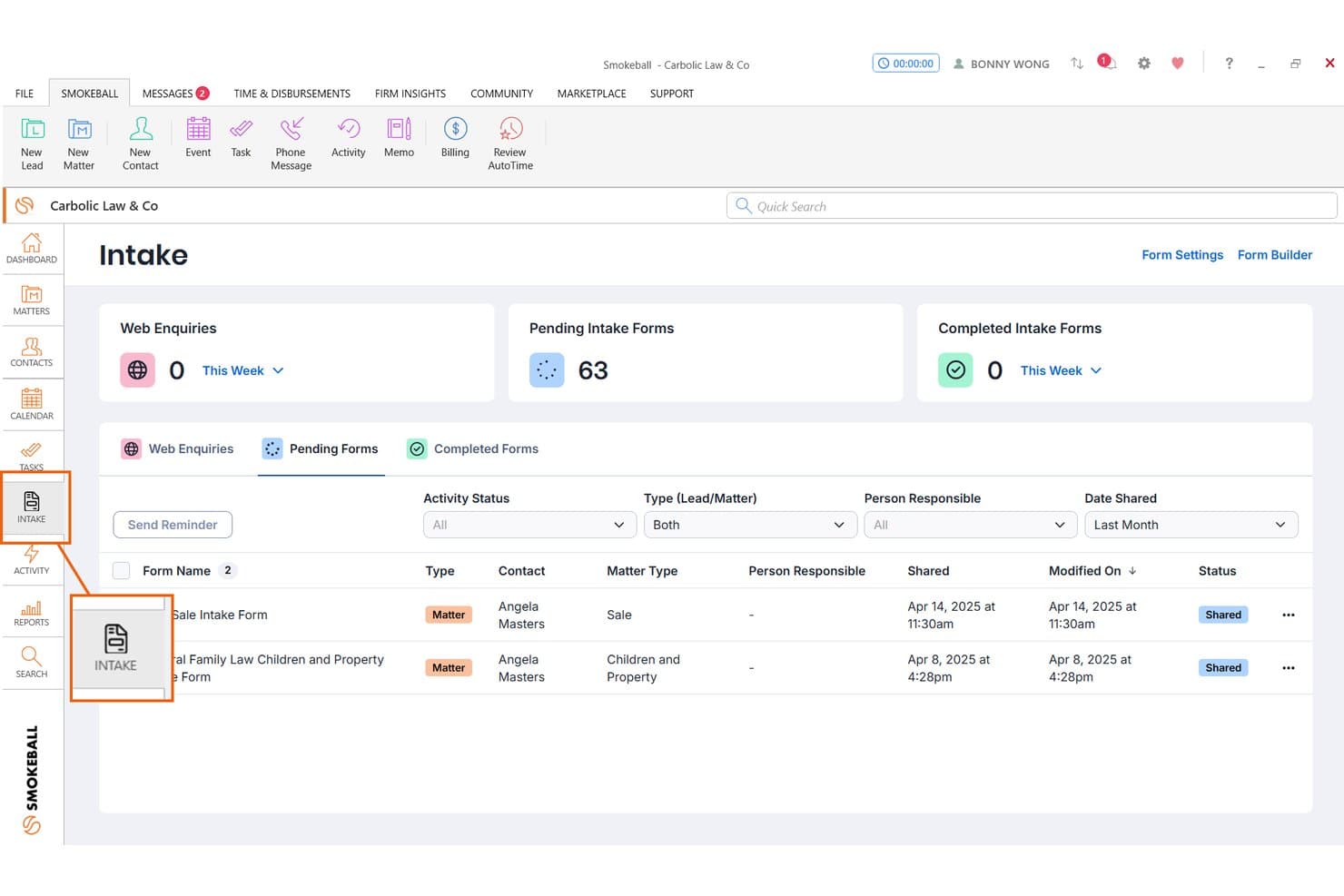
Smokeball tracks pending client intake forms with status and contact details. Smokeball is a legal practice management platform built for solo and small firms, combining client intake, document automation, matter management, billing, and trust accounting in one system.
Who Is Smokeball Best For?
Smokeball fits solo attorneys and small consumer-law firms—think family law, criminal defense, or estate planning—who want intake, document automation, billing, and matter management in one place.
Why I Picked Smokeball
I picked Smokeball as one of the best because its document auto-fill runs across both intake and active matters, not just one or the other. I love that the 20,000+ TemplateLab templates pull directly from matter data, so an engagement letter or client form populates automatically once a lead converts. AI-assisted form generation also builds intake forms from your matter type and jurisdiction, cutting setup time significantly for practice areas like family law or estate planning.
Smokeball Key Features
- AutoTime passive time tracking: Runs in the background to automatically capture billable time spent in documents, emails, and matters without manual entry.
- TemplateLab document library: Gives you access to 20,000+ legal document templates organized by matter type that auto-populate from existing matter data.
- Archie AI matter assistant: Works inside Microsoft Word and Outlook to draft documents, surface next steps, and summarize cases using only your firm's own data.
- Firm Insights reporting: Delivers profitability, staff productivity, and referral source dashboards so managing partners can track performance across the firm.
Smokeball Integrations
Smokeball has native integrations across Microsoft 365, including Word, Outlook, and Calendar, plus QuickBooks Online, LawToolBox, and InfoTrack. Marketplace integrations include Case Status, Lawmatics, and Answering Legal.
Pros and Cons
Pros:
- Built-in passive time tracking for billing
- Deep Microsoft Word and Outlook integration
- Offers 20,000+ auto-filled legal templates
Cons:
- Contract lock-in with higher upfront commitment
- Requires Windows PC for full features
Learn more about Smokeball: Best for AI conflict checks in high-growth firms
- Free demo available
- From $150/user/month
Visit WebsiteCustomer Rating:4.2/5
Litify centralizes case metrics, intakes, and tasks in one dashboard. Litify is a Salesforce-native legal practice management platform built for high-volume plaintiff firms, combining AI-driven intake, conflict checks, CRM, matter management, and marketing attribution in one system.
Who Is Litify Best For?
Litify suits high-growth plaintiff and personal injury firms with 10 or more attorneys who need AI-driven conflict checks and marketing attribution built into their intake workflow.
Why I Picked Litify
Litify earns its spot on my shortlist because its AI-powered Conflict Check Agent is genuinely unlike what most intake tools offer. It uses fuzzy matching to catch conflicts even when names are misspelled or data is inconsistent across matters, and it runs that check directly inside the intake flow. I've also found the marketing attribution dashboards valuable: they trace signed clients back to specific referral sources and campaigns, which is exactly what a growing plaintiff firm needs to make smarter intake decisions.
Litify Key Features
- Dynamic intake questionnaires: Intake forms adapt in real time, automatically skipping irrelevant questions based on prior answers to speed up data collection.
- No-code workflow configuration: Non-technical staff can build and adjust workflows, reports, and matter plans without developer support.
- Marketing attribution dashboards: Track leads from referral source to signed client, giving managing partners visibility into which campaigns drive intake conversions.
- Automated matter plans: Pre-built, practice-area-specific task lists trigger automatically when a new matter is opened, keeping case progression on track.
Litify Integrations
Documented integrations include DocuSign, Microsoft Outlook, Microsoft Word, Intuit, LawPay, RingCentral, CallRail, Case Status, NetDocuments, and Lexitas. Litify is Salesforce-native, with an open API and Salesforce AppExchange access for additional connections.
Pros and Cons
Pros:
- No-code workflow customization for intake processes
- Dynamic intake questionnaires adapt in real time
- AI conflict checks catch inconsistent data
Cons:
- Implementation requires significant time and resources
- Not designed for small firm budgets
Learn more about Litify: 3Best for conflict checks within a full practice suite
LEAP
- Free demo available
- Pricing upon request
Visit WebsiteCustomer Rating:4.3/5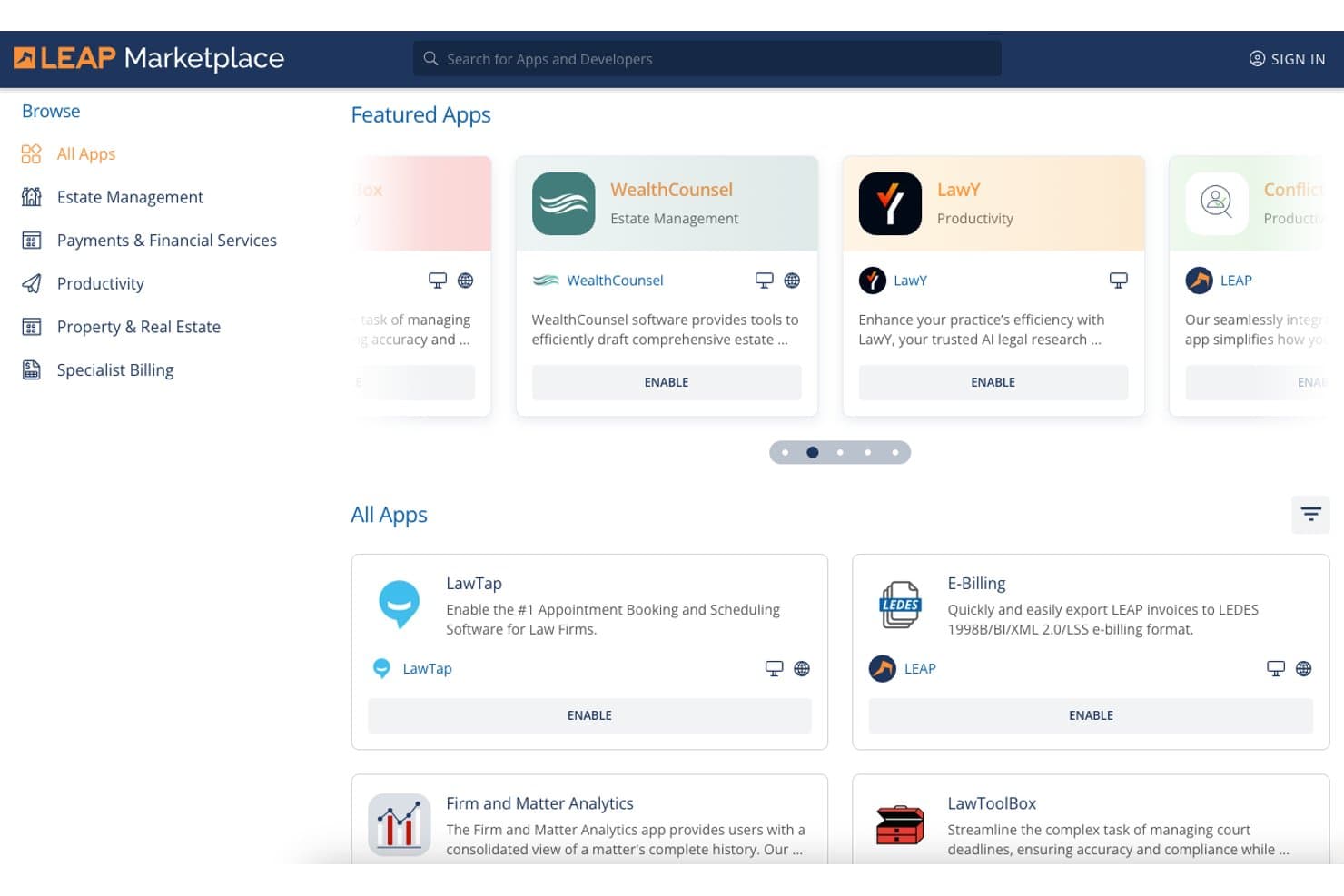
LEAP Marketplace lets small firms browse and enable legal apps. LEAP is a practice management platform for small law firms that combines matter management, document automation, trust accounting, billing, conflict checks, e-signatures, and a secure client portal in one subscription.
Who Is LEAP Best For?
LEAP is a strong fit for small law firms that want a single platform handling matters, billing, trust accounting, and conflict checks—without stitching together multiple tools.
Why I Picked LEAP
LEAP earns its spot on my shortlist because its native Conflict Check App lets you search across every contact, matter, and correspondence record in one click, which is genuinely rare in a platform that also handles billing and trust accounting. I also like that the LawConnect portal and InfoSign e-signature come included at no extra cost, so running conflict checks and getting engagement letters signed both happen inside the same system. If your firm runs on Microsoft 365, the native Outlook integration means emails auto-save to matters automatically.
LEAP Key Features
- Document automation library: Access 9,500+ pre-built legal forms and 1,600+ matter type templates spanning estate planning, family law, real estate, criminal law, and personal injury.
- InfoSign e-signature: Send documents for electronic signature directly from your LEAP correspondence workflow at no extra cost, with full audit trails included.
- LawConnect client portal: Give clients a secure space to share documents, book appointments, pay bills, and complete intake questionnaires without a separate subscription.
- AutoTime time tracking: Automatically captures and records billable time from matter activity, so no billable minutes go unlogged between client interactions.
LEAP Integrations
LEAP has native integrations with Microsoft 365, Lawmatics, DecisionVault, WealthCounsel, InfoTrack, LawToolBox, QuickBooks Online, and Xero. It also supports an open API and Zapier.
Pros and Cons
Pros:
- Client portal allows secure intake and messaging
- Included conflict check app saves manual effort
- Single platform covers intake to billing
Cons:
- Advanced forms require paid third-party software
- No native intake pipeline or CRM features
Learn more about LEAP: Best for multi-channel drip campaigns and intake ROI
- Free demo available
- Pricing upon request
Visit WebsiteCustomer Rating:4.6/5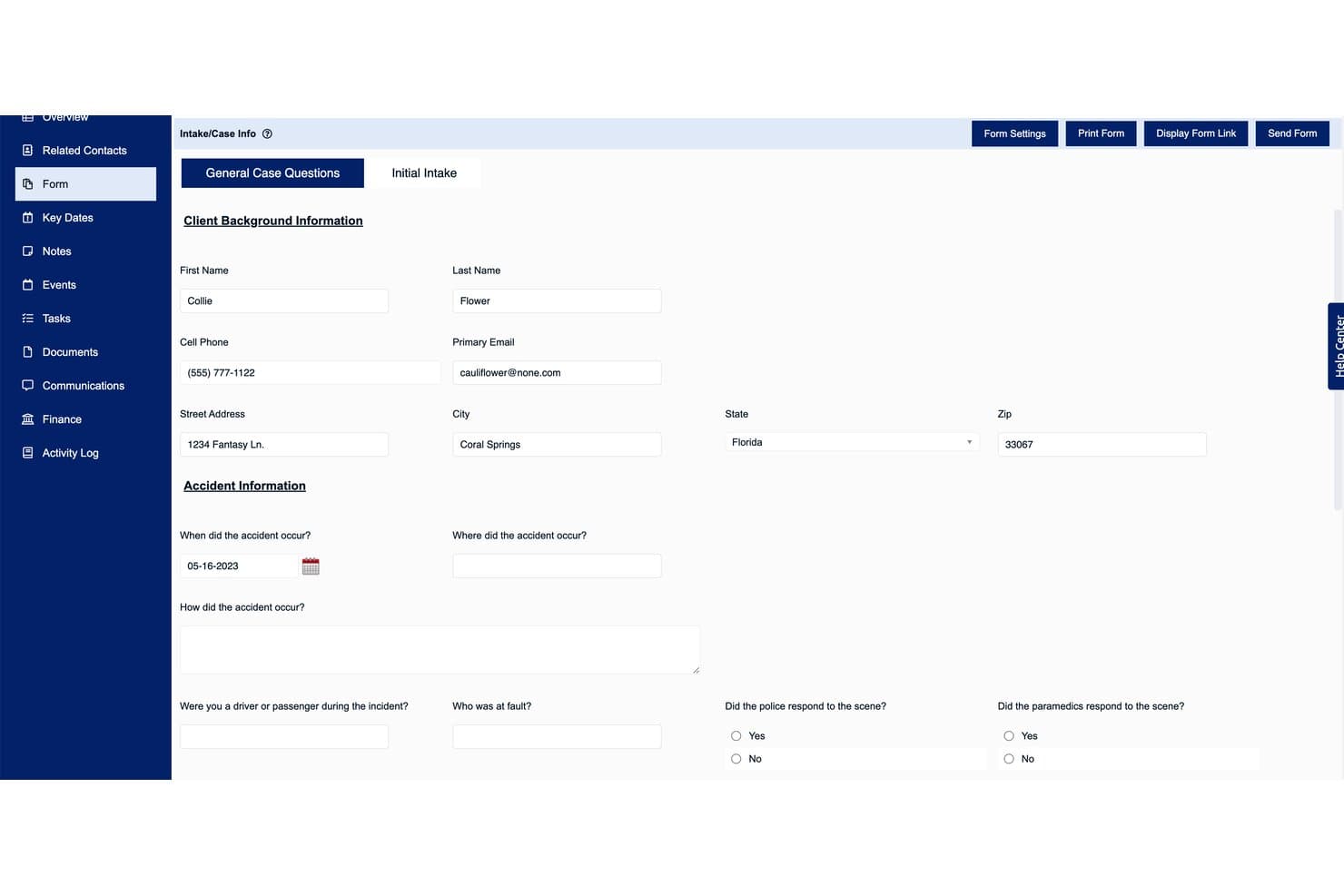
Law Ruler's intake form captures client and accident details efficiently. Law Ruler is a legal CRM and client intake platform built exclusively for law firms, combining multi-channel marketing automation, digital intake forms, native eSignature via email and SMS, a built-in softphone dialer, and lead pipeline management.
Who Is Law Ruler Best For?
Law Ruler is a strong fit for small firms running high-volume intake operations that need to track lead sources and measure which marketing channels actually convert to signed clients.
Why I Picked Law Ruler
Law Ruler earns its spot on my shortlist because of how seriously it takes multi-channel drip campaigns as a core intake function, not a bolted-on extra. I particularly like that automated sequences run across email, SMS, and pre-recorded voice simultaneously, so a personal injury lead who misses your email still gets a text within minutes. The marketing source ROI reporting on Premium and Enterprise plans ties each signed client back to a specific campaign, so you're not guessing which ad spend is actually converting.
Law Ruler Key Features
- Built-in softphone dialer: Make and receive calls directly within the CRM using click-to-call and local presence dialing, which matches your outbound area code to the prospect's to improve pickup rates.
- Native eSignature via SMS: Send engagement letters and retainer agreements for one-click signing by text message, not just email.
- AI Email Assistant: Draft client emails, intake questionnaires, and campaign content using a built-in ChatGPT integration included on all paid plans at no extra cost.
- Conditional logic intake forms: Build dynamic intake forms that adapt based on client responses to automatically qualify or disqualify leads during the intake process.
Law Ruler Integrations
Law Ruler integrates with Clio, CosmoLex, Rocket Matter, TimeSolv, Filevine, HelloSign, Gmail, and Microsoft Office 365. It offers an open API on all plans and supports Zapier.
Pros and Cons
Pros:
- AI email assistant included on all plans
- Built-in softphone dialer with local presence
- One-click eSignature via SMS or email
Cons:
- Severely limited automations on entry plan
- No free trial or public pricing
Learn more about Law Ruler: Best for conflict checks built into client intake
- 14-day free trial
- From $39/user/month (billed annually)
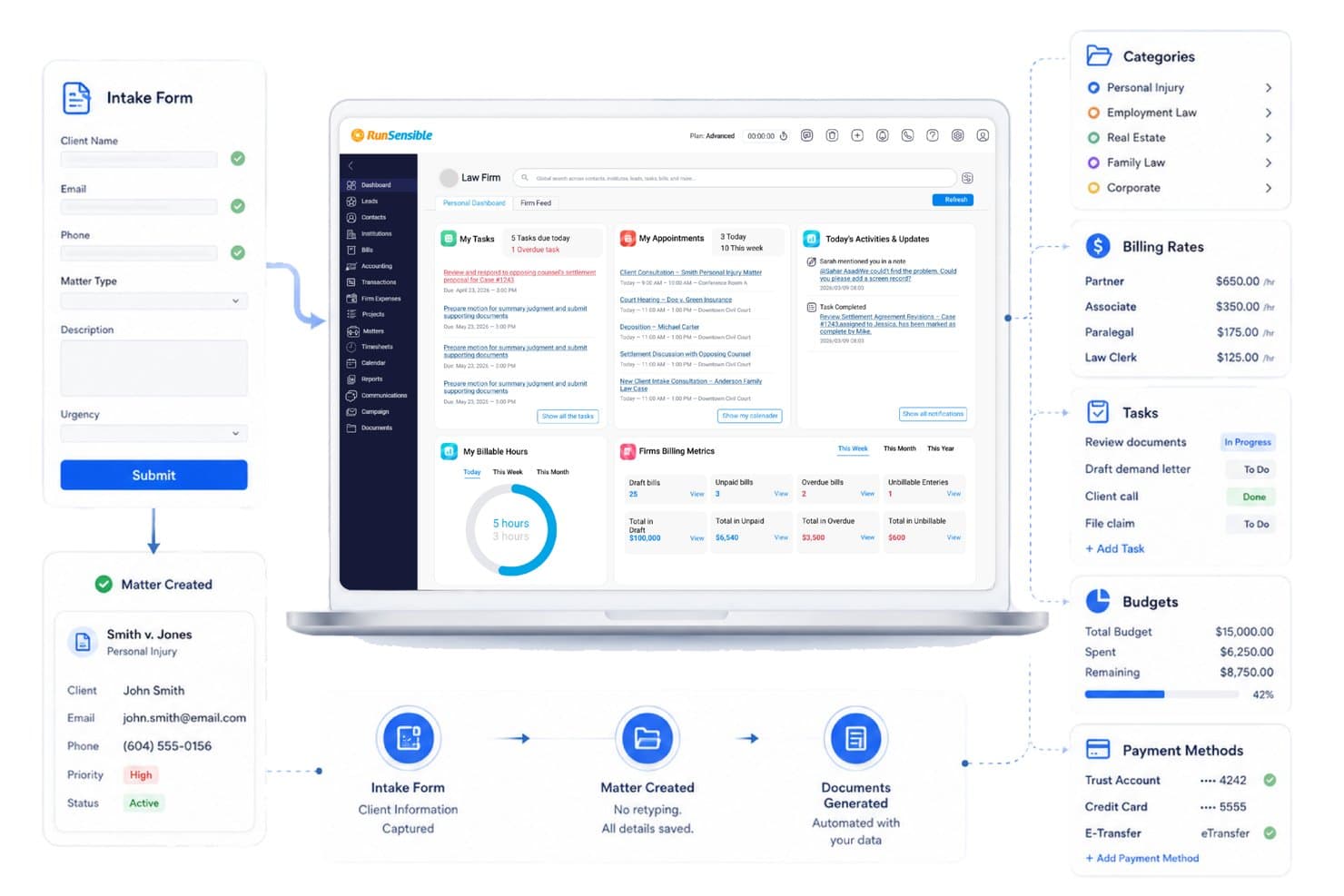
RunSensible turns intake forms into active matters automatically. RunSensible is an all-in-one legal practice management platform for solo practitioners and small firms that combines client intake forms, conflict checking, matter management, document automation, e-signatures, trust accounting, and a secure client portal.
Who Is RunSensible Best For?
RunSensible is a strong fit for solo practitioners and small firms who need conflict checking woven directly into their intake process, not bolted on as an afterthought.
Why I Picked RunSensible
RunSensible earns its spot on my shortlist because conflict checking is woven directly into the matter intake process, not treated as a separate step you might forget. When a new client record is created, the platform automatically cross-references it against existing clients and matters, flags direct or indirect conflicts, and logs an audit trail aligned with ABA Model Rules 1.7 and 1.9. I also like that it supports the full resolution workflow, so your team can document whether a case was declined or informed consent was obtained.
RunSensible Key Features
- IOLTA trust accounting: Manages client retainer funds in a dedicated trust account with reconciliation alerts and QuickBooks integration.
- Document automation: Generates engagement letters, fee agreements, and other legal documents from pre-built templates that auto-fill with client and matter data.
- Online scheduling: Lets clients self-book appointments through a customizable booking link with automated calendar sync and reminders.
- AI-guided form finder: Accepts plain-language case descriptions and returns context-specific recommendations from a library of 54,000+ jurisdiction-specific court forms and legal templates.
RunSensible Integrations
RunSensible integrates with Gmail, Microsoft 365/Outlook, Google Calendar, QuickBooks, Google Drive, Dropbox, Twilio, and Zapier.
Pros and Cons
Pros:
- Unlimited e-signatures and document storage
- Conflict check built into intake workflow
- Intake forms auto-populate client database
Cons:
- Few verified public user reviews online
- Client portal only in higher-tier plan
Learn more about RunSensible: Best for intake-to-signed client via built-in forms
- 7-day free trial
- From $49/user/month (billed annually)
Visit WebsiteCustomer Rating:4.7/5
Clio Grow streamlines client intake with online forms and appointment booking. Clio Grow is a legal client intake and CRM platform for law firms that combines online intake forms, e-signatures, conflict checks, lead pipeline management, and client communication tools in a single system.
Who Is Clio Grow Best For?
Clio Grow is a strong fit for small law firms already using—or planning to use—Clio Manage, where the native sync between intake and matter management delivers the most value.
Why I Picked Clio Grow
I picked Clio Grow because it covers the entire arc from first inquiry to signed client without ever leaving the platform. A prospect fills out a conditional intake form, you run an automated conflict check across Contacts, Matters, Notes, and Documents, and an engagement letter pre-populated with their intake data lands in their inbox for e-signature, all in one system. What I find genuinely useful is the multi-language form support (English, Spanish, French, German, and Portuguese), which removes a real barrier for firms serving diverse client populations.
Clio Grow Key Features
- Kanban lead pipeline: A drag-and-drop board lets you move prospects through customizable intake stages, from first inquiry to signed client.
- Online consultation booking: Prospective clients self-schedule appointments directly from your website or email signature, with automated SMS reminders sent before each meeting.
- Marketing attribution reporting: Dashboards tie each lead to a specific referral source, ad campaign, or intake channel so you can track which efforts drive conversions.
- Clio for Clients portal: A dedicated web and mobile portal gives clients encrypted messaging, document sharing, invoice review, and 24/7 case status visibility.
Clio Grow Integrations
Clio Grow has native bi-directional integration with Clio Manage and 250+ marketplace integrations through the Clio App Directory, including Google Calendar, Google Drive, Microsoft Outlook, Dropbox, QuickBooks, Xero, LawPay, and Ruby. It also offers an open API and Zapier.
Pros and Cons
Pros:
- Online scheduling reduces new client no-shows
- Automated conflict checks with audit reports
- Multi-language intake forms for diverse clients
Cons:
- Intake features tied closely to Clio Manage
- Advanced marketing automation features are limited
Learn more about Clio Grow: Best for unlimited e-sign within a built-in CRM
- 10-day free trial
- From $50/user/month (billed annually)
Visit WebsiteCustomer Rating:4.6/5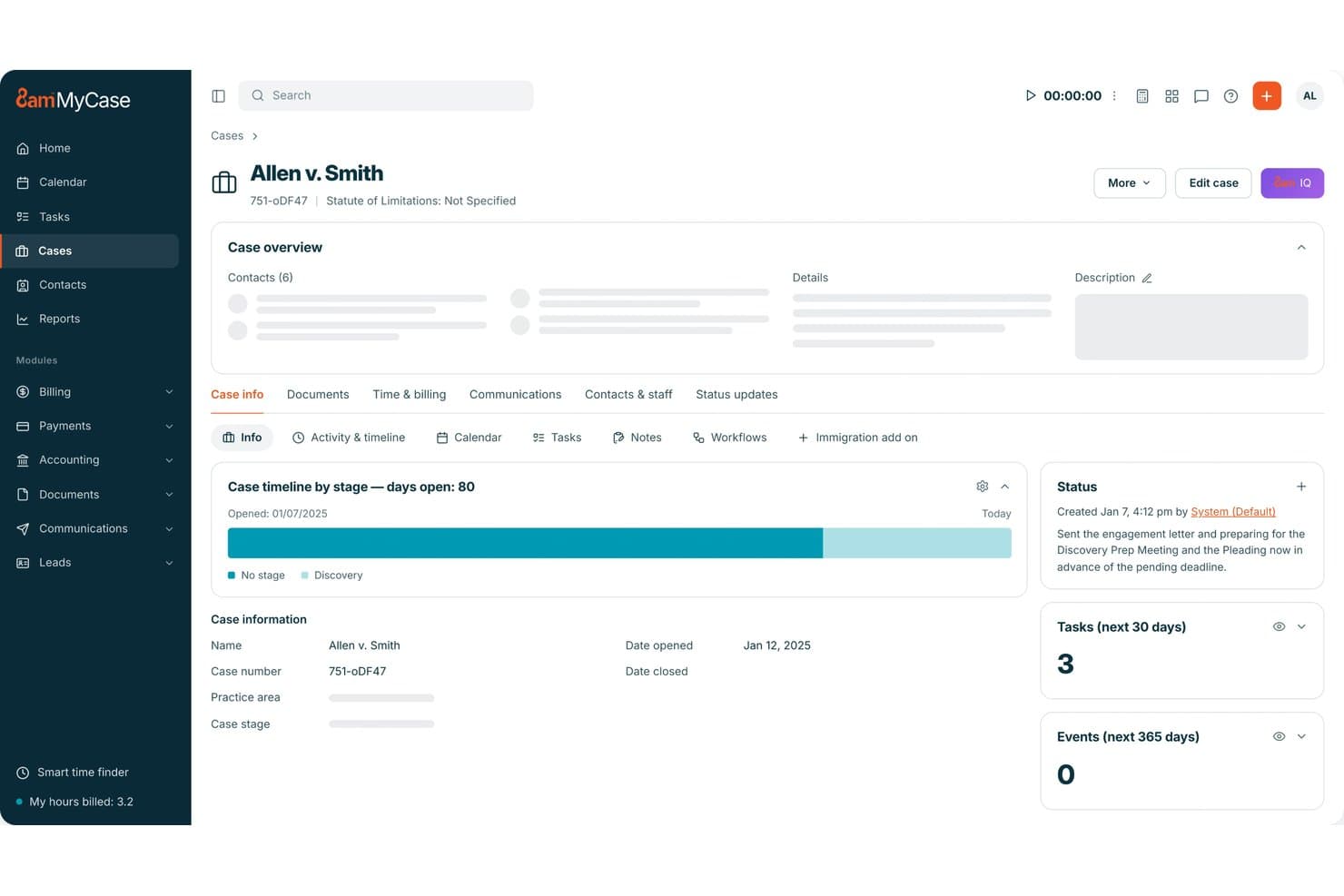
MyCase centralizes case timelines, tasks, and status updates in one dashboard. MyCase is a practice management platform for small law firms that combines legal CRM, client intake forms, unlimited e-signature, a secure client portal, two-way texting, billing, and document management in a single system.
Who Is MyCase Best For?
MyCase is a strong fit for small law firms that want intake forms, eSignature, CRM, billing, and client communication in one subscription instead of stitching together separate tools.
Why I Picked MyCase
I've included MyCase in my top picks because it's the only platform I've seen that bundles unlimited native eSignature directly inside a built-in legal CRM, with no per-envelope fees. When a new lead comes in, you can move them through a Kanban pipeline, trigger automated follow-up texts, and send a retainer for signature, all without leaving the platform. The CRM's merge fields pull contact data directly into signature templates, so engagement letters go out pre-populated and ready to sign.
MyCase Key Features
- Secure client portal: Clients can view case updates, exchange documents, review invoices, and make payments through an encrypted, mobile-optimized portal.
- Two-way text messaging: Send and receive texts with clients from a dedicated firm number, with all messages automatically logged to the matter record.
- Automated workflow sequences: Set up automated email and SMS follow-up sequences triggered by lead stage, form submission, or task completion.
- Kanban lead pipeline: Track every prospect from first contact to signed client through a visual, stage-by-stage pipeline with conversion analytics.
MyCase Integrations
MyCase offers 70+ integrations on Pro, including Google Calendar, Microsoft Outlook, QuickBooks, LawPay, Dropbox, NetDocuments, Mailchimp, CallRail, Smith.ai, and Zapier. The Advanced plan adds open API access for custom integrations.
Pros and Cons
Pros:
- Built-in legal CRM with pipeline analytics
- Conditional-logic intake forms auto-sync to CRM
- Unlimited native eSignature with audit trails
Cons:
- Merge fields limited in document automation
- Conflict check tool only on top plan
 Best for AI-driven lead scoring and drip follow-up
- Free demo available
- Pricing upon request
Visit WebsiteCustomer Rating:4.6/5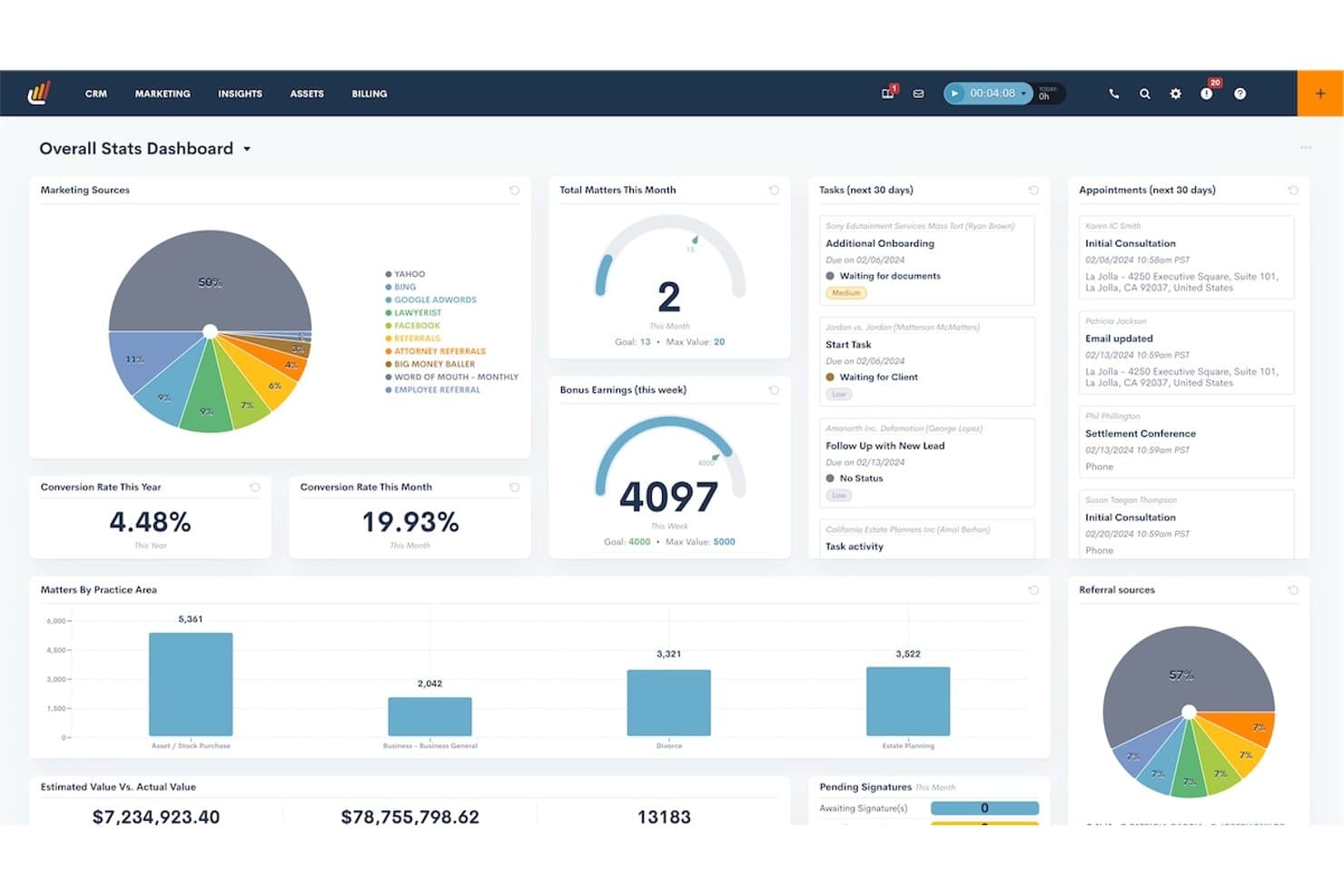
Lawmatics centralizes firm stats, tasks, and appointments in one dashboard. Lawmatics is a legal CRM and client intake platform built specifically for law firms, combining intake form automation, e-signature, drip campaigns, AI lead scoring, and practice management integrations in one system.
Who Is Lawmatics Best For?
Lawmatics is a strong fit for small firms with three or more attorneys who handle high lead volumes and need automated intake, AI-powered lead scoring, and marketing attribution in one platform.
Why I Picked Lawmatics
I've included Lawmatics in my top picks because its Merlin Qualify AI scores every incoming lead against your firm's criteria and routes, follows up, or flags automatically, cutting the manual sorting that buries intake teams at high-volume firms. I especially like how drip campaigns tie directly into those AI scores: a lead who clicks your consultation link but doesn't book triggers a timed SMS and email sequence without anyone touching it. That combination of AI qualification and behavior-based drip follow-up is what earns Lawmatics its spot here.
Lawmatics Key Features
- Conditional intake form logic: Build forms that adapt based on a prospect's answers, routing them through different question paths by practice area or case type.
- Native e-signature with audit trails: Send retainer agreements and fee letters for signature directly from the platform, with real-time status tracking and a complete signing history.
- Client portal: Give clients a secure space to upload documents, view calendar events, complete tasks, and exchange messages without using email.
- Practice management integrations: Sync converted leads and matter data bi-directionally with Clio, MyCase, PracticePanther, Filevine, and several other case management platforms.
Lawmatics Integrations
Lawmatics offers native integrations with Clio, MyCase, PracticePanther, Filevine, LEAP, Smokeball, QuickBooks, LawPay, Google Calendar, and Microsoft Outlook. It also supports custom integrations through its REST API with OAuth2 and webhooks, plus Zapier.
Pros and Cons
Pros:
- Client portal centralizes document and task sharing
- Conditional logic automates intake form workflows
- AI-driven lead scoring reduces manual sorting
Cons:
- No sandbox to test automation changes
- Three-user minimum excludes solo practitioners
Learn more about Lawmatics: Best for AI lead scoring and marketing ROI tracking
- Free demo available
- Pricing upon request
Visit WebsiteCustomer Rating:4.5/5
Filevine tracks monthly leads and sign-ups in one dashboard view. Filevine is a legal practice management and client intake platform that combines case management, AI-powered lead intake via Lead Docket, e-signature through Vinesign, conflict checking, and marketing attribution reporting.
Who Is Filevine Best For?
Filevine fits small firms in plaintiff-side practice areas—personal injury, immigration, mass tort—that run high intake volumes and need to track which ad campaigns are actually converting leads into signed clients.
Why I Picked Filevine
Filevine earns its spot on my shortlist because of how its Lead Docket module connects ad spend directly to signed clients. I love that LeadsAI scores incoming leads the moment they open, so intake staff can prioritize a high-value personal injury case over a weaker inquiry without manual review. Lead Docket's marketing attribution reporting then traces that signed client back to a specific Google Ads campaign, tracking actual revenue per source so managing partners can cut underperforming ad budgets with real data.
Filevine Key Features
- Conflict checker: Searches all org contacts using fuzzy matching across multiple name fields, then locks a vitals snapshot and exports a PDF audit report once a conflict status is set.
- Vinesign e-signature: Sends documents for signature via email or SMS, with automated reminders and merge-code templates that pull data directly from Lead Docket lead records.
- Automated drip campaigns: Triggers personalized email and SMS follow-up sequences at set intervals after a lead opens, keeping prospects engaged without manual staff outreach.
- Client Portal: An optional add-on that lets clients securely share documents, complete intake forms in multiple languages, and exchange case-linked communications with the firm.
Filevine Integrations
Filevine and Lead Docket offer 200+ documented integrations, including QuickBooks, Gmail, Microsoft 365, Google Calendar, Slack, Microsoft Teams, RingCentral, JotForm, Typeform, and CallRail. DataBridge provides API access for custom integrations, and Zapier is also supported.
Pros and Cons
Pros:
- Customizable intake forms for multiple practice areas
- Marketing ROI reporting links clients to ads
- AI lead scoring prioritizes high-value inquiries
Cons:
- Implementation often requires certified partner support
- Intake and e-signature require separate add-ons
Learn more about Filevine: Best for conflict checks built into intake workflows
- Free demo available
- Pricing upon request
Visit WebsiteCustomer Rating:4.2/5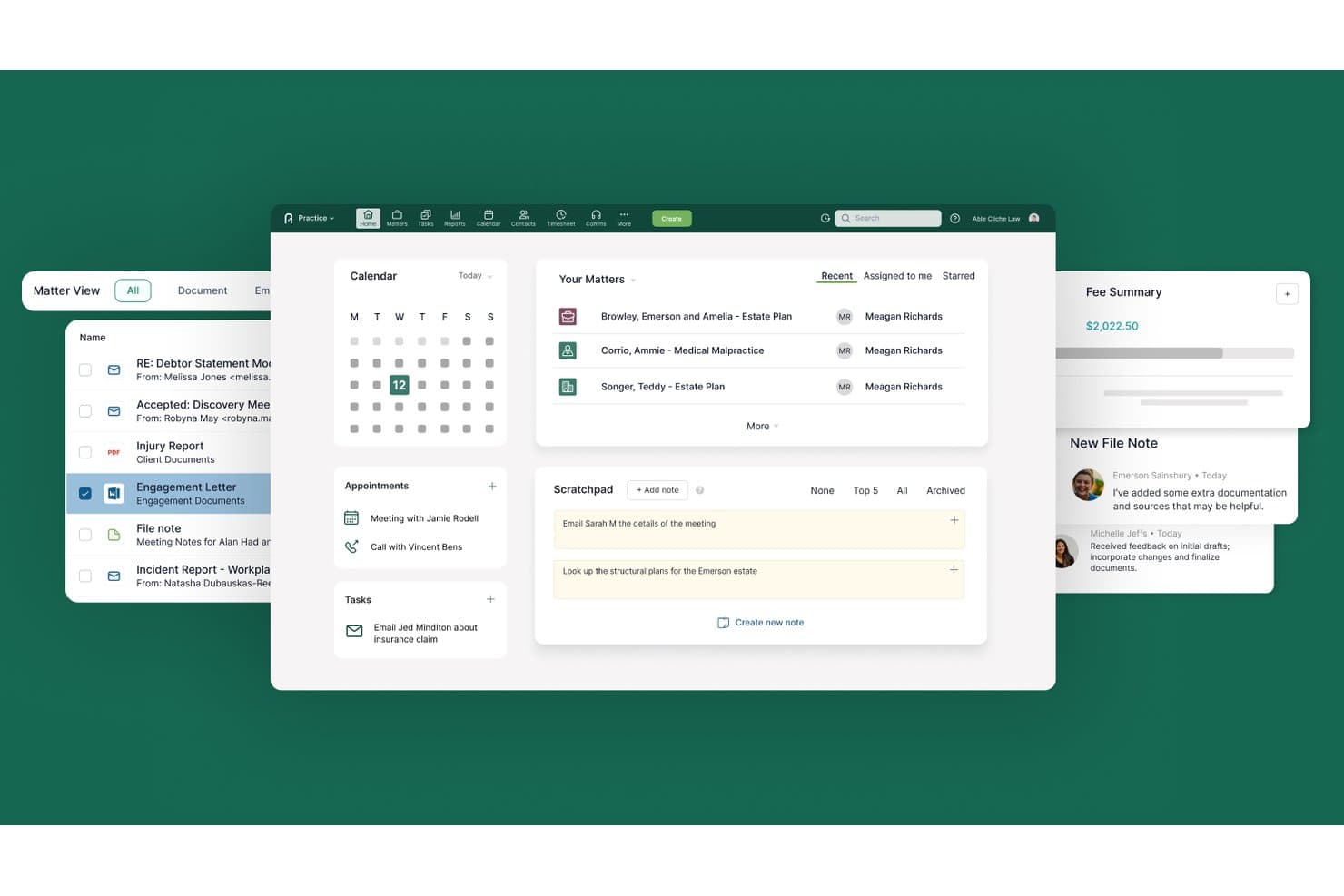
Actionstep centralizes matters, calendar, tasks, and notes in one dashboard. Actionstep is an all-in-one legal practice management platform that combines client intake, conflict checking, document management, a built-in CRM, client portal, workflow automation, and native legal accounting.
Who Is Actionstep Best For?
Actionstep is a strong fit for small firms with 3+ attorneys who want conflict checks, intake workflows, and practice management running on a single platform.
Why I Picked Actionstep
I've included Actionstep in my top picks because its built-in conflict check runs across your entire database—emails, matters, and contacts—in a single click, with permission-aware results you can export as a timestamped PDF straight to the matter record. What I find especially useful is that this lives inside the same platform handling your intake webforms, so a new prospect submission can trigger a conflict check, create a matter, and kick off a workflow without leaving Actionstep.
Actionstep Key Features
- Capture add-on module: A separately priced intake module that lets you collect multiple documents and contacts per form submission, with brand customization and a dashboard for monitoring submitted form statuses.
- Built-in legal accounting: A native legal accounting suite covering trust accounting, multi-currency general ledger, accounts payable/receivable, and financial reporting—all within the same platform.
- Granular client portal permissions: Set per-folder access controls for each client, including an upload-only setting that lets clients submit documents without viewing the folder's contents.
- Workflow automation engine: A configurable automation engine that assigns tasks, sets deadlines, triggers client communications, and generates documents across every stage of a matter.
Actionstep Integrations
Actionstep lists 50+ integrations, including Microsoft 365, DocuSign, Secured Signing, Google Drive, Dropbox, Lexidesk, InfoTrack, and First AML. It also supports an open API and Zapier.
Pros and Cons
Pros:
- Client portal offers granular folder permissions
- Workflow automation covers intake through billing
- Built-in conflict checks trigger from intake workflows
Cons:
- No native e-signature functionality included
- Requires three-user minimum for all plans
Learn more about Actionstep:
Other Legal Client Intake Software for Small Firms
Here are some additional legal client intake software for small firms options that didn’t make it onto my shortlist, but are still worth checking out:
- 11WoodpeckerBest for Word-native document automation in intake
- 12PracticePantherBest for intake and e-sign within one subscription
- 13CARET LegalBest for conflict checks across archived matters
- 14CosmoLexBest for intake-to-billing in one platform
- 15Rocket MatterBest for intake-to-billing in one legal suite
- 16DocketWiseBest for immigration intake with multilingual forms
- 17Assembly NEOSBest for PI intake-to-matter in one platform
- 18IntakerBest for AI chat intake across website and social
Related Reviews
How I Evaluate Legal Client Intake Software for Small Firms
I split my evaluation into baseline criteria every tool must meet—like conflict checks and e-signatures—and differentiators that separate a lead-nurturing powerhouse from a basic intake form.
Core Functionality (Table Stakes For This List)
When I'm selecting tools for my list, I rank each one on a scale from 0 (does not offer the functionality) to 5 (excels in this area) for each core functionality listed below. I then calculate the tool's total score into a percentage, using 65% as a benchmark to help assess its overall fit for the list.
- Digital Intake Forms: I look for customizable, client-facing forms with conditional logic and practice-area templates—so a family law firm can collect different fields than a personal injury shop.
- E-Signature & Engagement Letters: Each tool needs native e-signature with audit trails and engagement letter templates, not a manual handoff to a separate signing app.
- Conflict Check Automation: I evaluate whether the tool searches across parties, matters, and related entities automatically, rather than relying on a basic keyword search you run by hand.
- Client Communication Portal: Secure document exchange and messaging matter here—I check for encrypted portals where clients can upload IDs or financials without resorting to unprotected email.
- Lead & Matter Management: Pipeline visibility from first inquiry to signed retainer is key. I look for source tracking, automated stage progression, and conversion reporting.
- Practice Management Integration: The tool should sync client data downstream into billing and document management systems, ideally through native integrations or an open API.
Once I have a list of tools that meet the criteria, I consider what sets each platform apart.
Differentiating Factors (What Sets Vendors Apart)
Here's how I compare and contrast different vendors:
Standout Features
I look for marketing attribution that ties signed clients back to specific ad campaigns or referral sources, so you can see which channels actually convert. Automated drip campaigns matter too—I check whether a tool can re-engage stalled prospects via email and SMS sequences without manual follow-up. Practice-area template libraries round things out; a firm shouldn't have to build intake forms and engagement letters from scratch when ready-made options for personal injury or family law exist.
Beyond Features
I check whether a tool meets legal-specific compliance needs—ABA Model Rule 1.7 conflict checks, audit trails on engagement letters, and encryption standards like SOC 2 Type II. For personal injury or elder law firms, HIPAA support is non-negotiable. I also evaluate total cost of ownership, since per-user pricing can spike fast once you add SMS credits, e-signature caps, or integration fees. Bundled suites that pair intake with practice management often deliver better value than stitching separate tools together.
How to Choose a Legal Client Intake Software for Small Firms
Deciding on the right legal client take software means mapping your biggest intake bottlenecks to the features and must-haves that directly address them:
| If your priority is... | Look for... |
| Automating document collection and signatures | Native e-signature plus template-driven workflows |
| Managing compliance from the start | Built-in, searchable conflict check systems |
| Improving lead conversion rates | Intake-to-client movement with pipeline tracking |
| Reducing intake admin for a lean team | Prebuilt form libraries with conditional logic |
| Proving marketing ROI on new clients | Source tracking and automated attribution tools |
How to Vet Your Shortlist
- Run a simulated client intake task: Use a demo account to create, submit, and process a new intake within 30 minutes.
- Request an engagement letter audit trail sample: Ask the vendor to provide a real export showing timestamped e-signature and edit records.
- Check for conflict check documentation: See if the vendor demonstrates system searches across parties, matters, and related entities, not just basic name checks.
- Verify data flow into existing systems: During a trial, export or sync completed intake data into your billing or case management tool.
- Tradeoff: Decide whether you want a niche intake-only tool (more specialized, but separate) or a bundled suite that covers intake plus broader practice management (more unified, but may compromise on advanced intake features).
What Is Legal Client Intake Software for Small Firms?
Legal client intake software for small firms is a digital tool that helps capture, manage, and convert new client inquiries into signed clients. This type of software centralizes intake forms, conflict checks, e-signatures, and communication—all within one platform. Small legal teams use these systems to reduce manual processes, limit errors, and ensure compliance throughout new client onboarding.
Features of Legal Client Intake Software for Small Firms
When selecting legal client intake software for small firms, keep an eye out for the following key features:
- Digital intake forms: Customizable online forms let you collect detailed client information at the start of every engagement. Practice-area templates and conditional logic help you tailor questions for each matter type and skip irrelevant steps.
- E-signature and engagement letters: Built-in e-signature tools with audit trails let clients sign retainers and engagement letters electronically. This keeps signature collection fast, secure, and easy to track for compliance.
- Conflict check automation: Automated searches scan parties, matters, and related entities against your existing database, flagging potential conflicts early. You cut down on manual review and satisfy professional conduct rules.
- Client communication portal: Secure portals enable encrypted document exchange and real-time messaging. Clients can upload sensitive documentation directly, keeping information protected and off email.
- Lead and matter management: Intake pipelines track where every lead stands, with automated stage advancement and source reporting. You can see which inquiries convert and follow up with those that stall.
- Practice management integration: Direct integrations or open APIs connect intake data with billing, case management, and document systems. This keeps client information in sync and reduces duplicate entry.
- Marketing attribution tools: Source tracking ties every new client back to specific campaigns or referrers. You get visibility into which marketing efforts bring in qualified business.
- Automated drip campaigns: Built-in email and SMS sequences follow up with prospects who haven’t yet signed. You can reconnect with leads automatically, reducing manual outreach.
- Engagement letter template library: Access to prebuilt, practice-area-specific templates means you don’t have to draft intake or engagement documents from scratch. This standardizes language and reduces compliance risk.
- Audit trails and compliance logging: Transparent logs show every interaction, edit, and signature capture. This protects your team during audits and internal reviews.
Benefits of Legal Client Intake Software for Small Firms
Implementing legal client intake software for small firms provides several benefits for your team and your business. Here are a few you can look forward to:
- Cutting manual intake steps: Automated digital forms, conflict checks, and e-signature workflows help your team move inquiries from first contact to signed client quickly and with less hands-on effort.
- Reducing compliance risks: Built-in features like audit trails, automated conflict checks, and encryption keep your onboarding aligned with legal standards and help you meet professional conduct requirements.
- Speeding up document collection: Secure client portals let clients upload sensitive files directly, allowing you to gather everything you need while avoiding unprotected email exchanges.
- Improving conversion visibility: Intake pipelines with lead tracking and automated progression show you exactly where each lead stands and which sources bring in new clients.
- Enabling better marketing decisions: Source tracking and marketing attribution tools connect new matters to specific campaigns so you can see which efforts actually grow your book of business.
- Reducing duplicate data entry: Practice management integration and open APIs ensure information collected during intake flows directly into your existing billing and case management tools.
- Standardizing intake processes: Prebuilt form and engagement letter libraries help create consistent, compliant onboarding documents without starting from scratch each time.
Costs and Pricing of Legal Client Intake Software for Small Firms
Selecting legal client intake software for small firms requires an understanding of the various pricing models and plans available. Costs vary based on features, team size, add-ons, and more. The table below summarizes common plans, their average prices, and typical features included in legal client take software for small firms solutions:
Plan Comparison Table for Legal Client Intake Software for Small Firms
| Plan Type | Average Price | Common Features |
| Personal Plan | $15–$30/user/month | Custom forms, template libraries, basic client portal access, e-signature with audit trail, and email support. |
| Business Plan | $40–$70/user/month | Automated conflict checks, secure document exchange, practice management integrations, marketing attribution, and team reporting. |
| Enterprise Plan | $90–$150/user/month | Advanced compliance logging, HIPAA support, API access, white-label portals, priority support, and custom onboarding. |
Legal Client Intake Software for Small Firms FAQs
Here are some answers to common questions about legal client intake software for small firms:
How can I tell if legal client intake software integrates with my current practice management system?
Start by checking the vendor’s official website for an integrations or partners page. Look for mentions of specific practice management systems—like Clio, MyCase, or PracticePanther—or open API support. If you’re not sure, reach out to the sales or support team and ask for a list of supported integrations. Running a trial or requesting a demo with your existing system can also help confirm compatibility.
What security standards should I look for in legal client intake software?
Make sure any tool you consider offers data encryption (at rest and in transit), audit logs, and compliance with relevant legal standards, such as SOC 2 Type II or HIPAA for sensitive matters. You want transparent logging for client actions, strong access controls, and clearly published privacy policies. Always ask vendors to explain their security model in plain language before you commit.
Can I customize intake forms for different practice areas?
Yes, many legal client intake software platforms offer intake form builders with conditional logic and practice-area templates. This lets you create forms tailored to family law, personal injury, immigration, or other specialties, so you only ask relevant questions. If templates aren’t available, check if the software allows for custom fields and logic branching to avoid one-size-fits-all forms.
What’s the best way to verify the software handles conflict checks properly?
Ask the vendor to demonstrate conflict check searches during a live demo. Look for the system’s ability to search across all parties, related entities, and archived matters—not just basic names. Good vendors will offer sample documentation or audit reports that show how results are surfaced and logged, giving you a sense of real-world usage.
How should I compare total cost of ownership for different solutions?
Look beyond monthly subscription fees. Factor in per-user pricing, limits on e-signatures or SMS credits, integration charges, onboarding costs, and support tiers. Calculate your total cost based on your current team size and feature needs over a typical year. Don’t forget to consider value: bundled suites may offer better pricing when you need both intake and practice management.
What's Next?
For more legal insights and resources, subscribe to our newsletter and join a community of innovative legal practitioners shaping the future of law.