

Å drive et advokatfirma innebærer mer enn å følge opp saker. Fra klientinntak og dokumenthåndtering til fakturering, klientmiddelhåndtering og daglige administrative oppgaver samler juridisk programvare disse prosessene og reduserer manuelt arbeid.
Det er imidlertid ikke alle plattformer som tilbyr de samme funksjonene. Denne veiledningen sammenligner juridisk programvare for selvstendige advokater, små og mellomstore firmaer samt spesialiserte juridiske team, og ser nærmere på funksjoner og bruksområder slik at du kan velge en plattform som passer behovene i praksisen din.
Hvorfor du kan stole på våre programvareanbefalinger
6,700+
Reviews
20
Industry experts
16+
Evaluation factors
14
Years
Teamet vårt har testet og anmeldt programvare siden 2012. Vi leder selv advokatfirmaer, så vi vet hvor vanskelig og hvor viktig det er å velge riktig programvare.
I denne guiden har vi vurdert verktøyene gjennom praktisk testing og uavhengig research og gitt dem poeng ut fra våre utvelgelseskriterier.
Anmeldelsene våre bygger på vår egen redaksjonelle vurdering. De er ikke et salgsargument.
Sammenligningstabell: Juridisk programvare
Sammenlign priser og spesifikasjoner side om side for den juridiske programvaren som kom med på kortlisten min.
| Tool | Best For | Trial Info | Price | ||
|---|---|---|---|---|---|
| 1 | Best for automatic legal time tracking | Not available | Pricing upon request | Website | |
| 2 | Best for plaintiff-side PI firm case workflows | Free demo available | From $90/user/month | Website | |
| 3 | Best for solo and small firm billing and intake | 10-day free trial | From $50/user/month (billed annually) | Website | |
| 4 | Best for AI-driven case and matter management | Free demo available | Pricing upon request | Website | |
| 5 | Best for end-to-end law firm billing and intake | 7-day free trial + free demo available | From $49/user/month | Website | |
| 6 | Best for firms tracking billing and matters together | Free demo available | Pricing upon request | Website | |
| 7 | Best for practice management with trust accounting | 10-day free trial | From $49/user/month (billed annually) | Website | |
| 8 | Best for billing-heavy firms tracking time and trust | 10-day free trial | From $59/user/month (billed annually) | Website | |
| 9 | Best for midsize firms automating workflows and matters | Free demo available | Pricing upon request | Website | |
| 10 | Best for AI-driven case and intake management | Free demo available | From $150/user/month | Website |


Anmeldelser av juridisk programvare
Nedenfor finner du mine anmeldelser av de beste plattformene for juridisk programvare på kortlisten min. Hver anmeldelse dekker funksjoner, bruksområder den passer best til, og priser for å hjelpe deg med å velge det riktige alternativet for firmaet ditt.
 Best for automatic legal time tracking
- Not available
- Pricing upon request
Visit WebsiteCustomer Rating:4.8/5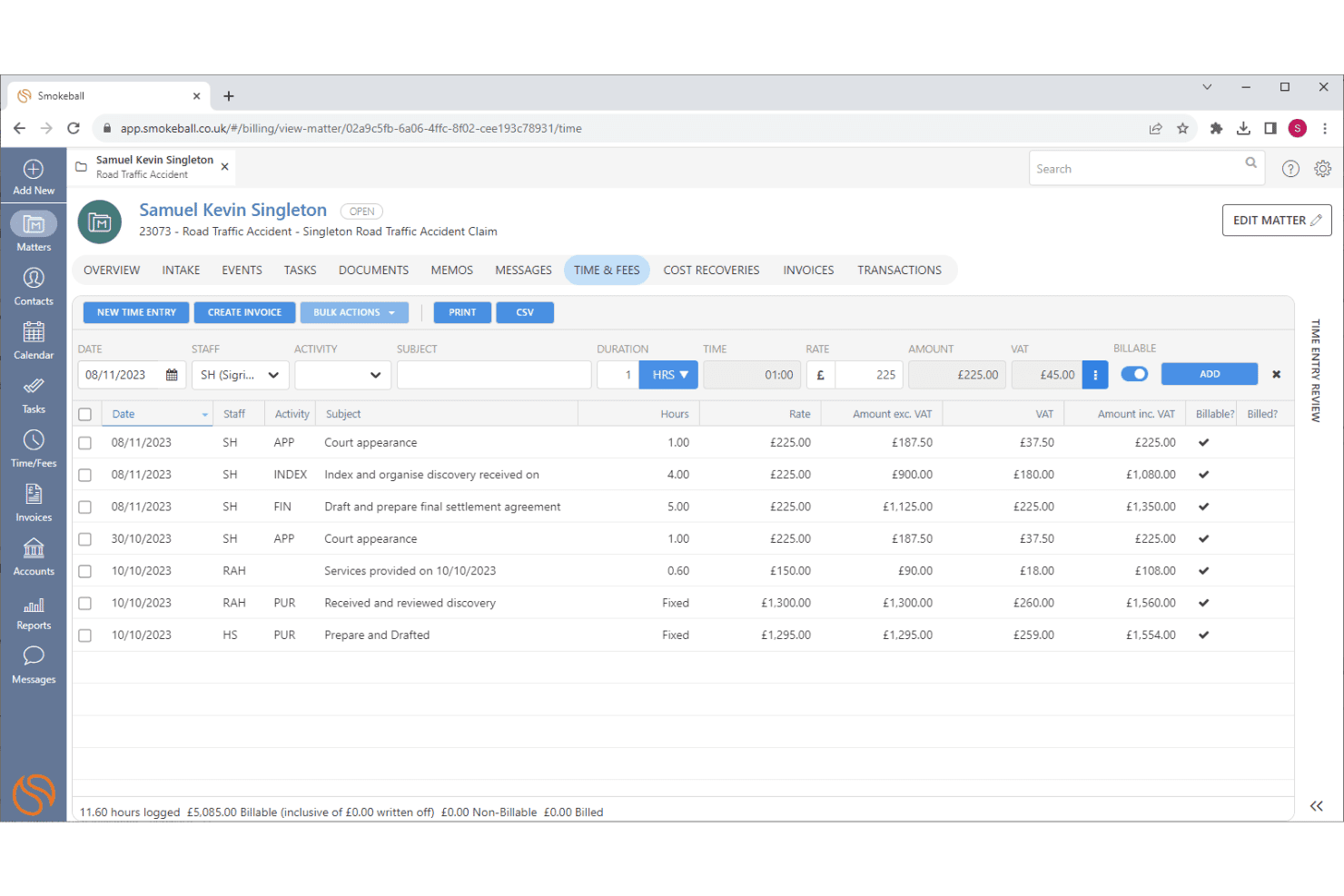
Smokeball captures billable time automatically and supports LEDES batch billing. Smokeball is a practice management platform for small and mid-size law firms that brings together matter management, document automation, time tracking, billing, trust accounting, and client communication in one place.
Who Is Smokeball Best For?
Smokeball is a strong fit for small and mid-size "people-law" firms—family, personal injury, probate, and civil litigation—that need matter management, document automation, and time tracking in one place.
Why I Picked Smokeball
I rate Smokeball highly because its AutoTime feature automatically captures billable activities across Smokeball, Microsoft Word, and Outlook, assigning time entries to the appropriate matters without manual tracking. According to Smokeball, firms using AutoTime can bill 10–30% more by capturing previously unrecorded time. Combined with over 20,000 court forms and document templates that auto-populate using matter data, Smokeball reduces manual work across time tracking, billing, and legal document preparation.
Smokeball Key Features
- Matter Permissions: Restrict access to sensitive matters by setting files to Open or Restricted, with all permission changes logged in Matter History.
- Client portal (Communicate): Lets clients message, share files, view invoices, make payments, and complete intake forms from a single login across all their matters.
- Court e-filing via InfoTrack: File court documents directly from a matter, track filing acceptance, and view full filing history without leaving Smokeball.
- QuickBooks Online integration: Syncs matter billing and trust accounting data with your firm's general ledger to keep financial records aligned.
Smokeball Integrations
Smokeball offers native integrations with Microsoft 365, QuickBooks Online, InfoTrack, and LawToolBox. It also supports marketplace integrations and custom connections through its REST API and Developer Console.
Pros and Cons
Pros:
- Matter files centralize documents, tasks, and billing
- Templates auto-populate documents from matter data
- Automatic capture reduces lost billable time
Cons:
- Billing workflows can make invoice creation cumbersome
- Reviewers report slow PDF loading and bugs
Learn more about Smokeball: Best for plaintiff-side PI firm case workflows
- Free demo available
- From $90/user/month
Visit WebsiteCustomer Rating:4.8/5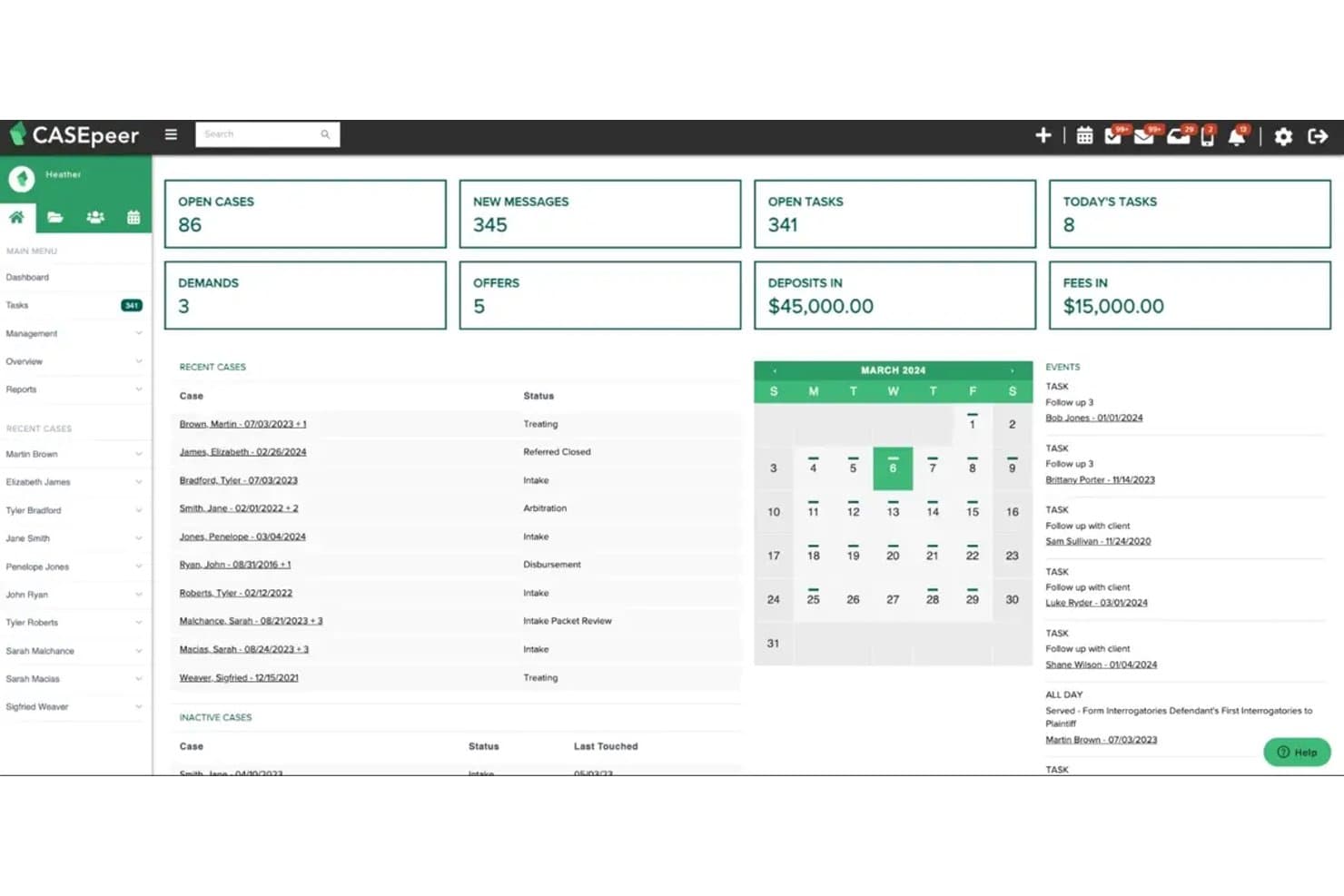
CasePeer manages personal injury cases, medical records, and settlements. CasePeer is a cloud-based case management platform built specifically for plaintiff-side personal injury and mass tort law firms, covering matter management, document generation, medical treatment tracking, settlement workflows, and client communication.
Who Is CasePeer Best For?
CasePeer is built for plaintiff-side personal injury and mass tort law firms that need case management purpose-built around contingency-fee workflows.
Why I Picked CasePeer
I picked CasePeer as one of the best because it's built entirely around plaintiff-side PI workflows, which means features like medical treatment tracking, lien management, and settlement negotiation tools are built into every case record by default. I particularly like the automated statute-of-limitations alerts and CalendarRules integration, which calculates court deadlines based on jurisdiction directly from case trigger events. That kind of PI-specific depth is hard to find in general-purpose legal platforms.
CasePeer Key Features
- Client portal: Share case updates, documents, and deadlines with clients directly, with firm-level controls over which clients get access and what they see.
- Two-way texting: Send and receive texts with clients from within the platform, with all messages saved automatically to the case record.
- Document template auto-fill: Generate letters, forms, and envelopes that pull in case data automatically, with bulk generation available for high-volume workflows.
- Role-based permissions: Assign granular access controls by user role, keeping sensitive case data visible only to the right team members.
CasePeer Integrations
CasePeer integrates with LawPay, QuickBooks Online, Actionstep Legal Accounting, CalendarRules, Microsoft 365, Dropbox, OneDrive, Case Status, and Lead Docket. It also supports Zapier connections, while API access is available on the Advanced plan.
Pros and Cons
Pros:
- Reviewers praise responsive training and support
- Deadline alerts tie directly to case events
- PI-specific medical and lien tracking
Cons:
- Occasional search and upload delays
- Workflow options can feel rigid
 Best for solo and small firm billing and intake
- 10-day free trial
- From $50/user/month (billed annually)
Visit WebsiteCustomer Rating:4.6/5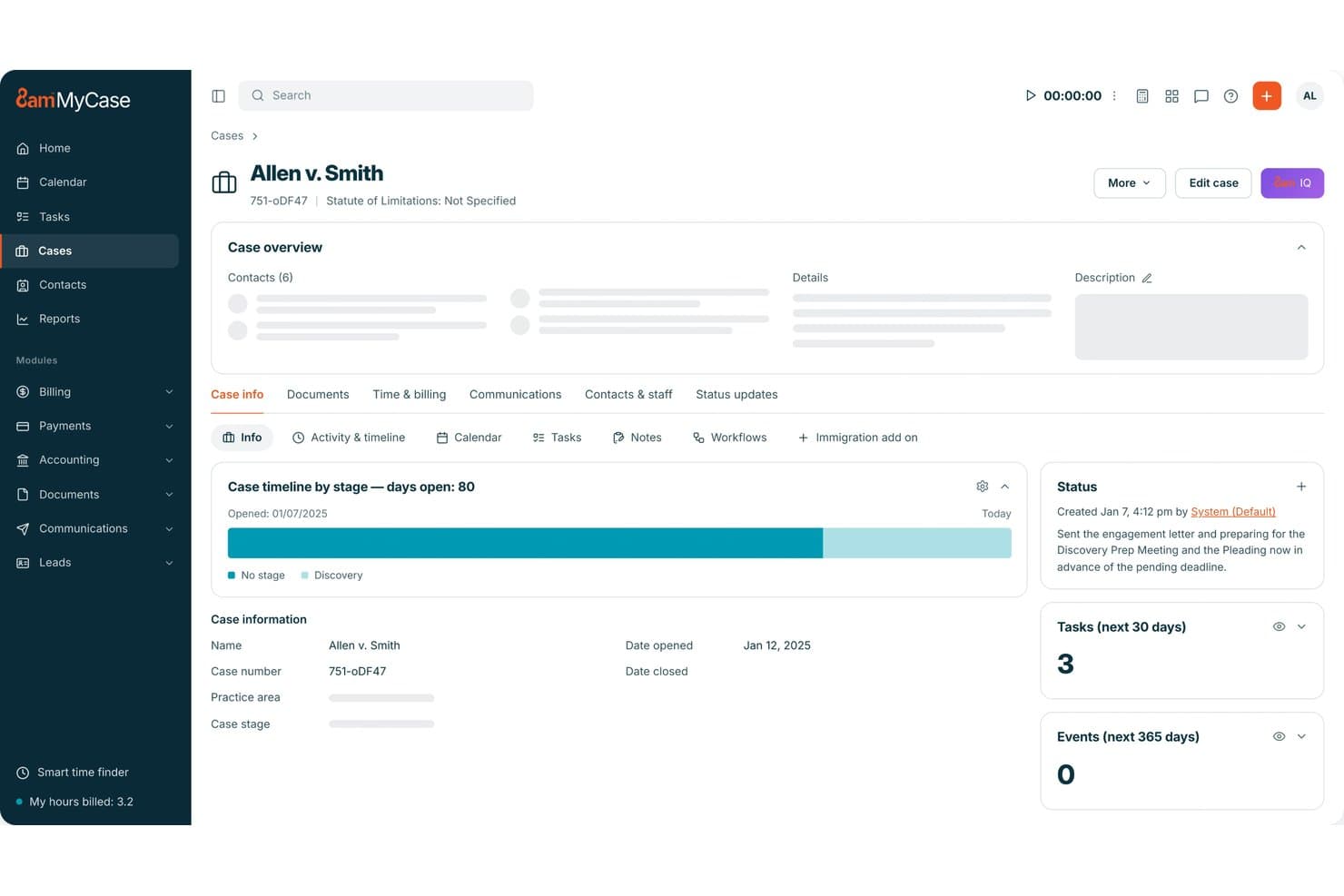
MyCase manages legal matters, billing, documents, client intake, and communication. MyCase is a cloud-based legal practice management platform covering matter management, time tracking, billing, document automation, client intake, and secure client communication.
Who Is MyCase Best For?
MyCase is a strong fit for solo attorneys and small law firms that need case management, billing, and client intake handled in one place without piecing together separate tools.
Why I Picked MyCase
I picked MyCase as one of the best because billing and client intake genuinely live together here in a way that's hard to find in competing tools. The Kanban-style lead pipeline with conditional-logic intake forms feeds directly into matter records, so there's no manual handoff between signing a new client and opening their case. From there, Smart Time Finder catches billable time from activity like email, and batch invoicing with built-in LawPay lets clients pay by card, ACH, or Apple Pay straight from the portal.
MyCase Key Features
- Matter-linked case timeline: Each matter automatically connects documents, tasks, invoices, notes, messages, and trust balances in a single case record.
- 8am IQ AI assistants: Writing, Document, Case, and Discovery Assistants let you query case data, summarize documents, and extract clauses or deadlines using AI trained on your firm's own files.
- Court e-filing via InfoTrack: File and serve court documents directly from MyCase, with court-stamped copies and service affidavits syncing back to the case record.
- Trust accounting: Built-in IOLTA-compliant trust ledgers, three-way reconciliation, and per-case trust tracking keep operating and trust funds separate with full audit trails.
MyCase Integrations
MyCase offers 60+ documented integrations, including Microsoft Outlook, Gmail, Google Calendar, QuickBooks Online, LawPay, InfoTrack, LawToolBox, Dropbox, Google Drive, and OneDrive. Advanced includes an Open API, and MyCase also supports Zapier.
Pros and Cons
Pros:
- Intake leads flow into matter records
- Smart time capture supports accurate billing
- Matter timelines keep case records together
Cons:
- Document search can miss exact-file matches
- Reporting controls feel limited to reviewers
 Best for AI-driven case and matter management
- Free demo available
- Pricing upon request
Visit WebsiteCustomer Rating:4.5/5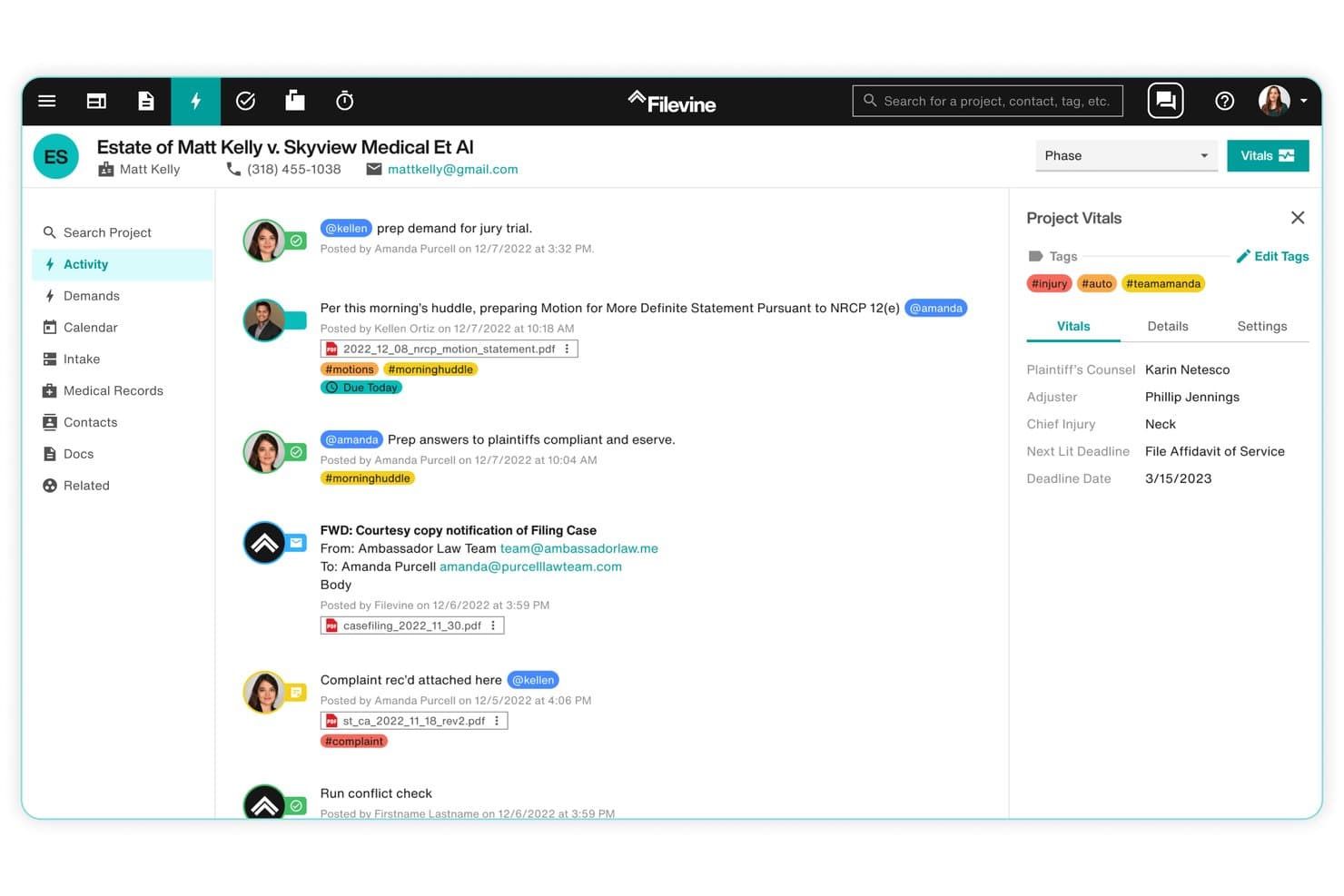
Filevine centralizes case activity, deadlines, client details, documents, communications, and key matter updates. Filevine is a cloud-based legal case management platform that centralizes matter management, document generation, time tracking, billing, client communication, and AI-assisted drafting and legal research across a single case record.
Who Is Filevine Best For?
Filevine works best for litigation and personal injury firms that need a highly configurable case management system and have the technical capacity to set it up.
Why I Picked Filevine
I picked Filevine as one of the best because its AI layer, LOIS, doesn't just assist with individual tasks—it runs agents across every matter in the firm, setting tasks, moving deadlines, and generating documents with source citations. I especially like how LOIS for Word handles agent-assisted drafting and redlining directly in Microsoft Word, and how MedChron auto-builds medical timelines from case data. Those aren't generic features; they're purpose-built for the litigation workflows where AI can do the heaviest lifting.
Filevine Key Features
- DocGen template assembly: Fill documents with case and client data using merge codes for one-click generation tied directly to matter records.
- Two-way texting: Send and receive client texts through the project feed, keeping all communication logged inside the case record.
- Conflict checker: Search every contact across the firm with fuzzy name matching, mark results, and export a locked PDF record of the check.
- Timely deadline calculator: Calculate court deadlines from a trigger date using jurisdiction-specific rules across all 50 states, then push them to Filevine or your calendar.
Filevine Integrations
Filevine offers native integrations with Microsoft 365, Outlook, Google Workspace, Microsoft Teams, QuickBooks, NetSuite, and Vinesign. It also provides an API and DataBridge for custom connections, including feeds to Snowflake.
Pros and Cons
Pros:
- Custom workflows suit litigation and injury practices
- Case records centralize documents, billing, and communications
- AI agents act across matter workflows
Cons:
- Users report slow support and system performance
- Complex setup often requires dedicated technical support
Learn more about Filevine: 5Best for end-to-end law firm billing and intake
Clio
- 7-day free trial + free demo available
- From $49/user/month
Visit WebsiteCustomer Rating:4.5/5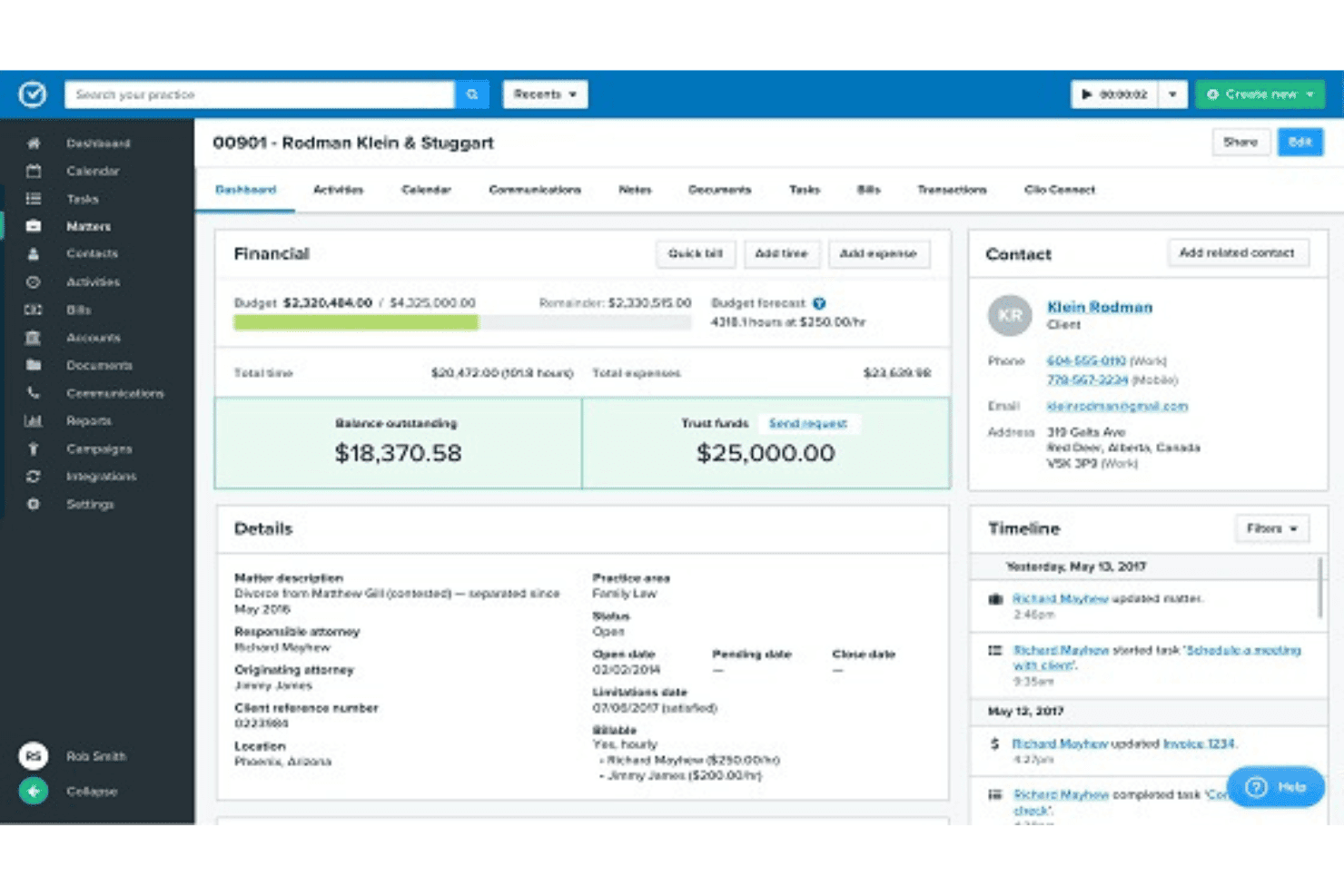
Clio combines time tracking, LEDES billing, trust accounting, and matter management. Clio is a legal practice management platform that brings together matter management, time tracking, billing, trust accounting, document automation, client intake, AI-powered legal research, and court e-filing across a suite of integrated products.
Who Is Clio Best For?
Clio is a strong fit for law firms of any size that need billing, intake, and matter management in one place—from solo practitioners to Am Law firms.
Why I Picked Clio
Clio earns its spot on my shortlist because it covers the full billing and intake lifecycle without requiring separate platforms. I particularly like how AI-assisted time capture drafts entries and matches them to matters automatically, and how Clio Grow screens leads by phone, web chat, or email before routing them into intake forms tied directly to Clio Manage. Trust accounting with three-way reconciliation and jurisdiction-specific compliance reports means billing compliance isn't a manual afterthought.
Clio Key Features
- Court rules-based deadline generation: Clio automatically calculates related deadlines from a trigger date across hundreds of U.S. courts, linking each event to the relevant matter.
- Clio for Clients portal: Clients can view invoices, make payments, share documents, and check case status through an encrypted, mobile-accessible portal.
- AI legal research via Clio Work: Search across 1B+ legal documents from 100+ countries with confidence scores, linked citations, and a built-in citator called Cert.
- Role-based permissions and audit logs: Assign granular access controls across your firm and track session IPs, user actions, and AI actions in a detailed activity log.
Clio Integrations
Clio integrates with Microsoft Outlook, Microsoft Office, Google Calendar, QuickBooks Online, Xero, Zoom, Microsoft Teams, and Dropbox. It also provides an open API for custom apps and supports Zapier.
Pros and Cons
Pros:
- Reviewers rate time tracking and billing highly
- Reviewers praise mobile access for case support
- Matter records connect billing, documents, and calendars
Cons:
- Reporting options remain limited on some plans
- Reviewers report occasional document system glitches
Learn more about Clio: Best for firms tracking billing and matters together
- Free demo available
- Pricing upon request
Visit WebsiteCustomer Rating:4.4/5
CARET Legal organizes matter tracking with visual analytics and status breakdowns. CARET Legal is a cloud-based legal practice management platform with built-in email, matter management, document tools, time tracking, billing, trust accounting, and a client portal.
Who Is CARET Legal Best For?
CARET Legal is a strong fit for small to mid-sized law firms that need billing and matter management running in the same system, without stitching together separate tools.
Why I Picked CARET Legal
CARET Legal earns its spot on my shortlist because billing and matter management aren't just connected here, they're genuinely built into the same record. I like that every time entry, invoice, and trust transaction ties directly back to a matter, so there's no reconciling between separate systems at month-end. CARET Capture, the AI time-tracking layer, surfaces billable activity from across the platform and drafts time entries for attorney review, which is where I've seen firms recover hours they'd otherwise lose.
CARET Legal Key Features
- CARET Court Rules: Calculates a full set of connected court deadlines from a single trigger date and automatically recalculates them if that date changes.
- Client portal: Lets clients share documents, pay invoices, and top up retainers directly through a secure, matter-linked portal.
- Two-way SMS: Sends and receives text messages with clients, leads, and matter contacts from inside the app, with messages tied to the relevant matter.
- CARET Analytics dashboards: Tracks staff performance, revenue forecasting, and client continuity through tiered reporting dashboards available on Enterprise Plus and above.
CARET Legal Integrations
CARET Legal offers documented integrations with Microsoft 365, Google Workspace, RMail, LawToolBox, Lawmatics, HotDocs, NetDocuments, OneDrive, CARET Pay, and QuickBooks Online. It also supports IMAP and Outlook and Word for Windows plugins; no public API documentation is available.
Pros and Cons
Pros:
- AI time capture drafts entries for review
- Built-in trust accounting supports three-way reconciliation
- Matter records connect billing, documents, and tasks
Cons:
- Built-in email can feel slow or clunky
- Users report freezes, bugs, and downtime
Learn more about CARET Legal: Best for practice management with trust accounting
- 10-day free trial
- From $49/user/month (billed annually)
Visit WebsiteCustomer Rating:4.3/5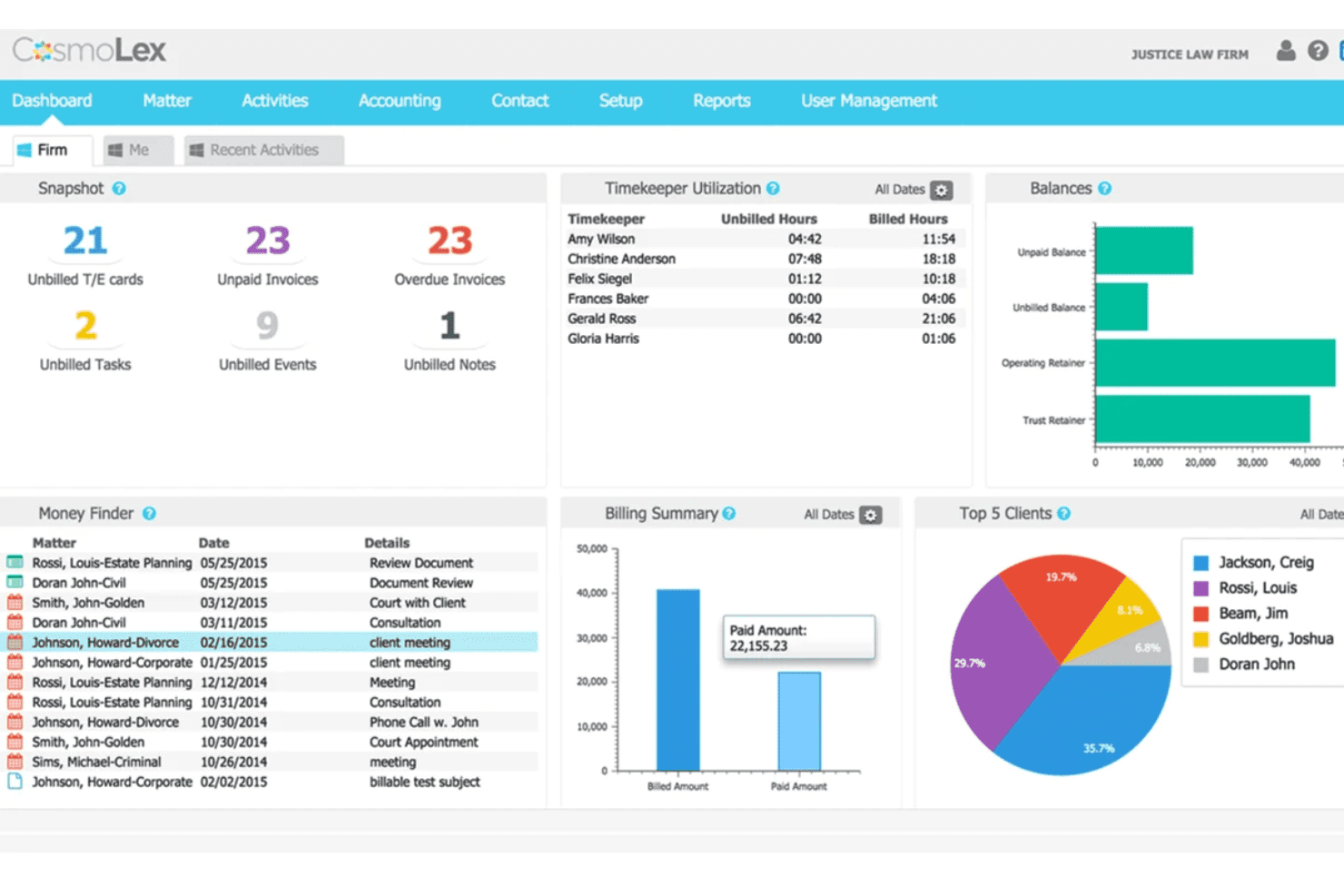
CosmoLex combines legal accounting, trust reconciliation, and unbilled time tracking. CosmoLex is a cloud-based legal practice management platform that combines matter management, time tracking, billing, client communication, and both trust and business accounting in one system.
Who Is CosmoLex Best For?
CosmoLex is a strong fit for small to mid-sized law firms that need matter management, billing, and trust accounting in a single platform without a separate accounting tool.
Why I Picked CosmoLex
CosmoLex earns its spot on my shortlist because it's the only tool here that handles trust and business accounting natively, with no QuickBooks dependency required. I especially like the built-in three-way reconciliation, which automatically matches trust ledgers against bank statements and client balances, a task that trips up a lot of small firms. The Money Finder feature is also genuinely useful: it scans your calendar and tasks to flag unbilled time before invoices go out.
CosmoLex Key Features
- Matter-linked email filing: Emails are automatically filed into the matching matter folder, with flags for unmatched or ambiguous messages so nothing gets misfiled.
- AI intake form builder: Create client intake forms from a text prompt or convert existing PDF or Word forms into digital intake workflows without manual rebuilding.
- Client portal: Clients can message your firm, upload documents, and view and pay invoices directly through a permissioned portal that logs all activity to the matter record.
- Role-based user permissions: Set access controls at the user and matter level, with an exportable audit trail of all recent account activity.
CosmoLex Integrations
CosmoLex has documented integrations with Microsoft 365, Google Calendar, OneDrive, Google Drive, NetDocuments, Dropbox, Box, and QuickBooks Online. It also supports an open REST API on Pro and Zapier.
Pros and Cons
Pros:
- Responsive onboarding and support earn user praise
- Matter-linked timers catch unbilled calendar work
- Built-in trust accounting supports three-way reconciliation
Cons:
- Reports and client-data exports frustrate some users
- Interface can feel clunky during daily work
Learn more about CosmoLex: Best for billing-heavy firms tracking time and trust
- 10-day free trial
- From $59/user/month (billed annually)
Visit WebsiteCustomer Rating:4.4/5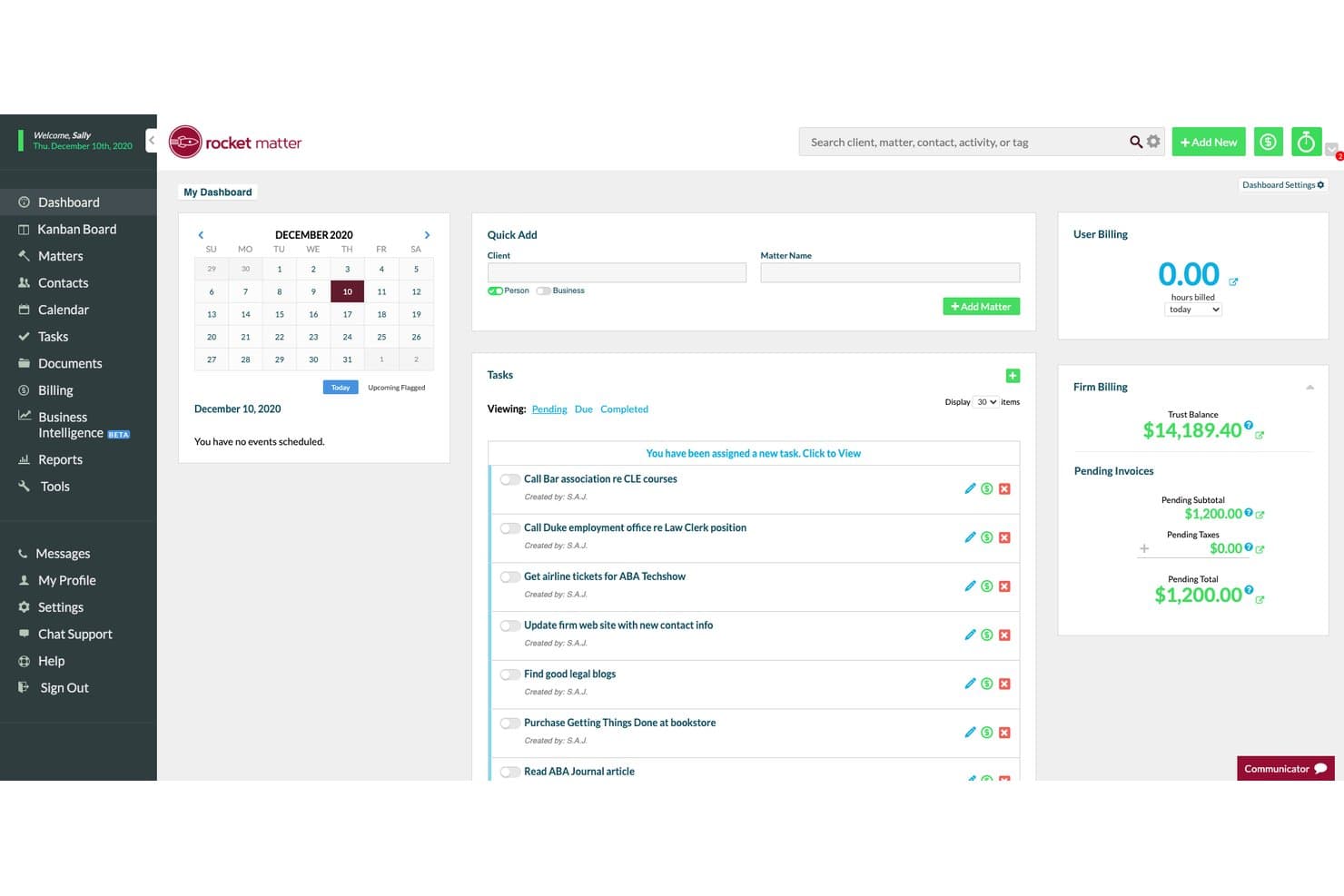
Rocket Matter combines legal case tracking, billing, trust accounting, and documents. Rocket Matter is a cloud-based legal practice management platform that combines matter management, time tracking, billing, trust accounting, and document assembly.
Who Is Rocket Matter Best For?
Rocket Matter is a strong fit for billing-heavy law firms that need tight control over time capture, trust accounting, and invoicing across multiple matters.
Why I Picked Rocket Matter
I picked Rocket Matter as one of the best because its time capture tools go well beyond a basic timer. You can run multiple timers at once, log time directly from Outlook, and use the Bill-As-You-Work feature to capture time as it happens. On the trust side, it handles automatic trust transfers and sends replenishment requests when a matter balance drops below a set threshold, which makes IOLTA compliance far less manual.
Rocket Matter Key Features
- Matter dashboard: Each matter centralizes tasks, calendar events, contacts, documents, and billing data in one rearrangeable view.
- Batch billing and prebills: Review and approve paperless prebills across multiple matters before sending automated invoices to clients.
- Client portal: Share documents, send secure files, and collect payments via card or eCheck directly through a permissioned client-facing portal.
- Conflict check: Run conflict searches across matters and contacts from within the platform before opening a new matter.
Rocket Matter Integrations
Rocket Matter offers integrations with QuickBooks Online, Google Calendar, Office 365, OneDrive, Dropbox, Box, NetDocuments, LawToolBox, ImagineShare, and Zapier. Its CRM also supports API connections for lead forms and vendors with open APIs.
Pros and Cons
Pros:
- Matter dashboards connect case and billing details
- Trust transfers trigger replenishment requests
- Multiple timers capture billable work
Cons:
- Nonstandard reports feel clunky
- Invoice template edits are difficult
Learn more about Rocket Matter: Best for midsize firms automating workflows and matters
- Free demo available
- Pricing upon request
Visit WebsiteCustomer Rating:4.2/5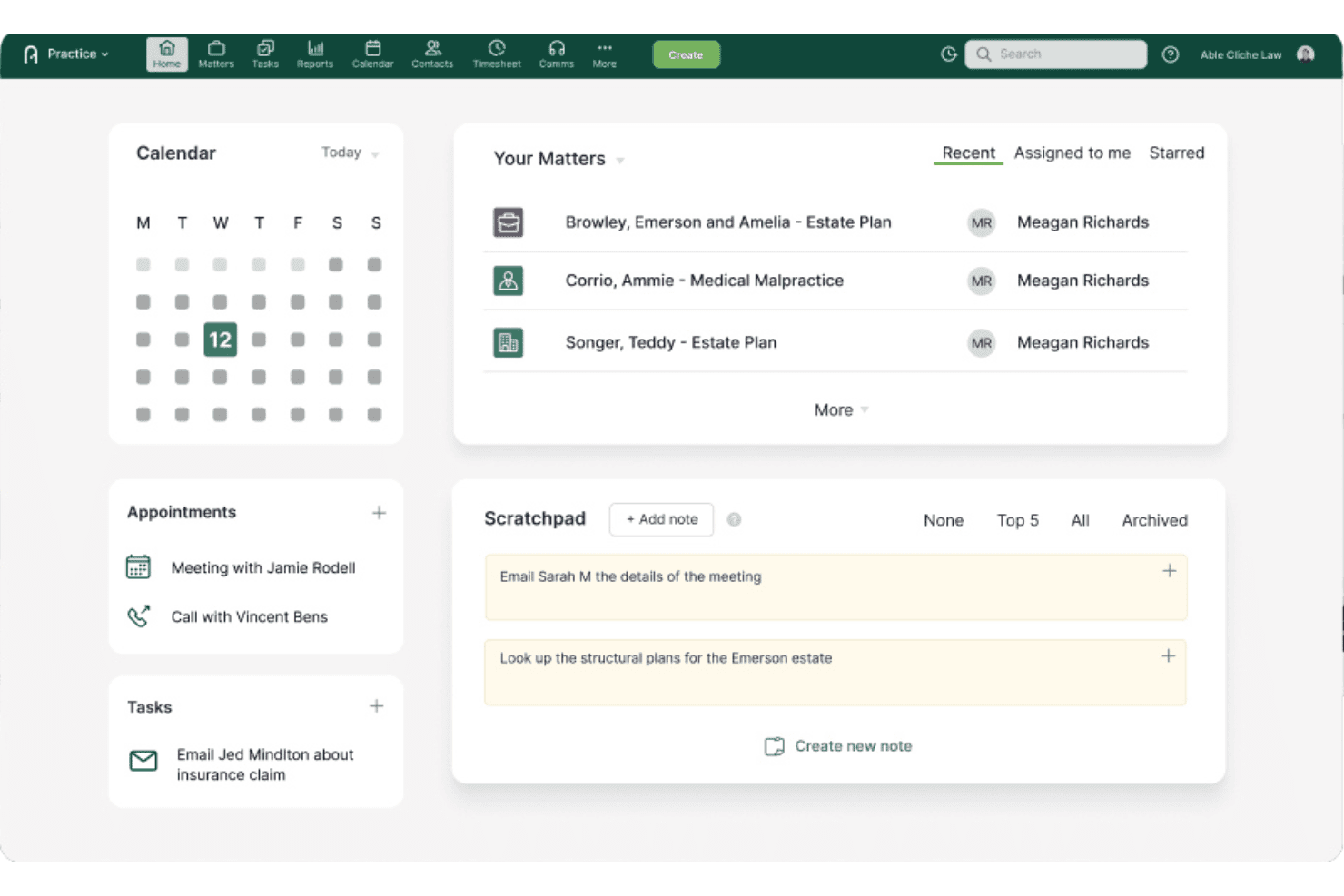
Actionstep centralizes matter management, task tracking, client notes, and case activity. Actionstep is a cloud-based legal practice management platform for midsize law firms that covers matter management, workflow automation, document generation, time tracking, trust accounting, and client communication in one system.
Who Is Actionstep Best For?
Actionstep is a strong fit for midsize law firms that need configurable matter workflows, trust accounting, and client communication in one cloud-based system.
Why I Picked Actionstep
I picked Actionstep as one of the best because its configurable matter workflows genuinely set it apart for midsize firms juggling multiple practice areas. Each matter ties together tasks, documents, communications, and billing in one record, and Workflow 2.0 moves matters between phases automatically, triggering email notifications and staff prompts at each step. I also like Trace, its AI time capture add-on, which tracks work across Outlook, Word, and Teams and drafts ready-to-bill time entries without manual logging.
Actionstep Key Features
- Trust accounting: Run three-way trust reconciliations, set automatic retainer top-ups, approve trust requests before funds move, and generate audit-ready ledger and reconciliation reports.
- Client portal: Share documents, send encrypted messages, and collect invoice payments through a secure portal with per-folder permissions you control at the matter level.
- Actionstep Intelligence: An AI layer built into the platform that writes matter summaries, pulls key facts from documents, flags inconsistencies, and answers plain-English questions about your matters.
- Builder document assembly: A paid add-on that fills Word-based templates for letters, forms, and contracts with live matter data using conditional logic and custom fields.
Actionstep Integrations
Actionstep integrates with Microsoft 365, iManage, NetDocuments, Xero, QuickBooks Online, DocuSign, LawToolBox, LawPay, InfoTrack, and First AML. It also supports Zapier and provides a REST API with OAuth authentication.
Pros and Cons
Pros:
- Matter records connect documents, billing, and communications
- Trust accounting includes three-way reconciliations
- Configurable matter workflows automate phase-based tasks
Cons:
- Implementation requires substantial setup and configuration
- Reporting and search draw reviewer criticism
Learn more about Actionstep: 10Best for AI-driven case and intake management
Litify
- Free demo available
- From $150/user/month
Visit WebsiteCustomer Rating:4.2/5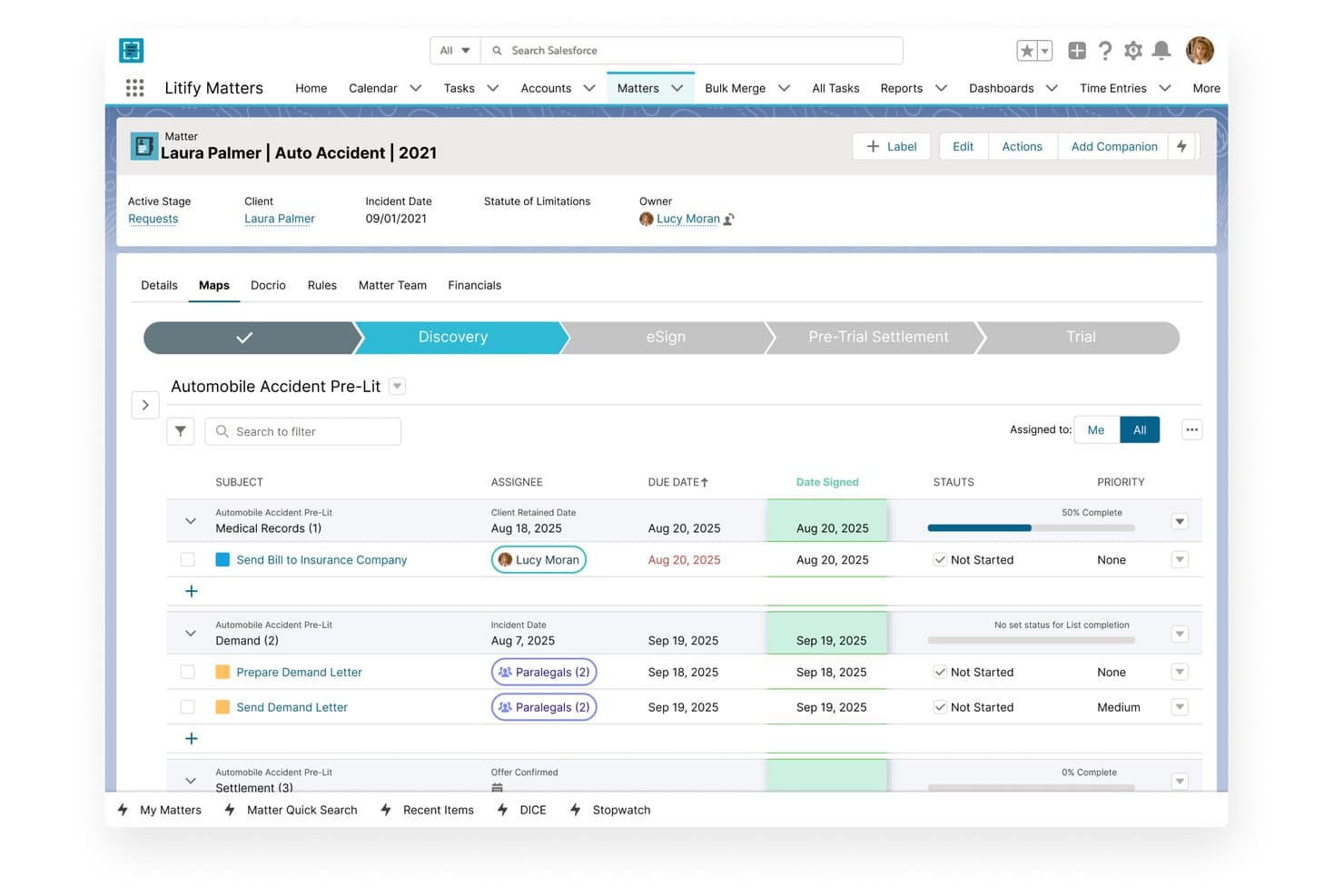
Litify organizes legal matter tasks with stages, deadlines, and assignees. Litify is a Salesforce-based legal platform that covers intake, matter management, document generation, time tracking, billing, and AI-driven case workflows across law firms and corporate legal departments.
Who Is Litify Best For?
Litify is a strong fit for mid-size to enterprise law firms and corporate legal departments that run high case volumes across multiple practice areas.
Why I Picked Litify
Litify earns its spot on my shortlist because its AI agents go well beyond basic automation, handling tasks like qualifying new intakes, running conflict checks against your full client database, and generating demand letters from case data. I find the Matter Summary Agent particularly useful: it pulls together notes, emails, tasks, and files into a written status update you can run on demand or on a schedule. The Intake Qualifier Agent is equally sharp, adapting intake questionnaires to each prospect's answers and flagging cases before they reach an attorney's desk.
Litify Key Features
- Matter Plans: Configure task list templates by practice area or case type, with tasks that assign automatically by role when a matter opens.
- Mass Bill Generation: Run multiple billing jobs simultaneously or schedule them during off-hours to handle high invoice volumes without manual batching.
- Legal Spend Management: AI reviews incoming invoices, applies outside-counsel billing guidelines automatically, and flags violations before approval.
- Live Edit: Check out, edit, and check in documents in one action, with real-time co-editing and version tracking built into the workflow.
Litify Integrations
Litify offers integrations with Microsoft Outlook, Microsoft Word, DocuSign, NetDocuments, iManage, QuickBooks, Accounting Seed, CalendarRules, LawPay, and Confido Legal. Its API toolkit and Salesforce AppExchange ecosystem support custom connectivity.
Pros and Cons
Pros:
- Configurable workflows support varied firm processes
- Matter timelines centralize files, emails, and events
- AI agents summarize matters and qualify intakes
Cons:
- Crowded screens add clicks to routine tasks
- Slow loading and uploads frustrate daily work
Learn more about Litify:
Related Reviews
How I Evaluate Legal Software
I split my evaluation into three parts, with the most weight on core work: organize matter files and linked documents, and track billable time through invoices. Standout features include automated client intake or AI legal research. Beyond features, I consider onboarding, support, and whether pricing fits your firm’s size and growth.
Core Functionality (Table Stakes For This List)
When I'm selecting tools for my list, I score each one on a scale from 0 (does not offer the functionality) to 5 (excels in this area) for each core functionality listed below. I then convert the total into a percentage to help assess each tool's overall fit, with extra weight on any functionalities I’ve deemed essential.
- Matter & Case Management (Essential): I look for matter records that link clients, parties, tasks, deadlines, documents, and billing for a clear view of active work.
- Document Management (Essential): I assess how teams organize files by matter, use templates, and generate documents from case details, such as client letters or forms.
- Time & Billing: I check how easily staff record billable work, prepare matter-based invoices, and track trust funds where needed.
- Calendaring & Deadlines: I look for matter-linked events, shared calendars, and reminders that help teams track filing dates, hearings, and client commitments.
- Client Communication: I assess whether clients can securely exchange messages and documents through a portal with appropriate access controls.
- Security & Compliance: I consider role-based permissions, audit trails, and ethical walls that help protect confidential matter information.
Once I have a list of tools that meet the criteria, I consider what sets each platform apart.
Differentiating Factors (What Sets Vendors Apart)
Here's how I compare and contrast different vendors:
Standout Features
I evaluate how each platform handles client intake and CRM—specifically whether it automates conflict checks, routes leads, and tracks prospects through to engagement. A firm that runs TV ads for PI cases needs a very different intake pipeline than a trusts-and-estates practice taking referrals. I also check for integrated payment processing with trust-compliant e-payments, since platforms like Clio and PracticePanther let clients pay online while keeping IOLTA funds properly segregated. AI legal research is another differentiator I look at closely: can the tool summarize case law or draft sections of a brief inside the same workspace where you manage the matter?
Beyond Features
I check how each platform handles data migration, since moving matters and billing history from a legacy system can stall a rollout for weeks if the vendor doesn't offer dedicated support. Integration depth matters too—I look at whether a tool connects with Outlook, Gmail, QuickBooks, and e-signature providers through pre-built links or an open API, because duplicate data entry across billing and communication tools drains time. I also evaluate whether trust accounting features align with bar association IOLTA rules, since a misstep there creates real compliance risk.
Slik velger du juridisk programvare
Velg juridisk programvare ved å teste hvordan den håndterer firmaets arbeidsflyter for saker, fakturering og etterlevelse før du bestemmer deg.
| Hvis prioriteten din er | Se etter |
|---|---|
| Hvis prioriteten din erÅ holde saksopplysninger og dokumenter samlet | Se etterSaksrelaterte filer, tillatelser og revisjonshistorikk |
| Hvis prioriteten din erÅ registrere fakturerbart arbeid og håndtere klientmidler | Se etterSaksbaserte fakturaer og arbeidsflyter for klientmiddelkontoer |
| Hvis prioriteten din erÅ gjøre henvendelser om til klientoppdrag | Se etterInntaksprosesser som omfatter konfliktsjekker og oppfølging av potensielle klienter |
| Hvis prioriteten din erÅ gå bort fra et eldre system | Se etterEt skriftlig migreringsomfang som dekker saksfiler og fakturahistorikk |
Slik vurderer du kortlisten din
- Test en arbeidsflyt for en sak: Bruk en prøveversjon eller en veiledet økt til å åpne en eksempelsak, legge ved et dokument, tildele en frist og registrere tid.
- Kontroller håndteringen av klientmidler: Be om et eksempel på en rapport for klientmiddelhåndtering, og be leverandøren forklare hvordan innskudd, overføringer og avstemminger vises i den.
- Få detaljer om migreringen: Be om en skriftlig migreringsplan som angir datafeltene, dokumenttypene, fakturahistorikken og valideringstrinnene som er inkludert.
- Gå gjennom tilgangskontrollene: Be om en tillatelsesmatrise og et eksempel på en revisjonslogg, og bekreft deretter hvordan de ansattes tilgang til konfidensielle saker begrenses og registreres.
- Velg hvilket kompromiss du foretrekker: Bestem om du foretrekker et bredere system som dekker inntak, saker og fakturering, eller en smalere plattform bygget rundt en spesifikk arbeidsflyt for praksisen din. Prioriter løsningen som teamet ditt vil bruke konsekvent.
Hva er juridisk programvare?
Juridisk programvare er teknologi som hjelper juridiske team med å håndtere saker, dokumenter, klientinntak, tid, fakturering og relaterte arbeidsflyter. Advokatfirmaer og interne juridiske team bruker den til å organisere saksinformasjon, følge opp frister, kommunisere med klienter og ha oversikt over juridisk arbeid. De riktige verktøyene avhenger av praksisen din, teamets størrelse og de operative behovene dine.
Funksjoner i juridisk programvare
Her er de viktigste funksjonene jeg ser etter i juridisk programvare:
- Saks- og sakshåndtering: Opprett en sentral post for hver sak, og knytt sammen klienter, parter, oppgaver, frister, notater og faktureringsdetaljer. Medarbeidere kan bruke posten til å se hva som skjer og finne relatert informasjon.
- Dokumenthåndtering: Lagre og organiser filer etter sak, styr hvem som har tilgang til dem, og bruk maler til å utarbeide dokumenter basert på saksdetaljer. Dette hjelper medarbeidere med å finne riktig versjon og holde saksmaterialet samlet.
- Tid og fakturering: Registrer fakturerbart arbeid mot en klient eller sak, og bruk deretter registreringene til å utarbeide fakturaer og følge opp betalinger. Tydelige tidsregistreringer gjør det også enklere å gjennomgå arbeidet før fakturering.
- Kalender og frister: Legg til høringer, innsendingsfrister, oppgaver og klientforpliktelser i delte kalendere som er knyttet til saker. Påminnelser hjelper medarbeidere med å følge opp kommende datoer og se hvem som har ansvaret.
- Portal for klientkommunikasjon: Gi klientene et sikkert sted der de kan utveksle meldinger og dokumenter med firmaet. Tilgangskontroller bidrar til å begrense hva hver klient kan se.
- Klientinntak og interessekonfliktsjekker: Registrer henvendelser, følg opp potensielle klienter og innhent informasjon som trengs for å avdekke konflikter før oppdraget inngås. Inntaksarbeidsflyter kan hjelpe medarbeidere med å føre en potensiell klient fra første kontakt til en sak.
- Klientmiddelhåndtering: Registrer innskudd, uttak og overføringer av klientmidler separat fra driftsmidler. Poster på saksnivå og avstemmingsrapporter hjelper firmaer med å gjennomgå kontobevegelser og følge nødvendige regnskapsrutiner.
- Sikkerhets- og tilgangskontroller: Angi tillatelser etter bruker eller rolle, og bruk revisjonsspor til å gjennomgå aktivitet på saksposter og dokumenter. Disse kontrollene bidrar til å beskytte konfidensiell informasjon og dokumentere hvem som har åpnet eller endret den.
Vanlige AI-funksjoner i juridisk programvare
I tillegg til standardfunksjoner for juridisk programvare har mange plattformer nå AI-verktøy som:
- Juridisk forskning med AI: Søk i rettspraksis og andre juridiske kilder ved hjelp av spørsmål i naturlig språk. AI kan finne frem relevant rettskildemateriale og oppsummere det, men du bør kontrollere henvisningene og bekrefte at hver kilde støtter poenget.
- Kontraktsanalyse: Identifiser klausuler, definerte begreper, forpliktelser og datoer i avtaler, og sammenlign deretter ordlyden med en sjekkliste for gjennomgang. Dette kan hjelpe deg med å konsentrere gjennomgangen om bestemmelser som krever nærmere oppmerksomhet.
- Juridisk utforming: Generer et førsteutkast eller foreslått ordlyd basert på instruksjoner, oppgitte fakta eller firmaets maler. Gå gjennom hvert utkast for nøyaktighet, relevant rettslig grunnlag og samsvar med sakspostene før du bruker det.
- Gjennomgang av elektroniske bevis: Klassifiser og prioriter store mengder elektroniske dokumenter basert på relevans eller sannsynlig privilegium. Dette hjelper gjennomgårne med å konsentrere oppmerksomheten, mens endelige vurderinger av relevans og privilegium fortsatt må gjøres av mennesker.
- Oppsummering av saker: Sammenfatt informasjon fra prosesskriv, korrespondanse og annet saksmateriale til en kortfattet oversikt eller kronologi. Bruk oppsummeringen til å orientere teamet, og kontroller deretter viktige fakta mot det underliggende saksgrunnlaget.
Fordeler med juridisk programvare
Her er noen vanlige fordeler juridisk programvare kan tilby:
- Et tydeligere bilde av saken: Saksposter knytter klienter, parter, oppgaver, dokumenter og faktureringsdetaljer sammen på ett sted.
- Mer organiserte dokumenter: Saksbaserte mapper, maler og tilgangskontroller hjelper teamet ditt med å finne filer og styre hvem som kan se dem.
- Mer konsistent fakturering: Tidsregistrering og saksbaserte fakturaer hjelper medarbeidere med å registrere fakturerbart arbeid og klargjøre kostnader for gjennomgang.
- Bedre oversikt over frister: Delte kalendere, saksknyttede hendelser og påminnelser hjelper teamet ditt med å følge opp høringer, innsendingsfrister og klientforpliktelser.
- En mer strukturert inntaksprosess: Inntaksarbeidsflyter kan registrere henvendelser, følge opp potensielle klienter og støtte interessekonfliktsjekker før oppdraget inngås.
- Mer kontrollerte klientmiddelposter: Funksjoner for klientmiddelhåndtering følger opp innskudd, uttak, overføringer og avstemminger separat fra driftsmidler.
- Tydeligere ansvar for tilganger: Rollebaserte tillatelser og revisjonsspor bidrar til å beskytte konfidensiell saksinformasjon og registrere aktivitet.
Kostnader og priser for juridisk programvare
Kostnadene varierer etter funksjoner, teamets størrelse og tilleggstjenester. Her er typiske prisintervaller for juridisk programvare:
Sammenligningstabell for juridisk programvare
| Plantype | Gjennomsnittspris | Vanlige funksjoner |
|---|---|---|
| PlantypePersonlig abonnement | Gjennomsnittspris$20–$59/bruker/måned | Vanlige funksjonerSaks- og arbeidsområdehåndtering, dokumentlagring, juridisk kalender, tidsregistrering og grunnleggende fakturering. |
| PlantypeBedriftsabonnement | Gjennomsnittspris$60–$119/bruker/måned | Vanlige funksjonerKlientinntak, dokumentautomatisering, håndtering av klientmidler, arbeidsflytautomatisering og avansert fakturering. |
| PlantypeVirksomhetsabonnement | Gjennomsnittspris$120–$200+/bruker/måned | Vanlige funksjonerTilpassede arbeidsflyter, avansert rapportering, tilgangstillatelser, API-tilgang og verktøy for administrasjon av hele virksomheten. |
Vanlige spørsmål
Her er svar på vanlige spørsmål om juridisk programvare:
Hvor lang tid tar det å implementere juridisk programvare?
Implementeringstiden avhenger av datamengden, arbeidsflytene, integrasjonene og leverandørens støtte for migrering. Et lite team med ryddige registre kan trenge mindre oppsett enn et firma som flytter flere år med dokumenter og fakturahistorikk. Før dere signerer, bør dere be om en prosjektplan med navngitte oppgaver, ansvarlige, milepæler og testtrinn. Sett av tid til å kontrollere migrerte saksregistre, dokumentkoblinger og saldoer. Behold det gamle systemet tilgjengelig til teamet har bekreftet at det nye systemet inneholder registrene det trenger.
Kan juridisk programvare støtte interne juridiske team?
Ja, juridisk programvare kan støtte interne juridiske team, selv om riktig oppsett avhenger av hvordan de håndterer arbeidet. Et team som håndterer kontrakter, kan prioritere mottak av forespørsler, sakssporing, dokumenttilgang og rapportering. Et team som også håndterer tvister, kan trenge fristkalendere og saksmapper. Ta med en reell arbeidsflyt til en demonstrasjon, for eksempel å videresende en kontraktsforespørsel, tildele gjennomgang og registrere statusen. Bekreft at tillatelser og rapporter samsvarer med organisasjonens behov før dere velger en plattform.
Hvordan kan jeg sjekke om jeg kan eksportere dataene mine fra juridisk programvare?
Spør leverandøren hva du kan eksportere, i hvilke formater og om dokumentene beholder koblingene til saker og mappestrukturen. Sjekk om eksportene inkluderer notater, kontakter, tidsregistreringer, fakturaer, klientmiddelregistre og revisjonshistorikk. Spør om kostnader, tidsramme og tilgang etter oppsigelse. Få svarene skriftlig før du signerer. Be om mulig om en prøveeksport, og test om teamet ditt kan åpne og avstemme filene uten leverandørens programvare.
Kan juridisk AI-programvare erstatte advokatens gjennomgang?
Nei, juridisk AI-programvare bør ikke erstatte advokatens gjennomgang. Den kan bidra til å finne relevante rettskilder, oppsummere saksmateriale eller foreslå utkast til formuleringer, men resultatet kan utelate kontekst eller inneholde feil. Kontroller siterte kilder mot originalmaterialet, og bekreft at de støtter poenget som fremmes. Fastsett regler for hvilken informasjon medarbeidere kan legge inn, hvem som gjennomgår AI-resultater og om leverandøren bruker innsendte data til å trene modeller. Bruk reglene konsekvent i alle saker.