

10 Best Email Filing Software for Law Firms in 2026

Best Email Filing Software for Law Firms Shortlist


Email filing software for law firms helps your team capture, organize, and store client emails securely so case records stay complete and accessible. If you’re searching for ways to cut manual filing, keep client communications auditable, or meet rising compliance standards, the options in this list are built for your day-to-day pressures.
You’ll find practical tools legal teams trust to manage sensitive information, automate routine email tasks, and keep matter-centric files tidy—so you can focus on what matters most. Use this guide to compare features and pick solutions that actually fit your workflows and risk profile.
Why Trust Our Software Recommendations
Our team has been testing and reviewing software since 2012. As legal practice leaders ourselves, we know how difficult—and important—it is to choose the right software.
For this guide, we evaluated tools using hands-on testing and independent research, scoring tools using our selection criteria.
Our reviews reflect our human editorial judgment, not a sales pitch.
Email Filing Software for Law Firms Comparison Table
The table below compares pricing details for my top email filing software selections for law firms.
| Tool | Best For | Trial Info | Price | ||
|---|---|---|---|---|---|
| 1 | Best for client communication tracking | 7-day free trial | From $49/user/month | Website | |
| 2 | Best for managing case-related correspondence | Free demo available | Pricing upon request | Website | |
| 3 | Best for secure document and email collaboration | Free demo available | Pricing upon request | Website | |
| 4 | Best for email-to-folder saving | Free demo available | From $210/month (billed annually) | Website | |
| 5 | Best for automated compliance-driven filing | Free demo available | Pricing upon request | Website | |
| 6 | Best for law firms using Mac computers | 7-day free trial + free plan + free demo available | From $395/month | Website | |
| 7 | Best for legacy system compatibility | Free demo available | Pricing upon request | Website | |
| 8 | Best for SharePoint-based email organization | 14-day free trial + free demo available | Pricing upon request | Website | |
| 9 | Best for centralized email storage and tagging | Free demo available | Pricing upon request | Website | |
| 10 | Best for Microsoft 365-centric management | Not available | Pricing upon request | Website |
Best Email Filing Software for Law Firms Reviews
Below are my detailed summaries of the best email filing software for law firms that made it onto my shortlist. My reviews offer a detailed look at the features, integrations, and best use cases of each software to help you find the best one for you.

Clio
Best for client communication tracking
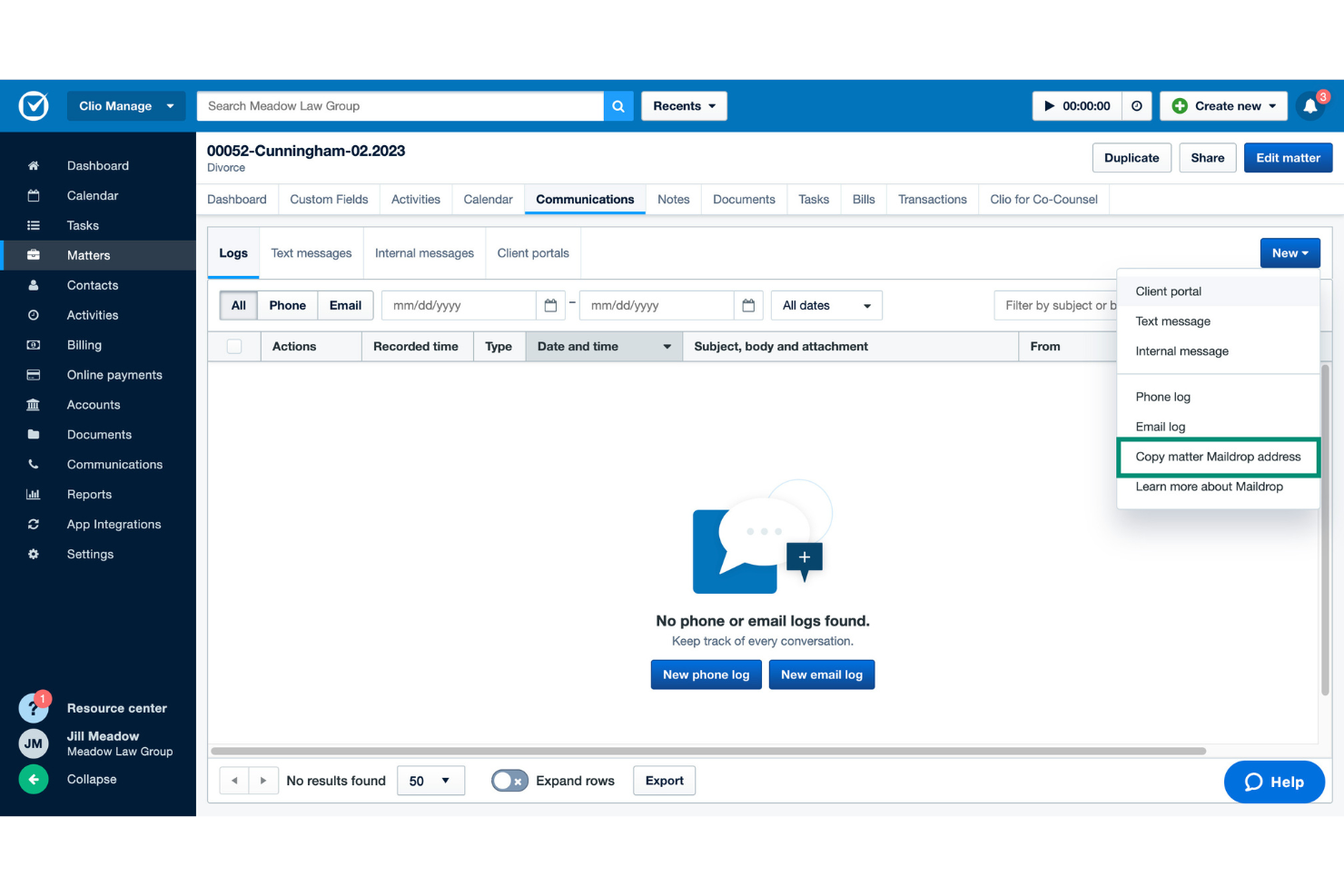
Clio is a legal practice management platform with tools for email filing, document storage, secure client communication, calendar management, and tracking interactions across matters.
Who Is Clio Best For?
Clio suits law firms and legal professionals who want centralized client communication tracking alongside document and email management.
Why I Picked Clio
I picked Clio because I can track every client email, note, document, and communication in dedicated matter timelines, keep messages secure with the Clio for Clients portal, and always have an audit trail for client interactions.
Clio Key Features
- Email integration: Link and file emails directly from Outlook or Gmail to specific matters.
- Document automation: Generate standardized forms and letters from templates.
- Calendar syncing: Sync court dates and deadlines with Google or Outlook calendars.
- Mobile access: Work with case emails and files from the Clio mobile app.
Clio Integrations
Integrations include Scorpion RevenueMAX, OurFamilyWizard, AltFee, NetDocuments by Spring, Xero, Prolegis Solutions, Lawyer Conveyance System, QuickBooks Online, and CallConnector.ai by ion8.
Pros and Cons
Pros:
- Full audit trail of client communications
- Secure portal for client message exchange
- Email filing connects to specific matters
Cons:
- No built-in bulk email management
- Document tagging options are limited

Best for managing case-related correspondence
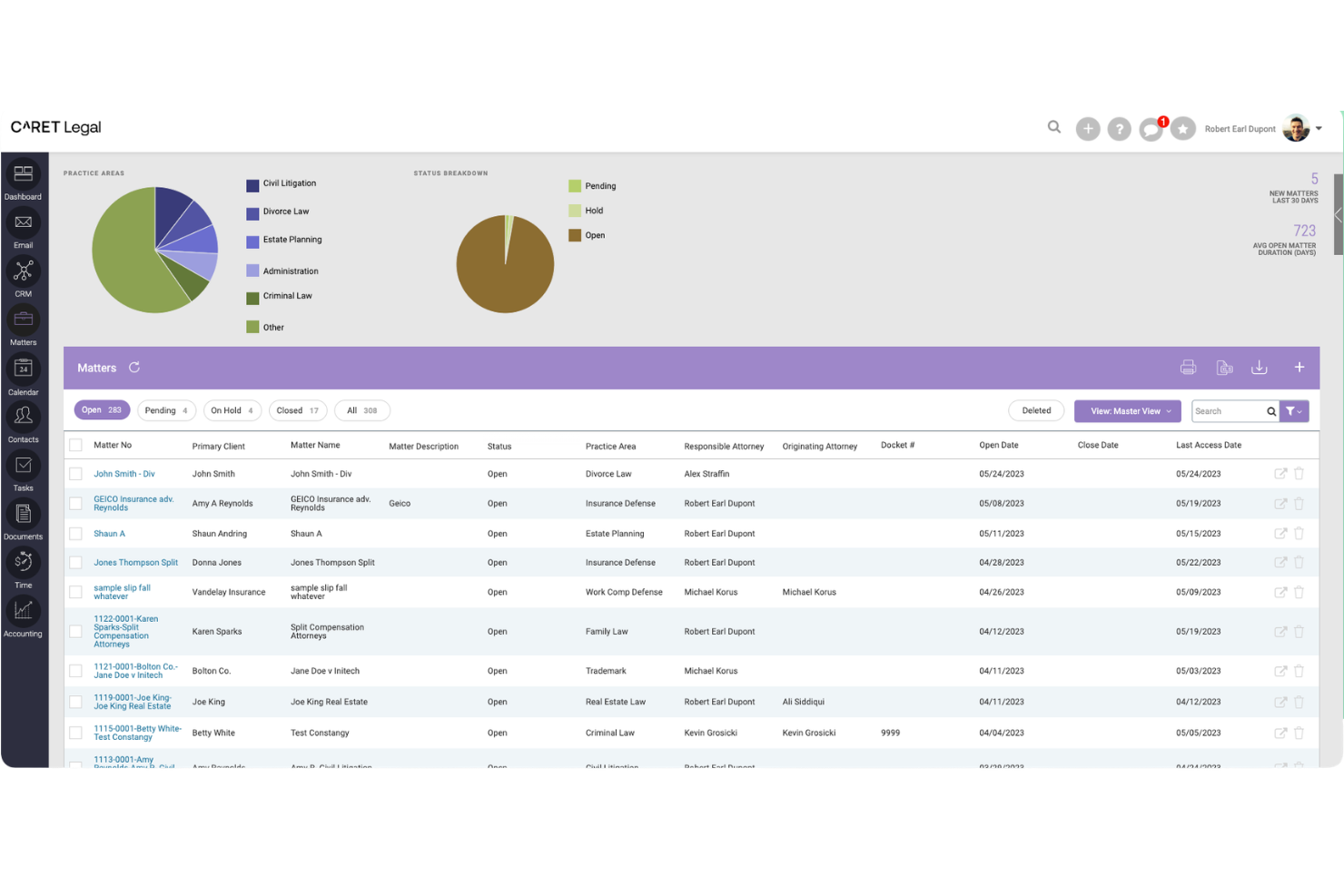
CARET Legal is a legal practice management platform with built-in email management, document storage, client communications, and matter-centric workflows for law firms needing strong correspondence control.
Who Is CARET Legal Best For?
CARET Legal suits law firms and legal teams seeking case-management software with centralized email correspondence and document handling.
Why I Picked CARET Legal
I picked CARET Legal because I rely on its ability to file emails directly to the correct matter, manage case-related threads, and attach messages to task management features. I find this especially effective for organizing legal correspondence by case.
CARET Legal Key Features
- Automatic email capture: Emails sent to clients and contacts are automatically captured and linked to their matters.
- Outlook add-in: Directly file emails from Microsoft Outlook to relevant cases from your inbox.
- Document management integration: Attach emails to documents within the centralized matter workspace.
- Role-based access controls: Manage who can view or edit email correspondence tied to a case.
CARET Legal Integrations
Integrations include Microsoft 365, Google Workspace, IMAP, LawToolBox, Lawmatics, HotDocs, OneDrive, NetDocuments, CARET Pay, and QuickBooks Online.
Pros and Cons
Pros:
- Tracks all communication with audit logs
- Client portal supports secure message exchange
- Emails can be linked directly to matters
Cons:
- Lacks firm-wide email batch processing
- No mobile push notifications for emails

iManage
Best for secure document and email collaboration
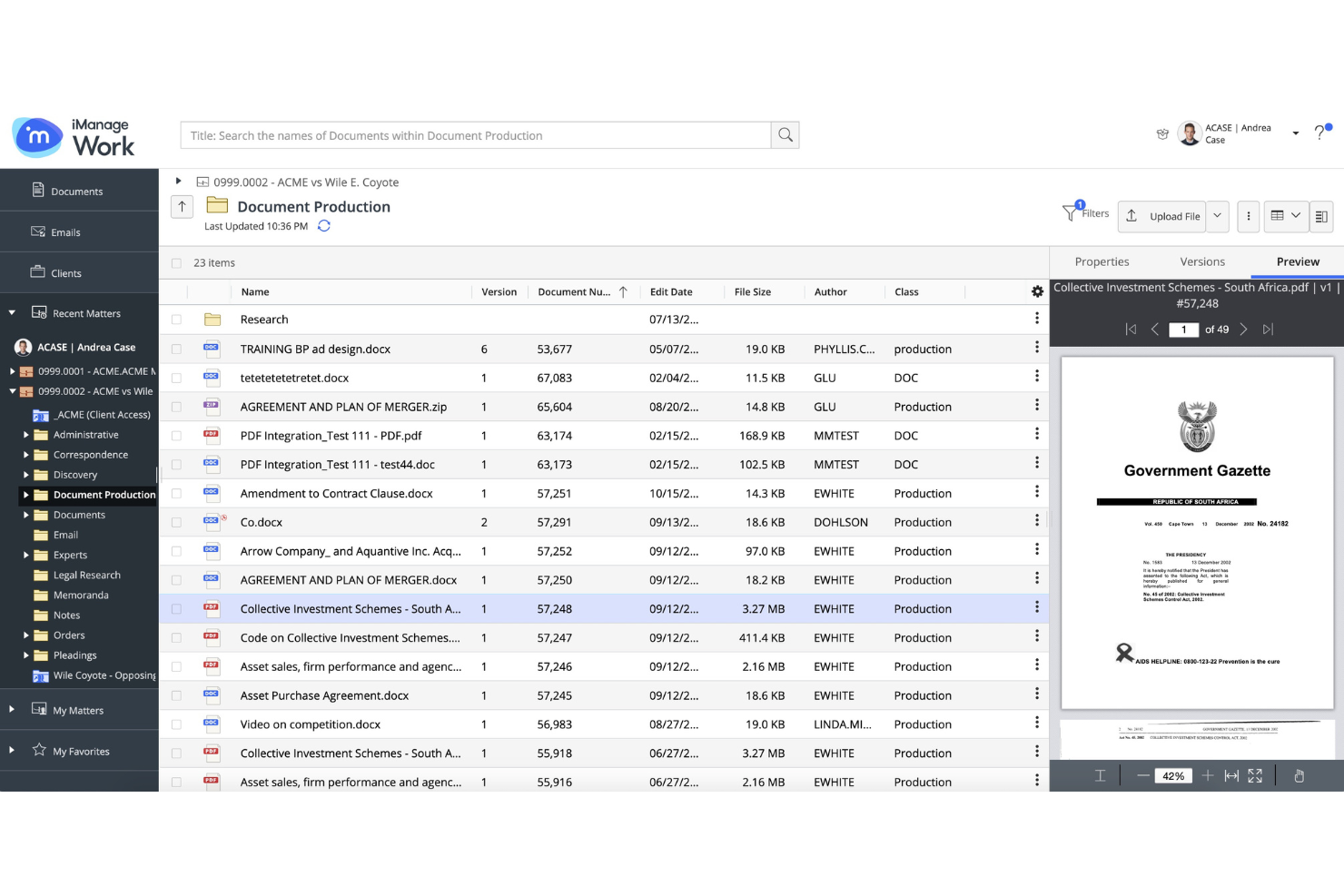
iManage is a document and email management platform tailored to law firms, offering advanced email capture, matter-centric organization, and integration with Microsoft Outlook.
Who Is iManage Best For?
iManage suits law firms and legal teams handling high volumes of sensitive documents and requiring secure email collaboration.
Why I Picked iManage
I picked iManage as one of the best because its security protocols and collaboration tools let my team co-author documents, track email threads alongside files, and set access controls for confidential client matters.
iManage Key Features
- Email filing automation: Auto-classifies and files emails into the right matter workspaces.
- Outlook integration: Allows users to manage and file emails directly from Microsoft Outlook.
- Version management: Tracks document versions for both files and emails.
- Audit trails: Keep a secure, searchable log of all email and document activity.
iManage Integrations
Integrations include Actionstep, ActiveNav, Aderant, Advanced, Autologyx, BA Insight, BEC Legal Systems, BigHand, Blue Car Technologies Limited, and Brochet.
Pros and Cons
Pros:
- Outlook-based workflow familiar to law firm staff
- Strong email and document version management
- Security controls tailored for legal document sharing
Cons:
- Storage limits require periodic workspace cleanup
- Initial configuration could be complex

Best for email-to-folder saving
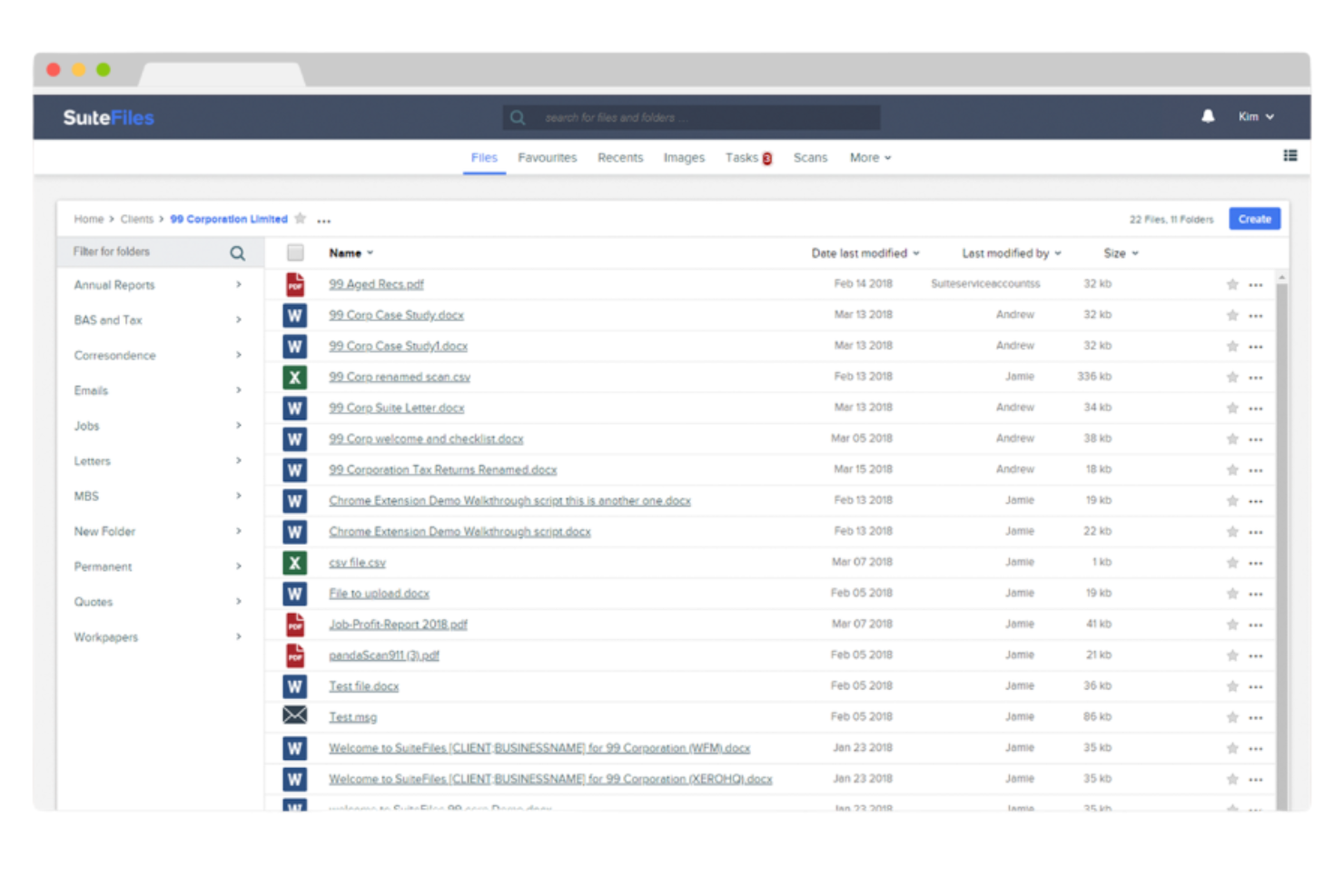
SuiteFiles is a document and email management platform for law firms that lets you save, organize, and manage emails directly into client or matter folders from Outlook.
Who Is SuiteFiles Best For?
SuiteFiles is a fit for law firms that need to manage client or matter emails in dedicated folders within a Microsoft 365 environment.
Why I Picked SuiteFiles
I picked SuiteFiles as one of the best because my team can save emails straight from Outlook into client or matter folders, quickly search email content, and use folder-level permissions to keep sensitive correspondence organized by case.
SuiteFiles Key Features
- Version control: Track and manage versions of saved emails and documents.
- Automatic email threading: Group related emails together in chronological order.
- Outlook add-in: File emails directly using the integrated Outlook sidebar.
- Audit trails: Monitor all access and changes to email records.
SuiteFiles Integrations
Integrations include IRIS, MYOB, Xero, Karbon, HubSpot, QuickBooks, and Microsoft 365.
Pros and Cons
Pros:
- Assign folder-level permissions for email security
- Access email content search within SuiteFiles
- Drag and drop emails to client folders
Cons:
- No built-in email deduplication features
- Initial setup requires full folder mapping

Best for automated compliance-driven filing
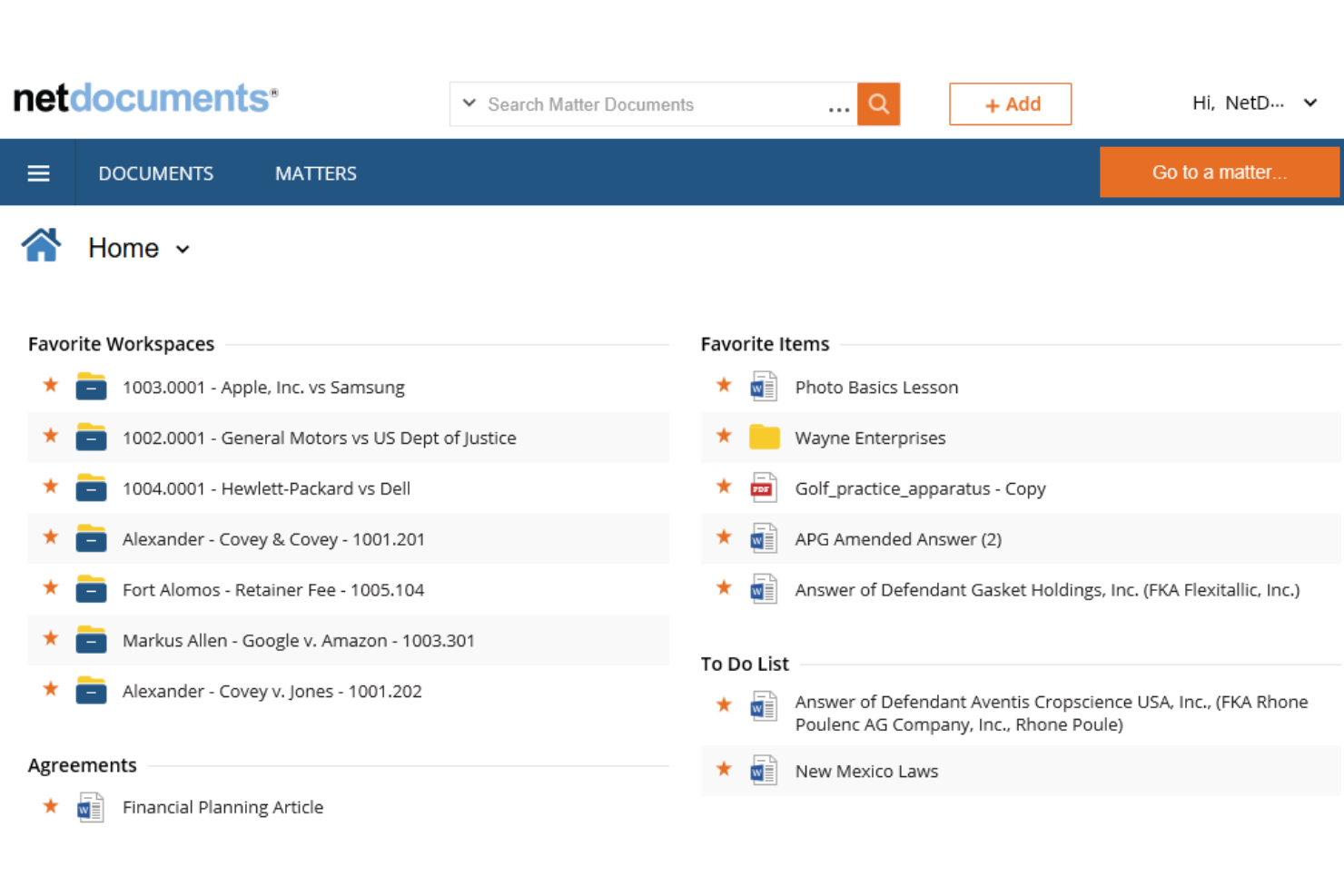
NetDocuments is a cloud-based email and document management platform for law firms that centralizes email filing, enforces retention policies, and offers advanced search and access controls.
Who Is NetDocuments Best For?
NetDocuments is a strong choice for midsize and large law firms that need to automate compliance and centralized email management across multiple teams or offices.
Why I Picked NetDocuments
I picked NetDocuments as one of the best because its predictive email filing and built-in compliance monitoring let my team capture, categorize, and audit every email automatically, reducing manual steps during regulatory reviews.
NetDocuments Key Features
- Full-text search: Find emails and attachments using advanced keyword and metadata search.
- Access control management: Set granular user permissions on all field emails.
- Outlook integration: File, search, and manage emails directly within Microsoft Outlook.
- Document version control: Automatically track multiple versions of email attachments and related documents.
NetDocuments Integrations
Integrations include Microsoft 365, Microsoft Teams, Outlook, Word, DocuSign, File Trail, Intapp, Kofax, LexisNexis, and Litera.
Pros and Cons
Pros:
- Document retention policies enforceable across emails
- Compliance monitoring is built in for audits
- Predictive filing reduces manual email categorization
Cons:
- Limits subfolder depth
- No automatic email deletion from Outlook

Best for law firms using Mac computers
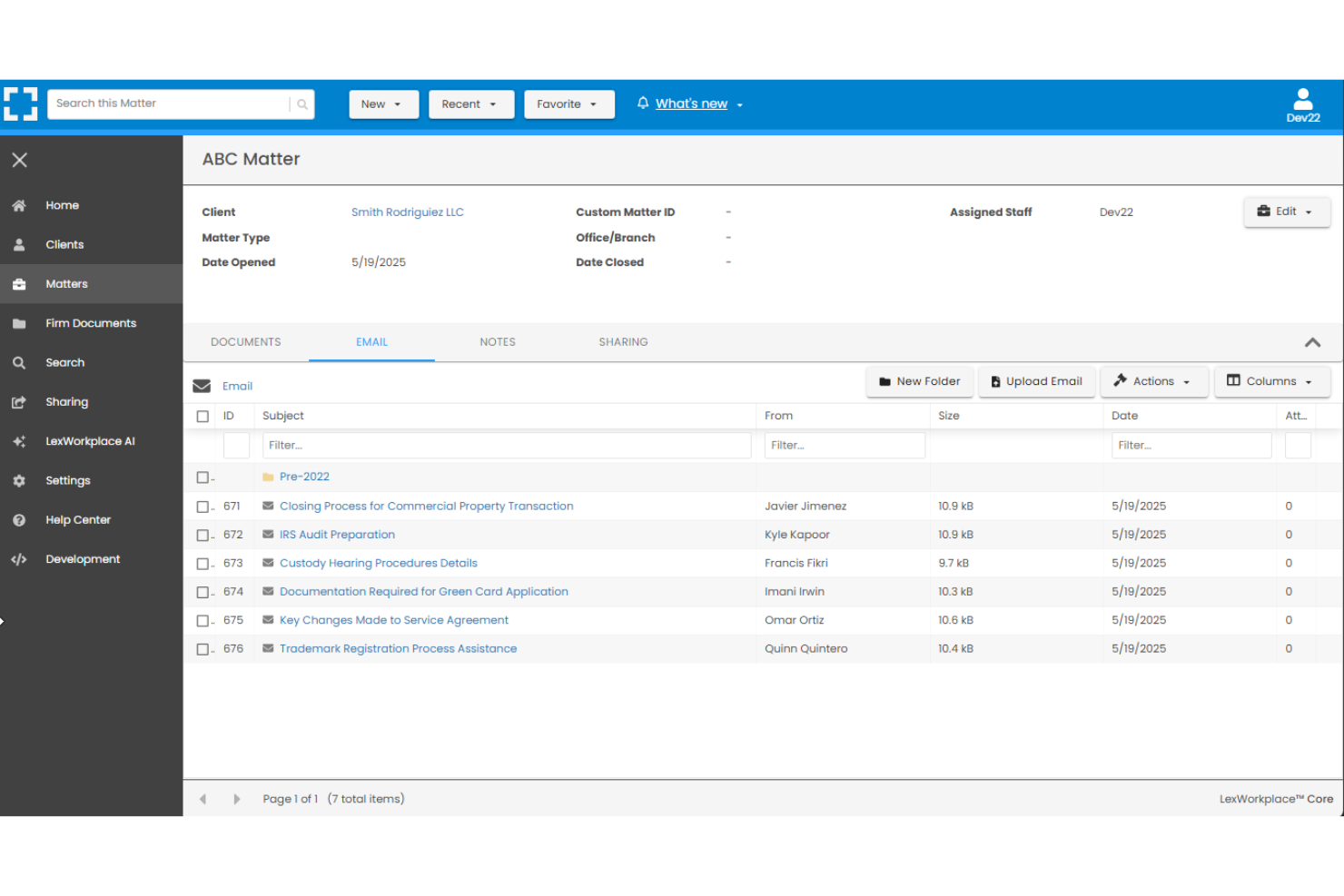
LexWorkplace is a document and email management platform designed for law firms that need to organize, search, and store emails and related documents in a central cloud system.
Who Is LexWorkplace Best For?
LexWorkplace is ideal for small and midsize law firms with attorneys and staff working on Mac computers who need native cloud access for files and emails.
Why I Picked LexWorkplace
I picked LexWorkplace because it's the only email management software built for law firms that natively supports Macs—my team can save and organize emails straight from Outlook for Mac and track all communications by matter.
LexWorkplace Key Features
- Full-text search: Search email content, attachments, and metadata instantly across matters.
- Automatic email deduplication: Prevents storage of duplicate email messages in the system.
- Matter-centric organization: Store and relate emails directly to specific client matters.
- Cloud-based access: Access email and documents securely from any location or device.
LexWorkplace Integrations
Integrations include Microsoft 365, Outlook + Exchange, Clio Manage, and Litera Compare.
Pros and Cons
Pros:
- Offers automatic email deduplication
- Saves emails directly to matter folders
- Compatible with Mac and Windows environments
Cons:
- Indexing large document sets is slower
- Limited email client compatibility beyond Outlook

Worldox
Best for legacy system compatibility
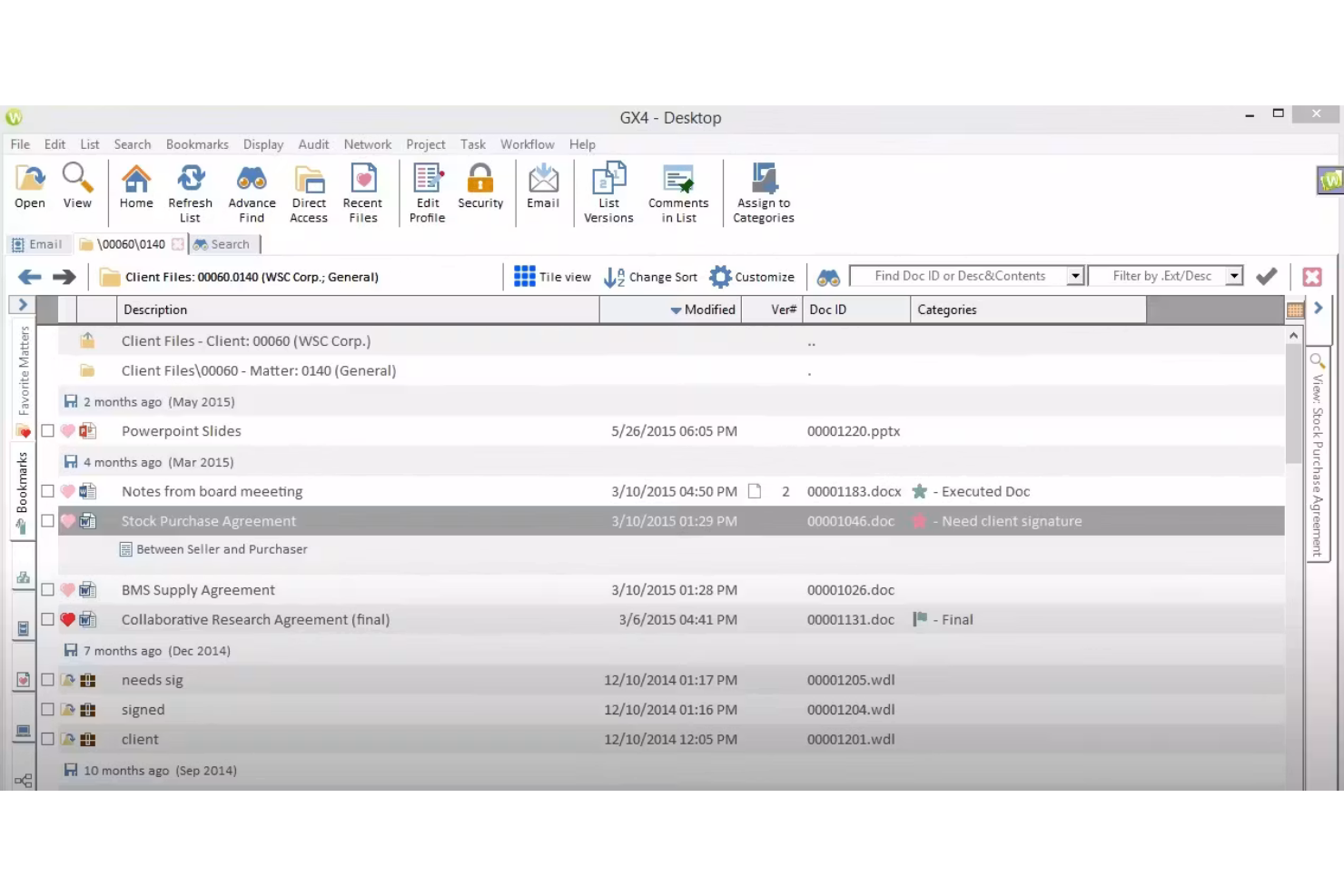
Worldox is an on-premise and cloud-capable email and document management system designed for law firms, offering tools to capture, index, organize, and retrieve emails and related documents.
Who Is Worldox Best For?
Worldox is a fit for established law firms or legal departments needing document and email management that integrates with older IT infrastructure.
Why I Picked Worldox
I picked Worldox as one of the best because my team can manage email filing on-premise or in hybrid environments, work with legacy document storage, and organize emails alongside scanned physical records from decades-old cases.
Worldox Key Features
- Integrated Outlook toolbar: File and retrieve emails directly from the Outlook interface.
- Document profiling: Tag and classify emails and documents for organized search and storage.
- Full-text search: Locate email content quickly with optimized internal search tools.
- Audit trails: Track and log access or actions on every field email.
Worldox Integrations
Integrations include ProCirrus, TrueSign, Leaflet Corporation, Tabush Group, Blue Car Technologies, and Zola Suite.
Pros and Cons
Pros:
- Customizable compliance and retention controls
- Includes on-premise deployment option
- Supports hybrid and on-premise deployments
Cons:
- Files lack native encryption at rest
- Requires a separate running indexer workstation

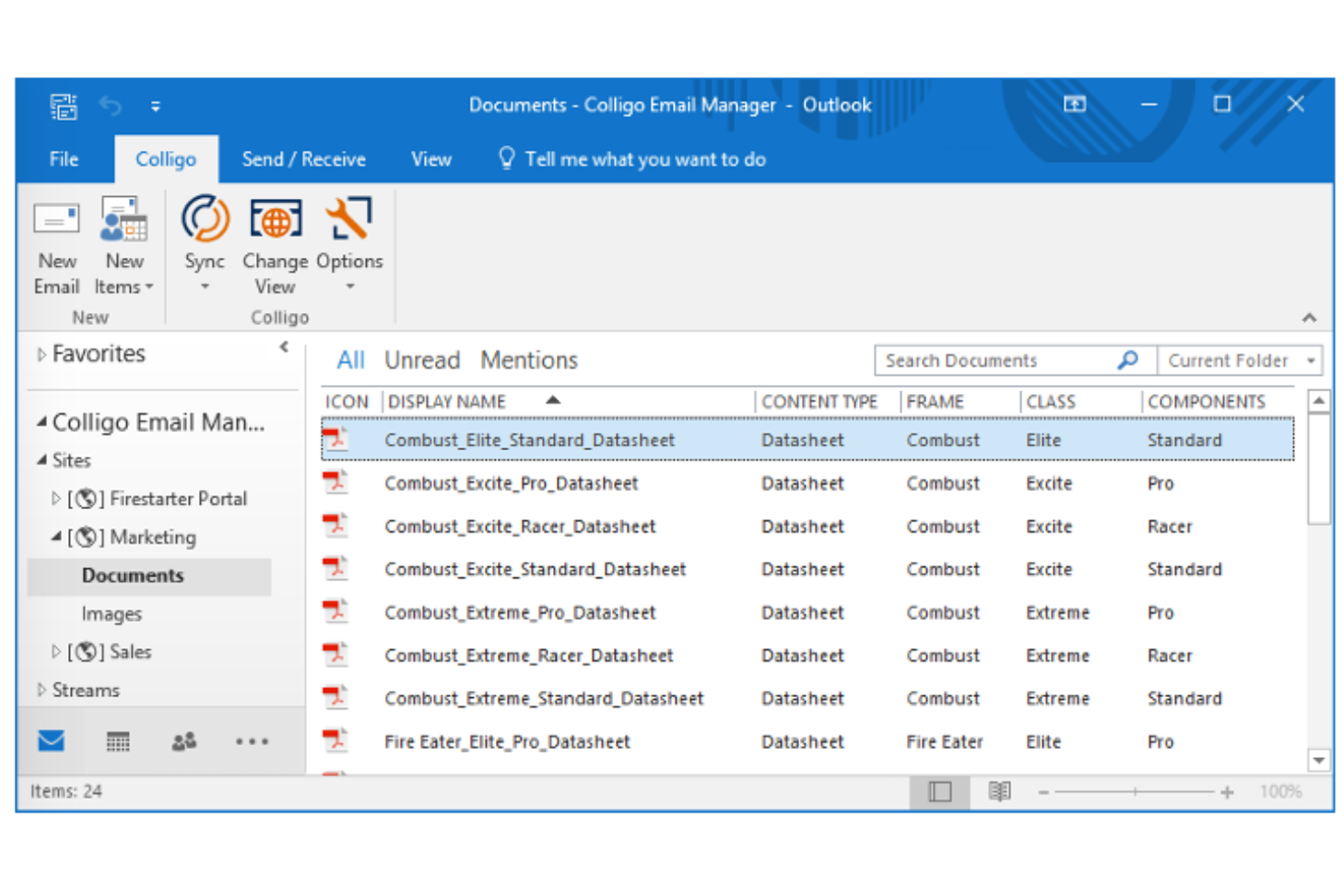
Worldox is an on-premise and cloud-capable email and document management system designed for law firms, offering tools to capture, index, organize, and retrieve emails and related documents.
Who Is Worldox Best For?
Worldox is a fit for established law firms or legal departments needing document and email management that integrates with older IT infrastructure.
Why I Picked Worldox
I picked Worldox as one of the best because my team can manage email filing on-premise or in hybrid environments, work with legacy document storage, and organize emails alongside scanned physical records from decades-old cases.
Worldox Key Features
- Integrated Outlook toolbar: File and retrieve emails directly from the Outlook interface.
- Document profiling: Tag and classify emails and documents for organized search and storage.
- Full-text search: Locate email content quickly with optimized internal search tools.
- Audit trails: Track and log access or actions on every field email.
Worldox Integrations
Integrations include ProCirrus, TrueSign, Leaflet Corporation, Tabush Group, Blue Car Technologies, and Zola Suite.
Pros and Cons
Pros:
- Customizable compliance and retention controls
- Includes on-premise deployment option
- Supports hybrid and on-premise deployments
Cons:
- Requires a separate running indexer workstation
- Files lack native encryption at rest

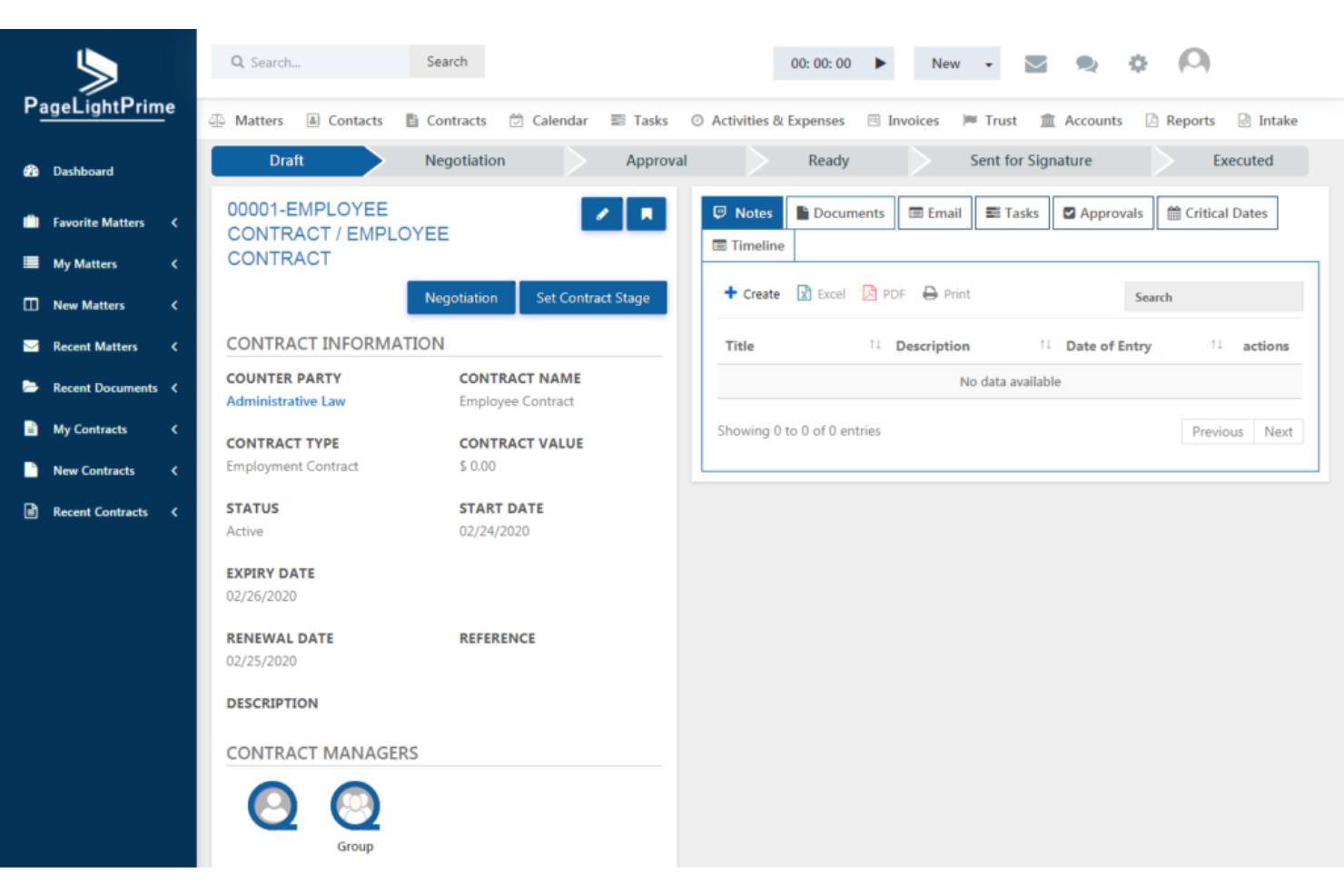
PageLightPrime is cloud-based law firm email management software designed to organize, file, search, and tag emails securely in a single centralized platform.
Who Is PageLightPrime Best For?
PageLightPrime suits law firms of any size that need secure, centralized control over high volumes of client email records.
Why I Picked PageLightPrime
I picked PageLightPrime because it gives my team a single workspace for saving and searching emails, tagging them by matter, and managing retention—no more scattered email silos or manual folder sorting.
PageLightPrime Key Features
- Full-text search: Enables searching within email bodies and attachments.
- Granular user permissions: Let admins assign access levels by user or group.
- Audit trails: Tracks every action and change to emails.
- Outlook add-in: Lets users file emails to PageLightPrime from Outlook.
PageLightPrime Integrations
Integrations include Microsoft 365, SharePoint, and Outlook.
Pros and Cons
Pros:
- Offers comprehensive audit tracking capabilities
- Supports precise tagging and classification
- Centralizes all emails in Matter Workspaces
Cons:
- No built-in bulk email migration tool
- Requires a Microsoft Office 365 license


Epona DMS is a legal-focused document and email management system that uses Microsoft 365 tools to help law firms organize, file, and retrieve emails and related documents within their existing Microsoft environment.
Who Is Epona DMS Best For?
Law firms that already rely on Microsoft 365 for daily operations and want integrated document and email management.
Why I Picked Epona DMS
I picked Epona DMS because my team can file emails, documents, and attachments directly within Microsoft Outlook and Teams, organize matter-centric workspaces in SharePoint, and keep everything accessible right inside the Microsoft 365 environment.
Epona DMS Key Features
- Outlook email drag-and-drop filing: Save emails to matters by dragging them directly within Outlook.
- Automated email tagging: Apply metadata to emails for quick categorization and search.
- Document version control: Track and manage multiple versions of documents and emails in a matter.
- Comprehensive audit trail: Log all activity and access to emails and documents for review.
Epona DMS Integrations
Integrations include Microsoft Word, Microsoft Excel, Microsoft PowerPoint, Microsoft Outlook, Microsoft Teams, Microsoft SharePoint, and Microsoft Purview.
Pros and Cons
Pros:
- Supports bulk filing of historical emails
- Offers matter-centric email and document filing
- Built for tight Microsoft 365 integration
Cons:
- Interface lacks modern customization
- Advanced setup requires an IT administrator
Other Email Filing Software For Law Firms
Here are some additional email filing software for law firms options that didn’t make it onto my shortlist, but are still worth checking out:
- MyCase
For all-in-one client portal
- CosmoLex
For built-in trust accounting
- Filevine
For enterprise-grade security standards
- Actionstep
For workflow automation
- Smokeball
For automatic time tracking
- Tabs3
With guided user training workflows
- Rocket Matter
For QuickBooks integration
- PracticePanther
For bar association approvals
- MacroView
For Outlook and Teams email filing
- Qanooni
For AI-customized legal document drafting


How I Evaluate Email Filing Software for Law Firms
I split my evaluation into two layers: the matter-filing and Outlook integration requirements a tool must meet to qualify, and the differentiators that determine if attorneys will actually use it.
Core Functionality (Table Stakes For This List)
When I'm selecting tools for my list, I rank each one on a scale from 0 (does not offer the functionality) to 5 (excels in this area) for each core functionality listed below. Then, I calculate the tool's total score into a percentage. Each tool needs to achieve a minimum total score of 55% to be considered for inclusion.
- Matter-Based Email Filing: I look for a matter-centric folder structure where emails land under the right client and case, not just a generic tag or label system.
- Email Client Integration: The tool needs a native Outlook or Gmail plugin that lets attorneys file without leaving their inbox, since that's where they spend most of their day.
- Automated Filing Rules: I evaluate whether the tool can learn from past filing behavior or apply rule-based routing so associates aren't manually sorting hundreds of messages a week.
- DMS/Practice Management Sync: Connecting to platforms like iManage, NetDocuments, or Clio matters here. I check whether filed emails actually surface in the matter workspace alongside documents.
- Duplicate & Thread Handling: When three attorneys on the same matter all file the same email chain, the tool should catch duplicates firm-wide and file threads cleanly.
- Audit Trail & Compliance: I evaluate whether the tool logs who filed what and when, supports ethical walls, and offers retention controls that align with bar obligations.
Once I have a list of tools that meet this criteria, I consider what sets each platform apart.
Differentiating Factors (What Sets Vendors Apart)
Here's how I compare and contrast different vendors:
Standout Features
Predictive AI filing is a major differentiator. Tools that learn from past behavior and suggest the correct matter save real time, especially in firms juggling hundreds of active cases. I also check whether a tool can convert email activity into billable time entries, since that ties filing directly to revenue capture. Attachment-only filing matters too—pulling a signed engagement letter out of an email and storing it as a standalone document in the DMS keeps matter folders clean and searchable.
Beyond Features
Legal tech ecosystem fit is one of the first things I evaluate. A tool that connects deeply with iManage but ignores NetDocuments or Clio leaves a big gap depending on your firm's stack. Compliance and security certifications also carry weight—I check for SOC 2 compliance, encryption standards, and ethical wall support, since email filing tools handle privileged data daily. Implementation planning matters just as much. Firms switching from manual filing or a legacy tool need guided migration, and I look at whether the vendor offers law-firm-specific onboarding and training resources.
How to Choose Email Filing Software For Law Firms
It’s easy to get bogged down in long feature lists and complex pricing structures. To help you stay focused as you work through your unique software selection process, here’s a checklist of factors to keep in mind:
| Factor | What to Consider |
|---|---|
| Scalability | Can the platform handle your current caseload and anticipated growth? Will it support additional users or practice groups without extra cost or disruption? |
| Integrations | How easily does the software connect with your existing tools, like document management or billing systems? Are there native integrations or will workarounds be needed? |
| Customizability | Can you tailor workflows, tags, and categories to your firm’s specific needs? Does the interface adapt to unique matter structures or filing rules? |
| Ease of use | Will staff adapt quickly without extensive training? Is navigation intuitive for both attorneys and support staff? Test day-to-day filing as a user. |
| Implementation and onboarding | Are there data migration services or training options to move current emails and users smoothly? How long does setup typically take for firms of your size? |
| Cost | How does pricing compare for your firm's size and feature needs? Watch for extra fees for seats, storage, support, or core add-ons. |
| Security safeguards | What protections guard against unauthorized access or data loss? Look for encryption, audit logs, and security certifications relevant to legal services. |
| Compliance requirements | Does the platform support retention, audit, and confidentiality needs for your practice area and jurisdiction? Confirm support for legal and client regulations. |
What Are Email Filing Software For Law Firms?
Email filing software for law firms is a digital tools that organize, store, and link legal correspondence to specific matters or clients. These solutions help simplify email management, retain important client communications, and ensure firms meet compliance requirements by maintaining searchable, matter-centric email records for attorneys and staff.
Features
When selecting email filing software for law firms, keep an eye out for the following key features:
- Matter-centric organization: Links emails directly to specific cases or matters, making it easy to locate all correspondence connected to a client or file.
- Automated filing rules: Uses pre-set rules to automatically sort and file incoming and outgoing emails, reducing manual work and ensuring accuracy.
- Searchable archives: Let you quickly search and retrieve emails using keywords, matter names, dates, or other criteria, supporting internal audits and client requests.
- Attachment management: Saves, organizes, and links email attachments to the relevant case files, ensuring easy access to all related documents.
- Role-based access controls: Assign permissions so only authorized users can view, edit, or manage sensitive email correspondence, supporting confidentiality requirements.
- Audit trails: Provide detailed logs showing when emails were filed, accessed, or altered, which helps meet compliance and recordkeeping obligations.
- Integration with practice management: Connects seamlessly with other legal software—like document management or billing—creating a unified workflow.
- Client communication tracking: Captures all client emails in a centralized record, ensuring no message is missed and supporting better service and accountability.
- Bulk email filing: Allows users to file large quantities of emails at once, streamlining inbox management for busy legal teams.
- Mobile accessibility: Enables filing, searching, and viewing of legal emails from mobile devices, supporting remote and on-the-go work.
Benefits
Implementing email filing software for law firms provides several benefits for your team and your business. Here are a few you can look forward to:
- Improved compliance: Automatic audit trails, search features, and role-based access controls help your firm meet legal and regulatory requirements.
- Centralized communication: All emails and attachments are linked to specific matters, giving you a complete communication record for every case.
- Time savings: Automated filing rules and bulk filing capabilities free staff from manual sorting and organization of legal correspondence.
- Faster information retrieval: Searchable archives and matter-centric organization make it simple to find important emails or attachments when you need them.
- Reduced risk of lost data: Secure archiving and daily backups minimize the chance of missing or deleted client communications.
- Better client service: Centralized tracking and easy access to client emails help your team respond quickly and provide more informed support.
- Efficient workflows: Complete integration with other practice management tools lets you handle communication, document management, and billing in a unified system.
Costs and Pricing
Selecting email filing software for law firms requires an understanding of the various pricing models and plans available. Costs vary based on features, team size, add-ons, and more. The table below summarizes common plans, their average prices, and typical features included in email filing software for law firm solutions:
Plan Comparison Table for Email Filing Software For Law Firms
| Plan Type | Average Price | Common Features |
|---|---|---|
| Free Plan | $0 | Basic email filing, limited matter association, community support, and restricted storage. |
| Personal Plan | $5-$20/user/month | Single user access, standard search tools, limited integration options, basic attachment management, and email tagging. |
| Business Plan | $20-$40/user/month | Multi-user support, automated filing rules, advanced search, practice management integrations, and basic audit trails. |
| Enterprise Plan | $40-$70/user/month | Custom workflows, role-based permissions, priority support, data migration assistance, enhanced security, and compliance tools. |
Email Filing Software For Law Firms FAQs
Here are some answers to common questions about email filing software for law firms:
How does email filing software integrate with existing legal practice management systems?
Most email filing software offers direct integration with popular legal practice management tools, letting you link emails and attachments to specific matters and clients automatically. This connects your legal email management directly to broader legal workflows, though for other systems, you may need to use manual upload features or third-party integration platforms.
Can email filing software help meet law firm compliance requirements?
Yes, email filing software supports compliance by maintaining detailed audit logs, enforcing retention policies, and providing role-based access controls. These features ensure that client information and critical information within communications are secure, discoverable, and handled according to legal standards.
What security measures should a law firm look for in email filing software?
Look for encryption in transit and at rest, user authentication protocols, and permissions that restrict access to sensitive data. Also consider whether the vendor undergoes regular security audits, provides strict data security, or holds certifications relevant to legal data protection.
How much training do lawyers and staff typically need to start using email filing software?
Most team members, including any busy paralegal or attorney, can get started after a short training session—usually through onboarding guides, video tutorials, or hands-on product tours. Simpler platforms need less time, while more customizable systems may require additional setup and user education.
Can law firms automate the filing process, or is it always manual?
Many solutions offer automatic filing rules to capture incoming and outgoing emails based on sender, subject, or client matter in real-time. This saves valuable time and ensures accurate email archiving, but users should review automated results regularly to ensure accuracy and compliance.