

Managing cases shouldn't mean dealing with complicated software or spending hours learning new workflows. Simple case management software keeps your cases, documents, tasks, and deadlines organized without adding unnecessary steps to your daily work.
Whether you're managing legal matters, tracking client intake, or coordinating case-related activities, finding the right software comes down to the features you actually need.
In this guide, I'll compare the best simple case management software options, highlighting their key features, benefits, and limitations so you can choose a tool that fits your team's workflow.
Why Trust Our Software Recommendations
6,700+
Reviews
20
Industry experts
16+
Evaluation factors
14
Years
Our team has been testing and reviewing software since 2012. As legal practice leaders ourselves, we know how difficult—and important—it is to choose the right software.
For this guide, we evaluated tools using hands-on testing and independent research, scoring tools using our selection criteria.
Our reviews reflect our human editorial judgment, not a sales pitch.
Comparison Table: Simple Case Management Software
Compare pricing and specs, side by side, for the simple case management software that made it onto my shortlist.
| Tool | Best For | Trial Info | Price | ||
|---|---|---|---|---|---|
| 1 | Best for solo law firms tracking matters end to end | Not available | Pricing upon request | Website | |
| 2 | Best for PI firms managing cases end to end | Free demo available | From $90/user/month | Website | |
| 3 | Best for solo and small-firm matter tracking | 7-day free trial | From $49/user/month | Website | |
| 4 | Best for solo firms centralizing cases and billing | 10-day free trial | From $50/user/month (billed annually) | Website | |
| 5 | Best for law firms outgrowing spreadsheets | Free plan available; Free demo available | Pricing upon request | Website | |
| 6 | Best for case-based billing and tasks | Free demo available | Pricing upon request | Website | |
| 7 | Best for solo firms centralizing matters and billing | 10-day free trial | From $59/user/month (billed annually) | Website | |
| 8 | Best for simple case tracking and billing | Free plan available | From $39/user/month (billed annually) | Website | |
| 9 | Best for configurable law firm matter workflows | Free demo available | Pricing upon request | Website | |
| 10 | Best for human services intake and case tracking | Free demo available | From $29/user/month (billed annually) | Website |


Simple Case Management Software Reviews
Below are my reviews of the simple case management software on my shortlist. I cover each product’s features, ease of use, and pricing to help you find the right fit.
 Best for solo law firms tracking matters end to end
- Not available
- Pricing upon request
Visit WebsiteCustomer Rating:4.8/5
Smokeball tracks legal matters, documents, contacts, tasks, and billing. Smokeball is a legal practice management platform that organizes matters, documents, contacts, tasks, and billing in a single matter-centric record built for law firms.
Who Is Smokeball Best For?
Smokeball is a strong fit for solo attorneys who need one place to manage every matter from first contact to close.
Why I Picked Smokeball
I've included Smokeball in my top picks because it's built around the matter record in a way that solo attorneys will immediately recognize as useful. Every contact, document, task, and key date lives inside a single matter file, so nothing slips through the gaps between intake and close. I particularly like how workflows can automatically apply a sequence of tasks to a new matter based on its type, keeping a solo practitioner on track without relying on a second set of hands.
Smokeball Key Features
- Client portal: Gives clients a dedicated space to share information and receive matter updates directly through Smokeball.
- Document automation: Generates legal documents and forms using more than 20,000 templates that populate from matter information.
- AutoTime: Automatically records work activity against matters and creates billable time entries without manual input.
- Mobile app: Lets you access matters, files, contacts, tasks, and calendar events from iOS or Android devices.
Smokeball Integrations
Smokeball offers native integrations with Microsoft 365 Outlook, calendar, and Word, plus integrations with QuickBooks Online, Lawmatics, and LawToolBox. It also provides APIs, webhooks, and a Client SDK for custom connections; no Zapier integration is documented.
Pros and Cons
Pros:
- Templates populate documents from matter details
- Reviewers praise workflows for tracking deadlines
- Matter files keep documents, contacts, and tasks together
Cons:
- Reviewers report slow large-file downloads and sync issues
- Legacy-data migration can take five to eight weeks
Learn more about Smokeball: Best for PI firms managing cases end to end
- Free demo available
- From $90/user/month
Visit WebsiteCustomer Rating:4.8/5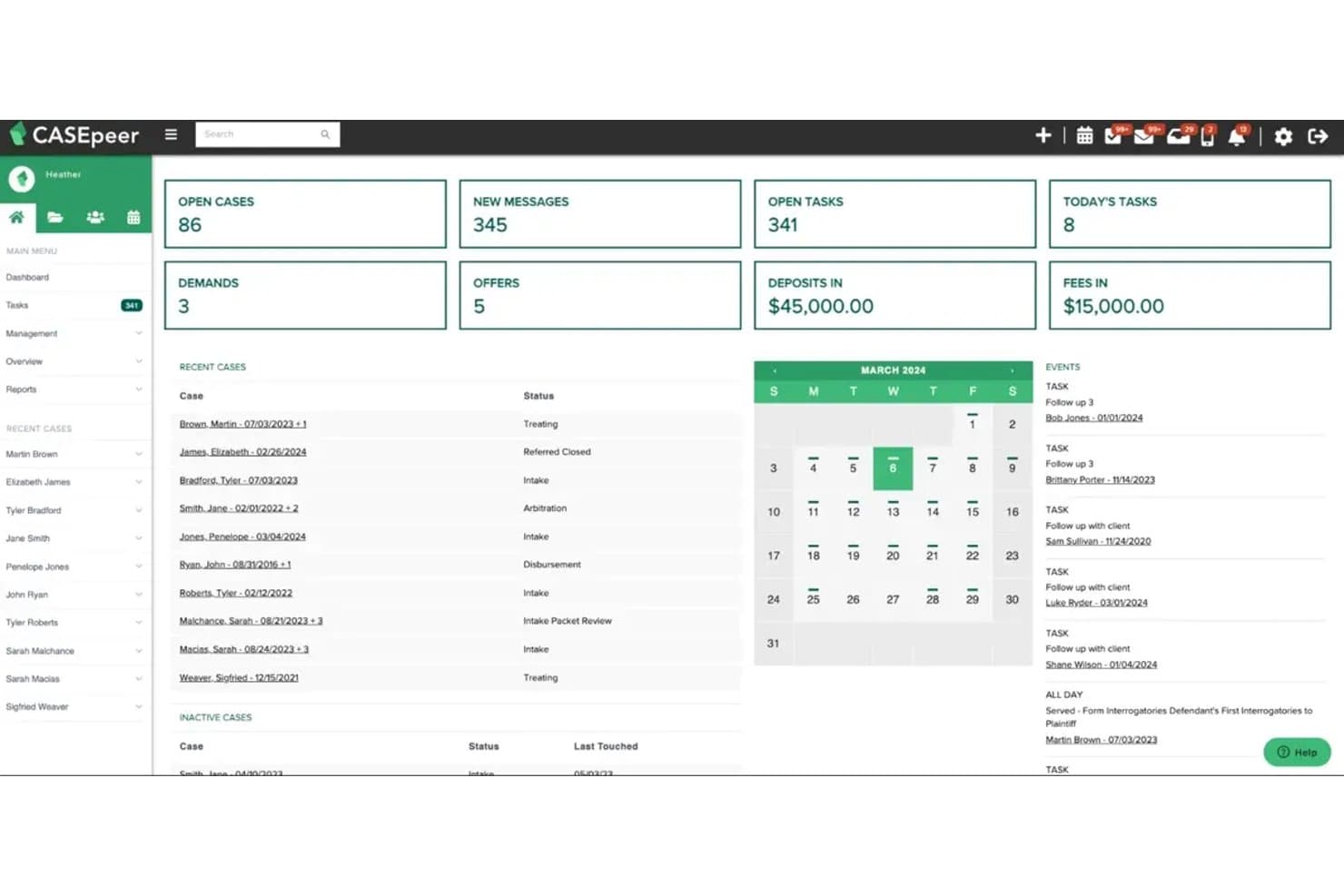
CasePeer manages legal cases, client intake, documents, automated tasks, and case updates. CasePeer is a cloud-based practice management platform built specifically for personal injury law firms, combining case tracking, intake management, document storage, task automation, and client communication tools in one system.
Who Is CasePeer Best For?
CasePeer is built for personal injury law firms—from solo practitioners to multi-location practices—that need a single system to manage cases from first contact through settlement.
Why I Picked CasePeer
I picked CasePeer as one of the best because it's built exclusively for personal injury work, which means every feature maps directly to how PI cases actually move. I love that the case summary screen centralizes notes, timelines, contact histories, and medical treatment tracking in one view, so you're never digging across tabs to understand where a matter stands. The automated statute alerts and task workflows tied to case status keep deadlines from slipping without requiring any manual setup per case.
CasePeer Key Features
- Client portal: Clients can view firm contact details, case status updates, and shared files, while you control which updates are sent and who has access.
- Two-way texting: Send and receive text messages with clients directly from a case, including image acceptance, using built-in text templates.
- Medical treatment tracking: Log and monitor injuries, providers, treatment histories, and liens tied to each case record.
- Settlement calculator: Manage and calculate settlement negotiations from within the case, with expense and client trust tracking built in.
CasePeer Integrations
CasePeer’s integrations directory displays 12 of 39 connections, including Google Calendar, Microsoft Outlook, Dropbox, OneDrive, QuickBooks, and LawPay. Zapier is also listed, and API access is available on the Advanced plan.
Pros and Cons
Pros:
- Medical treatment tracking keeps provider histories case-linked
- Statute alerts and tasks surface upcoming deadlines
- Case summaries unite notes, treatment, and progress
Cons:
- Rigid workflows can resist firm-specific changes
- Document search and downloads frustrate some reviewers
 Best for solo and small-firm matter tracking
- 7-day free trial
- From $49/user/month
Visit WebsiteCustomer Rating:4.7/5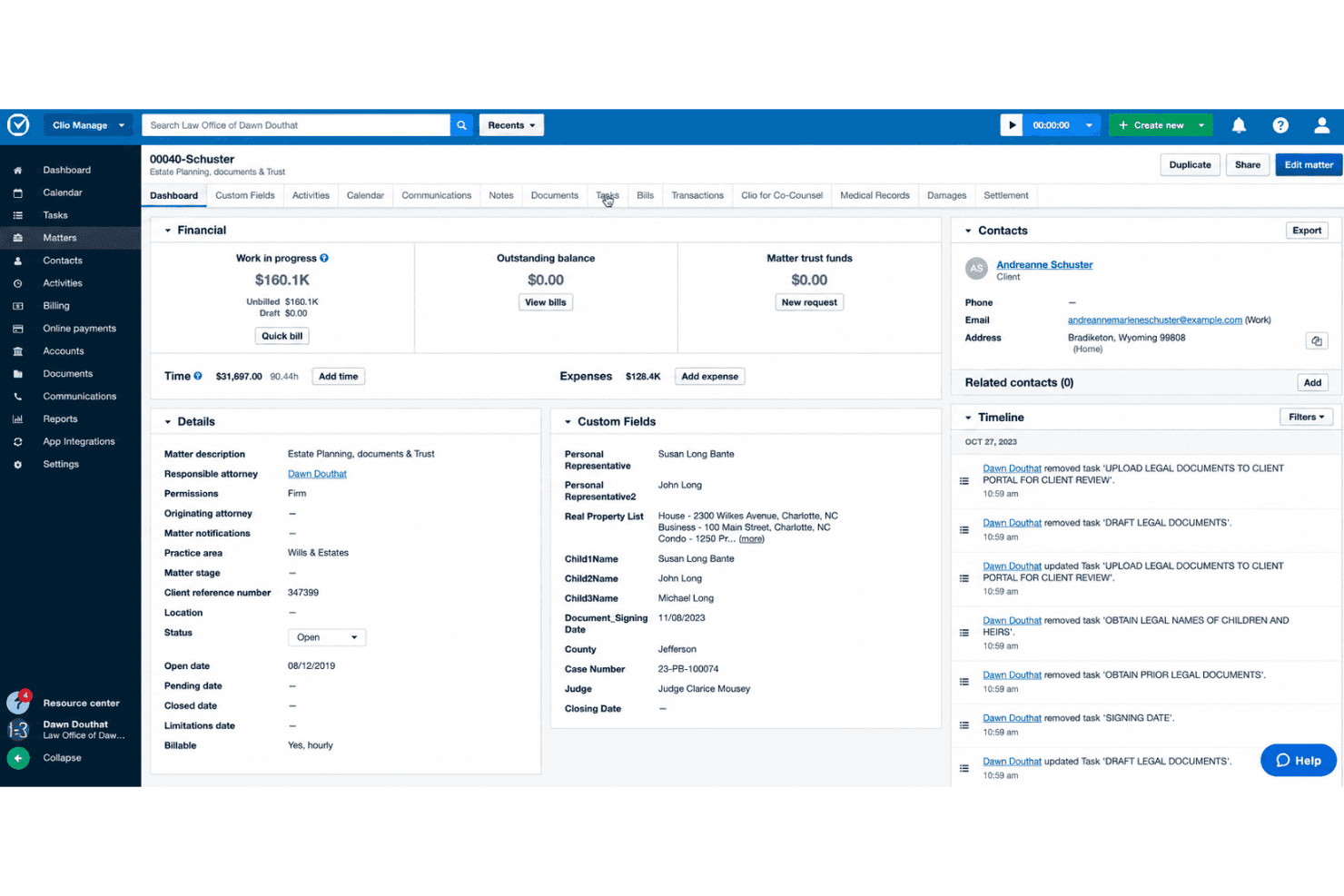
Clio Manage handles matter tasks, court deadlines, time tracking, and client collaboration. Clio Manage is a cloud-based legal practice management platform that centralizes matter tracking, document storage, time and expense recording, billing, and client communication in one system.
Who Is Clio Manage Best For?
Clio Manage is a strong fit for solo attorneys and small firms that need to manage matters, documents, billing, and client communication in a single cloud-based system.
Why I Picked Clio Manage
I've included Clio Manage in my top picks because it's one of the few platforms that keeps every piece of a matter—contacts, documents, tasks, and communications—inside a single record from day one. I particularly like how matter timelines log every activity automatically, so solo attorneys and small firms always have a clear, chronological view of where each case stands. The Clio for Clients portal also lets firms share documents and matter updates without relying on email threads.
Clio Manage Key Features
- Clio for Clients portal: Give clients a secure space to view matter updates, exchange messages, share documents, and make payments directly from a web browser or mobile app.
- Automated email filing: Connect Gmail, Outlook, or Microsoft Exchange to automatically file email threads and attachments to the matching matter record.
- E-signatures: Send documents for e-signature from within Clio Manage, with signed copies stored alongside the original in the matter's Documents section.
- iOS and Android mobile app: Access matter details, upload photos and documents, and scan paper files into PDFs directly from a mobile device.
Clio Manage Integrations
Clio Manage lists 300+ integrations, including Gmail, Outlook, QuickBooks, Xero, and TrustBooks. It also offers a Version 4 API with webhooks and OAuth 2.0, and lists Zapier.
Pros and Cons
Pros:
- Assigned tasks appear on matter timelines
- Client portal keeps messages and files matter-linked
- Matter timelines keep case activity together
Cons:
- Migration can disrupt the transition process
- Reports can require manual work
Learn more about Clio Manage: Best for solo firms centralizing cases and billing
- 10-day free trial
- From $50/user/month (billed annually)
Visit WebsiteCustomer Rating:4.6/5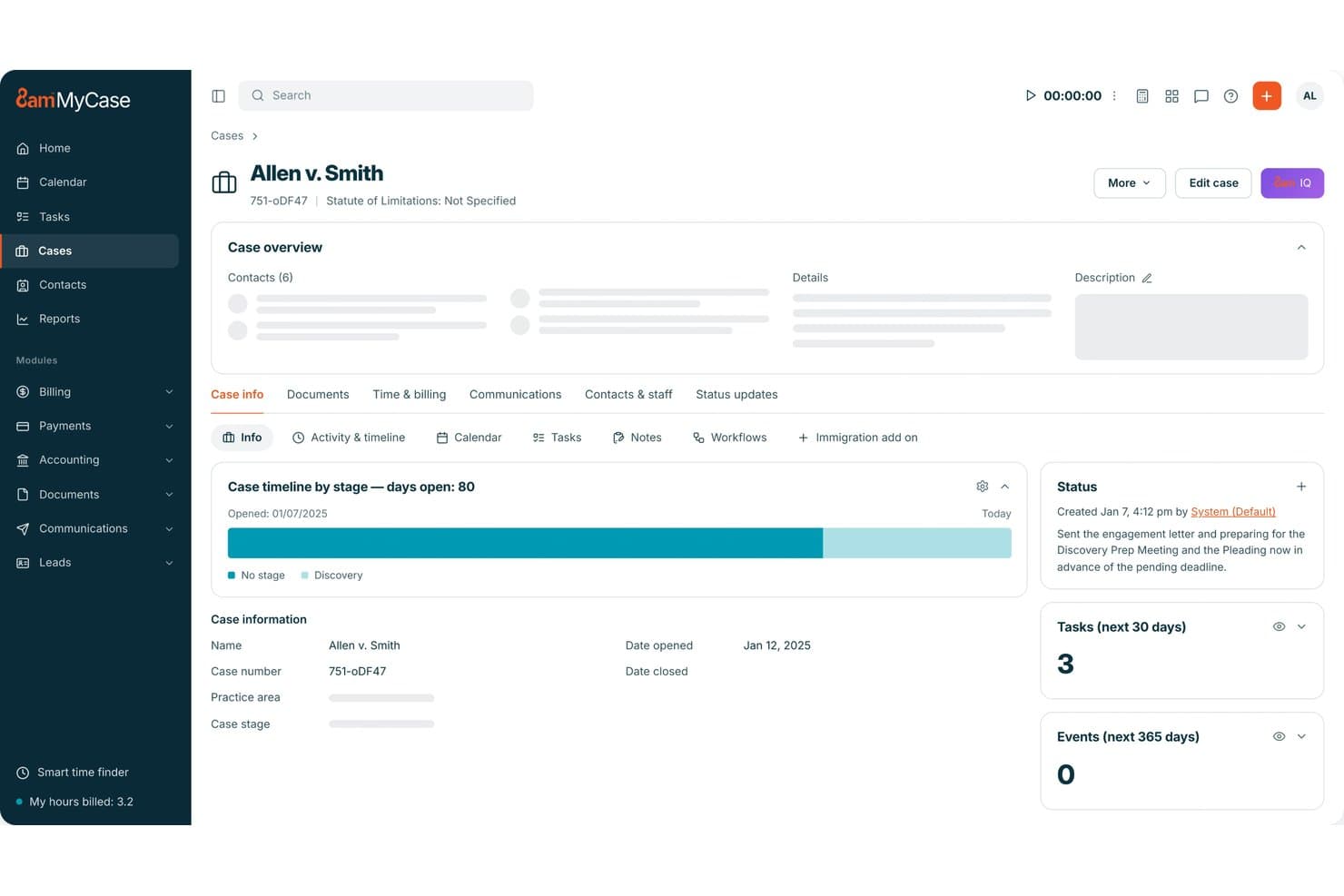
MyCase centralizes case records, documents, billing, and client communication. MyCase is a legal practice management platform that brings case records, document storage, time tracking, invoicing, and client billing together in one place for law firms.
Who Is MyCase Best For?
MyCase is a strong fit for solo practitioners and small firms that want case records, documents, time tracking, and billing managed in one place without a steep learning curve.
Why I Picked MyCase
I've included MyCase in my top picks because it keeps case records, documents, time entries, and invoicing in a single case file, which means solo practitioners aren't toggling between separate tools to bill a client or pull up a filed document. I particularly like how the client portal lets clients upload documents directly and view invoices, cutting down on back-and-forth communication. The built-in trust accounting and LawPay payment integration also mean billing and collections stay inside the same system where the casework lives.
MyCase Key Features
- Legal calendaring: A shared firm calendar links deadlines and events to case files, with Google Calendar and Outlook syncing available on Pro.
- Task assignment and tracking: Tasks can be created, assigned to firm users, linked to cases or leads, and given due dates, priorities, checklists, and reminders.
- Customizable reporting: Built-in dashboards and reports cover case activity, workload, financials, and firm performance, available from the Basic tier.
- Two-way texting: Pro users can send and receive client text messages, including images, directly from within MyCase.
MyCase Integrations
MyCase lists 61 marketplace integrations, including Google Calendar, Microsoft Outlook, QuickBooks, Dropbox, Gmail, Mailchimp, and Zapier. The Advanced plan includes an Open API for custom integrations.
Pros and Cons
Pros:
- Time entries connect directly to matter invoicing
- Clients upload documents and review invoices
- Case files unite notes, tasks, documents, contacts
Cons:
- Matter workflows offer limited status flexibility
- Document sync and retrieval can frustrate teams
 Best for law firms outgrowing spreadsheets
- Free plan available; Free demo available
- Pricing upon request
Visit WebsiteCustomer Rating:4.5/5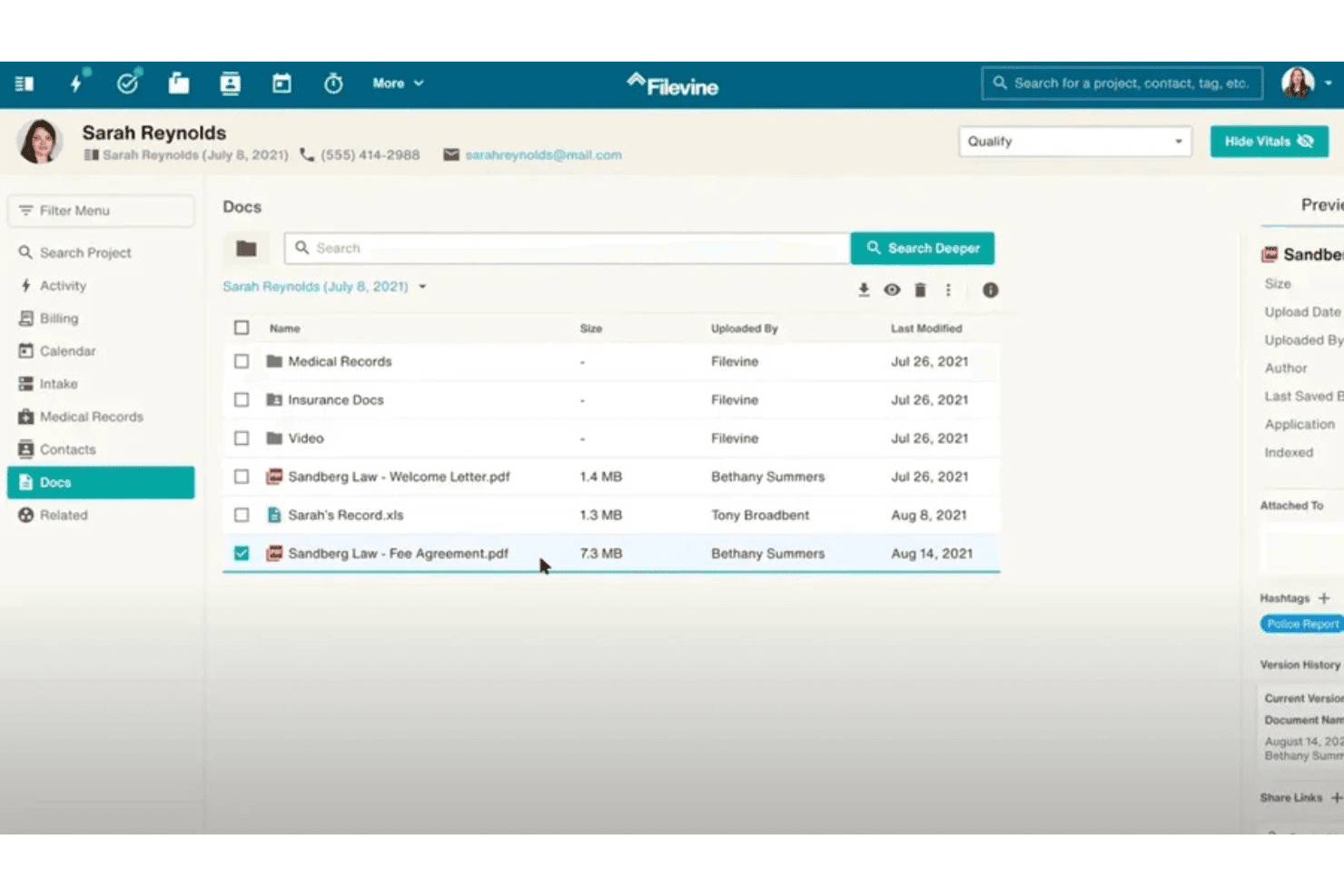
Filevine coordinates legal cases, documents, deadlines, client communication, and billing. Filevine is a cloud-based legal case management platform that centralizes matter tracking, document storage, task and deadline management, client communication, time tracking, and billing in one workspace.
Who Is Filevine Best For?
Filevine is a strong fit for small and solo law firms that have outgrown manual tracking and need a single place to manage cases, documents, tasks, and client communication.
Why I Picked Filevine
I picked Filevine as one of the best because it's built for firms that have hit the ceiling on spreadsheets and need a real system fast. Each matter lives in its own project hub with phases that track progress from intake to close, and phase changes can automatically trigger task chains so nothing falls through the cracks. I also like that the Activity Feed pulls emails, texts, notes, and reminders into one place per case, replacing the scattered threads that make spreadsheet-run firms so hard to manage.
Filevine Key Features
- Document OCR search: Search the full text of stored documents using optical character recognition to locate words or phrases across your case files.
- Client Portal: Give clients secure access to case updates, portal messaging, and document sharing directly from their matter file.
- Taskflows: Automatically generate task chains when a project is created, a phase changes, or a prior task is completed.
- Vinesign e-signature integration: Send PDF, DOC, or DOCX files for signature from within a project, with completed documents returned to the project's Docs section and Activity Feed.
Filevine Integrations
Filevine documents integrations with Outlook, Gmail, QuickBooks, Soluno, SurePoint, Orion, NetSuite, and Periscope, and claims over 2,000 potential integrations. API availability isn’t stated.
Pros and Cons
Pros:
- Case-linked documents stay organized and searchable
- Custom phases trigger relevant task chains
- Case details and communications share one workspace
Cons:
- Activity alerts can bury important notes
- Configuration and migration can take months
Learn more about Filevine: Best for case-based billing and tasks
- Free demo available
- Pricing upon request
Visit WebsiteCustomer Rating:4.4/5
CARET Legal organizes matter tracking with visual analytics and status breakdowns. CARET Legal is a cloud-based legal practice management platform that combines matter tracking, document management, task and calendar management, billing, accounting, and client portal tools in one system.
Who Is CARET Legal Best For?
CARET Legal is a strong fit for small to mid-sized law firms with a dedicated office manager or firm admin who needs billing, matters, and documents in one place.
Why I Picked CARET Legal
I've included CARET Legal in my top picks because it handles case-based billing and tasks better than most tools in this category. Every matter record links directly to time entries, invoices, and task assignments, so billing never falls through the cracks when a case closes. I also like how workflow templates (on Enterprise Plus) can automatically generate tasks and calendar appointments for a specific matter type the moment a new case opens.
CARET Legal Key Features
- Client portal: Lets firms share documents and invoices with clients, and clients can pay invoices or replenish retainers directly through the portal.
- Intake forms: Captures matter-related data from clients via a shareable link, with submitted fields automatically populating merge fields for document templates.
- Built-in email management: Connects Gmail, Office 365, or IMAP accounts and ties emails directly to matter records within the platform.
- Mobile app: Available on iOS and Android, letting you add tasks, log time entries, view case documents, and initiate calls or texts from your phone.
CARET Legal Integrations
CARET Legal lists integrations with Microsoft 365, Google Workspace, IMAP, OneDrive, NetDocuments, QuickBooks Online, RMail, and LawToolBox. It also offers native CARET Pay connectivity and an API for custom integrations.
Pros and Cons
Pros:
- Billing and matter details share one workspace
- Reviewers praise task assignments for clear ownership
- Matter records keep documents and costs together
Cons:
- Some reviewers report clutter and extra clicks
- Matter statuses offer only three documented options
Learn more about CARET Legal: Best for solo firms centralizing matters and billing
- 10-day free trial
- From $59/user/month (billed annually)
Visit WebsiteCustomer Rating:4.4/5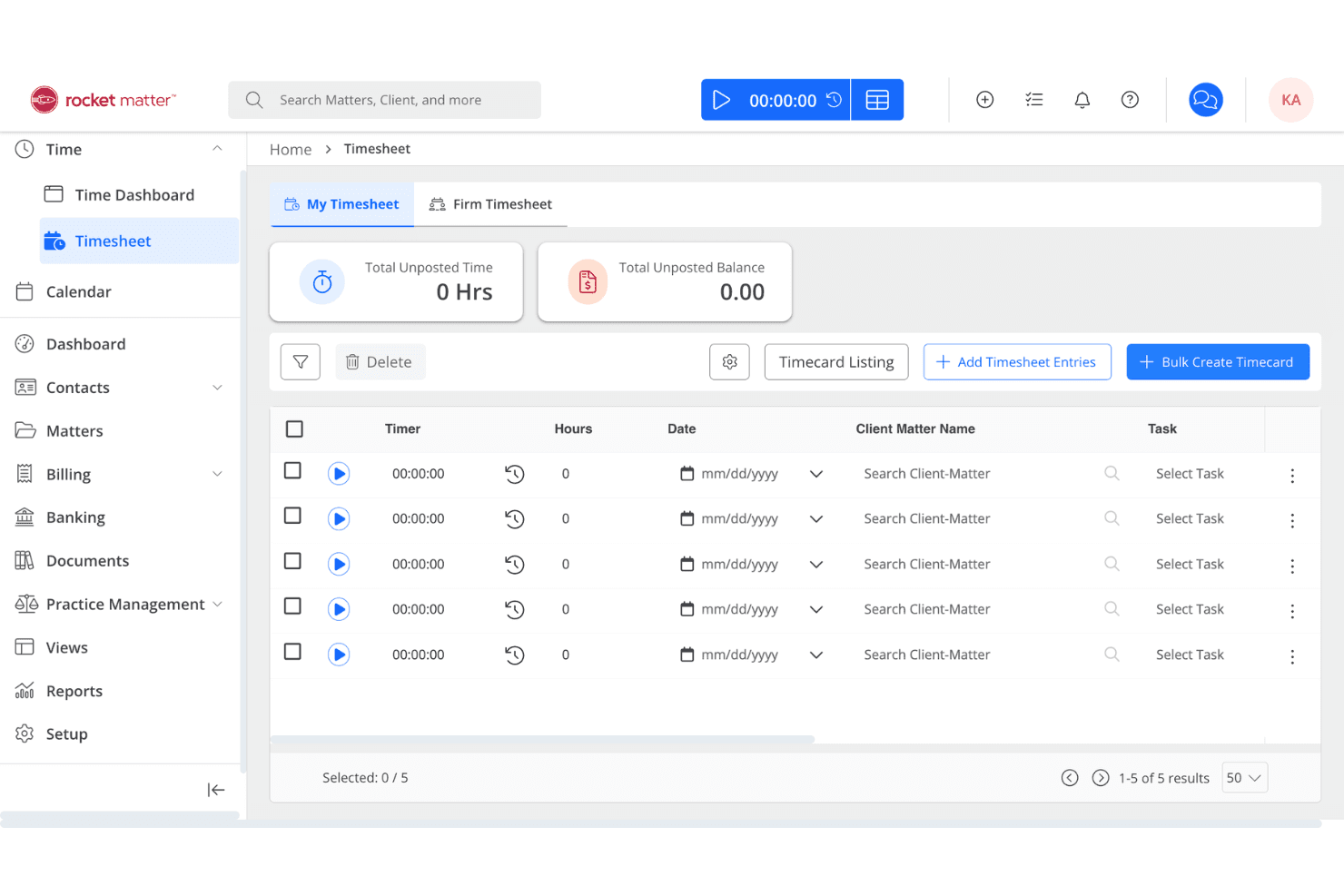
Rocket Matter handles legal matters, time tracking, billing, documents, and client updates. Rocket Matter is a cloud-based legal practice management platform that centralizes matter records, time tracking, billing, document storage, and client communication in a single workspace.
Who Is Rocket Matter Best For?
Rocket Matter is a strong fit for solo practitioners who need a single place to manage matters, track billable time, and handle invoicing without juggling multiple tools.
Why I Picked Rocket Matter
I've included Rocket Matter in my top picks because it keeps every matter record genuinely self-contained: billing, contacts, case files, calendar events, and notes all live in one place, so a solo practitioner isn't jumping between tools to piece together a client's history. I particularly like Matter Status Boards for tracking where each matter stands at a glance, and the activity log that records exactly who updated or changed what. That combination makes centralizing matters and billing less of a manual chore and more of a natural byproduct of just working in the platform.
Rocket Matter Key Features
- Client portal: Clients can access shared files, view invoices, and respond to questions through a secure portal included on all plans.
- Document assembly: Generate routine legal documents using built-in templates to reduce manual document preparation.
- Ethical walls: Restrict user visibility and access to specific matters and tasks based on role assignments.
- Time and expense tracking: Capture billable time and expenses using built-in timers directly linked to matter records.
Rocket Matter Integrations
Rocket Matter offers native integrations with Microsoft Office 365/Outlook, OneDrive, QuickBooks Online, NetDocuments, Dropbox, Google Calendar, Box, WebCal, and iCalendar. It also supports Zapier and provides a JSON API v2 for custom integrations.
Pros and Cons
Pros:
- Time tracking and batch billing simplify invoicing
- Matter-linked documents are easy to retrieve
- Matter records gather deadlines, notes, and billing
Cons:
- Reports offer limited financial customization
- Mobile app can feel unreliable
Learn more about Rocket Matter: Best for simple case tracking and billing
- Free plan available
- From $39/user/month (billed annually)
Visit WebsiteCustomer Rating:4.4/5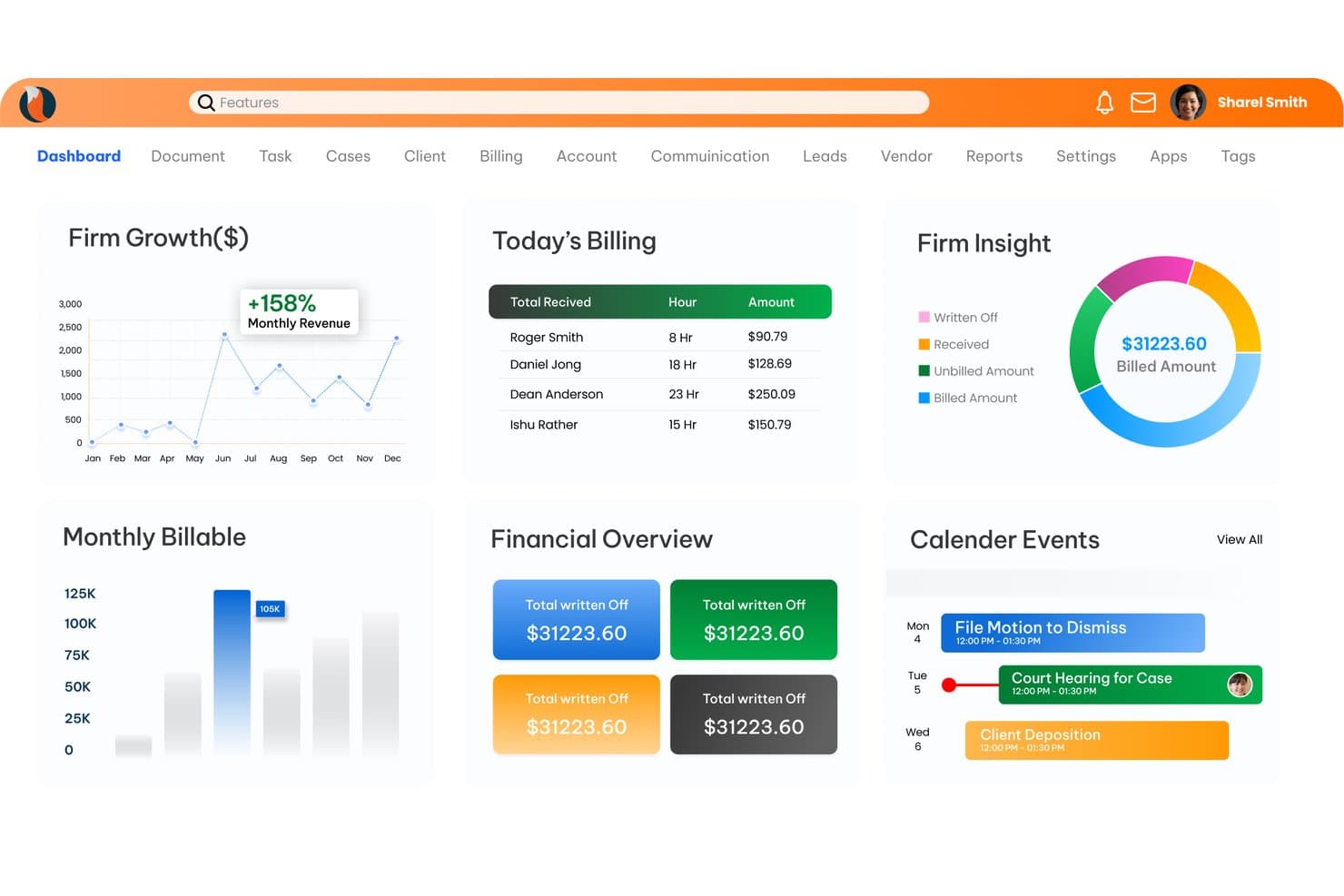
CaseFox tracks legal cases, time, expenses, billing, and client records. CaseFox is cloud-based legal case management software that covers case tracking, client intake, time and expense recording, trust accounting, billing, and document storage for law firms.
Who Is CaseFox Best For?
CaseFox is a strong fit for solo practitioners and small firms that need affordable, no-fuss case tracking and billing without paying for features they won't use.
Why I Picked CaseFox
I picked CaseFox as one of the best because it keeps case tracking and billing genuinely simple without burying you in unused features. I like how time entries link directly to cases and flow straight into invoices, so billing doesn't require a separate workflow. The built-in conflict checker also scans both sides of a case, catching relationships a basic client-list search would miss.
CaseFox Key Features
- Customizable intake forms: Build client intake forms with drag-and-drop fields and share them via unique links for mobile-friendly, multilingual submissions.
- Trust accounting: Manage multiple trust and operating accounts, record deposits and withdrawals, and reconcile transactions with IOLTA-compliant reporting.
- Role-based permissions: Assign one of five account roles to each team member, controlling case visibility, time-entry access, and feature availability.
- Court-rule calendaring: Set deadline rules for court dates and filing deadlines and receive automatic email reminders for upcoming events.
CaseFox Integrations
CaseFox offers integrations with Google Calendar, Outlook, Dropbox, Google Drive, QuickBooks, Xero, LawPay, and PayPal. Selective API access is available for custom integrations.
Pros and Cons
Pros:
- Conflict checks consider both sides of cases
- Case, time, and billing stay connected
- Solo users report straightforward matter setup
Cons:
- Calendar sync and task reliability draw criticism
- Reviewers report limited document organization
Learn more about CaseFox: Best for configurable law firm matter workflows
- Free demo available
- Pricing upon request
Visit WebsiteCustomer Rating:4.2/5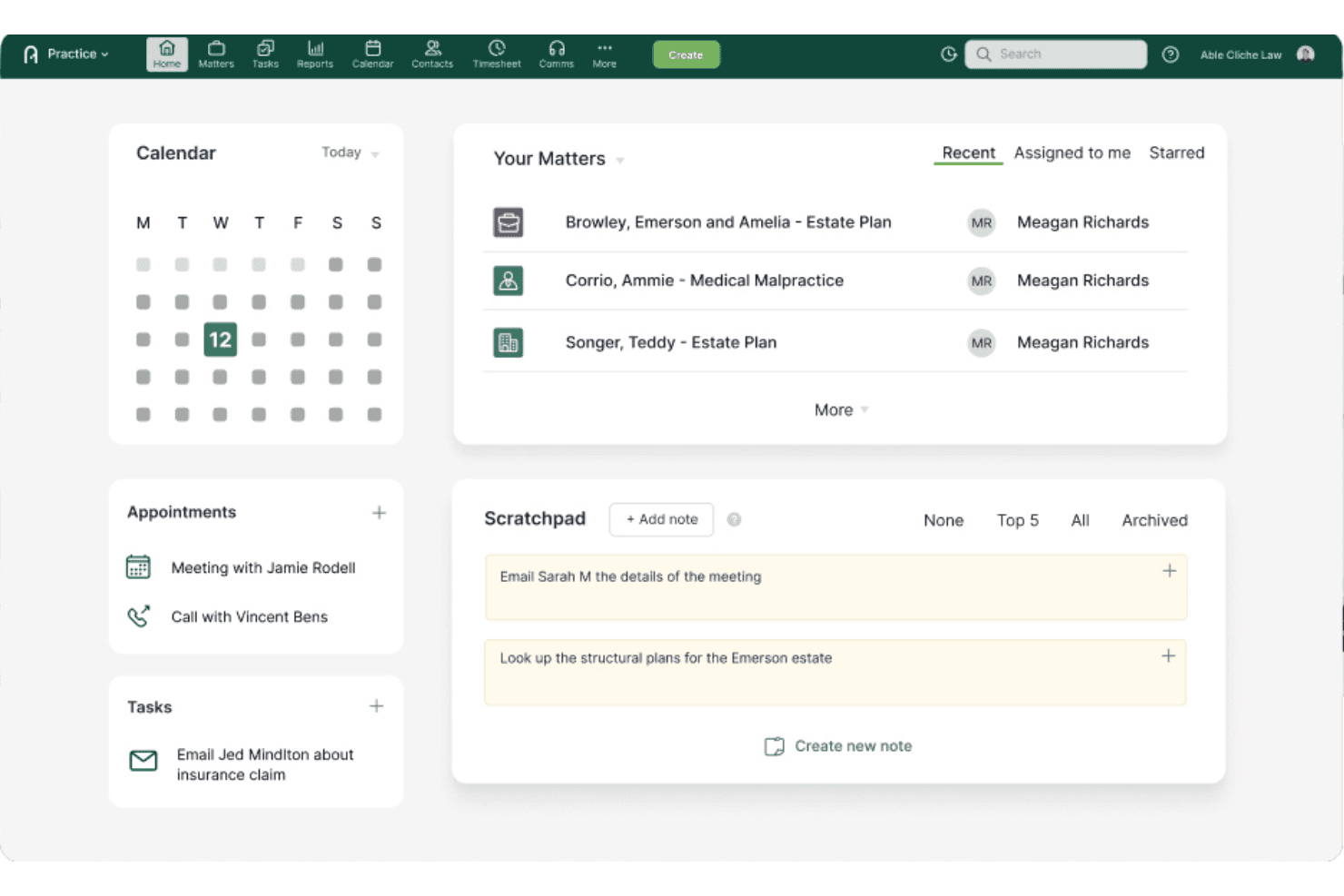
Actionstep centralizes matter management, task tracking, client notes, and case activity. Actionstep is a cloud-based law firm management platform that centralizes matter tracking, document storage, client intake, workflow automation, and task management across a firm's caseload.
Who Is Actionstep Best For?
Actionstep is a strong fit for established law firms with dedicated operations staff who can invest time in configuring matter workflows to match their specific practice areas.
Why I Picked Actionstep
I picked Actionstep as one of the best because of how deeply you can configure matter workflows to match exactly how your firm handles each practice area. Where most platforms give you a fixed case structure, Actionstep lets you define custom workflow steps, statuses, and task automations per matter type, so a family law file moves through a completely different process than a commercial dispute. I also like that matter alerts can be assigned to specific people with custom due dates and delivered by email or popup, keeping deadline tracking tied directly to the workflow rather than bolted on as a separate to-do list.
Actionstep Key Features
- Client intake webforms: Build and embed customizable forms on your firm's website to collect client and matter data, which feeds into a staff review queue before creating or updating a matter record.
- Document version history: View and track version history for matter documents, including file size, type, folder location, and modified date, all from the matter documents page.
- Client portal: Securely exchange matter documents with clients and trigger notification emails when files are added to portal folders.
- Mobile app: Access matters, contacts, documents, tasks, client messages, time entries, and timesheets from iOS and Android devices.
Actionstep Integrations
Actionstep offers integrations with Microsoft Office 365, Outlook, Dropbox, Box, Google Drive, Gmail, and Zapier. It also provides a REST API and webhooks for custom connections.
Pros and Cons
Pros:
- Matter files include foldering and version histories
- Deadline alerts reach assigned staff by email
- Matter workflows adapt to each case type
Cons:
- Smaller firms may need outside setup help
- Workflow setup can demand substantial configuration
Learn more about Actionstep: Best for human services intake and case tracking
- Free demo available
- From $29/user/month (billed annually)
Visit WebsiteCustomer Rating:4.2/5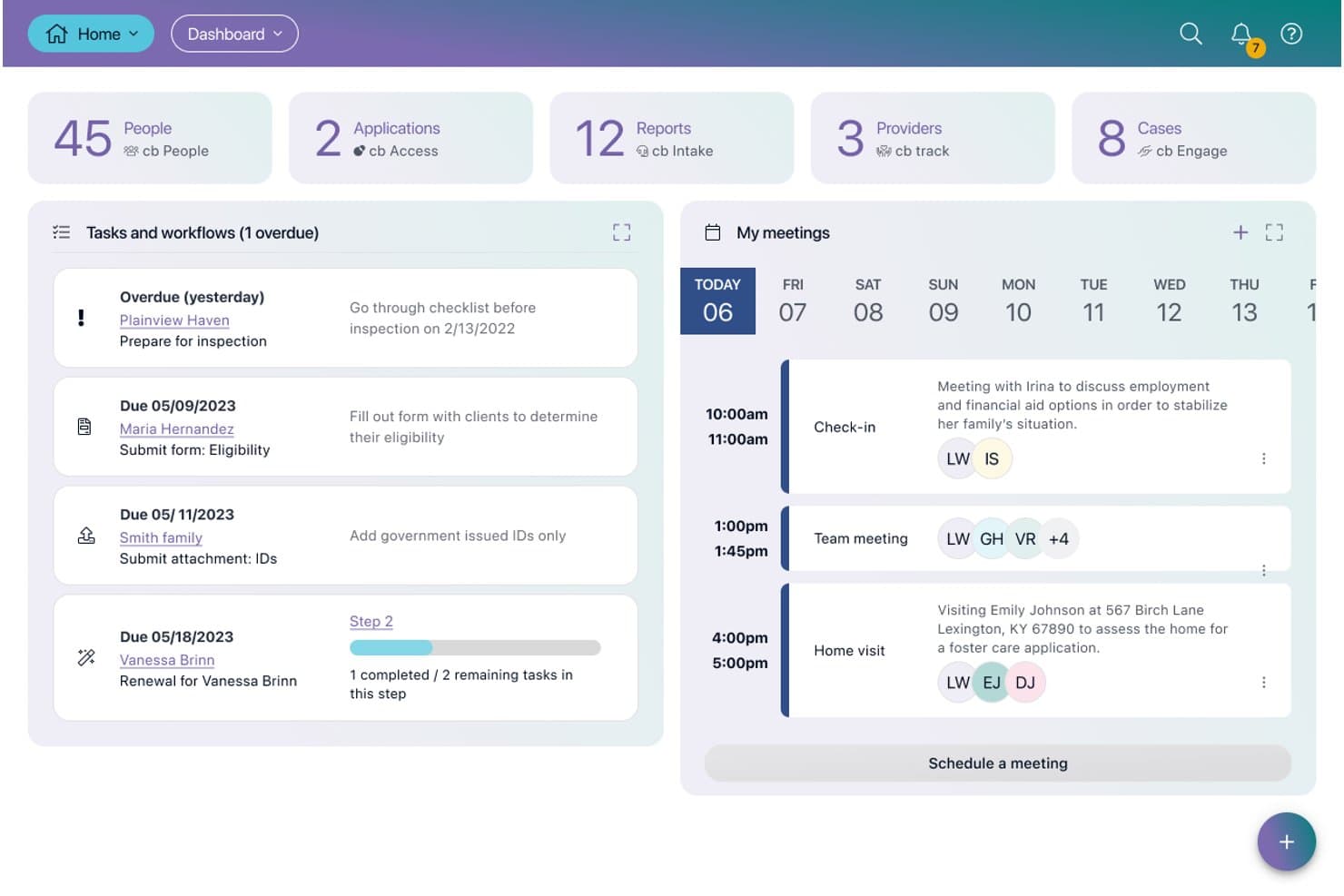
Casebook organizes client intake, case records, service tracking, and reporting. Casebook is a configurable human services case management platform for agencies and nonprofits that centralizes client intake, case records, service tracking, and reporting in one system.
Who Is Casebook PBC Best For?
Casebook is a strong fit for nonprofits and human services agencies that need a configurable platform to manage client intake, case records, and program reporting across multiple staff members.
Why I Picked Casebook PBC
I've included Casebook PBC in my top picks because it's purpose-built for human services intake and case tracking in a way that most general case management tools simply aren't. I especially like how digital intake forms link directly to case records, so the moment a client is assessed, that data is already living inside their case. The configurable Person Profile ties together a client's cases, notes, services, and history in one place, which I've found invaluable when managing repeat clients across multiple programs.
Casebook PBC Key Features
- Workflow automation: Configure repeatable sequences of steps and tasks that trigger automatically based on record data changes, such as intake or case status updates.
- Client portal: Invite clients to a dedicated portal where they can complete assigned forms, upload requested documents, and track their tasks across cases.
- Role-based access controls: Assign default or custom roles that define create, edit, delete, and view permissions at the user level across records and programs.
- Custom reporting: Build and modify reports using your program data, with prebuilt report types including Cases Summary, Intakes Summary, Notes Reports, and Workflows.
Casebook Integrations
Casebook offers native integrations with Google and Outlook, plus API and webhook support for custom connections. It also supports Zapier.
Pros and Cons
Pros:
- Recurring tasks trigger overdue reminders
- Person profiles link cases, services, and notes
- Intake forms connect directly to case records
Cons:
- Older notes take extra clicks to find
- Workflow setup requires careful field configuration
Learn more about Casebook PBC:
Other Simple Case Management Software
Here are a few additional options that didn’t make my shortlist but are still worth checking out:
- 11Case Closed SoftwareBest for law enforcement case tracking and intake
- 12PracticePantherBest for solo and small firm case billing
- 13CosmoLexBest for firms combining matters and accounting
- 14CharityTrackerBest for nonprofits replacing paper client files
- 15Zoho DeskBest for ticket-based case tracking with Zoho
- 16LawcusBest for intake-to-matter pipeline tracking
- 17Bill4TimeBest for billing-first matter and document tracking
- 18monday.comBest for visual ticket-based case tracking
- 19CenterbaseBest for midsize firm intake-to-billing workflows
- 20LEAPBest for law firms consolidating matters and documents
How I Evaluate Simple Case Management Software
I split my evaluation into three parts. Core functionality carries the most weight: I look for tools that let users create and track case records and attach documents to those records. Then I consider standout features like client portals or intake forms, followed by pricing transparency and onboarding support.
Core Functionality (Table Stakes For This List)
When I'm selecting tools for my list, I score each one on a scale from 0 (does not offer the functionality) to 5 (excels in this area) for each core functionality listed below. I then convert the total into a percentage to help assess each tool's overall fit, with extra weight on any functionalities I've deemed essential.
- Case Record Tracking (Essential): I check whether each case record consolidates status, notes, parties, and history in a single view rather than across scattered screens.
- Document Storage (Essential): Each tool should let users upload files directly to a case and organize them with folders, tags, or search—not just attach loose files.
- Task & Deadline Management: I look for assignable tasks with due dates and reminders tied to specific cases, like automated court deadline alerts in tools such as Clio Manage or PracticePanther.
- Contact & Party Management: Linking clients, witnesses, and opposing counsel to relevant cases matters—I evaluate how easily contacts are reused and searched across the full caseload.
- Workflow & Status Tracking: Configurable stages that show where a matter stands, whether that's a PI settlement pipeline in CasePeer or a referral intake flow in Casebook PBC, help me gauge fit.
- Low-Complexity Setup & Use: I consider how quickly a solo practitioner or small team can start managing real cases without needing outside help, dedicated training, or heavy configuration.
Once I have a list of tools that meet the criteria, I consider what sets each platform apart.
Differentiating Factors (What Sets Vendors Apart)
Here's how I compare and contrast different vendors:
Standout Features
I look for customizable intake forms that auto-populate new case records, since a firm handling dozens of PI inquiries a week needs consistent data capture without manual re-entry. Mobile access matters just as much—I check whether field staff or solo practitioners can update case notes, snap photos of documents, and log time from a phone, as tools like PracticePanther and Smokeball approach this differently. I also evaluate client portal functionality, where clients can check case status and share files without generating extra calls.
Beyond Features
Pricing transparency matters a lot. I check whether a vendor publishes per-seat costs upfront or hides them behind a "contact sales" wall, since solo practitioners and small teams need to compare options without scheduling demos. Onboarding support is just as important—I look for guided setup wizards, template libraries, and migration help, because a firm moving off spreadsheets can't afford weeks of configuration. I also evaluate third-party integrations, especially connections to email, cloud storage, and accounting tools like QuickBooks, which cut down on duplicate data entry across systems.
How to Choose Simple Case Management Software
Choose a system by testing whether it fits your actual matter workflow, not by comparing feature counts. Start with the records your team handles, then verify that the vendor can support those tasks without burdensome setup.
| If your priority is… | Look for… |
|---|---|
| If your priority is…Keeping deadlines visible | Look for…A way to assign due dates and reminders to specific case records |
| If your priority is…Finding files in context | Look for…Documents stored with the relevant case and organized for retrieval |
| If your priority is…Capturing consistent intake details | Look for…Intake fields that carry into a new case record |
| If your priority is…Starting without lengthy setup | Look for…Guided configuration, usable templates, and clear migration steps |
How to Vet Your Shortlist
- Run a case task: During a free trial, create a sample matter, add a few contacts and documents, and assign a deadline.
- Test retrieval: Ask a colleague to find one document and the matter’s latest status using only the case record, then note any extra steps.
- Request migration details: Ask the vendor for a sample import template and a written list of fields, documents, and history it can transfer.
- Confirm the full cost: Request a written quote showing per-user charges, setup fees, and any required add-ons for your planned team size.
- Choose your tradeoff: Prefer configurable workflows if your processes vary by matter; favor simpler setup if your team needs consistent tracking with minimal administration.
What Is Simple Case Management Software?
Simple case management software is a tool for organizing case records, documents, tasks, communications, and deadlines in one place. It helps legal teams track matter status and related contacts without extensive setup or complex workflows.
The right system should fit your team’s intake, document, and billing needs while keeping case information easy to find.
Features of Simple Case Management Software
Here are the main features I look for in simple case management software:
- Case record management: A case record brings key details—such as status, notes, parties, and history—together in one place. Staff can review the record to understand a matter’s current state and add updates as work progresses.
- Document management: This feature lets users upload files to the related case and organize them with folders, tags, or search. Keeping documents in context makes it easier to locate the right version when preparing for a meeting or reviewing a matter.
- Task and deadline tracking: Users can assign tasks to team members, set due dates, and link work to a case. Reminders help staff see upcoming obligations, such as filing dates or client follow-ups.
- Contact management: Contact records store information for clients and other parties, then link those people to relevant cases. Reusable records help teams avoid entering the same details repeatedly.
- Workflow and status tracking: Configurable stages show where each case sits, from intake through resolution. Teams can update status as work moves forward and check which matters need attention.
- Intake forms: Forms collect consistent information from prospective clients or referral sources. When submitted details carry into a new case record, staff can start with structured information instead of re-entering it manually.
- Communication history: A case-linked log records relevant calls, emails, and other interactions. Staff can review prior exchanges before responding or handing a matter to a colleague.
- Case search and filtering: Search and filters help users find records by fields such as contact, status, or date. This is useful when teams need to locate a matter quickly across an active caseload.
Benefits of Simple Case Management Software
Here are a few common benefits you can expect from using simple case management software:
- Centralized case records: Case records bring status, notes, parties, and history together, so your team can review a matter without piecing details across separate screens.
- Easier document retrieval: Case-linked files with folders, tags, or search help your team find the right document in context.
- Clearer deadline ownership: Assignable tasks, due dates, and reminders show who’s responsible for each case-related obligation.
- More consistent contact records: Reusable contact profiles linked to cases help your team keep client and party details organized.
- Better workflow visibility: Configurable stages and status tracking make it easier to see where matters stand and which need attention.
- More consistent intake: Intake forms capture structured details that can carry into case records, reducing manual re-entry.
- Simpler adoption: Guided setup, templates, and clear migration steps can help your team start tracking cases without lengthy configuration.
Costs and Pricing of Simple Case Management Software
Costs vary by features, team size, and add-ons. Here are typical pricing ranges for simple case management software:
Plan Comparison Table for Simple Case Management Software
| Plan Type | Average Price | Common Features |
|---|---|---|
| Plan TypePersonal Plan | Average Price$10-$30/user/month | Common FeaturesCase records, document storage, contact management, task reminders, and basic reporting. |
| Plan TypeBusiness Plan | Average Price$30-$75/user/month | Common FeaturesCustom workflows, intake forms, team permissions, expanded storage, and integrations. |
| Plan TypeEnterprise Plan | Average Price$75-$150/user/month or custom pricing | Common FeaturesAdvanced permissions, custom reporting, expanded integrations, dedicated support, and migration assistance. |
FAQs
Some answers to common questions about simple case management software:
Is simple case management software suitable for in-house legal teams?
Yes, if the system matches the work your legal team handles. In-house teams should map their matter types, request paths, and approval needs before choosing. Check whether the tool can separate internal legal matters from outside counsel work and restrict access by role. Also verify that its reports and integrations fit your team’s existing processes. A product built around law-firm billing may include features you don’t need while omitting business-facing workflows. Test a representative matter with the people who’ll maintain it.
What security checks should I make before choosing case management software?
Before adding client or personnel records, review the vendor’s security documentation and contract. Confirm how it handles role-based access, multifactor authentication, encryption, audit logs, backups, and data deletion. Ask who can access your information, where it’s stored, and what happens after termination. Check whether the vendor supports your retention and incident-response requirements. Then test permissions with realistic user roles; a setting that looks adequate on a feature page may not protect sensitive matters in practice. Have your security or privacy lead review unresolved questions.
Can simple case management software calculate court deadlines automatically?
Simple case management software can track deadlines, but don’t assume it calculates court dates automatically. Ask whether reminders support recurring events, assigned owners, escalation, and multiple calendars. Confirm whether rules-based deadline calculations cover the jurisdictions and case types your team handles; many general tools require staff to enter dates themselves. Test a sample schedule against authoritative court rules and keep a separate review step for consequential dates. Treat the software as a tracking aid unless the vendor documents the specific calculation capability you need.