

A strong LexisNexis alternative gives you trusted legal research, intuitive search tools, and access to up-to-date case law—without slowing you down. If you’re searching for LexisNexis alternatives, you’re likely weighing price, workflow fit, and how easy it is to find answers fast.
I’ve compared the latest options so you can quickly size up what’s best for your practice and your clients. Here’s what you should know before deciding.
What Is LexisNexis?
LexisNexis is a legal research platform that provides access to case law, statutes, legal commentary, and news for legal professionals. Designed for law firms and in-house teams, it streamlines research, citation checking, and document retrieval. Many legal practices use LexisNexis to support case preparation, compliance review, and due diligence.
LexisNexis Alternatives Comparison Table
This comparison table summarizes pricing details for my LexisNexis alternative selections:
| Tool | Best For | Trial Info | Price | ||
|---|---|---|---|---|---|
| 1 | Best for practice management integration | Free trial available | From £79/user/month | Website | |
| 2 | Best for on-demand legal research memos | 7-day free trial | From $299/month | Website | |
| 3 | Best for generative AI legal research | Free demo available | Pricing upon request | Website | |
| 4 | Best for regulatory and compliance insights | Free demo available | Pricing upon request | Website | |
| 5 | Best for AI-driven legal question answering | 7-day free trial | From $499/user/month | Website | |
| 6 | Best for AI-powered legal drafting assistance | Free demo available | Pricing upon request | Website | |
| 7 | Best for comprehensive case law and legal analysis | Not available | Pricing upon request | Website | |
| 8 | Best for practice-oriented legal guidance | Free demo available | Pricing upon request | Website | |
| 9 | Best for integrated legal research and news | Free demo available | Pricing upon request | Website | |
| 10 | Best for global legal research coverage | Free trial + free demo available | Pricing upon request | Website |


Why Trust Our Software Recommendations
6,700+
Reviews
20
Industry experts
16+
Evaluation factors
14
Years
Our team has been testing and reviewing software since 2012. As legal practice leaders ourselves, we know how difficult—and important—it is to choose the right software.
For this guide, we evaluated tools using hands-on testing and independent research, scoring tools using our selection criteria.
Our reviews reflect our human editorial judgment, not a sales pitch.
Best LexisNexis Alternatives Reviews
Below are my detailed summaries of the best LexisNexis alternatives that made it onto my shortlist. My reviews offer a detailed look at the features, best use cases, and capabilities of each platform to help you find the best one for you.
 1Best for practice management integration
Clio
- Free trial available
- From £79/user/month
Visit WebsiteCustomer Rating:4.7/5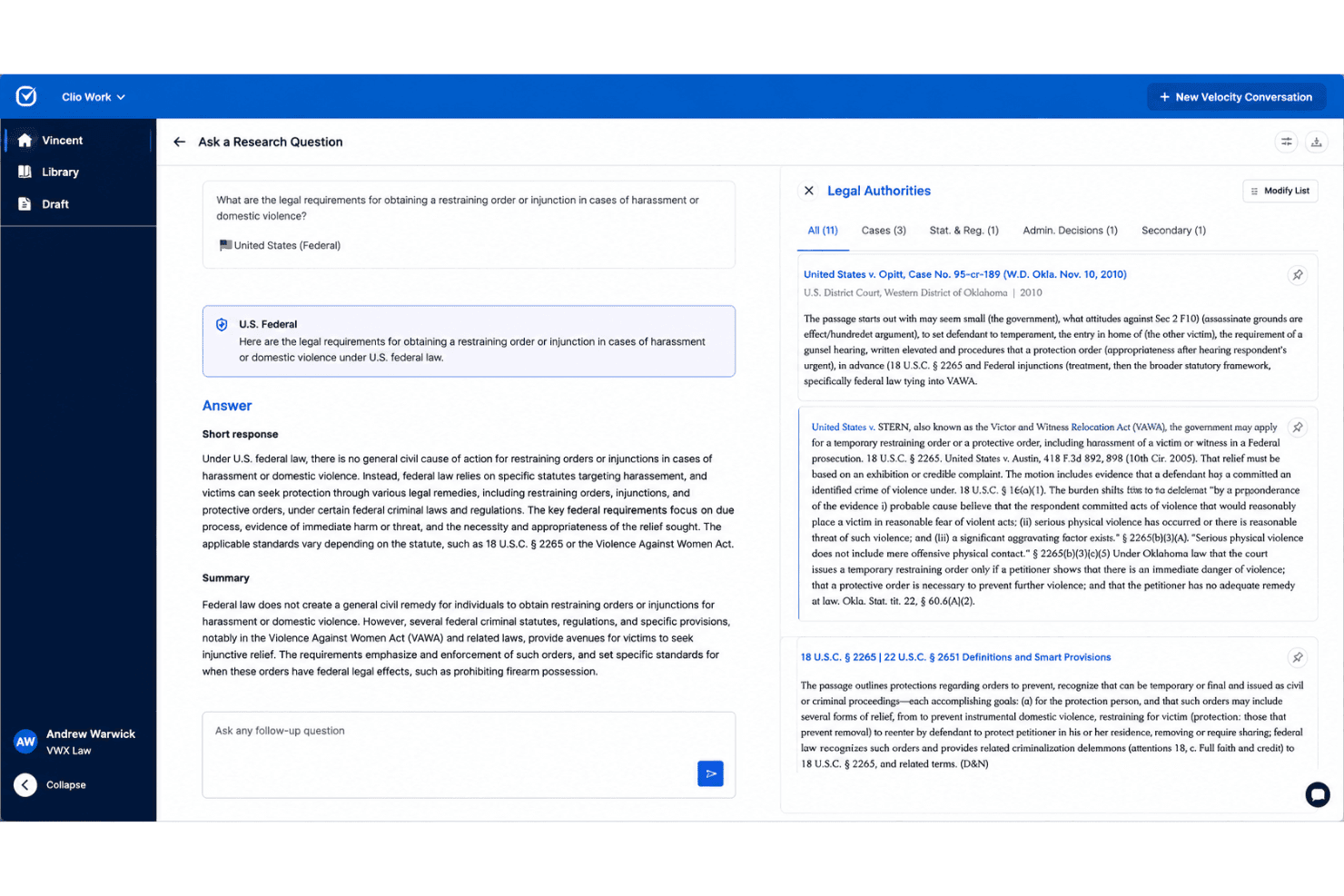
Clio combines AI legal research, citation validation, and practice management tools. Clio is a legal work platform for law firms and solo practitioners that combines Clio Work for AI-powered legal research, a 1B+ document database, built-in citation validation, and full practice management in one connected system.
Who Is Clio Best For?
Clio is a strong fit for small to mid-sized law firms that want legal research and matter management in a single platform rather than separate subscriptions.
Why Clio Is a Good LexisNexis Alternative
I've included Clio in my top picks because no other research tool connects legal research directly to active matters the way Clio Work does. When I run a research query, results are grounded in the documents, notes, and case details already in my matter, not just a general database. Cert, Clio's built-in citator, then confirms whether those authorities are still good law within the same workflow, so I'm not jumping between tools to verify citations separately.
Clio Key Features
- Clio Library: Access a continuously updated database of over one billion legal documents from more than 100 countries for extensive legal research.
- Multi-jurisdictional statutory content: Retrieve statutes, regulations, and administrative materials across federal, state, and international jurisdictions.
- Integrated legal accounting: Manage trust accounting, reconciliation, and billing within the same platform without the need for external tools.
- Mobile app access: Use Clio’s mobile app to manage matters, track time, and access documents securely from any location.
Clio Integrations
Clio offers native integrations with Microsoft 365, Google Workspace, DocuSign, Dropbox, QuickBooks Online, Xero, Zoom, NetDocuments, LawPay, and Slack. An API is available for custom integrations.
Pros and Cons
Pros:
- Time tracking and billing included natively
- Built-in citator flags negative case treatment
- Matter-linked research stays within one platform
Cons:
- Secondary sources library is relatively thin
- Case law database smaller than LexisNexis
Learn more about Clio: Best for on-demand legal research memos
- 7-day free trial
- From $299/month
Visit WebsiteCustomer Rating:4.9/5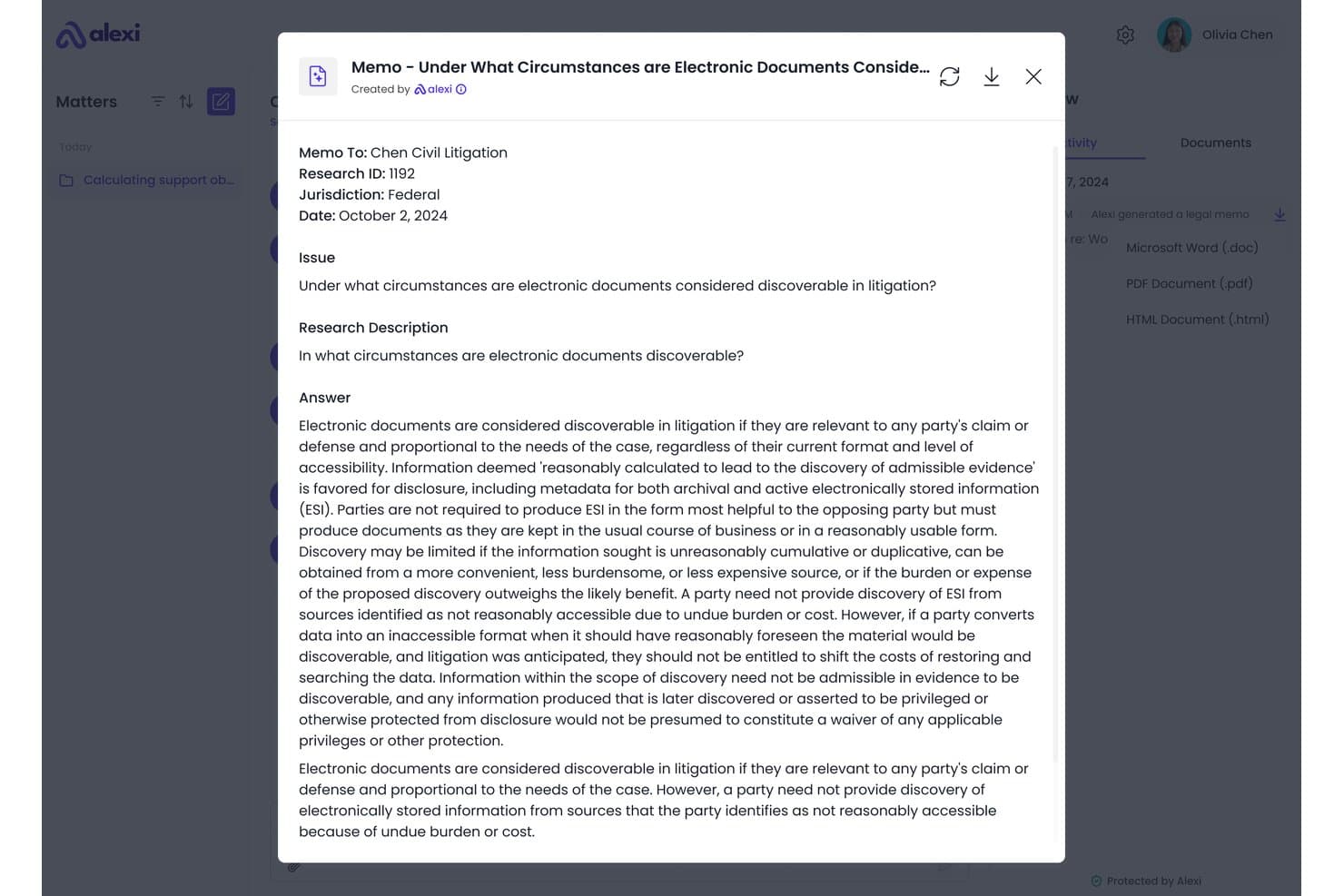
Alexi offers AI-generated legal memos with structured research answers on e-discovery rules, exportable in multiple formats. Alexi is an AI legal research platform built for law firms that want to move beyond traditional database subscriptions, generating citation-backed research memos across U.S. and Canadian jurisdictions without the enterprise price tag.
Who Is Alexi Best For?
Alexi is a strong fit for mid-sized law firms with 11 or more lawyers that handle high volumes of litigation or transactional research across U.S. or Canadian jurisdictions.
Why Alexi Is a Good LexisNexis Alternative
I picked Alexi as one of the best because it generates full, citation-backed legal research memos on demand, rather than just surfacing raw case law for you to analyze yourself. What I appreciate most is its multi-agent verification architecture, which flags conflicting cases and ambiguous authority instead of producing confident-sounding outputs that don't hold up. In practice, that means I'm getting a structured memo I can act on, not a list of results to comb through.
Alexi Key Features
- Tabular document review: Turn unstructured legal documents into structured review tables for easier comparison.
- No-code workflow builder: Build and customize research and drafting workflows without technical expertise.
- Enterprise-grade security: Single-tenant deployment, SOC 2 compliance, and robust encryption keep firm data protected.
- Practice management integrations: Connect with systems like Elite 3E, Litify, and Actionstep for efficient research in your existing workflow.
Alexi Integrations
Alexi offers native integrations with Elite 3E, Litify, and Actionstep. An API is available for custom integrations.
Pros and Cons
Pros:
- Covers both U.S. and Canadian jurisdictions
- Generates full research memos, not just raw results
- Memos include pre-vetted citations from human attorneys
Cons:
- Requires careful query input to get usable output
- Memos don't auto-update as case law evolves
Learn more about Alexi: Best for generative AI legal research
- Free demo available
- Pricing upon request
Visit WebsiteCustomer Rating:4.6/5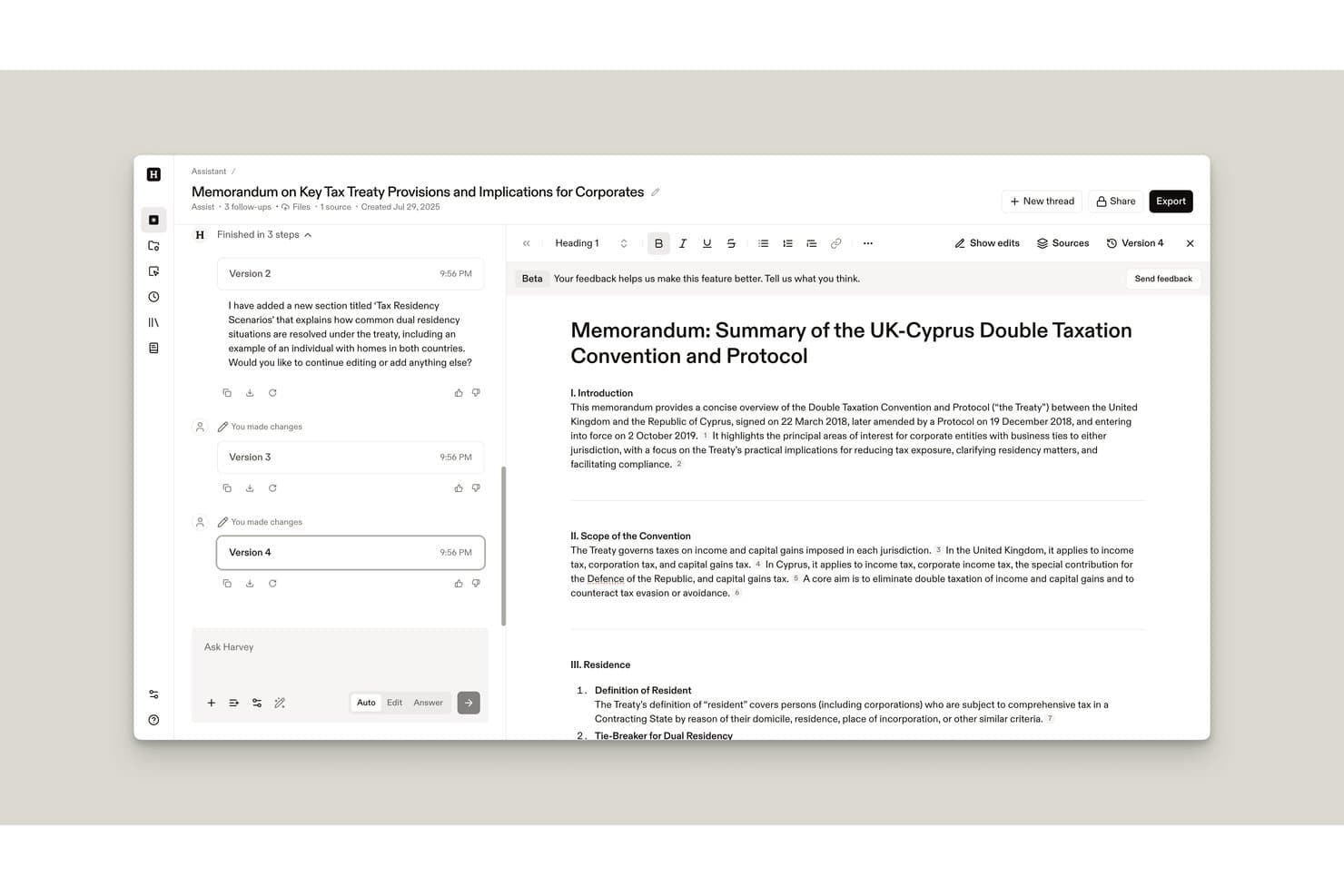
Harvey offers an AI-powered document drafting interface that allows legal professionals to create, edit, and version detailed tax treaty memoranda with cited sources. Harvey is an enterprise legal AI platform built for large law firms and corporate legal departments that want to automate document analysis, contract review, and multi-jurisdictional research using generative AI.
Who Is Harvey Best For?
Harvey is a strong fit for large law firms and enterprise in-house legal teams that operate at high volume across multiple practice areas and jurisdictions.
Why Harvey Is a Good LexisNexis Alternative
I've included Harvey in my top picks because its generative AI research capabilities go well beyond simple query-and-response. The Agents feature plans and executes multi-step legal research tasks, delivering fully cited, review-ready results without manual source-hopping. I particularly appreciate the Knowledge tool, which runs deep research across 200+ legal sources and 60+ jurisdictions in a single query.
Harvey Key Features
- Vault for secure document storage: Store, organize, and bulk analyze legal documents in a secure cloud-based repository.
- Shared Spaces collaboration: Collaborate with clients, outside counsel, and business partners in shared workspaces.
- Command Center analytics: Access organization-wide AI usage metrics, benchmarking, and workflow analytics.
- Mobile app for on-the-go work: Use Harvey’s mobile interface to prompt research, scan documents, and access files anywhere.
Harvey Integrations
Harvey offers native integrations with iManage, NetDocuments, Microsoft 365, and Ask LexisNexis. An API is available for custom integrations.
Pros and Cons
Pros:
- Generates fully cited, review-ready research outputs
- Custom AI models trained on firm-specific documents
- Handles multi-step research across 60+ jurisdictions
Cons:
- Not well suited to solo or small firm workflows
- Requires minimum license commitments with annual contracts
Learn more about Harvey: Best for regulatory and compliance insights
- Free demo available
- Pricing upon request
Visit WebsiteCustomer Rating:3/5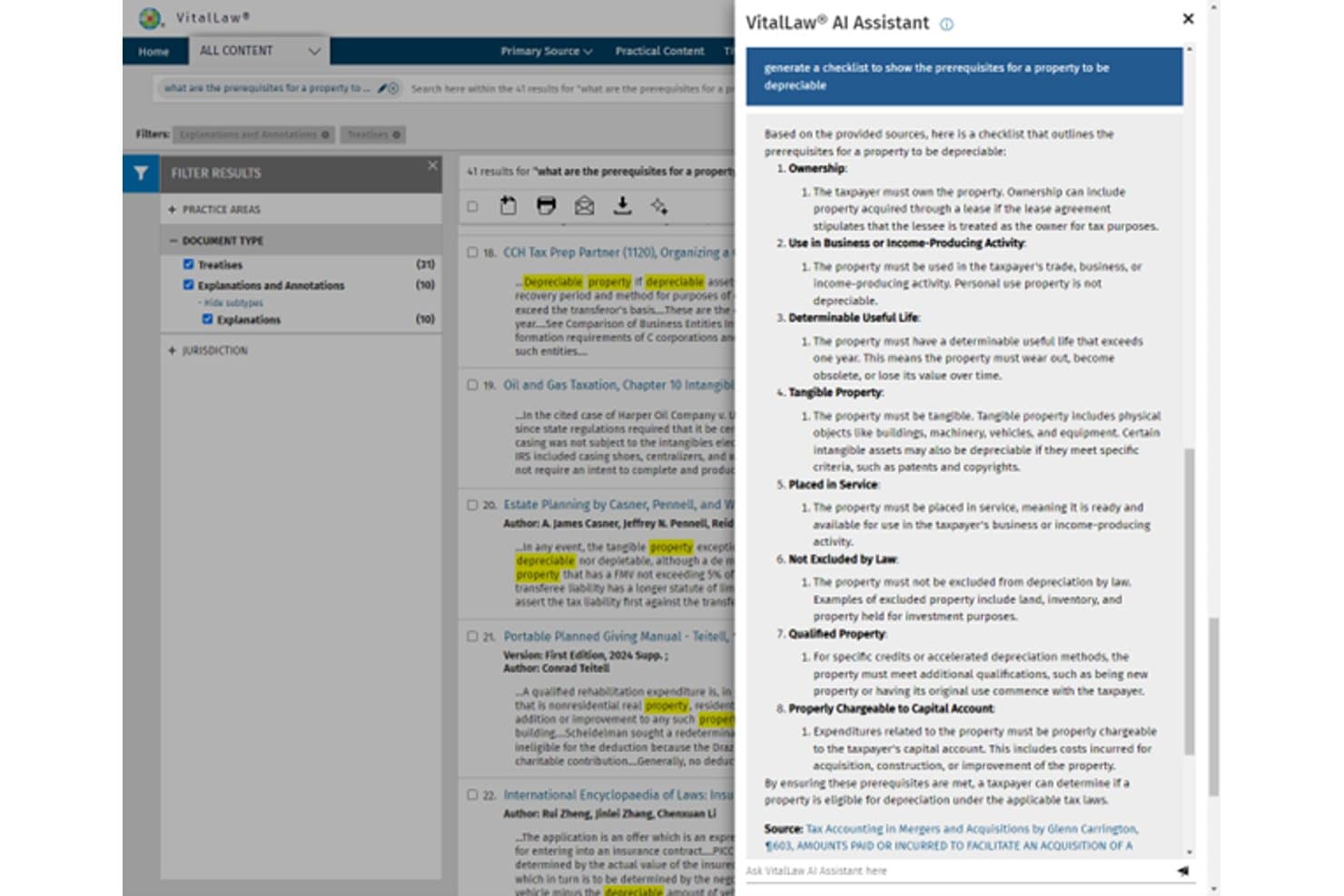
VitalLaw delivers legal research, compliance analysis, and AI-assisted insights. VitalLaw is a Wolters Kluwer legal research platform built for law firms and corporate counsel who need deep regulatory, compliance, and practice-area analysis backed by expert editorial content and AI-assisted research tools.
Who Is VitalLaw Best For?
VitalLaw is a strong fit for attorneys and legal teams working in heavily regulated practice areas — particularly tax, labor and employment, securities, and healthcare.
Why VitalLaw Is a Good LexisNexis Alternative
I picked VitalLaw as one of the best LexisNexis alternatives because of how it handles regulatory and compliance research. Where LexisNexis leans heavily on case law, VitalLaw's strength is editorial depth across 25 practice areas, including Smart Charts that pull 50-state surveys into exportable overviews. I also appreciate VitalLaw Expert AI's "Editor in the Loop" feature, which surfaces pre-vetted answers from Wolters Kluwer's editorial team rather than raw AI outputs.
VitalLaw Key Features
- Smart Charts and calculators: Generate customizable multi-jurisdictional surveys and quick-reference charts across core practice areas.
- 50-state surveys: Quickly compare statutory and regulatory requirements for any topic across all US jurisdictions.
- Practical guidance modules: Access workflow tools, checklists, and step-by-step guides tailored to practice areas like healthcare, labor, or tax.
- Document summary and annotation tools: Summarize large legal documents and add personalized notes for research management.
VitalLaw Integrations
Native integrations are not clearly documented. An API is available for custom integrations.
Pros and Cons
Pros:
- AI answers vetted by Wolters Kluwer editorial experts
- Smart Charts simplify multi-jurisdictional compliance research
- Deep editorial content in regulated practice areas
Cons:
- Navigation can feel dated and cluttered
- Case law coverage thinner than LexisNexis
Learn more about VitalLaw:
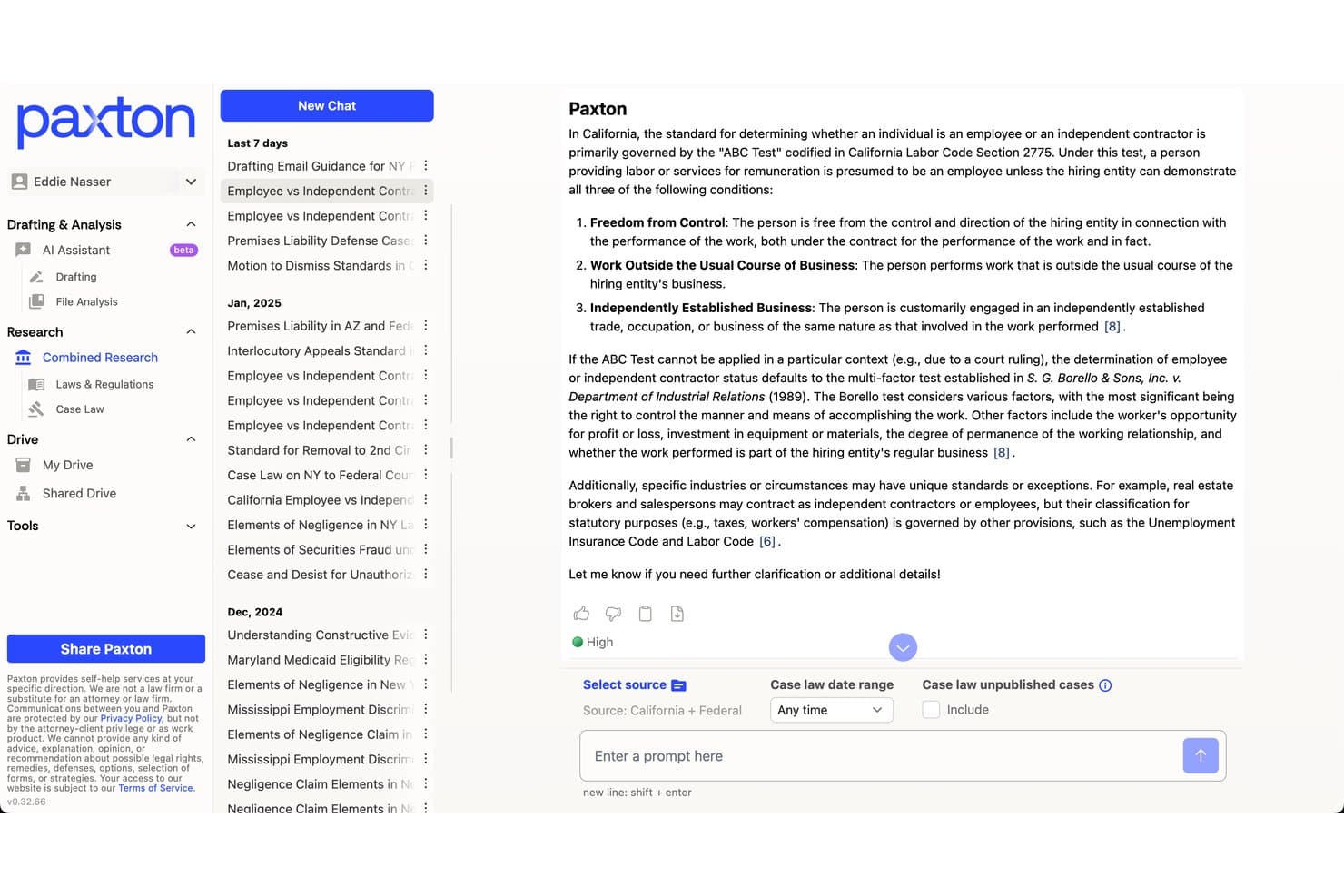
Paxton offers an AI-powered legal research interface with combined case law and statutory research, confidence scoring, and source filtering for California and Federal law. Paxton is an AI legal assistant trained on 60M+ legal documents that helps attorneys across solo practices, law firms, and in-house legal teams conduct research, draft documents, and analyze contracts without the cost and complexity of legacy legal research platforms.
Who Is Paxton Best For?
Paxton is a strong fit for solo practitioners and small-to-midsize law firms that need U.S. legal research and drafting tools without committing to an enterprise contract.
Why Paxton Is a Good LexisNexis Alternative
I picked Paxton as one of the best because its AI research assistant answers legal questions in plain English, backing every response with cited sources drawn from all published federal case law and most state case law across 50 states. I also appreciate the AI Citator, which flags whether a case has been overruled, affirmed, or questioned, giving me citation validation I'd otherwise rely on Shepard's for.
Paxton Key Features
- Document upload analysis: Instantly review and extract insights from uploaded contracts, pleadings, and legal files.
- Medical chronology builder: Create organized medical chronologies and billing summaries for personal injury and litigation matters.
- Matter-centric organization: Keep research, drafts, and document analysis grouped under individual client matters.
- Enterprise-grade compliance: Platform meets SOC 2, ISO 27001, and HIPAA requirements for legal data security.
Paxton Integrations
Native integrations are not clearly documented. An API is available for custom integrations.
Pros and Cons
Pros:
- Accessible pricing without an enterprise sales process
- Publishes a 94% accuracy benchmark for legal research tasks
- Covers research, drafting, and contract review in one platform
Cons:
- No dedicated mobile app for on-the-go research
- Citation accuracy lags behind database-grounded tools like Westlaw
Learn more about Paxton: Best for AI-powered legal drafting assistance
- Free demo available
- Pricing upon request
Visit WebsiteCustomer Rating:4.8/5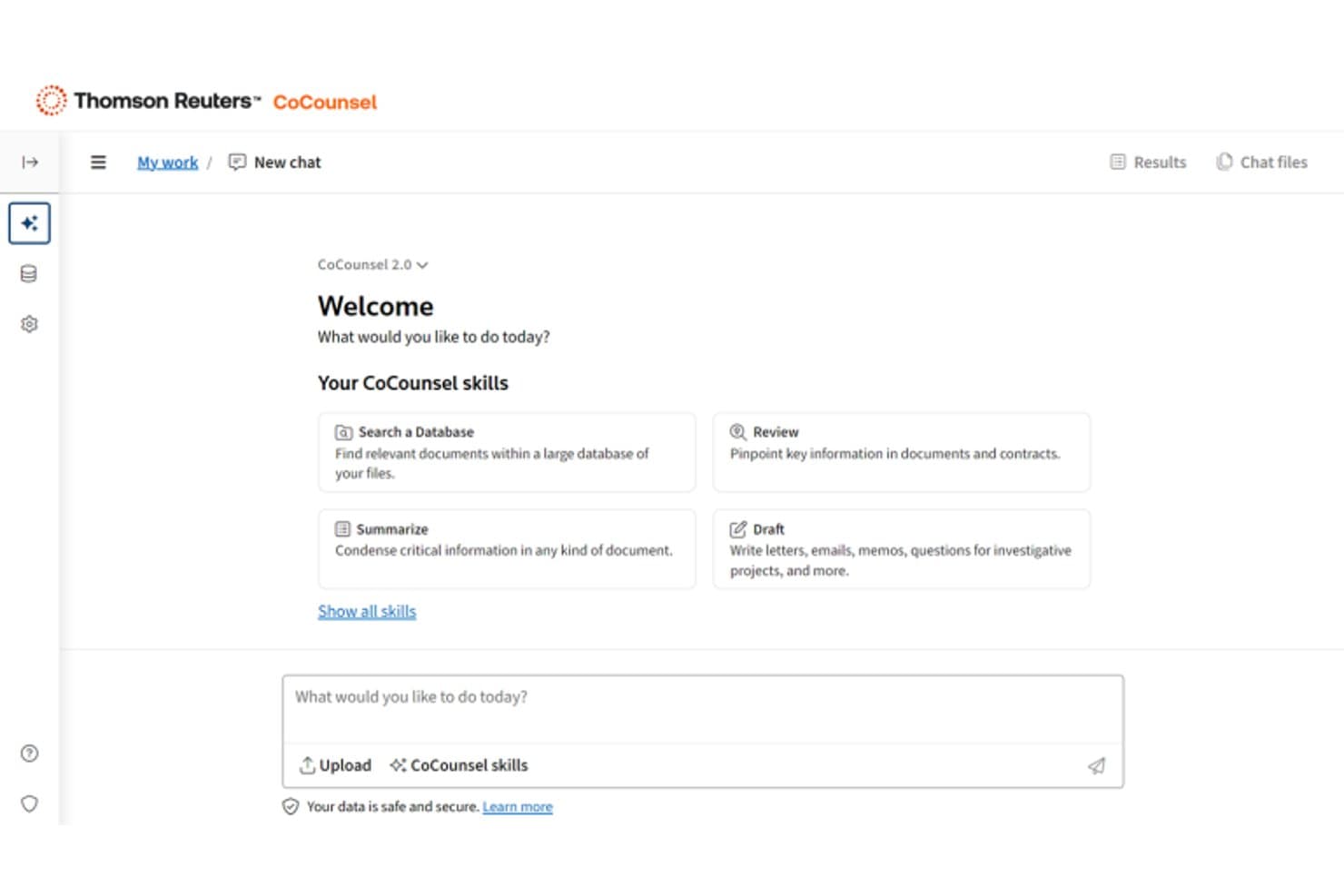
CoCounsel offers an AI-powered legal assistant interface with skills like Search a Database, Review, Summarize, and Draft for legal professionals. CoCounsel is Thomson Reuters' legal AI platform that pairs Westlaw's comprehensive case law database with agentic AI research and drafting tools, built for litigation attorneys and corporate counsel who rely on verified, citation-grounded legal research.
Who Is CoCounsel Best For?
CoCounsel is a strong fit for law firms and legal departments already using Westlaw who want AI-powered drafting and research built into a familiar, trusted workflow.
Why CoCounsel Is a Good LexisNexis Alternative
CoCounsel earns its spot as one of the best on my shortlist because of how it handles AI-powered drafting grounded in verified legal authority. I love that Westlaw Brief Builder doesn't just generate text, it structures arguments from issue framing through to citation-backed analysis. The Tabular Analysis feature lets me review up to 10,000 documents in structured tables, which changes how I approach large document sets entirely.
CoCounsel Key Features
- Deep Research workflows: Run multi-step legal research and obtain output grounded in Westlaw and Practical Law content.
- Workspaces for matters: Store documents, templates, conversations, and research history by matter or project.
- Contract knowledge search: Search clause libraries, playbooks, and practical guidance alongside your own documents.
- Direct Microsoft 365 integration: Use CoCounsel’s features within Word, Outlook, and Teams for research and drafting.
CoCounsel Integrations
CoCounsel offers native integrations with Microsoft 365, including Word, Outlook, and Teams. An API is available for custom integrations.
Pros and Cons
Pros:
- Handles large document review sets natively
- Drafts briefs with structured legal arguments
- Westlaw-backed AI with verified citations
Cons:
- Less suited for solo practitioners on budgets
- Requires existing Westlaw subscription to access
Learn more about CoCounsel: Best for comprehensive case law and legal analysis
- Not available
- Pricing upon request
Visit WebsiteCustomer Rating:4.4/5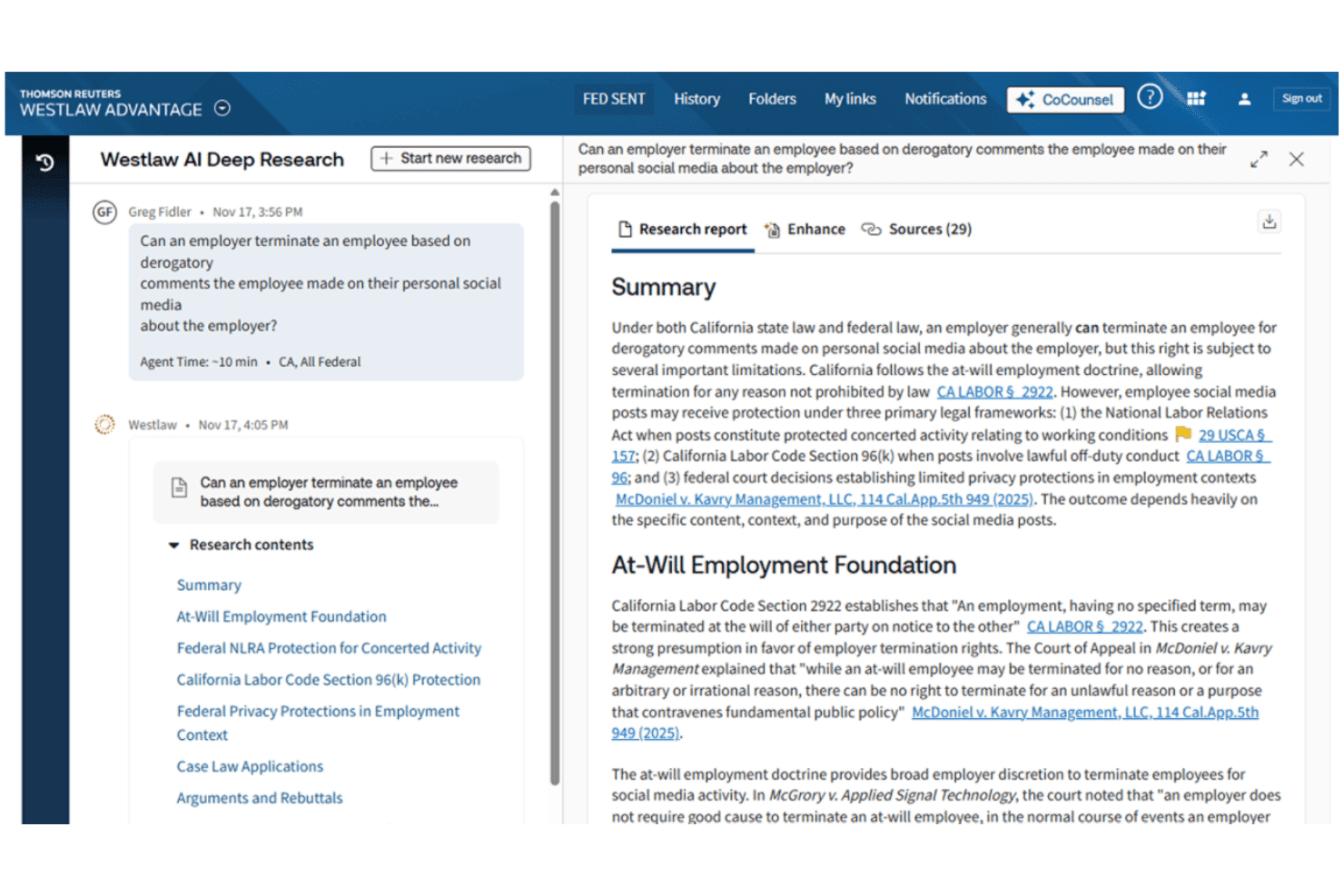
Westlaw provides case law research, citation validation, and AI-assisted analysis. Westlaw is Thomson Reuters' legal research platform for litigation attorneys, legal librarians, and in-house counsel who need deep case law coverage, citation validation, and AI-assisted analysis across federal and state jurisdictions.
Who Is Westlaw Best For?
Westlaw is a strong fit for law firms and legal departments that prioritize primary source depth and citation accuracy over finding a budget-friendly research alternative.
Why Westlaw Is a Good LexisNexis Alternative
I picked Westlaw as one of the best because no other platform matches its depth on case law analysis. KeyCite Overruling Risk flags cases at implicit risk of being undermined before a court formally acts, which is invaluable when building arguments on precedent. The West Key Number System lets me move between related legal doctrines without rebuilding searches from scratch, keeping analysis tight and thorough.
Westlaw Key Features
- AI jurisdictional surveys: Run multi-state comparisons with AI-generated summaries supported by cited authority.
- Litigation document analyzer: Scan pleadings for mischaracterizations or omitted case law before court filing.
- Practical Law integration: Access practice notes, checklists, and templates alongside case law research in a unified workspace.
- Version comparison for statutes: Instantly compare historical and current versions of statutes and regulations across jurisdictions.
Westlaw Integrations
Westlaw offers native integrations with Practical Law, Drafting Assistant for Microsoft Word, and litigation management tools such as Case Notebook. An API is available for custom integrations.
Pros and Cons
Pros:
- Practical Law content directly supports litigation prep
- Deepest archive of unpublished opinions available
- KeyCite flags weakened precedent before courts act
Cons:
- Interface less intuitive than newer research platforms
- AI research tools less mature than competitors
 Best for practice-oriented legal guidance
- Free demo available
- Pricing upon request
Visit WebsiteCustomer Rating:4.3/5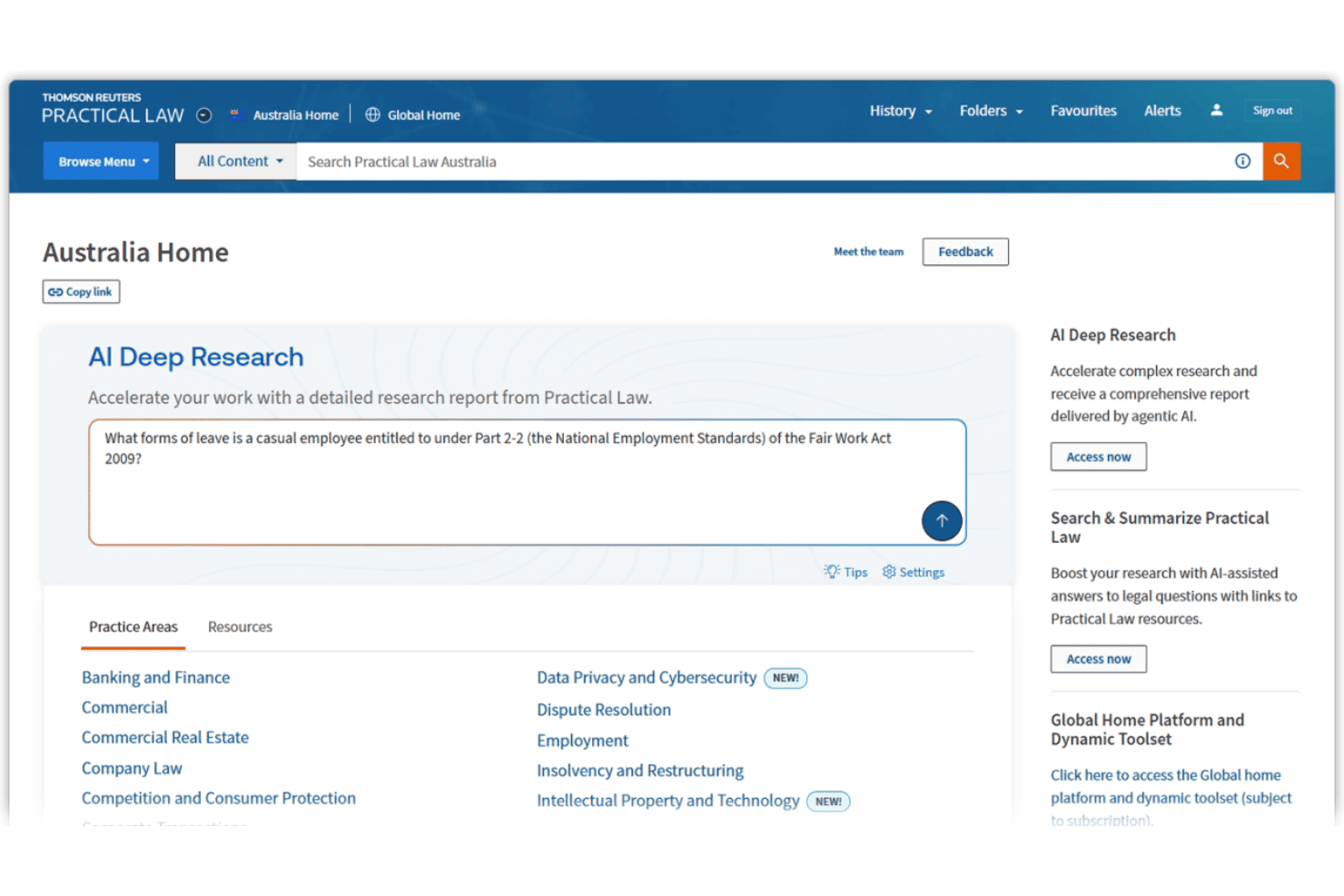
Practical Law provides templates, practice notes, and AI-assisted legal research. Practical Law is a Thomson Reuters know-how platform built for legal professionals who need ready-to-use practice notes, annotated templates, and AI-assisted research tools across transactional and advisory work.
Who Is Practical Law Best For?
It's a strong fit for in-house counsel and transactional attorneys at law firms of any size who need authoritative, practice-ready guidance without starting from scratch.
Why Practical Law Is a Good LexisNexis Alternative
I picked Practical Law as one of the best because its Practice Notes deliver plain-language legal analysis without requiring me to parse raw primary sources first. The annotated Standard Documents and Clauses include built-in drafting notes and negotiation tips, which I find genuinely useful mid-transaction. CoCounsel's Deep Research then plans and executes multi-step queries grounded in Practical Law content, making it a credible alternative to LexisNexis Practical Guidance for practice-oriented work.
Practical Law Key Features
- Matter Maps: Visual timelines and checklists break down common legal processes into actionable steps with linked resources.
- Jurisdictional comparisons: Quickly compare how laws differ across selected regions within a dedicated research workflow.
- Integrated compliance topics: Curated guides cover regulatory requirements for areas like privacy, HR, and financial services.
- Attorney-edited resource library: All practical materials are maintained by a large team of expert lawyer-editors for accuracy and timeliness.
Practical Law Integrations
Practical Law offers native integration with Westlaw for direct access to case law and primary legal authorities. An API is available for custom integrations.
Pros and Cons
Pros:
- Standard documents include built-in negotiation guidance
- Practice notes cover transactional work in depth
- Attorney-edited content stays current and reliable
Cons:
- Citation validation relies on separate Westlaw access
- Limited primary case law compared to LexisNexis
Learn more about Practical Law: Best for integrated legal research and news
- Free demo available
- Pricing upon request
Visit WebsiteCustomer Rating:4.1/5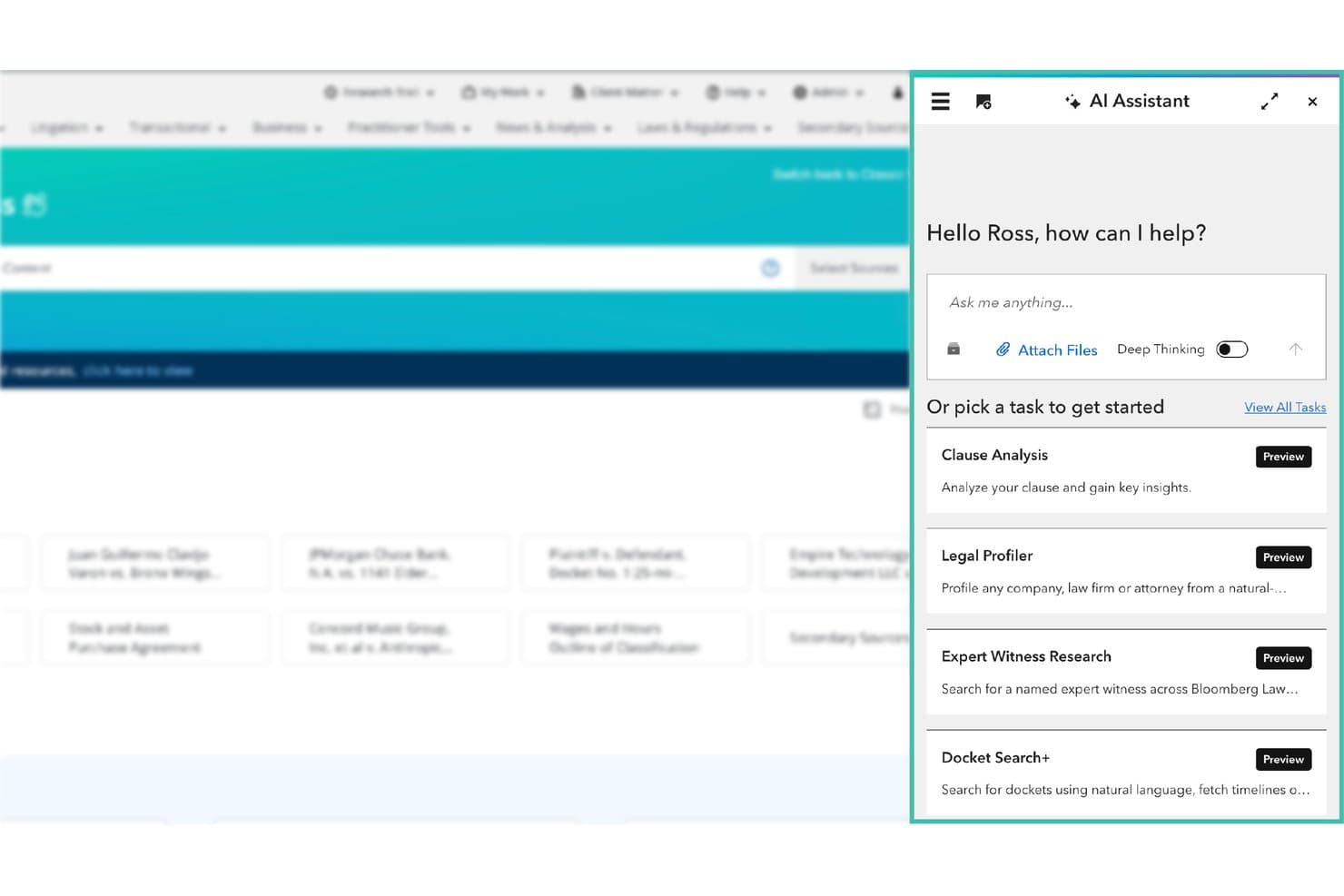
Bloomberg Law offers an AI Assistant panel with task shortcuts like Clause Analysis, Legal Profiler, Expert Witness Research, and Docket Search+ alongside a Deep Thinking toggle. Bloomberg Law is an all-in-one legal research platform for law firms, in-house counsel, and legal researchers who need unified access to primary sources, dockets, news, and AI-assisted research tools on a single flat-fee subscription.
Who Is Bloomberg Law Best For?
Bloomberg Law suits litigation attorneys and large law firms that need dockets, business intelligence, and legal research in one place.
Why Bloomberg Law Is a Good LexisNexis Alternative
I've included Bloomberg Law in my top picks because it genuinely fuses legal research with Bloomberg's editorial news network in a way LexisNexis doesn't replicate. When I'm working a matter, Bloomberg Law Answers gives me AI-generated responses grounded in authoritative legal sources, and BCite handles citation validation with treatment indicators comparable to Shepard's. Real-time news is right there in the same interface, no tab-switching required.
Bloomberg Law Key Features
- Dockets search interface: Lets you access and monitor federal dockets in a format similar to PACER.
- Draft Analyzer: Benchmarks contract language against millions of EDGAR-filed agreements using advanced filters.
- Dashboard Legal project management: Combines Outlook, iManage, and NetDocuments integrations for unified matter tracking.
- Exclusive BNA secondary sources: Provides industry-specific treatises, daily news, and practical guidance on niche topics.
Bloomberg Law Integrations
Bloomberg Law offers native integrations with Microsoft Outlook, iManage, and NetDocuments. An API is available for custom integrations.
Pros and Cons
Pros:
- Bloomberg's news editorial network built into research
- Flat-fee access covers dockets, news, and opinions
- Real-time docket and lawsuit activity tracking
Cons:
- Search navigation can be unclear across data sources
- Secondary source depth is thinner outside business law
Learn more about Bloomberg Law: Best for global legal research coverage
- Free trial + free demo available
- Pricing upon request
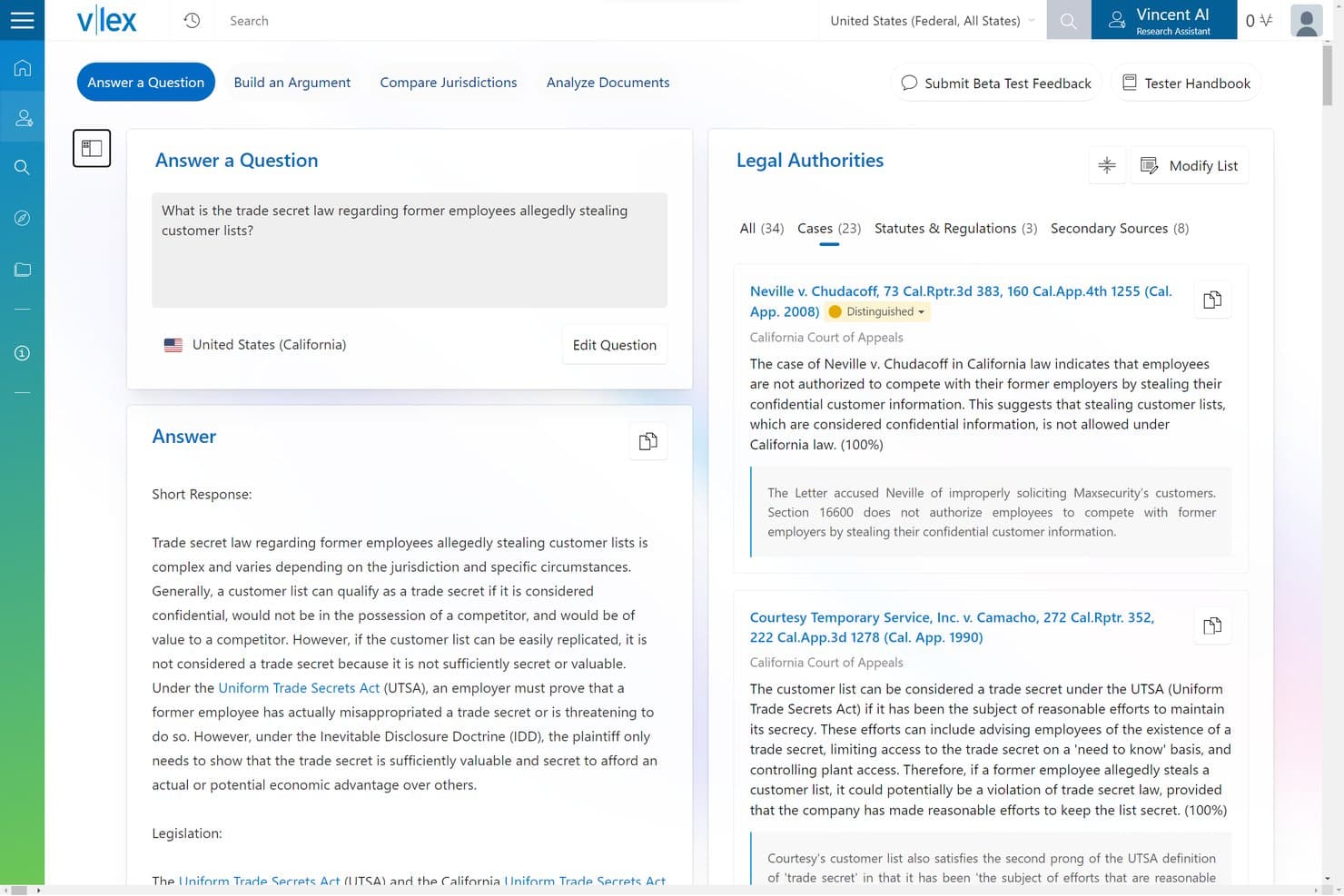
vLex Fastcase offers an AI-powered 'Answer a Question' feature that retrieves relevant case law and legal authorities, such as trade secret cases, with cited sources and confidence scores. vLex Fastcase is a legal research platform that gives litigation attorneys, solo practitioners, and legal teams access to over one billion documents across more than 100 countries, plus AI-powered research workflows through its Vincent AI assistant.
Who Is vLex Fastcase Best For?
vLex Fastcase is a strong fit for legal professionals who need cross-border research coverage that domestic-only platforms can't match.
Why vLex Fastcase Is a Good LexisNexis Alternative
I picked vLex Fastcase because no other platform on this list matches its global content breadth. With over one billion documents spanning 100+ countries, it covers international primary law that LexisNexis often locks behind premium tiers. I particularly appreciate Vincent AI's 50-State Survey workflow, which pulls comparative jurisdiction analysis in a single research session rather than requiring separate manual searches across sources.
vLex Fastcase Key Features
- Cert negative citator: Identifies negative treatment of cases to help you quickly assess legal authority.
- Docket Alarm analytics: Accesses 850 million+ litigation records for party, judge, and law firm insights.
- Vincent Studio workflow builder: Lets you design custom AI-powered legal workflows without code.
- iManage integration: Connects research materials directly into your document and knowledge management system.
vLex Fastcase Integrations
vLex Fastcase offers native integrations with iManage and Docket Alarm, and provides an API for custom integrations.
Pros and Cons
Pros:
- Docket Alarm adds deep litigation analytics
- Vincent AI summarizes cases with cited authorities
- Unmatched international primary law coverage
Cons:
- Search result filtering less refined for complex matters
- Secondary source library thinner than Westlaw or LexisNexis
Learn more about vLex Fastcase:
Other LexisNexis Alternatives
Here are some additional LexisNexis alternatives options that didn’t make it onto my shortlist, but are still worth checking out:
- 11Descrybe.aiBest for rapid AI case law summaries
- 12midpage Best for open legal content access
- 13Google ScholarBest for open access multidisciplinary case search
- 14LegalOnBest for automated contract risk analysis
- 15LegoraBest for AI-powered legal workflow customization
- 16SpellbookBest for AI contract review in Microsoft Word
- 17StrongSuit (formerly Callidus)Best for integrated litigation research automation
- 18CiceraiBest for cite-checking with AI-driven accuracy
- 19CourtListenerBest for access to free legal opinions and filings
- 20Trellis LawBest for state trial court analytics and filings
How I Evaluate LexisNexis Alternatives
I look at LexisNexis alternatives in two layers: core capabilities—case law, citators, statutory content—the platform must cover, and differentiators that reveal real-world fit. The first is the baseline; the second is where platforms diverge.
Core Functionality (Table Stakes For This List)
When I'm selecting tools for my list, I rank each one on a scale from 0 (does not offer the functionality) to 5 (excels in this area) for each core functionality listed below. Then, I calculate the tool's total score into a percentage. Each tool needs to achieve a minimum total score of 75% to be considered for inclusion.
- Case Law Database: I evaluate whether the platform covers federal and state courts with full-text search, including unpublished opinions that often matter in litigation.
- Citation Validation: A good citator flags negative treatment fast—I look for depth signals and visual case history, not just basic link checks.
- Statutory & Regulatory Content: I check for multi-jurisdictional access to statutes, regulations, and administrative materials so you're not toggling between platforms.
- Advanced Search: Boolean, natural language, and faceted filters all matter. I look for saved search options and query builders that speed up repeat research.
- Secondary Sources: Treatises, law reviews, and practice guides round out primary law. I evaluate library breadth and whether the platform includes proprietary analysis.
- AI-Assisted Research: I look for AI features that go beyond keyword suggestions—semantic search, case summarization, and query assistance that cut research time.
Once I have a list of tools that meet the criteria, I consider what sets each platform apart.
Differentiating Factors (What Sets Vendors Apart)
Here's how I compare and contrast different vendors:
Standout Features
AI-powered research is where platforms diverge most. I look for generative assistants that draft memos and answer questions with cited authorities—not just keyword highlights. Workflow integrations also matter: tools like CoCounsel and Clio surface research directly inside Word or practice management systems, which keeps you in the drafting flow. Practical guidance content like playbooks, annotated templates, and checklists helps attorneys move from research to work product without switching platforms.
Beyond Features
Pricing transparency matters a lot in this space. I check whether a platform offers flat-fee subscriptions or per-search billing, since usage-based models can surprise solo practitioners and mid-size firms at month's end. Security and data privacy are just as important—I evaluate whether AI features have clear policies on query handling and whether the vendor holds certifications like SOC 2. Content library depth is another factor I weigh, particularly whether a platform updates case law and regulatory materials frequently enough to stay current for active matters.
Why Look For LexisNexis Alternatives?
While LexisNexis is a good legal research platform, there are a number of reasons why some users seek out alternative solutions.
- Lowering research subscription costs
- Needing more flexible pricing for solo or small teams
- Wanting AI features not included in LexisNexis
- Looking for easier onboarding and support
- Seeking access to unique or niche practice area content
- Wanting faster updates to statutes and regulations
If any of these sound like you, you’ve come to the right place. My list contains several LexisNexis alternatives options that are better suited for teams facing these challenges with LexisNexis and looking for alternative solutions.
LexisNexis Key Features
Here are some of the key features of LexisNexis, to help you contrast and compare what alternative solutions offer:
- Case law database: Access comprehensive federal and state case law, including published and some unpublished opinions, with full-text search for legal research.
- Citation validation: Use integrated citator tools to check if cases remain good law, flag negative treatments, and trace subsequent case history for sound authority.
- Statutory and regulatory content: Search federal and state statutes, regulations, and administrative materials to ensure compliance across multiple jurisdictions.
- Advanced search functionality: Leverage Boolean and natural-language searching, plus multifaceted filters, to find relevant legal content efficiently.
- Secondary sources: Access practical guidance, treatises, law reviews, and analyst commentary to inform research and strategy in different practice areas.
- AI-assisted research: Benefit from AI-driven summarization, semantic search, and smart query assistance for deeper insights and faster research.
- Workflow integrations: Connect LexisNexis with Microsoft Word, Outlook, and document management or practice management tools to bring legal research into your daily drafting environment.
- Shepard’s Citations Service: Identify precedent strength through easy-to-read flags and in-depth citation analysis before relying on a case.
- Alerts and notifications: Stay updated on changes to case law, statutes, and regulations with customizable email and platform notifications.
- Research history and folders: Organize, save, and revisit prior searches and documents for easy collaboration and repeat research across your team.