The best features in legal request tracking software do more than organize incoming requests—they give your team the visibility and control to handle legal work without things slipping through the cracks.
From centralized request intake to automated workflow routing, the right feature set can mean the difference between a reactive legal team and a proactive one.
Whether you're in-house counsel managing a high volume of business requests or a legal ops lead trying to reduce turnaround times, knowing which features actually matter helps you invest in the right tool.
This article breaks down what to look for, why each feature counts, and how to match them to the way your team works.
15 Must-Have Features in Legal Request Tracking Software
Here’s a closer look at the features I think make the biggest impact in legal request tracking software—how each one works and why it matters for your team:
1. Centralized Request Intake
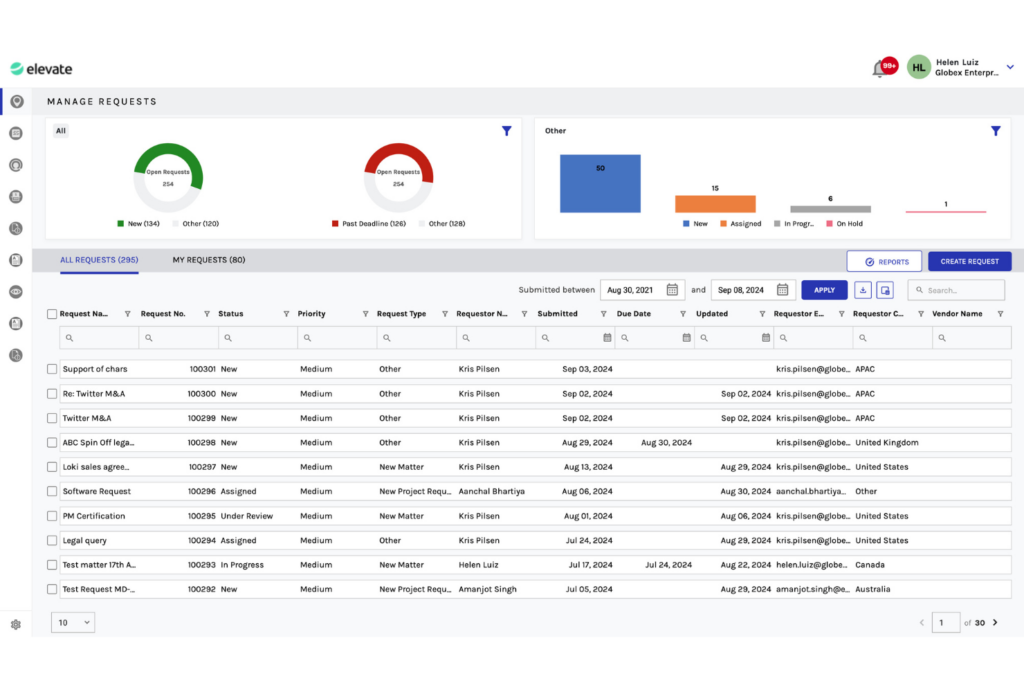
Centralized request intake gives your legal team a single, structured channel for receiving all incoming requests—no more emails, chat messages, and spreadsheets pulling you in different directions. Every request lands in one place, gets logged automatically, and becomes immediately visible to the right people.
From my experience, this alone cuts down on the back-and-forth that wastes time before work even begins. It also means nothing gets lost or overlooked, which is critical when you're managing high volumes of requests across multiple business units.
Use this comparison to see how centralized intake changes the way requests are managed:
| Without Centralized Intake | With Centralized Intake | |
|---|---|---|
| Request submission | Without Centralized IntakeEmail, Slack, hallway conversations | With Centralized IntakeSingle structured intake portal |
| Visibility | Without Centralized IntakeSiloed, easy to miss | With Centralized IntakeFull team visibility from submission |
| Logging | Without Centralized IntakeManual, inconsistent | With Centralized IntakeAutomatic and timestamped |
| Prioritization | Without Centralized IntakeAd hoc, reactive | With Centralized IntakeStructured, based on request type |
| Accountability | Without Centralized IntakeUnclear ownership | With Centralized IntakeAssigned on intake |
2. Automated Workflow Routing
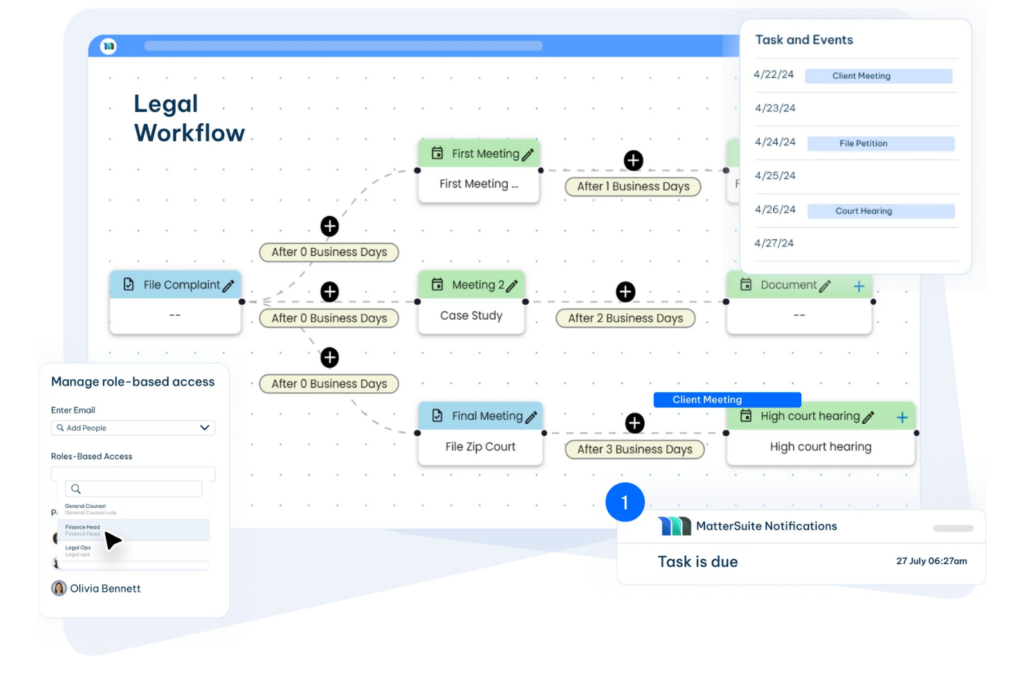
Automated workflow routing takes each incoming request and moves it to the right person or team based on predefined rules—things like request type, jurisdiction, or urgency. Instead of a paralegal or legal ops manager manually triaging every ticket, the software handles assignment automatically.
I've seen this feature cut triage time dramatically, especially in high-volume environments where requests span multiple practice areas. It keeps work moving without bottlenecks and ensures the right expertise is applied to every request from the start.
Most legal request tracking tools let you configure routing logic around several key criteria:
- Request type: Contract reviews route to contracts counsel; employment matters go to HR legal.
- Urgency level: High-priority requests trigger immediate assignment and SLA timers.
- Jurisdiction: Cross-border matters automatically route to attorneys with relevant regional expertise.
- Workload balancing: Some tools, like SimpleLegal, distribute requests based on current team capacity.
- Escalation rules: Unacknowledged requests within a set timeframe automatically escalate to a supervisor or alternate assignee.
3. Real-Time Status Tracking
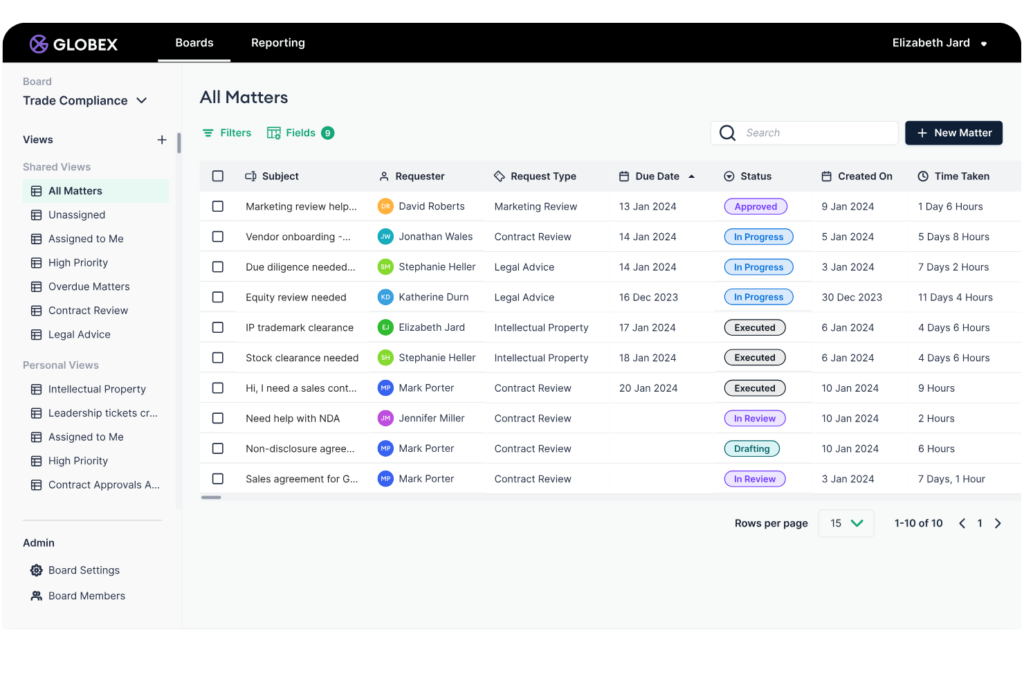
Real-time status tracking gives everyone involved in a legal request—submitters, assignees, and stakeholders—a live view of where things stand. The software updates request status automatically as work progresses, so no one needs to chase updates via email or Slack.
In my experience, this feature does more than reduce interruptions for legal teams. It builds trust with internal clients who want transparency without needing direct access to legal's internal workload. When business stakeholders can see progress themselves, the "where are we on this?" messages drop off significantly.
Real-time status tracking typically surfaces through several connected functions:
- Status labels: Custom stages like "Under Review," "Awaiting Signature," or "On Hold" reflect exactly where a request sits.
- Automated notifications: Submitters get email or in-app alerts when their request moves to a new stage.
- Requestor dashboards: Tools like LegalTracker let submitters log in and check status without contacting the legal team directly.
- Progress timelines: A visible audit of stage changes shows how long each phase took.
- Blocked request flags: Legal teams can mark requests as blocked and surface the reason to stakeholders immediately.

4. Spend Management
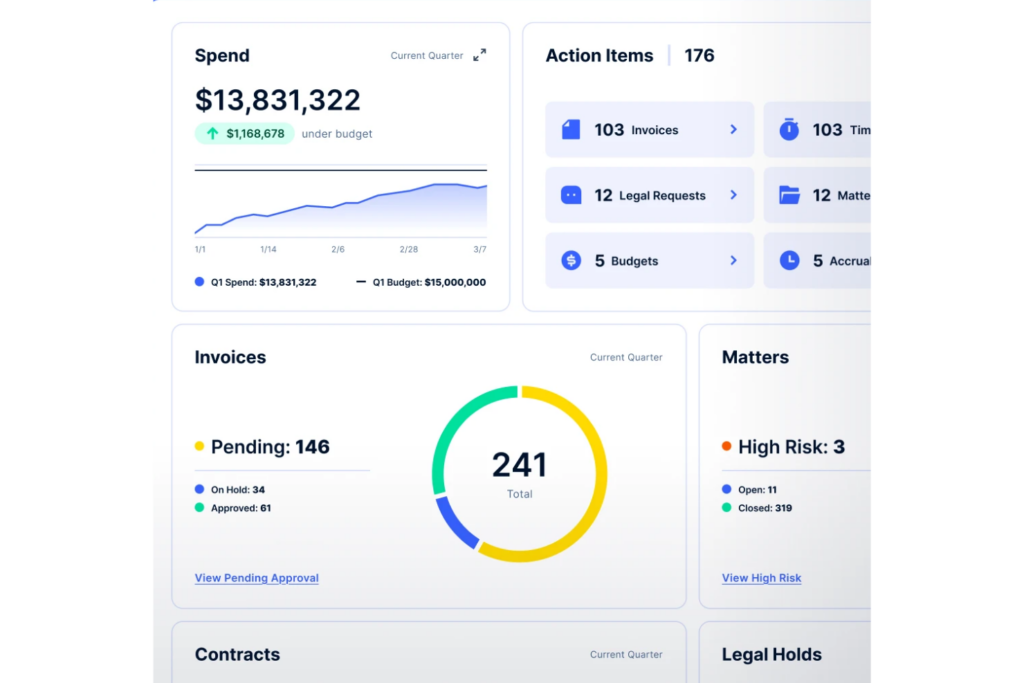
Spend management connects legal requests with the costs, budgets, invoices, and external counsel fees associated with the resulting work. Instead of reviewing financial data across separate spreadsheets and billing systems, your team can monitor legal spending alongside each request or matter.
What I find most valuable is the visibility into where legal resources are being spent. When costs are tied directly to request types, departments, matters, and outside counsel, legal teams can identify budget overruns, recurring expenses, and high-cost work before they create larger financial issues.
Here’s what spend management looks like across the legal request lifecycle:
- Matter budgets: Set and monitor budgets for requests that become formal legal matters.
- Invoice tracking: Connect invoices to the relevant request, matter, vendor, or department.
- Outside counsel spend: Monitor law firm fees, rates, expenses, and billing activity.
- Budget alerts: Receive notifications when spending approaches or exceeds predefined limits.
- Spend reporting: Analyze costs by request type, department, matter, vendor, or reporting period.
5. SLA and Deadline Alerts
SLA and deadline alerts let legal teams define response and resolution timeframes for different request types, then automatically notify assignees when those windows are at risk. The software monitors every open request against its defined SLA and triggers alerts before—not after—a deadline is missed.
From my experience, this feature shifts legal ops from reactive to proactive. Without it, missed deadlines often surface only when a frustrated stakeholder escalates. With SLA alerts configured, your team catches at-risk requests early enough to act, which protects both relationships and legal accountability.
Use this comparison to see how SLA alerts change deadline management across the request lifecycle:
| Without SLA Alerts | With SLA Alerts | |
|---|---|---|
| Deadline visibility | Without SLA AlertsTracked manually, often in spreadsheets | With SLA AlertsMonitored automatically per request |
| At-risk requests | Without SLA AlertsIdentified after the fact | With SLA AlertsFlagged before the deadline passes |
| Escalation | Without SLA AlertsTriggered by stakeholder complaints | With SLA AlertsTriggered by the system proactively |
| Accountability | Without SLA AlertsDifficult to attribute missed SLAs | With SLA AlertsLogged with timestamps and assignee data |
| Reporting | Without SLA AlertsAnecdotal | With SLA AlertsData-driven SLA compliance reporting |
6. Customizable Intake Forms
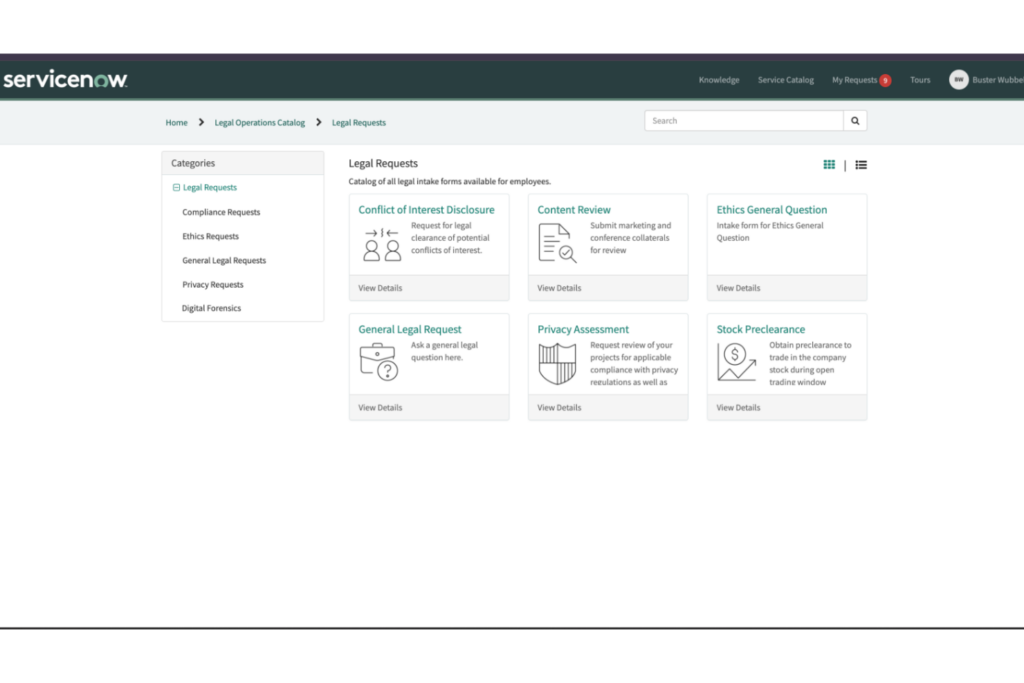
Customizable intake forms are how legal teams control the quality of information they receive before work even begins. You build forms tailored to each request type—NDAs, contract reviews, employment matters—so submitters provide exactly what your team needs upfront.
In my experience, this is one of the most underrated features in legal request tracking software. Poor intake is the root cause of most back-and-forth between legal and the business. When your legal forms ask the right questions by default, requests arrive complete, triage is faster, and your team spends less time chasing missing context.
These form-building capabilities make the biggest difference in day-to-day intake quality:
- Field types: Text fields, dropdowns, date pickers, and file uploads let you capture structured data instead of free-form descriptions.
- Conditional logic: Fields appear or hide based on previous answers—so an NDA form only asks for counterparty details when relevant.
- Required fields: Enforce complete submissions before a request can be sent, eliminating incomplete tickets entirely.
- Request-type templates: Tools like Streamline (by Onit) let you build and save distinct form templates for each matter type.
- Branded forms: Custom logos and language help business submitters recognize the intake portal as an official legal channel.
7. Matter Tracking Dashboards
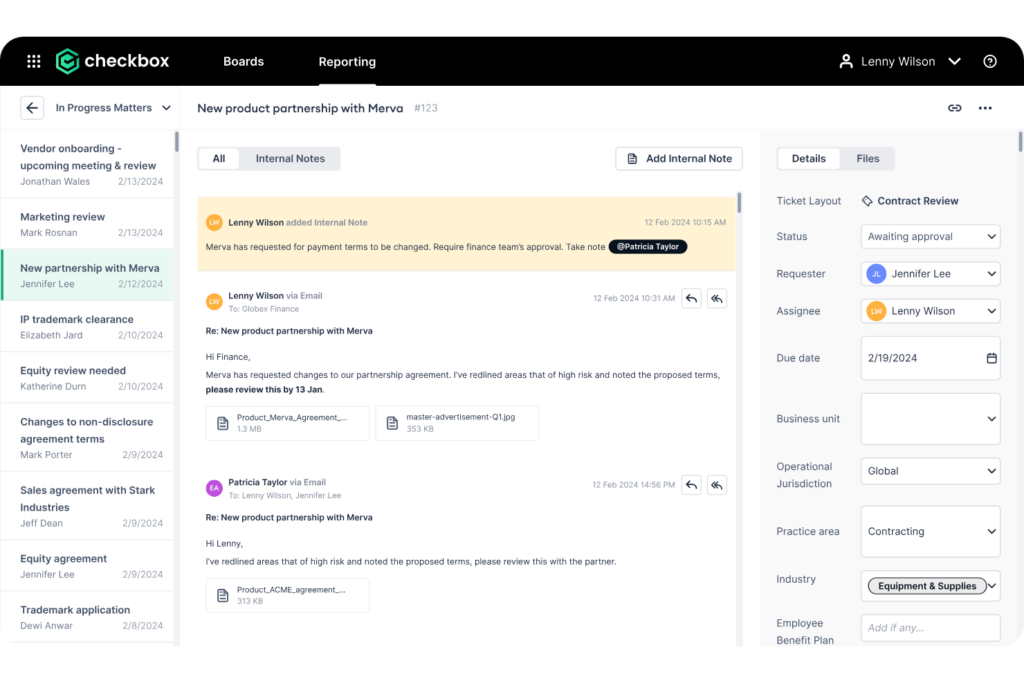
Matter tracking dashboards consolidate your legal team’s matter data into visual summaries, including active matters by type, lifecycle stage, deadlines, ownership, risk, and workload distribution. The software draws this information directly from open and closed matters, reducing manual reporting.
For legal operations teams, these dashboards show where work stands and how resources are being used. Teams can use matter data to support headcount requests, justify technology investments, identify recurring legal issues, and determine which departments generate the most legal work.
These are the matter tracking views I find most useful for in-house legal teams managing high matter volumes:
- Matter volume: Track open and closed matters by type, department, region, or reporting period to identify trends.
- Matter status: View matters by lifecycle stage to see which work is new, active, pending, or completed.
- Deadline tracking: Monitor upcoming due dates, overdue tasks, and important milestones across active matters.
- Workload distribution: Break down open matters by assignee to identify capacity gaps and uneven workloads.
- Custom dashboards: Build role-specific views for general counsel, legal operations leaders, and individual team members.
8. Role-Based Permissions and Access Control
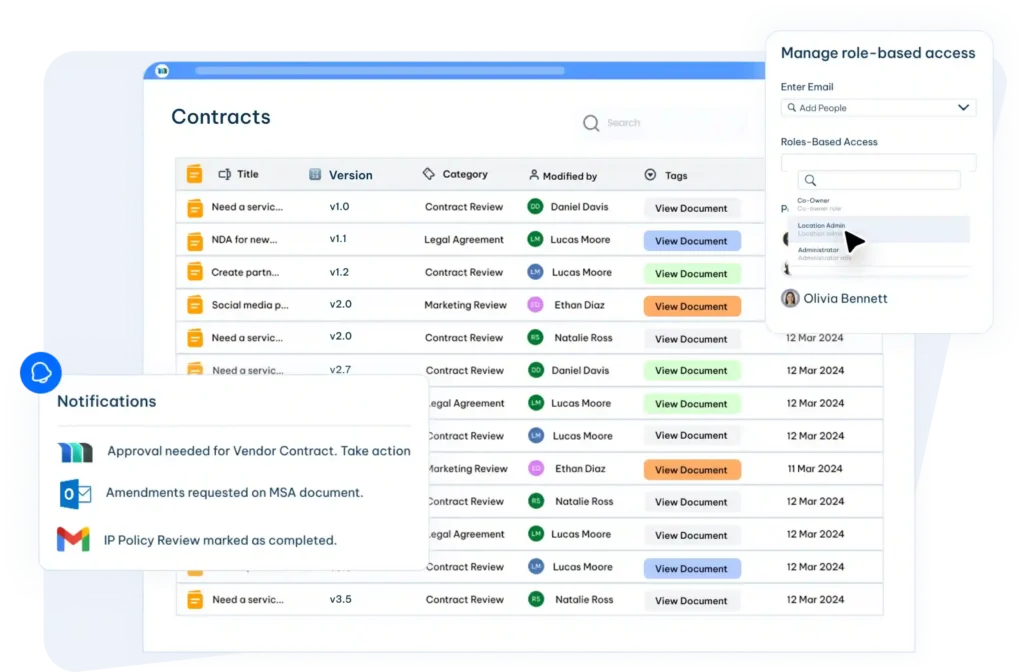
Role-based permissions let you define exactly what each user can see, edit, assign, or export within your legal request tracking system. Access is tied to role—not individual settings—so onboarding new team members or adjusting permissions at scale is straightforward.
For legal teams, this isn't just an administrative convenience. Confidentiality is a professional obligation, and not every request should be visible to every user.
I think this feature is essential when your system includes sensitive matters like investigations, employment disputes, or regulatory inquiries. Controlling access at the role level protects privilege and limits exposure without creating workflow friction.
Use this overview to understand how different roles typically map to access levels in legal request tracking software:
| Role | Typical Access |
|---|---|
| RoleLegal ops admin | Typical AccessFull system access, including configuration, reporting, and user management |
| RoleIn-house attorney | Typical AccessView and manage assigned matters; restricted from unrelated sensitive requests |
| RoleGC / legal lead | Typical AccessTeam-wide visibility across all requests and dashboard reporting |
| RoleBusiness submitter | Typical AccessSubmit requests and track status updates on their own submissions only |
| RoleExternal counsel | Typical AccessLimited access to specific matter documents, if integrated |
9. Collaborative Internal Communication
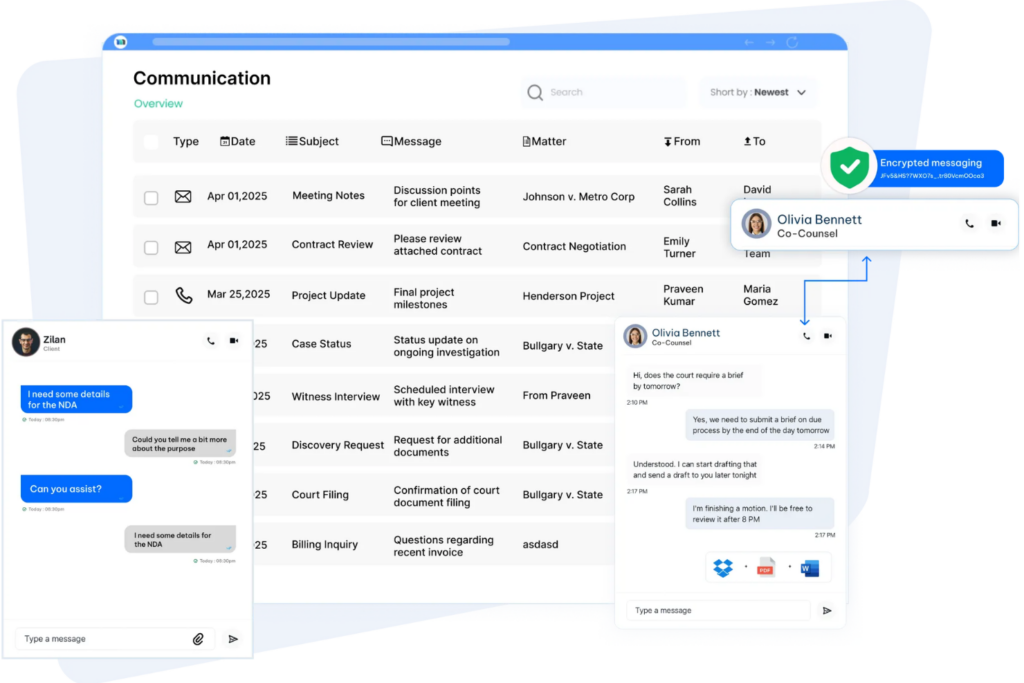
Collaborative internal communication tools embed discussion directly inside each legal request—think threaded comments, @mentions, and internal notes that are visible only to the legal team.
Every conversation stays attached to the relevant matter rather than scattered across email threads or chat platforms.
I find this feature particularly valuable for complex requests that involve multiple reviewers or require back-and-forth before a response goes to the business. When communication lives inside the request, nothing gets lost in someone's inbox, context is always available, and new assignees can get up to speed without asking for a history lesson.
Use this comparison to see how embedded communication changes how legal teams handle request discussions:
| Email or Chat | In-Request Communication | |
|---|---|---|
| Context | Email or ChatFragmented across threads and platforms | In-Request CommunicationAttached directly to the relevant matter |
| Visibility | Email or ChatLimited to thread participants | In-Request CommunicationControlled by role-based permissions |
| Internal notes | Email or ChatMixed with external correspondence | In-Request CommunicationKept separate and attorney-only |
| Searchability | Email or ChatBuried in personal inboxes | In-Request CommunicationSearchable within the request record |
| Handoff quality | Email or ChatNew assignees lack context | In-Request CommunicationFull conversation history available instantly |
| Audit trail | Email or ChatDifficult to reconstruct | In-Request CommunicationLogged automatically with timestamps |
10. Reporting and Analytics
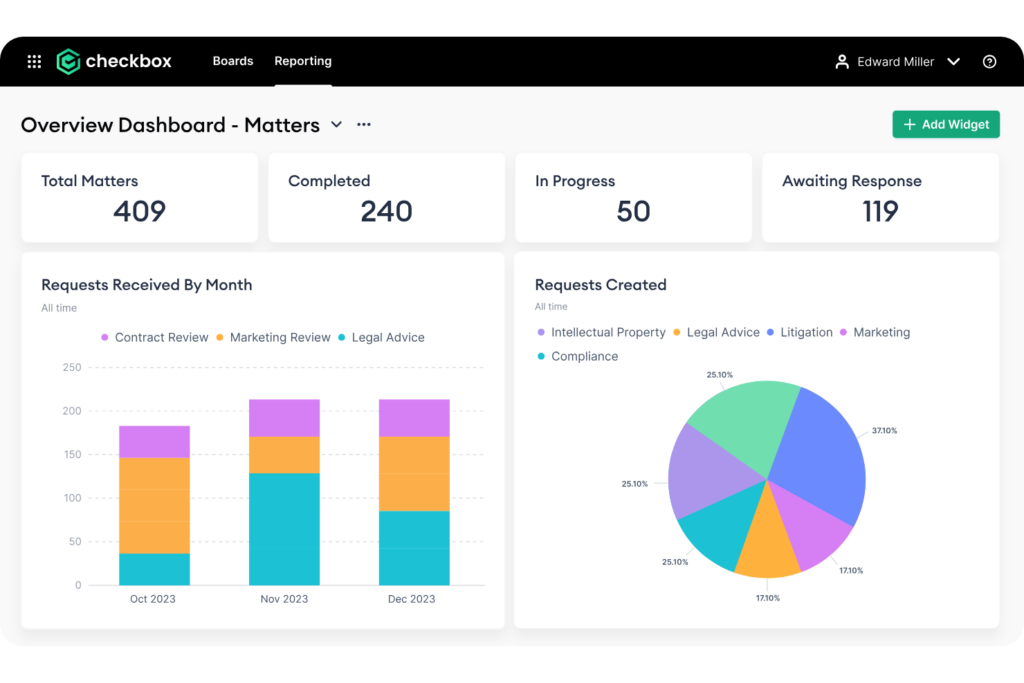
Reporting tools turn legal request data into clear insights on request volume, resolution times, SLA performance, workload, and recurring request types. By pulling information from active and completed requests, the software reduces the need for manual data collection and spreadsheet-based reporting.
I find this feature especially useful for legal operations teams that need to justify staffing, budget, or process changes with actual data. When request trends are easy to track, teams can spot bottlenecks, compare performance over time, and see where demand is increasing before workloads become harder to manage.
These are the reporting metrics your legal request tracking system should capture:
- Request volume: Track incoming requests by type, department, location, or reporting period.
- Resolution times: Measure how long requests remain open and compare completion times across categories.
- SLA performance: Monitor which requests meet established response and completion targets.
- Workload reports: Compare open requests by assignee or team to identify capacity imbalances.
- Request trends: Identify recurring legal issues and departments generating the highest request volumes.
- Custom reports: Filter and export data based on request status, priority, owner, submission date, or completion date.
11. Integration with Third-Party Productivity Suites
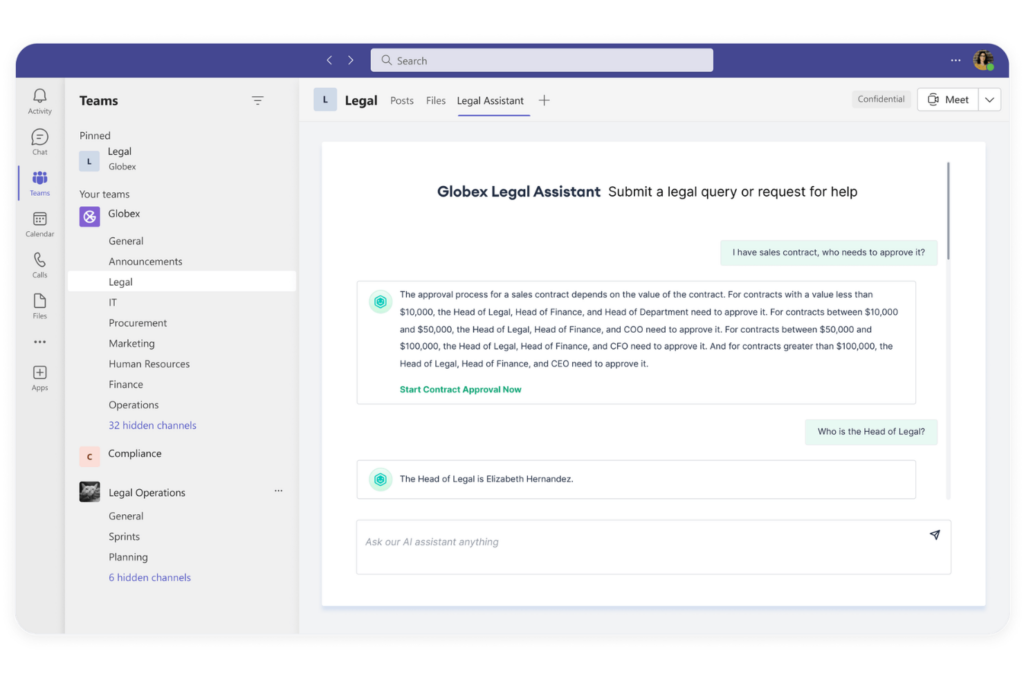
Integration with third-party productivity suites connects your legal request tracking software to the tools your team and business stakeholders already use—Microsoft 365, Google Workspace, Slack, DocuSign, and contract management or matter management platforms. Requests can be submitted from existing tools, and updates sync across systems without manual data entry.
From my experience, the real value is reducing context-switching. Legal teams shouldn't need to leave their core workflow to update a request or chase a status. When your tracking software talks to your document storage, email, and e-signature tools, the entire request lifecycle stays connected without stitching things together manually.
Watch for these integration types when evaluating legal request tracking software:
- Email platforms: Microsoft Outlook and Gmail integrations let attorneys manage request updates without leaving their inbox.
- Document storage: Connections to SharePoint, Google Drive, or OneDrive keep files accessible inside the request record.
- E-signature tools: DocuSign or Adobe Acrobat Sign integrations trigger signature workflows directly from a request.
- Slack or Teams: Real-time notifications push status updates to the channels your business teams already monitor.
- Contract management: Linking to tools like Ironclad or Agiloft ties requests directly to the contracts they reference.
- API access: Open APIs let legal ops teams build custom connections where native integrations don't exist.
12. Electronic Signature Management
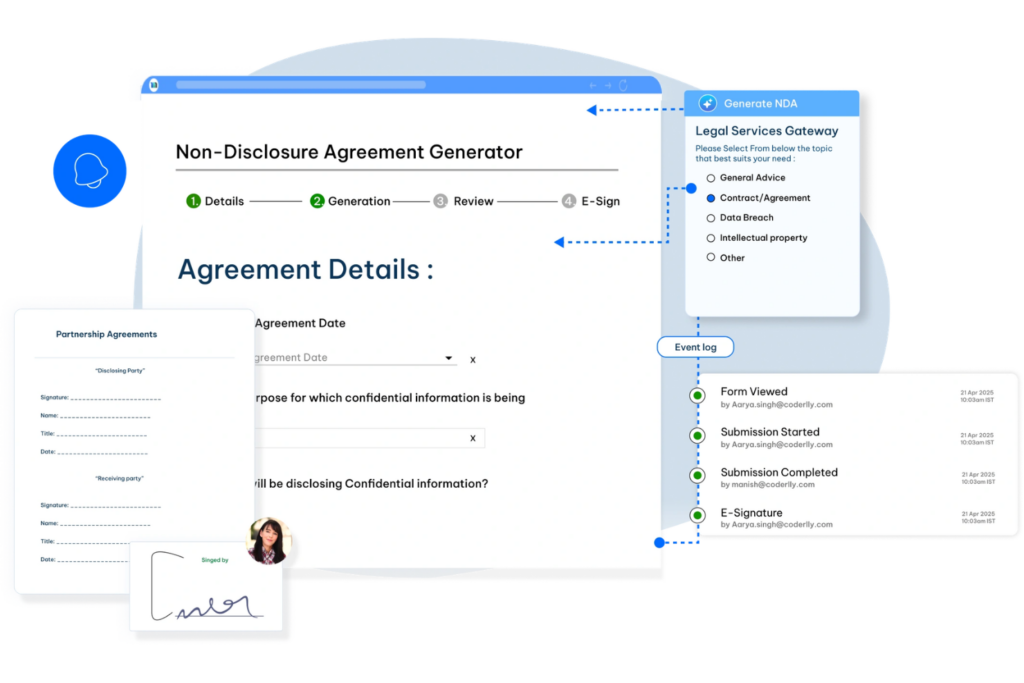
Electronic signature management lets legal teams initiate, track, and complete signature workflows directly within or connected to their legal request tracking system. When a request requires a signed agreement, NDA, or approval, the document moves from drafting to execution without leaving the platform or relying on separate email chains.
I think this feature closes one of the most common gaps in legal workflows—the handoff between legal review and signature collection. Without it, documents get forwarded manually, versions get confused, and status visibility disappears. With it, every signature request has a clear owner, a deadline, and a logged completion record tied to the original request.
Follow these steps to see how electronic signature management works inside a legal request tracking workflow:
- Submit the request: A business stakeholder submits a contract or NDA request through the tracking system.
- Legal review: An attorney reviews, edits, and approves the document within the platform.
- Initiate signature: The attorney triggers a signature workflow via DocuSign or Adobe Acrobat Sign directly from the request.
- Track completion: The system logs signer status, sends automated reminders, and timestamps completion.
- Close the request: Once fully executed, the signed document attaches to the original request record automatically.
13. Request Aging and Escalation Management
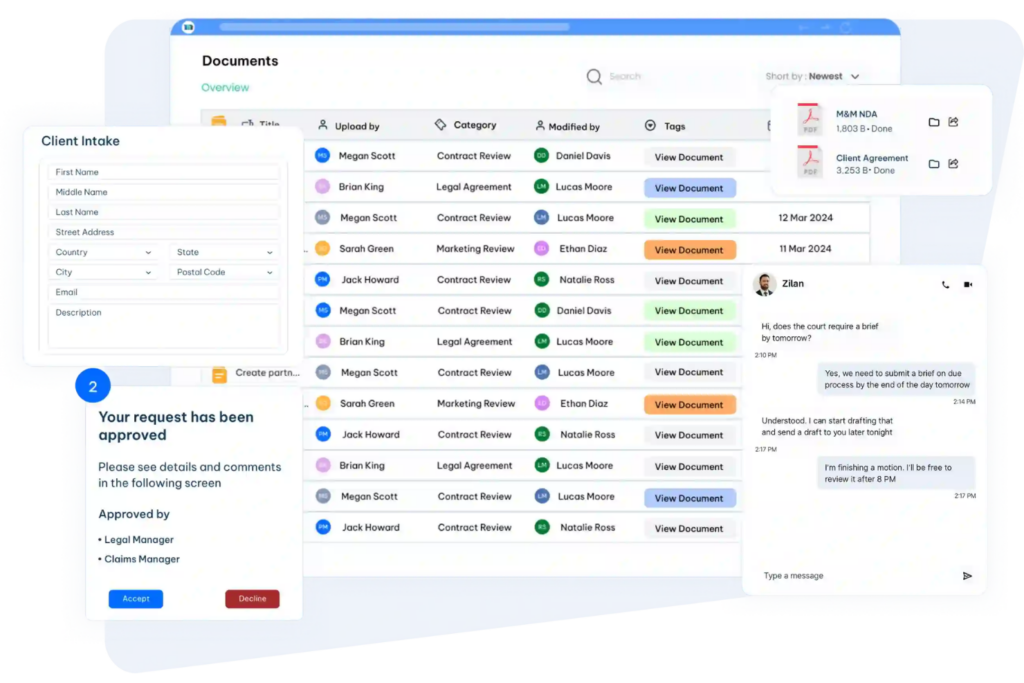
Request aging and escalation features track how long each legal request has remained open and flag items that are approaching or exceeding expected response times. Teams can identify stalled requests, overdue actions, and requests that require additional attention without manually reviewing every open item.
I find this feature particularly valuable when legal teams handle a high volume of requests with different priorities and turnaround expectations. Aging indicators make it easier to catch requests that have stopped progressing, while escalation rules ensure urgent or overdue work reaches the right person before delays affect internal stakeholders.
Use this comparison to see how request aging and escalation improve legal request tracking:
| Without Aging and Escalation | With Aging and Escalation | |
|---|---|---|
| Overdue request visibility | Without Aging and EscalationRequires manual review | With Aging and EscalationFlags requests approaching or past due |
| Stalled requests | Without Aging and EscalationMay remain unnoticed | With Aging and EscalationIdentified based on inactivity or request age |
| Escalations | Without Aging and EscalationDepend on manual follow-up | With Aging and EscalationRouted to designated reviewers or managers |
| Priority management | Without Aging and EscalationRelies on individual judgment | With Aging and EscalationUses request age, urgency, and status indicators |
| Backlog monitoring | Without Aging and EscalationDifficult to assess consistently | With Aging and EscalationShows aging trends across open requests |
14. Client Self-Service Portals
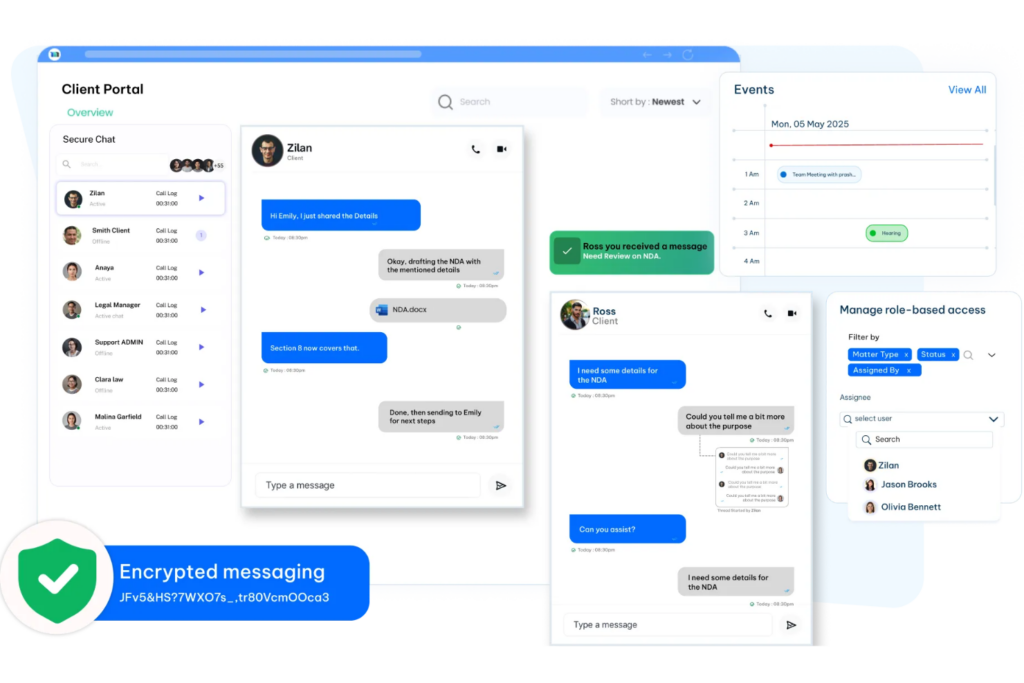
Client self-service portals give internal stakeholders or external clients a dedicated interface to submit legal requests, track status updates, upload documents, and communicate with the legal team—without requiring access to the full legal request tracking software.
The portal acts as a structured front door to the legal function while supporting clearer communication and more consistent client management.
From my point of view, this feature reduces one of the biggest sources of unnecessary legal team interruption: status questions. When stakeholders can log in and see exactly where their request stands, the volume of “any update?” emails drops noticeably.
It also sets clear expectations around the process, making the legal team appear organized and responsive during high-volume periods.
These are the portal features that make the biggest practical difference for legal teams and their stakeholders:
- Branded intake forms: Customizable forms ensure stakeholders submit requests with the right information upfront, reducing back-and-forth.
- Real-time status tracking: Stakeholders see exactly where their request sits without contacting the legal team directly.
- Document upload and exchange: Both sides can share files securely within the portal, keeping everything tied to the request record.
- Automated notifications: Status change alerts keep stakeholders informed without requiring manual updates from legal.
- Access controls: Tools like SimpleLegal and Legal Tracker let you restrict portal visibility by role, department, or matter type.
More Articles
15. Automated Legal Document Generation
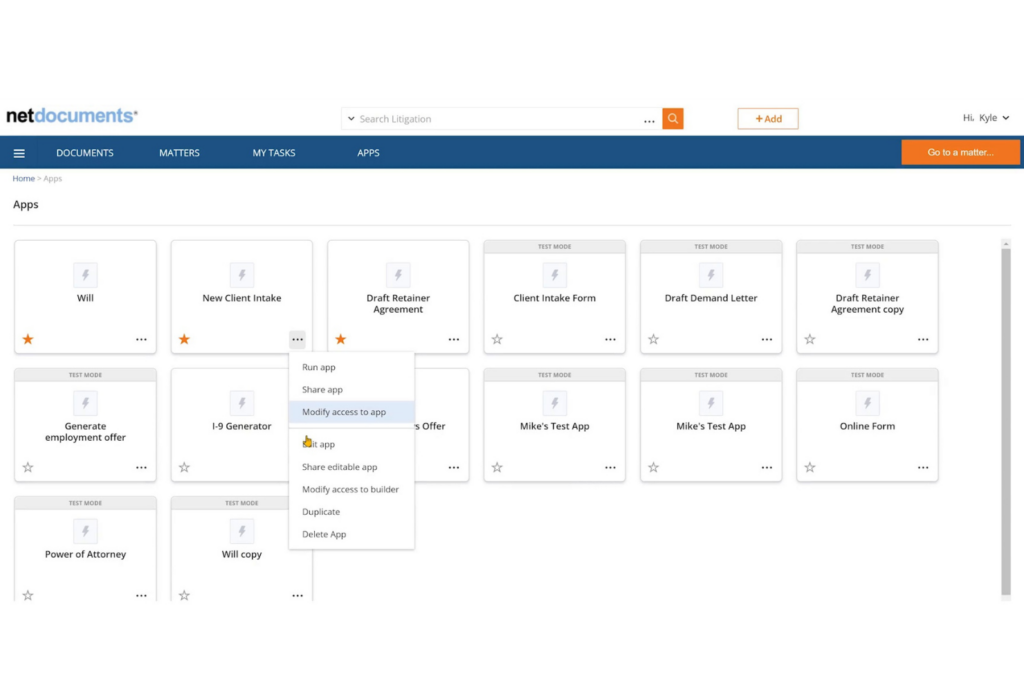
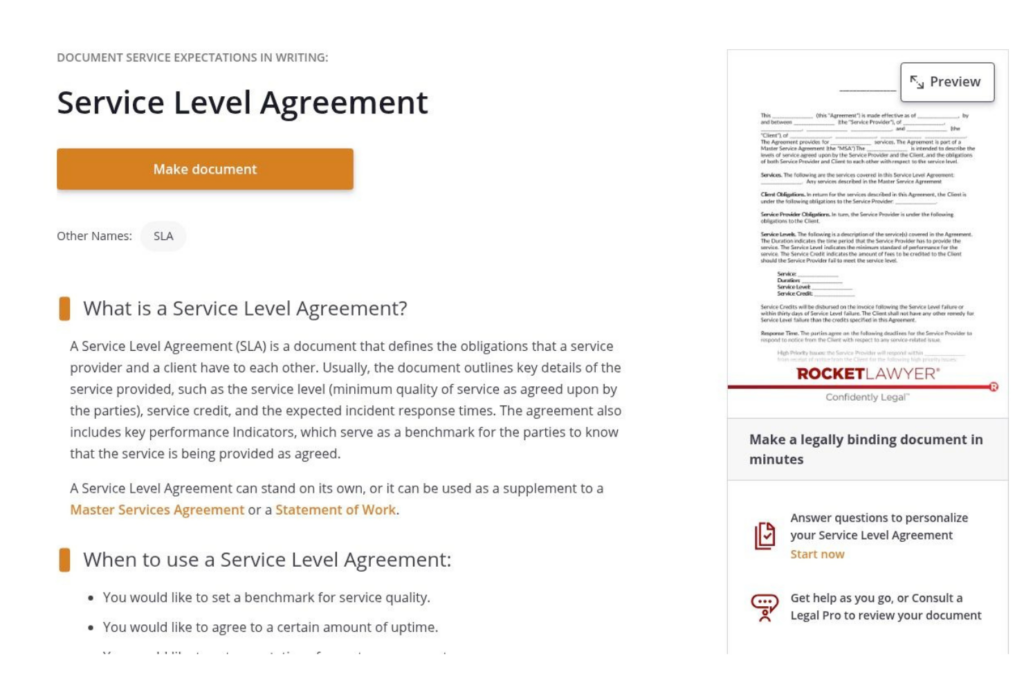
Automated legal document generation uses intake form data to populate pre-approved templates—NDAs, service agreements, offer letters, and similar standard documents—without requiring attorneys to draft from scratch.
When a stakeholder submits a request, the system pulls their inputs directly into the correct template and produces a ready-to-review draft.
I think this is one of the highest-leverage features for in-house teams managing high volumes of routine contracts. The drafting time saved on a single NDA is modest, but across hundreds of requests annually, it's significant. Attorneys spend less time on document assembly and more time on the work that actually requires legal judgment.
These are the document generation capabilities worth evaluating when comparing legal request tracking platforms:
- Template libraries: Pre-built and customizable templates for NDAs, MSAs, and other standard agreements reduce setup time significantly.
- Conditional logic: Fields that adapt based on intake answers—jurisdiction, contract value, counterparty type—keep documents accurate without manual edits.
- Clause libraries: Tools like ContractPodAi and Ironclad let legal teams lock approved language, preventing unauthorized clause substitutions.
- Version control: Every generated draft is timestamped and saved, so you always have a clear record of what was sent and when.
- Direct handoff to e-signature: Completed drafts route immediately into signature workflows without manual file transfers.
Top Legal Request Tracking Software
Here are our top picks for the best legal request tracking software to help you in your search:
Take Legal Work Management Further
Legal request tracking is only one part of managing legal work. If your team also needs to organize cases, deadlines, documents, billing, and client communication, explore the best legal case management software to compare platforms built for broader case management needs.