


Aderant Review: Pros, Cons, Key Features and Updated Pricing Guide



Aderant is a legal billing software built for large law firms. It handles complex billing workflows, multi-tiered rate structures, and financial controls at scale. I'd consider it if your firm has outgrown mid-market tools like Clio and needs more advanced billing infrastructure.
Aderant Evaluation Summary
- Pricing upon request
- Free demo available
Why Trust Our Software Recommendations
Our team has been testing and reviewing software since 2012. As legal practice leaders ourselves, we know how difficult—and important—it is to choose the right software.
For this guide, we evaluated tools using hands-on testing and independent research, scoring tools using our selection criteria.
Our reviews reflect our human editorial judgment, not a sales pitch.
Aderant Overview
When judging Aderant as a legal billing platform, its advanced workflow automation, configurable billing rules, and deep reporting set it apart for firms with complex needs. The interface is dense but highly customizable, and onboarding can be resource-intensive. Pricing is on the higher end, reflecting its enterprise focus. Support is responsive, and integrations with document management and accounting systems are strong. If you're selecting a solution for a large or midsize firm that values control and detailed compliance, Aderant is a top contender, though smaller teams may find it more than they need.
pros
-
Handles complex billing arrangements and client requirements.
-
Offers detailed audit trails for compliance and reporting.
-
Provides configurable workflow automation for billing processes.
cons
-
Requires significant time and resources for initial setup.
-
User experience can feel overwhelming for new users.
-
Advanced features may be excessive for smaller firms.
-

CARET Legal
Visit WebsiteThis rating combines scores from multiple user review sites to reflect overall customer sentiment about the product.4.4 -
Mitratech TAP Workflow Automation
Visit WebsiteThis rating combines scores from multiple user review sites to reflect overall customer sentiment about the product.4.2 -
Redactable
Visit WebsiteThis rating combines scores from multiple user review sites to reflect overall customer sentiment about the product.4.8


How We Test & Score Tools
We’ve spent years building, refining, and improving our software testing and scoring system. The rubric is designed to capture the nuances of software selection and what makes a tool effective, focusing on critical aspects of the decision-making process.
Below, you can see exactly how our testing and scoring works across seven criteria. It allows us to provide an unbiased evaluation of the software based on core functionality, standout features, ease of use, onboarding, customer support, integrations, customer reviews, and value for money.
Core Functionality (25% of final scoring)
The starting point of our evaluation is always the core functionality of the tool. Does it have the basic features and functions that a user would expect to see? Are any of those core features locked to higher-tiered pricing plans? At its core, we expect a tool to stand up against the baseline capabilities of its competitors.
Standout Features (25% of final scoring)
Next, we evaluate uncommon standout features that go above and beyond the core functionality typically found in tools of its kind. A high score reflects specialized or unique features that make the product faster, more efficient, or offer additional value to the user.
We also evaluate how easy it is to integrate with other tools typically found in the tech stack to expand the functionality and utility of the software. Tools offering plentiful native integrations, 3rd party connections, and API access to build custom integrations score best.
Ease of Use (10% of final scoring)
We consider how quick and easy it is to execute the tasks defined in the core functionality using the tool. High scoring software is well designed, intuitive to use, offers mobile apps, provides templates, and makes relatively complex tasks seem simple.
Onboarding (10% of final scoring)
We know how important rapid team adoption is for a new platform, so we evaluate how easy it is to learn and use a tool with minimal training. We evaluate how quickly a team member can get set up and start using the tool with no experience. High scoring solutions indicate little or no support is required.
Customer Support (10% of final scoring)
We review how quick and easy it is to get unstuck and find help by phone, live chat, or knowledge base. Tools and companies that provide real-time support score best, while chatbots score worst.
Customer Reviews (10% of final scoring)
Beyond our own testing and evaluation, we consider the net promoter score from current and past customers. We review their likelihood, given the option, to choose the tool again for the core functionality. A high scoring software reflects a high net promoter score from current or past customers.
Value for Money (10% of final scoring)
Lastly, in consideration of all the other criteria, we review the average price of entry level plans against the core features and consider the value of the other evaluation criteria. Software that delivers more, for less, will score higher.
Core Features
Time Capture and Entry
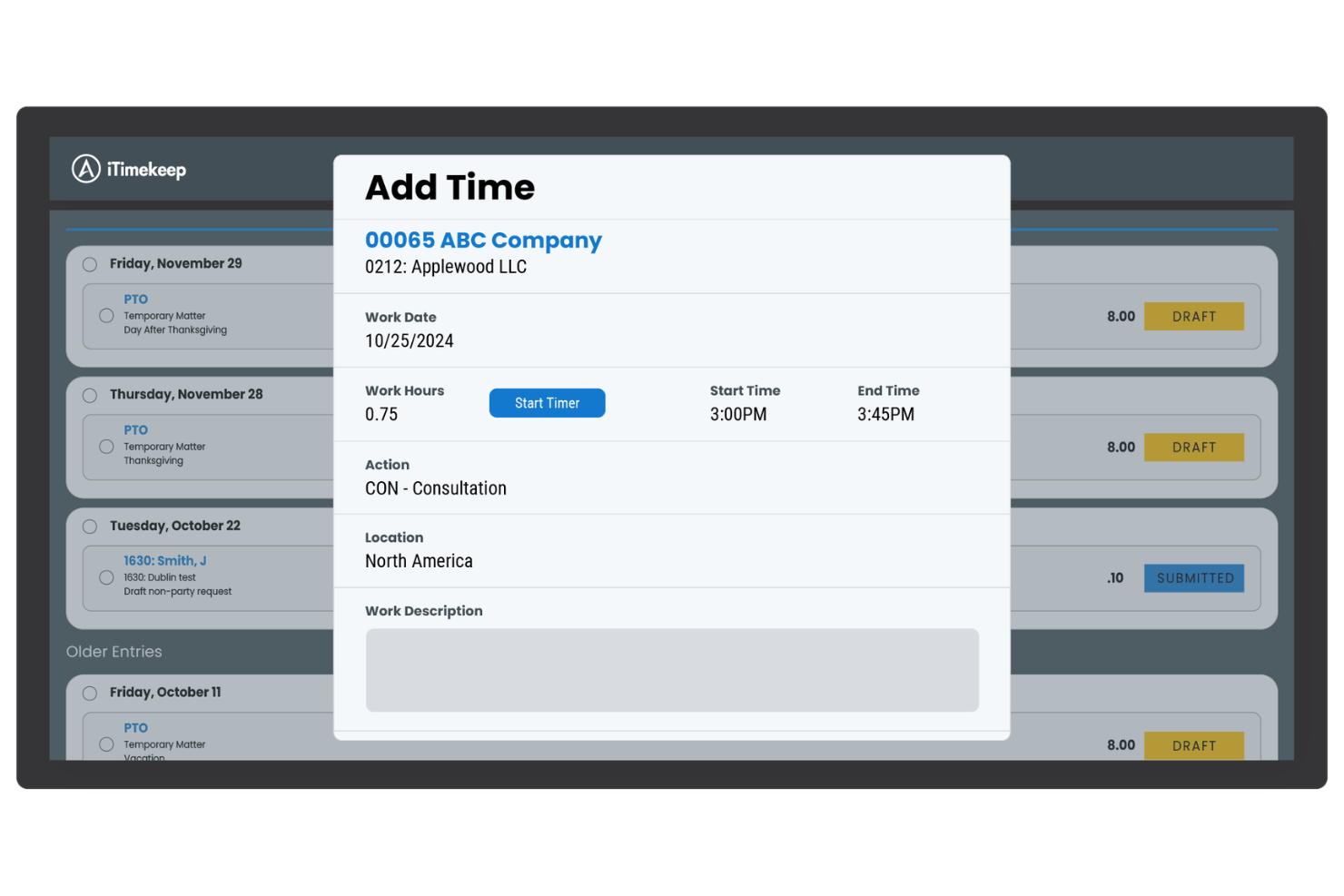
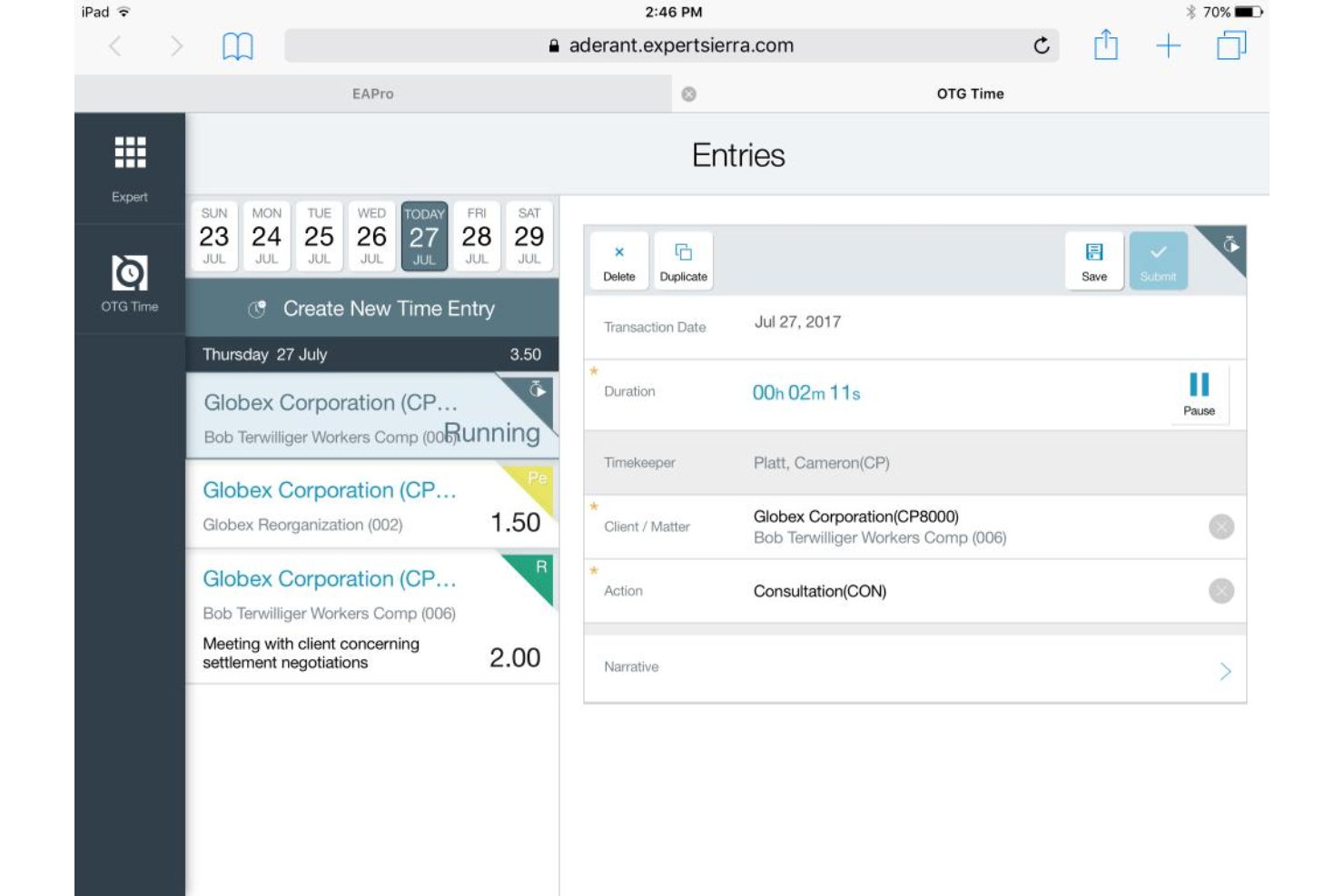
Aderant offers multiple time entry and timekeeping methods, including real-time timers and mobile entry. Users can capture billable hours on the go or log them after the fact.
Automated Billing Workflows
Configure approval chains, billing rules, and reminders to match firm policies. This cuts manual steps and helps ensure compliance with client requirements.
Customizable Invoice Templates
Create branded, client-specific invoices with detailed breakdowns. Templates can be tailored for different practice groups or billing arrangements.
Matter Management
Centralize all matter-related documents, communications, and billing data. Teams get a single source of truth for each client file.
Audit Trails and Compliance Tracking
Every billing action is logged for transparency and regulatory compliance. Especially useful for firms with strict audit requirements.
Advanced Reporting and Analytics
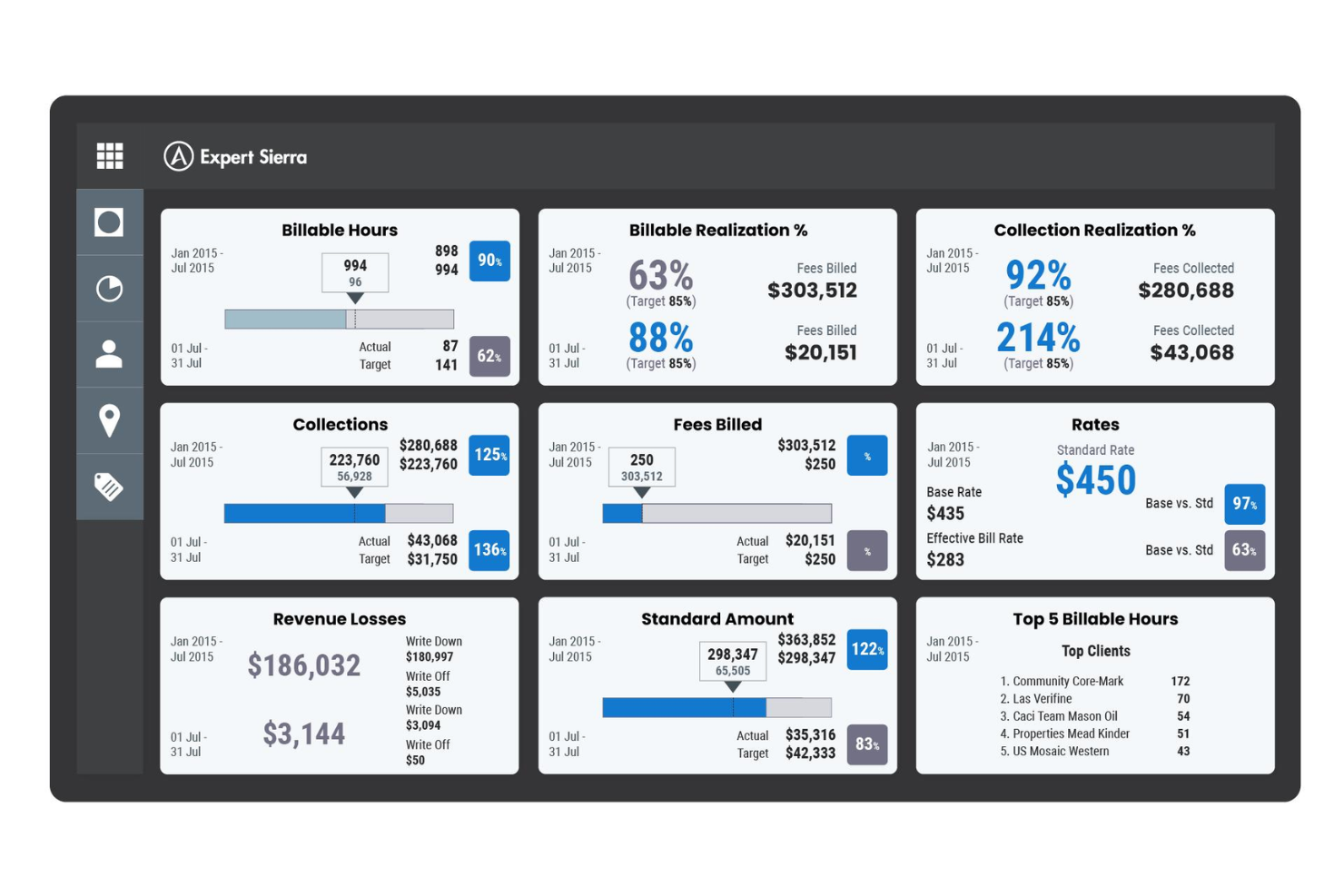
Generate detailed reports on billing, collections, and matter profitability. Dashboards help users spot trends and make data-driven decisions.
Ease of Use
Aderant's interface is dense and feature-rich, which can affect the overall user experience for new users or smaller teams. While the platform offers extensive customization and powerful tools, many users report that setup and navigation require significant training and ongoing support. However, once configured, its dashboards and workflow automations help experienced team members manage complex billing tasks efficiently. The learning curve is steep, but the depth of functionality supports demanding legal practice environments.
Integrations
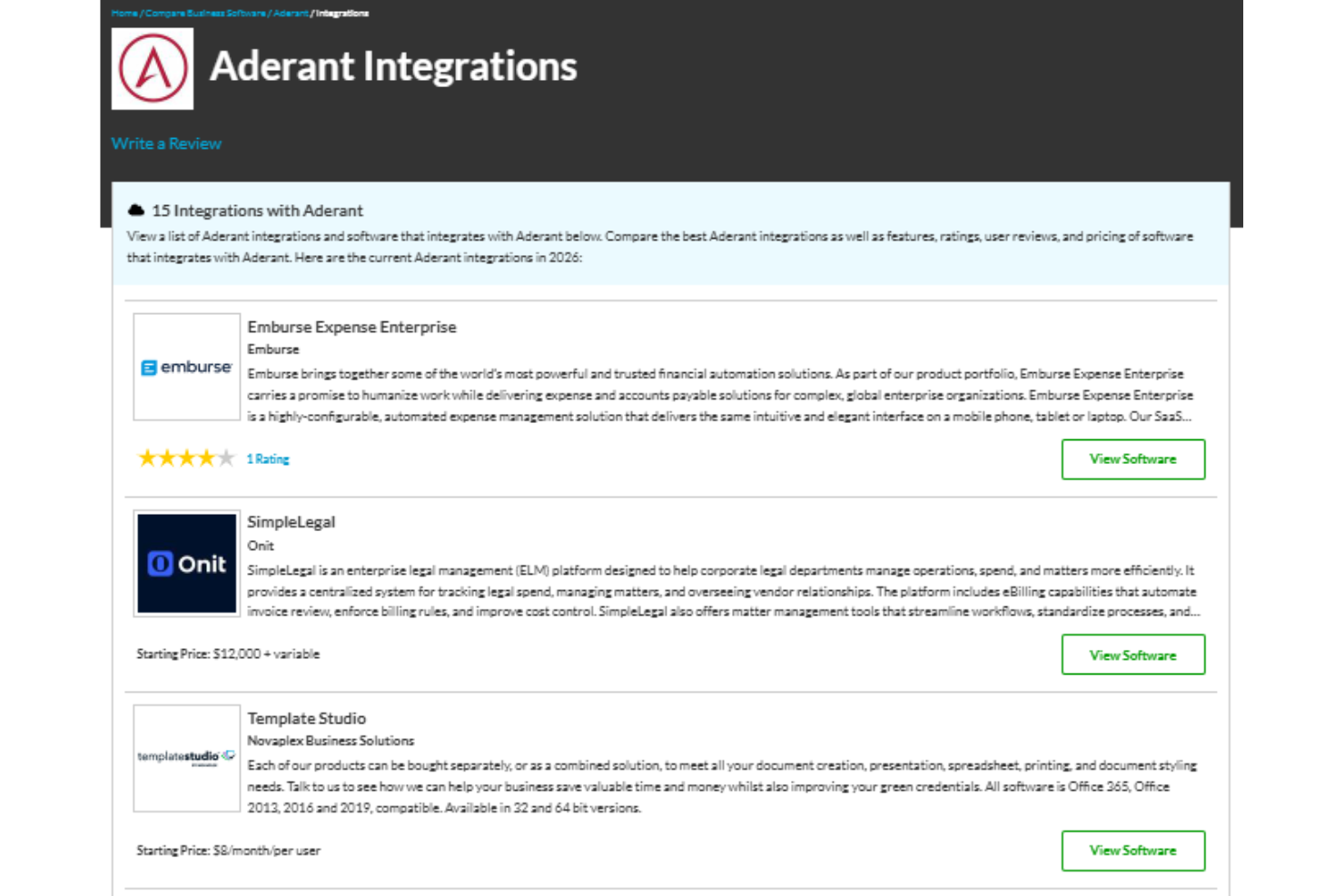
Aderant integrates with Emburse Expense Reports, SimpleLegal, TemplateStudio, MatterAlert, Softlog.print, and LawPort, among others.
Aderant also offers an API for custom integrations and supports seamless integration with select third-party integration tools.
Aderant Specs
- 2-Factor Authentication
- API
- Approval Workflows
- Audit Trail
- Calendar Management
- Compliance Tracking
- Contract Management
- Custom Reports
- Customer Management
- Data Export
- Data Import
- Document Management
- External Integrations
- Multi-User
- NDA Management
- Notifications
- Policy Management
- Scheduling
- Workflow Management


