

Managing your firm, attracting new clients, and retaining the ones you have can seem like a juggling act. These tools streamline your practice, automate mundane tasks, and help you carve out a robust online presence.
Here's a guide to help you understand what these software products do, in order to help you choose the best ones for improving the marketing function at your legal firm.
Why Trust Our Software Recommendations
6,700+
Reviews
20
Industry experts
16+
Evaluation factors
14
Years
Our team has been testing and reviewing software since 2012. As legal practice leaders ourselves, we know how difficult—and important—it is to choose the right software.
For this guide, we evaluated tools using hands-on testing and independent research, scoring tools using our selection criteria.
Our reviews reflect our human editorial judgment, not a sales pitch.
Comparison Table: Legal Marketing Software
This comparison table summarizes pricing details for my top legal marketing software selections.
| Tool | Best For | Trial Info | Price | ||
|---|---|---|---|---|---|
| 1 | Best for growth-focused PPC campaigns | Free demo available | Pricing upon request | Website | |
| 2 | Best for comprehensive law firm marketing strategy | Free demo available | Pricing upon request | Website | |
| 3 | Best for data-driven legal marketing | Free demo available | Pricing upon request | Website | |
| 4 | Best for tapping a broad legal referral network | Free demo available | Pricing upon request | Website | |
| 5 | Best for specialized legal marketing services | Not available | Pricing upon request | Website | |
| 6 | Best for lead intake and client conversion | 7-day free trial | From $49/user/month (billed annually) | Website | |
| 7 | Best for AI-powered lead intake automation | Free demo available | Pricing upon request | Website | |
| 8 | Best for converting website leads into clients | Free demo available | Pricing upon request | Website | |
| 9 | Best for automated legal lead nurturing | Free demo available | Pricing upon request | Website | |
| 10 | Best for AI-driven client acquisition | Expert consultation available | From $4,250/month | Website |


Best Legal Marketing Software Reviews
Below are my detailed summaries of the best legal marketing software that made it onto my shortlist. My reviews offer a detailed look at the key features, pros & cons, integrations, and ideal use cases of each tool to help you find the best one for you.
 Best for growth-focused PPC campaigns
- Free demo available
- Pricing upon request
Visit WebsiteCustomer Rating:3.6/5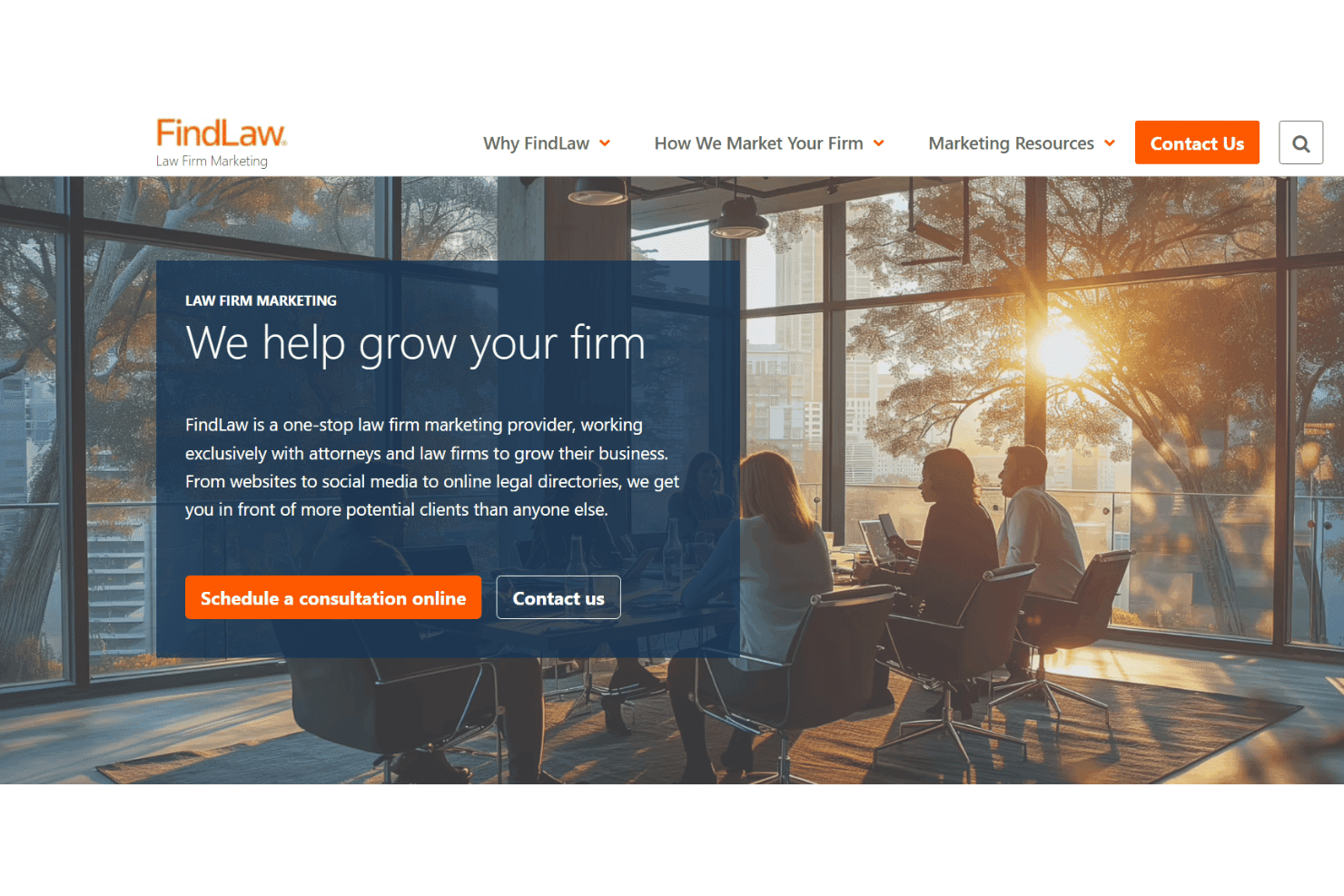
FindLaw manages SEO, paid search, content, and reputation for law firms. FindLaw is a managed legal marketing platform that combines paid search campaign management, attorney directory listings, local SEO, content marketing, and reputation management tools built specifically for law firms.
Who Is FindLaw Best For?
FindLaw is a strong fit for solo attorneys and small law firms that want a managed, done-for-you approach to legal marketing rather than handling campaigns in-house.
Why I Picked FindLaw
FindLaw earns its spot on my shortlist because it's one of the few legal marketing platforms backed by both Google Partner and Bing Partner certifications, meaning your PPC campaigns are managed by credentialed strategists, not generalists. I particularly like the Google Local Services Ads setup, where you only pay for direct contacts, not clicks. FindLaw pairs each campaign with custom, mobile-optimized landing pages built specifically for the practice area being targeted.
FindLaw Key Features
- INSIGHT analytics dashboard: Lets you track marketing program metrics and trends in a user-friendly interface.
- Reputation management dashboard: Allows you to view, verify, and respond to client reviews from multiple third-party sites.
- Legal directory network: Provides prominent attorney profiles across FindLaw, Super Lawyers, Abogado.com, and LawInfo.
- Custom website design: Delivers law firm websites built on a proprietary platform, tailored for both practice area and local SEO.
FindLaw Integrations
Native integrations are not clearly documented. An API for custom integrations may be available upon request.
Pros and Cons
Pros:
- Call tracking ties inbound calls to specific campaigns
- Legal directory listings reach high-intent prospective clients
- Managed PPC campaigns run by certified Google specialists
Cons:
- Long-term contracts reported by many law firm users
- Limited transparency into day-to-day campaign performance data
Learn more about FindLaw: Best for comprehensive law firm marketing strategy
- Free demo available
- Pricing upon request
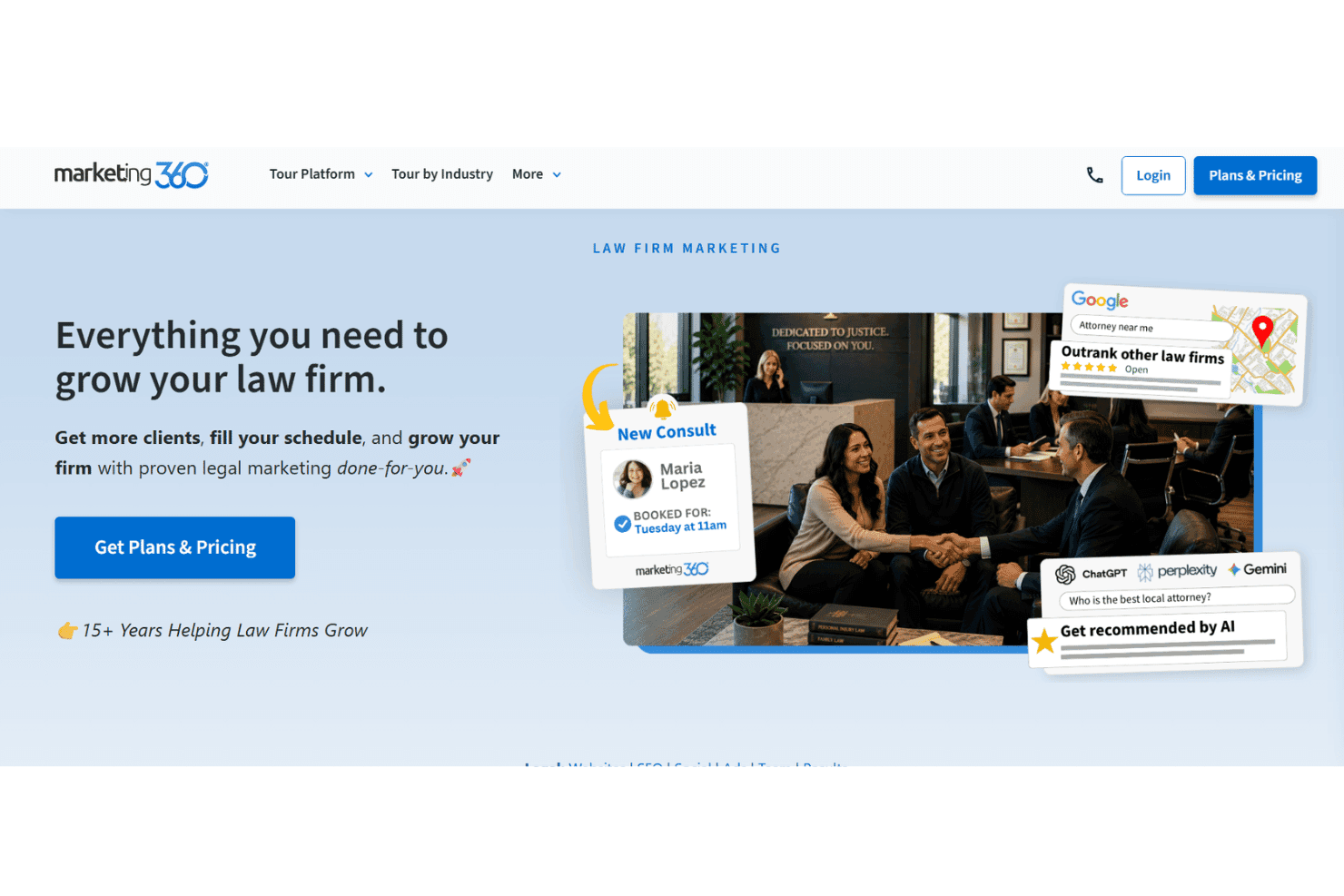
Marketing 360 manages legal marketing across SEO, PPC, email, CRM, and reviews Marketing 360 is an all-in-one marketing platform for law firms that combines SEO, PPC advertising, reputation management, email marketing, and CRM with a dedicated done-for-you marketing consultant.
Who Is Marketing360 Best For?
Solo attorneys and small law firms that want a single vendor to handle their entire marketing operation rather than managing multiple tools in-house.
Why I Picked Marketing360
Marketing 360 earns its spot because it's the only platform here that pairs a dedicated attorney marketing consultant with a unified stack of SEO, PPC, reputation management, and content tools. I like how the MADi AI module uses historical legal campaign data to spot gaps in a firm's online presence and reallocate budget accordingly. The Listings module also keeps directory profiles consistent across Google, Yelp, and other platforms without requiring manual updates.
Marketing360 Key Features
- All-in-one dashboard: Track marketing campaigns, leads, web analytics, and reputation within a single unified platform.
- Forms and landing page builder: Create and customize intake and lead capture forms for specific practice areas.
- Email and SMS marketing: Build, schedule, and segment email and SMS campaigns tailored to targeted client lists.
- Listings management: Update and sync business information across major directories including Google Business Profile and Yelp from one place.
Marketing360 Integrations
Native integrations are not clearly documented. The tool supports integrations via API.
Pros and Cons
Pros:
- Built-in call tracking tied to campaigns
- Covers SEO, PPC, and reputation in one
- Dedicated marketing consultant included per account
Cons:
- Reporting depth varies by plan tier
- Less suited for large multi-office firms
Learn more about Marketing360:

LawLytics combines legal websites, SEO, lead capture, and analytics. LawLytics is a legal website and content marketing platform built exclusively for solo attorneys and small law firms, combining a purpose-built CMS, on-site SEO tools, lead capture forms, and integrated analytics reporting.
Who Is LawLytics Best For?
LawLytics is a strong fit for solo practitioners and small law firms (1–3 attorneys) who want to manage their own content marketing without relying on a full-service agency.
Why I Picked LawLytics
LawLytics earns its spot on my shortlist because its built-in analytics dashboard gives attorneys direct access to Google Analytics data without leaving the platform. I like that content performance and lead capture results sit side by side, so you can see which practice area pages are actually driving inquiries. The built-in Legal Content Generator then lets you act on that data immediately, producing SEO-aligned content targeted to the case types your firm wants to grow.
LawLytics Key Features
- Attorney-friendly CMS editor: Drag-and-drop interface allows easy updates to pages, blogs, and attorney bios.
- Built-in legal content generator: Template library covers core practice areas and prompts users for firm-specific details.
- Unlimited intake form creation: Design, publish, and manage custom forms for lead capture on any site page.
- Integrated social media automation: Schedule and post firm updates directly to Facebook, LinkedIn, and X from the dashboard.
LawLytics Integrations
LawLytics offers native integrations with Clio, Lawmatics, PracticePanther, Filevine, and HubSpot. An API is available for custom integrations.
Pros and Cons
Pros:
- Analytics tied directly to Google data
- SEO tools designed around legal content
- Built exclusively for small law firm websites
Cons:
- No native CRM or pipeline management
- Not suited for multi-location or larger firms
Learn more about LawLytics: Best for tapping a broad legal referral network
- Free demo available
- Pricing upon request
Martindale-Avvo boosts legal marketing with profiles, reviews, leads, and chat Martindale-Avvo is a legal directory and lead generation platform that combines attorney profile management, client review aggregation, pay-per-lead delivery, live chat, and website services across its network of legal consumer sites.
Who Is Martindale-Avvo Best For?
It's a strong fit for solo attorneys and small-to-midsize law firms that rely on directory visibility and referral volume to drive new client inquiries.
Why I Picked Martindale-Avvo
I picked Martindale-Avvo because no other platform gives law firms simultaneous profile presence across Martindale, Avvo, Lawyers.com, and Nolo, four of the most-visited legal consumer destinations online. I like how Pay-Per-Lead lets firms target by practice area and geography, delivering qualified contacts directly by email, SMS, or phone. The Off-Network Retargeting feature extends that reach beyond the owned network, keeping a firm visible to consumers who searched but didn't initially convert.
Martindale-Avvo Key Features
- Unified profile management: Control and update attorney and firm profiles across Martindale, Avvo, Lawyers.com, and Nolo from one portal.
- Performance analytics dashboard: Monitor profile visibility, lead volume, and campaign performance from a centralized dashboard.
- Live chat integration: Add Ngage Live Chat to your website to capture and qualify leads 24/7 as they arrive.
- Review aggregation tools: Collect, display, and manage client reviews from multiple sites to maintain a strong reputation presence.
Martindale-Avvo Integrations
Native integrations are not clearly documented. An API is available for custom integrations.
Pros and Cons
Pros:
- Strong consumer brand recognition among legal searchers
- Pay-per-lead targeting by practice area
- Reach across four major legal consumer sites
Cons:
- Lead volume varies significantly by practice area
- No native intake or CRM workflow tools
Learn more about Martindale-Avvo: Best for specialized legal marketing services
- Not available
- Pricing upon request
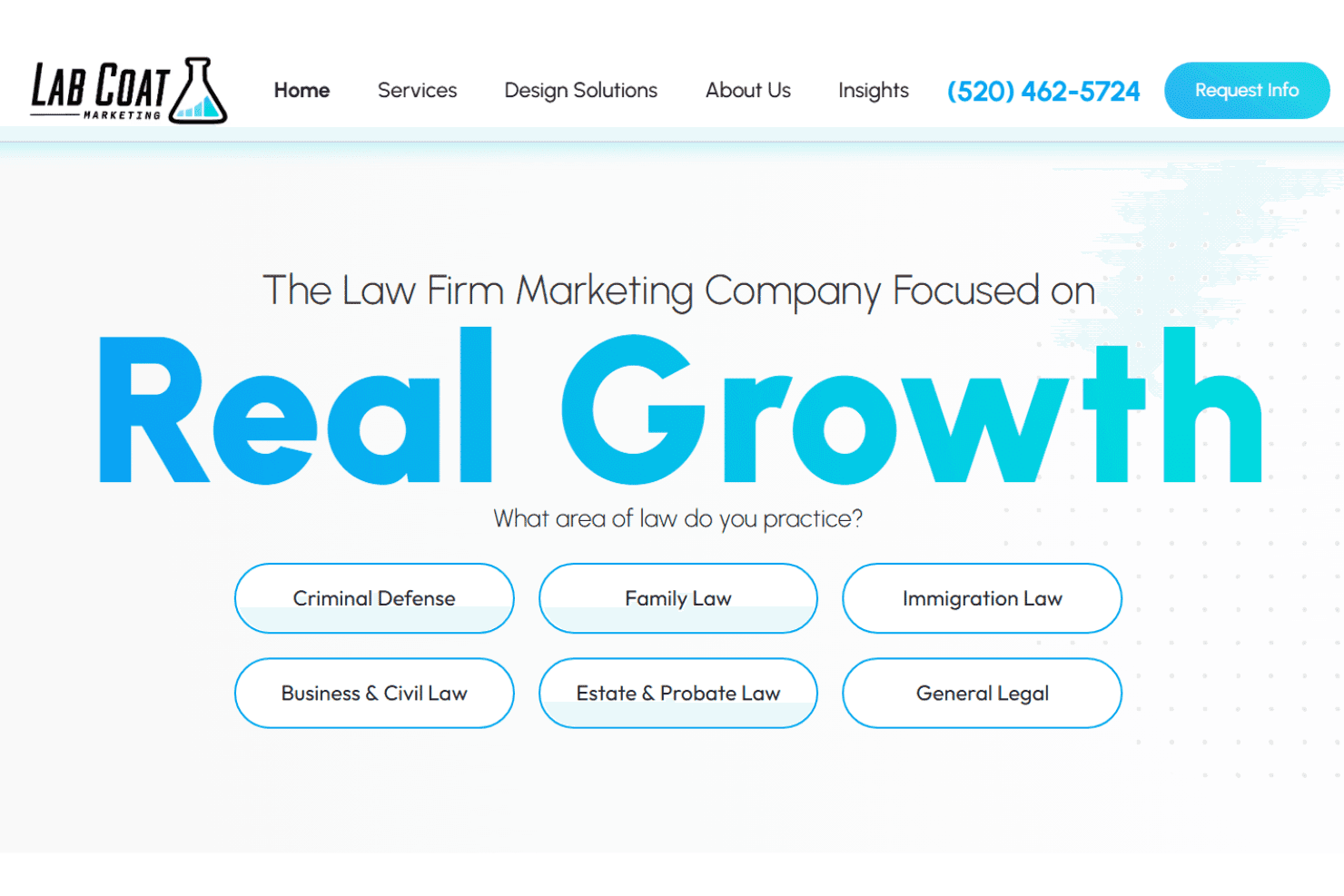
Lab Coat Marketing delivers SEO, ads, content, and attribution for law firms. Lab Coat Marketing is a done-for-you legal marketing agency offering SEO, paid advertising, content, reputation management, intake optimization, and attribution reporting built exclusively for law firms.
Who Is LabCoat Marketing Best For?
Solo attorneys and small-to-mid-size law firms that want a fully managed marketing team without hiring in-house staff.
Why I Picked LabCoat Marketing
I picked Lab Coat Marketing because it's one of the few marketing options built exclusively around law firm growth, not adapted from a general agency model. I particularly like their intake optimization service, which combines real-time call reviews and scripting to help firms convert more inbound leads, not just generate them. Their attribution reporting goes beyond traffic metrics, tying every campaign back to signed cases and cost per case by practice area.
LabCoat Marketing Key Features
- Website design and development: Creates responsive, conversion-focused websites tailored to law firm branding and practice areas.
- Reputation and reviews management: Manages and solicits reviews across Google, Yelp, Avvo, and other key legal directories.
- Content and copywriting services: Produces high-quality blogs, FAQs, and practice area pages written specifically for legal audiences.
- Marketing analytics and attribution: Delivers attorney-friendly reports showing lead sources and marketing results tied to signed cases.
LabCoat Marketing Integrations
Native integrations are not clearly documented. An API for custom integrations is not specified.
Pros and Cons
Pros:
- Attribution reporting tied to signed cases
- Intake optimization includes real call script reviews
- Exclusively serves law firms, not general businesses
Cons:
- Limited transparency on service tiers offered
- No self-serve software platform to access
Learn more about LabCoat Marketing: Best for lead intake and client conversion
- 7-day free trial
- From $49/user/month (billed annually)
Visit WebsiteCustomer Rating:4.7/5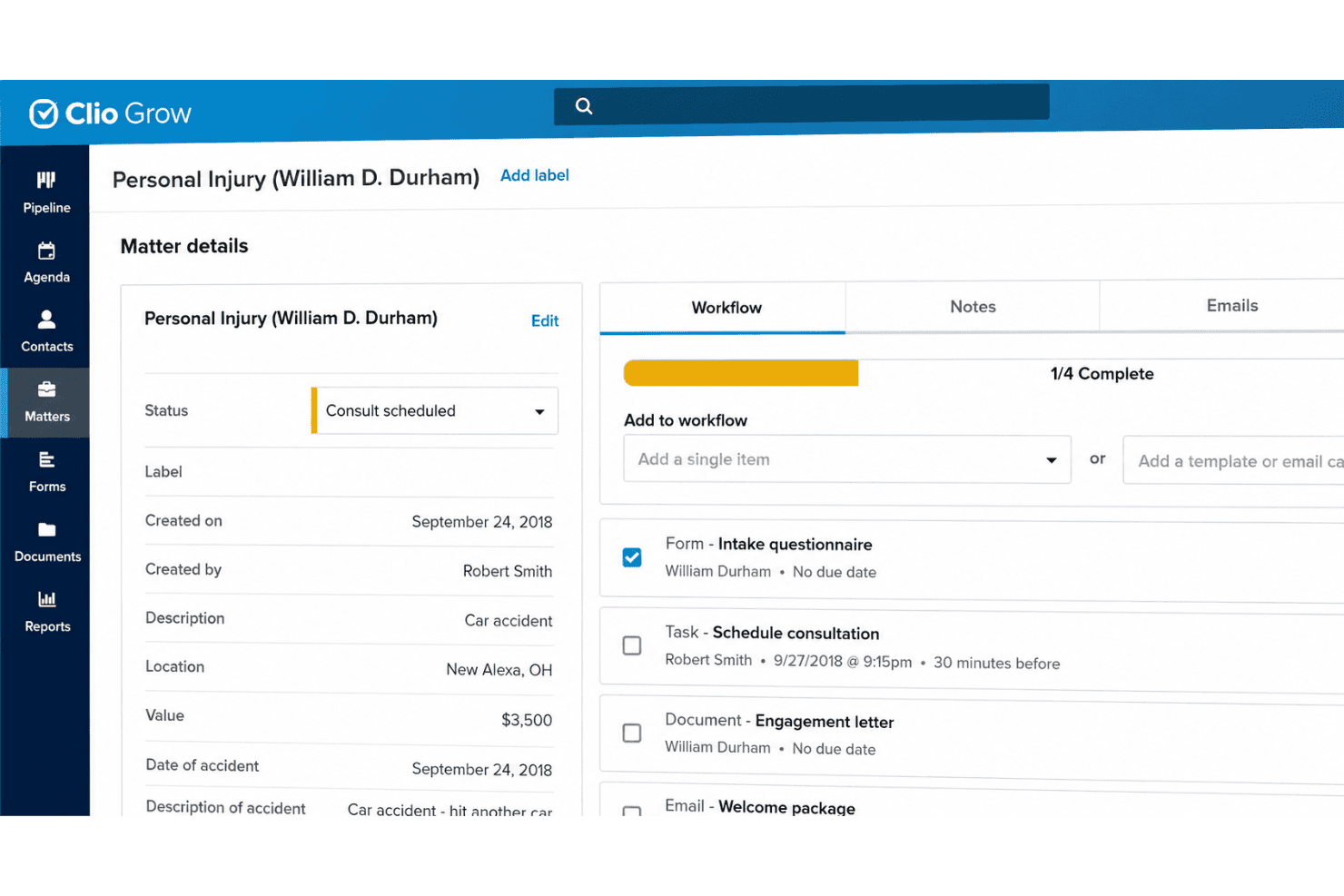
Clio Grow links legal marketing with intake, CRM, referrals, email, and reviews. Clio Grow is a legal CRM and client intake platform that combines lead capture, intake automation, e-signature, referral tracking, and reputation management tools built specifically for law firms.
Who Is Clio Grow Best For?
Clio Grow is a natural fit for solo attorneys and small-to-midsize law firms already using Clio Manage who want to formalize and automate their client intake process.
Why I Picked Clio Grow
I picked Clio Grow as one of the best because no other tool on this list covers the full journey from first inquiry to signed retainer as tightly. I love that Grow AI qualifies incoming leads automatically via phone, web, and email agents before a human gets involved. From there, automated intake workflows cover custom forms, conflict checks, and e-signature for retainers, moving a prospect from inquiry to hired client without manual follow-up.
Clio Grow Key Features
- Website builder: Create a modern, law firm–specific website directly within the platform.
- Referral source tracking: Attribute new matters and clients to marketing channels or referral partners.
- Google Local Services Ads integration: Manage and report on LSAs for lead generation seamlessly in-platform.
- Reputation management: Send automated requests for client reviews and monitor your firm’s online presence.
Clio Grow Integrations
Clio Grow offers native integrations with Clio Manage, Mailchimp, Google Calendar, Office 365, and CallRail, and provides an API for custom integrations.
Pros and Cons
Pros:
- Purpose-built intake workflows for law firms
- Referral sources tracked by matter type
- AI qualifies leads outside business hours
Cons:
- Review management lags dedicated reputation tools
- Weaker standalone value without Clio Manage
Learn more about Clio Grow: Best for AI-powered lead intake automation
- Free demo available
- Pricing upon request
Visit WebsiteCustomer Rating:4.6/5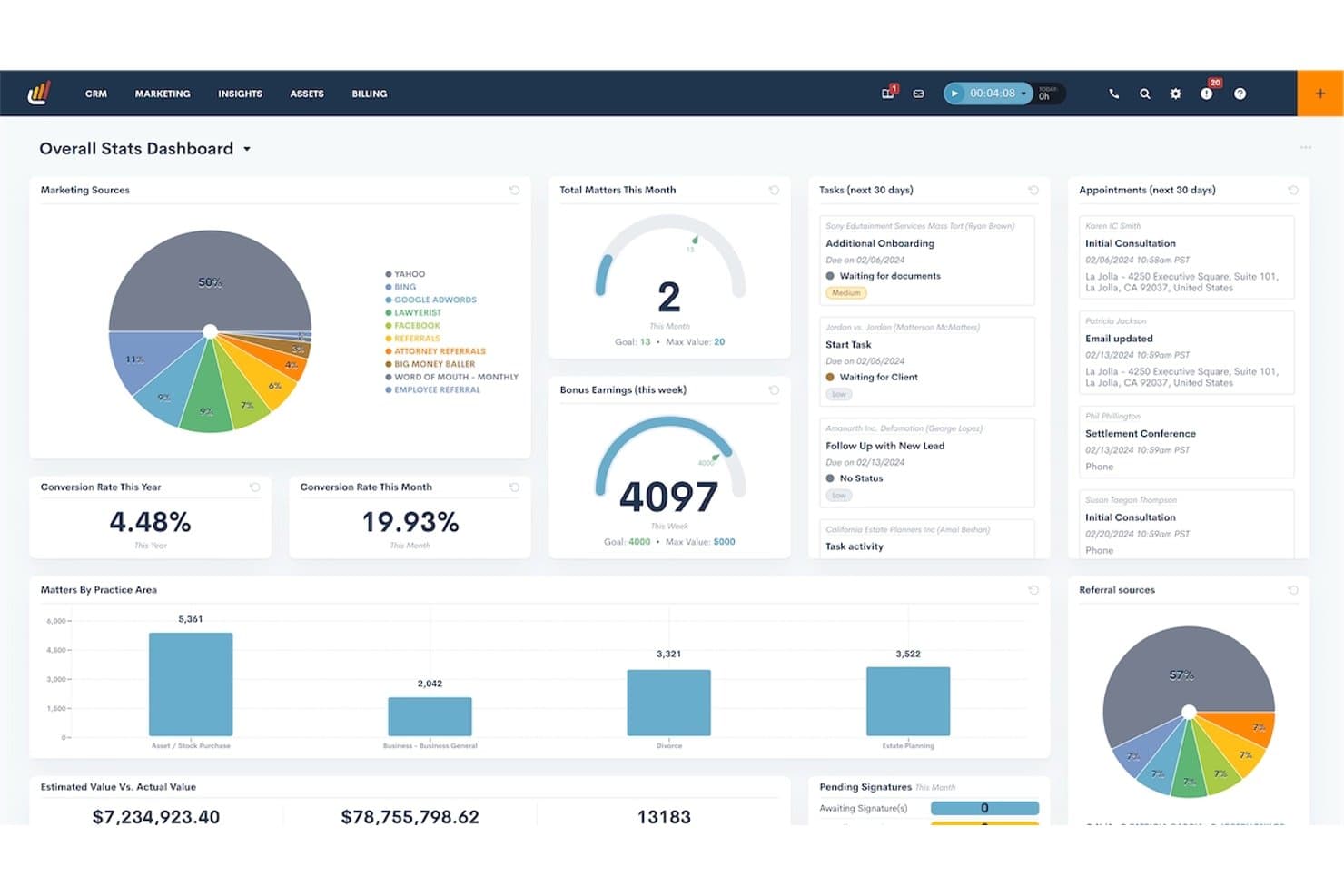
Lawmatics offers an overall stats dashboard displaying marketing sources, conversion rates, matters by practice area, tasks, appointments, and bonus earnings in a centralized legal CRM interface. Lawmatics is a legal-specific CRM and marketing automation platform that combines client intake, lead pipeline management, email and SMS campaigns, e-signature, conflict checking, and marketing attribution reporting.
Who Is Lawmatics Best For?
Lawmatics fits small to mid-sized law firms with three or more attorneys that run high lead volumes across practice areas like personal injury, immigration, or family law.
Why I Picked Lawmatics
Lawmatics earns its spot on my shortlist because of how completely it automates the intake funnel. I love that QualifyAI scores and routes leads the moment they submit a form, so my intake team focuses on the most promising prospects first. LM[AI] then drafts personalized follow-up emails automatically, pulling in case-specific details before a coordinator ever touches the thread.
Lawmatics Key Features
- Custom intake form builder: Create branded, practice-area-specific intake forms with a drag-and-drop interface.
- Marketing ROI dashboards: Track source attribution, campaign effectiveness, and cost-per-lead for all signed matters.
- Conflict checking automation: Instantly screen prospective clients for potential conflicts as part of intake workflows.
- Native legal software integrations: Connect with Clio, Filevine, MyCase, and other practice management platforms for streamlined data handoff.
Lawmatics Integrations
Lawmatics offers native integrations with Clio, MyCase, Filevine, PracticePanther, Rocket Matter, RingCentral, and CallRail, and provides an API for custom integrations.
Pros and Cons
Pros:
- Tracks marketing ROI down to signed cases
- End-to-end intake automation built for law firms
- AI lead scoring routes prospects automatically
Cons:
- Initial setup requires significant configuration time
- Reporting customization options can feel limited
Learn more about Lawmatics: Best for converting website leads into clients
- Free demo available
- Pricing upon request
Visit WebsiteCustomer Rating:5/5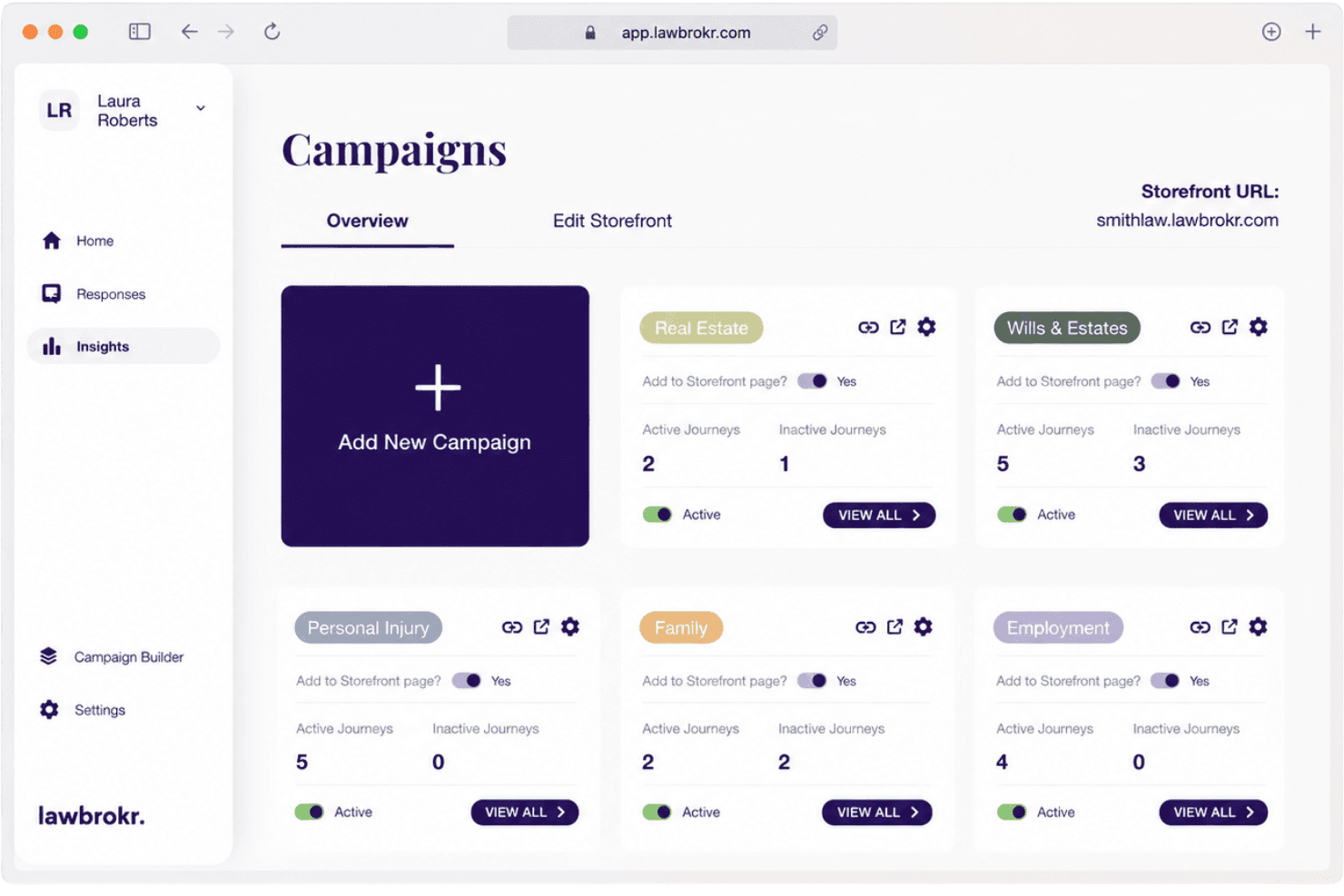
Lawbrokr drives legal marketing through intake, attribution, and lead scoring. Lawbrokr is a legal-specific lead conversion platform that combines conversational intake workflows, landing pages, ad management, and marketing attribution tools built for law firms.
Who Is Lawbrokr Best For?
Lawbrokr suits law firms of any size that run paid digital advertising and want to turn more website visitors into booked consultations.
Why I Picked Lawbrokr
I picked Lawbrokr as one of the best because its Storefront converts passive website visitors into pre-qualified consultation requests using guided, quiz-like intake flows tied to specific practice areas. I like how the Ad Manager links every ad directly to a dedicated workflow page, so I can see exactly which campaigns are producing signed cases. The Clips feature lets me embed video CTAs on any page, giving prospects a personal touchpoint before they speak to my team.
Lawbrokr Key Features
- Conversational workflows: Guided intake experiences that replace static forms for web visitors.
- Ad Manager: Links ad campaigns directly to relevant practice area workflows and tracks source-to-case conversions.
- Analytics dashboard: Provides real-time reporting on attribution, conversion rates, and drop-off at each intake step.
- Enterprise and white-label support: Offers multi-client management, co-branded storefronts, and permissions for agencies and large firms.
Lawbrokr Integrations
Lawbrokr offers native integrations with Clio Grow, Lawmatics, Lead Docket, Filevine, HubSpot, and MyCase, and provides an API for custom integrations.
Pros and Cons
Pros:
- Launches in under 72 hours with legal-specific templates
- Attribution tied directly to signed cases
- Narrows pre-qualification before the first consultation call
Cons:
- Focused on conversion only, not full-funnel campaign management
- No built-in reputation or review management tools
Learn more about lawbrokr: Best for automated legal lead nurturing
- Free demo available
- Pricing upon request
Visit WebsiteCustomer Rating:4.6/5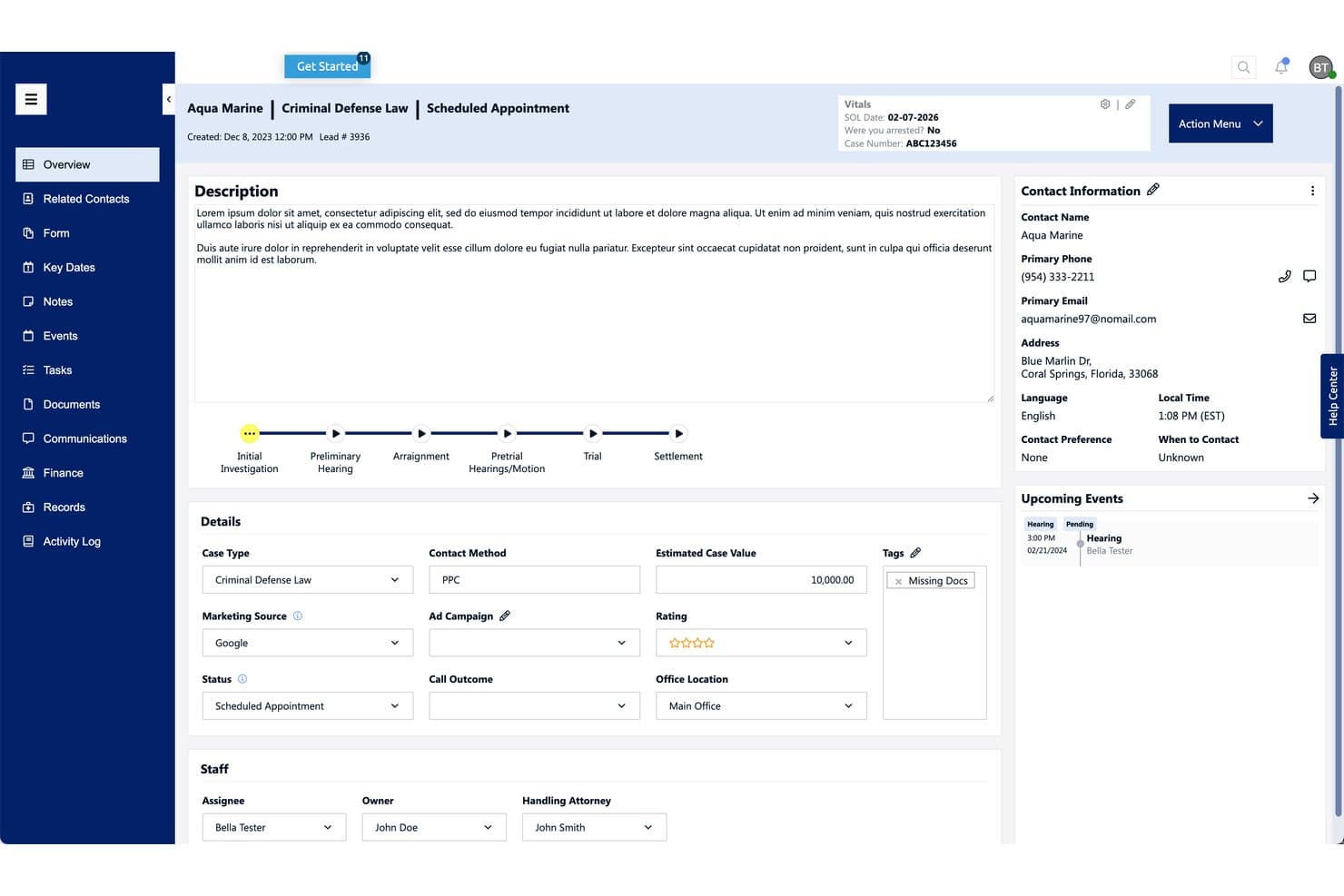
Law Ruler offers a comprehensive lead overview page with case details, contact information, workflow stages, and upcoming events for legal case management. Law Ruler is a legal CRM and client intake platform built for law firms, combining lead pipeline management, multi-channel marketing automation, e-signature, referral tracking, and marketing ROI reporting in one system.
Who Is Law Ruler Best For?
Law Ruler is a strong fit for small to mid-size law firms in high-volume practice areas like personal injury, mass torts, and immigration.
Why I Picked Law Ruler
Law Ruler earns its spot on my shortlist because of how far its nurture automation goes beyond basic email drip. I particularly like the built-in voice calling campaigns with pre-recorded messages, which run alongside automated SMS sequences to re-engage cold leads at scale. What really sets it apart is the ability to send e-signatures by text, so a prospect can sign a retainer the moment they're ready, without switching devices or logging into a portal.
Law Ruler Key Features
- KPI-driven marketing dashboard: View customizable analytics to monitor lead performance and marketing ROI by source or campaign.
- Custom logic-based intake forms: Build mobile-friendly, conditional intake forms tailored for different case types or practice areas.
- Referral management and tracking: Manage outbound referrals and track the status of co-counsel or marketing partners from within the CRM.
- Open API and legal tech integrations: Connect your intake and marketing data with practice management, billing, and document automation platforms.
Law Ruler Integrations
Law Ruler offers native integrations with Rocket Matter, CASEpeer, and CosmoLex, and provides an open API for custom integrations.
Pros and Cons
Pros:
- Attribution reporting tied to signed case revenue
- E-signature sent directly via text message
- Automated SMS, voice, and email lead nurturing
Cons:
- Reporting dashboards lack deep customization options
- Limited built-in reputation or review management
Learn more about Law Ruler: Best for AI-driven client acquisition
- Expert consultation available
- From $4,250/month
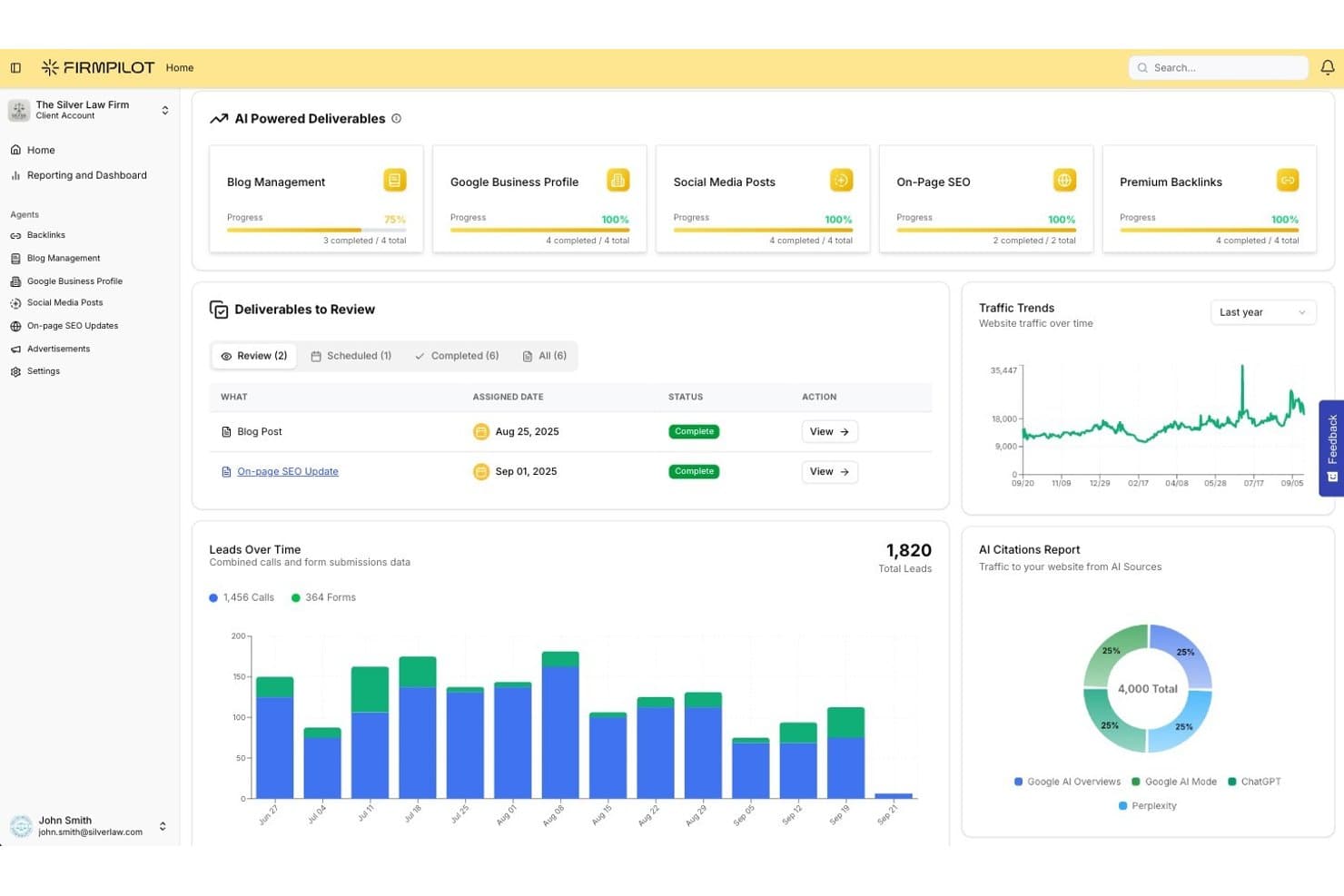
FirmPilot offers a comprehensive marketing dashboard displaying AI-powered deliverables, traffic trends, lead tracking, and AI citation reports for law firms. FirmPilot is an AI-powered legal marketing platform that automates SEO content creation, PPC ad management, Google Business Profile updates, and competitive intelligence specifically for law firms.
Who Is FirmPilot Best For?
Solo attorneys and small-to-mid-size law firms looking to reduce dependence on traditional marketing agencies will find FirmPilot a strong fit.
Why I Picked FirmPilot
FirmPilot earns its spot on my shortlist because its Competitive Blueprinting engine crawls rival firm activity every 90 minutes, surfacing SEO and ad gaps in real time. I also like the Domain Expertise AI, which pulls from actual case law and current legislation to create content that ranks in both Google and AI-generated answers like ChatGPT. Those two features working together mean I can identify what a competing personal injury firm is ranking for today and have optimized content in market by tomorrow.
FirmPilot Key Features
- Content and SEO automation: Instantly generates and publishes localized legal content tailored to specific practice areas.
- Google Business Profile management: Automatically posts updates and articles to keep your Google Business Profile active.
- Website performance optimization: Monitors and enhances website load speed, mobile compatibility, and SEO readiness.
- Social media automation: Schedules and distributes practice area-related posts to social channels for consistent online presence.
FirmPilot Integrations
Native integrations are not clearly documented. An API is available for custom integrations.
Pros and Cons
Pros:
- Built exclusively for law firm marketing
- Tracks competitor rankings in near real time
- AI content updates daily without manual input
Cons:
- Limited reporting on signed case attribution
- No client intake or CRM tools
Learn more about FirmPilot:
Other Legal Marketing Software
Below is a list of additional legal marketing software that I shortlisted but did not make it to the top 10. Definitely worth checking them out.
- 11HubSpotBest for CRM-driven client engagement
- 12MyCaseBest for turning inquiries into retained clients
- 13PracticePantherBest for capturing leads through online intake
- 14Lead DocketBest for legal lead management
- 15JoveBest for tracking marketing ROI and conversions
- 16ScorpionBest for high-value case acquisition
- 17VutureBest for legal campaign automation
- 18IntakerBest for automated legal client intake
- 19WhiteHardtBest for legal advertising and consulting services
- 20HudsonFusionBest for strategic marketing and sales growth
How I Evaluate Legal Marketing Software
I split my evaluation into two layers: the non-negotiables like intake automation and ethics-compliant campaigns, and the differentiators that separate one platform from another.
Core Functionality (Table Stakes For This List)
When I'm selecting tools for my list, I rank each one on a scale from 0 (does not offer the functionality) to 5 (excels in this area) for each core functionality listed below. Then, I calculate the tool's total score into a percentage. Each tool needs to achieve a minimum total score of 65% to be considered for inclusion.
- Legal Lead Management: I check whether the platform captures leads from multiple channels—web forms, paid ads, directories—and routes them to the right practice area automatically.
- Client Intake Automation: Each tool should offer automated intake workflows that move prospects from initial contact through e-signature and retainer, not just a static web form.
- Legal CRM & Referral Tracking: I look for CRMs that let firms tag referral sources, track co-counsel relationships, and follow a prospect's journey from first touch to signed matter.
- Reputation & Review Management: The platform should help firms solicit and monitor reviews across Google, Avvo, and similar legal directories from a single dashboard.
- Legal Marketing Campaigns: I evaluate whether the tool supports email and SMS campaigns with segmentation by practice area and built-in guardrails for bar advertising rules.
- Marketing Analytics & ROI: Attribution matters most here—I look for reporting that ties ad spend and campaign performance back to signed cases and revenue by practice area.
Once I have a list of tools that meet this criteria, I consider what sets each platform apart.
Differentiating Factors (What Sets Vendors Apart)
Here's how I compare and contrast different vendors:
Standout Features
Call tracking with dynamic number insertion is a major differentiator—firms running paid search or local SEO campaigns need to know which channels drive actual phone consultations. I also look for AI chatbots that qualify leads and book consultations after hours, since many prospective clients search for attorneys outside of 9-to-5. Practice area templates matter too. A platform with prebuilt landing pages and email sequences for personal injury or family law saves marketing teams weeks of setup time.
Beyond Features
Legal ethics compliance is the first thing I check—any platform handling attorney advertising should include built-in disclaimers and consent management so firms don't run afoul of bar rules. Integration with practice management tools like Clio, MyCase, or PracticePanther is equally important, since marketing data only proves ROI when it connects back to signed matters. I also evaluate firm size fit, because a solo family law attorney and a multi-office litigation firm have very different campaign and intake needs.
How to Choose Legal Marketing Software
It’s easy to get bogged down in long feature lists and complex pricing structures. To help you stay focused as you work through your unique software selection process, here’s a checklist of factors to keep in mind:
| Factor | What to Consider |
|---|---|
| FactorScalability | What to ConsiderWill the software grow with your firm? Consider if it can handle increased client loads and additional users without performance issues. Look for tools that offer scalable pricing and resources. |
| FactorIntegrations | What to ConsiderDoes it integrate with your existing tools? Ensure it connects with your CRM, email, and other software. Avoid tools that require manual data entry or disrupt your current workflows. |
| FactorCustomizability | What to ConsiderCan you tailor the software to fit your needs? Check if it allows modifications in workflows and templates. A tool that’s too rigid may not support your unique processes. |
| FactorEase of use | What to ConsiderIs the tool intuitive for your team? A steep learning curve can hinder adoption. Seek out user-friendly interfaces that require minimal training and allow new users to get started quickly. |
| FactorImplementation and onboarding | What to ConsiderHow long will it take to get up and running? Evaluate the vendor’s support during setup. Consider if they offer training resources like guides or webinars to ease the transition. |
| FactorCost | What to ConsiderDoes the pricing align with your budget? Weigh the features against the cost. Be wary of hidden fees or costs that escalate as you add users or features. |
| FactorSecurity safeguards | What to ConsiderAre client data and information protected? Look for software with encryption, access controls, and compliance with data protection regulations. This is crucial for maintaining client trust and confidentiality. |
| FactorSupport availability | What to ConsiderCan you access help when needed? Check if the vendor offers multiple support channels like phone, email, or chat. Consider the availability of support during your business hours, especially if you need quick issue resolution. |
What Is Legal Marketing Software?
Legal marketing software is a tool designed to help law firms and legal professionals enhance their marketing efforts and attract more clients. These tools are typically used by attorneys, marketers, and legal consultants to improve client engagement and increase visibility.
Features like client relationship management, lead tracking, and automated marketing campaigns support efficient client management and targeted outreach. Overall, these tools provide valuable assistance in growing a legal practice by optimizing marketing strategies and client interactions.
Features
When selecting legal marketing software, keep an eye out for the following key features:
- Client relationship management: Helps maintain and nurture client relationships by organizing client information and communication history.
- Lead tracking: Monitors potential clients from initial contact through conversion, providing insights into the effectiveness of marketing efforts.
- Automated marketing campaigns: Automates email, social media, and other marketing tasks, saving time and ensuring consistent outreach.
- Search engine optimization (SEO): Enhances online visibility by optimizing your website and content for search engines.
- Performance tracking: Provides analytics and reports to evaluate the success of marketing strategies and make data-driven decisions.
- Customizable dashboards: Allows users to tailor their interface to display the most relevant information and metrics for their needs.
- Website management: Facilitates the creation and maintenance of a professional online presence, attracting and retaining clients.
- Integration capabilities: Connects with existing tools and software, ensuring seamless data flow and minimizing manual entry.
- Security safeguards: Protects client data with encryption and compliance with data protection regulations, maintaining trust and confidentiality.
- User-friendly interface: Ensures ease of use with intuitive navigation and minimal learning curve, encouraging adoption by your team.
Benefits
Implementing legal marketing software provides several benefits for your team and your business. Here are a few you can look forward to:
- Improved client engagement: Automating communication and marketing tasks helps maintain consistent contact with clients, enhancing relationships.
- Increased visibility: SEO tools and online directories boost your firm's presence, attracting more potential clients.
- Efficient lead management: Lead tracking features provide insights into client acquisition, helping convert leads into clients effectively.
- Time savings: Automated campaigns and task management reduce manual workload, allowing your team to focus on more strategic activities.
- Data-driven decisions: Performance tracking and analytics offer valuable insights, enabling informed decisions about marketing strategies.
- Enhanced security: Security safeguards protect sensitive client data, ensuring compliance with regulations and maintaining trust.
- Customization options: Customizable dashboards and workflows allow your team to tailor the software to fit your specific needs and preferences.
Costs & Pricing
Selecting legal marketing software requires an understanding of the various pricing models and plans available. Costs vary based on features, team size, add-ons, and more. The table below summarizes common plans, their average prices, and typical features included in legal marketing software solutions:
Plan Comparison Table for Legal Marketing Software
| Plan Type | Average Price | Common Features |
|---|---|---|
| Plan TypeFree Plan | Average Price$0 | Common FeaturesBasic client management, limited lead tracking, and minimal support. |
| Plan TypePersonal Plan | Average Price$10-$30/user/month | Common FeaturesEnhanced client management, basic SEO tools, email marketing, and analytics. |
| Plan TypeBusiness Plan | Average Price$40-$80/user/month | Common FeaturesAdvanced lead tracking, full SEO tools, automated marketing campaigns, and performance tracking. |
| Plan TypeEnterprise Plan | Average Price$100-$200/user/month | Common FeaturesCustom integrations, advanced security features, comprehensive analytics, and dedicated support. |
Legal Marketing Software FAQs
Here are some answers to common questions about legal marketing software:
How can legal marketing software improve client acquisition?
Legal marketing software helps you attract more clients by optimizing your online presence and managing leads effectively. It automates marketing tasks like email campaigns and social media posts, ensuring consistent outreach. By tracking leads and analyzing performance, it allows you to refine your strategies for better results.
What should I look for in a legal marketing software's CRM capabilities?
Look for features that help you manage client relationships efficiently, such as contact management, automated follow-ups, and communication history tracking. A good CRM should integrate with your existing tools, allowing seamless data flow and providing insights into client interactions to enhance your marketing efforts.
How does SEO integration benefit my law firm?
SEO integration in legal marketing software boosts your firm’s visibility on search engines, making it easier for potential clients to find you. It involves optimizing your website content and using targeted keywords. This increases your ranking in search results, driving more traffic to your site and potentially increasing client inquiries.
Can legal marketing software handle multi-channel marketing?
Yes, most legal marketing software can manage campaigns across various channels like email, social media, and PPC ads. This ensures your message reaches a wider audience and allows you to track the performance of each channel. Multi-channel marketing helps you engage with clients on their preferred platforms.
How do I ensure data security with legal marketing software?
Ensure the software complies with data protection regulations and offers features like encryption and access controls. Check if the vendor provides regular security updates and has a clear privacy policy. Protecting client data is crucial for maintaining trust and avoiding legal issues.
What kind of support should I expect from a legal marketing software provider?
Expect comprehensive support that includes multiple contact options like phone, email, and chat. Look for providers that offer onboarding assistance, training resources, and a knowledge base. Quick response times and personalized support can significantly enhance your experience with the software.