

PracticePanther covers everyday legal practice management, but your firm may need more control over matter workflows, billing processes, or financial reporting as its caseload grows. Some alternatives offer advanced deadline tracking, document automation, and trust accounting, while others focus on time capture, client communication, and case-specific workflows.
I've compared these platforms based on their features, customization options, and migration support to show how they address the limitations firms may encounter with PracticePanther.
What Is PracticePanther?
PracticePanther is cloud-based legal practice management software for law firms. It brings matter management, calendars, client communication, billing, payments, accounting, and workflow automation into one platform. Firms use it to organize case information, track time and expenses, manage client-facing tasks, and handle financial workflows. Its combination of features makes it a broad operational platform rather than a case-tracking tool alone.
Compare the Best PracticePanther Alternatives
Compare pricing and specs side by side for the PracticePanther alternatives that made it onto my shortlist.
Score legend (out of 5)
- Excellent4.5–5
- Good4–4.4
- Average3–3.9
- Below average2–2.9
- Poor1–1.9
Sorted by: Default
| Tool | Starting Price | Website | |||||||
|---|---|---|---|---|---|---|---|---|---|
Best for automatic legal activity tracking | 3.5 out of 5 | 3 | 4 | 4 | 4 | 3 | 3 | Pricing upon request Free trial available | Website |
Best for large, searchable matter files | 3.7 out of 5 | 4 | 4 | 4 | 3 | 3 | 4 | $49/user/month 7-day free trial | Website |
Best for plaintiff-side litigation | 3.7 out of 5 | 4 | 4 | 4 | 4 | 4 | 2 | Pricing upon request Free demo available | Website |
Best for court-rule deadlines and workflows | 3.7 out of 5 | 4 | 4 | 4 | 3 | 4 | 3 | Pricing upon request Free demo available | Website |
Best for personal injury case management | 3.5 out of 5 | 4 | 4 | 4 | 4 | 3 | 2 | $109/user/month Not available | Website |
Best for court-rule deadline tracking | 3.7 out of 5 | 4 | 4 | 4 | 3 | 4 | 3 | Pricing upon request Free demo available | Website |
Best for firms centralizing legal accounting | 3.7 out of 5 | 4 | 4 | 4 | 2 | 3 | 5 | $59/user/month 10-day free trial + free demo available | Website |
Best for practice-area document automation | 3.8 out of 5 | 4 | 4 | 3 | 4 | 4 | 4 | Pricing upon request Free demo available | Website |
Best for cloud or on-premise hosting | 3.7 out of 5 | 4 | 4 | 4 | 3 | 4 | 3 | $21/user/month Free plan available | Website |
Best for cited firm financial insights | 3.7 out of 5 | 3 | 4 | 4 | 4 | 3 | 4 | Pricing upon request Free demo available | Website |


Why Trust Our Software Recommendations
6,700+
Reviews
20
Industry experts
16+
Evaluation factors
14
Years
Our team has been testing and reviewing software since 2012. As legal practice leaders ourselves, we know how difficult—and important—it is to choose the right software.
For this guide, we evaluated tools using hands-on testing and independent research, scoring tools using our selection criteria.
Our reviews reflect our human editorial judgment, not a sales pitch.
PracticePanther Alternatives Reviews
Below are my detailed summaries of the best PracticePanther alternatives that made it onto my shortlist. My reviews cover each legal practice management platform’s features, pricing, and workflows to help you find the best fit for your firm.
 Best for automatic legal activity tracking
- Free trial available
- Pricing upon request
Visit WebsiteCustomer Rating:4.8/5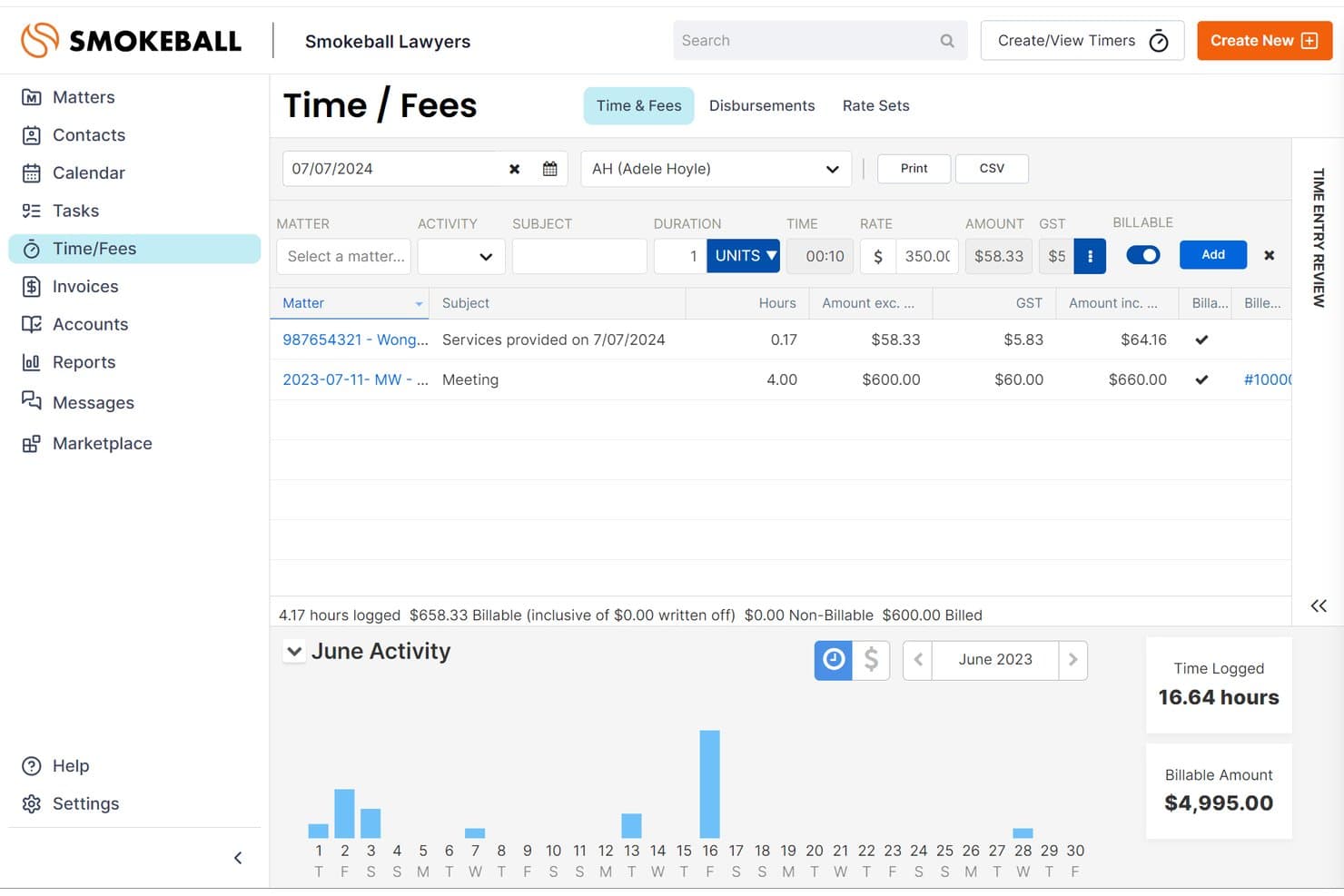
Smokeball lets users log billable time and fees by matter daily. Smokeball is legal practice management software that automatically records legal activities across documents, emails, and matters. It also brings case management, billing, and client communication into one platform, reducing manual time tracking and administrative work.
Who Is Smokeball Best For?
Smokeball is a strong fit for solo attorneys and small law firms that need automatic activity tracking to capture billable work and maintain accurate time records.
Why I Picked Smokeball
I picked Smokeball because its AutoTime feature automatically records legal activities performed in Microsoft Word, Outlook, and Smokeball, linking them to the appropriate matters. I particularly like how this captures time spent drafting documents, reviewing files, and handling emails without requiring manual entries. Its TemplateLab also provides over 20,000 maintained jurisdictional templates for preparing legal documents.
Smokeball Key Features
- Client portal: Gives clients browser-based access to matter details, messages, files, invoices, and shared calendar items, with built-in payment options.
- Trust accounting: Supports multiple trust accounts, matter-level transaction recording, and three-way bank reconciliation with supporting reports.
- Task and workflow automation: Lets you create workflows that auto-assign tasks to staff based on triggers or critical dates, with subtasks, reminders, and linked document templates.
- Archie AI assistant: Works within matter context to summarize documents, draft correspondence, compare files, and suggest next steps, with responses that cite sources.
Smokeball Integrations
Smokeball offers native integrations with Microsoft Word, Microsoft Outlook, and QuickBooks Online, plus InfoTrack for e-signatures and LawToolBox for court-rule deadlines. It also provides marketplace integrations and an API for custom connections.
Pros and Cons
Pros:
- Reviewers praise organized matter files and deadlines
- Matter-linked legal templates reduce document rework
- Captures overlooked billable work automatically
Cons:
- Reviewers report slow large-document downloads
- Migration omits paid invoices and trust history
Learn more about Smokeball: 2Best for large, searchable matter files
Clio
- 7-day free trial
- From $49/user/month
Visit WebsiteCustomer Rating:4.7/5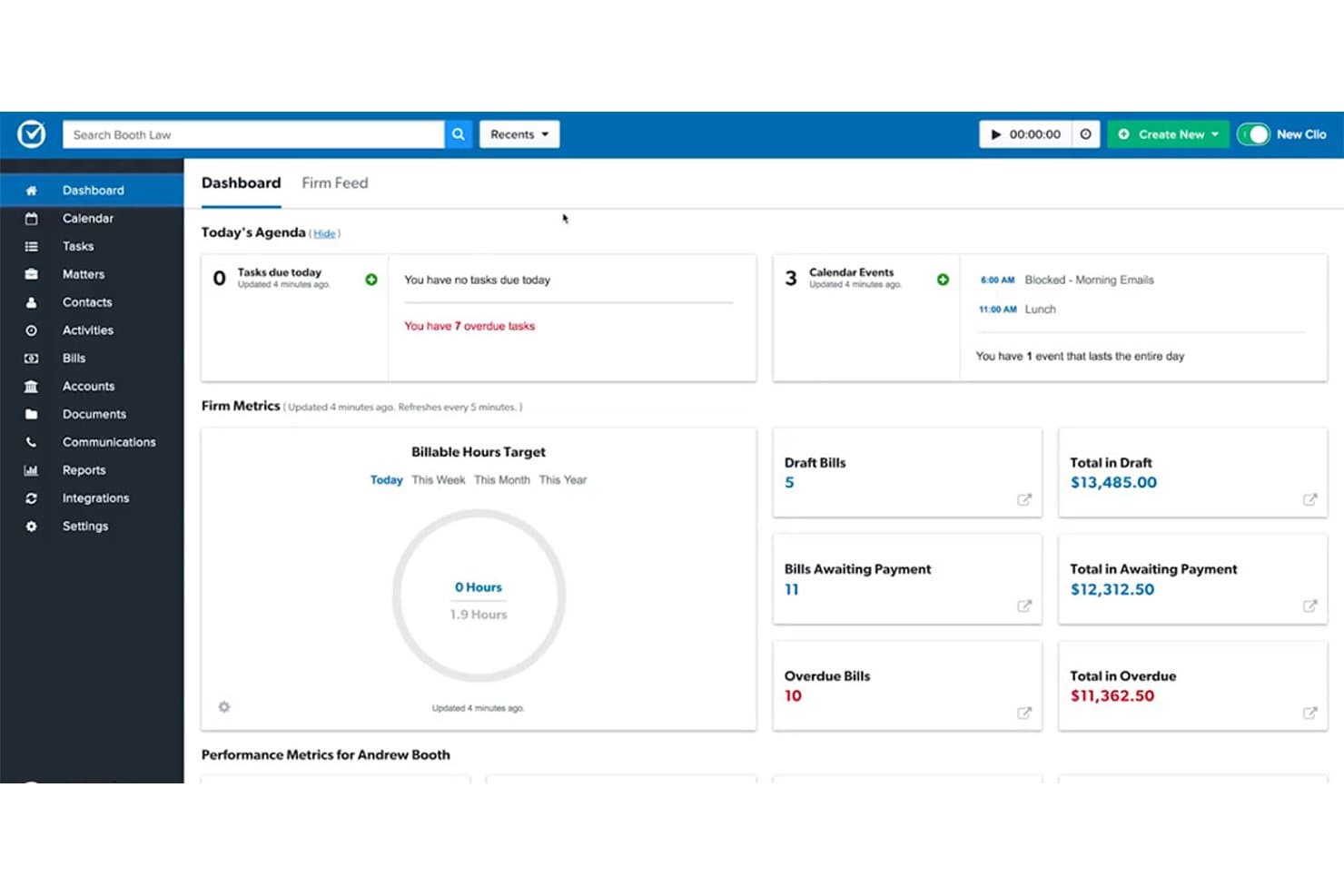
Clio offers full-text document search, unlimited storage, and desktop file editing. Clio Manage is a legal practice management platform that centralizes matters, billing, documents, and client communications for law firms that need a scalable, fully searchable case record system.
Who Is Clio Best For?
Clio Manage suits law firms that need to manage large volumes of case files and want full-text search across all matter documents without hitting storage ceilings.
Why I Picked Clio
I picked Clio as one of the best PracticePanther alternatives because of how it handles large matter files. Full-text search runs across document titles, metadata, and file contents, so finding a specific clause in a contract buried across hundreds of matters takes seconds rather than a manual scroll. I also like that unlimited document storage comes paired with a virtual desktop drive, letting my team open, edit, and save files directly without downloading and re-uploading every time.
Clio Key Features
- Trust reconciliation: Compares bank records, the client trust ledger, and the firm trust ledger in a three-way reconciliation with printable PDF reports.
- Conflict-of-interest checks: Searches contacts, matter notes, calendar events, and communications for conflicts, with a downloadable PDF report per check.
- Court Rules deadline automation: Calculates related deadlines from a selected jurisdiction, trigger event, and date, then saves calendar events directly to the matter.
- Clio for Clients portal: Gives clients a secure web and mobile space to message the firm, share documents, view appointments and bills, and make payments.
Clio Integrations
Clio lists 100+ integrations, including Gmail, Outlook, Google Calendar, Microsoft 365, Google Workspace, QuickBooks Online, Xero, Dropbox, OneDrive, and Zapier. Its REST API, webhooks, and OAuth 2.0 support custom integrations.
Pros and Cons
Pros:
- Tasks and reminders keep deadlines visible
- Matter-linked time carries into billing
- Search across matter document contents
Cons:
- Migration can involve missing or corrupted data
- Reports can lack firm-specific detail
Learn more about Clio: Best for plaintiff-side litigation
- Free demo available
- Pricing upon request
Visit WebsiteCustomer Rating:4.7/5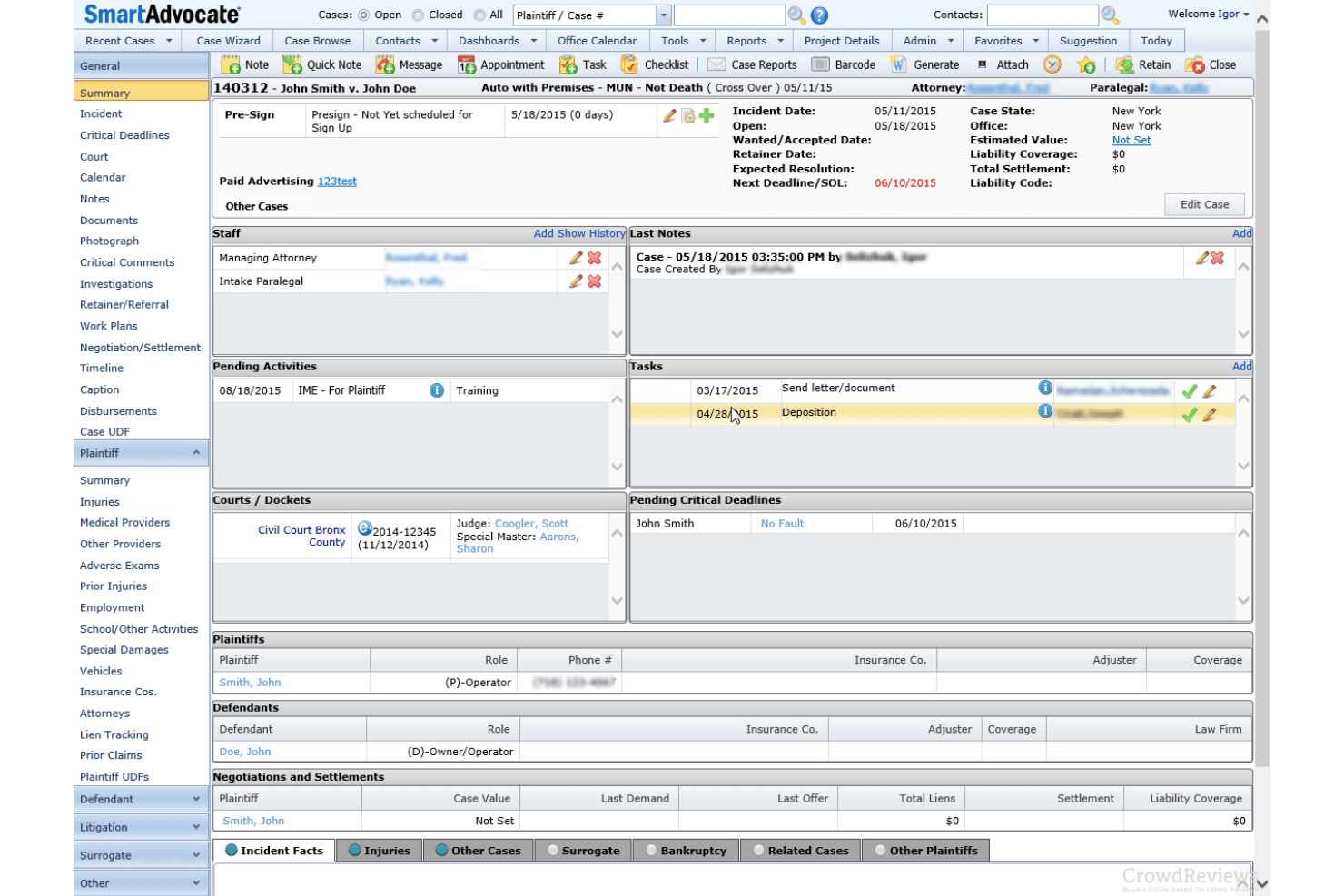
SmartAdvocate organizes plaintiff litigation cases, client intake, workflows, and deadlines. SmartAdvocate is a web-based legal case management system built for plaintiff-side litigation firms that need to organize cases, automate workflows, track deadlines, and manage client intake in one place.
Who Is SmartAdvocate Best For?
SmartAdvocate is a strong fit for plaintiff-side litigation firms—especially personal injury and mass tort practices—that need a system built around their specific case workflow rather than a general-purpose legal tool.
Why I Picked SmartAdvocate
I picked SmartAdvocate as one of the best because it's built from the ground up for plaintiff-side litigation, which makes it a genuinely different animal from PracticePanther's general-practice focus. I love that it natively tracks medical providers, treatment timelines, insurance details, and damages within the case record, plus the Master/Member Case linking for mass tort and MDL matters is something I haven't seen handled this cleanly elsewhere.
SmartAdvocate Key Features
- WorkPlans and Automated Procedures: Trigger tasks, reminders, and client communications automatically based on case events or status changes.
- Client portal: Give clients controlled access to case documents, calendar entries, and notes directly from their case record.
- SmartIntelligence AI tools: Generate medical chronologies, classify documents, extract deadlines into case fields, and draft demand letters from case materials.
- Settlement screen: Calculate settlement distributions, including firm fees and client net proceeds, directly within a case record.
SmartAdvocate Integrations
SmartAdvocate lists more than 175 integrations across 20+ categories, including QuickBooks, Docubee, and DocuSign. It also connects with Microsoft Outlook for email and calendar synchronization; API availability isn't publicly documented.
Pros and Cons
Pros:
- Case-event workflows trigger tasks and messages
- Medical chronologies and demand drafting tools
- Built for plaintiff-side and mass tort work
Cons:
- Reviewers report dense screens and multi-step tasks
- No documented trust or IOLTA accounting
Learn more about SmartAdvocate: Best for court-rule deadlines and workflows
- Free demo available
- Pricing upon request
Visit WebsiteCustomer Rating:4.5/5
Filevine automates case workflows, role-based task assignments, and court deadlines. Filevine is a legal case management platform built for law firms that need a highly customizable matter workspace, bringing together case records, documents, deadlines, client communications, and billing in one place.
Who Is Filevine Best For?
Filevine is a strong fit for litigation-heavy law firms that need court-rules deadline management and highly customizable matter workflows across their caseload.
Why I Picked Filevine
I picked Filevine as one of the best because of how it handles court-rules deadline management through its Timely integration, which generates jurisdiction-specific deadlines from a triggering event and pushes them directly into the matter's Deadlines section and calendar. I really appreciate that those deadlines also trigger activity-feed reminders and email or Slack notifications, so nothing slips through. Pair that with taskflows that auto-assign dependent tasks on phase changes, and you get a matter workspace that keeps the whole case moving on schedule.
Filevine Key Features
- Conflict check: Search contacts across all matters and org-wide records, with fuzzy name matching, to flag potential conflicts before opening a new matter.
- Document generation: Build documents automatically from matter data using templates that populate client and case information with a single action.
- Trust reconciliation report: Pull a CSV report of trust-account transactions tied to payouts for any selected account and date range.
- Client portal: Give clients access to case updates, documents, invoices, and secure messaging through a branded, permission-controlled portal.
Filevine Integrations
Filevine lists over 2,000 potential integrations, including QuickBooks, Outlook, Gmail, Google Calendar, Office 365, Slack, and Vinesign. Its API reference includes webhooks, and Zapier is listed.
Pros and Cons
Pros:
- Portal combines client updates, forms, and billing
- Phase changes trigger assigned dependent tasks
- Court-rule deadlines flow into matter calendars
Cons:
- Reviewers report search and file-organization friction
- Timely setup adds an external deadline dependency
Learn more about Filevine: 5Best for personal injury case management
Neos
- Not available
- From $109/user/month (billed annually)
Visit WebsiteCustomer Rating:4.4/5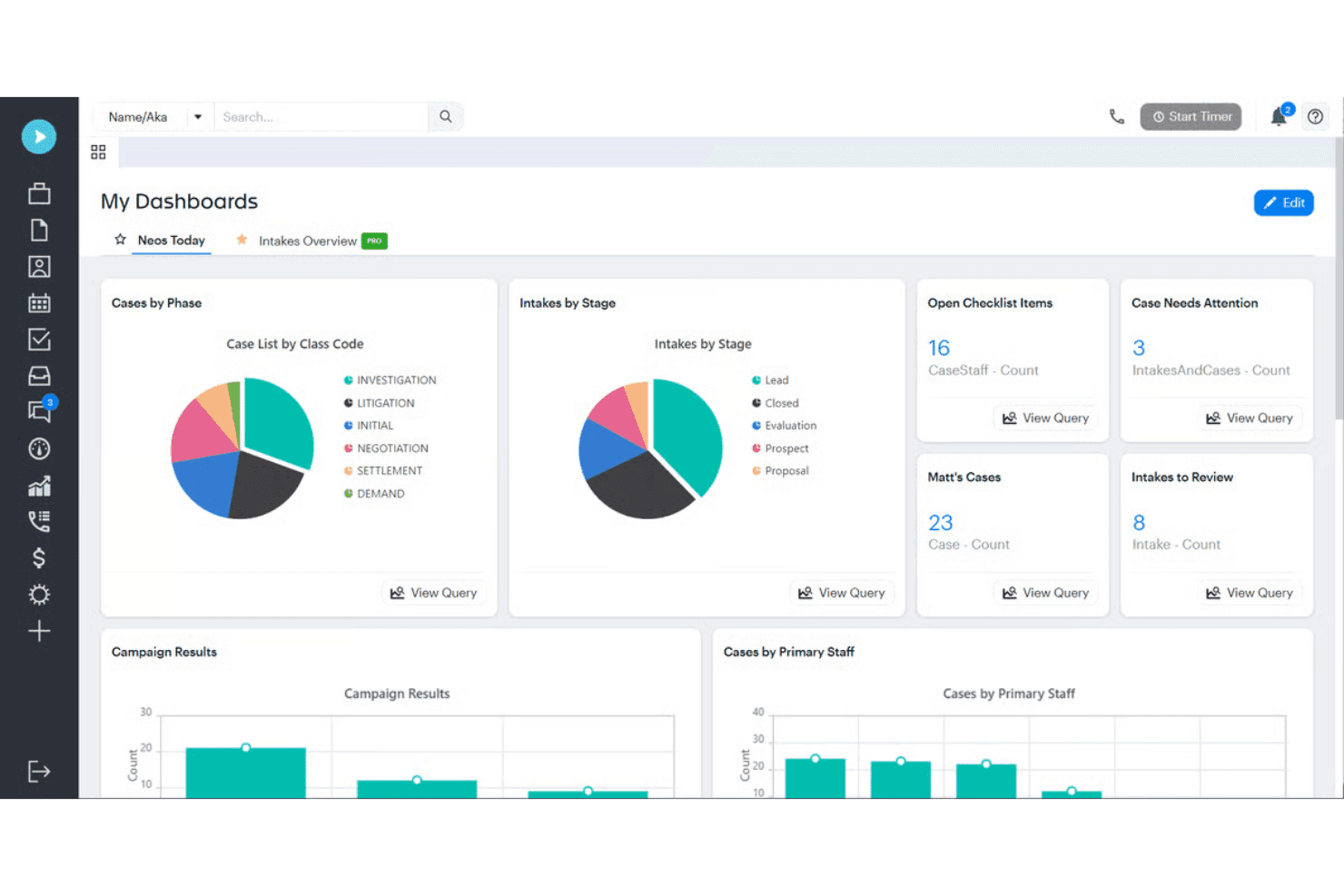
Neos tracks personal injury intake, leads, settlements, and case disbursements. Neos is a cloud-based legal case management platform built specifically for personal injury firms, covering everything from client intake and lead tracking to settlement and disbursement in a single case record.
Who Is Neos Best For?
Neos is a strong fit for plaintiff-side personal injury firms that need a single system to manage cases from first contact through settlement and disbursement.
Why I Picked Neos
I picked Neos as one of the best because it's the only tool on this list built from the ground up for plaintiff-side personal injury work. I love how the case record pulls everything together: medical records, liens, settlement values, and disbursements all live in one place, so nothing slips through when a case moves toward resolution. The intake-to-settlement workflow sets statutes and first deadlines the moment a lead comes in, which I think is a genuine advantage over a general-purpose tool like PracticePanther.
Neos Key Features
- Lien and settlement tracking: Neos tracks liens, subrogation, case costs, settlement values, and disbursements at both the case and docket level.
- OCR and PDF editing tools: Neos Premium includes OCR on every document, plus PDF highlighting, redaction, Bates stamping, and tools to combine or reorder files.
- Automated checklists: All plans include automated checklists to keep tasks assigned and moving across the case lifecycle.
- Dedicated customer success manager: Every plan includes a dedicated CSM and white-glove implementation, with most migrations completing in 60 to 90 days.
Neos Integrations
Neos has documented native integrations across the Microsoft ecosystem, including Microsoft 365, Outlook, SharePoint, and OneDrive. It also connects with RingCentral, Zoom Phone, and LawPay, and offers an API for custom integrations.
Pros and Cons
Pros:
- Reviewers praise tailored case workflows
- Tracks liens through settlement and disbursement
- Centralizes medical records, tasks, and communications
Cons:
- Reviewers report search and navigation friction
- No dedicated trust or IOLTA accounting
Learn more about Neos: Best for court-rule deadline tracking
- Free demo available
- Pricing upon request
Visit WebsiteCustomer Rating:4.4/5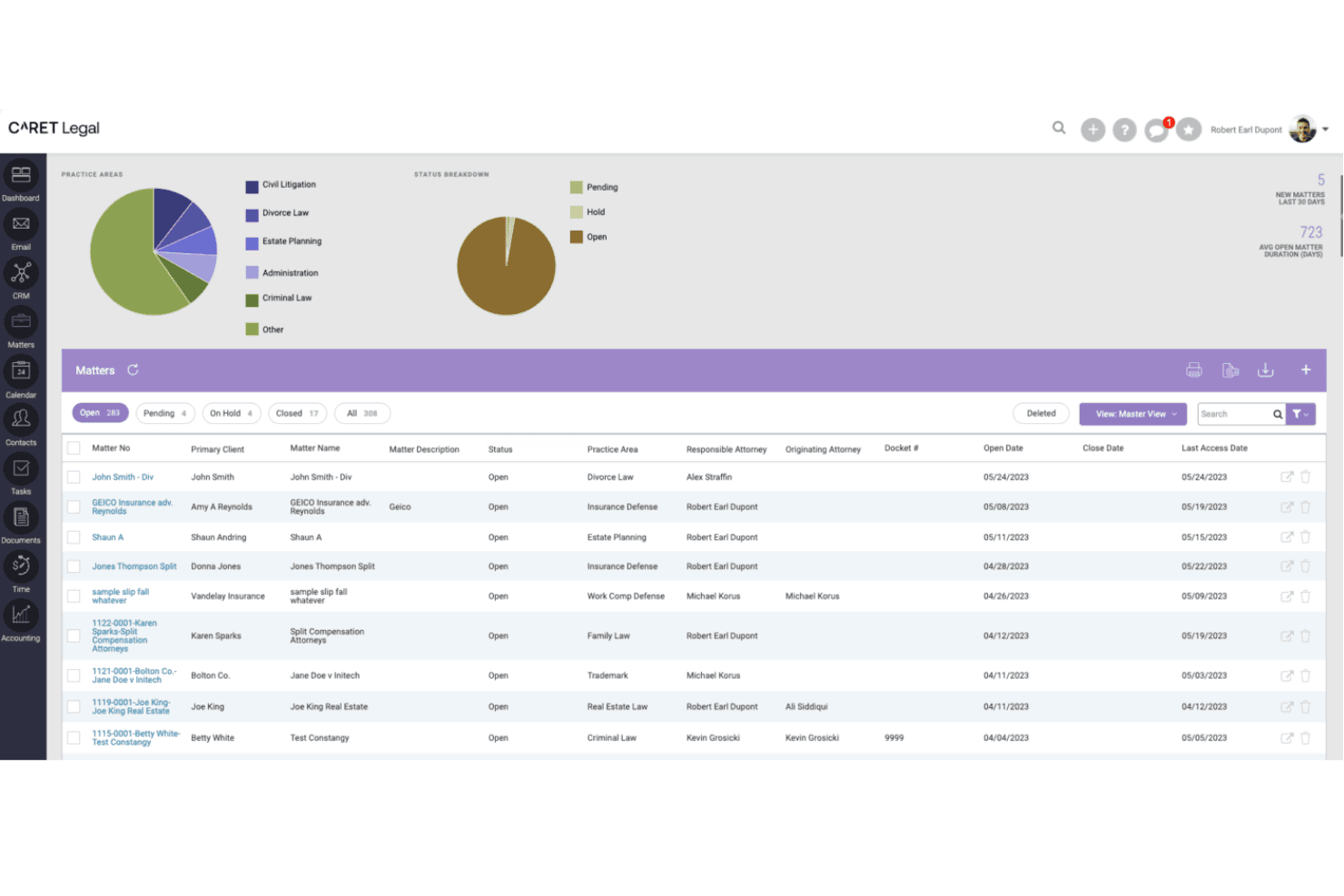
CARET Legal centralizes matter tracking across practice areas and statuses. CARET Legal is a cloud-based legal practice management platform that centralizes matter records, billing, trust accounting, document management, and client communication for law firms that need tighter control over case workflows and court-driven deadlines.
Who Is CARET Legal Best For?
CARET Legal is a strong fit for law firms where administrators and paralegals manage matter workflows, court deadlines, and billing under one roof.
Why I Picked CARET Legal
I picked CARET Legal as one of the best because its Court Rules feature does something most practice management tools don't: it calculates jurisdiction-specific deadlines from a selected rule set and trigger date, then auto-populates both the matter's event list and the firm calendar. I also like that when a dependent date shifts, related events can be rescheduled in a single step rather than manually updated across the calendar.
CARET Legal Key Features
- Enhanced conflict check: Search leads, matters, matter custom fields, and document names simultaneously to surface potential conflicts before opening a new matter.
- Three-way trust reconciliation: Reconcile your bank statement balance, CARET Legal book balance, and total client-ledger balances in a single dedicated report.
- Workflow templates: Build matter-type-specific templates that auto-create tasks and calendar events using an anchor date, dependencies, and matter-role-based assignments.
- QuickBooks Online integration: Sync invoice edits, approvals, and deletions from CARET Legal directly into QuickBooks Online for consolidated accounting records.
CARET Legal Integrations
CARET Legal integrates with Microsoft 365, Google Workspace, QuickBooks Online, OneDrive, NetDocuments, Microsoft Word, Outlook, RMail, LawToolBox, and HotDocs. An API is available for custom integrations, though endpoints and access terms aren’t documented.
Pros and Cons
Pros:
- Three-way trust reconciliation compares bank and ledger balances
- Reviewers praise unified matter and billing records
- Calculates court-rule deadlines and dependent dates
Cons:
- E-signing depends on separate RMail registration
- Reviewers report billing and accounting bugs
Learn more about CARET Legal: Best for firms centralizing legal accounting
- 10-day free trial + free demo available
- From $59/user/month (billed annually)
Visit WebsiteCustomer Rating:4.4/5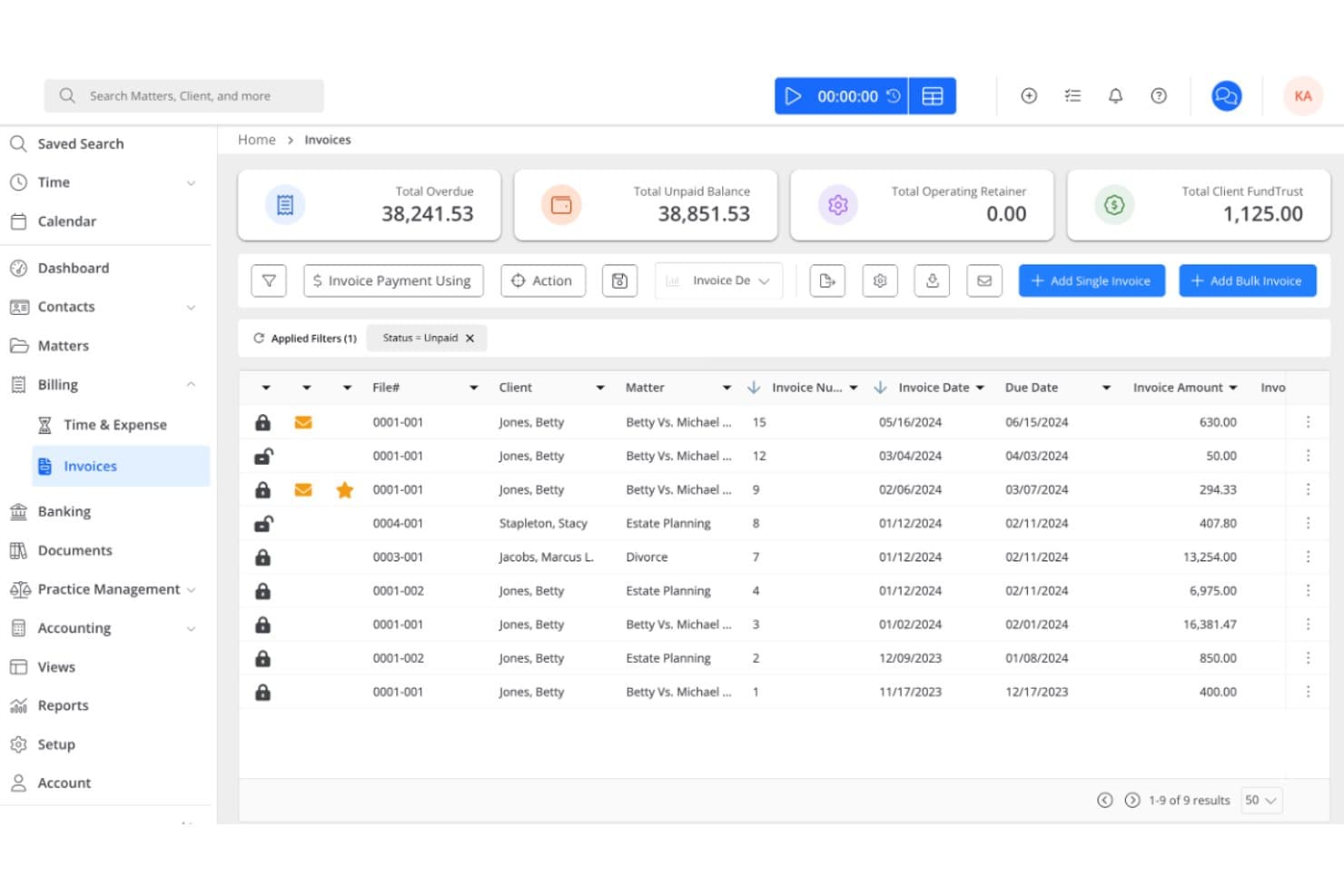
Rocket Matter tracks legal matters, automates billing, and manages trust accounting. Rocket Matter is a cloud-based legal practice management platform built for law firms that need tight integration between matter management, time tracking, billing, and trust accounting.
Who Is Rocket Matter Best For?
Rocket Matter is a strong fit for solo attorneys and small-to-mid-sized law firms that want billing, trust accounting, and matter management tightly connected in one platform.
Why I Picked Rocket Matter
I picked Rocket Matter as one of the best because it's the only tool on this list where legal accounting is genuinely central to the platform, not bolted on. Trust account reconciliation, retainer replenishment triggers, and matter-level audit trails are all built into the core product, so billing and compliance work happen in the same place as case management. At the Elite tier, you also get a legal-specific chart of accounts, accounts-payable tracking, and automatic bank data feeds, which go well beyond what most practice management tools offer.
Rocket Matter Key Features
- Batch billing: Review, approve, and send multiple invoices in a single session directly from the billing dashboard.
- Matter templates and status boards: Build reusable matter templates and track case progress across visual status boards.
- Conflict checking: Run conflict checks on contacts and matters before taking on new clients or cases.
- Secure client portal: Share files and request documents from clients through a PIN-protected portal without leaving the platform.
Rocket Matter Integrations
Rocket Matter offers native integrations with QuickBooks Online, Microsoft 365 and Outlook, Google Calendar, OneDrive, Dropbox, Box, and NetDocuments. Zapier is also listed, but no public API documentation is provided.
Pros and Cons
Pros:
- Matter templates pair with status-based workflows
- Timers connect recorded work to invoicing
- Trust reconciliation includes matter-level audit trails
Cons:
- Court-rule calculations depend on LawToolBox
- Client intake requires a gated CRM add-on
Learn more about Rocket Matter: 8Best for practice-area document automation
LEAP
- Free demo available
- Pricing upon request
Visit WebsiteCustomer Rating:4.3/5
LEAP combines legal case management, document automation, trust accounting, and AI tools. LEAP is a legal practice management platform built for law firms that want case management, document automation, trust accounting, and billing in one place—making it a strong fit for solo attorneys and small-to-mid-sized firms managing high matter volumes across multiple practice areas.
Who Is LEAP Best For?
LEAP is a strong fit for small-to-mid-sized law firms that handle high matter volumes across multiple practice areas and need document automation built around practice-specific templates.
Why I Picked LEAP
I picked LEAP as one of the best because its document automation is built around practice-specific matter templates, with 250+ pre-built options that pull client and matter data directly into letters, court forms, and case documents. I particularly like how the Generator tool drafts legal letters and client emails using firm documents or LEAP's own templates, then outputs them in Microsoft Word. That matters most when your firm runs high matter volumes across multiple practice areas and manual drafting is the bottleneck.
LEAP Key Features
- Trust accounting: Manage office and trust accounts, disbursements, and IOLTA/IOLA compliance from within the same matter workspace.
- LawConnect client portal: Let clients share files, review documents, and pay invoices through a brandable, secure portal.
- AutoTime: Automatically logs billable time spent on matter activities without manual entry.
- Power BI reporting: Connect LEAP matter data to pre-built Microsoft Power BI dashboards for firm-wide reporting and analysis.
LEAP Integrations
LEAP offers native integrations with Microsoft 365, LawToolBox, InfoTrack, LawConnect, QuickBooks Online, Xero, and Microsoft Power BI. It provides REST APIs for custom integrations and connects to more than 8,000 apps through Zapier.
Pros and Cons
Pros:
- Reviewers praise consistent automated drafting
- Matter-linked billing and trust ledgers
- Practice-area templates populate legal documents
Cons:
- Some firms report migration errors
- Email filing often requires extra manual steps
Learn more about LEAP: Best for cloud or on-premise hosting
- Free plan available
- From $21/user/month
Visit WebsiteCustomer Rating:4.1/5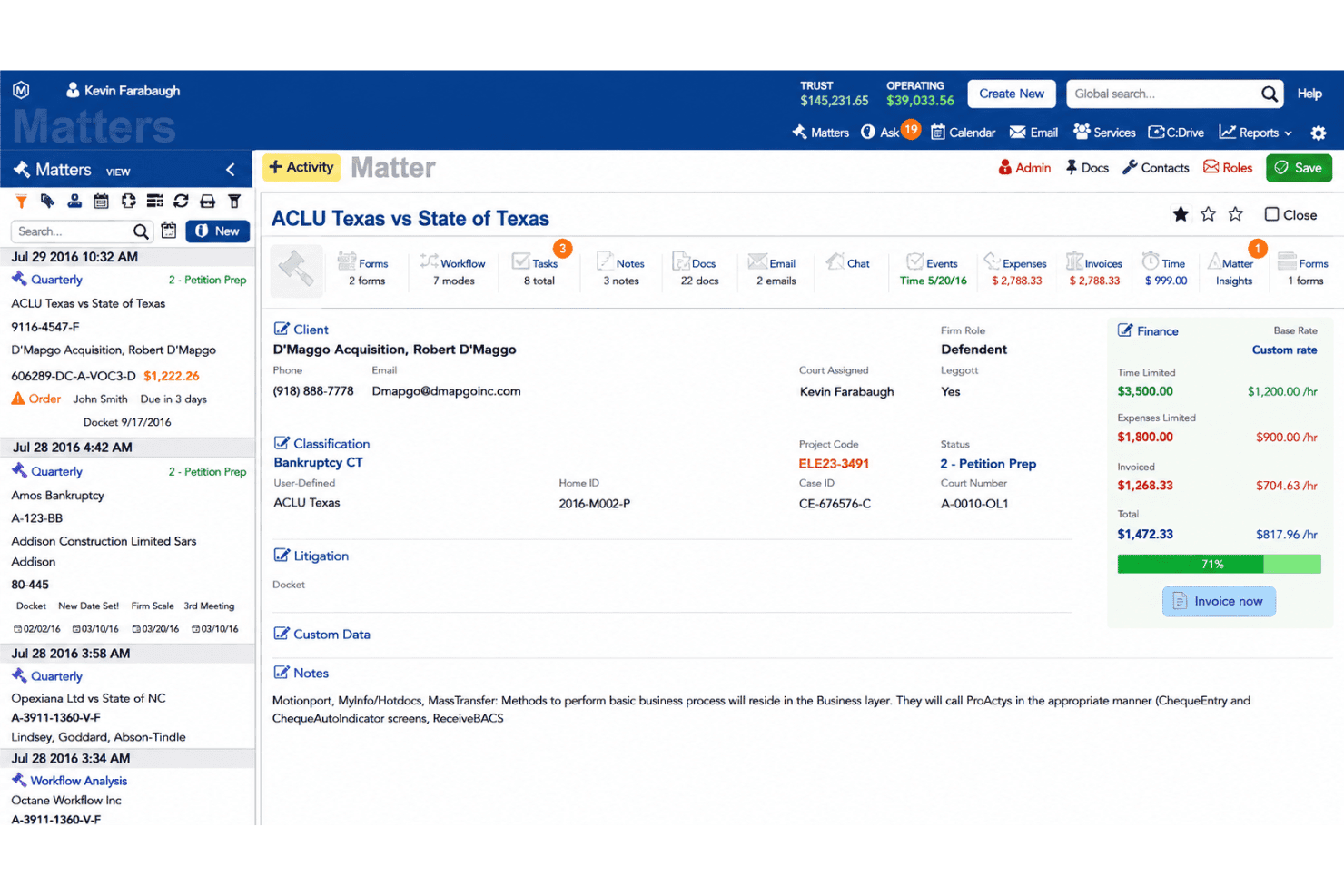
HoudiniESQ manages matters, documents, workflows, time tracking, and billing. HoudiniEsq is a law practice management platform built for solo attorneys through larger firms, covering matter management, document assembly, billing, trust accounting, and workflow automation in a single system.
Who Is HoudiniEsq Best For?
HoudiniEsq is a good fit for solo attorneys and small-to-mid-size firms that need flexibility in how they deploy their practice management software—whether cloud-hosted or on their own servers.
Why I Picked HoudiniEsq
I picked HoudiniEsq as one of the best because it's the only option on this list that lets you choose between cloud hosting and running the software on your own servers. That flexibility matters if your firm has specific data residency requirements or existing infrastructure you don't want to abandon. I especially like that the on-premise version still supports remote access via SSL and syncs with Outlook and Google Calendar, so you're not trading connectivity for control.
HoudiniEsq Key Features
- Matter dashboard: View tasks, key dates, finances, trust balances, and matter status in a single dashboard organized around each case.
- Field trigger automation: Configure triggers on matter, contact, and event forms to automatically send emails, generate documents, or calendar events when field values change.
- HoudiniEsqSign: Send PDF forms to clients or parties for electronic signature, with completed files stored in the matter's Docs tab and a cryptographic audit trail embedded in the signed file.
- QuickBooks connector: Post invoices, payments, credits, expenses, and trust transactions directly from HoudiniEsq to QuickBooks Desktop or QuickBooks Online.
HoudiniEsq Integrations
HoudiniEsq has documented integrations with QuickBooks Desktop and Online, Microsoft Outlook and Office 365, Google Calendar, Gmail, CalendarRules.com, and LawPay. It also supports an API for custom integrations.
Pros and Cons
Pros:
- Field triggers automate calendaring and staff notifications
- Matter-specific templates generate case documents
- Choose cloud or self-hosted deployment
Cons:
- Older reviews cite invoice and prebill limitations
- Reviewers report a dated interface and setup effort
Learn more about HoudiniESQ: Best for cited firm financial insights
- Free demo available
- Pricing upon request
Visit WebsiteCustomer Rating:4.5/5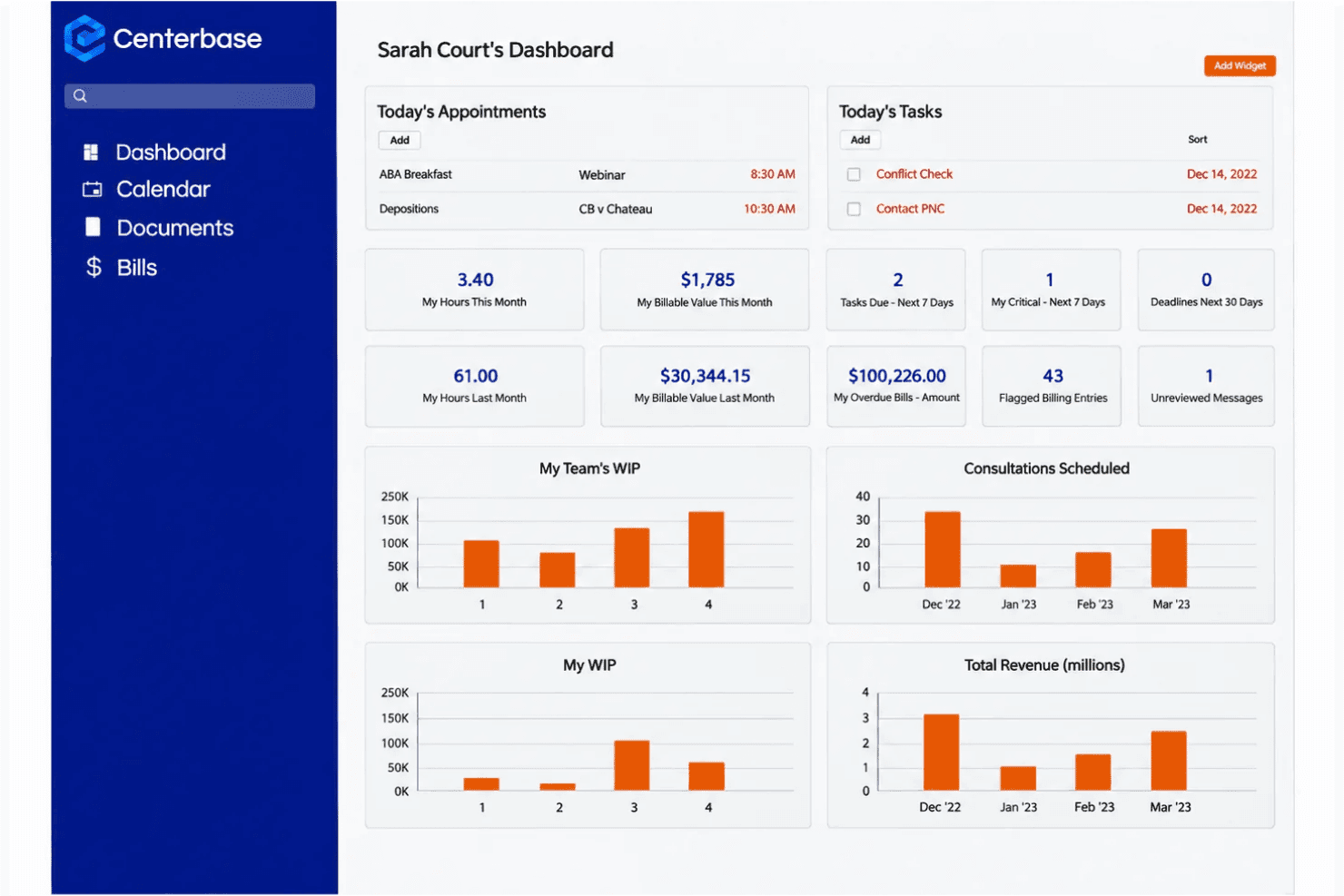
Centerbase links legal matters, billing, trust accounting, and AI financial reporting. Centerbase is a practice management platform built for mid-sized law firms that connects matter management, billing, trust accounting, and AI-driven financial intelligence in one system.
Who Is Centerbase Best For?
Centerbase is a strong fit for mid-sized law firms where managing partners and administrators need connected billing, matter management, and AI-driven financial intelligence in one platform.
Why I Picked Centerbase
I've included Centerbase in my top picks because of Centerbase IQ, its natural-language financial intelligence layer that sets it apart from most practice management platforms. I can ask plain-English questions about billing, collections, WIP aging, and attorney performance, and get answers traced back to the actual firm records behind them. That citation-backed transparency is what makes it genuinely useful for managing partners who need to act on firm data, not just review it.
Centerbase Key Features
- Matter-linked timekeeping: Capture billable time directly within matter records, connected to clients, tasks, and billing workflows, with mobile time entry available.
- Three-way trust reconciliation: Reconcile trust accounts with a report showing bank, book, and client-ledger balances side by side for each matter or client.
- Client portal: Give clients a secure space to view matter details, pay bills, exchange documents, and see shared deadlines and appointments.
- Conflict-of-interest search: Run searchable conflict checks across contacts, matters, and notes, with downloadable, timestamped results.
Centerbase Integrations
Centerbase has Marketplace integrations including iManage, NetDocuments, LawToolBox, Microsoft 365, AvidXchange, and Billables.ai. It also supports QuickBooks Online and provides a Web API with a .NET API Client Proxy for custom integrations.
Pros and Cons
Pros:
- Reviewers praise configurable matter workflows
- Matter-linked billing and trust reconciliation
- Citation-backed IQ traces financial answers
Cons:
- Setup can overwhelm smaller firms
- Reviewers report reporting and accounting friction
Learn more about Centerbase:
Other PracticePanther Alternatives
Here are a few additional options that didn’t make my shortlist but are still worth checking out:
- 11CasePeerBest for PI casework and firmwide reporting
- 12MyCaseBest for centralized client communication
- 13CosmoLexBest for matter-linked law firm accounting
- 14CloudLexBest for PI casework from intake to settlement
- 15ActionstepBest for firms with custom matter workflows
- 16LawcusBest for multilingual client service
- 17Tabs3Best for matter management with Tabs3 billing
- 18SurePointBest for case workflows and legal market insight
- 19PCLaw Time MattersBest for firms with established workflows
Related Reviews
How I Evaluate PracticePanther Alternatives
I split my evaluation into three parts: core functionality, where I look for tools that organize matter records and handle billing with trust accounting—these carry the most weight; standout features, where I check for court-rules-based deadlines or conflict-of-interest checking; and beyond features, where I consider migration support, pricing transparency, and onboarding quality.
Core Functionality (Table Stakes For This List)
When I'm selecting tools for my list, I score each one on a scale from 0 (does not offer the functionality) to 5 (excels in this area) for each core functionality listed below. I then convert the total into a percentage to help assess each tool’s overall fit, with extra weight on any functionalities I’ve deemed essential.
- Case & Matter Management (Essential): I look for structured matter records that link parties, documents, deadlines, status, and case history, so staff can find what they need in one place.
- Billing & Trust Accounting (Essential): I assess time capture, invoicing, fee structures, trust transactions, and reconciliation tools that support accurate financial records for legal matters.
- Document Management: I consider how teams organize and retrieve matter files, apply templates, track versions, and handle signatures during a case.
- Calendaring & Deadlines: I check whether court dates, limitation periods, and task deadlines connect to matters, with reminders or rules-based calculations.
- Client Intake & Communication: I look for structured intake that feeds matter records, plus secure client communication and a history of interactions tied to each matter.
- Tasks & Workflow Automation: I evaluate task assignment, reusable matter checklists, and workflows that trigger the right steps as a case moves forward.
Once I have a list of tools that meet the criteria, I consider what sets each platform apart.
Differentiating Factors (What Sets Vendors Apart)
Here's how I compare and contrast different vendors:
Standout Features
Court rules-based deadline engines matter most here. I check whether a platform calculates filing deadlines and limitation periods from built-in jurisdictional rule sets or relies on manual entry. A missed statute of limitations is a malpractice claim, so tools like Clio Manage and Filevine that auto-calculate dates based on case type and court carry real weight. I also evaluate conflict-of-interest checking, since a firm opening a new matter needs an automatic cross-reference against existing clients and parties before engagement letters go out. Native document assembly rounds out my comparison—I look for template-driven generation of court-ready documents with e-signature routing built in, which removes the need for separate tools and keeps matter files complete.
Beyond Features
Migration support matters most when you're switching platforms mid-cycle. I check whether a vendor offers dedicated migration specialists who map your existing matter data, billing history, and documents into the new system without downtime during court deadlines. Pricing transparency is equally important—I look for clear per-user tiers that include trust accounting and e-signature, since hidden add-ons can double your costs as the firm grows. I also evaluate each vendor's integration ecosystem, particularly native connections to QuickBooks, Microsoft 365, and document storage tools like NetDocuments, so your team doesn't lose access to the workflows they already rely on.
Why Look for a PracticePanther Alternative?
PracticePanther is a good choice for legal case management, but some firms look elsewhere when its setup doesn’t match their requirements. You might be looking for a PracticePanther alternative because…
- You need court-rule deadline calculations for your jurisdictions.
- You want document automation built around your practice area.
- You require on-premises hosting rather than a cloud-only platform.
- You need specific native integrations for your existing systems.
- You want pricing that better fits your firm's budget or growth plans.
If any of these sound like you, you’ve come to the right place. My list includes legal case management software options better suited to teams facing these challenges with PracticePanther and looking for an alternative.
PracticePanther Key Features
Here are the key features of PracticePanther to help you compare it with alternative options:
- Matter management: Keep contact records, matter details, and case statuses together. This gives your team a central place to find information and track each matter’s progress.
- Workflow automation: Set up customizable workflows with conditional steps, tasks, events, and checklists. Your team can use these to guide recurring matter processes and assign the next steps.
- Document management: Store files in the cloud and use templates or batch document creation to prepare matter documents. PracticePanther also provides real-time data backup.
- Calendaring: Schedule events and connect them to your firm’s calendar. You can convert calendar events into time entries when a scheduled activity needs to be recorded as billable work.
- Time and expense tracking: Record work with multiple timers and track matter-related expenses. These entries can support billing and help your team keep activity records tied to client work.
- Billing and payments: Create invoices, set up payment plans, and accept online payments through payment links. The platform also supports retainers and provides financial reporting.
- Trust accounting: Record trust transactions and manage accounting workflows that include a general ledger and three-way trust reconciliation. These tools help your team track trust funds alongside matter finances.
- Client intake: Create intake forms with custom fields and appointment scheduling. Submitted intake details sync into the system, giving your team information to work with as a matter begins.
- Client communication: Use the secure client portal, two-way business texting, and client reminders to communicate with clients. These tools keep client interactions connected to firm workflows.
- E-signature: Send documents for electronic signature and keep the signing process within your practice management workflows, rather than handling every signature request separately.
Costs and Pricing of PracticePanther Alternatives
Pricing varies by features, firm size, and add-ons. Most PracticePanther alternatives offer free trials rather than ongoing free plans, and enterprise pricing is often quote-based. Here are typical price ranges in USD per user per month.
Plan Comparison Table for PracticePanther Alternatives
| Plan Type | Average Price | Common Features |
|---|---|---|
| Plan TypeFree Plan | Average Price$0 | Common FeaturesFree trials, matter and contact records, task tracking, and document tools. |
| Plan TypePersonal Plan | Average Price$30-$60 | Common FeaturesMatter and contact management, calendaring, time tracking, and basic invoicing. |
| Plan TypeBusiness Plan | Average Price$60-$150 | Common FeaturesTrust accounting, client portals, workflow automation, and e-signatures. |
| Plan TypeEnterprise Plan | Average Price$100-$300+ or custom quote | Common FeaturesAdvanced reporting, custom workflows, migration support, and role-based access. |